 AppRank
截图






描述
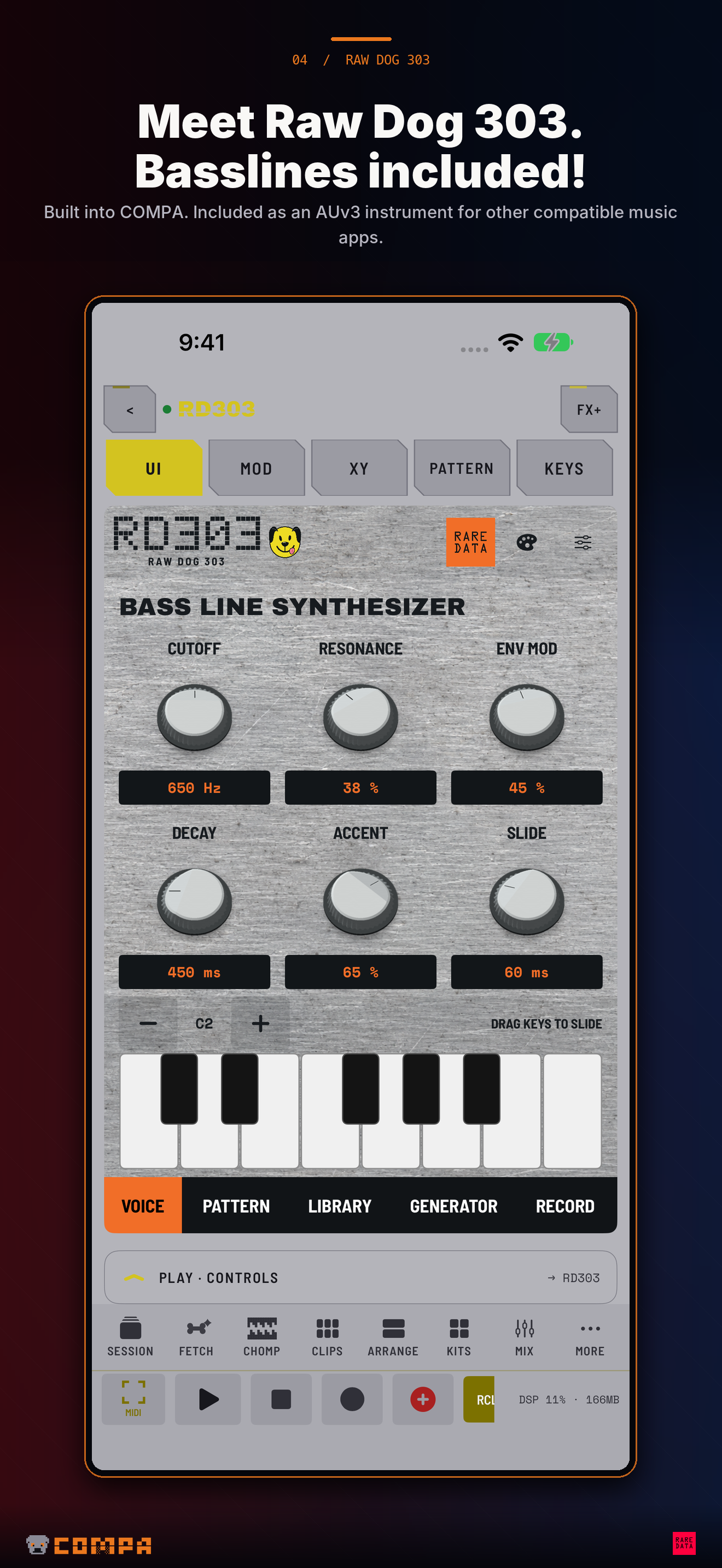
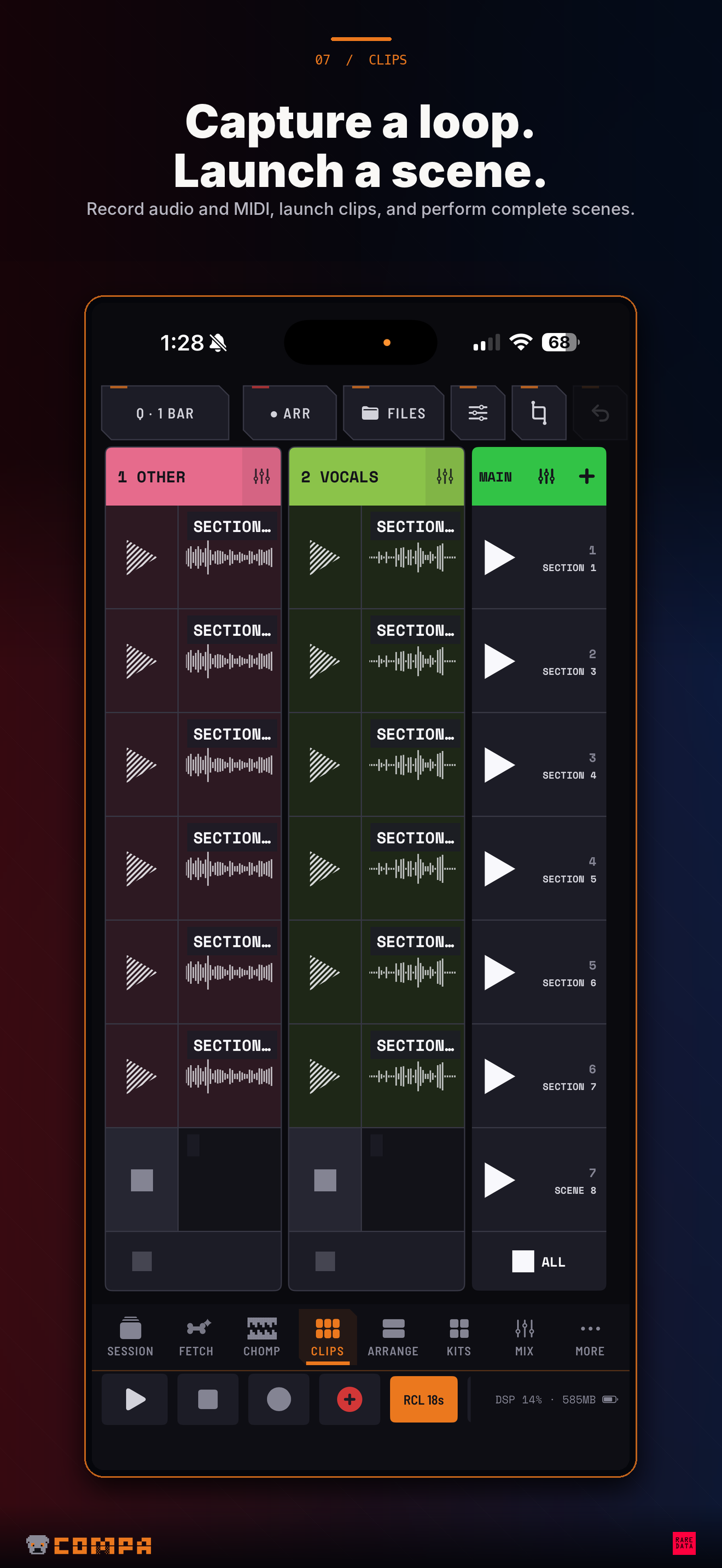
COMPA is a sampling and performance studio for iPhone and iPad. Record new sounds, turn dialogue into playable phrases, scratch your tracks and build a song. Use COMPA's instruments, including Raw Dog 303 (RD303), or connect compatible AUv3 apps, MIDI gear and audio interfaces. Hardware is optional. SAMPLE APPS, THE WEB AND YOUR GEAR Capture supported other-app audio on iOS/iPadOS 27, open a web player inside COMPA, or record hardware and hosted instruments. Send audio straight to CHOMP pads, Clips, Arrange, Takes or Quota DS. Hold for a quick sample or tap to record while you switch apps. Audition, keep sampling, and share web links into COMPA without copying and pasting addresses. Audio Recall saves recent audio when inspiration arrives before Record. QUOTA DS: TURN WORDS INTO SAMPLES Transcribe audio, search the transcript and highlight the words or phrases you want to play. Audition the selection, refine its timing and fades, then send it to CHOMP. Q-Chop helps make sentence and segment cuts. Saved transcripts, flexible reading layouts and a resizable workspace keep longer recordings manageable. Choose Apple speech recognition or an optional downloadable Whisper model that runs locally. CHOMP: PLAY WHAT YOU FIND Record, import, trim, tune, reverse, layer, sequence and resample. Play samples chromatically in Mono or Poly. Perform Live FX, map controls to MIDI and route the standalone FX bank to CHOMP's master or a bus. Quota Stems separates drums, bass, other and vocals on device. Quota Kits imports and exports sampler kits. CHOMP AUv3 is included for compatible hosts. DJ DECKS AND PAD SCRATCH Load Files, song clips or CHOMP samples onto Deck A and Deck B. Scratch, set hot cues, loop, adjust pitch and levels, and mix with EQ, filters and crossfader curves. Analyze tempo and cue suggestions, map performance controls to MIDI, and record your performance. Open Pad Scratch for a single sample, add Cut, Brake or Echo Out, and send the recording to a new pad. RAW DOG 303: INCLUDED BASSLINE SYNTH + AUv3 Meet Raw Dog 303! Create basslines with RD303's 128-step sequencer, pattern library and generator, modulation, stereo effects and note/knob automation recording. It's built into COMPA and included as an AUv3 instrument for other compatible music apps. No extra purchase or unlock. FROM IDEAS TO SONGS Launch Clips and scenes, arrange audio and MIDI, draw automation and mix with AUv3 inserts and sends. Import files where you're working, move and copy clips, normalize audio and export mixes or stems. FETCH develops chords, bass, melody and drums; Guided FETCH works through parts one at a time. Capture linked video, perform it from pads and export MP4 with your audio. A COMPANION FOR YOUR SETUP Tailored workspaces give supported grooveboxes and synths direct controls. Compatible MIDI ports also work without a device profile. Set note channels, Clock and Start/Stop independently, map controllers, assign analog returns through an audio interface, and save your rig with the Session. Sync through Ableton Link, with optional transport and compatible Link Audio connections. One upfront COMPA purchase. No COMPA subscription, account or in-app purchases. RD303 and its AUv3, CHOMP, Quota DS, Quota Stems and Quota Kits are included. Third-party apps and hardware are separate. Other-app capture requires iOS/iPadOS 27 and depends on source playback and system permissions. Optional models and imported media use device storage; selected cloud files download for playback/editing. USB MIDI and USB audio are separate device capabilities.
新内容
版本 1.4 · 2026/10/4COMPA 1.4 is a major sampling and performance update, free for existing owners. Capture new sounds, turn spoken words into playable phrases, scratch your tracks, and meet RD303: a bonus bassline synth included at no extra cost. SAMPLE OTHER APPS AND THE WEB On iOS/iPadOS 27, capture audio from supported apps or a web player into CHOMP, Clips, Arrange, Takes or Quota DS. Hold a pad for a quick sample, or use tap-to-start/tap-to-stop while you switch to the source. Audition a new pad, then resume sampling without reconnecting. Share links from other apps into COMPA's web-source queue. Optional video capture keeps the picture with your sample. QUOTA DS, BUILT IN Transcribe audio, search the words, highlight a phrase and send it to a CHOMP pad. Audition selections, refine their start/end points and fades, or use Q-Chop for sentence and segment cuts. Transcripts are saved with their sources. The movable, resizable workspace includes reading layouts and independent light/dark transcript backgrounds. Use Apple speech recognition or download a local Whisper model; keep working with an Apple draft while Whisper finishes. DJ DECKS AND PAD SCRATCH Perform with Deck A and Deck B using Files, song clips or CHOMP samples. Scratch the platters, set eight hot cues, find BPM and cue suggestions, loop, adjust pitch and channel levels, and shape the mix with EQ, filters and crossfader curves. Pad Scratch gives a selected sample its own turntable with Cut, Brake, Echo Out and EQ. Record the result to a new pad. Performance controls support MIDI mapping. A BONUS: RAW DOG 303! Meet RD303, Raw Dog 303 - a bassline synthesizer included with COMPA! It comes with a 128-step sequencer, pattern library, pattern generation, modulation, stereo effects, and note/knob automation recording. Play it natively inside COMPA or load the included RD303 AUv3 in another compatible music app. No in-app purchase, subscription or separate unlock. MORE WAYS TO BUILD A SONG Perform linked video samples and export MP4 with audio. Develop parts step by step with Guided FETCH. Use scale-aware MIDI clip editing, route CHOMP Live FX to its master or a bus, and connect these workflows with Quota Stems and Quota Kits. YOUR MIDI RIG, RECALLED Compatible MIDI devices no longer need a built-in profile for ports, channels or sync. Create custom cards, assign audio-interface returns, and save routes, controller mappings and bank settings with your Session. Route MIDI from instrument AUv3s that produce it. Notes, Clock and Start/Stop have separate controls, and the MIDI Matrix is directly accessible again. IMPORTANT FIXES AND POLISH • Fixed an AUv3 host issue that could stop sequencer audio when opening CHOMP or changing the audio setup, requiring a restart. • Fresh CHOMP recordings keep their captured pitch and speed. Resampling preserves tuning across repeated takes and honors Auto Trim without rewriting the source. Auto Match is for imports; Restore Original can recover previously matched takes. • Safer pad clearing, a clearer trash target and expanded pad-edit Undo; improved landscape touch handling and message dismissal. • Keyboard highlights clear after release. • Arrange audio-file imports land in Arrange. Move/copy clips and regions, drag in files, and read names in separate headers. • Improved selected iCloud-file downloads, import progress/errors, file-versus-folder guidance, normalization, export saving, recording placement, scene following, Session recall and compact layouts. Other-app capture requires iOS/iPadOS 27. Capture availability depends on the source and system permissions. Optional models and imported media require device storage. Thank you for using COMPA and helping shape what comes next! We look forward to bringing you more big updates. Questions or issues? Email [email protected] or start a thread in our Discord: https://discord.gg/USrmH6WFjv
信息
- 卖家
- Jordan Mcdonald
- 类别
- Music
- 版本
- 1.4
- 需要
- iOS 16.0+
- 大小
- 126.0 MB
- 年龄评级
- 17+