 AppRank
스크린샷




설명
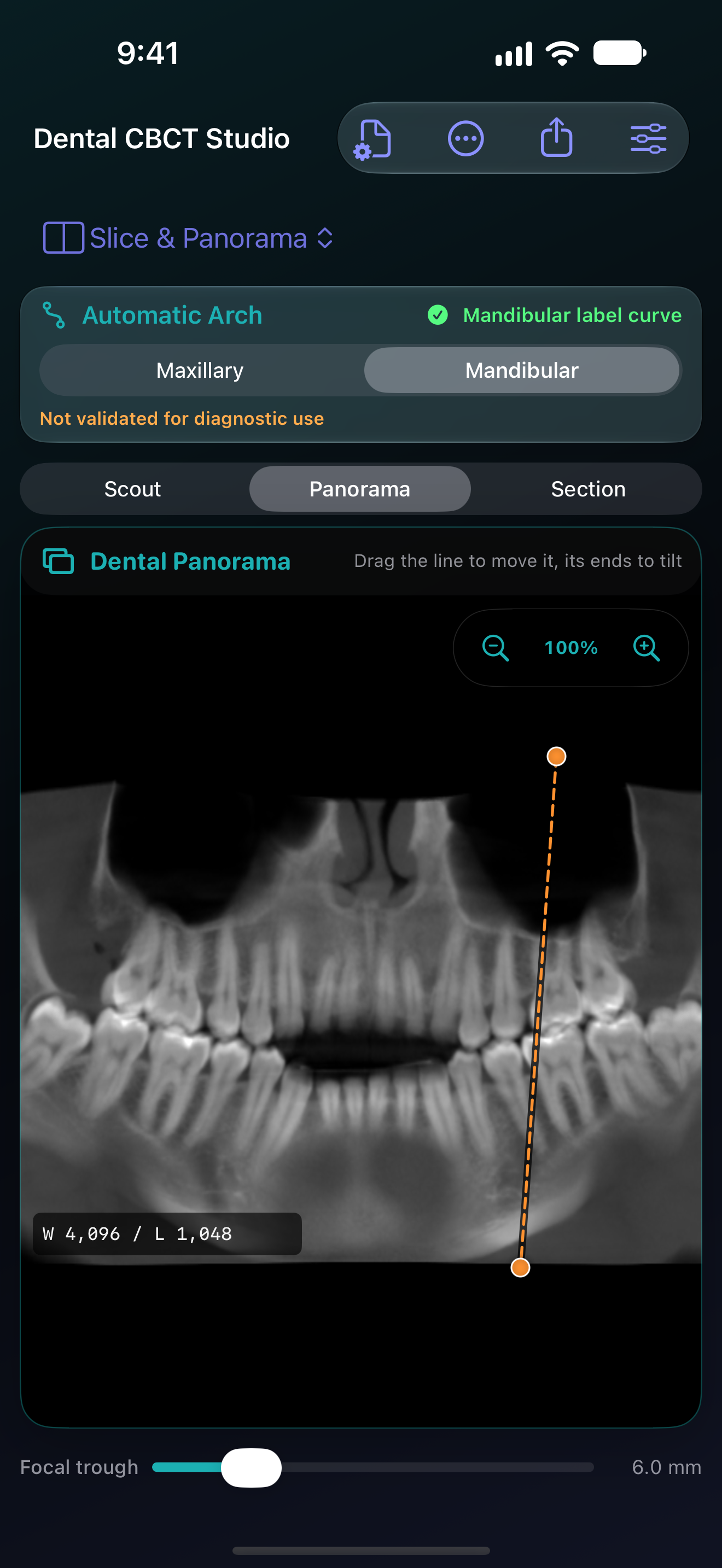
Explore a dental CBCT study from the views that matter. Dental CBCT Studio brings synchronized slices, 3D viewing, curved panoramas, measurements, and exports to iPhone, iPad, and Apple-silicon Mac. • Move through your scan. Review axial, coronal, and sagittal slices alongside the 3D volume. Focus a pane, adjust the image, and keep your place as you explore. On iPhone and iPad, pinch and pan with two fingers in Navigate mode. • Follow the dental arch. Review and adjust automatic upper and lower arch proposals, or draw your own. Inspect curved panoramas and move through perpendicular cross-sections. Optional panorama guides locate cross-section drawings and reopen their source sections; measurement values stay in the source view. The guides are not panorama rulers. • Add measurements and observations. Place distances, angles, and regions of interest using the study's physical geometry. Explicitly save a study state with views, annotations, and accepted edits to reopen with the matching original study. • Inspect and refine surfaces. Review jaw, grouped tooth, and mandibular canal (IAN) segmentation proposals against the source slices. Paint or erase corrections and export STL surfaces after reviewing them. A general threshold surface is also available. • Prepare clear exports. Create still images, silent videos, PDF reports, and DICOM secondary captures. Choose the views and overlays to include, preview your work, and save it through system controls. Open a local DICOM file or folder and work on your device. No account is required. Help, privacy information, and licenses are available offline. Find public app instructions through the in-app guide, Siri, Shortcuts, and supported Spotlight search; private studies are excluded. Use the feedback form to prepare a bug report or feature request for your email app. You review and send the draft yourself. It includes your description and basic app/OS information, with no study files or crash logs attached automatically. The importer supports monochrome 8-bit or 16-bit integer DICOM series and Enhanced multi-frame files with valid geometry. Supported transfer syntaxes are Implicit VR Little Endian, Explicit VR Little Endian, Explicit VR Big Endian, Deflated Explicit VR Little Endian, and RLE Lossless. Multi-frame geometry must describe a regular spatial stack; single-frame files need declared slice extent. JPEG, JPEG-LS, JPEG 2000, other compressed transfer syntaxes, color DICOM, and PACS networking are not supported. Scan size and device memory affect what can be opened. Dental CBCT Studio has not been validated for diagnostic use. Verify measurements, arch proposals, and segmentation against the original study. Segmentation can be incomplete or incorrect, and CBCT gray values are not standardized Hounsfield units. Use qualified clinical judgment before making medical decisions. Includes an adapted DentalSegmentator model by Gauthier Dot and contributors, licensed CC BY 4.0. Original model: https://zenodo.org/records/10829675. License: https://creativecommons.org/licenses/by/4.0/. Full credits, modifications, and separate Apache-2.0 code notices are available in Privacy & Licenses.
새로운 기능
버전 0.4 · 2026. 9. 28.• Show optional location guides for cross-section measurements in the simulated panorama, then select a guide to return to its source section. Measurement values remain in the source view. • Pinch and pan images with two fingers on iPhone and iPad, with improved preservation of drawings during navigation. • Keep cross-section measurements when scrolling the arch scout, and reopen their source sections more reliably. • Improved DICOM geometry checks, multi-frame loading, and memory handling when closing and reopening studies. • Prepare bug reports and feature requests from the app, then review and send them through your email app. No study files or crash logs are attached automatically.
정보
- 판매자
- Chris Gupta
- 카테고리
- Medical
- 버전
- 0.4
- 필요 사양
- iOS 18.0+
- 크기
- 69.7 MB
- 연령 등급
- 17+