 AppRank
Screenshot



Descrizione
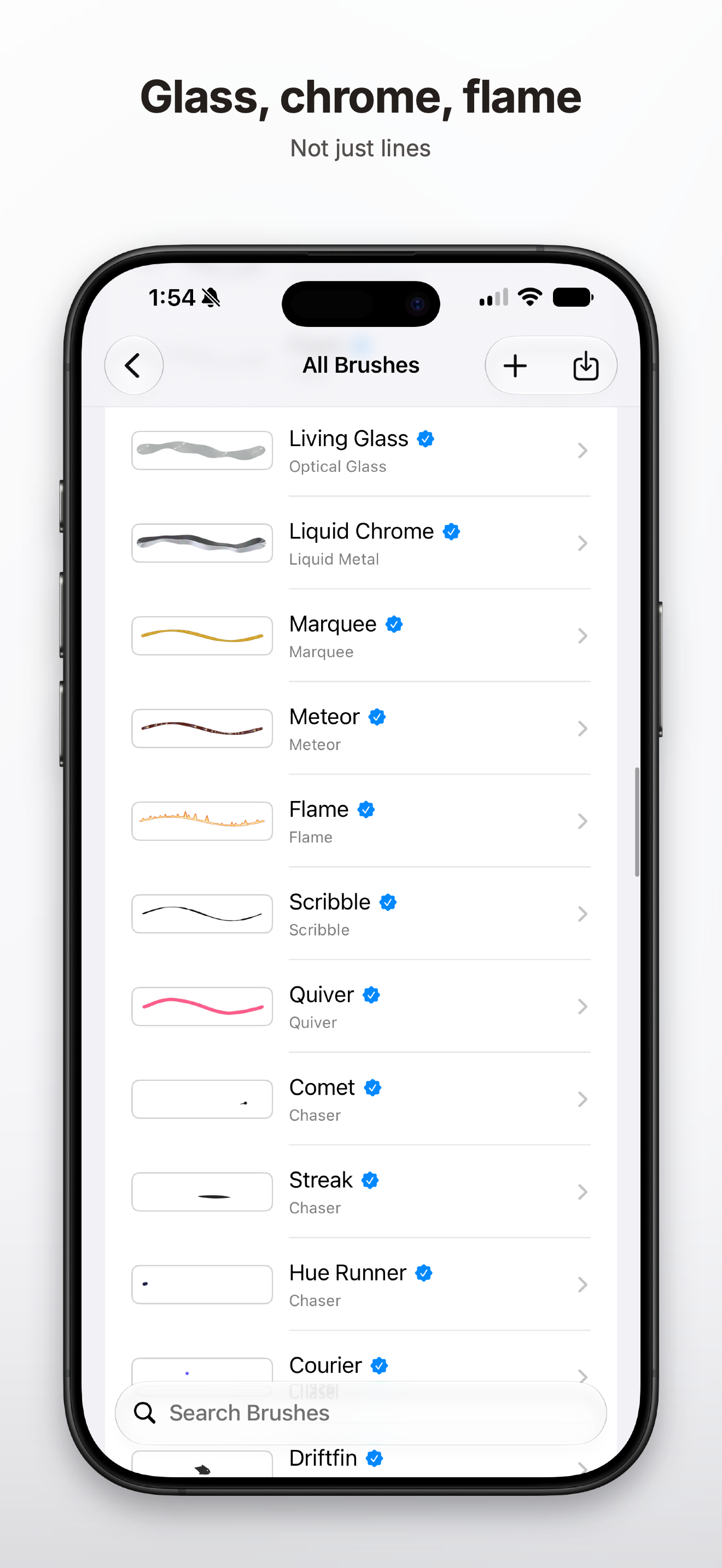
DotShake Brush Studio is where DotShake's brushes are made. Start from a brush that already exists, tune it until it feels right, and save it as your own. A CABINET OF BRUSHES, EACH SHOWING ITS OWN STROKE Every row draws a real stroke, so you never have to open a brush to find out what it looks like. The categories are on the row too: Line, Dab, Airbrush, Oil Paint, Palette Knife, Liquid, Optical Glass, Liquid Metal, Halftone, Particles, Noise, Volumetric, Dynamic Field — and a whole family of type that runs along the stroke. NOT JUST LINES Pencil, charcoal, marker, calligraphy, impasto, gouache and fan brush for the traditional hand. Then glass, liquid chrome, meteor and flame — and butterflies, moths, clouds and maple leaves that chase the stroke. TYPE THAT FOLLOWS THE STROKE Kinetic type, pop type, glass type, falling poems, and leader brushes that trail a small shape behind them. EVERY BRUSH IS EDITABLE • Size and opacity, with the preview updating as you go • Customise the pressure curve so the tip answers to your hand • Enough parameters that there is a search field for them • Preview in light or dark, and reset in one tap • Save as a copy — the original stays as it was IMPORT AND EXPORT Export the brushes you make, and import the ones other people made. Requires DotShake.
Novità
Versione 1.0.11 · 15/09/2026- Create with five new brush templates: Ink Boil, Bubble Flow, Wet Ink, Tears and Blood. - Shape your own hand-drawn animation with Ink Boil. Fine-tune its speed, shake amount and the number of drawings in the loop. - Customize Bubble Flow’s float speed, delay, density and bubble size. Set the float speed to zero to keep bubbles in place. - Explore flowing liquid effects, including Tears with customizable color and opacity.
Informazioni
- Venditore
- Zhen Chen
- Categoria
- Graphics & Design
- Versione
- 1.0.11
- Richiede
- iOS 17.0+
- Dimensione
- 108.4 MB
- Classificazione per età
- 4+