 AppRank
Notice – Mindful Screen Time
DJAMSHID JURAYEV
Health & Fitness
Screenshot



Descrizione
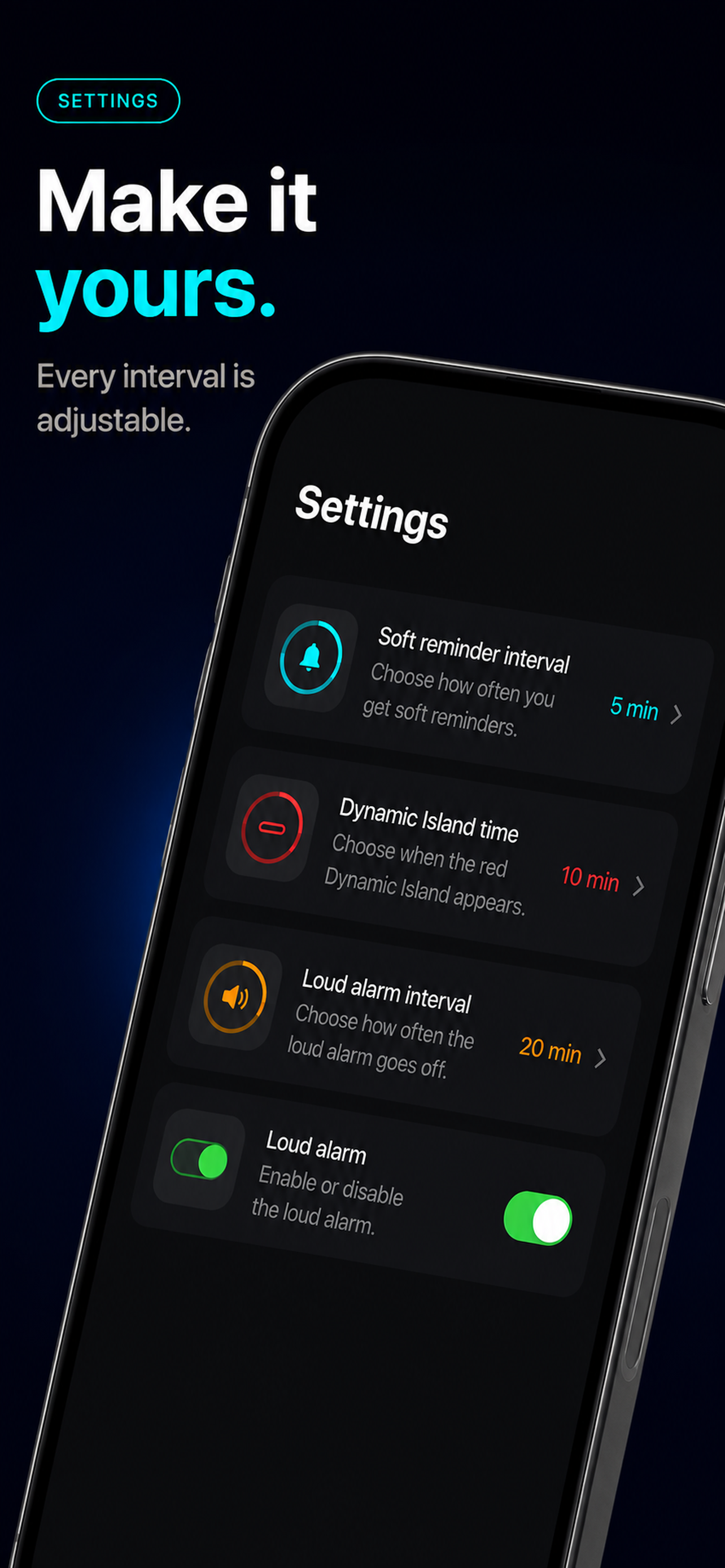
Notice shows you how long you've been in an app — while you're still in it. Most screen time tools either block you before you open an app, or show you a chart the next day. Neither helps in the moment. Notice puts a live timer on screen as you scroll, so you can decide for yourself when it's enough. HOW IT WORKS You connect the apps you want to be mindful about using two Shortcuts automations — one that starts the timer when an app opens, one that stops it when the app closes. The app includes a step-by-step picture guide for this. From then on it's automatic. Open a connected app and the timer starts counting. Leave, and it pauses. WHAT YOU GET • A live timer that runs while you're in a connected app • A gentle reminder notification every 5 minutes • The timer turns red after 10 minutes, so you can see it at a glance • An optional alarm at 20 minutes that can break through Silent Mode and Focus — you can turn this off anytime • Today's totals: time spent, number of sessions, and longest session NO GUILT, NO BLOCKING Notice never stops you from using an app. It just makes the time visible. Awareness first. PRIVACY No account. No sign-up. Your stats stay on your device and are never sent anywhere. Which apps you track is your choice, made in Shortcuts — Notice never sees a list of your apps. Requires iOS 26 or later. The live timer appears at the top of the screen on iPhone 14 Pro and later, and on the Lock Screen on other supported models.
Novità
Versione 1.1 · 23/09/2026Now in 9 languages Notice is fully translated into English, Swedish, Spanish, French, German, Portuguese, Simplified Chinese, Russian and Arabic. A hard limit alarm you can trust The alarm needs its own permission, and until now it could stay silent without telling you why. Notice now shows that permission right in Settings with one tap to turn it on, and tells you if an alarm couldn't be scheduled. Fixes and polish • The live timer no longer gets stuck in a split state after the hard alarm sounds • Better contrast on the lock screen timer, captions and the Resume button • Soft reminders are no longer skipped while the hard limit is switched on • Time is no longer missing from your daily total when a session resumes • Changing a setting no longer restarts the timer twice • VoiceOver now reads the alarm toggle and the onboarding progress correctly Thanks for all the reports — several of these came straight from your emails.
Informazioni
- Venditore
- DJAMSHID JURAYEV
- Categoria
- Health & Fitness
- Versione
- 1.1
- Richiede
- iOS 18.0+
- Dimensione
- 6.0 MB
- Classificazione per età
- 4+