 AppRank
Open Relay - Open WebUI Client
Abhishek Bhardwaj
Productivity
Screenshot


Descrizione
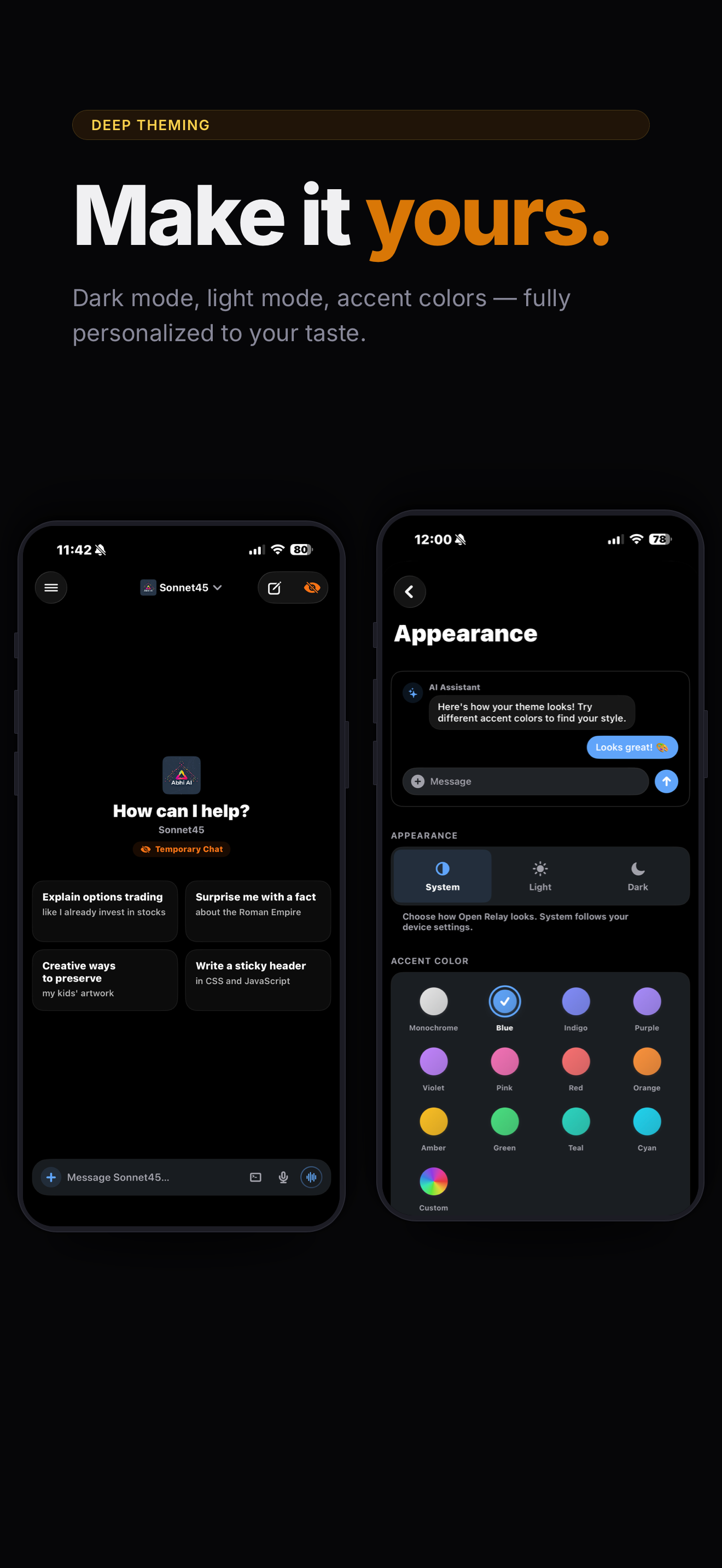
Your AI. Your server. Your pocket. Open Relay is a 100% native iOS & iPadOS client for Open WebUI. Chat with any model on your server, right from your iPhone or iPad, with a fast, polished experience that feels native. — STREAMING CHAT WITH RICH MARKDOWN — Watch responses flow in word by word with full markdown rendering — syntax-highlighted code blocks, tables, math equations, Mermaid diagrams, inline SVG images, and more. Everything renders beautifully in real time. — VOICE CALLS WITH AI — Call your AI like you'd call a friend. Open Relay uses Apple's CallKit so it looks and feels like a real phone call — complete with an animated orb that reacts to your voice and the AI's response. — ADMIN CONSOLE — Take full control of your WebUI admin settings directly from the app instead of visiting the site. Directly add new integrations, mcp servers, or modify server settings quickly through the app. — TERMINAL INTEGRATION — Give your AI access to a real terminal. Enable command execution from chat, then swipe from the right edge to open a file browser with directory navigation, file upload, preview, and a mini terminal. — SWITCH MODELS ON THE FLY — Type @ to mention any model and switch mid-conversation. A persistent chip in the composer shows which model is active. — PROMPT LIBRARY & SKILLS — Type / to search your prompt library with slash commands, or $ to browse and apply your Open WebUI skills — all without leaving the composer. — KNOWLEDGE BASES (RAG) — Type # to search and attach your knowledge collections, folders, and files. Works exactly like the web UI. — ON-DEVICE VOICE, COMPLETELY PRIVATE — Built-in neural text-to-speech (Marvis) and speech-to-text run entirely on your device via Apple's MLX framework. Download once, then no data ever leaves your phone. Server-based and Apple system voices also supported. — TOOLS & WORKSPACE — Toggle server-side tools on or off per conversation. Tool calls render inline with collapsible details. Manage models, knowledge bases, prompts, skills, and tools directly from the app. — CHANNELS — Collaborative chat rooms where multiple users and AI models interact — organized by Direct Messages, Groups, and Channels. — AUTOMATIONS — Automations let you schedule prompts to run automatically at recurring times. — TASK MANAGEMENT — Task Management gives agentic models a structured way to plan and track multi-step work in a chat. — CALENDAR — Schedule, track, and manage events — with AI that can plan for you. — ORGANIZE EVERYTHING — Drag and drop chats into folders. Pin important conversations. Search across everything. Configure folders with system prompts, default models, and attached knowledge. Archive and restore in bulk. — RICH ATTACHMENTS — Attach files, photos, or paste images into chat. The Share Extension sends content from any app straight into a conversation. — DEEP THEMING — Accent color presets or a custom color wheel. Pure black OLED mode with tinted surfaces. Every change previews live. — MULTI-SERVER/ACCOUNT SUPPORT — Save multiple Open WebUI connections and switch instantly. Full auth support — username/password, LDAP, SSO, and auth proxies like Authelia and Authentik. — HOME SCREEN WIDGETS & SHORTCUTS — Start a chat from a widget or your Action Button. Background notifications alert you when a generation finishes while you're in another app. — ACCESSIBILITY — Independently adjust message text size, conversation title size, and UI element scaling Requires a running Open WebUI server instance. Your models Your rules!
Novità
Versione 6.2 · 03/10/2026WHAT'S NEW • Added `openui://channel/{id}` links to open a channel directly from Home Assistant, Shortcuts, or other apps. Long-press a channel in the sidebar and choose Copy Channel Link to get it. • Added notifications for new channel posts (including webhooks and automations) and for chats started by automations, the web app, or other devices. They arrive right away while the app is open and are checked in the background otherwise. Turn them on or off in Settings → Notifications. IMPROVEMENTS • The iPad sidebar now uses the native split view, so opening and closing it is smooth whether it's set to auto-hide or always shown. • The terminal key bar above the keyboard is now solid, easy to read, and scrolls smoothly, with larger keys on iPad. BUG FIXES • Fixed the terminal file browser on iPad not reopening after being closed — use the new Files button in the top bar, swipe in from the right edge, or Browse Files in the terminal menu. • Fixed the keyboard covering the terminal on iPad; the shell now stays above the keyboard and expands while you type. • Fixed laggy, hard-to-tap buttons in the message box on iPad. • Fixed being unable to swipe up to expand the message box on iPad, and text not moving onto its own line while typing. The message box now grows and shrinks with your finger as you swipe. • Fixed the Apple Watch app crashing right after tapping Talk or dictating a question. • Fixed the Apple Watch microphone staying on after leaving Talk, and typed questions turning it on unnecessarily. • Fixed dictation sheets on Apple Watch closing on their own in chats and channels.
Informazioni
- Venditore
- Abhishek Bhardwaj
- Categoria
- Productivity
- Versione
- 6.2
- Richiede
- iOS 18.1+
- Dimensione
- 87.9 MB
- Classificazione per età
- 4+