 AppRank
Capturas de pantalla




Descripción
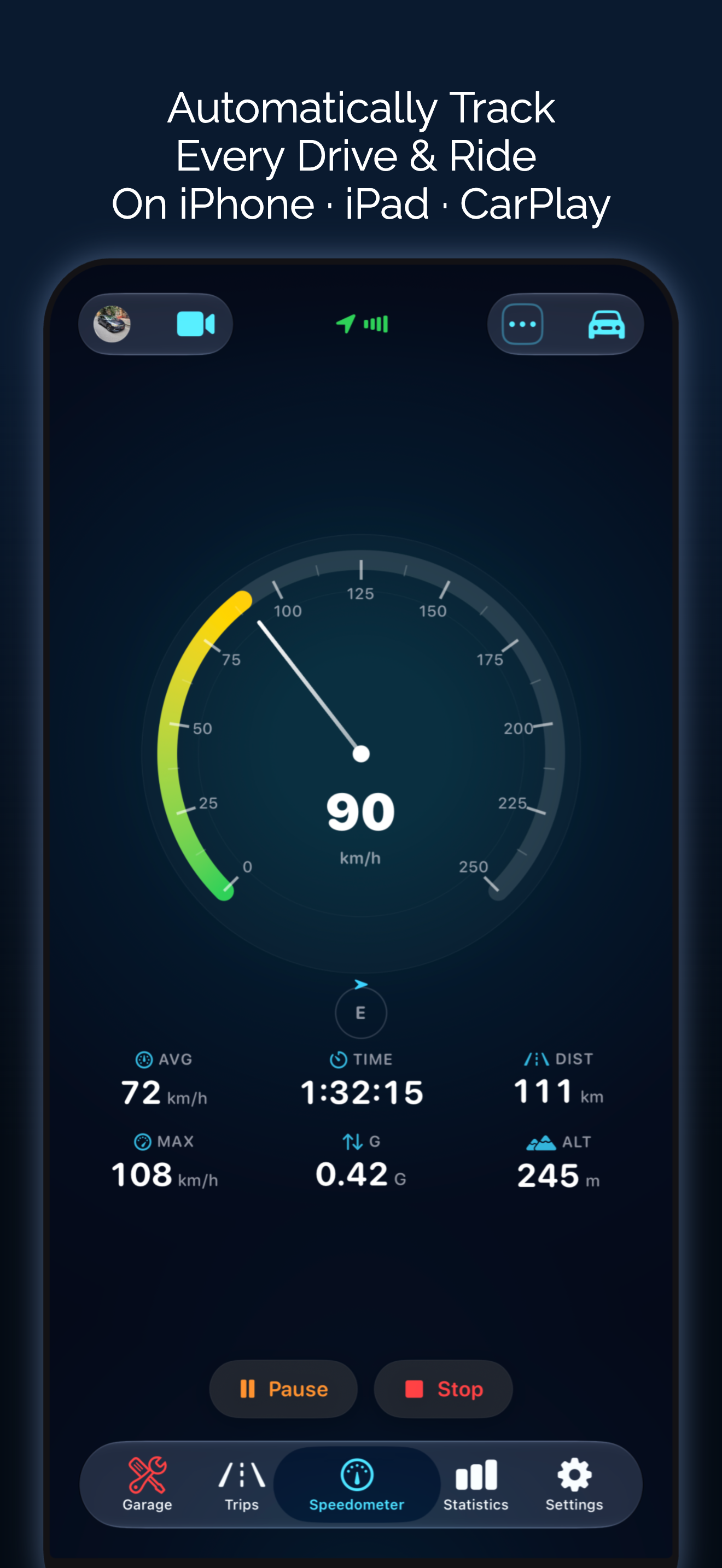
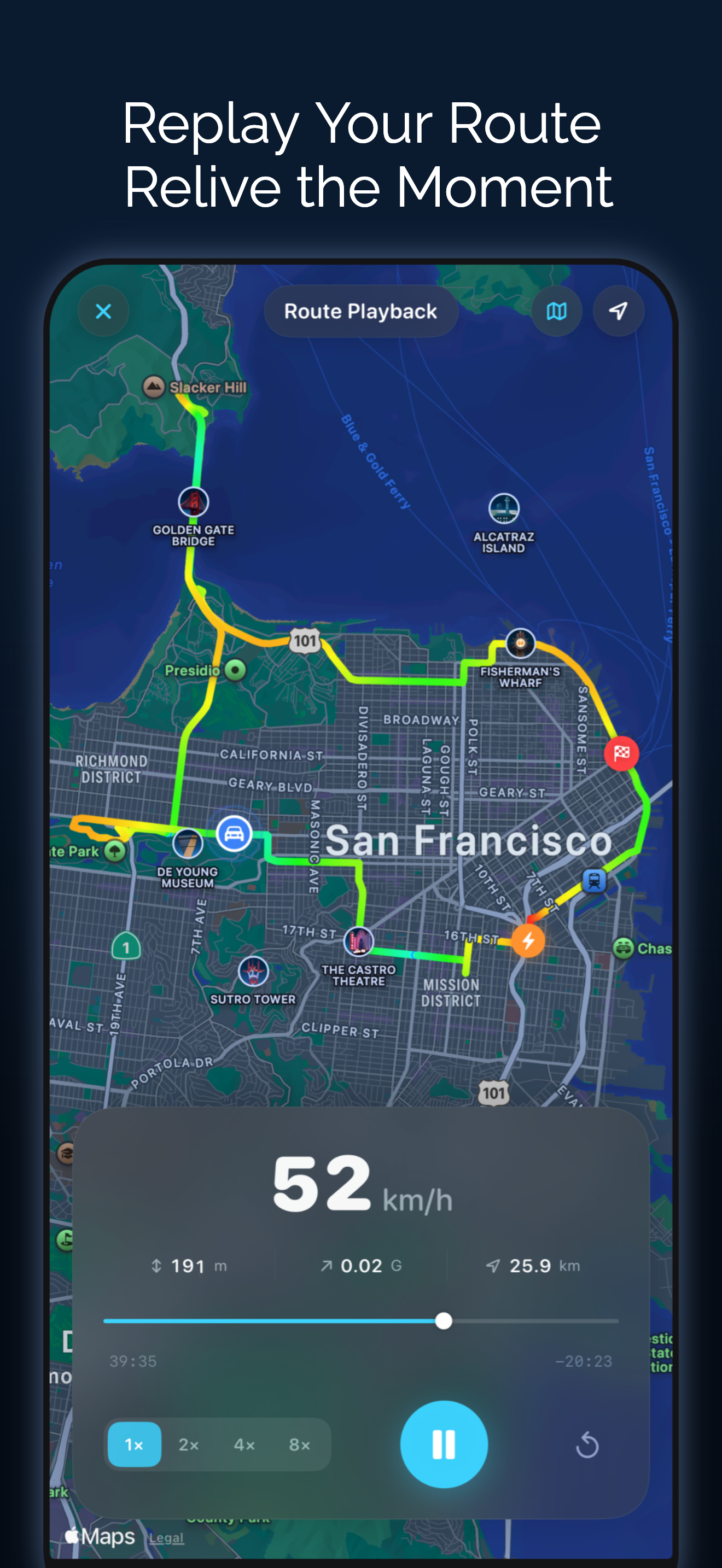
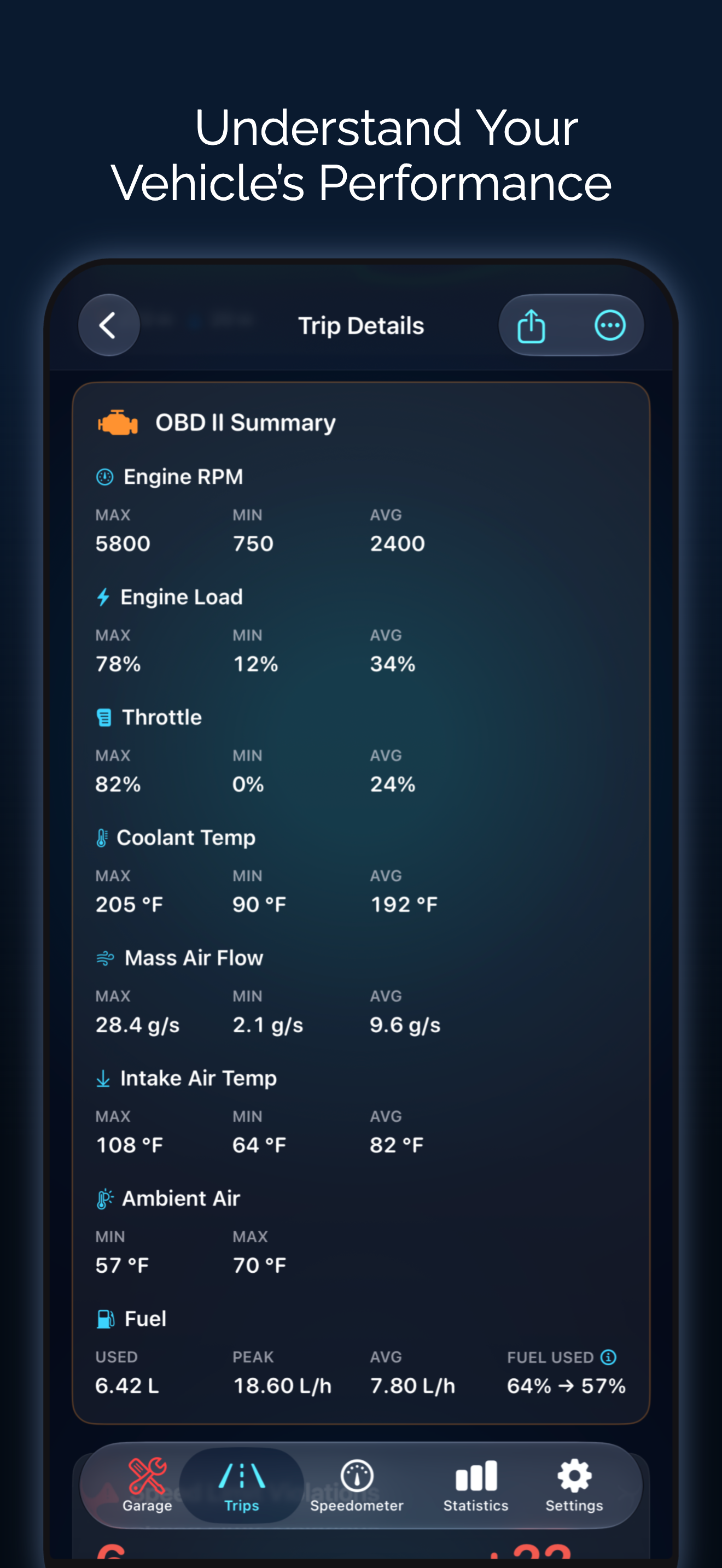
Your ultimate driving companion - a modern GPS speedometer to track speed, distance, and every trip in detail. Whether you’re driving, motorcycling, cycling, running, or boating, Speedometer delivers real-time GPS speed with beautiful digital, analog, and HUD displays, along with powerful trip analytics. TRIP RECORDING & ROUTE TRACKING • Distance, duration, and moving time • Average and maximum speed • Elevation gain, min/max altitude ROUTE PLAYBACK • Relive your trips on a full-screen map. Watch your recorded route playback with every turn, stop, and stretch of road - on standard, satellite, or hybrid maps. SPRINT TIMER (0–100 AND MORE) • Measure your acceleration performance with configurable sprint ranges. Track 0–100 km/h, 60–120, or any custom range. Sub-second precision with GPS interpolation. Compare your best times with trophy rankings. RICH STATISTICS & CHARTS • Speed over time and elevation profile charts • All-time top speed records with gold, silver, and bronze rankings • Speed distribution breakdown • Most visited cities • Total distance, trips, and lifetime stats DYNAMIC ISLAND & LIVE ACTIVITIES • See your current speed right on the Dynamic Island and Lock Screen while recording a trip. CarPlay & Automated Recording • See live speed and trip stats on your car's display, and start recording automatically with Siri Shortcuts or when you connect to your car - drive hands-free. THREE BEAUTIFUL DISPLAYS • Digital - glowing rings with centered speed readout • Analog - Classic car dashboard gauges with smooth needle animations. Includes 50+ gauge styles such as automotive, racing, sports, marine, navigation, and more. • Map - full-screen live map with real-time speed overlay WINDSHIELD HUD MODE • Turn your iPhone into a heads-up display. Mirrored text reflects off your windshield for safe, at-a-glance speed monitoring at night. LIVE MAP VIEW • Follow your route in real time on standard, satellite, or hybrid maps. See your speed, compass heading, GPS signal strength, and trip stats — all on one screen. OBD II LIVE DIAGNOSTICS • Live engine data: RPM, coolant, fuel level, battery voltage, throttle, O2 sensors, catalyst temps, and more • Read and clear stored, pending, and permanent fault codes with plain-language descriptions • Readiness Monitors to see if your car is set for an emissions inspection • Full Vehicle Info readout including VIN, Calibration ID, and ECU name • OBD readings on CarPlay, reorderable alongside your trip stats • Per-vehicle OBD history auto-matched by VIN • One-tap PDF diagnostic report to share with your mechanic SIRI & SHORTCUTS • "Hey Siri, start a trip in Speedometer" - control trips hands-free • Start, stop, pause, and resume trips with voice commands • Create automations in Apple Shortcuts - trigger trips via CarPlay, Bluetooth, NFC, Focus Mode, or Action Button VIDEO RECORDING • Record your drive with a real-time speed overlay burned into the video • Choose Box or Line overlay style at 720p, 1080p, 2K, or 4K • Videos save directly to your Photos library SHARING • Share trips as beautiful stats cards - with or without route map • Export trips as GPX files for use in other apps • Backup and restore trips with the .speedometer transfer format GPX IMPORT • Import GPX files from any source with a full route preview before saving VEHICLE MANAGEMENT • Add and manage vehicles with make, model, year, license plate, and custom colors • Custom type names for unique vehicles FUEL & MAINTENANCE • Track fuel fill-ups with cost, volume, and economy • Log maintenance and set service reminders • Manage fuel stations and garages • Per-vehicle fuel units (L/100km, MPG, km/L) • Currency support for cost tracking PRIVACY FIRST • All data stays on your device. Export or back up your trip history anytime. Download Speedometer and turn every journey into data. Terms of Use: https://www.apple.com/legal/internet-services/itunes/dev/stdeula/ Privacy Policy: https://speedometerproapp.com/privacy
Novedades
Versión 3.27.0 · 28/9/2026Fairer fuel economy • Partial fill-ups and charges now count. Economy runs from one full tank to the next and includes every fill in between, so an EV you usually charge to 80% still gets a figure. • Each fill-up now shows a This Tank card (This Charge for EVs): economy, distance, and how much went in. • In the UK, you can enter fuel prices in pence per litre, the way the pump shows them. Find any station • The station picker now finds EV chargers and street addresses. You can also search workshops by address. Smarter auto-tags • New rule: Pass through saved place. It tags trips that go past or stop at a place without starting or ending there, like a school pickup. Choose how long the stop must be, or pick No stop. Find it in Garage > Tags > Auto-Tag Rules. Share cards • Choose a Text Size for trip share cards. The card now keeps the style you last used. • Replays are now called Trip Reel and Max Speed Reel. • Route colors look brighter on maps and share cards in light mode. We hope you love these updates! Please take a moment to rate us if you're enjoying these new features. Your rating helps us grow and improve! Have feedback? [email protected]
Información
- Vendedor
- Taohidul Islam
- Categoría
- Navigation
- Versión
- 3.27.0
- Requiere
- iOS 18.6+
- Tamaño
- 92.9 MB
- Clasificación por edad
- 4+