 AppRank
Screenshots


Description
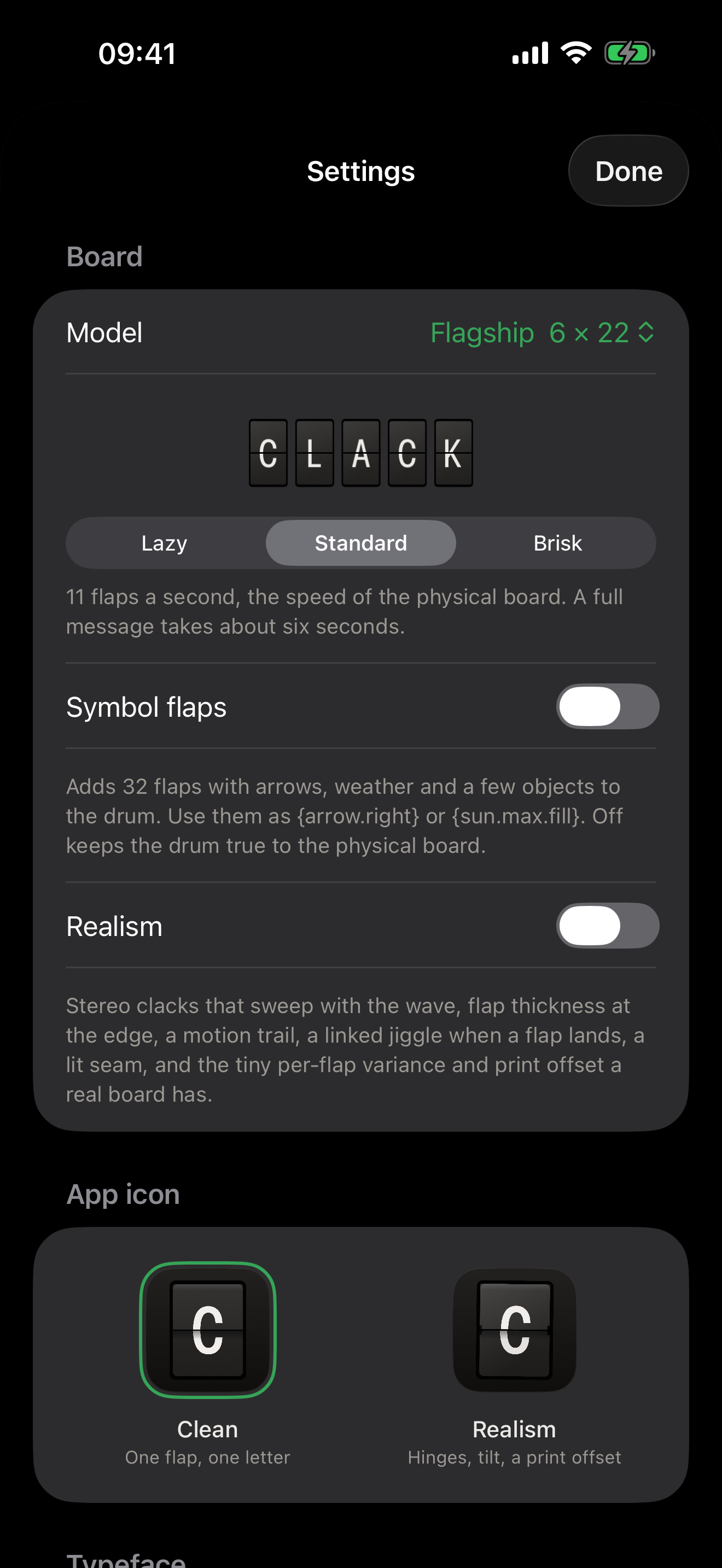
Clack is a split-flap board for your screen. Every letter is a real flap on a drum. Send a message and 132 of them spin, clack and land, with the sound and the feel of the physical boards you see in airports, hotels and homes. Then the board goes back to whatever you have scheduled: the time in words, the weather, tonight's scores, your calendar, a quote, or anything with a URL. MESSAGES Type anything and watch it cascade onto the board. Add colour chips with {red}, {green} or {blue}, or a heart. Pin a message so it stays. Send from the app, from Shortcuts and Siri, or from any other device on your network. CHANNELS Switch on the ones you want and the board cycles through them: • Clock, in words or digits • Weather, sunrise and sunset, air quality and UV, the moon • Football and sports scores with your team's colours, and the next fixture • Formula 1, Transport for London departures • Calendar and Reminders • Mail: unread count and the latest sender • GitHub commits, YouTube subscribers, crypto, stocks, exchange rates, App Store ratings • Hacker News, On This Day, any RSS feed • Custom API: point it at any JSON URL and write a template • Mirror the physical board on your wall Almost everything works without an account or a key. ON THE MAC Set the board as your live desktop wallpaper, behind your icons, on every Space, animating as messages arrive. Or install it as a screen saver. There's a menu bar composer, and a one-tap way to hide every window and just look at the board. FOR DEVELOPERS AND TINKERERS Clack speaks the same local API as the physical boards, so Home Assistant, Zapier, n8n, a cron job or a curl command can post to it unchanged. Send plain text or an exact grid of character codes. There's a built-in guide, and a prompt you can hand to your AI so it knows how to talk to your board. THE DETAILS • Flagship (6 × 22) and Note (3 × 15) layouts • Real flap physics: gravity on the fall, a damped landing, per-column stereo clacks • Realism mode: hinge pins, flap thickness, motion trails, print offset • Any typeface installed on your device, or import your own • Optional symbol flaps: arrows, weather, a few objects • Home Screen and Lock Screen widgets • Wall mode: the board alone on black, screen kept awake. Lean an iPad on a shelf. • Quiet hours, so the board sleeps when you do Made by OCTOBER.
What’s New
Version 1.1 · 9/15/2026Everything you write is now kept. One list with three shelves: all of it, the ones you starred, and the ones you started and never sent. Search it, send something again, or start from it. Leaving Compose half way through a sentence keeps what you wrote rather than throwing it away. Templates. Twenty-four boards already laid out, in six categories, with the one word that is yours left blank. Fill it in against a live board and send it. Send a board to somebody. Any board goes out as a picture, framed and on its own black, so the thing that lands in the message is the object rather than a screenshot of some text. Colour. The whole board as seven printed chips: a band of colour rolling across it, rings opening out from the middle, or roughly the colour it is outside. Two channels that need nothing at all. A word a day in Spanish, Italian, German, French and Brazilian Portuguese, and something true you probably did not know. No key, no network, no account. Accented letters work. CAFE, MANANA and FUNF used to arrive with holes in them. The drum has sixty-four flaps and not one of them carries a mark, so every accented letter quietly became a blank. It prints the letter underneath now, the way a real split-flap in a European airport does. A board on a wall calms down. It used to change every forty-seven seconds whether anybody was in the room or not. Now it settles when the room does, and picks up again the moment you touch it. An introduction the first time you open it. Four steps, and you can skip it. Switches you can read. On used to be a white knob on a white track, which looked the same as off. Only the news you care about. Hacker News and any RSS channel take a list of subjects now. Leave it empty for everything. Three scenes to start from: Working, Evening and Everything. A scene is which channels are on, which is most of what Focus needs. Changing channel no longer waits on the network. The flaps turn on the tap, and a channel you have never seen says its own name while it fetches. News channels no longer lose the second story to a headline that ran long, and On this day no longer ends a small board mid-phrase. Setting up a shared board says so on the board rather than in a spinner, and once you have one the link is one tap to copy. On the Mac, the menu bar is rebuilt: proper buttons, and a haptics switch next to the sound one.
Information
- Seller
- James Frewin
- Category
- Lifestyle
- Version
- 1.1
- Requires
- iOS 18.0+
- Size
- 17.7 MB
- Age Rating
- 4+