 AppRank
Screenshots


Description
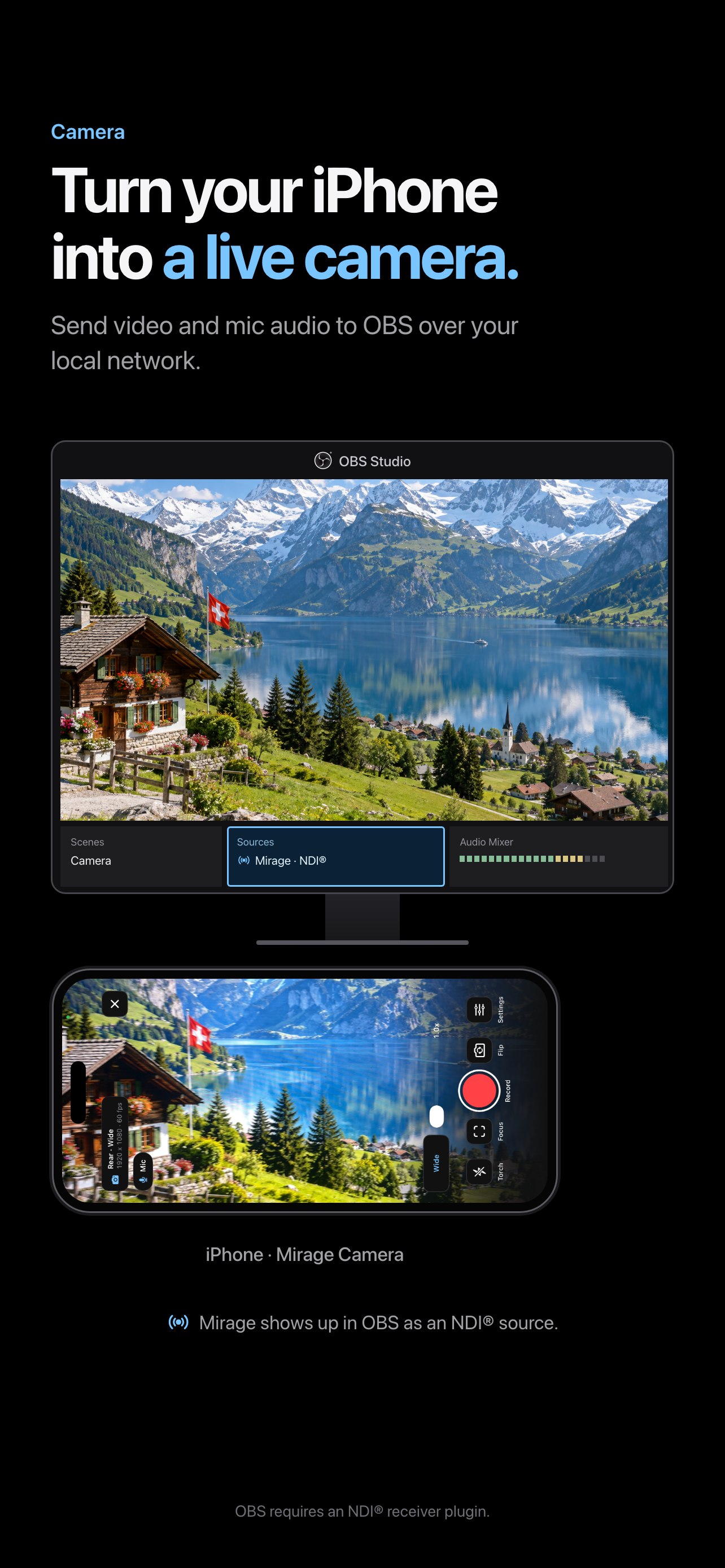
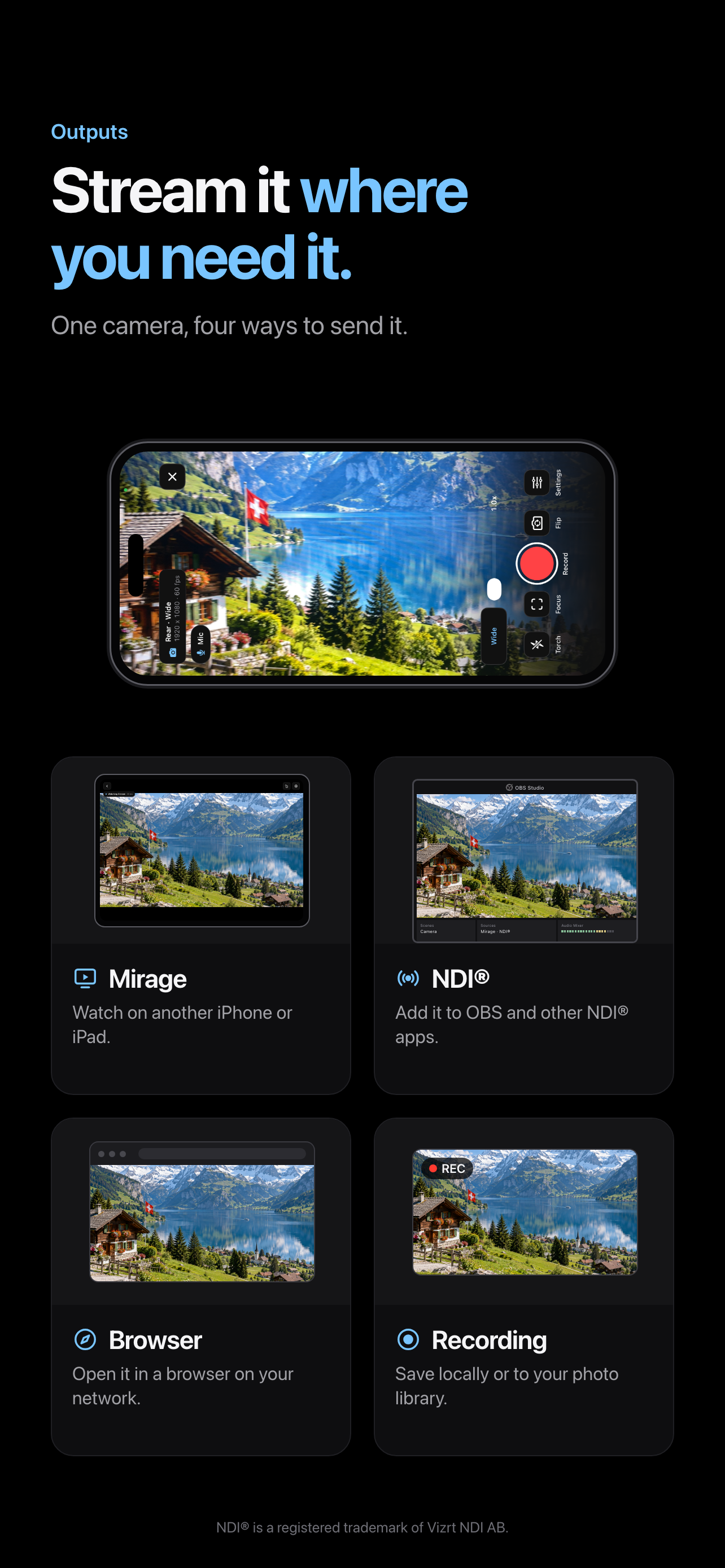
Mirage is a local video toolkit for iPhone, iPad, and Mac. Use your camera as a live source for OBS, share or watch video between nearby devices, turn an iPad into a capture-card monitor, and bring it all together on your Mac. Everything stays on your local network. WHAT WORKS WHERE • iPhone and iPad: Camera, Screen Share, and Watch. • iPad only: Capture Card. iPhone can't connect a capture card, but it can watch an iPad's Capture Card broadcast. • Mac: watch your iPhones and iPads, combine them with the Mac's cameras and screen, and use the result as a camera in other apps. CAMERA (iPhone and iPad) Turn the built-in camera into a live source. • Send video and microphone audio to OBS and other NDI-compatible software. • Open the feed in a web browser on your network, or watch it on another iPhone or iPad. • Pinch to zoom and drag to pan, or reframe with a compatible game controller. Controller buttons can be remapped. • Switch cameras and lenses, and control focus, exposure, white balance, and the torch. • Record while you stream. Recordings stay on your iPhone or iPad, with an optional copy in your photo library. CAPTURE CARD (iPad only) Connect a compatible UVC capture card to an iPad with a USB-C port, and use the iPad as a monitor for a camera, console, or computer. • Check exposure and focus with false color, zebras, and focus peaking. • Hear the source audio, choose the capture format, and save screenshots to your photo library. • Broadcast the clean feed to another iPhone or iPad. Overlays stay on your screen and never appear in broadcasts or screenshots. SCREEN SHARE (iPhone and iPad) Show your screen on another nearby iPhone or iPad while you use other apps. You can also send it to NDI-compatible software with available app audio, or to a web browser as video only. Screen Share does not capture the microphone. WATCH (iPhone and iPad) Find a Mirage broadcast on your network and connect with its six-digit code. Watch Camera, Screen Share, and Capture Card broadcasts. Each broadcast supports one receiving device at a time. MIRAGE FOR MAC • Watch several iPhones and iPads at once. Remembered devices reconnect without a code. • Combine them with the Mac's cameras and a shared screen in groups that arrange themselves: cameras in bubbles over a screen, or a clean grid. • Use the result as a camera in Zoom, OBS, FaceTime, and other apps, or share an output window. • Record every source as its own file, the group's preview, or both. iPhone and iPad Cameras can also record full quality on the device, and the Mac can download those recordings. • Run an iPhone or iPad Camera from the Mac: zoom, focus, exposure, lens, torch, and recording, with a game controller if you like. The device decides what the Mac may do. PRIVATE BY DESIGN No account and no cloud relay. Mirage connections are encrypted and paired with a six-digit code. NDI and Browser outputs do not use the pairing code, so use a network you trust. REQUIREMENTS • Capture Card needs an iPad with a USB-C port and a compatible UVC capture card. • Devices must be on the same local network. Keep Mirage open while Camera is streaming. • OBS requires an NDI receiver plugin. • Mirage for Mac needs macOS 14 or later. The Mac's virtual camera is turned on once in System Settings. • Audio, lenses, and formats depend on permissions, the source, and your hardware. Protected content may not be shareable. NDI is a registered trademark of Vizrt NDI AB.
What’s New
Version 3.0 · 9/29/2026Mirage 3.0 brings Mirage to the Mac. • Watch your iPhones and iPads on a Mac, several at once. Remembered devices reconnect without a code. • Combine them with the Mac's cameras and screen, and use the result as a camera in Zoom, OBS, and FaceTime. • Record every source as its own file, the group's preview, or both. • Run your iPhone or iPad Camera from the Mac, and download its recordings. You choose what the Mac may do in Settings > Mac Access. Update Mirage on every device: this version doesn't connect to 2.0.
Information
- Seller
- Sachin Belose
- Category
- Photo & Video
- Version
- 3.0
- Requires
- iOS 17.0+
- Size
- 19.5 MB
- Age Rating
- 4+