 AppRank
Screenshots


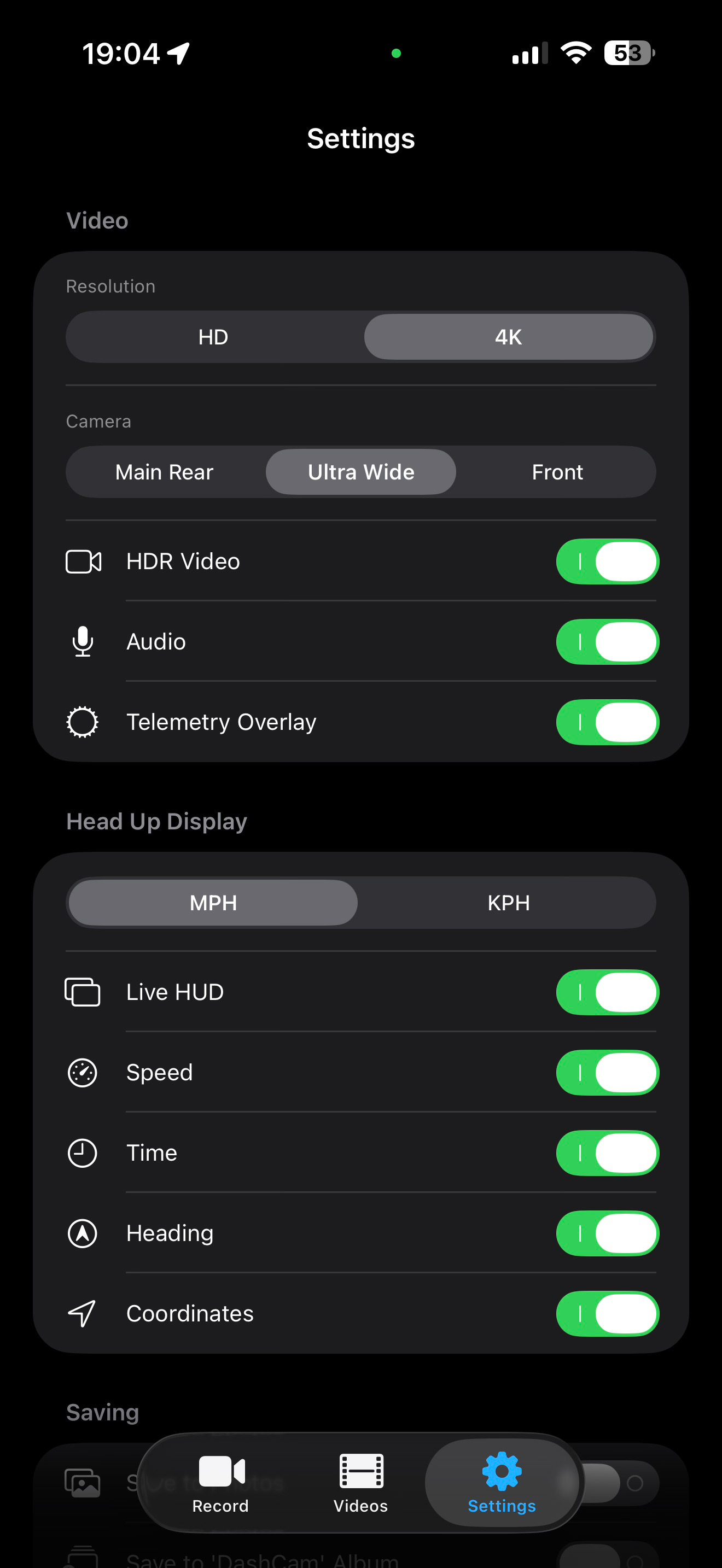
Description
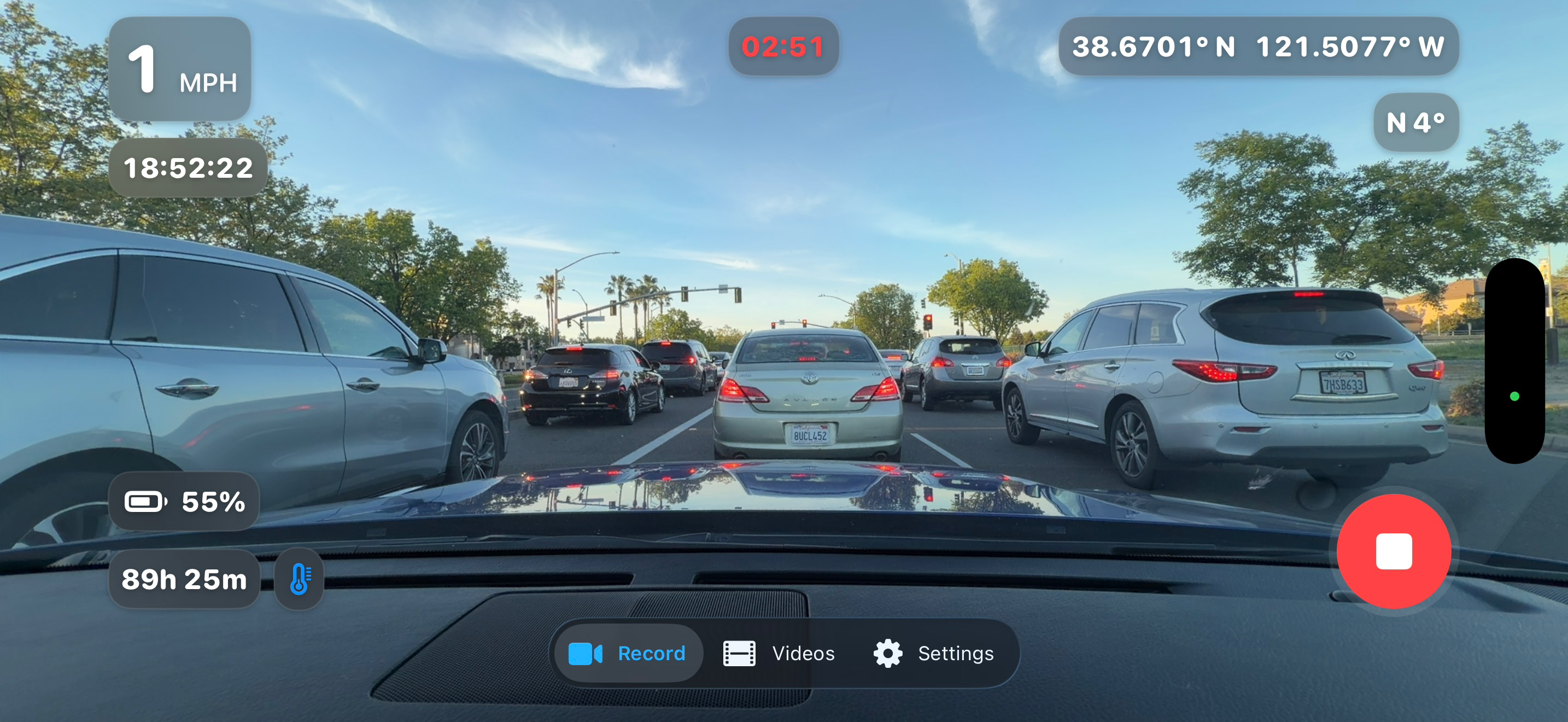
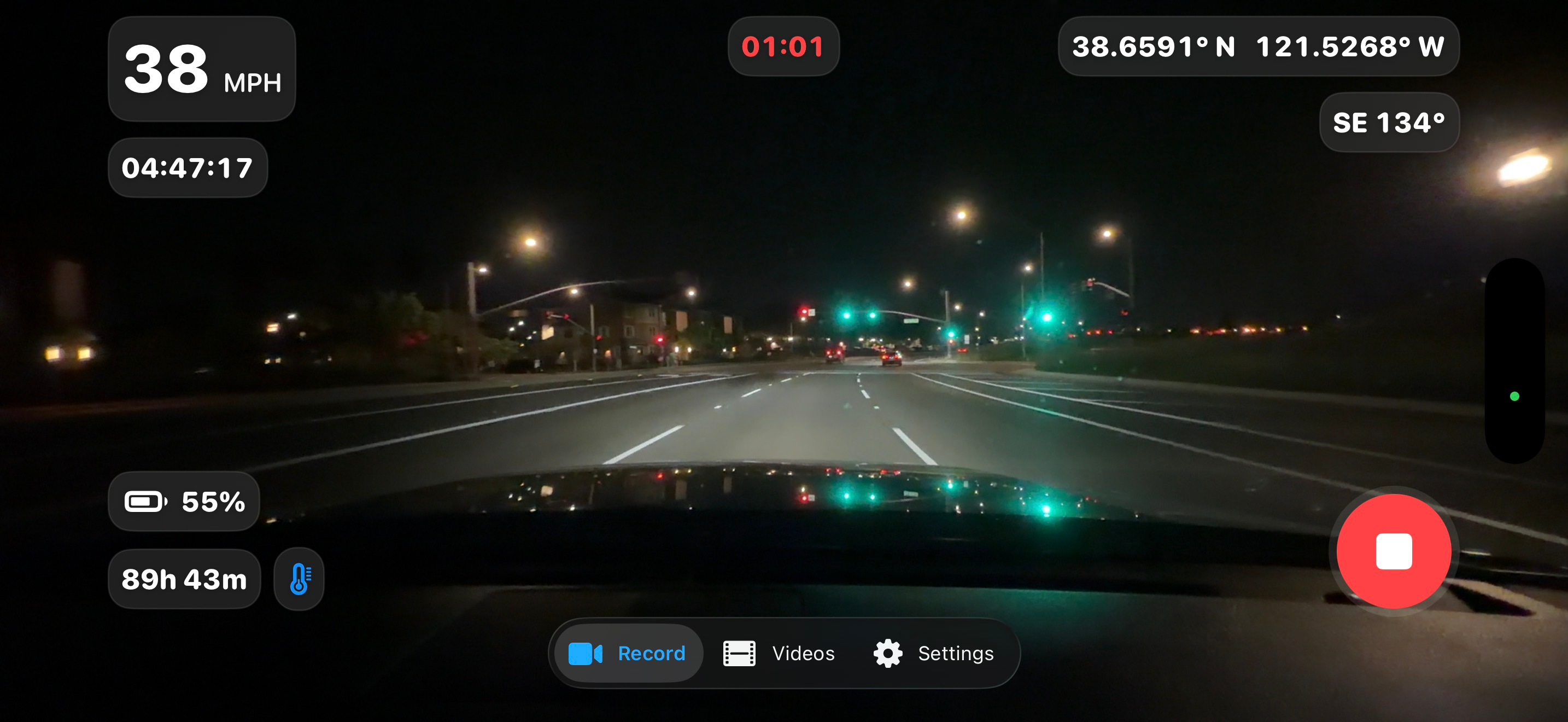
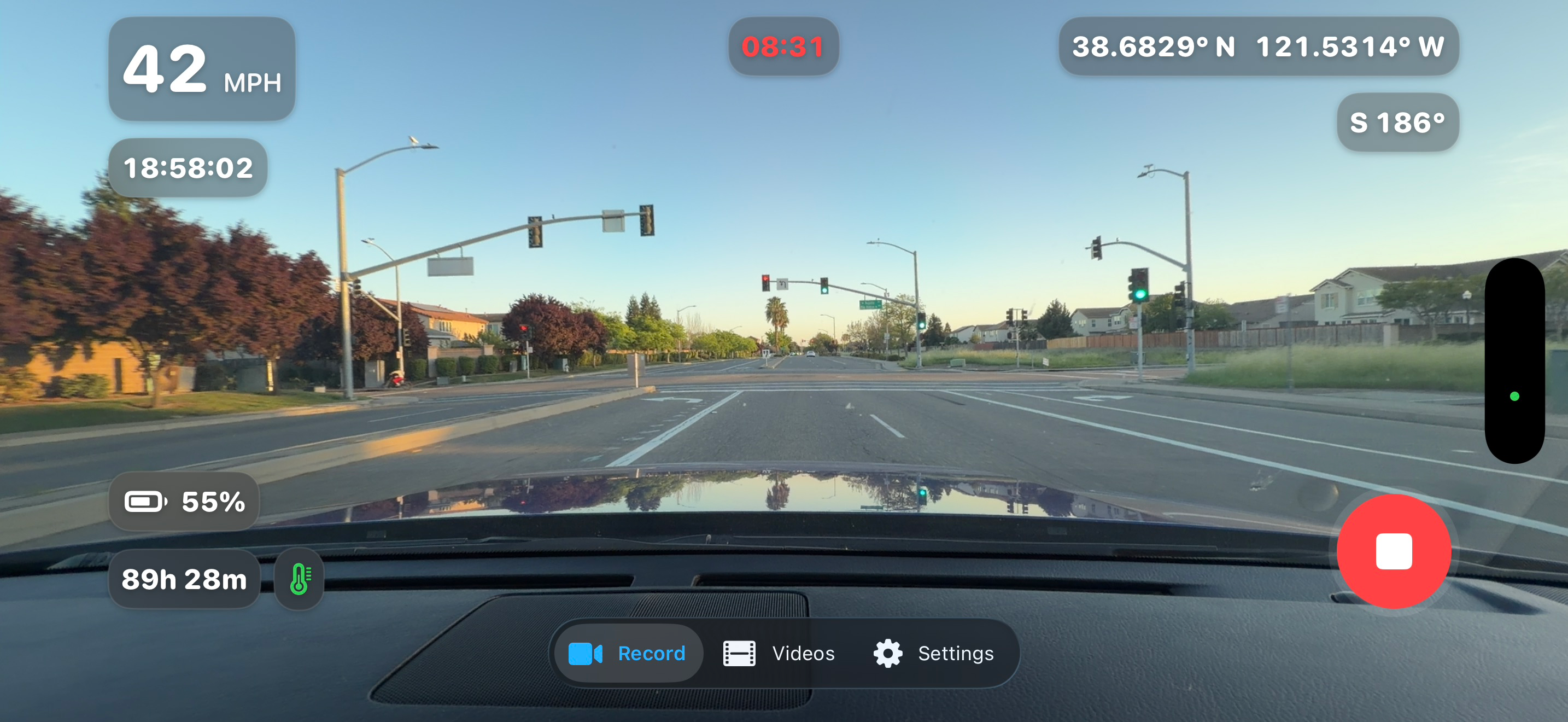
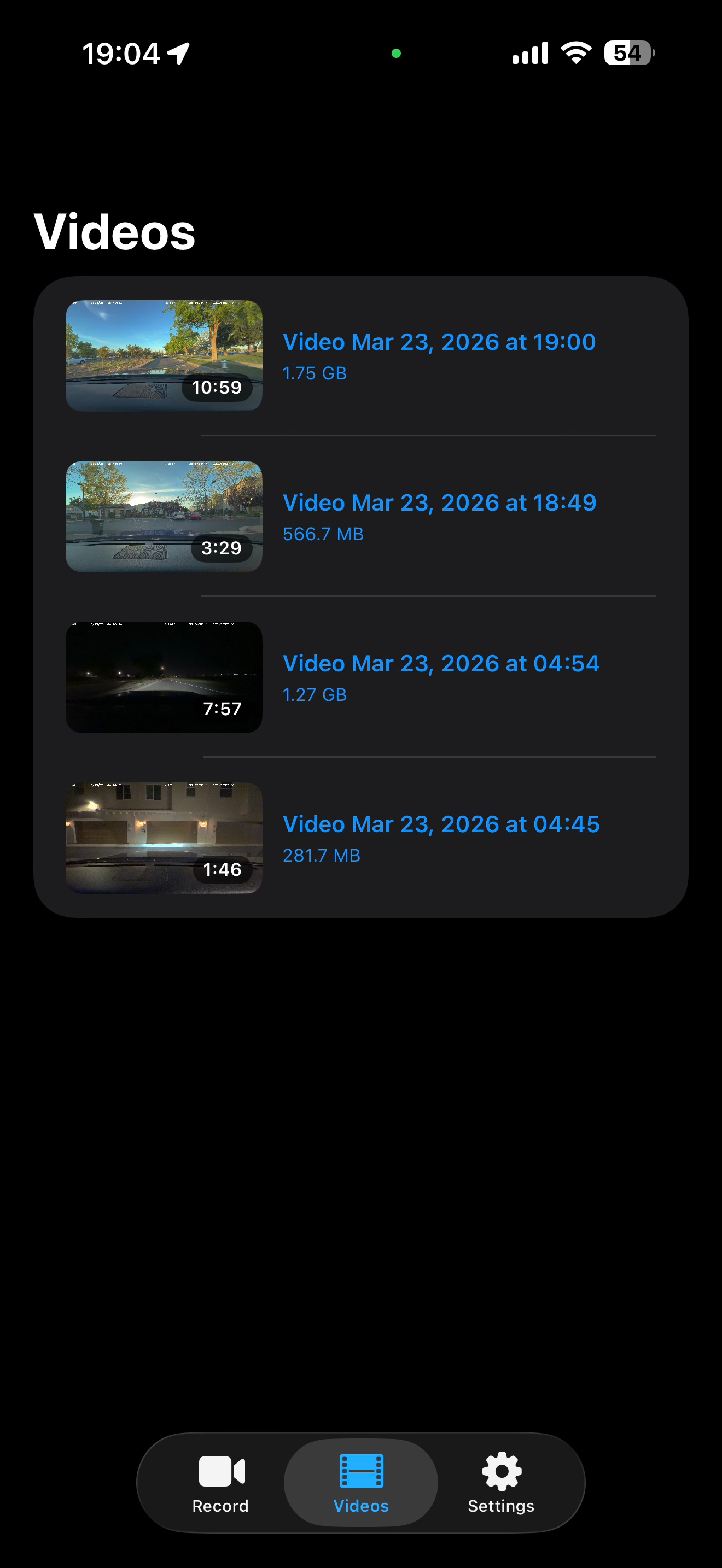
DESCRIPTION Turn an iPhone into a powerful, modern dashcam with the Vantage Dashcam app. Record every drive in crisp 1080p or 4K HDR, complete with a real-time telemetry overlay showing speed, time, heading, and location—cleanly integrated into your footage. Vantage is designed to be simple, fast, and distraction-free. Open the app, tap record, and drive. No complicated setup. Built with a refined Liquid Glass aesthetic, Vantage looks and feels as premium as your iPhone—smooth, minimal, and easy to use at a glance. Unlike other dashcam apps, Vantage is 100% private. No accounts. No tracking. No data collection. No data sharing. Just reliable recording—on your terms. KEY FEATURES • 4K HDR & 1080p recording - Capture clear, detailed footage in any lighting condition • Live telemetry HUD - Speed, time, heading, and GPS coordinates displayed in real time • Telemetry embedded in video - Overlays are saved directly into your recordings • Multiple camera support - Use rear, ultra-wide, or front camera • Simple clip management - Browse clips with thumbnails, duration, and file size • One-tap actions - Quickly share, save, or delete recordings • Smart storage control - Auto-delete oldest clips when storage limit is reached • Recording time estimates - See how much recording time you have left • Thermal protection alerts - Helps maintain stable recording during long drives WHY VANTAGE • Private by design — your data never leaves your device • No subscriptions — pay once, own it forever • Modern, minimal UI — built for clarity and ease of use • Reliable performance — optimized for everyday driving PRIVACY Vantage does not collect, store, track, or share any user data. No accounts. No analytics. No cloud syncing.
What’s New
Version 1.1 · 9/26/2026BIG Update! Recording and power efficiency • Added Energy Efficient Recording, which blackens the camera preview and hides the HUD and tab bar while recording to reduce display power consumption. • Added estimated remaining recording time to the primary HUD. • Added Auto Motion Recording: • Arms when recording begins. • Stops recording after roughly three minutes of being stationary. • Enters a black-screen power-saving state. • Uses accelerometer activity to resume recording when movement is detected. • The screen now stays awake only while actively recording, instead of whenever the recording view is open. • Reduced telemetry overlay rendering work by drawing only the portion of the frame containing the overlay. • Avoided unnecessary HUD, battery, and telemetry updates while the screen is blackened. Interface improvements • Adopted the Liquid Glass appearance for HUD elements on iOS 26. • Retained an ultra-thin-material fallback for earlier iOS versions. • Improved spacing and grouping among battery, temperature, time, speed, heading, and coordinate indicators. • Moved remaining storage time into the upper HUD for better visibility. • Right-aligned coordinates in both real-time recordings and exported telemetry overlays. Audio improvements • Added stereo recording support when the device and selected microphone support it. • Selects the appropriate front- or rear-facing microphone data source. • Configures microphone orientation to match portrait or landscape recording. • Standardized recording around a sample rate of at least 48 kHz. • Increased stereo AAC quality to at least 256 kbps. • Added an explicit stereo channel layout for more reliable playback and compatibility. • Improved handling of device-recommended bitrates, including per-channel bitrate values. • Made audio setup more tolerant of devices or audio routes that reject particular stereo preferences. Reliability and usability • Fixed a potential crash caused by checking interface orientation from a background thread. • Prevented recording controls from being used while a recording is finalizing. • Successful save notifications and critical-temperature warnings now dismiss automatically after five seconds. • Correctly refreshes the overlay when video dimensions change.
Information
- Seller
- Austin James Lange
- Category
- Utilities
- Version
- 1.1
- Requires
- iOS 26.2+
- Size
- 7.7 MB
- Age Rating
- 4+