 AppRank
Screenshots



Description
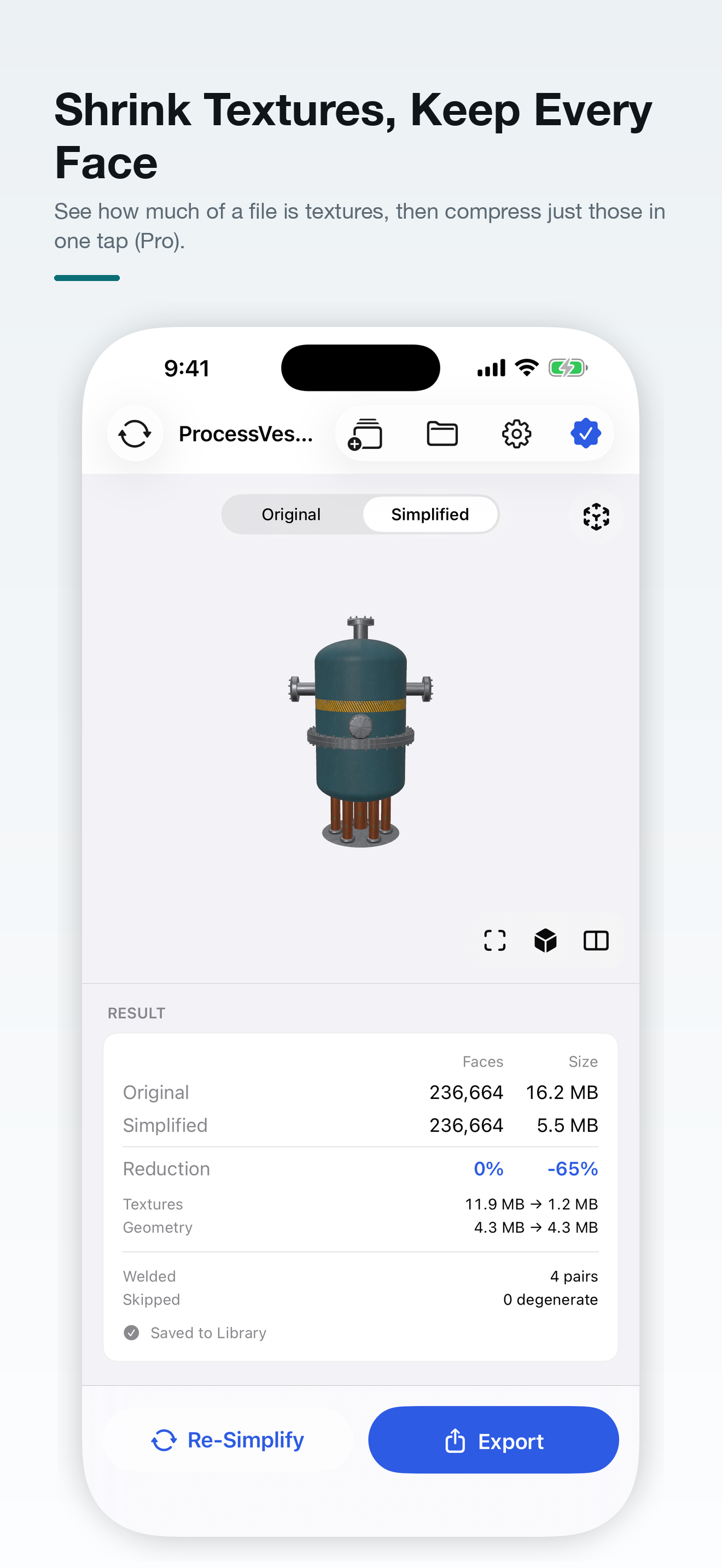
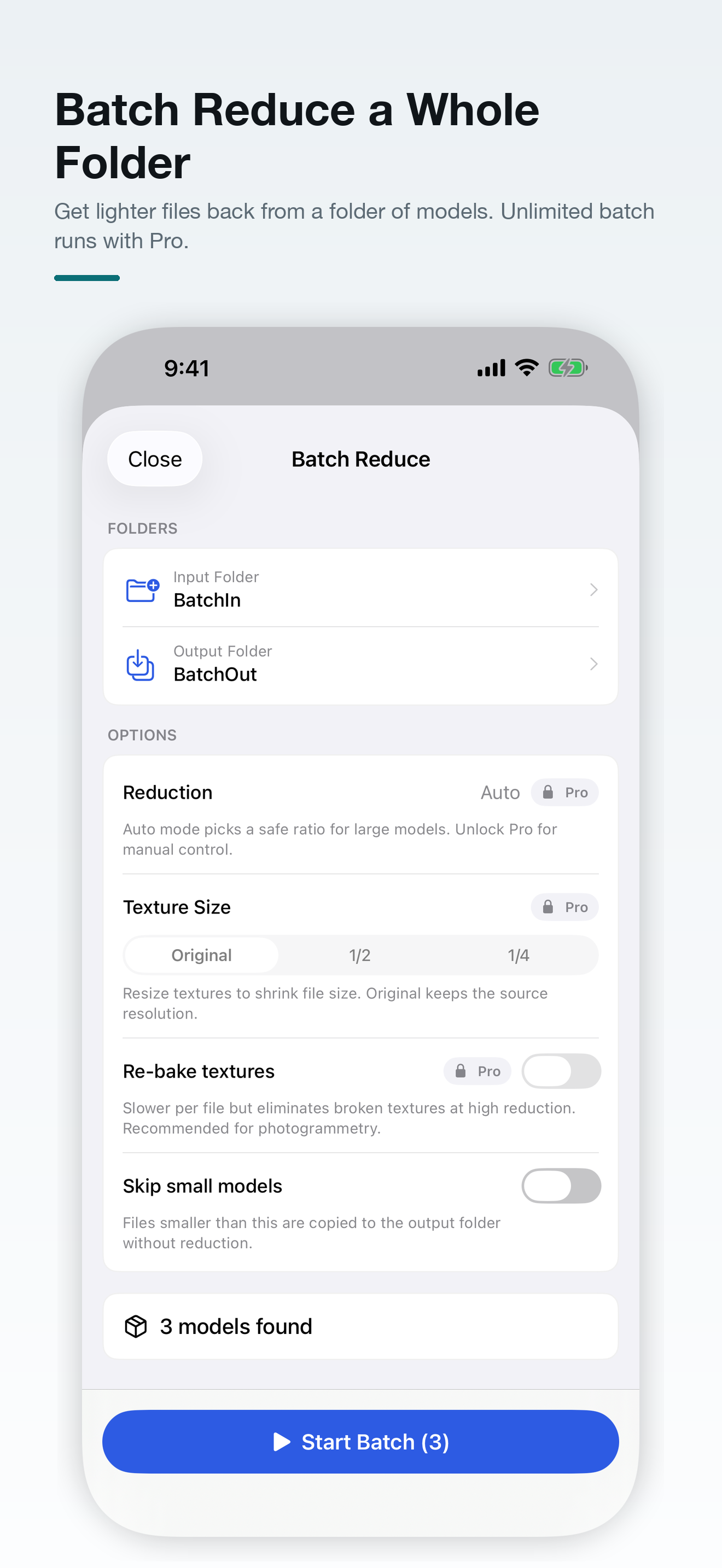
Too heavy to send, open or load in AR? 3D Simplify makes 3D models lighter on your device: fewer polygons, smaller textures, the same look. It opens LiDAR, photogrammetry and Object Capture scans as well as models from other apps, and exports a light USDZ, GLB or OBJ. Nothing is uploaded and there is no account to create. SEE WHERE THE SIZE IS Most 3D files are mostly textures. 3D Simplify shows how much of a file is textures and how much is geometry. When textures make up most of it, Compress Textures Only (Pro) shrinks them in one tap and keeps every face. WHO IT IS FOR • 3D scanning users whose LiDAR, photogrammetry or Object Capture results are too heavy to share or open in AR • AR, RealityKit and visionOS developers who need assets that load quickly in AR Quick Look • Game developers building LODs and trimming heavy props for real-time engines • Online stores and web teams shipping 3D product models that have to download fast • Engineers and designers turning machinery and CAD-style models into something an iPhone can show HOW IT WORKS 1. Open a model from the Files app, or drag it into the viewer on iPad and Mac. 2. Let Auto pick the reduction, or set a ratio, face count or file size (Pro). 3. Compare Original and Simplified side by side, shaded or in wireframe. 4. Export USDZ, or GLB and OBJ with levels of detail (Pro). FREE • Automatic smart reduction that picks the target polygon count for you • Viewer with shaded, untextured and wireframe views, side-by-side comparison and a frame button; the camera stays put when you switch • Live face count, file size and texture/geometry split • Preview in AR Quick Look before you share • USDZ export at the model's real-world size • Batch Reduce for a folder of up to 3 models at a fixed 50% reduction • Shortcuts action for your own automations • Interface in English, 繁體中文, 简体中文, 日本語 and 한국어 3D SIMPLIFY PRO • Reduce by ratio in 5% steps, by target face count or by target file size • Hard-surface mode: removes whole edge loops so cylinders and machinery stay round and evenly spaced instead of turning into slivers • Texture Size (Original, 1/2, 1/4) and one-tap Compress Textures Only • Re-bake Textures: re-wraps the textures onto the lighter mesh and keeps normal, roughness, metallic, transparency and glow maps. Up to 8K on Mac and on iPads with 16 GB of memory, 4K on iPads with 8 GB • Hausdorff quality reading and output validation after a re-bake • GLB and OBJ export, plus LOD0, LOD1 and LOD2 in one go • Saved Models Library • Unlimited files per batch run, with Texture Size and Re-bake FORMATS • Open: USDZ, USD, USDA, USDC, OBJ, STL, PLY, GLB, glTF, and ZIP files containing a model • Export: USDZ (free), GLB and OBJ (Pro) PRIVACY AND PERFORMANCE Everything runs on your device and the texture steps are Metal-accelerated. No account, no upload, no cloud - it works in airplane mode. PLEASE NOTE 3D Simplify makes a model you already have lighter. It is not a 3D scanner or a modelling app, and it does not remesh or repair broken geometry. Reducing a mesh always removes detail, so the side-by-side view is there for you to decide how much is acceptable. PLATFORMS iPhone and iPad (iOS/iPadOS 17 or later) and a native Mac app (macOS 14 or later). SUBSCRIPTION 3D Simplify Pro is an auto-renewing subscription: US$2.99 per month or US$19.99 per year (US pricing; your local price is shown before you confirm). Payment is charged to your Apple Account at confirmation of purchase. It renews automatically unless auto-renew is turned off at least 24 hours before the end of the current period, and renewal is charged within 24 hours before the period ends. Manage or cancel any time in Settings > Apple Account > Subscriptions. Privacy Policy: https://mapohin.com/3dSimplifier/policy Terms of Use (EULA): https://www.apple.com/legal/internet-services/itunes/dev/stdeula/ Support: https://mapohin.com/3dSimplifier/support
What’s New
Version 1.0.8 · 10/1/2026Small fixes and improvements. Questions or feedback: https://mapohin.com/3dSimplifier/support
Information
- Seller
- Po hin Ma
- Category
- Graphics & Design
- Version
- 1.0.8
- Requires
- iOS 17.0+
- Size
- 7.2 MB
- Age Rating
- 4+