 AppRank
Screenshots


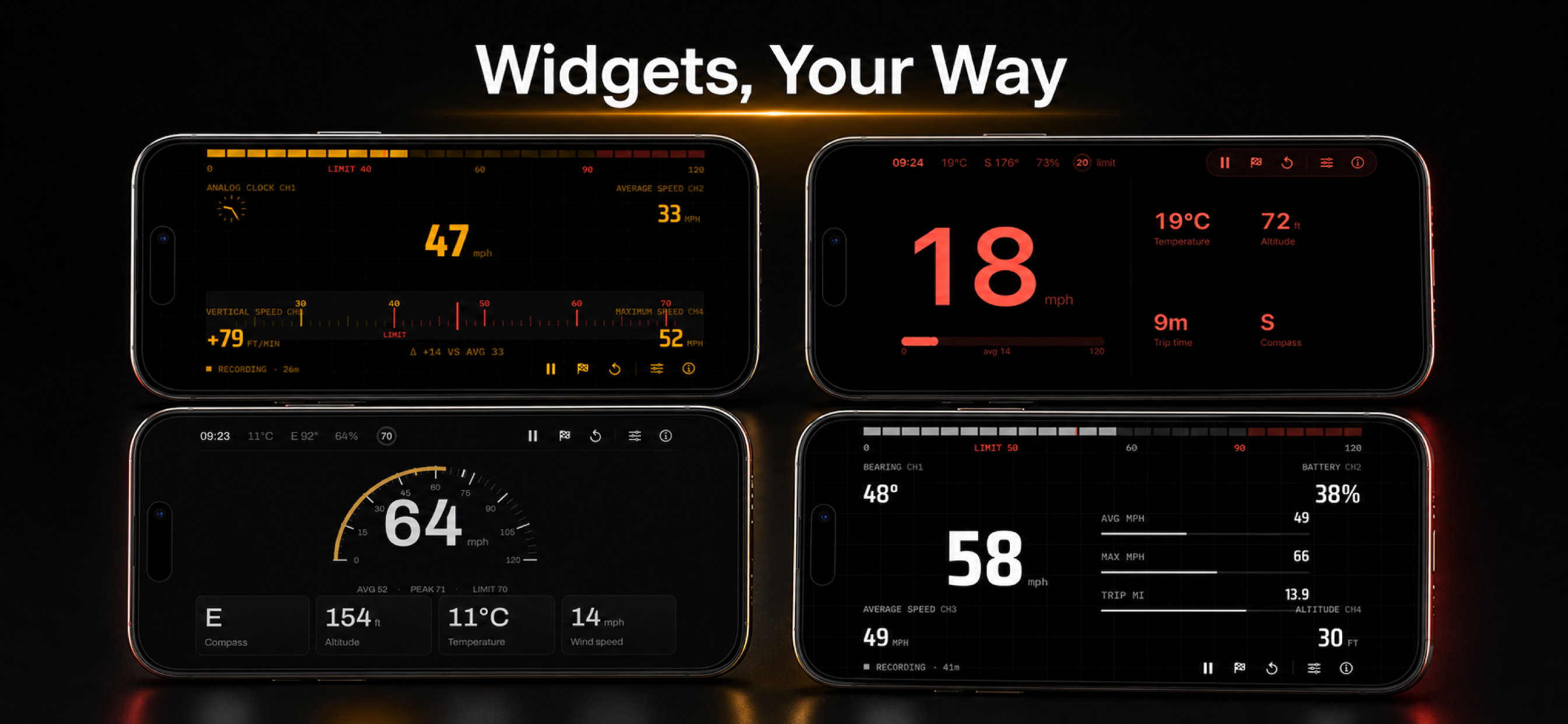

Description
Transform your iPhone into a professional Car Heads-Up Display (HUD) with Car HUD! This powerful app projects essential driving information directly onto your windshield, keeping your eyes on the road while monitoring critical data. **KEY FEATURES:** **Large Speed Display** - Prominent center speedometer with real-time GPS tracking - Color-coded display for easy visibility - Supports both Imperial (MPH) and Metric (km/h) units **Comprehensive Widget System** Choose from 12 different widgets to customize your HUD: - Analog Clock: Beautiful, detailed analog timepiece - Digital Clock: Clean digital time display (compact format when paired) - Temperature: Current outdoor temperature with weather data - Wind Speed: Real-time wind conditions - Compass: Direction indicator (N, NE, E, etc.) - Bearing: Numeric heading (0-360°) - Altitude/Elevation: Current elevation above sea level - Trip Distance: Distance traveled in current trip - Average Speed: Average speed for the trip - Max Speed: Maximum speed reached - Trip Time: Elapsed time for current trip - Battery Level: Your iPhone's battery status **Flexible Layout Options** - Configure up to 4 widgets total (2 per side) - Arrange widgets vertically on left and right sides - Mix and match any combination of widgets - Easy-to-use tile-based selection interface **Unit System Support** - Switch between Imperial (MPH, °F) and Metric (km/h, °C) units - All measurements automatically convert based on your preference **HUD Mirror Display Mode** - Mirror display option for windshield reflection - Perfect for projecting information onto your car's windshield - Full brightness mode when mirror display is active **Smart Brightness Control** - Automatic brightness adjustment based on ambient light - Uses camera to detect environmental lighting conditions - Ensures optimal visibility in all lighting situations - Smooth transitions prevent distracting brightness changes **Trip Tracking** - Track distance, average speed, maximum speed, and trip time - Reset function to start fresh trips - All data displayed in your preferred unit system **Customizable Interface** - Clean, minimalist design optimized for driving - High-contrast colors for maximum visibility - Landscape-only orientation for perfect HUD placement - Settings accessible with a simple tap **PERFECT FOR:** - Daily commuters who want to monitor speed and driving data - Road trip enthusiasts tracking distance and performance - Drivers who prefer HUD displays over traditional dashboards - Anyone who wants essential driving information at a glance **PRIVACY & PERMISSIONS:** Car HUD requires location access to provide accurate speed and GPS information. Weather data is fetched anonymously, and no personal information is collected or stored. **REQUIREMENTS:** - iPhone running iOS 26.2 or later - Location services enabled - Internet connection for weather data Transform your driving experience with Car HUD - where technology meets safety on the road!
What’s New
Version 2 · 8/25/2026Car HUD Display 2.0 is a new dash. Three designed looks — Instrument, Clarity and Apex — each with eight finishes and four centre layouts: Minimal, Cluster, Command and Ribbon. Save trips on this phone. Finish a drive, keep the route, and share a summary as PNG or PDF, or the path as GPX or CSV. Privacy trim clips the start and end of an export only; stored samples are not changed. Recording runs while the app is on screen. Set a posted limit by dragging the roundel on the dash. The mph scale now goes to 120. Two-finger tap still mirrors the display for the windshield. A short tutorial covers the gestures; replay it from Settings › About. GPS speed, widgets, smart brightness, imperial and metric units, and Flight Mode are still here. This is an auxiliary display — use your vehicle’s instruments, and do not interact with the phone while driving.
Information
- Seller
- Hassan Chizari
- Category
- Utilities
- Version
- 2
- Requires
- iOS 26.2+
- Size
- 8.9 MB
- Age Rating
- 4+