 AppRank
Screenshots





Description
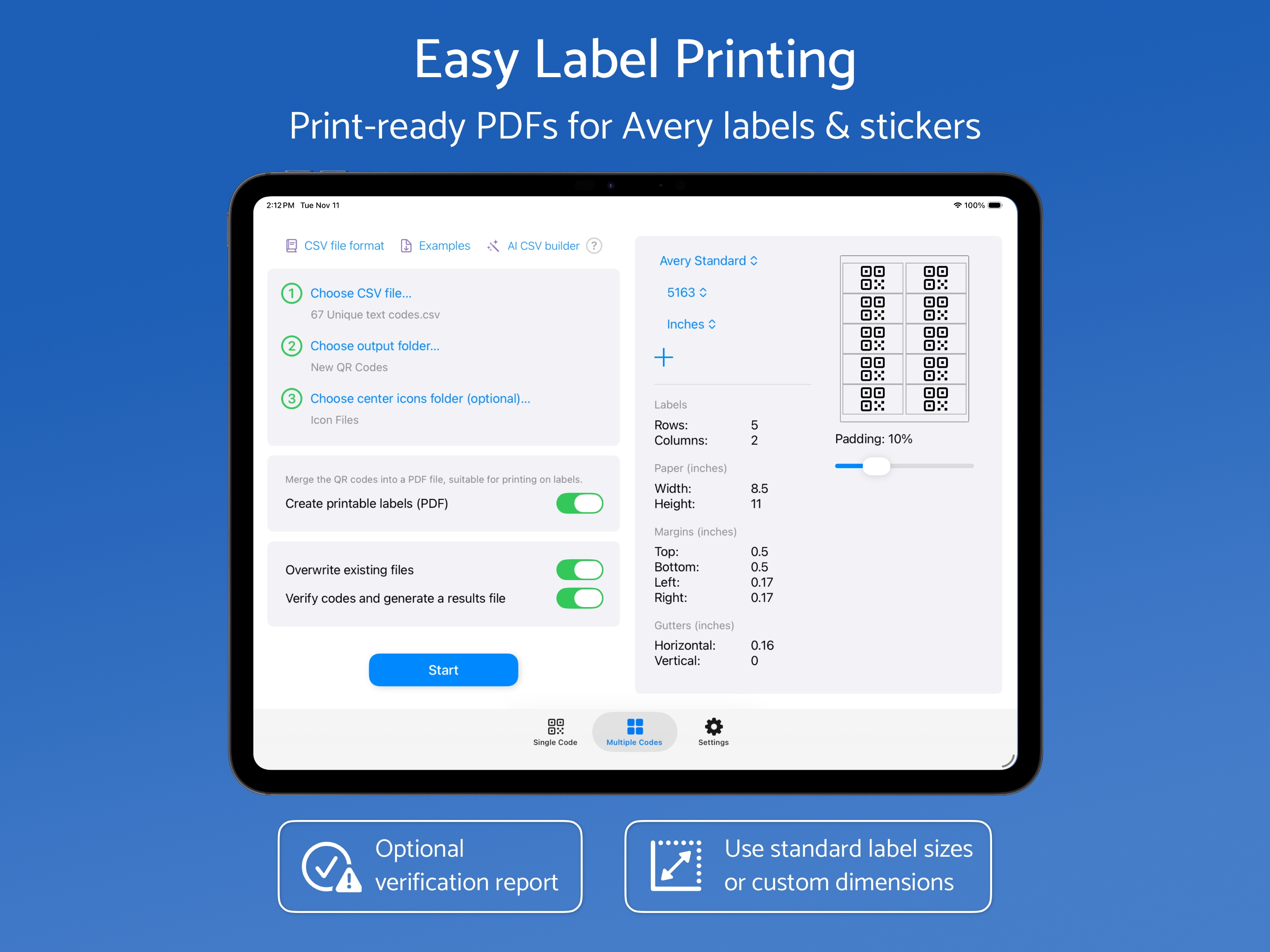
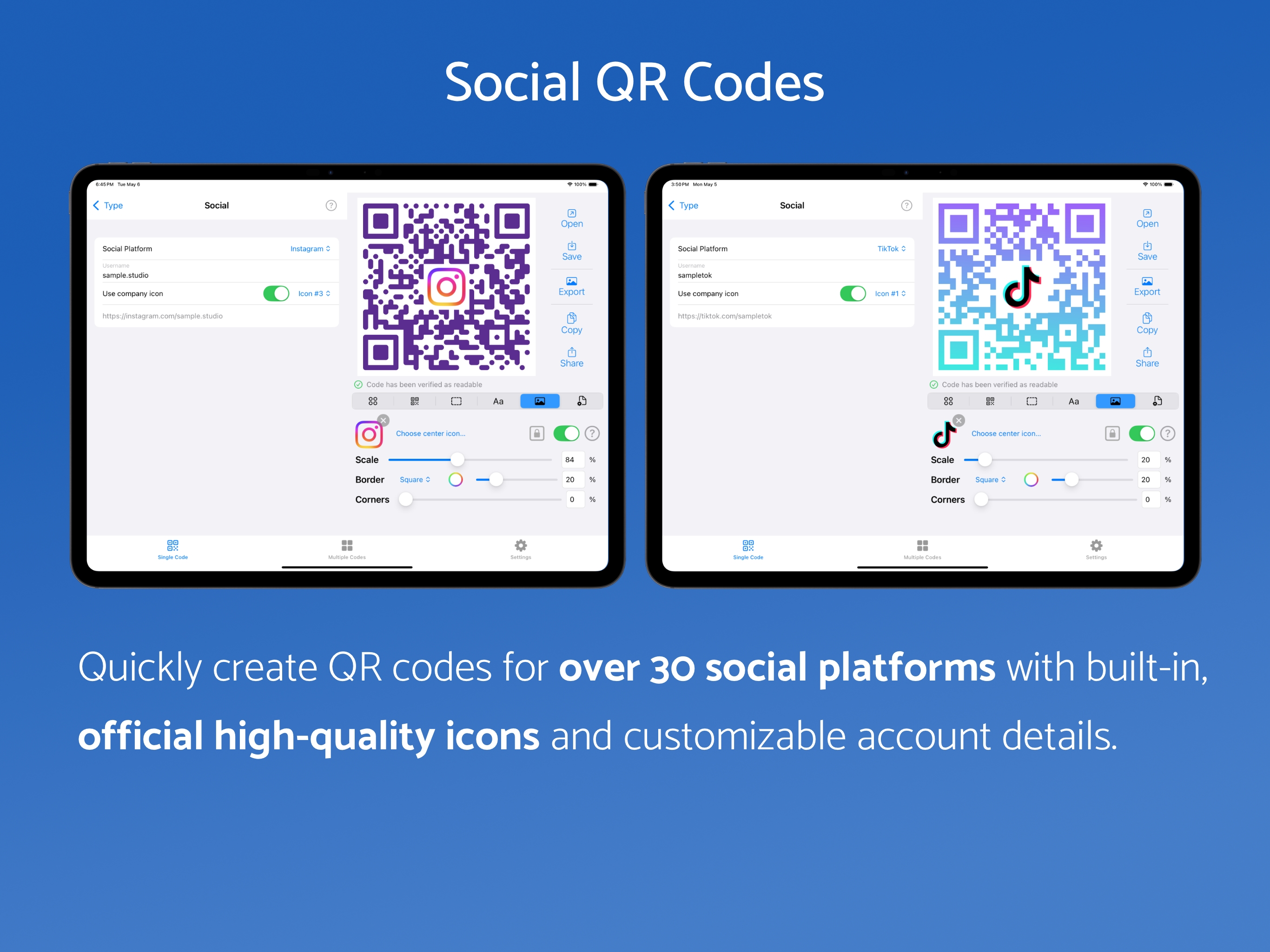
QR Factory 3 is a professional QR code tool for iPadOS and macOS. Create, customize, verify, and export QR codes for marketing, packaging, events, restaurants, inventory, Wi-Fi sharing, business cards, and more. Create one QR code or generate thousands in bulk for digital use, print materials, and Avery labels. QR codes are generated on-device, with no ads, tracking, hosting, redirects, or expiration. Save QRD files for editing and syncing between devices. QR CODE DESIGN TOOLS • Create linear and circular gradients. • Adjust QR code squares and corner rounding. • Customize pixel and background colors. • Add center icons from files or SF Symbols, with size, alignment, and border controls. • Preserve vector center icons in supported exports. • Add styled text below QR codes. • Use safe zones to improve readability and scanning reliability. • Adjust reliability automatically and verify QR codes with clear status feedback. BULK GENERATION & LABELS • Generate unlimited QR codes from CSV files with validation reports. • Print on Avery and DYMO labels with built-in templates or custom dimensions. EXPORT OPTIONS • Export SVG/PDF for vector output or PNG for bitmap output, with additional TIFF and EPS export options on macOS. • Choose CMYK, RGB or Grayscale. • Set a corner radius for exported QR codes. • Rotate QR codes for different layouts. • Share by drag and drop, copy to clipboard, or export. COMMAND LINE TOOLS (macOS only) • Export QR codes from saved QRD files using the command line. • Supports single and bulk QR code generation. • Includes full documentation. QR CODE TEMPLATES CALENDAR - Create events with alarms and locations. CRYPTO - Enable payments with wallet addresses and amounts. EMAIL - Pre-fill recipients, subject, body, CC, and BCC. LOCATION - Create location QR codes with precise map selection. PERSON - Create detailed contact cards. PHONE - Create phone numbers for direct calling. SEPA - Create SEPA bank transfer details. SMS - Encode phone numbers and messages. SOCIAL - Link to Facebook, Instagram, TikTok, YouTube, LinkedIn, X, and more. TEXT - Encode Unicode text. URL - Provide website access. WI-FI - Share Wi-Fi networks with support for open, WPA/WPA2/WPA3, hidden, and advanced configurations. QR Factory has been trusted for professional QR code creation for over a decade. It combines powerful features with an intuitive, private experience. *Full access requires a valid subscription or lifetime purchase. Privacy Policy - https://www.tunabelly.com/qrfactory/privacy.html Terms of Service - https://www.apple.com/legal/internet-services/itunes/dev/stdeula/
What’s New
Version 3.5.0 · 7/25/2026• Added SVG export support. • Added advanced WiFi QR code support with expanded configuration options. • Added support for setting an exact gradient angle. • Added support for preserving vector center icons in supported formats. • Added an optional corner radius for exported QR codes. • Added export warnings when a QR code or one of its elements may not export as expected. • Improved the layout and organization of QR code settings. • Improved CMYK exports with more accurate colors for QR code elements and center icon borders. • Improved map interaction for creating location-based QR codes, with more precise location selection. • Improved center icon handling with better import options and more consistent behavior across platforms. • Improved filenames for dragged QR codes. They now use the saved document name instead of a generic filename. • Improved the map view with usability and layout improvements. • Improved the user interface with layout refinements and better handling of text of varying lengths. • Improved PDF exports to prevent small overlaps between QR code modules in some vector editors and preview apps. • Improved automatic QR code verification with clearer status messages and more responsive background processing. • Improved QRD file saving to keep file contents consistent and make change tracking more reliable. • Redesigned the app settings to make them more modern and easier to use. • Fixed various user interface issues related to layout and text display. • Fixed an issue where automatic verification could show outdated or incorrect results after opening or editing a QR code. • Fixed center icon alignment issues where some scale percentages could create gaps even when QR code square alignment was enabled. • Fixed contour borders around center icons so they follow icon shapes more accurately at larger border sizes.
Information
- Seller
- Tunabelly Software Inc.
- Category
- Graphics & Design
- Version
- 3.5.0
- Requires
- iOS 15.0+
- Size
- 33.2 MB
- Age Rating
- 4+