AppRank
 俄羅斯 的 付費 App 排行 圖形與設計 應用程式
瀏覽 俄羅斯 的即時 付費 App 排行 圖形與設計 排行榜,包含應用程式評分、描述、截圖、搜尋以及直接跳轉 App Store 的連結。
比較各國 iOS App Store 排名,發現熱門和爆紅應用,並獲取下一步構建什麼的想法。
搜尋應用程式
App Store 排名
付費 App 排行 · 圖形與設計
描述
Procreate Pocket — обладатель награды «Приложение года», замечательное графическое приложение для iPhone, которое одинаково знают и любят как профессионалы, так и начинающие художники. В Procreate Pocket вы найдете все необходимое: сотни уникальных кистей ручной работы, множество новаторских инструментов, продвинутая система слоев и мощный графический движок Valkyrie. Работайте где угодно, без ограничений. Procreate Pocket — это настоящая студия художника, которая всегда с вами! Главные особенности: • Высокое разрешение — вплоть до 16K x 4K на iPhone совместимых моделей • Потрясающий темный режим специально для iPhone • Революционная функция QuickShape для создания идеальных фигур • Простой и эффективный инструмент растушевки • Самый быстрый 64-битный движок для рисования на iPad – Valkyrie • Потрясающие 64-битные цвета • 250 шагов отмены и повтора • Непрерывное автосохранение — ваша работа не пропадет Радикально новые кисти: • Сотни великолепных кистей, созданных мастерами своего дела • Наборы кистей — отдельно для рисования, набросков, росписи • Более 100 настраиваемых параметров для каждой кисти • Студия кистей — создание собственных кистей • Импорт и экспорт пользовательских кистей в Procreate • Импорт кистей из Adobe® Photoshop® Многофункциональная система слоев: • Полный контроль над всеми деталями и композицией благодаря слоям • Маски слоев и обтравочные маски для «неразрушающего» редактирования • Организация слоев в группы • Возможность трансформировать объекты на нескольких слоях одновременно • Более 25 режимов наложения слоев Бескомпромиссная мощность цвета: • Заполнение контуров цветом с помощью ColorDrop • Панели «Диск», «Классика», «Гармония», «Значение» и «Палитра» • Импорт цветовых профилей • Функция «Динамика цвета» для каждой кисти Инструменты для графического дизайна: • Векторный текст • Удобный импорт шрифтов • Обрезка и изменение размера холста • Визуальные направляющие для работы с перспективой, изометрией, симметрией и двухмерным пространством • Исправление неудачных линий с помощью ассистента рисования (в реальном времени) • Сглаживание линий (StreamLine) для идеальной каллиграфии Ассистент анимации: • Покадровая анимация с настраиваемой функцией «Калькирование» • Создание GIF-файлов, раскадровок, аниматики и несложной анимации • Экспорт анимации в полном разрешении холста Богатство спецэффектов: • Карта градиента • Функции «Помехи», «Хроматическая аберрация», «Свечение», «Полутон» и «Шум» • Иллюзия дополнительной глубины и движения благодаря функциям «Размытие по Гауссу» и «Размытие в движении» • Продвинутый фильтр шума, помогающий воссоздать «пленочную» атмосферу • Коррекция тона, насыщенности и яркости в реальном времени • Широкие возможности цветокоррекции: настройка цветового баланса, кривых и ТНЯ • Завораживающие спецэффекты «Деформация», «Симметрия» и «Динамика пластики» Таймлапс-видео: • Запись всех этапов создания иллюстрации в таймлапс-видео и возможность в любой момент пересмотреть их • Экспорт таймлапс-видео в 4К • Короткие 30-секундные версии таймлапс-видео для соцсетей Референс-ассистент: • Возможность всегда держать референс-изображение под рукой и сверяться с ним • Виртуальное рисование прямо у себя на лице с AR • Пипетка для захвата цветов из референс-окна Импорт ресурсов и публикация готовых работ: • Импорт и экспорт в формате PSD для Adobe® Photoshop® • Импорт палитр Adobe® ASE и ACO • Импорт изображений в JPG, PNG и TIFF • Возможность перетаскивать иллюстрации, кисти, палитры и шрифты в другие приложения • Возможность делиться работами через AirDrop, iCloud Drive, Фото, iTunes, Dropbox, Google Drive, Facebook, X (бывший Twitter), Instagram, TikTok, Weibo, а также по электронной почте • Экспорт в форматах PDF, JPEG, PNG, TIFF, GIF, HEVC и MP4
描述
• Инструменты лепки Глина, выравнивание, сглаживание, маска и множество других кистей позволят вам формировать ваше творение. Вы также можете использовать инструмент для резки булевыми операциями с лассо, прямоугольником и другими формами для целей хардсерфейса. • Настройка штриха Затухание, альфы, размещение, давление карандаша и другие параметры штриха могут быть настроены. Вы также можете сохранять и загружать предустановки ваших инструментов. • Инструменты рисования Вершинное рисование с цветом, шероховатостью и металлическостью. Все предустановки ваших материалов также легко управляются. • Слои Записывайте свои действия по лепке и рисованию в отдельные слои для упрощения итерации в процессе создания. Записываются изменения как в лепке, так и в рисовании. • Мультирезолюционное скульптурирование Переходите туда и обратно между множеством разрешений вашей сетки для гибкого рабочего процесса. • Voxel ретопология Быстро ретопологируйте вашу сетку, чтобы получить равномерный уровень детализации. Может использоваться для быстрого наброска приблизительной формы в начале процесса создания. • Динамическая топология Локально детализируйте вашу сетку под вашей кистью, чтобы автоматически получить уровень детализации. Вы даже можете сохранять ваши слои, поскольку они будут автоматически обновляться! • Уменьшение Уменьшайте количество полигонов, сохраняя как можно больше деталей. • Группа лиц Сегментируйте вашу сетку на подгруппы с помощью инструмента для группы лиц. • Автоматическое развёртывание UV Автоматический развёртыватель UV может использовать группы лиц для контроля процесса развёртки. • Baking Вы можете перенести вершинные данные, такие как цвет, шероховатость, металлическость и детали малого масштаба в текстуры. Также можно делать обратное, перенося данные текстур в вершинные данные или слои. • Примитивная форма Цилиндр, тор, труба, токарные и другие примитивы могут быть использованы для быстрого начала новых форм с нуля. • PBR рендеринг По умолчанию прекрасный PBR рендеринг с освещением и тенями. Вы всегда можете переключиться на MatCap для более стандартного затенения для целей лепки. • Постобработка Отражение в экранном пространстве, глубина резкости, окклюзия окружающей среды, тоновое отображение и т.д. • Экспорт и импорт Поддерживаются форматы glTF, OBJ, STL или PLY файлов. • Интерфейс Легкий в использовании интерфейс, разработанный для мобильного опыта. Доступна также настройка! • Quad Remesher (доступно только с отдельной покупкой в приложении) Автоматически ретопологируйте ваш объект с преобладанием четырехугольной сетки, которая следует за кривизной сетки. Поддерживаются руководства, группы лиц и рисование плотности.
描述
PaintHi is a very distinctive painting App. You can use your mobile phone to create at any time. It breaks through the limitations of the device. You can make a perfect creation with the command of your hand. You can use 100+ brushes as you like, and 100+ papers can be selected as you like. You can record the perfect creative process, save it as a video for sharing, and share your creative process and story. 【Copy】 Import pictures via photo album or camera for copying 【Free Painting】 Free creation, unrestrained; individual creation, no limit 【Individual paper】 After drawing, you can change the drawing paper, 100+ paper switching, there is always one suitable for you; 【Record the creation process】 While drawing, you can turn on our screen recording function to record the highlight moments of creation [Powerful color selector] Powerful color selector, you can enter the color value to select the color, you can also select the color according to the color wheel, you can adjust any color you want 【Brush】 100+ brushes to choose freely, with a complete range of brushes; oil brushes, brush brushes, pen brushes, etc.
描述
Если вы хотите удалить нежелательные элементы с фотографии или восстановить поврежденное изображение, то это приложение - ваш лучший выбор. [Как использовать] Использование приложения очень простое, всего три шага: 1. Выберите картинку из вашего альбома. 2. Закрасьте область, которую хотите удалить или восстановить. 3. Нажмите кнопку удаления, а затем подождите несколько секунд... готово. Если на фотографии есть несколько мест, которые требуют внимания, обрабатывая их пошагово, вы получите лучший результат. Если вас не устраивает результат, вы можете вернуться на предыдущий шаг для повторной обработки. Конечно, вы также можете отменить закраску на картинке. Вы также можете маскировать мелкие детали, увеличивая изображение или настраивая размер кисти. [Версия 2.0] Добавлен режим удаления фона, который позволяет вырезать изображения в конкретной области на картинке и заменить фон на выходе. * В режиме "Удаление фона" нажатие на кнопку "Удалить" автоматически анализирует всю картинку и удаляет фон. * Если хотите вырезать определенный объект, сначала намажьте область, где находится объект, а затем удалите фон. * Можно выполнять многократное удаление фона на одной картинке, при каждой операции получая объект без фона. Все изображения без фона управляются слоями. [Версия 3.0] Добавлена функция редактирования изображений: - Добавление к изображениям цвета фона или узора - Обводка изображений - Добавление тени к изображениям - Размытие изображений - Возможность вывода изображений с прозрачным фоном [Совет] Если хотите переместить объект на картинке, можете сделать это следующим образом: 1. Переключитесь в режим "Удаление фона", намажьте объект, который нужно переместить, затем удалите фон, тем самым вы сможете получить объект, который хотите переместить. 2. Переключитесь в режим "Удаление объекта", повторно намажьте объект, который нужно переместить, а затем уберите объект. 3. Возвращаясь в режим "Удаление фона", можно переместить объект в любое место на картинке. [Поддерживаемые устройства] iPhoneX и выше [Другие] *Интернет не требуется. Используется передовая технология сжатия, чтобы встроить модель напрямую в приложение, так что это приложение не требует подключения к серверу и может обрабатывать изображения локально. *Быстрая скорость обработки. Это приложение оптимизировало алгоритм насколько это возможно, при этом обеспечивая результаты обработки.
描述
Удалить фон, Заменить или сделать его размытым все это можно сделать с помощью приложения AIBackground за считаные секунды в одно касание. Приложение полностью бесплатно!
描述
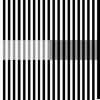
錯視を利用しためっちゃ難しいTESTで点数を競え!(減点方式) だんだん変わる色や長さを正しい所で止める。ただそれだけ。
描述
Исправьте свои поврежденные фотографии, удалите трещины, разрывы, дефекты, пятна, любые повреждения и восстановите недостающие части не только на старых черно-белых фотографиях, но и на новых цветных фотографиях, всего за несколько нажатий! Damaged Photo Restore Suite предоставляет вам все любимые функции из серии приложений Damaged Photo Restore, обновленные, улучшенные и с дополнительными инструментами! Приложение подходит как для начинающих, так и для профессиональных пользователей благодаря широкому набору инструментов. МОЩНЫЙ НАБОР ИЗ 8 ИНСТРУМЕНТОВ - Усовершенствованный репликатор: самый любимый инструмент, клонируйте части фотографии и вставляйте их туда, где находится повреждение, смешивая их, вы будете поражены этим. Эта версия позволяет также вращать и переворачивать клонированные детали! - Автоматический ластик: Удаляйте ненужные объекты, людей, несовершенства, пятна, просто выделяя их, также работает с повреждениями! - Автоматический режим: быстро и автоматически исправляет фотографию, что идеально подходит для быстрого улучшения и слегка ухудшенных изображений. - Ручная маска: создайте маску вручную и зафиксируйте выделенные области. - Smooth Tool: сгладьте часть изображения, нарисовав ее. - Инструмент Dehaze: удалите эффект дымки/выцветания, вызванный временем на некоторых старых фотографиях. - Инструмент «Резкость»: увеличьте резкость ваших фотографий. - Инструмент Denoise Tool: Удалите шум на изображении, такой как ворсинки, пятна и тому подобное. АВТОМАТИЧЕСКИ ИЛИ ВРУЧНУЮ Вы можете восстановить фотографию автоматически с помощью инструмента «Авто» или вручную с помощью любого другого инструмента! Идеально подходит как для начинающих, так и для профессионалов. НЕОГРАНИЧЕННОЕ ВОССТАНОВЛЕНИЕ Вы можете восстановить все фотографии, которые хотите, ограничений нет, вам больше не понадобится внешняя студия для их исправления. Все по одной цене. БЕЗ ПОДПИСОК, БЕЗ СКРЫТЫХ РАСХОДОВ Купите приложение и сохраните его навсегда без каких-либо дополнительных затрат. Что вы видите, то и получаете. ОБУЧЕНИЕ В ПРИЛОЖЕНИИ В приложении есть пошаговое руководство, которое проведет вас по интерфейсу, и видео, показывающее полное восстановление с нуля! СПЕЦИАЛИЗИРОВАННАЯ ПОДДЕРЖКА Нужна помощь? Просто отправьте электронное письмо по адресу [email protected] или посетите веб-сайт, вы получите специальную поддержку, и мы поможем вам восстановить ваши фотографии! ОБНОВЛЕНИЕ 2023 И РАБОТА С APPLE PENCIL Всегда обновляется, работает на ваших любимых устройствах и на iOS 17. Предназначен для длительных сеансов: вы не потеряете свою работу, если непреднамеренно закроете приложение, поскольку оно автоматически сохраняет ее. Есть вопросы? Отправьте электронное письмо по адресу [email protected]. Вам не нужны все эти функции? Ознакомьтесь с более легкой версией: Damaged Photo Restore 2 Repair!
描述
200+ лучших шрифтов для ваших Историй и Reels! Каждый шрифт можно гибко настраивать: меняйте цвет, прозрачность, выравнивание, добавляйте цветные подложки. Доступно более 130 цветов! INSTAGRAM : 1. Выберите в Instagram «Создать Историю» или «Создать Reels». 2. Откройте наше приложение, введите нужный вам текст, выберите понравившиеся шрифт, просто нажав на него. Шрифт будет скопирован в буфет обмена. 3. Вернитесь в Instagram. В левом нижнем углу покажется баннер со скопированным шрифтом. Нажмите на баннер. Шрифт добавится в центре экрана. 4. Если баннер в левом нижнем углу не показался, нажмите в Instagram на иконку Добавить текст, сделайте быстрый двойной клик по центру экрана и в появившемся меню выберите Вставить. 5. Скорректируйте положение, наклон и размер шрифта, если это необходимо. TikTok : 1. Откройте наше приложение, введите нужный вам текст. Удерживайте палец на понравившемся шрифте до появления экрана Поделиться. 2. Выберите на экране Поделиться пункт Сохранить изображение. Шрифт будет сохранен в Фото. 3. Откройте TikTok, создайте Историю, нажмите на иконку Стикеры, выберите иконку Фото. 5. Выберите ранее сохранённый в Фото шрифт. 6. Шрифт добавится в центр экрана. Скорректируйте размер, наклон и положение вставленного шрифта, если это необходимо. WHATSAPP, TELEGRAM, СООБЩЕНИЯ (SMS), FACEBOOK MESSENGER... : Хотите выделить ваше сообщение в переписке или отправить красивое поздравление на цветном фоне? Любой шрифт из нашего приложения вы можете отправить в любой мессенджер – просто скопируйте понравившийся шрифт, и вставьте его его в поле ввода сообщений вашего мессенджера. _______ Если вам нравится наше приложение, пожалуйста, оставьте хороший отзыв или оценку. От вашего отзыва и оценки напрямую зависит успех развития приложения! _______ Поддержка и обратная связь: [email protected] Политика конфиденциальности: https://bio.cash/pro/privacy Условия использования: https://bio.cash/pro/termsofuse
描述
Цифровой, Классический и Абстрактный — все виды цветовых кругов в одном приложении! Набор инструментов для художников и дизайнеров включает: * Цифровой цветовой круг - Незаменимый инструмент для художников и графических дизайнеров. * Классический цветовой круг - Классическая, универсальная версия цветового круга. * Абстрактный цветовой круг - Специализированный цветовой круг для абстрактной живописи. * Цветовые комбинации - Коллекция профессиональных цветовых палитр для цифрового дизайна и абстрактного искусства. * Пипетка цветов - Инструмент для захвата живых цветов прямо с камеры. * Цвета изображения - Инструмент для извлечения цветовых палитр из любой фотографии. * AR Трафарет - Быстрый и простой инструмент дополненной реальности для создания эскизов. * Образцы - Инструмент для выбора гармоничных цветов по сезону и настроению. * Разделитель тона - Инструмент для разбиения изображений на базовые тональные валёры.
描述
SketchClub not only gives you fantastic tools to sketch, draw, doodle, paint, and edit photos but also helps motivate you to keep creating! Check out the community where there’s a new drawing challenge every day, along with regular competitions and even co-ops where you can pick up where another artist left off. Don’t sketch alone, join us today! CORE FEATURES • Brush, Blur, Eraser, Fill, Pen, Pixels, Procedural, Select, Smudge, Text, and Vector tools • Hundreds of Layers with configurable blending, naming, and color tagging • Create your own comics and manga with the Pen and Text tools • Layer filters for color adjust, blurs, edges, noise, vignette and more • Layer transform with skew, shear, perspective, and tiling • Super fast brush and compositing engine • Up to 16K canvas size with presets including standard 300 DPI print sizes • Line, circle, square, and triangle shapes with automatic aspect ratio snapping • Horizontal, vertical, and dual mirroring modes • Canvas recording and export in full 1080 HD • Background autosave and persistent undo history • Universal binary supports both iPhones and iPads • 10 years running of continuous updates and improvements! TOOLS • Brushes with high resolution shapes, pattern textures, and input curves • Loads of built in tool presets plus thousands more from the community • Export sketches and presets to iCloud, Dropbox, Email and more • Create and share custom brush presets in community library • Pen tool presets include calligraphy, fountain pen, gel pen, and more • Pen and Vector tools include simplify for smooth lines even with shaky hands • Create smooth filled shapes and gradient with Vector • Procedural Sketchy and Smooth for amazing fast results • Procedural Bristles for realistic oil paint simulation • Animated GIF export CUSTOMIZE • Configurable color themes to make Sketch Club uniquely yours • Customizable shortcut bar for single tap access to your favorite functionality • Popup quick color swatch and size and opacity controls • Floating reference image with color sampling COMMUNITY • New challenge every day and new competition every week! • Massive library of shared brushes, templates, and textures • Live stream and chat for feedback and fun while you draw • Learn through tutorials, speed painting videos, and live classes • Follow other artists and gain fans as you share your creations • Community whiteboard with realtime collaborative drawing and fun events • Annual awards honoring the best creations every year FOR THE PROS • Excellent iPad Pro and Apple Pencil support • PSD file format export • RGB and hexadecimal color inputs • Bluetooth stylus support for Adonit, Hex3, Pogo, SonarPen, and Wacom • Screen mirroring modes for presentations and demos • Draw in Multiply, Normal, Overlay, and Screen brush blend modes • Input curves with angle, distance, fade, pressure, random, speed tilt, and time What are you waiting for, create with us in SketchClub today!
描述
Палитра цветов для реального мира. Litur помогает находить и собирать все оттенки вокруг вас. -- ИНТЕЛЛЕКТ ЦВЕТА -- Интеллект цвета уже здесь. Спросите у Litur подсказки по цветам, палитры или практичные советы по сочетаниям. Почти всё, что связано с цветом! -- ПРОСМОТР В РЕАЛЬНОМ ВРЕМЕНИ -- Как только вы открываете Litur, вы сразу видите красивые цвета вокруг вас -- ЦВЕТ ИЗ ИЗОБРАЖЕНИЙ -- Вы можете выбирать цвета из любых изображений в вашей фотобиблиотеке -- СОЧЕТАНИЯ ЦВЕТОВ -- Для каждого собранного цвета вы увидите разные сочетания: дополнительные, аналогичные, монохромные, триадные и тетрадные -- ПРОВЕРКА КОНТРАСТА -- Проверьте контраст между двумя цветами -- РЕДАКТИРУЙТЕ ЦВЕТА -- Взяли цвет, но нужно подправить его идеально? Сделайте это легко -- КОДЫ ЦВЕТОВ -- Litur позволяет получать коды цветов в HEX, RGB, HSB и CMYK для ваших проектов. Скопируйте одним касанием и используйте где угодно -- СОЗДАННЫЕ ПАЛИТРЫ -- Для каждого собранного цвета Litur создаёт палитру, которая отлично сочетается с ним -- СОБСТВЕННЫЕ ПАЛИТРЫ -- Вы можете создавать палитры из собранных цветов и задавать имя каждой палитре -- ОБМЕН ПАЛИТРАМИ -- Делитесь как созданными, так и собственными палитрами в красивом формате изображения -- ПРИЛОЖЕНИЕ ДЛЯ WATCH -- Смотрите список последних цветов в сопутствующем приложении для Apple Watch -- СИНХРОНИЗАЦИЯ -- Litur синхронизирует ваши цвета на всех устройствах, где установлено приложение. Так вы никогда не потеряете ни один цвет Подробнее: https://litur.app *Интеллект цвета требует совместимых устройств Apple Intelligence и включённой функции Apple Intelligence.
描述
A fully featured hand drawn animation application for iPad. Made by an animator, for animators. Powerful enough for professionals, simple enough for beginners. Everything you need to create traditional hand drawn frame-by-frame animation, anywhere you go! Features: - Timeline with unlimited layers and easily adjustable exposure length of individual drawings, for pose-to-pose or straight-ahead animating - Onion skinning - Preview playback - Scrub along timeline - Import audio for lip syncing - Import video for rotoscoping animation - Custom brushes - Supports Apple Pencil, Logitech Crayon - Control framerate and resolution - Export animation to Quicktime video, GIF, or image sequence - RoughAnimator projects can be imported to Adobe Flash/Animate, After Effects, and Toon Boom Harmony - Also available on desktop See a short film animated with RoughAnimator: https://youtu.be/vaHuJNNPoMM
描述
ArtPics is a photo editing application. You can also edit the photos after taking a photo. By applying ArtPics's art filters, you can quickly upgrade the photos you take to paintings in the style of masters of art, with effects like Picasso, Munch or even Salvador ·Dali personally created for you, you can also one-click comic/watercolor/sketch effects, are such effects worth your expectations? Come in the bowl 6_6 [Hundreds of styles] You can find more than 100 art filter styles in the ArtPics art filter library, which is currently a relatively large-scale art style filter library. Define yourself and find your favorite! Scream for the unique art! what are you waiting for? Download and experience it! [Update from time to time] ArtPics releases fun filters from time to time. Just open the app to find awesome filters, and we will also announce special styles to tell you through notifications. Please don't miss it :) [Retouched photos] ArtPics can refine the picture by modifying the exposure/tone/filter/blur/cutting, etc.; the wonderful is not to be missed, you can keep the most beautiful moment, you deserve it! [ArtPics Member] Exclusively enjoy 100+ high-definition art styles, and update the art style from time to time during the period to make your art life more exciting! You can buy ArtPics members in the app. There are two ways to buy Weibo members: The first type: $1.99/month to purchase ArtPics membership, and automatically renew monthly. The second type: $14.99/12 months to buy ArtPics membership, and automatically renew every 12 months. Purchase Notes: 1. The account will be automatically renewed and the corresponding fees will be deducted 1 day before the expiration date. 2. If you need to cancel the automatic renewal, please cancel it in your personal account settings at least 1 day in advance. 3. After the purchase takes effect, no refunds are allowed. 4. After purchase, the user can manage or turn off the automatic renewal in the personal account settings. 5. If you are an ArtPics member, the service time will be extended on the basis of the existing membership service period after ordering 6.ArtPics Member Service Agreement http://www.janesy.cn/protocol.html 7.Privacy Policy http://www.janesy.cn/privacy.htm
描述
Для всех в мире, кто хочет с удовольствием рисовать и создавать анимацию без лишних сложностей. ibisPaint — это полнофункциональное приложение для рисования иллюстраций и создания анимации на смартфонах и планшетах, суммарное количество загрузок которого по всей серии превысило 500 миллионов. «Рисовать, наверное, сложно» — это приложение создано именно для тех, кто так думает. Творческий опыт без компромиссов, понятный и простой интерфейс, которым можно пользоваться без колебаний, и чувство уверенности, которое растёт по мере использования. ibisPaint остаётся простым входом в мир рисования для каждого, при этом постоянно расширяя творческие возможности — от одной иллюстрации до покадровой анимации и видео с музыкой и звуком. Это приложение — версия ibisPaint X без рекламы. Для разблокировки всех функций дополнительно потребуется приобрести Премиум-членство (покупка внутри приложения); в этом случае выгоднее скачать ibisPaint X и приобрести Премиум-членство уже там. Более 130 000 кистей, более 30 000 материалов, более 3 000 шрифтов, 86 фильтров обработки изображений, 46 видов скринтонов, 27 режимов наложения слоев, векторный инструмент, окно референсов, радиальная линейка и линейка симметрии, анимированные фильтры и функция "Помеха ИИ" — по функциональности приложение не уступает программам для рисования на ПК. Приложение не ограничивается только рисованием иллюстраций: можно также создавать анимации и даже записывать и делиться процессом создания в виде таймлапс-видео — все это в одном месте. Его выбирают люди по всему миру, независимо от возраста, страны и уровня опыта. *YouTube-канал с уроками рисования Мы публикуем много видео о том, как эффективно пользоваться ibisPaint. Обязательно подписывайтесь! https://youtube.com/ibisPaint *Поддерживаемые цифровые стилусы https://ibispaint.com/stylus/supported_digital_stylus.jsp?platformType=1 *О планах покупки https://ibispaint.com/lecture/index.jsp?no=26 * Если вы не отмените автопродление минимум за 24 часа до окончания бесплатного пробного периода, при продлении будет автоматически списана плата. *О разрешениях доступа приложения Это приложение может обращаться к различным функциям устройства в целях предоставления сервиса и повышения удобства использования. Для использования этого приложения не требуется ни одно обязательное разрешение доступа — все перечисленные ниже разрешения являются необязательными. Пользователь может отказать в предоставлении этих необязательных разрешений. Даже в случае отказа основные функции приложения останутся доступны, однако некоторые функции, требующие соответствующего разрешения, могут быть ограничены. •Изображения/видео в библиотеке фото Для импорта файлов рисунков и изображений, а также для сохранения созданных файлов рисунков, изображений и видео •Аудиовход с микрофона Для подключения и обмена данными с поддерживаемыми периферийными устройствами, такими как цифровые стилусы •Связь по Bluetooth Для подключения и обмена данными с поддерживаемыми периферийными устройствами, такими как цифровые стилусы •Отправка push-уведомлений Для предоставления уведомлений о ваших рисунках, информации об обновлениях приложения и важных объявлений *Вопросы и сообщения об ошибках Мы не можем отвечать на вопросы или сообщения об ошибках, оставленные в отзывах. Пожалуйста, обращайтесь в нашу службу поддержки по ссылке ниже. https://ssl.ibis.ne.jp/en/support/Entry?svid=25 *Условия использования сервиса ibisPaint https://ibispaint.com/agreement.jsp
描述
Приложение Inspire для iPhone продумано до мельчайших деталей, чтобы обеспечить пользователю широчайший функционал и максимальное удобство. Это портативная студия, которая всегда под рукой и в которой можно невероятно быстро создавать реалистичные картины, рисунки и графику — где бы вы ни находились, когда бы вас ни настигло вдохновение. Приложение доступно исключительно в App Store. Наш запатентованный модуль рисования Sorcery™ в полной мере использует преимущества GPU для отображения мазков кисти с помощью потрясающей 64-битной цветопередачи, лазерной точности пикселей изображения и нереальной скорости. Хотя мазки масляной краски, нанесенные влажной кистью, прекрасны сами по себе, потрясающие эффекты смешивания с помощью сухой кисти совершенно поразят вас. Скользните по холсту с легким нажимом для придания размытости контурам вашей работы или нажмите посильнее, чтобы фактически смешать цвета, нанесенные на холст, для создания новых оттенков. Кем бы вы ни были — начинающим художником, опытным профессионалом или любителем — вам обязательно понравится простота и функциональность самого интуитивно понятного и эффективного приложения для рисования с помощью iPhone — Inspire. Кисти • 150 высококачественных кистей в 15 наборах: Масляные краски, Аэрографы, Аэрозольные краски, Брызги краски, Графитовые карандаши, Восковые карандаши, Маркеры, Мел, Уголь, Пастель, Простые фигуры, Сложные фигуры, Контуры фигур, Узоры и Текстуры • Все кисти можно использовать как влажные кисти, сухие кисти (смешивание) или ластик • Более 20 различных настроек предусмотрены для регулирования мазков кисти с впечатляющей многоплановостью и разнообразием Рисование • Sorcery™, самый скоростной модуль для рисования в магазине App Store • Создавайте полотна любого размера до 16K (64MP) • Кисти с двойной текстурой • 64-битный цвет • Все ориентации устройства постоянно поддерживаются — переключайтесь между портретом и пейзажем без проблем • 1000 уровней отмены ввода и возврата ввода • Горячие точки, которые реагируют на прикосновение и скольжение, можно использовать для быстрой смены размера кисти, затемнения и нажима, не открывая меню • Инструмент «Пипетка» можно использовать с помощью жеста прикосновения и удерживания для выбора цветов с холста • Холст можно перемещать и вращать, а также увеличивать и уменьшать масштаб до 6400% Воспроизведение видеозаписи рисования на холсте • Мазки кисти автоматически записываются в процессе без задержки • Мы можете воспроизводить видео создания вашего произведения мазок за мазком непосредственно в галерее • Воспроизведение видеозаписи рисования на холсте можно экспортировать в ваши Фотографии или в другую папку Палитра цветов • Выбирайте любой цвет краски, какой только можете себе представить, с помощью интуитивной палитры цветов • Ползунки HSB и RGB сопровождают большой цветовой круг, цветовой квадрат и ползунок прозрачности • Последние использованные вами цвета автоматически сохраняются в палитре во время работы • Также вы можете сохранить любимые цвета в палитре с помощью перетаскивания Посетите сайт snowCanoe.com и ознакомьтесь с другими скриншотами, видеороликами и иллюстрациями. Без платы за подписку или покупок в приложении вы навсегда владеете Inspire и всеми будущими обновлениями всего за одну покупку!
描述
Draw Like a Pro with Camera Lucida™: AR Drawing One-Time Purchase: No subscriptions! Buy it once and use on your devices. Enhance Your Art Skills: Whether you're sketching with a pencil or painting with a brush, Camera Lucida™ helps you become a better artist. Unmatched Functionality: With 12+ years of development, Camera Lucida™ offers features that no competitor can match. Create stunning physical art using your iPhone or iPad's camera. Simply point your device at your drawing surface, and watch the screen to see your reference image superimposed over your work. It's more versatile than a light table, better than a projector, and easier to use than a traditional Camera Lucida™. How It Works: Place your iPhone or iPad between your eyes and your drawing surface. The app shows a virtual image on your screen, guiding your hand as you draw. This clever method makes it easy and fun to create detailed art. Top Features: • Buy it once for lifetime use. • Advanced Image Filters: See with an artist's eye. • Zoom in Lock: For ultra detailed drawing. • Session Save & Restore: Automatically realign your camera, sketch, and reference image. • Full Color Palette Control: Use your own paints, markers, and more. • Camera Adjustments: Use your device camera and adjust for different setups manually or with an in-app purchase to auto-adjust. • Time-Lapsed Recordings: Share your drawing process on social media. • Advanced Tools: Vertical split screen sliders, timed image fading, and more. • Video Tutorials: Watch tutorials within the app or on YouTube. • Comprehensive User Manual: Accessible from within the app. • Reliable Customer Support: Plus, an active user community for inspiration. • External USB Camera Support: For USB-C equipped iPads running iOS 17. Easy Setup: Secure your iPhone or iPad above your drawing surface using common household items like a stack of books or a vase. Tutorials are included to help you get started. Contact: For any questions or support, email [email protected].
描述
Asketch is a unique and versatile sketch pad. It allows creativity on the go, anytime, anywhere. Its deliberate simplicity makes it perfect for beginners who want to learn to draw; equally, advanced artists will find a wonderful buttery, tonal canvas for their life studies, cartoons, abstracts, landscapes and other subjects. The app is engineered to deliver rapid, but powerful image capture, facilitated by a great transform function that allows you to pick up the drawing, resize it and move it around the canvas, and a amazing zoom that lets you draw in minute detail. So if you want to put a traditional, but digital sketch pad in your pocket, this is the app for you. Features and functionality: Gesture based drawing interface: Changing the surface area of your finger on the screen controls the focus of the drawing. Supports pressure sensitive drawing on iPhones that support pressure sensitivity. Image zooming that actually works: Do amazing detail work when zoomed in. No pixelation of brushes while drawing. Image transformation: Scale/Rotate the image via a simple pinch gesture. 50 Levels of undo/redo. Swipe the undo/redo button to toggle back and forth. Hold down the button for rapid unwind/rewind.
描述
- No need for internet, clean and ad-free. - 【Photo Sketch Editor】 Supports converting images of various styles into line art, which can be directly used for coloring. - 【Transparent Background】 Supports saving with pure white or transparent background. - 【Line Thickness Adjustment】 Drag to adjust the thickness of the lines, with real-time preview. - 【Line Detection Threshold】 Drag to adjust the line detection effect, with real-time preview. - 【Compare with Original】 Press your finger to compare with the original image. Outlines can be used for coloring, imitation, and more.
描述
№ 1 Photo Editor в App Store. Вы Doodle является полным редактирования фотографий и совместного использования приложений. Особенности: - Тонны прохладно марки с форума поддержки после загрузки - Десятки рамы для картин и коллажей - Более 30 удивительных фильтров и эффектов - Ножницы инструмент, чтобы вырезать куски фотографий - Glow эффект для кисти и текст - Легенда создателем карт и других диаграмм - Вставка нескольких изображений одновременно для создания коллажей - Добавление текста к фотографиям с тонны цвета, шрифты, контуры, масштабирования и вращения - Заливки, пятна, размытие, культуры, редактировать, вырезать, копировать, вставить, краски, ножницы инструмент, зеркальное отражение, поворот, слияние, оттенок, стирать, рисовать, добавлять фигуры, доля - Поддержка до 4-мегапиксельных изображений камера (2048x2048), в зависимости от устройства - Pogo подключения интеграции Пожалуйста, ознакомьтесь с условиями использования в http://youdoodle.net/terms перед использованием приложения. Мы надеемся, что Вам понравится Вы Doodle и пришлите нам свое мнение и пожелания. Мы стремимся, чтобы понравиться. Если вы дочитали до этого места, мы были впечатлены, спасибо, что нашли время :)
描述
Показано Apple в App Store более 62 стран и регионов Это профессиональное приложение, которое поможет Вам удалить нежелательный контент с Ваших фотографий. Удалить нежелательных людей Удалить прыщи и пятна Удалить зданий Удалите все, что вы хотите удалить. Если Вам нравится наше приложение, пожалуйста, напишите отзыв в App Store, спасибо!
描述
VizRef Lite® for iPhone enables creatives to finally take their inspiration anywhere on their phones. *You can not use iPad multitasking features with the iPhone version of VizRef. Please Download VIZREF for use on iPad. * It becomes the perfect companion app for Procreate or paired with your favorite drawing/animation application by using your iPhone as a second monitor dedicated to references. Take your reference boards with you while you travel and draw in your sketchbook. Make visual reference boards with any images or gifs from web browsers, cloud storage, photos, screen captures and more. The first mood board creation app made by artists for artists, that brings comprehensive referencing tools to animators and visual artists. We are dedicated to bringing creatives what they need most in being inspired everywhere they go. HIGHLIGHTS -VIZREF LITE® version for iPhone has all the same in-app features as VIZREF on iPad ( Vizref Lite if used on IPad does not have multitasking features and is not fullscreen. For iPad please purchase VIZREF® -Take your visual reference boards with you while you sketch at your favorite locations -Perfect companion app paired with Procreate® Adobe Fresco ® Clip Studio Paint® Infinite Painter® etc. by utilizing iPhone as a second monitor along with an iPad -Supports many image types including GIF -Quickly copy and paste images from web -Batch Import from Photos app -Batch Export images from boards to cloud storage using Files app -Import High-Resolution images with HD toggle -*Focus on whats importing with Focus mode. ( rotate imageboard ) *Multi-Select and auto pack images for a quicker workflow * - -Import from iCloud, Dropbox, Google Drive -Quick and responsive visual reference board experience -Easy to use/ minimal UI -Light mode and Dark mode -Set thumbnails for reference boards to visually organize your inspiration ANIMATED GIF SUPPORT -Reference your favorite animated gifs -Pause animation and play frame by frame to better understand referenced animations -Advanced animation timeline gives you an interactive visual breakdown of all frames EASY TO USE REFERENCE TOOLS -Crop images to optimize screen space and view more references -Greyscale toggle for images for value reference -Flip horizontally and vertically -Rotate Images -Copy-paste images into other apps Artwork and animation credits @_Artazi @_baomii @_Deadslug_ @amnesiapancake @barachan @belgeist @criisalys @ergo.josh @evan_monteiro @gloomwastaken @mrbeezul @onemegawatt @rocketboiART @samuelyounart @cobalt_requin VizRef was created by Max Gonzalez (@mrbeezul) and RoboWorld Entertainment with supporting development from Valere Labs
描述
绘画摄影便捷工具包 离线使用 隐私保障 无广告 支持多种图片拼贴方式,朋友圈分享图轻松拿捏 内置多种美化滤镜,支持自定义滤镜
描述
Discover the fun of creating perfect color palettes with Palette Hunt. Whether you’re a designer, artist, or just love colors, this app makes exploring shades simple and inspiring. Create Palettes from Your Photos - Turn your photos into ready-to-use color palettes. Automatic Mode finds the main colors for you, or switch to Manual Mode to pick colors exactly the way you want. Seamless Photoshop Integration - Save your palettes in Adobe .aco format and use them directly in Photoshop without extra steps. Preview Your Palettes in Action - See your colors applied to real-world designs before finalizing your palette, so you know exactly how they’ll look. Retro-Inspired, Easy to Use - Palette Hunt’s nostalgic design makes navigating the app fun and intuitive, like playing a classic game. Stop guessing and start discovering. Palette Hunt makes finding the perfect colors easy, fast, and enjoyable.
描述
大画家和萌新不可缺少的动漫图片一键转线稿,我们提供一款功能强大的应用程序, 可以轻松的将您手机上的照片转换为令人惊叹的线条艺术草图,可供绘画学习打印临摹。 无论您是艺术家、设计师,还是希望为照片添加独特效果的普通用户,这款线稿提取工具都非常适合您! 主要功能特点: -离线纯净不联网无广告。 -【照片草图编辑器】 支持将各种风格的图像转换为线条艺术,可以直接用于打印涂色。 -【保存透明背景】 支持以纯白色或透明背景保存。 -【线条宽窄阈值自由调整】 拖动可调整线条检测效果,具有实时预览。 立即下载,探索无限可能!
描述
Pixelate is a pixel maker that can use a variety of shapes to generate pixel art. 【The main function】 Pixelate your photos with a variety of shapes, including circles, rectangles, hearts, stars, moons, maple leaves, flames, musical notes, suns and more. Graphics can be resized and grid lines can be set to help you align them, and the grid lines can be toggled. High-definition export supports export with and without grid lines. You can save the generated pixel art to the photo album or share it on social media. No ads, all features unlocked, essential for pixel maker.
描述
无内购无广告 离线生成线稿 铅笔画 素描 像素化 【一键生成线稿】 速度快,支持各种风格图片和照片线稿生成 支持批量生成 【铅笔画素描支持】 支持照片转铅笔画效果 【超分辨率支持】 模糊图片变清晰 【支持多种导出方式】 支持线稿精度级别调整 支持导出透明线稿 支持导出4k高分辨率线稿及原大小线稿
描述
Welcome to Image to Sketch, a powerful app that effortlessly converts your photos into stunning line art sketches. Whether you are an artist, designer, or just a regular user looking to add unique effects to your photos, this app is perfect for you. Key Features: Photo to Sketch: Convert any photo into high-quality sketches in seconds. Rich Sketch Templates: Access a variety of sketch templates to diversify your creations. Customize Line Thickness and Style: Adjust line thickness and style to create unique sketch effects tailored to your needs. Easy to Use: An intuitive user interface suitable for users of all ages. Download Image to Sketch now and explore endless possibilities!
描述
Updated for iPhone 16 and iOS 18.1 with support for large icons mode! Transparent App Icons is the easiest, simplest way to customize your iOS 14+ Home Screen with icons that are set against the background wallpaper to look like they’re transparent. Transparent App Icons lets you create images to use as Shortcuts and bookmarks on your Home Screen, so you can achieve previously impossible Home Screen layouts and custom icon spacing, using a simulated transparent background. Features: - Upload wallpaper images and automatically create icons with the correct cut-out so that icons blend with the wallpaper seamlessly - Automatically crop uploaded images to your phone’s wallpaper size - Quickly create icon images for entire home screen pages - Overlay transparent images to create a see-through logo effect: 2200+ logos and symbols included in the app - Transparent App Icons is a one time purchase, paid up front: no subscriptions, no selling data, no need to log in - Absolutely never, ever, ever any ads There’s no corporation trying to extract ad dollars here - I’m just one developer, and I hope Transparent App Icons can help you create creative and aesthetic iOS 14 home screen layouts! If you have any questions, feel free to reach out at [email protected], or on Twitter at @TransparentIcns - thank you!
描述
Design your own chart for your craft project! StitchSketch was developed by a creator of the popular software program "KG-Chart for Cross Stitch". This mobile version utilizes intuitive "touch" user interface of mobile devices. Features includes: - Design your own chart for craft works such as: Cross Stitch (Crossstitch), Bead Weaving, Iron Beads (Perler(R) Beads), Knitting pattern, Color Knitting, Pixel Art, and more! - This is also suited for drawing "dotted" pictures (Pixel Art), such as icons in low resolution - Convert your photo into a chart - Draw chart with a symbol in a cell - Maximum chart size is 250 x 250 - Pixel & Vector Drawing (Backstitch, Fractional Stitch, Hardanger) - Pinch to zoom - Generic color palette and Color Charts (palette) for: DMC(R), DFT, COSMO, Delica, Toho Best, Perler(R) Beads - Knitting Symbols (Amizu Kigou (JIS)) for designing knitting pattern - Rectangular cell size - Real view to simulate finished image - Undo / Redo - Drawing tools: Pencil, Rectangle, Ellipse, Flood Fill, Text - Selecting Tool: Selection and Cut/Copy/Paste/Rotate/Flip/Stamp - Edit colors and symbols - Save or Email a chart as native format or PNG image - Generate a chart in PDF for emailing or printing. - Organize charts with thumbnails - Support Dropbox - Notes: The chart file is not compatible with KG-Chart (win) right now. *** User's Manual / Tutorials are here: http://www.iktsoft.net/kgchart-en/StitchSketch/manual
描述
Do you need to find the perfect combination of colors for your project? Maybe you have a photograph that you really like and want to convert to the palette of colors? Maybe you have your dream color chosen and want to know which colors are harmonic? Download this app and explore its capabilities! FEATURES: • 3 different ways to create palettes (harmonic, from image, and custom) • Variety of color modes (RGB, HSV, RAL, CMYK) • Variety of algorithms of color harmony • Matching colors in camera mode • Organizing palettes into favorites and collections • Translating colors to RAL format (the color matching system used in Europe) • Stunning design with a clean look and feel LANGUAGES: • English • Spanish • Polish • German • Italian • Portuguese • Turkish
描述
Zen Brush 3 is a drawing app focused on the strong yet beautiful feel of the East Asian ink brush which can be used to perform calligraphy, ink painting and more. The drawing system that brings to life a feeling of silky fluent and delicate painting now allows an even wider range of expression thanks to the addition of "water" and "color". Providing a new simple and intuitive user interface, this app is designed to be optimal for performing Zen art. Simply start the app and you are immediately ready to draw. Anyone, anywhere, can create superb Zen art with this app’s uniquely rich expressiveness. You can also easily share and edit your calligraphy and images with other apps using the Export functionality. Skillfully use the rich background style templates to create and share atmospheric artwork. - The drawing system simulates a 3D model of an East Asian ink brush to enable varied and natural styles of brush handling. - The adjustable amount of water makes it possible to create expressions ranging from powerful edge effects to "nijimi" (bleeding) and "bokashi" (blurring) where colors mix. - You can also enjoy creating colored-ink paintings as well as watercolor paintings by making use of 30 selected traditional Japanese colors. - The layer functionality allows more flexible editing. - Import photos to add text to them or use them as background images for tracing. - Create fascinating artwork with a rich assortment of background style templates. - Traditional Japanese paper templates provide an authentic feel. Features: - 5 main tools (ink brush, color brush, water brush, eraser, blotting paper). - 10 levels of thickness. - 5 levels of water (not applicable to blotting paper). - 10 levels of ink tone (not applicable to water brush and blotting paper). - Color palette with 30 colors. - 89 background style templates. - Drying functionality (fast dry, instant dry, adjustable natural dry). - Layers functionality (import image / color adjustment / move / rotate / scale / reverse left and right / white transparency / gradation effect). - Guide display (character guides / partition guides / grid guides). - Movable toolbar (top / bottom / left / right). - Canvas zoom (zoom in and out with pinch gestures). - Undo / redo (5 levels). - Export functionality (formats: JPEG, PNG, transparent PNG (no background)). - Support for Apple Pencil (1st and 2nd generation). - Support for 3D Touch (where available: iPhone 6S - XS). - Drawing tool selection (finger and stylus / stylus only). - Adjustable brush pressure sensitivity (5 levels, with supported stylus only). - Adjustable tilt sensitivity (5 levels, with supported stylus only). - Gesture functionality (pinch zoom and drag, zoom toggle with 2-finger tap). - 3D brush display (enable / disable). - Pointer display (enable / disable). - 5 levels of canvas resolution with a maximum of 3072 x 4096 pixels (the higher resolutions do not work on devices with lower specs).
描述
Чаму выбіраюць PixelMaster? • Нестандартная форма пікселя: вывучыце і абярыце ідэальны стыль для сваіх творчых праектаў. • Высакахуткасны рэндэрынг: выкарыстоўвайце нашы эфектыўныя алгарытмы для вокамгненнага рэндэрынгу за мілісекунды, забяспечваючы хуткія і бясшвоўныя пераўтварэнні. • Пашыраная пікселізацыя: пікселізацыя малюнкаў без асаблівых высілкаў з наладжвальнымі формамі пікселяў, маштабам і памерамі. Ідэальна падыходзіць для стварэння унікальных візуальных эфектаў і мастацкіх стыляў. • Міжплатформенная сумяшчальнасць: атрымлівайце асалоду ад гібкасці і даступнасці на прыладах iOS і macOS. Дзе выкарыстоўваць PixelMaster? • Мастацкія творы: стварайце захапляльнае піксельнае мастацтва для лічбавых ілюстрацый, гульнявога дызайну і графічных праектаў. • Персаналізаваныя падарункі: стварайце унікальныя падарункі з піксельным мастацтвам, такія як плакаты, кубкі і лічбавыя прынты для сяброў і сям'і. • Адукацыйныя праекты: Палепшыце прэзентацыі і адукацыйныя матэрыялы візуальна прывабнымі піксельнымі малюнкамі. • Графіка ў сацыяльных сетках: стварайце прывабную піксельную графіку для профіляў, паведамленняў і гісторый у сацыяльных сетках. • Творчыя праекты: даследуйце бясконцыя магчымасці лічбавага мастацтва і творчых праектаў з наладжвальнымі стылямі пікселяў. • Дызайн адзення: стварайце піксельныя мастацкія матывы для адзення і аксесуараў, спалучаючы лічбавую эстэтыку з моднымі тэндэнцыямі. • Стварэнне галаваломкі: стварайце ўласныя піксельныя выявы для пазлаў, прапаноўваючы складаны і візуальна прывабны вопыт. • Лічбавы скрапбукінг: стварайце элементы піксельнага мастацтва для лічбавых альбомаў, захоўваючы ўспаміны унікальным і мастацкім спосабам. • Гульнявая графіка: распрацоўвайце піксельныя спрайты і фоны для распрацоўкі індзі-гульняў, захопліваючы настальгічныя гульнявыя атмасферы. • Дызайн лагатыпаў: стварайце піксельныя лагатыпы для брэндаў і стартапаў, спалучаючы сучасны дызайн з піксельнымі адценнямі. • Запрашэнні на мерапрыемствы: дызайн піксельных запрашэнняў для вечарынак і мерапрыемстваў, дадаючы крэатыўны штрых да планавання мерапрыемстваў. • Дзіцячыя кнігі: ілюструйце дзіцячыя кнігі чароўнымі персанажамі і сцэнамі піксельнага мастацтва, прыцягваючы маленькіх чытачоў. • Самаробныя рамёствы: выкарыстоўвайце піксельныя малюнкі для самаробных вырабаў, такіх як вышыўка крыжыкам і бісерам, што прапануе бясконцыя творчыя магчымасці. • Мастацтва мазаікі: стварайце піксельныя выявы для мастацкіх мазаічных праектаў, пераўтвараючы прасторы маляўнічым і складаным дызайнам. • Навучальныя гульні: распрацоўвайце навучальныя гульні з піксельнымі візуальнымі элементамі, што робіць навучанне цікавым і інтэрактыўным для студэнтаў. • Графіка для вэб-сайтаў: стварайце элементы піксельнага мастацтва для вэб-сайтаў і блогаў, паляпшаючы візуальную прывабнасць і ўцягванне карыстальнікаў. • Стварэнне аватарак: стварайце піксельныя аватары для профіляў і форумаў у сацыяльных сетках, выказваючы асабісты стыль і ідэнтычнасць. • Дызайн значкоў: стварайце піксельныя значкі для праграм і праграмных інтэрфейсаў, забяспечваючы выразнасць і візуальную паслядоўнасць. • Архітэктурная візуалізацыя: стварайце піксельныя мастацкія адлюстраванні архітэктурных праектаў, візуалізуючы канцэпцыі з унікальнай эстэтыкай. • Коміксы: ілюструйце коміксы персанажамі і сцэнамі піксельнага мастацтва, дадаючы настальгічнае пачуццё коміксаў • Аніміраваныя GIF-файлы: стварайце піксельныя анімацыі і GIF-файлы для лічбавых маркетынгавых кампаній і кантэнту ў сацыяльных сетках • Святочныя паштоўкі: стварайце піксельныя выявы для святочных віншавальных паштовак, дадаючы персанальны і мастацкі штрых • Дызайн інтэр'еру: стварайце піксельныя выявы і творы мастацтва для ўпрыгожвання інтэр'ераў, трансфармуючы жылыя прасторы з дапамогай унікальных візуальных эфектаў. • Персаналізаваныя падарункі: наладзьце такія падарункі, як чахлы для тэлефонаў, бірулькі і плакаты, з піксельным малюнкам, каб зрабіць іх сапраўды асаблівымі і запамінальнымі
描述
EDGE touch is a full featured pixel art editor for the iPhone and iPod touch. Pixels can be drawn directly by tapping. It makes creating pixel art enjoyable and easy anytime, anywhere. Main Features: - Supports from 1x1 to 1024x1024 pixels - Basic drawing functions like freehand, straight line, square, ellipse, etc - Tap & hold to copy colors like an eyedropper tool - Cancel actions by tapping with a second finger while drawing - Undo and Redo - Grid display (configurable) - Adjustable RGB and HLS color space in the color palette - Layers - Layer link, for editing two or more layers at the same time (move, copy, paste, etc. within the range of selection) - Two views at the same time: one actual size, the other zoomed in - Animation - Onionskin (Tracing) - File Sharing (PNG / GIF / Animated GIF / EDGE touch file format)
描述
Discover the world of 3D models with Explorer for Sketchfab, an unofficial Sketchfab app from Sozzled. Explore a vast collection, sorted by category, popularity, views, likes, and more. Experience detailed models with interactive previews and go even further with Augmented Reality.
描述
The definitive digital archive of Sanzo Wada’s legendary color theory. Master professional palettes used in branding, UI/UX, and digital art with seamless pro exports. Sanzo Color Palettes brings the legendary work of Japanese artist and designer Sanzo Wada (1883-1967) to your mobile device. Wada was a pioneer of modern color usage, and his foundational research is preserved in the seminal works, A Dictionary of Color Combinations Volume 1 and Volume 2. This app meticulously adapts these collections for the modern digital era, offering almost 600 curated color schemes organized by shade and application. Crafted to Perfection. Whether you are a graphic designer, illustrator, interior specialist, or brand strategist, Sanzo Color Palettes provides the intentionality and historical depth required for high-level creative work. HISTORICAL DEPTH MEETS MODERN UTILITY The app serves as a digital companion to A Dictionary of Color Combinations, providing instant access to palettes themed on the Japanese seasons, traditional aesthetics, and early-to-mid twentieth-century fashion and graphic design. FULL SCREEN COLOR & INSTANT SHARING Focus on individual hues like never before. View any color edge-to-edge with a single tap to eliminate all distractions. Access exact RGB, HSB, CMYK, and HEX values right on screen, or export any single color as a crisp 2048×2048 square image - complete with its name and values - ready for Instagram, moodboards, or design systems. INSTANT COLOR FILTERS Navigate the extensive library with precision. Use the integrated hue filters to discover specific tones and palettes instantly. Sort by warmth, cool tones, or specific color families to find the exact match for your project. PROFESSIONAL WORKFLOW EXPORTS Transition seamlessly from inspiration to production. Export your favorite palettes as Adobe Swatch Exchange (.ASE) files for immediate use in Photoshop, Illustrator, and InDesign. High-quality PDF exports are also available for professional presentations and client collaboration. INDIVIDUAL COLOR FAVORITES Curate your own essential library. Save individual colors directly to your Favorites, allowing you to build custom collections of specific hues without the need to save an entire palette. PRECISION VALUES FOR DIGITAL AND PRINT Every color includes precise reference values in RGB, HEX, CMYK, and HSB formats, ensuring your work remains consistent across all digital screens and physical print media. TECHNICAL FEATURES Almost 600 professional color combinations inspired by Sanzo Wada. Reference to A Dictionary of Color Combinations Vol. 1 and Vol. 2. Full screen edge-to-edge color viewing. High-resolution 2048×2048 single color image sharing for moodboards. Support for Adobe Swatch Exchange (.ASE) exports. Professional PDF palette sharing. Advanced hue-based filtering. Individual color management and Favorites. Optimized for the latest iOS performance and stability. Thank you for choosing Sanzo Color Palettes as your essential tool for color inspiration and professional design.
描述
你的 App Logo 设计好不好看,放到桌面才知道! iconTool 让你快速创建多个 Logo 测试图标,在真实手机桌面中预览设计效果,还能与竞品并排对比,帮助你更快判断哪个版本更适合发布。 若遇到使用问题,请前往 icontool.app 获取帮助。 感谢 @Liang 和 @Zion 的技术支持。
描述
Procreate — это популярное приложение для iPad, полюбившееся как профессионалам в мире дизайна, так и начинающим художникам. В Procreate вы найдете все необходимое: сотни уникальных кистей, множество новаторских инструментов, продвинутая система слоев и мощный графический движок Valkyrie. Procreate — это настоящая студия художника, которая всегда с вами! Главные особенности: • Высокое разрешение — вплоть до 16K x 8K на iPad Pro совместимых моделей • Потрясающий интуитивный интерфейс, созданный специально для iPad и Apple Pencil • Революционная функция QuickShape для создания идеальных фигур • Простой и эффективный инструмент растушевки • 3D-рисование с экспортом моделей, изображений и анимации • Самый быстрый 64-битный движок для рисования на iPad – Valkyrie • Горячие клавиши • Потрясающие 64-битные цвета • Непрерывное автосохранение — ваша работа не пропадет Радикально новые кисти: • Сотни великолепных кистей, созданных мастерами своего дела • Организация кистей в наборы и библиотеки • Опции «Металлик» и «Шероховатость» для 3D-рисования • Студия кистей — более 100 параметров • Импорт и экспорт пользовательских кистей в Procreate • Импорт кистей из Adobe® Photoshop® Многофункциональная система слоев: • Полный контроль над всеми деталями и композицией благодаря слоям • Маски слоев и обтравочные маски для «неразрушающего» редактирования (без внесения изменений в начальное изображение) • Организация слоев в группы • Возможность трансформировать и перемещать объекты на нескольких слоях одновременно • Более 25 режимов наложения слоев Бескомпромиссная мощность цвета: • Заполнение контуров цветом с помощью ColorDrop и SwatchDrop • Панели «Диск», «Классика», «Гармония», «Значение» и «Палитра» • Импорт цветовых профилей • Функция «Динамика цвета» для каждой кисти Инструменты для графического дизайна: • Векторный текст • Удобный импорт шрифтов • Обрезка и изменение размера холста • Визуальные направляющие для работы с перспективой, изометрией, симметрией и двухмерным пространством • Исправление неудачных линий с помощью ассистента рисования (в реальном времени) • Идеальная каллиграфия благодаря сглаживанию линий (StreamLine) и стабилизации штриха • Поддержка системной функции «От руки» — возможность задавать имена слоев, добавлять текст и изменять настройки с помощью Apple Pencil Универсальный доступ: • Продвинутая стабилизация штриха • Динамический шрифт, VoiceOver, звуковой отклик • Настраиваемые жесты для работы с приложением отдельными касаниями • Добавление названий цветам Анимация и ассистент страниц: • Покадровая анимация с настраиваемой функцией «Калькирование» • Создание GIF-файлов, раскадровок, аниматики и несложной анимации • Многостраничные комиксы и макеты с функцией «Ассистент страниц» • Импорт, редактирование и публикация PDF Богатство спецэффектов: • Добавление фильтров и эффектов с помощью Apple Pencil • Функции «Помехи», «Хроматическая аберрация», «Цветение», «Полутон» и «Шум» • Иллюзия глубины и движения с функциями «Размытие по Гауссу», «Размытие в движении» и «Размытие перспективы» • Широкие возможности цветокоррекции: настройка цветового баланса, кривых, ТНЯ, карта градиента • Завораживающие спецэффекты «Деформация», «Симметрия» и «Динамика пластики» Таймлапс-видео: • Запись всех этапов создания иллюстрации в таймлапс-видео и возможность в любой момент пересмотреть их • Экспорт таймлапс-видео в 4К • Короткие 30-секундные версии таймлапс-видео для соцсетей Импорт ресурсов и публикация готовых работ: • Импорт и экспорт в формате PSD для Adobe® Photoshop® • Импорт палитр Adobe® ASE и ACO • Импорт изображений в JPG, PNG и TIFF • Экспорт файлов как .procreate или PSD со слоями • Экспорт в форматах TIFF, PNG с прозрачным фоном, многостраничных PDF, JPEG для веб-страниц, OBJ, USDZ, а также анимированных GIF, PNG, и MP4
描述
От теории — к безупречному потоку. «Почему» осваивай в Pro Color Wheel; «как» обеспечит Osmosi AI (пробный модуль) — точно, каждый раз. Почему это важно Один выбор цвета скрывает около 16,7 млн вариантов. Пять цветов — это уже порядок 10^34 комбинаций. Color Wheel превращает подбор в метод, чтобы сильные палитры возникали намеренно, а не случайно. Два режима. Один стандарт качества. - Простой режим (12 цветов): ясная, быстрая демонстрация, удобная для клиента. - Полный спектр: задай оттенок (Hue), затем точно доведи осветление/тон/затемнение (Tint/Tone/Shade) с проверками контрастности в реальном времени и точными значениями HEX / RGB / HSB. Справочник гармоний Короткие обзоры классических схем — сильные стороны и компромиссы — чтобы обновить базу прямо в приложении. Osmosi AI — пробный модуль Генерируй палитры, управляемые замыслом, с настраиваемой точностью и объяснимой логикой. Мгновенно превращай вдохновение — фото, медиатеку или живую камеру — в рабочую гармонию. Дополнительные инструменты ведут от искры идеи к цвету, готовому к презентации. Начать сейчас Скачай Color Wheel + Osmosi AI. Работай быстрее. Презентуй точнее. Доставляй цвет уверенно.
描述
Callipeg mini is a 2D hand-drawn animation app for iPhone, offering both frame-by-frame and keyframe animation tools in a complete mobile studio environment. Enjoy full access with a one-time purchase—no subscription required. Based on the acclaimed Callipeg for iPad, Callipeg mini puts a fully manageable timeline and advanced onion skin features in your pocket—ideal for professional and aspiring animators, illustrators, and creatives. Plus, use the innovative remote feature to transform your iPhone into a remote control for Callipeg on iPad, expanding your creative workflow and possibilities. Have suggestions or feedback? Join our Discord community and help us build a better animation tool together! Key Features - Hands-on Animation Studio: Organise your production with intuitive shot, scene, and folder management. Drag and drop assets, use color tags, and advanced search for efficient project management - Adaptive Interface: Enjoy a decluttered, gesture-based interface with seamless timeline control and supporting screen rotation in both portrait and landscape modes - Comprehensive Drawing Tools: Draw with an exhaustive set of brushes, including pencil, charcoal, ink, and more—or create your own. Customize brush parameters, tip, and texture for unique results - Advanced Layer System: Work with multiple layer types—drawing, video, transformation, audio, and group layers. Import images, videos, and audio for draw-over, rotoscopy or lip-sync. - Optimized for Gestures: Animate faster with multi-touch gestures—flip, play, pause, transform, and select drawings effortlessly. - Remote Workflow Integration: Pair Callipeg mini with Callipeg on iPad to use your iPhone as a remote. Flip drawings, play animations, and navigate frames—ideal for streamlined workflows - Flexible Import/Export: Export your work in a variety of industry standard formats (.mp4, .hevc, .gif, .png, .tga, .psd, .peg, and more). Support for JSON and XDTS ensures cross-platform compatibility - High-Performance tailored for animating: Create at up to 4K resolution and any frame rate (12, 24, 25, 30, 60 FPS). Add unlimited layers and reference images. Customize onion skin for precise frame-by-frame drawing. - Reliable Save & Backup: Automatic saving every 30 seconds, with backup reminders and version control, ensures your work remains secure throughout your creative process. --- Why Choose Callipeg mini? - All-in-one 2D animation studio for iPhone—no subscriptions, just a one-time purchase. - Designed for artists and animators who want professional tools on a mobile device. - There is more to it with the remote feature. - Constantly updated with new features and improvements. Start animating anywhere. Download Callipeg mini and transform your iPhone into a powerful animation studio today!
描述
Build, paint, render, and export detailed voxel worlds on iPhone, iPad, and Mac. Voxel Max combines approachable controls with powerful tools for artists, game developers, hobbyists, and first-time creators. Place individual voxels, drag to build larger forms, or use fast shape brushes to block out ideas quickly. Start from scratch or begin with a library of prefab people, furniture, vegetation, architecture, and more. BUILD AND EDIT • Create in a 256 × 256 × 256 voxel workspace • Paint with fast SDF brushes and pressure-sensitive controls • Combine 255 colors with eight material layers for up to 2,040 color-and-material variations • Fine-tune textures, materials, and visual effects • See material changes rendered in real time • Zoom in for precise edits or out to manage complete scenes • Save creations as reusable assets for cloning and scene building RENDER AND PRESENT • Preview creations in augmented reality on iPhone and iPad • Capture photos and videos of your work in the world around you • Use ray-traced lighting and shadows on supported Metal GPUs • Explore Marching Cubes, Outline, and Curvature rendering effects • Add backgrounds and replay your build as a time-lapse in Presenter View IMPORT, EXPORT, AND SHARE • Import and export MagicaVoxel and Qubicle scenes • Import USDZ and GLB scenes and convert them into editable voxel art • Export PNG, Voxel Max Asset Pack, SCNZ, DAE, FBX, GLB, OBJ, STL, and USDZ • Work across iPhone, iPad, and Mac with iCloud syncing FOUNDRY Turn images into 3D assets with Foundry AI, and scan real-world objects on supported devices. AI generation may require a third-party account. From a single voxel to a complete scene, Voxel Max gives you the tools to create wherever inspiration strikes.
描述
Color Picker — профессиональный инструмент для определения цвета МГНОВЕННОЕ ОПРЕДЕЛЕНИЕ ЛЮБОГО ЦВЕТА Наведите камеру на любой объект и получите точные цветовые коды за считанные секунды. Идеально подходит для дизайнеров, декораторов интерьеров, стилистов и всех, кто работает с цветом. ОСНОВНЫЕ ХАРАКТЕРИСТИКИ: - Определение цвета в режиме реального времени с помощью камеры - Точное определение шестнадцатеричных, RGB, HSL и CMYK значений - Усовершенствованный алгоритм, оптимизированный для определения чистого чёрно-белого цвета - Сохранение неограниченного количества цветовых палитр - Экспорт цветов в локальный альбом - Интуитивно понятный профессиональный интерфейс - Работает при любом освещении ИДЕАЛЬНО ПОДХОДИТ ДЛЯ: - Дизайна интерьера и оформления дома - Графического дизайна и UI/UX проектов - Координации моды и одежды - Подбора цветов для искусства и живописи - Единообразия цветов бренда - Предметной фотосъёмки для электронной коммерции ЧТО ОТЛИЧАЕТ НАС: - Улучшенное определение чистого чёрно-белого цвета - Молниеносное распознавание цветов - Точность профессионального уровня - Чистый, минималистичный дизайн - Отсутствие подписок и скрытых платежей НЕДАВНО УЛУЧШЕНО: - Революционный алгоритм определения цвета - Оптимизированный пользовательский интерфейс для ускорения рабочего процесса - Улучшенная производительность камеры при слабом освещении - Повышенная точность цветопередачи при любом освещении Независимо от Будь то профессиональный дизайнер, подбирающий фирменные цвета, домовладелец, планирующий декор комнаты, или художник, стремящийся к идеальной цветовой гармонии, Color Picker обеспечит вам необходимую точность и скорость. Скачайте сейчас и измените свой подход к работе с цветом! --- Идеально подходит для: подбора цвета, шестнадцатеричного кода цвета, детектора цвета, идентификатора цвета, генератора палитры, инструментов дизайна, подбора цвета, RGB-цвета, поиска цветовых кодов, инструментов дизайнера
描述
Признан EdSurge одним из 10 лучших приложений с дополненной реальностью для учебных заведений. Qlone, универсальный инструмент для 3D-сканирования и AR. Мы упростили 3D-сканирование реальных объектов, редактирование моделей в приложении, экспорт результатов в различные форматы 3D-файлов, платформы и 3D-принтеры и даже добавили функцию анимации. Идеальный инструмент для создания AR/VR контента (дополненной реальности), 3D-печати, STEM-образования, электронной коммерции и многих других целей. СКАНИРОВАНИЕ Сканирование реальных объектов никогда не было таким простым. Распечатайте прилагаемый коврик AR, поместите ваш объект на середину коврика и используйте AR купол в процессе сканирования. Сканируйте объект с разных ракурсов, которые будут автоматически объединены для наилучшего результата. Qlone экономит ваше время. Вся обработка происходит на телефоне и занимает несколько секунд. Распечатайте коврик прямо из приложения с помощью AirPrint или отправьте его по почте и распечатайте позже. МОДИФИКАЦИЯ Благодаря встроенным в приложение инструментам, вы можете оптимизировать и изменять 3D-модель не экспортируя ее. Текстура - изменение яркости, насыщенности и резкости 3D-модели. Выберите цвета вашего объекта и используйте их для 3D-модели. Используйте размытие или переходы для лучших результатов. Очистить - улучшить качество модели, удалив ненужные участки или сгладив поверхность. Лепка - улучшить или изменить форму объекта, нажав или потянув выделенную область, и отрегулировать переход. Форма - улучшить детализацию сетки или установить масштаб модели для 3D-печати, уменьшить сетку для экспорта файлов меньшего размера. Искусство - превратите свою 3D-модель в кубическую версию или объект искусства, готовые к 3D-печати. AR Просмотр + АНИМАЦИЯ: Вы можете оживить свои 3D-модели с помощью автоматического такелажа и анимации. ЭКСПОРТИРОВАНИЕ и ИМПОРТИРОВАНИЕ Экспортируйте свою модель на платформы: SketchFab, i.Materialise, Lens Studio, Shapeways и CGTrader. Экспортируйте модели в различных форматах для использования в других 3D программах: OBJ, STL, FBX, USDZ, GLB (Binary glTF), включающий анимацию PLY, X3D. Делитесь своими моделями с друзьями в виде изображений, видео или GIF через Facebook, Twitter, Instagram, WhatsApp, Email и iMessage. Импортируйте любую 3D модель в Qlone. Импортируйте любой 3D формат (доступно более 40 форматов), чтобы просматривать, редактировать или даже оживлять в AR с помощью функции автоматической анимации! ПОЛИТИКА КОНФИДЕНЦИАЛЬНОСТИ: http://eyecue-tech.com/index.php?option=com_content&view=article&id=143 УСЛОВИЯ ИСПОЛЬЗОВАНИЯ: http://eyecue-tech.com/index.php?option=com_content&view=article&id=142
描述
Раскройте полный потенциал Dynamic Island вашего iPhone с помощью DynamicMe! Возьмите под контроль каждый аспект — компактные, минимальные, расширенные виды и уведомления — с возможностью добавлять изображения, символы, эмодзи, текст и цвета. Теперь с новыми функциями, такими как отображение даты и времени, секундомер, обратный отсчет и док для приложений, у вас есть более 100 000 уникальных комбинаций персонализации, которые делают ваш телефон по-настоящему вашим. Почему вам это понравится: - Настраивайте Dynamic Island в каждом режиме: компактном, минимальном, расширенном и уведомлениях. - Добавьте личный штрих с помощью изображений, символов, эмодзи и текста. - Настройте цвета и многое другое для уникального внешнего вида. - Отображайте дату и время, секундомер и обратный отсчет на Dynamic Island. - Док приложений для быстрого доступа к вашим любимым приложениям, даже с экрана блокировки. - Удобный интерфейс, разработанный для легкости творчества. - Исследуйте более 100 000 способов персонализировать и улучшить ваше устройство. DynamicMe делает ваш iPhone таким же уникальным, как и вы — скачайте сейчас и начните создавать!
描述
Record facial animation with your phone's TrueDepth front facing camera and ARKit: Includes calibration option to calibrate the ARKit to your face. Variable built-in smoothing option to reduce jitter and provide smooth animation. All data is saved in an easy to read JSON file. Record the raw facial animation data and video reference footage. Record audio track. Optionally overlay the video reference on the phone with a 3D preview mesh. Use Daz Studio? Check out the companion plug-in for Daz Studio.
描述
ArtRage Vitae is our Premium Natural Painting application for mobile devices! Get creative on your digital canvas with realistic color blending, mixing oil paint, delicate watercolor, and much more! Ever wanted to try painting your masterpiece but were put off by the mess and expense? Now you can! ArtRage Vitae isn't just about color: It knows how much paint you've used so you can mix it and spread it on a textured canvas. It knows how wet your paint is so you can blend it with other paints. It even knows about the roughness of your paper so your pencils can be used for soft shading. It's not just a special effect either - ArtRage Vitae is a live simulation of the properties of real artistic media that lets you get creative with colors and textures using tools you already know how to use! ArtRage Vitae takes full advantage of the Apple Pencil support for pressure & tilt, and 3D touch on your iPhone when available. Join the ArtRage community: Forums: forums.artrage.com Facebook: www.facebook.com/artrage Instagram: www.instagram.com/artrage_paint/ Features: Real world painting tools: Oils, Watercolors, Paint Rollers, Pencils, Crayons and more. Each tool has a range of familiar properties such as how much thinner is applied to the paint, or how soft a pencil tip is. Tools apply texture as well as color, and blend under the brush. Add Layers to your painting and work on individual elements without damaging others. ArtRage supports a wide range of layer effects, layer blend modes, and layer contents can be scaled moved and rotated independently. Import images, converting them to oil paint for mixing and blending or as Reference Images pinned to the canvas as a visual guide. Load photos as Tracing Images which are overlaid on the canvas, and have ArtRage select colors automatically as you paint. The interface has been designed to maximize your creative space without hiding away critical functions such as tool and color selection. As you paint, it gets out of the way so that you don’t have to stop and manually adjust panels. Record your paintings! The ArtRage Script system lets you record strokes while you paint for playback in desktop versions of the product at higher resolution. Share your paintings on Instagram, Facebook, Twitter, Creative Cloud, Dropbox, DeviantArt or any other sharing app on your device. Tools: • Oil Brush, Watercolor, Airbrush, Palette Knife, Paint Roller, Paint Tube, Inking Pen, Pencil, Marker Pen, Chalk, Crayon, Glitter Tube, Gloop Pen, Eraser, Flood Fill, Cloner. • Paint simulation monitors the physical properties of your paints to allow natural blending, smearing, and other real world behavior. • Preset support to save your favorite settings for later use. • Supports the Apple Pencil's Pressure and Tilt properties, and 3D Touch where available to add realism to the simulated paint strokes. Layers: • Unlimited layers with Photoshop standard blend modes, visibility and opacity controls. Scale, rotate, and position layer contents independently. Utilities: • Record your paintings as Scripts then play them back in a desktop version of ArtRage. • Unlimited Undo / Redo. Load photos as References or Tracing images. Files: • 4096 x 4096 Canvas now available on all devices. • Control the texture and color of the canvas to create different effects. Canvas presets can be stored for later. • Export PTG, JPG or PNG to services such as Email, Adobe Creative Cloud, Dropbox, and more. Share images on Facebook or Twitter. Import photos to a new file or a layer, with camera support. Interface: • Easy access pods provide functionality without getting in the way. Elements vanish as you paint so you can paint underneath. Multi-Touch shortcuts for canvas manipulation, Undo/Redo, and Brush Size. Stylus & Input Support: • Apple Pencil Pressure & Tilt. • Supports 3D Touch. • Includes support for Wacom, Adonit and Pogo styluses.
描述
Are you tired of unwanted objects on your photos? Try this application and remove it with a few simple steps. It uses the advanced AI-technology and image processing for receiving a fantastic output result. FEATURES • Removing pimples and blemishes • Erasing lines/wires • Removing photo scratches • Removing anything that you don't want to see on your photos PRO This PRO version is an ad-free. CONTACT If you have any issues or ideas, please contact the author at [email protected].
描述
Раскройте секреты типографики с помощью 'What Font for Safari'. Это незаменимое расширение позволяет легко определять шрифты на любом сайте. Просто коснитесь значка расширения, а затем коснитесь любого текста, чтобы мгновенно узнать его шрифт. Хотите подробнее? Коснитесь текста еще раз, чтобы получить подробное описание, показывающее семейство шрифтов, стиль, насыщенность, размер, высоту строки и даже его цвет. Загрузите расширение, активируйте его и предоставьте разрешения в настройках расширений Safari. Затем просто перейдите в Safari и коснитесь значка расширения, чтобы начать использовать его. What Font for Safari доступен на iOS, iPadOS и macOS. Будь вы дизайнером, ищущим вдохновение, или просто любопытным по поводу захватывающего шрифта, который вы нашли, 'What Font for Safari' - ваш инструмент. А когда вы удовлетворите свою любопытство по поводу шрифтов, удобно расположенная кнопка закрытия в верхнем правом углу обеспечивает плавный выход. Погрузитесь в мир шрифтов как никогда прежде!
描述
- No loss of image quality Optimize the graphic algorithm to view more images at the same time without missing any high-definition details. - Mark (iPad only) Write down your ideas by hand in any location. - Basic function Support image dragging, cropping, resizing and focus on single picture, one-click mediation. - Marquee Batch drag, delete, mirror, desaturate and sort. - Compact layout - Desaturate Quickly desaturate the selected images. - Rotation Supports free rotation at any angle. - Mirror Quickly mirror the selected images. - Split screen Can be used with other graphics software split screen.
描述
Introducing nextShot for iOS. Why choose nextShot? - Light-weight - Speed loading - Easy to use Features: - Quick access to: -- For you: daily suggestion -- Explore the new design trend -- Upload your artwork via Files / Photo Library -- Search Shot / Member / Team - Quick Settings - Dark Mode
描述
Brushes 4 is the latest iteration of the app that started the iPhone and iPad painting revolution. Redesigned with a clean and modern user interface, Brushes supports iPhone and iPad with optimisation for the iPhone X, iPhone XS, iPhone Pro and iPad with Apple Pencil. • Highlights: - Clean and modern user interface with light and dark modes. - Files based painting gallery. - New canvas interface. - Apple Pencil support with pressure curve. – Unlimited undo and redo. - Continuous auto-save. - Cloud Drive import and export. • Parameterized Brushes: - Selection of ready to use brushes with customisable settings. - Create your own custom brushes from millions of permutations. - Generate random brushes for inspiration. - Dynamic adjustment of brush size and opacity. • Layers: - Layer your artwork for greater control. – Lock and hide layers. – Use alpha lock to only paint where pixels already exist. – Adjust individual layer opacity. – Duplicate, rearrange and merge layers. – Apply layer blending modes: normal, multiply, screen, exclude. - Color fill any layer. – Invert layer color and desaturate. – Flip and arbitrarily transform layers. – Adjust the color balance per layer. – Adjust layer hue, saturation and brightness. • Colors: - Colour picker with hue ring and saturation square. - Store and recall your favourite colors in swatches. - Sample painting colors with the eyedropper tool. • Apple Pencil: - Intuitive and powerful pressure curve to match your style. - Configurable realtime pressure based adjustment of brush size and opacity. • Creation: - Preset canvas sizes for paper, photographs, iPhone and iPad screens, film and television displays. - Custom canvas size. • Import, export and sharing: - Import images directly from your camera roll. - Import PNG and JPEG images from cloud services. - Export your paintings for sharing or importing into other apps as PNG and JPEG to all cloud storage services or as photos directly to your camera roll. - Compatible with paintings created by Brushes 3 and Brushes Redux. • Light and dark appearances: - Choose between light and dark monochrome appearances, or current system setting. - Minimal use of user interface color so that tints in the user interface do not distract from or influence your artwork color choices. Acknowledgements. Thank you to Angela Ali, Jason M., Jeff Parker, Sandra Perez and Yoshiyuki Uchida for contributing artwork to the App Store screenshots. Please visit our website to see more of their artwork and for links to their portfolios. History. Brushes was originally created by Steve Sprang for iPhone in 2009 and for iPad in 2010. His last version, Brushes 3 was released in 2012, but was removed from the App Store in 2015. I took over development to modernise and support an app that has continued to be enjoyed by so many artists.
描述
Create stunning mesh gradients in seconds. Mesh Gradient is a simple yet powerful tool for generating beautiful, customizable gradients. With just a few taps, you can design unique color blends for wallpapers, app backgrounds, illustrations, and UI designs. Whether you’re a designer, developer, or creative enthusiast, Mesh Gradient helps you bring your ideas to life with vibrant, fluid color transitions. Features: • Create unique mesh gradients instantly • Customize colors and points • Choose gradient orientation: portrait or landscape • Adjust resolution up to 8K (1K, 2K, 4K, 8K) • Select aspect ratios and apply optional blur • Export in PNG, JPEG, or HEIC format • Smooth, intuitive, and ad-free experience • Works seamlessly on iPhone and iPad Perfect for creating wallpapers, backgrounds, UI mockups, and social media visuals.
描述
Pixel Studio - это новый пиксель-арт редактор для художников и разработчиков. Простой, быстрый и удобный. Не имеет значения, новичок вы или профессионал. Создавайте потрясающий пиксель-арт когда угодно и где угодно! Тут можно работать со слоями и анимацией, а также тут есть куча полезных инструментов - все, что вам потребуется для создания крутых проектов. Добавьте музыку к вашей анимации и сохраните видео в MP4. Используйте Google Drive, чтобы синхронизировать свою работу между разными устройствами и даже разными платформами! Присоединяйтесь к Pixel Network™ - нашему новому пиксель-арт сообществу! Не раздумывайте, просто попробуйте Pixel Studio и убедитесь, что вы выбрали самый лучший пиксель-арт редактор! Более 2.000.000 загрузок по всему миру, переведено на 23 языка! Основные особенности: • Очень простой, интуитивный и дружелюбный интерфейс • Творите на мобильных устройствах и синхронизируйтесь с ПК через Google Drive • Используйте слои для продвинутого пиксель-арта • Создавайте покадровую анимацию • Сохраняйте анимацию как GIF, спрайт-листы или просто как последовательность PNG-файлов • Добавьте музыку к вашей анимации и сохраните видео в MP4 • Делитесь своими работами с друзьями и сообществом Pixel Network™ • Создавайте свои палитры, используйте встроенные или загружайте прямо с Lospec • Профессиональный выбор цвета в режиме RGBA или HSV • Простое масштабирование и перемещение с помощью жестов или джойстиков • Вертикальный режим для мобильных устройств и горизонтальный для планшетов и ПК • Настраиваемая панель инструментов и много других настроек • Мы поддерживаем Apple Pencil! • Мы поддерживаем самые популярные форматы: PNG, JPG, GIF, PSP (Pixel Studio Project) • Автосохранение и бэкап - вы не потеряете свою работу! • Раскройте для себя много новых инструментов и других фишек! Дополнительные функции: • Рисование примитивов • Рисование градиентов • Встроенные и пользовательские кисти • Библиотека спрайтов для ваших заготовок и наработок • Режим плитки для кистей • Симметричное рисование (X, Y, X+Y) • Точное рисование с помощью курсора (Dot Pen) • Текст и разные шрифты • Дизеринг-карандаш для создания теней и бликов • Вращение пиксель-арта с помощью нашего собственного алгоритма Fast RotSprite • Onion Skin для продвинутой анимации • Можно применять палитры к изображениям • Можно захватывать палитры из изображений • Мини-карта и Pixel Perfect превью • Неограниченный размер холста • Изменение размеров, кадрирование и вращение холста • Настраиваемый цвет фона • Настраиваемая сетка • Многопоточная обработка изображений • Поддержка палитр в формате JASC Palette (PAL) Вы можете поддержать проект, купив PRO (единовременная покупка): • Отключение рекламы • Синхронизация работа через Google Drive (cross-platform) • Темная Тема • 256-цветные палитры • Режим плитки для создания бесшовных текстур • Увеличенный максимальный размер проектов • Регулировка цвета без ограничений (Hue, Saturation, Lightness) • Экспорт в MP4 без ограничений • Увеличенное хранилище в Pixel Network Демонстрационные изображения, созданные lorddkno, Redshrike, Calciumtrice, Buch, Tomoe Mami используются по лицензии CC BY 3.0. Privacy Policy: https://github.com/hippogamesunity/PixelStudioHub/wiki/Privacy-Policy Terms of Use: https://www.apple.com/legal/internet-services/itunes/dev/stdeula/
描述
Graintouch is a drawing app with the soul of print. Inspired by Risograph™ aesthetics, it lets you layer, blend, and create with the warmth of real ink—right on your screen. BOOL BRUSH A bold, organic vector brush that stacks colors like ink on paper. Blend, overlap, knockout and build rich textures with effortless strokes. PRINT SIMULATION See your artwork as if it just rolled off a risograph. Offset imperfections, layered tints, and the charm of real ink—without the mess. MINIMAL UI Nothing in your way, just pure drawing. A clean, focused space where tools feel like an extension of your hand. COLORFUL CONSTRAINTS A playful palette of 18 handpicked inks, straight from the riso universe. Instead of endless choice, you get meaningful constraints that spark creativity—just like mixing real inks on a print run. VECTOR STENCILS Every Layer becomes a crisp, resolution-independent stencil. Your drawings export as clean vector stencils, perfect for scaling, separating by color, and bringing straight to print—no loss, just pure shapes.
描述
This is a lightweight APP for viewing KiCAD 3 - 10 generated pcb files in a mobile environment. No matter what questions, opinions or ideas you have, you can send an email to [email protected] . KiCAD PCB Viewer is a highly professional tool developed specifically for viewing and reviewing PCB design files generated by KiCAD. The tool integrates an advanced graphical interface that allows users to deeply browse PCB designs in a multi-layer view mode, supporting comprehensive analysis and verification of complex boards. Users can view the component layout, electrical connections, and signal paths of each layer in detail, and perform interactive design verification and troubleshooting. KiCAD PCB Viewer provides real-time zoom, pan, and rotation capabilities, enabling users to precisely locate and inspect every detail of the board. At the same time, the tool supports various display modes, including transparent view, high brightness display and inter-layer contrast, helping users to quickly identify and solve potential problems. KiCAD PCB Viewer also has a powerful Design Rule Check (DRC) feature that automatically detects and flags design violations to ensure that your board design meets industrial manufacturing standards. In addition, the tool supports annotation and marking capabilities, which facilitate team collaboration and design review. To improve the user experience, KiCAD PCB Viewer integrates cross-platform support and is able to run smoothly on Windows, macOS, and Linux systems. Its efficient file handling capability and optimized user interface make it an ideal choice for PCB design engineers in the design, verification and optimization process. You can access the Web interface of the APP directly in the browser, easily manage, upload and download the PCB design file generated by KiCAD, and achieve cross-platform convenient and efficient file operation. KiCAD PCB Viewer supports the Model Context Protocol (MCP). Through this protocol, it can provide AI models with the necessary context from PCB files to enhance circuit analysis. Engineers can connect KiCAD PCB Viewer with AI - driven functions like automated design analysis and intelligent verification. This allows them to more effectively identify potential PCB design issues and improve the overall quality of their PCB designs. KiCAD PCB Viewer provides engineers with comprehensive support to ensure high quality, reliability, and manufacturability of PCB designs, whether at the beginning of design, mid-development, or final review before production. By using KiCAD PCB Viewer, engineers can more efficiently perform design verification, optimization, and fault diagnosis, improving overall design efficiency and product quality.
描述
Sketch Tree is a mobile drawing application created specifically for creative professionals. Its painting and drawing function is very groundbreaking, with realistic brushes and breakthrough watercolors. The canvas can be enlarged 64 times with a high-precision grid display, and the artwork is accurate to the pixel level. Full-featured painting tools, with over 80 exquisite brushes, erasers, smearing tools, ruler, cutter, filling and roller auxiliary tools, color picker, and an advanced layers system that can import background images and sketching, black ink, color painting, color separation, sharpen layer processings. Adjustment for brush size and transparency, unlimited undo and redo, continuous automatic saving, simple and easy to use interface, even beginners can quickly get started. GPU hardware acceleration, you can create beautiful sketches, fascinating pictures and wonderful illustrations anywhere and anytime. And you can share your works on social networks. Whereas painting is not only drawing, it also powerfully to edit image. It can bring life photographs with artistic. When you understand it thoroughly, you couldn't part with it. It will become more and more powerful, as it is still progress. If you find any questions or suggestions, please feedback us by email [email protected]. Art life, creativity, leaving beauty at around, recording moments, depicting the future. Features: - Over 80 fine brushes, breakthrough watercolor brushes - Smear, Ruler, Roller, Filling, Cutter auxiliary tools - Unlimited Undo and Redo - Advanced layers system - Sketching, Ink Painting and other image processing - 64x magnification, high precision grid display
描述
What Color? is the professional toolkit for identifying, studying and creating colors on iPhone and iPad. IDENTIFY ANY COLOR Point the camera at a surface or choose a photo. Tap the area you care about to see the nearest generic reference, the exact sampled HEX and RGB values, and a confidence indicator. Zoom in, pause live detection, adjust the sampling area and hear the color name spoken aloud. ANALYZE YOUR PHOTOS Move the reticle precisely, open an image full screen, magnify fine details and automatically extract a dominant palette. Share values or save a sample to your library. CONVERT AND COMPARE Work with HEX, RGB, HSL, Lab and OKLCH. Adjust RGB channels numerically or by percentage, copy CSS, SwiftUI and UIKit snippets, compare two colors with CIEDE2000, and check contrast against WCAG AA and AAA criteria. BUILD BETTER PALETTES Blend two colors using multiple models. Generate complementary, analogous, triadic, tetradic and monochromatic harmonies, then save your work as reusable palettes. DESIGN FOR ACCESSIBILITY Simulate protanopia, deuteranopia, tritanopia and achromatopsia. The accessibility lab suggests more distinguishable companions and previews how choices appear across different vision profiles. 206 REFERENCES TO EXPLORE Browse and search a catalog of original generic color references. Open any entry to inspect advanced values, hear its name and save it with one tap. PRIVATE BY DESIGN No account, cloud, advertising or tracking. Photos, colors, notes and palettes stay on your device, and every feature works offline. Pay once. No subscription and no in-app purchases. Please note: detected color can vary with lighting, camera, display and surface characteristics. Always use calibrated instruments for color-critical work.
描述
Quickly create professional-looking pie charts with PieChart Maker. Ideal for students, teachers, business professionals, and anyone who needs clear, customizable visual data. Key features: • Real-time pie chart preview while editing. • Add custom labels and choose individual colors for each data value. • Adjust preview options to personalize your chart style. • Export your pie chart as an image to your device’s gallery. • Save charts locally to edit or view them later. Whether you’re preparing a report, a presentation, or just exploring your data visually, PieChart Maker makes pie chart creation fast and intuitive — no complex tools required.
描述
Poetics is a visual poetry app focused on developing concepts of mutable, semiotic poetry and decentralized art. The app is an ongoing project by Seth Indigo Carnes, an artist based in New York City. Poetics is used in over 150 countries, across languages and cultures. Art features: • mutable text • chance operations • ephemeral missives • gestural semiotics • nonlinear flux • meta tangents • intermedia cutups • multimodal love App features: • works on all iOS devices • portrait and landscape compositions • curated set of font choices • always editable, saved work • custom photo filters • minimal text styling and color • physics-based interactions • nuanced gestural control • zoom in and out for detailed work • write in multiple languages • speak your words into app Music in App Store preview courtesy of Patrick Golden and Jim Clouse of Parkwest Records. Feedback or thoughts? [email protected] Metta
描述
Valence 3D is a powerful, beautiful, minimal, and easy-to-use 3D Polygon & SubD modeling app for iPad & iPhone. No matter whether you're learning 3D modeling for the first time or a professional working in design, construction, gaming, web dev, digital fabrication, architecture, or spatial computing, Valence 3D has what you need to get started! CREATE, IMPORT, EDIT & EXPORT 3D MODELS • 25 primitive shapes are built-in & ready to help you start modeling: plane, box, sphere, squircle, rounded box, arc, circle, cylinder, tube, cone, capsule, torus, icosphere, pipe, revolve, helix, voronoi, text, super shape, noise surfaces, torus knot, faceted gem & tube. • Import existing models, reference images, lidar scans and room plans • Imports: OBJ, STL, USD, USDZ • Exports: PNG, SVG, OBJ, STL, USD, USDZ, GLTF, GLB • Knife tool to create complex and detailed geometry • Move, Rotate, & Scale gizmos make it easy to transform nodes, faces, edges & vertices • Powerful modeling gizmos for extruding, insetting, beveling, poking, creasing & cutting • Multiple selection & automatic loop selection help accelerate your modeling • Tap on one of the gizmo handles to bring up an input field for precise transformations & mesh operations • Robust snapping & alignment commands • Selection operations: grow, shrink, select shell & deselect • Mesh operations: duplicate, instance, set / center pivot, trim by plane, boolean, apply transform & subdivide • Face operations: separate, combine, bridge, extract, poke, collapse, delete, dissolve, harden & soften • Edge operations: extrude, insert vertex, collapse, dissolve, bridge, harden & soften • Vertex operations: insert edge, dissolve, delete & merge • Non-destructive & configurable mesh modifiers: mirror & subdivision • Apply complex transformations using different gizmo pivot points & orientations EASILY NAVIGATE & STAY IN FLOW WHILE DESIGNING • Carefully crafted & fully optimized for iPhone & iPad • Designed to minimize cognitive overload by only showing tools & commands that are contextually relevant • Easily navigate to any part of your model by dragging and pinching: two finger pinch to zoom and roll, and one finger drag to rotate • Pop into the standard orthographic views by tapping one of the handles of the orientation gizmo • Use two & three finger tap gestures to undo & redo • Select components by dragging or using the rectangular selection mode • Your work is saved automatically every two minutes and every time you go back to the gallery • Get an overview of your scene’s structure from the Outliner • Long press on a node in the Outliner to easily rename, duplicate, instance, delete, parent & reorder any object in your scene • Precisely adjust any node’s position, rotation & scale with the Inspector • Adjust material properties, display & modifier options with the Inspector STAY ORGANIZED ACROSS ALL YOUR DEVICES • Preview, share, duplicate, delete & rename your models from the gallery • iCloud syncing keeps all your models up to date, private & accessible across all your devices PREVIEW, MEASURE, & RENDER YOUR CREATIONS • 6 powerful rendering modes: Matcap, Modeling, Wireframe, Physically Based, X-Ray & Path Traced • Export renders in any aspect ratio & scale • Preview your model in AR in two taps • Export your scene as a USDZ & be confident it’ll look consistent on all Apple devices • Tweak your model’s material & see changes in real-time • Tweak-able scene settings: camera field of view, background type, blurriness, intensity & rotation • Get model measurements in one click • Add persistent dimensions between any two surfaces in your scene PURCHASE & COMPATIBILITY • One time purchase unlocks both iPhone & iPad versions • Apple Pencil supported on select iPads • 120 FPS supported on devices with ProMotion displays • Path Tracing is supported on iPads with M series chips & iPhones with A15 Bionic & later • Lidar Scan & Room Plan is supported on devices with a lidar sensor
描述
Graffiti! Draw cool Graffiti Artworks, or just doodle. Graffiti Spray Can Art - KING is a Digital Graffiti Canvas bundled with unlimited stock of spray paint! Draw Graffiti letters or Tags, create Burners or Throw Ups, just Paint and have Fun! • Paint on a concrete wall or a Subway Train. • Mix any Color for several Cans. • Change cap/nozzle size. • Zoom in to refine details. • Wash away color with the Pressure Washer. • Pick any Color with the Pipette. • Save all your works. • Share your Artworks and Wholecars. For all Aerosol Art Creators, Graffiti Writers and Street Artists out there. Enjoy! Graffiti Spray Can Art - KING is basically a fun little Graffiti Gizmo to keep in your pocket. N.B. -> Disclaimer: If you uninstall the app you will also REMOVE all graffiti artworks saved within the apps own gallery! -> Export images with the Share button to save them permanently on your device. *** And of course: NEVER paint on others property without permission. *** A legal Graffiti Burner is pure art and not vandalism, respect! Create a Piece in 'Graffiti Spray Can Art' now!
描述
Need a hand on drawing human hand? This nifty little app is friend of anyone who struggles with drawing hands. With this handy tool you can make unlimited number of hand poses in just seconds. It is a must have hand reference tool for any artist’s. With Manus app you can rotate, bend and set distance of every finger to get that pose you are looking for. With flexible camera controls you can pan and rotate hand model freely to examine pose from any angle. App has male and female hand models and variety of pre-made hand poses to get started with. * 3D Male and female hands * Left and right hand * Pre-made poses * Freely rotate lights * Save and load hand poses * Save poses as image files to gallery * Pan and rotate camera Enjoy and become master of drawing human hands. Zoom camera in/out - Pinch gesture Rotate camera - Two finger drag Pan camera - Three finger drag Supported screen size: 4.7" and larger. iPad preferred. If there is any feature you would like to see in the app, please let us know! Website: http://codelunatics.com Twitter: @Codelunatics
描述
Простая в использовании палитра цветов - выберите цветовой круг или изображение ... + Настройте RGB (красный, зеленый, синий) ползунки, чтобы выбрать ваши любимые цвета + Цвета дизайна сайта + Создать контрастные цвета для вашего дома + Значения цвета HEX и RGB + Помнит последний цвет + Хранить список избранного цветов + Выберите доминирующие цвета из изображения + Используйте обширное цветовое колесо для выбора цветовой схемы Возьмите с собой запас краски, чтобы подготовить свой настенный цвет! Продолжительное включение экрана устройства или использование максимальной яркости экрана повлияет на заряд батареи.
描述
Welcome to the world of limitless creativity with our cutting-edge generative art application! Unleash your imagination and dive into a realm where art knows no bounds. With our innovative software, you have the power to create stunning masterpieces with ease. Harness the potential of layer-based design, allowing you to craft intricate compositions with depth and complexity. Whether you're a seasoned artist or a novice explorer, our intuitive interface makes it simple to experiment with layers, blending textures, shapes, and colors to achieve your desired aesthetic. Experience the thrill of creating art in high resolution, ensuring every detail is captured in surprising clarity. From digital canvases to print-worthy creations and posters. Enjoy to be in the process and watch how images change. Clear you mind and concentrate on hypnotic patterns. Besides having fun this multipurpose digital art instrument allows you to create uniq content for your kaleidoscopes, mandalas, prints, stickers, flyers, covers and many other. And remember this application will not make magic for you, but you can make magic with it! Let your imaginations run away Features: - about 100 different Image Generators which you can set as you need - about 70 Effects you can apply on top of the images - blending options - up to 15 layers in the same time - you can import your photo from gallery to apply filters on it - undo your changes - export in high resolution Come to our website and check video tutorial and gallery: https://patternica.info Tutorials: https://www.youtube.com/playlist?list=PLa322rRa0q66PtK0b-oz3uLQjYdoWEBM8 Music: https://www.bensound.com
描述
Liquid Math is a tool for creating art with biological simulations. There are patterns in nature all around you that form spontaneously from surprisingly simple rules. With Liquid Math, you can use these rules to create art with these patterns, which happen naturally in the raised edges of brain corals, pigmentation in animals with stripes, and more. Think of it as a drawing program that brings your brush strokes to life. Features: - 40+ reaction-diffusion presets to get started with. - Make and save your own simulation rules for later. - Change the look with deep theme customization. EPILEPSY WARNING: Liquid Math can produce very rapidly strobing images which may trigger seizures in those with photosensitive epilepsy.
描述
Dark Aura: Minimalist Dark Mode Mastery. Dive into a world where simplicity meets dark elegance. Our handpicked themes transform your device, offering sleek, battery-friendly designs for a streamlined and comfortable visual experience. Enjoy complete, free access to all features within this app! ++ REQUIREMENTS ++ - To set up custom app icons and create empty spaces on the Home Screen, it's essential to have the Shortcuts app installed. - To replicate the precise icon layout of a theme, please adhere to the in-app tutorial, which guides you in creating blank spaces using the Shortcuts app. ++ FEATURES ++ - Handcrafted Themes: Each theme is a product of meticulous design, ensuring a unique and polished look for your device. - Unique Home Screen Layouts: Transform your home screen with innovative, minimalist layouts tailored for a refined aesthetic. - Custom Widgets Included: Enhance functionality and style with our exclusive range of custom widgets, seamlessly integrated into each theme. - Blank Spaces Feature: Utilize the shortcuts app to create intentional blank spaces for a cleaner, more organized home screen experience. - Bonus Lock Screen Wallpapers: Complement your theme with a selection of bonus lock screen wallpapers, designed to complete the Dark Aura experience. - Extensive Icon Collection: Access over 200+ icons across three distinct icon packs, offering a wide variety of choices to personalize your app icons. - Complimentary Lifetime Updates: Gain perpetual, no-cost access to all future themes, widgets, icons, and features. ++ DON'T BE A STRANGER ++ We have some exciting features coming soon, but you can always email suggestions or write a review for the app. Don't forget to share this app with a friend, because your support will make this app incredible. Contact us: [email protected] ++ WE CARE ABOUT YOUR PRIVACY ++ Privacy Policy: https://apps4world.com/privacy-policy-apps.html Terms & Conditions: https://apps4world.com/terms-and-conditions-apps.html
描述
С помощью этого приложения вы можете создавать открытки со стикерами для передачи сообщений о любви! - Выбирайте из 111 изображений-стикеров. - Создавайте собственные поздравления. - Персонализируйте открытки, добавляя стикеры, фото или эмодзи. - Выбирайте градиентные фоны, тени, шрифты и ориентацию. - Отправляйте через Facebook, Messenger, Twitter, WhatsApp, Messages, email и другие! - Сохраняйте открытки или стикеры в фототеку, чтобы использовать в других приложениях. Как редактировать открытку?: - Зажимайте, чтобы редактировать и перемещать объект. - Масштабируйте и вращайте объект двумя пальцами. - Перемещайте объект одним пальцем. - Дважды коснитесь для редактирования объекта. - Одним нажатием показывайте или скрывайте панели инструментов. Стикеры доступны и в iMessage. ========================== Разработчик: Гислен Форти. Изображения от Изабель Декстрэз. http://ghislainfortin.wixsite.com/mobile-apps --------------------------------------- Изображения с Pixabay. https://pixabay.com Лицензия CC0 1.0 Universal --------------------------------------- Фонты Noto Emoji от Google. Товарный знак Google Inc. Открытый исходный код. https://github.com/googlei18n/noto-emoji/ Лицензия Apache 2.0 http://www.apache.org/licenses/ --------------------------------------- Эмодзи флагов от Emojitwo, изначально выпущены как Emojione 2.2 от Ranks.com с внесением вклада от сообщества Emojitwo. Лицензия CC-BY 4.0. https://www.emojione.com https://github.com/EmojiTwo/emojitwo Лицензия Creative Commons Attribution 4.0 International http://creativecommons.org/licenses/by/4.0/
描述
Планшет для рисования - это мобильная арт студия всех времен! Реализуйте свой творческий потенциал использую фото реалистические мелки, маркеры, кисти, цветные карандаши, стикеры, и многое другое Как пользоваться Посмотрите видео в приложении (или drawingpadapp.com) Нажмите на инструменты, выберете цвет, начните рисовать. Да - так просто. Ваша работа автоматически сохраняется в альбом. Ручное сохранение дополнительной версии работы - просто нажмите на кнопку дубликат и выберете сохранить как USB диск > сохранить в альбом Для расширенных функций кистей, нажмите на кисти в нижнем ящике Импорт фотографий для фона - нажмите на иконку канцелярия в ящике, а дальше на диафильм Импорт фотографий для стикеров - нажмите на иконку стикеры, потом на пачку фотографий. Используйте один палец что бы переместить фото и два пальца что бы изменить размер, или развернуть Дополнительно вы можете заказать 10 раскрасок для детей в самом приложении Включите запомнить масштаб в настройках Двадцать новых функций Расширенный контроль кисти - изменение текстуры, размера, расстояния и прозрачности Новые текстуры кистей - девять новых текстур: брызги, воздушная и даже больше Новая панель цветов - выберите цвет и прозрачность, а также сохраните свою настройку Карандаши - 16 новых карандашей от 6H, до HB и 8B! Управление текстом - измените текст, цвет и также добавьте тени. Используйте два пальца что бы изменить стикер. 14 новых печатей! - новые текстуры и цвета Новые инструменты для создания спиральных градиентов - 8 градиентов для кистей, цветных карандашей и для мелков Панель градиентов - выберите из 20 комбинаций цвета с изменением расстояний между цветами Реалистичное смешение цвета - улучшенный код, шесть размеров Запоминание масштаба лупы - можно включить в настройках Вращение холста - включить в настройках что бы использовать два пальца на холсте Автоматическое сохранение - ваши работы автоматически будут сохранены, а ручное сохранение для создание дубликатов Видео "как пользоваться" - посмотрите как все работает Улучшенная функция импорта фотографий - фотографии автоматически обрезаются чтобы подходить размеру экрана Улучшенная графика - выглядит волшебно Улучшенные ящики - нажми ручку чтобы выбрать ящик Загружается быстрей - Снижено время загрузки для альбомов в которых хранятся сотни рисунков Почищены багги - AirPrint теперь печатается корректно альбомном режиме Стереть все - позволяет удалить все без сохранения Горячие кнопки - новые кнопки в главном наборе инструментов позволяют быстро сохранить вашу работу и создать новый документ Купите сейчас! Ограниченный срок действия скидки. Купите сейчас и расскажите своим друзьям.
描述
Tinto is a pocket color companion for stylists, designers, artists, and anyone who works with color. COLOR CATALOG Browse 180+ carefully named shades — from Maroon to Turquoise — presented as elegant chip cards with HEX and RGB values. Slide along the rainbow scale to jump straight to the hue you need. READY-MADE PALETTES Every color in the catalog comes with harmonious combinations built on classic color theory: complementary, analogous, split-complementary, triadic, and tetradic. Tap any palette to see it on the wheel. COLOR SCANNER Point your camera at anything — a fabric, a wall, a flower — and Tinto instantly finds the nearest named color and its best combinations. COLOR WHEEL The classic wheel with five schemes helps you combine 2–4 colors with confidence. Pick a shade, choose a scheme, and get a balanced palette in seconds. FAVORITES Save the shades you love and keep your personal palette always at hand. Tinto speaks English, Spanish, French, Polish, and Ukrainian. Whether you are planning an outfit, choosing paint for a room, building a brand, or picking colors for a painting — Tinto turns color theory into simple, beautiful answers.
描述
Длинную веб-страницу — одним кликом. Сохраните аккуратно одним изображением. 100% локально (On-Device) · Конфиденциальность Screenshot | Web — расширение Safari, которое сохраняет длинные страницы «одной картинкой», чтобы было легко делиться и хранить. (Особенно полезно для рецептов, чеков, сбора материалов и рабочих записей.) Основные функции • Захват всей длинной страницы • Максимальная длина 40 000 px • Выбор качества (High / Max) • 100% локальная обработка (On-Device) — без сбора/передачи истории просмотра и использования • Поддержка iOS · iPadOS · macOS • Опция включения верхнего заголовка (header) • Пресеты скорости захвата (Обычная / Медленная / Очень медленная) TIP / Примечания • При очень длинных страницах в высоком качестве изображение может «сломаться» из-за ограничений памяти Safari. • Если окно сохранения не появляется, включите «Разрешить всплывающие окна» в настройках Safari. Как пользоваться • iOS / iPadOS: Настройки > Safari > Расширения > включить Screenshot • macOS: Safari > Настройки > Расширения > отметить Screenshot Справка и политика • Поддержка: [email protected] • Условия: https://paran.app/screenshot/terms • Политика конфиденциальности: https://paran.app/privacy-policy
描述
ChromaMagic - the magical color tool for artists - now with LIVE camera views. Have you ever been painting and said 'but what *is* that color?' Me too! ChromaMagic exists for one reason only. My paintings looked wrong. I just couldn't get the colors in my paintings to look convincing. Try as I might there was always something off. Too bright, too light, too gray, not gray enough. Too blue, too brown, too pink. Why oh why could I not make things work? Well it turned out it wasn't in the paint. It wasn't in the mixing. Special brushes didn't do the trick. Making those daft color charts didn't help either. And it wasn't even in the way I put the paint on the paper. The problem was in my brain. The problem was that I had no chance of mixing the right color. I was missing an essential part of the painting process. Something that would take years if not decades to figure out. And the reason was that I wasn't *seeing* the right color. Now I don't mean there was something wrong with my eyesight. What I mean that I was 'seeing' color but I wasn't really seeing *COLOR*. I didn't have the words or the means to really understand what I was looking at. And if we don't really know what we're looking at how on earth can we translate it into paint? Even if we don't want to represent what we see how do we know what to change to enhance the effect? Flip a coin? Trust chance and experimentation? Repeat for years and years until we stumble on something that works....? No. So what changed? Everything changed. I learned to forget about primaries, secondaries and tertiaries. I learned to ditch the traditional artists wheel. I learned to stop talking about 'warm' and 'cool'. I learned to see color the way it is and not the way I expect it to be. I had to forget everything I had been told. I learned about hue, value, and chroma. Munsell. With ChromaMagic you can load up any photo or reference and see at a glance what any color is. And the colors are described in a way that is most natural for artists. What is the hue (red, yellow, green etc)? Yes! And what is the value (very important)? Yes! And what is the chroma (how gray or saturated it is)? Yes!!! Color makes so much more sense now. But there's more! As well as the Munsell color mode (which is fabulous by itself!) there are 4 extra modes to help you really see what is before us. - Want to organize your reference into the major value shapes? Value mode will do that and you can change the number of value steps with a click of the mouse. - Want to reduce your reference to just grayscale to really see those fine-grained values? Yes! - Want to see how saturated or gray your colors are (this is always surprising!). Yes! - Want to see how your colors are distributed around the color wheel? Yes And yet there's still more: - No more clicking around - ChromaMagic has a fantastic new interface with buttery smooth zoomable, pannable images. - No more need to be tethered to wifi. Take ChromaMagic anywhere - even up a mountain! - Too many colors in your reference? Average your colors over multiple pixels - 2500 of them if you want to. - Want to know which paints are available for a certain color? ChromaMagic now has links to hundreds of top quality oil paints. - Want to use ChromaMagic at home? On the bus? On a tablet? Now you can run it on your iphone, ipad or mac. All for one price! - No more silly loading buttons. Drag and drop your files in one swish on the desktop (Bliss!!) - Use ChromaMagic next to the easel for mixing. Now with mixing swatches and calibration values (no need for $1500 Munsell chips)
描述
[Features included] Clock stopwatch, Network Speed Monitoring, CPU Usage, Memory Usage, FPS, Weather, Device Temperature, Outdoor Sports Accurately monitor network speed in real time, the page is simple and beautiful, and there are no ads. 2.0 version Support Dynamic Island display~ [Q&A session] Floating window related: 1. The transparency of the background color cannot be modified in the floating window now, the system limits it; 2. The clock stopwatch can be turned on to display milliseconds (due to energy consumption issues, only for floating windows); Dynamic Island related: 1. If Dynamic Island does not display, please try restarting the phone; or check whether the permission for Live Activities is turned on; [Kind tips] If you encounter any problems or have any suggestions about your experience, you can send them to our email: [email protected] We never stop optimizing the product and fixing bugs. Your feedback is the greatest help for us to improve our services! -- Terms of Service: https://blastbricks.github.io/Landing/Terms.html -- Privacy Policy: https://blastbricks.github.io/Landing/PrivacyPolicy.html
描述
It's a simple and fun magic, just select two emojis and merge them with one click, and Magic Emoji AI will make a stunning, funny new emoji for you. at the same time, we also offer an Magic Emoji plugin for Messages, which helps you create fun emojis and share with your friends on Messages. # Privacy We take your privacy very seriously and do not collect any personal data from you.
描述
◉ Now with iOS 14, you can add shortcuts to open apps. ◉ This app allows you to put custom icons in for the shortcuts, and add them to your home screen! ◉ Say goodbye to boring app icons and customize the way they look - now you pick what they look like. ◉ With hundreds of icons to choose from our powerful icon library. ◉ All personal data is protected in accordance with the Terms of Use and Privacy Policy: https://beehivelabs.co.uk/app-icon-changer/terms_and_conditions.html https://beehivelabs.co.uk/app-icon-changer/privacy_policy.html
描述
Easy, relaxing, and fun. Amazing drawings with a few finger moves. Anyone could be an artist. Just explore this simple app and draw something now. Your art can be saved as stickers in still image or motion be used in iMessage.
描述
You can create gradient wallpapers. The direction and extent of the gradient can be freely adjusted by swiping. As you move your finger, the gradient changes in real time. Since you can create a gradient with up to 7 colors, you can design a unique wallpaper. You can save up to 50 favorite gradient patterns. [Features] Gradient types: Linear and Radial [How to Use] Q: How can I reverse the order of the colors? A: Tap the selected pattern.
描述
VectorPaint is a vector illustration app designed for IOS inspired by desktop class illustrator programms and powered by Metal, so Render times are up to 10x faster. [Gallery] The Gallery displays a thumbnail for each of your drawings. Tap a thumbnail to open it for viewing or editing. Tap the title below the thumbnail to enter a new title. Tap the + button in the upper right corner of the screen to create a new drawing. [Exporting] Tap Select to enter selection mode. In selection mode, tap on thumbnails to select them (or deselect them). When one or more drawings are selected, tap Email to email them. Tap the Trash button to delete the selected drawings. Tap Done to exit selection mode. [Drawing] Use the Edit menu to cut, copy, paste, delete, and alter the selection. Use the Arrange menu to move objects backwards and forwards in the stack, group and ungroup objects, distribute objects, and align objects. Use the Path menu to add anchors, remove anchors, outline strokes, join paths, combine paths, make masks, and place text on a path. [Settings] Use the Settings panel to turn the grid on and off, control the grid spacing, and indicate whether you want drawn objects to snap to the grid, snap to points in existing paths, or snap to the edges of existing paths. You can also turn rulers on and off, change the units of your drawing, and modify the dimensions of your drawing. When Isolate Active Layer is enabled, you can only edit the active layer. The other layers in your drawing will be partially hidden. This makes it easy to edit the content of one layer without accidentally touching something in another layer. When Outline Mode is enabled, you can only see the outlines of the objects in your drawing. This makes it easier to select objects that are obscured by other objects. It also significantly reduces rendering time for complex drawings. [Zooming] Use the standard iOS pinch gesture to zoom in and out. Once you’ve started a pinch gesture, you can lift one finger to move the canvas around without zooming. If your drawing units are set to pixels, VectorPaint displays the drawing at actual pixel size when the zoom level is 100% (as indicated in the navigation bar). If you’re using units that map to a physical measurement (inches, centimeters, etc.), VectorPaint displays the drawing at print size when the zoom level is 100%. [Tools] Tool PaletteVectorPaint provides a number of tools for creating and modifying your drawing. The tool palette floats above the canvas. Drag it to move it around the screen. Flick it out of your way if necessary. You can modify the behavior of many tools by holding down a second finger on the canvas after you start dragging. If you apply the second touch before you start dragging, you will zoom the canvas. VectorPaint provides a number of tools for creating and modifying your drawing. The tool palette floats above the canvas. Drag it to move it around the screen. Flick it out of your way if necessary. [Layers] VectorPaint upports an unlimited number of layers. Layers are useful for organizing complex drawings. Each component of the drawing can be on its own layer, making it much easier to edit. You can delete, duplicate, rearrange, rename, lock, and hide layers. You can also control the transparency of each layer. Tap the Layers button in the toolbar to view the layers in your drawing. [Masks] A mask is a path, compound path, or text object that clips the contents of other drawing elements. To create a mask, select the objects that you want to mask and the path or text object that you want to use as the mask (the masking object must be the topmost selected object). Choose Mask from the Path menu. To unmask objects, select the masked object and choose Unmask from the Path menu. A masking path can have a fill and stroke just like any normal path.
描述
Независимо от того, являетесь ли вы новичком или профессиональным дизайнером, вы можете использовать приложение, чтобы легко освоить навыки подбора цветов, найти вдохновение для цветов и подобрать подходящие цвета.
描述
A new way to create hand-drawn animation. So playful you’ll think it’s a toy, but it's secretly a robust app with a reimagined UI for animators and creators. Taking inspiration from music creation tools, using Looom feels more like playing an instrument than operating software - exploring lines, shapes and colors through loopable time and rhythm. Looom is all about looping animation with a smile. It was designed for professionals and beginners of any age and is already being used by some influential indie animators. A delightful environment to learn, experiment, practice and create drawn animation. Wonderfully musical, Next-gen dynamic non-destructive workflow. FLUID TIME No first frame or last. Looom’s threads are independent in length and speed, always tweak-able. INFINITE CANVAS Lets you go as deep or as far as you want thanks to a completely resolution-independent vector engine. OPEN-ENDED Looom uses SVG as it’s native file format. Your work can be viewed in browsers and opened in desktop animation software.
描述
VOSC is best understood as a visual analogue of a traditional sound synthesizer. The medium of synthesis, rather than sound waves, is a vast quantity of on screen particles. By manipulating the size, shape, and frequency of the oscillators, an endless variety of moving patterns and textures can be created. A primary mechanism at work in VOSC is the phenomenon of visual harmony as explored by the computer graphics pioneer and visual artist John Whitney in the mid 20th century. The oscillators of VOSC operate in accordance with Whitney's principle of differential motion, giving rise to harmonic resonances as their frequencies move across whole ratios.
描述
An essential tool for Previs and Layout Artists, Animators and any 3D Artist that needs to animate a camera. Move your device in any direction, VirtuCamera will capture the motion and instantly send it over Wi-Fi to the camera in your favorite DCC. - Live Viewport Streaming See your scene through the App in real time. VirtuCamera streams the viewport over Wi-Fi so you don’t miss any detail. - Control the scene from the App Control the playback, choose from your scene cameras, animate the focal length or scale camera movements to travel long distances. - Up to 60 FPS Device motion and viewport streaming are captured and sent at up to 60 frames per second. You can configure this parameter at your needs. - Camera Smoothing Remove unwanted hand noise and create smooth camera animations. - Encrypted Connection Ensures modern, industry-standard encryption for maximum protection. Keeps your video streams fully private between the server (DCC plugin), and app. Specially created for Movies, Series, Games and any other IP protected project. Because your privacy is important to us. - New Pro features! - on Screen joysticks, support for bluetooth gamepads, slider presets, custom scripts, custom sliders, dolly zoom mode, extra camera controls and rule of thirds grid overlay. This app requires an external 3D content creation software to work, please take a look at the following minimum system requirements: - A computer powerful enough to play your 3D scenes. - A recent version of Windows®, MacOS® or Linux® operating system. - A stable network connection. - The latest version of the plug-in provided in our webpage. - One of the following DCC softwares: Blender®: 4.5 LTS, 5.0, 5.1, 5.2 LTS Autodesk® Maya®: 2026, 2027 SideFX® Houdini®: 20.5(QT6), 21.0, 22.0 Maxon® Cinema4D®: 2026 Autodesk® 3dsMax®: 2026, 2027 Foundry® Nuke®: 16, 17 Here you can find the installation guide for the plugin: https://virtucamera.com/how-tos/ Terms And Conditions: https://virtucamera.com/terms-and-conditions
描述
Customize your iPhone or iPad with Sci-Fi and Space wallpapers, Home Screen Image Widgets, and Clock/Date Widgets. INCLUDES: - 260+ square and rectangle Image Widget Backgrounds in many styles (or add your own images) - 130+ backgrounds or use a color gradient for the Clock/Date Widget - Icon packs in 13 styles with 2,000+ icons to set with the Shortcuts app - A large variety of wallpaper for Home / Lock screens to perfectly fit every size iPhone / iPad (Always adding more wallpaper, so check periodically) WIDGET DIRECTIONS Add a widget to your home screen in the usual way (long press the home screen and when in jiggly mode press the '+' on top. Scroll down to Sci-Fi Themes and select the size you want [do this for each size you want]). Long press the widget to change the theme from the images you set in the app. Some of the Sci-Fi styles are modeled after popular sci-fi shows and movies. The look like they should work, even with indecipherable meaning or function. And just like the props, iOS gives them the same functionality - NONE. It's parody how the sci-fi designers thought future displays would look while being impossible to use. *These are generic images. Please do not ask me in reviews or by mail to include any trademarked names, logos, images or other properties. I respect copyrights and will not include them. If used in tandem with my calculator widget, icon maker, widget maker, keyboard, and ringtones apps, you can really create a fuller theme.
描述
Самый маленький переносной холст на Земле! Революционный опыт рисования и живописи на ваших Apple Watch! Раскройте свою творческую сторону с Paint — идеальным приложением для рисования, созданным специально для ваших Apple Watch. Независимо от того, опытный ли вы художник или только начинаете свой творческий путь, Paint предоставляет удобный и увлекательный холст прямо на вашем запястье. Основные функции: - Регулировка размера кисти. - Контроль радиуса размытия кисти. - Сохранение. - Отмена. - Повтор. - Огромная палитра цветов. - Удаление. Раскройте свой творческий потенциал и превратите ваши Apple Watch в портативную художественную студию с Paint. Скачайте сейчас и откройте совершенно новый мир художественного самовыражения прямо на вашем запястье!
描述
Painters can load an image, pick colors and obtain OPAQUE paint mixing recipes for several commercial paint brands. This is useful for art students, painters with color vision difficulties, and professionals working in painting conservation and restoration. It can also help reduce paint, time, and money waste. Optishade images can be imported directly from the Optishade by StyleItaliano app and used by technicians to create gum or dental colors for mockups. RealPaint includes many color spaces: sRGB, Display P3, CMYK, HSL, HSV/B, Lab, Lch-ab, Luv, Lch-uv, XYZ, xyY, and Munsell coordinates. Munsell coordinates are calculated from the original and extrapolated Renotation Data with high precision, even near the neutral axis. You can also check the color transformation error for full control over conversions. RealPaint includes one Ideal Paint set and many measured Paint Sets from well-known manufacturers: Createx, Daler-Rowney, Ferrario, Gamblin, Grumbacher-Chartpak, Golden, Liquitex, Maimeri, Royal Talens, Schmincke, Sennelier, Vallejo, and Winsor & Newton. Each Paint Set includes 8 paint bases. Once you select a Paint Line, you can purchase the 8 bases wherever you prefer and use them for all your paintings. The 6 colored bases in each Paint Set are optimized to cover the widest possible opaque color space, providing as many mixable colors as possible. Some sets also include phthalocyanine pigments because they offer a wider mixing gamut, although they may be more difficult for beginners. The apps in the “Real Paint mixing tools” family use measured spectral data from painted samples. A large portion of the RGB/P3 space can be mixed, but not every RGB/P3 color is physically achievable with real paints. This is not an app limitation, but a consequence of paint physics. However, many colors outside the RGB/P3 color space can also be mixed by manually adjusting paint amounts on the “Mixing” page. Paint recipes can be generated with several Mixing Strategies: “B and W + 2 Colors”: Black and White first create a gray, then 2 colored bases adjust Hue and Saturation. “B or W + 3 Colors”: 3 colored bases set Hue and Saturation, while either Black or White sets the Value. “At least one opaque”: shows all possible opaque mixing combinations. “No Black used”: shows opaque combinations without Black. “All bases at once”: calculates one recipe using all bases together. The result is usually not unique and opacity is not guaranteed, but it can be useful for color gamut testing. Each recipe can be Exact or Rounded: “Exact recipe” calculates each base amount with 0.01-unit precision. To obtain percentage values, enter 100 as the total amount. This is useful for weight-based measurements with a scale. “Rounded recipe” expresses each base amount as an integer and uses the smallest possible total amount. It is useful for volume-based measurements, such as drops, spoons, or squared paper with paint squeezed directly from tubes. Digital images usually do not fit entirely within the gamut of real paint sets. RealPaint can estimate an approximate desaturation value to adapt an image to the selected Paint Set and current mixing parameters. This heuristic value is approximate, but usually provides very good results. Please note that paint color may vary within the same tube or jar, between different batches, and when manufacturers change formulations over time. Always mix small test amounts first to make sure the computed recipes meet your needs! To learn how to use the app, watch the video tutorials on YouTube by searching for “Real Paint mixing tools”.
描述
Создавайте впечатляющие изображения и векторную графику с помощью Logoist 6 — от простых макетов до сложных произведений искусства. Разработанный как для начинающих, так и для профессиональных пользователей, Logoist предоставляет всё необходимое для воплощения идей в впечатляющие результаты. Богатая библиотека фигур, стилей, предустановок, клипартов и эффектов упрощает начало работы, а мощные инструменты редактирования обеспечивают точный контроль, когда это необходимо. В сочетании с чистым интерфейсом, гибким редактированием контуров и готовыми элементами дизайна, Logoist 6 создан для невероятной простоты использования и профессиональных рабочих процессов. Пришло время поприветствовать Logoist 6 — важный шаг вперёд для получившего признание критиков программного обеспечения для векторного дизайна. Полностью переработанный интерфейс, новый генератор изображений VectorAI 2, мощные 3D-функции, значительно улучшенный Vectorizer и множество улучшений во всем приложении делают творческую работу более быстрой, гибкой и приятной, чем когда-либо. Logoist в двух словах: • Чистый пользовательский интерфейс Liquid Glass (включая темный режим) • Десятки комбинируемых стилей, эффектов и фильтров • Тысячи клипартов и сотни полностью настраиваемых шаблонов стилей • Неразрушающие булевы операции с сохранением всей векторной информации • VectorAI автоматически создаёт для вас потрясающие векторные и пиксельные изображения • Vectorizer: Преобразуйте любой графический элемент в векторный формат, не зависящий от разрешения • Подходит для пиксельной графики, веб-дизайна и печатной продукции, не зависящей от разрешения • Режим «Рентген» для редактирования сложных структур объектов и слоёв • Пиксельный режим для создания точных по пикселям дизайнов • Гибкое управление группами и инновационные функции управления слоями • Все фильтры и эффекты являются неразрушающими и могут быть изменены в любое время • Полная поддержка Apple Pencil • Логотип на 1-2-3: Создавайте логотипы одним щелчком мыши • Мастер шаблонов для визитных карточек, коллажей и многого другого • Многоточечные градиенты: Создавайте плавные градиенты вдоль произвольных точек, линий и кривых • Выравнивание текста по любому пути или объекту • Форматы экспорта файлов: PDF, SVG, EPS, PNG, JPG, HEIF, многослойные PSD-файлы Photoshop, слои как отдельные PNG-файлы • Пакетный экспорт: одновременный экспорт нескольких форматов и разрешений • В комплект поставки входит версия Logoist 6 для macOS ГЛАВНЫЕ НОВЫЕ ФУНКЦИИ В LOGOIST 6 В Logoist 6 вы получаете самое масштабное обновление нашего программного обеспечения для векторного дизайна. Вас ждет полностью переработанный интерфейс, гораздо более мощный ИИ, впечатляющие 3D-функции, более точная векторизация и множество новых творческих возможностей. • Чёткий, современный и красивый интерфейс Liquid Glass • VectorAI 2: Создавайте логотипы, векторную графику и реалистичные изображения быстрее и гибче, чем когда-либо • Значительно улучшенный Vectorizer: Преобразуйте изображения в векторную графику, не зависящую от разрешения • Новая мини-карта для лучшей ориентации: Держите большие проекты под контролем • Преобразуйте текст, фигуры и клипарт в 3D-объекты в реальном времени прямо на холсте • Сохраняйте фильтры как собственные предустановки и используйте их повторно в любое время • Изучайте новые эффекты, узоры и дополнительные параметры для еще большей творческой свободы • Объединяйте похожие цвета всего несколькими щелчками мыши • Наслаждайтесь более плавной и быстрой работой всего приложения благодаря множеству оптимизаций
描述
Transform your ideas into stunning visuals with a simple tap. Lumina uses Apple's ImagePlayground to turn your creative concepts into unique AI-generated images in seconds. Features: One-tap AI image creation Save and share your artworks Regenerate and refine images Intuitive, user-friendly design Create concept art, social media graphics, or just explore your imagination without complex tools. Lumina makes AI art generation simple and fun for everyone. Unleash your creativity. Generate. Inspire. Create.
描述
Effortlessly craft your ideal passport, ID, or visa photo with the seamless integration of AI-powered background customization and precise face alignment guidance. Key Features: Instant Capture and Crop: Take a perfect passport photo with just a few taps. The app's integrated camera allows you to capture high-resolution photos, and the intelligent cropping tool ensures that your photo meets the specific size and composition requirements of passport standards. Guidelines and Compliance Checker: Worried about meeting the stringent regulations for passport photos? The app provides real-time feedback and guidelines to help you align your photo correctly. It automatically checks for common issues such as head positioning, background color, and overall photo quality to ensure compliance with international standards. Background Customization: Choose a background color that suits your preferences or adheres to specific passport regulations. The app lets you easily switch between plain white, light blue, and other acceptable background colors, ensuring your photo meets the official criteria. Print and Share Options: Once you've created the perfect passport photo, the app allows you to save it to your device, share it digitally, or even print it directly from your phone. Say goodbye to expensive photo studios and lengthy processing times – get your passport photo in minutes. Multi-Size Support: Whether you need a standard passport photo, visa photo, or any other identification-sized photo, this app supports various sizing options. Simply select the required dimensions, and the app adjusts your photo accordingly. User-Friendly Interface: The Passport Photo Creator app is designed for users of all levels of tech-savviness. Its intuitive interface guides you through each step, making the entire process quick and stress-free.
描述
Color Scheme & Wheel - your ultimate tool for creating beautiful color schemes! Whether you're a designer, artist, or just love experimenting with colors, our app has everything you need to create stunning combinations that make your projects stand out. Color Scheme & Wheel features: - Use monochromatic, complementary, analogous, triadic, tetrad, and square color schemes; - Handy color picker tool; - Add to library and share on all your Apple devices; - Export color scheme as Image or detail PDF; - Split View or Slide Over with other apps on iPad; App offers a wide range of features, including the ability to create monochromatic, complementary, analogous, triadic, tetrad, and square color schemes with ease. Simply select your base color, and let our app do the rest. You can experiment with different hues, saturation, and brightness levels to create the perfect palette for your project. With color picker tool is easy to use and offers a range of customization options to suit your needs. Whether you're looking for a specific shade or want to experiment with different color combinations, our app lets you do it all. With our color picker tool, you'll have everything you need to create the perfect color scheme for your project. You can save your favorite color schemes in the library, which can be shared across all your Apple devices. This means that you can access your saved schemes from anywhere, whether you're on your iPhone, iPad, or Mac. Export your color scheme as an image or PDF, complete with all the details you need to recreate it in your favorite design software. And with support for portrait and landscape mode on iPad, is the perfect companion for artists on the go. So why wait? Download our color wheel app today and unleash your creativity like never before! With our app, you'll have all the tools you need to create beautiful color schemes that make your projects shine. Terms of Use: https://4plan.app/terms Privacy Policy: https://4plan.app/privacy
描述
Быстро и легко переключайтесь с размеров печати на размеры экрана на разрешение. Convertui делает это, только это, и делает это очень хорошо. Рассчитать: - Количество пикселей на дюйм (dpi) из размера печати и определения вашего файла. - Размер файла для печати в пикселях с выбранным вами разрешением. - Количество пикселей в файле определенного размера печати для выбранного разрешения. Выберите свои единицы: - Для размера печати: мм, см, M, дюйм, фут или ярд. - Для определения работайте в пикселях или точках шкалы: Pixel, Pixel @ 2x, Pixel @ 3x. Функции: - Светлый и темный интерфейс - Доступен выбор языка - Интуитивно понятный и чистый интерфейс
描述
Fractal Architect is a very powerful flame fractal creation and design app for iPhones and iPads. It makes 2D and 3D fractal images of great beauty. A huge variety of beautiful and unique fractals can be created with tools that are both simple and advanced. Flame fractal images can be awesome images of exquisite beauty. The eye is drawn to symmetry and color patterns, which fractal images possess in abundance. ULTRA FAST RENDERING Metal GPU Accelerated. 10 to 20x faster rendering than on the device's CPU, an option which is also included. We have over 10 years of experience making fractal apps supporting GPU rendering. BUILT FROM THE GROUND UP FOR MOBILE TOUCH Fractal Architect works great with touch and supports iPad features like Multitasking, Multiple app windows, Split View, & Slide Over and Drag & Drop. It has a GUI that works well on both iPad and the smaller iPhone. THE FRACTAL ARCHITECT FAMILY Fractal Architect is available on iOS, iPadOS and MacOS. It has been on the Mac for many years and is now available there as Fractal Architect 5 and Fractal Architect X. But the iOS and iPadOS app is not a *lite* app. It has the same rendering engine as its counterpart on MacOS and the files and the Lua scripts are 100% compatible between the different platforms. SHARING BETWEEN PLATFORMS It supports the Apple Files app, with image thumbnails and Quicklook previews, and you can easily share files with your Mac or iOS devices through iCloud. TOOLS The app has 2 random fractal creation tools. Configured fractals, where you can make your own mixes of 374 different variations (the stuff that builds fractals) both for 2D and 3D flame fractals. The other random tool is Scripted fractals, where you can choose from 46 factory scripts or write your own, by simply saving a good Configured variation mix as a new script. LUA SCRIPTS The script language in FA is Lua. It is used both as Random Fractal Scripts and as Tweak Scripts. Tweak Scripts let you easily make variants of an existing fractal by adding variations and doing different tasks in the app. With Tweak Scripts you can mangle a fractal totally beyond recognition. A basic script editor is included in the app. Compatible with iOS text editing apps like Textastic and GoCoEdit. TRANSFORM EDITOR In the Transform Editor, you can change the very building blocks of the fractal or build your fractal from scratch. If you have used a flame fractal app before you will recognise the system with transforms that contain variations and are controlled by manipulating a triangle for 2D fractals. FA also lets you do the same with 3D fractals but with a 3D Tetrahedron instead of a flat triangle, editing fractals in real 3D space. FA also uses a unique system of serial and parallel groups of variations. THE VARIANTS EDITOR Here you can make very controlled random variants of a fractal by randomizing colors, symmetry, transform and variation weights, parameters, matrix, xaos and more. In this editor, you can take a good fractal and make a multitude of new great fractals from it. There is also a Target function that lets you decide exactly what part of a fractal to randomize. All fractals you like can be saved in the Favourites, to build collections or making sure you don’t lose all the good ones you find. You can add fractals to Favourites from all parts of the app. LAYERS You can easily layer fractals. Simply select the fractals you want to layer and use a menu command to layer them. Layered fractals can also be randomized in the Variants Editor and edited in the Transform Editor. WHAT IT DOES NOT SUPPORT Fractal Architect for iOS and iPadOS supports most of the features of the Mac version but not all. There is no animation and it lacks the advanced Animation Sequencer found on Mac. Notice: GPU rendering may not work with all fractals. Render performance depends on the power of the iOS device's CPU & GPU.
描述
С помощью Picopus легко превращайте ваши фото в волшебные воспоминания. Добавляйте эффекты и создавайте посты, открытки и стикеры, которые порадуют близких. Откройте полет вашей фантазии! МОЩНЫЕ И УВЛЕКАТЕЛЬНЫЕ ИНСТРУМЕНТЫ • Удаляйте фон на фотографиях • Настраивайте наши фоны, изменяя цвета • Заполняйте стикеры и фигуры узорами и изменяйте цвета • Улучшайте и корректируйте ваши фото: яркость, насыщенность, контраст, экспозиция и другие параметры • Создавайте уникальные рамки с узорами, цветами и тенями • Выбирайте из множества шрифтов и редактируйте текст • Точно выравнивайте фото, текст и элементы автоматической настройкой • Точно размещайте элементы с помощью инструмента перемещения • Веселитесь, создавая красивые градиенты • Добавьте стиль с нашими модными аксессуарами • Вдохновитесь нашими шаблонами для создания потрясающих публикаций • Раскройте творческий потенциал с инструментом для рисования Стикеры для iMessage также включены. http://ghislainfortin.wixsite.com/mobile-apps
描述
Color Hints Mosaic creates a mosaic or pixelated version of a photograph. The mosaic you create can be shared with others, saved, or printed. To create a mosaic, simply - take or choose a photograph - choose the tile shape, the number, and aspect ratio of the mosaic tiles - select the Mosaic tab to see the results Too many colors in the mosaic for your purposes? Just tap the “Limit” button and then adjust the slider to choose the number of colors that does suit your purposes. Or, use the Mosaic editor to choose exactly the colors you want – including using a palette to assign colors to the Mosaic. Create mosaics to use for - pixel quilt designs - pixel quilt designs - tile patterns - knitting patterns - cross-stitch patterns - beading - mosaics from glass, wood, or other media - minecraft art - posterization - student art Want to share your mosaic? Share directly from Color Hints Mosaic via social media or Air Drop, save it to iBooks as a pattern, or send it to another App, like Color Hints or QuiltSandwich (from NNN Software). Want a printed copy? Print your mosaic as poster as large as 200" (500cm) on a side. Or, print an annotated version of the mosaic complete with a table of colors.
描述
Transform your photos into striking, print-inspired artwork with Dither By Eyed. From classic computer-graphics textures to contemporary, gallery-ready looks, you'll get expressive results in seconds, no learning curve required. Import an image, try a style, refine the tones, and save a piece that feels both timeless and fresh. What you can do: • Explore iconic processing methods: Floyd–Steinberg, Atkinson, Stucki, Bayer, blue-noise patterns, and more for authentic texture and structure • Apply curated looks with one tap: Crystal Atkinson, Retro Fade, Warm Grain, Glacial Stucki, and Frozen Bayer deliver instant character • Fine-tune the image to your taste: adjust contrast, midtones, highlights, blur, scale, and threshold with responsive, real-time previews • Isolate subjects cleanly: remove backgrounds to create crisp compositions or poster-style silhouettes • Export beautifully: save high-quality results ready for print, web, or social in moments Thoughtfully designed for creators: • Import from your photo library or capture with the camera • Pinch to zoom and pan while you work for precise adjustments • Optimized for iPhone and iPad with a clean, focused interface • No account required; just open, create, and share, fully offline. • Supports common image formats for easy in-and-out Ready to give your photos a fresh, retro-inspired twist? Download Dither By Eyed and craft your first piece in minutes.
描述
Лучший производитель коллекционных карточек для Sports, FUT, Poke и Yugioh. С помощью Ultimate Card Creator вы можете создавать карточки для своих любимых хоккеистов, футболистов, баскетболистов, бейсболистов и футболистов! Существует так много возможностей создания индивидуальных карточек с более чем 500 шаблонами. Давайте творить! ХОРОШО ВЫГЛЯДЕТЬ Используйте наши шаблоны для создания индивидуальных торговых карточек, готовых к использованию в социальных сетях. UCC СПОРТ С помощью UCC вы можете создавать открытки для своих любимых хоккеистов, футболистов, баскетболистов, бейсболистов и футболистов! ДРУГИЕ ШАБЛОНЫ Попробуйте наши награды для авторов — за прослушивания, просмотры, подписчиков и другие достижения. Как насчет некоторых пользовательских карт Poke или Yugioh? ВСЕ МЕЖДУ Для других видов спорта также имеется множество общих шаблонов — давайте приступим к творчеству! С ТУРБОНАДДУВОМ Поиск изображений, мгновенное удаление фона, резервное копирование в облако — это потрясающе! Контактная информация Электронная почта: [email protected] Условия эксплуатации https://ultimate-card-creator.gitbook.io/ultimate-card-creator/support/terms политика конфиденциальности https://ultimate-card-creator.gitbook.io/ultimate-card-creator/support/privacy UCC не заявляет о своей принадлежности к официальным спортивным лигам, включая, помимо прочего: FIFA, NBA, MLB, NFL, NHL, EPL, ICL, UFC, PGA. UCC не заявляет о своей принадлежности к официальным организациям, включая, помимо прочего: Pokèmon, Yugioh, WWE, YouTube. Изображения добросовестного использования, отображаемые в приложении, предназначены только для демонстрационных целей.
描述
Guernika is the ultimate tool for generating stunning images based on text prompts, creating variations of initial images, and inpainting images. With Guernika, you can easily create high-quality, unique images using state-of-the-art Stable Diffusion models. Load your favorite model, provide a text prompt and let Guernika do the rest. Additionally, you can use Guernika to generate variations of an initial image, giving you endless creative possibilities. And when you need to update or repair an image, Guernika's inpainting feature allows you to seamlessly blend the changes into the rest of the image. Guernika utilizes CoreML to fully take advantage of your Mac's hardware. This allows for faster and more efficient processing, resulting in smoother and more seamless performance. So not only will you be able to create beautiful images with ease, you'll be able to do so with lightning-fast speed. Whether you're a professional artist or just looking for a fun new way to create and edit images, Guernika has something for everyone. Download it now and start exploring your creative potential!
描述
Tired of staring at a blank page? Unlock your creativity and end art block forever with Sketch Ideas, the ultimate prompt generator for artists, illustrators, and hobbyists. Whether you are practicing for Inktober or looking for your next big character design, we provide the spark you need to start drawing. MILLIONS OF POSSIBILITIES Our advanced randomizer combines themes, actions, and styles to create millions of unique prompts. You will never run out of things to draw. SPECIALIZED CATEGORIES Tailor your inspiration to your specific interests. Generate prompts for: Fantasy & Sci-Fi: Warriors, aliens, and mythical beasts. Creatures: Unique monsters and animal mashups. Character Studies: Detailed personality traits and outfits. Environments: Atmospheric settings and world-building ideas. LEVEL UP YOUR SKILLS Use our daily challenge feature to build a consistent drawing habit. Perfect for digital artists, sketchbook enthusiasts, and students looking to expand their portfolios. FEATURES AT A GLANCE: Instant prompt generation with one tap. Clean, distraction-free interface designed for creators. A wide variety of nouns, adjectives, and scenarios. Stop overthinking and start creating. Download Sketch Ideas today and find your next masterpiece.
描述
QIXEL - Pixel Art Painter is an original and creative drawing app that makes it super-easy for pixel-lovers, designers and retro gamers to make unique 'qixel art' then export your designs to your iPad and iPhone. Qixels come in 4 shapes with our unique 3d effect. Create minimalist images, retro characters and typography with a limited number of qixels and colour palette. Make art or just use it to chill out - it's the digital equivalent of popping bubblewrap! We look forward to seeing your artwork on the Facebook Qixel gallery! Facebook.com/qixelgallery Here's what you can do with Qixel HD: - Draw pictures with 4 different pixel types: Squares, Circles, Diamonds and Triangles. - The canvas background button flips between black or white. This has a very different effect on your qixels. - Use the darken and lighten buttons to add shade and depth to your art. - The triangle setting has an extra button: Rotation. Try rotating your triangles 90 degrees to make strange patterns and origami-style art. - Use Qixel to make quirky typography. - Write simple messages and greeting cards to send to friends. - Make cool patterns and abstract backgrounds for websites. - Create retro game graphics, and then export frames in stages to make animation. - experiment with colour: great for artists and colour therapy teachers. ALLOW The PHOTO PERMISSION - Qixel HD will ask you to permission to access your photos. Clicking 'OK' will allow you to save high res PNG files to your device's Camera Roll. - The Photo button saves a high-res PNG screenshot to your iPad's camera roll. Make sure you allow the Photo permission in your iOS device's restrictions. Go to Settings > General > Restrictions > Privacy > Photos > Switch Qixel HD on. iOS 12: Settings > Screen Time > Content and Privacy Restrictions > Photos > Switch Qixel HD on. hese aren't just Pixels... these are Qixels!
描述
DrawVibe предназначен для архитектуры и дизайна интерьеров, объединяет 2D-планировку и 3D-моделирование пространства в единый рабочий процесс: можно свободно рисовать в пространстве как эскиз, прорабатывая пропорции и объемные соотношения. Также доступны инструменты привязки, ортогональности, размерной разметки и точных преобразований для фиксации ключевых размеров с высокой точностью. Подходит для свободного творчества на ранней стадии проекта, а на финальной стадии позволяет довести эскизы и модели до проверяемой, пригодной для вывода и строительного согласования точности, без частого переключения между программами. Основные возможности ・Единство 2D и 3D: В одном проекте совмещена планировка и пространственное моделирование; вид сверху / фасад / перспектива переключаются мгновенно, сокращая передачу файлов. ・Баланс ручного рисунка и точности: Быстрое эскизирование для разработки концепций; привязка, ортогональность, размерная разметка и числовое редактирование обеспечивают плавный переход от эскиза к точной модели. ・Заливка замкнутых областей кистью: Замкнутые контуры заполняются узорами, пропорциями и градиентами для отображения покрытий, зонирования и концептуальных цветов; заливка поддерживает повторное редактирование. ・Управление слоями и проектами: Многослойная сортировка эскизов, заливок и импортированных материалов; проекты полностью сохраняются в формате .rjproject для резервного копирования и переноса между устройствами, файлы можно отправлять коллегам для дальнейшей работы. ・Совместимость CAD и 3D-объектов: Импорт DXF как подложки плана; экспорт ручных линий и размерной разметки в DXF для редактирования и архивирования в стандартных 2D CAD. Поддерживается импорт моделей USDZ, OBJ как сценических элементов; экспорт USDZ для работы в других 3D-программах. ・Отображение освещения и материалов: Встроенные настройки света, материалов и камеры для предпросмотра презентационных рендеров и повышения эффективности проектирования. ・Быстрое моделирование лассо: Выделение контура линией / прямоугольником / кругом / эллипсом лассо, задание высоты для экструзии стен, плит, колонн; поддержка проемов и фигурных форм. ・Двойная сцена план и фасад: Инструмент лассо работает на плоскости пола или фасада, объединяя 2D-планировку и моделирование фасадов в единый процесс. ・Экструзия контуров сложной формы: Замыкание любого контура ломаной линией / лассо, экструзия по нормали для быстрого создания опор, эркеров, фигурных колонн. ・Моделирование фасадных профилей: Прямая экструзия контуров на плоскости фасада для создания карнизов, молдингов, цоколя и других элементов; текстурные координаты адаптируются к углам и узким поверхностям. Импорт и Экспорт ・Проектный пакет(.rjproject): Полное сохранение всех элементов сцены: линии, заливки, слои, разметка, модели, освещение и т.д., поддержка переноса между устройствами; открытие через системные файлы, AirDrop, почту. ・Экспорт CAD(DXF): Экспорт ручных линий и размерной разметки в стандартный DXF, координаты подогнаны под стандарт 2D CAD для редактирования и архивации. ・3D-модель: Импорт USDZ, OBJ как сценических декораций; экспорт USDZ для дальнейшего проектирования в других 3D-программах.(OBJ только для импорта, экспорт не поддерживается.) ・Импорт CAD(DXF): Выбор DXF-планов и модульных элементов как подложки / справки, синхронное сохранение вместе с ручными линиями, 3D-моделями и слоями. Условия использования:https://www.apple.com/legal/internet-services/itunes/dev/stdeula/ Политика конфиденциальности:https://yaoqiang1153.github.io/yaoqiang1153/privacy-policy.html
描述
Мгновенно преобразуйте любой объект с помощью искусственного интеллекта. Просто загрузите изображение, опишите желаемые изменения и наблюдайте, как ваша идея воплощается в жизнь. ДВА РЕЖИМА СОЗДАНИЯ: «ТЕКСТОВЫЙ РЕЖИМ» И «РЕЖИМ ИЗОБРАЖЕНИЕ + ТЕКСТ» Режим текстовой трансформации: Загрузите любой объект и опишите желаемые изменения. Хотите этот стул в красной коже? Эту вазу с цветочными узорами? Просто опишите это и наблюдайте за волшебством. Режим визуального референса: Видите материал, ткань или цвет, который вам нравится? Загрузите его вместе с вашим объектом, и ИИ применит именно этот вид. КЛЮЧЕВЫЕ ВОЗМОЖНОСТИ • Мгновенные результаты - никакого ожидания, никаких сложных инструментов • Не требуется навыков - любой может создавать потрясающие визуализации • Безграничное творчество - от материалов до цветов, текстур и узоров • Кристально чистое качество - профессиональные результаты каждый раз • История дизайна - отслеживайте каждое вдохновение и создание ИДЕАЛЬНО ДЛЯ • Дизайнеров интерьеров, визуализирующих концепции • Архитекторов, представляющих варианты материалов • Вариаций продуктов электронной коммерции • Творческих профессионалов и любителей • Всех, кто хочет воплотить свое видение в жизнь КАК ЭТО РАБОТАЕТ 1. Выберите - Загрузите изображение вашего объекта 2. Опишите - Напишите, что вы хотите изменить 3. Референс (по желанию) - Добавьте референс материала/текстуры/цвета 4. Создайте - Получите мгновенные, потрясающие результаты ПРОСТАЯ И СПРАВЕДЛИВАЯ ЦЕНОВАЯ ПОЛИТИКА Никаких подписок, никаких повторяющихся платежей. Платите только за то, что используете, с помощью нашей кредитной системы. Начните создавать прямо сейчас с включенными кредитами, затем приобретайте больше по мере необходимости. Полный контроль, нулевые обязательства. Превратите свои идеи в реальность за секунды. Никаких сложных программ, никаких крутых кривых обучения - только чистая творческая сила у вас под рукой. Скачайте сейчас и начните свой путь в дизайне!
描述
WigglyPaint – Милый Wiggly пиксель-арт уже здесь! Пиксельная анимация стала плавнее, чем когда-либо. Мы полностью переработали приложение — новый дизайн, масса новых цветов и рисование без задержек. Спасибо, что ждали. Это обновление — другое. Что внутри: Новый дизайн – Чистый, интуитивный и просто приятный Десятки цветов – Гораздо больше оттенков, чтобы твоё искусство сияло Плавная производительность – Каждый штрих мгновенный и мягкий как масло 8 анимированных кистей – Каждая со своим уникальным отскоком Live-превью – Смотри, как пиксели оживают прямо во время рисования Экспорт Live Photo – Сохраняй Wiggly-анимации как Live Photos для экрана блокировки Экспорт GIF HD – Идеальные петли для шеринга везде Apple Pencil и касание – Невероятные ощущения на iPhone и iPad Конфиденциальность прежде всего – Всё хранится локально на твоём устройстве Что можно создавать: Танцующий пиксель-арт – Ретро-атмосфера с игривым движением Анимированные стикеры – Живые реакции для групповых чатов Wiggly-мемы – Контент, который действительно выделяется Контент для соцсетей – Яркие посты, истории и рилсы Возьми палец или Apple Pencil. Начни рисовать и смотри, как пиксели оживают с каждым штрихом. Экспортируй как GIF, видео или Live Photo одним нажатием. Делись мгновенно. Покажи миру свои Wiggles. WigglyPaint – Там, где творчество встречает танцующие пиксели!
描述
AnimeeX Wallpaper by HNix Innovations is your ultimate destination for stunning HD and 4K anime wallpapers. True Wallpapers from Demon Slayer, Jujutsu Kaisen, Naruto, One Piece, Attack on Titan, and more! Best of Crunchyroll, HiDive, Funimation, and others! Enhance the aesthetics of your device with stunning anime wallpapers! * Extensive Anime Wallpaper Library: Immerse yourself in a vast selection of meticulously curated anime wallpapers, featuring iconic characters, breathtaking scenes, and dynamic compositions. From action-packed series to heartwarming moments, find the perfect backdrop that resonates with your anime preferences. * Device Personalization: Anime & Wallpapers lets you infuse your personality into your device. Whether you prefer a minimalist look or a dynamic display of colors, our app empowers you to create a visual identity that resonates with you. * Regular Updates: Our library constantly evolves, regularly bringing you new anime wallpapers. Stay ahead of the curve and showcase the latest trends or timeless classics on your screen. With Anime & Wallpapers, you'll always have something fresh to admire. Browse a growing collection of high-quality anime art featuring your favorite characters, scenes, and aesthetic styles. Optimized for all devices, AnimeX ensures crisp, vibrant visuals on every screen. • Regularly updated with fresh content • Clean, user-friendly interface • No clutter or unnecessary ads • Made for anime fans by HNix Innovations Set your screen apart and express your fandom with just a tap. Download AnimeX Wallpaper now and power up your phone with epic anime vibes!