AppRank
 印度 的 付費 App 排行(Mac) 醫療 應用程式
瀏覽 印度 的即時 付費 App 排行(Mac) 醫療 排行榜,包含應用程式評分、描述、截圖、搜尋以及直接跳轉 App Store 的連結。
比較各國 iOS App Store 排名,發現熱門和爆紅應用,並獲取下一步構建什麼的想法。
搜尋應用程式
App Store 排名
付費 App 排行(Mac) · 醫療
描述
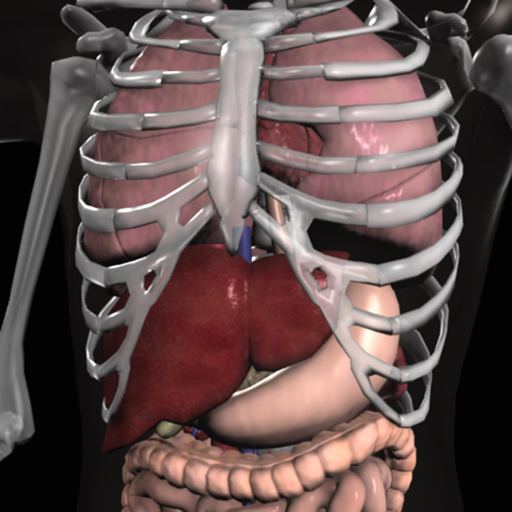
Essential Anatomy is the most successful anatomy app of all time, with more content, features, structures and ease of use than any other anatomy app — bar none! Now with over 8,200 structures including female 3D model. Download our FREE "Essential Skeleton" app in the free section to experience our groundbreaking 3D technology. NOTE: Not compatible with MacBook Pro (2008) or earlier due to graphics card limitations. - - Number 1 Top Grossing Medical App in 117 countries worldwide. - - This app is the only one that can combine 3 stand alone apps. Don’t waste your time purchasing other stand alone apps for Muscle Premium and Skeleton Premium content - it’s all available with a price effective "in-app purchase" and just a fraction of the cost other companies charge. In Essential Anatomy - everything is available in one app (see in-app purchases below). - - Stunning Graphics: No competitor comes close. Essential Anatomy’s proprietary engine was developed and optimized to showcase our new generation anatomical models for a completely immersive user experience. Other 3D Anatomy apps are limited by off-the-shelf gaming engines. - - Easy Navigation: Instantly and seamlessly zoom into any area of the body, remove layers of muscle and turn on/off systems. Other apps are restricted to a multitude of limited predefined “views”. - - Accurate Content: Essential Anatomy is used by hundreds of Anatomy Professors worldwide and has become the standard in third level education. In many cases, our app is now mandatory with text books optional. - - Read the reviews of previous versions: Our visionary app has enhanced the lives of reviewers, both professionally and academically. TUAW: "Make no mistake about it: Essential Anatomy by 3D4Medical is the future of touch-based anatomy learning. Essential Anatomy is an app every doctor, physiotherapist, OT, nurse and medical student should own." IN APP PURCHASES: In-app purchases allow additional muscle and skeletal content to be downloaded and accessed from within the app. These boosts add muscle insertion and origin points, skeletal bone parts and surfaces and 100s of animations detailing movements for each articulation. Visit www.3D4medical.com and watch videos that highlight the app's functionality and quality. You’ll understand why Essential Anatomy 5 is the most successful medical reference app of all time! ESSENTIAL ANATOMY 5 Essential Anatomy 5 is a full-featured anatomical reference app that includes MALE and FEMALE models, with 11 SYSTEMS and a total of 8,200 ANATOMICAL STRUCTURES. The app is fully 3D, meaning that you can view any structure in isolation, as well as from any angle. It represents the latest in groundbreaking 3D technology and innovative design. A cutting-edge 3D graphics engine, custom built by 3D4Medical, delivers outstanding quality graphics that no other competitor can achieve. FEATURES OVERVIEW: --Cutting-edge 3D technology --Over 8,200 highly detailed anatomical structures --Hide/Fade/Isolate/Fade Others/Hide Others options for individual structures --Multiple Selection Mode --Pins: Create customized pins with notes and place anywhere on the 3D model --Slice: Slice through certain structures using 3D plane tool --Bookmarks: Preset and Customizable --Correct audio pronunciation and Latin nomenclature for every structure --Search via English and Latin nomenclature --Dynamic Quiz: Drag and Drop and Multi-choice --Share images via social media and e-mail --Includes anatomy for 11 systems: Skin, Skeletal, Muscles, Connective Tissue, Veins, Arteries, Nerves, Respiratory, Digestive, Urogenital, Lymphatic, also includes the Brain and Heart Feedback or Question? Contact our customer support at [email protected]. You will receive a prompt response!
描述
***70% OFF SALE*** 'Gray's Anatomy', the renowned classic anatomical book by Henry Gray was first published in 1858 and is considered by many to be one of the most iconic and significant medical books of all time. Gray's Anatomy is now available on the Mac using the highest resolution images possible. (This version of Gray's Anatomy has been enhanced and specifically built for the Mac.) This Premium Mac Edition of Gray's Anatomy includes: * SUPER FAST SEARCH * COMPLETE TEXT and Full HD ILLUSTRATIONS * MULTI LANGUAGE SUPPORT [see below] * SCROLLABLE THUMBNAILS OF ALL 1247 ILLUSTRATIONS * ZOOM IMAGES LIKE PHOTOS - including gesture recognition * Easy Navigation * Create notes for each illustration * Bookmarks * Text to speech and more *Includes full text to speech functionality via built in OS X speech engine. Highlight the text and select 'Start Speaking' We recommend this app for Doctors, Nurses, Students, Teachers and anyone who is interested in the wonder and complexity of the human body. *Note: this application was not written by McDreamy and the illustrations in no way resemble any characters from the television show Grey's Anatomy ;-) Also available: Gray's Anatomy for iPad Gray's Anatomy for iPhone
描述
DICOM QuickLook by OsiriX is a simple application that can display any DICOM files. Did you pass a CT (scanner) exam or a MRI (magnetic resonance) exam recently? All these equipments produce images in DICOM format. A DICOM file is similar to a JPEG file, but with specifications for medical imaging. That means that a file of a chest x-ray image, for example, actually contains the patient name and patient ID within the file, so that the image can never be separated from this information by mistake. This is similar to the way that image formats such as JPEG can also have embedded tags to identify and otherwise describe the image. You can ask your doctor or the imaging center to provide you a CD/DVD or a USB stick with the images, in DICOM format. This small application with the QuickLook plugin is the ideal companion for your DICOM viewer application. OsiriX, a complete DICOM viewer application, is available on our web site: https://www.osirix-viewer.com. OsiriX MD is certified as a Class II medical device, by the FDA and European Union.
描述
Explore human anatomy in interactive 3D with Visible Body! Human Anatomy Atlas is a one-time purchase that gives you access to essential gross anatomy 3D models and select microanatomy models and animations on your iOS devices. Additional in-app purchases are available for physiology animations and dental content. With Human Anatomy Atlas, you get: * Full female and male 3D models to study gross anatomy. View these alongside cadaver and diagnostic images. * 3D views of key organs at multiple levels. Study the lungs, bronchi, and alveoli; Review the kidneys, renal pyramids, and nephrons. * Muscle and bone models that you can move. Learn muscle actions, bone landmarks, attachments, innervations, and blood supply. * Fascia models to see how it divides the muscles of the upper and lower limbs into compartments. You also get a variety of study and presentation tools: * Dissect models on screen, in augmented reality (AR), and in cross-sections. Download free lab activities that walk you through key structures. * Take 3D dissection quizzes and check your progress. * Make interactive 3D presentations that link sets of models to explain and review a topic. Label structures with tags, notes, and 3D drawings.
描述
***90% OFF SALE*** Surgical Anatomy - Premium Edition by Joseph Maclise was originally published in 1859 and is now available on the Mac. This App includes over 180 high quality images from 68 color plates with accompanying annotations and complete text. *** Illustrations zoom and scroll (like a photo). We recommend this app for Doctors, Nurses, Students, Teachers and anyone who is interested in the wonder and complexity of human anatomy. ************** includes: * SEARCH * SCROLLABLE CONTENTS LIST * COMPLETE TEXT and ILLUSTRATIONS * Includes text to speech * Easy Navigation * Add to Favorites and more **************
描述
A low-fat, to the point, DICOM viewer and converter. Espresso Ray is a viewer and batch converter for DICOM images. It supports 3D volumetric and 2D formats. It also supports both grayscale and color DICOM images of any size. Unlike complicated bloated medical software, Espresso Ray exists to be as simplistic and to-the-point as possible for viewing and converting DICOM images. If you need to convert a set of dicom images to PNG or JPEG format, Espresso Ray will do it! These days, medical software tends to be bloated, overcomplicated and not very easy to use. But what about those of us who are not medical professionals? It seems as if traditional medical viewers missed the memo: Mac software should be simple, easy, and shouldn't require any training to use. Apply that concept to a DICOM file viewer, and Espresso Ray is the result.
描述
DCM Viewer is a lightweight viewer for medical DICOM images, It provides analysis tools and a user interface to view, analyze, and register volumetric medical imaging data sets. The application also provides the QuickLook plugin for Mac OS X that allows to have a thumbnail of a DICOM as an icon instead of generic one. When you trigger QuickLook it displays the preview of DICOM files. Features: 1. QuickLook for DICOM files in Finder; 2. View and inspect the DICOM attributes; 3. Display images and Pixel data; 4. Open multiple DICOMs simultaneously; 5. Export DICOM as Movie, JPEG, TIFF.
描述
Conquer those tough anatomy topics! Put aside the textbook, the lab specimens, or plastic 3D models and jump into an immersive 3D experience. - Zoom in to see in real 3D how nerves exit the spinal cord and their relationship to the vertebrae. - Rotate to study the branches of the cranial nerves or the microanatomy of the eye from all perspectives. - Watch a 50-second 3D animation that explains the physiology of muscle contractions. - Customize the app and track your learning. Create a library of Favorites with 3D models, illustrations, animations, and notes that you need to review. Access a question-by-question assessment of quiz performance to track your understanding of the concepts. This app includes 12 units with 50 chapters/modules that use over 500 preset views of 3D models, more than 150 illustrations and animations, dozens of histology slides, and hundreds of quiz questions. Within each of the 12 content units, you can - Rotate the anatomical models. Zoom in or out. - Read definitions and hear pronunciations. - Watch short animations that explain physiological processes. - Study by creating notecards. Favorite views to access later. - Track your progress with learning objective checklists. - Test your knowledge with quizzes. - Share content with others. Anatomy & Physiology presents core functions of all body systems, including Cells and Tissues Integumentary Skeletal Muscular Nervous Endocrine Circulatory Lymphatic Respiratory Digestive Urinary Reproductive
描述
This is an application dedicated to viewing medical images. It supports standard DICOM format files (such as CT, MRI, X-ray, etc.) It can provide image browsing, window width and window position adjustment and measurement functions. It is very convenient for doctors, patients and medical researchers to view medical images.
描述
A true and totally 3D app for learning human anatomy with muscle action movies, 3D position quiz and audio pronunciation, built on an advanced interactive 3D touch interface. ***Want to try the app for free? Click on related apps and download the free version. Features: - You can rotate models to any angles and zoom in and out - Virtual dissection: Peel layers of muscles and reveal the anatomical structures below them. - more than 100 muscle action movies - physiology animation videos - Major bone markings - Muscle descriptions: Origin, Insertion, Nerve, Action - 3D location quizzes to test your knowledge - Audio pronunciation for all anatomy terms. - Latin names - Search the name of anatomical structure and reveal the 3D location - Switch on/off different anatomy systems - Both male and female reproductive systems are available - Load and Save Views (bookmaker function) - Information from Wikipedia and Gray's anatomy textbook - Great for learning anatomy and physiology - Support French, Spanish and German languages! Contents: - Skeleton (all bones in our body) - Ligaments - Bone markings - Muscles (145 muscles, highly detailed muscle models) - Circulation (arteries, vein and heart) - Nervous system - Respiratory system - Reproductive system ( both male and female ) - Urinary system - 3D Ear - 3D Eye Contact Us: Email us at [email protected]. Let us know any feedback you have or share ideas for making the app better.
描述
Open DICOM image files on your Mac to view the DICOM header information. Easily load and view DICOM header information to inspect the DICOM attributes. Copy DICOM attribute text values like SOP Instance UID or Patient Name to the clipboard. NOTE: This app does NOT display image or pixel data. For informational and research use only. Not for medical or diagnostic use.
描述
Miele-LXIV is a DICOM workstation, viewer and more. The project started in November 2014 as a fork of the popular open source 32-bit project OsiriX, but it has been modified to become a 64-bit application and to remove many of the limitations of the 32-bit version. - Built for macOS 12.0 through 27.0.1 - It supports Mojave's Dark Mode - Using VTK version 9.7.0 - Using ITK version 5.4.5 - Using DCMTK version 3.7.0 - Using OpenGL 4.1 - Using GLEW 2.3.0 - Using OpenJPEG 2.5.4 - Using David Clunie's DICOM validator dciodvfy version 1.00.snapshot.20230403092834 - Fully localized for 7 languages: Chinese, English, French, German, Italian, Japanese, Spanish - Export to Photos - Own plugin system fully operational: develop, publish, list, check-for-updates, download, install - Open source - Universal binary: Intel, Apple Silicon
描述
Over 300,000 users! Join the students, physical therapists, occupational therapists, chiropractors, sports medicine specialists, and other orthopedic specialists who use Muscle Premium to better understand and explain how the muscular and skeletal systems move the human body. *** Gold Award for Mobile Tool/Resource from Digital Health Awards*** “Amazing for being able to get a 3-dimensional and inside/outside view of the muscles. Highly recommended. The best I've found yet.” — User “This app is excellent, the best... [e]specially for students studying medicine or anything related like massage therapy, nursing or just for self knowledge.” — User Use Muscle Premium as a personal reference, to visually communicate anatomy and function, instead of a textbook, or to create a virtual lab experience. The app includes: + 3D models of muscles, ligaments, bursae, and bones—with blood supply, innervation, key bony landmarks, and textbook-level definitions. + 3D models of common conditions including: Cervical spondylosis, lateral epicondylitis, medial epicondylitis, carpal tunnel syndrome, wrist sprain, rotator cuff tear, torn meniscus, osteoarthritis of the knee joint, and many more. + Over 50 interactive models of common muscle actions + Video presentations by physical therapists, doctors, and researchers that review normal anatomy and common conditions. Purchase includes all content. No additional in-app purchases. This app includes the option to set the display language to English, Spanish, Italian, German, French, Simplified Chinese, or Japanese. Audio in the video presentations is English only; subtitles available for all languages listed.
描述
EP Calipers provides electronic calipers to measure intervals on images of ECGs or electrophysiologic recordings. EP Calipers can be used to make accurate ECG measurements on your Mac and do calculations such as mean heart rate, corrected QT interval, or even measure the beta angle in Brugada syndrome using electronic calipers similar to those in electrophysiologic recording systems. Analyze ECG images as well as PDF files, such as ECGs generated by the Kardia™ AliveCor™ device. Analyze anything open on your desktop using the Transparent Window feature.
描述
Mal alignment of the hip, knee, and ankle leads to premature cartilage damage and to development of degenerative arthritis of knee joint. Femoral and tibial osteotomies around the knee are established procedures for the restoration of the physiological load distribution of pressure at the knee joint. Accurate preoperative planning is mandatory to avoid under correction or overcorrection of axes or placing the joint-line in obliquity that ends to insufficient postoperative alignment.The majority of osteotomies are still planned and performed using conventional techniques drawing over transparent papers, cumbersome measurements etc. The app assists at preoperative correction planning by calculating : -the amount of correction preoperatively by calculating the dimension of wedge size , the correction angle and osteotomy gap opening or closing. -mechanical axis deviation (in mm) MAD, anatomical and mechanical femoral axes angle (aMFA),mechanical lateral proximal femoral angle (mLPFA), mechanical lateral distal femoral angle(mLDFA), joint line convergence angle (JLCA),mechanical medial proximal tibial angle (mMPTA), Mechanical lateral distal tibial angle (mLDTA), Hip Knee Ankle line (HKA) ,Mid joint line (MJL) orientation. -objectively the deviation or deformity in the frontal plane (varus or valgus) and differentiate the level of deformity (femoral and or tibial origin) and according to measured angles objectively suggest where indicated, medial or lateral, open or closed-wedge distal femur osteotomy or high-tibial osteotomy or double osteotomies and avoiding unwanted obliquity of the joint line App allows he surgeon to -change the planned mechanical axis to pass at the preferred percentage (Fujisawa point) after evaluation of the residual cartilage thickness left on the involved compartment. select the location of hinge point of correction osteotomy for planning of varus or valgus corrections -evaluate in real time the success of intended osteotomy by evaluating the kinematic alignment of the knee (KAO), avoiding residual joint obliquity or malalignment. -measure the correction angle adjusted due to ligament instability and preoperatively calculate the height of osteotomy gap opening. -pressing + or - button, one degree of correction is added or subtracted respectively and the second plane of osteotomy emerges and printed in screen real offering real time simulation of the wedge osteotomy in an instant to comprehend in real time what parameters are affected and modify favourably the correction angle. All above mentioned angles and all limp axes are redrawn and updated accordingly for the given new correction angle. The drawn schematic gives the impression of settings act as a whole interchangable interacting unit. - dynamicaly preview and easily predict potential intraoperative errors, that could emerge and choose the optimal degree of correction without disruption kinematic alignment of the limp. -to combine correction- Biplanar-, at coronal plane and sagittal plane (based on Hernigou 2001 calculations ) on tibia slope and provide the direction of the plane (ω angle) in which the osteotomy (open or closed) should be made ,the height the opening or closing wedge and the correction angle (Δ angle), -to simulate, before real bone cuts are done and try different strategies in relation to the location, the type of osteotomy, the joint obliquity without to redraw in paper board countless drawings in an effort to achieve the optimal correction and mean while taking into account and balancing all influencing preoperative factors. -real time dynamically change of mechanical axis lines, modify also the drawings of femur and the tibia and in instant depicting a precise preview of the whole preoperative plan for optimal results. -categorisation of the deformities based to international literature normal references values, help to indicate to user the type of osteotomy.
描述
Bone Ninja is a teaching tool developed by two orthopedic surgeons who specialize in limb deformity correction: Dr. Shawn Standard and Dr. John Herzenberg. It is designed to help surgeons learn to analyze long bone deformities. Bone Ninja comes pre-loaded with radiographs of normal legs and deformed legs. You can analyze the provided cases or upload your own. Once your analysis is complete, you can then use the cut-out tool to try different osteotomy solutions. Suggested solutions for the provided cases are available for comparison. Bone Ninja includes tools for drawing lines, measuring angles, measuring lengths, and calibrating the magnification. The cutting tool allows you to manipulate one or more fragments to simulate correction of single or multilevel deformities. The analysis of the radiographs is based on methodology taught at our annual Baltimore Limb Deformity Course (BLDC), now in its 22nd year (DeformityCourse.com). We developed this app to supplement the BLDC and look forward to feedback from attendees and other users. Bone Ninja is not presented as a clinical tool, but rather an educational tool. It will not “automatically” analyze deformities. The student must first learn the methodology of analyzing and planning deformity correction in order to use Bone Ninja. Bone Ninja is a 21st century mobile alternative to pencil, ruler, goniometer, and paper. Bone Ninja will be periodically updated by adding more case examples, more explanations, and more tools. The name “Bone Ninja” is intentionally whimsical and reflects our philosophy of teaching as “infotainment.” Enjoy! Disclaimer The Bone Ninja App is designed for educational purposes only. The intent is to train physicians how to analyze long bone deformities. The Bone Ninja App is not intended to be used for medical diagnosis or treatment. In view of the possibility of human error or changes in medical science, neither the authors nor the developer warrant that the information contained in this software is accurate or complete and they are not responsible for any errors or omissions or the results obtained from the use of such information.
描述
MIKit is a high-performance toolkit dedicated to view, inspect and manage a large sets of DICOM images produced by equipment (MRI, CT, PET, PET-CT). What's DICOM: DICOM® (Digital Imaging and Communications in Medicine) is the international standard to transmit, store, retrieve, print, process, and display medical imaging information. The App offers a host of analysis, processing, and editing features, and can convert, anonymize, and register images. It is the ideal tool for viewing and researching DICOM. It supports DICOM images - without compression and with RLE, JPEG Lossy, JPEG Lossless, JPEG2000 Lossy, JPEG2000 Lossless compressions. MIKit includes the following features: 1. View DICOM: zoom, pan, contrast/brightness control; 2. Inspect the DICOM attributes and view the DICOM header information; 3. Display and manage a large sets of images; 4. Export DICOM image to TIFF, PNG, and MOV; 5. Load DICOM image via drag & drop; 6. Simple and intuitive interface with full-screen mode.
描述
Weight Monitor allows you to quickly and easily record your daily weight. Nothing else to get in the way. Just add your weight and see it plotted on the graph with all the relevant information. The monthly graph shows you your weight, your target weight but also your average weight over the last 10 days. Your average weight is a much better indicator of your real weight. New: 1) Tabs now show which user is selected. 2) Double click on Weight in Month View now shows the Add/Amend Notes dialog. 3) Click on the blue 'i' icon on the graph view shows the Add/Amend Notes dialog. 4) When adding a new user the Weight Type and Feet&Inches/Metric selectors default to those last used. You can specify how many months you want to see on the Graph. Select the number of months to show in the Preferences and the graph will show from the currently selected month forward by that many months. This App can be used to lose weight but it can also be used to gain weight. The blue line shows the required weight loss line. This line is calculated from the start date & weight and the end date & weight. If you follow this line you will reach your target weight. The end of the arrow of each red line shows the weight for the day. The line extends to the rolling average weight for the day. If the arrow is downward then your weight is going in the right direction. If the arrow is upward then beware your weight is above the average. The green line shows the rolling average weight. For each weight entered an average of the last ten days is calculated. This weight is plotted for each day and this is the green line. If the green line remains below the blue line you are winning. Your daily weight can change too much over just a couple of days and this can be very discouraging when your weight increases. You can easily see your new weight and how this affects the average on the graph. Using this new information you can gain confidence that your weight is changing as required. The graph also shows you the line of required weight loss to achieve your desired weight. While your weights and the average weights remain below this line you are still on track. Stray above this line and your are off course. The graph is a powerful visual clue to what is occurring. Simple to use. Just start it. You just have to set the initial values in the Preferences and you are ready to go. To set the Preferences you set the Start Date, Start Weight, End Date, End Weight and whether you want to use kilograms, stones & pounds, or just pounds. On the Graph & Input tab just select today's date to add you weight for the day by pressing 'Save'. The graph will change to show this weight. You can add a weight for any other day by just selecting that date rather than today's date. The more weights you add the better the graph shows your progress. You can delete a weight completely by selecting the Months tab, selecting the day the weight is for and then selecting 'Delete Weight'. To gain weight with this App just select an end weight that is greater than your start weight. You should strive to have arrows that point upwards and keep the green line above the blue line.
描述
A Reference for the most common trigger points and referral patterns for over 70 muscles. Features 100+ trigger points with their corresponding referral patterns. Each muscle includes the visual referral pattern and point location, plus a written muscle action, referral and comments for each muscle. You can choose to view each muscle individually, or use the zones view to see all the muscles that refer into a specific area, a great help in discovering the source of pain. Trigger points are tight places in a muscle that cause pain to be felt elsewhere in the body. This is great for massage therapists, physical therapists, chiropractors, or anyone wanting to discover the source of muscular pain, and learn about muscle function. FEATURED IN APPLE'S WHATS HOT FOR TWO WEEKS! "Any iPhone or iPod Touch user with an interest in the human body may find Real Bodywork’s reference app Muscle Trigger Points to be of special interest." Phone Gear Review "...the app is quite useful for identifying problem areas and gives us a great visual for pinpointing the problem. " Slap App Review iTunes User Reviews: "SIMPLE & EASY to use, INEXPENSIVE, along with EXCELLENT 3D graphics to help zero-in on areas of each muscle when palpating." Roc 5/5
描述
Expand your knowledge of the organs with this robust application that combines 3D models, video, audio lectures, quizzes and text to create a rich learning experience. Includes detailed information on the brain, heart, stomach, spleen, pancreas, small intestines, reproductive organs, large intestines, kidneys, liver, skin and lungs. Also learn about cells, tissues and organ systems. Each of the 16 pages includes beautiful diagrams of the organ anatomy, histology and location, along with text, video, audio and 3d models that support easy learning. FEATURING: -3D MODELS: Twenty seven models that you control, and include labels of the various structures. -AUDIO LECTURES: Twenty five audio lectures that describe organ functions and structures -VIDEOS: Five short videos that show the structures in action -QUIZZES: Each organ has it's own random multiple-choice quiz, with 8-20 questions about the physical anatomy of each structure. 135 questions total. -GLOSSARY: For a detailed study, a quick reference with over 320 structures. -DIAGRAMS: Each page has multiple diagrams that you can zoom into. Over 40 diagrams that cover anatomy, histology and functions of each organ, with text that describes basic information. Created by an anatomy instructor and reviewed by medical experts. Enjoy the future of learning in this amazing application.
描述
Dicom Browser is designed for users in the medical imaging field, focusing on the browsing and processing of DICOM files. The software now features a 3D preview mode, offering more intuitive visualization for precise image analysis. Additionally, it provides advanced image processing functions such as Multi-Planar Reconstruction (MPR) and image fusion. Users can browse, annotate, and process DICOM files offline, enhancing diagnostic efficiency and accuracy. With offline functionality, the software ensures data security and privacy, making it an ideal tool for medical image processing.
描述
A simple App that includes 34 Health Calculators: - Body Mass Index (BMI) Calculator - Body Adiposity Index (BAI) Calculator - Basal Metabolic Rate (BMR) Calculator - Resting Metabolic Rate (RMR) Calculator - Body Fat Percentage Calculator - Calorie Calculator - Target Heart Rate (THR) Calculator - Ideal Body Weight (IBW) Calculator - Body Surface Area (BSA) Calculator - Lean Body Mass (LBM) Calculator - Weight Loss Percentage Calculator - Human Water Requirement Calculator - Waist Hip Ratio Calculator - Waist Height Ratio (WHtR) Calculator - Bench Press Calculator - Cost of Smoking Calculator - Beep Test Calculator - VO2 Max Calculator - Heart Rate Calories Burned Calculator - Heart Rate Calories Burned Known VO2 Calculator - Blood Volume Calculator - Estimated Blood Volume Calculator - Cycling Calories Burned Calculator - Fat Free Mass Index (FFMI) Calculator - Drops Per Minute Calculator - Hyponatremia Correction Calculator - IV Drip Rate Calculator - IV Flow Rate Calculator - Insulin Dosage Level Calculator - Systematic Vascular Resistance (SVR) Calculator - Weight Watchers Daily Points Plus Allowance Calculator - Pro Points Weight Watchers Calculator - Weight Watchers Points Plus Calculator - Weight Watchers Old WW Points Calculator It Also Includes: - Description and formula for each calculator - Clear Button - Copy Button Please note that the results provided by these calculators are for educational purposes only and should not be considered medical advice. This app is not a substitute for professional medical diagnosis, treatment, or advice. Always consult with a licensed healthcare professional before making any medical decisions based on the information provided in this app.
描述
See your pitch and volume live as you speak — record, measure, and track your voice for speech therapy, voice training, and singing. Voice Analyst is used in speech and language therapy clinics, research centres, universities and homes in more than 180 countries, with over 12 million recordings made. Winner of the Digital Health Award (Medilink SW Healthcare Innovation). Listed in the Parkinson's UK tech guide: https://techguide.parkinsons.org.uk/catalogue/voice-analyst One purchase for iPhone, iPad and Mac. No subscriptions. MEASURE YOUR VOICE • Watch live graphs of your pitch (in hertz or musical notes) and volume as you speak or sing. • Record your voice and play it back alongside its pitch and volume traces. • See statistics for any recording, or any part of it: minimum, maximum, average and range for both pitch and volume. • Set pitch and volume targets and see instantly when your voice is inside them. • Zoom in on any part of a recording to analyse it in detail, and save any portion. • Split View and multitasking support on iPad. MADE FOR SPEECH THERAPY • Practise between appointments with the targets your speech and language therapist sets — including the loudness targets used in programmes such as LSVT LOUD for Parkinson's. • Track progress over time with saved recordings and statistics. • Use it in clinic, at home, or in remote telehealth sessions. SHARE WITH YOUR THERAPIST • Email recordings and statistics to your speech and language therapist, or share by messaging and AirDrop. • Save recordings to your device, or to iCloud, Dropbox and other cloud storage. • Copy statistics into spreadsheets for records, reports and research. WHO USES VOICE ANALYST • Speech and language therapists (SLTs) measuring clients' pitch and loudness, in clinic and via telehealth. • People in voice therapy — for Parkinson's disease, stroke, brain injury, dysarthria, vocal fold palsy, muscle tension dysphonia and other voice difficulties. • Transgender and non-binary people training their voice with clear pitch feedback. • Singers, actors, teachers and presenters monitoring and developing their voice. • Researchers and students measuring voice objectively. PRIVATE BY DESIGN • Your recordings stay on your device unless you choose to share them. • Nothing is uploaded to our servers — clinicians stay in control of client recordings. • GDPR compliant — no personal data is collected. • Works offline — record and analyse anywhere. WHAT USERS SAY "Fantastically easy to see where your pitch is, to set target ranges, to make and analyze recordings, and to export and import recordings. I can't imagine working on my voice without this app." "I've been using Voice Analyst with my transgender clients. It is incredibly user friendly and provides great visual readings of frequency as well as an instant analysis of pitch range and mean. My clients can use it in session and some have downloaded it to work with at home." "Love this app. So simple to use yet it packs all the technology needed to make it easy for me to monitor and motivate myself." Voice Analyst is not a medical device — it measures and records your voice; it does not diagnose or treat any condition. If you are concerned about the quality of your voice, see your doctor and ask for a referral to an Ear, Nose and Throat (ENT) specialist. Questions or ideas? Email [email protected] — we would be delighted to hear from you.
描述
NOW INTEGRATED WITH THE IPHONE AND THE IPAD VERSIONS OF THE APPLICATION! Here is an application that will enable you to keep track of all information relative to your health and the one of each member of your family: blood group, blood pressure, medications , allergies, diagnostic tests and results, infectious diseases, vaccinations, ... This information could prove of great importance in a variety of everyday situations from a routine medical check up – where details of any medical prescriptions can be recorded – to any possible emergency situation where it becomes vital to have immediate access to data such as blood groups, allergies, results of diagnostic testing, prescribed medication etc. Family Medical History will allow you to have single point of access to: - Your family main personal and health data (blood group, RH factor, health service number….) - A list of prescribed medications, their indications and the frequency of assumption. A list of any diagnostic testing undertaken or planned with relevant dates and results. - A list of any noted allergies, the allergic factors involved and the remedies necessary to relieve the symptoms. - A list of diseases contracted and their dates. - Blood pressure and weight trend - A list of all vaccinations offered and taken up, together with reminders of the dates for boosters to be administered. Any reactions and subsequent remedies can also be logged. - A dedicated point of access to the main phone numbers, email addresses, ... relevant to your and your family health (doctor, paediatrician, general practitioner, health visitor, emergency services, Poison Centre, Burns Centre…..). This application is user-friendly thanks to the precompiled sections (see vaccination section). Should you feel that functionality could be added to or improved, please do not hesitate to post/email your suggestions at: [email protected] If you have any issue or find any bug, please email directly to: [email protected]. We’ll be happy to address your question, answering directly back to you.
描述
Researchers at Monash University have developed the low FODMAP diet and a corresponding app to assist in the management of gastrointestinal symptoms associated with irritable bowel syndrome (IBS). The Monash University FODMAP diet works by swapping foods high in fermentable carbohydrates (FODMAPs), with low FODMAP alternatives. Around 75% of people with IBS experience symptom relief on a low FODMAP diet. The app comes directly from the research team at Monash and includes the following: - General information about the FODMAP diet and IBS. - Easy to understand tutorials to guide you through the app and the 3-Step FODMAP diet. - A Food Guide detailing the FODMAP content for hundreds of foods using a simple 'traffic light system'. - A list of branded products that have been certified by Monash as low FODMAP. - A collection of over 70 nutritious, low FODMAP recipes. - Functions that allow you to create your own shopping list and add notes to individual foods - A Diary that enables you to record food eaten, IBS symptoms, bowel habits and stress levels. The Diary will also guide you through step 2 of the diet - FODMAP reintroduction. - The ability to adjust units of measurement (metric or imperial) and activate colour blindness assistance.
描述
Orthopedic Angles Calculator is a specialized application designed for orthopedic surgeons, radiologists, and medical specialists who need to perform accurate measurements on radiographic images. This professional tool enables precise calculation of crucial anatomical angles that guide diagnosis, surgical planning, and assessment of orthopedic conditions. Features: Multiple Angle Calculators: Includes specialized tools for measuring: Femoral Neck-Shaft Angle Glenoid Version Posterior Tibial Slope Talar Declination Angle Baumann Angle Calcaneal Inclination Cobb Angle (for scoliosis) Dens Tilt Angle Radial Inclination Palmar Tilt User-Friendly Interface: Simple point-and-click or touch interface to mark key anatomical landmarks. Immediate Results: Automatic calculation and interpretation of measurements with normal range indicators. Educational Content: Each calculator includes detailed explanations about the clinical significance of the measurements. Import Images: Upload radiographs directly from your device. Example Images: Practice with included example images to learn proper measurement techniques. Offline Functionality: No internet connection required after installation. Clinical Applications: Pre-surgical planning Post-operative assessment Fracture evaluation Deformity analysis Educational demonstrations This application is intended for educational and professional use by qualified healthcare providers. Measurements should be verified according to clinical standards before making treatment decisions. IMPORTANT NOTICE: This app is designed for use by medical professionals only and is not intended for self-diagnosis or treatment by patients. Download Orthopedic Angles Calculator today to enhance your orthopedic assessment workflow with precise, consistent angle measurements.
描述
EP Diagram is a teaching and learning tool for the analysis of electrocardiograms using ladder diagrams. Ladder diagrams are a classic method of analysing heart rhythms and conduction disturbances. The ladder is divided into anatomic regions and lines are drawn indicating conduction. EP Diagram goes much further than the traditional ladder diagram drawn by hand. Using it you can easily and quickly draw publication quality ladder diagrams which are interactive, scrollable, and zoomable. You can style these diagrams as you wish, have measurements, impulse origin, and block calculated automatically, and can edit and create your own ladders templates. You can even add periods of fibrillation with just one finger tap. Diagrams are automatically saved as files and can be shared with others. EP Diagram will improve your understanding of cardiac arrhythmias.
描述
Cobb method is considered the standard for measuring curve size in scoliosis. Cobb angles are always measured from the superior end plate of the most cephalad end vertebra to the inferior end plate of the most caudal end vertebra in the curve. Meticulous line drawings and precise measurements is paramount importance in order to quantify the magnitude of spinal deformities and monitor the success or failure of treatment for scoliosis. The CobbAngleApp is medical software aimed for orthopaedic surgeons, providing tools that allow doctors to: -Securely import medical images directly from the camera or stored photos. -Offers a very convenient way to determine the most accurate possibly way at once. By marking four points at the same X-ray, at each spine the App calculates the Cobb angle. In cases where values are out of normal ranges, the scoliosis is categorized according to measured angle as mild, moderate, severe. To simplify the process and to minimize inter-observer errors usually by not selecting the actual end vertebra, the app offers also in ext mode the ability to draw the vertical reference line through the patient’s sacrum and to identify more easily the end vertebrae s (ext method). -Save the planned images, the measured values and results compared by normal reference databases, for later review or consultation. -The app also is independent from errors produced by image inclination. Especially developed module allows the user to measure accurately without to worry about the tilting of the picture or the X-ray. All information received from the software output must be clinically reviewed regarding its plausibility before patient treatment! CobbAngleApp indicated for assisting healthcare professionals. Clinical judgment and experience are required to properly use the software. The software is not for primary image interpretation. In a busy everyday practice, the examiner have to draw lines in X-rays or in clinical settings, this it is time consuming and cumbersome. Accessory instruments like protractors, hinged goniometers, well sharp pencils, rulers or even transparent papers must be available. The app offers a very convenient and also accurate way to perform most common radiographic measurements for spine, in a blink of an eye in front of your screen. The build in feature of the app, allows results to be categorized may help decide what could be considered normal or pathologic. The app is not a simple goniometer, is an enhanced product which helps to monitor objectively the course of the treatment and evaluate optimally the spine. This App is particular useful especially in clinical settings where you need a quick results without losing time. Please see tutorial videos at the developer’s web site www.orthopractis.com Reference databases 1. Cobb JR. Outline for the study of scoliosis. The American Academy of Orthopedic Surgeons Instructional Course Lectures. Vol. 5. Ann Arbor, MI: Edwards; 1948.
描述
3D Heart Anatomy is the ultimate companion for those seeking to understand the heart's complex structures, whether for professional use, academic study, or personal interest. Dive into the captivating world of heart anatomy and start your journey with more than 150 individually detailed structures solely dedicated to the heart, 3D Heart Anatomy is a testament to the intricate design of one of the human body's most vital organs. Features: Immersive 3D Experience: Navigate and interact with high-resolution 3D models of the heart. Rotate, zoom and move structures with ease and precision. Comprehensive Atlas: With over 150 individual heart structures, explore every chamber, valve, vessel, and associated system with unparalleled depth and clarity. Photorealistic Graphics: Cutting-edge graphics that renders heart structures with extraordinary detail and realism, offering an effective tool for understanding complex heart anatomy. Professional-Grade Accuracy: Created by medical professionals and backed by medical literature, 3D Heart Atlas is both an engaging learning tool and a reliable reference for professionals. Accessible Anywhere: No Internet? No problem, keep learning wherever you are. We continuously strive to improve the quality and functionality of 3D Heart Anatomy. User feedback is invaluable for these improvements. If you find the application beneficial, please consider rating it on the App Store. Thank you for your continued support.
描述
Amblyopia, also called lazy eye, is a disorder of sight due to the eye and brain not working well together. It results in decreased vision in an eye that otherwise typically appears normal. It is the most common cause of decreased vision in a single eye among children and younger adults. Amblyopia - Lazy Eye is a visual exercise app designed to support daily eye-movement practice routines and help to improve and fix this problem. The app provides guided moving-target exercises where the user follows a ball, emoji, or custom visual object across smooth animated trajectories. Exercises are organized by difficulty level and age group, making it easy to choose a comfortable training session. This updated version expands the original app with a modern interface, portrait and landscape support, customizable visuals, optional eye tracking with TrueDepth-compatible devices, calibration, progress history, and flexible session settings. KEY FEATURES • 40 progressive exercise levels Choose from a wide range of smooth eye-movement paths, from simple circular movement to more advanced visual patterns. • Age-based exercise modes Select an age group to adjust target size, speed, and movement complexity. • Portrait and landscape support Use the app comfortably in either orientation. • Optional TrueDepth eye tracking On supported devices, the app can use ARKit face tracking to provide additional feedback during a session. Eye tracking is optional and can be skipped. • Calibration before tracking sessions If eye tracking is enabled, the app guides the user through a short calibration process to improve exercise feedback. • Multiple training modes Choose both eyes open, left-eye training, or right-eye training depending on your routine. • Customizable exercise target Use a colored ball, emoji, animal emoji, or face-style image as the moving target. • Custom backgrounds Choose background colors, images, or animated hypnotic-style patterns to create a comfortable visual environment. • Adjustable session duration Select 1, 3, 5, 7, or 10 minute exercise sessions. • Local progress history The app saves completed sessions locally on the device, including duration, level, selected mode, and tracking feedback when enabled. • Educational information Includes helpful information about amblyopia and general instructions for using visual exercise routines. PRIVACY Eye tracking is optional. When enabled, the app uses ARKit/TrueDepth data only to estimate eye direction, blink state, and head movement during calibration and exercise sessions. The app does not record photos or videos, does not upload face data, and does not use this information for identification or advertising. Calibration and history data are stored locally on the device. IMPORTANT MEDICAL NOTICE This app is not a medical device and does not provide diagnosis, treatment, or medical advice. It is intended as a visual exercise support tool. Please consult a qualified eye care professional before starting any eye exercise routine, especially for children or users with diagnosed eye conditions.
描述
90% of all information that comes into our brain is visual. That's why eye care is so important. Explore your vision with Vision Tests, a simple Mac app that brings together an eye chart and three interactive visual checks. Follow the on-screen instructions to explore how you recognize small symbols, distinguish colors, and perceive line patterns. • Full-Screen Eye Chart Display an eye chart in full screen for a clear, distraction-free view. • Visual Acuity Test Identify the direction of the letter “E” as it becomes progressively smaller. Complete 10 rounds with visual progress indicators and a result summary. • Color Vision Test Identify numbers within colored dot patterns. Receive immediate feedback and explanations after each answer, followed by an overall summary. Multiple sets of images provide variety when repeating the test. • Astigmatism Check View a line pattern and indicate whether some lines appear darker than others. Simple instructions guide you through the check. With straightforward controls, on-screen guidance, and easy-to-read feedback, Vision Tests makes exploring these aspects of vision accessible from your Mac. Vision Tests is intended for general information and personal awareness. It does not provide a medical diagnosis or replace a professional eye examination. Consult an eye care professional for an assessment of your vision. DISCLAIMER: These tests have no diagnostic value. In case of difficulties, only an eye care professional can carry out a complete eye examination to detect any eventual visual problems. No personal health information is collected or retained as the result of taking these tests. If you have any eye problems you should contact your doctor firstly.
描述
In Total hip Arthroplasty the orientation, namely anteversion and inclination of the new acetabular component -cup- influences wear, range of movement (ROM), and the likelihood of dislocation after total hip replacement (THR). Evaluating objectively of the cup anteversion, and inclination in hip arthroplasty replacement surgery is of paramount importance. Radiographs are the most important diagnostic means in the follow-up for evaluation of a total hip arthroplasty. Measuring anteversion and inclination in everyday clinical setting is a cumbersome work for a medical doctor. Computation requires a calculator, which requires an additional effort during practice and slows down workflow. The App is medical software aimed for orthopaedic surgeons, providing a tool that allow doctors to: -Securely import medical images directly from the camera or stored photos. -By marking certain anatomical landmark and points in a simple standard AP pelvic radiograph, values for cup inclination and anteversion are being calculated. The app is based on Widmer’s method which is the proven that is the most accurate compared to others. -Pelvic tilt expressed by the angle APP is incorporated in measurements and can be adjusted manually according to surgeons preference. -Radiographic Inclination (RI) and Radiographic Anteversion (RA) values are adjusted by taking into account pelvic tilt (APP angle). - RI or RA values are printed in red or green, according to measured value in cases these are in certain range (Lewinnek at al), indicating if the positioning of the cup is optimal (green) or not (red). -The data are printed over to screen so each case can easily assessed. -For more accurate results the source of central ray of the x-ray should be at position at 1150mm away from x ray table . -Save the planned images, for later review or consultation. The app offers an easy way to quantify cup anteversion and inclination a quick and comfortable manner without the use of a goniometer or a ruler or to calculate elaborated formulas. All information received from the software output must be clinically reviewed regarding its plausibility before patient treatment! The App is indicated for assisting healthcare professionals. Clinical judgment and experience are required to properly use the software.The software is not for primary image interpretation. In a busy THA practice, the examiner to draw lines in X-rays, it is time consuming and cumbersome to calculate mathematics.This App is particular useful in clinical settings where you need a quick results without losing time. Please see tutorial videos at the developer’s web site www.orthopractis.com Reference 1. Nomura T, Naito M, et al .An analysis of the best method for evaluating anteversion of the acetabular component after total hip replacement on plain radiographs. Bone Joint J. 2014 May;96-B(5):597-603. 2. Bachhal V, Jindal N, Saini G, Sament R, Kumar V, Chouhan D, Dhillon M. A new method of measuring acetabular cup antev- ersion on simulated radiographs. Int Orthop. 2012;36:1813–1818. 3. Widmer KH A simplified method to determine acetabular cup anteversion from plain radiographs. J Arthroplasty. 2004 Apr;19(3):387-90. 5. Murray DW: The definition and measurement of acetabular orientation. J Bone Joint Surg Br 1993 75:228, 6. Lewinnek GE, Lewis JL, Tarr R, Compere CL, Zimmerman JR. Dislocations after total hip-replacement arthroplasties. J Bone Joint Surg Am. 1978;60:217–220 7. Schwarz TJ et al. Correction of Pelvic Tilt and Pelvic Rotation in Cup Measurement after THA - An Experimental Study. Rofo. 2017 Sep;189(9):864-873.
描述
The assessment of global sagittal alignment and the compensatory mechanisms which are implicated in the spine and the spinopelvic jucture are of paramount importance for spine and joint replacement surgeon. The dynamic interplay between flexibility and balance around the axis of gravity determine the type and the amount of influence in spine and hips. Radiographic parameters to evaluate objectively the sagittal balance are Pelvic incidence (PI), Sacral slope (SS), Pelvic Tilt (PT), Lumbar lordosis (LL),Thoracic Kyphosis, C7 plumb line (C7PL) and its ratio. Drawings in patients X-rays and precise measurements are important in order to quantify the magnitude of spinal deformities, to monitor the success or failure of treatment and thus optimise the management of patients according to the severity of the imbalance. The Sagittal Balance App is medical software aimed for orthopaedic surgeons, providing tools that allow doctors to: -Securely import medical images directly from the camera or stored photos. -By marking several points at the image of X-ray, the App calculates and offers a very convenient way to determine the most accurate possibly way at once, Pelvic incidence (PI), Sacral slope (SS), Pelvic Tilt (PT), Lumbar lordosis (LL), thoracic kyphosis, C7 plumb line (C7PL), C7PLD/sfd ratio, PI–LL, theoretical normal pelvic tilt (tPT),theoretical normal L1-S1 lumbar lordosis (tL1S1), Spino-sacral angle (SSA) According to measured parameters the app categorizes the severity of the imbalance of spine, in three different stages: optimal balanced, balanced with compensatory mechanisms and imbalanced. -Save the planned images, for later review or consultation.The measured values are compared by normal reference databases and also data are exported as txt file, ready to print or to input as cells to excel for research. -The app also allows the calculations of centroids after choosing points in vertebra body in independent manner from order. All information received from the software output must be clinically reviewed regarding its plausibility before patient treatment! Sagittal Balance App indicated for assisting healthcare professionals. Clinical judgment and experience are required to properly use the software. The software is not for primary image interpretation. In a busy everyday practice, the examiner have to draw lines in X-rays or in clinical settings, this it is time consuming and cumbersome. Accessory instruments like protractors, hinged goniometers, well sharped pencils, rulers or even transparent papers must be available. The app offers a very convenient and accurate way to perform most common radiographic measurements for spine, and spinopelvic juncture in a blink of an eye in front of your screen. The build in feature of the app, allows results to be categorized may help decide what could be considered normal or pathologic. The app is not a simple goniometer, is an enhanced product which helps to monitor objectively the course of the treatment and evaluate optimally the spine. This App is particular useful especially in clinical settings where you need a quick results without losing time. Please see tutorial videos at the developer’s web site www.orthopractis.com Reference databases 1.Legaye J, Duval-Beaupe`re G, Hecquet J, Marty C (1998) Pelvic incidence: a fundamental pelvic parameter for three-dimensional regulation of spinal sagittal curves. Eur Spine J 7(2):99–103 2. Cavanilles-Walker JM, Ballestero C, Iborra M, Ubierna MT, Tomasi SO (2014). "Adult Spinal Deformity: Sagittal Imbalance". International Journal of Orthopaedics.
描述
TCM Clinic Aid is a reference guide for practitioners and students of Traditional Chinese Medicine (Acupuncturist and Herbalist). It should not be used to diagnose ailments or diseases. Diagnosis should be done by a licensed Acupuncturist and Herbalist. KEY FEATURES: 1. Built specifically for the iPad. 2. A Great Reference tool for the following TCM Disciplines: A. Auricular Point, Acupuncture Points, Master Tung Points, and Wrist Ankle points: - Acupuncture points and Auricular point are arranged by TCM categories and individually, - Acupuncture points presented in "Big Picture" format, - Images for all points. B. Herbs and Herbal Formulas: - Herbs and Formulas are arranged by TCM categories and individually, - Includes images of individual herbs, both processed and herbs in their natural/raw state. C. Diagnosis: - Patterns by Internal Organs (Zang Fu) Etiologies, - Four Levels Etiologies, - Residual Pathogenic Etiologies, - Six Stages Etiologies, - Pulse Diagnosis. 3. Treatment Protocols: - Build your own library of treatment protocols. - Treatment protocols can contain: a. Name and description, b. Pulse and Tongue, c. Herbs and Formulas used, d. Auricular, Points, and Master Tung points used. - All treatment protocols are searchable. 4. Browse or "drill down" through 1700+ acupuncture, auricular, Master Tung and Wrist Ankle points, herbs, formulas, and diagnosis etiology and pulses. 5. Extensive Search capabilities: - All fields for all data records are searchable and you have full control over the fields to use in searches. - Searching can be on: a. Symptoms and indications, b. Diagnosis etiologies searched by pathology name, i.e., 'Liver Yang Rising', suggested points, or suggested formulas, c. Formula names searched by pinyin, english name, ingredients, western uses (western ailments it can treat), d. Herb names searched by pinyin, english or botanical (latin), e. Points searched by common name, i.e., 'LI4'. - All search phrases are saved for quick access when running previous searches. 6. Create Favorite List: - You can create multiple favorite lists for all the TCM disciplines (auricular, diagnosis, formulas, herbs, points, and Master Tung) - These can be quickly activated/deactivate. - Favorite lists can be used to seed the Quiz Yourself module. 7. Compare Items: - Compare two auricular points, herbs, formulas, or diagnoses side-by-side, - Compare points against points, or points against Master Tung points. 8. Add/Edit/Delete: - Modify/edit system provide records, - Add/edit/delete your own User provided records, - Add an alternate image to any system provided or user provided record. 9. Extensive System Configuration: - Change font and font size, - Change master color scheme, - Activate color coding of herb names by their temperature attribute, - Change name display of lists of herbs, formulas, points, pulse, and master tung: a. English or Pinyin with tonemarks (or Pharmaceutical for herbs), b. Use simplified or traditional Chinese characters. - Change searchable fields for each TCM table type (i.e., auricular, herbs, formulas, etc.), - Database Maintenance - backup and restore your User database, - plus, many more options. 10. Quiz Yourself: - Test your knowledge on Auricular, Diagnoses, Herbs, Formulas, Points and Pulses information. - Over 2000 possible tests, including: a. Point and Auricular identification by Image, Location, Functions and Indication, b. Herb identification by Image, Function, Indications and Category, c. Formula identification by Herbs, Functions, Indications, Category, Diagnosis and Western Use, d. Diagnosis by Etiologies, e. Pulses by Description, Sensation and Indications. - Many test allow you to test on identification by Pinyin, Chinese characters (simplified and traditional), or English name.
描述
Donut Viewer (DN Viewer) is a fast, native DICOM and NIfTI viewer for Mac. This app is intended for educational and research purposes only and is not a certified medical device. It should not be used for clinical diagnosis or patient-care decisions. Supports Xray, CT, MRI, PET, angiography and fluroscopic studies. Directly open studies from local drive or Connect to PACS using DICOM or DICOMWeb, open local DICOM and NIfTI studies, preview imaging files directly from Finder, and work with MPR, 3D rendering, measurements, segmentation, and AI-assisted reporting — all in a GPU-accelerated native Mac app. NATIVE SPEED Studies open in instant, not minutes. DN Viewer is designed to feel at desktop experience, with fast loading, responsive navigation, and an interface optimized for medical imaging. Preview supported medical imaging files directly from Finder without opening the full application. Quickly inspect files while browsing folders and datasets. Designed for faster review of downloaded, exported, and research imaging data. WORKSTATION SERVER MODE Listener and server mode, allows directly receiving pushed studies from consoles and other workstations through DICOM protocol, and also serves the studies over DICOM to other clients. This can be configured. Supports CFIND CGET and CMOVE operations. This feature needs additional subscription. DICOM & NIFTI SUPPORT Open DICOM studies and series directly on your Mac. Open and explore NIfTI imaging datasets. Suitable for radiology, medical imaging research, AI datasets, segmentation workflows, and volumetric imaging. PACS CONNECTIVITY Connect directly to PACS servers using DICOM Connect to compatible DICOMWeb servers. Browse available studies and open them directly without manually exporting files. ADVANCED IMAGING TOOLS Multi-planar reconstruction (MPR) with synchronized crosshairs across all planes. PET/CT fusion mode with adjustable image blending for combined functional and anatomical visualization. 3D volume ray-cast rendering and surface rendering. Configurable multi-pane layouts for viewing multiple series side by side. Save and recall named hanging protocols for different study types. Window / Level presets for brain, bone, lung, liver, and more, with one-click access or keyboard shortcuts. Expanded widescreen series preview for quickly navigating studies, particularly useful for MR workflows. AI-ASSISTED REPORTING Integrated reporting pane displayed alongside the images. Speech-to-text optimized for medical and radiology terminology. Dictate naturally or use short forms and allow AI to expand them into structured report text. AI-assisted checking for gross unintended inconsistencies within report drafts. MEASUREMENTS & ANNOTATIONS Image overlay mode for superimposing series to support advanced measurements and calculations, such as TT–TG distance assessment. Linear ruler measurements. 3-point angle measurements. Elliptical ROI with mean, minimum, and maximum HU statistics. Synchronized HU probe across panes within the same study. Measurements are stored per slice and preserved during the session. PRIVACY & SECURITY DICOM image data remains on your device and is not uploaded for image processing. AI requests are routed through a secure proxy. Patient-identifying information is not intentionally included in AI prompts. CLEAN, FAST NATIVE UI GPU-accelerated image renderer. Keyboard shortcut reference available within the app. Adjustable UI zoom for different display sizes and resolutions. Native macOS workflow with Finder integration. Additional subscriptions may be required for DICOM Workstation server mode, AI chat, speech-to-text, and other AI-assisted features. Terms of Use (EULA): https://www.apple.com/legal/internet-services/itunes/dev/stdeula Privacy Policy: https://donutviewer.com/privacy Support: [email protected]
描述
Orthopedic Examination & Special Tests is an app that contains all Special Tests & Examination techniques in orthopedic surgery. It's designed for all orthopedic surgery residents and specialists who are interested in learning and memorizing the special tests in orthopedic surgery. Orthopedic Examination contains all special tests that an orthopedic surgeon needs for shoulder, elbow, wrist, hand, hip, knee, ankle, foot and spine clinical examination. The app is categorized in multiple sections based on the region and type of examination. Orthopedic Examination contains the following: - Shoulder Examination - Elbow Examination - Wrist & and Examination - Hip Examination - Knee Examination - Ankle & Foot Examination - Spine Examination - Pediatric Examination Every test page contains these sections: - The purpose of the test - How the test performed - When it's considered positive. - The sensitivity & specificity - The source of the test - An Image of the test - A video for the test from YouTube Orthopedic Examination & Special Tests will be updated continuously by adding new special tests and improve the app. Pro Version Features: 1. Ads Free. 2. Multilingual: Spanish and Germany in addition to main English. 2. MCQs test for special tests: test your knowledge in orthopedic examination. 3. Videos: every special test has an embedded video for the special test (from YouTube). 4. Add to favorite feature. 5. Notes: add your own notes to the app.
描述
- This App contains 21 acupoints in the Hand back part and another 21 acupoints in the Hand palm part, and each acupoints is written in Korean, English and Chinese texts in terms of location, efficacy and operation method . - The reflex region which was used as the basis of the diagnosis in the traditional Hand Acupuncture therapy is also arranged in 3D. The Reflexoloy chart used as a basis for other forms of diagnosis and treatment are also arranged in 3D. You can compare The reflex region of a traditional form with The Reflexoloy chart of other theories in 3D, and you can also compare The Hand Acupoints in 3D. - The 14 Main Acupuncture Point of the hand , The Extra Acupuncture Point of the hand, and The Master Tung`s Acupuncture Point of the hand are displayed on the 3D model as background, so you can organize them by comparing them with The Hand Acupoints. - The skin, muscles, and nerves of the hand are made in 3D, so you can compare the position of The Hand Acupoint with the muscles, bones and nerves in 3D. * For Main Acupuncture Points (such as 12 Main Acupuncture Point, Governor Vessel (GV) Acupuncture Point, Conception Vessel(CV) Acupuncture Point, lung, large intestine, etc.), refer to ‘Meridian 3.1’ application. For Meridian and collateral (12 meridians, 14 meridians, eight extra meridians, twelve meridian divergences, twelve meridian sinews, twelve cutaneous regions, etc.) please refer to ‘Meridian Inside’ application. For Extra acupuncture points, please refer to ‘Acupuncture of Extra Point’ application. For Tung ’s family acupunture(In korean called as Dongssihyeol) (Dongssi, Master tung), refer to ‘Master Tung Acupuncture point’ application. * This product does not have complete text descriptions of ‘’Main acupuncture point’, ‘Meridian and collateral’, ‘Extra acupuncture points’ and ‘Tung ’s family acupunture.’ - Meet our(verderoot, acumonster, medimonster) various products (Meridian, Meridian Inside, Master Tung, Extra-Acupuncture Point, Combination Point, Hand Acupuncture, Foot Acupoint, Head Acupuncture, etc.) look. www.verderoot.com www.acumonster.com
描述
Handheld preoperative planning tool for high tibial osteotomy (HTO) and distal femoral osteotomy (DFO). Features: 1. Measuring the anatomic or mechanical angles of bone, just input the image via camera or your photo library. 2. Calculating preoperative weight-bearing line (WBL) and planning target WBL. 3. Automatically calculating the correction angle, wedge height, sawing depth and leg length change for osteotomy. 4. Set expected WBL, correction angle, wedge height, MPTA or LDFA for planning 5. Planning with open or close wedge, medial or lateral cut 6. Simulating the correction results. User's guide: https://goo.gl/ASXFeX Demo video: https://youtu.be/gqgHerWtBr4
描述
The “Medication" app is the perfect tool enabling users to completely manage their medication. Schedules, reminders and dosages are visually displayed. Multiple users can be set up on the “ Medication” app to manage daily, weekly and monthly pill dosages. Schedule your different medication easily using icons or colours on your Mac. Users can register their daily medication and receive reminders as needed. Keep yourself and your loved ones safe knowing their medication needs are organized. Never forget to take your medication again! Remember when to take your pills and manage the dosages correctly. The graphs will show visually how many pills are left to take for the day. Top Features: -Add pills with different icons and colors. -Manage medication stock and add pills when stock is empty. -Add pill reminders using built-in calendar. -Check off reminders after consuming the pill. -Register doctor appointments and get notified beforehand. -Add multiple users and manage med usage separately for each user. -Get a detailed over view of the monthly and yearly med usage on an easy graph chart. Medication is simple to use. It makes sure that you and your loved ones or anyone you care about never misses an important pill of medication again. It makes it stress free if you have so many different medications to take daily. So, download Medication today and never worry about timing and dosages again.
描述
With Blood pH, you can quickly determine the acid-base disorders of your patient, follow their evolution graphically, and see whether it’s adequately compensating for them. If it is not, Blood pH will also report the disturbance that’s preventing this. All this information is inserted visually, in a beautiful interactive graph, in order to let you better understand what’s happening. When appropriate, Blood pH also lets you calculate the Anion Gap or the A-a Difference, to obtain a better characterization of the source of the disturbance. Features: - Interactive color graph where you can plot, with a touch of the screen, your patient’s disturbance and see the relationship between pH, PaCO2, HCO3 and Standard Base Excess. - Choose between the physiological model (HCO3) or Standard Base Excess for plotting and calculate the disturbance. - Store previous disturbances and plot them on the screen to follow their evolution - Grayscale version of the graph, with increased contrast between elements - Share the color or grayscale graph as a PDF - Context sensitive Anion Gap and A-A Difference calculators to better characterize the disturbance - Insert pressures as mmHg or KPa - The A-a Difference calculator can use your current atmospheric pressure to improve its accuracy - Universal App with iPad and iPhone support
描述
Lite PACS is a lightweight, locally deployed DICOM viewer and manager tailored for doctors, radiologists, and researchers. It enables efficient browsing and organizing of DICOM files by Patient, Study, Series, and Image without complex setup or server dependency. Key Features: • Zero configuration: Install and use instantly • Local storage: Keep your data safe and private • 4-level structure: View data by Patient, Study, Series, and Image • Batch import/export: Easily handle DICOM files in bulk • Clean UI: Modern design with dark mode and customizable settings Lite PACS is your simple and secure DICOM tool for everyday medical imaging needs.
描述
ECG and ACLS Tutor will help you pass the American Heart Association Advanced Cardiac Life Support (ACLS) course. With regular use of this app you will maintain your cardiac resuscitation skills so that you will always be ready to serve as an effective leader of the 'code blue' team. ECG and ACLS Tutor includes four modules to improve your ability to identify the ECG rhythm and treat the patient. The first module, ECG Rhythm Primer, reviews the basics of identifying the cardiac rhythm in ECG lead II. It describes the waves, intervals, and a four step method to identify the rhythm. The second module, Rhythm Tutor, teaches and reinforces the organized four question approach to identification of electrocardiogram rhythms. When you think you have mastered identification of the rhythms in Rhythm Tutor, you should use the third module, Rhythm Challenge, to test yourself. The ECG modules present 80 different electrocardiogram wave forms as they sweep across the screen just like on a real ECG monitor. Recognition of EKG rhythms as the wave forms sweep across a monitor screen is a different skill than diagnosing cardiac rhythms on a static tracing. This app will improve your clinical skills more than reviewing with a book because you will learn to diagnose the EKG rhythms as they dynamically move across the screen. After you are comfortable identifying the cardiac rhythm, you can use ACLS module to practice the resuscitation of patients based on the latest ACLS guidelines. The ACLS module enables you to rehearse megacode management in a realistic screen-based simulator. The current version follows the updated 2024 AHA treatment guidelines. You must evaluate the patient and electrocardiogram rhythm, decide on the appropriate management, and serve as the team leader, guiding two assistants through the resuscitation including administration of electrical defibrillation and medications. There are 12 cardiac arrest case scenarios included. The first three cover ventricular fibrillation, the next two are for pulseless ventricular tachycardia, another covers asystole, and the remainder of the cases cover tachycardia algorithms. This app is for training purposes only. Do not assume a real patient will behave exactly the same as any of the simulated patients, however, with regular practice you will always be ready to run a full cardiac resuscitation. The icon for the app was made with Freepik from www.flaticon.com.
描述
MedNotes App: The Ultimate Resource for Medical Students The MedNotes app is your all-in-one solution for comprehensive medical learning. Designed for MBBS, NEET PG, and USMLE aspirants, it offers over 2,500 detailed medical notes across a wide range of subjects. With more than 10 million users—including medical students and professionals—MedNotes is the trusted resource for daily learning. Why MedNotes? > Comprehensive Coverage: Over 2,500 medical notes spanning essential topics like Anatomy, Physiology, Pathology, and more. > Rich Visuals: Access 50,000+ images, charts, diagrams, and tables to enhance your learning. > Concise and Structured: Notes are point-wise, to the point, and tailored for quick understanding. > Clinical Focus: Includes clinical notes, diagrams, and practicals for a hands-on approach to learning. What’s Included? > 2500+ MedNotes > 50+ Disorders > 100+ Question Papers > 150+ Histology Slides > 350+ Cadaveric Images > Practical Resources ...and much more. Subjects Covered: (Free Notes from our paid Ebooks) > Anatomy > Physiology > Biochemistry > Neuroanatomy > Embryology > Pharmacology > Pathology > Microbiology > ENT > FMT > PSM > Medicine > Radiology > Disease Section Ongoing Updates -- We’re committed to providing you with continuous updates. With your one-time purchase, you will receive access to all future updates—including new notes and materials as they are added to the app. Why Choose MedNotes? > The only app you need for all your medical learning materials. > An expansive library designed for students preparing for MBBS, NEET PG, and USMLE exams. > No subscriptions—enjoy lifetime access with a single purchase. For any questions or support, please reach out to us at: [email protected] Made with Love, The MedNotes Team
描述
Orthopedic Classification App for iOS is an application designed for orthopedic residents, specialists and medical students interested in the study of orthopedic surgery and the classification of fractures and orthopedic diseases. Orthopedic surgery classification pro app for iOS contains all classification systems of bone fractures such as the classification of humeral head fractures (Neer classification) and the classification of orthopedic diseases such as the classification of femoral head osteonecrosis (Vicat classification). The application was divided into two main parts: 1. Orthopedic Fractures Classification. 2. Orthopedic diseases classification. Each section was classified according to anatomical regions: 1. Shoulder 2. Elbow 3. Wrist and hand 4. Pelvis and hip 5. Knee 6. Ankle and foot. There is also MCQs quiz to review your knowledge in orthopedic classification system. The orthopedic classification was presented briefly by means of tables in an easy-to-understand manner and provided with schematic and x-ray. Orthopedic Classification App does not need an internet connection to work, it's totally offline. The application will be updated periodically, adding new and updated information and improving the performance of the application. You can also search the app by classification name or fracture type. Orthopedic Classification App pro version Features: 1. Totally Ads-Free 2. Add to favorite feature. 3. Search the whole app by classification name.
描述
Orthopedic Surgery Approaches Pro is an application that contains all operative surgical approaches in orthopedic surgery in a simple and easy way. The application contains the orthopaedic surgical approaches divided according to the regions into the surgical approaches to the: 1. shoulder approaches, 2. Upper arm approaches, 3. Elbow approaches, 4. Forearm approaches, 5. Wrist & hand approaches, 6. Pelvis and hip approaches, 7. Femur approaches, 8. Knee approaches, 9. Tibia approaches, 10. Ankle & foot approaches 11. Spine approaches. Within each section there are all the operative approaches for this region. Within each approaches, the approaches is divided into: 1. Approaches indications 2. The neural internervous plan 3. Anatomical landmarks 4. Surgical incision 5. Superficial dissection 6. Deep dissection 7. Approach expansion 8. Risks of the approach. 9. Illustrations for the approaches. There is also a MCQs quiz test for surgical approaches that contains almost 200 MCQs, the total MCQs in a single quiz are 50 MCQs. You can add any approach to your favorite so you can reach it easily later. You can also search the approaches by the approach name. -------------------------------------------- Orthopedic Approaches Pro app features include: - Easy & friendly UI. - The application is completely offline. - Search ability. - MCQs quiz test. - Add to favorite feature. - Notes section. - The approaches are divided according to the region. - You can add an approach that is not in the app by contacting us through the app. If there is an error in the information listed in the app, please feel free to contact us immediately. --------------------------------------------------- Disclaimer Reminder: The app cannot and does not contain medical/health advice. Medical/health information is provided for general informational and educational purposes only and is not a substitute for professional advice. Accordingly, before taking any action based on such information, we encourage you to consult with the appropriate professionals. We do not provide any type of medical/health advice. YOUR USE OF OR RELIANCE ON ANY INFORMATION CONTAINED IN OUR MOBILE APPLICATION IS SOLELY AT YOUR OWN RISK
描述
Orthofixar Orthopedic Surgery app is a powerful & great tool for orthopedic surgery learning. It's designed for all orthopedic surgeon all over the world. Orthofixar Orthopedic Surgery App contains the following: 1. Many topics in orthopedic surgery that include (Trauma - sports medicine - pediatric - reconstruction - anatomy - pathology - foot and hand surgery ....) 2. All special tests used by orthopedic surgeon to examine and diagnosis his patient. 3. Surgical orthopedic approaches and operative techniques. 4. Orthopedic procedures (operative and non-operative) 5. Student guide for all students who are interested in studying medicine and orthopedic surgery. Orthofixar Orthopedic Surgery App is a simple app with a very simple and abbreviated information in orthopedic surgery that all residents need to prepare for their board exams. Everyone can explore the whole site freely without any charges. Orthofixar Orthopedic Surgery app features include the following: 1. Topics is categorized by orthopedic surgery types of learning (General Topics - Orthopedic Approaches - Orthopedic Special Tests - Orthopedic Procedures - For student - My Favorite - Saved Posts). 2. Information is organized into collapsible sections to make it easy to read, but you can disable/enable it from settings. 3. You can change the font size or family to make it better for reading. 4. You can search the app by anything and based on category types. 5. You can save posts to read them offline (This doesn't include images) 6. Add to favorite: you can add any post to Favorite so you can review it later. Orthofixar Orthopedic Surgery App in simple words is: Learn to care.
描述
Eye Training Tool is a comprehensive eye muscle relaxation and binocular coordination exercise aid designed based on ergonomics and modern visual health science principles. Prolonged staring at computer or phone screens can easily lead to dryness, soreness, sluggish focusing, and deep fatigue. This tool is designed for office workers, researchers, students, gamers, and anyone—adults or adolescents—who cares about daily eye wellness. With over 90 meticulously designed, self-rendered interactive graphics, combined with gentle near-far zooming, high-contrast visual grids, 3D spatial depth stretching, and fine contrast capture, it helps relax eye muscles, activate accommodation, improve binocular coordination, and enhance visual comfort and stereoscopic spatial perception during daily screen breaks. [New Feature: Holographic Interactive Preview] This version marks a milestone upgrade with the all-new Holographic Interactive Preview. You can intuitively browse and preview all 90+ eye relaxation and exercise items in real time on a single screen. With touch-adaptive support, simply focus your gaze or tap the screen to instantly preview smooth thumbnail motion effects, helping you quickly select the most suitable eye muscle stretching and relaxation routine in just one second, greatly enhancing daily operational fluidity and convenience. [Nine Professional Visual Relaxation & Eye Muscle Exercise Modules] - Vision Soothing & Wellness: Features classic Gabor patches, resonant red-light pulse flicker, 2D maze exploration, and stereoscopic distance gazing charts. Through high-contrast gratings and classic geometric structures, it activates foveal perception and helps awaken sluggish retinal cells. - Extraocular Muscle Movement Coordination: Provides frequent stretching exercises such as star tracing, horizontal reciprocation, vertical saccades, and figure-eight eye tracking. It guides the eyes to follow a highlighted target in large, regular sweeping movements to relax tense extraocular muscles. - Dryness Relief & Blink Training: Features a three-phase blink cycle guide: gentle blinks, firm closure (meibomian gland pumping), and distance gazing. Through rhythmic eye closing and opening, it assists the orbicularis muscle contraction to promote lipid secretion from the meibomian glands, helping relieve eye dryness from prolonged screen staring. - Lens Accommodation & Stereoscopic Fusion: Highly realistic simulations of the classic “Brock String” and “Accommodative Flipper.” Through step-like near-far focus jumps and translational push-pull in a 3D space, it trains the ciliary muscle’s accommodative power and focusing agility. - Binocular Coordination & Fusion Balance: Using red-green or red-blue anaglyph glasses, merge concentric dual-color circles in your mind to stimulate the brain’s stereoscopic perception, fusion, and depth focusing ability, while alleviating unilateral eye suppression. - Spatial 3D Tunnel Stretching: Simulates deep particle tunnels, rotating polygons, and other 3D depth zoom effects, guiding your sight to travel through virtual depths. This provides the eyes with a full alternating sense of “far-near” relaxation, helping relieve pseudo-myopia fatigue. - Moiré Interference Patterns: Offers soothing concentric bead-chain patterns and diagonal harmonic grid flows, allowing the eyes to rest in relaxing geometric motion. - Vestibulo-Ocular Reflex (VOR) Training: The target performs micro sinusoidal oscillations, inducing the eyes to execute high-frequency micro-tremors via passive reflex. This balances extraocular muscle tension and improves fixation reflexes. [Sensory & Ergonomic Experience] - Global Adaptive Light & Dark Mode: The main interface and all graphic backgrounds seamlessly follow the system to switch automatically—appearing warm, soft white during the day and deep, dark black at night. This reduces harsh glare and protects visual comfort in low-light environments. - Simulated Eye Linkage: Built-in linked
描述
This app is a combination of sets, containing practice questions, study cards, terms & concepts for self-learning & exam preparation on the topic of ATLS Advanced trauma life support, which is a training program for medical providers in the management of acute trauma cases. The learner can reabsorb the quizzes with ease. In time, this will build knowledge retention. This app covers the following chapters: - Airway Management. - Chock. - Thoracic Trauma. - Abdominal and Pelvic Trauma. - Head Trauma. - Spinal Injuries. - Musculoskeletal Trauma. - Thermal Injuries. - Pediatric Trauma. - Geriatric Trauma. - Multi-Topics Practice Questions. It contains at least 60 study notes quiz sets & 4800 Flashcards. Main Features: - Works perfectly Offline, you can learn on the Go, Anytime & Everywhere. - Five study Modes (learning mode, handout mode, test mode, slideshow mode and random mode). - Text to Speech (Listen to the flashcards while you are ridding, jogging or driving). - Sort your flashcards by topic. - Search flashcards by key words. - Select your favorite flashcards & Flag for review the most difficult. - Add & save your own flashcards. - Edit & replace existing flashcards. - Add your comment to any flashcard keep seeing them with. - Get back to your last study session, exactly to the last flashcard studied including the study mode. - Full dashboard to monitor your progress. - Share your best study notes. - Exam taking tips & tricks. Sure, You will be amazed by the number of facilities that we added to this App. This app is suitable for students, researchers, resident, doctors, Anatomy & physiology specialists, nurses & medical professionals & of course Medical lecturers, teachers & professors. Invest in your Success Now. Your investment in knowledge, professionalism & expertise is durable & with a High value added. It's a High return investment. Disclaimer 1: This application is not dedicated for a specific professional certification, it's just a tool to assist students & professionals to expand their knowledge & in-depth their expertise. Disclaimer 2: The publisher of this app is not affiliated with or endorsed by any testing organization. All organizational and test names are trademarks of their respective owners. The content of the application might include inaccuracies or typographical errors, for which the owner cannot be held liable.
描述
HomeMedicalHistory can track the physical health of you and your family members, and can record the detailed information of any medical prescription, as well as changes in important physical indicators. Current version of the project: Diagnostic tests and results, medical visits, medical records, allergies, medications, blood pressure records, weight records, blood glucose records, etc. More related items are under development and will be added in future versions. 【Features】 Easy to use. Support quick search data. Filter data for different date periods through two dates. Add multiple family members or personal information, including basic data such as blood type, health insurance card, height, and weight. Record medical visits or visits of family members at any time period; including diagnosis results, treatment plans, attending doctors, visit locations, etc. Record the list of prescription drugs for family members at any time; including drug indications, side effects, starting time, usage and dosage, and frequency. Record allergy information of family members at any time, including allergic symptoms, causes, allergic parts, allergies, etc. time, as well as treatment plans for allergic symptoms. Record the blood pressure trend of family members at any time period; including systolic blood pressure, diastolic blood pressure, heart rate changes and detailed recording time. Record the blood glucose trend of family members at any time; including meal time and detailed recording time. It can record blood glucose data in the morning, noon, evening, before or after meals in a day. You can view the blood pressure statistics in the two date ranges, including the trend of systolic blood pressure, diastolic blood pressure, and heart rate changes. You can view blood glucose statistics for two date ranges. You can view the weight trend bar graph in two date ranges, and know your weight change according to the trend of each day. Do appropriate physical exercises according to changes in weight. iCloud sync and backup data. Password protect data, you can add, edit, verify, remove password, etc. The data is stored on your device and can be used without internet connection. Export CSV data, including: All diagnostics, medical visits, allergies, medicines, blood pressure, weight, blood sugar and other data. You can choose to provide it to your doctor for reference.
描述
My Medical Clinic Software APP is a scheduling software for medical clinics and doctors to schedule. It is also an ideal substitute for unreliable paper records or other recording methods. For you, all important private information is saved in your own iCloud account. It can be used without internet connection (using iCloud function requires network). MyMedicalClinicSoftware can be effectively used in different types of medical professions, including dentistry, orthopedics, gynecology, pediatrics, psychiatry, dermatology, family medicine, nursing, pharmacy, applied psychology, advanced nursing, ophthalmic optics, clinical medicine, Stomatology, etc. Who can use it? Doctors, families, individuals, private hospitals, medical clinics, etc. can all be used! #Use in medical center/private clinic Help all doctors and patients in medical centers/private clinics Manage doctor and patient schedules Arrange employees' work in an orderly manner without missing any diagnostic services Can take the initiative to contact patients by email or telephone #Doctor use Doctors can manage their patients Record appointments with patients for medical appointments, do not miss the schedule Record the entire medical diagnosis process of different patients; facilitate the review of the present and future reference Can take the initiative to contact patients by email or telephone Drug Administration Medical image management Medical diagnosis income #Individual users use Use as your own electronic medical record book and record medical records of all family members Record appointments with doctors, do not miss the schedule Record the whole process of your medical diagnosis You can take the initiative to contact the doctor by email or telephone Personal drug management Medical records management Medical expenses #Schedule appointments You can choose different years and months to quickly jump to a specific month and day. Click on any date to set the appointment period, doctor information, patient information, and other information. You can add multiple appointments on the same day. After adding, the calendar page will display the latest appointment information. Click to see more information. #Medical diagnosis Record a summary of the condition Record diagnostic results Record treatment plan Add diagnostic picture information for diagnosis Add a list of necessary drugs after diagnosis (optional) Add inpatient treatment (optional) Automatic statistics of total drug cost and total medical cost #CSV data export Export all appointment data (or two date ranges) Export all diagnostic data (or two date ranges) Export all doctor data Export all patient data Export all drug data #Other functions Diagnosis Certificate PDF Export Feature, which can export patient diagnosis information, medication list, fee summary and other data as a professional PDF document. Password lock private data You can add, modify, delete password iCloud synchronization and backup data requires you to log in to your Apple ID for operation After backing up the data, you can synchronize the data Unlimited number of appointments Unlimited number of doctors Unlimited number of patients Unlimited number of drugs The program is intuitive and concise, and easy to use, anyone can easily operate. It can be operated without any special training or learning.
描述
New clinical research suggests that green light therapy may correlate with contribute to decreasing migraines and chronic pain. This app makes green light exposure easy. Toggle different light intensities and get your green light exposure while using your computer. https://thehill.com/changing-america/well-being/prevention-cures/474960-surrounding-yourself-with-green-could-help https://www.npr.org/sections/health-shots/2019/12/15/787138928/researchers-explore-a-drug-free-idea-to-relieve-chronic-pain-green-light
描述
- ‘Master Tung Acupoint application’ is a professional application made by Dr. Tung Ching-Chang's “董氏針灸正經奇穴學 -1973-” as a 3D human body model. - It contains complete texts such as the location, source, treatment, and operation method, etc.of about 264 Dongssihyeol(Tung’s acupoint). - In the content, the location, source, treatment, and operation method of Dongssihyeol(Tung’s acupoint) are recorded as they are in the Dr. Tung Ching-Chang's “董氏針灸正經奇穴學 -1973-”. And we've also added our own content to make it easier to explain. - It is made in three languages, Korean, English and Chinese, so that everyone can use it. - It contains 3D anatomical models (muscles, bones, organs, brain, etc), and various functions (transparency, enlargement, reduction, interactive editing such as notepad, drawing, hiding, writing, etc.) are operated. If you use the display option, you can choose to display only the skin of the anatomical model, only the muscles, or only the meridians and acupuncture points. - This application is based on Dr. Tung Ching-Chang's “董氏針灸正經奇穴學 -1973-“ and referenced various other books. It was supervised by professors and Korea medical doctors at University of Korea Medicine. * Dongssihyeol(Tung’s acupoint) - Dr. Tung Ching-Chang's family unique acupoint. * “Main Acupuncture Point” and “Dongssihyeol(Tung’s acupoint)” were implemented at the same time. “Baseline” was also produced together * Baseline - Help line to easily find Dongssihyeol(Tung’s acupoint). * Main Acupuncture Point -> 12 Main Acupuncture Point, Governor Vessel (GV) Acupuncture Point, Conception Vessel(CV) Acupuncture Point.. - Please refer to ‘Acupoints’ application. * For Main Acupuncture Points (such as 12 Main Acupuncture Point, Governor Vessel (GV) Acupuncture Point, Conception Vessel(CV) Acupuncture Point, lung, large intestine, etc.), refer to ‘Acupoints’ application. For meridian and collateral (12 meridians, 14 meridians, eight extra meridians, twelve meridian divergences, twelve meridian sinews, twelve cutaneous regions, etc.) please refer to ‘Meridian Inside’ application. For extra acupuncture points, please refer to ‘Extra Acupoints’ application. For Tung ’s family acupunture(In korean called as Dongssihyeol) (Dongssi, Master tung), refer to ‘Master Tung Acupoint’ application. * This product does not have complete text descriptions of Main Acupuncture Points, meridian and collateral, and Extra-Acupuncture Point. - Meet our(verderoot, acumonster, medimonster) various products (Meridian, Meridian Inside, Master Tung, Extra-Acupuncture Point, Combination Point, Hand Acupuncture, Foot Acupoint, Head Acupuncture, etc.) look. www.verderoot.com www.acumonster.com
描述
Acetabular version refers to the anteroposterior orientation of the acetabular opening relative to the true horizontal axis of the pelvis. The normal human acetabulum is anteverted in order to allow impingement free range of motion including flexion, adduction, and internal rotation. Abnormal acetabular version has been correlated with pathologic hip conditions including femoroacetabular impingement (FAI) and developmental hip dysplasia.The association between acetabular version and hip pain has been well established in recent years as a source of contributing to early hip osteoarthrosis and labral tears. Recognition and appropriate treatment of abnormal acetabular version is crucial to preventing irreversible damage to the hip Acetabular version is conventionally evaluated on CT scans but excessive radiation doses associated with routine use of computed tomography (CT). An objective radiographic tool which provides measurements comparable in accuracy to CT measurements has been developed by Dr. Hefti (Nomogram).Tedious and time-consuming calculation has to be done in simple X-rays in order to calculate the acetabular anteversion. The primary goal of this App is to help determine radiographic values of acetabular anteversion in a practice in a blink of an eye and avoiding CT scans. The App is medical software aimed for orthopaedic surgeons, providing tools that allow doctors to: -Securely import medical images directly from the camera or stored photos. -By marking certain points in a simple standard AP pelvic radiograph, geometric parameters are being calculated. The App computes the acetabular anteversion based on a pelvic AP radiograph. The angle of anteversion is calculated through the formula according to Heftis nomogram. The acetabular orientation (anteversion/retroversion) is determine by the app by the measurement of the angles between the center of the femoral head and the anterior (φ) and posterior (φ’) acetabular rim. Once you choose correctly the anterior and posterior acetabular rims the app calculates the acetabular anteversion based on nomogram. -The data are printed over to screen so each case can easily assessed -Save the planned images, for later review or consultation. Disclaimer. Regarding its plausibility app offers no diagnosis or treatment. App provide an early indication that further evaluation may be warranted by Speciality Doctor. Explicitly is announced that the apps are not for diagnosis. Clinical judgment and experience are required to properly use the software. App alone do not replace an M.D. or specialist. All information received from the App output must be reviewed before any attempted treatment. The software is not for primary image interpretation. Any influence to the operators in making decisions remains user own responsibility and experience. App does not dispense medical advice. Patient should seek a doctor’s advice in addition using the app and /or before making any medical decisions for themself. Never substitute or replace doctors advice or change treatment modalities based on any measured outcome. App indicated for assisting healthcare professionals for scientific and research reason. Clinical judgment and experience are required to properly use the app and further research and validation is pending in coming future. Reference Friz Hefti, Pediatric Orthopaedics in Practice, Chapter5 , Pelvis hips and thighs 5.3.2.1 Biomechanics of the hip-Book. Springer
描述
ICD Offline Database is an application that provides a full database of ICD10 and ICD9 codes for medical diagnosis and billing. It allows users to search, browse and convert between codes offline without internet connection. ICD Offline Database is designed for professionals who need quick and easy access to the international classification of diseases codes in their work. Also includes Drugs and Neoplasm tables
描述
The CE angle is one of the most frequently applied anatomic measures for the evaluation and description of the geometry of the hip in everyday orthopedic care. Measurements of CE angle in X-rays are valuable because you can determine and monitor objectively the severity of dysplasia, and establish the need for surgery and follow up the treatment. Wiberg’s or center edge (CE) angle is formed at the juncture of the Perkin line with line drawn from the center of the femoral head to the outer edge of the acetabular roof. The center edge angle may distinguish between acetabular insufficiency, under coverage or overcoverage of the femoral head by the acetabulum. Measurements of CE angle in X-rays is important during the decision-making process for conservative or operative treatment, and follow up particular, in Developmental Dysplasia of the hip, or planning correction-osteotomies. Measuring angles in X-rays in clinical settings it is time consuming. Accessory instruments like protractors, goniometers, well sharped pencils, rulers must be available in a busy everyday practice. Usually you miss or you never had one or another. Also after measurement you have to compare the data that you measure with the normal reference values according to patient age and decide what could be considered normal in an X-ray of the hip and what is considered pathologic. Center-Edge Angle app is a medical software aimed for orthopaedic surgeons, providing tools that allow doctors to: -Securely import medical images directly from the camera or stored photos -Offers a very convenient way to determine the most accurate possibly lines in order to measure the angles. By the aid of a circular transparent template, the points of interest are marked accurately. The automatically formed lines, drawn between points, measure automatically the angles of interest. The results are printed in degrees. By inputting the age, the measured angle is compared with values from normal reference database. In case the measured angle is beyond the normal range for that age, the hips are categorized as normal, borderline dysplastic, dysplastic or severe dysplastic or over coveraged, pincer type femuracetabular impingement (FAI) of the hip. -Save the planned images, for later review or consultation. All information received from the software output must be clinically reviewed regarding its plausibility before patient treatment! AI App is indicated for assisting healthcare professionals. Clinical judgment and experience are required to properly use the software. The software is not for primary image interpretation. The app is a handy tool for an orthopaedic surgeon, radiologist, medical student or resident who wants objectively to monitor and determine the severity of dysplasia of the hip. The build-in comparison feature with the normal reference values according to patient age may help decide what could be considered normal or dysplastic or pincer (FAI). The app is not a simple goniometer, is an enhanced product which offers the ability to compare all the input data with medical reference database. The results are printed on the screen and the hips are categorized as normal or dysplastic or severe dysplastic or pincer (FAI) according to the angle measured. This feature it is particular useful especially in clinical settings where you need a quick results without losing time in looking for reference data according to age variations in huge textbook. The circular template to determine the points of interest and to mark them accurately are very useful in clinical settings where finding a sharpened pencil, a protractor and manage to draw with ruler lines over the patients x-rays is definitely a cumbersome and tedious task. You can load from your photo library or capture a photo from x-rays of the patient in you mobile phone or tablet, the App simply guides you to do the rest.
描述
- ‘Meridian Inside’ application was created by integrating ’12 Main Meridian’, ‘8 Extra Meridians’ and ’12 Meridian Divergences’, while applying it to the 3D human body model with ‘Main Acupuncture Point’. - It is an application that can check the flow of the meridian of Asian medicine, which is the only one in the world now. - You can check the location, flow, and contents of a total of 32 meridians. This product does not have complete text descriptions of ‘Main Acupuncture Points’, ‘Extra acupoints’, and ‘Tung ’s family acupunture point.’ - This product does not have ’12 meridian sinews’, ’12 meridian regions’, and ’12 skin’ in this product yet. - Easily zoom in and out with multi-touch so you can see the exact location of the ‘ Meridian and collateral’ itself and we add the “drive button bar” so easliy check the what you want. - ’12 Main Meridian’, ‘8 Extra Meridians’ and ’12 Meridian Divergences’, can be grasped at the same time, and can be compared with ‘Main Acupuncture Point’. * Main Acupuncture Point -> 12 Main Acupuncture Point, Governor Vessel (GV) Acupuncture Point, Conception Vessel(CV) Acupuncture Point.. - Please refer to ‘Meridian 3.1’ application. * For Main Acupuncture Points (such as 12 Main Acupuncture Point, Governor Vessel (GV) Acupuncture Point, Conception Vessel(CV) Acupuncture Point, lung, large intestine, etc.), refer to ‘Meridian 3.1’ application. For Meridian and collateral (12 meridians, 14 meridians, eight extra meridians, twelve meridian divergences, twelve meridian sinews, twelve cutaneous regions, etc.) please refer to ‘Meridian Inside’ application. For Extra acupuncture points, please refer to ‘Acupuncture of Extra Point’ application. For Tung ’s family acupunture(In korean called as Dongssihyeol) (Dongssi, Master tung), refer to ‘Master Tung Acupuncture point’ application. * This product does not have complete text descriptions of Main Acupuncture Points, extra acupoint, and Tung ’s family acupunture point. * This product does not have 12 meridian sinews, 12 meridian regions, or 12 skin in this product yet. - Meet our(verderoot, acumonster, medimonster) various products (Meridian, Meridian Inside, Master Tung, Extra-Acupuncture Point, Combination Point, Hand Acupuncture, Foot Acupoint, Head Acupuncture, etc.) look. www.verderoot.com www.acumonster.com
描述
This is the world best learning app for USMLE exam. Get 6600 flashcards to let you prepare the USMLE Medical examination quickly and efficiently. US Doctors, who prepare USMLE exam use this app, here's why: Top of Learning latest technology features: - Learn on the Go, anywhere, anytime - Off-line mode enabled for all the materials - Drive or Ride & learn with audio hands free top-Tech - Sort your flashcards by Topic - Search flashcards by key words - 5 Study Modes - Listening to study notes - Favorite & bookmark cards - Data Analytics of your study sessions & scores. - Full dashboard to monitor your progress - Add and save your own flashcards - Edit & replace existing Cards - Exam Taking tips & tricks - Share your best study notes - Easy flashcards browsing - Much more surprises to discover -Affordable price to all student , researchers, professionals, and doctors. The United States Medical Licensing Examination ® (USMLE®) is a three-step examination for medical licensure in the United States and is sponsored by the Federation of State Medical Boards (FSMB) and the National Board of Medical Examiners® (NBME®). The USMLE assesses a physician's ability to apply knowledge, concepts, and principles, and to demonstrate fundamental patient-centered skills, that are important in health and disease and that constitute the basis of safe and effective patient care. Each of the three Steps of the USMLE complements the others; no Step can stand alone in the assessment of readiness for medical licensure. Step 1 USMLE Step 1 assesses whether medical school students or graduates understand and can apply important concepts of the basic sciences to the practice of medicine. As of 2007, it covers the following subjects, in both systemic (general and individual anatomical characteristics) and procedural (functional, therapeutic, environmental, and abnormality) themes: Pathology, Pharmacology, Physiology, Microbiology, Biochemistry, Anatomy, Behavioral sciences, Interdisciplinary topics, such as nutrition, genetics, and aging. US medical students take Step 1 at the end of the Basic Sciences portion of the curriculum, usually after the second year of medical school. It is an eight-hour computer-based exam consisting of 322 multiple-choice questions (MCQs) divided into seven blocks each consisting of 46 questions. As of summer 2008, some questions include audio and video. Each block must be finished within an hour. The remaining hour is break time. An optional tutorial about how to use the computer program of the exam is offered at the beginning of the exam and takes 15 minutes. This time is deducted from the hour of allotted break time. A quality assurance survey is presented at the end, provided some of the original eight hours is left over. The Step 1 score is frequently used in medical residency applications as a measure of a candidate's likelihood to succeed in that particular residency (and on that specialty's board exams), Step 2 USMLE Step 2 is designed to assess whether medical school students or graduates can apply medical knowledge. Step 2-CK USMLE Step 2 CK is designed to assess clinical knowledge through a traditional, multiple-choice examination. It is a 9 hour exam Step 2-CS USMLE Step 2 CS is designed to assess clinical skills through simulated patient interactions, in which the examinee interacts with standardized patients portrayed by actors. USMLE Step 3 is the final exam in the USMLE series designed to assess whether a medical school graduate can apply medical knowledge of biomedical and clinical science essential for the unsupervised practice of medicine. Step 3 is a 16 hour examination divided over two days. In other countries Medical Council of Canada Qualifying Examination, in Canada Professional and Linguistic Assessment Board test (similar exam used in United Kingdom) Australian Medical Council (AMC) in Australia.
描述
Welcome to OrthoFlow...the orthopaedic specialist in your pocket! This new way of learning is designed to help you diagnose and manage orthopaedic trauma with simple, easy to understand decision ‘Flows’ that quickly guide you to the correct diagnosis and management plan. With hundreds of unique diagrams and illustrations accompanying evidence based, clinically relevant information, OrthoFlow provides the knowledge you need for trauma and orthopaedics. Sorted! But what happens if someone asks you questions about the injury?? Don’t worry, we’ve got that covered too... In the ‘Bare Bones’ section, common and relevant conditions and principles such as Compartment Syndrome, Open Fractures, Peripheral Nerves and Fixation Principles are covered so that you can hit the ground running. In the ‘Trauma Meeting’ section, we break down each injury into the relevant Anatomy, Investigations, Classification systems, Management options, Eponymous syndromes and much more... Developed by Orthopaedic Surgeons and Emergency Physicians for all healthcare professionals who work with trauma & orthopaedic patients, this app allows you to access the decision making process of an orthopaedic specialist simply by turning on your phone. If you work with orthopaedic trauma patients in primary care, the Emergency Department, on an orthopaedic ward or in a fracture clinic, this app will provide you with quick, practical, easy to access knowledge to help you diagnose, formulate a management plan and understand the basic science of the injury you are treating. Starting with the OrthoFlow skeleton, simply select the anatomical area of interest and follow the Flow… In a few clicks you’ll have your diagnosis and an easy to understand management plan. If you are a medical student, intern, foundation doctor, surgical trainee, resident, registrar, emergency physician, nurse, physician’s assistant, nurse practitioner and you work with orthopaedic trauma… use OrthoFlow, the orthopaedic specialist in your pocket! We actively take on board all suggestions for content and improvement and look forward to receiving your feedback - please email us [email protected]
描述
The Cristallight’s My Health Report application is your comprehensive health data manager and personal health diary. It allows to store the health information, and review it in a Charts, or Data Table modes, edit the information, save it as a PDF report, or just print it, making it an analog of medical lab test report software. Not only the general health parameters, such as Temperature, Well-being, Appetite, Weight, and BMI values are available, but also the Pressure, and Blood groups, thus making the My Health Report to be a blood test monitor, and pressure test monitor software at once. Using the Height Preference value, and BMI normal range, the application calculates optimal weight range. The Pressure group parameters include Systolic, Diastolic, Pulse, and Pulse Pressure values. The Blood ones allow you to add your Hemoglobin, CRP(C-reactive protein), ESR (erythrocyte sedimentation rate), Albumin, and WBC (White blood cells) values. The product has the intuitive interface allowing you to add your health tracking data in just a few clicks. 1. Select the data type you wish to add or edit from General and Pressure and Blood groups, 2. Double click on a row of data, or column on a chart and set the values in the Edit Data screen. 3. To view charts select proper tool button. Main Features: • Intuitive interface, • General, Pressure and Blood groups of parameters, • Showing your data in Data Table or Charts modes, • Easily editing your health data, • Dates range for viewing and saving reports, • Change the measurement units to represent data, and • Save Report as PDF file, or print it.
描述
Track My Rx offers the powerful combination of robust functionality with a simple, straight-forward user interface which makes it easy to track medications, vitamins and/or supplements for one person or an entire family. Features: Share your data with multiple Macs, iPhones, iPads or iPod Touches and keep a backup of your data for safe keeping. Track unlimited medications for an unlimited amount of people Medication groups (blister packs) which allow you to record the taking of several medications with a single tap and yes you can schedule a reminder to take a medication group. Take a picture of your medication and/or medication group to avoid confusion Supports adding a quantity to medications, with an ongoing countdown which will result in an alert when you will need a refill Provides an alert when a selected medication will exceed daily dosage Schedule daily, weekly or monthly medication and/or medication group reminders View complete history or filter the history and email a report for doctor’s visits or your own personal records in a CSV file format which can be viewed using spreadsheet software or in html format that can be viewed and printed from any browser. Filter using these date shortcuts: This Week, Last Week, This Month, Last Month, Last 2 Months, Last 3 Months, Last 6 Months, Last 9 Months, Last 12 Months, This Year and Last Year Group history by: 1. Date 2. Medication 3. Medication and Date 4. Person 5. Person and Date 6. Person and Medication Sort history by Date or Medication or Person or Notes in ascending or descending order Supports 5 local date and 5 local time formats Supports 18 custom date formats and 3 local time formats
描述
Understand your body. Train smarter. Muscle Guide is a clean, interactive way to learn human muscle anatomy—built for fitness, training, and everyday curiosity. Whether you're working out, coaching, or just getting started, quickly explore muscles and understand how your body works. Interactive Muscle Views Explore muscles by body region Switch between detailed and full-body views Clean, distraction-free design Built for Fitness Learn which muscles you’re training Improve mind-muscle connection Perfect for gym beginners and enthusiasts Simple & Fast No clutter, no overwhelm Tap and learn instantly Designed for daily use PERFECT FOR Gym beginners Personal training clients Fitness enthusiasts Students learning anatomy Anyone curious about the human body WHY USERS LOVE IT Minimal and easy to use Focused on what matters No complicated medical jargon Fast, visual learning
描述
Calculate a bone age without using an atlas right there in clinic using the Tanner-Whitehouse method. Both TWII and TWIII references are included, to give 'RUS', 'TW20' and even carpal scores.
描述
'Gray's Anatomy', the renowned classic anatomical book by Henry Gray was first published in 1858 and is considered by many to be one of the most iconic and significant medical books of all time. Gray's Anatomy is now available on the iPhone and iPod Touch using the highest resolution images possible. (This version of Gray's Anatomy has been enhanced and specifically built for the iPhone.) This Premium iPhone Edition of Gray's Anatomy includes: * COMPLETE TEXT and Full HD ILLUSTRATIONS * SCROLLABLE THUMBNAILS OF ALL 1247 ILLUSTRATIONS * ZOOM IMAGES LIKE PHOTOS * SEARCH * POINT INDICATOR * Easy Navigation * Create Notes for each illustration * Email images text and notes * Print via AirPrint * Bookmarks and more Explore resources quickly and easily with Wolfram Alpha, Wikipedia, Ask.com and other Medical Search Engines built right into the app. We recommend this app for Doctors, Nurses, Students, Teachers and anyone who is interested in the wonder and complexity of the human body. * Note: this application was not written by McDreamy and the illustrations in no way resemble any characters from the television show Grey's Anatomy ;) Previously Purchased: If you already own Gray's Anatomy Premium do not re download this copy or you may be charged again. Email us if you have any questions. We reply promptly to all emails received. [email protected] Also available: Gray's Anatomy for iPad Gray's Anatomy for Mac TECH NOTE: There are no known issues with this app. If you are having any technical issues please email us and we will be able to help you sort them out. If you leave your tech issues as a review we have no way of knowing who you are and helping you. There are normally a few simple tips we can give you to fix any issues you may be having. We answer all emails we receive.
描述
Paediatric Vital Values is a simple and quick reference to the normal physiological ranges in children of various ages for heart rate, respiratory rate, blood pressure and GCS. Now includes Apple Watch support with complications enabling you to have Vital Values at the flick of a wrist or as a shortcut to quickly access the full data. In portrait mode, the app displays the physiological reference range for a particular age group. Quickly cycle through different age ranges with a swipe of the finger, or go straight to the age range required with a simple tap. Rotate the device to a landscape orientation and all physiological ranges are displayed in a single easy to read table. On iPads, all values are displayed in a single table. Paediatric GCS (Glasgow Coma Scale) flash cards are also displayed on the GCS tab for quick reference. Swipe left and right to switch between Pre-Verbal and Verbal children. Other features include a handy timer to aid in bedside measurement and support for auto resume so the information is available as quickly as pulling a card out of your pocket.
描述
PHORLIX is intuitive to use. Most operations can be performed using the mouse and/or the trackpad. 2DViewer – WL WW change (mouse drag) – slice selection (two finger swipe) – line measure (select ‘measure’ icon on the toolbar) 3DViewer – object roation (mouse drag) – zoom in/out (two finger swipe) – WL WW change (right mose drag) – CLUT change (select the icon on the toolbar)
描述
Open DICOM medical scan files locally on your device. Supports multiple languages, PNG and Video export, ZIP extraction, and ZIP packaging for sharing. 3D Viewer, Multiplanar Reconstruction (MPR) is supported. No internet required. Your files stay on your device and are never uploaded to the cloud or any server. Helpful for quickly preparing imaging files to share with your doctor. Not for diagnosis.
描述
Dicom Pilot is a macOS DICOM + AI workspace designed to help you analyze medical images through context-aware conversations. Core Features • Import DICOM files or folders and organize imaging data by Study / Series. • Start AI conversations directly from the currently selected study, series, and slice. • AI responses are grounded in the active imaging context to support structured analysis and information extraction. • In AI chat, you can request DICOM tag lookups, common metadata queries, and common window/level presets when needed. • Includes essential viewing tools such as window/level, zoom, pan, HU probe, slice navigation, and viewport reset. • Create tasks by series and keep session history for follow-up questions and review. Notes • AI features depend on your own configured model service and API key.
描述
Dicom Browser is a professional DICOM viewer and processing tool for medical imaging. It supports fast loading and batch browsing, with advanced features including 3D preview, Multi‑Planar Reconstruction (MPR), and image fusion for intuitive and precise analysis. Built‑in measurement and annotation tools help document key findings and comparisons. The app works offline with all data processed locally to protect privacy, making it ideal for clinical reading, research, and education.
描述
Dental Trauma Evo app has been designed to assist dental surgeons in diagnosing and managing cases through the use of a virtual assistant and it was developed based on the Guidelines of the International Association of Dental Traumatology (IADT 2020) (https://iadt-dentaltrauma.org/guidelines-and-resources/guidelines/). Dental Trauma Evo demonstrates exceptional accuracy across various scenarios, accurately determining the diagnosis and recommended course of action in 99% of evaluations. Dental Trauma Evo may make occasional errors. Always consult a healthcare professional before making any medical decisions. Dental Trauma Evo requires an internet connection to function properly. All users will have access to all content within the app. Available in three languages: English, Portuguese, and Spanish.
描述
This app functions as an ABG analyzer to diagnose acid-base abnormalities, select oxygen delivery methods using FiO2 and P/F, and estimate A-aDO2. This new version also include "AKI diagnosis" by the algorithm calculating not only FENa and FEUN but also FEUrate. Disclaimer: The calculation results provided by this app are not a substitute for clinical diagnosis. Clinical decisions should not be made solely based on the results from this program. Before making any medical decisions based on the use of this app, it is essential to seek advice from a physician for non-physician user.
描述
Orthopedic Quiz MCQs for Orthopedic Board Exam: An offline orthopedic MCQs quiz application that contains many multiple-choice questions (over 2500 MCQs) in orthopedic surgery. Orthopedic MCQ Test offline is for orthopedic residents and specialists who are preparing for Board Exams in orthopedic surgery. Offline orthopedic quiz app is very important to prepare for Arab Board Orthopedic Exam and other Board exam for Orthopedic Surgery. *************************** App features: - The app is totally offline; no internet connection is required. - Multiple questions MCQs in orthopedic surgery. - You can choose a specific test based on categories of orthopedic (Trauma - sports - pediatrics - hand and foot surgery - reconstruction - basics). - Add any MCQ to your favorite to review them later. - You can customize the quiz as you want (choose categories, numbers of MCQs and timed/no-timed quiz) - Each test consists of 50 questions. - Every time you take the exam, random questions are chosen, and the options are randomly arranged, too. - Explanation and discussion for the MCQ - Questions are constantly updated.
描述
Human Anatomy Learning Application is a simple tool that contains an explanation of the anatomy of the human body muscles in a simple briefing way. Learn muscles anatomy app is organized based on the region into: 1. Head 2. Neck 3. Thorax 4. Abdomen 5. Spine 6. Upper extremity 7. Lower extremity. 8. Nerves Anatomy of the upper and lower extremity. Each region is divided into the muscles of that region. Each muscle is explained as: the origin of the muscle, the insertion, the action, innervation and blood supply of the muscle. And each muscle section contains a simple image of it. You can search for any muscle anatomy based on its name. You can add any muscle anatomy to the favorite so you can study it again. Human Anatomy Muscles Learning app is designed for medical students, orthopedic surgeon and any medical professional person who is interested in anatomy of the human body. ---------------------------------------- Features of the app: - Totally ads free. - MCQs quiz. - Anatomy Flashcards learning tool - Simple, beautiful UI. - Search the app. - Add to favorite. - The app is totally offline (no need for internet connection) - Human Anatomy pro is organized in a simple and easy way. Human anatomy Learning is a great tool to study human anatomy so easily and briefly, it's helpful before the exam of anatomy for your medical college. If you have any idea to develop the application, please feel free to contact us to submit it.
描述
EMDR Classic - displays the current oscillations frequency and supports its control (animation speed); - makes it possible to change the size, direction and color of the moving figure, and also the background color; - has several sound effects with the ability to change the volume and select one effect from a dozen; - doesn't use the Internet and therefore respects your privacy and security; - doesn't collect your personal data; - ad-free; - lightweight, based on native technologies without third-party dependencies; - has a simple, minimalist interface.
- 76
 ASCCP Management Guidelines₹ 1,499
American Society for Colposcopy and Cervical Pathology Inc
醫療5.0(2)描述
The ASCCP Risk-Based Management Consensus Guidelines provide evidence-based recommendations for managing abnormal cervical cancer screening results and cancer precursors, including post-colposcopy and post-treatment scenarios. ASCCP is pleased to offer this app to streamline navigation of the ASCCP Risk-Based Management Consensus Guidelines for abnormal cervical cancer screening tests and cancer precursors. The guidelines articles, as published in the Journal of Lower Genital Tract Disease, as well as the comprehensive risk estimates, can be accessed through https://www.asccp.org/guidelines. These evidence-based management guidelines, initially developed in 2019, came together through a consensus process of 19 organizations. The updated management guidelines aim to: • Allow for a more complete and precise estimation of risk • Provide more appropriate intervention for high-risk individuals (detect and treat more precancer) • Recommend less intervention for low-risk individuals (decrease testing and treatment that won’t prevent cancer and may cause reproductive harm) • Allow for the future addition of new risk modifiers and screening and management technologies See https://www.asccp.org/UserGuide for tips on using the app.
描述
Foundation Doctor Handbook: Your Essential Clinical Companion on the Go Designed specifically for Foundation Doctors and junior medical staff, the Foundation Doctor Handbook is the ultimate quick-reference tool to support your daily clinical decisions. Whether you’re on ward rounds, in the emergency department, or studying, this app puts essential information right at your fingertips. Key Features: • Detailed clinical documents including assessment frameworks • Clear management algorithms to guide decision-making • Comprehensive reference information on variety of topics • NEW ### Interactive calculators for accurate and fast clinical assessments • NEW ### Interactive citations listed for each document to support evidence-based practice • NEW ### All citations listed in Knowledge Base section to support evidence-based practice and studying • NEW ### All documents and calculators have short descriptions to assist in choosing what you need • Regular updates to keep you current with medical best practices • Offline mode for use without internet connection Stay confident, informed, and efficient during your foundation years with the Foundation Doctor Handbook — your pocket mentor for safe, effective patient care. ### FEATURES ### 19 ASSESSMENT documents: - Wide variety of presenting complaints - Assessment reminders in A-E format - Provides potential differential diagnoses to consider - Including: Chest pain, SOB, Low GCS, and more... 44 MANAGEMENT documents: - Management information for typical conditions and symptoms - Presented in easy to follow flow diagram / step-by-step format - Including: ACS, Acute asthma, Sepsis 6, Electrolyte disturbances, and more... 27 REFERENCE documents - Quick reference information regarding a range of clinical topics - Including: Radiology interpretation, ECG interpretation, Insulin and Antibiotic information, Basic anatomy, CSF / Joint fluid analysis, and more... 108 INTERACTIVE CALCULATORS - Commonly used medical calculators and scoring systems - Interactive with UK and US standard units - Including: Wells DVT / PE, GCS, Creatinine clearance, HAS-BLED, CHAD-VAS, and more... ### USABILITY ### Easy to use navigation system, including favourite list and search function to help you find the key information fast All documents are downloaded into the app and are therefore available at all times ### CONFIDENCE ### The Foundation Doctor Handbook application provides academic references where possible and SHO, SpR and Consultant level doctors have reviewed its content ### LEGAL ### This application is designed for fully qualified UK health care professionals only. You must read, understand and accept the Disclaimer + User Agreement to use this application. This application requires and collects non-identifiable information for research purposes, including but not limited to: your grade, your trust and the documents you view. It does not ask for nor collect any identifiable information such as: name or email address. You must read, understand and accept the Privacy Policy to use this application. The Disclaimer + User Agreement and Privacy Policy are available at: http://www.doctorshandbook.com and we advise you review these before downloading this application.
描述
Health Care includes three parts modules: EMDR, Home remedies, BMI calculator. 1. EMDR A macOS app for a self administrated EMDR treatment. What is EMDR? Eye Movement Desensitization and Reprocessing (EMDR) is a psychotherapy treatment that was originally designed to alleviate the distress associated with traumatic memories (Shapiro, 1989a, 1989b). [..] EMDR therapy facilitates the accessing and processing of traumatic memories and other adverse life experience to bring these to an adaptive resolution. After successful treatment with EMDR therapy, affective distress is relieved, negative beliefs are reformulated, and physiological arousal is reduced. 2. Home remedies Health Care prides your right approach towards various diseases and injuries. Also provide the basic information on various medical tests. It includes the following contents: diseases, medical tests, injuries, drugs, home remedies and herbal medicines. With the App, you can easily learn medical knowledge and it is useful in everyday life. a). DISEASES - This part covers information on many diseases, cancers, and complete guides to diseases like insomnia, flu, asthma, blood pressure lung cancer, alzheimer's disease, depression, diabetes, insomnia, cancer, IBS, arthritis etc. b). INJURIES - Information on many personal & sports injuries on various body parts like chest, ankle, back, head etc. to help you cope with them! c). DRUGS - Provides basic information on drugs and tips on how to use medications safely. More drugs will be added soon! d). HERBAL MEDICINES - Why herbal and alternative medicines are so useful? Find out here! This part also has information on many herbs. e). HOME REMEDIES - Relieve various common ailments with natural treatments. Why not use the gifts of nature? 3. BMI calculator The App also can be used to calculate BMI value and corresponding weight status while taking age into consideration. Use the "Metric Units" tab for the International System of Units to convert units into either US or metric units. Note that the calculator also computes the Ponderal Index in addition to BMI, both of which are discussed below in detail. Features: 1. EMDR; 2. vast amount of medical content; 3. bookmark chapter; 4. TTS (text-to-speech), read you the content; 5. write down your notes; 6. social share; 7. BMI calculator.
描述
Our app provides veterinarians,students and other animal health professionals with clearly explanations of hundreds of animal diseases and disorders. It covers overview of disease, symptoms, diagnosis and treatment. PROPERTIES: - There are 8 species of animals in our app. (dogs, cats, horses, exotic animals, fish, birds,rabbits and reptiles) - Internet access not needed. With offline learning you can learn from anywhere. - You can bookmark any disease to access fastly. - You can search and word(s) in our big diseases database easily and fastly.
描述
The App offers users the capacity to repertorise symptoms using jointly CM Boger's 3 repertories: General Analysis (GA), Synoptic Key (SK) and Boger-Boenninghausen (BB). The general part of Times of remedies was appended to Boger-Boenninghausen. These repertories are in English only. Polar rubrics are available to help search for the best indicated remedy. The grades of the remedies are standardised throughout GA, SK and BB so that users can select rubrics from any of these repertories for repertorisation. The Boenninghausen's grading system with 4 levels is used. The Kent-type 3 levels grading system originally found in GA and SK has been converted to this 4 levels system. There are 5 main pages: 1) Search page: • Enter a combination of (bits of) words to reach the searched rubrics. Select them with a Touch. A minimum of 2 successive characters is required to give a correct search. The space character stands for the logical AND operator whereas the coma stands for the OR operator. OR takes priority over AND. Here is a complex example of search: foreh,occip heav,load,weight. • Enter Edit mode to modify a rubric's name and its remedies list in the currently selected repertory. This repertory is indicated with the abbreviation GA, SK or BB in the upper title bar. • Enter Perso where you can create your own repertories, add your own chapters and rubrics with their remedies lists. In Perso you have the possibility of setting your own polar rubrics. You can also easily copy a rubric with all its remedies from any repertory and paste it in Perso. The Perso data are saved in iCloud and are so available on your iPhone, iPad and Mac silicon. 2) Selection page • Manage the rubrics previously selected in the Search page: eliminating rubric, combination of rubrics (union or intersection of remedies sets), modify polar status, show chapter (in case the rubric name alone is not explicit), rename rubric, reorder the list of rubrics, delete rubric. 3) Evaluation page • Display the Evaluation grid with contraindications. Touching the Polarity header shows its maximal value in the grid. Touching a remedy header shows the complete name of the remedies and its place in the grid. 4) Options page: • Lists of remedies: you can append or withdraw remedies. There are 4 built-in lists of remedies corresponding to the remedies found in the 3 Boger's repertories plus an extended list which contains the remedies found in all these repertories. It is possible to restore a list of remedies to its original state. • Browse the currently selected repertory. • Restore a repertory to its original state. • Modify the font sizes and other parameters of the Search, Selection and Evaluation pages. • Manage the Contraindications facility • Manage the priorities sequence used in the Evaluation page. • Hide the cross-references to see clearer the rubrics names. It is especially important in the Evaluation grid where the room of the first column containing the rubric's name is limited. • Activate Visible Touch. This feature is useful when showing the use of the App to others. • Contact us and rate the App. 5) Patients database. • It is possible to register the patient's personnel and clinical data, to create consultations and record the list of rubrics of the current Selection page. A recorded list of rubrics can later be sent back to the Selection page for possible further modifications before being displayed in the Evaluation grid. These data are synchronised via iCloud so that you can find them on your iPhone, iPad and Mac silicon. Using the Boger App for self-medication cannot be an alternative to the diagnosis and treatment provided by a registered Heath Care Professional. The developer of Boger disclaims all responsibility for all consequences of any person using Boger as a medical tool.
描述
Human hip is a biologic system that obeys purely mechanical laws. The main concern of the orthopedic surgeon especially those treating the dysplatic hip is to improve the biomechanical status of the joint. To accomplish this, the surgeon must be familiar with the biomechanics of the hip. Because of the complexity of biomechanical analysis (trigonometric functions, etc.) is almost impossible to calculate in everyday settings, forces acting on the hip, the directions in which they act, and the associated stresses that develop within the joint. With measurements by the App and having numerical data it is possible to evaluate the efficacy or even predict it of the various procedures not on the basis of experience any more. The Hip Biomechanics App is medical software aimed for orthopaedic surgeons, providing tools that allow doctors to: -Securely import medical images directly from the camera or stored photos. -By marking certain points in a simple standard AP pelvic radiograph, geometric parameters are being calculated. The App computes weight-bearing contact surface, the load (R) and stress (P) on the measured hip. Data from load and pressure distribution in the hip - like in a real biomechanicals tests- are being measured and depicted graphically as vectors over the X-ray in the screen over the joint. The distribution also of compressive stresses over the acetabulum, which is usually associated radiographic sclerosis over the acetabular margin, are printed in real time over the screen and thus can be easily and objectively evaluated. Besides that, the App provides data in export for diagrams of load (R) pressure (P), which each can be plotted as a curve allowing easy comparison with normal data and thus help decide the orthopaedic surgeon which procedure is objectively indicated. -The data are printed over to screen so each case can easily assessed -Save the planned images, for later review or consultation. Data are exported as txt file, ready to print or to input as cells to numbers or excel ready for chart printing and further research. All information received from the software output must be clinically reviewed regarding its plausibility before patient treatment! Hip Biomechanics App indicated for assisting healthcare professionals. Clinical judgment and experience are required to properly use the software.The software is not for primary image interpretation. Reference 1. Legal H (1977) Biomechanische Analyse des Hiiftgelenks. Ein Beitrag mit besonderer Berucksichtigung der Druckberechnung und der klinischen Anwendung. Habilitationsschrift, Universitat Erlangen Nurnberg. 2. Pauwels F (1935) Der Schenkelhalsbruch, ein mechanisches Problem. Grundlagen des Heilungsvorganges, Prognose und kausale Therapie. Z Orthop Chir 63 (Beilageheft). 3. Tönnis, Dietrich (1987) Dysplasia and Dislocation of the Hip in Children and Adults. Chapter 4, Current Knowledge on the Biomechanics of the Hip, page 26-57. Book Disclaimer. Regarding its plausibility app offers no diagnosis or treatment. App provide an early indication that further evaluation may be warranted by Speciality Doctor. Explicitly is announced that the apps are not for diagnosis. Clinical judgment and experience are required to properly use the software. App alone do not replace an M.D. or specialist. All information received from the App output must be reviewed before any attempted treatment. The software is not for primary image interpretation. Any influence to the operators in making decisions remains user own responsibility and experience. App does not dispense medical advice. Patient should seek a doctor’s advice in addition using the app and /or before making any medical decisions for themself. Never substitute or replace doctors advice or change treatment modalities based on any measured outcome. App indicated for assisting healthcare professionals for scientific and research reason.
描述
Femoral anteversion is defined by the angle of the femoral neck in relation to the femoral shaft in the coronal plane. Femoral rotational malalignment is associated with pain and functional disability, hip impingement and instability. Measurement of anteversion of the femoral neck is an important component of surgical planning, for femoral osteotomy in patients with cerebral palsy or developmental dysplasia of the hip and total hip replacement surgery. In-toeing gait due to excessive femoral anteversion is common entity in outpatient children clinics.The in-toeining is usually resolved spontaneously but there are children after 8 years of age that the in-toeing fails to correct spontaneously and objective monitoring is important. Normal values according to patients age especially in clinical settings are hard to be remembered. Monitoring of Femoral Antetorsion is indicated especially in cases with torsional malalignment syndromes and cerebral palsy . Numerous studies on the measurement of femoral torsion have been published with different method. The amount of anteversion of the hip usually is measured with computed tomography (CT) scan. The modified Budin view (posteroanterior hip radiograph obtained in the sitting position with the patient facing the film in 90° flexion of the hip and knee with the hip abducted by 30° ) offers a way to measure anteversion by simple x ray without the use of CT and thus reducing radiation exposure and patient cost. The App is medical software aimed for orthopaedic surgeons, providing tools that allow doctors to: -Securely import medical images directly from the camera or stored photos. -By marking few points at the image of X-ray, the App calculates and offers a very convenient way to determine the most accurate possibly way at once. -Save the planned images, for later review or consultation.The measured values are compared by normal reference databases according to age of the patient and help decide what are pathologic or normal. - data are exported as txt file, ready to print or to input as cells to excel for research or monitor accurately the angle in serial x-rays -The app allows choosing points in x rays in an in independent manner from order and also can be used to measure the angles- irrelevant of the method- images from CT or from simple X-ray respectively. In a busy everyday practice, the examiner have to draw lines in X-rays or in clinical settings, this it is time consuming and cumbersome. Accessory instruments like protractors, hinged goniometers, well sharped pencils, rulers or even transparent papers must be available. The app offers a very convenient and accurate way to perform most common radiographic measurements in a blink of an eye in front of your screen. The build in feature of the app, allows results to be categorized ( increased anterversion, excessive anteversion, decreased anteversion, or retroversion) according patient’s age by comparing the data with normal reference database, this feature may help decide what could be considered normal or pathologic. The app is not a simple goniometer, is an enhanced product which helps to monitor objectively the course of the treatment and evaluate optimally the hip. This App is particular useful in clinical settings where you need a quick results without losing time. Please see tutorial videos at the developer’s web site www.orthopractis.com References 1.Boissonneault AR, et al. Radiographic Alternative to Computed Tomography for the Measurement of Femoral Anteversion: A Method-Comparison Study. J Arthroplasty. 2017 Mar;32(3):1018-1023. Disclaimer. Regarding its plausibility app offers no diagnosis or treatment. App provide an early indication that further evaluation may be warranted by Speciality Doctor. Explicitly is announced that the apps are not for diagnosis. Clinical judgment and experience are required to properly use the software. App alone do not replace an M.D. or specialist.
描述
About Amblyopia Amblyopia, otherwise known as lazy eye, is a disorder of the visual system that is characterized by poor or lack of vision in an eye that is otherwise physically normal, or out of proportion to associated structural abnormalities. It has been estimated to affect 1–5% of the population. Amblyopia means that visual stimulation either fails to transmit or is poorly transmitted through the optic nerve to the brain for a continuous period of time. It often occurs during early childhood, resulting in poor or dim vision. Amblyopia normally affects only one eye, but it is possible to be amblyopic in both eyes if both fail to receive good, clear visual images. Detecting the condition in early childhood increases the chance of successful treatment. Vision Fine Through multiple modes of stimulation, supplemented by fine manipulation, effective treatment of multiple types Different levels of amblyopia can improve hand-eye coordination and cognitive ability. Please do not hesitate to contact us if you have any questions, ideas or suggestions. Email: [email protected] Facebook: http://www.facebook.com/bricksoft Twitter: http://twitter.com/bricksoft
描述
The assessment of the parameters involved in spinopelvic jucture are of paramount importance for spine and joint replacement surgeon. The dynamic interplay between flexibility and balance around the axis of gravity determine the type and the amount of influence in spine and hips. Radiographic parameters to evaluate objectively the spinopelvic sagittal balance are Pelvic incidence (PI), Sacral slope (SS), Pelvic Tilt (PT), Lumbar lordosis (LL). Drawings in patients X-rays and precise measurements are important in order to quantify the magnitude of spinal deformities, to monitor the success or failure of treatment and thus optimise the management of patients according to the severity of the imbalance or even to identify patient at risk of degenerative spondylolisthesis or disk herniation. The Spinopelvic Balance App is medical software aimed for orthopaedic surgeons, providing tools that allow doctors to: -Securely import medical images directly from the camera or stored photos. -By marking few points at the image of X-ray, the App calculates and offers a very convenient way to determine the most accurate possibly way at once, Pelvic incidence (PI), Sacral slope (SS), Pelvic Tilt (PT), Lumbar lordosis (LL), thoracic kyphosis, PI–LL Pelvic incidence Angle (PI) minus Lumbar lordosis Angle (LL) PI–LL, theoretical normal pelvic tilt (tPT),theoretical normal L1-S1 lumbar lordosis (tL1S1), Pelvic Radius Angle (PRA). According to measured parameters the app categorises the severity of the imbalance of spine, in different stages: optimal or non optimal. -Save the planned images, for later review or consultation.The measured values are compared by normal reference databases and also data are exported as txt file, ready to print or to input as cells to excel for research. -The app allows choosing between simple and extended method according to everyday preference and also by choosing points in vertebra body in a independent manner from order. -The app can be used to measure L5 Incidence (L5I) Angle or L4 respectively. -The app offers theoretical value estimation this is particularly useful because a sensible difference between theoretical value and measured value reveals a compensation phenomenon if the pelvis tilt (PT) is higher than its theoretical value, then it is due to pelvis retroversion, which is a compensation phenomenon. Knowing the theoretical value of Pelvis Tilt (PT) provided it is easy to understand that a sensible difference between theoretical value and measured value is a compensation phenomenon. All information received from the software output must be clinically reviewed regarding its plausibility before patient treatment! Spinopelvic Balance App indicated for assisting healthcare professionals. Clinical judgment and experience are required to properly use the software.The software is not for primary image interpretation. In a busy everyday practice, the examiner have to draw lines in X-rays or in clinical settings, this it is time consuming and cumbersome. Accessory instruments like protractors, hinged goniometers, well sharped pencils, rulers or even transparent papers must be available. The app offers a very convenient and accurate way to perform most common radiographic measurements for spine, at the spinopelvic juncture in a blink of an eye in front of your screen. The build in feature of the app, allows results to be categorized may help decide what could be considered normal or pathologic. The app is not a simple goniometer, is an enhanced product which helps to monitor objectively the course of the treatment and evaluate optimally the spine. This App is particular useful in clinical settings where you need a quick results without losing time.Please see tutorial videos at the developer’s web Reference 1.Nunes VR, et al.Spinopelvic balance evaluation of patients with degenerative spondylolisthesis L4L5 and L4L5 herniated disc who underwent surgery.Rev Bras Ortop. 2016 Sep 22;51(6):662-666.
描述
Hip dysplasia leads to premature osteoarthritis of the hip and accounts for many of total hip replacements in patients. The early diagnosis is extremely important and is based mainly on the radiological findings. In a radiographs correctly performed measurements of Indexes like the Acetabular Index (AI), the Center-Edge (CE), the Acetabular Depth-Width Ratio (ADR), the femoral head extrusion index or Reimer Index (RI), the Congruity Index (CI), the Sharp’s angle (SA), Tonnis grade of dislocation (TG), the Acetabular Index of the Weight-Bearing Zone (AIW) or Horizontal Toit externe angle (HTE), and Congruence Index (CG) are important for an the orthopaedic surgeon who wants objectively to asses and monitor optimally on standard radiographs the hips. These measurements usually performed in one X-ray by the traditional way which is time-consuming and cumbersome. We offer this new app, in which simply by marking five points at each hip you measure in an instant, all these indexes. The app also compares the results with normal age, gender and side specific reference databases retrieved from the international literature. The Hip dysplasia App is medical software aimed for orthopaedic surgeons, providing tools that allow doctors to: -Securely import medical images directly from the camera or stored photos -Offers a very convenient way to determine the most accurate possibly way nine Indexes of hip dysplasia at once. By inserting the gender the age and marking five points at the same X-ray, at each hip, the App calculates the nine above mentioned indexes (AI, AIWB, CE, RI, ADR ,CI, SA,TG, CG) without to have to repeat each measurement separately. You measure all radiographic Indexes in one picture. Gender age and side-specific normal reference databases are used and in cases where values are out of normal ranges, the hips are categorized according the measured Index normal categorisation. -Save the planned images, the measured values and results compared by normal reference databases, for later review or consultation. -The app also is independent from errors produced by image inclination. Especially developed module allows the user to measure accurately without to worry about the tilting of the picture or the X-ray. -Measured data are exported as txt file, ready to print or to input as cells to excel for research. All information received from the software output must be clinically reviewed regarding its plausibility before patient treatment! Hip dysplasia App indicated for assisting healthcare professionals. Clinical judgment and experience are required to properly use the software. The software is not for primary image interpretation. In a busy everyday practice, measuring in X-rays in clinical settings it is time consuming and cumbersome. Accessory instruments like protractors, goniometers, well sharp pencils, rulers or even transparent papers must be available. In case you have a packs system usually you don’t have the reference data. The app offers a very convenient and also accurate way to perform most common radiographic measurements for hip dysplasia, in a blink of an eye in front of your screen. The build in feature of the app, allows results to be compared and categorized according to gender, age and side-specific normal reference databases and help decide what could be considered normal or pathologic. The app is not a simple goniometer, is an enhanced product which helps to monitor objectively the course of the treatment and evaluate optimally the remodeling of the hip. This App is particular useful especially in clinical settings without losing time. Please see tutorial videos at the developer’s web site. Reference databases 1.Wiberg G. The anatomy and roentgenographic appearance of a normal hip joint. Acta Chir Scand. 1939;83:7-38 2 .Tönnis D. Normal values of the hip joint for the evaluationX-rays in children and adults. Clin Orthop Relat Res 1976; (119):39-47
描述
Congruence is present when the center of the femoral head (ball) and that of the acetabulum (socket) coincide. Lack of hip congruence between the femoral head and the acetabulum leads to increased local contact stresses, degeneration and consequently to premature arthritis. Although corrective hip osteotomies for the realignment of the dysplastic acetabulum is the main goal of treatment strategies, if the joint space congruency remain fair this end up in failure. Joint congruency can be rated subjectively according to the surgeons experience but according to international literature, evaluation and monitoring hip joint congruency is crucial to judge and predict the outcome of treatment. The App measures objectively the congruence and gives values as percentage (Congruence Index) which can be used for evaluation or comparisons of treatments modalities like acetabular osteotomies in developmental dysplasia or Legg-Calve-Perthes disease of the hip. The CongruenceIndexApp is medical software aimed for orthopaedic surgeons, providing tools that allow doctors to: -Securely import medical images directly from the camera or stored photos -Offers a very convenient and most accurate possibly way to determine joint space congruency with two methods. With transparent circular template-Moses template- you try to find the best-fitted circle superimposed over the femoral head, you mark the femoral head center and with the same manner you locate the acetabular center of the weight bearing zone. When the center of the best-fitted circle of the acetabulum coincide with the center of the femoral head, the concruency of the joint is considered normal (CnI =100%).The app calculates automatically the congruency index. The results are printed as a percentage of congruency of the hip joint and the hip is categorized as normal or abnormal. -Save the planned images, for later review or consultation. Disclaimer All information received from the software output must be clinically reviewed regarding its plausibility before patient treatment! Congruence Index App indicated for assisting healthcare professionals. The app does not provide medical diagnoses or treatment advice. The software should be used only for educational purpose. Never use in real Surgery regarding its plausibility, validation is pending. Clinical judgment and experience are required to properly use the software. It only serves as a general guideline. All information received from the software output must be reviewed before any actual attempt. The App indicated for assisting during training. Judgment and experience are required to properly use the App. The software is not for primary image interpretation. Any influence to the operators in making decisions remains Surgeons own responsibility and experience. App does not dispense medical advice. Reference 1. Hartig-Andreasen C, Troelsen A, Thillemann TM, Søballe K. What factors predict failure 4 to 12 years after periacetabular osteotomy? Clin Orthop Relat Res. 2012 Nov;470(11):2978-87 2. Okano K, Enomoto H, Osaki M, Shindo H. Joint congruency as an indication for rotational acetabular osteotomy. Clin Orthop Relat Res. 2009;467:894–900. 3. Matheney Travis, Kim Young-jo, Zurakowski David, Matero Catherine, BA; Millis Michael. Intermediate To Long-term Results Following The Bernese Periacetabular Osteotomy And Predictors Of Clinical Outcome.The Journal Of Bone & Joint Surgery - Scientific Articles: 01 September 2009 - Volume 91 - Issue 9 - p. 2113-2123 4.Murphy S, Deshmukh R. Periacetabular osteotomy: preoperative radiographic predictors of outcome. Clin Orthop Relat Res. 2002; 405:168–174.
描述
Joint mismatch or in another words joint incongruity between femur head (ball) and acetabulum (socket) of the hip leads to altered mechanics, which can lead to premature degenerative osteoarthritis. Loss of congruity with the acetabulum is common in patients with DDH. Treatment of incongruity is paramount importance because you have to address it early and the treatment of choice are usually corrective hip osteotomies. In order-from one hand to avert the natural course to the progression of secondary osteoarthritis (OA) and from another hand to avoid- in developing skeleton - to deteriorate more the hip dysplasia the congruity must be objectively and thoroughly evaluated especially at follow up of these procedures in both congruent and incongruent hips. Congruity between the femoral head and acetabulum is determined by the percentage of femoral head covered by the bony acetabulum. The congruity index (CI) is calculated (A/B- ratio converted to a percentage) by diving the (A) distance by the distance (B), where distance (A) is the distance between the teardrop to the lateral acetabular margin and (B) is the distance from the teardrop again to the lateral femoral head edge. The Congruity Index App is medical software aimed for orthopaedic surgeons, providing tools that allow doctors to: -Securely import medical images directly from the camera or stored photos -Offers a very convenient way to determine the most accurate possibly way an objective value of congruity. By clicking three point at the x-ray picture on your iPhone screen and inserting the side the App calculates the congruity index (CI) which is the percentage of femoral head covered by the bony acetabulum. Congruity between the femoral head and acetabulum is expressed in percentage. Values of Coverage less than 75% is considered pathologic in another words the hip is incongruent -Save the planned images, for later review or consultation. All information received from the software output must be clinically reviewed regarding its plausibility before patient treatment! CongruityIndex App indicated for assisting healthcare professionals. Clinical judgment and experience are required to properly use the software. The software is not for primary image interpretation. In a busy everyday practice, measuring in X-rays in clinical settings it is time consuming and cumbersome. Accessory instruments like protractors, goniometers, well sharped pencils, rulers or even transparent papers must be available. The app offers a very convenient and accurate way to measure the value of Congruity and help decide what could be considered normal or pathologic. The app is not a simple goniometer, is an enhanced product which help to monitor objectively during the course of the treatment how much the congruity and evaluate the remodelling. This App is particular useful especially in clinical settings where you need a quick results without losing time. Please see tutorial videos at the developer’s web site.https://www.orthopractis.com/congruity-index-app Reference 1.Cooperman DR, Wallensten R, Stulberg SD. Acetabular dysplasia in the adult. Clin Orthop 1983; 175: 79 2. Delaunay S, Dussault RG, Kaplan PA, Alford BA Review Radiographic measurements of dysplastic adult hips Radiographic measurements of dysplastic adult hips. Skeletal Radiol. 1997 Feb;26(2):75-81. Disclaimer. Regarding its plausibility app offers no diagnosis or treatment. App provide an early indication that further evaluation may be warranted by Speciality Doctor. Explicitly is announced that the apps are not for diagnosis. Clinical judgment and experience are required to properly use the software. App alone do not replace an M.D. or specialist. All information received from the App output must be reviewed before any attempted treatment. The software is not for primary image interpretation. Any influence to the operators in making decisions remains user own responsibility and experience.
描述
Radiographic evaluation of the acetabular morphology is paramount importance for diagnosis, treatment, and follow-up management in dysplasia of the hip in children. One useful index for objective evaluation, how deep the acetabulum is, is the Acetabular Depth Ratio (ADR) or Acetabular Index of Depth. The app helps to measure the acetabular depth and acetabular width and calculates the Acetabular Depth Ratio (ADR). The behaviour of ADR as the child ages normally changes and increases as the acetabulum deepens with grow and reaches in adulthood its normal value usually over 48%. Monitoring the ADR index during treatment of hip dysplasia is crucial. The ADR offers an objective value in order to evaluate the acetabular remodelling. The Acetabular Depth Ratio App is medical software aimed for orthopaedic surgeons, providing tools that allow doctors to: -Securely import medical images directly from the camera or stored photos -Offers a very convenient way to determine the most accurate possibly way the acetabular depth in percentage. By clicking three points and inserting the age, the gender and the side of the patient in the App, the measured value is compared with values from normal reference database. In case the measured value is beyond the normal range according to reference database, the hips are categorised as borderline, mild or severe dysplastic. -Save the planned images, for later review or consultation. All information received from the software output must be clinically reviewed regarding its plausibility before patient treatment! Acetabular Depth Ratio App indicated for assisting healthcare professionals. Clinical judgment and experience are required to properly use the software. The software is not for primary image interpretation. In a busy everyday practice measuring in X-rays in clinical settings it is time consuming and cumbersome. Accessory instruments like protractors, goniometers, well sharped pencils, rulers or even transparent papers must be available. The app offers a very convenient and accurate way to measure the value of Acetabular Depth Ratio by clicking three points. Also offers the ability all the data to be compared with medical reference database and help decide what could be considered normal or pathologic. The app is not a simple goniometer, is an enhanced product which help to monitor objectively during the course of the treatment how much is deepening the acetabulum and evaluate the remodelling. This App is particular useful especially in clinical settings where you need a quick results without losing time in looking for reference data in textbooks. Please see tutorial videos at the developer’s web site Reference 1. Novais EN1, Pan Z, Autruong PT, Meyers ML, Chang FM.Normal Percentile Reference Curves and Correlation of Acetabular Index and Acetabular Depth Ratio in Children. J Pediatr Orthop. 2016 Jun 2. [Epub ahead of print] 2. Murphy SB, Ganz R, Muller ME: The prognosis inuntreated dysplasia of the hip: A study of radio-graphic factors that predict the outcome. J BoneJoint Surg 77A:985–989, 1995 3. Li P, Ganz R Morphologic features of congenital acetabular dysplasia: one in six is retroverted. Clinical orthopaedics and related research, issue 416 (2003) pp. 245-53 Disclaimer. Regarding its plausibility app offers no diagnosis or treatment. App provide an early indication that further evaluation may be warranted by Speciality Doctor. Explicitly is announced that the apps are not for diagnosis. Clinical judgment and experience are required to properly use the software. App alone do not replace an M.D. or specialist. All information received from the App output must be reviewed before any attempted treatment. The software is not for primary image interpretation. Any influence to the operators in making decisions remains user own responsibility and experience.
描述
The migration percentage (MP) as described by Reimers is the gold standard method for assessing radiographs especially in children with hip dysplasia which quatitively shows how much femoral head has been dislocated from the ossified acetabular roof. The Reimer index is calculated as the ratio (alb) x100% where a is the distance measured the lateral border of the femoral head to the Ombredanne-Perkins line and b is the width of the femoral head parallel to Hilgenreiner's line. After the age of 5 years old when the cartilages in hip - especially the triradiate cartilage- are fused, the Reimer index in everyday clinical practise is usually described as the Femoral Extrusion Index. The values are expressed in percentage % of the femoral head that is not covered by the acetabulum and the normal values vary according to the age of the patient. The advantage of this index is its independence of pelvic or thigh rotation and provides a good quantitative estimate of the degree of uncoverage of the femoral head. This cannot be estimated by a decrease in the CE angle of Wiberg. In a busy everyday practice measuring angles in X-rays in clinical settings it is time consuming and cumbersome. Accessory instruments like protractors, goniometers, well sharped pencils, rulers or even transparent papers must be available. Also after measurement you have to compare the data that you measure with the normal reference values according to patient age, and decide what could be considered normal or pathologic. The Reimer Index app is medical software aimed for orthopaedic surgeons, providing tools that allow doctors to: -Securely import medical images directly from the camera or stored photos. -Offers a very convenient way to determine the most accurate possibly way of measuring the percentage of femoral head which is not covered. By the aid of a circular transparent template which help to mark accurately the points of interest and the dynamic graphics who has been especially developed, by clicking only two points the percentage is calculated. By inputting the age of the patient in the App, the measured values in percentage are compared with values from normal reference database accordingly. In cases the percentage of uncovered femoral head of the hip is beyond the normal range for the relevant age, the hips are categorised as borderline dysplastic or dysplastic ready to subluxate or subluxated, dysplastic luxated or dislocated . -Save the planned images, for later review or consultation. All information received from the software output must be clinically reviewed regarding its plausibility before patient treatment! Reimer Index app is indicated for assisting healthcare professionals. Clinical judgment and experience are required to properly use the software. The software is not for primary image interpretation. The app is a handy tool for an orthopaedic surgeon, radiologist, medical student or resident who wants objectively monitor and determine the severity of dysplasia of the hip. The build-in comparison feature with the normal reference values according to patient age may help decide what could be considered normal or borderline dysplastic or dysplastic and help also judge which hip is subluxate or at risk and help monitor objectively the treatment in time. The app is not a simple goniometer, is an enhanced product which offers the ability to compare all the input data with medical reference database. This feature it is particular useful especially in clinical settings where you need a quick results without losing time in looking for reference data in textbooks. 1.Reimers J. The stability of the hip in children. A radiological study of the results of muscle surgery in cerebral palsy. Acta Orthop Scand Suppl 1980; 184: 1-100 2.Li PL, Ganz R.Morphologic features of congenital acetabular dysplasia: one in six is retroverted. Clin Orthop Relat Res. 2003 Nov;(416):245-53
描述
The diagnosis of hip dysplasia, the prognosis, the evaluation of different methods of treatment is based mainly on X-rays of the hip joint. For the objective evaluation of hip dysplasia in everyday orthopaedic care the acetabular index (AI) or the Centre-edge angle (CE) are frequent measured. But the measurement of AI is not valid index for acetabular Dysplasia in children over 8 years of age and in cases with subluxation of the femoral head where the centre-edge angle (CE) is not accurately calculated. The acetabular angle of Sharp (AA) is especially designed for theses cases. The acetabular angle of Sharp (AA) is formed by a horizontal line connecting the tips of the both pelvic teardrops and by a line connecting the inferior tip of the pelvic teardrop with the most lateral point of the acetabular roof. Measuring angles in X-rays in clinical settings it is time consuming. Accessory instruments like protractors, goniometers, well sharped pencils, rulers or even transparent papers must be available in a busy everyday practice. Usually you miss or you never had one or another. Also after measurement you have to compare the data that you measure with the normal reference values according to patient age, and decide what could be considered normal in an X-ray of the hip and what is considered pathologic. This way is cumbersome and old fashioned. The SharpAngle app is medical software aimed for orthopaedic surgeons, providing tools that allow doctors to: -Securely import medical images directly from the camera or stored photos -Offers a very convenient way to determine the most accurate possibly lines in order to measure the angles. By the aid of a circular transparent template, the points of interest are marked accurately. The automatically formed lines, drawn between points, measure automatically the angles of interest. The results are printed in degrees. By inputing the age, of the patient in the App, the measured angle is compared with values from normal reference database according to patient age. In case the measured angle is beyond the normal range for that age, the hips are categorised as borderline dysplastic or dysplastic. -Save the planned images, for later review or consultation. All information received from the software output must be clinically reviewed regarding its plausibility before patient treatment! SharpAngle App is indicated for assisting healthcare professionals. Clinical judgment and experience are required to properly use the software. The software is not for primary image interpretation. The app is a handy tool for an orthopaedic surgeon, radiologist, medical student or resident who wants objectively monitor and determine the severity of dysplasia of the hip. The build-in comparison feature with the normal reference values according to patient age may help decide what could be considered normal or borderline dysplastic or dysplastic. The app is not a simple goniometer, is an enhanced product which offers the ability to compare all the input data with medical reference database. The results are printed on the screen and the hips are categorised as normal or dysplastic according to the AA angle measures respectively. This feature it is particular useful especially in clinical settings where you need a quick results without losing time in looking for reference data according to age variations in huge textbooks. Reference 1.Sharp IK. Acetabular dysplasia. The acetabular angle. J Bone Joint Surg Br 1961; 43B:268–272.
描述
The diagnosis of hip dysplasia, the prognosis, the evaluation of different methods of treatment is based mainly on X-rays of the hip joint. One of the most frequently applied anatomic measure for the objective evaluation of hip dysplasia and description in everyday orthopaedic care is the acetabular index. The acetabular index (AI) or Acetabular roof angle or Acetabular angle (AC) is the angle formed from a horizontal line (Hilgenreiner) through right and left triradiate cartilage of the acetabulum of the hip and a line drawn from the corner of the triangular cartilage and the lateral acetabular margin. The AI decrease gradually by increasing the age, and is different between right or left hip and different between boys and girls. The measurement of AI is not valid index for acetabular dysplasia over 8 years of age. Measurements of AI in X-rays is important during the decision-making process for conservative or operative treatment, and follow up particular, in Developmental Dysplasia of the hip, or planning correction-osteotomies. Measuring angles in X-rays in clinical settings it is time consuming. Accessory instruments like protractors, goniometers, well sharped pencils, rulers or even transparent papers must be available in a busy everyday practice. Usually you miss or you never had one or another. Also after measurement you have to compare the data that you measure with the normal reference values according to patient age, side and sex and decide what could be considered normal in an X-ray of the hip and what is considered pathologic. This way is cumbersome and old fashioned. Acetabular index app is medical software aimed for orthopaedic surgeons, providing tools that allow doctors to: -Securely import medical images directly from the camera or stored photos -Offers a very convenient way to determine the most accurate possibly lines in order to measure the angles. By the aid of a circular transparent template, the points of interest (triradiate cartilage and lateral acetabular edge please , not lateral sourcil ) are marked accurately. The automatically formed lines, drawn between points, measure automatically the angles of interest. The results are printed in degrees. By inputting the age, sex and the side of the patient in the App, the measured angle is compared with values from normal reference database (see reference) according to age, site and gender. In case the measured angle is beyond the normal range for that age, side and gender, the hips are categorised as mildly dysplastic or severe dysplastic. -Save the planned images, for later review or consultation. All information received from the software output must be clinically reviewed regarding its plausibility before patient treatment! AI App is indicated for assisting healthcare professionals. Clinical judgment and experience are required to properly use the software. The software is not for primary image interpretation. The app is a handy tool for an orthopaedic surgeon, radiologist, medical student or resident who wants objectively to monitor and determine the severity of dysplasia of the hip. The build-in comparison feature with the normal reference values according to patient age, sex and side may help decide what could be considered normal or dysplastic. The app is not a simple goniometer, is an enhanced product which offers the ability to compare all the input data with medical reference database. The results are printed on the screen and the hips are categorised as normal or mildly dysplastic or severe dysplastic according to the AI angle measured respectively. This feature it is particular useful especially in clinical settings where you need a quick results without losing time in looking for reference data according to age variations in huge textbook.More at www.orthopractis.com- Reference databases 1. Tönnis D. Normal values of the hip joint for the evaluationX-rays in children and adults. Clin Orthop Relat Res 1976; (119):39-47
描述
Description The Femoral Neck-Shaft-Angle (NSA) also known as caputcollum-diaphyseal (CCD) angle is one of the most frequently applied anatomic measure for the evaluation and description of the geometry of the hip in everyday orthopeadic care. Its key role during the decision-making process for conservative and operative management particular, in Developmental Dysplasia of the hip, the planning of correction-osteotomies, total hip replacements and the osteosynthesis of proximal femoral fractures etc. Measuring angles in X-rays with instruments like protractors or goniometers in clinical settings its time consuming and difficult because It is required to be carried by orthopaedic surgeon always things like a well sharped pencil, rulers or protractor or even transparent papers. Routinely in a busy everyday practice you miss or you forget one or another. This way is old fashioned and cumbersome . NSA app is a medical software aimed for orthopaedic surgeons, providing tools that allow doctors to -Securely import medical images directly from the camera or stored photos -Offers a very convenient way to determine the most accurate possibly lines in order to measure the angle. By the aid of a circular template, four points of interest are marked. The automatically formed lines drawn between points give an angle which is measured automatically by the App. The visualized results are in degrees. By inputing the age of the patient in the App, the measured angle is compared with values from normal reference database (see reference) according the patient age. In case the measured angle is increased or decreased, the hip is valgus or varus respectively. -Save the planned images, for later review or consultation All information received from the software as output must be clinically reviewed regarding its plausibility before patient treatment! NSA App is indicated for assisting healthcare professionals. Clinical judgment and experience are required to properly use the software. The software is not for primary image interpretation. The app is not a simple goniometer which simply measures the angle, is an enhanced product which offers the ability to compare all the input data with medical reference database. This feature it is particular useful especially in clinical settings where you need a quick result without losing time in looking for reference data according to age variation in huge textbooks. The circular template to determine the points of interest and to mark them accurately are very useful in clinical settings where to find a sharpened pencil, a protractor and to draw with ruler lines over the patients x-rays is cumbersome and tedious task. You can take a photo of x-rays images of the patient in you mobile phone or tablet, the App simply guides you to do the rest. Its really a handy tool to medical doctor Reference databases 1. Hartel, M.J., et al., Determination of femoral neck angle and torsion angle utilizing a novel three-dimensional modeling and analytical technology based on CT datasets. PLoS ONE, 2016. 2. Boese, C.K., et al., The neck shaft angle: CT reference values of 800 adult hips. Skeletal Radiology, 2016. 45: p. 455-463. 3. Boese, C.K., et al., The femoral neck-shaft angle on plain radiographs: a systematic review. Skeletal Radiology, 2016. 45: p. 19-28. 4. Jiang, N., et al., Femoral version, neck-shaft angle, and acetabular anteversion in Chinese Han population: a retrospective analysis of 466 healthy adults. Medicine (Baltimore), 2015. 94(21): p. e891. 5. Han, M., Y. Zhang, and T. Shan, Femoral Offset and its Relationship to Femoral Neck-shaft Angle and Torsion Angle Desplazamiento Femoral y su Relación con el Ángulo Cuello-Diáfisis Femoral y . Int. J. Morphol, 2014. 32: p. 1194-1198. 6. Von Lanz T, Wachsmuth W: Praktische Anatomie, Berlin, 1938, Julius Springer, p.143.
描述
Homeorep is an advanced and flexible homeopathic software for the repertorisation of symptoms. It has been developed for the demanding homeopaths who need a tool capable of helping them solve the ever different clinical cases encountered in daily practice. The symptoms can be repertorised according to the so called Boenninghausen's Method (with polarities and contraindications). The original Therapeutic Pocket Book is the core of the database. It can be edited. Users can enrich it by the addition of their own rubrics, define their own list of active remedies and even build up their own repertory. A patient record system allows clinical data and repertorisations to be saved for each consultation. DATABASES There are 4 tables of rubrics: • Boenninghausen's THERAPEUTISCHES TASCHENBUCH (original german 1846) • Boenninghausen's THERAPEUTIC POCKETBOOK (english translation 1847, entirely revised and corrected) • Boenninghausen's MANUEL DE THERAPEUTIQUE HOMEOPATHIQUE (french new translation by Michel Ramillon © 2013-2021) => It is the same repertory of rubrics in 3 different languages. “The Sides of the Body and Drug Affinities 1853” also by C. von Boenninghausen was appended. • PERSO is an initially empty table where users can build up a hierarchy of rubrics in the form BOOKS > CHAPTERS > RUBRICS > REMEDIES. Overtime each user will incorporate their own rubrics which they deem helpful to their personal practise. There are 3 built-in lists of remedies: • Boenninghausen (125 remedies) • Hering (421 remedies) • Extended (800+ remedies). => If one of these lists is defined as active, repertorisations will take into account only the remedies of this list. Each list is editable. They can be restored to their original state if necessary. BOENNINGHAUSEN’S METHOD • Boenninghausen’s method is actually Samuel Hahnemann’s inductive method carried to its highest point. • The recomposition of a complete symptom through the combination of only 3 rubrics: Localisation + Sensation + Modality, gives already a first selection of possibly indicated remedies as a consequence of the underlying probabilistic structure of this unique repertory, which was ahead of its time and is still modern nowadays where the theory of probabilities and statistics has invaded almost all fields of sciences. Adding more (well selected) rubrics points out with increasing precision to the remedies which are the most likely indicated. REPERTORISATION • For each selection of rubrics Homeorep computes and sorts the remedy-columns of the evaluation grid according to a customizable sequence of priorities including: Grand Total, Number of Hits, Sum of Grades, Difference of Polarities. • The repertorisation does not discriminate between rubrics coming from the TPB or the Perso tables. All rubrics selected by users are listed in the Selection page where they can be managed indifferently (eliminatory rubrics, polar status, combination of rubrics, etc.) before displaying the result of the repertorisation in the Evaluation page. After combining (merging or crossing) several rubrics in the Selection page, the combined rubric can easily be copied and pasted into the Perso table. PATIENTS • A Patient Data Management System enables to save personal and clinical data for each consultation, including case taking, prescriptions and repertorisations. For each consultation several repertorisations can be saved. Each repertorisation includes the list of selected rubrics and/or an image of the evaluation grid. A saved list of rubrics can be at any time called back to the Selection page where it can be modified. Using Homeorep for self-medication cannot be an alternative to the diagnosis and treatment provided by a registered Heath Care Professional. The developer of Homeorep disclaims all responsibility for all consequences of any person using Homeorep as a medical tool.
描述
Homeopathic Clinical Tips Mobile App is the only mobile app specially designed to Browse, learn and use proven clinical tips in solving cases which lessen efforts and saves time. Mobile app provides easy options to search clinical tips by remedy, condition and author. Seamlessly search through clinical conditions by to get the perfect similimum which is confirmed by several years of experience by many homeopathic doctors to give results. Homeopathy Clinical tip is a comprehensive suggestion of a clinical condition which many physicians and practitioners over the years have seen results for. These physicians have taken the pain of documenting these results, observations, annotations, experiences etc. in the form of a concise and effective suggestion for the clinical conditions handled by them. They have shared their observation, interpretation and experiences with us. Features: - Browse and search from more than 500 clinical tips. - Add clinical tips as your favorite and build your own database which will be useful in your practice. - Treat difficult cases with clinically proven Remedies. - They are based on experiences or taken from homeopathic literature. - Use it in your practice & report Results. - This provides you with abundant amazing solutions for your homeopathic requirements through succinct suggestion. - Clinical tip will represent in the following order in apps. - Details of each remedy like Remedy full name, Clinical condition, Author/Reference, Clinical Tip - Ability to view clinical tips by organ and system. A clinical tip helps practitioners and students in homeopathy:- 1. It is a platform for beginners to learn new scientific techniques in homeopathy. 2. It is a platform where homeopaths use these handy clinical tips in their regular practice and study effectiveness of remedies. 3. It is a platform for students to build a solid base to be a successful practitioner in future. Benefits: Homeopaths can use these constructive tips in solving cases. Clinical tips helps to lessen efforts and saves time of homeopaths. It is undeniably helpful for the beginners and burgeoning open homeopaths. Knowledge of homeopathic Materia Medica and drugs with clinical tips makes for a clever understanding of the Homeopathic art and science of prescribing. Expert team of doctors working on clinical research works on these analogies to build our system to provide the humankind and to comprehend the methodical efficiency of Homeopathy. All homeopathic students will definitely appreciate and learn therapeutic knowledge of homeopathic drugs with the help of handy clinical tips.
描述
Neuraxial Coagulation Guide is the simplest coagulation profiling app for regional anesthesia and has been updated for 2017. Simple, to the point and VERY fast. Use this app to review current ASRA guidelines when you immediately need to know if you are able to perform a spinal, epidural, catheter placement or peripheral regional nerve block. These are the coagulation guidelines to help prevent neuraxial hematomas after injections and peripheral nerve procedures. All you need to do is select the person's anticoagulant, thrombolytic, thrombin inhibitor, herbal, or antiplatelet medicationfrom the list. The app will give you the facts to consider if the procedure is to take place prior, during or after the patient takes the medication. In addition, you receive important consideration points and mechanism of action to help tailor your decision process all on one page. Information includes heparins, LMWH, fibrinolytics, GPIIb/IIIa inhibitors, antiplatelet, anticoagulants and herbals. Guidelines are based on ASRA in Reg Anesth Pain and Horlocher TT et al. 4th ASRA Practice Advisory for Regional Anesthesia in the Patient Receiving Antithrombotic or Thrombolytic Therapy.
描述
AcuRhythm is an acupuncture app for classical/traditional acupuncturists interested in chrono-acupuncture. The app calculates 'open' points using various theories including: Nai Zi Fa, Zi Wu Liu Zhu (Stems & Branches, Midday/Midnight, Adopting Stems, Husband/Wife, Same Clan), Inter-Generation (24 minute open points), Wei Qi Clock, Ling Gui Ba Fa (Eight Techniques of The Mysterious Turtle) and Fei Teng Ba Fa (Eight Techniques of Soaring). Seasonal points based on the 5 shu points. Propitious/Ominous days and Spirit human dwelling locations based on Stems and Branches. Age-based information page, including: multiple annual spirit locations (treatment prohibitions); biorhythm data. Moon age (days) for selected date. 28.8 minute cycle theory based on the work of Dr. Igor Simonov. Points based on the I Ching using favorable Hexagrams and Season Hexagrams. AcuRhythm has two time settings: Local time, or Local solar time calculated using your current longitude (the recommended method). Point information is given by Channel, including: Source, Luo, Xi-Cleft, 5 Shu, Entry/Exit, 5 Element techniques such as the 4 Needle Technique (Korean Sa-Am), Dr Richard Tan's 5 Systems and Dr Chao Chen's Six Channel ZangFu Method. New functionality BaZi Eight Pillars calculation for 2 dates. New functionality Manaka's Daily Biorhythmic phases. Metronome, for Dr. Manaka type treatment. Enjoy!
描述
This application is the graphical user interface for the DCMTK DICOM worklist server wlmscpfs. The settings are made persistent. The server is included in the application.
描述
The next generation Planmeca mobile image viewing application Planmeca mRomexis™ is Planmeca's new dental imaging application. It displays images acquired using Planmeca dental equipment and the Planmeca Romexis® desktop software. All modalities acquired with Planmeca imaging equipment can be viewed in one application – including intraoral, panoramic, cephalometric and 3D CBCT X-ray images. The viewing of digital dental models and 3D facial photos is also supported. Features: • Simple and powerful interface • Customisable searches – sort by Name, ID and latest activity • Search and list all patients and images on the Planmeca Romexis server* on a local network (*not included, Planmeca Romexis server version 4.0.0.R or later required) • View, zoom and measure any Planmeca 2D image • Adjust image brightness and contrast with intuitive touch gestures • View and zoom 3D CBCT* images in real-time MPR views including 3D rendering (*requires access to the Planmeca Romexis server on a local network) • True hardware accelerated 3D viewing of Planmeca PlanScan® digital dental models and Planmeca ProFace® 3D photos, including zooming and free rotation • Capture snapshots to your camera roll for later reference or sending via e-mail • Access images referred to you by using the Planmeca Romexis® Cloud image transfer service You can access all patients and images with a few taps when on the same local network as your clinic’s Planmeca Romexis server. A username and password are required to use the Planmeca Romexis server. Accessed images can be stored to your device’s internal memory for viewing at a time when no connection to the Planmeca Romexis server is available. SYSTEM REQUIREMENTS Requires Apple iPad Air / 4 & iOS 8 or better. Planmeca Romexis 4.0.R required for viewing images on the server. INTENDED USE The Planmeca mRomexis mobile image viewing application is intended for informational and patient education purposes only. This software is not intended for diagnostic use. Planmeca Romexis® desktop software The Planmeca Romexis® desktop software is a dental imaging suite that supports both MS Windows and Apple Mac OS, and includes processing of all dental imaging modalities: intraoral, panoramic, cephalometric and CBVT X-ray images, as well as digital dental models, 3D photos and intraoral images. For more information about the Planmeca Romexis desktop software, please visit: http://www.planmeca.com/software/
描述
Postpartum depression (PPD) is the most common complication of childbearing. The 10-question Edinburgh Postnatal Depression Scale (EPDS) is a valuable and efficient way of identifying patients at risk for postpartum depression. The EPDS self-screening test is easy to administer and has proven to be an effective screening tool for PPD. Instructions for Moms: 1. The mother is asked to select the response that comes closest to how she has been feeling in the previous 7 days. 2. All 10 questions must be answered. 3. Care should be taken to avoid the possibility of the mother discussing her answers with others. 4. The mother should complete the scale herself, unless she has limited English or has difficulty with reading. 5. The Edinburgh Postnatal Depression Scale may be used at 6-8 weeks postpartum with repetition between 3-6 months to screen for PPD. The minimum time period to retake the EPDS test is two weeks. The child health clinic, a postnatal checkup, or a home visit may provide a suitable opportunity for its completion as the mom can take the test in private. Privacy Policy: http://www.digitalorientation.com/Privacy_Policy.html Terms of Use: https://www.apple.com/legal/internet-services/itunes/dev/stdeula/
描述
The Cerebrum ID app covers normal cerebrum id. The app includes lateral, inferior and superior aspects in both external and internal views, as applicable. External: landmarks, structures, cortices, Brodmann’s, lobes and blood views. Internal: landmarks, structures, cortices, Brodmann’s, limbic and ventricles views. Coronal: section view. Designed to teach cerebrum structure in two ways; touch the parts and see the names highlight or touch the name to see the part highlight. The detailed text is hidden or viewed at the touch of a button. All views include a drawing whiteboard feature for easy anointment, screen prints direct to Photos app to save, email out or print. • External ID: landmarks, structures, cortices, Brodmann’s, lobes and blood views. • Internal ID: landmarks, structures, cortices, Brodmann’s, limbic and ventricles views. • Coronal ID: section view. • Two finger pan and zoom of all views. • Drawing Whiteboard feature: ◊ Drawing: freeform lines in red, blue, green or black hue. ◊ Draw and place text directly on all views. ◊ Text: 36pt, auto wrap, non-movable in red, blue, green or black hue. ◊ Eraser: touch and rub lines and text on whiteboard to erase. ◊ Trash: one tap deletes all whiteboard lines and text. ◊ Screenshot whiteboard direct to Photos App for easy email out and printing. • iOS 6.0+ required, designed for iPad and iPhone. • Best results on iPad 4th generation/iPhone 5 and newer. The Cerebrum ID app makes learning the cerebrum easy. See the example screen shots. Get the app today!
描述
Track, manage, and analyze your blood pressure and pulse readings. No more paper records. In the App Store since 2014, the blood pressure management app. Why digital instead of paper? - No lost notes - All readings always with you - Automatic analysis and statistics - Data stays on your devices Data Privacy: Your health data remains private. All data is stored exclusively locally on your Mac. No upload to external servers. No cloud. No sharing with third parties. Features: - Quick entry of blood pressure and pulse - Pulse pressure calculation - Optional notes for each entry - Charts and statistics over time periods - Export as PDF or CSV for your doctor - CSV import for existing data - Individual evaluations Platforms: This app is for Mac. Optional: Sync with the separate iOS/iPadOS app via local Wi-Fi (peer-to-peer) without cloud. Note: This app does not replace medical advice. If you have questions about your blood pressure readings, please consult your doctor.
描述
The ASE TTE iPad App 2.0.1 provides all of the animated content from the American Society of Echocardiography’s DVD entitled "How to Perform a Transthoracic Echocardiographic Study Volume 1: Transducer Position and Anatomy”. Like the DVD, the App includes an instructional video to be used for professional lectures including nonlinear access to views for flexible presentations. The video includes an overview of relevant cardiac anatomy, a step by step presentation of all Transducer Positions, and the sequential transducer movements to acquire standard echo images needed to complete a Transthoracic Echocardiographic Study. The cardiac anatomy section visualizes relationships of the heart, ribs, axis of the heart, planes of the heart and aorta, chambers, valves and annuli, and blood flow through the heart. The transducer position menu allows the user to view the anatomical landmarks and the transducer positions for left parasternal, apical, subcostal, suprasternal and right parasternal image acquisition. The views and imaging menu allows the user to navigate from a particular transducer position menu, such as left parasternal long to specific images acquired within that window, such as PLAX high depth, PLAX low depth, and PLAX Zoom of the Aortic and Mitral Valves. Each animated loop shows a finder image in the upper left that depicts the transducer position, an illustration of the sectional anatomy of the heart on the left, and the echo image with labels on the right.