AppRank
 中國 的 付費 App 排行(Mac) 健康與健身 應用程式
瀏覽 中國 的即時 付費 App 排行(Mac) 健康與健身 排行榜,包含應用程式評分、描述、截圖、搜尋以及直接跳轉 App Store 的連結。
比較各國 iOS App Store 排名,發現熱門和爆紅應用,並獲取下一步構建什麼的想法。
搜尋應用程式
App Store 排名
付費 App 排行(Mac) · 健康與健身
描述
STREAKS,一款帮你养成良好习惯的待办事项列表应用。 荣获Apple设计奖 每天追踪多达24个你想完成的任务。你的目标是创造一个连续数天完成任务的记录。Streaks还兼容健康应用,帮助你实现健身目标。 功能: * 可自定义应用颜色 * 可选数百个图标 * 可自定义提醒通知,鼓励你坚持下去 * 查看你的当前和最佳连续成绩,以及你的完成统计 * 当你完成健康任务时,Streaks会自动知晓 * 用负任务打破坏习惯 * Apple Watch 若您有任何问题、建议或其他意见反馈,请发邮件到[email protected],或给我们发送推文:@TheStreaksApp。 若您喜欢Streaks,请给我们一个好评!评价会在每次发布更新时重置,所以请持续支持我们。 关于健康数据: 在支持的设备上,Streaks会在你的许可下读取你的步行/跑步数据,以确定任务的完成情况。所有数据的访问都完全遵守Apple设置的iOS应用评审规则。请在此处阅读我们的隐私政策:https://streaks.app/privacy.html,以了解更多关于我们的数据使用信息。 步行和距离数据仅在使用iPhone 5S或更高版本或可写到健康应用的配件(如Apple Watch)时自动可用。若您有任何问题,请联系:[email protected].
描述
Noizio是一款应用程序,它将淹没街道上的噪音,使您可以专注于手头的工作,从而提高工作效率。另一方面,它也可以设置一个浪漫夜晚的心情或让您入睡,以确保您整夜都可以做梦。一个环境声音均衡器应用程序,用于创建可用于macOS的环境声音的混合。 特征: •包括40种迷人的环境声音; •轻松选择和混合环境声音,使其完全适合您的心情; •背景声音支持。在使用其他应用程序时聆听您的混音; •Noizio应用程序可让您离线播放所有声音; •高品质的天sound,以设定心情; •建立您自己的惊人焦点,放松或睡个混音; •简约设计; •声音以无缝循环播放; •自动暂停计时器和警报。 我们的环境与自然之声: 公园里的鸟,蓝鲸,篝火晚会,城市街道,时钟,深空,沙漠,农场,青蛙和Cri,幽灵,心跳,火车内部,键盘打字,凯蒂·珀尔,神奇的编钟,夜猫子,十月的雨,旧打字机,巴黎咖啡馆,粉红噪音,游乐场,河流,帆船,海浪,船体,太空无人机,地铁,夏夜,晴天,雷暴,热带鸟类,乙烯基裂缝,白噪声,风铃,冬季风,阿尔法波,Beta波,Gamma波,Delta波,Theta波。 立即下载Noizio,以获取一种简单而优雅的乐器,可在任何场合设置合适的心情。使用它来帮助您工作或学习,或者允许该应用程序的声音将您带到满月下舒适的篝火旁或您可以想象的任何其他地方。 Noizio应用程序将对您有用: •作为按摩音乐或瑜伽和冥想的声音 •放松的声音使您睡得香甜 •专心工作,避免分心 •经过漫长而累人的一天后,请放心 •放松并减轻压力 •安抚哭泣的婴儿 •舒缓头痛和偏头痛 •掩盖耳鸣(耳鸣) 还可以帮助: 缓解焦虑|深度睡眠专注与专心|管理压力|关系|打破习惯幸福|感激|自尊|爱心|宽恕|非判决|通勤上班或上学|大学正念|工作正念|冥想冷静的孩子
描述
Eye Protection 能有效的降低电脑辐射,保护眼睛不受伤害,对于长时间办公、游戏等人群具有非常显著的作用。开启智能护眼模式更是能根据当前光线的强弱不同而动态调整屏幕显示亮度。 除此之外,您还可以添加自定义的定时器,合理安排休息时间,防止沉溺于网络而造成的用眼过度。 功能使用上十分简单,都是一键开启。让Eye Protection还您一双明亮的眼睛。 使用过程中有任何意见或者建议可以联系 [email protected]
描述
With Pocket Yoga you can keep up with your practice at your own pace in the comforts of your own home. Simply roll out your mat, place your device in front, and Pocket Yoga will guide you through your entire session. Choose between 27 different sessions of varying duration and difficulty. Learn the poses with the pose dictionary containing detailed explanations of the correct posture, alignment, and benefits. Features: • Soothing, detailed voice and visual instruction guides you through every pose. • Expertly designed practices by experienced yoga instructors. • Over 500 beautifully illustrated pose images show correct posture and alignment. • Dictionary of poses containing the descriptions and benefits of each pose. • Quickly preview a practice to see if it is right for you before you start. • Maintains an ongoing log of all your yoga practices to track your progress. • Practices designed by experienced yoga instructors. • Built-in soothing music relaxes you while you practice. Accolades: ‣ Selected as "Editors' Choice" by Apple ‣ Listed among the “15 Best Beauty Apps” - InStyle ‣ Featured by Apple in "Get in Shape", "Let's Get Moving", "10 Essentials" and "New and Noteworthy"
描述
iRelax 辅助你在繁忙的工作中避免因长时间盯着电脑屏幕以及久坐不动所带来的身体健康问题,守护你远离上班族的颈椎病、干眼病、腰椎病等职业病,让你学会休息。 特色功能 * 自动锁屏“强制”休息(若启用“不可跳过”功能,你只能去休息) * 在休息时有纯净的大自然声音(大海、鸟语、山林、雨天),让你瞬间回归大自然,放松自己的身心。 * 锁屏休息前有10秒的倒计时提醒,可以“有准备”的收尾手上的事情。 * 自由设置工作和休息的时长 在放松时伸伸懒腰,喝杯水走动走动。在繁忙的工作中有规律的休息既可以预防各种职业病,又可以提高工作的效率和专注力。 希望 iRelax 可以辅助每一个久坐族预防和缓解各种职业病。
描述
使用Relax Melodies来控制睡眠,并加入数百万人参加的社区,保证每天更好的睡眠。《人物》杂志和Mashable等均有介绍。开始睡觉,享受难得充分的睡眠。 选择您喜欢的声音和旋律,将它们组合在一起,并调整每个声音的音量,创建混合音响。添加一个专门为睡眠设计的冥想音乐,躺下、聆听并享受高质量的睡觉。这种方法很简单,也很有效。每次都创建不同的新混合! 我们拥有助您睡眠所需的所有工具: 1)100种声音和旋律,创造出无限可能的氛围。 2) 脑波频率可帮助你进入特定的睡眠状态。 3) “社区旋律”由社区最佳混合音响组合而成。 Relax Melodies也可以用于许多其他场合。非常适合在进行你喜欢的活动时收听,比如在水疗中心放松、在瑜伽或放松课程、按摩,甚至在午睡小憩时间!父母的理想选择,帮助宝宝甜美入梦! * 新闻与杂志亮点 * 亚马逊最佳热门应用程序、《人物》杂志、《健康》杂志,KnowyourMobile,Mashable,Autism Pluggedin,Healthline.com等等! “Relax Melodies的设计有助您拥有良好睡眠。如果您有睡眠问题或者在早上感到并未休息充分,那么建议您尝试此应用程序。”- HealthLine “通过聆听定制的混合声音,逃脱不安的夜晚”- Mashable “先要感受小睡的功效,但又做不到?这款app可以为您提供帮助。”-独立数字新闻&媒体 今天就尝试,提升您的睡眠。 在线 - http://www.relaxmelodies.com 脸书 - https://www.facebook.com/relaxmelodies 推特 - https://twitter.com/RelaxMelodies 服务条款:https://www.ipnos.com/end-user-license-agreement/ 隐私政策:https://www.ipnos.com/privacy-policy/
描述
Cardiograph是一款测量心率的应用程序。通过使用该应用程序,您可以保存您的测量结果,以供日后参考,你还可以将不同群体的测量结果记录到个人档案,添加注释和地点,甚至打印您的测量结果,共享或安全保管。 心电图仪使用您的Mac的内置摄相头拍摄您的指尖的照片,然后计算您的心率 – 与专业医学设备使用的方法一样! • 测量心率 想知道您的心率是多少,确实是一件轻而易举的事情!没有任何专用软件,只需要使用您的Macbook或iMac的内置摄相头就可以几乎即时获得准确的读数。当您锻炼身体之时,身感压力之时,或者您有心脏病相关的疾病,更甚至您只是出于好奇,所有这些情况,如果知道您心脏跳动的速度,都将有益于您的健康。 • iCloud®同步的普及应用 心电图仪是一款通用程序 – 除iPhone,迷你iPad和iPod Touch外,它可以还可以在Mac电脑上使用。 在多部设备上安装心电图仪,您的所有资料和测量数据都会得到同步! • 追踪结果 您的每一次测量结果都会保存到您的个人历史,因此您可以时时追踪记录。您不仅可以保存测量心率的时间日期,还可以保存测量地点(从地图上查看它们的位置),甚至添加快速标记,以便轻松地管理您的历史。 • 多个配置文件 Cardiograph是一款量身定制,允许多人在共享设备上同时使用的应用程序。您可以为您的家人和朋友创建其各自的档案,而且每个人都有自己的个人测量历史记录。 • 导出&打印 可以将每次测量的全部详细信息导出为一种便携格式,您可以以后通过电子邮件发送,在网站上上传,甚至用纸张打印出来。 • 清洁直观的设计 源自现实生活医疗设备的启发,使用Cardiograph,乐趣无穷。Cardiograph朴实无华,整齐划一的设计为人们所熟知,因此您可以全神贯注地使用该应用程序,而不必费神使用导航,还要面对一系列令人眼花缭乱的屏幕。 • 内置用户指南 如果您使用该应用程序有困难,或是您想最大限度地使用它,您可以访问应用程序自身的全面帮助手册寻求解答。 联系我们,以了解我们的最新信息。 http://macropinch.com/cardiograph http://www.facebook.com/macropinch http://twitter.com/macropinch
描述
Blinking reminder. Blinks will gently remind you to blink. - Easy way to keep your eyes fresh while sitting in front of a computer screen. - Adjust a comfortable time interval. - Choose a suitable position on screen for notifications. Blinking is very important when working at a computer. Blinking keeps the front surface of your eye moist to prevent dryness and irritation. Research shows people who staring at computer screen blink less frequently — about one-fourth as often as they normally do. To reduce your risk of dry eyes during computer use, try Вlinks! - Blinks reminder has two modes - animated and non-animated. - Optional you can add Blinks to launch at login. - Use "Dismiss manually" option to close notification using a button instead of autohide. - Disable Blinks on fullscreen apps like videos or presentations - Notification window doesn't block any open application and keyboard or mouse actions. Features: • Elegant design • Simple interface • Animated blinking • Editable time interval • Adjustable position on screen • Status bar application • Variable background opacity • Show on all screens
描述
★ 来自我们放松套装的新应用程序★ ★ 目前拥有超过7百万用户!!! ★ 描述 用于一年四季的终极的放松应用程序。 通过进入平静的放松体验,可忘掉压力、释放紧张并打开心灵! Relax Melodies Seasons可轻松结合环境声与放松音乐(四季)以打造个性的放松体验。心灵可在一年四季中旅行,体验海滩暖日、平静的春日早晨、十月之雨及寒冬之日! 混合拥有无限的可能性! 还含有12个额外的圣诞音乐以为你带来节日的气氛! 特点 48个高品质的环境声。每季节12个! 12个额外的圣诞节环境声。 6个双耳拍频率以实现脑波输送 可在使用其他应用程序时在后台播放混合音乐! 高品质的视网膜图形! 通过混合你喜欢的声音并调整音量,可体验无限的可能性。 含5个现成的收藏音乐以便轻松开始。 通过将混合音乐添加到收藏列表,可创建、命名、保存、排序和重新播放混合音乐。 时钟显示可调节亮度。 多个闹钟和定时器系统。可使用你最喜欢的混合音乐作为起床闹钟! 48个环境声 12个圣诞环境声 6个双声拍 立即下载并享受有史以来最个性化的放松体验。只需点击几下,即可打造与你完美共鸣的放松气氛。 可使用环境声和双声拍放松或帮助大脑入睡。可在一年中的任何一天享受四季的声音!
描述
健康笔记适合需要长期记录体重、血压、血糖、心率、体温、用药和体检结果的人。你可以为自己或家人建立一份私有、可持续整理的健康档案,把分散在日常测量、复查、就医过程中的数据,慢慢沉淀成一份长期可保存、随时可回看的记录。 这款 App 最初来自开发者自己(一名慢性病患者)的长期健康记录需求。无论是慢性病场景下的持续观察,还是一段时间内的数据对比、病历整理与用药跟踪,健康笔记都更强调“长期积累”和“自己真正看得懂”,而不是推送资讯、营销提醒或泛化的健康建议。 你可以按自己的方式决定想记录什么。每一项指标的类型、单位与记录方式都可以自定义:一份血压记录里可以同时写收缩压、舒张压和心率;一份血糖日志里可以并列空腹、餐后数值和当天用药;一份症状观察里也可以把体温、选项状态和文字说明放在一起。系统“健康”App 没有预设、但你确实在意的项目,都可以整理成适合自己的长期记录。 除了手动记录,你也可以把“健康”App 中的部分历史数据导入到指定笔记,作为长期整理的起点;也可以基于一份已经整理好的笔记复制模板结构,继续为自己或家人建立新的档案。健康 App 导入目前仅限 iPhone,为一次性历史补录,不包含化验单等文档类数据。 你的数据保存在设备与 iCloud 中,不经过第三方服务器,可在 iPhone、iPad 与 Mac 之间同步。需要时,还可以导出为 CSV、Excel 等常见格式,无论是自己备份、归档,还是与家人或医生分享,数据始终由你自己掌控。 健康笔记只专注做一件事:把长期的健康数据认真整理好、保存好。它不提供诊疗建议,也不试图替代任何慢病管理平台,而是帮助你建立一份真正属于自己的长期健康档案。
描述
White Noise includes 50 HD stereo ambient sounds of the environment to help you relax and sleep better at night. Are you in a hotel and miss the familiar sound of your fan or air conditioner? Flying on a plane and just want to nap? Includes high quality looping noises such as ocean waves crashing, heavy rain pouring, and flowing stream water. Relax. Sleep better. Feel better. FEATURES - 50 New HD Stereo Perfectly Looped Sounds - Download new sounds for free from our White Noise Market ( http://whitenoisemarket.com/ ) - Generate Binaural Beats, Custom Color Noise, and Tones - Mix sounds together with our revolutionary mix pad and create new unique sounds - Digital Sleep Clock is the perfect bedside sleep companion. Swipe left or right to change colors. Drag up and down to adjust brightness. - Sound timers that slowly fade audio out so you don't suddenly awake. - Multiple alarms that slowly fade in so you wake up feeling refreshed. - Create custom playlist of sounds and mixes with different playback durations - Favorites view for quickly accessing your preferred sounds and mixes - Beautiful photos in a cover flow interface allows you to swipe to your favorite sound. - Full screen mode supported with on-screen media and volume controls - No ads! SOUND CATALOG Air Conditioner, Airplane Travel, Amazon Jungle, Babbling Brook, Bathroom Fan, Beach Waves Crashing, Blowing Wind, Blue Noise, Boat Swaying in Water, Box Fan, Brown Noise, Camp Fire, Cars Driving, Cat Purring, Chimes Chiming, City Streets, Clothes Dryer, Crickets Chirping, Crowded Room, Dishwasher Rinsing, Evening Lake, Extreme Rain Pouring, Frogs at Night, Gentle Waterfall, Grandfather Clock, Gray Noise, Hair Dryer Blowing, Heartbeat, Heavy Rain Pouring, Light Rain Pouring, Ocean Waves Crashing, Oscillating Fan, Pink Noise, Rain on Car Roof, Rain on Lake, Rain on Metal Roof, Rain on Tent, Rain Storm, Running Shower, Running Water, Singing Birds, Stream Water Flowing, Thunder Storm, Tibetan Singing Bowl, Train Ride, Vacuum Cleaner, Violet Noise, Water Dripping, Water Sprinkler, White Noise White Noise is available for also available for all iOS devices including iPhone, iPod touch, and iPad. Click the Web menu to find out more details! Visit our website at http://www.tmsoft.com/white-noise/ Support and FAQ info at http://www.tmsoft.com/white-noise/support/ Download new sounds at http://whitenoisemarket.com/ White Noise was first created for the original iPhone in 2008 by TMSOFT and has been continuously updated with new features. Join us on Facebook and Twitter and let us know how we can improve. Like us on Facebook at https://www.facebook.com/WhiteNoiseApp Follow us on twitter at https://twitter.com/whitenoiseapp Thanks for using White Noise by TMSOFT!
描述
您的随行私人教练! 快速且有效的锻炼! 特性: • 39 种有针对性的 5-10 分钟锻炼 • 10-30 分钟随机全身锻炼 • 超过 390 种锻炼项目 • 与大多数竞品不同,无应用内购买或订阅! • 普拉提、拉伸、健身球、壶铃等锻炼项目 • 创建多个自定义锻炼程序 • 随机锻炼程序 • 无广告 • 全新的串流锻炼视频 • 男性女性都适用 • 显示如何进行锻炼的教学视频 • 由认证私人教练开发 • 屏幕显示说明与计时器 • 无需互联网连接即可进行大多数锻炼项目(串流视频需要访问互联网) • 与“健康”应用集成(如卡路里计算应用设置已开启,则卡路里燃烧数据将在锻炼结束后推送到“健康”应用) 每日锻炼 是一款绝佳的 5-30 分钟日常锻炼应用,男性女性都适用。本应用为您提供在家中就能进行的最佳的舒适锻炼体验。这些经过验证的锻炼项目均由认证私人教练进行演示,目标是锻炼所有主要肌肉群。每天只需几分钟就能强健体魄并调整身体状态。锻炼程序简洁的界面显示视频和计时器,让您轻松照做并了解每个锻炼项目。只需选择您的锻炼程序并按视频完成动作即可!
描述
Workout Timer / Training Timer Special timer for interval training The opportunity to display mode: - Tabata Protocol - Just rounds - Ability to display the number and duration of rounds - Interval Stopwatch Good luck in your workouts!
描述
Stressed out? Trouble sleeping? Distracting sounds at work or school? Need a relaxing break from a busy day? If your answered yes to any of those questions then Brainwave Studio is for you! Brainwave Studio is a professionally designed relaxation, stress relief, sleep support, meditation and mind training system, with 40 sessions of carefully selected nature sounds and superb quality ambient music. ________________________ How does it work? Brainwave Studio uses isochronic tones, widely regarded as the superior brainwave tone. Isochronic tones pulse at specific frequencies, and stimulate the brain to help you achieve your desired mental state. Unlike binaural beats, isochronic tones work through headphones or speakers. The isochronic tones are integrated into the backgrounds of beautiful, soothing melodies. Listen to the peaceful music while the tones automatically do their magic in the background. ________________________ Features - 5 categories: Relaxation, Sleep, Meditation, Stress and Anxiety, Mind Training - 40 sessions with dynamic isochronic tones - 60 soothing ambient sounds - 48 atmospheric music tracks (endless loops) - Compatible with the new MacBook Pro with Retina display - Separate volume controls for every sound - Create customized sound mixes by combining ambient sounds together - Intuitive interface - Saved Soundscapes are synchronized using iCloud and wirelessly pushed to all your devices. ________________________ 5 Categories With 40 Sessions - Relaxation: ∙ Quick relax ∙ Tension relief ∙ Lunch break relax, ∙ After a busy day ∙ Relax before important event ∙ After high stress ∙ Before going to bed ∙ Deep evening relax - Stress and Anxiety: ∙ Quick stress relief ∙ Workplace stress relief ∙ Anxiety reduction ∙ Anxiety reduction before sleep ∙ Reduce anxiety before taking a test ∙ After work stress reduction ∙ Deep stress relief - Meditation: ∙ 7Hz Zen meditation ∙ Coffee break meditation ∙ Low-Alpha meditation ∙ Mid-Alpha meditation ∙ Theta meditation ∙ Delta meditation ∙ 7,83Hz Schumann rhythm meditation ∙ Deep Schumann rhythm meditation. - Sleep: ∙ Short anti-insomnia session ∙ Sleep induction ∙ Mental workers sleep support ∙ Hyperactive people sleep induction ∙ Sleep induction for insomniacs ∙ Clear your mind and fall asleep ∙ Deep sleep induction - Mind Training: ∙ Workout performance enhancer ∙ After-Workout recovery session ∙ Attention enhancer ∙ Mental workers support session ∙ Idea generation session ∙ Motivation enhancer ∙ Energy enhancer ∙ Creative tasks helper ∙ Concentration enhancer for studying ∙ Sensori-motor rhythm session. ________________________ 60 Ambient Sounds ∙Birds ∙ Piano ∙ Cat ∙ City ∙ Clock ∙ Crickets ∙ Dolphins ∙ Fire ∙ Forest ∙ Frogs ∙ Heart ∙ Monk ∙ Music box ∙ Night ∙ Rain ∙ River ∙ Space ∙ Submarine ∙ Thunder ∙ Train ∙ Cave ∙ Water ∙ Whale ∙ White noise ∙ Wind ∙ Wind Chimes ∙ Jungle ∙ Flute ∙ African night ∙ Howling wolf ∙ Sea lion ∙ City park ∙ Lakeside ∙ Shopping mall ∙ Industrial ∙ Nightingale ∙ Spring birds ∙ Crowd ∙ Oscillating fan ∙ Swamp ∙ Dripping water ∙ Owls ∙ Tropical forest ∙ Factory ∙ PC fan ∙ Vacuum cleaner ∙ Fan ∙ Pirate ship ∙ Waterfall ∙ Fridge ∙ Pneumatic drill ∙ Waves ∙ Hair dryer ∙ Rain on window ∙ High Voltage ∙ Harbor ∙ Running water ∙ Winter blizzard ∙ Highway ∙ School If you have any questions or comments please don't hesitate to contact us at any time: [email protected]
描述
It seems developing good habits is simple, because we humans are creatures of habits, right? Well, it's not true. Many people find themselves struggling with trying to get rid of a bad habit but they don’t know how? If you are one of them and you want to develop good habits within a certain time frame with 100% proven results, Habit Tracker has you covered. It has been scientifically proven that in order to develop good habits over a certain period of time, we need tools to employ visualization and affirmation. Habit Tracker is a simple tool to track your progress in the course of developing a good habit. Just repeat a set of tasks every day and mark it in the app as complete on days you accomplished your goal. That's it. Habit Tracker can also be used as a bad-habit-breaker if you want to put an end to a bad habit. In this case, try not to do or commit anything related to the concerned bad habit and mark the day as complete if you accomplish this goal. This is how you can visualize your progress over the entire month. It is very easy to get started with Habit Tracker. Just add a new habit in the list and select a date by which you want to fully accomplish your goal. That's it. So, download Habit Tracker today and track daily goals until you develop your desired good habits. iCloud: We are using CloudKit to store users data. We are not keeping any data on our servers or anywhere, just only using CloudKit. We keep syncing Local CoreData with CloudKit.
描述
ϟϟϟ 7 Minute Workout - number 1 paid application in many countries ϟϟϟ 7 Minute Workout is a popular training that became well known especially in United States after the article in the New York Times magazine. It is perfect for busy people, because it has a high efficiency rate with a relatively small amount of time needed to perform it. This application by issuing voice commands leads you through the entire workout from start to the very finish. HICT (High Intensity Circuit Training) is a workout that is focused on effects. For the exercises you need only a simple chair or a platform. You workout just with your own bodyweight that’s why this training can be conducted by anyone regardless of skills and abilities. Of course, people with higher physical abilities can perform the entire circuit two, or even three times, which will further increase the effectiveness of the training. Please note, that the only thing that is required in this workout is a general good state of health, especially of the heart, so it is recommended to consult with your doctor before attempting such a workout if you have any doubts. Before training it is recommended to conduct a short warm-up and stretching after the completion of all exercises. The developers of this application are not responsible for any injuries that may occur during this training.
描述
心率监控器,将实时心率直接显示在 macOS 菜单栏。 连接任意蓝牙心率设备(如 Polar、Garmin、Wahoo、COROS 等品牌的心率带或臂带),即可在菜单栏的跳动心形旁实时查看当前心率。打开「监测」窗口,还能看到流畅的完整心率曲线,以及本次的最低与最高心率。 功能特点 • 菜单栏实时显示心率 • 实时心率曲线图 • 记录本次最低与最高心率 • 兼容任意标准蓝牙心率设备 • 断开后自动重连 • 注重隐私——无需账户、不上传云端、不做任何追踪 使用方法 1. 戴上你的蓝牙心率设备。 2. 点击菜单栏的心形图标并选择你的设备。 3. 心率即刻显示。 本应用需配合蓝牙心率设备使用。它并非医疗设备,仅供日常健身与参考之用。
描述
Research has shown that prolonged sitting in front of a computer not only damages health, but also decreases productivity. As many of us work from home nowadays, it becomes even more difficult to stay fit. Healthier helps you to tackle these issues. Healthier periodically reminds you to take a break off your computer, and suggests HealthierTips, which are our hand-picked, office-suitable exercises for both eyes and body that you can follow during the breaks. REVIEWS AND AWARDS • Featured worldwide by Apple in "New Year, New You" • MacWorld (4/5): "Healthier is simple, and does its job well" • "Just what I was looking for" @mandymoo1961 • "Making a big difference already" @Sam Randall • "Well worth it, and cheaper than a massage" @Skyeberg FEATURES Simple and intuitive • Beautiful, modern design that fits right into macOS 11 Big Sur. • All important functionalities are one click away. • An animated menu bar icon always shows how much time is left to work. • Optimized for Dark Mode and Retina displays. • Runs natively on Macs with Apple Silicons, including the amazing M1 chip. Inspiring • HealthierTips: 14 office-suitable exercises for both eyes and body that you can follow during the breaks. • Alternatively, 50 hand-picked quotes to keep you motivated. Smart • SmartRescheduling: automatically knows when you are away, then magically restarts the timer when you are back. • Plays sound alert after break, so you will get notified even when away from computer. • Supports multiple displays beautifully. Start getting healthier today! If you have any PROBLEMS with Healthier, please contact us at [email protected] ;)
描述
把你的 Mac 变成一间安静的房间。 把窗上的雨声、远处的火车声和缓慢的钢琴叠在一起,分别调好音量,然后把这个组合保存下来。CalmCanvas 是一款用于睡眠、专注和放松的环境音混音器——78 段声音全部内置于应用中,完全离线可用。 八大分类,78 段声音 • 雨 — 小雨、雷雨、打在树叶上、打在屋顶上、伞下的雨 • 森林 — 鸟鸣、溪流、篝火、蛙声、瀑布、风穿过树叶 • 城市 — 车流、地铁、热闹的餐厅、键盘声、洗衣机、机舱 • 冥想 — 颂钵、风铃、笛声、石头,以及白噪音、粉噪音和褐噪音 • 睡眠 — 缓慢的氛围音乐,帮助入睡 • 舒缓 — 轻柔的器乐,用来放松 • 学习 — 巴赫、莫扎特、维瓦尔第的古典专注音乐 • 中世纪 — 酒馆与炉火边的音乐,另一种安静 自由混音 想同时播放多少段声音都可以,每一段都有独立的音量。声音会淡入,并从循环中的随机位置开始,所以叠加后的混音不会陷入整齐重复的节奏。 保存你喜欢的组合 把一个组合保存为带表情符号的命名混音,随意排序,也可以用当前正在播放的内容就地更新它。给单个声音加星标,即可从主页直接找到它。 睡眠定时器 一键设置 15、30、45、60 或 90 分钟。查看倒计时,随时再加 15 分钟,并可让声音在最长 5 分钟内缓缓淡出,而不是戛然而止。暂停时定时器继续运行,应用关闭后依然有效。 睡前提醒 在你真正该准备上床的时间,设置一个温和的提醒。 离线、无需账号、无广告 所有声音都内置在应用中。无需串流、无需注册、无需联网,Mac 版本中也没有任何广告。 免费使用,可选一次性解锁 CalmCanvas 免费提供:最多同时叠加 4 段声音,保存 3 个混音、10 个收藏和 1 个提醒。购买一次「高级解锁」即可解除全部四项限制——无限叠加、无限混音、无限收藏和无限提醒。一次付费,无订阅。 应用界面支持 English、简体中文和繁體中文。
描述
Creating your custom yoga sequence has never been easier! Pocket Yoga Teacher allows you to build, edit and share complete yoga practices. Make a yoga sequence in minutes by selecting your desired poses and adjusting their order and duration. Then add music, set the tempo and you’re done! Try your practice by following along with the voice guidance or print it out for your records. Perfect for yoga teachers, teacher trainees or intermediate to advanced level yogis. Create • Choose from over 500 poses, including variations and transitional poses. • Follow suggestions on which pose to add next or choose from a complete list. • Move poses around to your desired order. • Add loops to repeat a set of poses, like a Sun Salutation. Edit • Set the duration to hold each pose. • Place poses inside ‘loops’ to indicate sections that repeat multiple times. • Add markers to indicate music and tempo changes. • Open multiple sequences at once and Copy & Paste from one to the other. Share • Email, Message or AirDrop a sequence to your friends so they can try it. • Convert your practices to PDF documents. • Print your practices for your records. • Send your practices to your iPhone or iPad and continue editing there (requires a separate purchase).
描述
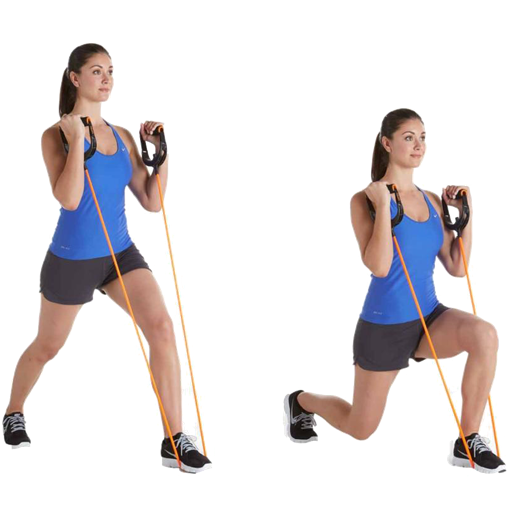
Resistance Band Training is very popular as a way of easily getting and staying in shape. Most exercises and workouts can even be completed in the comfort of your own home. This collection of 176 Video Workouts are suitable for men and women alike and will soon bring you up to speed. App features ** Edit the video title, subtitle and keep your own set of user notes. ** Move the video around it's group and even change it's group. ** Make videos your favourites and give them your own rating ** Search by title or notes ** View by favourites or rating ** View by history the last ten played or visited videos Videos include Full Body Resistance Band Workout - 20 Moves To Slim You Down Tone You Up Total-Body Sculpting Resistance Band Workout For Beginners 30 Min Total Body Resistant Band Workout 25 Minute Resistance Band Workout Exercise Fitness Free Full Length Total Body Sculpting Resistance Band Workout Lower Body Resistance Workout Hips Thighs Butt- Denise Austin Sexy Arms Workout - At Home Resistance Band Workout For The Upper Body - Exercise Band Training Bicep Tricep Super Set Workout - Resistance Band Exercises Upside-Down Pilates - Resistance Band - Lesson 56 - Full 30 Minute Pilates Workout - Hd Total Body Sculpting Workout With Resistance Band Bicep Tricep Super Set Workout Resistance Band Exercises Advanced Resistance Band Home Workout Routine 1 Upper Body Abs Workout Resistance Band Home Travel Vacation Womens Fitness Butt And Leg Workout For Women With The Resistance Bands Kinetic Bands Fitness Zirkeltraining Fr Bauch Und Rcken - 20 Minuten Workout Mit Corinna Frey Fitness Workout Zirkeltraining Fr Beine Und Po Mit Corinna Frey Training Zuhause Ganzkrpertraining Mit Dem Thera-Band Training Daheim - Thera-Band Workout Fr Bizeps Und Trizeps - Straffe Arme Karl-Esscom Mz1 Brust Trizeps Und Bizeps Training Karl-Esscom Rckentraining Zu Hause - 3 Theraband Bungen Fr Den Rcken - Rckenmuskulatur Strken Fitness Zirkeltraining Workout Fr Arme Brust Und Schultern - 15 Minuten Theraband Bungen Fr Den Oberkrper Theraband Training - Theraband Schulter Arme Full Length 40-Minute Strength And Cardio Workout Fusion Band Stride Strength Ii Full 34 Minute Walking Workout With Resistance Band Strength Training Pilates Workout 30 Minutes Full Body Sculpting Exercise Video For All Levels 10 Minute Toning Walk Ii - Indoor Walk With Resistance Band For Beginners Build A Better Booty Using A Band - 20 Minute Natural Butt Lift Workout 20-Minute Upper Body Abs And Arms Workout Armed And Dangerous Band Reverse Fly Band Bent Over Row Wide Band Bent Over Row Close Band Overhead Tricep Extension Band Bicep Curl Band Ventral Raise With Palm In Band Ventral Raise With Palm Out Band Ventral Raise With Palm Up Band Ventral Raise Band Overhead Press Band Upright Row Band Upright Row Wide Band Lateral Raises With Palms Up Band Lateral Raises With Palms Forward Resistance Band Exercises Resistance Band Exercises Squat Leg Raises Resistance Band Exercises Resistance Band Exercises Abdominal Tucks Resistance Bands Exercises For Legs Butt - Squats Resistance Bands Exercises For Legs Butt - Glute Kickbacks Resistance Bands Exercises For Legs Butt - Lunges Resistance Bands Exercises For Arms - Standing Biceps Curls Resistance Bands Exercises For Arms - Standing Triceps Extensions Resistance Bands Exercises For Arms - Triceps Kickbacks Resistance Bands Exercises For Pecs - Chest Flys Resistance Bands Exercises For Pecs - Chest Press Resistance Bands Exercises For Shoulders - Rear Deltoid Flys Resistance Bands Exercises For Shoulders - Bent Over Rear Delt Rows Resistance Bands Exercises For Shoulders - Side Lateral Raises Resistance Bands Exercises For Shoulders - Front Deltoid Raises Resistance Bands Exercises For Shoulders - Overhead Press Resistance Bands Exercises For Back - Standing Rows Resistance Bands Exercises For Back - Bent Over Rows Mini Bands 3-Way Hip Mini Bands Linear Staggered Bent Leg Forwardbackward And many more.
描述
iRest, for the sake of your eyes! iRest is an intelligent app that gives your eyes the rest they desperately need. iRest will predict (not based on time but by your mouse and keyboard behavior) the correct time to give your eyes a 10-second rest with a semi-transparent animation and crystal clear sound effects. iRest is a MUST HAVE app if you are in front of your Mac for more than 4 hours daily, have dry eye or other eye problems, or if you just want to save your vision! Other apps use a time-based system to place the rest sessions, which is inaccurate, ineffective, and bothersome. However, the intelligent formula in iRest is related to the user's behavior, so it's much more accurate. Therefore, your eyes rest only as needed. features: v1.08 - intelligent engine uses a special prediction method based on the user's mouse movement and keystroke behavior; - 10 seconds interruption would not affect your work or enjoyment, and you can easily block iRest while playing video games; - iRest will never pop out while you are watching movies; - the animation's transparency and color can be adjusted; - the sensitivity of the intelligent engine can be adjusted; - lifetime free upgrades; v1.08 -> v1.10 - minimum transparency lower from 20% to 5% - add a technical support menu item - one minor bug fixed v1.10 -> v1.23 - partly rewrite code, better efficiency of intelligent engine - add dock menu for easy use - add "upgrade" submenu - add "feature request" menu - add "upgrade to iRestReminder" menu - add "more by dragonBTV" menu - add "upgrade to iRestReminder" button v1.23 -> v1.30 - Sandboxed OS 10.6 - OS 10.8 compatible version - rewrite all deprecated codes - Sandbox compatible email technical support - Sandbox compatible feature request support - Sandbox compatible "more by dragonBTV" menu and panel v1.30 -> v1.50 - fully re-coded Sandbox ARC version for macOS Sierra 10.12 - updated to macOS Sierra 10.12 and still compatible with OS10.7 and above - interface adjusted - app menu rearranged - color of the icon changed - change the color of all popup alerts into white - tip added for auto open at login (autostart) - user preset of the sound effect file can be reloaded under Sandbox - More Apps by dragonBTV is simplified by displaying in App Store directly v1.50 -> v1.52 - tip for "Auto open at login" modified - app size dramatically reduced - menu rearranged - performance improvements for macOS 10.13 High Sierra v1.52 -> v2.00 - Any Mac (Apple Silicon, Intel) version for macOS Big Sur - global hotkey function added - eye turning flash sequence modified - interface fine-tuning for dark mode - control interface modified - support menu modified - all deprecated functions rewritten v2.00 -> v2.10 - All deprecated code rewritten - status menu menu added - status menu bar icon dark mode supported - status menu bar icon not only matches macOS dark mode but also the wallpaper light/dark setting - display / hide dock menu icon option added - menu titles updated - Tip added: How to solve the 'CVS' problem? - Tip added: What is the '20-20-20' rule? - More by dragonBTV menu updated Tips for Sound Effects: You may locate tons of Apple iLife and GarageBand sound effects in your Mac; please look for them in this folder: "/Library/Audio/Apple Loops/Apple/" or simply search "CAF" loop files or search for "music".
描述
Chill is a minimalistic background noise generator that will help you relax, sleep or concentrate by blocking out background noises with soothing sounds. *** User Reviews *** "I've tried other types of apps for but this is the ONLY one that I found that sounds realistic and does not have obvious repeating 'LOOPS'. Thank you for the extra care in building your sounds. Great purchase!" "It does what it says it'll do, and well. It is not at all cheesy, doesn't sound fake, doesn't obviously repeat. You can get lost in the sounds without getting caught up on patterns or flaws." "I literally can't do work without it now since downloading it. I turn it on and use it all day with the rainforest being my favorite. Superior product, great price and my stress level is reduced by the great white noise it produces. Price is definitely worth the therapy! :)" *** Features *** * A wide variety of sounds, including Airplane, Beach, City, Crickets, Fan, Fire, Ocean, Pier, Rain, Rainforest, River, Shower, Thunderstorm, Wind Chimes, Wind and other synthetically generated noises. * Sleep timer, which will stop playback after a specific amount of time * Won't clutter up your workspace. Chill lives in the Mac menu bar. *** NOTE: To turn Chill OFF, access the menu status bar at top-right of your screen (see the screenshot) *** Please keep the feedback coming so I can know what features to work on next! Be sure to check out Chill for iOS on the App Store at http://bit.ly/iCxrLi
描述
This Eye Fitness Workout is an effective training assistant for anyone whose work involves looking at screens for long times, causing tired and dry eyes. Even a short 5 minute workout in the morning, at noon and night relaxes not only your eyes and eye muscles - it can help you maintain good eyesight and, with regular training, even improve it. The 14 exercises in the workout are beautifully illustrated and animated - in addition there are 14 small tasks that can benefit healthy eyesight and 14 exercises for lazy eyes ( Amblyopia, Exotropia & Esotropia available with 3 background patterns). The app is based on the methods developed by Dr William Bates and Mirsakarim Norbekov, which can help vision to improve naturally. With continuous training, irritations, such as burning, itchy, watery and red eyes, can soon become a thing of the past. The special features of this app include: • 14 animated exercises to relax the eye muscles and preserve healthy eyesight with spoken instructions • 14 exercises for lazy eyes ( amblyopia ) - 3 different patterns available for the background - Additional modes for: Amblyopia, Exotropia & Esotropia • 14 tiny tasks for fit eyes • Everyday tips for healthy eyes • Information about healthy eating (for the eyes) • A reminder for daily eye training - morning, noon and night The Story of Toby Tarsier • Toby Tarsier himself Toby's exercises are fun and take only a short time to complete. They can be done in the office, on the train or at home, on the couch, fitting easily into everyday life.
描述
★ Introductory SALE for a Limited Time! ★ Made by the developers of the award-winning Nutrition Menu iOS app with 1500+ 5-star reviews ► No Internet connection required Advance your diet by having nutritional information for over 93,000 food items right at your fingertips! Whether you go out to eat or cook at home, Nutrition Menu takes the guesswork out of choosing healthy meals and even shows the Food Score. Have the peace of mind knowing that your meal fits within your dietary allowance. Whether you are counting carbs, watching calories, or have diabetes, Nutrition Menu makes it easy for anyone who needs to see what they are eating. FOOD FEATURES: ✓ Over 42,000 restaurant menu items of 356 USA and some Canadian restaurants (see website for list) ✓ Over 51,000 entries for common foods like apples, meat, frozen meals, etc ✓ No Internet communication means fast access to information ✓ Nutrition info includes calories, fat (total and saturated), carbs, fiber, serving size, protein, cholesterol, sodium and sugars ✓ Shows Food Score ✓ Search feature ADDITIONAL FEATURES: ✓ No monthly subscription fee ✓ Free updates
描述
Intermission 的开发旨在帮助减少久坐对我们的健康和注意力的负面影响。 "久坐与吸烟一样有害身体"。它指的是我们在电脑前久坐的生活习惯,不论是在办公室还是在家中。建议久坐时间不要超过 20 分钟。一超过 20 分钟,我们就应该站起来,舒展身体。听起来很容易,但坚持这样做非常难,尤其是对于勤奋的人更难。 而 Intermission 可以助您一臂之力! Intermission 会定期提醒您站起来,休息一会。在休息时间,在整个工作区都会出现友好的提醒,或多或少会促使您休息。这样做,还将提高您的工作效率和注意力,因为您的大脑也因这些休息得到了放松。 默认每 20 分钟提醒您站起来一次,并且休息 30 秒。就是这么简单!无论您有多忙碌或身在何处,都可以做到。休息间隔和时长完全可自定义,这让您可设置对自己来说最方便的时限。 万事开头难,但 Intermission 将在幕后帮助您实现目标。 为何不试试 Intermission 呢? 您的身体最终会回馈您的。
描述
Pro version of 7 Minute Workout - number 1 paid application in many countries 7 Minute Workout is a popular training that became well known especially in United States after the article in the New York Times magazine. It is perfect for busy people, because it has a high efficiency rate with a relatively small amount of time needed to perform it. This application by issuing voice commands leads you through the entire workout from start to the very finish. HICT (High Intensity Circuit Training) is a workout that is focused on effects. For the exercises you need only a simple chair or a platform. You workout just with your own bodyweight that’s why this training can be conducted by anyone regardless of skills and abilities. Of course, people with higher physical abilities can perform the entire circuit two, or even three times, which will further increase the effectiveness of the training. Please note, that the only thing that is required in this workout is a general good state of health, especially of the heart, so it is recommended to consult with your doctor before attempting such a workout if you have any doubts. Before training it is recommended to conduct a short warm-up and stretching after the completion of all exercises. The developers of this application are not responsible for any injuries that may occur during this training.
描述
目标客户 本应用面向中国大陆地区的佳明(Garmin)手表用户,这类用户同时使用Strava进行运动数据管理,但由于Strava未对中国区佳明账号开放绑定接口,无法实现数据的自动同步。 应用目的 旨在解决上述数据同步壁垒,帮助中国大陆佳明用户,将其中国区账号中的运动数据,通过一键或定时任务的方式,自动迁移至其绑定了Strava的国际区佳明账号,从而让Strava能够无缝获取并展示这些数据,省去手动导出导入的繁琐操作。同时也支持从国际区同步到中国区。 主要功能与特性 1.账号安全登录 支持同时登录佳明中国区与国际区账号。采用令牌(Token)认证代替密码,完美支持已开启两步验证的账号,更安全、更便捷。 2.运动数据增量同步 选择同步方向后,自动比对两个账号中的运动记录,精准识别尚未同步的数据,一键完成补全,避免重复或遗漏。 3.健康数据同步 可从苹果健读取体重数据,同步至佳明中国区与国际区;国际区账号额外支持体脂率同步,让身体数据在两个区保持一致。 4.本地缓存与安全传输 通过佳明官方接口,将源区运动数据先导出至本地,再安全导入目标区账号。全程数据与密码仅存于本地,绝不上传第三方服务器。 5灵活稳定的同步方式 支持手动一键同步与定时自动同步。手动同步过程中锁屏或切换 App 不会中断;同步会明确标注来源(手动/后台),每次同步都清楚可控。
描述
我妈妈有颈椎病。我没办法时刻陪在她身边,所以我做了这只小狗 - Gogo。它会安静地待在她的桌面上,看着她工作。她低头太久,Gogo 会叫她坐直;她坐太久忘了动,Gogo 会跳起来催她休息。现在,我想把 Gogo 也分享给你,让它陪在你身边,守护每一个认真工作的人。 ◈ 【AI 坐姿检测】 基于 MediaPipe 视觉模型,实时分析颈椎角度与头部姿态。低头或前倾超过 5 秒,Gogo 汪汪叫提醒你坐直;姿势恢复后,Gogo 安心继续巡逻。首次使用会自动校准你的标准坐姿基线。 ◈ 【智能久坐提醒】 摄像头自动检测你是否在电脑前,精准计时。连续久坐 30-90 分钟(可选)后,Gogo 跳跃、叫唤、扭屁股催你起身休息。人离开自动暂停,回来后智能判断是否已休息。 ◈ 【像素柴犬桌宠】 透明窗口,始终置顶,不影响日常操作。60 秒动画循环:走路 → 坐下 → 扭屁股 → 睡觉 → 蹦跳。可拖拽到屏幕任意位置,点击还会嘿嘿撒娇。 ◈ 【100% 本地隐私】 所有检测完全在你的设备上完成,不录制、不保存、不上传任何影像。不使用第三方分析或广告 SDK,不进行任何网络通信。关闭即清除,零数据采集。 ◈ 中英文双语切换。无摄像头也可用纯计时器模式。 Gogo 是我为妈妈做的小狗。现在,它也想守护你。
描述
DISCOUNT SALE From 5.99$ -> 3.99$ For limited time !!!! Screen Lights is created for those people who spend a lot of time working at night. Limit your exposure to energy-efficient lighting before bed. In addition to the LED screens in your electronics, energy-efficient lighting emits a lot of blue light. Exposure to blue light before you go to bed significantly affects your sleep quality, because it prevents your body from releasing melatonin, a chemical in your body that helps you sleep. Screen Lights will change the color of your screen, which will reduce the amount of blue light your screen emits, helping you sleep better, reduce eye strain and helps you focus on the most important things on the screen. Whether you're in a low-light environment or reading long documents, changing black text on a white background to white text on a black background can make a difference in your comfort level, provides better screen visibility in sunlight, without having to increase the screen brightness. It`s easier on the eyes for some people with a sensitivity to brightness, easier to distinguish for some people with color blindness, and easier to make out for some people with low vision. Show ruler to help you stay focused on the text you are reading. ***Just set the desired time and the application will automatically start for you, so you will not forget to start every time before you go to sleep.*** For those who use Screen Lights please leave us a feedback. ◆◆◆ Bug Fix & Feature Request ◆◆◆ If you have any problem, please email us at [email protected] / [email protected]. Thank you! We will fix bugs and add features for you as soon as possible. Screen Lights features: - Turn on/off screen light - Automatic turn on - Select between four colors - Control the amount of color filtering applied - Control dim level - Invert screen colors - Reading ruler - Start at login - No internet required - Friendly user interface - Easy to use and very useful
描述
SitWatcher 是一款简洁、美观、有趣的菜单栏久坐提醒工具。它不会打扰你的工作节奏,却会在合适的时候温柔地提醒你:该站起来活动一下了。 它适合长时间写代码、设计、学习、办公,或者任何容易一坐就是很久的人。 主要功能: - 菜单栏倒计时,轻量、不占空间 - 简洁清爽的界面,支持浅色、深色和跟随系统外观 - 到点后显示轻量弹窗提醒,长时间忽略可升级为全屏提醒 - 支持自定义久坐间隔、全屏升级延迟、离开判定阈值和鼠标灵敏度 - 离开电脑时自动暂停计时,回来后继续保持提醒节奏 - 支持中英文界面 - 支持自定义提醒角色,可导入图片、GIF、APNG 或视频生成提醒动画 - 让提醒不只是提示,也可以变得更有趣、更有陪伴感 SitWatcher 的目标很简单:用一种轻松、漂亮、不笨重的方式,帮你少坐一会儿,多活动一下。
描述
Lose Weight with Pilates! This app has a collection of over 120 tuitional and informative videos on Pilates Weight Loss Workouts. Workouts can easily be done at home or the gym. Tuitional videos include: POP Pilates for Weight Loss POP Kicks Cardio Kickboxing Break Down Intro POP Pilates BODYPOP HIIT Bodyweight Workout POP Cardio Kick it POP Cardio Heart Throbber POP Cardio Dance New Year Workout Food Baby HIIT Workout POP Cardio POP Kicks Total Body Cardio Kickboxing Workout POP CARDIO Fat Melting Routine The 2020 Workout for Fat Blasting Toning Bikini Blaster 1 HIIT IT HARD Cardio Pilates Fusion - 50 min - High Energy Weight Loss Detox Strength Yes You Can Lose Weight With Pilates 10 Minutes Stomach Exercises With Pilates - How To Lose Weight Burn Belly Fat Pilates 30 Minutes Exercises Full Workout Doing at Home POP Pilates for Beginners - Total Body Workout Fat Burning HIIT Pilates Workout - 35 Minute Pilates and HIIT Cardio Blend Super SlimDown Pilates Pilates Blend Pilates Conditioning for Weight Loss Bikini Body Pilates - 27 Minute Abs Butt and Thighs Pilates Workout by FitnessBlendercom Pilates and Cardio Workout - 28 Minute Fitness Blender Cardio Pilates Blend Pilates Class 1 Renees 30 Minute class eFit30 POP Pilates Body Slimming Workout Full 10 min Pilates Video POP Pilates Bikini Bootcamp POP Pilates Muffin Top Meltdown POP Pilates Slimmer Inner Thighs Runners Calves POP Pilates Arm Attack Part 1 Plank Workout for Flat Abs and Toned Arms POP Pilates Upper Body Workout - Arms Chest and Shoulders Full 10 min Pilates Video Pilates facial and neck exercises Firm your neck using face Pilates Flabby arms How to tone your arms - Arm toning exercises POP Pilates Hot Abs POP Pilates Cinch that Waist Workout POP Pilates Legilates Legsercizes Leg Workout POP Pilates Perky Butt n Long Lean Legs Corset Workout for a Slim Waist POP Pilates Amazing Upper Back Leg Stretches POP Pilates Stretching for Flexibility Full 10 min Pilates Video POP Pilates Bikini Bod 1 Full 10 min Pilates Video Youve Got Abs Flat Abs Pilates Workout Challenge POP Pilates Lower Belly Pooch Attack Part 2 POP Pilates Tricep Toner POP Pilates Abominable Abdominals POP Pilates Intense Ab Workout Full 10 min POP Pilates for Beginners Ab Time POP Pilates Serious Standing Pilates for Legs Butt Obliques Uh-Oh Obliques ULTIMATE Pilates Workout POP Pilates Legs and Thighs Workout Full 10 min Pilates Video POP Pilates Saddlebag Shaver POP Pilates Inner Thigh Insanity Till the World Ends Workout POP Pilates New Body Makeover Legs Abs Arms POP Pilates Total Body Bangin Workout How to Make Pho w Zero Calorie Miracle Noodles FOOD Bites How to make PHO Vietnamese Noodle Soup Blogilates 90 Day Challenge Fat Loss Meal Plan The Best Diet Eating Clean POP Sculpt Total Body Workout POP Pilates Beyonce Bootylicious Bum Butt Badonkadonk Bonanza 6 Pack Abs in 6 Moves With Davey Wavey Blogilates Thankful Thighs Thanksgiving Workout 25 Min Pilates for Weight Loss w Sean Vigue - HASfit Pilates Exercises - Pilates Workout Routine FITNESS SLIMMER Stronger Body Best Pilates Workout Fun Beginners Dance Workout For Weight Loss At Home Cardio Pilates Dance Routine Denise Austin Shrink Your Fat Zones Pilates- Full Workout Pilates For Weight Loss Fat Burning Workout - 30 Minute Beginners Flexibility Class - Day 2 32 Minute Home Cardio Workout with No Equipment - Calorie Blasting Cardio Training PILATES BURNS AND FIRM BalletPilates wEllen Barrett pilates rutina completa Pilates adelgazante Clase completa de pilates online - Trabaja todo tu cuerpo I Butt and Abs Tabata Workout - Fat Blasting Cardio Interval Workout GYM BREAK - 10 min Six Pack Workout by Szymon Ga Katarzyna Kpka Interval Training workout FULL EPISODE speed and strength HIIT workout Real Hollywood Trainer BEBE SPORT Bridal Bootcamp for Sexy Shoulders n Beautiful Back As Long as You Love Me Love Handles Challenge Total Body Pilates Workout with Ana Caban Blogilates and more
描述
New year’s gift, for the health of your eyes! With more and more hours spent working on a computer, we know your eyes have taken a toll. But did you know that a 20-20-20 exercise (take a break every 20 minutes and focus your eyes on an object 20 feet away for 20 seconds) can do wonders towards preserving your eyesight and relieve your tired and sore eyeballs? The relief effect is immediate and obvious. To experience the feeling, please try our introductory-level app iRestFREE which was released years ago. Computer vision syndrome (CVS), which this app works to combat, is "a condition resulting from focusing the eyes on a computer display for protracted, uninterrupted periods of time. Some symptoms of CVS include headaches, blurred vision, neck pain, redness in the eyes, fatigue, eye strain, dry eyes, irritated eyes, double vision, polyopia, and difficulty refocusing the eyes. These symptoms can be further -aggravated by improper lighting conditions (i.e. glare or bright overhead lighting) or air moving past the eyes (e.g. overhead vents, direct air from a fan)." - Wikipedia "Computer Vision Syndrome (CVS) is the complex of eye and vision problems related to near work which are experienced during or related to computer use. CVS is characterized by visual symptoms that result from interaction with a computer display or its environment. In most cases, symptoms occur because the visual demands of the task exceed the visual abilities of the individual to comfortably perform the task. " - American Optometric Association Please use the app's Support menu for further information related to CVS. Features: v2.00 - "20-20-20 exercise" guaranteed to make your eyes feel more relaxed despite long hours staring at a screen! The technique is further improved by adding an eyeball rotation exercise as well. - customize your own eye exercise schedule! while 20-minute intervals for exercises are recommended, the app supports everything from 10 to 60 minutes. - customizable sound effect accompany the exercise or be switched off according to your liking. - app window's color and transparency can be freely changed - 11 preset display images for maximum focusing of your vision - and more as follow v2.00 -> v2.06 functions added according to user's feature requests: - customizable image can be used for the animation (format in png, jpg, BMP, tiff) - pause/resume menu added. status menu icon display in red during pausing - More by dragonBTV menu updated - and more as follow v2.06 -> v2.11 functions added according to user's feature requests: - add an option to save user selected customized image and sound effects in Sandbox's compatible way: "Security-Scoped Bookmarks" - More by dragonBTV menu updated v2.11 -> v2.20 - Any Mac (Apple Silicon, Intel) version for macOS Big Sur - Global Hotkey function fully rewritten - light mode status bar icon changed - 'auto-open at login' tip added - hide app dock icon option moved to the status menu bar only - app version and hotkey added - interface fine-tuning for dark mode - control interface modified - support menu modified - all deprecated functions rewritten v2.20 -> v2.30 - All deprecated code rewritten - status menu bar icon not only matches macOS dark mode but also the wallpaper light/dark setting - bug fixed: custom color can be saved correctly - menu titles updated - More by dragonBTV menu updated
描述
Rainy Mood is the internet's most popular rain experience. Join millions of people who use Rainy Mood to help them sleep, study, and relax. The new Rainy Mood app has four fully-customizable rain scenes -- Classic, Ocean, Countryside, and Café. The world's #1 leader in rain sounds has painstakingly composed each rain soundscape. With stunning HD/48kHz 3D audio and algorithmic randomizer, your brain will naturally relax and focus. Our massive sample library includes 400+ unique thunder claps, cricket chirps, ocean waves, and special effects. Individual rain impact textures include rain on grass, dirt, wood, tin roof, ocean, leaves, and rocks. FEATURES + 3D audio, works with standard headphones + Algorithmic randomizer and massive sound library for always-fresh sound that never repeats + Sound mixer + Sleep timer + Energy efficient + Play your music simultaneously. Works with your music apps + Includes free lifetime updates.
描述
We spent many years creating the best period and ovulation tracker (also available for iPhone, iPad, Apple TV and Apple Watch). We implemented all features requested by our users and put a lot of heart into the app. Features: • Smart calculation: if you enter period dates that are different from predicted days, the app recalculates its predictions. • iCloud support (synchronizes data between all your devices). • Today widget (extension). • Keeps history of your menstrual cycles. • Symptoms (e.g. migraine or abdominal pain). • Symptom names may be changed. • Calendar colors may be changed. • Body temperature (in Fahrenheit and Celsius degrees) and weight (kilograms, pounds) tracking. • Basal body temperature and weight charts. • Text notes (e.g. about period, taken medications, mood, friends) may be attached to each day. • Automatically predicts menstruation periods. • Automatically predicts probable ovulation days. • The user interface is easy to use and looks good. • Full screen mode. • Password protection (if you forgot your password, please enter: passwordrecovery111). What the users say: • "I love this app. It's simple, super easy to use. It's exactly what I was looking for." • "I recommend it to every woman who needs to or wants to keep track of everything… It is very accurate on all that it offers…" • "Love the femininity of the app so much that this is the first review i've ever done." • "Wonderful. Super easy to use and read." • "Have recommended to many friends." • "It does what it's mean to do and it does it flawlessly." • "Simple, discreet, pretty and helpful."
描述
Dorso 会在您驼背时模糊屏幕 - 帮助您养成更好的习惯,而不会打断您的专注力。 两种追踪方式 • 使用 Mac 摄像头进行精确的面部检测 • 或使用 AirPods Pro/Max 运动传感器 - 无需摄像头 选择您的提醒样式 • 模糊 - 随驼背严重程度增加的渐进式屏幕模糊 • 辉光 - 从屏幕边缘发出的微妙红光 • 边框 - 显示器周围的彩色边框 • 实色 - 全屏颜色覆盖以获得最大可见性 • 或禁用视觉警告,仅跟踪您的统计数据 智能功能 • 检测驼背和"乌龟颈"前倾姿势 • 分析仪表板跟踪您的姿势评分和随时间的改善情况 • 离开时模糊 - 当您离开时自动遮蔽屏幕 • 全局键盘快捷键可快速暂停监测 • 适用于所有连接的显示器 隐私优先 所有处理都在您的设备上本地进行。无需账户,不收集数据,无云连接。 非常适合远程工作者、开发人员以及长时间使用电脑的任何人。
描述
* Periodic Chimes 自定义提醒来标记时间流逝: - 整点提醒助您全天保持专注 - 可调节的时间间隔以适应您的个人工作节奏 - 温和的提示音不会打扰您的注意力 - 优美的鸟鸣声为您的 Mac 带来大自然的气息 * Versatile Reminders 使用 Hourlybird 培养健康习惯: - 喝水提醒让您保持充足水分 - 伸展提醒避免久坐不动 - 可自定义提醒适用于任何重复性任务或休息 * Snooze Function 需要时轻松调整: - 会议或专注工作时轻松暂停提醒 - 一键恢复提醒计划 - 自定义暂停时长以满足您的需求 * User-Friendly Interface Hourlybird 无缝融入您的工作流程: - 简洁的菜单栏图标方便快速访问 - 直观的设置界面便于自定义 - 极低的系统资源占用确保 Mac 流畅运行 * Perfect for: - 远程工作者的时间管理 - 学生的学习时间跟踪 - 任何想提高时间意识和生产力的人士 受卡西欧 F-91W 可靠的整点报时功能启发,Hourlybird 将这一经典功能带入您的现代数字生活。无论您是想改善时间管理、保持充足水分,还是简单地想要关注时间流逝,Hourlybird 都是您的完美伴侣。
- 38
 Nap - 休息一下,缓解疲劳,极简番茄钟¥8.00
Tianjin Nankai Xuewei Technology Studio (Individually Owned Business)
健康與健身描述
使用「Nap - Break Reminder」定时提醒、缓解疲劳、提醒喝水、避免久坐、管理时间、提升工作效率... 特色功能: 1. 提醒定时休息 2. 提醒定时喝水 3. 工作时长可定制 4. 休息时长可定制 5. 提示文案可定制 6. 背景图片可定制 7. 支持长休息 8. 支持音效 9. 支持菜单栏计时 10. 支持开机自动启动 11. 支持隐藏状态栏图标 极简、无内购、无广告!
描述
Ocean Waves generates a simulated sound of ocean waves. Unlike the recorded sound of ocean waves, the simulated sound of ocean waves does not repeat for hours. You can save the simulated sound of ocean waves as an audio file (up to 400 minutes), and burn a CD (up to 79.9 minutes with iTunes) or download to your iPod from iTunes. I hope this helps you relax, sleep at night, and wake up in the morning. • Timers: Wake up and sleep timers • Noise generators: Pink noise and brown noise • Wave simulator: Wave-like amplitude modulation • AppleScript scripting support Visit our website to listen to the 3-minute sample ocean waves sound. NOTE: The iTunes or Music app doesn't accept caf files directly. You can open the Ocean Waves caf file using QuickTime Player, export it as an "Audio Only" m4a file from the File menu, open the iTunes or Music app, and "Add to Library..." or "Import..." the m4a file from the File menu.
描述
进阶双耳节拍脑波同步,可与环境音乐、自然声音、其他音频应用或你自己的 iTunes 音乐相结合。* 包含用于睡眠、专注、记忆、能量、积极情绪、能量小憩、深度睡眠、动力、自信、缓解焦虑与压力、放松、冥想等多阶段双耳节拍节目!* 斯坦福神经科学家 Andrew Huberman 博士在 Huberman Lab 播客中推荐。* 包含纯音,可从 20 种特定双耳节拍频率中选择。* 可与 Spotify 或有声书阅读器等其他应用同时运行 * 使用内置的播放列表创建器为每个节目创建 iTunes 播放列表 * 必须佩戴耳机/耳塞,双耳节拍才能起效 * 通用 iOS 应用,包含 iPhone 和 iPad 的界面,让你可以在所有设备上使用!* 支持家人共享 * 无应用内购买或订阅! 不同的心理状态与特定的脑波频率相关,这些频率若直接播放则无法听到。通过向每只耳朵播放两种不同的音调(双耳节拍),可以在大脑中诱发这些频率。当大脑进行处理时,两个音调之间的频率差会被感知为一种与目标脑波频率相匹配的无声节拍。当你聆听时,大脑的频率跟随反应会使你自己的脑波与该频率同步。 脑波使用 Delta、Theta、Alpha、Beta 和 Gamma 双耳节拍的低、中、高频段,分层次和阶段组合,营造出强大的多阶段体验。 * 双耳节拍节目 * - 晨间咖啡 - 浓缩咖啡 - 晨间冥想 - 专注与警觉 - 伽马-40 专注 - 创意专注 - 批判性思维 - 集中注意力 - 记忆提升 - 解决问题 - 头脑风暴 - 自信提升 - 运动前能量 - 创造力提升 - 积极情绪提升 - 动力提升 - 欣快感 - 减轻压力 - 缓解愤怒 - 平静反思 - 减轻焦虑 - 深度放松 - 冥想 - 清醒梦 - 能量小憩 - 伽马能量小憩 - 冥想、能量小憩 - 冥想、伽马能量小憩 - 梦幻睡眠 - 深度睡眠 - 深度慢波睡眠 - 带唤醒阶段的深度睡眠 - 带唤醒阶段的梦幻睡眠 - 缓解头痛 - 缓解宿醉 - 瑜伽冥想 - Alpha 放松 - Theta 冥想 - 夜间冥想 - 夜间阅读 * 纯音 * 要使用纯音,请点击节目转盘左侧的节目列表选择器按钮,然后点击“纯音”。这将把纯音节目加载到节目转盘中。要返回标准节目,请再次打开节目列表选择器并选择“脑波”。 从以下双耳节拍频率中选择: 1 Hz - 深度 Delta 2 Hz - 低 Delta 3 Hz - 高 Delta 4 Hz - 低 Theta 5 Hz - 中 Theta 6 Hz - 高 Theta 7 Hz - 低 Alpha 8 Hz - 中低 Alpha 10 Hz - 中 Alpha 12 Hz - 高 Alpha 14 Hz - 低 Beta 18 Hz - 中低 Beta 20 Hz - 中 Beta 25 Hz - 中高 Beta 30 Hz - 高 Beta 35 Hz - 低 Gamma 40 Hz - Gamma 60 Hz - 中 Gamma 80 Hz - 中高 Gamma 100 Hz - 高 Gamma * 背景音 * - 海滩浪花 - 海浪 - 海浪 2 - 雨声与雷声 - 氛围:宁静 - 氛围:觉醒 - 氛围:太空 - 氛围:漂流 - 氛围:平和 - 氛围:浮游 - 氛围:翱翔 - 中雨 - 小雨 - 瀑布 - 流淌的小溪 - 粉红噪声 - 灰噪声 - 绿噪声 - 天鹅绒噪声 - 森林 - 流动 - 太阳波 * 脑波的双耳节拍对耳鸣有帮助,因为它为音调型耳鸣提供了音频掩蔽,同时还能减轻耳鸣背后的神经过度活动。 * 请勿在驾驶或操作机械时使用双耳节拍。
描述
Your own personal yoga instructor wherever you are! FEATURES: • 12 predefined level 1 & 2 routines - 20 to 60 min • Streaming yoga classes • Great for all levels - beginners to advanced • Video & audio instructions throughout entire routines • Unlike most competitors, no in-app purchases or subscriptions! • 70+ poses • Create your own custom routines • Ad-free • Integrates with Health app (workout and calories burned data will push to Health app) >>> Featured in WIRED magazine!!! Simply Yoga is your own personal yoga instructor. The app contains twelve level 1 and level 2 yoga routines that step you through each pose, as well as streaming yoga classes. Each pose is demonstrated by a certified instructor, so simply choose your workout length and follow along in the comfort of your own home! >>> Want more workouts? Also check out the "DAILY WORKOUTS" full version app for multiple workouts including ab, arm, butt, cardio, leg and full-body routines. Daily Workouts now also has Pilates, stretch, kettlebell and ball workouts and more!
描述
• 每日消耗卡路里计算器 • 基础代谢率计算器 • 体重指数计算器 • 每日消耗卡路里计算器 计算每天需要的卡路里。 你可以用计算器来计算你每天的热量总需求。 运用每日热量总需求来管理你的健康。 需要输入你的身高、体重、性别、年龄和活动水平。 运动水平: 久坐不动(几乎不锻炼)。 轻微运动 (每周1–3天)。 适中运动 (每周3–5天) 。 较多运动 (每周6–7天)。 很多运动 (每天两次,剧烈运动)。 计算你的热量总需求。 • 基础代谢率计算器 BMR计算器 - 基础代谢计算器 基础代谢率(BMR)计算器. 本应用可以计算BMR。 计算您的 BMR. 请输入您的性别、年龄、身高和体重,然后点击“计算BMR“按钮。度量单位:公制,英制。 基础代谢率(BMR)是指人体在 非活动状态 下,维持生命所需的最低能量。 BMR计算器采取 Mifflin-St. Jeor 公式来估计您的 BMR。 • 体重指数计算器 身体质量指数计算器 体重指数计算器 - BMI计算器 - BMI指数计算器 本应用可以计算BMI指。 身体质量指数(BMI)计算器。 输入你的身高和体重,然后点击“计算BMI“按钮。度量单位:公制,英制。 身体质量指数计算结果分析。
描述
Easy to use and comprehensive diet software designed to help you take control of your weight. The Perfect Diet Tracker includes access to a large database of food items with no ongoing subscription fees or club memberships. 5***** Macworld Editors Choice. √ Create a personal diet plan You can let the diet tracker suggest a personal diet plan based on your current situation and the targets you want to achieve or enter your own custom diet plan. The app puts you in control. √ Track what you eat with the food diary Track your diet adding items you eat or drink to the food diary. With over 200,000 products in the food database adding items using the smart search is quick and easy. If you cannot find a product with the smart search you can quickly add it using a form specifically designed for the product labelling in your location. √ Let your Mac do the hard work The app takes care of the calorie counting and exercise tracking for you, monitoring your calorific and nutritional intake. Stay within the targets and you will achieve the weight loss you want. Carbohydrates, protein, fat, sodium and sugar intake can also be monitored automatically so you can check you are maintaining a healthy and balanced diet. √ Multiple users? No problem and no extra charge. Each user can set a password so other users cannot see what you are eating or currently weigh. You can use the right-click menu to copy items and meals between users so entering meals you have taken together is even faster. √ Full international support The app can work in pounds, kilos or stones and accepts user measurements in feet and inches or meters. When adding products you can work with standard serving sizes, grams, ounces, kilos and more. Would you prefer to work with calories or kiloJoules? You decide. The international food database contains products for countries throughout the world including the US, Canada, UK, Europe, Australasia and more. Our database is reviewed by humans to maintain the highest possible degree of accuracy and quality and avoid duplicates. √ Add exercise to receive additional calories. The app includes an extensive list of exercises you can add to the diary to receive calorie credits. √ Work with recipes and groups The recipe and group feature lets you group ingredients and enter them into your diary, perfect for adding your own home-cooked meals. Insert a whole recipe into your diet or just a fraction (e.g. 1/2 a pie) and the app will calculate the calories for you. √ Smart search The smart search can use its own internal database or search the internet for additional products. The smart search learns as you use it so the more you use the app the quicker it gets, bringing products you have used before to the top of search results and correcting spelling mistakes to help you find what you are really looking for. √ Reporting and Graphs You can monitor your progress with the included reports and graphs. If you need to take a report with you, just print it off! ⓘ Will the diet work for me? The calculations used by this app work for the vast majority of people. If you are an extreme athlete, or have a very high body mass index ('morbidly obese, category III') the app can still track your diet however it will be unable to suggest a daily calorific allowance. If you fall into either group you should consult your doctor to discuss a suitable calorific allowance and nutritional profile and enter these manually. ⓘ Product Support We believe the Perfect Diet Tracker is quite simply the best app of its kind available and want to keep it that way! If you have any questions or suggestions please contact us at [email protected] so we can help.
描述
逃离世界的喧嚣,找到属于你的宁静避风港,选择 Nap Noise。无论你是在寻找放松、专注、冥想,还是想安然入睡,我们精心策划的环境音和白噪音合集,旨在帮助你放松身心,重启思绪。 凭借广泛的舒缓音景,包括轻柔的雨声、海浪声、森林氛围和柔和的白噪音(白噪音、粉红噪音和棕色噪音),Nap Noise 为你创造了一个完美的听觉环境,帮助你屏蔽干扰,营造宁静氛围。 高品质音景:多种环境音,包括自然音和白噪音。 睡眠:通过放松音效,帮助你更快入睡,享受更深的休息。 专注与生产力:通过消除干扰,保持专注,提升工作效率。 冥想:通过平静的环境噪音,增强你的正念练习。 无论你是想在压力一天后放松、提升专注力,还是为自己创造完美的睡眠环境,Nap Noise 都能为你提供所需的一切,助你休息和充电。 立即下载 Nap Noise,开始享受你应得的宁静逃离吧!
描述
Fan IO helps you stay cool and comfortable during indoor training sessions such as cycling, running on a treadmill, or a rowing machine. It uses Bluetooth-enabled sensors and HomeKit to control one or more fans based on your heart rate or body temperature, ensuring that you have an optimal workout experience. Simply set your preferences, and let Fan IO do the rest. Note: to use this app you need at compatible Heart Rate monitor and at least one compatible fan or Smart Plug configured in HomeKit.
描述
Break Time Reminder is a simple and effective app that helps you take regular breaks from your computer. Set the timer for the desired length of your work period and break, and the app will automatically remind you when it's time to take a break. • Break Time Reminder is your perfect companion for maintaining health and productivity during work. Taking regular breaks can help you improve your focus and productivity. When you work for long periods of time without a break, your productivity can start to decline. Taking a short break every 20-30 minutes can help you stay refreshed and focused. It can also help you reduce stress and improve your overall health. When you sit for long periods of time, your risk of developing health problems such as obesity, heart disease, and diabetes increases. It's also bad for your eyes. Taking a short break every 20-30 minutes can help you get up and move around, which can help reduce stress and improve your health. • Never miss your break at the computer again! Key Features: • Customizable Work and Break Times: Set your preferred work and break durations to suit your schedule and work habits. • Screen Blocker with Themes Once your work time ends, a screen blocker activates with a reminder to take a break. Choose from various themes to make your break screen more enjoyable. • Auto-launch The app automatically starts when you turn on your computer, ensuring you never forget to take care of your health. • Sound Alert Post-Break A sound alert plays after your break, signaling it’s time to get back to work. • Pre-Break Notification Receive notifications in advance to prepare for your break. • Menu Bar Timer Display the timer on the macOS menu bar for easy access and constant visibility. • Skip Break Restriction You can choose to restrict the skipping of breaks to maintain regularity. • Auto-Skip Break If you’re away from your computer, the break is automatically skipped. Get the Break Time Reminder app and take the first step towards a healthier, more balanced work-life routine.
描述
My Pills is an easy to use reminder tool for Mac where users can register daily medicines and get reminders beforehand. Keep yourself and your loved ones safe and never forget to take your medicines again with Medication, the easy-to-use Mac app that helps you remember when to take your pills and manage pill usage. It will show your easy graphs to indicate how many pills are left to take everyday. All your pill reminders will be added automatically in Reminders app. You can mark scheduled pills as complete from the Reminders app in your iWatch, iPhone, iPad, macOS and it will automatically registered as complete in My Pills app. This is how you can have notification on all your Apple devices which are connected under the same iCloud account. My Pills app is a perfect tool for those who are in charge of their won medicine schedule and need a reminder for dosage and the correct med to take. Whether, your are taking medication or someone you know who is taking medication, you can use My Pills App to manage daily, weekly and monthly pill dosages. Top Features: -Add pills with different pill categories and icons. -Add pill reminders using built-in calendar. -Repeat pills daily. weekly, monthly or yearly unto a specific time frame. -Check off reminders after consuming the pill. My Pills is simple to use. It makes sure that you and your loved ones or anyone you care about never misses an important pill of medication. It makes it stress free if you have so many medicine to take on a daily basis. So, download My Pills today and never worry about taking meds on time.
描述
This breathing technique is designed to put you to sleep in less than 60 seconds. With this app, we aim to give you a simple and fast tool to practice this breathing technique. Launch the app, start breathing... - Inhale for 4 seconds through your nose - Hold your breath for a count of 7 - Exhale for 8 seconds through your mouth - Repeat It can be used to help you fall asleep but it's also useful to calm yourself down. + Sync your Mindful Minutes spent in-app with Apple Health + Enable voice-over and pick the voice of your choice for your breathing sessions + Start an untimed session or a 1, 2, 3, 5, 8, 13 or 21 minutes session, easy + A minimalistic Widget to start your breathing session from anywhere, anytime + Clutter-free design for your peace of mind + A simple privacy policy: no tracking, no advertising, no data stored, no data sold, no account needed
描述
Your Apple Watch tracks every run, ride, and hike. GPX Buddy sets that data free. Export any workout from HealthKit as a GPX file in seconds — open it in your favourite editor, or share it anywhere. AI Workout Summaries Get a smart, human-readable recap of every workout: pace insights, elevation highlights, and performance notes — generated automatically. Calorie Tracking Accurate calorie estimates based on your route, elevation changes, and body weight from HealthKit. Not just steps — real effort. Route Viewer & Replay Visualise your route on a map, replay it segment by segment, and zoom into any section. Export individual segments as separate files or merge multiple workouts into one. Seamless Sync iCloud Drive keeps all your GPX files in sync across your devices — browse them in Files or Finder, no cable needed. No ads. No subscription. Built by a solo developer who actually uses it. Feedback always welcome :)
描述
脊骨神经医师、物理治疗师、运动防护员、按摩治疗师、教练与训练师请注意:用相机测量取代主观视觉印象——几秒内完成采集、可重复执行、可比对,并能直接交给您面前的客户。 PostureScreen Mobile 是一个专业记录与教育平台,建立于半自动化、AI 辅助的姿势、动作、活动范围与身体组成数字化技术之上。其测量方法已通过多项同行评审研究检验,证实具有信度与效度,并被广泛用作众多已发表研究的测量工具。 广泛应用于诊所、健身房、工作室、企业健康计划及课堂,供记录姿势与动作的专业人士使用。 您可记录的内容 进阶姿势记录,采用无标记点 AI 辅助数字化技术 功能性动作筛检(深蹲、平板支撑、俯卧撑、单腿测试) 运用计算机视觉结合加速度计/陀螺仪传感器融合技术,测量脊柱与肩部活动范围 使用 LeanScreen® 进行身体组成测量——已通过验证且具信度,并曾在一项由加州大学洛杉矶分校(UCLA)主导的研究中与 DEXA 及 BIA 一并检验 并列比对报告,方便追踪进度 适合患者阅读版及临床详细版 PDF 报告 使用 RemoteScreen® 应用程序进行远程采集 支持公制/英制单位 全面记录套件——由计算机视觉技术驱动 姿势记录(前后视角与侧面视角) 依您所标记或确认的点位自动计算姿势指标 CVA(左侧、右侧、平均值)、视线角度、胸腰椎位移、矢状面切线角、骨盆倾斜角及Q角 半自动化双视角与四视角报告,提供线性(毫米)与角度(度)数据 可编辑模板,适用于记录、教育或研究用途 活动范围与活动能力 颈椎:屈曲、伸展、侧屈、旋转 胸腰椎活动能力与躯干动作 肩关节:外展/内收、屈曲/伸展、内旋/外旋 动作筛检 SquatScreen®(侧面、前后、后前、单腿视角)及俯卧撑筛检 PostureScreen 会记录并显示您所数字化或确认的内容,以及在您操作下由陀螺仪与加速度计所测得的数据。若有已发表的参考范围,系统会将其与您的测量结果并列呈现,并标示数值是否超出范围——仅呈现数字之间的比较,并非说明其临床意义或应采取的行动。这项判断始终由您掌握,且永远属于您。 购买与订阅方案 初次购买即附赠 30 天无限次评估与模块使用权。期满后,须订阅月费或年费的无限次评估方案,才能继续进行新的筛检采集。 可选的应用程序内升级与第三方集成服务: 云服务应用程序内升级订阅——包含 RemoteScreen、安全备份及设备间数据共享功能 WebExercises® 集成 3D Practice® 集成 部分电子健康记录(EHR)集成及 Google Drive 集成 使用目的 PostureScreen Mobile 是专为专业人士设计的记录与教育工具。本产品并非医疗器械,不适用于任何疾病或病症的诊断、治愈、缓解、治疗或预防,亦不提供医疗建议或临床建议。使用本应用程序的专业人士须自行负责解读应用程序所记录的任何信息,以及所有护理相关的决策。 云功能为可选项目;数据存储于美国的 AWS 服务器。 隐私政策:http://postureanalysis.com/privacy-policy/ 使用条款:https://www.postureanalysis.com/end-user-license-agreement.html HIPAA 与 GDPR:https://www.postureanalysis.com/knowledge-base/hipaa-gdpr-regulations/
描述
Seconds Pro 是一款间歇计时器,适用于 HIIT、Tabata、EMOM、循环训练以及任何由定时间歇组成的训练。它会大声报出每个间歇,熄屏后继续运行,并支持 iPhone、iPad 和 Apple Watch。 Apple 曾推荐这款应用,The Body Coach 的 Joe Wicks 也说过,这是他用得最多的健身应用。 创建任何训练 - 从 HIIT、Tabata 或循环训练模板开始,或者用组、轮次和长短不一的间歇从零创建计时器。 - 把多个计时器串成一个组合计时器,让热身接着主训练,再接着放松。 - 给每个间歇设置颜色,在提示音响起前就知道接下来是什么。 - 一键把计时器分享给朋友。 用耳朵听,不用盯着屏幕 - 语音提示会念出每个间歇的名称,并在下一个间歇开始前提醒你。 - 如果不想听语音,也可以用提示音和铃声。 - 按计时器或按间歇播放你自己的音乐。语音提示时音乐会变小,提示结束后恢复。 - 使用其他应用或屏幕休眠时,计时器在后台继续运行。 在健身房里 - 全屏彩色显示,隔着房间也能看清,横屏竖屏都行。在 iPad 上使用整个屏幕。 - 锁定按钮可防止误触暂停你的训练组。 APPLE WATCH - Seconds Pro 可以在手表上独立运行,手机可以留在储物柜里。在手机上创建的计时器会同步到手表,也可以直接在手表上创建一个简单的循环训练。 更多计时器 - 秒表会标出你最快和最慢的一圈。 - 倒计时器有五个预设时长(Apple Watch 上有三个)。 健康 - 把训练和正念时段保存到健康应用。连接心率监测器后,Seconds Pro 会从健康应用读取你的身体测量数据和出生年份,用来估算消耗的卡路里。 一次付费,无需解锁 - Seconds Pro 在购买时付费。包含全部功能,你创建的每个计时器都可以无限次运行。 SECONDS 与 SECONDS PRO - Seconds 是这款应用的免费版本。功能相同,但每个计时器运行一次后会锁定,直到通过一次应用内购买解锁。两者是独立的产品,在一个应用中的购买不会转移到另一个。如果你购买了 Seconds Pro,请下载 Seconds Pro。如果你在 Seconds 中购买了解锁,请下载 Seconds 并使用恢复购买。
描述
长时间盯着屏幕,你是否经常忘记休息? 用过其他休息提醒工具?太容易关掉,形同虚设。 ForceBreak 不一样——通过增加「关闭摩擦」,让你在冲动跳过前多想一秒。 间隔休息 - 工作中的微休息 眯一下 每 20 分钟,闭眼休息 20 秒。遵循 20-20-20 护眼法则,预防干眼症和眼疲劳。 动一动 每完成几次眯一下后,起身活动 5 分钟。远离久坐带来的颈椎病、腰椎问题。 休息时段 - 下班后的数字边界 设定固定休息时段(如 23:00 - 08:00),到点自动弹出全屏遮罩。 帮你建立工作与生活的边界。 为什么选择 ForceBreak? 增加跳过的摩擦力 全屏遮罩覆盖所有窗口。想关掉?可以,但需要等待冷静期。这几秒足以让你重新考虑:真的有那么急吗? 不会突然打断你 休息前 30 秒收到通知,让你有时间保存工作。真有急事?点击通知即可推迟 5 分钟。 开机自启,设置一次就行 不用每天记得打开。设置好后,ForceBreak 默默守护,你只管专注工作。 智能空闲检测 离开电脑时自动暂停计时,回来后重新开始。不会在你开会回来后立刻弹出休息。 原生轻量 Swift 原生开发,内存占用极低。常驻菜单栏,安静运行。 适合谁? - 已经有颈椎/眼睛问题,急需改变的你 - 长时间编码的程序员 - 居家办公的远程工作者 - 用过其他工具,但总是一键关掉的你 - 总是忘记打开休息提醒的你 Work. Rest. Repeat. 开始使用 ForceBreak,让休息成为习惯。
描述
你想通过自律改变自己吗? The 50 Day App 是一款基于全球知名 Project 50 挑战理念的习惯养成打卡工具。它可以帮助你轻松追踪 50 天挑战进度,培养健康习惯,达成个人目标,成为更好的自己。现在就加入 The 50 Day,开启你的蜕变之旅! 【核心功能】 - 简洁直观的打卡界面:一键记录每日任务,省去繁琐操作,让坚持变得轻松。 - 进度追踪与数据统计:热力图、每日完成率、累计时长等多维度数据,让你的成长一目了然。 - 历史挑战归档:所有挑战均自动归档,可随时回顾过去的每一次突破,激励持续前行。 - 多语言与双主题:支持中英双语,浅色/深色模式自由切换,视觉体验丝滑自然。 - 自定义挑战:灵活设置开始时间、挑战项目、目标天数,完全贴合个人计划。 - 桌面小组件:在主屏直接查看今日任务、快速打卡,随时掌握进度。 - 提醒通知:可自定义提醒时间,未完成时二次提醒,帮助养成坚持习惯。 【使用场景】 1. 早起跑步、每日阅读、喝水健身等日常习惯养成。 2. 30 天、60 天、90 天等长期目标管理,配合数据统计评估效果。 3. 团队或社群挑战,邀请朋友一起参与,互相监督提升完成率。 4. 学习新技能,如语言、乐器、编程,每日练习都有明确记录。 【为什么选择 The 50 Day】 - 专注 50 天科学模型:经过全球验证的 Project 50 方法论,帮助用户在关键的 50 天内形成持久习惯。 - 高度可定制:从任务名称到提醒频率,全方位自定义,满足不同用户的个性需求。 - 数据驱动的激励机制:热力图和进度条可视化,让每一次小成功都能转化为大动力。 - 获奖背书:曾荣登健康与健美付费榜第 1、总付费榜第 12,品质有保障。 - 持续更新:近期新增提醒通知功能,支持自定义提醒时间,未打卡二次提醒,提升完成率。 【用户评价】 > “使用 The 50 Day 后,我成功坚持了 50 天的晨跑计划,习惯真的养成了!” > “界面简洁,数据直观,最喜欢桌面小组件,一点就能打卡。” 立即下载 The 50 Day App,开启你的 Project 50 挑战,重启生活,成就更好的自己! It has achieved #1 in Health & Fitness paid charts and #12 in overall paid charts. The 50 Day 陪你重启生活! What is Project 50?: https://the50day.framer.website/welcome-en Privacy Policy: https://sqsl10.notion.site/Privacy-Policy-19805d9c129080a3b8c8e70b5fec05a2?pvs=4 User Agreement: https://sqsl10.notion.site/User-Agreement-19805d9c129080a78c98dade5fe4c55c?pvs=4
描述
Key Features: Customizable Water Intake Goals: Set your daily water intake goals based on your preferences and activity level. Personalized Reminders: Receive timely reminders to drink water and stay hydrated, tailored to your schedule. Visual Progress Tracking: Monitor your daily water intake with interactive charts and graphs to see your progress over time.
描述
第一台冰箱, 第一个租的房子, 第一个新的家, 保护食物, 做为成年后的第一堂“大人课”。 《叫醒冰箱》是一款简单、易用的冰箱食物记录工具。 我们提供多种快捷的记录方式,满足不同食物的需求。 可爱的emoji,有趣的通知文案, 让你与食物有了全新的互动方式。 让我们从小事做起,减少食物浪费,提升自我成就感, 现在就开启一场美妙的记录之旅吧!
描述
「今天吃什么?」可能是很多人每天都要纠结的事情,然后随便点一份外卖草草了事。 如果把每天吃的东西以日记的方式记录下来,并且可以打分,是不是更加方便以后选择吃什么呢? 同时对于肠胃不好的人,通过记录每餐的食物,并且记录感受,从而慢慢积累出适合自己肠胃的食谱。 「吃饭日记」就是这样一款饮食日记本,把每天吃的东西记录下来,还可以记录每一天的体重变化,每日心情,帮助我们检查和反思,逐渐养成健康的饮食习惯。
描述
管理饮食不是只为了“缓解身材焦虑”,更是为了营养均衡、少生病。 《中国居民膳食指南 2022》 的核心准则第一条:“食物多样,合理搭配,平均每天摄入 12种以上食物,【每周25种】以上。” 本App 可记录追踪饮食习惯,不用记录繁杂的食物成分、重量、进食时间点,只需记下种类即可,轻松帮你达成【每周25种】的健康膳食目标。 人体内的各自细胞都是在以固定的速度“更新迭代”,当细胞修复的速度高于损伤速度,就是健康的,反之,「青黄不接」则容易出毛病。 细胞更新过程所需的「原材料」,唯一来源就是日常摄入的食物。只有摄入了足够的营养,这个平衡才能够正常运转。 由于不同的身体器官所需营养元素也不同,人体所需的全部营养元素十分复杂。如果长期只吃几种固定的食物,会增加营养“偏科”的风险。吃的食物越杂,营养越容易均衡。 也许我们可以从好好吃饭开始,日常习惯做一点微小的改变,就能帮身体的营养维持该有的平衡。 【主要功能】 -查看每周膳食进度,是否达到目标,每周目标可以自定义。提醒自己提升日常膳食丰富度。 -记录每日饮食,吃了些什么食物。 -分析食物种类数据,帮你了解自己的饮食偏好,调整膳食习惯。 -支持多种小组件,更方便地一览自己的饮食数据。iOS 16用户可以添加锁屏小组件。 -按日期查看历史记录,回顾饮食记录。 -定时提醒,帮你养成记录习惯。 -分类管理食物库。 -添加自定义食物,不常见的食物,也可以记录。 -数据可导出,也不上传任何数据,你对自己的数据有完全掌控权。 感谢 flaticon.com提供素材支持。
描述
Interval timer that turns your home workouts into great training sessions. Do you miss professional gym timers? Now you can have one on your Mac! My mission was to create the best macOS interval timer that I'd love to use. With a large screen, sound alarms and highly intuitive interface Sportos can extremely enhance your training experience. Features: • Interval timer, Countdown & Stopwatch • Possibility to set custom intervals • Sound alarms • Keep screen active when the timer is running • Touch Bar support • Start/stop when pressing space & reset when pressing backspace • Background images
描述
每天揭开新的一页, 给自己一句鼓励的话, 减少一些无谓的抱怨, 制定一个必须达到的目标, 生活就会充实一些, 与梦想的距离也就更近一些。
描述
This is the best way for men to get daily workout reminders to strengthen their pelvic floor muscles. Do you want to enhance your performance? Do you want to maintain peak muscle tone where it counts? Or are you recovering from surgery and need to be reminded to do your exercises? Just like push-ups, sit-ups and other gym workouts, pelvic floor exercises should be a regular part of men's health. BENEFITS OF KEGEL EXERCISES - Help achieve erections - Help prevent premature ejaculation - Improved bowel and bladder control FEATURES - Quick and easy sessions - Import your Adam Sensor data to see it alongside your Kratos Kegel progress - Includes Reverse Kegels - Customise your session setting reps, squeeze and relax time - Includes regular and quick contraction workouts - History shows your workouts for every month - Set daily reminders for each day of the week - Syncs between Apple Watch and iPhone - Work out daily to maintain your streak - Feature audio feedback with an option for female or male voice - Workout discretely with your Apple Watch - Exercises increase as you build up your strength - Features haptic feedback on Watch and iPhone - Supports Apple Watch complications - Easily adjust your work out level from the Settings screen to suit you - Easy to use interface supports dark mode on iPhone No IAP or subscription required. If you have suggestions for new features, email me at [email protected], or click the email link from Settings in the App!
描述
一体是一款专注传统运动养生的真人视频课程应用。无需复杂器械,选择适合自己的功课,即可跟随专业示范舒展身体、调匀呼吸,在日常生活中建立稳定而从容的练习习惯。 【真人视频跟练】 课程提供清晰的动作示范,并支持视频与音频同步播放。开始练习后自动切换横屏,减少操作干扰,让你专注于每个动作。 【传统养生课程】 可按运动分类浏览八段锦、太极导引、颈肩调理和放松训练等课程。课程详情展示介绍和视频列表,方便提前了解练习内容。 【自动下载缓存】 点击开始运动后,应用会自动下载并缓存所需视频。完成缓存后再次练习更加顺畅,也能减少重复流量消耗。 【练习记录与进度】 查看练习记录、连续练习天数和个人进度,让每一次坚持都有迹可循。 【宋式雅养体验】 新版以月白、松烟、朱砂为主色,重构首页、运动列表、课程详情、播放器和个人页面。留白克制、层次清晰,让课程查找与每日练习更专注。 温馨提示:请根据自身身体状况选择合适的练习强度。如在练习过程中出现不适,请立即停止并咨询专业人士。本应用提供运动练习内容,不替代医疗诊断或治疗。
描述
Pilates is becoming more and more popular with people who want to get in shape. Its pretty simple and most exercises can be done in the comfort of your own home! This collection of 244 tutorial video lessons will soon get you started. Use this app as a “Video Referencing Library” where you can come back for a refresher lesson or search for how to do something new. App features: ** Edit the video title, subtitle and keep your own set of user notes. ** Move the video around it's group and even change it's group. ** Make videos your favourites and give them your own rating ** Search by title or notes ** View by favourites or rating ** View by history the last ten played or visited videos Lessons include: Pilates For Beginners part one neutral spine hip mechanics Pilates For Beginners part three flexion extension Pilates For Beginners part four spinal rotation Pilates For Beginners part two transverse abdominis Pilates For Beginners part five strong shoulders POP Pilates for Beginners - Total Body Workout POP Pilates for Beginners Ab Time 10 Min Ab Sculpting Workout to Blast Belly Fat Bubble Butt Clenching my Booty Workout POP Pilates for Beginners Total Body Pilates Workout with Ana Caban Blogilates Fat Burning Cardio Warmup POP Cardio POP Pilates Beginner Inner Thighs Invade London How to do a Headstand for Beginners Beginners Abs Butt Workout Pumped Up Cardio Warmup Easy fun at home workout 6 Min to Sexy Arms 9 Steps to doing the Splits 100 Natural Banana Pancakes - Gluten Free Flourless Low Calorie FOOD BITES Recipe POP Pilates Beginner Inner Thighs Invade London Fun Indoor Cardio Workout Body Slimming Workout POP Pilates for Beginners Best Stretches to Relieve Low Back Pain ABC Abs POP Pilates The BEST Stretches for Chilling Out Cocktail Dress Series POP Pilates Pick-Me-Up Quickie Workout 6 Min to Sexy Thighs Abs On Fire POP Pilates Relax with Me Stretch Routine POP Pilates Beach Series 5 Minute FAT BURNER The Push Plank Challenge for Sexy Arms Hard Core Killer Legs Challenge 5 Minute Ab Express Workout POP Pilates Feel Good Soul Stretches Takeover Makeover 1 The 5 Best Most Effective Ab Exercises 5 Best Exercises to Flatten your Lower Belly POP Pilates Muffintop Massacre POP Pilates Stretching for Flexibility Full 10 min Pilates Video Lower Belly Flattener POP Pilates 4 Minutes to Flat Abs Toned Thighs Butt Lift Slim Thighs POP Pilates Beach Series Fat Destroyer - BEST Cardio Workout Amazing Upper Back amp Leg Stretches YouTube 240p Amazing Upper Back Leg Stretches The ULTIMATE Hot Body Workout for Flat Abs Slim Inner Thighs Perky Butt Toned Arms 5 Best Butt Exercises to Sculpt a Cute Booty - Best Butt Workout How to Do the Splits Invade London 6 Min to a Sexy Little Waist Quick Ab Workout Spring Fling 2 FAT LOSS Cardio Workout Flat Stomach Fat Melter Hips Butt n Thighs Super Shaper Workout POP Pilates Perfect Legs Workout POP Pilates Train Insane HIIT Workout Muffintop Shredder Workout Fat Burning Ladder for Toned Thighs and Sculpted Abs Flat Belly Fat Burner POP HIIT 6 Min to a Sexy Booty Yoga and Pilates for Beginners - Blissful relaxation Yoga and Pilates for Beginners - Total body toning with yoga standing sequence Yoga and Pilates for Beginners - Gently opening the hips and shoulders Yoga and Pilates for Beginners -Toning and shaping legs hips arms and bum Yoga and Pilates for Beginners - Balancing postures for alignment Yoga and Pilates for Beginners - Engaging the core and limbering up Yoga and Pilates for Beginners - Toning the abdominals and shaping the waist Winsor Pilates CD1 Basics Step By Step Winsor Pilates CD2 20 Minute Workout Winsor Pilates CD3 Accelerated Body Sculpting Winsor Pilates CD5 Abdominal Sculpting Winsor Pilates CD6 Buns and Thigh Sculpting Winsor Pilates CD7 Upper Body Sculpting 5-Minute Arm Sculpting Pilates Workout with Mari Winsor and more.
描述
利用作曲家Christopher Lloyd Clarke B.Sc, Msc.D.的七个曲目,唤醒,净化并活跃您身体脉轮能量中心。 只需点击您所选择的脉轮,精神集中在轻声的曼陀罗象征,在60分钟制作精美的冥想音乐中放失自己。 在心中随着每首音乐发出的正确的脉轮音调和与之相关的价值。您会很容易地享受到更丰富,更深刻,更具有启迪性的冥想体验。 安装Focus:脉轮冥想,打开您的神圣中心,为您带来脉轮的平衡,唤醒您的昆达利尼。 特点 : • 专辑中所有7首歌曲:七神圣的中心 • 在您冥想的过程中可将精力集中在7首令人惊叹的曼荼罗之上。 • 后台的工作和睡眠模式 • 每个脉轮的详尽介绍及冥想技巧。 尽管设计小巧,这个精心制作的完美应用程序只有最优秀脉轮冥想音乐,无与伦比的深度创造性和制作质量。 ----- 免责声明 通过安装此冥想应用程序,您确认您已阅读并完全理解以下声明: 医疗免责声明:这些录音制作不适合任何患有癫痫或有严重精神健康问题的患者,包括,但不限于精神病。 在此应用程序的信息和指导由Ross Puddle提供,本应用程序不用于诊断,治疗,或治愈任何心灵的疾病,状态或精神状态。如果您不确定本应用程序的适用性,请在使用前咨询医生。尤其重要的是,在精神健康障碍或严重健康状况的情况下,寻求医生建议。如有任何疑问,请询问。安装及使用本程序的决定完全是您决定,所有者(Ross Puddle)及后台的录音其制作团队(Zenoki Ltd) 对它的使用不承担任何责任。 当您不能安全地闭上眼睛或或充分放松的情况下,请不要聆听该录音。
描述
Easily and permanently lose weight and get your dream body with CaloryGuard Pro - Your personal calorie and fitness coach! With more than 850,000 happy customers world-wide and lots of awesome feedback from nationwide magazines, newspapers, TV stations and blogs, CaloryGuard is finally also available for your Mac! Highly optimized for your everyday use on the desktop, it makes tracking your eating habits much faster and easier than ever. Set your individual goals and follow a low-carb, Atkins, Paleo, high protein diet or custom diet. Now with step tracker: Synchronize your Fitbit or Withings tracker and automatically get your steps. Our unique online database is automatically updated with new foods and new sports on a regular basis to help you count calories of your favorite foods and to combine them with daily sports activities that suit your needs best. - Easy and quick data input and tracking of all the important nutritional information (calories/kJ, fat, carbs, protein) - Automatically adjusts to your needs - no manual goal calculations necessary! - Huge, constantly growing food and activity database - Track your steps with Fitbit or Withings - Integrates with Withings and Fitbit wireless scales - Track your activities with RunKeeper and Strava - Cloud synchronization - access your data on your Mac and any of your iPhones, iPads or Android devices - Integrated barcode scanner (Europe only, $) - Comprehensive statistics with export - Retina support - Enjoy crystal-clear text and images on your Retina MacBook Pro "[CaloryGuard] helped me [...] to lose 110 pounds in 6 months." "My waistband shrank two numbers since my last purchase of pants." CaloryGuard awarded in "10 mobile apps that make your food app-etizing" Further features: - Monitor your weight, body fat and waist - Create own recipes or food entries - Favorite list for quick access - Copy & paste of meals and activities - Multi-user support ($) - Password protection - Integrated backup/restore - Fully functional even without an internet connection - All updates are free! - Support for US and metric units - Support for Kilocalories and Kilojoules - Multilingual: English, German, Spanish and French ***** "I use it for more than 1.5 years and lost more than 50 pounds. I am still extremely satisfied with it." (Melissa) ***** "I already lost more than 70 pounds with the help of CaloryGuard!" (Michael) ***** "Finally, one can easily develop a sense of calories and the database is really huge!" (Rebecca) ***** "For me knowing what you actually eat was the most helpful thing. That helped me losing more than 20 pounds in 8 weeks. Fanstatic!" (Daniel) ***** "It just takes a few minutes every day - it is so streamlined. I'm already 20 pounds lighter." (Chris) ***** "This app is an absolute must for everyone who wants to lose weight. I already lost 15 pounds." (Walter)
描述
健康日志 - 您的个人健康档案管家 还在为找不到体检记录发愁?还在担心忘记吃药?健康日志帮您一站式管理全家人的健康数据。 核心功能: 9种健康指标管理 支持血压、血糖、血脂、体重、身高、心率、体温、用药记录、体检报告,覆盖日常健康监测的全部场景。 拍照智能识别 直接拍摄或从相册导入,自动识别体检单上的数值,省去手动输入的麻烦。 趋势图表追踪 自动生成折线图,直观查看各项指标的变化趋势,健康状况一目了然。 PDF导出分享 一键导出所有记录为PDF文件,方便就医时分享给医生,也方便存档备份。 隐私安全保障 所有数据仅保存在您的设备上,不上传任何服务器,完全保护您的隐私。 适用人群: • 需要长期监测血压、血糖的慢性病患者 • 定期体检、关注健康数据的上班族 • 管理全家人健康记录的家庭用户 • 需要记录用药情况的老年人 立即下载,开始管理您的健康档案!
描述
DAILYRATION A nutrition tracker for people who cook and don't want another account or subscription. If you make most of your food from real ingredients and you've spent ten minutes inside a mainstream nutrition app wondering where the recipe button is, this is for you. DailyRation treats recipes as the main thing — not a premium upsell — and gets out of your way. WHAT IT DOES • Over 350 ingredients on day one. Eggs, olive oil, black beans, oats, tofu — the stuff you actually cook with is already there with full USDA nutrition data. • Scan a barcode. Point your camera at a product barcode and the app looks it up instantly. • Scan a nutrition label. No barcode? Photograph the nutrition facts panel and the app reads it. • Search two databases. The full USDA FoodData Central catalog for whole foods, plus Open Food Facts for the branded and packaged products USDA doesn't carry. One tap switches between them. • Enter it yourself. For anything else, add an ingredient manually with your own nutrition data. • Cook a recipe once, log it forever. Build a recipe from ingredients. Every time you eat it, log it with one tap. • See your day at a glance. Calories, protein, carbs, fat, plus the micronutrients you care about — all on one screen. • Trends across days and weeks. Tap any nutrient to see a 7-day chart with your target line. • iCloud sync, on by default. Recipes, ingredients, and meals follow you across devices. No account, no signup, no password. Turn it off in Settings if you'd rather stay device-only. FOUR TABS Log. Your day. A chart header shows macros, calories vs. target, micronutrients, and limits. Below that, the meals you've logged. Swipe left or right to walk through previous days. Tap any nutrient on the chart to open a 7-day trend popup. Trends. The 7-day view. Line charts for calories, macros, limits, and micronutrients, each with a target line. Navigate week by week to see how your week shaped up. Recipes. Your cookbook. Each recipe is a list of ingredients with quantities. Nutrition is computed from the ingredients. When you log a recipe, it captures a snapshot — tweaking the recipe later won't change your history. Ingredients. Your pantry. Every ingredient from a barcode scan, label scan, USDA or Open Food Facts search, or manual entry, with its full nutrition breakdown. READING THE CHART HEADER • Macro donut on the left: protein, carbs, fat. Tap a wedge for that nutrient's trend. • Calorie ring in the center: progress toward your calorie target. Past target it shifts toward red. • Active energy ring (optional, via Apple Health): how much you've burned, scaled against the same target. • Limit bars on the right — Sodium / Saturated Fat / Cholesterol / Added Sugar / Alcohol: green to amber to red as you approach your daily limit. Toggle each independently in Settings. • Micro rings below — Iron / Calcium / Magnesium / Potassium / Fiber: small rings that fill toward your daily target. Each toggleable in Settings. APPLE HEALTH Off by default. Show active calories reads your active energy burned from Apple Health and renders a green ring inside the calorie ring, scaled to your calorie target. The app only reads from Health; it doesn't write anything back. PRIVACY There is no DailyRation server. Your data lives on your device. With iCloud sync on (default), it also lives in your private iCloud database — accessible only by you. You can turn sync off in Settings. Ingredient search and barcode lookups query USDA and Open Food Facts directly from your device; nothing personal is sent. Nothing is collected, sold, or transmitted. REQUIREMENTS • iPhone or iPad running iOS 17+ • Mac running macOS 14+
描述
SitTall turns motion-sensing headphones into a real-time posture coach that lives in your menu bar. Modern wireless headphones include built-in motion sensors. SitTall uses them to detect when your head tilts forward, the first sign of slouching. When you've been drifting too long, you get a gentle nudge to sit up straight. Set up takes 15 seconds. Calibrate your good posture and your bad posture. That’s it. SitTall runs quietly in the background while you work. A live posture drift gauge sits in your menu bar so you can glance at how you're doing without breaking focus. Smart alerts adapt to how you work, adjust sensitivity and cooldown so you're coached, not annoyed. At the end of each day, check your stats: how many times you slouched, how many times you corrected, total time spent slouching, and an overall posture score. Share your daily report to stay accountable. No cameras watching you. No extra hardware to buy or charge. Just the headphones you already wear every day, quietly helping you build a better habit. Features: - Monitor forward head drift, side lean, and slow posture collapse - Get local reminders when bad posture persists - Share your stats with friends - Adjust sensitivity, alert timing, and cooldown - Keep data on-device with no account or cloud sync Privacy Policy: https://sittall.app/privacy.html Terms & Conditions: https://sittall.app/terms.html
描述
HRV Watch 帮助你通过 Apple Watch 和健康数据,更直观地了解自己的压力状态、心率变化和身体恢复趋势。 核心功能: - HRV 趋势追踪:查看 HRV SDNN 数据变化,了解身体恢复状态 - 心率监测:展示当前心率、静息心率及历史趋势 - 压力分析:结合 HRV、心率等数据估算压力水平;支持全年压力热力图,纵览长期变化 - 自定义压力展示:除默认彩色圆环外,可选 16 套可爱手绘主题图标(动物、盆栽、小幽灵、小果冻等),按放松 / 正常 / 略高 / 偏高四档自动切换;可自定义各档位显示文案 - 步数与睡眠:整合日常活动和睡眠数据,辅助理解身体状态 - Apple Watch 支持:在手表端快速查看关键健康指标,主题与 iPhone 同步 - 小组件支持:在表盘长方形组件等位置查看压力、步数、心率等信息;自定义主题下以图标呈现压力档位 - 中英文支持:支持英语和简体中文界面 - 首页支持「卡片 / 平铺」两种布局,平铺模式可自定义显示项与排序,并可选顶部渐变背景 - 趋势页独立展示压力、HRV、心率、睡眠、步数图表,默认平铺,可切换卡片样式 - 33 套可爱手绘压力主题(含新增萨摩耶、二哈、柯基及多款卡通动物品种),同步至 Apple Watch 与表盘小组件 - 支持自定义主题,能选择你喜欢的照片/图案作为压力主题,并支持自动抠图优化 HRV Watch 读取 Apple 健康 App 中授权的数据,并在本地进行分析和展示。应用不会替代专业医疗建议,所有健康分析结果仅供日常参考。 适合人群: - 想了解压力变化的人 - 关注 HRV 和恢复状态的人 - 希望通过 Apple Watch 追踪健康趋势的人 - 喜欢用手绘主题或热力图看懂压力的人 - 需要简洁健康仪表盘的人 重要免责声明: HRV Watch 仅作为通用健身与日常养生(General Wellness)目的使用,并非医疗设备。本 App 提供的所有数据、估算及见解仅供参考,不能用于诊断、治疗、缓解或预防任何疾病或医疗状况。在做出任何与健康相关的决定前,请务必咨询专业的医疗保健医生。
描述
REVOLUTIONARY AND UNIQUE TRACKPAD HAPTIC TECHNOLOGY: • Feel your breathing through trackpad pulses • Practice mindfulness invisibly during any activity • BreathePulse's gentle tactile feedback guides perfect breathing rhythm SCIENTIFIC BREATHING PATTERNS: • 4-7-8 Relaxing Breath: 4s inhale → 7s hold → 8s exhale for deep relaxation • 4-4-4-4 Full Box Breathing: Complete square breathing with holds after inhale and exhale • 4-4-4 Simplified Box Breathing: 4s inhale → 4s hold → 4s exhale for stress relief • 5.5-5.5 Coherent Breathing: Balanced rhythm for heart rate variability • 7-11 Deep Calm Breathing: 7s inhale → 11s exhale for anxiety relief • Precise haptic timing synchronized with all breathing phases • Evidence-based patterns used by wellness professionals COMPLETELY INVISIBLE OPERATION • Zero visual disruption during video calls or presentations • Optional breath bar for private breathing sessions • Professional stealth mode for any high-stakes situation EFFORTLESS INTEGRATION • Native macOS menu bar app (no dock clutter) • One-click activation: left-click to breathe, right-click for settings • Launch at login for consistent invisible mindfulness • BreathePulse works seamlessly with all productivity workflows PREMIUM EXPERIENCE • One-time purchase - no subscriptions or tracking • Complete privacy - all data stays on your Mac • Designed following Apple's Human Interface Guidelines • Optimized for all MacBook trackpads and Apple Silicon PERFECT FOR: → Executives in back-to-back video calls → Presenters during important pitches → Developers in pair programming sessions → Remote workers on camera all day → Anyone who needs invisible stress relief Be among the first to experience BreathePulse's revolutionary trackpad haptic breathing technology. Perfect for professionals who need to breathe deeper and stay calm in high-pressure situations without anyone knowing they're practicing mindfulness. Download BreathePulse today and discover the future of invisible breathing guidance. Revolutionary technology meets timeless wellness. REQUIREMENTS: • macOS 12.0 or later • MacBook with trackpad or Magic Trackpad 2 (required for haptic feedback) • Compatible with Intel and Apple Silicon MacBooks • Force Touch trackpad recommended for optimal experience
描述
专门为关注自恋型人格障碍(Narcissistic Personality Disorder, NPD)的用户提供全面的认知、评估、应对和支持服务。应用基于权威心理学研究和临床实践经验,旨在帮助用户更好地理解NPD,学习有效的应对策略,并获得必要的专业支持。 Medical Disclaimer: The information in this app is provided for educational purposes only and is not a substitute for professional medical advice, diagnosis, or treatment. Always seek the advice of your physician or other qualified health provider with any questions you may have regarding a medical condition. 免责声明:本应用提供的内容仅供教育和参考之用,不能替代专业医生的诊断或治疗建议。如有任何健康问题,请务必在使用本应用的内容前咨询医生或其他有资质的医疗服务人员。
描述
当你开始自我内耗或陷入自我纠结, “问题盒子”帮你一键卸下大脑负担。 只需记下“可尝试的最小一步”, 焦虑即刻转化为具体的行动。 自动时间轴忠实记录成长历程, 状态筛选助你专注解决关键。 成就可视化双向排序, 助你快速度过低谷期,重拾自信。 本地存储,无广告,无追踪, 让记录更安心、无压力。 【适合人群】 * 深陷内耗焦虑的行动派 * 渴望找回掌控感的记录者 * 偏好极简纯净的工具控 * 复盘自我成长的终身学习者 * 高压职场人士/学生 【当前困境】 * 思维过载 * 行动瘫痪 * 自卑、自我价值感低 * 焦虑、想太多 * 经常自我怀疑 * 拖延症 【核心功能】 * 一键秒记 - 快速卸下大脑负担 * 写下最小步 - 拒绝拖延,摆脱内耗 * 自动时间轴 - 精确记录每刻成长 * 状态筛选 - 专注解决关键问题 * 双向排序 - 正倒序回看进步历程,建立信心 * 本地存储 - 打造纯净安心记录空间 * 深色模式 - 保护视力且沉浸思考 【用户反馈】 “已经离不开它了!我把最近的焦虑都写在这里了,看着一个一个被解决,生活特别有盼头!” “我用问题盒子记录实验结果,即便实验失败了,也能感受到自己在前进。” “是我用过最好用的,看着简单的页面实际上可用情境超级多!最近生活都变规律了!“ ”我睡不着的时候就会打开问题盒子!” 人生没有白走的路,每一次记录,都是进步的开始。 ”问题盒子“ 陪你把焦虑化作基石,让每一步前进都有迹可循。
描述
GlucoseDesk:您的血糖值 – 始终在屏幕上 使用 GlucoseDesk,您可以直接且低调地在 Mac 上完全掌控您的血糖值。这款专为 macOS 设计的应用,让您能够从您的 Freestyle Libre Link 账户中快速、轻松地检索和可视化您的血糖数据。 您的数值,一目了然: GlucoseDesk 常驻于您的菜单栏,以低调的方式让您对当前的血糖值和趋势一目了然。如需更详细的概览,您可以使用桌面精美的 macOS 小组件,或打开完整的应用程序。 安全与数据隐私至上。 我们深知保护您的健康数据至关重要。GlucoseDesk 仅通过 macOS 的“钥匙串”在您的设备本地安全地处理您的所有血糖值和 Freestyle Libre Link 账户的访问凭证。任何数据都不会存储在外部服务器上或与第三方共享。 重要提示: 本应用仅用于血糖值的可视化和监测。它不能替代专业的医疗建议或治疗。如有任何健康相关问题,请务必咨询医生或医疗专业人士。 欲了解更多信息及查看我们的法律声明,请访问我们的网站:glucosedesk.chadly.de 有疑问或问题吗?我们随时为你提供帮助!请联系:[email protected] 附言: 你知道我们还有适用于 iOS 和 watchOS 的配套应用吗?在 App Store 中搜索“GlucosePhone”和“GlucoseWatch”即可!
描述
让记录变得简单,让爱留下痕迹。 BabyGotcha 是专为新手爸妈打造的轻量级育儿记录工具,帮助你轻松记录宝宝的每日喂奶、排便、睡觉、体重、黄疸等成长数据。 不仅好用,还好看,每天还能自动生成可爱的分享图,记录下每一个温柔瞬间。 【主要功能】 • 一键记录宝宝状态:喂奶、排泄、睡眠、体重、黄疸……清晰有序,操作极快 • 提醒功能:定时喂奶提醒,不再担心忘记 • 喂养分析功能:统计总次数、平均间隔、高频时段,还有喂奶时间分布图,帮你发现规律、调整节奏 • 宝宝每日总结卡片:自动生成图文日记,便于打卡分享 • 支持数据导出:方便打印或发给别人,照顾更有依据 • 极简无广告体验:专注记录,界面清新,操作舒适 【适用人群】 • 新生儿家长 / 新手爸妈 • 需要频繁记录宝宝生活的家庭 • 喜欢记录与分享宝宝成长的你 【我们相信】 每一口奶、每一次笑、每一夜安睡,都是成长中不可错过的篇章。BabyGotcha,陪你一起守护每一个温柔的瞬间。 【小贴士】 • 所有数据保存在本地,可手动导出备份 • 不采集任何隐私数据,放心使用
描述
Just Drink! seamlessly integrates into your desktop environment, providing subtle reminders through carefully crafted stimuli that encourage you to drink water naturally. No more intrusive notifications or tedious tracking—simply respond to your body's cues.
描述
芥末50 是一款基于Project 50概念的记录软件,旨在帮助用户更好的记录和践行Project 50。 早起+晨间活动+运动+读书学习+健康饮食+记录=人生改造公式 核心亮点 1.可视化魔法墙 - 50张电子便利贴自动蔓延,中断进度永不消失 2.灵魂拷问记录法 - 每个习惯预设「今天运动时悟到了什么?」等趣味问题 3.社交助手 - 记录完,一键生成高颜值成长卡片,晒成长不费手。 4.反卷模式 - 15分钟=1小时运动量,睡饱8小时=早起成功 为什么独宠芥末50? - 给「持续性躺平」的特效药 - 可视化进度墙,开始在在墙上收集你的小红花。 - 7大习惯专属「作弊指南」,规则由你定: 「早起失败→睡饱就行」「没空读书→听书也算」 无社交排名 | 无打卡提醒轰炸 | 无完美主义绑架 芥末50可能不适合你,如果: - 想要随意增减习惯(我们专注打磨7大核心体系) - 需要他人监督打卡(这里只有温暖的进度墙) - 追求完美打卡记录(断签3天?点这里续上即可) # 芥末哲学 真正的自律不是苦行僧修行 是每天多看1页书的坚持 是中断3天后第4天继续的勇气 是看着魔法墙说:"看啊,我居然走了这么远" 关键词 习惯养成|自律神器|成长手帐|反焦虑设计|生活记录 适配人群 • 早起困难户|读书Flag常年倒|收藏型运动选手 • 写总结就头秃|想自律怕被卷|朋友圈美学强迫症 隐私政策: https://hdify.notion.site/1b47ac8f634681fcbeebf08efe9d2066 服务条款: https://www.apple.com/legal/internet-services/itunes/dev/stdeula/
描述
Calmly 帮助您更快入睡,提高睡眠质量。提供雨声、海浪、风扇等舒缓声音,让身心放松。非常适合冥想、减压,缓解焦虑情绪。帮助成人和婴儿都能享受深度、安稳的睡眠。 Privacy Policy: https://doc-hosting.flycricket.io/calmly-privacy-policy/4924d8c3-75c5-4eb6-8093-14fb813f152d/privacy
描述
小肯 | 每日正念 | 吸引力法则 核心功能: - 每日肯定语:一句话治愈心情,吸引美好发生。 - 主题切换:风格随心选,让界面更贴合你的心情。 - 分享功能:一键传递正能量,与朋友一起显化愿望。 - 图片下载:保存肯定语图片,当壁纸天天陪伴你! 简单、纯粹,专注带来正能量的美好体验!快来用小肯,让生活每天都甜一点!
描述
Take care of your eyes. Fresh Eyes is a super lightweight app that helps prevent computer vision syndrome by reminding you to take regular eye breaks. It helps you stick with the 20-20-20 rule recommended by eye care professionals around the world: Every 20 minutes, take a 20-second break to look at something 20 feet (approximately six meters) away. How it works: • Runs idle in the background, using minimal system resources • Sends you a reminder every 20 minutes to rest your eyes • Displays a fullscreen countdown during your 20-second break • Plays a discrete sound when the quick break is over Key features: • Simple, minimalist design without any bloat • Sits in your menu bar • Keyboard shortcuts to postpone or disable breaks as needed • Status bar icon turns red if you've missed several breaks • One-time purchase; no subscriptions, no additional payments • No ads Fresh Eyes is designed for everybody who spends long hours in front of a computer screen. By encouraging you to regularly look away from your monitor, it can help reduce eye strain, prevent dry eyes by making you blink more, and combat digital fatigue. The app's simplicity is its strength – it does one job and does it well, without any complicated setup or intrusive notifications. Just install and let it run in the background while you work. Taking care of your eyes doesn't have to be complex or disruptive to your productivity. With its unobtrusive break reminders, Fresh Eyes encourages healthier screen habits. It's a straightforward tool that can benefit anyone who sits at their Mac for extended periods.
描述
有研究表明, 白噪音有助于舒缓心灵。有了 Pubu Flow, 你可以从 30 多种高质量的声音中进行选择, 而且可以单独调节每个声音音量。无论是冥想、睡眠、放松, 还是仅仅为了帮助你集中注意力以便高效完成工作, Pubu Flow 有适合你的声音。 App 具有清爽的设计, 使用也超级简单, 试试按下播放按钮。 Pubu Flow 支持同时播放多个声音, 并且能单独调整每个声音的音量, 你可以定制出你喜欢的各种组合。 当你准备入睡时, 或者只是在繁忙的一天中需要片刻的平静, Pubu Flow 将帮助你放松或进入深沉的冥想状态。
描述
我们的思维,往往是受到过去经验的累积和日常输入的影响。那么,当每一天都被正能量的信息所包围,我们的心境和观念自然也会焕发出更多的积极能量。这正是这款应用希望为您带来的体验。每天,我们为您精心挑选数句充满正能量的佳句,每一句都尽量与背景图完美搭配,旨在为您带来视觉和心灵上的双重盛宴。 为让您更直观地了解,我们已在 https://chatlovedaily.com/ 上展示了应用的核心功能。而在APP内,您还会发现更多细致的设计与功能,如优化的字体布局和方便的图片下载功能。如果喜欢,希望您能下载并支持我们。
描述
What is the 20-20-20 Rule? The 20-20-20 Rule states that when staring at a screen for long periods, it is beneficial to look away from your screen every 20 minutes at something 20 feet away for at least 20 seconds. What is RestEyes? Our app, inspired by the 20-20-20 rule, reminds you to give your eyes regular breaks in a way that doesn't disrupt your workflow. Unlike other apps that block your entire screen, RestEyes uses sound, a popover, and dims your screen to nudge you to look away for a couple of seconds. This allows you to decide if it's a good idea to give your strained eyes some rest or if you're so focused that you can't take a break. With RestEyes, you can protect your vision and conquer the workday at the same time! FEATURES: 1) Non-intrusive design provides a gentle reminder to look away without obstructing your entire screen. 2) The app has an intuitive, user-friendly UI, with core features and no unnecessary complexity. 3) The timer resets automatically when your Mac wakes from sleep / screensaver. 4) Matches Apple's aesthetics for a visually pleasing experience. 5) Includes editable session and break durations. 6) Choose from sounds to play at the end of a work session or break. 7) A plethora of colors to match your work setup, with support for dark and light modes. 8) Choose to show the popup during breaks to remind you to look away, or hide it and rely solely on sound cues! 9) Ability to allow automatic relaunch of the application after shutdown. 10) Ability to change popover size. 11) Adjustable settings allow you to choose longer reminders to gently nudge yourself to leave your desk every so often and avoid notorious upper-body pains caused by sedentary work. 12) Saves you money by keeping your eyes healthier and avoiding the need to get or change prescriptions as often! Priced lower than our competitors. Still confused? Contact us at [email protected]. We love hearing from users (and potential customers), so please don't hesitate to reach out! We value your time and thank you for considering RestEyes. Terms of Use / EULA: https://www.apple.com/legal/internet-services/itunes/dev/stdeula/
描述
掌握内心,开启自我成长之旅! 冥想答案之书是您的个人成长伙伴。尽情享受定制化的冥想体验,帮助您解压、疗愈、助眠和成长,并记录自己的成长历程。 不仅如此,我们为您提供了专业的冥想课程,让您通过科学练习缓解焦虑和压力。 每次冥想结束,你都将获得一次直击心灵的疑惑解答,一步步探索自我,变得更好的自己,就从冥想答案之书开始吧! 立即下载,开启您的成长之旅!
描述
无痛添加纹身,快速减掉腹部脂肪,长出胡须和小胡子,分享修饰过的照片,给大家惊喜。这就是这个身体编辑器应用程序的全部内容。 是时候照顾好您的身体了,购买 6 件装、纹身、留小胡子等等。 Macho Man 是一款适用于 iOS 的高级照片和视频编辑器应用程序,可让您快速、专业地润饰您的照片并对您的身体和脸部进行所需的更改。 因此,如果您正在使用此类身体编辑器应用程序并正在寻找免费的照片编辑器,那么您来对地方了。在您的 iPhone 或 iPad 设备上免费下载 Macho Man,随心所欲地改变您的体型。 您可以选择将大肚子变成 6 块腹肌,获得 V 形身材,就像专业运动员一样,在您的身体上添加纹身,改变您的头发、胡须和小胡子的风格,并应用多个过滤器和效果。 Macho Man 主要特点一览: • 简洁明了的设计,清新直观的界面 • 高质量图形和流畅的动画 • 高级但易于使用的照片编辑器来润饰身体 • 出色的肌肉编辑器,让您的身体拥有 6 块腹肌 • 100 多种独特的纹身设计可添加到您的身体 • 改变你的发型和颜色 • 在脸上留小胡子 • 各种不同的照片调整工具、滤镜和效果 • 免费使用(可选择升级) 订阅详情 欢迎所有客户使用免费功能。如果您想访问专业功能,那么我们提供 3 种自动续订订阅选项,分别为 1、3 或 12 个月。 付款将在确认购买时通过您的 iTunes 帐户从您的信用卡中扣除。除非在订阅期结束前至少 24 小时取消,否则订阅会自动续订。 购买后,可以在 iTunes 的“帐户设置”中管理订阅并关闭自动续订。购买后,将不会为该期限的任何未使用部分提供退款。 购买订阅后,免费试用期的任何未使用部分将被没收。 您的帐户将在当前期间结束前 24 小时内按上述价格收取续订费用。 使用条款:https://www.privacypolicies.com/terms/view/e17f6f579dd937e910e2978e8c22dc96
描述
运动坚持不下来,节食看不到效果怎么办? 使用「轻节食」App帮助你更快更科学的节食减肥,摆脱亚健康! —— 传统节食通过计时器规定指定时长节食,但是不仅效率低下,而且还需要不断去盯着时间。很容易让人因为过分麻烦而中途放弃。轻节食不同。轻节食按日计时,通过略微高强度的节食计划有效的降低日常能量摄入过高人群的体重。相信自己只要坚持,一定可以摆脱体重过高的危害! 在现代,大量的人被肥胖问题所困扰。解决这个问题的方法虽然显而易见,但是很难坚持。我开发的这款程序期望能通过一个最简单的方法来降低人们的体重水平。在我使用期间它做到了一个月帮助我降低10kg的水平(根据不同人体质与计划不同,效果会不同)。在此期间我甚至还吃自助餐、喝可乐。我们相信这个通过轻节食的减肥方式能够帮助更多的人摆脱肥胖带来的健康风险,保持一个幸福的生活。 产品还包含以下扩展工具: 卡路里焦耳换算(包装瓶袋上的能量终于能被轻松转换) 标准体重计算器 基础代谢率计算器 身体质量指数计算器 能量摄入记录 体重变化记录
描述
rubiTrack - the power and dazzling user interface of rubiTrack on the go. The perfect companion for Apple Watch. rubiTrack is developed exclusively for Mac and iPhone. rubiTrack now looks even more stunning in dark mode. * rubiTrack is a brand new app with a unique and extremely powerful feature set. * rubiTrack supports workouts recorded with Apple Watch (via the Health app). * rubiTrack lets you browse years of data effortlessly and in style. * rubiTrack syncs your entire training database from rubiTrack 6 for Mac using WiFi syncing. * rubiTrack helps analyzing your training in a level of detail never before possible. * rubiTrack comes with many features, these are just a few: Activities, support for workouts from Apple Watch and the Health App, Recorder and auto-sync. * rubiTrack PRO comes with a lot more, for example: Places, calendar, equipment, training summary including performance analysis and much much more. * rubiTrack protects your privacy! All your data is stored right on your iPhone. * Use rubiTrack's athlete log to browse all your health data in style! (PRO) UNIVERSAL APP rubiTrack 6 is available as a Universal App for your Mac and iPhone. PRO SUBSCRIPTION - 7-DAY TRIAL rubiTrack 6 PRO is available as a cross-platform universal subscription. When subscribed, PRO features become available for both the macOS and the iOS version. rubiTrack 6 PRO is a yearly auto-renewing subscription. When you subscribe for the first time, you can test rubiTrack 6 PRO for 7 days. You will not be charged, if you cancel the subscription at least one day before the end of the trial. For a detailed comparison between base version and PRO subscription see https://www.rubitrack.com/pro.html See the terms of use here: https://www.rubitrack.com/termsofuse.html
描述
当烦恼与心事如潮水般涌来,却不知向谁诉说时,解忧星球就成了你的心灵避风港。 无论是短暂的焦虑,还是长久的困扰,都可以毫无顾忌地倾诉于此。 毕竟,现实中鲜有人能耐心倾听你所有的烦恼,甚至可能将其作为笑话讲给别人听。 解忧星球就可以很好的保守你的烦恼和秘密。 而当你有一天觉得可以平淡对待这件事了的时候,就可以把它装进“已解决烦恼”里啦。 它助力我们正视挫折,接纳烦恼,平稳跨越情绪的低谷,为心灵撑起一片宁静的天空。
描述
解忧小猫咪 当你有心事和烦恼的时候,如果没有人可以诉说。你可以把你的心事告诉小猫咪,它会帮你分担。 当你的烦恼解决了,你也可以告诉他,它会为你开心。 希望这个猫咪能让你快乐
描述
The Standard Timer was specifically and specially designed for use in specialty gyms. With standard options for tabata and EMOM, you can easily adapt the timer to work for any workout. The main goal of The Standard Timer was to create a timer where the current time was the focal point of the app. The current time takes up the entire screen, especially great when projected or cast onto larger screens, so everyone in your gym can see it from wherever they are. FEATURES - 5 different modes : Tabata, EMOM, Interval, Stopwatch, Countdown - The ability to add a countdown/warm-up timer to your workout - Quick and easy time adjustment with manual typing and tap (+1, +5, reset) options - HUGE letters that take up the entire screen so everyone can see the time without effort - Remote mode : use this mode from your phone to control other connected devices - Bluetooth capability : Sync multiple devices, for example, control your Mac Mini display using your phone without ever having to touch a keyboard or mouse - Light/Dark Mode capability - Preround/Preworkout sound notifications
描述
"正念呼吸(Mindful Breathing)"为您提供了"4-7-8呼吸法"、"盒式呼吸法"和"唤醒呼吸法"三种呼吸练习方式,旨在帮助人们用科学的呼吸方式平和心态、稳定情绪,或者清醒头脑。 当你在日常生活中感到压力较大,思绪混乱需要专注,或是在入睡、冥想之前,可使用"正念呼吸"进行练习,达到去除杂念、放松身心的效果。 本次版本的主要功能有: -可选三种呼吸练习模式 -交互的动画效果 -背景选择和深色模式 -可选音效反馈和震动反馈 如果喜欢,请给予好评 : ) 您的反馈和建议是我们前进的动力。
描述
With 7:11 breathing you get a simple tool to visually help you breathe in for a count of 7 seconds and out for a count of 11 seconds. With this app, we aim to give you a simple and fast tool to practice this breathing technique. Launch the app, start breathing... - Inhale for 7 seconds through your nose - Exhale for 11 seconds through your mouth - Repeat It can be used to help you relax, lessen anxiety and control your stress levels. + Sync your Mindful Minutes spent in-app with Apple Health + Dark and Light mode support + Enable voice-over and pick the voice of your choice for your breathing sessions + Start an untimed session or a 1, 2, 3, 5, 8, 13 or 21 minutes session, easy + A minimalistic Widget to start your breathing session from anywhere, anytime + Clutter-free design for your peace of mind + A simple privacy policy: not keeping any data, no tracking, no advertising
描述
PacePlay was inspired by Swedish Fartlek training, a methodology that produced many world records. It is a very popular training method of endurance athletes everywhere, from novices to Olympians. Have fun and reach your goals with PacePlay. SURPRISE PICKUPS AND PRESET INTERVALS PacePlay comes with 2 modes, providing flexibility for every athlete to create the workout they want. PRESET INTERVALS lets you set the desired time for pick ups (faster pace) and slow downs (steady pace). SURPRISE PICKUPS lets you set maximum and minimum times for pickups, and the app takes care of the rest. GPS & PACE TRACKING The app keeps track of your distance and pace throughout the workout. And at the end of the workout, you can see your overall pace as well as your pace during the faster pick ups. AUDIO CUES & MUSIC COMPATABILITY Want to keep your phone in a pocket or an armband? PacePlay comes with audio cues (in addition to visual cues) throughout every workout. Plus you can listen to your favorite playlist at the same time! WHAT USERS ARE SAYING: "I love PacePlay and use it multiple times per week. Anyone looking to liven up their running, walking or cycling routine should check it out!" - Lindsay H, Former Professional Runner "I find steady paced runs to be a bit boring. PacePlay's random pick ups make running much more fun!" - Alex L, Rec Runner, Avid Mountain Biker & Rec Runner "I incorporated PacePlay workouts into my training for my last race. I got fit fast and set a personal record!" - Jenn D, Weekend Warrior
描述
The watch app requires watchOS 8+ This app was built to get heart rate, calories, and more from your watch into a stream overlay. It does this by sending the data to HDS Cloud (or an IP address/port you specify). A website hosted at hds.dev can be used as a browser source in OBS to show the data. This app can save workout data to Apple Health Features: - Show your heart rate on stream with just an Apple Watch. No extra heart rate monitors required. - The app will only affect your Activity Rings if calories are enabled - Heart rate color ranges. Know where your heart rate is at a glance. - The overlay app comes with a plethora of customization options. Make your overlay look however you want. - The overlay comes with a heart beat animation that matches your real heart rate - The overlay can also play sounds to go along with the heart beat animation - Even more data for advanced users: - Motion - Every single HKQuantityTypeIdentifier available in HealthKit (so pretty much anything) Go to https://github.com/Rexios80/hds_overlay for information on how to set up the overlay.
描述
与BreatheIn一起提升您的生活! 您是否曾在生活的混乱中感到迷茫?您是否曾渴望一刻的平静与安宁?与BreatheIn一起深入探索呼吸的变革力量! 解锁平静与活力! 深呼吸、缓慢、有规律是通向宁静心灵和充满活力生活的秘密钥匙!沉浸在您的呼吸节奏中,体验真正活着的快乐。通过赋能的呼吸练习统一您的心灵和身体,踏上自我发现和更新的旅程! 为您精选和测试的实践! 在BreatheIn,我们精心挑选并亲自验证了每个呼吸练习,以确保您只得到最好的。通过加入我们探索这些变革性的实践,拥抱更健康、更充实的生活! 与Apple Health无缝集成! 毫不费力地追踪您的进展!您与BreatheIn的正念分钟会自动添加到Apple Health,使监测您的健康之旅变得前所未有的简单。 发现各种呼吸练习! 方呼吸(4-4-4-4):一种简单而强大的技巧,可重新获得控制并缓解压力。 放松呼吸(4-7-8):一种安定的方法,可平息焦虑并迅速入睡。 Bhramari Pranayama(蜜蜂呼吸):一种协调技术,可安抚心灵和放松身体。 同步呼吸:旨在提高心率变异性(HRV)以获得最佳健康。 一次呼吸,一步一步地改变您的生活! 每个练习都是通往更平衡、更有韧性的自我的一块垫脚石。与BreatheIn一起征服压力,焕发您的身体,找到您的中心! 今天就开始您的旅程! 下载BreatheIn,踏入和平、平衡和活力的世界。您每次的呼吸都是通往更充实的您的一步!
描述
TameTime reminds you of taking regular breaks, so that you don't spend too much time sitting at your computer and risk compromising your health. You can customize how and when TameTime will alert you, making you aware that it's time to move around, drink a glass of water or relax: • TameTime sits in your menu bar displaying the current session duration in minutes and hours, with optional emojis that show at a glance how you're doing. • You can set two thresholds for alerts (for instance, after 45 minutes and 1 hour), each one independent from the other. • When the time limit is reached for a specific threshold, the app can play a sound (select one of TameTime's custom tones or a system sound), fire a notification and even display a 3-seconds full-screen overlay; you can choose any combination of those alerts, or none at all. • TameTime detects the breaks you take naturally during the day and resets its timers automatically after a customizable delay: you never need to interact directly with the app to say that you're taking a pause or that you have resumed your work. • TameTime never locks you out of your computer: it's up to you to take advantage of the awareness it provides, or to keep working hard for a little longer. RSI (repetitive strain injuries), CVS (computer vision syndrome) and other computer-related stress are actual risks for modern workers and taking regular breaks is very important for the well-being of your back, eyes, cardio-circulatory system, neck, muscles and so on; pauses are also essential for refreshing your body and your mind and boost focus and productivity throughout the day. TameTime can help you build healthier habits, but is not a medical device and does not offer medical advice; if you're experiencing discomfort or pain, please don't hesitate to consult a doctor. TameTime can launch automatically when your Mac starts, does not require special permissions, uses almost no CPU or memory resources, and is very modern: it is fully at home on macOS 27 Golden Gate (including support for Dark Mode) and requires macOS 14.6 Sonoma or newer; the app is native, built with the latest version of Swift, and does not include any analytics framework or other privacy-invading stuff (please see the privacy policy at cdf1982.com/privacy/tametime_privacy_policy.html). TameTime is an indie app that does not include in-app purchases or subscriptions: you just buy the app once for, dare I say, a very convenient price and keep it forever on all your Macs while also supporting its future development. Support is available from the developer - me, Cesare - at [email protected] and your reviews and word of mouth are really, really appreciated!
描述
seeMyHealth lets you combine your health information in one place. You can view everything on a full size screen, not just a tiny mobile device. Your information cannot be lost if your devices breakdown or are lost. seeMyHealth lets you combine medical records such as appointments, checkups, tests with data from your devices to track activities, and measurements such as blood glucose, heart rate, etc. In addition you can store radiology such as x-rays and ultrasound. Even if you use several doctors, you can make sure that each has access to your complete medical record. This application requires that you have an iCould account and that it is logged in before you launch the app.
描述
Discover the best app to relax all your senses. Enjoy the most relaxing sounds for iPhone, iPad and Apple TV. Are you estressed and looking for a break? Do you use music to focus? Do you need calming sounds to sleep well? This and much more with this amazing app. Download now this fantastic app and you will have relaxing sounds and music in your iPhone, iPad or TV from: Playback • Endless Loop Playback • Shuffle Mode • Background Playback While Using Other Apps • Sleep Timer: The video automatically stops when you fall asleep • Playback Speed (0.25x to 2x) Large Screen • Compatible with Apple TV via AirPlay • Compatible with Chromecast for HD viewing on your TV Customization • 5 Visual Effects: Snow, Powder Snow, Rain, Sparkles, and Confetti • 4 Display Layouts: List, Grid, Single Circle, or Double Circle • Bookmark your favorite videos for quick access • Dark Mode Supported • Clock: Display the clock on screen (digital/analog) • Appointments: Display text on screen • Calendar: Display upcoming calendar events Content • Over 35 different content options • New content added regularly What are you waiting for to download this incredible app? Privacy Policy and Terms: http://kissappsl.com/pages/privacy-policy/ Terms of Use (EULA): http://kissappsl.com/terms-of-use/
描述
This technique, also known as combat or tactical breathing, is an excellent way to reduce your stress and calm down. This breathing strategy has been used by first responders, the military and athletes to focus, gain control and manage stress. In addition, it appears to help control worry and nervousness. With this app, we aim to give you a simple and fast tool to practice this breathing technique. Launch the app, start breathing... - Inhale for 4 seconds through your nose - Hold your breath for a count of 4 - Exhale for 4 seconds through your mouth - Hold your lungs empty for a count of 4 - Repeat + Sync your Mindful Minutes spent in-app with Apple Health + Dark and Light mode support + Enable voice-over and pick the voice of your choice for your breathing sessions + Start an untimed session or a 1, 2, 3, 5, 8, 13 or 21 minutes session, easy + A minimalistic Widget to start your breathing session from anywhere, anytime + Clutter-free design for your peace of mind + A simple privacy policy: no tracking, no advertising, no data stored, no data sold, no account needed
描述
Instead of simply tracking only the quantity of your training, you can now also track the QUALITY. Bar Path helps you answer fundamental questions about your training. * Plot the path of the barbell. Did it have an unexpected trajectory? * Did your exercise travel through the complete range of motion? * Where is your weakest point in the lift? * How much power can you generate? * Do your reps look consistent across a set? * At what intensity does your form start to break down? * And much more… Get it now and start training smarter.
描述
白噪音、雨声、海浪,以及 40+ 种环境音,任你随心混合。Noizio 能让任何地方都安静下来:开几个声音,调好各自的音量,想听多久就听多久——上班时集中注意力,傍晚时放松身心,夜里更快入睡。 一次购买,永久拥有。没有订阅,没有广告,无需注册账号,也不需要联网。 为什么选择 Noizio • 属于你的混音。同时开启多个声音,用各自的音量滑块调好比例,再保存下来。可以把混音分享给朋友,也可以导入他们的。 • 睡眠定时器。1 到 60 分钟任选,或指定一个具体时间;到点后声音轻柔地渐弱,然后停止。即使应用退到后台,倒计时依然精准。 • 后台播放。阅读、工作或锁定屏幕时都可以继续收听。锁定屏幕和控制中心会显示正在播放的内容。 • 融入你的日常。拔下耳机时自动暂停,通话结束后自动恢复;在你按下播放之前,绝不会打断其他应用正在播放的音乐。 • 真正无缝的循环。每一个声音都经过重新处理,无论听多久,你都听不出它在哪里重复——没有咔哒声,没有淡入淡出。 • 深色与浅色主题,或选择“自动”跟随系统。还提供深色和着色两种应用图标,供主屏幕使用。 • 同样为 iPad 而设计,采用双栏布局。完全支持 VoiceOver。 内置 40+ 种声音 自然:公园鸟鸣 (Birds in Park)、热带鸟鸣 (Tropical Birds)、夜间猫头鹰 (Night Owls)、蛙声虫鸣 (Frogs and Crickets)、农场 (Farm)、夏夜 (Summer Night)、晴日 (Sunny Day)、沙漠 (Desert)、冬日寒风 (Winter Wind)、溪流 (River Stream)、海浪 (Sea Waves)、蓝鲸 (Blue Whales)、雷雨 (Thunderstorm)、十月的雨 (October Rain)、篝火 (Campfire) 场所:城市街道 (City Street)、巴黎咖啡馆 (Paris Cafe)、游乐场 (Playground)、地铁 (Subway)、火车车厢 (Inside Train)、帆船航行 (Sailing Yacht)、船舱 (Ship Hull)、深空 (Deep Space)、太空低鸣 (Space Drone) 物件:时钟 (Clock)、心跳 (Heartbeat)、键盘敲击 (Keyboard Typing)、老式打字机 (Old Typewriter)、黑胶噼啪声 (Vinyl Cracks)、风铃 (Wind Chimes)、魔法铃音 (Magical Chimes)、猫咪呼噜 (Kitty Purr)、小幽灵 (Ghosty) 噪音:白噪音 (White Noise)、粉红噪音 (Pink Noise)、棕色噪音 (Brown Noise) 脑波:α 波 (Alpha Waves)、β 波 (Beta Waves)、γ 波 (Gamma Waves)、δ 波 (Delta Waves)、θ 波 (Theta Waves) 大家用它来做什么 • 工作或学习时保持专注,隔绝开放式办公室或嘈杂街道的干扰 • 更快入睡、睡得更安稳,无论在家还是在酒店 • 冥想、瑜伽和呼吸练习 • 忙碌一天之后放松下来 • 掩盖耳鸣及其他持续不断的噪音 • 为宝宝的小睡提供柔和的背景音 自 2015 年起,Noizio 一直在帮助人们专注与入眠。它由一位独立开发者打造,始终保持小巧、安静,只专注于把一件事做好。 应用界面目前为英文,各声音名称可对照上方括号中的英文原名。 noizioapp.com
描述
AirWeight connects to your Xiaomi Mi Scale or SANITAS SBF70 Bluetooth scale, reads your weight in real time, computes your body mass index and body fat percentage, and saves the measurements in the Health app. Supported Scales: • Xiaomi Mi Scale • Xiaomi Mi Scale 2 • Xiaomi Mi Composition Scale • Xiaomi Mi Composition Scale 2 • SANITAS SBF70 Weight Scale AirWeight supports macOS, iOS, iPadOS, watchOS, visionOS and tvOS. Notes: • AirWeight can save your weight, body mass index, body fat percentage and lean body mass measurements in the Health app. HealthKit support is available on iOS and watchOS. • Computing body fat percentage and lean body mass is only supported on scales with bioimpedance sensors, such as the Xiaomi Mi Composition Scale and Xiaomi Mi Composition Scale 2. • Computing the body mass index, body fat percentage and lean body mass requires granting AirWeight access to read the height, biological sex and birthdate from the Health app. • AirWeight can optionally sync past measurements using iCloud so that they can be viewed on devices without HealthKit support, such as a Mac or Apple TV. This feature needs to be enabled in the app settings of each device. At least one device with HealthKit support is required to propagate the measurements to other devices. • AirWeight includes extensive widget support which includes graph and launcher widgets in various sizes that can be added to the home screen and lock screen on iOS / iPadOS, to the notification center in macOS and to the watch-face in watchOS. Privacy by Design: AirWeight works completely on-device and does not store or send any information outside of the protected app sandbox.