AppRank
 이탈리아의 유료 앱 순위 (Mac) 의료 앱
이탈리아에서 라이브 유료 앱 순위 (Mac) 의료 차트를 탐색하고, 앱 평점, 설명, 스크린샷, 검색 및 App Store 직접 링크를 확인하세요.
국가별 iOS App Store 순위를 비교하여 트렌드 및 급부상 앱을 발견하고, 다음에 무엇을 구축할지에 대한 아이디어를 얻으세요.
앱 검색
App Store 순위
유료 앱 순위 (Mac) · 의료
설명
iFarmaci è il prontuario di riferimento per iOS e Mac OS. Fornisce informazioni aggiornate su una vasta gamma di farmaci, compresi quelli ospedalieri, specialistici e veterinari. A differenza di altre app è consultabile anche senza connessione internet, non contiene pubblicità e rispetta la tua privacy senza obbligo di registrazione e senza chiedere i tuoi dati personali e professionali. iFarmaci è la prima app che usa l’AI per rendere più semplice la lettura della monografia! In ogni scheda farmaco è disponibile un riepilogo delle indicazioni e potrai richiamare la sintesi dei contenuti principali. Queste funzionalità richiedono dispositivi compatibili con Apple Intelligence e, essendo basate su modelli generativi, possono contenere imprecisioni: verifica sempre le fonti originali prima di prendere decisioni. Le informazioni sui farmaci includono produttore, prezzo, principio attivo, categoria, monografie (fogli illustrativi o "bugiardini"), farmacologia e altro. L'app ti permette di cercare facilmente i farmaci tramite nome commerciale, principio attivo o scansione del codice a barre. Inoltre è possibile effettuare ricerche testuali direttamente nelle monografie. Funzionalità avanzate offrono la possibilità di visualizzare farmaci equivalenti ordinati per prezzo, interazioni tra farmaci, farmaci dello stesso tipo e altro ancora. È possibile scrivere le proprie annotazioni su ciascun farmaco, organizzarli nei preferiti e, tramite il modulo opzionale "armadietti", monitorarne la scadenza. Tutti i dati sono automaticamente sincronizzati su tutti i tuoi dispositivi tramite iCloud. Inoltre è possibile aggiungere oltre 35,000 parafarmaci e integratori alimentari tramite il modulo opzionale "parafarmaci". iFarmaci utilizza su licenza il database Secure Farma DB di CGM Italia Group, la più grande azienda di Digital Health in Italia. I dati del prontuario vengono aggiornati gratuitamente una volta all'anno. Tramite un abbonamento opzionale è possibile ricevere ogni mese dati sempre aggiornati. Con centinaia di recensioni a cinque stelle, iFarmaci è presente sullo store dal 2009, è stata premiata da diverse testate online e cartacee e ha ricevuto diversi riconoscimenti anche da Apple. Termini di uso e condizioni: https://www.apple.com/legal/internet-services/itunes/dev/stdeula/
설명
Dopo il successo di Farmacologia, la CG Edizioni Medico Scientifiche e goWare tornano su AppStore con una nuova opera di grande autorevolezza e rigore scientifico: l’Atlante di Anatomia Umana con glossario Italiano-Inglese-Latino. Curato dal professor Giorgio Palestro, Ordinario di Anatomia Patologica e Preside della Facoltà di Medicina e Chirurgia dell’Università degli studi di Torino, l’Atlante di Anatomia Umana è un’applicazione indispensabile per chiunque eserciti una professione medico-chirurgica o si stia preparando per questa, oppure si dedichi ad altre professioni sanitarie, per le quali è indispensabile la conoscenza dell’anatomia umana, come quella degli infermieri, degli odontoiatri, degli insegnanti delle scienze motorie, dei fisioterapisti e degli psicologi. Un’applicazione bella come un dipinto di Rembrandt (autore di vari quadri con lezioni di anatomia) grazie alle incredibili 600 tavole che la compongono. L’app è suddivisa in 14 sezioni organizzate in base ai differenti apparati e sistemi che compongono i vari aspetti dell’anatomia descrittiva come l’anatomia topografica, la pelle, il sistema muscolo-scheletrico (muscoli, ossa e articolazioni), cardiovascolare, digerente, respiratorio, urinario e riproduttivo, immunitario, endocrino e nervoso e, infine, gli organi sensitivi. Affiancano le illustrazioni anatomiche, di grande impatto visivo, diverse fotografie corrispondenti alle diverse tecniche di imaging-radiografico, TC, risonanze magnetiche, angiogrammi, scansioni che evidenziano le correlazioni più importanti. L’applicazione contiene inoltre un ampio glossario con relativo rimando alle tavole e con la traduzione di ciascuno degli oltre 3000 termini in inglese e in latino. Una funzione importantissima per chiunque debba utilizzare questa terminologia in modo corretto con colleghi stranieri o in convegni e incontri internazionali. È possibile archiviare ogni scheda nei preferiti per ritrovarla immediatamente alla successiva consultazione e/o inviare via e-mail ai colleghi per un confronto su temi specifici. Un potente motore di ricerca permette di trovare, attraverso le migliaia di parole del glossario, una tavola specifica partendo anche da un semplice indizio lessicale. Si tratta di una funzione importantissima che costituisce uno dei maggiori valori aggiunti dell’applicazione rispetto alla versione cartacea.
설명
Questa è un'applicazione dedicata alla visualizzazione di immagini mediche. Supporta file in formato DICOM standard (come TAC, risonanza magnetica, radiografia, ecc.). Offre funzioni di navigazione delle immagini, regolazione della larghezza e della posizione delle finestre e misurazione. È molto utile per medici, pazienti e ricercatori medici per visualizzare le immagini mediche.
설명
Open DICOM medical scan files locally on your device. Supports multiple languages, PNG and Video export, ZIP extraction, and ZIP packaging for sharing. 3D Viewer, Multiplanar Reconstruction (MPR) is supported. No internet required. Your files stay on your device and are never uploaded to the cloud or any server. Helpful for quickly preparing imaging files to share with your doctor. Not for diagnosis.
설명
Esplora l'anatomia umana in modalità 3D interattiva con Visible Body! L'Atlante di anatomia umana è un acquisto una tantum che ti dà accesso a modelli 3D di macroanatomia e ad animazioni e modelli di microanatomia selezionati sui tuoi dispositivi Mac. Sono disponibili acquisti in-app aggiuntivi per le animazioni di fisiologia e i contenuti dentali. Con l'Atlante di anatomia umana, ottieni: * Modelli completi in 3D maschili e femminili per studiare la macroanatomia. Visualizzali accanto alle immagini di cadaveri e alle immagini diagnostiche. * Viste in 3D degli organi principali a più livelli. Studia i polmoni, i bronchi e gli alveoli. Ripassa i reni, le piramidi renali e i nefroni. * Brevi animazioni che spiegano la fisiologia di base e le condizioni comuni. Utilizzale per approfondire le conoscenze sui processi degli apparati! * Modelli di muscoli e ossa che si possono muovere. Scopri le azioni muscolari, i punti di repere delle ossa, i punti di attacco, le innervazioni e l'apporto ematico. * Guarda come la fascia divide i muscoli degli arti superiori e inferiori in compartimenti. Hai inoltre accesso a una serie di strumenti dedicati allo studio e alle presentazioni: * Seziona i modelli sullo schermo, in realtà aumentata (RA) e in sezioni trasversali. Scarica le attività di laboratorio gratuite che esaminano le strutture principali. * Rispondi ai quiz sulla dissezione in 3D e controlla i tuoi progressi. * Crea presentazioni interattive in 3D che collegano serie di modelli per spiegare e rivedere un argomento. Contrassegna le strutture con tag, note e disegni in 3D.
설명
Oltre 300.000 utenti! Unisciti a studenti, fisioterapisti, ergoterapisti, chiropratici, specialisti di medicina dello sport e altri specialisti ortopedici che utilizzano Muscle Premium per comprendere e spiegare meglio come gli apparati muscolare e scheletrico fanno muovere il corpo umano. *** Medaglia d’oro nella sezione Mobile Application - Tool/Resource da Digital Health Awards *** "È sorprendente la capacità di ottenere una vista tridimensionale interna/esterna dei muscoli. Caldamente raccomandata. Mai trovato niente di meglio prima d'ora." — Un utente "Questa app è eccellente, la migliore... specialmente per gli studenti che studiano medicina o qualsiasi argomento correlato come massoterapia, scienze infermieristiche o semplicemente per conoscenza personale." — Un utente Utilizza Muscle Premium al posto di un libro di testo come strumento di consultazione personale, per comunicare visivamente l'anatomia e la funzione, o per creare un'esperienza di laboratorio virtuale. L'app include: * Modelli in 3D di muscoli, legamenti, borse, e ossa, con apporto ematico, innervazione, punti di repere ossei chiave, e definizioni comparabili a un libro di testo. * Modelli in 3D di patologie comuni, tra cui: spondilosi cervicale, epicondilite laterale, epicondilite mediale, sindrome del tunnel carpale, distorsione del polso, lacerazione della cuffia dei rotatori, lacerazione del menisco, osteoartrite dell'articolazione del ginocchio, e molto altro. * Oltre 50 modelli interattivi di azioni muscolari comuni * Presentazioni video da parte di fisioterapisti, medici e ricercatori, che passano in rassegna l'anatomia normale e le condizioni comuni. L'acquisto include tutti i contenuti. Non ci sono acquisti in-app aggiuntivi. Questa app include la possibilità di impostare la lingua di visualizzazione in inglese, spagnolo, italiano, tedesco, francese, cinese semplificato o giapponese. L'audio nelle presentazioni video è solo in INGLESE; sono disponibili sottotitoli per tutte le lingue indicate.
설명
Essential Anatomy is the most successful anatomy app of all time, with more content, features, structures and ease of use than any other anatomy app — bar none! Now with over 8,200 structures including female 3D model. Download our FREE "Essential Skeleton" app in the free section to experience our groundbreaking 3D technology. NOTE: Not compatible with MacBook Pro (2008) or earlier due to graphics card limitations. - - Number 1 Top Grossing Medical App in 117 countries worldwide. - - This app is the only one that can combine 3 stand alone apps. Don’t waste your time purchasing other stand alone apps for Muscle Premium and Skeleton Premium content - it’s all available with a price effective "in-app purchase" and just a fraction of the cost other companies charge. In Essential Anatomy - everything is available in one app (see in-app purchases below). - - Stunning Graphics: No competitor comes close. Essential Anatomy’s proprietary engine was developed and optimized to showcase our new generation anatomical models for a completely immersive user experience. Other 3D Anatomy apps are limited by off-the-shelf gaming engines. - - Easy Navigation: Instantly and seamlessly zoom into any area of the body, remove layers of muscle and turn on/off systems. Other apps are restricted to a multitude of limited predefined “views”. - - Accurate Content: Essential Anatomy is used by hundreds of Anatomy Professors worldwide and has become the standard in third level education. In many cases, our app is now mandatory with text books optional. - - Read the reviews of previous versions: Our visionary app has enhanced the lives of reviewers, both professionally and academically. TUAW: "Make no mistake about it: Essential Anatomy by 3D4Medical is the future of touch-based anatomy learning. Essential Anatomy is an app every doctor, physiotherapist, OT, nurse and medical student should own." IN APP PURCHASES: In-app purchases allow additional muscle and skeletal content to be downloaded and accessed from within the app. These boosts add muscle insertion and origin points, skeletal bone parts and surfaces and 100s of animations detailing movements for each articulation. Visit www.3D4medical.com and watch videos that highlight the app's functionality and quality. You’ll understand why Essential Anatomy 5 is the most successful medical reference app of all time! ESSENTIAL ANATOMY 5 Essential Anatomy 5 is a full-featured anatomical reference app that includes MALE and FEMALE models, with 11 SYSTEMS and a total of 8,200 ANATOMICAL STRUCTURES. The app is fully 3D, meaning that you can view any structure in isolation, as well as from any angle. It represents the latest in groundbreaking 3D technology and innovative design. A cutting-edge 3D graphics engine, custom built by 3D4Medical, delivers outstanding quality graphics that no other competitor can achieve. FEATURES OVERVIEW: --Cutting-edge 3D technology --Over 8,200 highly detailed anatomical structures --Hide/Fade/Isolate/Fade Others/Hide Others options for individual structures --Multiple Selection Mode --Pins: Create customized pins with notes and place anywhere on the 3D model --Slice: Slice through certain structures using 3D plane tool --Bookmarks: Preset and Customizable --Correct audio pronunciation and Latin nomenclature for every structure --Search via English and Latin nomenclature --Dynamic Quiz: Drag and Drop and Multi-choice --Share images via social media and e-mail --Includes anatomy for 11 systems: Skin, Skeletal, Muscles, Connective Tissue, Veins, Arteries, Nerves, Respiratory, Digestive, Urogenital, Lymphatic, also includes the Brain and Heart Feedback or Question? Contact our customer support at [email protected]. You will receive a prompt response!
설명
DICOM QuickLook by OsiriX is a simple application that can display any DICOM files. Did you pass a CT (scanner) exam or a MRI (magnetic resonance) exam recently? All these equipments produce images in DICOM format. A DICOM file is similar to a JPEG file, but with specifications for medical imaging. That means that a file of a chest x-ray image, for example, actually contains the patient name and patient ID within the file, so that the image can never be separated from this information by mistake. This is similar to the way that image formats such as JPEG can also have embedded tags to identify and otherwise describe the image. You can ask your doctor or the imaging center to provide you a CD/DVD or a USB stick with the images, in DICOM format. This small application with the QuickLook plugin is the ideal companion for your DICOM viewer application. OsiriX, a complete DICOM viewer application, is available on our web site: https://www.osirix-viewer.com. OsiriX MD is certified as a Class II medical device, by the FDA and European Union.
설명
A low-fat, to the point, DICOM viewer and converter. Espresso Ray is a viewer and batch converter for DICOM images. It supports 3D volumetric and 2D formats. It also supports both grayscale and color DICOM images of any size. Unlike complicated bloated medical software, Espresso Ray exists to be as simplistic and to-the-point as possible for viewing and converting DICOM images. If you need to convert a set of dicom images to PNG or JPEG format, Espresso Ray will do it! These days, medical software tends to be bloated, overcomplicated and not very easy to use. But what about those of us who are not medical professionals? It seems as if traditional medical viewers missed the memo: Mac software should be simple, easy, and shouldn't require any training to use. Apply that concept to a DICOM file viewer, and Espresso Ray is the result.
설명
'Gray's Anatomy', il celebre classico libro anatomiche di Henry Gray è stato pubblicato la prima volta nel 1858 ed è considerato da molti come uno dei libri più celebri e significativi medica di tutti i tempi. Gray's Anatomy è ora disponibile su Mac utilizzando le immagini più alta risoluzione possibile. (Questa versione di Gray's Anatomy è stato migliorato e costruito appositamente per il Mac). Questo Premium Mac Edition di Grays Anatomy comprende: * RICERCA VELOCE SUPER * Testo completo e Full HD ILLUSTRAZIONI * Multi Language Support [vedi sotto] ANTEPRIMA * SCORREVOLE DI TUTTI 1247 ILLUSTRAZIONI * ZOOM IMMAGINI foto come - tra cui il riconoscimento dei gesti * Navigazione facile * Creare note per ogni illustrazione * Bookmarks * Text to Speech e altro ancora * Multi Language di sostegno alla traduzione di 38 lingue utilizzando Google Translate. Le lingue supportate sono: cinese, ceco, danese, olandese, inglese, ESPERANTO, estone, filippino, finlandese, francese, tedesco, greco, ebraico, hindi, ungherese, islandese, indonesiano, ITALIANO, GIAPPONESE, COREANO, il lussemburghese, macedone, malese, NORVEGESE, persiano, polacco, portoghese, punjabi, russo, slovacco, sloveno, spagnolo, svedese, tailandese, turco, ucraino, vietnamita, yiddish.traduzione [Supporta la traduzione di informazioni testuali, ma non di testo in lastre illustrativi. richiesta una connessione Internet.] * Include il testo integrale a funzionalità di discorso attraverso costruito nel motore di OS X discorso. Evidenziare il testo e selezionare 'iniziare a parlare' Si consiglia di questa applicazione per medici, infermieri, studenti, insegnanti e chiunque sia interessato allo stupore e alla complessità del corpo umano. * Nota: questa applicazione non è stata scritta da McDreamy e le illustrazioni in nessun modo assomiglia a nessuna personaggi della serie televisiva Grey's Anatomy;) Disponibile anche: Grays Anatomy per iPhone Grays Anatomy iPad *** Questa descrizione è stato tradotto da un traduttore online (Chiedo scusa per gli errori grammaticali o errori di ortografia)
설명
DCM Viewer is a lightweight viewer for medical DICOM images, It provides analysis tools and a user interface to view, analyze, and register volumetric medical imaging data sets. The application also provides the QuickLook plugin for Mac OS X that allows to have a thumbnail of a DICOM as an icon instead of generic one. When you trigger QuickLook it displays the preview of DICOM files. Features: 1. QuickLook for DICOM files in Finder; 2. View and inspect the DICOM attributes; 3. Display images and Pixel data; 4. Open multiple DICOMs simultaneously; 5. Export DICOM as Movie, JPEG, TIFF.
설명
iFarmaci è il prontuario di riferimento per iOS e Mac OS. Fornisce informazioni aggiornate su una vasta gamma di farmaci, compresi quelli ospedalieri, specialistici e veterinari, i parafarmaci e gli integratori alimentari. iFarmaci Premium è la versione più completa e include tutte le funzionalità di iFarmaci, comprese quelle opzionali (parafarmaci e armadietti). A differenza di altre app è consultabile anche senza connessione internet, non contiene pubblicità e rispetta la tua privacy senza obbligo di registrazione e senza chiedere i tuoi dati personali e professionali. iFarmaci Premium è la prima app che usa l’AI per rendere più semplice la lettura della monografia! In ogni scheda farmaco è disponibile un riepilogo delle indicazioni e potrai richiamare la sintesi dei contenuti principali. Queste funzionalità richiedono dispositivi compatibili con Apple Intelligence e, essendo basate su modelli generativi, possono contenere imprecisioni: verifica sempre le fonti originali prima di prendere decisioni. Le informazioni sui farmaci includono produttore, prezzo, principio attivo, categoria, monografie (fogli illustrativi o "bugiardini"), farmacologia e altro. L'app ti permette di cercare facilmente i farmaci tramite nome commerciale, principio attivo o scansione del codice a barre. Inoltre è possibile effettuare ricerche testuali direttamente nelle monografie. Funzionalità avanzate offrono la possibilità di visualizzare farmaci equivalenti ordinati per prezzo, interazioni tra farmaci, farmaci dello stesso tipo e altro ancora. È possibile scrivere le proprie annotazioni su ciascun farmaco, organizzarli nei preferiti e monitorarne la scadenza. Tutti i dati sono automaticamente sincronizzati su tutti i tuoi dispositivi tramite iCloud. iFarmaci Premium utilizza su licenza il database Secure Farma DB di CGM Italia Group, la più grande azienda di Digital Health in Italia. I dati del prontuario vengono aggiornati gratuitamente una volta all'anno. Tramite un abbonamento opzionale è possibile ricevere ogni mese dati sempre aggiornati. iFarmaci, l'app da cui deriva, è presente sullo store dal 2009, è stata premiata da diverse testate online e cartacee e ha ricevuto diversi riconoscimenti anche da Apple. Termini di uso e condizioni: https://www.apple.com/legal/internet-services/itunes/dev/stdeula/
설명
Conquer those tough anatomy topics! Put aside the textbook, the lab specimens, or plastic 3D models and jump into an immersive 3D experience. - Zoom in to see in real 3D how nerves exit the spinal cord and their relationship to the vertebrae. - Rotate to study the branches of the cranial nerves or the microanatomy of the eye from all perspectives. - Watch a 50-second 3D animation that explains the physiology of muscle contractions. - Customize the app and track your learning. Create a library of Favorites with 3D models, illustrations, animations, and notes that you need to review. Access a question-by-question assessment of quiz performance to track your understanding of the concepts. This app includes 12 units with 50 chapters/modules that use over 500 preset views of 3D models, more than 150 illustrations and animations, dozens of histology slides, and hundreds of quiz questions. Within each of the 12 content units, you can - Rotate the anatomical models. Zoom in or out. - Read definitions and hear pronunciations. - Watch short animations that explain physiological processes. - Study by creating notecards. Favorite views to access later. - Track your progress with learning objective checklists. - Test your knowledge with quizzes. - Share content with others. Anatomy & Physiology presents core functions of all body systems, including Cells and Tissues Integumentary Skeletal Muscular Nervous Endocrine Circulatory Lymphatic Respiratory Digestive Urinary Reproductive
설명
***90% OFF SALE*** Surgical Anatomy - Premium Edition by Joseph Maclise was originally published in 1859 and is now available on the Mac. This App includes over 180 high quality images from 68 color plates with accompanying annotations and complete text. *** Illustrations zoom and scroll (like a photo). We recommend this app for Doctors, Nurses, Students, Teachers and anyone who is interested in the wonder and complexity of human anatomy. ************** includes: * SEARCH * SCROLLABLE CONTENTS LIST * COMPLETE TEXT and ILLUSTRATIONS * Includes text to speech * Easy Navigation * Add to Favorites and more **************
설명
Miele-LXIV is a DICOM workstation, viewer and more. The project started in November 2014 as a fork of the popular open source 32-bit project OsiriX, but it has been modified to become a 64-bit application and to remove many of the limitations of the 32-bit version. - Built for macOS 12.0 through 27.0.1 - It supports Mojave's Dark Mode - Using VTK version 9.7.0 - Using ITK version 5.4.5 - Using DCMTK version 3.7.0 - Using OpenGL 4.1 - Using GLEW 2.3.0 - Using OpenJPEG 2.5.4 - Using David Clunie's DICOM validator dciodvfy version 1.00.snapshot.20230403092834 - Fully localized for 7 languages: Chinese, English, French, German, Italian, Japanese, Spanish - Export to Photos - Own plugin system fully operational: develop, publish, list, check-for-updates, download, install - Open source - Universal binary: Intel, Apple Silicon
설명
ORA INTEGRATA CON LA VERSIONE IPHONE ED IPAD DELL'APPLICAZIONE! Ecco un’applicazione che vi permetterà di tenere traccia di tutte le informazioni relative alla vostra salute e a quella dei vostri familiari: gruppo sanguigno, pressione sanguigna, farmaci utilizzati, allergie, esami diagnostici ed esiti degli stessi, malattie infettive, andamento del peso, … . Si tratta di informazioni che possono essere di vitale importanza in molte situazioni della vita quotidiana: dalla semplice visita dal medico di famiglia per informarlo sullo stato di salute vostro e dei vostri familiari e per registrare le informazioni relative ai farmaci prescritti ed alle indicazioni terapeutiche, all’eventuale emergenza dove potrebbe essere necessario ricordare gruppo sanguigno, esito degli esami, farmaci somministrati, allergie,… L'applicazione Storia Medica della Famiglia vi permetterà di avere un punto di accesso unico alle seguenti informazioni (relative a ciascun componente della vostra famiglia): • i principali dati personali e sanitari dei vostri familiari (gruppo sanguigno, fattore RH, codice fiscale, numero di tessera sanitaria,…) • la lista dei farmaci assunti, le indicazioni e la frequenza di assunzione • la lista delle allergie osservate, l’indicazione dei fattori allergici e le indicazioni dei rimedi da adottare per risolvere i sintomi • la lista degli esami diagnostici da sostenere e sostenuti con l’indicazione della data di prenotazione, dei codici di prenotazione, della data di esecuzione e dei referti • la lista delle malattie contratte e la data delle stesse • l’andamento della pressione sanguigna e del peso • la lista delle vaccinazioni obbligatorie e facoltative con tutte le informazioni relative al calendario delle stesse. Per ogni vaccinazione è anche possibile inserire la lista delle reazioni seguite alla somministrazione del vaccino ed i rimedi utilizzati • un punto di accesso dedicato ai principali numeri di telefono che riguardano la salute della vostra famiglia (pronto soccorso, pediatra, medico di famiglia, centro veleni, centro ustioni,…) E' anche disponibile una funzionalità di esportazione su file dei dati medici inseriti in Storia Medica della Famiglia. Se ritenete possa essere utile aggiungere funzionalità o migliorare le esistenti, non esitate ad inviare i vostri suggerimenti a: [email protected] Per ogni problema o domanda, vi preghiamo di inviare una mail direttamente a: [email protected]. Saremo felici di indirizzare le vostre richieste, rispondendovi direttamente
설명
Open DICOM image files on your Mac to view the DICOM header information. Easily load and view DICOM header information to inspect the DICOM attributes. Copy DICOM attribute text values like SOP Instance UID or Patient Name to the clipboard. NOTE: This app does NOT display image or pixel data. For informational and research use only. Not for medical or diagnostic use.
설명
A Reference for the most common trigger points and referral patterns for over 70 muscles. Features 100+ trigger points with their corresponding referral patterns. Each muscle includes the visual referral pattern and point location, plus a written muscle action, referral and comments for each muscle. You can choose to view each muscle individually, or use the zones view to see all the muscles that refer into a specific area, a great help in discovering the source of pain. Trigger points are tight places in a muscle that cause pain to be felt elsewhere in the body. This is great for massage therapists, physical therapists, chiropractors, or anyone wanting to discover the source of muscular pain, and learn about muscle function. FEATURED IN APPLE'S WHATS HOT FOR TWO WEEKS! "Any iPhone or iPod Touch user with an interest in the human body may find Real Bodywork’s reference app Muscle Trigger Points to be of special interest." Phone Gear Review "...the app is quite useful for identifying problem areas and gives us a great visual for pinpointing the problem. " Slap App Review iTunes User Reviews: "SIMPLE & EASY to use, INEXPENSIVE, along with EXCELLENT 3D graphics to help zero-in on areas of each muscle when palpating." Roc 5/5
설명
iFarmaci è il prontuario di riferimento per iOS e Mac OS. Fornisce informazioni aggiornate su una vasta gamma di farmaci, compresi quelli veterinari. La versione Home offre a un prezzo ridotto le funzionalità di maggior interesse per il consumatore. A differenza di altre app è consultabile anche senza connessione internet, non contiene pubblicità e rispetta la tua privacy senza obbligo di registrazione e senza chiedere i tuoi dati personali e professionali. iFarmaci Home è la prima app che usa l’AI per rendere più semplice la lettura della monografia! In ogni scheda farmaco è disponibile un riepilogo delle indicazioni e potrai richiamare la sintesi dei contenuti principali. Queste funzionalità richiedono dispositivi compatibili con Apple Intelligence e, essendo basate su modelli generativi, possono contenere imprecisioni: verifica sempre le fonti originali prima di prendere decisioni. Le informazioni sui farmaci includono produttore, prezzo, principio attivo, categoria, monografie (fogli illustrativi o "bugiardini"). Tramite acquisti opzionali è possibile aggiungere i parafarmaci, i farmaci ospedalieri e le schede farmacologiche. L'app ti permette di cercare facilmente i farmaci tramite nome commerciale, principio attivo o scansione del codice a barre. Inoltre è possibile effettuare ricerche testuali direttamente nelle monografie. Funzionalità avanzate offrono la possibilità di visualizzare farmaci equivalenti ordinati per prezzo, interazioni tra farmaci, farmaci dello stesso tipo e altro ancora. È possibile scrivere le proprie annotazioni su ciascun farmaco, organizzarli nei preferiti e, tramite il modulo opzionale "armadietti", monitorarne la scadenza. Tramite una funzionalità opzionale è possibile sincronizzare i dati su tutti i tuoi dispositivi tramite iCloud. iFarmaci Home utilizza su licenza il database Secure Farma DB di CGM Italia Group, la più grande azienda di Digital Health in Italia. I dati del prontuario vengono aggiornati gratuitamente una volta all'anno. Tramite un abbonamento opzionale è possibile ricevere ogni mese dati sempre aggiornati. iFarmaci, l'app da cui deriva, è presente sullo store dal 2009, è stata premiata da diverse testate online e cartacee e ha ricevuto diversi riconoscimenti anche da Apple. Termini di uso e condizioni: https://www.apple.com/legal/internet-services/itunes/dev/stdeula/
설명
Weight Monitor allows you to quickly and easily record your daily weight. Nothing else to get in the way. Just add your weight and see it plotted on the graph with all the relevant information. The monthly graph shows you your weight, your target weight but also your average weight over the last 10 days. Your average weight is a much better indicator of your real weight. New: 1) Tabs now show which user is selected. 2) Double click on Weight in Month View now shows the Add/Amend Notes dialog. 3) Click on the blue 'i' icon on the graph view shows the Add/Amend Notes dialog. 4) When adding a new user the Weight Type and Feet&Inches/Metric selectors default to those last used. You can specify how many months you want to see on the Graph. Select the number of months to show in the Preferences and the graph will show from the currently selected month forward by that many months. This App can be used to lose weight but it can also be used to gain weight. The blue line shows the required weight loss line. This line is calculated from the start date & weight and the end date & weight. If you follow this line you will reach your target weight. The end of the arrow of each red line shows the weight for the day. The line extends to the rolling average weight for the day. If the arrow is downward then your weight is going in the right direction. If the arrow is upward then beware your weight is above the average. The green line shows the rolling average weight. For each weight entered an average of the last ten days is calculated. This weight is plotted for each day and this is the green line. If the green line remains below the blue line you are winning. Your daily weight can change too much over just a couple of days and this can be very discouraging when your weight increases. You can easily see your new weight and how this affects the average on the graph. Using this new information you can gain confidence that your weight is changing as required. The graph also shows you the line of required weight loss to achieve your desired weight. While your weights and the average weights remain below this line you are still on track. Stray above this line and your are off course. The graph is a powerful visual clue to what is occurring. Simple to use. Just start it. You just have to set the initial values in the Preferences and you are ready to go. To set the Preferences you set the Start Date, Start Weight, End Date, End Weight and whether you want to use kilograms, stones & pounds, or just pounds. On the Graph & Input tab just select today's date to add you weight for the day by pressing 'Save'. The graph will change to show this weight. You can add a weight for any other day by just selecting that date rather than today's date. The more weights you add the better the graph shows your progress. You can delete a weight completely by selecting the Months tab, selecting the day the weight is for and then selecting 'Delete Weight'. To gain weight with this App just select an end weight that is greater than your start weight. You should strive to have arrows that point upwards and keep the green line above the blue line.
설명
MIKit is a high-performance toolkit dedicated to view, inspect and manage a large sets of DICOM images produced by equipment (MRI, CT, PET, PET-CT). What's DICOM: DICOM® (Digital Imaging and Communications in Medicine) is the international standard to transmit, store, retrieve, print, process, and display medical imaging information. The App offers a host of analysis, processing, and editing features, and can convert, anonymize, and register images. It is the ideal tool for viewing and researching DICOM. It supports DICOM images - without compression and with RLE, JPEG Lossy, JPEG Lossless, JPEG2000 Lossy, JPEG2000 Lossless compressions. MIKit includes the following features: 1. View DICOM: zoom, pan, contrast/brightness control; 2. Inspect the DICOM attributes and view the DICOM header information; 3. Display and manage a large sets of images; 4. Export DICOM image to TIFF, PNG, and MOV; 5. Load DICOM image via drag & drop; 6. Simple and intuitive interface with full-screen mode.
설명
A true and totally 3D app for learning human anatomy with muscle action movies, 3D position quiz and audio pronunciation, built on an advanced interactive 3D touch interface. ***Want to try the app for free? Click on related apps and download the free version. Features: - You can rotate models to any angles and zoom in and out - Virtual dissection: Peel layers of muscles and reveal the anatomical structures below them. - more than 100 muscle action movies - physiology animation videos - Major bone markings - Muscle descriptions: Origin, Insertion, Nerve, Action - 3D location quizzes to test your knowledge - Audio pronunciation for all anatomy terms. - Latin names - Search the name of anatomical structure and reveal the 3D location - Switch on/off different anatomy systems - Both male and female reproductive systems are available - Load and Save Views (bookmaker function) - Information from Wikipedia and Gray's anatomy textbook - Great for learning anatomy and physiology - Support French, Spanish and German languages! Contents: - Skeleton (all bones in our body) - Ligaments - Bone markings - Muscles (145 muscles, highly detailed muscle models) - Circulation (arteries, vein and heart) - Nervous system - Respiratory system - Reproductive system ( both male and female ) - Urinary system - 3D Ear - 3D Eye Contact Us: Email us at [email protected]. Let us know any feedback you have or share ideas for making the app better.
설명
iFarmaci è il prontuario di riferimento per iOS e Mac OS. Fornisce informazioni aggiornate su una vasta gamma di farmaci, compresi quelli veterinari. iMieiFarmaci è la versione che include la funzionalità "armadietti" per organizzare i farmaci in tuo possesso e monitorarne la scadenza. A differenza di altre app è consultabile anche senza connessione internet, non contiene pubblicità e rispetta la tua privacy senza obbligo di registrazione e senza chiedere i tuoi dati personali e professionali. iMieiFarmaci è la prima app che usa l’AI per rendere più semplice la lettura della monografia! In ogni scheda farmaco è disponibile un riepilogo delle indicazioni e potrai richiamare la sintesi dei contenuti principali. Queste funzionalità richiedono dispositivi compatibili con Apple Intelligence e, essendo basate su modelli generativi, possono contenere imprecisioni: verifica sempre le fonti originali prima di prendere decisioni. Le informazioni sui farmaci includono produttore, prezzo, principio attivo, categoria, monografie (fogli illustrativi o "bugiardini"). Tramite acquisti opzionali è possibile aggiungere i parafarmaci, i farmaci ospedalieri e le schede di farmacologia. L'app ti permette di cercare facilmente i farmaci tramite nome commerciale, principio attivo o scansione del codice a barre. Inoltre è possibile effettuare ricerche testuali direttamente nelle monografie. Funzionalità avanzate offrono la possibilità di visualizzare farmaci equivalenti ordinati per prezzo, interazioni tra farmaci, farmaci dello stesso tipo e altro ancora. È possibile scrivere le proprie annotazioni su ciascun farmaco, organizzarli nei preferiti e monitorarne la scadenza. Tramite una funzionalità opzionale è possibile sincronizzare i dati su tutti i tuoi dispositivi tramite iCloud. iMieiFarmaci utilizza su licenza il database Secure Farma DB di CGM Italia Group, la più grande azienda di Digital Health in Italia. I dati del prontuario vengono aggiornati gratuitamente una volta all'anno. Tramite un abbonamento opzionale è possibile ricevere ogni mese dati sempre aggiornati. iFarmaci, l'app da cui deriva, è presente sullo store dal 2009, è stata premiata da diverse testate online e cartacee e ha ricevuto diversi riconoscimenti anche da Apple. Termini di uso e condizioni: https://www.apple.com/legal/internet-services/itunes/dev/stdeula/
설명
EP Calipers provides electronic calipers to measure intervals on images of ECGs or electrophysiologic recordings. EP Calipers can be used to make accurate ECG measurements on your Mac and do calculations such as mean heart rate, corrected QT interval, or even measure the beta angle in Brugada syndrome using electronic calipers similar to those in electrophysiologic recording systems. Analyze ECG images as well as PDF files, such as ECGs generated by the Kardia™ AliveCor™ device. Analyze anything open on your desktop using the Transparent Window feature.
설명
Sto prendendo o somministrando il farmaco giusto? Quante volte ci chiediamo se potrebbe esserci una soluzione più efficace ed idonea al tipo di problema che abbiamo di fronte. Ecco una possibile risposta a questo interrogativo da tenere nel camice o sul comodino. Questa applicazione contiene, infatti, una guida indispensabile, unica nel suo genere, ai farmaci di uso clinico. Il medico, il farmacista, il personale specializzato, lo studente, l’appassionato di scienze mediche e il paziente che desidera informarsi adesso possono avere a disposizione, ovunque siano, uno strumento completo e accurato per la scelta, la gestione e la comprensione dei principi attivi e delle molecole dei migliori farmaci disponibili, alla luce della più rigorosa evidenza sperimentale e sulla base delle linee guida ufficiali delle maggiori associazioni mediche internazionali. I contenuti dell’applicazione sono tratti dal volume: «Manuale di Farmacologia Clinica. Tutti i farmaci secondo l’evidenza scientifica». Un’opera di oltre 3000 pagine (del costo di 190 euro) curata dal professor Gianluca Airoldi edita dalla CG Edizioni Medico Scientifiche di Torino, una casa editrice con oltre 50 anni di esperienza nel campo dell’informazione e dell’editoria rivolta al mondo della medicina. L’applicazione per iPhone e iPad, sviluppata da goWare, permette di reperire i contenuti del manuale in un attimo grazie alle funzioni di indicizzazione e di ricerca consentite da questo rivoluzionario strumento. Operazione che sarebbe, altrimenti, molto complessa e laboriosa senza l’ausilio di un motore di ricerca. L’applicazione è strutturata in monografie dedicate a singole molecole o classi di molecole di interesse per la terapia medica, delle quali vengono presi in considerazione in modo sistematico molti elementi tra i quali: -prodotti commerciali di facile reperibilità; -dosaggio generico di impiego; -precauzioni di impiego; -controindicazioni assolute all’uso; -effetti indesiderati con frequenza percentuale di occorrenza media; -meccanismo d’azione, farmacocinetica, modalità di ricostruzione, diluizione ecc.; -interazione con altri farmaci; -possibilità di impiego durante la gravidanza e l’allattamento; -indicazioni d’uso per ciascuna patologia. Una vera e propria “summa” della farmacologia più moderna compilata secondo i più moderni criteri di classificazione e trattamento.
설명
Expand your knowledge of the organs with this robust application that combines 3D models, video, audio lectures, quizzes and text to create a rich learning experience. Includes detailed information on the brain, heart, stomach, spleen, pancreas, small intestines, reproductive organs, large intestines, kidneys, liver, skin and lungs. Also learn about cells, tissues and organ systems. Each of the 16 pages includes beautiful diagrams of the organ anatomy, histology and location, along with text, video, audio and 3d models that support easy learning. FEATURING: -3D MODELS: Twenty seven models that you control, and include labels of the various structures. -AUDIO LECTURES: Twenty five audio lectures that describe organ functions and structures -VIDEOS: Five short videos that show the structures in action -QUIZZES: Each organ has it's own random multiple-choice quiz, with 8-20 questions about the physical anatomy of each structure. 135 questions total. -GLOSSARY: For a detailed study, a quick reference with over 320 structures. -DIAGRAMS: Each page has multiple diagrams that you can zoom into. Over 40 diagrams that cover anatomy, histology and functions of each organ, with text that describes basic information. Created by an anatomy instructor and reviewed by medical experts. Enjoy the future of learning in this amazing application.
설명
I ricercatori della Monash University hanno sviluppato la dieta a basso contenuto di FODMAP e una corrispondente app per aiutare nella gestione dei sintomi gastrointestinali associati alla sindrome dell' intestino irritabile (IBS). La dieta FODMAP di Monash University funziona scambiando alimenti ad alto contenuto di carboidrati fermentabili (FODMAP), con alternative a basso contenuto di FODMAP. Circa 75% della popolazione affetta da IBS non risponde a una dieta a basso contenuto di FODMAP. L'app è stata sviluppata direttamente dal team di ricerca di Monash e include quanto segue: - Informazioni generali sulla dieta FODMAP e sull'IBS. - Tutorial facili da capire per guidare attraverso l'app e la dieta FODMAP in 3 Step. - Una Guida Alimentare che descrive in dettaglio il contenuto di FODMAP per centinaia di alimenti utilizzando un semplice sistema a semaforo. - Un elenco di prodotti a marchio che sono stati certificati da Monash a basso contenuto di FODMAP. - Una collezione di oltre 70 ricette nutrienti e a basso contenuto di FODMAP. -Funzioni che consentono di creare la propria lista della spesa e aggiungere note ai singoli alimenti - Un Diario che consente di registrare gli alimenti mangiati, i sintomi dell'IBS, le abitudini intestinali e i livelli di stress. Il Diario guiderà anche attraverso lo Step 2 della dieta - la reintroduzione del FODMAP. - La capacità di regolare le unità di misura (metriche o imperiali) e attivare l'assistenza per il daltonismo.
설명
Diet Planner Plus è una applicazione per i medici sportivi, i dietologi e tutti coloro che debbano creare piani alimentari ed effettuare analisi corporee sui propri pazienti / atleti. L'applicazione nasce con lo scopo di offrire uno supporto semplice ed immediato alla redazione di piani alimentari personalizzati per paziente, con la rappresentazione grafica dei rapporti tra macronutrienti e dell'andamento dei carichi glicemici nei vari pasti che compongono la dieta. La parte di analisi corporea permette di valutare e registrare, una volta inseriti i dati relativi necessari, la percentuale di grasso corporeo dell'atleta. Diet Planner Plus contiene un completo database di alimenti, caratterizzati per macronutrienti (proteine, grassi, carboidrati), minerali, vitamine ed indice glicemico. E' possibile in ogni caso integrare l'elenco degli alimenti, inserendo nuovi alimenti e/o modificando i dati di ogni singolo alimento. L'applicazione permette la gestione di un database illimitato di pazienti, alimenti, piani alimentari ed analisi corporee. A partire dalla versione 1.7, Diet Planner Plus permette la gestione di piani alimentari costituiti da gruppi di diete specifiche per un paziente. Un esempio di piano alimentare per un atleta in preparazione potrebbe essere composto da tre diete: una a basse calorie per i giorni feriali senza allenamento, una dieta ricca in proteine per i giorni feriali con allenamento ed una dieta meno stringente per il fine settimana. Diet Planner offre una accurata stampa dei piani dietetici e delle analisi corporee, corredata dai relativi grafici e con il possibile inserimento di note e personalizzazioni. ------- ATTENZIONE ------- Le analisi corporee basate su plicometria richiedono l'utilizzo di un plicometro, uno strumento per la misura delle pliche cutanee.
설명
90% of all information that comes into our brain is visual. That's why eye care is so important. Explore your vision with Vision Tests, a simple Mac app that brings together an eye chart and three interactive visual checks. Follow the on-screen instructions to explore how you recognize small symbols, distinguish colors, and perceive line patterns. • Full-Screen Eye Chart Display an eye chart in full screen for a clear, distraction-free view. • Visual Acuity Test Identify the direction of the letter “E” as it becomes progressively smaller. Complete 10 rounds with visual progress indicators and a result summary. • Color Vision Test Identify numbers within colored dot patterns. Receive immediate feedback and explanations after each answer, followed by an overall summary. Multiple sets of images provide variety when repeating the test. • Astigmatism Check View a line pattern and indicate whether some lines appear darker than others. Simple instructions guide you through the check. With straightforward controls, on-screen guidance, and easy-to-read feedback, Vision Tests makes exploring these aspects of vision accessible from your Mac. Vision Tests is intended for general information and personal awareness. It does not provide a medical diagnosis or replace a professional eye examination. Consult an eye care professional for an assessment of your vision. DISCLAIMER: These tests have no diagnostic value. In case of difficulties, only an eye care professional can carry out a complete eye examination to detect any eventual visual problems. No personal health information is collected or retained as the result of taking these tests. If you have any eye problems you should contact your doctor firstly.
설명
Instant Reading è un tachistoscopio, cioè uno strumento in grado di mostrare una serie di immagini o testi per un tempo prefissato, che può essere molto breve. Attualmente il tachistoscopio viene utilizzato soprattutto per la riabilitazione nei DSA (Disturbi Specifici dell'Apprendimento). Tra gli scopi principali, l'esercizio e lo sviluppo dell'accesso diretto alla lettura (detto anche via lessicale), cioè la capacità di riconoscere globalmente una parola scritta richiamandola dal proprio repertorio lessicale. Gli esercizi sono costituiti da liste di parole, sillabe e non-parole, di cui l'app presenta un elemento alla volta, lasciandolo visibile per un tempo prefissato dall'Operatore (regolabile fra frazioni di secondo e alcuni secondi). Instant Reading propone oltre 130 liste, formate da circa venti elementi ciascuna. Ogni lista può essere utilizzata per la preparazione e la somministrazione di esercizi con molte possibilità di regolazione e personalizzazione dei parametri di esecuzione, secondo le caratteristiche del Lettore e l’obiettivo che si vuole ottenere. L'app comprende i comandi per il rapido inserimento di Liste personalizzate. Le nuove liste vengono mostrate in colore nell'elenco degli esercizi disponibili.
설명
Diet Planner è una applicazione pensata per i dietologi con lo scopo di offrire uno supporto semplice ed immediato alla redazione di piani alimentari personalizzati per paziente, con la rappresentazione grafica dei rapporti tra macronutrienti e dell'andamento dei carichi glicemici nei vari pasti che compongono la dieta. Diet Planner contiene un completo database di alimenti, caratterizzati per macronutrienti (proteine, grassi, carboidrati), minerali, vitamine ed indice glicemico. E' possibile in ogni caso integrare l'elenco degli alimenti, inserendo nuovi alimenti e/o modificando i dati di ogni singolo alimento. L'applicazione permette la gestione di un database illimitato di pazienti, alimenti e piani alimentari. Diet Planner offre una accurata stampa dei piani dietetici creati, corredata dai relativi grafici e con il possibile inserimento di note e personalizzazioni. Integrata con l'applicazione Diet Planner per Mac, l'app Diet Planner Mobile per iOS permette ai pazienti di importare la dieta stampata su iPhone.
설명
- This application is a professional app for ’14 Main Acupuncture Points and its superficial Meridians’ which is a basic anatomy of Asian medicine. * 14 Main Acupuncture Points” - 12 Main Acupuncture Points, Governor Vessel (GV) Acupuncture Points, Conception Vessel(CV) Acupuncture Points and its superficial Meridians. - ‘MERIDIAN 3.1’ application is an App that shows and explains the ‘Acupoints’ of Asian Medicine. - The text for a total of 362 acupuncture points is also completely included. Acupuncture points can be compared and confirmed with skin, bone, organ, and muscle easily. - Easily compare the ‘Main Acupuncture Points’ and its ‘Superficial Meridians’ with the skin, muscles, vessels, bones and organs. - By making a ‘scale’, we made it easier to find acupuncture points. - Contents include accurate location, based book, function and character(how to use). Released in Korean, Chinese and English, which allows it to be used across the world! * Main Acupuncture Point -> 12 Main Acupuncture Point, Governor Vessel (GV) Acupuncture Point, Conception Vessel(CV) Acupuncture Point.. - Please refer to ‘Meridian 3.1’ application. * Superficial Meridians -> It is not “Meridian and collateral”, is just a line that connects the acupuncture points. * Scale - a reference line for easily locating acupuncture points * For Main Acupuncture Points (such as 12 Main Acupuncture Point, Governor Vessel (GV) Acupuncture Point, Conception Vessel(CV) Acupuncture Point, lung, large intestine, etc.), refer to ‘Meridian 3.1’ application. For Meridian and collateral (12 meridians, 14 meridians, eight extra meridians, twelve meridian divergences, twelve meridian sinews, twelve cutaneous regions, etc.) please refer to ‘Meridian Inside’ application. For Extra acupuncture points, please refer to ‘Acupuncture of Extra Point’ application. For Tung ’s family acupunture(In korean called as Dongssihyeol) (Dongssi, Master tung), refer to ‘Master Tung Acupuncture point’ application. * This product does not have complete text descriptions of Meridian and collateral, Extra acupuncture points and Tung ’s family acupunture. - Meet our(verderoot, acumonster, medimonster) various products (Meridian, Meridian Inside, Master Tung, Extra-Acupuncture Point, Combination Point, Hand Acupuncture, Foot Acupoint, Head Acupuncture, etc.) look. www.verderoot.com www.acumonster.com
설명
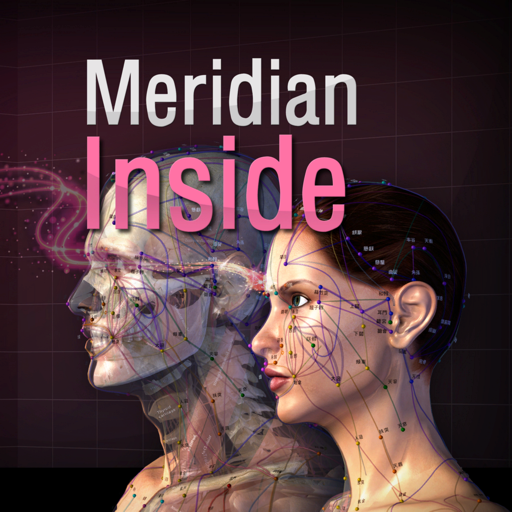
- ‘Meridian Inside’ application was created by integrating ’12 Main Meridian’, ‘8 Extra Meridians’ and ’12 Meridian Divergences’, while applying it to the 3D human body model with ‘Main Acupuncture Point’. - It is an application that can check the flow of the meridian of Asian medicine, which is the only one in the world now. - You can check the location, flow, and contents of a total of 32 meridians. This product does not have complete text descriptions of ‘Main Acupuncture Points’, ‘Extra acupoints’, and ‘Tung ’s family acupunture point.’ - This product does not have ’12 meridian sinews’, ’12 meridian regions’, and ’12 skin’ in this product yet. - Easily zoom in and out with multi-touch so you can see the exact location of the ‘ Meridian and collateral’ itself and we add the “drive button bar” so easliy check the what you want. - ’12 Main Meridian’, ‘8 Extra Meridians’ and ’12 Meridian Divergences’, can be grasped at the same time, and can be compared with ‘Main Acupuncture Point’. * Main Acupuncture Point -> 12 Main Acupuncture Point, Governor Vessel (GV) Acupuncture Point, Conception Vessel(CV) Acupuncture Point.. - Please refer to ‘Meridian 3.1’ application. * For Main Acupuncture Points (such as 12 Main Acupuncture Point, Governor Vessel (GV) Acupuncture Point, Conception Vessel(CV) Acupuncture Point, lung, large intestine, etc.), refer to ‘Meridian 3.1’ application. For Meridian and collateral (12 meridians, 14 meridians, eight extra meridians, twelve meridian divergences, twelve meridian sinews, twelve cutaneous regions, etc.) please refer to ‘Meridian Inside’ application. For Extra acupuncture points, please refer to ‘Acupuncture of Extra Point’ application. For Tung ’s family acupunture(In korean called as Dongssihyeol) (Dongssi, Master tung), refer to ‘Master Tung Acupuncture point’ application. * This product does not have complete text descriptions of Main Acupuncture Points, extra acupoint, and Tung ’s family acupunture point. * This product does not have 12 meridian sinews, 12 meridian regions, or 12 skin in this product yet. - Meet our(verderoot, acumonster, medimonster) various products (Meridian, Meridian Inside, Master Tung, Extra-Acupuncture Point, Combination Point, Hand Acupuncture, Foot Acupoint, Head Acupuncture, etc.) look. www.verderoot.com www.acumonster.com
설명
L'ambliopia, detta anche occhio pigro, è un disturbo della vista dovuto a una mancata coordinazione tra occhio e cervello. Provoca una riduzione della vista in un occhio che altrimenti appare normale. È la causa più comune di calo della vista in un singolo occhio nei bambini e nei giovani adulti. Amblyopia - Lazy Eye è un'app di esercizi visivi progettata per supportare le routine quotidiane di pratica dei movimenti oculari e aiutare a migliorare e risolvere questo problema. L'app offre esercizi guidati con bersagli in movimento, in cui l'utente segue una palla, un'emoji o un oggetto visivo personalizzato lungo traiettorie animate fluide. Gli esercizi sono organizzati per livello di difficoltà e fascia d'età, facilitando la scelta di una sessione di allenamento adatta. Questa versione aggiornata amplia l'app originale con un'interfaccia moderna, supporto per la modalità verticale e orizzontale, elementi visivi personalizzabili, tracciamento oculare opzionale con dispositivi compatibili con TrueDepth, calibrazione, cronologia dei progressi e impostazioni di sessione flessibili. CARATTERISTICHE PRINCIPALI • 40 livelli di esercizio progressivi Scegli tra un'ampia gamma di traiettorie di movimento oculare fluide, da semplici movimenti circolari a schemi visivi più complessi. • Modalità di allenamento in base all'età Seleziona una fascia d'età per regolare le dimensioni del bersaglio, la velocità e la complessità del movimento. • Supporto per orientamento verticale e orizzontale Utilizza l'app comodamente in entrambi gli orientamenti. • Tracciamento oculare TrueDepth opzionale Sui dispositivi supportati, l'app può utilizzare il tracciamento facciale ARKit per fornire un feedback aggiuntivo durante una sessione. Il tracciamento oculare è opzionale e può essere disattivato. • Calibrazione prima delle sessioni di allenamento Se il tracciamento oculare è abilitato, l'app guida l'utente attraverso un breve processo di calibrazione per migliorare il feedback durante l'allenamento. • Diverse modalità di allenamento Scegli di allenare entrambi gli occhi aperti, solo l'occhio sinistro o solo l'occhio destro, a seconda delle tue esigenze. • Bersaglio personalizzabile Utilizza una palla colorata, un'emoji, un'emoji di un animale o un'immagine di un viso come bersaglio mobile. • Sfondi personalizzati Scegli colori di sfondo, immagini o motivi animati in stile ipnotico per creare un ambiente visivo confortevole. • Durata della sessione regolabile Seleziona sessioni di allenamento da 1, 3, 5, 7 o 10 minuti. • Cronologia dei progressi locale L'app salva le sessioni completate localmente sul dispositivo, inclusi durata, livello, modalità selezionata e feedback di tracciamento, se abilitato. • Informazioni didattiche Include informazioni utili sull'ambliopia e istruzioni generali per l'utilizzo delle routine di esercizi visivi. PRIVACY Il tracciamento oculare è facoltativo. Quando abilitato, l'app utilizza i dati ARKit/TrueDepth solo per stimare la direzione degli occhi, lo stato di ammiccamento e il movimento della testa durante le sessioni di calibrazione ed esercizio. L'app non registra foto o video, non carica dati del viso e non utilizza queste informazioni per l'identificazione o la pubblicità. I dati di calibrazione e la cronologia vengono memorizzati localmente sul dispositivo. AVVISO MEDICO IMPORTANTE Questa app non è un dispositivo medico e non fornisce diagnosi, trattamenti o consigli medici. È intesa come strumento di supporto per gli esercizi visivi. Si prega di consultare un oculista qualificato prima di iniziare qualsiasi routine di esercizi visivi, soprattutto per i bambini o gli utenti con patologie oculari diagnosticate.
설명
Registra, gestisci e analizza i tuoi valori di pressione arteriosa e polso in formato digitale. Senza carta. In App Store dal 2014, l'app per la gestione della pressione arteriosa. Perché il digitale invece della carta? - Nessun foglietto perduto - Tutti i valori sempre con te - Analisi e statistiche automatiche - I dati rimangono sui tuoi dispositivi Sicurezza dei dati I tuoi dati sanitari rimangono privati. Tutti i dati vengono archiviati esclusivamente in locale sul tuo Mac. Nessun caricamento su server esterni. Nessun cloud. Nessuna condivisione con terzi. Funzioni - Inserimento rapido di pressione arteriosa e polso - Calcolo della pressione del polso - Note opzionali per ogni voce - Grafici e statistiche per periodi di tempo - Esportazione come PDF o CSV per il tuo medico - Importazione CSV per dati esistenti - Valutazioni individuali Piattaforme Questa app è per Mac. Opzionale: sincronizzazione con l'app iOS/iPadOS separata tramite rete Wi-Fi locale (peer-to-peer) senza cloud. Nota: questa app non sostituisce il consulto medico. Per domande sui tuoi valori della pressione arteriosa, consulta il tuo medico.
설명
Guarda tono e volume della tua voce in tempo reale mentre parli — registra, misura e monitora la tua voce per logopedia, allenamento vocale e canto. Voice Analyst è utilizzata in studi di logopedia, centri di ricerca, università e case in oltre 180 paesi, con oltre 12 milioni di registrazioni effettuate. Vincitrice del Digital Health Award (Medilink SW Healthcare Innovation). Presente nella guida tecnologica di Parkinson's UK: https://techguide.parkinsons.org.uk/catalogue/voice-analyst Acquisto una tantum per iPhone, iPad e Mac. Nessun abbonamento. Misura la tua voce • Osserva in tempo reale i grafici del tuo tono (in hertz o note musicali) e del tuo volume mentre parli o canti. • Registra la tua voce e riascoltala insieme alle sue curve di tono e volume. • Consulta le statistiche di qualsiasi registrazione, o di una sua parte: minimo, massimo, media e intervallo, sia per il tono che per il volume. • Imposta obiettivi di tono e volume e vedi all'istante quando la tua voce li rispetta. • Ingrandisci qualsiasi parte di una registrazione per analizzarla nel dettaglio e salva la porzione che preferisci. • Supporto per Split View e multitasking su iPad. Pensata per la logopedia • Esercitati tra una seduta e l'altra con gli obiettivi impostati dal tuo logopedista — compresi gli obiettivi di volume usati in programmi come LSVT LOUD per la malattia di Parkinson. • Monitora i progressi nel tempo grazie a registrazioni salvate e statistiche. • Usala in studio, a casa o durante le sedute a distanza (telemedicina). Condividi con il tuo logopedista • Invia registrazioni e statistiche al tuo logopedista via email, o condividile tramite messaggi e AirDrop. • Salva le registrazioni sul dispositivo, oppure su iCloud, Dropbox e altri servizi cloud. • Copia le statistiche nei fogli di calcolo per archivi, relazioni e ricerca. Chi usa Voice Analyst • Logopedisti e terapisti della voce che misurano tono e volume dei propri pazienti, in studio e in telemedicina. • Persone in terapia vocale — per malattia di Parkinson, ictus, lesioni cerebrali, disartria, paralisi delle corde vocali, disfonia muscolo-tensiva e altri disturbi della voce. • Persone transgender e non binarie che allenano la propria voce con un feedback chiaro sul tono. • Cantanti, attori, insegnanti e presentatori che monitorano e sviluppano la propria voce. • Ricercatori e studenti che misurano la voce in modo oggettivo. Privacy fin dalla progettazione • Le tue registrazioni restano sul tuo dispositivo, a meno che tu non scelga di condividerle. • Nulla viene caricato sui nostri server — i clinici mantengono il controllo delle registrazioni dei pazienti. • Conforme al GDPR — nessun dato personale viene raccolto. • Funziona offline — registra e analizza ovunque. Cosa dicono gli utenti “Facilissimo vedere dove si trova il proprio tono, impostare intervalli target, creare e analizzare registrazioni, esportarle e importarle. Non riesco a immaginare di lavorare sulla mia voce senza questa app.” “Uso Voice Analyst con i miei clienti transgender. È incredibilmente facile da usare e offre ottime letture visive della frequenza, oltre a un'analisi immediata dell'intervallo di tono e della media. I miei clienti la usano durante le sedute e alcuni l'hanno scaricata per lavorare da casa.” “Adoro questa app. Semplice da usare, eppure racchiude tutta la tecnologia che mi serve per monitorarmi e motivarmi con facilità.” Voice Analyst non è un dispositivo medico — misura e registra la tua voce; non diagnostica né cura alcuna condizione. Se la qualità della tua voce ti preoccupa, rivolgiti al tuo medico e chiedi una visita specialistica da un otorinolaringoiatra. Domande o idee? Scrivici a [email protected] — saremo felici di leggerti.
설명
A simple App that includes 34 Health Calculators: - Body Mass Index (BMI) Calculator - Body Adiposity Index (BAI) Calculator - Basal Metabolic Rate (BMR) Calculator - Resting Metabolic Rate (RMR) Calculator - Body Fat Percentage Calculator - Calorie Calculator - Target Heart Rate (THR) Calculator - Ideal Body Weight (IBW) Calculator - Body Surface Area (BSA) Calculator - Lean Body Mass (LBM) Calculator - Weight Loss Percentage Calculator - Human Water Requirement Calculator - Waist Hip Ratio Calculator - Waist Height Ratio (WHtR) Calculator - Bench Press Calculator - Cost of Smoking Calculator - Beep Test Calculator - VO2 Max Calculator - Heart Rate Calories Burned Calculator - Heart Rate Calories Burned Known VO2 Calculator - Blood Volume Calculator - Estimated Blood Volume Calculator - Cycling Calories Burned Calculator - Fat Free Mass Index (FFMI) Calculator - Drops Per Minute Calculator - Hyponatremia Correction Calculator - IV Drip Rate Calculator - IV Flow Rate Calculator - Insulin Dosage Level Calculator - Systematic Vascular Resistance (SVR) Calculator - Weight Watchers Daily Points Plus Allowance Calculator - Pro Points Weight Watchers Calculator - Weight Watchers Points Plus Calculator - Weight Watchers Old WW Points Calculator It Also Includes: - Description and formula for each calculator - Clear Button - Copy Button Please note that the results provided by these calculators are for educational purposes only and should not be considered medical advice. This app is not a substitute for professional medical diagnosis, treatment, or advice. Always consult with a licensed healthcare professional before making any medical decisions based on the information provided in this app.
설명
Learn anatomy easily with this unique quiz app that features traditional multiple-choice quizzes on 416 structures, or our new quiz style where you match a name to one of four images. You can make your own quizzes, or have the app quiz you only on what you have missed. Includes over 416 anatomical structures in beautiful 3d renderings. The topics include 167 bones and landmarks, 138 muscles, and 111 organ images. Turn on the timer option for an extra challenge! Try this unique anatomy quiz game and you'll be happy you did! A quick anatomy lesson: this app features ALL the bones and many landmarks, but in the bone section, there are only 53 bones listed.... arnt there 206 bones in the body? Most of the bones are bilateral... one on each side, so we don't quiz the right femur and left femur, this cuts the list down almost in half. Many bones are repeat... 12 ribs on each side, 10 distal phalanges, 10 proximal phalanges... When we take out all these repetitive bones, we are left with about 53 unique bones.... so please know that this app has been designed by experienced intelligent anatomists!
설명
Lessico medico è il dizionario edito da C.G. Edizioni Medico Scientifiche che ci spiega il significato di oltre 70.000 vocaboli, locuzioni e espressioni utilizzati in campo medico. Un punto di riferimento molto utile per chi studia medicina, per chi opera in ambito sanitario e per tutti coloro che quotidianamente hanno a che fare con i temi e i problemi della salute e vogliono comprendere questa terminologia specifica. L’applicazione sviluppata da goWare ci consente di consultare in modo agevole i lemmi del dizionario nell’ordine alfabetico, di stampare e condividere via e-mail le spiegazioni di ciascun termine. Per ogni lemma troviamo, oltre alla definizione specifica, tutte le espressioni di cui esso può far parte, anch’esse spiegate, l’etimologia e l’indicazione della forma plurale. Lessico medico costituisce quindi un valido strumento per l’attività professionale e scientifica di specialisti e studiosi e anche una guida alla comprensione di parole che coinvolgono la salute da parte dei pazienti. ___________ NON OCCORRE CONNESSIONE INTERNET
설명
MyMedicalClinicSoftware è un software di programmazione per cliniche e medici da programmare. È anche un sostituto ideale di documenti cartacei inaffidabili o altri metodi di registrazione. Per te, tutte le informazioni private importanti vengono salvate nel tuo account iCloud. Può essere utilizzato senza connessione a Internet (l'utilizzo della funzione iCloud richiede la rete). MyMedicalClinicSoftware può essere efficacemente utilizzato in diversi tipi di professioni mediche, tra cui odontoiatria, ortopedia, ginecologia, pediatria, psichiatria, dermatologia, medicina di famiglia, assistenza infermieristica, farmacia, psicologia applicata, assistenza infermieristica avanzata, ottica oftalmica, medicina clinica, Stomatologia, ecc. Chi può usarlo? Medici, famiglie, individui, ospedali privati, cliniche mediche, ecc. Possono essere utilizzati tutti! 【Uso in centro medico / clinica privata】 Aiuta tutti i medici e i pazienti in centri medici / cliniche private Gestire gli orari dei medici e dei pazienti Organizzare il lavoro dei dipendenti in modo ordinato senza perdere alcun servizio diagnostico Può prendere l'iniziativa di contattare i pazienti via e-mail o telefono 【Uso medico】 I medici possono gestire i loro pazienti Registra gli appuntamenti con i pazienti per gli appuntamenti medici, non perdere il programma Registrare l'intero processo di diagnosi medica di diversi pazienti; facilitare la revisione del riferimento presente e futuro Può prendere l'iniziativa di contattare i pazienti via e-mail o telefono Amministrazione della droga Gestione delle immagini mediche Reddito di diagnosi medica 【I singoli utenti usano】 Usa come il tuo libretto medico elettronico e registra le cartelle cliniche di tutti i membri della famiglia Registra gli appuntamenti con i medici, non perdere il programma Registra l'intero processo della tua diagnosi medica Puoi prendere l'iniziativa di contattare il medico via e-mail o telefono Gestione della droga personale Gestione delle cartelle cliniche Spese mediche 【Pianifica appuntamenti】 Puoi scegliere diversi anni e mesi per passare rapidamente a un mese e un giorno specifici. Fare clic su qualsiasi data per impostare il periodo dell'appuntamento, le informazioni sul medico, le informazioni sul paziente e altre informazioni. Puoi aggiungere più appuntamenti nello stesso giorno. Dopo l'aggiunta, la pagina del calendario visualizzerà le ultime informazioni sugli appuntamenti. Clicca per vedere maggiori informazioni. 【Diagnosi medica】 Registra un riepilogo della condizione Registra i risultati diagnostici Registra il piano di trattamento Aggiungi informazioni sull'immagine diagnostica per la diagnosi Aggiungi un elenco di farmaci necessari dopo la diagnosi (facoltativo) Aggiungi il trattamento ospedaliero (opzionale) Statistiche automatiche del costo totale del farmaco e del costo medico totale 【Esportazione dati CSV】 Esporta tutti i dati degli appuntamenti (o due intervalli di date) Esporta tutti i dati di diagnostica (o due intervalli di date) Esporta tutti i dati del medico Esporta tutti i dati del paziente Esporta tutti i dati sui farmaci 【Altre funzioni】 Blocca password dati privati È possibile aggiungere, modificare, eliminare la password La sincronizzazione di iCloud e i dati di backup richiedono l'accesso al proprio ID Apple per il funzionamento Dopo aver eseguito il backup dei dati, è possibile sincronizzare i dati Numero illimitato di appuntamenti Numero illimitato di medici Numero illimitato di pazienti Numero illimitato di droghe Il programma è intuitivo e conciso e facile da usare, chiunque può facilmente operare. Può essere utilizzato senza alcuna formazione o apprendimento speciale.
설명
iWinABC è un'App per la lettura temporizzata di testi con scansione in sillabe o parole, realizzata per il trattamento della Dislessia. Da oltre diciotto anni, diverse versioni dell'Applicazione vengono utilizzate da un elevato numero di lettori, piccoli e non. Grazie alla semplicità di uso e ai risultati ottenuti, il metodo WinABC è ormai considerato un punto di riferimento nel trattamento dei disturbi della lettura. Nell'App, il contenuto di un testo scelto dal Lettore viene scandito in sillabe o in parole e presentato nella pagina elemento per elemento, con persistenza automatica regolabile o controllata manualmente. Tutti i parametri di ogni esercizio di lettura (tipo e dimensioni del testo, interlinea, evidenziazione ecc.) possono essere regolati e adattati alle esigenze di ciascun Lettore, costruendo un percorso riabilitativo che permetta di incrementare in modo costante e stabile la velocità e la correttezza della lettura. I dati e i risultati degli esercizi vengono salvati in modo automatico e possono essere visualizzati ed esportati. L'App contiene anche una serie di funzioni che permettono ai Lettori di aggiungere con estrema facilità nuovi testi di loro gradimento; inoltre, è corredata da un'approfondita Guida che ne descrive le funzioni e le caratteristiche, anche per mezzo di semplici procedure illustrate. Per ottenere il massimo dei benefici, l'uso di iWinABC deve essere regolare e costante, e deve attenersi alle indicazioni del Terapista che segue il Lettore e verifica l'evoluzione dei risultati del trattamento di lettura con l'App.
설명
VISUAL ACUITY is KyberVision's desktop solution for vision care specialists: it brings computerized versions of the "gold standard" acuity testing in the clinical environment and it provides an efficient and reliable assessment of visual acuity for literate & illiterate people as well as preschool children. Moreover, VISUAL ACUITY follows the logMAR chart design recommended by the National Eye Institute (NEI) and the International Council of Ophthalmology (ICO) to address design flaws in the Snellen chart still found in most physicians' office. *** Remote Mode *** An optional and free companion app VISUAL ACUITY REMOTE for iPad, iPhone and iPod touch is also available to remotely control VISUAL ACUITY. *** Exhaustive Documentation in PDF format *** To learn more about VISUAL ACUITY and VISUAL ACUITY REMOTE, check out the User Guide available online in PDF format: https://mac.kybervision.com/visualacuity/VisualAcuity_UserGuide.pdf *** Full-Featured Acuity Testing *** VISUAL ACUITY has many useful features for the clinical environment: - Interactive LogMAR charts in landscape and portrait modes - Randomized design to prevent subjects to memorize the test - Mirror mode - Keep track of visual acuity history, subject/patient information and prescription - Exporting of acuity data through email in HTML format - Units conversion tool - Built-in & online PDF documentation - Free remote control app Visual Acuity Remote for iPhone or iPod touch Numerous options are also available to customize acuity testing: - Simple or ETDRS acuity scoring - Charts composed either of single letter, single line or multiple lines - Standard optotypes (Landolt C, Tumbling E, Sloan, HOTV) - Choice of specialized optotypes (Kid, Numbers, Cyrillic, Snellen) - Standard acuity units (foot, meter, decimal, VAR, logMAR, cpd) - Black letter on white background or reverse - Confusion bars - 4 or 8 orientations for C and E optotypes - Distance units and viewing distance up to 8 meters (26 feet) *** About KyberVision Japan LLC *** We are a JAPANESE company that provides Consulting, Research and Development services in the field of VISION SCIENCES. We also develop vision-related applications for the iOS and macOS platforms. Feel free to subscribe to our newsletter at https://mac.kybervision.com.
설명
Lite PACS is a lightweight, locally deployed DICOM viewer and manager tailored for doctors, radiologists, and researchers. It enables efficient browsing and organizing of DICOM files by Patient, Study, Series, and Image without complex setup or server dependency. Key Features: • Zero configuration: Install and use instantly • Local storage: Keep your data safe and private • 4-level structure: View data by Patient, Study, Series, and Image • Batch import/export: Easily handle DICOM files in bulk • Clean UI: Modern design with dark mode and customizable settings Lite PACS is your simple and secure DICOM tool for everyday medical imaging needs.
설명
L'APP Home Medical History può monitorare la salute fisica di te e dei tuoi familiari e può registrare le informazioni dettagliate di eventuali prescrizioni mediche e modifiche in importanti indicatori fisici. Versione attuale del progetto: Test e risultati diagnostici, visite mediche, cartelle cliniche, allergie, farmaci, registrazioni della pressione sanguigna, registrazioni del peso, registrazioni della glicemia, ecc. Altri elementi correlati sono in fase di sviluppo e verranno aggiunti nelle versioni future. 【Caratteristiche】 Facile da usare. Supporta i dati di ricerca rapida. Filtra i dati per periodi di data diversi attraverso due date. Aggiungi più membri della famiglia o informazioni personali, inclusi dati di base come gruppo sanguigno, tessera sanitaria, altezza e peso. Registrare le visite mediche o le visite dei membri della famiglia in qualsiasi periodo di tempo; inclusi i risultati della diagnosi, i piani di trattamento, l'assistenza ai medici, i luoghi di visita, ecc. Registrare l'elenco dei farmaci da prescrizione per i membri della famiglia in qualsiasi periodo di tempo; comprese le indicazioni dei farmaci, gli effetti collaterali, l'ora di inizio, il dosaggio e la frequenza di somministrazione. Registrare le informazioni sulle allergie dei membri della famiglia in qualsiasi momento, inclusi sintomi allergici, cause, parti allergiche, allergie, ecc. Tempo, nonché piani di trattamento per i sintomi allergici. Registra l'andamento della pressione sanguigna dei membri della famiglia in qualsiasi periodo di tempo; compresa la pressione sanguigna sistolica, la pressione sanguigna diastolica, le variazioni della frequenza cardiaca e il tempo di registrazione dettagliato. Registra l'andamento della glicemia dei membri della famiglia in qualsiasi periodo di tempo, incluso l'ora dei pasti e l'ora di registrazione dettagliata. Può registrare i dati glicemici al mattino, a mezzogiorno, alla sera, prima o dopo i pasti in un giorno. È possibile visualizzare le statistiche sulla pressione sanguigna nei due intervalli di date, incluso l'andamento della pressione sanguigna sistolica, della pressione sanguigna diastolica e delle variazioni della frequenza cardiaca. È possibile visualizzare le statistiche sulla glicemia per due intervalli di date. È possibile visualizzare il grafico a barre dell'andamento del peso in due intervalli di date e conoscere la variazione del peso in base all'andamento di ogni giorno. Fai esercizi fisici appropriati in base alle variazioni del peso corporeo. Sincronizzazione iCloud e backup dei dati. Proteggi i dati con password, puoi aggiungere, modificare, verificare, rimuovere la password, ecc. I dati vengono memorizzati sul tuo dispositivo e possono essere utilizzati senza connessione a Internet. Esporta dati CSV, inclusi: Tutti i dati diagnostici, visite mediche, allergie, medicinali, pressione sanguigna, peso, zucchero nel sangue e altri dati. Puoi scegliere di fornirlo al tuo medico per riferimento.
설명
The “Medication" app is the perfect tool enabling users to completely manage their medication. Schedules, reminders and dosages are visually displayed. Multiple users can be set up on the “ Medication” app to manage daily, weekly and monthly pill dosages. Schedule your different medication easily using icons or colours on your Mac. Users can register their daily medication and receive reminders as needed. Keep yourself and your loved ones safe knowing their medication needs are organized. Never forget to take your medication again! Remember when to take your pills and manage the dosages correctly. The graphs will show visually how many pills are left to take for the day. Top Features: -Add pills with different icons and colors. -Manage medication stock and add pills when stock is empty. -Add pill reminders using built-in calendar. -Check off reminders after consuming the pill. -Register doctor appointments and get notified beforehand. -Add multiple users and manage med usage separately for each user. -Get a detailed over view of the monthly and yearly med usage on an easy graph chart. Medication is simple to use. It makes sure that you and your loved ones or anyone you care about never misses an important pill of medication again. It makes it stress free if you have so many different medications to take daily. So, download Medication today and never worry about timing and dosages again.
설명
PHORLIX is intuitive to use. Most operations can be performed using the mouse and/or the trackpad. 2DViewer – WL WW change (mouse drag) – slice selection (two finger swipe) – line measure (select ‘measure’ icon on the toolbar) 3DViewer – object roation (mouse drag) – zoom in/out (two finger swipe) – WL WW change (right mose drag) – CLUT change (select the icon on the toolbar)
설명
Dicom Browser is a professional DICOM viewer and processing tool for medical imaging. It supports fast loading and batch browsing, with advanced features including 3D preview, Multi‑Planar Reconstruction (MPR), and image fusion for intuitive and precise analysis. Built‑in measurement and annotation tools help document key findings and comparisons. The app works offline with all data processed locally to protect privacy, making it ideal for clinical reading, research, and education.
설명
3D Heart Anatomy is the ultimate companion for those seeking to understand the heart's complex structures, whether for professional use, academic study, or personal interest. Dive into the captivating world of heart anatomy and start your journey with more than 150 individually detailed structures solely dedicated to the heart, 3D Heart Anatomy is a testament to the intricate design of one of the human body's most vital organs. Features: Immersive 3D Experience: Navigate and interact with high-resolution 3D models of the heart. Rotate, zoom and move structures with ease and precision. Comprehensive Atlas: With over 150 individual heart structures, explore every chamber, valve, vessel, and associated system with unparalleled depth and clarity. Photorealistic Graphics: Cutting-edge graphics that renders heart structures with extraordinary detail and realism, offering an effective tool for understanding complex heart anatomy. Professional-Grade Accuracy: Created by medical professionals and backed by medical literature, 3D Heart Atlas is both an engaging learning tool and a reliable reference for professionals. Accessible Anywhere: No Internet? No problem, keep learning wherever you are. We continuously strive to improve the quality and functionality of 3D Heart Anatomy. User feedback is invaluable for these improvements. If you find the application beneficial, please consider rating it on the App Store. Thank you for your continued support.
설명
- This App contains 21 acupoints in the Hand back part and another 21 acupoints in the Hand palm part, and each acupoints is written in Korean, English and Chinese texts in terms of location, efficacy and operation method . - The reflex region which was used as the basis of the diagnosis in the traditional Hand Acupuncture therapy is also arranged in 3D. The Reflexoloy chart used as a basis for other forms of diagnosis and treatment are also arranged in 3D. You can compare The reflex region of a traditional form with The Reflexoloy chart of other theories in 3D, and you can also compare The Hand Acupoints in 3D. - The 14 Main Acupuncture Point of the hand , The Extra Acupuncture Point of the hand, and The Master Tung`s Acupuncture Point of the hand are displayed on the 3D model as background, so you can organize them by comparing them with The Hand Acupoints. - The skin, muscles, and nerves of the hand are made in 3D, so you can compare the position of The Hand Acupoint with the muscles, bones and nerves in 3D. * For Main Acupuncture Points (such as 12 Main Acupuncture Point, Governor Vessel (GV) Acupuncture Point, Conception Vessel(CV) Acupuncture Point, lung, large intestine, etc.), refer to ‘Meridian 3.1’ application. For Meridian and collateral (12 meridians, 14 meridians, eight extra meridians, twelve meridian divergences, twelve meridian sinews, twelve cutaneous regions, etc.) please refer to ‘Meridian Inside’ application. For Extra acupuncture points, please refer to ‘Acupuncture of Extra Point’ application. For Tung ’s family acupunture(In korean called as Dongssihyeol) (Dongssi, Master tung), refer to ‘Master Tung Acupuncture point’ application. * This product does not have complete text descriptions of ‘’Main acupuncture point’, ‘Meridian and collateral’, ‘Extra acupuncture points’ and ‘Tung ’s family acupunture.’ - Meet our(verderoot, acumonster, medimonster) various products (Meridian, Meridian Inside, Master Tung, Extra-Acupuncture Point, Combination Point, Hand Acupuncture, Foot Acupoint, Head Acupuncture, etc.) look. www.verderoot.com www.acumonster.com
설명
The Cristallight’s My Health Report application is your comprehensive health data manager and personal health diary. It allows to store the health information, and review it in a Charts, or Data Table modes, edit the information, save it as a PDF report, or just print it, making it an analog of medical lab test report software. Not only the general health parameters, such as Temperature, Well-being, Appetite, Weight, and BMI values are available, but also the Pressure, and Blood groups, thus making the My Health Report to be a blood test monitor, and pressure test monitor software at once. Using the Height Preference value, and BMI normal range, the application calculates optimal weight range. The Pressure group parameters include Systolic, Diastolic, Pulse, and Pulse Pressure values. The Blood ones allow you to add your Hemoglobin, CRP(C-reactive protein), ESR (erythrocyte sedimentation rate), Albumin, and WBC (White blood cells) values. The product has the intuitive interface allowing you to add your health tracking data in just a few clicks. 1. Select the data type you wish to add or edit from General and Pressure and Blood groups, 2. Double click on a row of data, or column on a chart and set the values in the Edit Data screen. 3. To view charts select proper tool button. Main Features: • Intuitive interface, • General, Pressure and Blood groups of parameters, • Showing your data in Data Table or Charts modes, • Easily editing your health data, • Dates range for viewing and saving reports, • Change the measurement units to represent data, and • Save Report as PDF file, or print it.
설명
TCM Clinic Aid is a reference guide for practitioners and students of Traditional Chinese Medicine (Acupuncturist and Herbalist). It should not be used to diagnose ailments or diseases. Diagnosis should be done by a licensed Acupuncturist and Herbalist. KEY FEATURES: 1. Built specifically for the iPad. 2. A Great Reference tool for the following TCM Disciplines: A. Auricular Point, Acupuncture Points, Master Tung Points, and Wrist Ankle points: - Acupuncture points and Auricular point are arranged by TCM categories and individually, - Acupuncture points presented in "Big Picture" format, - Images for all points. B. Herbs and Herbal Formulas: - Herbs and Formulas are arranged by TCM categories and individually, - Includes images of individual herbs, both processed and herbs in their natural/raw state. C. Diagnosis: - Patterns by Internal Organs (Zang Fu) Etiologies, - Four Levels Etiologies, - Residual Pathogenic Etiologies, - Six Stages Etiologies, - Pulse Diagnosis. 3. Treatment Protocols: - Build your own library of treatment protocols. - Treatment protocols can contain: a. Name and description, b. Pulse and Tongue, c. Herbs and Formulas used, d. Auricular, Points, and Master Tung points used. - All treatment protocols are searchable. 4. Browse or "drill down" through 1700+ acupuncture, auricular, Master Tung and Wrist Ankle points, herbs, formulas, and diagnosis etiology and pulses. 5. Extensive Search capabilities: - All fields for all data records are searchable and you have full control over the fields to use in searches. - Searching can be on: a. Symptoms and indications, b. Diagnosis etiologies searched by pathology name, i.e., 'Liver Yang Rising', suggested points, or suggested formulas, c. Formula names searched by pinyin, english name, ingredients, western uses (western ailments it can treat), d. Herb names searched by pinyin, english or botanical (latin), e. Points searched by common name, i.e., 'LI4'. - All search phrases are saved for quick access when running previous searches. 6. Create Favorite List: - You can create multiple favorite lists for all the TCM disciplines (auricular, diagnosis, formulas, herbs, points, and Master Tung) - These can be quickly activated/deactivate. - Favorite lists can be used to seed the Quiz Yourself module. 7. Compare Items: - Compare two auricular points, herbs, formulas, or diagnoses side-by-side, - Compare points against points, or points against Master Tung points. 8. Add/Edit/Delete: - Modify/edit system provide records, - Add/edit/delete your own User provided records, - Add an alternate image to any system provided or user provided record. 9. Extensive System Configuration: - Change font and font size, - Change master color scheme, - Activate color coding of herb names by their temperature attribute, - Change name display of lists of herbs, formulas, points, pulse, and master tung: a. English or Pinyin with tonemarks (or Pharmaceutical for herbs), b. Use simplified or traditional Chinese characters. - Change searchable fields for each TCM table type (i.e., auricular, herbs, formulas, etc.), - Database Maintenance - backup and restore your User database, - plus, many more options. 10. Quiz Yourself: - Test your knowledge on Auricular, Diagnoses, Herbs, Formulas, Points and Pulses information. - Over 2000 possible tests, including: a. Point and Auricular identification by Image, Location, Functions and Indication, b. Herb identification by Image, Function, Indications and Category, c. Formula identification by Herbs, Functions, Indications, Category, Diagnosis and Western Use, d. Diagnosis by Etiologies, e. Pulses by Description, Sensation and Indications. - Many test allow you to test on identification by Pinyin, Chinese characters (simplified and traditional), or English name.
설명
EP Diagram is a teaching and learning tool for the analysis of electrocardiograms using ladder diagrams. Ladder diagrams are a classic method of analysing heart rhythms and conduction disturbances. The ladder is divided into anatomic regions and lines are drawn indicating conduction. EP Diagram goes much further than the traditional ladder diagram drawn by hand. Using it you can easily and quickly draw publication quality ladder diagrams which are interactive, scrollable, and zoomable. You can style these diagrams as you wish, have measurements, impulse origin, and block calculated automatically, and can edit and create your own ladders templates. You can even add periods of fibrillation with just one finger tap. Diagrams are automatically saved as files and can be shared with others. EP Diagram will improve your understanding of cardiac arrhythmias.
설명
- ‘Master Tung Acupoint application’ is a professional application made by Dr. Tung Ching-Chang's “董氏針灸正經奇穴學 -1973-” as a 3D human body model. - It contains complete texts such as the location, source, treatment, and operation method, etc.of about 264 Dongssihyeol(Tung’s acupoint). - In the content, the location, source, treatment, and operation method of Dongssihyeol(Tung’s acupoint) are recorded as they are in the Dr. Tung Ching-Chang's “董氏針灸正經奇穴學 -1973-”. And we've also added our own content to make it easier to explain. - It is made in three languages, Korean, English and Chinese, so that everyone can use it. - It contains 3D anatomical models (muscles, bones, organs, brain, etc), and various functions (transparency, enlargement, reduction, interactive editing such as notepad, drawing, hiding, writing, etc.) are operated. If you use the display option, you can choose to display only the skin of the anatomical model, only the muscles, or only the meridians and acupuncture points. - This application is based on Dr. Tung Ching-Chang's “董氏針灸正經奇穴學 -1973-“ and referenced various other books. It was supervised by professors and Korea medical doctors at University of Korea Medicine. * Dongssihyeol(Tung’s acupoint) - Dr. Tung Ching-Chang's family unique acupoint. * “Main Acupuncture Point” and “Dongssihyeol(Tung’s acupoint)” were implemented at the same time. “Baseline” was also produced together * Baseline - Help line to easily find Dongssihyeol(Tung’s acupoint). * Main Acupuncture Point -> 12 Main Acupuncture Point, Governor Vessel (GV) Acupuncture Point, Conception Vessel(CV) Acupuncture Point.. - Please refer to ‘Acupoints’ application. * For Main Acupuncture Points (such as 12 Main Acupuncture Point, Governor Vessel (GV) Acupuncture Point, Conception Vessel(CV) Acupuncture Point, lung, large intestine, etc.), refer to ‘Acupoints’ application. For meridian and collateral (12 meridians, 14 meridians, eight extra meridians, twelve meridian divergences, twelve meridian sinews, twelve cutaneous regions, etc.) please refer to ‘Meridian Inside’ application. For extra acupuncture points, please refer to ‘Extra Acupoints’ application. For Tung ’s family acupunture(In korean called as Dongssihyeol) (Dongssi, Master tung), refer to ‘Master Tung Acupoint’ application. * This product does not have complete text descriptions of Main Acupuncture Points, meridian and collateral, and Extra-Acupuncture Point. - Meet our(verderoot, acumonster, medimonster) various products (Meridian, Meridian Inside, Master Tung, Extra-Acupuncture Point, Combination Point, Hand Acupuncture, Foot Acupoint, Head Acupuncture, etc.) look. www.verderoot.com www.acumonster.com
설명
This app collects over 30 published formulas for calculating the corrected and predicted QT interval (QTc and QTp). Included are details on each formula and reference links. Results are analyzed statistically and graphed. Published definitions of normal and abnormal QTc intervals are also included. This is no ordinary calculator that just gives you the results of Bazett's formula. If you are interested in this fascinating corner of electrocardiology, this app is for you.
설명
O aplicativo "Valor Cirúrgico" é uma calculadora de distribuição de valores cirúrgicos, disponível para Mac Desktop. Esse aplicativo foi criado para ajudar os profissionais da área médica, que muitas vezes precisam realizar o cálculo de distribuição de valores para auxiliares, instrumentadores e anestesistas, tarefa que pode ser tediosa e demorada quando feita em planilhas diversas. Com o "Valor Cirúrgico", todo o processo de cálculo se torna mais fácil e rápido. O usuário pode inserir os valores das despesas médicas, honorários dos profissionais e outros custos relacionados à cirurgia, e o aplicativo faz o cálculo de forma automática, distribuindo os valores para cada um dos envolvidos na operação. Com uma interface simples e intuitiva, o "Valor Cirúrgico" é fácil de usar, mesmo por quem não tem muita experiência com computadores. Além disso, o aplicativo é totalmente seguro e confiável, garantindo a privacidade dos dados inseridos pelo usuário. Com o "Valor Cirúrgico", os profissionais da área médica podem economizar tempo e evitar erros de cálculo, garantindo que a distribuição de valores seja justa e transparente para todos os envolvidos na cirurgia.
설명
The most comprehensive ECG app in the iPhone App Store - over 200 examples of common and uncommon ECGs iPad version? bit.ly/ECGiPad or search iTunes "ECG Guide iPad" Praise for the ECG Guide: "The best ECG app currently available." -iMedicalApps.com "Core Medical App." - Georgetown Medical School. “This brand-new gem features concise explanations with ample high-quality ECG examples...” - American College of Emergency Physicians “...a 5 star application” - User review “...a must have application for doctors, residents and medical students.” - User review Succinct yet authoritative, this ECG reference is a critical companion for practicing physicians, medical trainees, nurses and paramedics. It is designed as a learning tool for those still training as well as a reliable reference for more experienced interpreters of ECGs. ***************************** Features: - Full reference text that includes in-depth information on topics such as: - Approach to ECG Interpretation - Analysis of rate, rhythm, axis, P wave, QRS complex, ST segment, T wave and QT interval - Ventricular hypertrophy and atrial enlargement - Assessment of ischemia - Approach to arrhythmia - Bradyarrythmias and tachyarrythmias, Heart block, and much more… (content based on national guidelines 2009 AHA/ACCF/HRS Recommendations for the standardization and interpretation of the electrocardiogram) - The largest ECG library available on the iPhone with over 200 high resolution sample ECGs with common and complex findings for easy reference - ECG Interpreter - Stepwise assistance with ECG interpretation. Helps create differential diagnosis based on simple to assess ECG features. - Over 100 multiple-choice quiz questions to test your knowledge - Rapid Reference section - one tap takes you to 11 summary pages used to confidently interpret ECGs - Clear descriptions of both common and complex arrhythmias and ECG findings - Review etiology and differential diagnosis of common and complex arrhythmias and ECG findings - Pediatric values included Compiled and written by Jason Andrade, MD, FRCPC.
설명
Dicom Browser is designed for users in the medical imaging field, focusing on the browsing and processing of DICOM files. The software now features a 3D preview mode, offering more intuitive visualization for precise image analysis. Additionally, it provides advanced image processing functions such as Multi-Planar Reconstruction (MPR) and image fusion. Users can browse, annotate, and process DICOM files offline, enhancing diagnostic efficiency and accuracy. With offline functionality, the software ensures data security and privacy, making it an ideal tool for medical image processing.
설명
EMDR Classic - visualizza la frequenza attuale delle oscillazioni e ne supporta il controllo (velocità di animazione); - consente di modificare le dimensioni, la direzione e il colore della figura in movimento; - ha diversi effetti sonori con la possibilità di modificare il volume e di selezionare un effetto tra una dozzina; - non utilizza Internet e quindi rispetta la privacy e la sicurezza dell'utente; - non raccoglie i vostri dati personali; - senza pubblicità; - è leggero, basato su tecnologie native senza dipendenze da terzi; - ha un'interfaccia semplice e minimalista.
설명
Mal alignment of the hip, knee, and ankle leads to premature cartilage damage and to development of degenerative arthritis of knee joint. Femoral and tibial osteotomies around the knee are established procedures for the restoration of the physiological load distribution of pressure at the knee joint. Accurate preoperative planning is mandatory to avoid under correction or overcorrection of axes or placing the joint-line in obliquity that ends to insufficient postoperative alignment.The majority of osteotomies are still planned and performed using conventional techniques drawing over transparent papers, cumbersome measurements etc. The app assists at preoperative correction planning by calculating : -the amount of correction preoperatively by calculating the dimension of wedge size , the correction angle and osteotomy gap opening or closing. -mechanical axis deviation (in mm) MAD, anatomical and mechanical femoral axes angle (aMFA),mechanical lateral proximal femoral angle (mLPFA), mechanical lateral distal femoral angle(mLDFA), joint line convergence angle (JLCA),mechanical medial proximal tibial angle (mMPTA), Mechanical lateral distal tibial angle (mLDTA), Hip Knee Ankle line (HKA) ,Mid joint line (MJL) orientation. -objectively the deviation or deformity in the frontal plane (varus or valgus) and differentiate the level of deformity (femoral and or tibial origin) and according to measured angles objectively suggest where indicated, medial or lateral, open or closed-wedge distal femur osteotomy or high-tibial osteotomy or double osteotomies and avoiding unwanted obliquity of the joint line App allows he surgeon to -change the planned mechanical axis to pass at the preferred percentage (Fujisawa point) after evaluation of the residual cartilage thickness left on the involved compartment. select the location of hinge point of correction osteotomy for planning of varus or valgus corrections -evaluate in real time the success of intended osteotomy by evaluating the kinematic alignment of the knee (KAO), avoiding residual joint obliquity or malalignment. -measure the correction angle adjusted due to ligament instability and preoperatively calculate the height of osteotomy gap opening. -pressing + or - button, one degree of correction is added or subtracted respectively and the second plane of osteotomy emerges and printed in screen real offering real time simulation of the wedge osteotomy in an instant to comprehend in real time what parameters are affected and modify favourably the correction angle. All above mentioned angles and all limp axes are redrawn and updated accordingly for the given new correction angle. The drawn schematic gives the impression of settings act as a whole interchangable interacting unit. - dynamicaly preview and easily predict potential intraoperative errors, that could emerge and choose the optimal degree of correction without disruption kinematic alignment of the limp. -to combine correction- Biplanar-, at coronal plane and sagittal plane (based on Hernigou 2001 calculations ) on tibia slope and provide the direction of the plane (ω angle) in which the osteotomy (open or closed) should be made ,the height the opening or closing wedge and the correction angle (Δ angle), -to simulate, before real bone cuts are done and try different strategies in relation to the location, the type of osteotomy, the joint obliquity without to redraw in paper board countless drawings in an effort to achieve the optimal correction and mean while taking into account and balancing all influencing preoperative factors. -real time dynamically change of mechanical axis lines, modify also the drawings of femur and the tibia and in instant depicting a precise preview of the whole preoperative plan for optimal results. -categorisation of the deformities based to international literature normal references values, help to indicate to user the type of osteotomy.
설명
The assessment of global sagittal alignment and the compensatory mechanisms which are implicated in the spine and the spinopelvic jucture are of paramount importance for spine and joint replacement surgeon. The dynamic interplay between flexibility and balance around the axis of gravity determine the type and the amount of influence in spine and hips. Radiographic parameters to evaluate objectively the sagittal balance are Pelvic incidence (PI), Sacral slope (SS), Pelvic Tilt (PT), Lumbar lordosis (LL),Thoracic Kyphosis, C7 plumb line (C7PL) and its ratio. Drawings in patients X-rays and precise measurements are important in order to quantify the magnitude of spinal deformities, to monitor the success or failure of treatment and thus optimise the management of patients according to the severity of the imbalance. The Sagittal Balance App is medical software aimed for orthopaedic surgeons, providing tools that allow doctors to: -Securely import medical images directly from the camera or stored photos. -By marking several points at the image of X-ray, the App calculates and offers a very convenient way to determine the most accurate possibly way at once, Pelvic incidence (PI), Sacral slope (SS), Pelvic Tilt (PT), Lumbar lordosis (LL), thoracic kyphosis, C7 plumb line (C7PL), C7PLD/sfd ratio, PI–LL, theoretical normal pelvic tilt (tPT),theoretical normal L1-S1 lumbar lordosis (tL1S1), Spino-sacral angle (SSA) According to measured parameters the app categorizes the severity of the imbalance of spine, in three different stages: optimal balanced, balanced with compensatory mechanisms and imbalanced. -Save the planned images, for later review or consultation.The measured values are compared by normal reference databases and also data are exported as txt file, ready to print or to input as cells to excel for research. -The app also allows the calculations of centroids after choosing points in vertebra body in independent manner from order. All information received from the software output must be clinically reviewed regarding its plausibility before patient treatment! Sagittal Balance App indicated for assisting healthcare professionals. Clinical judgment and experience are required to properly use the software. The software is not for primary image interpretation. In a busy everyday practice, the examiner have to draw lines in X-rays or in clinical settings, this it is time consuming and cumbersome. Accessory instruments like protractors, hinged goniometers, well sharped pencils, rulers or even transparent papers must be available. The app offers a very convenient and accurate way to perform most common radiographic measurements for spine, and spinopelvic juncture in a blink of an eye in front of your screen. The build in feature of the app, allows results to be categorized may help decide what could be considered normal or pathologic. The app is not a simple goniometer, is an enhanced product which helps to monitor objectively the course of the treatment and evaluate optimally the spine. This App is particular useful especially in clinical settings where you need a quick results without losing time. Please see tutorial videos at the developer’s web site www.orthopractis.com Reference databases 1.Legaye J, Duval-Beaupe`re G, Hecquet J, Marty C (1998) Pelvic incidence: a fundamental pelvic parameter for three-dimensional regulation of spinal sagittal curves. Eur Spine J 7(2):99–103 2. Cavanilles-Walker JM, Ballestero C, Iborra M, Ubierna MT, Tomasi SO (2014). "Adult Spinal Deformity: Sagittal Imbalance". International Journal of Orthopaedics.
설명
ICD Offline Database is an application that provides a full database of ICD10 and ICD9 codes for medical diagnosis and billing. It allows users to search, browse and convert between codes offline without internet connection. ICD Offline Database is designed for professionals who need quick and easy access to the international classification of diseases codes in their work. Also includes Drugs and Neoplasm tables
설명
Bone Ninja is a teaching tool developed by two orthopedic surgeons who specialize in limb deformity correction: Dr. Shawn Standard and Dr. John Herzenberg. It is designed to help surgeons learn to analyze long bone deformities. Bone Ninja comes pre-loaded with radiographs of normal legs and deformed legs. You can analyze the provided cases or upload your own. Once your analysis is complete, you can then use the cut-out tool to try different osteotomy solutions. Suggested solutions for the provided cases are available for comparison. Bone Ninja includes tools for drawing lines, measuring angles, measuring lengths, and calibrating the magnification. The cutting tool allows you to manipulate one or more fragments to simulate correction of single or multilevel deformities. The analysis of the radiographs is based on methodology taught at our annual Baltimore Limb Deformity Course (BLDC), now in its 22nd year (DeformityCourse.com). We developed this app to supplement the BLDC and look forward to feedback from attendees and other users. Bone Ninja is not presented as a clinical tool, but rather an educational tool. It will not “automatically” analyze deformities. The student must first learn the methodology of analyzing and planning deformity correction in order to use Bone Ninja. Bone Ninja is a 21st century mobile alternative to pencil, ruler, goniometer, and paper. Bone Ninja will be periodically updated by adding more case examples, more explanations, and more tools. The name “Bone Ninja” is intentionally whimsical and reflects our philosophy of teaching as “infotainment.” Enjoy! Disclaimer The Bone Ninja App is designed for educational purposes only. The intent is to train physicians how to analyze long bone deformities. The Bone Ninja App is not intended to be used for medical diagnosis or treatment. In view of the possibility of human error or changes in medical science, neither the authors nor the developer warrant that the information contained in this software is accurate or complete and they are not responsible for any errors or omissions or the results obtained from the use of such information.
설명
Interactive reference with muscle action movies, free 1247 Gray's anatomy images add-on, 3D rotational models, full description, Latin names and audio pronunciation. • Winners for 2011-2016 in Best Medical App (awarded by http://bestappever.com) • Visual Anatomy is recommended by top U.S.-licensed doctors on HealthTap (https://www.healthtap.com/#apps/375/promote) • Support English, French, Spanish and German languages OVERVIEW: Visual Anatomy is an interactive reference, and education tool. It contains more than 500 high-resolution images (plus 141 single muscle images) and more than 850 feature points which can be interactively selected. Each feature has its own label and short description. Major muscles have action animations. The app also has search function which can be used as searching the labels of all feature points. In addition, 6 quizzes with 150 multi-choice questions also are included. It also has all Gray's anatomy images for a quick review. ••Differences between paid version and Lite (Free) version•• 1. Paid version has deep muscles and muscle index table with audio. 2. Paid version has more than 40 muscle group action movies. 3. Paid version has more than 100 major muscle action movies. 4. Paid version has more than 200 bone markers. 5. Paid version has audio pronunciation for all anatomy terms. 6. Paid version has 150 more quizzes. 7. Paid version has all 1247 Gray's images. 8. Paid version has physiology animation videos USES: This app’s primary use is as a learning tool but can also be used for any professional who needs the occasional reminder. Additionally, this app is ideal for physicians, educators or professionals, allowing them to visually show detailed areas to their patients or students - helping to educate or explain conditions, ailments and injuries. It can be also used as human anatomy guide or anatomy dictionary. FEATURES: • Latin names • No internet connection is required. • Physiology animation videos • Tap and Pinch Zoom - zoom into and identify any region, bone or other feature by tapping on the screen. • 3D rotational models • Quick Navigation - jump to a different system or organ by selecting the thumbnail. • Great for learning anatomy and physiology • Audio: Pronunciation guide for all anatomy terms. • High-resolution images. • Free periodic updates. CONTENTS: 1. Organ 3D overview 2. One of main sections - Muscles. It have 145 muscles including full description (ORIGIN, INSERTION, NERVE, ACTIONS) and cover all superficial muscles and most of deep muscles. A muscle index table with 145 single muscle images. 3. One of main sections - Bones with some bone markers. Skeleton overview, Skull, Inferior and Superior skull,Neck Bones, Spinal Column, Ribs, Pelvic Girdle, Hand Bones, Foot Bones. It also includes ligaments in knee, shoulder and ankle joints. 4. Respiratory System(overview), Lung, 5. Digestive System(overview), Liver, 6. Urinary System, 7. Nervous System(overview), Brain, Central Nervous System, 8. Reproductive System (Male and female), 9. Senses (Finger, Hand, Ear ,Mouth, Nasal Cavity, Nose, Tongue,Human Denture) 10. Circulatory system. (Principle Veins and Arteries, Heart Anatomy, Head vessels) 11. Endocrine System (overview) 12. Lymphatic system 12. 6 quizzes with 150 multi-choice questions 13. 1247 Gray's anatomy images. SEARCH: When you input more than one characters, the search function automatically gives a list of potential key words. You can just select one of them from the list. The result will be the feature point on the anatomy image and label. FEEDBACK: I'm open to suggestions so don't hesitate to send me an e-mail if you have some feedback. Email: [email protected]
설명
VisionHT è l'app per gli esercizi di riabilitazione visiva prescritta dall'operatore tramite VisionPad. Dopo aver ricevuto la prescrizione — via Bluetooth o codice QR — il paziente svolge gli esercizi in autonomia sul proprio iPad. Al termine di ogni sessione, i risultati vengono sincronizzati automaticamente con VisionPad, così l'operatore può monitorare l'andamento nel tempo. Caratteristiche: - Ricezione degli esercizi via Bluetooth o QR code - Esecuzione guidata delle sessioni di allenamento visivo - Audio sempre attivo anche in modalità silenziosa - Sincronizzazione automatica dei risultati con VisionPad - Interfaccia semplice, pensata per il paziente VisionHT è destinata esclusivamente a pazienti seguiti da un professionista.
설명
Una delle risorse più preziose per un medico, soprattutto in urgenza, è avere a disposizione schemi terapeutici chiari e immediati. Tuttavia, il calcolo della velocità di infusione di alcuni farmaci può richiedere tempo e risultare soggetto a errori, proprio nei momenti in cui la rapidità è fondamentale. Questa applicazione ti permette di calcolare in pochi istanti la velocità di infusione dei principali farmaci utilizzati in emergenza: basta selezionare il dosaggio desiderato e, se necessario, il peso del paziente. Ogni farmaco comprende: • Una scheda terapeutica interattiva con indicazione di eventuali boli e velocità di infusione (ml/h) in diverse modalità di diluizione, sia con pompa che a caduta. • Una scheda informativa sintetica ma completa con indicazioni, controindicazioni, avvertenze e riferimenti bibliografici. Novità della versione 4.0 • Infusioni interattive: ora puoi avviare infusioni direttamente dall’app e sincronizzare la velocità delle gocce per regolare con precisione la velocità anche senza pompa d’infusione. • Note personali: aggiungi e gestisci annotazioni personalizzate per ogni farmaco. • Infusioni personalizzate: configura infusioni su misura modificando parametri e diluizioni. • Aggiornamento automatico farmaci: i farmaci salvati vengono controllati e aggiornati automaticamente all’avvio e possono essere sincronizzati manualmente con un semplice gesto di refresh. • Corretto e migliorato il sistema di creazione dei farmaci: ora l’interfaccia per creare i tuoi schemi è più intuitiva e precisa. • Condividi con i colleghi: invia i tuoi schemi terapeutici con la condivisione diretta. • Invia i tuoi schemi: contribuisci a migliorare l’app inviando i tuoi farmaci. • Interfaccia migliorata: grafica aggiornata con maggiore chiarezza tra le sezioni, nuovi sfondi e gradienti per una lettura più confortevole. • Tutorial guidati: nuove guide interattive che ti aiutano a comprendere al meglio ogni funzione dell’app. IMPORTANTE: Questa applicazione è stata creata per esclusivo utilizzo da parte di personale medico e il contenuto dell'applicazione non è inteso come sostituto di valutazione, diagnosi o trattamenti medici.
설명
A reference for trigger points and referral patterns for 108 muscles. Features 160 trigger points with their corresponding referral patterns, 80 conditions that can be caused by trigger points, and 25 videos that show how to release specific muscles. Each muscle includes the visual referral pattern and point location, plus a written muscle action, referral, origin, insertion, nerve, comments, and audio pronunciation for each muscle. You can choose to view each muscle individually, or use the zones view to see all the muscles that refer into a specific area (or for a specific condition). This is a great help in discovering the source of pain. This app features all the scientifically proven trigger points and referral patterns as shown in the research. Trigger points are tight places in a muscle that cause pain to be felt elsewhere in the body. This is great for massage therapists, physical therapists, chiropractors, or anyone wanting to discover the source of muscular pain, and learn about muscle function. FEATURED IN APPLE'S WHATS HOT FOR TWO WEEKS! "Any iPhone user with an interest in the human body may find Real Bodywork’s reference app Muscle Trigger Points to be of special interest." Phone Gear Review "...the app is quite useful for identifying problem areas and gives us a great visual for pinpointing the problem. " Slap App Review iTunes User Reviews: "SIMPLE & EASY to use, INEXPENSIVE, along with EXCELLENT 3D graphics to help zero-in on areas of each muscle when palpating." Roc 5/5
설명
Skull, Teeth & TMJ app is an outstanding resource for exploring the anatomy and biomechanics of the skull, jaw, and temporomandibular joint (TMJ). This comprehensive tool provides you with access to a range of features, including: • High-quality 3D models of the bones, muscles, and ligaments of the jaw that allow you to examine them in detail. • Interactive envelope of motion diagrams, including Posselt's envelope of motion diagram, that help you explore the biomechanics of the lower jaw and its movement patterns. • The ability to hide or isolate separate anatomical structures and use cross-section tools to examine the anatomy more closely. • Realistic visualization of the TMJ capsule and disc's motion that can be challenging to visualize using traditional resources. • Access to informative articles from anatomystandard.com that further enhance your understanding of the subject. • Examination of a complete set of permanent teeth with ideal alignment and bite, which helps you understand the form and function of teeth in the mouth. • The ability to adjust the direction of the light source to improve your visualization of the anatomy. Whether you're a student, healthcare professional, or simply interested in learning more about the anatomy of the Skull, Teeth & TMJ, this app is an excellent resource. Its comprehensive range of features and detailed visualizations make it an invaluable tool for anyone looking to deepen their understanding of this complex subject.
설명
Orthopedic Examination & Special Tests is an app that contains all Special Tests & Examination techniques in orthopedic surgery. It's designed for all orthopedic surgery residents and specialists who are interested in learning and memorizing the special tests in orthopedic surgery. Orthopedic Examination contains all special tests that an orthopedic surgeon needs for shoulder, elbow, wrist, hand, hip, knee, ankle, foot and spine clinical examination. The app is categorized in multiple sections based on the region and type of examination. Orthopedic Examination contains the following: - Shoulder Examination - Elbow Examination - Wrist & and Examination - Hip Examination - Knee Examination - Ankle & Foot Examination - Spine Examination - Pediatric Examination Every test page contains these sections: - The purpose of the test - How the test performed - When it's considered positive. - The sensitivity & specificity - The source of the test - An Image of the test - A video for the test from YouTube Orthopedic Examination & Special Tests will be updated continuously by adding new special tests and improve the app. Pro Version Features: 1. Ads Free. 2. Multilingual: Spanish and Germany in addition to main English. 2. MCQs test for special tests: test your knowledge in orthopedic examination. 3. Videos: every special test has an embedded video for the special test (from YouTube). 4. Add to favorite feature. 5. Notes: add your own notes to the app.
설명
This application is a DICOM worklist client (SCU) that can be used either in production environments or for educational purposes. It includes the DICOM Conformance Statement available from the application's Help menu.
설명
This app is a combination of sets, containing practice questions, study cards, terms & concepts for self-learning & exam preparation on the topic of ATLS Advanced trauma life support, which is a training program for medical providers in the management of acute trauma cases. The learner can reabsorb the quizzes with ease. In time, this will build knowledge retention. This app covers the following chapters: - Airway Management. - Chock. - Thoracic Trauma. - Abdominal and Pelvic Trauma. - Head Trauma. - Spinal Injuries. - Musculoskeletal Trauma. - Thermal Injuries. - Pediatric Trauma. - Geriatric Trauma. - Multi-Topics Practice Questions. It contains at least 60 study notes quiz sets & 4800 Flashcards. Main Features: - Works perfectly Offline, you can learn on the Go, Anytime & Everywhere. - Five study Modes (learning mode, handout mode, test mode, slideshow mode and random mode). - Text to Speech (Listen to the flashcards while you are ridding, jogging or driving). - Sort your flashcards by topic. - Search flashcards by key words. - Select your favorite flashcards & Flag for review the most difficult. - Add & save your own flashcards. - Edit & replace existing flashcards. - Add your comment to any flashcard keep seeing them with. - Get back to your last study session, exactly to the last flashcard studied including the study mode. - Full dashboard to monitor your progress. - Share your best study notes. - Exam taking tips & tricks. Sure, You will be amazed by the number of facilities that we added to this App. This app is suitable for students, researchers, resident, doctors, Anatomy & physiology specialists, nurses & medical professionals & of course Medical lecturers, teachers & professors. Invest in your Success Now. Your investment in knowledge, professionalism & expertise is durable & with a High value added. It's a High return investment. Disclaimer 1: This application is not dedicated for a specific professional certification, it's just a tool to assist students & professionals to expand their knowledge & in-depth their expertise. Disclaimer 2: The publisher of this app is not affiliated with or endorsed by any testing organization. All organizational and test names are trademarks of their respective owners. The content of the application might include inaccuracies or typographical errors, for which the owner cannot be held liable.
설명
Health Care includes three parts modules: EMDR, Home remedies, BMI calculator. 1. EMDR A macOS app for a self administrated EMDR treatment. What is EMDR? Eye Movement Desensitization and Reprocessing (EMDR) is a psychotherapy treatment that was originally designed to alleviate the distress associated with traumatic memories (Shapiro, 1989a, 1989b). [..] EMDR therapy facilitates the accessing and processing of traumatic memories and other adverse life experience to bring these to an adaptive resolution. After successful treatment with EMDR therapy, affective distress is relieved, negative beliefs are reformulated, and physiological arousal is reduced. 2. Home remedies Health Care prides your right approach towards various diseases and injuries. Also provide the basic information on various medical tests. It includes the following contents: diseases, medical tests, injuries, drugs, home remedies and herbal medicines. With the App, you can easily learn medical knowledge and it is useful in everyday life. a). DISEASES - This part covers information on many diseases, cancers, and complete guides to diseases like insomnia, flu, asthma, blood pressure lung cancer, alzheimer's disease, depression, diabetes, insomnia, cancer, IBS, arthritis etc. b). INJURIES - Information on many personal & sports injuries on various body parts like chest, ankle, back, head etc. to help you cope with them! c). DRUGS - Provides basic information on drugs and tips on how to use medications safely. More drugs will be added soon! d). HERBAL MEDICINES - Why herbal and alternative medicines are so useful? Find out here! This part also has information on many herbs. e). HOME REMEDIES - Relieve various common ailments with natural treatments. Why not use the gifts of nature? 3. BMI calculator The App also can be used to calculate BMI value and corresponding weight status while taking age into consideration. Use the "Metric Units" tab for the International System of Units to convert units into either US or metric units. Note that the calculator also computes the Ponderal Index in addition to BMI, both of which are discussed below in detail. Features: 1. EMDR; 2. vast amount of medical content; 3. bookmark chapter; 4. TTS (text-to-speech), read you the content; 5. write down your notes; 6. social share; 7. BMI calculator.
설명
BloodPressureMD allows to record, store, chart, and analyze your blood pressure measurements: Systolic, Diastolic, Pulse, Mean Arterial Pressure and Pulse Pressure. This easy-to-use macOS App allows you to chart your blood pressure parameters over time and monitor your improvements. It is important that you "Know Your Numbers", to avoid being surprised with high blood pressure (Hypertension). BloodPressureMD is a perfect solution for individuals who are interested in awareness, management and analysis of their blood pressure over time. Professional medical doctors can benefit by using this simple App to track the improvements made by their patients, as well as to standardized the transfer of BP data between doctors and patients. All the reports, screens and charts can be exported as BMP, JPG, PNG or PDF formats and data as CSV files. To classify and analyze your BP measurements, this macOS App uses Guidelines harmonized from the National Heart, Lung, and Blood Institute, Mayo Clinic, and the American Heart Association. This macOS App is easy to use, extremely fast, and highly accurate. Features: • Record your blood pressure (BP) measurements data: Date, Time, Systolic, Diastolic, Pulse, and Comments • The App computes the Mean Arterial Pressure and the Pulse Pressure • Store your BP data on your computer • Add, delete or modify any entry of your BP data • BP data is displayed in table-view format, simply double-click to modify • Date and Time entries don't have to be keyed-in, if you use current date and time • BP data files can be stored for all family members • For professional medical doctors or cardiologists, BP data files can be stored for multiple patients • Displays systolic blood pressure, diastolic blood pressure, and pulse (heart beat) charts • Displays mean arterial pressure, and pulse pressure charts • Displays BP Tracking log with your BP data and are classified by the Guidelines • Displays a blank BP Tracking log for printing and tracking your BP data manually • Displays your Blood Pressure Statistics • Displays the Guidelines • All screens, charts, logs, and the Guidelines can be copied, printed and exported as BMP, JPG, PNG or PDF formats • BP data files are saved in CSV format
설명
The assessment of the parameters involved in spinopelvic jucture are of paramount importance for spine and joint replacement surgeon. The dynamic interplay between flexibility and balance around the axis of gravity determine the type and the amount of influence in spine and hips. Radiographic parameters to evaluate objectively the spinopelvic sagittal balance are Pelvic incidence (PI), Sacral slope (SS), Pelvic Tilt (PT), Lumbar lordosis (LL). Drawings in patients X-rays and precise measurements are important in order to quantify the magnitude of spinal deformities, to monitor the success or failure of treatment and thus optimise the management of patients according to the severity of the imbalance or even to identify patient at risk of degenerative spondylolisthesis or disk herniation. The Spinopelvic Balance App is medical software aimed for orthopaedic surgeons, providing tools that allow doctors to: -Securely import medical images directly from the camera or stored photos. -By marking few points at the image of X-ray, the App calculates and offers a very convenient way to determine the most accurate possibly way at once, Pelvic incidence (PI), Sacral slope (SS), Pelvic Tilt (PT), Lumbar lordosis (LL), thoracic kyphosis, PI–LL Pelvic incidence Angle (PI) minus Lumbar lordosis Angle (LL) PI–LL, theoretical normal pelvic tilt (tPT),theoretical normal L1-S1 lumbar lordosis (tL1S1), Pelvic Radius Angle (PRA). According to measured parameters the app categorises the severity of the imbalance of spine, in different stages: optimal or non optimal. -Save the planned images, for later review or consultation.The measured values are compared by normal reference databases and also data are exported as txt file, ready to print or to input as cells to excel for research. -The app allows choosing between simple and extended method according to everyday preference and also by choosing points in vertebra body in a independent manner from order. -The app can be used to measure L5 Incidence (L5I) Angle or L4 respectively. -The app offers theoretical value estimation this is particularly useful because a sensible difference between theoretical value and measured value reveals a compensation phenomenon if the pelvis tilt (PT) is higher than its theoretical value, then it is due to pelvis retroversion, which is a compensation phenomenon. Knowing the theoretical value of Pelvis Tilt (PT) provided it is easy to understand that a sensible difference between theoretical value and measured value is a compensation phenomenon. All information received from the software output must be clinically reviewed regarding its plausibility before patient treatment! Spinopelvic Balance App indicated for assisting healthcare professionals. Clinical judgment and experience are required to properly use the software.The software is not for primary image interpretation. In a busy everyday practice, the examiner have to draw lines in X-rays or in clinical settings, this it is time consuming and cumbersome. Accessory instruments like protractors, hinged goniometers, well sharped pencils, rulers or even transparent papers must be available. The app offers a very convenient and accurate way to perform most common radiographic measurements for spine, at the spinopelvic juncture in a blink of an eye in front of your screen. The build in feature of the app, allows results to be categorized may help decide what could be considered normal or pathologic. The app is not a simple goniometer, is an enhanced product which helps to monitor objectively the course of the treatment and evaluate optimally the spine. This App is particular useful in clinical settings where you need a quick results without losing time.Please see tutorial videos at the developer’s web Reference 1.Nunes VR, et al.Spinopelvic balance evaluation of patients with degenerative spondylolisthesis L4L5 and L4L5 herniated disc who underwent surgery.Rev Bras Ortop. 2016 Sep 22;51(6):662-666.
설명
Cobb method is considered the standard for measuring curve size in scoliosis. Cobb angles are always measured from the superior end plate of the most cephalad end vertebra to the inferior end plate of the most caudal end vertebra in the curve. Meticulous line drawings and precise measurements is paramount importance in order to quantify the magnitude of spinal deformities and monitor the success or failure of treatment for scoliosis. The CobbAngleApp is medical software aimed for orthopaedic surgeons, providing tools that allow doctors to: -Securely import medical images directly from the camera or stored photos. -Offers a very convenient way to determine the most accurate possibly way at once. By marking four points at the same X-ray, at each spine the App calculates the Cobb angle. In cases where values are out of normal ranges, the scoliosis is categorized according to measured angle as mild, moderate, severe. To simplify the process and to minimize inter-observer errors usually by not selecting the actual end vertebra, the app offers also in ext mode the ability to draw the vertical reference line through the patient’s sacrum and to identify more easily the end vertebrae s (ext method). -Save the planned images, the measured values and results compared by normal reference databases, for later review or consultation. -The app also is independent from errors produced by image inclination. Especially developed module allows the user to measure accurately without to worry about the tilting of the picture or the X-ray. All information received from the software output must be clinically reviewed regarding its plausibility before patient treatment! CobbAngleApp indicated for assisting healthcare professionals. Clinical judgment and experience are required to properly use the software. The software is not for primary image interpretation. In a busy everyday practice, the examiner have to draw lines in X-rays or in clinical settings, this it is time consuming and cumbersome. Accessory instruments like protractors, hinged goniometers, well sharp pencils, rulers or even transparent papers must be available. The app offers a very convenient and also accurate way to perform most common radiographic measurements for spine, in a blink of an eye in front of your screen. The build in feature of the app, allows results to be categorized may help decide what could be considered normal or pathologic. The app is not a simple goniometer, is an enhanced product which helps to monitor objectively the course of the treatment and evaluate optimally the spine. This App is particular useful especially in clinical settings where you need a quick results without losing time. Please see tutorial videos at the developer’s web site www.orthopractis.com Reference databases 1. Cobb JR. Outline for the study of scoliosis. The American Academy of Orthopedic Surgeons Instructional Course Lectures. Vol. 5. Ann Arbor, MI: Edwards; 1948.
설명
The diagnosis of hip dysplasia, the prognosis, the evaluation of different methods of treatment is based mainly on X-rays of the hip joint. For the objective evaluation of hip dysplasia in everyday orthopaedic care the acetabular index (AI) or the Centre-edge angle (CE) are frequent measured. But the measurement of AI is not valid index for acetabular Dysplasia in children over 8 years of age and in cases with subluxation of the femoral head where the centre-edge angle (CE) is not accurately calculated. The acetabular angle of Sharp (AA) is especially designed for theses cases. The acetabular angle of Sharp (AA) is formed by a horizontal line connecting the tips of the both pelvic teardrops and by a line connecting the inferior tip of the pelvic teardrop with the most lateral point of the acetabular roof. Measuring angles in X-rays in clinical settings it is time consuming. Accessory instruments like protractors, goniometers, well sharped pencils, rulers or even transparent papers must be available in a busy everyday practice. Usually you miss or you never had one or another. Also after measurement you have to compare the data that you measure with the normal reference values according to patient age, and decide what could be considered normal in an X-ray of the hip and what is considered pathologic. This way is cumbersome and old fashioned. The SharpAngle app is medical software aimed for orthopaedic surgeons, providing tools that allow doctors to: -Securely import medical images directly from the camera or stored photos -Offers a very convenient way to determine the most accurate possibly lines in order to measure the angles. By the aid of a circular transparent template, the points of interest are marked accurately. The automatically formed lines, drawn between points, measure automatically the angles of interest. The results are printed in degrees. By inputing the age, of the patient in the App, the measured angle is compared with values from normal reference database according to patient age. In case the measured angle is beyond the normal range for that age, the hips are categorised as borderline dysplastic or dysplastic. -Save the planned images, for later review or consultation. All information received from the software output must be clinically reviewed regarding its plausibility before patient treatment! SharpAngle App is indicated for assisting healthcare professionals. Clinical judgment and experience are required to properly use the software. The software is not for primary image interpretation. The app is a handy tool for an orthopaedic surgeon, radiologist, medical student or resident who wants objectively monitor and determine the severity of dysplasia of the hip. The build-in comparison feature with the normal reference values according to patient age may help decide what could be considered normal or borderline dysplastic or dysplastic. The app is not a simple goniometer, is an enhanced product which offers the ability to compare all the input data with medical reference database. The results are printed on the screen and the hips are categorised as normal or dysplastic according to the AA angle measures respectively. This feature it is particular useful especially in clinical settings where you need a quick results without losing time in looking for reference data according to age variations in huge textbooks. Reference 1.Sharp IK. Acetabular dysplasia. The acetabular angle. J Bone Joint Surg Br 1961; 43B:268–272.
설명
The diagnosis of hip dysplasia, the prognosis, the evaluation of different methods of treatment is based mainly on X-rays of the hip joint. One of the most frequently applied anatomic measure for the objective evaluation of hip dysplasia and description in everyday orthopaedic care is the acetabular index. The acetabular index (AI) or Acetabular roof angle or Acetabular angle (AC) is the angle formed from a horizontal line (Hilgenreiner) through right and left triradiate cartilage of the acetabulum of the hip and a line drawn from the corner of the triangular cartilage and the lateral acetabular margin. The AI decrease gradually by increasing the age, and is different between right or left hip and different between boys and girls. The measurement of AI is not valid index for acetabular dysplasia over 8 years of age. Measurements of AI in X-rays is important during the decision-making process for conservative or operative treatment, and follow up particular, in Developmental Dysplasia of the hip, or planning correction-osteotomies. Measuring angles in X-rays in clinical settings it is time consuming. Accessory instruments like protractors, goniometers, well sharped pencils, rulers or even transparent papers must be available in a busy everyday practice. Usually you miss or you never had one or another. Also after measurement you have to compare the data that you measure with the normal reference values according to patient age, side and sex and decide what could be considered normal in an X-ray of the hip and what is considered pathologic. This way is cumbersome and old fashioned. Acetabular index app is medical software aimed for orthopaedic surgeons, providing tools that allow doctors to: -Securely import medical images directly from the camera or stored photos -Offers a very convenient way to determine the most accurate possibly lines in order to measure the angles. By the aid of a circular transparent template, the points of interest (triradiate cartilage and lateral acetabular edge please , not lateral sourcil ) are marked accurately. The automatically formed lines, drawn between points, measure automatically the angles of interest. The results are printed in degrees. By inputting the age, sex and the side of the patient in the App, the measured angle is compared with values from normal reference database (see reference) according to age, site and gender. In case the measured angle is beyond the normal range for that age, side and gender, the hips are categorised as mildly dysplastic or severe dysplastic. -Save the planned images, for later review or consultation. All information received from the software output must be clinically reviewed regarding its plausibility before patient treatment! AI App is indicated for assisting healthcare professionals. Clinical judgment and experience are required to properly use the software. The software is not for primary image interpretation. The app is a handy tool for an orthopaedic surgeon, radiologist, medical student or resident who wants objectively to monitor and determine the severity of dysplasia of the hip. The build-in comparison feature with the normal reference values according to patient age, sex and side may help decide what could be considered normal or dysplastic. The app is not a simple goniometer, is an enhanced product which offers the ability to compare all the input data with medical reference database. The results are printed on the screen and the hips are categorised as normal or mildly dysplastic or severe dysplastic according to the AI angle measured respectively. This feature it is particular useful especially in clinical settings where you need a quick results without losing time in looking for reference data according to age variations in huge textbook.More at www.orthopractis.com- Reference databases 1. Tönnis D. Normal values of the hip joint for the evaluationX-rays in children and adults. Clin Orthop Relat Res 1976; (119):39-47
설명
Description The Femoral Neck-Shaft-Angle (NSA) also known as caputcollum-diaphyseal (CCD) angle is one of the most frequently applied anatomic measure for the evaluation and description of the geometry of the hip in everyday orthopeadic care. Its key role during the decision-making process for conservative and operative management particular, in Developmental Dysplasia of the hip, the planning of correction-osteotomies, total hip replacements and the osteosynthesis of proximal femoral fractures etc. Measuring angles in X-rays with instruments like protractors or goniometers in clinical settings its time consuming and difficult because It is required to be carried by orthopaedic surgeon always things like a well sharped pencil, rulers or protractor or even transparent papers. Routinely in a busy everyday practice you miss or you forget one or another. This way is old fashioned and cumbersome . NSA app is a medical software aimed for orthopaedic surgeons, providing tools that allow doctors to -Securely import medical images directly from the camera or stored photos -Offers a very convenient way to determine the most accurate possibly lines in order to measure the angle. By the aid of a circular template, four points of interest are marked. The automatically formed lines drawn between points give an angle which is measured automatically by the App. The visualized results are in degrees. By inputing the age of the patient in the App, the measured angle is compared with values from normal reference database (see reference) according the patient age. In case the measured angle is increased or decreased, the hip is valgus or varus respectively. -Save the planned images, for later review or consultation All information received from the software as output must be clinically reviewed regarding its plausibility before patient treatment! NSA App is indicated for assisting healthcare professionals. Clinical judgment and experience are required to properly use the software. The software is not for primary image interpretation. The app is not a simple goniometer which simply measures the angle, is an enhanced product which offers the ability to compare all the input data with medical reference database. This feature it is particular useful especially in clinical settings where you need a quick result without losing time in looking for reference data according to age variation in huge textbooks. The circular template to determine the points of interest and to mark them accurately are very useful in clinical settings where to find a sharpened pencil, a protractor and to draw with ruler lines over the patients x-rays is cumbersome and tedious task. You can take a photo of x-rays images of the patient in you mobile phone or tablet, the App simply guides you to do the rest. Its really a handy tool to medical doctor Reference databases 1. Hartel, M.J., et al., Determination of femoral neck angle and torsion angle utilizing a novel three-dimensional modeling and analytical technology based on CT datasets. PLoS ONE, 2016. 2. Boese, C.K., et al., The neck shaft angle: CT reference values of 800 adult hips. Skeletal Radiology, 2016. 45: p. 455-463. 3. Boese, C.K., et al., The femoral neck-shaft angle on plain radiographs: a systematic review. Skeletal Radiology, 2016. 45: p. 19-28. 4. Jiang, N., et al., Femoral version, neck-shaft angle, and acetabular anteversion in Chinese Han population: a retrospective analysis of 466 healthy adults. Medicine (Baltimore), 2015. 94(21): p. e891. 5. Han, M., Y. Zhang, and T. Shan, Femoral Offset and its Relationship to Femoral Neck-shaft Angle and Torsion Angle Desplazamiento Femoral y su Relación con el Ángulo Cuello-Diáfisis Femoral y . Int. J. Morphol, 2014. 32: p. 1194-1198. 6. Von Lanz T, Wachsmuth W: Praktische Anatomie, Berlin, 1938, Julius Springer, p.143.
설명
iCCAM contient l'intégralité de la nomenclature de la Classification Commune des Actes Médicaux dans sa version en vigueur, dont les plus de 200 actes de la CCAM dentaire, ainsi que les actes de la CCAM descriptive à usage PMSI. Sans nécessiter de connexion internet, il permet une recherche facile d'un acte parmi les plus de 8000 actes que comporte la CCAM, la possibilité de constituer des listes d'actes favoris et le calcul des honoraires pour les interventions comportant plusieurs actes. La recherche d'un acte se fait en entrant un code ou un libellé, ou en parcourant la hiérarchie de la CCAM. iCCAM fournit entre autres pour chaque acte les informations suivantes: - libellé et notes de l'acte, y compris les notes d'arborescence se rapportant à l'acte - les notions relatives à la prise en charge: acte remboursable, nécessité d'un accord préalable, conditions d'exonération du ticket modérateur... - la tarification, avec les modificateurs applicables et leur valorisation, les coefficients de majoration DOM - la liste des actes complémentaires ou suppléments associables La calculette d'honoraires vous permet de tester différentes associations d'actes avec les modificateurs et dépassements éventuels. iCCAM pour Mac peut synchroniser ses favoris avec la version iPhone du même logiciel.
설명
AcuRhythm is an acupuncture app for classical/traditional acupuncturists interested in chrono-acupuncture. The app calculates 'open' points using various theories including: Nai Zi Fa, Zi Wu Liu Zhu (Stems & Branches, Midday/Midnight, Adopting Stems, Husband/Wife, Same Clan), Inter-Generation (24 minute open points), Wei Qi Clock, Ling Gui Ba Fa (Eight Techniques of The Mysterious Turtle) and Fei Teng Ba Fa (Eight Techniques of Soaring). Seasonal points based on the 5 shu points. Propitious/Ominous days and Spirit human dwelling locations based on Stems and Branches. Age-based information page, including: multiple annual spirit locations (treatment prohibitions); biorhythm data. Moon age (days) for selected date. 28.8 minute cycle theory based on the work of Dr. Igor Simonov. Points based on the I Ching using favorable Hexagrams and Season Hexagrams. AcuRhythm has two time settings: Local time, or Local solar time calculated using your current longitude (the recommended method). Point information is given by Channel, including: Source, Luo, Xi-Cleft, 5 Shu, Entry/Exit, 5 Element techniques such as the 4 Needle Technique (Korean Sa-Am), Dr Richard Tan's 5 Systems and Dr Chao Chen's Six Channel ZangFu Method. New functionality BaZi Eight Pillars calculation for 2 dates. New functionality Manaka's Daily Biorhythmic phases. Metronome, for Dr. Manaka type treatment. Enjoy!
설명
With Blood pH, you can quickly determine the acid-base disorders of your patient, follow their evolution graphically, and see whether it’s adequately compensating for them. If it is not, Blood pH will also report the disturbance that’s preventing this. All this information is inserted visually, in a beautiful interactive graph, in order to let you better understand what’s happening. When appropriate, Blood pH also lets you calculate the Anion Gap or the A-a Difference, to obtain a better characterization of the source of the disturbance. Features: - Interactive color graph where you can plot, with a touch of the screen, your patient’s disturbance and see the relationship between pH, PaCO2, HCO3 and Standard Base Excess. - Choose between the physiological model (HCO3) or Standard Base Excess for plotting and calculate the disturbance. - Store previous disturbances and plot them on the screen to follow their evolution - Grayscale version of the graph, with increased contrast between elements - Share the color or grayscale graph as a PDF - Context sensitive Anion Gap and A-A Difference calculators to better characterize the disturbance - Insert pressures as mmHg or KPa - The A-a Difference calculator can use your current atmospheric pressure to improve its accuracy - Universal App with iPad and iPhone support
설명
The Journal Club Team reviews the top articles in internal medicine, putting landmark trials at your fingertips. Written by physicians, Journal Club's article reviews are distilled into bite-size morsels that clinicians can digest quickly. Think of it as CliffsNotes for medical research. We do the hard work reviewing the literature so that you can focus on what's most important: caring for your patients. A few reviews: • “Amazing! I’ve been trying to put a list like this together for years!” • “In a class by itself! As a med student I love having instant access to these landmark studies with navigation treatment options.” Features: • Concise PICO-structured bottom lines • Physician-written and peer-reviewed major points • Sort trials by name, date, specialty, and disease • Star your favorites for quick access • Easily share summaries with colleagues • Instantly sync for new summaries • Powered by Wiki Journal Club Article summaries contain: • Bottom line • Major points • Design • Population • Interventions • Outcomes • Criticisms • Funding • Links to PubMed and full text More information online: wikijournalclub.org journalclubapp.com
설명
La valutazione grafica dell’Emogasanalisi (EGA) aiuta la comprensione e la valutazione dello scambio dei gas e dell’equilibrio Acido-Base del paziente. Questo è possibile attraverso la lettura integrata della pressione parziale di ossigeno (PaO2), della pressione parziale di anidride carbonica (PaCO2) e del pH con due grafici: Il grafico PaCO2-PaO2 ed il grafico PaCO2-pH. • Il grafico PaCO2-PaO2 permette la valutazione dello scambio dei gas del paziente mediante il calcolo e la visualizzazione grafica del gradiente alveolo-arterioso di ossigeno (P(A-a)O2) e del rapporto P/F. • Il grafico PaCO2-pH è basato sul nomogramma di Schwartz. Esso fornisce immediate informazioni sull’equilibrio Acido-Base e permette una valutazione grafica dell’andamento del paziente grazie alla possibilità di visualizzare contemporaneamente multiple rilevazioni. • Per una più esaustiva valutazione dei disordini metabolici, l’Anion Gap (AG) può essere facilmente calcolato con un intuitivo metodo grafico. • Valutazioni seriate dello scambio dei gas e dell’equilibrio Acido-Base possono essere salvate e sono visualizzate in una tabella. • E' possibile esportare i dati inseriti in formato pdf e stamparli o inviarli come allegato via mail. • In base all’equilibrio Acido-Base e ai valori di Sodio e Cloro viene formulata una diagnosi dettagliata del disturbo Acido-Base. • Per ogni disturbo dell’equilibrio Acido-Base può essere visualizzata una lista di potenziali cause. • Sia le valutazioni dell’equilibrio Acido-Base che dello scambio dei gas possono essere salvate nella lista dei pazienti. • Nella scheda impostazioni si può scegliere l’unità di misura della pressione parziale dei gas (mmHg o kPa).
설명
Pillboxie il modo più semplice per ricordare le tue medicine. Altre applicazioni per i medicinali sono o troppo complicati o addirittura noiosi. Pillboxie è facile perché permette di gestire *visivamente* le tue medicine. Pianificare un promemoria è facile come far cadere un pillola nel cassetto. • Progettato e sviluppato da un infermiere professionale. • Programma un promemoria semplicemente trascinando una pillola nella cassetta. • Ricorda in tempo, anche se il dispositivo non è attivo. • Nessuna connessione di rete necessaria! • Usa Pillboxie nel tuo iPhone, iPad, o iPod Touch. • Piacevoli suoni dei promemoria fanno di Pillboxie un aggiunta confortevole alla tua giornata. • Personalizza le tue medicine con tonnellate di colori e tipi medicinali. • Grafica originale Pixel-perfect per vedere meglio sui Retina Displays. • Guarda la lista dei medicinali da “prendere oggi” e spuntale appena hai fatto. ========== NOTA: Pillboxie funziona solo sui dispositivi con iOS 5.0 or successivi. ========== Grazie di aver preso in considerazione Pillboxie! Spero ti aiuti a trasformare un compito altrimenti noioso in qualcosa di piacevole. Per le ultime novità, segui @pillboxie su Twitter. Per richieste di supporto e configurazione, mandami una email a [email protected] ==========
설명
OptoDrum is an easy to use replacement for a bulky optokinetic drum or a fraying cloth tape to elicit optokinetic nystagmus for evaluation of neurological, otological, and opthalmological disorders. Simply place the iPhone with a moving pattern in front of a patient’s eye to elicit the response. The stripe pattern, width, and speed are easily adjustable. • OptoDrum provides five patterns: black stripes, red stripes, mixed colors, symbols, and animals. • Drag a finger up or down the screen to make the pattern move at the speed of your finger. • Double tap the moving pattern to make it stop. • Pinch or zoom the pattern with two fingers to narrow or widen the pattern. • A left or right finger swipe switches a stopped pattern to the next one in rotation.
설명
ORA INTEGRATA CON I MIEI ESAMI DEL SANGUE PER IPAD!!! Trasferisci le informazioni de I Miei Esami del Sangue tra tutti i tuoi dispositivi Apple portatili! Tieni traccia di tutte i risultati dei tuoi esami del sangue in un luogo comodo e sempre accessibile. L'applicazione I Nostri Esami del Sangue fornisce una base dati ben organizzata e precompilata integrabile in ogni momento. Appena ricevuti i risultati degli esami del sangue, potrete aprire l'applicazione, aggiungere una nuova sezione e cominciare a valorizzare i risultati di ciascun elemento. Il nome dell'elemento, l'intervallo di riferimento (differente per uomo e donna) e l'unità di misura sono precompilati per i principali elementi del sangue (parliamo di 39 elementi precompilati): emocromo, formula leucocitaria ed elementi aggiuntivi quali ad esempio glucosio, colesterolo, trigliceridi e molti altri. Se un elemento risultasse mancante, potrete sempre aggiungerlo definendo intervallo di riferimento ed unità di misura. In una sezione dedicata è possibile inserire tutte le informazioni aggiuntive che ritenete utili quali gruppo sanguigno, fattore RH e positività/negatività ad eventuali malattie, quali mononucleosi, toxoplasmosi, ... Poichè le informazioni sono di tipo sensibile, è possibile scegliere di proteggere l'accesso al contenuto dell'applicazione con una password L'applicazione è semplice e comoda da utilizzare grazie alle sezioni precompilate Per ogni problema, domanda o suggerimento, vi prego di inviare una mail direttamente a: [email protected]. Saremo felici di indirizzare le vostre richieste, rispondendovi direttamente
설명
Donut Viewer (DN Viewer) is a fast, native DICOM and NIfTI viewer for Mac. This app is intended for educational and research purposes only and is not a certified medical device. It should not be used for clinical diagnosis or patient-care decisions. Supports Xray, CT, MRI, PET, angiography and fluroscopic studies. Directly open studies from local drive or Connect to PACS using DICOM or DICOMWeb, open local DICOM and NIfTI studies, preview imaging files directly from Finder, and work with MPR, 3D rendering, measurements, segmentation, and AI-assisted reporting — all in a GPU-accelerated native Mac app. NATIVE SPEED Studies open in instant, not minutes. DN Viewer is designed to feel at desktop experience, with fast loading, responsive navigation, and an interface optimized for medical imaging. Preview supported medical imaging files directly from Finder without opening the full application. Quickly inspect files while browsing folders and datasets. Designed for faster review of downloaded, exported, and research imaging data. WORKSTATION SERVER MODE Listener and server mode, allows directly receiving pushed studies from consoles and other workstations through DICOM protocol, and also serves the studies over DICOM to other clients. This can be configured. Supports CFIND CGET and CMOVE operations. This feature needs additional subscription. DICOM & NIFTI SUPPORT Open DICOM studies and series directly on your Mac. Open and explore NIfTI imaging datasets. Suitable for radiology, medical imaging research, AI datasets, segmentation workflows, and volumetric imaging. PACS CONNECTIVITY Connect directly to PACS servers using DICOM Connect to compatible DICOMWeb servers. Browse available studies and open them directly without manually exporting files. ADVANCED IMAGING TOOLS Multi-planar reconstruction (MPR) with synchronized crosshairs across all planes. PET/CT fusion mode with adjustable image blending for combined functional and anatomical visualization. 3D volume ray-cast rendering and surface rendering. Configurable multi-pane layouts for viewing multiple series side by side. Save and recall named hanging protocols for different study types. Window / Level presets for brain, bone, lung, liver, and more, with one-click access or keyboard shortcuts. Expanded widescreen series preview for quickly navigating studies, particularly useful for MR workflows. AI-ASSISTED REPORTING Integrated reporting pane displayed alongside the images. Speech-to-text optimized for medical and radiology terminology. Dictate naturally or use short forms and allow AI to expand them into structured report text. AI-assisted checking for gross unintended inconsistencies within report drafts. MEASUREMENTS & ANNOTATIONS Image overlay mode for superimposing series to support advanced measurements and calculations, such as TT–TG distance assessment. Linear ruler measurements. 3-point angle measurements. Elliptical ROI with mean, minimum, and maximum HU statistics. Synchronized HU probe across panes within the same study. Measurements are stored per slice and preserved during the session. PRIVACY & SECURITY DICOM image data remains on your device and is not uploaded for image processing. AI requests are routed through a secure proxy. Patient-identifying information is not intentionally included in AI prompts. CLEAN, FAST NATIVE UI GPU-accelerated image renderer. Keyboard shortcut reference available within the app. Adjustable UI zoom for different display sizes and resolutions. Native macOS workflow with Finder integration. Additional subscriptions may be required for DICOM Workstation server mode, AI chat, speech-to-text, and other AI-assisted features. Terms of Use (EULA): https://www.apple.com/legal/internet-services/itunes/dev/stdeula Privacy Policy: https://donutviewer.com/privacy Support: [email protected]
설명
Discover the ultimate muscle anatomy learning tool designed specifically for medical students, doctors, physiotherapists, and healthcare professionals. This comprehensive reference guide provides detailed information about human muscular system anatomy, perfect for both education and clinical practice. KEY FEATURES: COMPREHENSIVE MUSCLE DATABASE • Complete information on origins, insertions, and actions • Detailed nerve supply and innervation data • Anatomical variations and clinical significance • Organized by body regions for easy navigation EDUCATIONAL CONTENT • Thorough coverage of over >200 muscles • Clear, professional medical terminology • Systematic organization following standard anatomical principles • Perfect for exam preparation and professional reference BODY REGIONS COVERED: • Head and Neck Muscles • Thoracic Wall Muscles • Back Muscles • Abdominal Wall Muscles • Upper Limb Muscles • Lower Limb Muscles • Pelvic Muscles DETAILED MUSCLE INFORMATION Each muscle entry includes: • Precise origin points • Specific insertion locations • Primary and secondary actions • Complete nerve supply information • Additional anatomical notes • Clinical relevance • Common variations PERFECT FOR: • Medical Students • Physical Therapy Students • Anatomy Students • Doctors • Physiotherapists • Osteopaths • Chiropractors • Massage Therapists • Athletic Trainers • Healthcare Professionals • Anyone studying human anatomy EDUCATIONAL USES: • Exam preparation • Clinical reference • Anatomy revision • Professional development • Patient education • Academic research • Clinical practice support FEATURES FOR LEARNING: • Systematic organization by region • Quick navigation between muscle groups • Easy-to-read layout • Professional medical terminology • Comprehensive anatomical details • Regular content updates • Offline access to all content BENEFITS: • Save time with organized, accessible information • Build confidence in muscle anatomy knowledge • Improve understanding of functional anatomy • Access reliable anatomical information instantly • Support clinical decision-making • Enhance patient care with accurate anatomical knowledge • Perfect companion for anatomy courses PRACTICAL APPLICATIONS: • Medical examination preparation • Clinical practice reference • Patient assessment • Treatment planning • Surgical preparation • Rehabilitation planning • Academic study • Professional development This application represents years of careful compilation of anatomical data, verified against standard medical texts and current anatomical understanding. It serves as both a learning tool and a professional reference, suitable for various levels of medical education and clinical practice. The content is presented in clear, professional medical terminology while maintaining accessibility for students and practitioners at all levels. Regular updates ensure the information remains current with medical standards and educational requirements. Whether you're a student preparing for examinations, a clinician needing quick reference, or a healthcare professional continuing your education, this app provides the anatomical information you need in a convenient, reliable format. Developed with input from medical professionals and anatomical experts, this app maintains high standards of accuracy while providing practical utility for daily clinical and educational use. Note: This app is intended as an educational tool and reference guide. It should be used in conjunction with proper medical training and professional judgment in clinical settings. Stay current with your anatomical knowledge and enhance your understanding of the human muscular system with this comprehensive, professional muscle anatomy reference tool. Download now and take your understanding of muscle anatomy to the next level.
설명
Scopri in modo semplice e veloce i farmaci carenti per i quali sono disponibili medicinali equivalenti, basandoti sui dati ufficiali resi disponibili dall’AIFA (Agenzia Italiana del Farmaco). Salus è progettata per fornire informazioni rapide e aggiornate, pensata in particolare per i professionisti del settore sanitario, come medici, farmacisti, e operatori sanitari, che necessitano di un accesso immediato a dati aggiornati sulle alternative terapeutiche disponibili in caso di indisponibilità di un farmaco. CARATTERISTICHE PRINCIPALI - Ricerca avanzata per nome del farmaco, codice AIC, principio attivo e altre variabili chiave - Accesso immediato alle liste aggiornate dei farmaci carenti con medicinali equivalenti - Visualizzazione dei dettagli sui farmaci carenti e sugli equivalenti disponibili - Dati aggiornati provenienti da fonti ufficiali pubbliche L’app è pensata per fornire informazioni generali e non deve essere utilizzata come sostituto del consulto con un professionista medico. Ideale per chi desidera avere un quadro chiaro della situazione sui farmaci carenti e le possibili alternative. Questa app non è affiliata, sponsorizzata o approvata dall’AIFA (Agenzia Italiana del Farmaco). I dati utilizzati sono di dominio pubblico e sono resi disponibili esclusivamente a fini informativi. Per qualsiasi problema di salute, diagnosi o trattamento, è sempre meglio rivolgersi al proprio medico o a un professionista sanitario qualificato. L’app non sostituisce in alcun modo il parere medico e non deve essere utilizzata per prendere decisioni legate alla propria salute o al trattamento medico.
설명
HearingScan Pro: Precision in Hearing Assessment Discover a new standard in hearing evaluation with HearingScan Pro, the ultimate tool for healthcare professionals, businesses, and individuals. This app redefines audiometric testing through unrivaled accuracy, intuitive design, and extensive features, catering to both professionals and home users seeking precision in hearing care. Why Choose HearingScan Pro? Unmatched Accuracy: Meeting and exceeding ANSI and ISO certifications, HearingScan Pro guarantees a medical-grade assessment. Our precise Pure Tone Audiometry covers a broad frequency range from 125 Hz to 8000 Hz with ±0.1 dB accuracy, efficiently identifying a wide range of hearing issues, from subtle changes to complex cases like Ménière’s disease. Key User Benefits: 1. Pure Tone Audiometry (PTA) - Achieve detailed insights into hearing sensitivity across a vast frequency range. - Ideal for accurately diagnosing hearing loss, tracking changes, and tailoring treatment solutions. 2. Speech Banana Visualization - Visualize hearing thresholds against crucial speech sounds to evaluate communication impacts. - Essential for establishing practical treatment objectives. 3. Tinnitus Management Tools - Implement effective bilateral broadband noise masking for tinnitus relief. - Evaluate Subjective Tinnitus Suppression Levels for better management strategies. 4. Dynamic Hearing Loss Monitoring - Monitor and assess hearing fluctuations, particularly beneficial for conditions such as Ménière’s disease. 5. Calibration and Hardware Support - Achieve precise outcomes with full calibration support for various audio devices. 6. Comprehensive Data Analysis - Create detailed audiological profiles, integrating key data points like hearing thresholds, speech visualization, and tinnitus metrics. 7. Wide dB HL Testing Range - Conduct assessments for all levels of hearing loss, from 0 to 120 dB HL. 8. Advanced Efficiency Features - Speed up assessments with keyboard shortcuts, completing evaluations in under five minutes. 9. Data Management - Seamlessly share and reimport measurement data within HearingScan Pro. Accessibility and Flexibility Compatible with iPhones, iPads, and Macs, HearingScan Pro offers unparalleled portability, enabling testing in clinics or home environments. Its self-testing feature ensures professional-grade accuracy easy for anyone to use. Who Benefits from HearingScan Pro? - Healthcare Professionals: Audiologists and physicians needing rapid, accurate diagnostics. - Businesses: Facilitate group assessments in assorted workplace settings. - Home Users: Easily monitor family hearing health. - Hospitals and Care Homes: Implement swift and efficient portable testing solutions. Additional Advantages: - Specialized bone conduction testing for thorough evaluations. - Real-time calibration for immediate accuracy. - Cost-effective licensing with lifetime updates across all Apple devices. Take the Next Step Experience leading precision and simplicity in hearing assessment with HearingScan Pro. Download now from the App Store and embark on a new era in hearing health management. Equip yourself with top-tier technology. Choose HearingScan Pro for excellence in audiometric testing.
설명
ECG and ACLS Tutor will help you pass the American Heart Association Advanced Cardiac Life Support (ACLS) course. With regular use of this app you will maintain your cardiac resuscitation skills so that you will always be ready to serve as an effective leader of the 'code blue' team. ECG and ACLS Tutor includes four modules to improve your ability to identify the ECG rhythm and treat the patient. The first module, ECG Rhythm Primer, reviews the basics of identifying the cardiac rhythm in ECG lead II. It describes the waves, intervals, and a four step method to identify the rhythm. The second module, Rhythm Tutor, teaches and reinforces the organized four question approach to identification of electrocardiogram rhythms. When you think you have mastered identification of the rhythms in Rhythm Tutor, you should use the third module, Rhythm Challenge, to test yourself. The ECG modules present 80 different electrocardiogram wave forms as they sweep across the screen just like on a real ECG monitor. Recognition of EKG rhythms as the wave forms sweep across a monitor screen is a different skill than diagnosing cardiac rhythms on a static tracing. This app will improve your clinical skills more than reviewing with a book because you will learn to diagnose the EKG rhythms as they dynamically move across the screen. After you are comfortable identifying the cardiac rhythm, you can use ACLS module to practice the resuscitation of patients based on the latest ACLS guidelines. The ACLS module enables you to rehearse megacode management in a realistic screen-based simulator. The current version follows the updated 2024 AHA treatment guidelines. You must evaluate the patient and electrocardiogram rhythm, decide on the appropriate management, and serve as the team leader, guiding two assistants through the resuscitation including administration of electrical defibrillation and medications. There are 12 cardiac arrest case scenarios included. The first three cover ventricular fibrillation, the next two are for pulseless ventricular tachycardia, another covers asystole, and the remainder of the cases cover tachycardia algorithms. This app is for training purposes only. Do not assume a real patient will behave exactly the same as any of the simulated patients, however, with regular practice you will always be ready to run a full cardiac resuscitation. The icon for the app was made with Freepik from www.flaticon.com.
설명
BruxApp Cloud è l'app più completa e autorevole al mondo per valutare e gestire il bruxismo e le sue conseguenze deleterie. Ѐ classificata Dispositivo Medico di Classe 1, e mette a disposizione un sistema integrato app/piattaforma web rivolto a pazienti, medici e fisioterapisti. MA PERCHÉ UN’APP PER IL BRUXISMO? Perché questo disturbo è più frequente ed insidioso di quanto tu non creda! Le più importanti e aggiornate ricerche scientifiche spiegano che è legato ad uno squilibrio tra tensione psico-emotiva e tensione muscolare fuori controllo, in quanto inconsapevole. Se non individuato e gestito correttamente, può provocare seri danni ai denti e alle articolazioni temporo-mandibolari ma anche cefalee tensive diventando un problema invalidante per la tua quotidianità. I modi in cui si manifesta sono diversi, e altrettanti sono i sintomi e le disfunzioni che può generare. CONOSCERE IL BRUXISMO Il bruxismo, infatti, non è correlato solo al digrignamento dei denti: anzi, questo è un aspetto secondario che coinvolge soprattutto il sonno. Molto più frequenti ed insidiosi sono gli episodi del cosiddetto bruxismo della veglia, che si verifica durante il giorno, come il serramento mandibolare, il contatto/serramento dentale o alcuni particolari movimenti e posizioni che la lingua compie o assume all’interno della bocca a tua insaputa. Se soffri di cefalea tensiva, dolori al volto, al collo, alla nuca o alle articolazioni della bocca, il bruxismo potrebbe essere una probabile causa. Anche condizioni come la difficoltà ad aprire la bocca o la rigidità della mandibola al mattino, i denti indolenziti e la difficoltà a masticare il cibo, sono altri segni inequivocabili di bruxismo. VALUTARE E GESTIRE IL BRUXSIMO Valutare e inquadrare correttamente il tuo bruxismo è quindi fondamentale sia per te, sia per il tuo dentista. Devi sapere che i comportamenti parafunzionali che portano a un bruxismo più o meno severo, sono tutti volontari, ma avvengono in maniera inconsapevole. Occorre quindi, prima di tutto, acquisire una maggiore consapevolezza riguardo la tua condizione. Con BruxApp puoi intraprendere un percorso completo di valutazione, gestione e terapia delle tensioni muscolari collegate al bruxismo, per risolvere definitivamente il problema e proteggere i tuoi denti e le strutture ad essi collegati. LA PIATTAFORMA MULTI DIMENSIONALE DI BRUXAPP La piattaforma mette a disposizione gli strumenti per accompagnarti in un percorso completo di sostegno. Ti aiuta nella valutazione del bruxismo e nella sua gestione grazie a un percorso autonomo di rieducazione comportamentale. Inoltre, ti segue nel follow up e ti dà l’opportunità di entrare in contatto con una rete internazionale di medici e specialisti esperti della materia se l’esito del tuo test fosse di una particolare severità. Puoi infatti richiedere consulenze online di telemedicina o visite di persona a dentisti, fisioterapisti, psicologi e odontoiatri pediatrici. BruxApp valuta il tuo bruxismo, ma NON ELABORA UNA DIAGNOSI. La diagnosi compete solo al medico o al dentista esperto in bruxismo. I nostri esperti in bruxismo e dolore orofacciale sono tutti formati presso la Orofacialpain Academy o il Master Internazionale in Dolore Orofacciale dell’ Università di Siena e sono in grado di intervenire anche nei casi più complessi. Dalla video consulenza alla presenza sul territorio, ti forniscono il supporto necessario per intraprendere il tuo percorso di guarigione e ritrovare finalmente il benessere! LA RICERCA SCIENTIFICA BruxApp Cloud dispone anche di una versione Research dedicata alle Università per la ricerca scientifica sul bruxismo. Sono già 10 le Università che l'hanno utilizzata pubblicando su riviste scientifiche internazionali.
설명
Per quanto riguarda le funzioni principali 1. riconoscimento del carattere in una foto scattata riconoscimento del testo con una foto scattata Puoi leggere il testo in una foto scattando una foto con il tuo telefono. 2. riconoscimento del testo con immagini salvate Il testo può essere recuperato dalle foto precedenti e può essere utilizzato anche con le foto negli album fotografici. 3.personalizzazione dell'immagine Puoi ritagliare una foto come preferisci e leggere il testo solo nella parte che ti serve. 4.supporto offline Non è necessaria alcuna connessione Internet, quindi puoi riconoscere il testo sempre e ovunque. 5.nessuna pubblicità Non viene visualizzata alcuna pubblicità, quindi non sarai disturbato durante l'utilizzo dell'applicazione. 6. Adatto per promemoria e studio Comodo per creare promemoria e appunti di studio. È possibile estrarre il testo dalle foto e salvare le informazioni. 7.tutela della privacy Le informazioni personali degli utenti sono protette in modo sicuro e possono essere utilizzate in tutta tranquillità. 8. memorizzazione della cronologia dei riconoscimenti Viene salvata una cronologia dei caratteri riconosciuti in precedenza per una revisione successiva. Puoi anche riordinare l'elenco. 9. condivisione di promemoria Puoi condividere promemoria con i tuoi amici e conoscenti. 10. titolo e gestione Puoi organizzare i tuoi promemoria con titoli e ordinarli per data di creazione. 11.impostazioni della lingua È possibile scegliere e personalizzare la lingua di riconoscimento e utilizzarla nella lingua desiderata. Supporto per la modalità oscura Lo schermo non è troppo luminoso, quindi non affatica gli occhi. 13. inserimento documenti semplificato I documenti cartacei possono essere facilmente digitalizzati semplicemente scattando una foto del documento. 14. modello “paghi uno prendi uno gratis”. Una volta acquistata, l'applicazione può essere utilizzata per sempre e non sono richiesti canoni mensili. Quello che segue è il motivo per cui abbiamo creato l'app. Lo sviluppatore è un fisioterapista. Lo sviluppatore lavora nel settore medico e infermieristico come fisioterapista e spesso si occupa di documenti. 1. Non si garantisce che le informazioni personali siano sicure nell'applicazione e il riconoscimento del testo comporta il rischio di fuga di informazioni. 2. Gestire il testo su carta è difficile, guardare indietro e condividere informazioni. Pertanto, abbiamo sviluppato questa applicazione con l'obiettivo di semplificare la gestione delle informazioni personali proteggendole. Inoltre, ci sono molte situazioni nella nostra vita personale in cui desideriamo condividere informazioni su carta con le persone che conosciamo. Questa applicazione può essere utilizzata in tali situazioni. Ci auguriamo che prenderai in considerazione di scaricarlo.
설명
3D Osteology offers one of the most complex osteology 3D atlases available. Whether you’re a healthcare professional, a student of anatomy, or simply fascinated by human anatomy, this app provides unparalleled clarity and insight into the skeletal system. With over 850 IFAA-recognized structures of the human skeleton, 3D Osteology presents a comprehensive exploration into the foundation of anatomy—osteology—delivering detailed, high-resolution 3D models of the human skeleton for an in-depth understanding. In addition, each structure is narrated concisely, allowing users to follow a focused anatomy course while interacting with the models in real-time. The complete narration course spans over 5 hours, offering a seamless and engaging blend of auditory learning and hands-on exploration. Immersive 3D Experience Navigate through high-resolution 3D models of the skeletal system. Rotate, zoom, and move individual bones and structures for unmatched clarity and precision. Extensive Atlas Delve into over 800 detailed skeletal structures. Explore every bone with a level of realism never seen before. Photorealistic Graphics Enjoy cutting-edge graphics technology that brings each bone and anatomical structure to life with photorealistic detail and realism. Easy Exploration Quickly search and access any bone or structure with an intuitive, searchable index and curated content. No need to set anything up—simply explore. Disarticulate Individual Bones Interact with each bone of the skull individually. Easily disarticulate and study bones in full detail for a deeper understanding of their anatomy. Accessible Anywhere No internet? No subscription? No problem. Your osteological journey can continue wherever you are. Disclaimer 3D Osteology is an educational tool and is not intended to diagnose, treat, or provide medical advice.For educational use, we recommend consulting authoritative resources or professional guidance to ensure accuracy and complement your learning experience. We’re continually improving 3D Osteology. If you notice any inaccuracies or need extra content, please contact us. Your feedback helps us make the app better. If you enjoy the app, leave a review and share your thoughts. Thank you for your support!
설명
Programmsprache ist in Deutsch, Englisch und Spanisch . Ausgehend von den rund 10.000 klassischen Copen Raten für "Organe und Symptome" sowie "Homoeopathic Rates Listing" sind in der "Rates book" App alle Raten aus den digitalen Copen Geräten MARS III und Scope Q enthalten. Somit steht Ihnen als Anwender ihres klassischen Copen Gerätes über 60.000 Raten (!) zur Verfügung. Einfache Suchfunktionen erleichtern die Anwendung und ermöglicht das Finden von Raten in wenigen Augenblicken. Die angezeigten Raten müssen dann manuell auf das jeweilige Copen Gerät übertragen werden. So erhalten Sie für Ihren Copen MK oder ASLD das beste aus beiden Welten - frei nach dem Motto: "Back to the future!" :-)
설명
Orthofixar Orthopedic Surgery app is a powerful & great tool for orthopedic surgery learning. It's designed for all orthopedic surgeon all over the world. Orthofixar Orthopedic Surgery App contains the following: 1. Many topics in orthopedic surgery that include (Trauma - sports medicine - pediatric - reconstruction - anatomy - pathology - foot and hand surgery ....) 2. All special tests used by orthopedic surgeon to examine and diagnosis his patient. 3. Surgical orthopedic approaches and operative techniques. 4. Orthopedic procedures (operative and non-operative) 5. Student guide for all students who are interested in studying medicine and orthopedic surgery. Orthofixar Orthopedic Surgery App is a simple app with a very simple and abbreviated information in orthopedic surgery that all residents need to prepare for their board exams. Everyone can explore the whole site freely without any charges. Orthofixar Orthopedic Surgery app features include the following: 1. Topics is categorized by orthopedic surgery types of learning (General Topics - Orthopedic Approaches - Orthopedic Special Tests - Orthopedic Procedures - For student - My Favorite - Saved Posts). 2. Information is organized into collapsible sections to make it easy to read, but you can disable/enable it from settings. 3. You can change the font size or family to make it better for reading. 4. You can search the app by anything and based on category types. 5. You can save posts to read them offline (This doesn't include images) 6. Add to favorite: you can add any post to Favorite so you can review it later. Orthofixar Orthopedic Surgery App in simple words is: Learn to care.
설명
Whom does INTVL help? Doctors and health professionals INTVL is ideal for the medical field, covering some of the most widely used statistics and definitions in medicine and health research. Academics INTVL helps you deal with reporting bias in the academic literature by generating insightful statistics that are often not reported, in a flash. Use it to review other studies or for your own projects (some of our calculators and converters are not readily available in many renowned computer software). Scientists and researchers Its calculators are powerful and accurate enough to perform various scientific calculations and probably most research applications you can think of. Students and junior researchers Its friendly and informative UI makes it great to get a better understanding of core statistical and mathematical concepts and learn how to correctly interpret some of the most widely used statistics in applied research. What do you get with the paid version? Eleven statistical calculators and converters, with more on the way! - Confidence interval (CI) calculators for major statistics used in primary studies and meta-analyses. - Prediction interval (PI) generators for meta-analyses results. - P value to confidence interval converters. Top-of-the-line glossary based on authoritative sources, including over 200 interlinked definitions in various fields, including medicine, statistics, and mathematics. Free updates with new calculators, converters, definitions, and features. No in-app ads, not now, not ever. No data collection Key features - Easy to use - Fast - Accurate - Informative An edge in research CIs for proportions Unlike crude proportions, CIs offer information about the precision of the estimate and the population from which the sample was drawn. CIs for means Similar to proportions, crude means do not say anything about precision or the population and mental calculations of a CI using a standard deviation or standard error (if reported) may be inconvenient and will not be as precise as when using a calculator. P values to CIs Unlike a p value, a CI can be more than a simple indicator of statistical significance and give you clues about the precision of an estimate and family of alternatives in the short term or about the size and direction of the effect in the long run. PIs to assess heterogeneity in meta-analyses - The CI of a pooled effect estimate is like an average of averages and does not tell us how the true effect size varies across populations and, therefore, how much heterogeneity exists in a meta-analysis. - The p value for the Chi squared test only tells us if there is or is no significant heterogeneity; - The I squared statistic only tells us what percentage (%) of the variance we observe is due to heterogeneity; - The Tau and Tau squared statistics give us an indication in regard to the amount of heterogeneity present but may be very inconvenient to use in mental calculations. Compared to the above statistics, PIs can reveal the amount of heterogeneity more directly and, at the same time, tell us how significantly it impacts the estimation. Probably the best glossary in the world for statistical intervals We have reviewed some of the world's most authoritative sources to build a highly consistent vocabulary that includes well-defined inter-linked definitions.
설명
The optokinetic response is a combination of a slow-phase and fast-phase eye movements. It is seen when an individual tracks (pursuit movement) a moving object with their eyes, which then moves out of the field of vision at which point their eye moves back to the position it was in (saccade movement) when it first saw the object. The App is an easy to use replacement for a bulky optokinetic drum or a fraying cloth tape to elicit optokinetic nystagmus, OPK or OKN, for evaluation of neurological, otological, and opthalmological disorders. Simply place the app screen with a moving pattern in front of a patient’s eye to elicit the response. The stripe pattern, width, and speed are easily adjustable. The application helps identify optokinetic nystagmus. It is my hope that it can be helpful to assess normal eye movements. OKN Exercise app includes 8 build-in presets: 1. up to down 2. left to right 3. right to left 4. down to up with red dot 5. up to down with red dot 6. left to right with red dot 7. right to left with red dot 8. rotation OKN Exercise app Supports: 1. Adjust strips movement speed 2. Adjust red dot movement speed 3. Build-in timer to do timekeeping 4. Play and pause exercise any time
설명
The easiest, cheapest and most advanced way to track your %SS (Percentage of stuttered syllables). The Disfluency Index Counter app allows Speech and Language Therapists to perform a live count of the number of fluent or disfluent syllables. This application comes with two styles of counters: A simple and an advanced counter. The simple version of the Disfluency Index Counter uses two simple buttons that record the amount of times the SLP pushes the buttons. There is an "F" button for a Fluency Syllable & and a "D" button for a disfluent/stuttered syllable. A live track of the total number of syllables recorded is shown on the main screen as well as the number of fluent and disfluent syllables/words entered. Once you are finished with your data collection you press "Done" to see the results. Disfluency Index Counter provides the following results: 1. Total number of words/syllables: 2. Number of fluent words/syllables: 3. Number of disfluent words/syllables: 4. The percentage of fluent words/syllables: 4. The percentage of disfluent words/syllables. The advanced counter allows therapists to specifically identify the types of disfluencies exhibited by the client. The SLP can choose from Block, Prolongation or Repetition. Speech Therapists can easily e-mail or print the results to themselves. It saves you time and makes figuring out the % of stuttered syllables a lot easier- we do it for you!
설명
Diario INR ti aiuta a seguire il tuo programma di anticoagulazione. Inserisci il tuo dosaggio giornaliero di anticoagulante (Warfarin, Coumadin, Marcoumar, Sintrom, Marevan, Falithrom,…) per un certo periodo. Puoi aggiungere una dose singola o dosi multiple a seconda del tuo programma di dosaggio che può essere espresso in milligrammi o pillole. L’app ti ricorderà di prendere la tua dose giornaliera ad un orario prestabilito. Tocca la tua dose giornaliera per confermare che hai assunto l’anticoagulante e verrà registrato nell’app. In questo modo, non dimenticherai mai se e quando hai preso la tua pillola. L’app ti permette anche di inserire le misurazioni INR del tuo sangue che potrai quindi seguire su un grafico che visualizzerà il progresso del tuo INR nel corso del tempo. L'app ti ricorda anche quando è pianificata una nuova misurazione INR. Dosi e valori INR possono anche essere importati o esportati per un backup.
설명
New clinical research suggests that green light therapy may correlate with contribute to decreasing migraines and chronic pain. This app makes green light exposure easy. Toggle different light intensities and get your green light exposure while using your computer. https://thehill.com/changing-america/well-being/prevention-cures/474960-surrounding-yourself-with-green-could-help https://www.npr.org/sections/health-shots/2019/12/15/787138928/researchers-explore-a-drug-free-idea-to-relieve-chronic-pain-green-light