AppRank
 스위스의 유료 앱 순위 (Mac) 의료 앱
스위스에서 라이브 유료 앱 순위 (Mac) 의료 차트를 탐색하고, 앱 평점, 설명, 스크린샷, 검색 및 App Store 직접 링크를 확인하세요.
국가별 iOS App Store 순위를 비교하여 트렌드 및 급부상 앱을 발견하고, 다음에 무엇을 구축할지에 대한 아이디어를 얻으세요.
앱 검색
App Store 순위
유료 앱 순위 (Mac) · 의료
설명
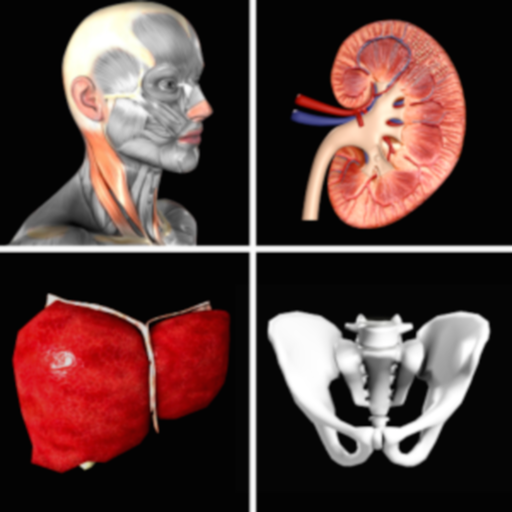
Erforschen Sie die menschliche Anatomie in interaktivem 3D mit Visible Body! Der Atlas der Humananatomie ist ein einmaliger Kauf, der Ihnen Zugriff auf die wichtigsten 3D-Modelle der makroskopischen Anatomie und auf ausgewählte Modelle und Animationen der Mikroanatomie auf Ihren Mac-Geräten bietet. Für Physiologie-Animationen und zahnmedizinische Inhalte sind zusätzliche In-App-Käufe verfügbar. Mit dem Atlas der Humananatomie erhalten Sie: * Vollständige weibliche und männliche 3D-Modelle zur Untersuchung der makroskopischen Anatomie. Sehen Sie sich diese zusammen mit Abbildungen von Leichen und Diagnosebildern an. * 3D-Ansichten der wichtigsten Organe auf mehreren Ebenen. Untersuchen Sie Lungen, Bronchien und Alveolen. Betrachten Sie die Nieren, Markpyramiden und Nephrone. * Kurze Animationen, welche die grundlegende Physiologie und häufige Erkrankungen erklären. Nutzen Sie diese für ein tieferes Verständnis der Systemprozesse! * Muskel- und Knochenmodelle, die Sie bewegen können. Lernen Sie Muskelfunktionen, knöcherne Landmarken, Ansätze, Innervationen und Blutversorgung kennen. * Sehen Sie, wie Faszien die Muskeln der oberen und unteren Gliedmaßen in Abschnitte unterteilen. Darüber hinaus erhalten Sie vielfältige Lern- und Präsentationstools: * Präparieren Sie Modelle auf dem Bildschirm, in Erweiterter Realität (AR) und in Querschnitten. Laden Sie kostenlose Laborabläufe herunter, die Sie durch die wichtigsten Strukturen führen. * Beantworten Sie Quizfragen zum Sezieren in 3D und überprüfen Sie Ihren Fortschritt. * Erstellen Sie interaktive 3D-Präsentationen, die verschiedene Modellsätze miteinander verknüpfen, um ein Thema zu erklären und zu betrachten. Beschriften Sie Strukturen mit Schlagwörtern, Notizen und 3D-Zeichnungen.
설명
Diese Anwendung dient der Anzeige medizinischer Bilder. Sie unterstützt Standard-DICOM-Dateien (z. B. CT, MRT, Röntgen usw.). Sie bietet Funktionen zum Durchsuchen von Bildern, zur Anpassung von Fensterbreite und -position sowie Messfunktionen. Ärzte, Patienten und Medizinforscher können damit bequem medizinische Bilder betrachten.
설명
Essential Anatomy is the most successful anatomy app of all time, with more content, features, structures and ease of use than any other anatomy app — bar none! Now with over 8,200 structures including female 3D model. Download our FREE "Essential Skeleton" app in the free section to experience our groundbreaking 3D technology. NOTE: Not compatible with MacBook Pro (2008) or earlier due to graphics card limitations. - - Number 1 Top Grossing Medical App in 117 countries worldwide. - - This app is the only one that can combine 3 stand alone apps. Don’t waste your time purchasing other stand alone apps for Muscle Premium and Skeleton Premium content - it’s all available with a price effective "in-app purchase" and just a fraction of the cost other companies charge. In Essential Anatomy - everything is available in one app (see in-app purchases below). - - Stunning Graphics: No competitor comes close. Essential Anatomy’s proprietary engine was developed and optimized to showcase our new generation anatomical models for a completely immersive user experience. Other 3D Anatomy apps are limited by off-the-shelf gaming engines. - - Easy Navigation: Instantly and seamlessly zoom into any area of the body, remove layers of muscle and turn on/off systems. Other apps are restricted to a multitude of limited predefined “views”. - - Accurate Content: Essential Anatomy is used by hundreds of Anatomy Professors worldwide and has become the standard in third level education. In many cases, our app is now mandatory with text books optional. - - Read the reviews of previous versions: Our visionary app has enhanced the lives of reviewers, both professionally and academically. TUAW: "Make no mistake about it: Essential Anatomy by 3D4Medical is the future of touch-based anatomy learning. Essential Anatomy is an app every doctor, physiotherapist, OT, nurse and medical student should own." IN APP PURCHASES: In-app purchases allow additional muscle and skeletal content to be downloaded and accessed from within the app. These boosts add muscle insertion and origin points, skeletal bone parts and surfaces and 100s of animations detailing movements for each articulation. Visit www.3D4medical.com and watch videos that highlight the app's functionality and quality. You’ll understand why Essential Anatomy 5 is the most successful medical reference app of all time! ESSENTIAL ANATOMY 5 Essential Anatomy 5 is a full-featured anatomical reference app that includes MALE and FEMALE models, with 11 SYSTEMS and a total of 8,200 ANATOMICAL STRUCTURES. The app is fully 3D, meaning that you can view any structure in isolation, as well as from any angle. It represents the latest in groundbreaking 3D technology and innovative design. A cutting-edge 3D graphics engine, custom built by 3D4Medical, delivers outstanding quality graphics that no other competitor can achieve. FEATURES OVERVIEW: --Cutting-edge 3D technology --Over 8,200 highly detailed anatomical structures --Hide/Fade/Isolate/Fade Others/Hide Others options for individual structures --Multiple Selection Mode --Pins: Create customized pins with notes and place anywhere on the 3D model --Slice: Slice through certain structures using 3D plane tool --Bookmarks: Preset and Customizable --Correct audio pronunciation and Latin nomenclature for every structure --Search via English and Latin nomenclature --Dynamic Quiz: Drag and Drop and Multi-choice --Share images via social media and e-mail --Includes anatomy for 11 systems: Skin, Skeletal, Muscles, Connective Tissue, Veins, Arteries, Nerves, Respiratory, Digestive, Urogenital, Lymphatic, also includes the Brain and Heart Feedback or Question? Contact our customer support at [email protected]. You will receive a prompt response!
설명
Mehr als 300.000 Benutzer! Schließen Sie sich den Studenten, Physiotherapeuten, Ergotherapeuten, Chiropraktikern, Sportmedizinern und Orthopäden an, die Muskel Premium zum besseren Verständnis und zur Erklärung verwenden, wie die Muskel- und Skelettsysteme den menschlichen Körper bewegen. *** Gold Award für Mobile Tool/Resource von Digital Health Awards*** "Erstaunlich, dass man die Muskeln dreidimensional und von innen/von außen betrachten kann. Sehr empfehlenswert. Die beste App, die ich bisher gefunden habe." - Benutzer "Diese App ist ausgezeichnet, die beste... besonders für Studenten der Medizin oder verwandter Themen, wie Massagetherapie, Krankenpflege, oder einfach nur für das eigene Wissen." - Benutzer Nutzen Sie Muskel Premium als persönliche Referenz, um Anatomie und Funktion visuell zu kommunizieren, anstatt ein Lehrbuch zu verwenden, oder um eine virtuelle Laborerfahrung zu erzeugen. Der Inhalt ist ähnlich dem Inhalt der populären ersten Vorlesung in Anatomie und Physiologie, die an vielen Universitäten gehalten wird. * 3D-Modelle von Muskeln, Bändern, Schleimbeuteln und Knochen - mit Blutversorgung, Innervation, wichtigen Knochenmarkierungen und Definitionen auf Lehrbuchebene. * 3D-Modelle häufiger Erkrankungen, einschließlich: Zervikalspondylose{5}, laterale Epicondylitis, mediale Epicondylitis, Karpaltunnelsyndrom, Handgelenkverstauchung, Riss der Rotatorenmanschettenriss, gerissener Meniskus, Osteoarthritis des Kniegelenks, und viele mehr. * Mehr als 50 interaktive Modelle häufiger Muskelaktionen * Videopräsentationen von Physiotherapeuten{6}, Ärzten und Forschern, welche die normale Anatomie und häufige Erkrankungen besprechen. Der Kauf beinhaltet sämtliche Inhalte. Keine zusätzlichen In-App-Käufe. Diese App enthält die Option, die Anzeigesprache auf Englisch, Spanisch, Italienisch, Deutsch, Französisch,{7} Chinesisch (vereinfacht) oder Japanisch einzustellen. Die Tonspur in den Videopräsentationen ist nur in englischer Sprache; Untertitel sind für alle aufgeführten Sprachen verfügbar.
설명
Bewältigen Sie diese schwierigen Themenfelder im Bereich der Anatomie! Legen Sie das Lehrbuch, die Laborproben und 3D-Plastikmodelle, beiseite und tauchen Sie ein in ein atemberaubendes 3D-Erlebnis. - Zoomen Sie hinein, um in echter 3D-Darstellung zu sehen, wie die Nerven aus dem Rückenmark austreten und in welcher Beziehung sie zur Wirbelsäule stehen. - Drehen Sie das Modell, um die Äste der Hirnnerven oder die Mikroanatomie des Auges aus jeder beliebigen Ansicht zu untersuchen. - Betrachten Sie eine 50 Sekunden dauernde 3D-Animation, welche die Physiologie der Muskelkontraktion erklärt. - Passen Sie die App an und verfolgen Sie Ihren Lernfortschritt. Erstellen Sie eine Favoritenbibliothek mit 3D-Modellen, Illustrationen, Animationen und Notizen, die Sie wiederholen müssen. Greifen Sie auf eine Bewertung Ihrer Leistung für einzelne Quizfragen zu, um Ihr Verständnis der Konzepte zu überprüfen. Diese App umfasst 12 Einheiten mit 50 Kapiteln/Modulen, die über 500 voreingestellte Ansichten von 3D-Modellen, mehr als 150 Abbildungen und Animationen, Dutzende histologische Folien und Hunderte von Quizfragen verwenden. In jedem der 12 Themeneinheiten können Sie - Die anatomischen Modelle drehen hinein und herauszoomen. - Definitionen lesen und sich die Aussprache anhören. - Kurze Animationen ansehen, die physiologische Abläufe erklären. - Lernen, indem Sie Notizkarten erstellen und für den späteren Zugriff Ansichten als Favoriten festlegen. - Ihren Fortschritt mit Lernziel-Checklisten verfolgen. - Sie Ihr Wissen mit Quizfragen testen. - Inhalte mit anderen teilen. Anatomie & Physiologie stellt Kernfunktionen aller Körpersysteme dar, einschließlich Zellen und Gewebe Integumentsystem Skelett Muskulatur Nervensystem Endokrines System Kreislaufsystem Lymphsystem Atemsystem Verdauungssystem Harnwegssystem Genitalsystem
설명
DICOM QuickLook by OsiriX is a simple application that can display any DICOM files. Did you pass a CT (scanner) exam or a MRI (magnetic resonance) exam recently? All these equipments produce images in DICOM format. A DICOM file is similar to a JPEG file, but with specifications for medical imaging. That means that a file of a chest x-ray image, for example, actually contains the patient name and patient ID within the file, so that the image can never be separated from this information by mistake. This is similar to the way that image formats such as JPEG can also have embedded tags to identify and otherwise describe the image. You can ask your doctor or the imaging center to provide you a CD/DVD or a USB stick with the images, in DICOM format. This small application with the QuickLook plugin is the ideal companion for your DICOM viewer application. OsiriX, a complete DICOM viewer application, is available on our web site: https://www.osirix-viewer.com. OsiriX MD is certified as a Class II medical device, by the FDA and European Union.
설명
A low-fat, to the point, DICOM viewer and converter. Espresso Ray is a viewer and batch converter for DICOM images. It supports 3D volumetric and 2D formats. It also supports both grayscale and color DICOM images of any size. Unlike complicated bloated medical software, Espresso Ray exists to be as simplistic and to-the-point as possible for viewing and converting DICOM images. If you need to convert a set of dicom images to PNG or JPEG format, Espresso Ray will do it! These days, medical software tends to be bloated, overcomplicated and not very easy to use. But what about those of us who are not medical professionals? It seems as if traditional medical viewers missed the memo: Mac software should be simple, easy, and shouldn't require any training to use. Apply that concept to a DICOM file viewer, and Espresso Ray is the result.
설명
"Gray's Anatomy", der renommierten klassischen anatomischen Buch von Henry Gray wurde erstmals im Jahre 1858 veröffentlicht und wird von vielen als einer der kultigsten und bedeutende medizinische Bücher aller Zeiten werden. Gray's Anatomy ist jetzt auf dem Mac mit der höchsten Auflösung möglich. (Diese Version von Gray's Anatomy wurde erweitert und speziell für den Mac gebaut.) Dieser Premium Mac Edition von Grays Anatomy umfasst: * SUPER FAST SEARCH * Vollständige TEXT und Full HD ILLUSTRATIONEN * Unterstützung für mehrere Sprachen [siehe unten] * SCROLLABLE Miniaturansichten aller 1247 ILLUSTRATIONEN * ZOOM Bilder wie Fotos - darunter Gestenerkennung * Einfache Navigation * Erstellen von Notizen für jeden Illustration * Lesezeichen * Text to Speech und mehr * Multi Language Translation Unterstützung von 38 Sprachen mit Hilfe von Google Translate. Unterstützte Sprachen sind: Chinesisch, Tschechisch, Dänisch, Niederländisch, Englisch, Esperanto, Estnisch, Filipino, Finnisch, Französisch, Deutsch, Griechisch, Hebräisch, Hindi, Ungarisch, Isländisch, Indonesisch, Italienisch, Japanisch, Koreanisch, Luxemburgisch, Mazedonisch, Malaiisch, Norwegisch, Persisch, Polnisch, Portugiesisch, Punjabi, Russisch, Slowakisch, Slowenisch, Spanisch, Schwedisch, Thailändisch, Türkisch, Ukrainisch, Vietnamesisch, Jiddisch.[Unterstützt Übersetzung von Textinformationen, aber nicht Übersetzung von Text in anschaulichen Tafeln. Internet-Verbindung erforderlich.] * Enthält vollständige Text to Speech-Funktionalität über eingebaute OS X Speech-Engine. Markieren Sie den Text und wählen Sie "Start Speaking" Wir empfehlen diese Anwendung für Ärzte, Krankenschwestern, Schüler, Lehrer und alle, die das Wunder und die Komplexität des menschlichen Körpers interessiert ist. * Achtung: Diese Anwendung wurde nicht von McDreamy geschrieben und die Illustrationen in keiner Weise ähneln alle Charaktere aus dem Fernsehen Grey's Anatomy zeigen;) Ebenfalls erhältlich: Grays Anatomy für das iPhone Grays Anatomy iPad *** Diese Beschreibung wurde von einem Online-Übersetzer übersetzt worden (bitte entschuldigen Sie die grammatische Fehler oder Schreibfehler)
설명
DCM Viewer is a lightweight viewer for medical DICOM images, It provides analysis tools and a user interface to view, analyze, and register volumetric medical imaging data sets. The application also provides the QuickLook plugin for Mac OS X that allows to have a thumbnail of a DICOM as an icon instead of generic one. When you trigger QuickLook it displays the preview of DICOM files. Features: 1. QuickLook for DICOM files in Finder; 2. View and inspect the DICOM attributes; 3. Display images and Pixel data; 4. Open multiple DICOMs simultaneously; 5. Export DICOM as Movie, JPEG, TIFF.
설명
Ihre Blutdruck- und Pulswerte digital erfassen, verwalten und auswerten. Ohne Zettelwirtschaft. Seit 2014 im App Store, die App zur Blutdruckverwaltung. Warum digital statt Papier? - Keine verlorenen Zettel - Alle Werte immer dabei - Automatische Auswertungen und Statistiken - Daten bleiben auf Ihren Geräten Datensicherheit: Ihre Gesundheitsdaten bleiben privat. Alle Daten werden ausschliesslich lokal auf Ihrem Mac gespeichert. Kein Upload auf fremde Server. Keine Cloud. Keine Weitergabe an Dritte. Funktionen: - Schnelle Eingabe von Blutdruck und Puls - Berechnung des Pulsdrucks - Optionale Notizen zu jedem Eintrag - Grafiken und Statistiken über Zeiträume - Export als PDF oder CSV für Ihren Arzt - CSV-Import für bestehende Daten - Individuelle Auswertungen Plattformen: Diese App ist für Mac. Optional: Synchronisation mit der separaten iOS/iPadOS-App über lokales WLAN (Peer-to-Peer) ohne Cloud. Hinweis: Diese App ersetzt keine ärztliche Beratung. Bei Fragen zu Ihren Blutdruckwerten konsultieren Sie bitte Ihren Arzt.
설명
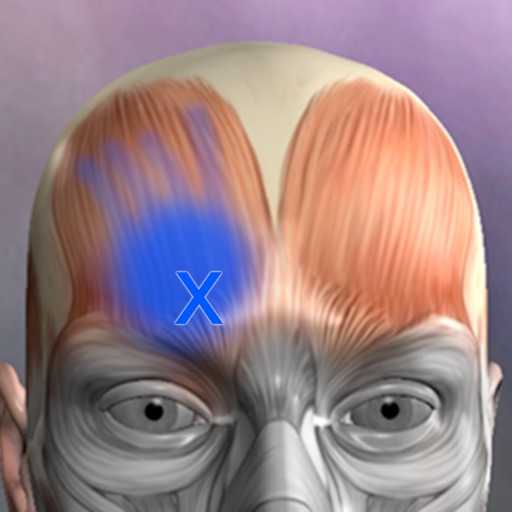
A Reference for the most common trigger points and referral patterns for over 70 muscles. Features 100+ trigger points with their corresponding referral patterns. Each muscle includes the visual referral pattern and point location, plus a written muscle action, referral and comments for each muscle. You can choose to view each muscle individually, or use the zones view to see all the muscles that refer into a specific area, a great help in discovering the source of pain. Trigger points are tight places in a muscle that cause pain to be felt elsewhere in the body. This is great for massage therapists, physical therapists, chiropractors, or anyone wanting to discover the source of muscular pain, and learn about muscle function. FEATURED IN APPLE'S WHATS HOT FOR TWO WEEKS! "Any iPhone or iPod Touch user with an interest in the human body may find Real Bodywork’s reference app Muscle Trigger Points to be of special interest." Phone Gear Review "...the app is quite useful for identifying problem areas and gives us a great visual for pinpointing the problem. " Slap App Review iTunes User Reviews: "SIMPLE & EASY to use, INEXPENSIVE, along with EXCELLENT 3D graphics to help zero-in on areas of each muscle when palpating." Roc 5/5
설명
Gesundheit aus der Natur! Mit Heilpflanzen lästige Beschwerden lindern! Übersichtliche Porträts stellen die wichtigsten Pflanzen, ihre Eigenschaften und Anwendungsgebiete vor. Einfache und praktische Ideen, Rezepte und Anleitungen - alles in einer App. Diese App verrät eine Fülle von verblüffend einfachen Erste-Hilfe-Maßnahmen aus der Volks- und Naturheilkunde. Seit Generationen erprobt, ohne Nebenwirkungen und dabei doch kostengünstig! Mehr Gesundheit und Wohlbefinden mit sanfter Hilfe aus der Natur! Medizinische Hilfe aus der Natur - ohne Nebenwirkungen aber hoch wirksam! Von Ärzten und Apothekern empfohlen. Einfach, praktisch und leicht verständlich! Haftungsausschluss: --------------------- Die Inhalte in dieser App dienen ausschliesslich der neutralen Information und allgemeinen Weiterbildung und stellen keine Empfehlung oder Bewerbung der erwähnten Methoden, Behandlungen oder Heilmittel dar. Wir können keine Garantie für die Vollständigkeit, Aktualität, Richtigkeit und Ausgewogenheit der Informationen geben. Die hier bereitgestellten Informationen sind nicht dazu gedacht, Krankheiten zu diagnostizieren, zu behandeln, zu heilen oder zu verhindern und ersetzen nicht den Rat eines Arztes. Deshalb sollten Sie bei gesundheitlichen Fragen oder Beschwerden stets einen Arzt Ihres Vertrauens aufsuchen. Die Demodit GmbH übernimmt keine Haftung für Unannehmlichkeiten oder Schäden, die sich aus der Anwendung der hier angebotenen Informationen ergeben.
설명
=> Mehr als 400 bewährte Hausmittel für über 70 Alltagsbeschwerden => Hausmittel, Tees, Wickel & Co. - effizient und hochwirksam! Beschwerden auf natürliche Weise mit Hausmitteln lindern oder gar heilen! Ob Fieber, Schnupfen, Heiserkeit, Beschwerden wie Bauchweh oder klassische Kinderkrankheiten – mit alt bewährten und manchmal in Vergessenheit geratenen Hausmitteln kann jedem schnell und unkompliziert geholfen werden. * Schnelle und wirksame Hilfe bei den häufigsten Krankheiten * Ganz sanft und ohne Nebenwirkungen * Mit allen wichtigen Hinweisen zu Dosierung und Anwendung * Nachhaltig, zuverlässig und wirksam! Alte Hausmittel erfreuen sich immer größerer Beliebtheit. Auch die Forschung hat die traditionellen Heilmethoden entdeckt. Wickel, Tinkturen, Tees, Auflagen und Spülungen sowie homöopathische Mittel oder spezielle Nahrungsmittel helfen bei vielen Problemen oft besser als Medikamente und sind dabei meist viel bekömmlicher. Das Gute daran: Alle empfohlenen Heilmittel lassen sich ohne größeren Aufwand zubereiten oder sind überall käuflich erhältlich. Einfach ein MUSS für alle, die nach naturheilkundlichen Alternativen für die häufigsten Erkrankungen des Alltags suchen. Von A wie Augenringe, über H wie Heiserkeit und K wie Kater bis hin zu Z wie Zerrung, sind über 80 Alltagsbeschwerden mit den dazugehörigen Hausmitteln gelistet. Diese Applikation wurde in Kooperation mit der Heilpraktiker-Praxis Cronauge entwickelt. FAZIT: “Diese App bietet viele wirkungsvolle Tipps und Tricks für einen unbeschwerten Alltag” Haftungsausschluss: --------------------- Die Inhalte auf dieser App dienen ausschliesslich der neutralen Information und allgemeinen Weiterbildung und stellen keine Empfehlung oder Bewerbung der erwähnten Methoden, Behandlungen oder Hausmittel dar. Wir können keine Garantie für die Vollständigkeit, Aktualität, Richtigkeit und Ausgewogenheit der Informationen geben. Die hier bereitgestellten Informationen sind nicht dazu gedacht, Krankheiten zu diagnostizieren, zu behandeln, zu heilen oder zu verhindern und ersetzen nicht den Rat eines Arztes. Deshalb sollten Sie bei gesundheitlichen Fragen oder Beschwerden stets einen Arzt Ihres Vertrauens aufsuchen. Die Demodit GmbH übernimmt keine Haftung für Unannehmlichkeiten oder Schäden, die sich aus der Anwendung der hier angebotenen Informationen ergeben.
설명
Weight Monitor allows you to quickly and easily record your daily weight. Nothing else to get in the way. Just add your weight and see it plotted on the graph with all the relevant information. The monthly graph shows you your weight, your target weight but also your average weight over the last 10 days. Your average weight is a much better indicator of your real weight. New: 1) Tabs now show which user is selected. 2) Double click on Weight in Month View now shows the Add/Amend Notes dialog. 3) Click on the blue 'i' icon on the graph view shows the Add/Amend Notes dialog. 4) When adding a new user the Weight Type and Feet&Inches/Metric selectors default to those last used. You can specify how many months you want to see on the Graph. Select the number of months to show in the Preferences and the graph will show from the currently selected month forward by that many months. This App can be used to lose weight but it can also be used to gain weight. The blue line shows the required weight loss line. This line is calculated from the start date & weight and the end date & weight. If you follow this line you will reach your target weight. The end of the arrow of each red line shows the weight for the day. The line extends to the rolling average weight for the day. If the arrow is downward then your weight is going in the right direction. If the arrow is upward then beware your weight is above the average. The green line shows the rolling average weight. For each weight entered an average of the last ten days is calculated. This weight is plotted for each day and this is the green line. If the green line remains below the blue line you are winning. Your daily weight can change too much over just a couple of days and this can be very discouraging when your weight increases. You can easily see your new weight and how this affects the average on the graph. Using this new information you can gain confidence that your weight is changing as required. The graph also shows you the line of required weight loss to achieve your desired weight. While your weights and the average weights remain below this line you are still on track. Stray above this line and your are off course. The graph is a powerful visual clue to what is occurring. Simple to use. Just start it. You just have to set the initial values in the Preferences and you are ready to go. To set the Preferences you set the Start Date, Start Weight, End Date, End Weight and whether you want to use kilograms, stones & pounds, or just pounds. On the Graph & Input tab just select today's date to add you weight for the day by pressing 'Save'. The graph will change to show this weight. You can add a weight for any other day by just selecting that date rather than today's date. The more weights you add the better the graph shows your progress. You can delete a weight completely by selecting the Months tab, selecting the day the weight is for and then selecting 'Delete Weight'. To gain weight with this App just select an end weight that is greater than your start weight. You should strive to have arrows that point upwards and keep the green line above the blue line.
설명
Eine echte und vollständig 3D-App zum Erlernen der menschlichen Anatomie mit Muskelaktionsfilmen, 3D-Positionsquiz und Audio-Aussprache, die auf einer fortschrittlichen interaktiven 3D-Touch-Oberfläche basiert. *** Möchten Sie die App kostenlos ausprobieren? Klicken Sie auf verwandte Apps und laden Sie die Lite-Version. Eigenschaften: - Sie können Modelle in beliebigen Winkeln drehen und vergrößern und verkleinern - schälen Muskelschichten und zeigen die anatomischen Strukturen unter ihnen. - mehr als 100 Muskel-Action-Filme - Physiologische Animationsvideos. - Große Knochen Markierungen - 3D-Position-Quiz Testen Sie Ihr Wissen - suchen den Namen der anatomischen Struktur und zeigen die 3D-Position - Ein / Ausschalten verschiedene Systeme Anatomie - Beide männlichen und weiblichen Fortpflanzungssysteme verfügbar - Audio-Aussprache auf Englisch (auf Englisch umschalten) Inhalt: - Skelett (alle Knochen in unserem Körper) - Bänder - Knochen Markierungen - Muskeln (145 Muskeln, Muskel sehr detaillierte Modelle) - Zirkulation (Arterien, Venen und Herz) - Nervensystem - Atem - Reproduktions (männlich und weiblich) - Urinary - 3D Ohr Modell
설명
***90% OFF SALE*** Surgical Anatomy - Premium Edition by Joseph Maclise was originally published in 1859 and is now available on the Mac. This App includes over 180 high quality images from 68 color plates with accompanying annotations and complete text. *** Illustrations zoom and scroll (like a photo). We recommend this app for Doctors, Nurses, Students, Teachers and anyone who is interested in the wonder and complexity of human anatomy. ************** includes: * SEARCH * SCROLLABLE CONTENTS LIST * COMPLETE TEXT and ILLUSTRATIONS * Includes text to speech * Easy Navigation * Add to Favorites and more **************
설명
Expand your knowledge of the organs with this robust application that combines 3D models, video, audio lectures, quizzes and text to create a rich learning experience. Includes detailed information on the brain, heart, stomach, spleen, pancreas, small intestines, reproductive organs, large intestines, kidneys, liver, skin and lungs. Also learn about cells, tissues and organ systems. Each of the 16 pages includes beautiful diagrams of the organ anatomy, histology and location, along with text, video, audio and 3d models that support easy learning. FEATURING: -3D MODELS: Twenty seven models that you control, and include labels of the various structures. -AUDIO LECTURES: Twenty five audio lectures that describe organ functions and structures -VIDEOS: Five short videos that show the structures in action -QUIZZES: Each organ has it's own random multiple-choice quiz, with 8-20 questions about the physical anatomy of each structure. 135 questions total. -GLOSSARY: For a detailed study, a quick reference with over 320 structures. -DIAGRAMS: Each page has multiple diagrams that you can zoom into. Over 40 diagrams that cover anatomy, histology and functions of each organ, with text that describes basic information. Created by an anatomy instructor and reviewed by medical experts. Enjoy the future of learning in this amazing application.
설명
Open DICOM image files on your Mac to view the DICOM header information. Easily load and view DICOM header information to inspect the DICOM attributes. Copy DICOM attribute text values like SOP Instance UID or Patient Name to the clipboard. NOTE: This app does NOT display image or pixel data. For informational and research use only. Not for medical or diagnostic use.
설명
MIKit is a high-performance toolkit dedicated to view, inspect and manage a large sets of DICOM images produced by equipment (MRI, CT, PET, PET-CT). What's DICOM: DICOM® (Digital Imaging and Communications in Medicine) is the international standard to transmit, store, retrieve, print, process, and display medical imaging information. The App offers a host of analysis, processing, and editing features, and can convert, anonymize, and register images. It is the ideal tool for viewing and researching DICOM. It supports DICOM images - without compression and with RLE, JPEG Lossy, JPEG Lossless, JPEG2000 Lossy, JPEG2000 Lossless compressions. MIKit includes the following features: 1. View DICOM: zoom, pan, contrast/brightness control; 2. Inspect the DICOM attributes and view the DICOM header information; 3. Display and manage a large sets of images; 4. Export DICOM image to TIFF, PNG, and MOV; 5. Load DICOM image via drag & drop; 6. Simple and intuitive interface with full-screen mode.
설명
Learn anatomy easily with this unique quiz app that features traditional multiple-choice quizzes on 416 structures, or our new quiz style where you match a name to one of four images. You can make your own quizzes, or have the app quiz you only on what you have missed. Includes over 416 anatomical structures in beautiful 3d renderings. The topics include 167 bones and landmarks, 138 muscles, and 111 organ images. Turn on the timer option for an extra challenge! Try this unique anatomy quiz game and you'll be happy you did! A quick anatomy lesson: this app features ALL the bones and many landmarks, but in the bone section, there are only 53 bones listed.... arnt there 206 bones in the body? Most of the bones are bilateral... one on each side, so we don't quiz the right femur and left femur, this cuts the list down almost in half. Many bones are repeat... 12 ribs on each side, 10 distal phalanges, 10 proximal phalanges... When we take out all these repetitive bones, we are left with about 53 unique bones.... so please know that this app has been designed by experienced intelligent anatomists!
설명
Miele-LXIV is a DICOM workstation, viewer and more. The project started in November 2014 as a fork of the popular open source 32-bit project OsiriX, but it has been modified to become a 64-bit application and to remove many of the limitations of the 32-bit version. - Built for macOS 12.0 through 27.0.1 - It supports Mojave's Dark Mode - Using VTK version 9.7.0 - Using ITK version 5.4.5 - Using DCMTK version 3.7.0 - Using OpenGL 4.1 - Using GLEW 2.3.0 - Using OpenJPEG 2.5.4 - Using David Clunie's DICOM validator dciodvfy version 1.00.snapshot.20230403092834 - Fully localized for 7 languages: Chinese, English, French, German, Italian, Japanese, Spanish - Export to Photos - Own plugin system fully operational: develop, publish, list, check-for-updates, download, install - Open source - Universal binary: Intel, Apple Silicon
설명
NOW INTEGRATED WITH THE IPHONE AND THE IPAD VERSIONS OF THE APPLICATION! Here is an application that will enable you to keep track of all information relative to your health and the one of each member of your family: blood group, blood pressure, medications , allergies, diagnostic tests and results, infectious diseases, vaccinations, ... This information could prove of great importance in a variety of everyday situations from a routine medical check up – where details of any medical prescriptions can be recorded – to any possible emergency situation where it becomes vital to have immediate access to data such as blood groups, allergies, results of diagnostic testing, prescribed medication etc. Family Medical History will allow you to have single point of access to: - Your family main personal and health data (blood group, RH factor, health service number….) - A list of prescribed medications, their indications and the frequency of assumption. A list of any diagnostic testing undertaken or planned with relevant dates and results. - A list of any noted allergies, the allergic factors involved and the remedies necessary to relieve the symptoms. - A list of diseases contracted and their dates. - Blood pressure and weight trend - A list of all vaccinations offered and taken up, together with reminders of the dates for boosters to be administered. Any reactions and subsequent remedies can also be logged. - A dedicated point of access to the main phone numbers, email addresses, ... relevant to your and your family health (doctor, paediatrician, general practitioner, health visitor, emergency services, Poison Centre, Burns Centre…..). This application is user-friendly thanks to the precompiled sections (see vaccination section). Should you feel that functionality could be added to or improved, please do not hesitate to post/email your suggestions at: [email protected] If you have any issue or find any bug, please email directly to: [email protected]. We’ll be happy to address your question, answering directly back to you.
설명
- This application is a professional app for ’14 Main Acupuncture Points and its superficial Meridians’ which is a basic anatomy of Asian medicine. * 14 Main Acupuncture Points” - 12 Main Acupuncture Points, Governor Vessel (GV) Acupuncture Points, Conception Vessel(CV) Acupuncture Points and its superficial Meridians. - ‘MERIDIAN 3.1’ application is an App that shows and explains the ‘Acupoints’ of Asian Medicine. - The text for a total of 362 acupuncture points is also completely included. Acupuncture points can be compared and confirmed with skin, bone, organ, and muscle easily. - Easily compare the ‘Main Acupuncture Points’ and its ‘Superficial Meridians’ with the skin, muscles, vessels, bones and organs. - By making a ‘scale’, we made it easier to find acupuncture points. - Contents include accurate location, based book, function and character(how to use). Released in Korean, Chinese and English, which allows it to be used across the world! * Main Acupuncture Point -> 12 Main Acupuncture Point, Governor Vessel (GV) Acupuncture Point, Conception Vessel(CV) Acupuncture Point.. - Please refer to ‘Meridian 3.1’ application. * Superficial Meridians -> It is not “Meridian and collateral”, is just a line that connects the acupuncture points. * Scale - a reference line for easily locating acupuncture points * For Main Acupuncture Points (such as 12 Main Acupuncture Point, Governor Vessel (GV) Acupuncture Point, Conception Vessel(CV) Acupuncture Point, lung, large intestine, etc.), refer to ‘Meridian 3.1’ application. For Meridian and collateral (12 meridians, 14 meridians, eight extra meridians, twelve meridian divergences, twelve meridian sinews, twelve cutaneous regions, etc.) please refer to ‘Meridian Inside’ application. For Extra acupuncture points, please refer to ‘Acupuncture of Extra Point’ application. For Tung ’s family acupunture(In korean called as Dongssihyeol) (Dongssi, Master tung), refer to ‘Master Tung Acupuncture point’ application. * This product does not have complete text descriptions of Meridian and collateral, Extra acupuncture points and Tung ’s family acupunture. - Meet our(verderoot, acumonster, medimonster) various products (Meridian, Meridian Inside, Master Tung, Extra-Acupuncture Point, Combination Point, Hand Acupuncture, Foot Acupoint, Head Acupuncture, etc.) look. www.verderoot.com www.acumonster.com
설명
Die Wissenschaftler der Monash University haben die FODMAP-arme Diät und eine zugehörige App entwickelt, um bei der Behandlung von Magen-Darm-Beschwerden im Zusammenhang mit dem Reizdarmsyndrom zu helfen. Die FODMAP-Diät der Monash University funktioniert, indem sie Lebensmittel mit hohem Gehalt an fermentierbaren Kohlenhydraten (FODMAPs) gegen Alternativen mit niedrigem FODMAP-Wert austauscht. Etwa 75 % der Menschen mit Reizdarm erleben eine Symptomlinderung bei einer FODMAP-armen Diät. Die App kommt direkt vom Forschungsteam der Monash University und beinhaltet Folgendes: - Allgemeine Informationen über die FODMAP-Diät und Reizdarm. - Leicht verständliche Anleitungen, die Sie durch die App und die 3-stufige FODMAP-Diät führen. - Ein Lebensmittel-Leitfaden, der den FODMAP-Gehalt für Hunderte von Lebensmitteln mit einem einfachen „Ampelsystem“ beschreibt.. - Eine Liste von Markenprodukten, die von Monash als FODMAP-arm zertifiziert wurden.. - Eine Sammlung von über 70 nahrhaften, FODMAP-armen Rezepten.. - Funktionen, mit denen Sie Ihre eigene Einkaufsliste erstellen und Notizen zu einzelnen Lebensmitteln hinzufügen können. - Ein Tagebuch, mit dem Sie verzehrte Lebensmittel, Reizdarm-Symptome, Darmverhalten und Stressniveaus erfassen können. Das Tagebuch führt Sie auch durch Schritt 2 der Diät – erneute Einführung von FODMAPs in die Ernährung. - Die Möglichkeit, Maßeinheiten (metrisch oder imperial) einzustellen und die Hilfe bei Farbenblindheit zu aktivieren.
설명
EP Calipers provides electronic calipers to measure intervals on images of ECGs or electrophysiologic recordings. EP Calipers can be used to make accurate ECG measurements on your Mac and do calculations such as mean heart rate, corrected QT interval, or even measure the beta angle in Brugada syndrome using electronic calipers similar to those in electrophysiologic recording systems. Analyze ECG images as well as PDF files, such as ECGs generated by the Kardia™ AliveCor™ device. Analyze anything open on your desktop using the Transparent Window feature.
설명
TCM Clinic Aid is a reference guide for practitioners and students of Traditional Chinese Medicine (Acupuncturist and Herbalist). It should not be used to diagnose ailments or diseases. Diagnosis should be done by a licensed Acupuncturist and Herbalist. KEY FEATURES: 1. Built specifically for the iPad. 2. A Great Reference tool for the following TCM Disciplines: A. Auricular Point, Acupuncture Points, Master Tung Points, and Wrist Ankle points: - Acupuncture points and Auricular point are arranged by TCM categories and individually, - Acupuncture points presented in "Big Picture" format, - Images for all points. B. Herbs and Herbal Formulas: - Herbs and Formulas are arranged by TCM categories and individually, - Includes images of individual herbs, both processed and herbs in their natural/raw state. C. Diagnosis: - Patterns by Internal Organs (Zang Fu) Etiologies, - Four Levels Etiologies, - Residual Pathogenic Etiologies, - Six Stages Etiologies, - Pulse Diagnosis. 3. Treatment Protocols: - Build your own library of treatment protocols. - Treatment protocols can contain: a. Name and description, b. Pulse and Tongue, c. Herbs and Formulas used, d. Auricular, Points, and Master Tung points used. - All treatment protocols are searchable. 4. Browse or "drill down" through 1700+ acupuncture, auricular, Master Tung and Wrist Ankle points, herbs, formulas, and diagnosis etiology and pulses. 5. Extensive Search capabilities: - All fields for all data records are searchable and you have full control over the fields to use in searches. - Searching can be on: a. Symptoms and indications, b. Diagnosis etiologies searched by pathology name, i.e., 'Liver Yang Rising', suggested points, or suggested formulas, c. Formula names searched by pinyin, english name, ingredients, western uses (western ailments it can treat), d. Herb names searched by pinyin, english or botanical (latin), e. Points searched by common name, i.e., 'LI4'. - All search phrases are saved for quick access when running previous searches. 6. Create Favorite List: - You can create multiple favorite lists for all the TCM disciplines (auricular, diagnosis, formulas, herbs, points, and Master Tung) - These can be quickly activated/deactivate. - Favorite lists can be used to seed the Quiz Yourself module. 7. Compare Items: - Compare two auricular points, herbs, formulas, or diagnoses side-by-side, - Compare points against points, or points against Master Tung points. 8. Add/Edit/Delete: - Modify/edit system provide records, - Add/edit/delete your own User provided records, - Add an alternate image to any system provided or user provided record. 9. Extensive System Configuration: - Change font and font size, - Change master color scheme, - Activate color coding of herb names by their temperature attribute, - Change name display of lists of herbs, formulas, points, pulse, and master tung: a. English or Pinyin with tonemarks (or Pharmaceutical for herbs), b. Use simplified or traditional Chinese characters. - Change searchable fields for each TCM table type (i.e., auricular, herbs, formulas, etc.), - Database Maintenance - backup and restore your User database, - plus, many more options. 10. Quiz Yourself: - Test your knowledge on Auricular, Diagnoses, Herbs, Formulas, Points and Pulses information. - Over 2000 possible tests, including: a. Point and Auricular identification by Image, Location, Functions and Indication, b. Herb identification by Image, Function, Indications and Category, c. Formula identification by Herbs, Functions, Indications, Category, Diagnosis and Western Use, d. Diagnosis by Etiologies, e. Pulses by Description, Sensation and Indications. - Many test allow you to test on identification by Pinyin, Chinese characters (simplified and traditional), or English name.
설명
The “Medication" app is the perfect tool enabling users to completely manage their medication. Schedules, reminders and dosages are visually displayed. Multiple users can be set up on the “ Medication” app to manage daily, weekly and monthly pill dosages. Schedule your different medication easily using icons or colours on your Mac. Users can register their daily medication and receive reminders as needed. Keep yourself and your loved ones safe knowing their medication needs are organized. Never forget to take your medication again! Remember when to take your pills and manage the dosages correctly. The graphs will show visually how many pills are left to take for the day. Top Features: -Add pills with different icons and colors. -Manage medication stock and add pills when stock is empty. -Add pill reminders using built-in calendar. -Check off reminders after consuming the pill. -Register doctor appointments and get notified beforehand. -Add multiple users and manage med usage separately for each user. -Get a detailed over view of the monthly and yearly med usage on an easy graph chart. Medication is simple to use. It makes sure that you and your loved ones or anyone you care about never misses an important pill of medication again. It makes it stress free if you have so many different medications to take daily. So, download Medication today and never worry about timing and dosages again.
설명
Dicom Browser ist für Benutzer im Bereich der medizinischen Bildgebung konzipiert und konzentriert sich auf die Anzeige und Verarbeitung von DICOM-Dateien. Die Software verfügt jetzt über einen 3D-Vorschaumodus, der eine intuitivere Visualisierung für präzise Bildanalysen bietet. Darüber hinaus bietet sie fortschrittliche Bildverarbeitungsfunktionen wie Multiplanare Rekonstruktion (MPR) und Bildfusion. Benutzer können DICOM-Dateien offline durchsuchen, annotieren und verarbeiten, was die Effizienz und Genauigkeit der Diagnose verbessert. Mit der Offline-Funktionalität gewährleistet die Software die Sicherheit und Privatsphäre der Daten und ist damit ein ideales Werkzeug für die medizinische Bildverarbeitung.
설명
Sehen Sie Tonhöhe und Lautstärke live, während Sie sprechen – nehmen Sie Ihre Stimme auf, messen Sie sie und verfolgen Sie Ihre Fortschritte für Sprachtherapie, Stimmtraining und Gesang. Voice Analyst wird in logopädischen Praxen, Forschungszentren, Universitäten und Privathaushalten in mehr als 180 Ländern verwendet – mit über 12 Millionen erstellten Aufnahmen. Ausgezeichnet mit dem Digital Health Award (Medilink SW Healthcare Innovation). Gelistet im Technik-Guide von Parkinson's UK: https://techguide.parkinsons.org.uk/catalogue/voice-analyst Ein Kauf für iPhone, iPad und Mac. Keine Abonnements. Messen Sie Ihre Stimme • Verfolgen Sie Live-Grafiken Ihrer Tonhöhe (in Hertz oder Musiknoten) und Lautstärke, während Sie sprechen oder singen. • Nehmen Sie Ihre Stimme auf und geben Sie sie zusammen mit den Tonhöhen- und Lautstärkekurven wieder. • Sehen Sie Statistiken für jede Aufnahme oder jeden Abschnitt: Minimum, Maximum, Durchschnitt und Bereich für Tonhöhe und Lautstärke. • Legen Sie Zielwerte für Tonhöhe und Lautstärke fest und sehen Sie sofort, wenn Ihre Stimme darin liegt. • Vergrößern Sie jeden Abschnitt einer Aufnahme für die Detailanalyse und speichern Sie beliebige Ausschnitte. • Split View und Multitasking auf dem iPad. Gemacht für die Sprachtherapie • Üben Sie zwischen den Terminen mit den Zielwerten Ihrer Logopädin oder Ihres Logopäden – einschließlich der Lautstärkeziele aus Programmen wie LSVT LOUD bei Parkinson. • Verfolgen Sie Fortschritte über die Zeit mit gespeicherten Aufnahmen und Statistiken. • Nutzbar in der Praxis, zu Hause oder in Telemedizin-Sitzungen. Teilen mit Ihrer Therapeutin oder Ihrem Therapeuten • Senden Sie Aufnahmen und Statistiken per E-Mail an Ihre Logopädin oder Ihren Logopäden, oder teilen Sie sie per Nachricht und AirDrop. • Speichern Sie Aufnahmen auf Ihrem Gerät oder in iCloud, Dropbox und anderen Cloudspeichern. • Kopieren Sie Statistiken in Tabellenkalkulationen für Dokumentation, Berichte und Forschung. Wer Voice Analyst verwendet • Logopädinnen und Logopäden, die Tonhöhe und Lautstärke ihrer Klientinnen und Klienten messen – in der Praxis und per Telemedizin. • Menschen in Stimmtherapie – bei Parkinson, Schlaganfall, Hirnverletzung, Dysarthrie, Stimmbandlähmung, muskulärer Spannungsdysphonie und anderen Stimmproblemen. • Trans* und nicht-binäre Personen, die ihre Stimme mit klarem Tonhöhen-Feedback trainieren. • Sängerinnen und Sänger, Schauspielerinnen und Schauspieler, Lehrkräfte und Vortragende, die ihre Stimme beobachten und weiterentwickeln. • Forschende und Studierende, die Stimme objektiv messen. Privatsphäre von Anfang an • Ihre Aufnahmen bleiben auf Ihrem Gerät, sofern Sie sie nicht selbst teilen. • Nichts wird auf unsere Server hochgeladen – Therapeutinnen und Therapeuten behalten die Kontrolle über Klientenaufnahmen. • DSGVO-konform – keine Erfassung persönlicher Daten. • Funktioniert offline – aufnehmen und analysieren, wo immer Sie sind. Stimmen unserer Nutzerinnen und Nutzer „Fantastisch einfach zu sehen, wo die Tonhöhe liegt, Zielbereiche festzulegen, Aufnahmen zu machen und zu analysieren sowie Aufnahmen zu exportieren und zu importieren. Ich kann mir meine Stimmarbeit ohne diese App nicht vorstellen.“ „Ich nutze Voice Analyst mit meinen trans* Klientinnen und Klienten. Die App ist äußerst benutzerfreundlich und bietet tolle visuelle Anzeigen der Frequenz sowie eine sofortige Analyse von Tonhöhenbereich und Durchschnitt. Meine Klientinnen und Klienten nutzen sie in der Sitzung, und einige haben sie für zu Hause heruntergeladen.“ Voice Analyst ist kein Medizinprodukt – die App misst und zeichnet Ihre Stimme auf; sie diagnostiziert oder behandelt keine Erkrankung. Wenn Sie sich Sorgen um die Qualität Ihrer Stimme machen, wenden Sie sich an Ihre Ärztin oder Ihren Arzt und bitten Sie um eine Überweisung an eine HNO-Fachärztin oder einen HNO-Facharzt. Fragen oder Ideen? Schreiben Sie an [email protected] – wir freuen uns auf Ihre Nachricht.
설명
Anatomie Quiz Premium hilft dir, anatomische Strukturen wie Knochen, Muskeln, Organe und Gelenke mit klaren Bildern und gezielten Quiz-Modi zu lernen. Trainiere auf verschiedene Arten: • Choose It: Wähle den richtigen anatomischen Begriff aus vier Antworten. • Touch It: Finde und berühre die gesuchte Struktur im Bild. • Type It: Tippe den korrekten Namen der markierten Struktur ein. Nutze lateinische oder englische anatomische Begriffe, wiederhole ausführliche Lektionen, suche Strukturen im Lookup, vergleiche deinen Fortschritt in Rankings und fordere andere Spieler im Multiplayer heraus. Die Lektionen behandeln wichtige Knochen, Schädel, Wirbelsäule, obere und untere Extremität, Gelenke, Muskeln, Organe, Herz, Lunge, Verdauungstrakt, Gehirn und vieles mehr. Die Premium-Version bietet dir das vollständige Lernerlebnis ohne die Einschränkungen der Lite-Version.
설명
Öffnen Sie DICOM-Dateien medizinischer Bildgebungsuntersuchungen direkt und lokal auf Ihrem Gerät. Unterstützt mehrere Sprachen, den Export als PNG und Video, das Entpacken von ZIP-Dateien sowie das Erstellen von ZIP-Archiven zum Teilen. Ein 3D-Viewer und die multiplanare Rekonstruktion (MPR) werden ebenfalls unterstützt. Keine Internetverbindung erforderlich. Ihre Dateien bleiben auf Ihrem Gerät und werden niemals in die Cloud oder auf einen Server hochgeladen. Hilfreich, um Bildgebungsdateien schnell für die Weitergabe an Ihren Arzt vorzubereiten. Nicht zur Diagnose bestimmt.
설명
L'application Faiseurs de secret vous permettant d'avoir toujours sur vous la liste des faiseurs de secrets, coupe feux, barreurs de douleurs de Suisse. Vous pouvez contacter directement un faiseur de secrets et bénéficier d’un soin en cas de besoin. Liste tenue à jour régulièrement depuis 1999 par Georges Delaloye, faiseur de secrets. Plusieurs hôpitaux ont également cette liste.
설명
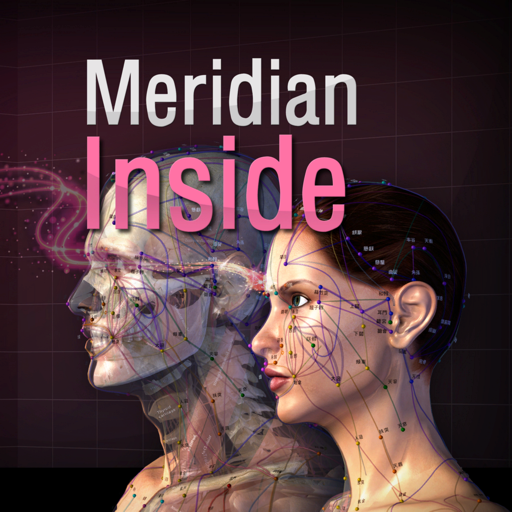
- ‘Meridian Inside’ application was created by integrating ’12 Main Meridian’, ‘8 Extra Meridians’ and ’12 Meridian Divergences’, while applying it to the 3D human body model with ‘Main Acupuncture Point’. - It is an application that can check the flow of the meridian of Asian medicine, which is the only one in the world now. - You can check the location, flow, and contents of a total of 32 meridians. This product does not have complete text descriptions of ‘Main Acupuncture Points’, ‘Extra acupoints’, and ‘Tung ’s family acupunture point.’ - This product does not have ’12 meridian sinews’, ’12 meridian regions’, and ’12 skin’ in this product yet. - Easily zoom in and out with multi-touch so you can see the exact location of the ‘ Meridian and collateral’ itself and we add the “drive button bar” so easliy check the what you want. - ’12 Main Meridian’, ‘8 Extra Meridians’ and ’12 Meridian Divergences’, can be grasped at the same time, and can be compared with ‘Main Acupuncture Point’. * Main Acupuncture Point -> 12 Main Acupuncture Point, Governor Vessel (GV) Acupuncture Point, Conception Vessel(CV) Acupuncture Point.. - Please refer to ‘Meridian 3.1’ application. * For Main Acupuncture Points (such as 12 Main Acupuncture Point, Governor Vessel (GV) Acupuncture Point, Conception Vessel(CV) Acupuncture Point, lung, large intestine, etc.), refer to ‘Meridian 3.1’ application. For Meridian and collateral (12 meridians, 14 meridians, eight extra meridians, twelve meridian divergences, twelve meridian sinews, twelve cutaneous regions, etc.) please refer to ‘Meridian Inside’ application. For Extra acupuncture points, please refer to ‘Acupuncture of Extra Point’ application. For Tung ’s family acupunture(In korean called as Dongssihyeol) (Dongssi, Master tung), refer to ‘Master Tung Acupuncture point’ application. * This product does not have complete text descriptions of Main Acupuncture Points, extra acupoint, and Tung ’s family acupunture point. * This product does not have 12 meridian sinews, 12 meridian regions, or 12 skin in this product yet. - Meet our(verderoot, acumonster, medimonster) various products (Meridian, Meridian Inside, Master Tung, Extra-Acupuncture Point, Combination Point, Hand Acupuncture, Foot Acupoint, Head Acupuncture, etc.) look. www.verderoot.com www.acumonster.com
설명
Dopo il successo di Farmacologia, la CG Edizioni Medico Scientifiche e goWare tornano su AppStore con una nuova opera di grande autorevolezza e rigore scientifico: l’Atlante di Anatomia Umana con glossario Italiano-Inglese-Latino. Curato dal professor Giorgio Palestro, Ordinario di Anatomia Patologica e Preside della Facoltà di Medicina e Chirurgia dell’Università degli studi di Torino, l’Atlante di Anatomia Umana è un’applicazione indispensabile per chiunque eserciti una professione medico-chirurgica o si stia preparando per questa, oppure si dedichi ad altre professioni sanitarie, per le quali è indispensabile la conoscenza dell’anatomia umana, come quella degli infermieri, degli odontoiatri, degli insegnanti delle scienze motorie, dei fisioterapisti e degli psicologi. Un’applicazione bella come un dipinto di Rembrandt (autore di vari quadri con lezioni di anatomia) grazie alle incredibili 600 tavole che la compongono. L’app è suddivisa in 14 sezioni organizzate in base ai differenti apparati e sistemi che compongono i vari aspetti dell’anatomia descrittiva come l’anatomia topografica, la pelle, il sistema muscolo-scheletrico (muscoli, ossa e articolazioni), cardiovascolare, digerente, respiratorio, urinario e riproduttivo, immunitario, endocrino e nervoso e, infine, gli organi sensitivi. Affiancano le illustrazioni anatomiche, di grande impatto visivo, diverse fotografie corrispondenti alle diverse tecniche di imaging-radiografico, TC, risonanze magnetiche, angiogrammi, scansioni che evidenziano le correlazioni più importanti. L’applicazione contiene inoltre un ampio glossario con relativo rimando alle tavole e con la traduzione di ciascuno degli oltre 3000 termini in inglese e in latino. Una funzione importantissima per chiunque debba utilizzare questa terminologia in modo corretto con colleghi stranieri o in convegni e incontri internazionali. È possibile archiviare ogni scheda nei preferiti per ritrovarla immediatamente alla successiva consultazione e/o inviare via e-mail ai colleghi per un confronto su temi specifici. Un potente motore di ricerca permette di trovare, attraverso le migliaia di parole del glossario, una tavola specifica partendo anche da un semplice indizio lessicale. Si tratta di una funzione importantissima che costituisce uno dei maggiori valori aggiunti dell’applicazione rispetto alla versione cartacea.
설명
Lite PACS ist ein leichter, lokal betriebener DICOM-Viewer und Manager für Ärzte, Radiologen und Forschende. DICOM-Dateien lassen sich ohne komplexe Einrichtung oder Server nach Patient, Studie, Serie und Bild durchsuchen und organisieren. Wichtige Funktionen: • Sofort einsatzbereit: installieren und direkt nutzen • Lokale Speicherung: Daten bleiben auf dem eigenen Gerät • 4-stufige Struktur: Patient, Studie, Serie und Bild • Batch-Import und -Export: DICOM-Dateien effizient verarbeiten • Klare Oberfläche: Dunkelmodus und grundlegende Einstellungen Lite PACS bietet einen einfachen lokalen PACS-Arbeitsbereich für die tägliche medizinische Bildprüfung.
설명
Zahnunfälle nehmen zu! Und dennoch ist die Zahntraumatologie in der Praxis ein Gebiet in dem oftmals die Routine fehlt. Hier hilft AcciDent. Ohne viel suchen zu müssen, findet man im Notfall schnell alle nötigen Informationen für eine adäquate Diagnostik und Therapie. AcciDent wird Sie in Zukunft in Ihrer täglichen Praxis begleiten und Sie jedem Zahnunfall entspannt gegenübertreten lassen.
설명
My Medical Clinic Software APP ist eine Planungssoftware, die von medizinischen Kliniken und Ärzten geplant werden kann. Es ist auch ein idealer Ersatz für unzuverlässige Papieraufzeichnungen oder andere Aufzeichnungsmethoden. Für Sie werden alle wichtigen privaten Informationen in Ihrem eigenen iCloud-Konto gespeichert. Es kann ohne Internetverbindung verwendet werden (für die Verwendung der iCloud-Funktion ist ein Netzwerk erforderlich). MyMedicalClinicSoftware kann effektiv in verschiedenen medizinischen Berufen eingesetzt werden, darunter Zahnmedizin, Orthopädie, Gynäkologie, Pädiatrie, Psychiatrie, Dermatologie, Familienmedizin, Krankenpflege, Pharmazie, angewandte Psychologie, fortgeschrittene Krankenpflege, Augenoptik, klinische Medizin, Stomatologie usw. Wer kann es benutzen? Ärzte, Familien, Einzelpersonen, private Krankenhäuser, medizinische Kliniken usw. können alle benutzt werden! #Verwendung im medizinischen Zentrum / in der Privatklinik Helfen Sie allen Ärzten und Patienten in medizinischen Zentren / Privatkliniken Verwalten Sie Arzt- und Patientenpläne Ordnen Sie die Arbeit der Mitarbeiter ordentlich an, ohne Diagnosedienste zu verpassen Kann die Initiative ergreifen, um Patienten per E-Mail oder Telefon zu kontaktieren #Arzt verwenden Ärzte können ihre Patienten verwalten Notieren Sie Termine mit Patienten für medizinische Termine, verpassen Sie nicht den Zeitplan Erfassen Sie den gesamten medizinischen Diagnoseprozess verschiedener Patienten. Erleichterung der Überprüfung der gegenwärtigen und zukünftigen Referenz Kann die Initiative ergreifen, um Patienten per E-Mail oder Telefon zu kontaktieren Arzneimittelverabreichung Medizinisches Bildmanagement Einkommen aus medizinischer Diagnose #Einzelne Benutzer verwenden Verwenden Sie es als Ihr eigenes elektronisches Krankenaktenbuch und zeichnen Sie Krankenakten aller Familienmitglieder auf Notieren Sie Termine mit Ärzten, verpassen Sie nicht den Zeitplan Notieren Sie den gesamten Prozess Ihrer medizinischen Diagnose Sie können die Initiative ergreifen, um den Arzt per E-Mail oder Telefon zu kontaktieren Persönliches Drogenmanagement Verwaltung von Krankenakten Medizinische Ausgaben #Termine planen Sie können verschiedene Jahre und Monate auswählen, um schnell zu einem bestimmten Monat und Tag zu springen. Klicken Sie auf ein Datum, um den Terminzeitraum, die Arztinformationen, die Patienteninformationen und andere Informationen festzulegen. Sie können mehrere Termine am selben Tag hinzufügen. Nach dem Hinzufügen werden auf der Kalenderseite die neuesten Termininformationen angezeigt. Klicken Sie hier, um weitere Informationen anzuzeigen. #Medizinische Diagnose Notieren Sie eine Zusammenfassung des Zustands Diagnoseergebnisse aufzeichnen Behandlungsplan aufzeichnen Fügen Sie Diagnosebildinformationen zur Diagnose hinzu Fügen Sie nach der Diagnose eine Liste der erforderlichen Medikamente hinzu (optional) Stationäre Behandlung hinzufügen (optional) Automatische Statistik der gesamten Arzneimittelkosten und der gesamten medizinischen Kosten #CSV-Datenexport Exportieren Sie alle Termindaten (oder zwei Datumsbereiche). Exportieren Sie alle Diagnosedaten (oder zwei Datumsbereiche). Exportieren Sie alle Arztdaten Exportieren Sie alle Patientendaten Exportieren Sie alle Medikamentendaten #Andere Funktionen Diagnosebescheinigung PDF-Exportfunktion, mit der Patientendiagnoseinformationen, Medikamentenlisten, Kostenübersichten und andere Daten als professionelle PDF-Dokumente exportiert werden können. Passwort sperren private Daten Sie können Kennwörter hinzufügen, ändern und löschen Für die Synchronisierung und Sicherung von iCloud-Daten müssen Sie sich für den Betrieb bei Ihrer Apple ID anmelden Nach dem Sichern der Daten können Sie die Daten synchronisieren Unbegrenzte Anzahl von Terminen Unbegrenzte Anzahl von Ärzten Unbegrenzte Anzahl von Patienten Unbegrenzte Anzahl von Drogen
설명
- This App contains 21 acupoints in the Hand back part and another 21 acupoints in the Hand palm part, and each acupoints is written in Korean, English and Chinese texts in terms of location, efficacy and operation method . - The reflex region which was used as the basis of the diagnosis in the traditional Hand Acupuncture therapy is also arranged in 3D. The Reflexoloy chart used as a basis for other forms of diagnosis and treatment are also arranged in 3D. You can compare The reflex region of a traditional form with The Reflexoloy chart of other theories in 3D, and you can also compare The Hand Acupoints in 3D. - The 14 Main Acupuncture Point of the hand , The Extra Acupuncture Point of the hand, and The Master Tung`s Acupuncture Point of the hand are displayed on the 3D model as background, so you can organize them by comparing them with The Hand Acupoints. - The skin, muscles, and nerves of the hand are made in 3D, so you can compare the position of The Hand Acupoint with the muscles, bones and nerves in 3D. * For Main Acupuncture Points (such as 12 Main Acupuncture Point, Governor Vessel (GV) Acupuncture Point, Conception Vessel(CV) Acupuncture Point, lung, large intestine, etc.), refer to ‘Meridian 3.1’ application. For Meridian and collateral (12 meridians, 14 meridians, eight extra meridians, twelve meridian divergences, twelve meridian sinews, twelve cutaneous regions, etc.) please refer to ‘Meridian Inside’ application. For Extra acupuncture points, please refer to ‘Acupuncture of Extra Point’ application. For Tung ’s family acupunture(In korean called as Dongssihyeol) (Dongssi, Master tung), refer to ‘Master Tung Acupuncture point’ application. * This product does not have complete text descriptions of ‘’Main acupuncture point’, ‘Meridian and collateral’, ‘Extra acupuncture points’ and ‘Tung ’s family acupunture.’ - Meet our(verderoot, acumonster, medimonster) various products (Meridian, Meridian Inside, Master Tung, Extra-Acupuncture Point, Combination Point, Hand Acupuncture, Foot Acupoint, Head Acupuncture, etc.) look. www.verderoot.com www.acumonster.com
설명
Das gesamte Wissen der Notfallguru Plattform - jetzt in deiner Hosentasche! DER GESAMTE NOTFALLGURU Du hast Zugriff auf die Inhalte der Notfallguru-Onlineplattform. Enthalten sind alle Inhalte aus dem bekannten Notfallguru-Buch sowie zahlreiche Zusatzinformationen, weitere Leitsymptome, Checklisten und Tabellen wie Perfusortabellen, Kindertabellen und vieles mehr. KEIN ABO Mit dem einmaligen Kauf der App bekommst du Zugriff auf alle App-Inhalte und unterstützt zugleich das gemeinnützige Notfallguru-Projekt. Außerdem hilfst du dabei, die technische Entwicklung und Weiterentwicklung zu finanzieren. OFFLINE-FUNKTION So hast du auch bei ausgefallenem Mobilfunknetz oder in den Untiefen der Notaufnahme Zugriff auf die Notfallguru-Inhalte. Einige Funktionen der Suche sind im Offline-Modus nicht verfügbar. GURUCARDS In der App hast du exklusiven Zugriff auf eine mobile Version der neuen Gurucards! Hier findest du auf das Wesentliche reduzierte Checklisten zur Vorbereitung auf kritische Situationen – Reanimation, Trauma-Reanimation, Kinderreanimation, Atemwegssicherung, Geburt, Kindernotfälle und einige mehr. SCORE-TABELLEN UND RECHENHILFEN Allgemein etablierte Score-Tabellen und Punktwerte stehen übersichtlich bereit – von APGAR über Canadian C-Spine bis hin zu GCS und YEARS. KINDERZETTEL Strukturierte Vorbereitung auf pädiatrische Einsätze und Notfälle mit frei wählbaren Parametern aus den Kindertabellen. FAVORITEN Du kannst dir die für dich wichtigsten Beiträge und Leitsymptome einfach als Favoriten für den direkten Zugriff ablegen. DARK MODE Im Nachtdienst ebenso hilfreich wie in der dunklen Hubschrauberkabine – der vielgewünschte Dark Mode ist da! NEUE FEATURES Wir arbeiten kontinuierlich an der Erweiterung der App und haben bereits eine lange Liste an Funktionen, die wir für dich entwickeln. Wir freuen uns über Feedback und Ideen für neue Funktionen – melde dich gerne bei uns! AKTUALISIERUNG Die App wird inhaltlich kontinuierlich erweitert und an neue wissenschaftliche Erkenntnisse und Leitlinien angepasst. Die bereitgestellten Inhalte und Informationen sind rein akademischer Natur und dienen ausschließlich Informations- und Lernzwecken. Sie richten sich vor allem an Ärztinnen, Ärzte und andere Fachkräfte im Gesundheitswesen. Die Inhalte dieser App und die Inhalte von Notfallguru ersetzen keine Diagnose, Therapieentscheidung oder Einschätzung durch eine Ärztin oder einen Arzt. Bei persönlichen medizinischen Fragen wenden Sie sich bitte an Ihre Ärztin oder Ihren Arzt. Bei lebensbedrohlichen Notfällen kontaktieren Sie den Rettungsdienst unter Tel. 112. Die Notfallguru-App wird exklusiv vertrieben von der Björn Steiger Stiftung Dienstleistung GmbH. Inhaltliche Erstellung und Copyright der Inhalte: BSS – Notfallguru gGmbH.
설명
HomeMedicalHistory kann die körperliche Gesundheit von Ihnen und Ihren Familienmitgliedern verfolgen und detaillierte Informationen zu medizinischen Verschreibungen sowie Änderungen wichtiger körperlicher Indikatoren aufzeichnen. Aktuelle Version des Projekts: Diagnosetests und Ergebnisse, Arztbesuche, Krankenakten, Allergien, Medikamente, Blutdruckaufzeichnungen, Gewichtsaufzeichnungen, Blutzuckeraufzeichnungen usw. Weitere verwandte Elemente befinden sich in der Entwicklung und werden in zukünftigen Versionen hinzugefügt. 【Eigenschaften】 Einfach zu verwenden. Unterstützt schnelle Suchdaten. Filtern Sie Daten für verschiedene Datumsperioden durch zwei Daten. Fügen Sie mehrere Familienmitglieder oder persönliche Informationen hinzu, einschließlich grundlegender Daten wie Blutgruppe, Krankenversicherungskarte, Größe und Gewicht. Notieren Sie jederzeit medizinische Besuche oder Besuche von Familienmitgliedern, einschließlich Diagnoseergebnissen, Behandlungsplänen, behandelnden Ärzten, Besuchsorten usw. Notieren Sie jederzeit die Liste der verschreibungspflichtigen Medikamente für Familienmitglieder, einschließlich Indikationen, Nebenwirkungen, Startzeit, Verwendung und Dosierung sowie Häufigkeit. Zeichnen Sie jederzeit Informationen zu Allergien von Familienmitgliedern auf, einschließlich allergischer Symptome, Ursachen, allergischer Teile, Allergien usw. sowie Behandlungspläne für allergische Symptome. Erfassen Sie den Blutdrucktrend von Familienmitgliedern zu jedem Zeitpunkt, einschließlich systolischem Blutdruck, diastolischem Blutdruck, Herzfrequenzänderungen und detaillierter Aufzeichnungszeit. Erfassen Sie jederzeit den Blutzuckertrend von Familienmitgliedern, einschließlich der Essenszeit und der detaillierten Aufzeichnungszeit. Es kann Blutzuckerdaten morgens, mittags, abends, vor oder nach den Mahlzeiten eines Tages aufzeichnen. Sie können die Blutdruckstatistik in den beiden Datumsbereichen anzeigen, einschließlich des Trends des systolischen Blutdrucks, des diastolischen Blutdrucks und der Herzfrequenzänderungen. Sie können die Blutzuckerstatistik für zwei Datumsbereiche anzeigen. Sie können das Gewichtstrend-Balkendiagramm in zwei Datumsbereichen anzeigen und Ihre Gewichtsänderung entsprechend dem Trend jedes Tages ermitteln. Machen Sie geeignete körperliche Übungen entsprechend den Gewichtsveränderungen. iCloud-Synchronisierungs- und Sicherungsdaten. Kennwortschutzdaten, Sie können Kennwörter hinzufügen, bearbeiten, überprüfen, entfernen usw. Die Daten werden auf Ihrem Gerät gespeichert und können ohne Internetverbindung verwendet werden. Exportieren Sie CSV-Daten, einschließlich: Alle Diagnosen, Arztbesuche, Allergien, Medikamente, Blutdruck, Gewicht, Blutzucker und andere Daten. Sie können es Ihrem Arzt als Referenz zur Verfügung stellen.
설명
Health Care includes three parts modules: EMDR, Home remedies, BMI calculator. 1. EMDR A macOS app for a self administrated EMDR treatment. What is EMDR? Eye Movement Desensitization and Reprocessing (EMDR) is a psychotherapy treatment that was originally designed to alleviate the distress associated with traumatic memories (Shapiro, 1989a, 1989b). [..] EMDR therapy facilitates the accessing and processing of traumatic memories and other adverse life experience to bring these to an adaptive resolution. After successful treatment with EMDR therapy, affective distress is relieved, negative beliefs are reformulated, and physiological arousal is reduced. 2. Home remedies Health Care prides your right approach towards various diseases and injuries. Also provide the basic information on various medical tests. It includes the following contents: diseases, medical tests, injuries, drugs, home remedies and herbal medicines. With the App, you can easily learn medical knowledge and it is useful in everyday life. a). DISEASES - This part covers information on many diseases, cancers, and complete guides to diseases like insomnia, flu, asthma, blood pressure lung cancer, alzheimer's disease, depression, diabetes, insomnia, cancer, IBS, arthritis etc. b). INJURIES - Information on many personal & sports injuries on various body parts like chest, ankle, back, head etc. to help you cope with them! c). DRUGS - Provides basic information on drugs and tips on how to use medications safely. More drugs will be added soon! d). HERBAL MEDICINES - Why herbal and alternative medicines are so useful? Find out here! This part also has information on many herbs. e). HOME REMEDIES - Relieve various common ailments with natural treatments. Why not use the gifts of nature? 3. BMI calculator The App also can be used to calculate BMI value and corresponding weight status while taking age into consideration. Use the "Metric Units" tab for the International System of Units to convert units into either US or metric units. Note that the calculator also computes the Ponderal Index in addition to BMI, both of which are discussed below in detail. Features: 1. EMDR; 2. vast amount of medical content; 3. bookmark chapter; 4. TTS (text-to-speech), read you the content; 5. write down your notes; 6. social share; 7. BMI calculator.
설명
ICD Offline Database is an application that provides a full database of ICD10 and ICD9 codes for medical diagnosis and billing. It allows users to search, browse and convert between codes offline without internet connection. ICD Offline Database is designed for professionals who need quick and easy access to the international classification of diseases codes in their work. Also includes Drugs and Neoplasm tables
설명
DIE App für angehende Mediziner. Eine mobile, innovative und effiziente Vorbereitung auf den Eignungstest für das Medizinstudium in der Schweiz (EMS) und in Deutschland (TMS). Optimiert für das regelmässige Üben unterwegs: Sei es im Tram, Bus, Zug oder auf der Toilette. Die Übungen wurden so angepasst, dass man auch mit nur wenigen Minuten am Tag deutliche Fortschritte erzielen kann. Eine Testvorbereitung, die kompatibel mit dem schulischen und beruflichen Alltag ist. Innovative Lernhilfen durch digitale Erweiterung der klassischen Aufgabentypen: Mittels des 3D-Viewers kann man alle Schlauchfiguren beliebig aus jeder Perspektive betrachten. Dank dem direkten Feedback bei „Muster zuordnen“ kann man aus Fehlern schnell lernen, ohne eine frustrierende Suche nach versteckten Unterschieden. Motivierende Zusatzfunktionen: Durch verschiedene Statistiken sieht man den eigenen Fortschritt auf einen Blick. Nützliche Tipps zu den jeweiligen Aufgaben helfen weiter und man kann manchmal sogar bei Verlosungen von schriftlichen Testsimulationen mitmachen. Wir bemühen uns die App regelmässig so weiter zu gestalten, dass das Üben Spass macht und man gerne dranbleibt. Das Projekt „Numerus Clausus“ wurde 2013 von Humanmedizin-Studenten lanciert, die anderen angehenden Ärzten und Ärztinnen den Zutritt zum Studium erleichtern wollen. Die App stellt eine praktische und qualitativ hochwertige Testvorbereitung mit nützlichen Tipps und interaktiven Lernhilfen dar. Sie beinhaltet: Quantitative und formale Probleme: (50 Aufgaben) Lerne die wichtigsten Aufgabentypen und Lösungswege. Fakten lernen: (Unbegrenzt viele Aufgaben) Entwickle deine eigene effiziente Merk-Strategie. Figuren lernen: (Unbegrenzt viele Aufgaben) Erziele grosse Fortschritte mit einer gezielten Strategie. Schlauchfiguren: (Unbegrenzt viele Aufgaben) Stärke dein räumliches Denken mit Hilfe des 3D-Viewers. Muster zuordnen: (Unbegrenzt viele Aufgaben) Schule dein Auge problemlos auch unterwegs. Sorgfältiges Arbeiten: (Unbegrenzt viele Aufgaben von einer Art) Trainiere konzentriert, genau und schnell die Übung zu lösen. Die Tatsache, dass man die Übungen oft und überall zur Hand haben kann, macht die „Numerus Clausus“ App gerade so beliebt und zur bevorzugten Wahl bei der Testvorbereitung. Auch dass man an die Lösungsstrategie herangeführt wird und es nicht direkt vorgezeigt bekommt, ist einmalig. Zusammen mit den interaktiven Aufgabentypen und innovativen Feedbacks stellt die App ein vergleichsloses und preiswertes Erfolgsrezept dar, welches VON Studenten FÜR Studenten entwickelt wurde. Wir wünschen euch viel Erfolg! Weitere Informationen und Bilder zur App auf Facebook und unter: www.numerus-clausus-app.ch
설명
iFarmaci è il prontuario di riferimento per iOS e Mac OS. Fornisce informazioni aggiornate su una vasta gamma di farmaci, compresi quelli ospedalieri, specialistici e veterinari. A differenza di altre app è consultabile anche senza connessione internet, non contiene pubblicità e rispetta la tua privacy senza obbligo di registrazione e senza chiedere i tuoi dati personali e professionali. iFarmaci è la prima app che usa l’AI per rendere più semplice la lettura della monografia! In ogni scheda farmaco è disponibile un riepilogo delle indicazioni e potrai richiamare la sintesi dei contenuti principali. Queste funzionalità richiedono dispositivi compatibili con Apple Intelligence e, essendo basate su modelli generativi, possono contenere imprecisioni: verifica sempre le fonti originali prima di prendere decisioni. Le informazioni sui farmaci includono produttore, prezzo, principio attivo, categoria, monografie (fogli illustrativi o "bugiardini"), farmacologia e altro. L'app ti permette di cercare facilmente i farmaci tramite nome commerciale, principio attivo o scansione del codice a barre. Inoltre è possibile effettuare ricerche testuali direttamente nelle monografie. Funzionalità avanzate offrono la possibilità di visualizzare farmaci equivalenti ordinati per prezzo, interazioni tra farmaci, farmaci dello stesso tipo e altro ancora. È possibile scrivere le proprie annotazioni su ciascun farmaco, organizzarli nei preferiti e, tramite il modulo opzionale "armadietti", monitorarne la scadenza. Tutti i dati sono automaticamente sincronizzati su tutti i tuoi dispositivi tramite iCloud. Inoltre è possibile aggiungere oltre 35,000 parafarmaci e integratori alimentari tramite il modulo opzionale "parafarmaci". iFarmaci utilizza su licenza il database Secure Farma DB di CGM Italia Group, la più grande azienda di Digital Health in Italia. I dati del prontuario vengono aggiornati gratuitamente una volta all'anno. Tramite un abbonamento opzionale è possibile ricevere ogni mese dati sempre aggiornati. Con centinaia di recensioni a cinque stelle, iFarmaci è presente sullo store dal 2009, è stata premiata da diverse testate online e cartacee e ha ricevuto diversi riconoscimenti anche da Apple. Termini di uso e condizioni: https://www.apple.com/legal/internet-services/itunes/dev/stdeula/
설명
BloodPressureMD allows to record, store, chart, and analyze your blood pressure measurements: Systolic, Diastolic, Pulse, Mean Arterial Pressure and Pulse Pressure. This easy-to-use macOS App allows you to chart your blood pressure parameters over time and monitor your improvements. It is important that you "Know Your Numbers", to avoid being surprised with high blood pressure (Hypertension). BloodPressureMD is a perfect solution for individuals who are interested in awareness, management and analysis of their blood pressure over time. Professional medical doctors can benefit by using this simple App to track the improvements made by their patients, as well as to standardized the transfer of BP data between doctors and patients. All the reports, screens and charts can be exported as BMP, JPG, PNG or PDF formats and data as CSV files. To classify and analyze your BP measurements, this macOS App uses Guidelines harmonized from the National Heart, Lung, and Blood Institute, Mayo Clinic, and the American Heart Association. This macOS App is easy to use, extremely fast, and highly accurate. Features: • Record your blood pressure (BP) measurements data: Date, Time, Systolic, Diastolic, Pulse, and Comments • The App computes the Mean Arterial Pressure and the Pulse Pressure • Store your BP data on your computer • Add, delete or modify any entry of your BP data • BP data is displayed in table-view format, simply double-click to modify • Date and Time entries don't have to be keyed-in, if you use current date and time • BP data files can be stored for all family members • For professional medical doctors or cardiologists, BP data files can be stored for multiple patients • Displays systolic blood pressure, diastolic blood pressure, and pulse (heart beat) charts • Displays mean arterial pressure, and pulse pressure charts • Displays BP Tracking log with your BP data and are classified by the Guidelines • Displays a blank BP Tracking log for printing and tracking your BP data manually • Displays your Blood Pressure Statistics • Displays the Guidelines • All screens, charts, logs, and the Guidelines can be copied, printed and exported as BMP, JPG, PNG or PDF formats • BP data files are saved in CSV format
설명
Neues Design - Neue Laborwerte - Neue Kategorien - Inklusive Allergiecheck Mit Laborwerte Pro können Sie sich schnell und einfach über Blutlaborwerte informieren. Diese Laborwerte App gibt sowohl Medizinern als auch Nichtmedizinern einen allgemein verständlichen, schnell navigierbaren und übersichtlich aufgebauten Überblick über die wichtigsten Routinelaborparameter und mögliche Ursachen über deren Erhöhung und Senkung. Die Laborwerte sind sowohl alphabetisch im Menüpunkt A-Z angeordnet als auch unter den betreffenden Kategorien auffindbar. Die Normwerte werden sowohl in den alten Einheiten als auch SI-Einheiten angegeben. Zu jedem Laborwert ist eine Kurzinformation rasch abfragbar. Die einzelnen Kurzinformationen sind allgemein verständlich formuliert und geben einen Überblick über die Indikation, Funktion und Aufgabe des jeweiligen Laborwertes. Zu jedem Laborwert werden zahlreiche mögliche Ursachen über deren Erhöhung und Senkung angeben. Laborwerte Pro gibt dem Anwender einen Übersicht über die wichtigsten Routinelaborparameter inklusive Hämatologie, Differentialblutbild, klinische Chemie, Blutgerinnung, Quick, INR, Elektrolythaushalt, Tumormarker und der Blutgasanalyse. Das Programm ermöglicht neben dem klassischen Scrollen eine Schnellnavigation zwischen Laborname, Abkürzung des Laborwertes, Normwert, differentialdiagnostischer Interpretation von Erhöhung und Senkung des Wertes (vor allem für Mediziner, Medizinstudenten, interessierte Laien). Eine zusätzliche Suchleiste ermöglicht die gezielte Suche nach dem gewünschten Laborwert. ### Kategorien ### • Erschöpfung / Ermüdung • Haarausfall Check • Schilddrüsen Check • Spurenelemente • Stress Check • Toxische Elemente • Arteriosklerose Indikatoren • Kardiale Erkrankungen • Diabetes Check • Kohlenhydratstoffwechsel • Knochenstoffwechsel • Elektrolythaushalt • Nierenparameter • Entzündungsparameter • Eisenstoffwechsel • Leberserologie • Lipidstoffwechsel • Hämatologie • Vergiftung • Blutarmut • Prostata • Anämie • Gallenstörung • Allergie Check • Stress Check ### Whats NEW? Edition 5.0 ### • Design Update • Icon Update • Allergie NEU Abklärung • Kategorie NEU: Prostata • Kategorie NEU: Allergie • Kategorie NEU: Anämie • Kategorie NEU: Blutarmut • Kategorie NEU: Schilddrüse • Kategorie NEU: Gallenstörung • Kategorie NEU: Stress Check • Immunglobuline • Maßeinheiten • Freies PSA • Alpha 1 Antitrypsin • Gestationsdiabetes Neue Laborwerte 2016: • Chrom • Cobalt • Iod • Magnesium • Mangan • Molybdän • Nickel • Selen • Zink • Aluminium • Arsen • Blei • Cadmium • Quecksilber Es werden keine AnwenderDaten gespeichert!
설명
Using Recognise™ has been shown to reduce pain, improve performance and assist with rehabilitation in a range of complex pain, and injury states, when used as part of a Graded Motor Imagery programme. TEST AND TRAIN - TEST your ability to quickly and accurately recognise an image of a body area as either left or right (‘Left/Right Discrimination’) - TRAIN your brain and harness its neuroplasticity using a range of tools FEATURES -‘Memory’ and ‘Speed match’ tools to take your training to the next level -Graded difficulty levels and personal best challenges -Detailed onscreen results and graphs to map your progress -Powerful clinical integration tools - export and email your results directly to your clinician or therapist -Capture your own images on your iPhone or iPad and use them in your training -Comprehensive explanation of the science behind Left/Right Discrimination and Graded Motor Imagery WHAT’S NEW IN 2016 This is not an update - Recognise™ is a brand new App, built from the ground up with powerful new features and tools. FEET, BACKS, NECKS, SHOULDERS, KNEES? This App is for hands, for Recognise™ Feet, Recognise™ Back, Recognise™ Neck, Recognise™ Shoulder and Recognise™ Knee, check the App store FIND OUT MORE Visit www.gradedmotorimagery.com for more information including videos and free downloads.
설명
A simple App that includes 34 Health Calculators: - Body Mass Index (BMI) Calculator - Body Adiposity Index (BAI) Calculator - Basal Metabolic Rate (BMR) Calculator - Resting Metabolic Rate (RMR) Calculator - Body Fat Percentage Calculator - Calorie Calculator - Target Heart Rate (THR) Calculator - Ideal Body Weight (IBW) Calculator - Body Surface Area (BSA) Calculator - Lean Body Mass (LBM) Calculator - Weight Loss Percentage Calculator - Human Water Requirement Calculator - Waist Hip Ratio Calculator - Waist Height Ratio (WHtR) Calculator - Bench Press Calculator - Cost of Smoking Calculator - Beep Test Calculator - VO2 Max Calculator - Heart Rate Calories Burned Calculator - Heart Rate Calories Burned Known VO2 Calculator - Blood Volume Calculator - Estimated Blood Volume Calculator - Cycling Calories Burned Calculator - Fat Free Mass Index (FFMI) Calculator - Drops Per Minute Calculator - Hyponatremia Correction Calculator - IV Drip Rate Calculator - IV Flow Rate Calculator - Insulin Dosage Level Calculator - Systematic Vascular Resistance (SVR) Calculator - Weight Watchers Daily Points Plus Allowance Calculator - Pro Points Weight Watchers Calculator - Weight Watchers Points Plus Calculator - Weight Watchers Old WW Points Calculator It Also Includes: - Description and formula for each calculator - Clear Button - Copy Button Please note that the results provided by these calculators are for educational purposes only and should not be considered medical advice. This app is not a substitute for professional medical diagnosis, treatment, or advice. Always consult with a licensed healthcare professional before making any medical decisions based on the information provided in this app.
설명
VISUAL ACUITY is KyberVision's desktop solution for vision care specialists: it brings computerized versions of the "gold standard" acuity testing in the clinical environment and it provides an efficient and reliable assessment of visual acuity for literate & illiterate people as well as preschool children. Moreover, VISUAL ACUITY follows the logMAR chart design recommended by the National Eye Institute (NEI) and the International Council of Ophthalmology (ICO) to address design flaws in the Snellen chart still found in most physicians' office. *** Remote Mode *** An optional and free companion app VISUAL ACUITY REMOTE for iPad, iPhone and iPod touch is also available to remotely control VISUAL ACUITY. *** Exhaustive Documentation in PDF format *** To learn more about VISUAL ACUITY and VISUAL ACUITY REMOTE, check out the User Guide available online in PDF format: https://mac.kybervision.com/visualacuity/VisualAcuity_UserGuide.pdf *** Full-Featured Acuity Testing *** VISUAL ACUITY has many useful features for the clinical environment: - Interactive LogMAR charts in landscape and portrait modes - Randomized design to prevent subjects to memorize the test - Mirror mode - Keep track of visual acuity history, subject/patient information and prescription - Exporting of acuity data through email in HTML format - Units conversion tool - Built-in & online PDF documentation - Free remote control app Visual Acuity Remote for iPhone or iPod touch Numerous options are also available to customize acuity testing: - Simple or ETDRS acuity scoring - Charts composed either of single letter, single line or multiple lines - Standard optotypes (Landolt C, Tumbling E, Sloan, HOTV) - Choice of specialized optotypes (Kid, Numbers, Cyrillic, Snellen) - Standard acuity units (foot, meter, decimal, VAR, logMAR, cpd) - Black letter on white background or reverse - Confusion bars - 4 or 8 orientations for C and E optotypes - Distance units and viewing distance up to 8 meters (26 feet) *** About KyberVision Japan LLC *** We are a JAPANESE company that provides Consulting, Research and Development services in the field of VISION SCIENCES. We also develop vision-related applications for the iOS and macOS platforms. Feel free to subscribe to our newsletter at https://mac.kybervision.com.
설명
Eine Referenz über die häufigsten Triggerpunkte und deren Verweisen für über 108 Muskeln. Verfügt über 160 Triggerpunkte mit ihren entsprechenden Verweisen. Jeder Muskel enthält einen visuellen Verweis und Lage der Punkte, plus schriftliche Muskelaktion, Zuweisung und Kommentare für jeden Muskel. Sie können wählen, ob Sie jeden Muskel individuell ansehen möchten oder die Zonenansicht verwenden, um alle Muskeln zu sehen, die auf ein spezifisches Gebiet verweisen, was Ihnen eine große Hilfestellung bei der Entdeckung der Schmerzquelle bietet. Triggerpunkte sind verspannte Bereiche in einem Muskel, die Schmerzen verursachen, welche an anderen Stellen des Körpers wahrgenommen werden. Dies ist ideal für Masseure, Physiotherapeuten und Chiropraktiker als auch diejenigen, die die Quelle von Muskelschmerzen entdecken und über Muskelfunktionen lernen wollen.
설명
The optokinetic response is a combination of a slow-phase and fast-phase eye movements. It is seen when an individual tracks (pursuit movement) a moving object with their eyes, which then moves out of the field of vision at which point their eye moves back to the position it was in (saccade movement) when it first saw the object. The App is an easy to use replacement for a bulky optokinetic drum or a fraying cloth tape to elicit optokinetic nystagmus, OPK or OKN, for evaluation of neurological, otological, and opthalmological disorders. Simply place the app screen with a moving pattern in front of a patient’s eye to elicit the response. The stripe pattern, width, and speed are easily adjustable. The application helps identify optokinetic nystagmus. It is my hope that it can be helpful to assess normal eye movements. OKN Exercise app includes 8 build-in presets: 1. up to down 2. left to right 3. right to left 4. down to up with red dot 5. up to down with red dot 6. left to right with red dot 7. right to left with red dot 8. rotation OKN Exercise app Supports: 1. Adjust strips movement speed 2. Adjust red dot movement speed 3. Build-in timer to do timekeeping 4. Play and pause exercise any time
설명
This app is a combination of sets, containing practice questions, study cards, terms & concepts for self-learning & exam preparation on the topic of ATLS Advanced trauma life support, which is a training program for medical providers in the management of acute trauma cases. The learner can reabsorb the quizzes with ease. In time, this will build knowledge retention. This app covers the following chapters: - Airway Management. - Chock. - Thoracic Trauma. - Abdominal and Pelvic Trauma. - Head Trauma. - Spinal Injuries. - Musculoskeletal Trauma. - Thermal Injuries. - Pediatric Trauma. - Geriatric Trauma. - Multi-Topics Practice Questions. It contains at least 60 study notes quiz sets & 4800 Flashcards. Main Features: - Works perfectly Offline, you can learn on the Go, Anytime & Everywhere. - Five study Modes (learning mode, handout mode, test mode, slideshow mode and random mode). - Text to Speech (Listen to the flashcards while you are ridding, jogging or driving). - Sort your flashcards by topic. - Search flashcards by key words. - Select your favorite flashcards & Flag for review the most difficult. - Add & save your own flashcards. - Edit & replace existing flashcards. - Add your comment to any flashcard keep seeing them with. - Get back to your last study session, exactly to the last flashcard studied including the study mode. - Full dashboard to monitor your progress. - Share your best study notes. - Exam taking tips & tricks. Sure, You will be amazed by the number of facilities that we added to this App. This app is suitable for students, researchers, resident, doctors, Anatomy & physiology specialists, nurses & medical professionals & of course Medical lecturers, teachers & professors. Invest in your Success Now. Your investment in knowledge, professionalism & expertise is durable & with a High value added. It's a High return investment. Disclaimer 1: This application is not dedicated for a specific professional certification, it's just a tool to assist students & professionals to expand their knowledge & in-depth their expertise. Disclaimer 2: The publisher of this app is not affiliated with or endorsed by any testing organization. All organizational and test names are trademarks of their respective owners. The content of the application might include inaccuracies or typographical errors, for which the owner cannot be held liable.
설명
Amblyopie, auch bekannt als Schwachsichtigkeit, ist eine Sehschwäche, die durch eine gestörte Zusammenarbeit von Auge und Gehirn entsteht. Sie führt zu einer verminderten Sehschärfe auf einem Auge, das ansonsten normal erscheint. Sie ist die häufigste Ursache für eine einseitige Sehschwäche bei Kindern und jungen Erwachsenen. Amblyopie – Schwachsichtigkeit ist eine App für Sehübungen, die das tägliche Augenbewegungstraining unterstützt und hilft, diese Sehschwäche zu verbessern und zu beheben. Die App bietet geführte Übungen mit beweglichen Zielen, bei denen der Nutzer einem Ball, Emoji oder einem individuell gestalteten Objekt auf flüssigen, animierten Bahnen folgt. Die Übungen sind nach Schwierigkeitsgrad und Altersgruppe geordnet, sodass sich leicht eine passende Trainingseinheit auswählen lässt. Diese aktualisierte Version erweitert die Original-App um eine moderne Benutzeroberfläche, Unterstützung für Hoch- und Querformat, anpassbare Grafiken, optionales Eye-Tracking mit TrueDepth-kompatiblen Geräten, Kalibrierung, Fortschrittsverlauf und flexible Sitzungseinstellungen. HAUPTMERKMALE • 40 progressive Übungsstufen Wählen Sie aus einer Vielzahl flüssiger Augenbewegungspfade, von einfachen Kreisbewegungen bis hin zu komplexeren visuellen Mustern. • Altersbasierte Trainingsmodi Wählen Sie eine Altersgruppe, um Zielgröße, Geschwindigkeit und Bewegungskomplexität anzupassen. • Unterstützung für Hoch- und Querformat Nutzen Sie die App komfortabel in beiden Ausrichtungen. • Optionales TrueDepth-Eye-Tracking Auf unterstützten Geräten kann die App ARKit-Gesichtserkennung nutzen, um während des Trainings zusätzliches Feedback zu geben. Eye-Tracking ist optional und kann deaktiviert werden. • Kalibrierung vor dem Training Wenn Eye-Tracking aktiviert ist, führt die App den Nutzer durch einen kurzen Kalibrierungsprozess, um das Trainingsfeedback zu verbessern. • Mehrere Trainingsmodi Wählen Sie je nach Trainingsplan: Training mit beiden Augen offen, Training mit dem linken Auge oder Training mit dem rechten Auge. • Anpassbares Trainingsziel Verwenden Sie einen farbigen Ball, ein Emoji, ein Tier-Emoji oder ein Bild im Gesichtsstil als bewegliches Ziel. • Benutzerdefinierte Hintergründe Wählen Sie Hintergrundfarben, Bilder oder animierte, hypnotische Muster, um eine angenehme visuelle Umgebung zu schaffen. • Anpassbare Sitzungsdauer Wählen Sie 1-, 3-, 5-, 7- oder 10-minütige Übungseinheiten. • Lokaler Fortschrittsverlauf Die App speichert abgeschlossene Sitzungen lokal auf dem Gerät, einschließlich Dauer, Schwierigkeitsgrad, gewähltem Modus und – falls aktiviert – Tracking-Feedback. • Informationsmaterial Enthält hilfreiche Informationen zu Amblyopie und allgemeine Anleitungen zur Durchführung von Sehübungen. DATENSCHUTZ Eye-Tracking ist optional. Ist es aktiviert, verwendet die App ARKit/TrueDepth-Daten ausschließlich zur Schätzung von Augenrichtung, Blinzelstatus und Kopfbewegungen während der Kalibrierung und der Übungseinheiten. Die App zeichnet keine Fotos oder Videos auf, lädt keine Gesichtsdaten hoch und verwendet diese Informationen nicht zur Identifizierung oder für Werbung. Kalibrierungs- und Verlaufsdaten werden lokal auf dem Gerät gespeichert. WICHTIGER MEDIZINISCHER HINWEIS Diese App ist kein Medizinprodukt und dient nicht der Diagnose, Behandlung oder medizinischen Beratung. Sie ist als Unterstützung für Sehübungen gedacht. Bitte konsultieren Sie einen qualifizierten Augenarzt, bevor Sie mit einem Sehübungsprogramm beginnen, insbesondere bei Kindern oder Nutzern mit diagnostizierten Augenerkrankungen.
설명
90% of all information that comes into our brain is visual. That's why eye care is so important. Explore your vision with Vision Tests, a simple Mac app that brings together an eye chart and three interactive visual checks. Follow the on-screen instructions to explore how you recognize small symbols, distinguish colors, and perceive line patterns. • Full-Screen Eye Chart Display an eye chart in full screen for a clear, distraction-free view. • Visual Acuity Test Identify the direction of the letter “E” as it becomes progressively smaller. Complete 10 rounds with visual progress indicators and a result summary. • Color Vision Test Identify numbers within colored dot patterns. Receive immediate feedback and explanations after each answer, followed by an overall summary. Multiple sets of images provide variety when repeating the test. • Astigmatism Check View a line pattern and indicate whether some lines appear darker than others. Simple instructions guide you through the check. With straightforward controls, on-screen guidance, and easy-to-read feedback, Vision Tests makes exploring these aspects of vision accessible from your Mac. Vision Tests is intended for general information and personal awareness. It does not provide a medical diagnosis or replace a professional eye examination. Consult an eye care professional for an assessment of your vision. DISCLAIMER: These tests have no diagnostic value. In case of difficulties, only an eye care professional can carry out a complete eye examination to detect any eventual visual problems. No personal health information is collected or retained as the result of taking these tests. If you have any eye problems you should contact your doctor firstly.
설명
Hip dysplasia leads to premature osteoarthritis of the hip and accounts for many of total hip replacements in patients. The early diagnosis is extremely important and is based mainly on the radiological findings. In a radiographs correctly performed measurements of Indexes like the Acetabular Index (AI), the Center-Edge (CE), the Acetabular Depth-Width Ratio (ADR), the femoral head extrusion index or Reimer Index (RI), the Congruity Index (CI), the Sharp’s angle (SA), Tonnis grade of dislocation (TG), the Acetabular Index of the Weight-Bearing Zone (AIW) or Horizontal Toit externe angle (HTE), and Congruence Index (CG) are important for an the orthopaedic surgeon who wants objectively to asses and monitor optimally on standard radiographs the hips. These measurements usually performed in one X-ray by the traditional way which is time-consuming and cumbersome. We offer this new app, in which simply by marking five points at each hip you measure in an instant, all these indexes. The app also compares the results with normal age, gender and side specific reference databases retrieved from the international literature. The Hip dysplasia App is medical software aimed for orthopaedic surgeons, providing tools that allow doctors to: -Securely import medical images directly from the camera or stored photos -Offers a very convenient way to determine the most accurate possibly way nine Indexes of hip dysplasia at once. By inserting the gender the age and marking five points at the same X-ray, at each hip, the App calculates the nine above mentioned indexes (AI, AIWB, CE, RI, ADR ,CI, SA,TG, CG) without to have to repeat each measurement separately. You measure all radiographic Indexes in one picture. Gender age and side-specific normal reference databases are used and in cases where values are out of normal ranges, the hips are categorized according the measured Index normal categorisation. -Save the planned images, the measured values and results compared by normal reference databases, for later review or consultation. -The app also is independent from errors produced by image inclination. Especially developed module allows the user to measure accurately without to worry about the tilting of the picture or the X-ray. -Measured data are exported as txt file, ready to print or to input as cells to excel for research. All information received from the software output must be clinically reviewed regarding its plausibility before patient treatment! Hip dysplasia App indicated for assisting healthcare professionals. Clinical judgment and experience are required to properly use the software. The software is not for primary image interpretation. In a busy everyday practice, measuring in X-rays in clinical settings it is time consuming and cumbersome. Accessory instruments like protractors, goniometers, well sharp pencils, rulers or even transparent papers must be available. In case you have a packs system usually you don’t have the reference data. The app offers a very convenient and also accurate way to perform most common radiographic measurements for hip dysplasia, in a blink of an eye in front of your screen. The build in feature of the app, allows results to be compared and categorized according to gender, age and side-specific normal reference databases and help decide what could be considered normal or pathologic. The app is not a simple goniometer, is an enhanced product which helps to monitor objectively the course of the treatment and evaluate optimally the remodeling of the hip. This App is particular useful especially in clinical settings without losing time. Please see tutorial videos at the developer’s web site. Reference databases 1.Wiberg G. The anatomy and roentgenographic appearance of a normal hip joint. Acta Chir Scand. 1939;83:7-38 2 .Tönnis D. Normal values of the hip joint for the evaluationX-rays in children and adults. Clin Orthop Relat Res 1976; (119):39-47
설명
Description The Femoral Neck-Shaft-Angle (NSA) also known as caputcollum-diaphyseal (CCD) angle is one of the most frequently applied anatomic measure for the evaluation and description of the geometry of the hip in everyday orthopeadic care. Its key role during the decision-making process for conservative and operative management particular, in Developmental Dysplasia of the hip, the planning of correction-osteotomies, total hip replacements and the osteosynthesis of proximal femoral fractures etc. Measuring angles in X-rays with instruments like protractors or goniometers in clinical settings its time consuming and difficult because It is required to be carried by orthopaedic surgeon always things like a well sharped pencil, rulers or protractor or even transparent papers. Routinely in a busy everyday practice you miss or you forget one or another. This way is old fashioned and cumbersome . NSA app is a medical software aimed for orthopaedic surgeons, providing tools that allow doctors to -Securely import medical images directly from the camera or stored photos -Offers a very convenient way to determine the most accurate possibly lines in order to measure the angle. By the aid of a circular template, four points of interest are marked. The automatically formed lines drawn between points give an angle which is measured automatically by the App. The visualized results are in degrees. By inputing the age of the patient in the App, the measured angle is compared with values from normal reference database (see reference) according the patient age. In case the measured angle is increased or decreased, the hip is valgus or varus respectively. -Save the planned images, for later review or consultation All information received from the software as output must be clinically reviewed regarding its plausibility before patient treatment! NSA App is indicated for assisting healthcare professionals. Clinical judgment and experience are required to properly use the software. The software is not for primary image interpretation. The app is not a simple goniometer which simply measures the angle, is an enhanced product which offers the ability to compare all the input data with medical reference database. This feature it is particular useful especially in clinical settings where you need a quick result without losing time in looking for reference data according to age variation in huge textbooks. The circular template to determine the points of interest and to mark them accurately are very useful in clinical settings where to find a sharpened pencil, a protractor and to draw with ruler lines over the patients x-rays is cumbersome and tedious task. You can take a photo of x-rays images of the patient in you mobile phone or tablet, the App simply guides you to do the rest. Its really a handy tool to medical doctor Reference databases 1. Hartel, M.J., et al., Determination of femoral neck angle and torsion angle utilizing a novel three-dimensional modeling and analytical technology based on CT datasets. PLoS ONE, 2016. 2. Boese, C.K., et al., The neck shaft angle: CT reference values of 800 adult hips. Skeletal Radiology, 2016. 45: p. 455-463. 3. Boese, C.K., et al., The femoral neck-shaft angle on plain radiographs: a systematic review. Skeletal Radiology, 2016. 45: p. 19-28. 4. Jiang, N., et al., Femoral version, neck-shaft angle, and acetabular anteversion in Chinese Han population: a retrospective analysis of 466 healthy adults. Medicine (Baltimore), 2015. 94(21): p. e891. 5. Han, M., Y. Zhang, and T. Shan, Femoral Offset and its Relationship to Femoral Neck-shaft Angle and Torsion Angle Desplazamiento Femoral y su Relación con el Ángulo Cuello-Diáfisis Femoral y . Int. J. Morphol, 2014. 32: p. 1194-1198. 6. Von Lanz T, Wachsmuth W: Praktische Anatomie, Berlin, 1938, Julius Springer, p.143.
설명
- ‘Acupuncture of Extra Point’ was created by integrating ‘Old extra Point(Gi-hyeol)’ and ‘New Point(Shin-hyeol)’ and creating a group called ‘Extra-Acupuncture Point’ and applying it to a 3D human body model. A total of 952 acupoints. - It is an application that allows you to easily get detailed information about ‘The Extra Point’, by comparing with ‘Main Acupuncture Point’ and ‘Extra-Acupuncture Point’ expressed at the same time. - It contains complete texts such as the location, source, treatment, operation method, etc. of about a thousand extra acupuncture points. - It is made in three languages, Korean, English and Chinese, so that everyone can use it. - It contains 3D anatomical models (muscles, bones, organs, brain, etc), and various functions (transparency, enlargement, reduction, interactive editing such as notepad, drawing, hiding, writing, etc.) are operated. If you use the display option, you can choose to display only the skin of the anatomical model, only the muscles, or only the meridians and acupuncture points. - This application is based on ‘WHO/WPRO Standard Acupuncture Point Positions’, ‘University Meridian Acupuncture Points’, ‘Emperor’s Internal Medicine Yeongchu’, and referenced various other books. It was supervised by professors and Korea medical doctors at University of Korea Medicine. * Old extra Point -> Acupoints handed down in past textbooks. In Korean called as ‘Gi-hyeol’ * New Point -> A new acupoint that has been recently proven. In Korean called as ‘Shin-hyeol’ * Main Acupuncture Point -> 12 Main Acupuncture Point, Governor Vessel (GV) Acupuncture Point, Conception Vessel(CV) Acupuncture Point.. - Please refer to ‘Meridian 3.1’ application. * For Main Acupuncture Points (such as 12 Main Acupuncture Point, Governor Vessel (GV) Acupuncture Point, Conception Vessel(CV) Acupuncture Point, lung, large intestine, etc.), refer to ‘Meridian 3.1’ application. For Meridian and collateral (12 meridians, 14 meridians, eight extra meridians, twelve meridian divergences, twelve meridian sinews, twelve cutaneous regions, etc.) please refer to ‘Meridian Inside’ application. For Extra acupuncture points, please refer to ‘Acupuncture of Extra Point’ application. For Tung ’s family acupunture(In korean called as Dongssihyeol) (Dongssi, Master tung), refer to ‘Master Tung Acupuncture point’ application. * This product does not have complete text descriptions of Main Acupuncture Points, Meridian and collateral, and Tung ’s family acupunture point. - Meet our(verderoot, acumonster, medimonster) various products (Meridian, Meridian Inside, Master Tung, Extra-Acupuncture Point, Combination Point, Hand Acupuncture, Foot Acupoint, Head Acupuncture, etc.) look. www.verderoot.com www.acumonster.com
설명
OKN Strips can be used to elicit Optokinetic Nystagmus (OKN) for evaluation of neurological, otological or opthalmological disorders, includes a Red Desaturation mode and an Amsler grid for additional eye testing. OKN Strips: Click the screen (or use the File menu Bar Controls) to cycle through speeds of the moving strips. Reverse the direction of the strips by using Switch Bar Direction in the Bar Controls menu. Pinch or Zoom with two fingers, if you have a trackpad, to change the width of the strips. You can also use the File menu Bar Controls to increase and decrease the width of the strips. Red Desaturation: Use the colored circle to perform a red desaturation test. Amsler Grid: Use the Amsler grid to perform eye tests. The buttons on the top change color combinations of the grid.
설명
Diet Planner Plus è una applicazione per i medici sportivi, i dietologi e tutti coloro che debbano creare piani alimentari ed effettuare analisi corporee sui propri pazienti / atleti. L'applicazione nasce con lo scopo di offrire uno supporto semplice ed immediato alla redazione di piani alimentari personalizzati per paziente, con la rappresentazione grafica dei rapporti tra macronutrienti e dell'andamento dei carichi glicemici nei vari pasti che compongono la dieta. La parte di analisi corporea permette di valutare e registrare, una volta inseriti i dati relativi necessari, la percentuale di grasso corporeo dell'atleta. Diet Planner Plus contiene un completo database di alimenti, caratterizzati per macronutrienti (proteine, grassi, carboidrati), minerali, vitamine ed indice glicemico. E' possibile in ogni caso integrare l'elenco degli alimenti, inserendo nuovi alimenti e/o modificando i dati di ogni singolo alimento. L'applicazione permette la gestione di un database illimitato di pazienti, alimenti, piani alimentari ed analisi corporee. A partire dalla versione 1.7, Diet Planner Plus permette la gestione di piani alimentari costituiti da gruppi di diete specifiche per un paziente. Un esempio di piano alimentare per un atleta in preparazione potrebbe essere composto da tre diete: una a basse calorie per i giorni feriali senza allenamento, una dieta ricca in proteine per i giorni feriali con allenamento ed una dieta meno stringente per il fine settimana. Diet Planner offre una accurata stampa dei piani dietetici e delle analisi corporee, corredata dai relativi grafici e con il possibile inserimento di note e personalizzazioni. ------- ATTENZIONE ------- Le analisi corporee basate su plicometria richiedono l'utilizzo di un plicometro, uno strumento per la misura delle pliche cutanee.
설명
App zur Berechnung der Laufrate von Perfusoren in der Intensivmedizin Anhand von Parametern wie Spritzengröße, Ampullenanzahl und -inhalt, Wirkstoffmenge, vorgeschriebenen Angaben aus der Fachinfo u.ä. kann berechnet werden, mit welcher Geschwindigkeit ein Perfusor anhand dieser Vorgaben laufen muss. 40 vorkonfigurierte bearbeitbare Einträge. Eigene Einträge können zugefügt und bearbeitet werden. Die vorkonfigurierten Medikamente sind Beispiele zur Veranschaulichung der Berechnungen und nicht als Behandlungsvorgabe gedacht. Dazu sind die jeweiligen Leitlinien, Fachinfos und Hausstandards zu benutzen. Es können beliebig viele Einträge vorgenommen werden, abgespeichert und jederzeit geändert werden. Moderne Perfusoren haben eine Datenbank, in denen viele Parameter bereits hinterlegt sind. Die App wendet sich deshalb an Auszubildende bzw. Studenten in der Pflege und im ärztlichen Bereich auf der Intensivstation, um die Einstellungen an den Perfusoren nachvollziehen zu können, die die Intensivpflegekräfte oder Ärzte auf der Station vornehmen. Die einzelnen Formeln sind in der App hinterlegt. Weitere Merkmale: Anlegen von Favoriten. Suchfunktion. Zusätzliche Tools wie Konzentrations-, mg/ ml, Laufraten- oder Tropfenumrechner. Inklusive Datenbank-Backup Funktion und Export/Importfunktion einzelner Präparate und der gesamten Datenbank beispielsweise in einen iCloud Ordner. Diese App dient ausschließlich Lern- und Simulationszwecken für medizinisches Fachpersonal in der Ausbildung. Sie ist nicht zur Behandlung von Patienten, für klinische Entscheidungen oder zur direkten Berechnung von Patientendosen geeignet. Bitte konsultieren Sie bei medizinischen Fragen oder Entscheidungen immer die behandelnden Ärzte und die offiziellen Richtlinien Ihrer Station.
설명
Meistern Sie die Anatomie mit dieser dynamischen Anwendung. Testen Sie sich selbst im traditionellen Multiple-Choice-Format oder wählen Sie unsere neue dynamische Form, in der Sie ein Wort einem von vier Bildern zuordnen. Dieses umfassende App enthält über 425 anatomische Strukturen in schönen 3d Renderings (und echte Knochen). Die Themen umfassen 174 Knochen und Orientierungspunkte, 140 Muskeln und 111 Organbilder. Sie können in jedem Bereich Ihr eigenes Quiz nach spezifischen Strukturen erstellen, in denen Sie Übung benötigen. Oder Sie lassen die Anwendung ein Quiz aus Ihren noch nicht beantworteten Fragen erstellen. Dies ist eine wirklich dynamische Quiz-Anwendung und Sie können die Stoppuhr-Funktion für eine zusätzliche Herausforderung einschalten! Versuchen Sie dieses einzigartige Anatomie-Quizspiel und Sie werden darüber glücklich sein.
설명
iFarmaci è il prontuario di riferimento per iOS e Mac OS. Fornisce informazioni aggiornate su una vasta gamma di farmaci, compresi quelli veterinari. La versione Home offre a un prezzo ridotto le funzionalità di maggior interesse per il consumatore. A differenza di altre app è consultabile anche senza connessione internet, non contiene pubblicità e rispetta la tua privacy senza obbligo di registrazione e senza chiedere i tuoi dati personali e professionali. iFarmaci Home è la prima app che usa l’AI per rendere più semplice la lettura della monografia! In ogni scheda farmaco è disponibile un riepilogo delle indicazioni e potrai richiamare la sintesi dei contenuti principali. Queste funzionalità richiedono dispositivi compatibili con Apple Intelligence e, essendo basate su modelli generativi, possono contenere imprecisioni: verifica sempre le fonti originali prima di prendere decisioni. Le informazioni sui farmaci includono produttore, prezzo, principio attivo, categoria, monografie (fogli illustrativi o "bugiardini"). Tramite acquisti opzionali è possibile aggiungere i parafarmaci, i farmaci ospedalieri e le schede farmacologiche. L'app ti permette di cercare facilmente i farmaci tramite nome commerciale, principio attivo o scansione del codice a barre. Inoltre è possibile effettuare ricerche testuali direttamente nelle monografie. Funzionalità avanzate offrono la possibilità di visualizzare farmaci equivalenti ordinati per prezzo, interazioni tra farmaci, farmaci dello stesso tipo e altro ancora. È possibile scrivere le proprie annotazioni su ciascun farmaco, organizzarli nei preferiti e, tramite il modulo opzionale "armadietti", monitorarne la scadenza. Tramite una funzionalità opzionale è possibile sincronizzare i dati su tutti i tuoi dispositivi tramite iCloud. iFarmaci Home utilizza su licenza il database Secure Farma DB di CGM Italia Group, la più grande azienda di Digital Health in Italia. I dati del prontuario vengono aggiornati gratuitamente una volta all'anno. Tramite un abbonamento opzionale è possibile ricevere ogni mese dati sempre aggiornati. iFarmaci, l'app da cui deriva, è presente sullo store dal 2009, è stata premiata da diverse testate online e cartacee e ha ricevuto diversi riconoscimenti anche da Apple. Termini di uso e condizioni: https://www.apple.com/legal/internet-services/itunes/dev/stdeula/
설명
Donut Viewer (DN Viewer) is a fast, native DICOM and NIfTI viewer for Mac. This app is intended for educational and research purposes only and is not a certified medical device. It should not be used for clinical diagnosis or patient-care decisions. Supports Xray, CT, MRI, PET, angiography and fluroscopic studies. Directly open studies from local drive or Connect to PACS using DICOM or DICOMWeb, open local DICOM and NIfTI studies, preview imaging files directly from Finder, and work with MPR, 3D rendering, measurements, segmentation, and AI-assisted reporting — all in a GPU-accelerated native Mac app. NATIVE SPEED Studies open in instant, not minutes. DN Viewer is designed to feel at desktop experience, with fast loading, responsive navigation, and an interface optimized for medical imaging. Preview supported medical imaging files directly from Finder without opening the full application. Quickly inspect files while browsing folders and datasets. Designed for faster review of downloaded, exported, and research imaging data. WORKSTATION SERVER MODE Listener and server mode, allows directly receiving pushed studies from consoles and other workstations through DICOM protocol, and also serves the studies over DICOM to other clients. This can be configured. Supports CFIND CGET and CMOVE operations. This feature needs additional subscription. DICOM & NIFTI SUPPORT Open DICOM studies and series directly on your Mac. Open and explore NIfTI imaging datasets. Suitable for radiology, medical imaging research, AI datasets, segmentation workflows, and volumetric imaging. PACS CONNECTIVITY Connect directly to PACS servers using DICOM Connect to compatible DICOMWeb servers. Browse available studies and open them directly without manually exporting files. ADVANCED IMAGING TOOLS Multi-planar reconstruction (MPR) with synchronized crosshairs across all planes. PET/CT fusion mode with adjustable image blending for combined functional and anatomical visualization. 3D volume ray-cast rendering and surface rendering. Configurable multi-pane layouts for viewing multiple series side by side. Save and recall named hanging protocols for different study types. Window / Level presets for brain, bone, lung, liver, and more, with one-click access or keyboard shortcuts. Expanded widescreen series preview for quickly navigating studies, particularly useful for MR workflows. AI-ASSISTED REPORTING Integrated reporting pane displayed alongside the images. Speech-to-text optimized for medical and radiology terminology. Dictate naturally or use short forms and allow AI to expand them into structured report text. AI-assisted checking for gross unintended inconsistencies within report drafts. MEASUREMENTS & ANNOTATIONS Image overlay mode for superimposing series to support advanced measurements and calculations, such as TT–TG distance assessment. Linear ruler measurements. 3-point angle measurements. Elliptical ROI with mean, minimum, and maximum HU statistics. Synchronized HU probe across panes within the same study. Measurements are stored per slice and preserved during the session. PRIVACY & SECURITY DICOM image data remains on your device and is not uploaded for image processing. AI requests are routed through a secure proxy. Patient-identifying information is not intentionally included in AI prompts. CLEAN, FAST NATIVE UI GPU-accelerated image renderer. Keyboard shortcut reference available within the app. Adjustable UI zoom for different display sizes and resolutions. Native macOS workflow with Finder integration. Additional subscriptions may be required for DICOM Workstation server mode, AI chat, speech-to-text, and other AI-assisted features. Terms of Use (EULA): https://www.apple.com/legal/internet-services/itunes/dev/stdeula Privacy Policy: https://donutviewer.com/privacy Support: [email protected]
설명
Dicom Browser is a professional DICOM viewer and processing tool for medical imaging. It supports fast loading and batch browsing, with advanced features including 3D preview, Multi‑Planar Reconstruction (MPR), and image fusion for intuitive and precise analysis. Built‑in measurement and annotation tools help document key findings and comparisons. The app works offline with all data processed locally to protect privacy, making it ideal for clinical reading, research, and education.
설명
Skull, Teeth & TMJ app is an outstanding resource for exploring the anatomy and biomechanics of the skull, jaw, and temporomandibular joint (TMJ). This comprehensive tool provides you with access to a range of features, including: • High-quality 3D models of the bones, muscles, and ligaments of the jaw that allow you to examine them in detail. • Interactive envelope of motion diagrams, including Posselt's envelope of motion diagram, that help you explore the biomechanics of the lower jaw and its movement patterns. • The ability to hide or isolate separate anatomical structures and use cross-section tools to examine the anatomy more closely. • Realistic visualization of the TMJ capsule and disc's motion that can be challenging to visualize using traditional resources. • Access to informative articles from anatomystandard.com that further enhance your understanding of the subject. • Examination of a complete set of permanent teeth with ideal alignment and bite, which helps you understand the form and function of teeth in the mouth. • The ability to adjust the direction of the light source to improve your visualization of the anatomy. Whether you're a student, healthcare professional, or simply interested in learning more about the anatomy of the Skull, Teeth & TMJ, this app is an excellent resource. Its comprehensive range of features and detailed visualizations make it an invaluable tool for anyone looking to deepen their understanding of this complex subject.
설명
EMDR Classic - zeigt die aktuelle Schwingungsfrequenz an und unterstützt deren Steuerung (Animationsgeschwindigkeit); - ermöglicht es, die Größe, Richtung und Farbe der sich bewegenden Figur zu ändern; - hat mehrere Soundeffekte mit der Möglichkeit, die Lautstärke zu ändern und einen Effekt aus einem Dutzend auszuwählen; - nutzt nicht das Internet und respektiert daher Ihre Privatsphäre und Sicherheit; - sammelt nicht Ihre persönlichen Daten; - werbefrei; - leichtgewichtig, basierend auf nativen Technologien ohne Abhängigkeiten von Dritten; - hat eine einfache, minimalistische Benutzeroberfläche.
설명
This app collects over 30 published formulas for calculating the corrected and predicted QT interval (QTc and QTp). Included are details on each formula and reference links. Results are analyzed statistically and graphed. Published definitions of normal and abnormal QTc intervals are also included. This is no ordinary calculator that just gives you the results of Bazett's formula. If you are interested in this fascinating corner of electrocardiology, this app is for you.
설명
The assessment of global sagittal alignment and the compensatory mechanisms which are implicated in the spine and the spinopelvic jucture are of paramount importance for spine and joint replacement surgeon. The dynamic interplay between flexibility and balance around the axis of gravity determine the type and the amount of influence in spine and hips. Radiographic parameters to evaluate objectively the sagittal balance are Pelvic incidence (PI), Sacral slope (SS), Pelvic Tilt (PT), Lumbar lordosis (LL),Thoracic Kyphosis, C7 plumb line (C7PL) and its ratio. Drawings in patients X-rays and precise measurements are important in order to quantify the magnitude of spinal deformities, to monitor the success or failure of treatment and thus optimise the management of patients according to the severity of the imbalance. The Sagittal Balance App is medical software aimed for orthopaedic surgeons, providing tools that allow doctors to: -Securely import medical images directly from the camera or stored photos. -By marking several points at the image of X-ray, the App calculates and offers a very convenient way to determine the most accurate possibly way at once, Pelvic incidence (PI), Sacral slope (SS), Pelvic Tilt (PT), Lumbar lordosis (LL), thoracic kyphosis, C7 plumb line (C7PL), C7PLD/sfd ratio, PI–LL, theoretical normal pelvic tilt (tPT),theoretical normal L1-S1 lumbar lordosis (tL1S1), Spino-sacral angle (SSA) According to measured parameters the app categorizes the severity of the imbalance of spine, in three different stages: optimal balanced, balanced with compensatory mechanisms and imbalanced. -Save the planned images, for later review or consultation.The measured values are compared by normal reference databases and also data are exported as txt file, ready to print or to input as cells to excel for research. -The app also allows the calculations of centroids after choosing points in vertebra body in independent manner from order. All information received from the software output must be clinically reviewed regarding its plausibility before patient treatment! Sagittal Balance App indicated for assisting healthcare professionals. Clinical judgment and experience are required to properly use the software. The software is not for primary image interpretation. In a busy everyday practice, the examiner have to draw lines in X-rays or in clinical settings, this it is time consuming and cumbersome. Accessory instruments like protractors, hinged goniometers, well sharped pencils, rulers or even transparent papers must be available. The app offers a very convenient and accurate way to perform most common radiographic measurements for spine, and spinopelvic juncture in a blink of an eye in front of your screen. The build in feature of the app, allows results to be categorized may help decide what could be considered normal or pathologic. The app is not a simple goniometer, is an enhanced product which helps to monitor objectively the course of the treatment and evaluate optimally the spine. This App is particular useful especially in clinical settings where you need a quick results without losing time. Please see tutorial videos at the developer’s web site www.orthopractis.com Reference databases 1.Legaye J, Duval-Beaupe`re G, Hecquet J, Marty C (1998) Pelvic incidence: a fundamental pelvic parameter for three-dimensional regulation of spinal sagittal curves. Eur Spine J 7(2):99–103 2. Cavanilles-Walker JM, Ballestero C, Iborra M, Ubierna MT, Tomasi SO (2014). "Adult Spinal Deformity: Sagittal Imbalance". International Journal of Orthopaedics.
설명
Cobb method is considered the standard for measuring curve size in scoliosis. Cobb angles are always measured from the superior end plate of the most cephalad end vertebra to the inferior end plate of the most caudal end vertebra in the curve. Meticulous line drawings and precise measurements is paramount importance in order to quantify the magnitude of spinal deformities and monitor the success or failure of treatment for scoliosis. The CobbAngleApp is medical software aimed for orthopaedic surgeons, providing tools that allow doctors to: -Securely import medical images directly from the camera or stored photos. -Offers a very convenient way to determine the most accurate possibly way at once. By marking four points at the same X-ray, at each spine the App calculates the Cobb angle. In cases where values are out of normal ranges, the scoliosis is categorized according to measured angle as mild, moderate, severe. To simplify the process and to minimize inter-observer errors usually by not selecting the actual end vertebra, the app offers also in ext mode the ability to draw the vertical reference line through the patient’s sacrum and to identify more easily the end vertebrae s (ext method). -Save the planned images, the measured values and results compared by normal reference databases, for later review or consultation. -The app also is independent from errors produced by image inclination. Especially developed module allows the user to measure accurately without to worry about the tilting of the picture or the X-ray. All information received from the software output must be clinically reviewed regarding its plausibility before patient treatment! CobbAngleApp indicated for assisting healthcare professionals. Clinical judgment and experience are required to properly use the software. The software is not for primary image interpretation. In a busy everyday practice, the examiner have to draw lines in X-rays or in clinical settings, this it is time consuming and cumbersome. Accessory instruments like protractors, hinged goniometers, well sharp pencils, rulers or even transparent papers must be available. The app offers a very convenient and also accurate way to perform most common radiographic measurements for spine, in a blink of an eye in front of your screen. The build in feature of the app, allows results to be categorized may help decide what could be considered normal or pathologic. The app is not a simple goniometer, is an enhanced product which helps to monitor objectively the course of the treatment and evaluate optimally the spine. This App is particular useful especially in clinical settings where you need a quick results without losing time. Please see tutorial videos at the developer’s web site www.orthopractis.com Reference databases 1. Cobb JR. Outline for the study of scoliosis. The American Academy of Orthopedic Surgeons Instructional Course Lectures. Vol. 5. Ann Arbor, MI: Edwards; 1948.
설명
Using Recognise™ has been shown to reduce pain, improve performance and assist with rehabilitation in a range of complex pain, and injury states, when used as part of a Graded Motor Imagery programme. TEST AND TRAIN - TEST your ability to quickly and accurately recognise an image of a body area as either left or right (‘Left/Right Discrimination’) - TRAIN your brain and harness its neuroplasticity using a range of tools FEATURES -‘Memory’ and ‘Speed match’ tools to take your training to the next level -Graded difficulty levels and personal best challenges -Detailed onscreen results and graphs to map your progress -Powerful clinical integration tools - export and email your results directly to your clinician or therapist -Capture your own images on your iPhone or iPad and use them in your training -Comprehensive explanation of the science behind Left/Right Discrimination and Graded Motor Imagery WHAT’S NEW IN 2016 This is not an update - Recognise™ is a brand new App, built from the ground up with powerful new features and tools. FEET, BACKS, NECKS, SHOULDERS, KNEES? This App is for Knees, for Recognise™ Feet, Recognise™ Back, Recognise™ Neck, Recognise™ Shoulder and Recognise™ Hand, check the App store FIND OUT MORE Visit www.gradedmotorimagery.com for more information including videos and free downloads.
설명
Using Recognise™ has been shown to reduce pain, improve performance and assist with rehabilitation in a range of complex pain, and injury states, when used as part of a Graded Motor Imagery programme. TEST AND TRAIN - TEST your ability to quickly and accurately recognise an image of a body area as either left or right (‘Left/Right Discrimination’) - TRAIN your brain and harness its neuroplasticity using a range of tools FEATURES -‘Memory’ and ‘Speed match’ tools to take your training to the next level -Graded difficulty levels and personal best challenges -Detailed onscreen results and graphs to map your progress -Powerful clinical integration tools - export and email your results directly to your clinician or therapist -Capture your own images on your iPhone or iPad and use them in your training -Comprehensive explanation of the science behind Left/Right Discrimination and Graded Motor Imagery WHAT’S NEW IN 2016 This is not an update - Recognise™ is a brand new App, built from the ground up with powerful new features and tools. HANDS, BACKS, NECKS, SHOULDERS, KNEES? This App is for Feet, for Recognise™ Hands, Recognise™ Back, Recognise™ Neck, Recognise™ Shoulder and Recognise™ Knee, check the App store
설명
This is the world best learning app for USMLE exam. Get 6600 flashcards to let you prepare the USMLE Medical examination quickly and efficiently. US Doctors, who prepare USMLE exam use this app, here's why: Top of Learning latest technology features: - Learn on the Go, anywhere, anytime - Off-line mode enabled for all the materials - Drive or Ride & learn with audio hands free top-Tech - Sort your flashcards by Topic - Search flashcards by key words - 5 Study Modes - Listening to study notes - Favorite & bookmark cards - Data Analytics of your study sessions & scores. - Full dashboard to monitor your progress - Add and save your own flashcards - Edit & replace existing Cards - Exam Taking tips & tricks - Share your best study notes - Easy flashcards browsing - Much more surprises to discover -Affordable price to all student , researchers, professionals, and doctors. The United States Medical Licensing Examination ® (USMLE®) is a three-step examination for medical licensure in the United States and is sponsored by the Federation of State Medical Boards (FSMB) and the National Board of Medical Examiners® (NBME®). The USMLE assesses a physician's ability to apply knowledge, concepts, and principles, and to demonstrate fundamental patient-centered skills, that are important in health and disease and that constitute the basis of safe and effective patient care. Each of the three Steps of the USMLE complements the others; no Step can stand alone in the assessment of readiness for medical licensure. Step 1 USMLE Step 1 assesses whether medical school students or graduates understand and can apply important concepts of the basic sciences to the practice of medicine. As of 2007, it covers the following subjects, in both systemic (general and individual anatomical characteristics) and procedural (functional, therapeutic, environmental, and abnormality) themes: Pathology, Pharmacology, Physiology, Microbiology, Biochemistry, Anatomy, Behavioral sciences, Interdisciplinary topics, such as nutrition, genetics, and aging. US medical students take Step 1 at the end of the Basic Sciences portion of the curriculum, usually after the second year of medical school. It is an eight-hour computer-based exam consisting of 322 multiple-choice questions (MCQs) divided into seven blocks each consisting of 46 questions. As of summer 2008, some questions include audio and video. Each block must be finished within an hour. The remaining hour is break time. An optional tutorial about how to use the computer program of the exam is offered at the beginning of the exam and takes 15 minutes. This time is deducted from the hour of allotted break time. A quality assurance survey is presented at the end, provided some of the original eight hours is left over. The Step 1 score is frequently used in medical residency applications as a measure of a candidate's likelihood to succeed in that particular residency (and on that specialty's board exams), Step 2 USMLE Step 2 is designed to assess whether medical school students or graduates can apply medical knowledge. Step 2-CK USMLE Step 2 CK is designed to assess clinical knowledge through a traditional, multiple-choice examination. It is a 9 hour exam Step 2-CS USMLE Step 2 CS is designed to assess clinical skills through simulated patient interactions, in which the examinee interacts with standardized patients portrayed by actors. USMLE Step 3 is the final exam in the USMLE series designed to assess whether a medical school graduate can apply medical knowledge of biomedical and clinical science essential for the unsupervised practice of medicine. Step 3 is a 16 hour examination divided over two days. In other countries Medical Council of Canada Qualifying Examination, in Canada Professional and Linguistic Assessment Board test (similar exam used in United Kingdom) Australian Medical Council (AMC) in Australia.
설명
The Cristallight’s My Health Report application is your comprehensive health data manager and personal health diary. It allows to store the health information, and review it in a Charts, or Data Table modes, edit the information, save it as a PDF report, or just print it, making it an analog of medical lab test report software. Not only the general health parameters, such as Temperature, Well-being, Appetite, Weight, and BMI values are available, but also the Pressure, and Blood groups, thus making the My Health Report to be a blood test monitor, and pressure test monitor software at once. Using the Height Preference value, and BMI normal range, the application calculates optimal weight range. The Pressure group parameters include Systolic, Diastolic, Pulse, and Pulse Pressure values. The Blood ones allow you to add your Hemoglobin, CRP(C-reactive protein), ESR (erythrocyte sedimentation rate), Albumin, and WBC (White blood cells) values. The product has the intuitive interface allowing you to add your health tracking data in just a few clicks. 1. Select the data type you wish to add or edit from General and Pressure and Blood groups, 2. Double click on a row of data, or column on a chart and set the values in the Edit Data screen. 3. To view charts select proper tool button. Main Features: • Intuitive interface, • General, Pressure and Blood groups of parameters, • Showing your data in Data Table or Charts modes, • Easily editing your health data, • Dates range for viewing and saving reports, • Change the measurement units to represent data, and • Save Report as PDF file, or print it.
설명
Postpartum depression (PPD) is the most common complication of childbearing. The 10-question Edinburgh Postnatal Depression Scale (EPDS) is a valuable and efficient way of identifying patients at risk for postpartum depression. The EPDS self-screening test is easy to administer and has proven to be an effective screening tool for PPD. Instructions for Moms: 1. The mother is asked to select the response that comes closest to how she has been feeling in the previous 7 days. 2. All 10 questions must be answered. 3. Care should be taken to avoid the possibility of the mother discussing her answers with others. 4. The mother should complete the scale herself, unless she has limited English or has difficulty with reading. 5. The Edinburgh Postnatal Depression Scale may be used at 6-8 weeks postpartum with repetition between 3-6 months to screen for PPD. The minimum time period to retake the EPDS test is two weeks. The child health clinic, a postnatal checkup, or a home visit may provide a suitable opportunity for its completion as the mom can take the test in private. Privacy Policy: http://www.digitalorientation.com/Privacy_Policy.html Terms of Use: https://www.apple.com/legal/internet-services/itunes/dev/stdeula/
설명
iTarmed ist die unentbehrliche Anwendung, um den ärztlichen Tarmed-Tarif in seiner Gesamtheit auf dem iPhone abrufen zu können. Tarmed ist der in der Schweiz seit 2003 verwendete Tarif, um die zu Lasten der obligatorischen Krankenversicherung und der eidgenössischen Versicherungen (Unfallversicherung, Invaliditätsversicherung und Militärversicherung) anfallenden Leistungen zu fakturieren. Hauptmerkmale: ▪ Gut ausgearbeitete, leichtverständliche, deutliche und schnelle Schnittstelle. Einfache Auffindbarkeit der gesuchten Positionen. Es kann im Tarif nach Kapiteln, Blöcken oder Leistungsgruppen geblättert werden. ▪ Optimiert für alle Bildschirme. iPod Touch, iphone 4, iPhone 5, iPhone 6 Plus, iPad Air 2, iPad Mini, …. iTarmed passt sich an jedes Display an. ▪ Die Anwendung enthält alle Tarmed-Versionen. Es können Informationen in Verbindung mit einem Sitzungsdatum gefunden werden. Es sind alle Versionen seit dem 01.05.2003 verfügbar. ▪ Vollständigkeit. iTarmed enthält alle Informationen in Verbindung mit den einzelnen Tarifpositionen: Interpretationen, Verwendungsregeln, dem Patienten gewidmete Zeit usw. Der Inhalt jeder einzelnen Position kann via AirPrint gedruckt oder per E-Mail versendet werden. ▪ Beträge in SFr. Durch einfache Auswahl eines Punktwerts wird ersichtlich, wieviel jede einzelne Leistung einbringen kann. Tarmed-Punktwerte können über das Internet oder manuell aktualisiert werden. ▪ Mehrsprachigkeit. Französisch, Deutsch und Italienisch: Es kann innerhalb der Anwendung direkt von einer Sprache in eine andere gewechselt werden. ▪ Betrieb auch ohne Internet-Verbindung. Alle Informationen sind direkt in der Anwendung gespeichert. ▪ Erstellung eigener Listen. Bearbeiten eigener Positionslisten (üblicherweise Verkettungen bzw. Gruppen genannt). Jede Liste kann via AirPrint gedruckt oder per E-Mail versendet werden. Eine Datei, die an Ihre E-Mail angehängt wird, öffnet die Liste auf einem Gerät, das iTarmed verwendet. ▪ Listenvorlagen. Importieren Sie Listenvorlagen in Ihre persönlichen Listen. ▪ Erweiterte Suche. Es können mehrere Suchkriterien miteinander kombiniert und es kann nach dem gewünschten Text in der Bezeichnung oder in der Interpretation der Positionen gesucht werden. Es kann beispielsweise nach allen Positionen mit dem Wort “EKG” oder “Osteotomie” gesucht werden. ▪ Enthält alle generellen Interpretationen und Abkürzungen. ▪ Lehrreich. Ein Tarmed-Glossar hilft Ihnen, die Terminologie von Tarmed zu verstehen. Wir stellen Ihnen auch mehrere Internet-Links im Zusammenhang mit Tarmed zur Verfügung. iTarmed kann auch von Laien verwendet werden, die den Inhalt ihrer Tarmed-Rechnungen verstehen möchten.
설명
ALLGEMEINE BESCHREIBUNG: Visuelle Anatomie ist eine interaktive Referenz und Bildung Werkzeug . Die Vollversion enthält über 500 Bilder mit hoher Auflösung und mehr als 850 Punkte, die Funktion interaktiv ausgewählt werden können. Jede Funktion hat ihren eigenen Label und Kurzbeschreibung, Muskel-Aktion Animationen. Die App hat auch Suchfunktion, die die Suche die Etiketten aller Merkmalspunkte verwendet werden kann. ANWENDUNG: Die hauptsächliche Verwendung dieser Anwendung ist als Lernwerkzeug kann aber auch für jeden Profi, der gelegentliche Erinnerung muss verwendet werden. Darüber hinaus ist diese App ideal für Ärzte , Erzieher oder Profis , so dass sie optisch zeigen detaillierten Bereichen ihre Patienten oder Studenten - helfen zu erziehen oder zu erklären, Bedingungen , Krankheiten und Verletzungen . FEATURES: * Keine Internetverbindung außer zum Download Grays Anatomy Bilder erforderlich. * Tippen und Zoom - Pinch -Zoom in und jede Region , Knochen oder andere Merkmal zu identifizieren , indem Sie auf dem Bildschirm. * Mehr als 100 große Muskel-Action-Filme * Physiologische Animationsvideos. * Quiz -Modus - testen Sie sich mit der Option, schalten Sie die Funktion Punktbezeichnung . * Schnellnavigation - Sprung zu einem anderen System oder Organ , indem Sie die Miniaturansicht. * Multiple-Choice -Fragebogen. * Ideal für das Lernen der Anatomie und Physiologie * Bilder in hoher Auflösung . * Freie regelmäßige Updates. * Es kann als ein Wörterbuch der Anatomie mit Suchbegriff Anatomie verwendet werden. INHALT: 1. 3D-Orgel Übersicht. 2. Einer der Hauptbereiche - Muskeln. Es haben mehr als 140 Muskeln, einschließlich der vollständigen Beschreibung (Ursprung, Ansatz, Nerv, Aktionen) und decken alle oberflächlichen Muskeln und die meisten der tiefen Muskeln. 3D Muskel Übersicht. 3. Einer der Hauptbereiche - Knochen. Es verfügt über alle Knochen im Skelett-System einschließlich der kleinen Knochen im Halsbereich und hat Bänder im Knie-und Schultergelenke. 3D-Skelett Übersicht und 3D Schädel Übersicht. 4. Atemwege, Lunge, 5. Verdauungstrakt, Leber, 6. Harnwege, 7. Nervensystem, Gehirn, Zentralnervensystem, 8. Fortpflanzungssystem (Männlich und weiblich), 9. Senses (Finger, Hand, Ohr, Mund, Nasenhöhle, Nase, Zunge, Menschen Zahnersatz) 10. Kreislaufsystem. 11. Endokrine
설명
The best interactive app for learning musculoskeletal anatomy. AnatomyMapp® combines an empowering collection of study tools for the popular Trail Guide to the Body—a best-selling musculoskeletal anatomy textbook—into a single interactive app! It's great for not only reinforcing your textbook learning but also for studying while on the bus, having a snack, or pretty much wherever you have your phone. AnatomyMapp® includes information from all 362 Trail Guide to the Body Flashcards; questions from the Trail Guide to the Body Student Workbook; and easy search and bookmarking capabilities: • Test your musculoskeletal anatomy knowledge by (1) answering multiple choice question (muscle cards only); (2) locating specific structures; or (3) identifying actions, origins, insertions, and nerve innervations (AOIN). • Bookmark specific cards to review later and use enhanced navigation features for bookmarked cards. • Apply the easy search function to choose all cards or only cards you’ve bookmarked. • Find additional information in the Trail Guide to the Body textbook with page references on each card. • Zoom into cards to enhance your view of the illustrations. • Learn correct pronunciation using the app’s audio pronunciation. • Designed to be viewed in both landscape and portrait on iPad, and portrait mode on iPhone. If you have any comments or suggestions, we’d like to hear from you at [email protected]. More than 2,000 manual therapy programs have chosen Trail Guide to the Body products for their students. The textbook is sold in nearly 40 countries. AnatomyMapp® is a registered trademark of Books of Discovery. Learn more at booksofdiscovery.com.
설명
INTERAKTIVE NEUROANATOMIE Pocket Brain definiert neu, was es mit fesselnden medizinischen Bildungsinhalten wirklich auf sich hat. Unsere preisgekrönte Interaktive Neuroanatomie-App enthält mit seinem eleganten Design und 30 000 Wörter an Lehrmaterial (auf Englisch). Bei Pocket Anatomy arbeiten wir mit Heilberuflern, Pädagogen und Patienten zusammen, um sinnvolle und hervorragende Medizinausbildungssoftware für Mobilgeräte zu entwickeln. MERKMALE + Alle anatomischen Inhalte sind in die App integriert (kein WLAN oder 3G notwendig) + 30 000 Wörter an detaillierten Lerninhalten (auf Englisch) + Intuitive Navigation (Sie müssen nicht durch eine lange Liste blättern) + Mehrere Typen und Optionen zur Lernzielkontrolle und dadurch selbstbestimmtes Lernen + Interaktive fesselnde Multimedia-Inhalte + Universal-App (iPhone, iPod Touch und iPad) Pocket Brain ist unser Premium-Tool zur medizinischen Ausbildung auf Mobilgeräten. Es unterstützt Ärzte, Krankenpfleger und Medizinfachkräfte beim Erlernen klinisch relevanter Anatomie des menschlichen Körpers für die spätere Untersuchung, Revision und Aufklärung von Patienten. Anatomische Strukturen in jeder Schicht sind zur Identifizierung markiert; jeder Markierung sind zusätzliche präzise und relevante Informationen einschließlich klinischer Notizen zugeordnet. Unser Paket enthält folgende Medizinausbildungs-Apps: + Pocket Body – Interaktive menschliche Anatomie + Pocket Brain – Interaktive Neuroanatomie + Pocket Heart – Interaktive Kardiologie Im Gegensatz zu alternativen Programmen zur menschlichen Anatomie wurden unsere Apps zusammen mit Ärzten, Pädagogen und Medizinstudenten (vom Szenebuch bis zu den aktuellen Versionen im Store) entwickelt. Wir sehen unsere App-Serie in ständiger Entwicklung und laden Sie als unsere externen Teammitglieder ein, uns Ihre Reaktionen mitzuteilen, wie die Inhalte, die Gebrauchsfreundlichkeit und das Design unserer Apps verbessert werden können. Klicken Sie auf den Support-Link unten, um an unserem Programm zur Produktverbesserung teilzunehmen.
설명
Paediatric Vital Values is a simple and quick reference to the normal physiological ranges in children of various ages for heart rate, respiratory rate, blood pressure and GCS. Now includes Apple Watch support with complications enabling you to have Vital Values at the flick of a wrist or as a shortcut to quickly access the full data. In portrait mode, the app displays the physiological reference range for a particular age group. Quickly cycle through different age ranges with a swipe of the finger, or go straight to the age range required with a simple tap. Rotate the device to a landscape orientation and all physiological ranges are displayed in a single easy to read table. On iPads, all values are displayed in a single table. Paediatric GCS (Glasgow Coma Scale) flash cards are also displayed on the GCS tab for quick reference. Swipe left and right to switch between Pre-Verbal and Verbal children. Other features include a handy timer to aid in bedside measurement and support for auto resume so the information is available as quickly as pulling a card out of your pocket.
설명
"Akupressur: Selbstbehandlung" ist eine anschauliche App mit bebilderten Anleitungen, wie Akupressur-Massagen durchzuführen sind. Akupressur ist eine uralte asiatische Heilkunst. Mit dem Daumen oder Finger drückt man auf Aktivierungspunkte im Körper. Diese Punkte befinden sich direkt unter der Hautoberfläche und sind in der Regel leicht zugänglich. Das leichte bis feste Drücken auf diese Punkte stimuliert natürliche, selbstheilende Fähigkeiten des Körpers. Wenn man die entsprechenden Aktivierungspunkte drückt, warden Muskelverspannungen gelöst und der Blutkreislauf sowie die "Lebenskraft" werden in Schwung gebracht. Außerdem kann Akupressur dabei helfen mit dem Rauchen aufzuhören, Kopfschmerzen zu bekämpfen, Blutdruck zu senken, und vieles mehr. Die App enthält über 90 Kombinationen von Akupressurpunkten, die in unterschiedlichen Situationen verwendet werden können. Die verschiedenen Kombinationen sind in folgende Gruppen unterteilt • Gesundheitserhaltung • Notfälle • Suchtbekämpfung • Schmerzbehandlung • Sinnesstörungen • Kreislaufstörungen • Verdauungsstörungen • Atembeschwerden • urologische Beschwerden • Fortpflanzungsbeschwerden • andere Beschwerden. Der Inhalt der App wurde mit größter Sorgfalt, nach bestem Wissen und Gewissen erstellt. Für die Richtigkeit und Vollständigkeit kann gleichwohl keine Gewähr übernommen werden. Aus diesem Grund ist jegliche Haftung für eventuelle Schäden im Zusammenhang mit der Nutzung des Informationsangebots ausgeschlossen. Informationen und Artikel dürfen auf keinen Fall als Ersatz für professionelle Beratung und/oder Behandlung durch ausgebildete und anerkannte Ärzte angesehen werden. Der Inhalt von der App kann und darf nicht verwendet werden, um eigenständig Diagnosen zu stellen oder Behandlungen anzufangen.
설명
An amazing reference for anyone interested in the human musculo-skeletal system. Featuring five different ways to learn about the body: The VIEWER, ACTIONS, 3-D MODELS, nine types of QUIZZES, and the MEDIA section. VIEWER: The viewer allows you to control a 3D view of the body, with labels that lead to full screen images of 145 muscles each with the name, action, origin, insertion, nerve supply and comments for each muscle. The viewer also includes all the bones with detailed landmarks. ACTIONS: The best way to learn about muscles is to group them into their actions. In this section, choose from over 37 body actions, and see an animation of the action, with a visual list of muscles that perform that action, plus comments in each section. 3D MODELS: There are seven 3D models, each model allows you to control a body area in 3-D space, with multiple stops along the way that identifying the structures and give comments on each area. Models cover the ankle, knee, pelvis, shoulder, face, hand, and a detailed look at the vertebrae. QUIZZES: 9 types of quizzes! 18 pages of label matching quizzes where you have to match a name to the correct location. Multiple choice quiz builder that allows you to test the name, action, origin or insertion for each muscle. Skeletal quiz tests your knowledge of each bone name. These two quizzes feature adaptive quizzing which adds your missed answers to the Favorites, allowing you to test yourself on only what you have missed (or create your own quiz on just what you want to learn). The Action quiz tests your knowledge of every joint action in the body. The Spelling quiz tests spelling of muscle and bone names. The general quiz tests your knowledge of general muscle and bone anatomy subjects. You can also email your scores to an instructor or friend. MEDIA: Thirty beautiful pages of basic muscle and bone info along with common musculo-skeletal conditions. Five imbedded videos (16 minutes) that give the basics of the muscular and skeletal system. These videos cover the arm, torso, face, leg, and fascia. If you want to experience the future of digital education, this app is a great example of combining beautiful imagery, knowledge and interactivity, utilizing the full power of the iPad. This app is used at multiple anatomy programs across the country.
설명
Dermatomes is a handy reference map of which spinal nerve roots relay sensation from particular areas of the skin along with a cutaneous nerve distribution. Dermatomes provides a zoomable map of anterior and posterior dermatomes and cutaneous nerve distributions with a reference chart of important landmarks . Pinch to zoom in and out on the map. Dermatomes is an essential reference for neurologists, emergency physicians, family doctors, medical students, physiotherapists, chiropractors, osteopaths and other medical professionals – or anyone curious about neuroanatomy and the workings of the human body. Featured in Apple's 2010 essential apps for medical students. Consult a doctor if you are experiencing neurological symptoms. This app should not be relied upon to make clinical decisions, which remain the full responsibility of the user. Dermatomes are variable between individuals and the pattern of sensory loss is usually less than the entire dermatome, because of overlap. The map and landmarks presented are a consensus view drawn from numerous sources. Dermatomes comes with lifetime email support.
설명
iFarmaci è il prontuario di riferimento per iOS e Mac OS. Fornisce informazioni aggiornate su una vasta gamma di farmaci, compresi quelli veterinari. iMieiFarmaci è la versione che include la funzionalità "armadietti" per organizzare i farmaci in tuo possesso e monitorarne la scadenza. A differenza di altre app è consultabile anche senza connessione internet, non contiene pubblicità e rispetta la tua privacy senza obbligo di registrazione e senza chiedere i tuoi dati personali e professionali. iMieiFarmaci è la prima app che usa l’AI per rendere più semplice la lettura della monografia! In ogni scheda farmaco è disponibile un riepilogo delle indicazioni e potrai richiamare la sintesi dei contenuti principali. Queste funzionalità richiedono dispositivi compatibili con Apple Intelligence e, essendo basate su modelli generativi, possono contenere imprecisioni: verifica sempre le fonti originali prima di prendere decisioni. Le informazioni sui farmaci includono produttore, prezzo, principio attivo, categoria, monografie (fogli illustrativi o "bugiardini"). Tramite acquisti opzionali è possibile aggiungere i parafarmaci, i farmaci ospedalieri e le schede di farmacologia. L'app ti permette di cercare facilmente i farmaci tramite nome commerciale, principio attivo o scansione del codice a barre. Inoltre è possibile effettuare ricerche testuali direttamente nelle monografie. Funzionalità avanzate offrono la possibilità di visualizzare farmaci equivalenti ordinati per prezzo, interazioni tra farmaci, farmaci dello stesso tipo e altro ancora. È possibile scrivere le proprie annotazioni su ciascun farmaco, organizzarli nei preferiti e monitorarne la scadenza. Tramite una funzionalità opzionale è possibile sincronizzare i dati su tutti i tuoi dispositivi tramite iCloud. iMieiFarmaci utilizza su licenza il database Secure Farma DB di CGM Italia Group, la più grande azienda di Digital Health in Italia. I dati del prontuario vengono aggiornati gratuitamente una volta all'anno. Tramite un abbonamento opzionale è possibile ricevere ogni mese dati sempre aggiornati. iFarmaci, l'app da cui deriva, è presente sullo store dal 2009, è stata premiata da diverse testate online e cartacee e ha ricevuto diversi riconoscimenti anche da Apple. Termini di uso e condizioni: https://www.apple.com/legal/internet-services/itunes/dev/stdeula/
설명
Lumen öffnet die Radiologie-Zip, die Ihr Patient mitgebracht hat. Kein Upload, keine Cloud, keine Anmeldung — nur Pixel, in nativer Auflösung, auf jedem Apple-Gerät. Konzipiert für medizinisches Fachpersonal, das Studien prüft, auf die es bereits zugreifen darf. Lumen ist für Ausbildung, Fallbesprechung und Zweitbefundung ausgelegt. Es ist KEIN Medizinprodukt und nicht für die primäre klinische Diagnose bestimmt. WAS SIE ÖFFNEN KÖNNEN • DICOM- / IHE-PDI-Zip-Archive — das Format der meisten Patienten-CDs • ISO 9660-Disk-Images direkt, ohne manuelles Mounten oder Umpacken • Ordner mit DICOM-Dateien • Öffnen über Files.app, das Teilen-Menü oder die App-interne Auswahl • Keine Datei zur Hand? Fünf Beispielaufnahmen sind in der App enthalten — echte, anonymisierte CT-, MRT- und Röntgenstudien zum Erkunden DAUERHAFTE BIBLIOTHEK • Jedes importierte Archiv liegt im Lumen-Ordner, sichtbar in der Files.app • Jede Aufnahme zeigt eine Vorschau ihrer Bilder, ihre Modalität und die Anzahl der Serien • Mit einem Tippen vom Startbildschirm öffnen; kein erneuter Import • Ein Archiv über sein Menü löschen — samt aller daraus exportierten Videos BETRACHTUNG • Volle native Bittiefe, mit Pinch-Zoom, Ziehen zum Verschieben und Umschalten per Doppeltippen • Fenster/Ebene per Ziehen: vertikal für Helligkeit, horizontal für Kontrast — die Empfindlichkeit skaliert mit dem Fenster, sodass breite CT- und schmale Hirnfenster gleich reagieren • Modalitäts-Voreinstellungen per Tippen (CT: Weichteil, Knochen, Lunge, Hirn, Abdomen, Leber) VOLUMETRISCHE WERKZEUGE • Automatische Erkennung stapelbarer Volumina aus den Schichtgeometrie-Tags, mit 3D- / 4D-Abzeichen im Browser • Multiplanare Rekonstruktion (MPR): axiale, sagittale und koronale Reformatierungen nebeneinander, fadenkreuzgekoppelt — eine Ebene antippen, um die anderen beiden zu bewegen • Slab-Projektion: Maximumintensität (MIP), Minimumintensität (MinIP) oder Mittelwert über 3 bis 50 Schichten — ideal für Gefäße, Lunge und Rauschreduktion • Echtes 3D-Volumenrendering: ein Metal-gestützter Raycaster mit vier Modi — Oberfläche (solide Haut-/Knochenschale mit Gradientenbeleuchtung), Anatomie (farbige Gewebe-Transferfunktion), Volumen-Composite (durchscheinende Tiefe) und MIP • Gewebe-Isolations-Voreinstellungen je Modalität (Knochen, Haut, Weichteil, Lunge, Leber) — alles andere mit einem Tippen ausblenden • Zwei-Finger-Verschieben, Ziehen zum Rotieren, Pinch-Zoom, Auto-Rotations-Cine und eine achsenparallele Schnittebene (sagittal / koronal / axial) • Aktuelle 3D-Ansicht als PNG-Schnappschuss in 2-facher Auflösung speichern, teilbar über Photos, AirDrop, Files oder Mail DYNAMISCHE 4D-AUFNAHMEN • Native Unterstützung dynamischer kontrastverstärkter Serien (z. B. dyn_eTHRIVE Leber-MR, Perfusions-MR, Angio): jeder Zeitpunkt wird ein eigenes 3D-Volumen • Zeitpunkt-Schieberegler in MPR und 3D mit Cine-Wiedergabe — sehen Sie das Kontrastmittel über die Zeit durchfluten • Alle Zeitpunkte vorab geladen und geräteintern gecacht, sodass das Durchsuchen über App-Starts hinweg sofort bleibt TEILEN • Jede Serie als H.264-MP4 mit 10, 15 oder 30 fps exportieren • Neben dem Quellarchiv im Lumen-Ordner der Files.app gespeichert • Teilen über das Standard-Teilen-Menü oder Kopieren nach iCloud Drive • PNG-Schnappschüsse der 3D-Ansicht teilen PRIVATSPHÄRE ALS STANDARD • Alles bleibt auf diesem Gerät • Keine Analyse der Dateiinhalte, kein Konto, keine Tracking-SDKs • Patientendaten verlassen das Gerät nur, wenn SIE einen Export teilen möchten • Lumen verbindet sich nie mit dem Internet: Selbst die Beispielaufnahmen sind in der App enthalten • Eine Datei lässt sich nicht öffnen? Lumen erklärt, warum, und sendet uns auf Wunsch die technischen Details per E-Mail — nie Namen, Datumsangaben oder Bilder Lumen ist bewusst als Werkzeug für Ausbildung und Zweitbefundung positioniert. Es ist in keiner Rechtsordnung ein reguliertes Medizinprodukt. Den vollständigen Wortlaut finden Sie im App-internen Haftungsausschluss.
설명
Nach einem Schlaganfall kann sich das Sehen auf eine Weise verändern, die schwer auszuhalten ist: Wörter rutschen vom Blatt, Dinge auf einer Seite werden übersehen, und die Welt fühlt sich irgendwie unvollständig an. Mit Stroke Sight trainieren Sie Ihr Sehen jeden Tag ganz einfach zu Hause, in Ihrem eigenen Tempo. Die App baut auf neun Übungen für die vier häufigsten Sehveränderungen nach einem Schlaganfall auf: Hemianopsie, Quadrantenanopsie, visueller Neglect und Skotom. Sie nutzt die Art von Such- und Folgeübungen, die in der Forschung zur Schlaganfall-Rehabilitation eingesetzt wird. Warum wir sie entwickelt haben Stroke Sight wurde von einer Familie entwickelt, die mit den Folgen eines Schlaganfalls lebt. Nachdem ein geliebter Mensch einen großen Teil seines Gesichtsfeldes verloren hatte, fanden wir keine App, die gründlich war, sich ruhig bedienen ließ und in unserer eigenen Sprache verfügbar war. Also haben wir sie selbst gebaut. Entwickelt im Vereinigten Königreich, für Betroffene und die Menschen, die sich um sie kümmern. Was Sie üben können • Gesichtsfeldverlust (Hemianopsie und Quadrantenanopsie): Geführte Übungen zum Orientieren in der Umgebung und zum Lesen, mit denen Sie lernen, die verlorene Seite systematisch abzusuchen. • Neglect (einseitige Unaufmerksamkeit): sanftes Verfolgen in Richtung der vernachlässigten Seite, ein in der Schlaganfall-Rehabilitation weit verbreiteter Ansatz. • Skotom (ein blinder Fleck): Training, um die Ränder der Lücke zu finden und damit umzugehen. Die Übungen greifen auf Such- und Folgetraining zurück, wie es in der veröffentlichten Forschung zur Schlaganfall-Rehabilitation beschrieben ist. Was enthalten ist • Neun Übungen, jede mit zehn Stufen, die sich an Ihre Fortschritte anpassen • Drei Farbmodi (Standard, Hochkontrast-Gelb und Hochkontrast-Weiß) für veränderte Farbwahrnehmung • Volle Unterstützung für die linke und die rechte Seite • Ein Fortschrittsbericht (PDF) mit einem Tipp, den Sie direkt per E-Mail an Ihre Therapeutin, Ihren Therapeuten oder Ihre Orthoptistin senden können, damit sie zwischen den Terminen sehen, wie Sie vorankommen • Üben Sie in Ihrer eigenen Sprache: 20 Sprachen, darunter die ersten Seh-Reha-Übungen auf Walisisch und Twi • Anpassbares Raumklang-Audio (aus, dezent oder ausgeprägt) für Geräuschempfindlichkeit oder Hyperakusis • Funktioniert auf iPhone und iPad In 20 Sprachen Echte, sprachspezifische Inhalte statt maschinell übersetzter Menüs. Englisch, Walisisch, Irisch (Gaeilge), Spanisch, Lateinamerikanisches Spanisch, Französisch, Kanadisches Französisch, Deutsch, Italienisch, Portugiesisch, Brasilianisches Portugiesisch, Polnisch, Japanisch, Koreanisch, Hindi, Arabisch, Chinesisch, Twi, Dänisch und Niederländisch. Einmaliger Kauf Ein einmaliger Kauf. Kein Abonnement, keine In-App-Käufe, keine Werbung. Funktioniert nach dem Download offline. Ihre Privatsphäre Kein Konto und keine Anmeldung erforderlich. Nichts, was Sie tun, wird gesammelt oder an uns gesendet. Alles bleibt auf Ihrem Gerät. Fortschrittsberichte werden über Ihre eigene E-Mail-App verschickt; Ihre Daten bleiben bei Ihnen. Ein Wellness-Werkzeug, kein Medizinprodukt Stroke Sight unterstützt Ihre tägliche Übungsroutine. Es diagnostiziert, behandelt oder heilt keine Erkrankung und ist kein Ersatz für professionelle Versorgung. Bitte folgen Sie weiterhin den Empfehlungen Ihrer Orthoptistin, Ihres Neuro-Optometristen, Ihrer Ergotherapeutin oder Ihres Schlaganfall-Rehabilitationsteams. Probieren Sie zuerst die kostenlose Demo auf ansteyapps.com aus, ohne Download und ohne Anmeldung. Fragen oder Rückmeldungen? Wir freuen uns, von Ihnen zu hören: [email protected]
설명
Knee Biomechanics with Dr. Bertram Zarins is an exceptional resource for exploring the anatomy and biomechanics of the human knee. Developed in collaboration with Dr. Bertram Zarins, whose expertise ensures the highest level of anatomical accuracy, this app offers a comprehensive and interactive learning experience. Key features include: • High-quality 3D model of the bones, ligaments, muscles and tendons of the knee, allowing detailed examination from every angle. • Interactive motion simulation that demonstrate knee biomechanics, including the screw-home mechanism, during flexion and extension—helping you better understand functional motion patterns. • Layer-by-layer exploration of anatomical structures for an in-depth study of the knee joint. • Realistic visualization of ligament tension and joint kinematics, which can be difficult to observe using traditional resources. • Access to informative articles and resources from anatomystandard.com, curated to enhance your understanding of knee anatomy and biomechanics. • Detailed examination of cartilage surfaces and menisci, providing insight into joint health, load distribution, and clinical relevance. • Adjustable lighting and visualization settings to optimize your study of intricate anatomical details. Whether you are a student, healthcare professional, or simply interested in understanding the mechanics of the knee, Knee Biomechanics with Dr. Bertram Zarins is an invaluable tool. With its detailed 3D models, accurate simulations, and expert guidance, it is an essential resource for anyone looking to deepen their knowledge of knee anatomy and function.
설명
HearingScan Pro: Precision in Hearing Assessment Discover a new standard in hearing evaluation with HearingScan Pro, the ultimate tool for healthcare professionals, businesses, and individuals. This app redefines audiometric testing through unrivaled accuracy, intuitive design, and extensive features, catering to both professionals and home users seeking precision in hearing care. Why Choose HearingScan Pro? Unmatched Accuracy: Meeting and exceeding ANSI and ISO certifications, HearingScan Pro guarantees a medical-grade assessment. Our precise Pure Tone Audiometry covers a broad frequency range from 125 Hz to 8000 Hz with ±0.1 dB accuracy, efficiently identifying a wide range of hearing issues, from subtle changes to complex cases like Ménière’s disease. Key User Benefits: 1. Pure Tone Audiometry (PTA) - Achieve detailed insights into hearing sensitivity across a vast frequency range. - Ideal for accurately diagnosing hearing loss, tracking changes, and tailoring treatment solutions. 2. Speech Banana Visualization - Visualize hearing thresholds against crucial speech sounds to evaluate communication impacts. - Essential for establishing practical treatment objectives. 3. Tinnitus Management Tools - Implement effective bilateral broadband noise masking for tinnitus relief. - Evaluate Subjective Tinnitus Suppression Levels for better management strategies. 4. Dynamic Hearing Loss Monitoring - Monitor and assess hearing fluctuations, particularly beneficial for conditions such as Ménière’s disease. 5. Calibration and Hardware Support - Achieve precise outcomes with full calibration support for various audio devices. 6. Comprehensive Data Analysis - Create detailed audiological profiles, integrating key data points like hearing thresholds, speech visualization, and tinnitus metrics. 7. Wide dB HL Testing Range - Conduct assessments for all levels of hearing loss, from 0 to 120 dB HL. 8. Advanced Efficiency Features - Speed up assessments with keyboard shortcuts, completing evaluations in under five minutes. 9. Data Management - Seamlessly share and reimport measurement data within HearingScan Pro. Accessibility and Flexibility Compatible with iPhones, iPads, and Macs, HearingScan Pro offers unparalleled portability, enabling testing in clinics or home environments. Its self-testing feature ensures professional-grade accuracy easy for anyone to use. Who Benefits from HearingScan Pro? - Healthcare Professionals: Audiologists and physicians needing rapid, accurate diagnostics. - Businesses: Facilitate group assessments in assorted workplace settings. - Home Users: Easily monitor family hearing health. - Hospitals and Care Homes: Implement swift and efficient portable testing solutions. Additional Advantages: - Specialized bone conduction testing for thorough evaluations. - Real-time calibration for immediate accuracy. - Cost-effective licensing with lifetime updates across all Apple devices. Take the Next Step Experience leading precision and simplicity in hearing assessment with HearingScan Pro. Download now from the App Store and embark on a new era in hearing health management. Equip yourself with top-tier technology. Choose HearingScan Pro for excellence in audiometric testing.
설명
Talking Pictures ist eine vielseitige, bildbasierte Kommunikationshilfe, die Sprachbarrieren im Gesundheitswesen überbrückt und die Verständigung zwischen den Patient:innen und dem Gesundheitspersonal verbessert. Sie umfasst: • Thematische Bildsammlungen • Einteilung der Bilder nach Kategorien • Bildsuche • Bildbezeichnungen in 25 Sprachen • Freitextübersetzung • Spracherkennung für die Suche und die Übersetzung • Sprachausgabe der Bildbezeichnungen und Übersetzungen Die Reise geht weiter: Talking Pictures enthält zurzeit die zwei Bildsammlungen «Kindernotfall» und «Notfall Erwachsene». Die Inhalte werden laufend erweitert. Haben Sie Ideen oder Feedback? Kontaktieren Sie uns.
설명
3D Heart Anatomy is the ultimate companion for those seeking to understand the heart's complex structures, whether for professional use, academic study, or personal interest. Dive into the captivating world of heart anatomy and start your journey with more than 150 individually detailed structures solely dedicated to the heart, 3D Heart Anatomy is a testament to the intricate design of one of the human body's most vital organs. Features: Immersive 3D Experience: Navigate and interact with high-resolution 3D models of the heart. Rotate, zoom and move structures with ease and precision. Comprehensive Atlas: With over 150 individual heart structures, explore every chamber, valve, vessel, and associated system with unparalleled depth and clarity. Photorealistic Graphics: Cutting-edge graphics that renders heart structures with extraordinary detail and realism, offering an effective tool for understanding complex heart anatomy. Professional-Grade Accuracy: Created by medical professionals and backed by medical literature, 3D Heart Atlas is both an engaging learning tool and a reliable reference for professionals. Accessible Anywhere: No Internet? No problem, keep learning wherever you are. We continuously strive to improve the quality and functionality of 3D Heart Anatomy. User feedback is invaluable for these improvements. If you find the application beneficial, please consider rating it on the App Store. Thank you for your continued support.
설명
Orthopedic Classification App for iOS is an application designed for orthopedic residents, specialists and medical students interested in the study of orthopedic surgery and the classification of fractures and orthopedic diseases. Orthopedic surgery classification pro app for iOS contains all classification systems of bone fractures such as the classification of humeral head fractures (Neer classification) and the classification of orthopedic diseases such as the classification of femoral head osteonecrosis (Vicat classification). The application was divided into two main parts: 1. Orthopedic Fractures Classification. 2. Orthopedic diseases classification. Each section was classified according to anatomical regions: 1. Shoulder 2. Elbow 3. Wrist and hand 4. Pelvis and hip 5. Knee 6. Ankle and foot. There is also MCQs quiz to review your knowledge in orthopedic classification system. The orthopedic classification was presented briefly by means of tables in an easy-to-understand manner and provided with schematic and x-ray. Orthopedic Classification App does not need an internet connection to work, it's totally offline. The application will be updated periodically, adding new and updated information and improving the performance of the application. You can also search the app by classification name or fracture type. Orthopedic Classification App pro version Features: 1. Totally Ads-Free 2. Add to favorite feature. 3. Search the whole app by classification name.
설명
Orthopedic Quiz MCQs for Orthopedic Board Exam: An offline orthopedic MCQs quiz application that contains many multiple-choice questions (over 2500 MCQs) in orthopedic surgery. Orthopedic MCQ Test offline is for orthopedic residents and specialists who are preparing for Board Exams in orthopedic surgery. Offline orthopedic quiz app is very important to prepare for Arab Board Orthopedic Exam and other Board exam for Orthopedic Surgery. *************************** App features: - The app is totally offline; no internet connection is required. - Multiple questions MCQs in orthopedic surgery. - You can choose a specific test based on categories of orthopedic (Trauma - sports - pediatrics - hand and foot surgery - reconstruction - basics). - Add any MCQ to your favorite to review them later. - You can customize the quiz as you want (choose categories, numbers of MCQs and timed/no-timed quiz) - Each test consists of 50 questions. - Every time you take the exam, random questions are chosen, and the options are randomly arranged, too. - Explanation and discussion for the MCQ - Questions are constantly updated.
설명
Human Anatomy Learning Application is a simple tool that contains an explanation of the anatomy of the human body muscles in a simple briefing way. Learn muscles anatomy app is organized based on the region into: 1. Head 2. Neck 3. Thorax 4. Abdomen 5. Spine 6. Upper extremity 7. Lower extremity. 8. Nerves Anatomy of the upper and lower extremity. Each region is divided into the muscles of that region. Each muscle is explained as: the origin of the muscle, the insertion, the action, innervation and blood supply of the muscle. And each muscle section contains a simple image of it. You can search for any muscle anatomy based on its name. You can add any muscle anatomy to the favorite so you can study it again. Human Anatomy Muscles Learning app is designed for medical students, orthopedic surgeon and any medical professional person who is interested in anatomy of the human body. ---------------------------------------- Features of the app: - Totally ads free. - MCQs quiz. - Anatomy Flashcards learning tool - Simple, beautiful UI. - Search the app. - Add to favorite. - The app is totally offline (no need for internet connection) - Human Anatomy pro is organized in a simple and easy way. Human anatomy Learning is a great tool to study human anatomy so easily and briefly, it's helpful before the exam of anatomy for your medical college. If you have any idea to develop the application, please feel free to contact us to submit it.
설명
Orthopädische Chirurgie-Untersuchung und Spezialtests ist eine App, die alle Spezialtests in der orthopädischen Chirurgie enthält. Es richtet sich an alle Assistenzärzte und Fachärzte für orthopädische Chirurgie, die daran interessiert sind, die speziellen Tests in der orthopädischen Chirurgie zu erlernen und auswendig zu lernen. Die orthopädische Untersuchung umfasst alle speziellen Tests, die ein orthopädischer Chirurg für die klinische Untersuchung von Schulter, Ellenbogen, Handgelenk, Hand, Hüfte, Knie, Knöchel, Fuß und Wirbelsäule benötigt. Die App ist je nach Region und Art der Untersuchung in mehrere Abschnitte unterteilt. Die orthopädische Untersuchung umfasst Folgendes: - Schulteruntersuchung - Ellenbogenuntersuchung - Handgelenk- und Untersuchung - Hüftuntersuchung - Knieuntersuchung - Knöchel- und Fußuntersuchung - Wirbelsäulenuntersuchung Jede Testseite enthält diese Abschnitte: - Der Zweck des Tests - Wie der Test durchgeführt wurde - Wenn es positiv bewertet wird. - Die Sensitivität und Spezifität - Die Quelle des Tests - Ein Bild des Tests Orthopädische Chirurgieuntersuchungen und Spezialtests werden kontinuierlich aktualisiert, indem neue Spezialtests hinzugefügt und die App verbessert werden. Funktionen der Pro-Version: 1. Werbefrei. 2. Mehrsprachig: Spanisch und Deutsch zusätzlich zum Hauptenglisch. 2. MCQs-Test für spezielle Tests: Testen Sie Ihr Wissen in der orthopädischen Untersuchung. 3. Videos: Jede Sonderprüfung verfügt über ein eingebettetes Video zur Sonderprüfung (von YouTube). 4. Zur Lieblingsfunktion hinzufügen. 5. Notizen: Fügen Sie der App Ihre eigenen Notizen hinzu.
설명
„Eye Training Tool“ ist eine auf Ergonomie und modernen visuellen Gesundheitswissenschaften basierende Software zur Entspannung der Augenmuskulatur und zur Förderung der binokularen Koordination in allen Alltagssituationen. Längeres Starren auf Computer- oder Handybildschirme führt schnell zu Trockenheit, Brennen, verzögerter Fokussierung und tiefer Ermüdung der Augen. Dieses Tool wurde speziell für Büroangestellte, Lernende und Forschende, Gamer sowie Erwachsene und Jugendliche entwickelt, die auf tägliche Augenpflege achten. Mit über 90 sorgfältig gestalteten, selbstgezeichneten interaktiven Grafiken, kombiniert mit sanften Nah-Fern-Zooms, kontrastreichen visuellen Gittern, dreidimensionaler räumlicher Tiefenstreckung und feinem Kontrasterfassen, hilft es Ihnen, in den Pausen die Augenmuskulatur zu entspannen, die Akkommodation zu aktivieren, die binokulare Koordination zu verbessern und den Sehkomfort sowie das räumliche Wahrnehmungsvermögen zu steigern. 【Brandneue Funktion: Ganzheitliche Vorschauhalle (Holographic Interactive Preview)】 Diese Version markiert einen Meilenstein mit der neuen „Ganzheitlichen Vorschauhalle“. Sie können alle über 90 Augenentspannungs- und Trainingsprojekte auf einen Blick sehen und in Echtzeit vorab ansehen. Dank Touch-Adaption genügt es, den Blick zu fokussieren oder den Bildschirm leicht zu berühren, um eine extrem flüssige Miniaturansicht der Bewegungen in der Vorschau zu sehen. So können Sie in einer Sekunde die aktuell passendste Dehn- und Entspannungsübung für die Augenmuskeln auswählen und die tägliche Bedienung flüssiger und bequemer gestalten. 【Neun professionelle Module für visuelle Entspannung und Augenmuskeltraining】 - Visuelle Beruhigung und Pflege: Enthält klassische Gabor-Patches, resonante Rotlicht-Impulsblitze, flache Labyrintherkundung und stereoskopische Fernblicke. Durch kontrastreiche Streifen und klassische geometrische Strukturen wird die foveale Wahrnehmung aktiviert und die Stimulation träger Netzhautzellen unterstützt. - Koordination der äußeren Augenmuskeln: Bietet häufige Dehnübungen wie Sternverfolgung, horizontale Hin- und Herbewegungen, vertikale Sakkaden und Achterbewegungen für die Augen, die den Blick entlang eines hervorgehobenen Sehziels in weiten, rhythmischen Gleitbewegungen führen, um verspannte äußere Augenmuskeln zu entspannen. - Trockenheitslinderung und Blinzelübung: Spezieller dreistufiger Blinzelzyklus mit leichtem Blinzeln, kräftigem Lidschluss (Meibom-Drüsen-Pumpen) und Fernblick. Durch rhythmisches Schließen und Öffnen der Augen wird die Kontraktion des Augenringmuskels unterstützt, um die Lipidsekretion der Tränendrüsen zu fördern und die durch längeres Starren auf Bildschirme verursachte Trockenheit der Augen zu mildern. - Akkommodation und stereoskopische Fusion: Hochrealistische Nachbildung der klassischen „Brock String“ und des „Akkommodations-Flippers“. Durch stufenweises Springen zwischen Nah und Fern sowie Vor- und Zurückschieben im dreidimensionalen Raum werden die Akkommodationsfähigkeit des Ziliarmuskels und die Fokussierungsgeschwindigkeit trainiert. - Binokulare Koordination und Fusionsgleichgewicht: Mit einer Rot-Grün- oder Rot-Blau-Trennbrille können die Augen konzentrische zweifarbige Kreise im Gehirn fusionieren, wodurch stereoskopische Wahrnehmung, Fusion und Tiefenfokussierung angeregt und die einseitige Unterdrückung von Augenmuskeln verbessert werden. - Räumliche 3D-Tunneldehnung: Simuliert tiefe Partikeltunnel, rotierende Polygone und andere 3D-Tiefenskalierungen, die den Blick durch virtuelle Tiefen führen, den Augen ein entspannendes Wechselgefühl zwischen „Fern- und Nahsehen“ vermitteln und vorübergehende Ermüdung lindern. - Moiré-Interferenzstreifen: Bieten angenehm sanfte konzentrische, pulsierende Perlenschnüre und diagonale harmonische Gitterkonvektionen, damit die Augen in entspannenden geometrischen Fließbewegungen ruhen können. - Vestibulookuläres Reflextraining (VOR): Das Ziel führt winzige sinusförmige Oszilla
설명
This application is a DICOM worklist client (SCU) that can be used either in production environments or for educational purposes. It includes the DICOM Conformance Statement available from the application's Help menu.
설명
Die App für Ihre Homöopathische Haus- und Reiseapotheke. Im Mittelpunkt stehen häufige Beschwerden rund um - Erkältung - Fieber - Schmerz/Schwäche - Verletzung - Bauch Ingeborg Stadelmann sammelte seit den 80er Jahren ihre ersten, erfolgreichen Erfahrungen mit der Homöopathie. Die App Homöopathie Haus- und Reiseapotheke soll Ihnen als Erste-Hilfe-Maßnahme bei alltäglichen Erkrankungen von Kindern und Erwachsenen, bei banalen Beschwerden und auf Reisen zur Verfügung stehen. Selbstverständlich kann diese App nicht immer ärztliche Hilfe oder den Besuch beim Heilpraktiker ersetzen, aber sie erleichtert den schnellen und sicheren Griff zur richtigen Arznei. Zu über 180 Beschwerden finden sich bewährte Homöopathische Arzneien und deren Symptome. Wählen Sie aus der Liste der Beschwerden passende Symptome aus und tippen Sie auf „Finden“. Unter A-Z finden Sie alle Beschwerden zu den Homöopathischen Arzneien mit Leitsymptomen, Modalitäten und Potenzwahl. Umfangreiche Grundlagen der Homöopathie ergänzen die App mit den Themen Potenzen, Arzneiwahl, Arzneigabe, Begleitmaßnahmen, Stärkung der Abwehrkraft und Grenzen der Homöopathie. Aus dem Inhalt: • Bauchschmerzen - Blähungen • Erkältungskrankheiten • Erschöpfung - Schwäche • Fieber • Halsschmerzen • Harnwegsinfekt • Husten • Insektenstiche • Kopfschmerzen • Magen-Darm-Grippe-Durchfall • Ohrenschmerzen • Reise- und Prüfungsfieber • Reiseübelkeit • Rückenschmerzen • Schnupfen • Sonnenbrand • Verletzungen • Wachstumsschmerzen bei Kindern • Zahn- und Wundschmerzen Diese App dient der Aufklärung, Information und Selbsthilfe. Jede Leserin und jeder Leser ist aufgefordert, in eigener Verantwortung zu entscheiden, ob und inwieweit homöopathische Arzneien eingesetzt werden können.
설명
Hear your voice differently. Speak more fluently. qb DAF brings Delayed Auditory Feedback — a technique used by speech-language pathologists for decades — to your pocket. Put on your headphones, press Start, and hear your own voice played back with a slight delay. For many people who stutter, this simple change is enough to noticeably improve fluency and slow down speech naturally. HOW IT WORKS Delayed Auditory Feedback (DAF) alters the way you hear yourself while speaking. By delaying your voice by a fraction of a second, it encourages slower, more deliberate speech and can reduce stuttering for many users. DAF is also used to practice pacing in everyday conversation, public speaking, and reading aloud. FEATURES • Real-time voice feedback with no recording — your voice goes straight from the microphone to your headphones • Adjustable delay from 25 to 200 ms, in simple 25 ms steps • Change the delay live, while you speak, and feel the difference instantly • Sound waves on screen follow your real voice • Works in the background and with the screen locked — keep practicing while reading or walking • Safe by design: starts only with headphones connected, and stops automatically if they disconnect or a call comes in • Clear warning when Bluetooth headphones add extra latency (wired headphones give the most accurate timing) • No account, no ads, no tracking. Completely free. PRIVACY FIRST Your voice is never recorded, saved, or sent anywhere. All audio is processed in real time on your device and disappears the moment you hear it. qb DAF collects no data at all. GETTING STARTED 1. Connect your headphones (wired recommended) 2. Choose your delay — most people start around 50–100 ms 3. Press Start and speak qb DAF is a self-practice tool and is not a medical device. It does not replace professional advice from a speech-language pathologist.
설명
tıp doc medic ist eine völlig innovative, erprobte und komfortable Offline-Verständigungs- und Übersetzungshilfe der Superlative für Ihr Arzt-Patienten-Gespräch. Ideal für Patienten mit Sprech- und Sprachstörungen, z.B. nach Schlaganfall, oder fremdsprachige Patienten. tıp doc medic bietet Ihnen: - Über 1000 Begriffe in 24 Kapiteln - Einzigartig mit Übersetzungen in 25! Sprachen - Umfassende Anamnese, Untersuchungen und Therapie - Alle Begriffe mit aussagekräftigen Bildern illustriert - Sprechen Sie mit Ihrem Patienten per Text, Bilder und Audio (Online) - Eigene Gestaltung der Gesprächsfolge, ohne komplizierte One-way-Gesprächsbäume - Halten Sie Ihr Gespräch am Laufen. Jederzeit einblendbare Antwortoptionen Skalierungen - Komfortable Suchfunktion über Text oder Audio - Keine Speicherung von persönlichen Patientendaten Sprachen: Deutsch, Englisch, Türkisch Albanisch, Amharisch, Arabisch, Bulgarisch, Chinesisch, Farsi, Französisch, Griechisch, Italienisch, Kurdisch, Niederländisch, Pashtu, Polnisch, Rumänisch, Russisch, Schwedisch, Serbisch, Somali, Spanisch, Tigrinya, Tschechisch, Urdu, Vietnamesisch. Kapitel: An der Anmeldung, Allgemeinmedizin, Neurologie, Psychiatrie, Chirurgie, Pädiatrie, Gynäkologie plus Schwangerschaft und Vorbereitung auf das Baby, Urologie, Orthopädie, Zahnmedizin, HNO, Augenheilkunde, Dermatologie, Covid-19. Außerdem: Untersuchungen, Behandlung, Nahrungsmittel, Im Krankenhaus, In der Apotheke, Häufige Fragen, Zahlen und Zeiten, Häufige Begriffe, Organe. Nota: Die Audiofunktion ist eine Online-Testfunktion und nicht integrativer Teil der Basis-App, die Sie erwerben. Sie kann jederzeit abgeschaltet werden. Geeignet für Tablet und Smartphone. Systemanforderungen mindestens iOS 13, Speicherkapazität 150 MB. Copyright Setzer Verlag, D-Stuttgart, 2021, Autorin: Dr. med. Christina Heiligensetzer
설명
EP Diagram is a teaching and learning tool for the analysis of electrocardiograms using ladder diagrams. Ladder diagrams are a classic method of analysing heart rhythms and conduction disturbances. The ladder is divided into anatomic regions and lines are drawn indicating conduction. EP Diagram goes much further than the traditional ladder diagram drawn by hand. Using it you can easily and quickly draw publication quality ladder diagrams which are interactive, scrollable, and zoomable. You can style these diagrams as you wish, have measurements, impulse origin, and block calculated automatically, and can edit and create your own ladders templates. You can even add periods of fibrillation with just one finger tap. Diagrams are automatically saved as files and can be shared with others. EP Diagram will improve your understanding of cardiac arrhythmias.
설명
This is an application that will help you better study human teeth. With a high resolution and the possibility of observing from all angles. Its main functions are: 1.- Equipped with different animations, from opening the mouth to making a cut to a molar. 2.- The possibility of observing in 360 degrees all the teeth 3.- It has a quadrant and the numbering of each tooth 4.- The possibility of activating and deactivating the gums and the tongue for better observation. 5.- It has a dictionary with the main dental definitions. 6.- Possibility of seeing through using x-rays. 7.- Many other functions that you can discover if you use it.