AppRank
 インドネシア の トップ有料 スポーツ アプリ
インドネシア のライブ トップ有料 スポーツ チャートを閲覧。アプリの評価、説明、スクリーンショット、検索、App Store への直接リンクが含まれます。
各国のiOS App Storeランキングを比較して、トレンドや急成長中のアプリを見つけ、次に何を構築するかのアイデアを得ましょう。
アプリを検索
App Store ランキング
トップ有料 · スポーツ
説明
Record a match in under 10 seconds — pick your opponent, enter the game score, done. No tedious point-by-point entry. Designed for recreational players who want insights without the hassle. Badminton Tracker gives you powerful stats from simple inputs. Track singles and doubles matches, see your all-time win rate, monitor streaks, and identify your strongest and weakest opponents — all from quick game-score entries. STATS & INSIGHTS • Win rate, total matches played, and current streak • Cumulative win/loss chart over time • Monthly breakdown by wins, losses, and win percentage • Strongest opponent ranking sorted by difficulty • Partner stats — see which doubles partner you win most with • Share your stats as an image to social media OPPONENT TRACKING • Head-to-head records against every opponent and doubles pair • Track doubles pairs as a single entity • Filter between All, Singles, or Doubles • Color-coded rows — green for winning records, red for losing HABIT TRACKING • Track match-day habits and see which ones correlate with wins • 200+ icons to choose from • Visual trend grid showing recent performance • See how habits correlate with wins over time CALENDAR VIEW • Monthly view with win/loss bars at a glance • Tap any day for match details • Filter by opponent MATCH HISTORY • Every match recorded with opponent, score, date, and result • Singles and doubles matches clearly visible • Add and search notes on any match • Import and export your data as JSON • Edit or delete any match with a tap YOUR DATA, YOUR CONTROL Your data is stored securely in a private database that only you can access. No ads, no tracking, no data sharing. Sign in with Google or Apple to get started
説明
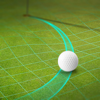
Shot Tracer® • Live Tracer • 3D Map Tracer • Putt Reader • Golf Video Editor • Live Scores Turn Every Shot Into Broadcast-Quality Content. Shot Tracer® is the world's leading golf ball tracer, golf video editor, and golf content creation platform, trusted by golfers worldwide and recognized by Golf Digest and Golf Magazine. Create stunning TV-style golf videos, relive your best shots, improve your putting, and share your game like never before directly from your iPhone or iPad. ONE-TIME APP PURCHASE INCLUDES Everything you need to start creating golf content immediately: LEGACY TRACER The original Shot Tracer® video editor. • Add professional ball tracing lines to your golf videos • Fast and intuitive manual editing • Create TV-style graphics • Perfect for practice sessions, tournaments, and social media PUTT READER™ Bring broadcast-style green reading technology to your game. • Augmented reality green reading • Visual putt lines and slope analysis • Understand break, speed, and aiming points • Improve putting confidence and green reading skills LIVE TOUR SCORING Follow professional golf in real time. • Live scoring from major professional golf tours • Track players, leaderboards, and tournament action UPGRADE TO PRO Unlock the complete golf content creator toolkit. LIVE TRACER™ Create real-time tracers while recording. • Automatic ball flight tracking • Real-time tracer generation • Fully customizable tracer styles • No special hardware required 3D MAP TRACER™ Relive your shots from a stunning bird's-eye perspective. • Flyovers on 44,000+ golf courses worldwide • Cinematic shot replays • Showcase strategy, landing zones, and shot placement • Professional aerial-style visualizations PRO EDITOR Create broadcast-quality golf videos directly on your phone. • Automatic ball flight tracking • Broadcast-style scoreboards and graphics • Video-in-video overlays • Custom logos, text, and branding • Voice-over and captions • Sound effects library • Alpha channel export support • Professional editing workflows • Faster rendering and exports PROFESSIONAL SCORECARD EDITOR Create animated scorecards in seconds. • 44,000+ golf course scorecards worldwide • Professional scorecard templates • Fully customizable animations and graphics AR FUN MODE Create unique golf content for social media. • Hit virtual targets and hoops • Shoot down UFOs and moving targets • Create engaging golf challenge videos MORE FEATURES • 44,000+ golf course database • Golf GPS and distance tools • Digital scorecards • iPhone and iPad support • Weekly feature updates and improvements Whether you're a casual golfer, coach, content creator, golf influencer, or tournament organizer, Shot Tracer® gives you the same visual storytelling tools used in professional golf broadcasts. Created by golfers for golfers. Shot Tracer® is a registered trademark of Visual Vertigo Software Technologies GmbH. All rights reserved. Terms of Use: https://www.apple.com/legal/internet-services/itunes/dev/stdeula/
説明
Time Pool is the best shot clock app for iOS. It's easy to use and it has the best features: - The buttons are clearly labeled with descriptions of when they should be pressed ("Balls stopped") and the actual names of the players. - Use the "Pause" button to stop the timer. The app doesn't have unnecessary buttons (e.g., "Stop"). - Use the "Count down" mode to provide the same shot clock functionality you see in professional tournaments. Connect your iOS device to a Bluetooth speaker to amplify the beeps. (Great for tournaments, and as a training aid.) - Use the "Count up" mode if you want to measure how long each player is taking per shot. - The app records each shot and can display a running average of how long each player is taking per shot. (Useful in league and tournament settings if there's a dispute about slow play.)
説明
Listen to your racquet and perfect your game! RacquetTune ensures that your racquet is ideally suited to your style of play. Simple and straightforward to use, the app uses the sound generated by tapping the strings to calculate the tension with high accuracy. In addition, the interactive swingweight calculator aids in customizing your racquet to fit your own stroke pattern, while the stiffness calculator allows you to simulate different racquet configurations. RacquetTune not only makes it easier to decide when it is time to restring, it is also an invaluable tool when testing different racquets and strings and in identifying which of your racquets is best suited for different types of games. RacquetTune also allows you to check whether your stringer is consistent in his work. RacquetTune includes the following user-friendly tools: Tension measurement - Quickly determines the tension and stringbed stiffness. - Able to detect changes in tension as small as 0.1 kg/0.2 lb. - An accuracy indicator ensures results are consistent. - Graphical presentation of sound waves helps you find the ideal way of tapping the strings. - Settings can be customized to serve tennis, squash, racquetball and badminton racquets, respectively. - View the tension history for each racquet as a list or a graph. - Email a spreadsheet with test data. Swingweight calculator - Add as many weights as you wish to the frame. - Move and change weights to visualize how swingweight, balance and sweet spot location are affected. - Enter target values for the racquet and let RacquetTune distribute the weights automatically. Stiffness calculator - Simulate various racquet and string configurations - Vary tension, string type and racquet head size. - Shows load-displacement curves, stiffness and elastic energies - Handles the large deformations encountered in actual play View a demo video at racquettune.com RacquetTune has been featured in tennis magazines in USA, Italy, France, Germany, Sweden and Norway. "The app is very, very impressive. I get more tension diagnostic questions than just about anybody in the universe, so this is a very good thing to be able to recommend." Jonathan Wolfe US Racquet Stringers Association Note, that the actual string tension in the racquet and the setting seen on a stringing machine are two different things and therefore incomparable - more information can be found at racquettune.com.
説明
TacticHand is a 3D Viewer to visualize Handball strategies and training exercises in 3D created by Tactic3D Handball Sketcher software (PC/Mac) or Tactic Handball on the AppStore (iPad version Pro or Classic). Then, handball players can have their playbook inside their iPad/iPhone and can watch at home, during travel or just before a game their strategies. WARNING : With this software, you can only download and view tactics already made by a coach previously made with another app named Tactic handball Pro or Classic. By default the app is empty, and you must fill the parameters given your coach to download and watch his playbook
説明
Hey Basketball-Fan! Don't you love the organ or athmosounds which animate the crowd in the sports stadiums? With this app you get 12 choosed sounds which you can play each time you want to hear them. Features: - 12 sounds known from different stadiums.
説明
Altimeter Offline Pro, includes chart with live elevation. You can track and save your activities(the chart, elevation gain, maximum elevation, minimum elevation, initial elevation, final elevation, duration, difference elevation and average elevation). Share your activities with your friends in social networks. This a complete full app without apps and without in-app purchases. This altimeter works offline –does not need Internet connectivity. It is a great altimeter to go hiking, trekking, cross-country skiing and climbing both mountains and peaks -where you might have problems to get network coverage. Share with your friends on social networks your current elevation and coordinates! Geographic coordinates displayed. You will be able to make a record of your highest altitude ever reached. Altitude both in metres and feet. Get to know ever onward the altitude where you are.
説明
Futsal can be simple when all players understand what they are doing. We want to help coaches and their teams to train more effectively. Try different formations and master those working for you. When the individual skills of players are comparable, good organization and understanding of your teammates could become crucial for your team’s success. Master all aspects of your game. Starting with defense principles and offense variability. Continue with free kicks, corners, playing with an advantage. Ending with pressing breaking schemes and counterattacks. Be confident and surprise your opponent. Prepare the plan for your training session and load every play when you need it. Find out what works, what doesn't. Make changes and share practiced plays with the team. A set of combinations is always at hand, when and where you need it.
説明
Transform your iPhone into a customizable display and monitoring system. DashCommand puts you in control - Monitor and data log engine and vehicle performance, fuel economy, and instantly read and clear troublesome check engine lights, all with the easy to use DashCommand app. This app also features a professional skidpad showing lateral and accel/braking Gs with min/max indicators, a race track that visually maps out your location, acceleration and braking as you drive laps around the track, an inclinometer that shows rolling angle and vehicle pitch for off-roading, and the ability to data log, record and playback log files showing OBD-II and acceleration data. DashCommand is a SEMA Show 1st runner-up for best mobile electronics product and four-time SEMA Global Media Award winner! DISCLAIMER: DashCommand requires a compatible third-party hardware interface, purchased separately, to communicate with the vehicle. DashCommand supports all OBD-II and EOBD compliant vehicles sold worldwide. Please verify that your vehicle is OBD-II/EOBD compliant before purchasing! Not all OBD-II compliant vehicles will have support for all of these parameters. Manufacturer-specific data is available for select vehicles, through In-App purchase. OBD-II Hardware compatibility: Auto Meter DashLink, PLX Kiwi 3 and Kiwi 4, OBDLink MX+, ELM compatible WiFi and , GoPoint BT1 Watch a video on DashCommand: https://www.youtube.com/watch?v=y12tbLmf_J0 For suggested hardware, see: http://palmerperformance.com/hardware
説明
RaceChrono Pro is a versatile lap timer, data logging and data analysis app designed especially for use in motorsports, replacing your traditional lap timers and data loggers. The RaceChrono Pro app also enables you to record videos and overlay them with the logged data. RaceChrono apps have a strong following, currently over 100000 active users. If you look around at pits during your race or track day, chances are that you’ll see someone using RaceChrono. Even many professionals, such as factory test drivers and race driving instructors, are known to use this app! No matter whether you ride motorbikes, drive go-karts or cars, on closed circuit or special stage tracks – this is the motorsports app for you. RaceChrono Pro has following major features: • Lap timing with sectors and optimal lap • Track library of over 2600 pre-made race tracks • Custom user defined circuit and point-to-point tracks • Smoothly scrolling data analysis with synchronised graph, X/Y graph, map, video and comparison video • Predictive lap timing and time delta graph • Hardware accelerated video export with configurable data overlay • Multiple camera recording and picture-in-picture video export • Video recording using internal camera • Linking and synchronising video files from almost all action cameras • Support for external GPS receivers; Dragy Pro/DRG70/DRG70-C/Lite, RaceBox Mini/Mini S/Micro, Qstarz BL-818GT/BL-1000GT/LT-8000GT, Columbus P-9 Race, Dual XGPS 150/160, VBOX Sport, Garmin GLO • Support for OBD-II readers; OBDLink MX+ Bluetooth, OBDLink CX Bluetooth, Dragy OBD, Vgate vLinker FS, Vgate vLinker/iCar BLE, PLX Kiwi 3/4, Carista OBD2 Bluetooth, Tonwon BLE 1/2/Pro, Veepeak OBDCheck BLE, UniCarScan UCSI-2000, OBDLink MX Wi-Fi, generic Wi-Fi OBD-II • Support for Bluetooth LE heart rate monitors • Unlimited session length, good for 24 hour races • Session data export in .ODS (session summary for Excel), .NMEA, .VBO and .CSV formats
説明
SizeMyBike is the first iPhone bike fitting app. Essential to choose the right bike size and improve your position! Define your morphology with 6 body measures and SizeMyBike will compute the optimal geometry of your road bike or your mountain bike. Easy, fast and efficient! The right fit is everything. SizeMyBike will help you dial in the perfect fit, to give you the absolute best comfort and performance. PRESS QUOTES “While it certainly won’t replace a proper bike fitting session at your local bike shop, the SizeMyBike app is a great place to start. The program asks you to input six body size measurements and then produces two extremely detailed sets of bike specifications.” Canadian Cycling, February 2011 “With SizeMyBike, the beginners will be able to choose the right bike size at the time of the purchase. Expert riders should use it to check if their current geometry is optimal. RATE 8/10.” CycloPassion, num 199, July 2010 “A quick test confirmed that dimensions were correct for a Mountain Bike.” O2BIKERS, Num 159, May 2010 TOP FEATURES - Fit your road bike as you ride: comfort, performance or urban - Fit your MTB as you ride: Xcountry, All Mountain or 29er - Multiple users management - Export results to PDF file - Save your riders database safely: import/export on your computer FEATURES 1) DEFINE YOUR MORPHOLOGY Define your morphology with 6 body measures: inseam, height, torso, shoulder, arms and foot. Entering the measurements is easy and straight forward. WARNING SizeMyBike algorithms rely on scientific papers and studies validated. SizeMyBike was tested by international well known cycling magazines such as Le Cycle, Canadian Cycling Magazine, CycloPassion, 02Bikers. All testers confirmed SizeMyBike accuracy. Keep in mind that taking your body measurements accurately is essential.Fitting errors result from inaccurate body measurements. Please examine carefully the help section in relation with this topic. 2) ROAD BIKE FITTING Three kind of bike fitting are available for road cycling: comfort, performance and urban. The seat tube length and the top tube length should allow to choose the right bicycle size. The saddle height, saddle setback and crank length should allow to optimize power and efficiency. Stem height and stem length should allow to optimize comfort and aerodynamic. 3) MOUNTAIN BIKE FITTING Three kinds of bikes are available for MTB: Xcountry, All Mountain or 29er. The frame size and the top-tube length should allow to choose the right bicycle size. The optimal saddle height, the crank length and the stem length are also computed. 4) SAVE DATA Multi-user environment allows you to back up mates data & yours. Save your data safely: import or export your riders database on your computer using iTunes. 5) SHARE RESULTS Share your bike measurement well fitted by SizeMyBike by email (PDF file). You can print wirelessly SizeMyBike results from your iPhone via AirPrint. You can also save the result on your computer via iTunes. Keep in mind that professional bike fitting service costs about $150. If you like SizeMyBike, please rate it 5-stars in iTunes every time an update comes out! Follow us on Twitter or facebook for updates and development news. Please feel free to contact us through our website. Feedback helps us to improve SizeMyBike.
説明
The brand new JB4 Mobile application is finally ready for public release and has lots of great new features including: *Gauge theme customizations *Built-in raw CSV data viewer *Revamped User Adj./WMI data editors *New modern UI completely rewritten from the ground up *More seamless integration with our backend servers JB4 Connect Kit Users: 1) Install the Connect Kit per the installation guide for your vehicle 2) Create your account/sign in with this app 3) Ensure JB4 Mobile has all requested permissions 4) Tap the Connect button in JB4 Mobile About The App: JB4 Mobile is a mobile data logger and display for use with the JB4 tuner from Burger Motorsports. JB4 Mobile allows you to monitor and log multiple parameters from your JB4 equipped car. Parameters such as boost, rpm, fuel trims, air/fuel ratios, ignition advance and much more are available. Current Features: Live gauges Data logging Data graphing Log export via email Code reading/deletion Modify User Adj. (boost, fuel, etc.) settings Modify WMI settings Switch maps on the fly Auto WOT logging JB4 Firmware Updating JB4 ® is a registered trademark of Burger Motorsports Inc ® and is used with written permission.
説明
Dive Log is designed to work either as your primary SCUBA diving logbook application or in conjunction with compatible 3rd party desktop logbook applications. You can use Dive Log at the dive site or on the dive boat to capture the information about the site while it is fresh in your mind (or your dive guide's mind). You can even capture the GPS coordinates of the dive site using the built in location services of your iOS device. Details about your actual dive can be added immediately after your dive or at the après dive event and later be saved to your desktop computer. The dive buddy feature is fully integrated with Contacts on your iPhone or iPad, letting you capture information about your newest dive buddy or quickly add an existing buddy to a particular dive. The dive data and statistics features let you have an immediate answer the next time your dive guide asks how much weight you used on your last dive or have all the information you need about your dive history when you fill out that next dive waiver. Metric and Imperial values are supported for all appropriate logbook fields. You can easily enter values using the appropriate units for the situation and view them in your preferred measurement system. You can even explore detailed dive profiles from popular dive computers that you download with your desktop software and later upload to Dive Log on iPhone/iPad. Dive profile data can also be transferred directly from certain dive computers directly via Bluetooth or using a supported Bluetooth accessory and an associated in-app purchase. On Windows, Diving Log 6.0 (www.divinglog.de) is fully integrated with Dive Log on iPhone/iPad and has built in synchronization. Diving Log 6.0 has extensive support for importing data from dive computers and other dive log applications. On Mac OS X, logbook information can be imported to Dive Log on iPhone/iPad from a number of compatible applications using the free Dive Log Manager application available from More Mobile Software (www.moremobilesoftware.com/divelog-sync). DiveLogDT (available on the Mac App Store) can be used to directly import a number of dive computers and file formats and can synchronize with Dive Log on iOS. Dive data can be directly downloaded on a Bluetooth LE (Bluetooth 4.0/5.0) compatible iPhone, iPad or iPod touch from Bluetooth LE capable dive computers such as the Suunto EON Steel, Suunto EON Core, Suunto D5, Scubapro Galileo 2 (G2), Aladin Sport (Matrix), Aladin H (Matrix), G2 HUD, Aladin A1, Shearwater Teric, Peregrine, Petrel 2, Petrel 3, Perdix, Perdix AI, Perdix 2, NERD 2, Oceanic VTX, Pro Plus 4, Geo 4.0, VEO 4.0, Aeris A300CS, Aqualung i300C, i330R, i550C, i750TC, i770R, Apeks DSX, Sherwood Wisdom 4, Mares Genius and certain heinrichs weikamp OSTC computers as well as the DiveNav Inc. bluebuddy and Tech Buddy dive logger accessories. Supported Bluetooth LE accessories are available separately. Mares Bluelink Pro is a Bluetooth LE accessory by Mares and available for purchase separately (www.mares.com). The Bluelink Pro allows you transfer dive data from certain Mares dive computers (Puck Pro, Smart, Smart Air, Quad and Quad Air) directly to Dive Log on your Bluetooth LE compatible iPhone, iPad or iPod touch. Dive Computer Buddy (aka DCbuddy) is a Bluetooth LE accessory by DiveNav Inc. (note that the DCbuddy itself is no longer available). The DCbuddy allows you transfer dive data from certain dive computers (including models from Suunto, Oceanic, Aqualung, Aeris, Sherwood, Tusa and Mares) directly to Dive Log on your Bluetooth LE compatible iPhone, iPad or iPod touch.
説明
*** #1 Sneaker App in the US *** UNIVERSAL APP WITH IPAD SUPPORT! TWO APPS IN ONE! The Reviews speak for themselves. Over 5000 ratings with 5 Stars! ************ Stay up-to-date with the latest Jordan Brand release dates, restocks, models, and pricing. Never miss another release again! We verify all posted dates and pricing, and update them as soon as they change. Learn about the history of the Jordan Brand line, from 1985 until the present. Find out more about Jordan Brand athletes across all of the major sports. Follow them on Twitter and Facebook using their official pages. Long-time NIKETALK Member.
説明
The Ultimate Car Application that brings to you the roaring sounds of the fastest, most powerful sports cars from around the world! √ THE NO.1 APP FOR SPORTS CAR ENGINE SOUNDS! Experience the thundering sounds of Ferraris, Porsches, Lamborghinis, BMWs, Mercedes, Chevrolets and many more! √ FEEL THE THRILL! Over 190 raging sports cars from 35 different manufacturers, including: - ALFA ROMEO: 8C Spider - GT - GTV - 159 - 156 GTA - 147 GTA - Spider - 4C - ARIEL: Atom - ASTON MARTIN: DB7 - DB9 - DBS - Vantage N24 - Vantage - Vantage RS - Vanquish - One-77 - Rapide - Virage - AUDI: RS6 - RS5 - RS4 - R10 - R8 V10 - R8 - S8 - S5 - TTRS - Sport Quattro One - RS3 - RS7 - BENTLEY: Continental GT - Azure T - Mulsanne - Flying Spur - BMW: M6 - M5 - M3 - X6 - X5 - 650i - 850i - Z4 - Z8 - 130i - M4 - BUGATTI: Veyron - Veyron Super Sport - T35 - CHEVROLET: Corvette C6 - Camaro SS - Cobolt SS - Corvette L82 - Camaro Z28 - Nova SS - DODGE: Viper GTS - Charger RT - Charger SRT8 - Challenger - Dart - Avenger - FERRARI: Enzo - 458 Italia - 599 GTB Fiorano - 599XX - California - F430 Scuderia - 612 Scaglietti - 360 Modena - 575M Maranello - F50 - F40 - F355 Spider - 348 Spider - Testarossa - FF - P4/5 Competizione - F12 Berlinetta - FORD: GT - Mustang Shelby GT500 - Mustang Shelby GT500 Elanor - Mustang Boss 302 - Mustang - Mustang Mach 1 - Focus RS - Escort XR3i - Mustang GT - HOLDEN: Monaro VXR - HSV Clubsport R8 - HSV GTS - HONDA: NSX - S2000 - Civic Type-R - CRX - JAGUAR: XFR - XKR - XJ220 - S-Type R - X-Type - XJR - Jaguar F-Type VS 8 - KOENIGSEGG: CCGT - CCXR - Agera - LAMBORGHINI - Reventon - Aventador LP 700-4 - Gallardo - Murcielago - Diablo - Countach - Huracan LP 610-4 - Sesto Elemento - LEXUS: LFA - IS-F - SC430 - LOTUS: Exige - Evora - Elise - MASERATI: Quattroporte - Granturismo - MC12 - Ghibli - MCLAREN: F1 - MP4-12C - MERCEDES: SLR 722 - S65 AMG - CL65 AMG - CLK63 AMG Black Series - E63 AMG - C63 AMG - SL55 AMG - SLK55 AMG - R63 AMG - SLS AMG - CLS63 AMG - CLA45 AMG - MITSUBISHI: Lancer Evolution X - 3000GT - Eclipse - NISSAN: Skyline GTR R-35 - Skyline GTR R-34 - 370Z - 350Z - Silvia S15 - 240SX S13 - 300ZX Twin Turbo - PAGANI: Zonda C12S - Zonda F - Huayra - PORSCHE: Carrera GT - Cayenna Turbo - Panamera S - Panamera Turbo - 911 Carrera 4S - 911 Turbo S - GT3 RS - Cayman S - Boxster - 996 - 956 - 930 Turbo - 911 SC - 356 - 918 Spyder - Macan Turbo - SALEEN: S7 - SSC: Ultimate Aero - SUBARU: Impreza WRX STi - Impreza STi - BRZ - TOYOTA: Supra - Celica - GT86 - TVR: Cerbera - Chimaera - Griffith - Tamora - T350 - Tuscan - VOLKSWAGEN: Phaeton W12 - Touareg W12 - Golf R32 - Passat CC - Beetle RSi - Scirocco TSi REVIEWS: - 5/5 - Listening to the actual engine will send the adrenaline flowing through your veins and your hearts tachometer will be red lining for sure! Sports Car Engines is a car lover’s dream!" - The iPhone App Review - 5/5 - Beauty meets beast with this great app for car lovers!” - App Shouter - 5/5 - Sports Car Engines has got fantastic sounds of the best sports cars from around the world!” - iPhone Footprint
説明
Used by beginners through Major Championship winners on the PGA Tour, and validated by an Independent Scientific Study by the Departments of Physics and Biomechanics at Yale University. The Tour Tempo Total Game allows you to learn how to correctly integrate the Tempo of the Tour Pros into your golf swing. Over 100,000 golfers worldwide, including Major Championship winners on the PGA Tour, have improved their games by using Tour Tempo. "In all the reviews I've written for MyGolfSpy (a number now pushing up on 100), I'd only given one perfect score. Now Tour Tempo can be added to that most-elite company. Tour Tempo is scientifically proven, it's easy to use, and it will help you in every facet of the game." — GolfSpy Matt: http://www.mygolfspy.com/tour-tempo-review "It will be the best thing that you will ever do for your game." — Pat Dempsey, 2011 RE/MAX World Long Drive Grand Champion 55+ "You will get better right away! When you synch your swing to that of the Tour Pros with Tour Tempo, you’ll get better right now!" — Dan Rooney, Folds of Honor "The Unified Theory of Tempo" — Golf Digest "No one has ever come up with a way to teach Tempo until now." — Travel + Leisure Golf Based on the international best selling golf book, Tour Tempo. The book outlines and explains the discovery of a specific mathematical ratio regarding the elapsed time of the backswing and the elapsed time of the downswing of the Tour Pros. The Tour Tempo System is simple and easy to learn. All you do is react to three scientifically spaced musical notes. These musical notes alert you to start your takeaway, start your downswing, and then the third note lines you up with impact. It’s just that easy - you literally download the app, turn it on, grab a club and start swinging to the Tempo of the Tour Pros. LONG GAME The Long Game Tones will teach you how to swing with the tempo ratio exhibited by the Tour Pros. We measured the time of their backswings and downswings by counting how many frames of video each part took. The magic ratio on full swings turned out to be three parts backswing to one part downswing. Tones are provided for each of the following frame ratios of Tour Tempo - 18/6, 21/7, 24/8 & 27/9. The Tour Tempo Tones have a clear purpose. They establish the intrinsic tempo of the golf swing in your subconscious mind. Once this is accomplished, you will not have to think about tempo while playing. This is what the Tour Pros have already done. You are about to acquire that same ability. SHORT GAME The Total Game App also contains the Short Game Tones of 14/7, 16/8, 18/9 & 20/10. After the publication of Tour Tempo, John Novosel studied the short game swings of the top touring pros, and discovered that virtually all of them employ a 2 to 1 swing ratio on or around the greens - a different Tempo than the 3 to 1 ratio of the Long Game. This is another reason why the game of golf is so hard to master. TEMPO TRACKS The Tempo Tracks are an easy way to integrate Tour Tempo into your daily routine. One of the best ways to use the Tracks is to listen to them while driving to the course before a round of golf. The more you listen to them, the more the Tour Tempo rhythm will be ingrained into your Golf Swing. FOCUS TRACKS The Focus Tracks are revolutionary relaxation songs that contain the Tones of Tour Tempo. Each Track has a Part II that has binaural tones embedded in the music to get your brain into an optimum state for concentration. This optimum state is more commonly known to athletes as “Being in the Zone.” VIDEOS The videos give a complete explanation of the Tones and how to use them to immediately and dramatically improve your Total Game. DISCOUNT Get a one-time $10 discount code from the Info screen, valid on future purchases at TourTempo.com and TourTempo.eu. TERMS OF USE (EULA): https://www.apple.com/legal/internet-services/itunes/dev/stdeula/
説明
The augmented reality putting app and ball tracker for the perfect putt every time! For the seasoned and beginner golfer alike. The coach implementing cutting-edge technology in their lessons. Or the revered content creator in the golfing community. Putt Vision is essential to simply doing it better. Because what’s better than knowing the EXACT break? Putt Vision implements the early 2000’s PC game feature, Tiger Vision, in real life. On the green, using AR technology. What was once a virtual PC game feature is now the world's most cutting edge green reading technology – with a twist of Shot Tracer for every golfer using their iPhone or iPad. The Putt Vision app accurately predicts the perfect putting line for any break and distance using real time topology mapping and augmented reality. State-of-the-art augmented reality displays holographic information onto your phone's display, helping you make the perfect putt! For GOLFERS: Be prepared. Use Putt Vision for practice and pre-tournament rounds to map out your green sheets. For TEACHING PROS: Train better than the rest. Use Putt Vision for a state-of-the-art putt learning experience for your students. AR green reading and real-time putt tracking create a learning experience like no other. For CONTENT CREATORS: Add jaw-dropping augmented reality and 3D content to your GolfVlogs and social media posts. For INDOOR PUTTING: Use any ordinary projector to project the putt line onto your indoor putting mat and track the ball in real-time via HDMI or wireless connection from your phone. VR and AR Headset Support: For a fully immersive experience, the world's most interactive virtual putting practice features an optional VR/AR mode. Features: ► Green reading and break line prediction. ► Real-time ball tracking for your putts. ► Custom holographic heads up display. ► Add custom augmented reality text on any surface. ► Metric and imperial units supported. ► The cherry on top: Shot Tracer in augmented reality! Key Putt Vision Options: • Speed Zone • Terrain Arrows • Aim Point • Undulation Grid • Info Board • Hole Marker • Aim Line • Break Line Transform your putting experience today. Download now! App Store videos created in partnership with Fontana Golf Club, Austria. Visit https://fontana.at/ for more details on golf in Austria. Subscriptions: Green-reading comes fully unlocked with the initial purchase. Optional subscriptions are only for VR mode and Shot Tracer AR. Another separate optional subscription option for the indoor Projector Mode. • VR Putting and Shot Tracer AR Annual Subscription • Length of subscription: Annual • Price of subscription: $39.99/year • VR Putting and Shot Tracer AR Annual Subscription • Length of subscription: Monthly • Price of subscription: $9.99/month • Projector Mode Subscription • Length of subscription: Annual • Price of subscription: $399.99/year • Projector Mode Subscription • Length of subscription: Monthly • Price of subscription: $49.99/month Payment will be charged to iTunes Account at confirmation of purchase. Account will be charged for renewal within 24-hours prior to the end of the current period. Subscriptions may be managed by the user and auto-renewal may be turned off by going to the user's Account Settings after purchase Any unused portion of a free trial period, if offered, will be forfeited when the user purchases a subscription to that publication, where applicable Terms and conditions: http://shottracerapp.com/privacy-and-terms-of-use Privacy policy: http://shottracerapp.com/privacy-and-terms-of-use Terms of Use: https://www.apple.com/legal/internet-services/itunes/dev/stdeula/
説明
▸ GOLF DIGEST wrote: “Image rulings in 3-D on every possible on-course conundrum.” ▸ WALL STREET JOURNAL wrote: “An essential resource for solving any in-game confusion.” ▸ GOLF MAGAZINE wrote: “Simply choose where your ball lies and the object you want relief from, and iGolfrules instantly directs you to the correct ruling.” ▸ OFFICIALLY recommended by Apple; one of the world’s most popular sport apps (in the App Store top ten continually for many years). iGolfrules by Expert Golf provides the answers to your rules questions in a matter of seconds. You have a virtual referee constantly at your side who helps you to use the golf rules to your benefit and utilize all the relief procedures available. Why Expert Golf is better ▸ User-friendly and intuitive operation (a manual is superfluous). ▸ You find the right solution with a maximum of 3 clicks. ▸ More than 200 graphics, animated illustrations and videos. ▸ Focuses on practical situations and is easy-to-understand. ▸ Contains the rules for stroke play and match play. ▸ An interactive help tool tells you instantly whether you are entitled to free relief. ▸ Excellent customer ratings and top rankings in the App Store. ▸ Leading app for many years and improved with regular updates. The application is based on “Golf Rules Quick Reference”, a multi-award winning international bestseller, which has been translated into over 20 languages and has sold more than 2.5 million copies. Conforms to R&A/USGA rules valid as of 2023 (including free updates until the next rules revision). If you are happy with our app we would be grateful if you would take a moment of your time to post a rating/ write a review in the App Store. If, for whatever reason, you are not happy with the app or have any questions about it please contact our support team at [email protected].
説明
THE MOST SIMPLE AND COMPLETE BICYCLE REPAIR AND MAINTENANCE GUIDE ON THE APP STORE REPAIRS • 58 highly detailed photo repair guides, with over 300 studio quality photos (with parts highlighted). • 95 bicycle tips and tricks, including common aches and pains while on the bike (there are simple things to do to get rid of that knee pain). WEATHER • From the main screen, you have access to your current local weather and today's forecast. It also suggests what to wear based on the temperature. QUICK REFERENCE • For things we often do but can’t remember, like, what's the side to turn the wrench to remove the pedals? Or should I tighten the H or the L screw? WHAT SHOULD I WEAR • You don't remember what you should wear when it's 8°C (46°F)? Don't worry, check our suggestions list, or even better, check your own outfits list. • Keep track of the clothes you wear at a certain weather condition and rate them. Next time, you'll know what to wear or not OTHER FEATURES • Save money the first time you use Bike Repair App by doing the repairs yourself. • Fixing your shifting problem, derailleur noises, brakes rubbing on the wheel, flat tire, broken chain, pedal removal, hydraulic brakes, etc has never been easier. • Bike Repair demystifies every basic repair and maintenance routine, plus some intermediate to advanced ones. • Written in plain English, the easy-to-understand instruction guides are perfect for casual and serious riders alike. • Most of the repairs don't require any special tools. • The full list of all guides and problems covered is available at www.bikerepairapp.com
説明
This is a smart ballistic calculator for long range shooters. It helps shooters calculate hold overs, and scope settings necessary for long range shots. Works with large caliber and airguns. Available for iPhone, iPad, iPod and Apple Watch. This app is using temperature, altitude, humidity, atmospheric pressure, distance to target, target speed and direction, coriolis effect, slope angle, cant and your rifle configuration for calculate optimal vertical, horizontal and lead corrections. Features: • Can use G1, G2, G5, G6, G7, G8, GA, GC, GI, GL, GS, RA4 and even custom drag-functions (built-in editor), and can calculate trajectory without using ballistic coefficient! • You can select reticle from the list (around 2600 reticles! including reticles from Carl Zeiss, Nightforce Optics, Kahles, Vixen Sport Optics, Premier Reticles, Primary Arms, Schmidt and Bender, SWFA, U.S. Optics, and Vortex Optics) and see holdovers at any magnification (see list of reticles supported here http://jet-lab.org/chairgun-reticles ) • List of bullets: around 4000 cartridges database, more than 2000 bullets database, around 700 G7 ballistic coefficient bullets database, around 500 air rifle pellets database includes American Eagle, Barnes, Black Hills, Federal, Fiocchi, Hornady, Lapua, Norma, Nosler, Remington, Sellier & Bellot, and Winchester (see list of bullet/cartridges supported here http://jet-lab.org/chairgun-cartridges )! • Correction for coriolis effect • Takes into account temperature of powder (powder sensitivity factor) • Correction for spin drift • Correction for vertical deflection of crosswind • Trajectory validation (truing) by speed or ballistic coefficient • Correction for gyroscopic stability factor • Can measure incline angle with phone camera • Can get current weather (include wind speed and wind direction) from internet for current location and for any place in the world • Supports Imperial (grain, in, yard) and Metric units (gram, mm, meter) • Elevation: Mil-MRAD, MOA, SMOA, Clicks, Inch/Cm, Turret • Get accurate local pressure using internal barometer in iPhone/iPad • Adjusts for atmospheric conditions for current and zero conditions (Density Altitude or Altitude, Pressure, Temperature and Humidity) • Density altitude support (determined automatically for any place in the world) • Ballistics chart (Range, Elevation, Windage, Velocity, Time Of Flight, Energy) • Ballistics graph (Elevation, Velocity, Energy) • Reticle Drop Chart • Range cards • Select target type from big list of targets (more than 80 targets are available). Also you can add targets for shooting created by you • Target size presets • Second focal plane scope support • Moving target lead calculation • Fast windspeed / direction adjustment • Integrated with smart sensors. With the tap of a button you can calibrate density altitude, Coriolis, cant and slope in real-time • Unlimited equipment profiles (create own rifles and bullets) • Full history of all your shootings • Scope turret calibration • Rangefinder • Ballistic coefficient calculator • Support Kestrel DROP, Kestrel 5x00, WeatherFlow WEATHERmeter, Skywatch BL, Vectronix Rangefinder, Terrapin X environmental data loggers • Air laboratory (Air Density, Density Altitude, Relative Air Density (RAD), Dew Point, Station Pressure, Saturation Vapor Pressure, Virtual Temperature, Actual Vapor Pressure, Cumulus Cloud Base Height, Dry Air, Dry Air Pressure, Volumetric Content of Oxygen, Oxygen Pressure) • Light/dark/gray color themes • Built-in tutorials
説明
Now with 122 knots! Pro-Knot is the most trusted printed knot reference in the world. These are the same rope knot illustrations we supply to the US Department of Defense for training, US Border Patrol, Fire Departments, Utilities, Arborists and countless Scout troops in our best selling printed format! These are the same fishing knot illustrations from the best selling printed fishing knot reference in the world! - 4 weeks as a "WHATS HOT" iTunes App! - Previous #1 Sports App in USA! - #1 Sports App in 41 Countries! Free updates with more knots are provided regularly (currently on our 11th update). We are committed to keeping this the best knot app available in the iTunes store. - 64 essential Rope Knots - 58 best Fishing Knots (most fishing knots of any App in the store!) All explained in clear, easy to follow swipe through step-by-step instructions and animations. The knots, their uses and background information are described and the tying of each knot is broken down into easily understood steps, with easy to follow graphics for each step. Optional animations of all of the knots are available as a single in-app purchase. The essential ROPE KNOTS include: Hitches (34) (rope to object knots): - Anchor Bend - Bachmann Knot - Barrel Hitch - Blake's Hitch - Buntline Hitch - Cleat Hitch - Clove Hitch - Constrictor Knot - Cow Hitch - Distal Hitch - Girth Hitch - Half Hitch (and Two Half Hitches) - Highwayman's Hitch - Icicle Hitch - Klemheist - Knute Hitch - Marl - Midshipman's Hitch - Mooring Hitch - Munter Hitch - Pile Hitch - Prusik Hitch - Rolling Bend - Rolling Hitch - Schwabisch Hitch - Slipped Knot - Slipped Buntline - Tautline Hitch - Tautline to Rope - Transom Knot - Timber Hitch - Trucker’s Hitch - Tumble Hitch - Valdotain Tresse Knot Bends (9) (rope to rope knots): - Backup Knot - Better Bow Knot - Carrick Bend - Double Fisherman’s - Sheepshank - Sheet Bend (doubled version too) - Square Knot (Reef Knot) - Water Knot - Zeppelin Bend Loop Knots (11): - Bowline - Bowline on a Bight - Butterfly Knot - Figure Eight Follow Through - Honda Knot - Prusik Knot - Scaffold Knot - Slip Knot - Slipped Buntline - Slippery Eight Loop - Yosemite Bowline Miscellaneous Knots (10) - Alpine Coil - Common Whipping - Double Overhand Stopper - Fireman's Coil - French Whipping - Heaving Line Knot - Monkey's Fist - Sailor's Coil - Stevedore Stopper Knot - Stopper Knot (Ashley's Stopper) The 58 best FISHING KNOTS include: Terminal Tackle Connections (28): - Baja Knot - Berkley Braid Knot - Centauri Knot - Davy Knot - Drop Shot Rig - Egg Loop - Eye Crosser Knot (Knot Wars winner) - Fish-N-Fool Knot (Knot Wars winner) - Harvey Dry Fly Knot - Homer Rhode Loop Knot - Improved Clinch Knot - Jansik Special - Knotless Knot - NanoFil Knot - Offshore Swivel Knot - Orvis Knot - Palomar Knot - Pitzen Kno - Rapala Knot - Riffle Hitch - San Diego Jam Knot - Snell Knot easy version - Snell Knot traditional version - Snell Knot Uni Knot version - Trilene Knot - Turl Knot - Uni Knot - World's Fair Knot Line to Line Knots (15): - Alberto Knot - Albright Special - Australian Plait - Blood Knot - Bristol Knot (aka No Name Knot) - Double Uni Knot - FG Knot - J Knot - Loop to Loop Connection - Nail Knot - Seaguar Knot (Fluorocarbon knot) - Slim Beauty - Surgeon’s Knot - Willis Knot (Leadcore) - Yucatan Knot Loop Knots (7): - Bimini Twist - Dropper Loop - King Sling - Non-Slip Mono Loop - Perfection Loop - Spider Hitch - Surgeon’s End Loop Miscellaneous (8): - Arbor Knot - Bobber Stopper Knot - Haywire Twist - Knot Tyer Tool Nail Knot - Two Tenkara Knots - Two Strike Indicator Knots Plus and two Emergency Fish Hook Removal Techniques! Created by one of the most trusted and respected knot reference publisher in the world. Feel free to email us your comments, suggestions and requests ([email protected]).
説明
This application is developed independently. It is not affiliated with, endorsed by, or sponsored by Decathlon or Domyos. QZ is not affiliated with or endorsed by any subscription service or maker of exercise equipment. Have you got a bike (echelon, flywheel, proform, i-console yesoul, decathlon, domyos, keiser, ...) or a Domyos (Decathlon) / Horizon / Proform treadmill and you want to join to zwift? This app allows you to give a second life to your machine! Also ellipticals and rowers machinery are supported now! Simply connect your smartphone to the treadmill/bike and zwift/peloton/fulgaz/rouvy will recognize it! Also this app allow you to use HealthKit to read your heart rate direct from your Apple Watch or any Heart Rate Bluetooth Belt. This metric will also be saved in your workout! Compatible machineries: - all the Echelon bikes (please check the firmware compatibility https://robertoviola.cloud/2025/07/22/how-i-built-qz-and-how-echelon-is-now-breaking-it/ ) - all the Domyos bikes - all the Domyos treadmills - all the Domyos elliptical machinery - Smart Row Rower - Echelon Rower (please check the firmware compatibility https://robertoviola.cloud/2025/07/22/how-i-built-qz-and-how-echelon-is-now-breaking-it/ ) - Concept Rower 2 - Yesoul S3 (M3 is currently on testing, if you have one, contact me) - Sportstech bikes - Inspire bikes - Schwinn IC4 and Bowflex C6 - Toorx bikes and spinbikes - Fassi treadmills - all the Proform bikes without a tablet builtin - Proform treadmills - Flywheel bike (the calibration tool is here https://ptx2.net/apps/flytest/ ) - JK Fitness treadmill - Toorx treadmills - Sole elliptical - Chrono bike - NPECable - and much more! ask me by email about the compatibility If you want you can join the Swag Bag auto-renewing subscription through an In-App Purchase in order to help me in the development of the app! • an auto-renewable subscription • 1 month ($1.99) • Your subscription will be charged to your iTunes account at confirmation of purchase and will automatically renew (at the duration selected) unless auto-renew is turned off at least 24 hours before the end of the current period. • Current subscription may not be cancelled during the active subscription period; however, you can manage your subscription and/or turn off auto-renewal by visiting your iTunes Account Settings after purchase. • Privacy policy: https://robertoviola.cloud/privacy-policy-qdomyos-zwift/ • Licensed Application end user license agreement: https://www.apple.com/legal/internet-services/itunes/dev/stdeula/
説明
Measure your golf swing speed by turning your iPhone or iPad into a portable golf swing speed sensor. - Load videos straight from your camera roll - Calculate swing speed based on slo-mo videos - Frame-by-frame video analysis tool - App includes step-by-step tutorial Note: For the most accurate results, you’ll need to use videos shot with 240 FPS (slo-mo) and filmed on the device in which you are using the app. Licensed under US Patent 8,803,913. If you have any questions or feedback, please email me at [email protected]. Enjoy!
説明
This app is used to keep records of archery scores Features : 1. Record archery score in database 2. Record field conditions : distance and face size 3. Customize the number of ends and the number of arrows per end 4. Multiple target distances 5. Preset GNAS and FITA rounds 6. Retrieve and edit score history 7. Backup and restore database in iCloud Drive (For iOS8 or later) or Dropbox 8. Bar chart monthly statistics 9. Attach photo on ends and share to Facebook 10. Export history score to CSV file 11. Upload file to your Dropbox account 12. Share file to iCloud Drive (For iOS8 or later) 13. Share file via AirDrop Features in ULTRA version * Support multiple archers
説明
Scan. Analyse. Improve. TargetScan scores your paper targets from a photo. Take a picture of the card and TargetScan finds the shots, calculates the score and analyses your group, so you know exactly what to work on next. SCORING • Instant score, with inner tens and decimal scoring • Automatic target and shot recognition from the camera or your photos • Eagle Eye magnifier to check close shots and fine-tune their position • Near scoring-gauge accuracy (0.2–0.5 mm, depending on the bullet profile) GROUP ANALYSIS • Mean Point of Impact (MPI): windage and elevation to adjust your sights • Mean Radius and Extreme Spread to measure your grouping • Score Analysis: see how many points you lose to sight alignment and how many to group size • Summary target with every shot of the session • Heat map of your shot pattern over days, weeks or months • Charts of score and group size across sessions SHOOTER'S DIARY • Keep every session in folders and follow your progress • Add notes to sessions, then clear out the drawer: past results are always at hand • Back up to iCloud and restore at any time SHARING • PDF session report to print with AirPrint or send by email • Share the summary target with Messages, Mail, Journal and other apps • Export data to CSV LIGHT TABLE • Use a second iPhone or iPad as a backlight to make the shot holes stand out PRIVATE BY DESIGN • No account, no ads, no tracking. Your data stays on your device *********************** "A great tool for getting people to see their shot fall and make adjustments. Good fun as well." – S7evie P, NSRA Club Instructor, UK "This is without a doubt the best shooting app I've used and I will continue to use. Best value for money as well, you get all the benefits of a fully blown professional training system for a tiny fraction of the price." – Dusan Jakic, Slovenia "This app has helped bring our shooters' scores from embarrassing to respectable in just a few short weeks." – North of 68, Couch, Canada's Arctic "This App has helped me identify my shooting patterns and is a great tool. It has revitalised my enthusiasm in the sport. Love it." – FridayB111, Australia *********************** SUPPORTED TARGETS TargetScan supports over 230 targets from ISSF, NSRA, NRA, DSB and many other associations, including: Air Pistol (4.5mm): ・ISSF 10m ・NSRA 6yd (Air 8) ・NSRA 10m (Air 4/89) ・NSRA 10m - Rapid Fire (Air 10/97) Air Rifle (4.5mm): ・ISSF 10m ・NSRA 6yd (Air 7) ・NSRA 10m (Air 1/89, Air 2/89, Air 3/89) Pistol (.22", 9mm, .32/.38/.45 ACP SWC): ・ISSF 25/50m ・NSRA 20yd - (PL12, PL14, PL15) Rifle (.22"): ・ISSF 50m ・NSRA 15/20/25yd - prone (1510/2010/2510 B.M./89) ・NSRA 50yd (M.M. 8) ・NSRA 50m (M.M. 13/89) Questions, problems or feedback? Write to [email protected] Scan your old targets today and start improving!
説明
There was a time when going head to head meant you had to draw quick to stay alive. Now you have to react quick to stay competitive. JEGS Perfect Start is a reaction time game that keeps you at your fastest. See if you can beat your best time or challenge a friend to beat your time. Try Pro or Sportsman mode, set your Reaction Time Delay and see how fast you really are; go for a Perfect Start (.000)! Whether you are a racer looking for a competitive edge or a fan looking to catch a glimpse grab this App... Ready, set, go! Features: * Sportsman/Full practice Tree (.500) * Pro practice tree settings (.400) * Adjustable Reaction Time Delay to simulate vehicle Try Pro or Sportsman mode, set your Reaction Time Delay and see how fast you really are; go for a Perfect Start (.000)! Practice your Perfect Start. Hold the JEGS button down until the tree begins to cycle. Release the button to clock your time. Adjust your Roll Out/Reaction Time Delay - Press options and dial in your desired time (0.000 - 1.500).
説明
Clipstro Golf is now the #1 app in the Sports category in 17 different countries! UK, Japan, Korea, China, Germany, France, Switzerland, Russia, Austria, Italy, Netherlands, Sweden, Belgium, South Africa, and Kenya! Thanks everyone! Added Apple Watch support for all phases of the recording and conversion processes. Record your golf swing and instantly generate a swing trace video. Allows easy visualization of swing arc, positions, and ball trajectory. Shooting from behind lets you see whether your swing is a slice or a hook at a glance. Clipstro Golf can also be used to visualize baseball or softball swings. FEATURES: ・Swing trace of 3 second video. ・Set record timer from 5 to 20 seconds. ・Save swing trace videos to your photo library. ・Video can be recorded by hand or from tripod (recommended). RESULTS WILL IMPROVE WITH HIGHER FPS: 120fps iPhone 5s, iPhone 6, iPhone 6 Plus, iPad Air 2 60fps iPhone 5, iPhone 5c, iPad Air, iPad mini Retina, iPod touch 5th 30fps iPhone 4/4s, iPad 2/3, iPad mini THE RESOLUTION OF THE VIDEO AFTER CONVERTED: The resolution for the video may vary depending on the memory capacity of the device. Devices with less than 512 MB of RAM ... 640X360 iPhone 4/4s, iPad 2, iPad mini 1st, iPod touch 5th Devices with more than 1GB of RAM ... 1024X576 iPhone 5 or later, iPad 3rd or later, iPad mini Retina CONVERTING TIME: A newer and faster device requires less time to convert. iPhone 5, 80 seconds iPhone 5s, 80 seconds iPhone 6, 65 seconds iPhone 6Plus, 65 seconds iPad Air, 45 seconds iPad Air2, 45 seconds iPod touch 5th, 120 seconds SUPPORT: For any questions, suggestions or problems, please contact at: [email protected]
説明
Using Your Smartphone For The Track Is Easier Than Ever! • Road Course, Autocross, Rally, Drift, 4x4, and Drag Racing • Race Timing + Data Logging + Analysis + Video • Works Almost Anywhere! 1000+ Predefined Circuits, or Add Your Own • GPS Lap Timer & Display with Predictive Timing (Circuit mode) • Sector Split Timing & Theoretical Lap Time (Circuit mode) • High-Definition Video Recording + Data Overlay • Lap, GPS, G-Force, and OBD-II Data Logging • Driving Line Analysis, Statistics, Data Graphs, and Run / Lap Comparison • Optional Live Telemetry Streaming via Live.RaceRender.com • Also Supports External GPS and OBD-II Devices • OBD-II Live Monitor, Code Scanning / Reset, and Data Logging • Easily Exports Data and Video to RaceRender TrackAddict, by HP Tuners, transforms your iPhone®, iPad®, or iPod touch® into a motorsports telemetry and video system. See your lap times instantly, capture video and telemetry data, compare circuit laps side-by-side, impress your friends with video+data overlays, and more! Quick and easy setup. Advisories and Disclaimers: Always drive safely. Intended for responsible use in a motorsports environment. Use at your own risk. Works on iPhone and compatible GPS-enabled iPad, iPad mini, and iPod touch devices. Devices which do not contain suitable GPS hardware may work when combined with a compatible external GPS device. Performance depends on good GPS reception conditions, and may vary. Features, capabilities, and pricing may differ between platforms and are subject to change at any time. OBD functionality is optional, and would require a supported OBD-II interface device and a compatible OBD-II compliant vehicle. See website for details. Features and capabilities can vary depending on your device and other circumstances. Use of Live Streaming feature is optional. Services are provided as-is, and are subject to change or discontinuation at any time. This functionality does have privacy implications. Please see this app's online documentation and http://Live.RaceRender.com before enabling its use. Use of Live Streaming service requires an Internet connection, and is therefore subject to your wireless carrier and/or Internet provider's data rates. Continued use of GPS running in the background can dramatically decrease battery life.
説明
Harry's LapTimer is the advanced tool for car enthusiast. It records all types of sensor data provided by your iPhone/iPod/iPad (or external sensors), combines them, and makes them available to optimize your drive. Over time, you will get insights on your car and in your driving, not known before. LapTimer offers more than 1300 predefined tracks world wide. With its assistants, it is extremely easy to setup - just click your track and drive. It fully automates your lap timing using GPS, and presents the results to all kinds of media. You are not limited to track driving only. For example, you may define your home and working locations as a 'track', collect statistics on different ways chosen, and analyze / optimize the time used every day. Want to show your drive to your friends? LapTimer Petrolhead and above generates beautiful in car video recordings with all kinds of data overlaid, ready to be presented - e.g. on youtube. Even without video, recorded data can be analyzed using purpose designed views, making it easy to analyze and improve your driving performance. Using online racing, you can use LapTimer in competition. LapTimer offers a Hall of Fame, allows watching you and your friends on track - all in real time. Compare your sector times, braking / acceleration points, and learn from each other. You can start with your plain iPhone in the beginning and add external GPS and OBD II sensors later, step by step, and as you need it. LapTimer itself comes in three different editions: LapTimer Rookie is the entry level with all you need for lap timing; LapTimer Petrolhead is the advanced version including lots of video features, and LapTimer Grand Prix is the edition for professionals including Multi Cam recording, Health Kit integration, and advanced sensor and analytics functionality. Please note that functionality depends on your device, the LapTimer edition chosen, and sometimes even external sensors added (like OBD II). Please visit our web page to get the full story. All edition can be upgraded later, all editions come with native iPhone and iPad support. There are quite expensive stand alone solutions for track days available. Be smart and own the leading edge tool simply by using your iPhone and LapTimer. Besides the professional area, there is no known solution that offers more functionality than LapTimer does - across the market. As our ambition is to offer the best tool, LapTimer is enhanced continuously. Please visit http://www.gps-laptimer.de for detailed information on versions, FAQs / documentation, in depth technology background information, online racing, and supported device configurations. Join our user community on http://www.gps-laptimer-forum.de to be involved in future development - all with first class support.
説明
- The score board with easy operation - Names, numbers, points and bars are displayable - Stopwatch/timer feature (add-on) This app is a score board for table tennis, billiards, and every board games. It's possible to use by easy operation.
説明
How Fast Is Your Break? Break Speed Powered By Predator can tell you! To use the app, set your phone on the rail and tap the screen. Now you're ready to break. Tap the screen once again after your break and the app will display your Break Speed speed. Break Speed is more than 10x the accuracy of a radar gun and has become the standard for break shot speed measurements, privately and professionally. With such high precision, you can use Break Speed to provide that feedback you need to improve your breaks. Break harder and more consistently with Break Speed. Don't worry about others breaking around you or other pool hall noise. Even shouting players won't fool our Break Recognition technology. Find out why professional pool players are using and recommending Break Speed to others. Our collaboration with Predator has been very effective. It's been great to work with a team that understands the science of billiards. The Predator R&D team has been testing the application along side their own speed measurement equipment and the Iron Willie robot, following a number of testing sessions, the Predator R&D team found the application so accurate that a partnership in pool science began. "The application is really spot on. During my many testing sessions with the Predator Team there was very little deviation between the Predator testing equipment and the application," said Predator Pro Mike Dechaine. If you're a serious player, and you don't have Break Speed Powered By Predator, what are you waiting for?
説明
Level up your match experience iWatch Padel turns your Apple Watch into a smart scoreboard for padel and tennis. Score points instantly, monitor calories, and review advanced stats – all from your wrist. Key features: - Fast & simple scoring interface - Customizable rules: tie-break, golden point, optional sets - Advanced stats: point streaks, % games won, break/set points - Match history with full progress tracking - Fitness tracking: calories, heart rate, estimated distance - Training mode with stroke count for practice sessions Why choose iWatch Padel? - Apple Watch–optimized experience - Minimal battery usage with auto-screen-off - One-time purchase. No subscriptions. Requires watchOS 9.1 and iOS 15.0 or later. FAQ – Installation - What do I need to use iWatch Padel? An iPhone with iOS 15 or later and an Apple Watch with watchOS 9.1 or later. - How do I install the app on my Apple Watch? Sometimes the installation does not happen automatically on the Apple Watch, so you can follow these instructions to do it manually. Make sure your Apple Watch has an Internet connection. 1. Open the App Store app on your Apple Watch. 2. Scroll all the way down and select Account, then Purchased. 3. Find the iWatch Padel app and press the Download button. Go to “My Watch” → “iWatch Padel” and enable “Show on Apple Watch.” - Do I need an Internet connection to use it? No, you can record all your points offline.
説明
Focus on the match: Padel Score Keeper records your score remotely, with a Bluetooth button. It always updates the score, the changes of ends, the TieBreaks. With Padel scorekeeper, you don't need to keep in mind your score anymore. Just press the button, and the app will SCORE and SAY your point. You can configure the game mode: • Golden point • Advantages • Number of sets • Who serves first No missed points and cheaters anymore! Let's try the app; you won't regret it! Keep in mind that the app needs two external Bluetooth buttons. You can find more details on our website.
説明
#1 Fishing Knot App on iTunes since 2009. Continually updated to keep it the best. #1 Sports App in 25 countries. A "TOP 10 BOATING APP FOR THE IPHONE" by PropTalk Magazine, May 2010 issue. 60 Best Fishing Knots = Most fishing knots and best value in the store. Plus 2 emergency hook removal techniques! Animations are a great way to learn to tie knots. The Animated Fishing Knots App makes learning to tie knots easy and fun! Each of 60 fishing knots has its own animation video, a picture of the finished knot and a description of the knot’s use. The following 60 best fishing knots are included (the most fishing knots of any App in the store): Knots for tying on tackle: •Baja Knot •Berkley Braid Knot •Centauri Knot •Davy Knot •Drop Shot Rig •Egg Loop •Eye Crosser Knot (Knot Wars winner) •Fish N Fool Knot (Knot Wars winner) •Harvey Dry Fly •Improved Clinch Knot •Jansik Special •Knotless Knot •NanoFil Knot •Offshore Swivel Knot •Orvis Knot •Palomar Knot •Pitzen Knot •San Diego Jam Knot •Snell Knot new Easy Version! •Snell Knot Uni version •Snell Knot Traditional version •Trilene Knot •Turl Knot •Uni Knot •World’s Fair Knot Knots for tying two lines together: •Alberto Knot •Albright Special •Australian Plait •Blood Knot •Double Uni Knot •FG Knot •J Knot •Loop To Loop Knot •Nail Knot •Seaguar Knot (Fluorocarbon to mono) •Slim Beauty (Awesome leader knot) •Surgeon’s Knot •Willis Knot •Yucatan Knot Knots for tying loops in line: •Bimini Twist •Dropper Loop •Homer Rhode Loop Knot •King Sling •Non Slip Loop Knot •Perfection Loop •Rapala Knot •Spider Hitch •Surgeon’s End Loop Miscellaneous •Arbor Knot (Tie line to reel) •Bobber Stopper Knot •Haywire Twist •Hook Removal (two techniques, animated) •'Knot Tyer' Tool Nail Knot •Two Strike Indicator Knots •Two Tenkara Knots! Features: - 60 carefully selected best fishing knots - Knots are listed and searchable alphabetically by name or by category and use. - Zoom, Pause, and Play the video with controls - Info page shows completed knot and gives information about the knot and its use. Email us your comments and suggestions. We would love to hear from you. [email protected]
説明
EasyTrails GPS is the GPS tracker application for your iPhone. The perfect application for those who are passionate about OUTDOOR ACTIVITIES and TRAVELING, everybody who likes outdoor sports, and not only. Are you going for a bike or motorcycle ride? Well, EasyTrails GPS will tell you how many miles you traveled, how much time you spent, how high you climbed and many other details. In real-time it will show you the course on a map, comparing it with downloaded tracks and points of interest. You can import or share all tracks and waypoints, photos and ideas for new journeys with your friends. Share where you are on Facebook and Twitter through your GPS position, and export your tracks in standard formats, so you can review them on Google Earth, SportTracks and TrailsRunner. Or simply upload them to online services like Garmin Connect, or many others. It's possible to import tracks by e-mail or Safari (EasyTrails can handle GPX, KML/KMZ and ZIP file formats), or by wi-fi networks, using an improved and easy to use web-based sharing feature. Calculate routes and let EasyTrails guide you using the new navigation capabilities. You can also let it guide you through previously recorded tracks. Additionally, EasyTrails GPS can communicate with navigators like Maps, Google Maps, TomTom or Waze (if installed) for more advanced guidance needs. Load custom cartography, EasyTrails supports KMZ and MBTILES formats. EasyTrails GPS is easy to use and extremaly accurate. It ensures the maximum duration of battery thanks to the possibility of recording in "StandBy" mode. However, be aware that use of GPS, even in background, will have a significant impact on battery duration. ► For more info, visit our website: www.easytrailsgps.com NEW FEATURES: ► Heart rate monitoring (paid) We added the ability to connect to compatible Bluetooth heart rate monitors (such as Polar H6 and H7 devices). Heart rate can be seen in real time from the dashboard. With the 'Heart rate monitoring' in-app purchase: - heart rate data will be associated to GPS tracks - saved tracks will have an extra heart rate chart - heart rate data will be saved to HealthKit Additionally, with the 'Colored tracks' in-app purchase, it will be possible to highlight heart rate data directly on the map screen of a recorded track. OTHER FEATURES: - Support for many different map types - Support for different coordinate systems - Support for user-loaded offline cartography (KMZ and MBTILES) - Export tracks (single or multiple) in standard formats (GPX, KML/KMZ and CSV), with their associated waypoints and pictures - Import tracks (GPX and KML/KMZ) - Import waypoints (GPX and KML/KMZ) - Resume recording of tracks - Save waypoints with photos and descriptions - Navigate to a point of interest - Sharing via Facebook and Twitter - Follow a path/track - Navigate (distance / direction) towards any waypoint - Navigate (distance / direction) towards any track marker (start / pause / resume / end points) - Advanced Navigation to a waypoint using any navigation app you may have installed - Upload tracks to GPSies (http://www.gpsies.com) - Upload tracks to SportTracks (http://sporttracks.mobi) - Upload tracks to OpenTrail (http://www.opentrail.us) - Upload tracks to OkMap (http://www.okmap.org) - Real-time visualization of distance, speed, altitude bearing and other data - Map Visualization in different modes: street map, satellite, hybrid, terrain - Charts (elevation profiles, ...) - Digital Compass - Heart rate monitoring - Turn by turn directions - High battery duration (record in standby) - Select between metric, imperial and nautical measuring systems - Intuitive and User Friendly interface - Lightweight, reliable and accurate - Doesn't require internet connection Terms of Use: https://www.apple.com/legal/internet-services/itunes/dev/stdeula/ Privacy Policy: http://www.easytrailsgps.com/wp-content/uploads/2016/05/EasyTrails-GPS-Privacy-Policy.pdf
説明
With this application you can configure some of your eBike Specialized Turbo Levo/Kenevo parameters. With the Smart Power and the Smart HR the assistance percentage will be automatically changed in function of your legs power and/or you heart rate. There is Voice feedback with battery status and other information of the tour. It is also present the Bike Monitor in order to monitorize the bike data with GPS information. The App uses the HealthKit in order to be able to read the heart rate from Apple Watch. In order to be updated, follow us on Facebook https://www.facebook.com/BLEvo.For.Smart.Levo/ and follow also on Forum https://blevo.forumfree.it Notes: - The app user is only responsible for any changes made or attempted to make to your e-bike. - Please note that the Road Code provides a maximum speed of 25 km/h. In private closed traffic areas the Road Code has no effect - App compatible with Levo 2016/2017/2018/2019/2020/2021, Kenevo 2018/2019/2020/2021, Levo SL, Creo - Only for the Levo 2016/2017/2018, Kenevo 2018/2019 is possible to change the maximum speed (for more information see the forum) - Please pay attention that the iOS version doesn't have yet all the functionalities implemented
説明
Flyskyhy forms your flight instrument during flight and shows all information you need for that. You get the normal data like altitude, climb rate, ground speed, and glide angle. But it also calculates and shows the current wind direction and strength, very important for your safety. A moving and rotating map shows your current flying position and flight trail. It indicates where you have gone up (in a thermal), and where you have had faster than normal decline. With that, you can easily find back that thermal that you lost. The map also shows the nearest known landing spots, and whether they are reachable by normal glide, given your current altitude and wind direction. Integration with Bluetooth varios SensBox, FlyNet, GoFly iPico, XC-Tracer, BlueFlyVario, or SkyDrop gives accurate altitude and lift information. That turns your iPhone into an full-fletched GPS-vario, including vario tones. The app makes a full log of your flight, that can be analyzed afterwards. Besides normal data like start and landing positions, duration of flight, and an altitude graph of the flight, Flyskyhy also calculates the scoring distances for you. So you can immediately see whether you have broken that FAI triangle record. Your live location is reported on livetrack24.com or loctome.com if you desire, so anybody can follow your flight while it is happening. If you are flying together with friends, then their location is shown on your map during your flight. So you never have to wonder anymore whether they are in front of or behind you. The flight display has multiple screens which are all fully configurable. You can move all elements to other spots, delete and add elements, and resize them. Through in-app purchases, the app also supports airspaces and waypoints. The app is optimised for paragliding and hang gliders, but can be used with all kinds of airsports. Main features during the flight; • Altitude, climb rate, ground speed, air speed, direction, glide angle and many more • Wind strength and direction • Moving map of the flying area • Spots where you have had lift, great for thermal coring • Shows whether you can still reach a landing spot with the current altitude and wind • Live tracking of your flight on livetrack24.com or loctome.com • Shows live location of your friends during flight After the flight: • Full logbook of all your flights • Basic flight data like start/landing, duration, height difference, distance flown, and many more • Calculation of 5-points, open triangle, and FAI triangle distances • Graph of altitude and climb rate • Signed IGC and KML log files of flights • Transfer the log to iTunes or send by email • Upload the flight directly to XContest, ParaglidingForum, DHV-XC, and other Leonardo servers • Open flight in Google Earth on the iPhone • Replay the flight and relive it! By purchasing the Waypoints Extension you get access to: • A fully zoomable and scrollable map with the waypoints and optimised route. The map also shows start and landing spots, as well as restricted airspaces (with the Airspace Extension) • Enter new waypoints, either on the map or by specifying the parameters • Full route support with start time, goal, entry/exit points, etc. • Many instruments to guide you along the route • Visible and audible indication when a waypoint has been reached • Complete waypoints organiser • Import and export of various waypoint file formats By purchasing the Airspace Extension you get access to: • Airspaces of 30 countries • Display of airspaces on the map with configurable colors and formats • Display of your vertical position w.r.t. airspaces • Visible and audible warnings when approaching and entering an airspace • Shows local airspaces by touching a spot on the map Note: a live internet connection is required for live tracking of your and your friends locations Note: continuous GPS and screen usage makes the battery drain faster than normal
説明
The Golf Range Finder Golf Yardage App - Allows you to use the golf range finder to estimate the golf distance from your spot to the hole. Perfect for golfers looking to estimate range for chip shots and mid range shots. This Golf Rangefinder Golf Yardage App is perfect for any golfer who wants to improve their chances of success golfing and lowing your golf score with the golf range finder. Simply point the golf gps range finder crosshairs at the base of the object you want to find the range for and the yardage will instantly show on your screen. Golf GPS Range Finder Great for estimating distances to approximately 40 yards. FEATURES: - Golf GPS Range finder for golf overlay of the distance from your current location to target visualize your golf distance - Easily set your golf distance finder for current height above ground for accurate golf rangefinder estimations - This golf distance finder is significantly more cost effective compared to expensive store bought golf range finder for finding golf distance - Golf GPS Range Finder Yardage to object clearly indicated on screen with this golf range finder - Golf distance finder distance continually updates as you check ranges with this golf rangefinder for golfing - No calibration needed with the golf gps range finder! Simply set your golf distance finder to your current height above ground and point your golf gps rangefinder at the pin - Never forget your golf rangefinder at home again, you always have your phone golf rangefinder with you while golfing. What could be better than this golf distance finder? - Impress your golfing buddies and golf caddies with this golf range finder because you can place perfect golf shots based on range with your golf distance finder - One of the best golf range finder golf apps to bring with you on your next golf outing - Grab the golf distance finder to help you lower your golfing scores without a golf caddy Download the Golf Rangefinder for Golfing - Golfing APP and improve your golfing scores today!
説明
Have you ever wanted to maintain your bike yourself? Bike Doctor 2.0 has been created to make bicycle maintenance as simple as possible. Not everyone is a technically minded bike mechanic. Sometimes, reading the instructions for a bike repair, it can feel that way. That's why we've designed Bike Doctor to be as easy to follow as possible. Making it suitable even for a complete beginner. It is an app I wish I had available to me, when I first started cycling. Using the step by step instructions you will: ◆ Save money on bike shop repairs (Even a simple puncture repair in a bike shop costs upwards of $15) ◆ Know how to detect problems ◆ Repair any issues that arise, such as squeaks and poor performance ◆ Learn how to safety check your bike to be sure it is always ready to ride ◆ Keep your bike running smoothly for years to come Inside the Bike Doctor app you'll discover: ◆ How to repair and prevent punctures ◆ How to detect if your brake pads are worn out and replace them (Including Disk Brakes) ◆ How to clean your bike ◆ How to lubricate your bike ◆ The 7 rookie bicycle maintenance mistakes you should avoid ◆ How to adjust your headset ◆ How to wrap handlebar tape ◆ How to adjust your gears ◆ How to true a bicycle wheel ◆ How to fit a new chain and rear cassette(A very common yearly repair!) ◆ How to bleed disk brakes ◆ How to remove and replace a bottom bracket ◆ How to replace brake and gear cables ◆ And that's just scratching the surface! We've got all the most common repairs in the app and we're constantly asking for feedback from users of our app to discover what repairs they would like added - and then adding these in. Bike Doctor 2.0 is the new version of the original best-selling Bike Doctor. The original version has been downloaded over 10,000 times and received coverage in some of the most popular cycling magazines including Bicycling and Cycling Plus. The Bicycle is the ultimate in independence - learn how to keep yours maintained and in tip-top condition to insure it is always ready to get you to your destination! Here are some of the many 5 star reviews we've received: "I'm over the moon with this app I read somewhere about truing wheels and it said don't bother unless you are a pro, but I've just sorted my wheels out a treat. The app paid for itself straight away." "Great app, worth every penny saved money on a service already !!!!" "This is a good App for the keen cyclist, as a Cytech technician I recommend this App." "Excellent application with some nice clear photos. Explanations are concise but personal, the writer has a passion for cycling and it shows, which makes for a refreshing experience." "Very comprehensive explanations, great photos, easy to use." Bike Doctor has been created by Andreas Kambanis of London's most popular cycling blog: londoncyclist.co.uk. For a video of the Bike Doctor App in action please head to bikedoctorapp.com
説明
Harry's LapTimer is the advanced tool for car enthusiast. It records all types of sensor data provided by your iPhone/iPod/iPad (or external sensors), combines them, and makes them available to optimize your drive. Over time, you will get insights on your car and in your driving, not known before. LapTimer offers more than 1300 predefined tracks world wide. With its assistants, it is extremely easy to setup - just click your track and drive. It fully automates your lap timing using GPS, and presents the results to all kinds of media. You are not limited to track driving only. For example, you may define your home and working locations as a 'track', collect statistics on different ways chosen, and analyze / optimize the time used every day. Want to show your drive to your friends? LapTimer Petrolhead and above generates beautiful in car video recordings with all kinds of data overlaid, ready to be presented - e.g. on youtube. Even without video, recorded data can be analyzed using purpose designed views, making it easy to analyze and improve your driving performance. Using online racing, you can use LapTimer in competition. LapTimer offers a Hall of Fame, allows watching you and your friends on track - all in real time. Compare your sector times, braking / acceleration points, and learn from each other. You can start with your plain iPhone in the beginning and add external GPS and OBD II sensors later, step by step, and as you need it. LapTimer itself comes in three different editions: LapTimer Rookie is the entry level with all you need for lap timing; LapTimer Petrolhead is the advanced version including lots of video features, and LapTimer Grand Prix is the edition for professionals including Multi Cam recording, Health Kit integration, and advanced sensor and analytics functionality. Please note that functionality depends on your device, the LapTimer edition chosen, and sometimes even external sensors added (like OBD II). Please visit our web page to get the full story. All edition can be upgraded later, all editions come with native iPhone and iPad support. There are quite expensive stand alone solutions for track days available. Be smart and own the leading edge tool simply by using your iPhone and LapTimer. Besides the professional area, there is no known solution that offers more functionality than LapTimer does - across the market. As our ambition is to offer the best tool, LapTimer is enhanced continuously. Please visit http://www.gps-laptimer.de for detailed information on versions, FAQs / documentation, in depth technology background information, online racing, and supported device configurations. Join our user community on http://www.gps-laptimer-forum.de to be involved in future development - all with first class support.
説明
Harry's LapTimer is the advanced tool for car enthusiast. It records all types of sensor data provided by your iPhone/iPod/iPad (or external sensors), combines them, and makes them available to optimize your drive. Over time, you will get insights on your car and in your driving, not known before. LapTimer offers more than 1300 predefined tracks world wide. With its assistants, it is extremely easy to setup - just click your track and drive. It fully automates your lap timing using GPS, and presents the results to all kinds of media. You are not limited to track driving only. For example, you may define your home and working locations as a 'track', collect statistics on different ways chosen, and analyze / optimize the time used every day. Want to show your drive to your friends? LapTimer Petrolhead and above generates beautiful in car video recordings with all kinds of data overlaid, ready to be presented - e.g. on youtube. Even without video, recorded data can be analyzed using purpose designed views, making it easy to analyze and improve your driving performance. Using online racing, you can use LapTimer in competition. LapTimer offers a Hall of Fame, allows watching you and your friends on track - all in real time. Compare your sector times, braking / acceleration points, and learn from each other. You can start with your plain iPhone in the beginning and add external GPS and OBD II sensors later, step by step, and as you need it. LapTimer itself comes in three different editions: LapTimer Rookie is the entry level with all you need for lap timing; LapTimer Petrolhead is the advanced version including lots of video features, and LapTimer Grand Prix is the edition for professionals including Multi Cam recording, Health Kit integration, and advanced sensor and analytics functionality. Please note that functionality depends on your device, the LapTimer edition chosen, and sometimes even external sensors added (like OBD II). Please visit our web page to get the full story. All edition can be upgraded later, all editions come with native iPhone and iPad support. There are quite expensive stand alone solutions for track days available. Be smart and own the leading edge tool simply by using your iPhone and LapTimer. Besides the professional area, there is no known solution that offers more functionality than LapTimer does - across the market. As our ambition is to offer the best tool, LapTimer is enhanced continuously. Please visit http://www.gps-laptimer.de for detailed information on versions, FAQs / documentation, in depth technology background information, online racing, and supported device configurations. Join our user community on http://www.gps-laptimer-forum.de to be involved in future development - all with first class support.
説明
Speedy turns your iPhone into a drag-strip timer. Just drive. Speedy detects your launch by itself, times the run, and saves the result — no buttons to press while you're accelerating. WHAT IT MEASURES • 0–60 mph / 0–100 km/h • 0–130 mph / 0–200 km/h • 60–130 mph / 100–200 km/h • 60 ft, 1/8 mile and 1/4 mile, with trap speed • Splits every 10 mph (20 km/h) BUILT FOR ACCURACY Speedy pairs GPS with your iPhone's accelerometer to pinpoint the exact instant you launched, instead of waiting for GPS to catch up. 0–60 is reported with the 1-foot rollout used at real drag strips, so your times line up with how cars are actually tested. An honest signal indicator tells you when conditions aren't good enough to trust a run — no fake numbers. EVERY RUN KEPT • Results saved automatically on your phone • Map and speed trace for each run • Altitude, temperature and density altitude recorded alongside • Share your best times to the leaderboard YOUR UNITS mph or km/h · °F or °C · feet or metres Questions or suggestions? Find us on Instagram or email
説明
SkyDroid - Golf GPS gives you your distance to every green on the course and more. Golf GPS that is easy to use, has a beautiful design, and there are no subscription, usage or course download fees. We have over 30,000 courses available, with new courses being added every day of the year. You can view the entire course list on our website: www.skydroid.net. Add new courses (if yours is missing) to our system using our web based Course Mapper tool (see skydroid.net for details and tutorial). Feel free to contact us with questions ([email protected]) Note: See our usage note below for help on searching for courses. FEATURES: • Clean and Clear design • Distances to the front, center and back of every green on the course • Distances to course features (water hazards, bunkers, target points) • Satellite image of every green and course • Shot Tracking: Track the distance of your drives! • Find your distance to ANY point on the course. • GPS Accuracy indicator (tap at anytime to find your exact accuracy) • Distances in yards or meters • Auto Hole advance • Works Internationally!! • Audio updates to the center of the green. A great hands-free way to use SkyDroid. • Book discounted tee times directly through SkyDroid. No other fees are involved, and you can download as many courses you want without any other charges. With SkyDroid – Golf GPS, our simple-to-use design will have you spending your time on your golf game, not on clicking buttons. View all our courses at www.skydroid.net/courses.php View our FAQ at www.skydroid.net/faq.php USAGE NOTES: • SEARCHING for Courses: When searching for courses by name, you can just search for "Aug" instead of "Augusta National Golf Course" (leave out the quote marks). • SEARCHING for Courses: Radar button will find Mapped courses within 25mi/40km of your current location. • To save battery power, click your power button to turn off the screen when not in use. • Set your GPS Keep Alive in the SkyDroid settings to control how long GPS stays active when SkyDroid is in the background. Continued use of GPS running in the background can dramatically decrease battery life. • GPS accuracy can vary over time (click the GPS signal strength icon at any time to see your accuracy). • Before playing a course preview its mapping by clicking the link for the course name at www.skydroid.net/courses.php (best done using a large screen). Let us know of any mapping issues, or make changes yourself. • If we don’t have your course, you can add it as long as there is a satellite image of the course available in Course Mapper. • Change distance measurement (yards/meters) in the app Settings available on the in-app Menu. • While playing golf you will only incur data usage while using the Satellite View screen. Course downloads can be done at home over Wi-Fi and are small in size. Enjoy your round!!
説明
Ratio Calc is a quick and easy tool for radio control car racers to use trackside. Knowing your final drive ratio (FDR) is very useful for comparison with other racers to determine if your car is geared correctly. It lets you quickly select your car by filtering on manufacturer and model. Select your pinion and spur size and the FDR is displayed. Tyre diameter can also be entered to calculate your rollout. Ratio and roll out charts are also available which plot pinion and spur gear combinations to create very handy reference tables. - Save your favourite cars for quick access - Select measurement units (imperial/metric) - Select your preferred gear pitch, alternative ratios in other pitches will be shown - Over 2000 cars/variants in the database which is updated regularly
説明
...the most advanced optimizing tool for STePS systems. All Bluetooth capable displays SC-EM800, SC-E8000, SC-E7000, SC-E6100, SW-EN600-L switch and EW-EN100 cockpit are supported! DU-EP801, DU-EP800, DU-E80X0, DU-EP600, DU-E7000, DU-E6XXX and DU-E50X0 drive units are supported. Partially compatible also with the latest Shimano motor firmware versions! See www.eMax-Tuning.com, especially the "news" and "support" section and/or get detailed & personal information via eMail from [email protected] Also please check the document https://www.emax-tuning.com/eMax-possibilities.pdf for the tuning possibilities which are highly depending on the drive unit type and currently installed motor firmware version.
説明
Lineup - Football Squad for iOS allows you to create your own Football lineups and save them as images. You can set up five teams by using your players from your own team, professional players or even your favourite ever 11 from your favourite club. - Rearrange the players by dragging the images anywhere on the pitch or to the subs bench below. - Players can be changed by tapping the image and selecting a new player. - Press and hold to select a Captain. - Images for players can be imported from your camera, photos app or from a web search. - When your squad is complete, tap the share button and choose where to save/share the image. - Images can be saved to your photos app, shared via SMS/Email/Facebook etc or opened in another app. I hope you enjoy using Lineup - Football Squad for iOS. Please leave a review. All feedback is welcome and can be sent from within the app. Credits for images in screenshots. Nick Pope - Charltonkyle, CC BY-SA 4.0 , via Wikimedia Commons Dean Henderson - Jrppezza, CC BY-SA 4.0 , via Wikimedia Commons Sam Johnstone - Catherine Kõrtsmik, CC BY 2.0 , via Wikimedia Commons Kyle Walker - Кирилл Венедиктов, CC BY-SA 3.0 GFDL, via Wikimedia Commons Ben Chilwell - Дмитрий Пукалик, CC BY-SA 3.0 GFDL, via Wikimedia Commons John Stones - Chensiyuan, CC BY-SA 4.0 , via Wikimedia Commons Harry Maguire - Кирилл Венедиктов, CC BY-SA 3.0 GFDL, via Wikimedia Commons Kieran Trippier - Oleg Bkhambri (Voltmetro) [CC BY 3.0] Conor Coady - Catherine Kõrtsmik, CC BY 2.0 , via Wikimedia Commons Reece James - James Boyes from UK, CC BY 2.0 , via Wikimedia Commons Eric Dier - Oleg Bkhambri (Voltmetro) [CC BY 3.0] Tyrone Mings - Jon Candy from Cardiff, Wales, CC BY-SA 2.0 , via Wikimedia Commons Luke Shaw - Jon Candy, CC BY-SA 2.0 , via Wikimedia Commons Declan Rice - Steindy (talk) 16:18, 29 August 2019 (UTC), CC BY-SA 4.0 , via Wikimedia Commons Phil Foden - Brad Tutterow, CC BY 2.0 , via Wikimedia Commons Kalvin Phillips - Rccousins, CC BY-SA 4.0 , via Wikimedia Commons Mason Mount - Brian Minkoff London-Pixels, CC BY-SA 4.0 , via Wikimedia Commons Jesse Lingard - Oleg Bkhambri (Voltmetro) [CC BY 3.0] Jude Bellingham - By Struway2, CC BY-SA 4.0 Harry Kane (captain) - Антон Зайцев [CC BY-SA 3.0 GFDL] Raheem Sterling - Антон Зайцев [CC BY-SA 3.0 GFDL] Dominic Calvert-Lewin - Everton Football Club, CC BY 3.0 , via Wikimedia Commons Mary Earps - EL Loko, CC BY 4.0 via Wikimedia Commons Ellie Roebuck - James Boyes from UK, CC BY 2.0 via Wikimedia Commons Alex Greenwood - James Boyes, CC BY 2.0 via Wikimedia Commons Millie Bright - James Boyes from UK, CC BY 2.0 via Wikimedia Commons Rachel Daly - James Boyes from UK, CC BY 2.0 via Wikimedia Commons Lotte Wubben-Moy - Night10591995, CC BY-SA 4.0 via Wikimedia Commons Niamh Charles - Katie Chan, CC BY-SA 4.0 via Wikimedia Commons Gabby George - joshjdss, CC BY 2.0 via Wikimedia Commons Esme Morgan - Katie Chan, CC BY-SA 4.0 via Wikimedia Commons Leah Williamson - James Boyes from UK, CC BY 2.0 via Wikimedia Commons Keira Walsh - EL Loko, CC BY 4.0 via Wikimedia Commons Georgia Stanway- Granada, CC BY-SA 4.0 via Wikimedia Commons Ella Toone - James Boyes from UK, CC BY 2.0 via Wikimedia Commons Katie Zelem - James Boyes from UK, CC BY 2.0 via Wikimedia Commons Nikita Parris - EL Loko, CC BY 4.0 via Wikimedia Commons Chloe Kelly - James Boyes from UK, CC BY 2.0 via Wikimedia Commons Lauren James - James Boyes from UK, CC BY 2.0 via Wikimedia Commons Ebony Salmon - James Boyes from UK, CC BY 2.0 via Wikimedia Commons
説明
Skate or Dice... Remixed! This is a modified version of the classic Skate or Dice game (as seen on The Berrics, in Skateboard Shops, etc.). This is created by Skaters, for Skaters... Period! Skate Apps is 100% dedicated to Skateboarding, and we've got more apps on the way! Use it to try and learn new tricks, or play a game of SKATE with your friends. You know the rules... and don't forget you can always make up your own! We've added several different trick possibilities that will allow you to try almost everything, including Hardflips, Big Spins, Inward Heelflips, Laserflips, Etc... Some Tips: • Ollie+Backside+Heelflip+180 Varial= Inward Heelflip • Switch+Frontside+Heelflip+360 Varial= Switch Laserflip • Ollie+Frontside+Kickflip+180 Varial= Hardflip • Fakie+Backside+Kickflip+Big Spin= Fakie Big Spin Kickflip Features: • Dice are auto-organized after rolling is complete • Big Spin variations are possible • Hardflips are possible • Inward Heelflips are possible • 180/360 Varial variations are possible • Common instructions/rules are included
説明
It’s finally here for iOS, an app that simulates a boxing coach and calls out realistic, fast paced combinations. The boxing coach simulator calls out boxing techniques for you to execute, there are 4 modes and 3 intensity levels. This includes a Southpaw Mode, Counter Punching Mode, Virtual Padwork and Combo Creator Mode. Choose as many rounds as you like, adjust the round length, the rest between rounds, and set a warning bell to tell you how many seconds are left in the round. Press ‘Start’ and get to work!
説明
At last ! Anything you need to know about 4 Way Relative Work, shown with animations !!! And now, 3-way is also possible. Manu Sarrazin - 3 times world champion : "Brilliant and essential !" Prepare your jumps, try the various possible briefings, see the moves that you'll have to perform during the jump, judge the jumps... During competitions or trainings, a must to hold in your suit's pocket. Note : 3-Way is an in-app purchase
説明
Shoot all you want. We'll play along. Right now you're holding your phone: working, studying, or just zoning out. How long has it been since you hit the court and played until your shirt was soaked? For the first time or the ten-thousandth, without even noticing, you load your shoulder, raise your arm, set your guide hand, snap your wrist, and let a soft, easy shot fly into thin air. It isn't a basketball you're shooting. It's the youth and passion that never came back. You probably never expected an answer. But this time, the ball that isn't there spins three and a half times, arcs in from beyond the three-point line and drops clean through the net. The second most beautiful sound in the world rings out, warm and steady like an old friend: Swish. In that instant, every tired cell in your body lights up. You're not alone. Someone out there gets you. Yes, we made air basketball real. Effortless motion recognition meets finely crafted spatial audio, blending into a sound that hits you right in the soul. Once you pick up a basketball, you never really put it down. What you never forget always echoes back. From today on, on every busy, heavy day, raise your hand, and we'll always give you a reason to be proud. Keep the faith, and everyone can be their own MVP. Here's to everyone who stays true to what they love. —————————————— WHAT YOU CAN PLAY • Air Basketball: wear your Apple Watch, raise your arm and shoot. Your motion is recognized and spatial audio recreates the swish of nothing but net, with the occasional clang off the rim as a surprise. • More than ten motion games: Revolver, Whip, Motorcycle, Slap, Frisbee, Golf, Sword Slash, Superstar, Spirit Bomb and more. • 9 new skins with fresh sights and sounds: Beer Pong, Paper Toss, Desert Eagle, Laser Gun, Silenced Pistol, Baseball, Tennis, Lightsaber and Ducati. • Camera mode: no watch needed. Stand your iPhone on the table and the camera reads your hand gestures. • My Gestures: record your own move on Apple Watch and pair it with your own sound. • Stress Buddy: a watch face complication shows your stress level and how many times you've let off steam today. • AirBasket for Mac: lives in the notch and reminds you to move after sitting too long. • 9 languages: follows your system language, or switch anytime in Settings.
説明
View and log your dives on the go. Detailed profiles, images, Smart Bluetooth downloads and more. We've brought the best features of MacDive for macOS to your pocket. MacDive for iPhone can be used as a fully featured standalone dive log, and it also works great in conjunction with MacDive for macOS. • Browse and manage your dive logs on the go. • Use iCloud or Dropbox to keep your data in sync between your iPhone and MacDive for macOS. • Automatic dive site tracking via GPS. Put your iPhone in your dry bag and worry about the details when you're back on land! • Native downloads from supported Smart Bluetooth devices. • Catalogue and identify the critters you've seen, or the ones you want to find. • Manage your gear and let MacDive remind you when a service is due. MacDive supports downloading dives directly from various Smart Bluetooth devices, like the Shearwater Perdix AI and Teric, Suunto D5 and EON Steel, Scubapro G2, Mares Genius and Bluelink, Heinrichs Weikamp OSTC and the Dive Nav DC Buddy (sold separately). See our website for a full list of devices. Please note that continued use of Location Tracking/GPS running in the background can dramatically decrease battery life.
説明
The automatic lap timer that speaks over 30 languages! LapTracker is a motion detection-based lap timer that can be used to track runners, cyclists, cars, models, swimmers, karts, slot cars etc. The camera view has up to four adjustable detection zones that can be used to track up to four different racers. The iPhone/iPad is placed on the side of the track and laps are automatically counted, timed and spoken. Results are presented in graphical form to enable simple and straightforward comparison of participants, and can also be submitted by email for further analysis. "An excellent tool to help you practice to get the perfect lap" www.TheRCRacer.com
説明
The most advanced sports timer in the AppStore! Featured by Apple in the TV-ad "Strength". SprintTimer is a unique sports timer and photo finish app that employs the same techniques as the fully automatic timing equipment (FAT) used at the Olympics. Start the timer and point the camera towards the finish line. The app creates an image where you can scroll to get the time for each competitor with a 0.01 s accuracy*. SprintTimer also includes a motion/human-activated Video Finish for longer races and a Start Sender for wirelessly controlling SprintTimer from another device. SprintTimer is used by coaches, teachers, and athletes all over the world for practice and competition in, for example, track & field, cycling, skiing, speed skating, car racing, rowing, kayaking, horses or greyhound racing. SprintTimer has several advantages over a manual stopwatch: - One person can time all participants - Higher accuracy* - Easier to determine the order - The image and the results can be saved - Can operate "hands-free" when started - The timer can be started manually, with a sound, or remotely from another device *See webpage: sprinttimer.app/accuracy ——— Reviews and Comments ——— "Without a doubt the best App available on the market for sprinters and coaches who want accurate timing to see their development." speedendurance.com "AMAZING" thepegeek.com "Amazing app for physical education teachers or coaches! I have used it for timing during our track and field, speed quickness & agility, fitness testing, & many more units. It is very accurate and easy to use and gets the job done quickly! A must-have!" mertonphysed.weebly.com "The app is very professionally set up and you can very easily capture your whole Track event." www.melhamada.com "Very useful app for measuring and/or verifying close finishes to track and field or road races." physedreview.weebly.com Satisfied users from all over the world: - Brilliant. A fantastic app for use in school athletics lessons - Amazing. This application is awesome and the results are really accurate. - What a brilliant app! Our £9k photo finish camera broke down and this app was a real lifesaver and worth way more than £1.50! Highly recommended. - This app is wonderful. We use it to time all our meets. - This is a great app and it is getting better from release to release - Nice, nice, nice! Using it for our youth track team. Love it! 5 stars! - Exactly what I needed - Fantastic app - Thank you so much for developing this amazing app just when we ran out of options. - Congratulations on developing a really clever and useful app. - Love what you did with the SprintTimer app. ——— In-App Purchases and Subscriptions ——— The Start Sender and Results Manager features require the purchase of SprintTimer Pro, available as a subscription at $4.99 per year. There is a 2 weeks free trial period. Should you choose to subscribe to SprintTimer Pro, the purchase will be charged to your Apple ID account. The subscription will be auto-renewed 24 hours prior to the end of the period. You can manage it from the user settings in iTunes after purchasing it, and you will also be able to cancel the auto-renewing subscription from there. If you purchase a new SprintTimer Pro subscription during a free trial you will forfeit any free trial remaining from your first subscription. Terms and Privacy Policy: https://sprinttimer.se/privacy Icon runners made by Freepik from Flaticon.com
説明
The Ultimate Stopwatch is a professional timing tool, essential for coaches, trainers, and PE teachers who need to track multiple athletes across multiple events. Simple to use, but powerful enough to handle all your needs, designed specifically for iPhone and iPad. Unmatched Functionality with No Limits • Unlimited Stopwatches: Track any number of users; up to 180 stopwatches can be displayed simultaneously on an iPad Pro for a single race. • Flexible Race Management: Create unlimited races with customizable locations and notes, switching between them with a single swipe. • Laps Without Limits: Record unlimited laps per stopwatch, with the last 4 to 16 laps displayed. • Background Operation: Watches continue running even when the app isn't running, ensuring you never lose track. • Flexible Timing Adjustments: Save temporary laps or stops to assign later, ensuring accuracy even when multiple runners arrive simultaneously. • Undo mistakes: False Start or tapped wrong person? Undo it! Got the wrong time? Edit it anytime. Add or delete watches, even while race is ongoing. Complete Control at your Fingertips • Customizable Activity List: Tailor the built-in activity list to the sports or events you track. • Individual and Master Controls: Start, stop, or reset each watch independently or all at once. • Diverse Stopwatch Formats: Choose from 25 different layouts to suit your needs, controlling watch/button/text size. • Advanced Timing Options: Switch between split and cumulative displays at any time, and control the precision of time display down to thousandths of a second. Comprehensive People Management • Organize your People: Group individuals into teams or classes for streamlined tracking. • Detailed Reporting: Access race history and performance metrics for each participant, including their personal bests. • Easy Importing: Import contacts directly from your address book, complete with photos and emails. • Photos: so you can tell who's who in a large group. Flexible Launch Choices • Quick Race Launching: Use the volume button to start races without needing to look at your device. • Visual Organization: Automatically sort watches (as each person completes a lap, they drop to the bottom, so next lap they're easy to find) or manually arrange as needed. • Staggered Starts: Spread out your runners over time. • Full-Screen Launch Board: Let each runner knows it's their time to go. • Batch races: launch another group all at once. • Simultaneous Races: Easily navigate between multiple ongoing races. Dynamic Reporting • Add Personal Notes: Enhance reports with notes for each race or participant. • Sorting and Graphing: Sort reports by time or name, or graph your results. • Exporting: Use your data in other apps, like Excel. • Activity Tracking: Monitor which types of activities are timed and locate races by name or map. • Find a race: Search by name, or use the map to find it by location. The Ultimate Stopwatch is not just a tool; it’s a game-changer for anyone serious about timing in sports. With robust features and user-friendly design, it empowers coaches and trainers to focus on performance while effortlessly tracking times.
説明
PinPal is a bowling scorekeeping application designed to provide bowlers with detailed statistics to help improve their average. PinPal keeps track of both leagues, tournaments, and open bowling, allowing bowlers to view their average and other statistics in many different ways. PinPal puts tons of useful stats right at your fingertips. Ever wondered what your average would be if you picked up all your single pin spares? Ever wondered what spares you leave the most, and how often you are able to pick it up? Well now you can find out! Scores can be entered either by selecting all the pins you knocked down or entering the scores you get for each ball. Also, if you don't want to take the time to enter each frame, you can just enter the final score for the game. Make sure to check out PinPal Lite if you want to try it out before buying! Any questions, comments, concerns, complaints, compliments, suggestions, or feedback of any other sort can be directed at [email protected], or to our Facebook page at www.facebook.com/PinPalBowling.
説明
Padel Score Counter is most likely the most feature-rich App on the App Store for tracking Padel Scores. Requirement: Apple Watch. With Padel Score Counter you can: - See the serving order for each set, tie-break, and match tie-break. You can also reorder the serve order according in the beginning of each set according to the rules. - Enter player names for both double and single matches. You can do this on your Apple Watch or iPhone before the match starts. - Choose the match length (best of 1, 3 or 5 sets) and the scoring method (every point or games only). The app supports Golden Point and Star Point scoring systems. - Pause and resume the match at any time (due to rain etc.), or stop it before it’s finished (in case of injuries etc). - Record your pulse, energy, and match time for saving in the Activities and Fitness apps. - Use the iPhone companion app to view your previous matches and set up matches in advance for playing on your Apple Watch.
説明
School of Billiards. Effective Training Method. Basics. The Only Way to Learn How to Drill to Play Like a Pro! About the Application ~~~~~~~~~~~~~~~~~~~~~ This application contains 1.5+ hours of instructional video, complete with theoretical explanation and practical demonstration of exercises. The video features an effective tried-and-true teaching method that performed extremely well at billiards schools and was successfully used for individual training lessons. It offers recommendations on how to conduct training classes for individuals and student groups. It also provides a step-by-step guide from basic to advanced techniques. Unique exercises help to understand behavior of the balls on the billiards table. Following the instructions in this video you will definitely score a success in a very short time. This training method can be used for teaching pool, snooker and Russian billiards, and is intended not only for billiards schools and instructors, but also for individual players. Table of Contents ~~~~~~~~~~~~~~~~~ 1. Introduction 2. Stance. Body Position 3. About Training Process 4. Easy Ball Pocketing 5. "Follow the Sun" Game 6. Ball Piercing 7. Ball Rolling 8. "Gate" Exercise 9. Pocket Narrowing 10. Cutting 11. Rail Balls 12. Spins 13. Stun Shot 14. "Squares" Exercise 15. Cue Acceleration. Power Shot 16. Tactical Skills Development 17. Psychological Training About the Author ~~~~~~~~~~~~~~~~ Vladimir Belko is an international pyramid referee. He refereed Russian and Belarusian championships, major international tournaments, 2000-2001 World Pyramid Championships, etc. He also worked as Secretary of the Belarusian Billiards Association and Secretary of the Chief referee panel of the International Pyramid Committee, and co-authored numerous instructional videos and learning books. For Players ~~~~~~~~~~~ Good luck in your training! And remember... Drill to Win!
説明
Improve your strength, stamina, and endurance with archery Reversals. Your workout session can be timed, reps or unlimited.So you are in charge of how you train and gain. Fully customisable lead in, hold and rest times. Vibration (Haptic) feedback on supported devices.App supports multitasking on iPad, so you can watch video's or films whilst improving.
説明
Skor golf, skor kring, poin dan skor.
説明
Mobile App "RallyPacenotes" (www.rallypacenotesapp.com) is designed to be the best aid for rally drivers (section "Driver") and rally codrivers ("Co-driver" section). The application was created by Miguel E. Susunaga Valencia (migSVapps.com), from the original idea of Raúl Belategui and with the sports advice of David Nafría. Its effectiveness and usefulness have been contrasted in the pacenotes courses TheRallyDriver.com for drivers. "Driver" section: The "Driver" section is designed to help rally drivers in the difficult task of doing special stages pacenotes. The app allows teams to write down the intensity of each corner using the steering wheel angle rotation. The numbering of each corner, "8", "3+", "120" or any other information that each pilot uses in its pacenotes system, is fully configurable, as well as the strip of degrees in which it must show the Information. The application is designed to be used in the first “recce” run, which is performed at low speed, for this reason and because a high speed can affect the sensor measurement, the corner numbering is shown only when the speed is less than 80 km/h. In addition to intensity, the application also helps us calculate the distances between corners using GPS signal. The driver has up to 3 different trips. One “partial”, another “total” and even a third specially designed to measure the corner’s lengths. It also shows us the current speed of the vehicle. Something that is especially useful in those recces in which the speed is limited and controlled by the organization. The driver can set at what speed he wants to receive an alert so as not to exceed that limit. Two different speeds can be set with their respective alerts. "Codriver" section: The "Codriver" section is divided into 3 screens. The first offers codrivers the tools necessary to facilitate the management of times and distances between time controls. It allows to calculate the time of entry in the following time control, it shows the real time, the time remaining until the next time control and 3 trips (regressive, partial and Total) that calculate the distances by means of GPS. It also shows the current speed of the vehicle (obtained by GPS), which will be of great help especially those cars that do not have a speedometer to not exceed the speed limits in the road sections. The second screen helps us in the special stages. It has a chronometer with different starting possibilities. Allows to save and compare splits between the different runs by the same special stage. And it also has a total trip and a regressive one. A third screen helps us to calculate a forecast of the fuel consumption until the next refuelling, distinguishing between kilometers and consumptions of road section and special stages.
説明
myTarget is the app for your archery. With this app you have a list of all your shooting results, whether for a workout, recurve or compound, FITA rounds, IFAA 3D or 3D Bow Hunter. The results of up to 10 shooters, you can quickly and easily enter and evaluate. You have the ability to create your own templates for training or competition then you are flexible in the use of the program. You see where, when you shoot, and with what device you sport. You get your results as a bar graph and numbers displayed in your results can change because of changes to see your sports equipment. You have an overview of your settings on sports equipment, as well as themselves on the respective sports equipment You can look at your results in tabular form for each set. A transfer of data to your PC / MAC is also possible. This app should not be missed by an ambitious archers. The input is a simple and very fast way. You can you concentrate on the shooting. Your sight settings, and the shooting distance is saved. The visor can be changed from shot to shot. You must not always be entered, but only if you set something else. The various settings are displayed in sight of a table, and must therefore no longer be listed separately. Your position, if your device is equipped with GPS will also be secured. The number of shots per end is adjustable from 1 to 10, adjust the number of each set is nearly fully adjustable. The representation of values is realized via a bar graph, each bar is selected via horizontal scrolling and sen while the corresponding values of Sight settings, the location, the average hit number, date, time, the number of tens and the X, and the arc and displayed. The location of your target practice can be viewed on a map, it must have been the GPS coordinates stored in your target practice with, and furthermore has an Internet connection available. GPS coordinates are not in the database, you can not click on the map. In addition, you can enter a description of your sheets in a database. The individual sheets are stored according to your selection with the shooting results. They are therefore also available for statistical evaluation. In the statistics in landscape mode, you can search arches or distances, or combined set filters to analyze your results. Unless you've shot at various distances and with various bows. To the filter settings you will reach through a "double tap" on the desktop. Alternatively, you can also switch between the filters by shaking. You can easily transfer your shooting data via e-mail or FTP to a PC / MAC. The data is exported to a text file, that file you can then use a popular spreadsheet program on your PC / MAC to import and then evaluate and analyze at will.
説明
==================================== UK Stableford Calculator ==================================== * UK Top 10 Sporting App * Now with new scorecard feature Do you understand Stableford Scoring in Golf? If not then this App is probably right up your fairway. Playing in a golf round be it with your friends or with in a tournament is great unless you are playing Stableford rules and you or your group have no idea had it works or how to score it. This App takes away that frustration. Just set your Handicap, Strokes taken, Stroke Index and Hole Par and you it will give you your stableford score. Simple and easy!
説明
iSolunar™ Hunting & Fishing Times is the #1 solunar tables app and determines the best hunting times and best fishing times for any date, any location – worldwide! BENEFITS: - Provides all peak feeding / activity times - Solunar Times apply to ALL wildlife and fish - Easy-to-read tables – no complicated graphics - Top Ranked Solunar App in Sports Category - No subscription fees! FEATURES: • Major & Minor Solunar Feeding / Activity Periods / Day Rating • Maps & Markers (In-App Purchase) • Range Finder (In App Purchase, included with Maps) • Premium Weather with Tides/Radar (In App Purchase) • Moon Phase / Moon Rise / Moon Set Times • Sunrise / Sunset Times • Day / Week / Month Views • Current Weather plus Hourly & 5-Day Forecast • Calendar for checking solunar data in advance • Send results via text, email • Trophy Room - share via Instagram, Facebook, or text/email Based on the original solunar theory, iSolunar™ Hunting & Fishing Times determines the peak feeding and activity times for all types of fish and wildlife based on the moon position and lunar phase. With iSolunar™ Hunting & Fishing Times, you’ll have all the solunar table information you need to know exactly when the best fishing times and best hunting times will occur for your exact location. When arranging your next trip, just check ahead to find out the best hunting or fishing times for the date you’re considering. It doesn’t matter what you’re after or where, this incredible app will help you maximize your chances success! - Created by Outdoorsmen, for Outdoorsmen - PRIVACY POLICY/DISCLAIMER: RedSnake Enterprises LLC does not knowingly or intentionally collect, aggregate, sell, distribute, or otherwise make public any personal information to any third party. Please check your iTunes end user agreement for other policies. Lunar Hunting & Fishing Calendar | Best Hunting Times | Deer Feeding Times | Best Times to Hunt & Fish | Wildlife Feeding Times | Solar Fishing Calendar | Fishing Almanac | Best Fishing Times | Fishing Forecast | Fishing Calendar
説明
Tired of carrying a gear chart to the velodrome every day, or searching the web for one every time you change gears? Then you need a gear calculator on your iPhone and your Apple Watch. Built by track racers for track racers, the Track Gear Calculator supports chainrings from 44 to 70 teeth and cogs from 8 to 20 teeth. It includes a speed/cadence calculator, and can calculate the next gear up or down using only the gears in your track bag. Want a bigger gear or a smaller gear? Track Gear Calculator works in reverse, too: just swipe the gear inches, and you'll get a new gear, up or down from where you are, using only the chainrings and cogs you have with you. You can also select from the standard 27" nominal method for calculating gears, or more accurate actual wheel diameters, and you can see results in either Imperial gear inches or Metric development.
説明
SwingTool can quickly and easily measure the swing weight of tennis racquets, golf clubs, baseball bats etc. Swing weight is the most important parameter when deciding how a racquet, club or bat feels when you swing it. Unfortunately measuring swing weight has been fairly complicated, until now. With SwingTool it is enough to just hang your equipment and let it swing like a pendulum. Place the iPhone close to the swinging end and it will automatically display the swing weight. Characteristics - Can be used for all types equipment - Choose any point to calculate the swing weight at - Choose any point to hang the equipment at (independent of the swing point) - Faster and more accurate than the traditional way to measure swing weight - Can be used to measure the swing time of any pendulum with 0.01 s accuracy A demo video is available at appmaker.se/swingTool To golfers: With this app you do MOI-matching i.e. it measures the real dynamic swing weight (moment of inertia). Not the static Lorythmic balance point (D9, C4 etc) that sometimes is called swing weight.
説明
This app Live Sport Channels stations anywhere. Wherever you go , take Live Sport Channels with you ... You will always find plenty of choice and not get tired listening always the same sport FM radio, score and news. Popular Radio Stations: - BBC Radio 5 Live - Talk Sport - BBC Radio 4 - WFAN Sports Radio - WBZ-FM 98.5 The Sports Hub - WEPN-FM ESPN New York 98.7 - ABC Radio Australia - BBC World Service - 2GB 873 - 77 WABC - CBC Radio One Toronto - CFRB Newstalk 1010 - ESPN Radio - FOX News Radio - KQED FM - NPR - RFI English - Voice of America - WBEZ Chicago - WNYC FM
説明
Track your driving performance now! ### automated launch timing + quarter mile timer for your sportscar ### This app is for GPS based tracking of realtime measured data. Perfect for drag racing, street racing and race track. Advantage: *safety: no use of stopwatches necessary while driving *comfortable: hands-off usage through automatic measurement *simple: just accelerate the car to start measurement *cheap: other hardware solutions costs hundreds of Dollars *You can do quick performance measurements and get performance data while driving. *You can choose between following preset modes: 0-60 mph, 1/4 mile, 1/8 mile, 1/2 mile, 0-35 mph, 60-120 mph, 100-200 mph, 80-120 km/h, 0-250 km/h, etc. *Measurement starts and ends automatically by chosen velocity mode. *You can do more than one measurement automatically after each other *Compare your times before and after improvements of your car and with your friends. *Altitude (uphill / downhill) *There will be a countdown sequence before start. *Ideal low budget solution for track days und club racing days. *GameCenter-Integration: ---> Transfer your results into leaderboards of Apple's GameCenter and compare to others ---> Defy friends ---> Send your results to friends via GameCenter (SMS, Email, etc.) *An external bluetooth GPS-receiver will improve accuracy. Special integration of XGPS160 with 10Hz: http://amzn.to/2b1LnK4 Trust all the other users all over the world, see App Store reviews and Instagram: https://www.instagram.com/speedboxapp/ ###### 1. GPS signal must be available. 2. Choose your mode in settings. 3. Start-button has to be switched. 4. Measurement starts automatically with acceleration ###### Please send questions and suggestions to [email protected] ###### This app should not be used on road, only on race tracks! Note: Continued use of GPS running in the background can dramatically decrease battery life
説明
NOTE: THIS APP ONLY WORKS FOR THE FIRST GENERATION ShotMaxx TIMER, WHICH AS BEEN DISCONTINUED. IT WILL NOT WORK FOR THE 2nd GENERATION SM2 TIMER. Double-Alpha Academy and On-Core Software are proud to bring you the SHOTMAXX Trainer. This advanced new app is the perfect tool to keep track of your IPSC/USPSA/IDPA training sessions. Designed to allow you to record your time and points of every practice string that you shoot, the SHOTMAXX Trainer provides you with the tools you need to keep accurate logs of your training sessions and maximize the effectiveness of your practice. With the SHOTMAXX Trainer you can create drills, enter and save shooter’s details, record total scores or individual target hits. It allows you to enter the time manually, or links by Bluetooth to the DAA SHOTMAXX timer to automatically receive the individual split times of each shot fired. You can then enter comments related to each shot if needed. NOTE: This app does NOT have a built-in timer. A shot timer is required for use. With SHOTMAXX Trainer you can create a training session with an unlimited number of shooters and drills. You can record your sessions and then share the results by email, Facebook or utilizing the Dropbox cloud feature. SHOTMAXX Trainer features include: • Track training sessions for one or more shooters. • Enter Drill details and include a picture of the drill for future setup convenience. • All IPSC and IDPA divisions are available to choose from – or you can add additional divisions/categories of your own. • Double-Alpha SHOTMAXX timer integration. Split times can be received vie Bluetooth directly from your SHOTMAXX timer, or entered manually. NOTE: an iPad 2 or newer is required to communicate with the ShotMaxx Bluetooth timer. Any iPhone or iPod Touch with iOS 6 or greater is also supported. • Times can be entered manually via a big button keypad. • iOS devices can be backed up and synchronized using the Dropbox Cloud. • Sessions will keep track of your score, shot time and hit factor. • You will be able to sort the results per sessions, sorting by name, time, points or hit-factor. • You will be able to enter comments regarding individual split times, to record information about a particular shot. • Drill scores can be entered as one result (IPSC 95/100 for example) or using the individual Target scoring calculator, which allows you to enter the hits on each target. • A Repetition can be exported to Messages, Mail, Twitter or Facebook. • The whole Session can be exported by Mail. • Drills can be Imported or Exported. Download pre-made drills from users on our Forums. • Batch mode for only recording shots, without scoring points/score.
説明
The dry fire timer other apps wish they were. Dry Fire Timer is the only dry fire trainer with standalone Apple Watch, pause & resume, fully customizable sounds, and drill sharing — features you won't find anywhere else. 23 built-in competition drills. Progress charts. One-time purchase. APPLE WATCH — STANDALONE Run drills from your wrist without your phone. Browse by category, start with one tap, feel haptic signals — Stand By tap, Go buzz, Par Time pulse. Logs sync back to iPhone automatically. PAUSE & RESUME MID-DRILL Paused on rep 23 of 50? Resume from rep 24. Your session isn't lost because life interrupted. CUSTOMIZABLE SOUNDS 4 presets — Default, Tactical, Soft, Classic — or build your own. Assign a different tone to each of the 5 signals from 8 tone types. Preview before you train. EXPORT & IMPORT DRILLS Share your entire training program. Export drills as JSON, send to your squad via AirDrop or text. They import and run your exact drills with your exact par times. TRAINING LOG & PROGRESS CHARTS Every session logged with time, par times, notes, and target photos. Charts track your improvement over weeks. Export logs as CSV with photos for your coach. DRILL LIBRARY 23 built-in competition drills — Core, Match, and all 8 Steel Challenge stages. Build unlimited custom drills with multiple strings and individual par times per string. PAR SHIFT One tap shifts every par time across all strings by 1/100s. Tiny increments that compound into real speed. Perfect for Steve Anderson's "Refinement and Repetition." PRECISION TIMER Hardware-scheduled beeps — millisecond accuracy. Random or fixed start delay. Visual flash signals work with ear pro. AirPods and Bluetooth speaker support. No subscriptions. No ads. No account. Works offline. On the App Store since 2013.
説明
Know your car's true performance. Turn your smartphone into a professional dyno. Measure the real horsepower and torque of your engine — within 2% of a chassis dynamometer — and time your car's acceleration. No OBD adapter, no cables, no expensive dyno sessions. Just mount your phone, accelerate, and get instant results. Test and compare performance upgrades. Whether you're verifying an ECU remap, testing a new exhaust, or tracking the effect of a chiptuning session, PerfExpert gives you objective, independent data you can trust. HOW IT WORKS 1. Create your car profile Enter your vehicle's weight, tire sizes, and gear ratios. Not sure about a spec? The app guides you through every step. 2. Mount your phone & accelerate Secure your phone in the car — no connection needed. Find a flat, straight road. Accelerate in one gear from low RPM to redline. That's it. 3. Get instant results Power and torque curves appear immediately, just like on a real chassis dynamometer. Compare runs, track your modifications, and share results. MEASUREMENT MODES Dyno — Full power & torque curves vs. engine RPM. Advanced drivetrain loss model, rev limiter detection, and correction standards (DIN, SAE, JIS, CEE, ISO). Results as detailed as a professional chassis dyno. Timed Run — Measure acceleration from a standing start. Speed intervals: 0-100, 100-200, 80-180, 60-160 km/h — 0-60, 60-120, 50-110, 40-100 mph. Distance: quarter mile, eighth mile (with trap speed), 60 ft. Max speed and peak acceleration on every run. KEY FEATURES - 2% accuracy compared to professional chassis dynamometers - No OBD adapter or connection to your car required - Works with your phone's built-in sensors - External GPS available as an in-app purchase for pro-level precision with a compatible device (RaceBox Mini, Mini S, Micro): rolling start dyno, free phone mounting - Power correction norms: DIN, SAE, JIS, CEE, ISO — using real-time atmospheric pressure, temperature, and humidity - Interactive charts: pinch to zoom, tap for exact values - Export results as PNG image or shareable web link - Custom units: HP, CV, kW for power — Nm, ft-lb, mkg for torque — km/h, mph for speed - Works on phones and tablets PERFEXPERT PRO (optional subscription) - Custom logo on your results - Cloud backup of your results - CSV data export WHO USES PERFEXPERT? - Car enthusiasts who want to know their real HP and torque - Tuners and mechanics verifying ECU remaps, chiptuning, intake, exhaust, or turbo upgrades - Owners comparing before/after results of any modification - Drivers timing their 0-60 mph or 0-100 km/h acceleration - Anyone curious about their car's true performance IMPORTANT NOTES - Dyno mode requires a manual gearbox or an automatic with manual/sequential mode - For best results, use a flat, straight, horizontal road with no traffic - External GPS (in-app purchase) unlocks additional features with a compatible device (RaceBox Mini, Mini S, Micro): more reliable results, rolling start dyno (no need to stop before measuring), and free phone orientation Sample dyno and acceleration reports: https://app.perfexpert-app.com/results/featured FAQ and support: https://www.perfexpert-app.com/faq Join the PerfExpert community: https://www.facebook.com/groups/perfexpert/ Privacy Policy: https://www.perfexpert-app.com/privacy-policy Terms of Use: https://www.apple.com/legal/internet-services/itunes/dev/stdeula/
説明
Never Lose Another Golf Ball – Golf Ball Finder for iPhone Stop wasting time and money searching for lost golf balls. Golf Ball Finder makes spotting your ball fast, simple, and reliable. Why You’ll Love It: • Blue filter highlights white balls against grass, rough, and trees • Adjustable for sunny or dull conditions • Customizable for any grass type or color • Four-player Scorecard with social sharing • Avoid penalties and improve your game How It Works: Golf courses are mostly greens, browns, and dark objects. The app’s specialized blue filter reduces reflections from grass and foliage, making your white ball stand out clearly. Dark objects appear as subtle outlines while your ball is easy to spot. Real Results from Golfers: “I found my ball and two others this weekend. Great app!” “No penalties this time—I won against my friend thanks to this app.” “It works even better than the blue-tinted glasses.” Finding just one ball can pay for the app itself. Save money, save time, and gain a competitive edge on the course. Download Golf Ball Finder today and start improving your game immediately.
説明
Interactive Golf Scorecard - Created by a golfer - Easy to use - Keep score for 1 to 4 golfers, 9 or 18 holes - Track putts, penalty strokes, greens in regulation, fairway hits, sand saves - Maintain notes-hints for any hole - Tap access to your averages and score history, per course and per hole - Search and sort your score history - Cumulative averages calculated per course and hole - Upload scorecard to Google Sheets, with email option - No ads What people are saying about this app: "Real Golfers Love this app" "Easy to see and use on the course" "Fat-finger friendly"
説明
A complete multiple dive / multi-level dive planner for the technical diver. Includes support for Open Circuit Diving as well as Closed Circuit Rebreathers (CCR). Includes decompression stops, gas usage, CNS tracking, OTU tracking, Surface Interval tracking and many other features. Currently implements the Buhlmann ZHL16/C with Erik Baker's GF algorithm. Open Circuit - Scuba : Supports Air to TriMix (any combination of O2/He/N2), with an unlimited number of decompression gases. Includes Thirds support for planning dives. Closed Circuit (CCR): Supports any O2/He/N2 combination for diluent. Automatically generates bailout plans based on entry of bailout gases. Features a Cave/Wreck bailout option for overhead environment bailouts and gas planning. Gas Fill/Mixer: Allows for filling of Air, Nitrox and Trimix via a simple, easy to use interface. All settings are configurable via the iPhone Settings. Supports US Imperial and Metric iDeco Pro vs. iDeco Pro has many features and improvements to make dive planning even easier. 1) Fully revamped user experience 2) Settings can now be changed in the app. 3) My Gases - Allows you to have a list of the 50 most used gases. Works for the dive phase, deco phase and bailout. 4) New runtime display. 5) Added much higher pressure support for mixing. 6) Superior email support - You can now view, edit and cc others on your plans. 7) Many, many more small features added. 8) Future support for many more decompression algorithms.
説明
Your tactical whiteboard — always in your pocket. Create animated plays, design drills and organize your team faster than ever. Trusted by thousands of coaches worldwide with a 4.7 rating. Plan & Create • Create animated plays and tactical boards • Design drills using full training equipment (cones, balls, ladders, and more) • Use powerful drawing tools with multiple line styles (solid, dotted, curved, etc.) Organize • Save an unlimited number of tactics and drills • Organize tactics by opponent, match or training session using folders • Quickly switch between full pitch, half pitch, training pitch or plain board Teams & Players • Create teams and manage your players • Make substitutions with simple drag & drop • Customize players (name, number, position, photo) Share & Export • Export tactics and drills as images or PDF files • Save to Photos, Dropbox, or other apps • Easily share your ideas with players or staff Designed to stay out of your way Built to be fast and intuitive, stable and reliable — focused on coaching, not distractions. No unnecessary complexity. Just the tools you need, when you need them. Support & Contact If you have questions or suggestions, feel free to contact us: Email: [email protected] Facebook: www.facebook.com/CoachingAppsByBluelinden
説明
Organize and score for yourself, your foursome, your team, or a whole golf event. Keep accurate individual and team scores for dozens of kinds of play, including medal (stroke) play, match play, best-balls, foursomes, scrambles, Chapman, Stableford, Chicago and more. Use appropriate handicaps for every form of play. Handle skins and wagering automatically. You play golf and let The Scoring Machine do the work. Compatible with Mulligan's Eagle for the Mac.
説明
Solunar Table for the Best Hunting and Fishing Times. If you like bird watching, hunting, or fishing, have this app handy and it will provide you with the location-specific information that make your next trip a success! The solunar (lunar) period is the time of day when wildlife such as fish and game are most active. Determining the solunar period is therefore useful for activities such as birdwatching, fishing or hunting. There are two major and two minor solunar periods each day. The time at which each solunar occurs varies depending on the date and on your geographical location. The app helps you to determine the solunar period and expected animal activity index (where 6-point is when animals are most active). It also tells you the exact sunrise, sunset, sun transit, moon rise, moon set, and moon transit times, alone with moon phase. The app can utilize your iPhone's build-in GPS to obtain your geographical location. In case you are using iTouch or without GPS signal, the app also accepts user input of longitude and latitude. FEATURES: .Locations: GPS or Manual Entry .Major & Minor Periods .Activity Index .Moonrise / Moonset Times .Moon Phase Data .Sunrise / Sunset Times .Sun Transit .Moon Transit .Day / Week View .Any Date .Any Location - Worldwide No network is needed. You can have it anywhere, anytime! This is the most stable and reliable solunar table app.
説明
This application is tailored for FEI Dressage riders. It is also a useful reference for trainers, judges and spectators. Study FEI Dressage tests with a more visual and auditory learning approach. Each test allows you to: • Read the test instructions along with the marking criteria • Review dressage arena diagrams that animate through the movements within a test • Play and record your own readings of the test that are perfectly timed for the individual horses and the arena in which you are practicing • Reference the official FEI dressage test score sheet to see how judges will mark the users performance • Understand the rules for dressage events as PDFs of related rule books are provided for reference on topics such as movement definitions, competition rules, dress attire, judging and veterinary inspection • Keep up-to-date on the latest in dressage competition through the FEI news feed To see a full listing of related applications, search for "federation equestre internationale" on the App Store. Note: diagrams are an indication only and should always be used in conjunction with the official FEI test sheets which take precedence.
説明
G FORCE makes your iPhone or iPod Touch a handy vehicle G-Force meter. A nice looking enhancement to the dash of your car, too. Quantify the G-Force you experience in the vehicle (e.g. during acceleration, braking, drifting, cornering etc) or perform a quick dyno. Its unique "Sound Alert feature" provides alert sound when the g-value exceeded a user selected limit. FEATURES (1) "Quick & Simple Calibration" Simply press the start button and G FORCE takes only about 0.5 seconds to calibrate to your iPhone's tilt angle. (2) "Real Time Display" Two "Linear Gauges" and two "Digital Displays" show the real time lateral (e.g. cornering) and longitudinal (acceleration, braking) G values. (3) "Peak Hold" Adjustable "Peak Hold Duration" helps you monitor peak values. (4) "Graphical Peak Hold Indicators" Distinctive graphical peak hold indicator makes observing peak values a quick glance. (5) "Adjustable Audio Alert" Provides alert sound when the G-Forces exceeded a user preset "threshold". (6) "Adjustable Gauge Scale" "log Scale" and "Linear Scale" helps you utilize the "Linear Gauges" for different conditions. e.g. Use log Scale in "mild" acceleration conditions or use "Linear Scale" in "aggressive" acceleration conditions. (7) "Session Maximum Records" Shows all the maximum G values in the current session. (8) "Large Operation Buttons" Facilitates quick and easy operation. (9) "Theme Switch" Switch between the Classic and Graphite Theme to suit your taste. With its nice interface and unique features, you would like G FORCE even though you may have already got other g-meters like dynolicious or even a hardware equipment.
説明
SwingDraw helps golfers of all levels analyze and improve their swing mechanics with visual path tracking, AI-powered body tracking, clubhead tracing, side-by-side comparison, and intuitive drawing annotation tools. NO SUBSCRIPTIONS. NO ADS. NO FEATURE GATES. SwingDraw is a one-time purchase, so you get the full toolset without ongoing costs. Record or import swing videos, review them frame by frame, draw swing plane lines and checkpoints, compare swings side by side, and export annotated images or videos. SwingDraw makes it easy to: - Record or Import Swings: Capture swings with the in-app camera or import videos from your library - Range Sessions: Record practice sessions, review detected clips, trim the action, and keep the swings that matter - Swing Library: Save swings with thumbnail previews, annotations, metadata, and quick access for later review - Bulk Import: Bring in multiple swing videos and organize them faster - Favorites, Tags & Filters: Star your best swings, add custom tags, filter by club, and find past sessions quickly - Draw Lines & Shapes: Add lines, circles, arrows, freehand marks, and alignment guides directly on video frames - Movable Annotations: Drag drawings after placing them, then fine-tune lines and shapes with edit handles - AI Skeleton Overlay: Toggle automatic body tracking to highlight posture and positions throughout the swing - Head Tracking: Visualize head stability, sway, dip, and drift through the motion - Clubhead Path Tracking: Trace the clubhead through the swing and view motion paths across key phases - Angle Measurements: Measure body, shaft, and position angles for more precise checkpoints - Compare Swings: View two swings side by side, sync playback, step frame by frame, and compare changes over time - Interactive View Controls: Pan, zoom, and rotate the video view so you can focus on setup, impact, or any detail that matters - Slow-Motion Playback: Review swings in slow motion or frame by frame to catch subtle movements - Save & Share: Export annotated images and videos to share with coaches, friends, or your own notes Whether you're a beginner working on fundamentals, a dedicated player tracking progress, or a coach explaining swing changes, SwingDraw gives you professional-level visual feedback without expensive software or recurring subscription costs. Improve your game on your terms with SwingDraw: the simple, powerful way to visualize, compare, and understand your golf swing. #1 Paid Sports App in September 2025.
説明
This is a lineup creation app for football (soccer). Let's create a lineup of your team and your favorite professional team and share it on social media. ◉ Easily create an animated lineup ◉ Share as image, movie, animated GIF ◉ Display players using uniform image, photo image, 3 seconds video or live photo ◉ Can create all star team or best eleven using multiple teams ◉ Other Features * Players can freely set up to 11 players * Substitutes are displayed up to 12 players (number and name only) * Can create event of substitution or sending-off * Multiple background themes * Create uniform image with multiple types and free colors * Can add multiple uniform images for each team. * Can make backup data * Unlimited teams and players can be added * Unlimited lineups can be added * Can duplicate lineup
説明
*****Designed by sport scientists. Validation published on the Journal of Strength & Conditioning Research and Journal of Sports Sciences***** ***Featured by Apple under ‘Best New Apps’ in 100+ countries*** ***The only app which calculates the force-velocity profile using the groundbreaking Samozino’s method*** My Jump 2 is the first app scientifically developed to measure your jump height. With a great design and validated by sport scientists, My Jump 2 is as reliable as a 10000$ force platform. Scientifically probed! ------------------------------ Pierre Samozino (PhD, sport scientist, University of Savoy): “My Jump 2 makes possible the determination of the jump height with a high accuracy, which has been validated in very recent scientific study. The other, and I think the main added value of this app is to propose the determination of the Force-Velocity-Power profile of each athlete and its own imbalance between force and velocity qualities. Very useful to optimize your strength training and improve your explosive performances.” Jean-Benoit Morin (PhD, sport scientist, University of Nice): “My Jump 2 is the cutting edge, scientifically validated and most practical application to measure athletes vertical jumping performance, and the only one to include the complete "Optimal Force-Velocity Profile" analysis we recently validated. I'm using it with athletes, students, and research subjects. The entire Jumping Force-Velocity-Power and Optimal F-V Profile approach in your pocket!” ------------------------------ My Jump 2 gives you advanced information of your jumps using the camera on your iPhone, iPod touch or iPad. Just record a jump, select accurately its take off and landing and lets My Jump do its magic. My Jump 2 calculates the height, flight time, velocity, force and power of your vertical jumps. Also, it gives you the contact time, vertical stiffness and reactive strength index (RSI) of your Drop Jumps. Moreover, it allows you to calculate your Force-Velocity profile using Samozino's method. Complete analysis of your jumps right on your hand! FEATURES: • Accurate measurement of your vertical jumps. Scientifically demonstrated! • Calculate the force-velocity profile using the groundbreaking Samozino’s method. You can know your maximal theoretical force, velocity, power and how far you are from your optimal capabilities! You can even get information about which quality (force or velocity) you should work to increase your explosive performance. • Record stunnig slowmo videos up to 240fps or import as much as you like from your camera roll. • Different jump types: countermovement jump (CMJ), squat jump (SJ), drop jump (DJ), CMJ free arms, horizontal jumps and repeated jump test! • Annotate the external load used (CMJ & SJ) or the height of the box (DJ) to organize your best performances in different categories. • Multi-user. My Jump 2 allows you to create as many users as you want. Monitor all your team on your iDevice! • iCloud sync (iOS 13+) • History. Record as many jumps as you want for each user created. With My Jump 2 you can analyze the evolution of your performance during time. You can even observe exactly how much you have improved! • Export your data to Excel, Numbers, Google Drive and more! • Beautiful, intuitive like design. • Universal app: purchase once and install it on your iPhone, iPad and Mac (10.15+) Note: My Jump 2 works better with slow-motion videos. MY JUMP 2, A JUMP PLATFORM RIGHT ON YOUR HAND!
説明
The easiest way to view and compare match results, as well as analyze competitor performance at IPSC, USPSA, Steel Challenge, IDPA, ICORE, PRS, ProAm, NRA, ISSF, 3Gun, PCSL and other matches. * Search results posted on https://practiscore.com by match name or competitor name * Download results posted on https://practiscore.com and several other web sites for offline viewing * Sync over WiFi during match from scoring devices running PractiScore apps * View and compare multiple competitors side by side * Dig into every details of the match performance
説明
Shootwatch provides you with audible instructions for all ISSF shooting events, plus you have the option to create your own event. With this app you will feel as if a Range Officer was right there with you. It is a good tool for shooters who practice alone, and it is also great support for coaches. Users will be able to improve their performance skills in the time frame of competitions. The app features are: • Audible instructions for all ISSF rifle and pistol events—including finals—along with timed commands and the option to skip forward when needed. • Timings and commands strictly following the official ISSF rules. • Option to create custom events for either a competition format or training program. • Languages available for the commands: English, French, German, Portuguese, and Spanish (note: the language for the commands is independent from the language of the app)
説明
The track day lap-timer by track day riders, for track day riders (and drivers!) The customer feedback about racing leathers interfering with the GPS signal is correct! You *must* mount your iPhone externally to capture a good GPS signal while *riding* at the track. Details are provided on the GPS Accuracy screen accessed via the Support & Feedback menu selection. - Capture GPS data, then automatically compute lap times for each of your sessions on the track. - Download our tracks ($0.99 each), or (with $2.99 in-app purchase) have the app "learn" the track from your session data. - With Track view, analyze the raceline before you head out onto the track; back in the paddock, analyze your session results. - With the Dashboard view, lap times and sector times are displayed in real-time; back in the paddock, analyze lap and sector times across sessions. - 270+ track configurations around the world and counting! Don't see the track you're looking for? Tell us and we'll add it!! Here are just a few of the tracks we feature: Anglesey International Aragon Arizona Motorsports Park Arroyo Seco Raceway Auto Club Speedway Autobahn Country Club Autodromo Fazenda Capuava Autodromo Jose Carlos Pace (Interlagos) BIR Barbagallo Raceway Barber Motorsports Park Baskerville Raceway Bedford Autodrome Blackhawk Farms Raceway Brands Hatch Brno Circuit Bugatti Circuit Buttonwillow Raceway Cadwell Park Carolina Motorsports Park Castle Combe Circuit Charlotte Motor Speedway Road Course Chuckwalla Valley Raceway Circuit Mont-Tremblant Circuit de Catalunya Circuit de Valencia Circuit de la Sarthe Circuit of the Americas Circuito Estoril Circuito de Jerez Daytona International Speedway Donington Park Dubai Autodrome Eagles Canyon Raceway Firebird International Raceway Gateway Motorsports Park GingerMan Raceway Goodwood Circuit Grattan Raceway Harris Hill Road Heartland Park Topeka Homestead-Miami Speedway Road Course Honda Grand Prix of St. Petersburg Iowa Speedway Road Course Isle of Man TT Jennings GP Kirkistown Circuit Kyalami Grand Prix Circuit Las Vegas Motor Speedway Lime Rock Park Losail International Circuit MSR Houston Mallory Park Superbike Circuit Manfeild Autocourse Mazda Raceway Laguna Seca Mid-America Motorplex Mid-Ohio Sports Car Course Miller Motorsports Park Misano World Circuit Monticello Motor Club Motorsport Park Hastings MotorSports Ranch Cresson Mount Panorama Circuit Bathurst Mugello Circuit NCCAR / NCBike NJMP NOLA Motorsports Park Nashville Superspeedway Road Course Nelson Ledges Road Course New Hampshire Motor Speedway Road Course Nuerburgring Nordschleife and F1 Circuit Oulton Park Circuit Pacific Raceway Road Course Palm Beach International Raceway Phakisa Freeway F1 Track Phillip Island Grand Prix Circuit PittRace (BeaveRun) North Track Pocono Raceway Portland International Raceway Pukekohe Park Raceway Putnam Park Road Course QLD Raceway Red Star Raceway Road America Road Atlanta Rockingham Motor Speedway Road Course Roebling Road Raceway Ruapuna Park Grand Prix Circuit Sachsenring Circuit Sebring International Raceway Sentul International Circuit Sepang International Circuit Serres Racing Circuit Silverstone Circuit Snetterton Sonoma Raceway Spring Mountain 2.2 Summit Point Motorsports Park Suzuka Circuit Sydney Motorsports Park Symmons Plains Raceway TT Circuit Assen Talladega Gran Prix Raceway Taupo Motorsport Park Teretonga Park Raceway Texas World Speedway Thunderhill Raceway Park Timaru International Motor Raceway (Levels) Twin Ring Motegi VIR Vereeniging Kart Circuit Wakefield Park Watkins Glen International Willow Springs Winton Motor Raceway Yas Marina Circuit Zwartkops Raceway and Kart Circuit Continued use of GPS running in the background can dramatically decrease battery life. All third-party names mentioned by the FTLapps website and TrackDay apps are trademarks of their respective owners and subject to applicable laws.
説明
* * * * * * * * * * * * * * * * * * * * * * * * * * * * * * * * * * * * Officially named in 'The Berrics' Top 5 Skate Apps * * * * * * * * * * * * * * * * * * * * * * * * * * * * * * * * * * * * The Official 'Skate Dice App’ is NOW available on the iPhone. This is 'Skate Dice' like you’ve never seen before, complete with our 'Skateboard TRICKTIONARY' and the option to 'CREATE YOUR OWN LINE'! Do you skate and want to expand your bag of tricks? Want to challenge your buddies when you’re out at your local park or street spot? The ‘Skate Dice’ App is for YOU and can turn your most ordinary day of skating into a day of fun and progression. The 'Skate Dice' App allows you to 'Roll the Dice' and get a random trick or combination of tricks for you to attempt anywhere you skate. Using the 'Skate Dice' App is simple: - Download the 'Skate Dice' App - Launch the App when you’re out skating and ready to try new tricks - Physically shake your iPhone to 'Roll the Dice' - Read out the trick that the 'Skate Dice' randomly selects - Go and try the trick! 'SKATE DICE' : Shake - Roll - Go! Features: - Flatground, Rail, and Transition Tricks - Every spin direction and approach for all skateboarding tricks - Kickflips, heelflips, hardflips, 360 flips, everything in the book. - Rail mode includes lipslides, crooked grinds, pretzels, and more - IN App Purchase: The Game Of S.K.A.T.E. lets you play against your friends or anyone in the world. - ‘CREATE A LINE MODE’ comes up with a random series of tricks to try - Spin on/off 180's and 270's for jibbing - Big Graphics for easy viewing anywhere - Choose a Grab wildcard option - Difficulty settings that actually match the tricks. Easy really is easy. - Easy, Medium and Hard Mode Settings for flatground, rails, and transition - Literally thousands of different trick combinations - Don’t know what the trick is? Use the first SKATE TRICKTIONARY to find out. Want easier tricks? No problem. Just change the settings and the dice will be totally customized to you and your ability level. Flatground, rails, or transition - you decide how much of a challenge you want. The ‘SKATE DICE’ app is the first of its kind to include a full Skate TRICKTIONARY and CREATE A LINE MODE. If you don’t know how to do a trick you roll, just hold your finger down on the dice, and the ‘SKATE DICE’ app will describe how to do it to you. The Game of S.K.A.T.E. pits you against your friends or anyone in the world. Keep score, land tricks, and avoid getting letters. Game Center shows you how you're doing. Super fun, and NO CLAIMERS ALLOWED! CREATE A LINE mode is ideal for riding transitions, bowls, rails, or anything you see in front of you. Just tell the ‘SKATE DICE’ app what you’re about to hit, and it will give you a totally random sequence of tricks to try. This thing is SMART too. A trick landed fakie always goes into a fakie trick with very few repeats. The ‘SKATE DICE’ app doesn’t just teach you how to do the tricks, it creates new lines for you to try as well. For giveaways, trick updates, exclusive videos and more join the worldwide 'Skate Dice' community at www.facebook.com/SkateDice DISCLAIMER: This is NOT a video game! The 'SKATE DICE' App is designed for real snowboarders to use on the hill when they are actually snowboarding. Skateboarding is an extreme sport which can sometime results in injuries and even death. Send It! Apps / Hollis Group Ltd. and the 'SKATE DICE' staff are not legally liable for any accidents that might occur while trying the tricks the 'SKATE DICE' App suggests. If you do not feel comfortable trying a 'SKATE DICE' trick, PLEASE DO NOT TRY IT! The 'SKATE DICE' App is a progression tool, not an excuse to try something you aren't ready for. Practice Smart Style, always wear a helmet and ride to your ability level. By choosing to buy this app you agree to these warnings. LINK : www.facebook.com/SkateDice
説明
BMX random gate start cadence for your iPhone / iPod Touch. OK riders, random start… Riders ready, watch the gate… beep-beep-beep-beeeeeeep... This application allows you to play the random gate start cadence used in international BMX events no matter where you are with your iPhone or iPod Touch (random delay included!). A new random delay is generated every single playback, so you'll never know when the beeps will go. A "must have" for any serious BMXer. Comes with a built in timer for delayed starts and auto repeat functionality so you can practice even when you are on your own. An excellent addition to any stumpy gate or sprints session.
説明
#1 Shot Clock for 8 ball pool players and umpires Features • International or world rules options • Customisable count down up to 99 seconds • 45 second extensions supported • Siri announcements. i.e "30 seconds", "10 seconds", "Time Foul" etc. Configurable in settings • Half time ding and end horn effects with haptics and vibration cues so you can keep your eye on the shot rather than the clock • Runs in the background if you want a sneaky look at messages while players are taking a shot • Supports Dynamic Island with an animated countdown *iOS16 only • Choose any theme colour to match your team colours • Works well on iPad with large legible numbers that can be seen from a distance • Both rule sets included in an easy access presentation form, or in original pdf format Always updated and very open to feature requests via "contact support" in settings
説明
Want to host a padel tournament? Padelicano makes it fast and fun to create and manage padel tournaments, Whether you're just a few friends or hosting a full-blown event. Choose between Americano, Mexicano, or the unique Mixicano tournament styles. Set the number of points per match Choose how many courts you’re playing on Add as many players as you want The powerful algorithm generates matchups that keep the games fresh and fair, rotating players with minimal downtime. Got an odd number of players? No worries, the optimized benching system makes sure everyone gets to play. Create tournaments in seconds Add scores with just two taps Watch the live scoreboard update in real time Perfect for quick casual games or full-day tournaments. If you finish early? Just add an extra round and keep the fun going. Padel? Americano? Padelicano!
説明
Do you want to improve your game in Carom Billiards? Then you need to improve your aiming. Designed and visually presented as an assistant for your practice, Billiards Aiming Assistant utilizes the theory of Tome di Bola and takes it from plan view to the way you will see the balls when actually playing. Striving to create a more realistic representation of your aiming lines, it will always be at hand during your practice, be it on your mobile or your tablet. Billiards Aiming Assistant is the tool that will help you understand the way to aim when playing with ball systems in 3 cushion billiards. Incorporating all aspects of aiming every player should take into consideration in order to deliver an accurate hit, this app turns a complex thinking and assessing process into a series of easy and comprehensive steps. With 5 easy steps you can: 1. Setup the application as per your current cueing action results and relevant deflection. You will always bill able to re-setup your personal cueing parameters, should you change cue, cue tip, shaft or even cueing action. Therefore it will always assist you with your current player characteristics, thus helping you to incorporate any change in style or gear and improve faster. 2. Position the cue ball according to the desired thickness against the first object ball and estimate your aiming in relevance to the tips of english of your choice for every point. By simulating the produced deflection, based on tips of english and distance between cue ball/object ball, Billiards Aiming Assistant will create a dummy ball, always locked on the cue ball, representing the cue ball's deflection augmented position, prior to contacting the object ball. Slide the dummy ball to the desired thickness and you will get the simulated true cue ball position for your aim. Billiards Aiming Assistant is the tool that will actively help you to create a mental mapping of all relevant aiming ball thickness' you mostly use as a player.
説明
Ballistic-X: The Easiest Way to Calculate Shot Groups and Zero Your Rifle! Designed by shooters, for shooters, Ballistic-X offers a simple, intuitive interface allowing users to customize their experience through the Options Menu. Whether you prefer MOA/MIL or INCH/CM, the app works seamlessly with any target, including Steel. Key Features: - Included: Gain access to the core functionality of Ballistic-X with a single purchase. No subscriptions required for full access to essential tools! - Sync settings across multiple devices by signing in (optional, not required to use the app). - Offers useful data and labeling options that aid in Load Development. - The ATZ (Adjustment To Zero) feature helps you precisely adjust your turrets to bring your rifle to zero, saving you rounds and time. ATZ works dynamically at any range and supports all turret options. Simple Workflow: - Take an image of your target (within the app or from your library) - Designate reference size via Settings (default is 1") - Mark two points on the target corresponding to the reference (for grid or steel targets) - Input the distance from the target - Select the caliber used - Mark Point of Aim and Impacts - Add overlay, label, crop, and export/share - Adjust your optic according to ATZ Upgrade to the Advanced Toolkit (In-App Purchase): Unlock additional pro-level features with the Advanced Toolkit: Advanced Overlay Display Options: - Mean Radius - Circular Error Probable (CEP) - Radial Standard Deviation (SD) - Vertical SD - Horizontal SD - Mean Windage - Mean Elevation - Impact Selector - Export to CSV for further data analysis Ballistic-X is a community-driven app, committed to providing the best user experience possible, along with unbeatable customer service. Join the Ballistic-X community today and elevate your shooting precision! Terms of Use (EULA): https://www.apple.com/legal/internet-services/itunes/dev/stdeula/ Privacy Policy: https://www.ballistic-x.com/privacy.html
説明
With accuracy over 86% can you afford not to use Football Predictions by Star Sports Tips? By request, we have created an application with just the football predictions produced by Star Sports Tips for those that aren't interested in betting on other sports. This application offers * All of our premium football predictions * Live Scores * Accuracy We cover 400 leagues around the World with predictions 24 hours a day, 7 days a week. This application includes the same football predictions as our other application, so if you have unlocked our main application then there is no need to install this one. You can download our application with all sports predictions including Horse Racing, Tennis, Golf, Cricket, NFL, NHL, Basketball, Baseball as well as Football here https://itunes.apple.com/ro/app/cgtipster-sports-football/id1019083868?mt=8 Keywords tips,sports,football,soccer,betting,live,scores,predictions
説明
GREEiN Golf Putting Grain and Slope Reader GREEiN, the app that gives instant info on grain and slope Now get your grain reading in just ONE second! Easier to use than ever before, GREEiN is sure to help your score! Even pros admit that it’s difficult to read both the slope and the grain. But with the new putt training app GREEiN, it’s a snap! GREEiN has 3 easy-to-use functions: GRAIN reader shows the roughness and direction of the grain! SLOPE reader shows the degree and direction of the slope! PUTT reader shows both, all at once! All golfers who want to improve their score, Everyone who wants to train their green reading skills, GREEiN is the perfect app for you! Enjoy golf even more with GREEiN! This application was developed using open CV technology. ◎About the Functions GRAIN reader: Just take a photo of the green from knee-height with your smartphone facing towards the cup, and GRAIN reader will give you a reading for both the roughness and direction of the grain. Your result is visually displayed with easy-to-understand arrows showing direction. The number of arrows indicates the roughness of the grain in 3 levels. SLOPE reader: Just place your smartphone on the green facing towards the cup and SLOPE reader will give you a reading for both the degree and direction of the slope. Your result is visually displayed with easy-to-understand arrows showing direction. The degree of slope is indicated up to 21 degrees, by number and color. PUTT reader: Use both GRAIN reader and SLOPE reader all at once! Just perform the necessary steps for using each function at a single spot on the green and PUTT reader will give you a simultaneous reading for both slope AND grain! PUTT reader can give you just the hint you need to help predict how the condition of the green will affect your putting. Compatible devices iOS 9.0 and higher
説明
Take your freediving to the next level, improve your diving and training with the most complete freediving app on the market. ANALYTICS. NEW !!! Transform your data into information. See how your training is going. ANALIZE YOUR TRAINING You can see and analize your training easily in different charts. PROFILE Custom your freediving card with your personal bests, in pool training as well as in sea training. You can show off to your friends by sharing it on social media. See the different volumes of your lungs with the purpose of showing how the pressure affects your lungs when we do freediving. PLANNING YOUR TRAINING You can plan your own training now. Program your apnea sessions including competitions, pool training, sea training, yoga training, etc. and the app will always notify you. Enter as much information as you can about your training, in order for Analytics to show your evolution over time. Type of Training Type of Freediving Training (Hypoxia, Hypercapnia, Technique) Freediving Discipline (STA, DYN, DNF, CWT, CNF, FIM) APNEA TRAINING O2, CO2 and MIX Trainings. Use the automatic trainings in order to improve your apnea STA. Put together your own trainings RELAXATION Put together your personalised breathing session for your apnea session. Mix normal breathing with pranayama breathing in order to reach a pure state of relaxation. The app will tell you when you have to inhale, exhale or hold your breath. LOGBOOK Make note of your time/length/depth and see your evolution in apnea STA, DYN, DNF, CWT, CNF and FIM. Activate the advanced mode (localize in IOS Settings) to write down more things in your logbook, such as: ◦ All: Type of training (Full lungs or exhale). ◦ All: How do you feel? ◦ STA: Data from your pulse oximeter. ◦ STA: Water or dry. ◦ Sea Disciplines: Dive time. ◦ Sea Disciplines: Speed. ◦ Sea Disciplines: Lung Capacity at depth. ◦ Non-STA Disciplines: Type of fins (Bi-fins or Monofin). ◦ Non-STA Disciplines: Type of facial equipment (Mask or Noseclip). See your evolution in the chart. COMPETITION Enter your time and start competing in the most important static competitions in the world (AIDA, CMAS). In order to get the white card you will need to respect the protocol, if not you will get a red card. Using this app you will never make protocol mistakes again when you compete in competitions. *** Visit our website to find out more about the app ***
説明
First in the industry! Best Swing, which has been patronized for a long time, was reborn in the spring of 2021. A new sensation golf improvement app that integrates swing shooting and metronome It is very famous that "rhythm tempo" is as important as improving swing to improve golf. Best Swing TEMPO makes it possible to find the swing tempo that suits you by superimposing the metronome on the conventional function. Additional functions -General metronome function *Additional features require payment, but since we have reduced the original APP price by half, the additional features are essentially free. First in the golf app industry! ~Why is rhythm and tempo important? ~ Keeping the rhythm and tempo of the swing constant will improve the reproducibility of the swing and reduce the incidence of mistakes. On the other hand, if the rhythm and tempo break, no matter how good the swing is, the trajectory of the club and the bending of the shaft will change the timing of impact and the direction of the face, leading to missed shots. -What is rhythm tempo? Rhythm = time signature (2, 3, 4 time signature, etc.) Regarding the rhythm, there is no correct answer, but if it is in triple time. 1 is the address (forward press) 2 is from backswing to top 3 impacts from downswing Tempo = speed (count number per minute) If the speed is 60 counts per minute (1 count per second), it will be "60 BPM". BPM (Beats Per Minute) -Recommended usage (in the case of 3 beats) [1]Normal recording [2]Tap the metronome icon during playback (nice shot) While advancing frame by frame in the paused state (1)Tap start (green) when starting the ing (2)Tap top (yellow) by turning the top (3)Tap finish (red) at the finish [3]Two tempo values are displayed (Same BPM if the rhythm is the same) [4]If you know the tempo, start the metronome (set the value of [3]) and swing recording according to that tempo. [5]Swing check [6]Practice so that you can always swing at the same tempo (In general, the ideal tempo is the same for all drivers, irons, and butters.) ~Main functions~ 1.Swing tempo measurement with metronome 2.Slow playback by jog shuttle *When rotating, it vibrates in units of one frame, so you can feel the slow motion. *1 will be available after billing. 3.Independent lock function (with camera zoom function) ・ Focus lock (AF) ・ Exposure lock (AE) 4.Line drawing You can freely manipulate the swing plane, shaft plane, and the circle at the head position! - The line can be rotated 360 degrees (two fingers) - The length of the line can be adjusted freely (two fingers) - Lines and circles can be moved (The size of the circle can be changed with two fingers) 5.Recording start self-timer It is possible to sound the alarm from 3 seconds before the start of recording *A large countdown is displayed even when the alarm is off. 6.Video comparison (1 & 2 screen) In the one-screen overlap mode, you can freely change the position of the superimposed video and the size of the image, so it is possible to match the size of two people exactly. *If you lay the iPhone sideways, it will switch to 2 screens. 7.Swing image output (25 consecutive photos) Freely set the output start position and end position with the playback slider * You can convert the video to JPG → edit it. 8.Folder function By dividing into folders according to the type of club, etc. You can quickly find the swing video you want to watch. *Professional swing recording You can download multiple professional videos. In collaboration with JOYX Co., Ltd. Professional golfer Richard Tate Cooperated with the shooting. -Richard Tate (Affiliation: Chubu Co., Ltd.) https://www.danketurf.com Born June 20, 1972 Height 178 cm, weight 78 kg. His father is Australian and his mother is Japanese. He was born in Hong Kong, grew up in Yokohama from 4 to 10 years old, and then went to Australia.
説明
Improve Strength, Flexibility, and Your Golf Swing Better Golf Through Yoga is a golf fitness app featuring guided yoga poses and routines created specifically for golfers. Develop flexibility, balance, strength, mobility, and endurance while supporting a smoother, more consistent golf swing. The app works completely offline and contains no advertisements or in-app purchases, so you can train without distractions wherever you play or practice. Golf-Specific Movement The exercises focus on movements important to the golf swing, including rotation, posture, balance, stability, and controlled strength. Regular yoga training can help you move more freely, maintain good form, and sustain your energy throughout a round. Guided Programs with Clear Progression Begin with a 13-pose pre-round warm-up designed to prepare your body before playing. Each pose includes a photograph, alignment guidance, concise instructions, modifications, and an explanation of its benefits. Continue with a 34-pose beginning program that develops strength, stamina, and flexibility. Experienced users can progress to the 34-pose advanced program for a more challenging workout focused on maintaining mobility, balance, and endurance. Targeted Training for Golfers Choose exercises that focus on specific areas and movement skills used in golf: • Wrists and forearms • Quadriceps and knees • Hips • Back and spine • Shoulders • Balance • Core strength and rotation Train at Your Own Pace Choose a routine or target area, follow the on-screen guidance, and move through the poses at a comfortable pace. Use the warm-up before a round, practice between rounds to build strength and flexibility, or train regularly to maintain mobility throughout the season. Designed for Golfers at Every Level Whether you are a recreational golfer, instructor, or competitive player, Better Golf Through Yoga provides a practical way to support the physical demands of the game. Train smarter. Move better. Play with confidence.
説明
Gas Blender Toolkit is a comprehensive, purpose-built calculator for technical and recreational scuba divers who blend their own breathing gases. FUNCTIONS • Partial-pressure gas blending with freely configurable fill order • Continuous / delta-gas blending method • Decanting from a storage bank, with calculation of the number of possible fills • MOD / END tables for standard scuba gases • pSCR loop oxygen-reduction calculation at constant volume ratio • CCR rebreather diluent END calculator for any depth and chosen PPO2 setpoint FEATURES • Real gas (Van der Waals) or ideal gas calculations • Cost calculation for each gas fill • Fully customizable standard gas list • Accounts for gas heating during filling • Clean, fast and easy to use • Available in English, German, Russian and Spanish Gas Blender Toolkit is the completely rewritten successor to the DIR-Wetnotes app, redesigned from the ground
説明
My app gets No.1 over 500 times at paid app daily ranking of Japan AppStore! Many users give me good reviews, over 700 reviews, and the average is 4.4 :-> Over 40,000 downloads! Thanks all users! This app can track your golf score in real time! And also track your shot position! Have you ever forgotten your score during golf play? You can track your score on your Apple Watch very very easily! * Track your putt * Not only track score but also track putt count easily! If you want to track putt, you can select `Also Track Putt` on AppleWatch. * Working with Healthcare app * If you start recording, your golf playing activities will be tracked. This app uses health care integration, so running foreground on your apple watch, this feature is very important if you want to record by apple watch. When you finish golf playing, push finish button, the app can submit data to healthcare app. Please confirm your iOS device record count and apple watch total count is same. If your apple watch last course score, 9 hole or 18 hole, is same on your iOS app score, app is already synced successfully! Temporary stop playing feature can stop your healthcare app activity. It is useful when you ride on the mini cart. * Track Location Feature * Track Location feature provides recording position you shot and sends to iOS app. In iOS app, you can show satellite map & marker on record detail screen at real time. This feature requires location permission on iOS app. This feature make battery decreasing fast. As of v20.0, we can use iOS GPS instead of WatchOS one. If you want to use iOS GPS, please follow the instruction. * Use digital crown * If you want to count up by digital crown, you can! To use it, go to settings screen on apple watch before recording and turn on this feature. * Track Gear/Penalty Feature * As of v28.0, you can track your golf gear e.g. 1:1W, 2:3I, 3: PT, etc... Moreover, you can track penalty as well 1:OB, 2:OB, 3:, 4:BK, etc... This feature is quite advanced feature. It's little difficult to set. 1. On iOS app, set gears and penalties. 2. On WatchOS app, load gears and penalties. 3. Set `Use Gear` or `Use Penalty`. After that, you can track gear or penalty. * Complication * You can launch my app from your AppleWatch face by complication! If you want to do so, open iOS watch settings app, dial gallery, choose your watch face, and select counter complication. The supported complications are as follows. - CircularSmall - ExtraLarge - GraphicCircular - ModularSmall - UtilitarianLarge - UtilitarianSmall - UtilitarianSmallFlat * Edit GolfField, PAR, Memo, etc * You can edit golf field name and PAR easily! You can also remain a memo. * Backup Feature * You could save records data to cloud. So from now on, you don't have to worry about lost data. * Target User * We recommend to those who - want to track score on golf field by apple watch very simple - never use iPhone on golf field - use apple watch just watch * Disclaimer * This app requires Apple Watch for record score count.
説明
Stress for a modern man has long become a daily reality. Currently, depression is a very common mental illness. Our app will help you get rid of stress and depression. With the help of this app you will be able to manage easily time measurement while performing the Pranayama Yoga breathing system. In contrast to other apps, our app ensures a gradual and safe progress if the performing of the Pranayama Anuloma Viloma technique is correct. You progress gradually in levels of practice to the best recommended by the classical yoga breathing level (inhalation: breath holding: exhalation: breath holding). Apple Watch support (only vibrate on Watch). Pranayama Anulom-Vilom Pro integrates with the Apple Health app to sync your workouts.
説明
Mobile Golf Tempo Training App allows any golfer to mimic the swing of the Pros, improving distance and accuracy, potentially making the need for bunkers obsolete! Mobile Golf Tempo is the best way to master long and short game with a smooth swing rhythm as well as putting distance control. Professional golfers regularly work their tempo so why not you? Teaching pros agree that consistent tempo is an important aspect of the golf swing. A very slow tempo is something golfers of all levels should avoid. This app allows golfers to establish the tempo of the tour pros and a fluid rhythm in order to add length to their shots, consistency across their game and distance control. The “Swing ratio” is the time it takes to complete the backswing as compared to the downswing. A swing ratio of 3:1 means the backswing is three times as long as the downswing. This swing ratio can vary across club selection or shot type. For example, many touring pros use a swing ratio of 3:1 for their driver with a ratio of 2.1:1 when making their putts. By simply reacting to visual, audial or vibrational signals delivered through your iPhone, you can begin your backswing, start your downswing, and make impact with the golf ball at precisely the correct tempo and timing. It’s just that simple! There is even and optional additional tone for golfers who utilize a swing trigger (any kind of move that takes place just before golfers start their swing) in their game. Visit our blog at http://www.mobile-golf-tempo.com/blog-in-english/ to learn to control distance in short game using Mobile Golf Tempo. For the demanding golfers, Mobile Golf Tempo allows them to change all parameters of the tempo. Features: * Simple and advanced mode * Possibility to create a WAV file containing audio sequences from your tempo to be played by your iPod mini for example * The only tempo app fully configurable that allows slow tempo (useful for senior players) as well as extremely fast tempo like the faster pros on tour, and all in between * One of the only tempo apps that allows you to break rules and experiment all you want: swing ratio can be changed from 1.00:1 to 4.25:1 * Opportunity to have different tempos for each club (including the putter) * Tempo is expressed in different ways, one of which is textual (too slow, slow, relax, animated, lively, fast, very fast, explosive and too fast) * 7 preset tempos corresponding to the majority of touring pros * Ability to adjust the human reaction time to the sound. So, you only have to react to the tones * Ability to take into account the time of a possible swing trigger (ritual) * Animation of the swing (driver, iron, full swing wedge, ¾ swing wedge, ½ swing wedge, ¼ swing wedges and putter), right-handed and left-handed. The movement of the golfer reflects your settings (e.g. the swing trigger and the human reaction time to sound). * Possibility to select a random time between the sound sequences * Metronome * Vibrate mode * Compatible with the Suunto G6 watch * Languages: French, English and Spanish * Train your tempo memory * Learning mode * Offline documentation with technical advices If you're not getting sound from Mobile Golf Tempo App, please check the "Mute" side switch located near the volume button. The reason why some apps (like Music) played sound and others didn't is because individual iOS apps can decide whether their audio should play regardless of the mute switch state. Many golf clubs prohibit the sounds of phones, and that's why the sound of Mobile Golf Tempo app does not play when you use side switch to mute the phone. This is a normal and standard feature, so please don't write negative comments for something that's absolutely logical!