AppRank
 App Medicina di Top a Pagamento (Mac) in Russia
Sfoglia la classifica live Top a Pagamento (Mac) Medicina in Russia, con valutazioni delle app, descrizioni, screenshot, ricerca e collegamenti diretti all'App Store.
Confronta le classifiche dell'App Store iOS tra diversi paesi per individuare le app di tendenza e di successo, e ottieni idee su cosa sviluppare successivamente.
Cerca app
Classifiche dell'App Store
Paese / Regione
Top a Pagamento (Mac) · Medicina
Descrizione
Essential Anatomy is the most successful anatomy app of all time, with more content, features, structures and ease of use than any other anatomy app — bar none! Now with over 8,200 structures including female 3D model. Download our FREE "Essential Skeleton" app in the free section to experience our groundbreaking 3D technology. NOTE: Not compatible with MacBook Pro (2008) or earlier due to graphics card limitations. - - Number 1 Top Grossing Medical App in 117 countries worldwide. - - This app is the only one that can combine 3 stand alone apps. Don’t waste your time purchasing other stand alone apps for Muscle Premium and Skeleton Premium content - it’s all available with a price effective "in-app purchase" and just a fraction of the cost other companies charge. In Essential Anatomy - everything is available in one app (see in-app purchases below). - - Stunning Graphics: No competitor comes close. Essential Anatomy’s proprietary engine was developed and optimized to showcase our new generation anatomical models for a completely immersive user experience. Other 3D Anatomy apps are limited by off-the-shelf gaming engines. - - Easy Navigation: Instantly and seamlessly zoom into any area of the body, remove layers of muscle and turn on/off systems. Other apps are restricted to a multitude of limited predefined “views”. - - Accurate Content: Essential Anatomy is used by hundreds of Anatomy Professors worldwide and has become the standard in third level education. In many cases, our app is now mandatory with text books optional. - - Read the reviews of previous versions: Our visionary app has enhanced the lives of reviewers, both professionally and academically. TUAW: "Make no mistake about it: Essential Anatomy by 3D4Medical is the future of touch-based anatomy learning. Essential Anatomy is an app every doctor, physiotherapist, OT, nurse and medical student should own." IN APP PURCHASES: In-app purchases allow additional muscle and skeletal content to be downloaded and accessed from within the app. These boosts add muscle insertion and origin points, skeletal bone parts and surfaces and 100s of animations detailing movements for each articulation. Visit www.3D4medical.com and watch videos that highlight the app's functionality and quality. You’ll understand why Essential Anatomy 5 is the most successful medical reference app of all time! ESSENTIAL ANATOMY 5 Essential Anatomy 5 is a full-featured anatomical reference app that includes MALE and FEMALE models, with 11 SYSTEMS and a total of 8,200 ANATOMICAL STRUCTURES. The app is fully 3D, meaning that you can view any structure in isolation, as well as from any angle. It represents the latest in groundbreaking 3D technology and innovative design. A cutting-edge 3D graphics engine, custom built by 3D4Medical, delivers outstanding quality graphics that no other competitor can achieve. FEATURES OVERVIEW: --Cutting-edge 3D technology --Over 8,200 highly detailed anatomical structures --Hide/Fade/Isolate/Fade Others/Hide Others options for individual structures --Multiple Selection Mode --Pins: Create customized pins with notes and place anywhere on the 3D model --Slice: Slice through certain structures using 3D plane tool --Bookmarks: Preset and Customizable --Correct audio pronunciation and Latin nomenclature for every structure --Search via English and Latin nomenclature --Dynamic Quiz: Drag and Drop and Multi-choice --Share images via social media and e-mail --Includes anatomy for 11 systems: Skin, Skeletal, Muscles, Connective Tissue, Veins, Arteries, Nerves, Respiratory, Digestive, Urogenital, Lymphatic, also includes the Brain and Heart Feedback or Question? Contact our customer support at [email protected]. You will receive a prompt response!
Descrizione
A low-fat, to the point, DICOM viewer and converter. Espresso Ray is a viewer and batch converter for DICOM images. It supports 3D volumetric and 2D formats. It also supports both grayscale and color DICOM images of any size. Unlike complicated bloated medical software, Espresso Ray exists to be as simplistic and to-the-point as possible for viewing and converting DICOM images. If you need to convert a set of dicom images to PNG or JPEG format, Espresso Ray will do it! These days, medical software tends to be bloated, overcomplicated and not very easy to use. But what about those of us who are not medical professionals? It seems as if traditional medical viewers missed the memo: Mac software should be simple, easy, and shouldn't require any training to use. Apply that concept to a DICOM file viewer, and Espresso Ray is the result.
Descrizione
DICOM QuickLook by OsiriX is a simple application that can display any DICOM files. Did you pass a CT (scanner) exam or a MRI (magnetic resonance) exam recently? All these equipments produce images in DICOM format. A DICOM file is similar to a JPEG file, but with specifications for medical imaging. That means that a file of a chest x-ray image, for example, actually contains the patient name and patient ID within the file, so that the image can never be separated from this information by mistake. This is similar to the way that image formats such as JPEG can also have embedded tags to identify and otherwise describe the image. You can ask your doctor or the imaging center to provide you a CD/DVD or a USB stick with the images, in DICOM format. This small application with the QuickLook plugin is the ideal companion for your DICOM viewer application. OsiriX, a complete DICOM viewer application, is available on our web site: https://www.osirix-viewer.com. OsiriX MD is certified as a Class II medical device, by the FDA and European Union.
Descrizione
DCM Viewer is a lightweight viewer for medical DICOM images, It provides analysis tools and a user interface to view, analyze, and register volumetric medical imaging data sets. The application also provides the QuickLook plugin for Mac OS X that allows to have a thumbnail of a DICOM as an icon instead of generic one. When you trigger QuickLook it displays the preview of DICOM files. Features: 1. QuickLook for DICOM files in Finder; 2. View and inspect the DICOM attributes; 3. Display images and Pixel data; 4. Open multiple DICOMs simultaneously; 5. Export DICOM as Movie, JPEG, TIFF.
Descrizione
***90% OFF SALE*** Surgical Anatomy - Premium Edition by Joseph Maclise was originally published in 1859 and is now available on the Mac. This App includes over 180 high quality images from 68 color plates with accompanying annotations and complete text. *** Illustrations zoom and scroll (like a photo). We recommend this app for Doctors, Nurses, Students, Teachers and anyone who is interested in the wonder and complexity of human anatomy. ************** includes: * SEARCH * SCROLLABLE CONTENTS LIST * COMPLETE TEXT and ILLUSTRATIONS * Includes text to speech * Easy Navigation * Add to Favorites and more **************
Descrizione
"Анатомия Грея", известных классических анатомических книги Генри Грей был впервые опубликован в 1858 году и, по мнению многих, являются одним из наиболее знаковых и значительных медицинских книг всех времен. Анатомия Грея теперь доступен на Mac с использованием самых высоких разрешением возможно. (Эта версия Анатомия Грей был расширен и специально созданный для Mac). Эта премия Mac Edition серых Анатомия включает в себя: * Супер поиск FAST * Полный текст и Full HD ИЛЛЮСТРАЦИИ * Многоязыковая поддержка [см. ниже] * Прокручиваемый эскизы всех 1247 ИЛЛЮСТРАЦИИ * Изменения масштаба изображения, как фотографии - в том числе распознавания жестов * Легкая навигация * Создание примечания для каждой иллюстрации * Закладки * Текст в речь и более * Multi перевода поддержка 38 языков с помощью Google Translate. Поддерживаемые языки включают: китайский, чешский, датский, голландский, английский, эсперанто, эстонский, филиппинский, финский, французский, немецкий, греческий, иврит, хинди, венгерский, исландский, индонезийский, итальянский, японский, корейский, люксембургский, македонский, малайский,норвежский, персидский, польский, португальский, пенджаби, РОССИЯ, словацкий, словенский, испанский, шведский, тайский, турецкий, УКРАИНСКИЙ, вьетнамский, идиш. [Поддерживает перевод текстовой информации, но не перевод текста в виде наглядной пластин. Требуется подключение к Интернету.] * Включает полный текст в речь через встроенный в OS X двигателя речи.Выделите текст и выберите "заговорить" Мы рекомендуем эту программу для врачей, медсестер, студентов, учителей и всех, кто заинтересован в чудо и сложность человеческого тела. * Примечание: это заявление было написано не McDreamy и иллюстраций в коей мере не похожа ни на персонажей из сериала Grey's Anatomy;) Также в наличии: Грейс Анатомия для iPhone Грейс Анатомия IPad *** Это описание было переведено на онлайн-переводчик (Прошу прощения за грамматические ошибки и орфографические ошибки)
Descrizione
Open DICOM image files on your Mac to view the DICOM header information. Easily load and view DICOM header information to inspect the DICOM attributes. Copy DICOM attribute text values like SOP Instance UID or Patient Name to the clipboard. NOTE: This app does NOT display image or pixel data. For informational and research use only. Not for medical or diagnostic use.
Descrizione
Это приложение, предназначенное для просмотра медицинских изображений. Оно поддерживает стандартные файлы формата DICOM (такие как КТ, МРТ, рентген и т. д.) Оно может обеспечивать просмотр изображений, регулировку ширины и положения окна, а также функции измерения. Оно очень удобно для врачей, пациентов и медицинских исследователей для просмотра медицинских изображений.
Descrizione
Miele-LXIV is a DICOM workstation, viewer and more. The project started in November 2014 as a fork of the popular open source 32-bit project OsiriX, but it has been modified to become a 64-bit application and to remove many of the limitations of the 32-bit version. - Built for macOS 12.0 through 27.0.1 - It supports Mojave's Dark Mode - Using VTK version 9.7.0 - Using ITK version 5.4.5 - Using DCMTK version 3.7.0 - Using OpenGL 4.1 - Using GLEW 2.3.0 - Using OpenJPEG 2.5.4 - Using David Clunie's DICOM validator dciodvfy version 1.00.snapshot.20230403092834 - Fully localized for 7 languages: Chinese, English, French, German, Italian, Japanese, Spanish - Export to Photos - Own plugin system fully operational: develop, publish, list, check-for-updates, download, install - Open source - Universal binary: Intel, Apple Silicon
Descrizione
A true and totally 3D app for learning human anatomy with muscle action movies, 3D position quiz and audio pronunciation, built on an advanced interactive 3D touch interface. ***Want to try the app for free? Click on related apps and download the free version. Features: - You can rotate models to any angles and zoom in and out - Virtual dissection: Peel layers of muscles and reveal the anatomical structures below them. - more than 100 muscle action movies - physiology animation videos - Major bone markings - Muscle descriptions: Origin, Insertion, Nerve, Action - 3D location quizzes to test your knowledge - Audio pronunciation for all anatomy terms. - Latin names - Search the name of anatomical structure and reveal the 3D location - Switch on/off different anatomy systems - Both male and female reproductive systems are available - Load and Save Views (bookmaker function) - Information from Wikipedia and Gray's anatomy textbook - Great for learning anatomy and physiology - Support French, Spanish and German languages! Contents: - Skeleton (all bones in our body) - Ligaments - Bone markings - Muscles (145 muscles, highly detailed muscle models) - Circulation (arteries, vein and heart) - Nervous system - Respiratory system - Reproductive system ( both male and female ) - Urinary system - 3D Ear - 3D Eye Contact Us: Email us at [email protected]. Let us know any feedback you have or share ideas for making the app better.
Descrizione
Expand your knowledge of the organs with this robust application that combines 3D models, video, audio lectures, quizzes and text to create a rich learning experience. Includes detailed information on the brain, heart, stomach, spleen, pancreas, small intestines, reproductive organs, large intestines, kidneys, liver, skin and lungs. Also learn about cells, tissues and organ systems. Each of the 16 pages includes beautiful diagrams of the organ anatomy, histology and location, along with text, video, audio and 3d models that support easy learning. FEATURING: -3D MODELS: Twenty seven models that you control, and include labels of the various structures. -AUDIO LECTURES: Twenty five audio lectures that describe organ functions and structures -VIDEOS: Five short videos that show the structures in action -QUIZZES: Each organ has it's own random multiple-choice quiz, with 8-20 questions about the physical anatomy of each structure. 135 questions total. -GLOSSARY: For a detailed study, a quick reference with over 320 structures. -DIAGRAMS: Each page has multiple diagrams that you can zoom into. Over 40 diagrams that cover anatomy, histology and functions of each organ, with text that describes basic information. Created by an anatomy instructor and reviewed by medical experts. Enjoy the future of learning in this amazing application.
Descrizione
Записывайте, управляйте и анализируйте значения артериального давления и пульса в цифровом виде. Без бумаг. В App Store с 2014 года, приложение для управления артериальным давлением. Почему цифровое вместо бумаги? - Никаких потерянных записей - Все значения всегда с вами - Автоматические оценки и статистика - Данные остаются на ваших устройствах Безопасность Данных Ваши данные о здоровье остаются конфиденциальными. Все данные хранятся исключительно локально на вашем Mac. Без загрузки на внешние серверы. Без облака. Без передачи третьим лицам. Функции - Быстрый ввод артериального давления и пульса - Расчёт пульсового давления - Опциональные заметки к каждой записи - Графики и статистика по периодам времени - Экспорт в PDF или CSV для вашего врача - Импорт CSV для существующих данных - Индивидуальные оценки Платформы Это приложение для Mac. Опционально: Синхронизация с отдельным приложением iOS/iPadOS через локальный Wi-Fi (peer-to-peer) без облака. Примечание: Это приложение не заменяет медицинскую консультацию. Если у вас есть вопросы о ваших значениях артериального давления, обратитесь к врачу.
Descrizione
MIKit is a high-performance toolkit dedicated to view, inspect and manage a large sets of DICOM images produced by equipment (MRI, CT, PET, PET-CT). What's DICOM: DICOM® (Digital Imaging and Communications in Medicine) is the international standard to transmit, store, retrieve, print, process, and display medical imaging information. The App offers a host of analysis, processing, and editing features, and can convert, anonymize, and register images. It is the ideal tool for viewing and researching DICOM. It supports DICOM images - without compression and with RLE, JPEG Lossy, JPEG Lossless, JPEG2000 Lossy, JPEG2000 Lossless compressions. MIKit includes the following features: 1. View DICOM: zoom, pan, contrast/brightness control; 2. Inspect the DICOM attributes and view the DICOM header information; 3. Display and manage a large sets of images; 4. Export DICOM image to TIFF, PNG, and MOV; 5. Load DICOM image via drag & drop; 6. Simple and intuitive interface with full-screen mode.
Descrizione
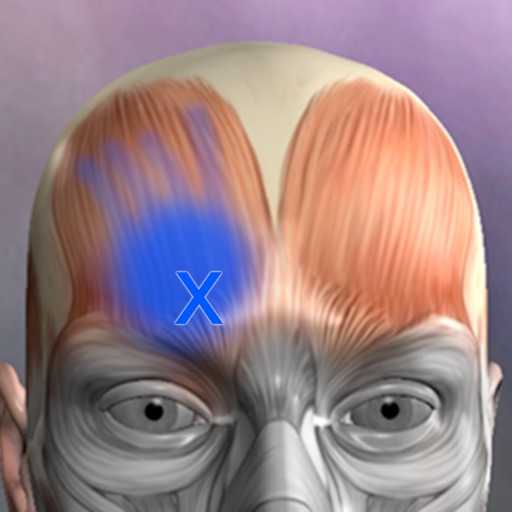
A Reference for the most common trigger points and referral patterns for over 70 muscles. Features 100+ trigger points with their corresponding referral patterns. Each muscle includes the visual referral pattern and point location, plus a written muscle action, referral and comments for each muscle. You can choose to view each muscle individually, or use the zones view to see all the muscles that refer into a specific area, a great help in discovering the source of pain. Trigger points are tight places in a muscle that cause pain to be felt elsewhere in the body. This is great for massage therapists, physical therapists, chiropractors, or anyone wanting to discover the source of muscular pain, and learn about muscle function. FEATURED IN APPLE'S WHATS HOT FOR TWO WEEKS! "Any iPhone or iPod Touch user with an interest in the human body may find Real Bodywork’s reference app Muscle Trigger Points to be of special interest." Phone Gear Review "...the app is quite useful for identifying problem areas and gives us a great visual for pinpointing the problem. " Slap App Review iTunes User Reviews: "SIMPLE & EASY to use, INEXPENSIVE, along with EXCELLENT 3D graphics to help zero-in on areas of each muscle when palpating." Roc 5/5
Descrizione
Weight Monitor allows you to quickly and easily record your daily weight. Nothing else to get in the way. Just add your weight and see it plotted on the graph with all the relevant information. The monthly graph shows you your weight, your target weight but also your average weight over the last 10 days. Your average weight is a much better indicator of your real weight. New: 1) Tabs now show which user is selected. 2) Double click on Weight in Month View now shows the Add/Amend Notes dialog. 3) Click on the blue 'i' icon on the graph view shows the Add/Amend Notes dialog. 4) When adding a new user the Weight Type and Feet&Inches/Metric selectors default to those last used. You can specify how many months you want to see on the Graph. Select the number of months to show in the Preferences and the graph will show from the currently selected month forward by that many months. This App can be used to lose weight but it can also be used to gain weight. The blue line shows the required weight loss line. This line is calculated from the start date & weight and the end date & weight. If you follow this line you will reach your target weight. The end of the arrow of each red line shows the weight for the day. The line extends to the rolling average weight for the day. If the arrow is downward then your weight is going in the right direction. If the arrow is upward then beware your weight is above the average. The green line shows the rolling average weight. For each weight entered an average of the last ten days is calculated. This weight is plotted for each day and this is the green line. If the green line remains below the blue line you are winning. Your daily weight can change too much over just a couple of days and this can be very discouraging when your weight increases. You can easily see your new weight and how this affects the average on the graph. Using this new information you can gain confidence that your weight is changing as required. The graph also shows you the line of required weight loss to achieve your desired weight. While your weights and the average weights remain below this line you are still on track. Stray above this line and your are off course. The graph is a powerful visual clue to what is occurring. Simple to use. Just start it. You just have to set the initial values in the Preferences and you are ready to go. To set the Preferences you set the Start Date, Start Weight, End Date, End Weight and whether you want to use kilograms, stones & pounds, or just pounds. On the Graph & Input tab just select today's date to add you weight for the day by pressing 'Save'. The graph will change to show this weight. You can add a weight for any other day by just selecting that date rather than today's date. The more weights you add the better the graph shows your progress. You can delete a weight completely by selecting the Months tab, selecting the day the weight is for and then selecting 'Delete Weight'. To gain weight with this App just select an end weight that is greater than your start weight. You should strive to have arrows that point upwards and keep the green line above the blue line.
Descrizione
Амблиопия, также называемая «ленивым глазом», — это нарушение зрения, вызванное несогласованной работой глаза и мозга. В результате снижается острота зрения в глазу, который в остальном выглядит нормально. Это наиболее распространенная причина снижения зрения в одном глазу у детей и молодых взрослых. Приложение «Амблиопия — Ленивый глаз» — это приложение для визуальных упражнений, разработанное для поддержки ежедневных тренировок по движению глаз и помощи в улучшении и исправлении этой проблемы. Приложение предлагает упражнения с движущейся мишенью, где пользователь следит за мячом, эмодзи или пользовательским визуальным объектом по плавным анимированным траекториям. Упражнения организованы по уровню сложности и возрастной группе, что позволяет легко выбрать комфортную тренировочную сессию. В этой обновленной версии расширен оригинальный интерфейс, добавлена поддержка портретной и альбомной ориентации, настраиваемые визуальные эффекты, опциональное отслеживание взгляда с помощью устройств, совместимых с TrueDepth, калибровка, история прогресса и гибкие настройки сессии. ОСНОВНЫЕ ХАРАКТЕРИСТИКИ • 40 уровней сложности упражнений Выбирайте из широкого спектра плавных траекторий движения глаз, от простых круговых движений до более сложных визуальных паттернов. • Режимы упражнений в зависимости от возраста Выберите возрастную группу, чтобы настроить размер цели, скорость и сложность движений. • Поддержка портретной и альбомной ориентации Используйте приложение с комфортом в любой ориентации. • Дополнительное отслеживание взгляда TrueDepth На поддерживаемых устройствах приложение может использовать отслеживание лица ARKit для предоставления дополнительной обратной связи во время тренировки. Отслеживание взгляда является необязательным и может быть пропущено. • Калибровка перед началом тренировок Если отслеживание взгляда включено, приложение проведет пользователя через короткий процесс калибровки для улучшения обратной связи во время тренировки. • Несколько режимов тренировки Выбирайте тренировки с открытыми обоими глазами, тренировку с левым глазом или тренировку с правым глазом в зависимости от вашей программы. • Настраиваемая цель для тренировки Используйте цветной мяч, эмодзи, эмодзи животного или изображение лица в качестве движущейся цели. • Пользовательские фоны Выберите цвета фона, изображения или анимированные гипнотические узоры для создания комфортной визуальной среды. • Регулируемая продолжительность сеанса Выберите сеансы упражнений продолжительностью 1, 3, 5, 7 или 10 минут. • Локальная история прогресса Приложение сохраняет завершенные сеансы локально на устройстве, включая продолжительность, уровень, выбранный режим и обратную связь по отслеживанию (если включено). • Образовательная информация Содержит полезную информацию об амблиопии и общие инструкции по использованию визуальных упражнений. КОНФИДЕНЦИАЛЬНОСТЬ Отслеживание взгляда является необязательным. При включении приложение использует данные ARKit/TrueDepth только для оценки направления взгляда, состояния моргания и движения головы во время калибровки и сеансов упражнений. Приложение не записывает фотографии или видео, не загружает данные о лице и не использует эту информацию для идентификации или рекламы. Данные калибровки и истории хранятся локально на устройстве. ВАЖНОЕ МЕДИЦИНСКОЕ ЗАМЕЧАНИЕ Это приложение не является медицинским устройством и не предоставляет диагностику, лечение или медицинские консультации. Данное средство предназначено для поддержки зрительных упражнений. Перед началом любых упражнений для глаз, особенно детям или лицам с диагностированными заболеваниями глаз, проконсультируйтесь с квалифицированным офтальмологом.
Descrizione
Приложение «Московский врач» создано для подготовки к прохождению добровольных оценочных процедур в рамках пилотного проекта «О присвоении статуса «Московский врач». Создано разработчиками приложения МедикТест. В приложении представлены следующие направления: • Терапия • Педиатрия • Акушерство и гинекология • Анестезиология и реаниматология • Дерматовенерология • Детская хирургия • Неврология • Неонатология • Оториноларингология • Патологическая анатомия • Эндоскопия Функции приложения: - возможность учить вопросы по блокам, а главное сохранять пройденный результат! - возможность добавлять плохо запоминающиеся вопросы в избранное и прорешивать только их - возможность проходить работу над ошибками на всех этапах тестирования - возможность вернутся к ранее отвеченным вопросам В каждом направлении имеются следующие разделы: "Подготовка" - общее количество вопросов для удобства разделены на блоки по 100 вопросов. Каждый блок включает в себя следующие подразделы: "Учить тесты" - позволяет изучить предложенные в данном блоке вопросы в текстовом формате с отмеченными правильными ответами "Тренировка" - все вопросы блока представлены в тестовом режиме "Получить зачёт" - данный подраздел создан для контроля знаний. Имеется возможность выбрать количество вопросов, которых на ваш взгляд достаточно для проверки самого себя (минимум 30). По окончании зачетного тестирования положительный результат программа программа выдаёт при наборе 80%, здесь вы сами решаете достаточно ли вам этого результата для получения зачёта. Если вы и программа считаете, что данный блок изучен достаточно, то данный диапазон вопросов помечается "галочкой". "Сдать экзамен" - максимально приближенный тестовый режим к реальному экзамену. Количество вопросов - 50. Положительный результат вы получаете набрав 80% правильных ответов. "Поиск по тестам" - раздел для поиска нужного вопроса среди всех предложенных по данной специальности. "Избранное" - раздел, в который вы можете добавлять плохо запоминающиеся вопросы и прорешивать их. Добавление вопросов возможно на любом этапе: из общего поиска, тренировки и экзамена. Также для удобства визуализации общего процесса подготовки имеется экран, включающий в себя данные о количестве изученных вопросов, количестве успешных попыток сдачи экзамена и общего количества вопросов по направлению.
Descrizione
- This application is a professional app for ’14 Main Acupuncture Points and its superficial Meridians’ which is a basic anatomy of Asian medicine. * 14 Main Acupuncture Points” - 12 Main Acupuncture Points, Governor Vessel (GV) Acupuncture Points, Conception Vessel(CV) Acupuncture Points and its superficial Meridians. - ‘MERIDIAN 3.1’ application is an App that shows and explains the ‘Acupoints’ of Asian Medicine. - The text for a total of 362 acupuncture points is also completely included. Acupuncture points can be compared and confirmed with skin, bone, organ, and muscle easily. - Easily compare the ‘Main Acupuncture Points’ and its ‘Superficial Meridians’ with the skin, muscles, vessels, bones and organs. - By making a ‘scale’, we made it easier to find acupuncture points. - Contents include accurate location, based book, function and character(how to use). Released in Korean, Chinese and English, which allows it to be used across the world! * Main Acupuncture Point -> 12 Main Acupuncture Point, Governor Vessel (GV) Acupuncture Point, Conception Vessel(CV) Acupuncture Point.. - Please refer to ‘Meridian 3.1’ application. * Superficial Meridians -> It is not “Meridian and collateral”, is just a line that connects the acupuncture points. * Scale - a reference line for easily locating acupuncture points * For Main Acupuncture Points (such as 12 Main Acupuncture Point, Governor Vessel (GV) Acupuncture Point, Conception Vessel(CV) Acupuncture Point, lung, large intestine, etc.), refer to ‘Meridian 3.1’ application. For Meridian and collateral (12 meridians, 14 meridians, eight extra meridians, twelve meridian divergences, twelve meridian sinews, twelve cutaneous regions, etc.) please refer to ‘Meridian Inside’ application. For Extra acupuncture points, please refer to ‘Acupuncture of Extra Point’ application. For Tung ’s family acupunture(In korean called as Dongssihyeol) (Dongssi, Master tung), refer to ‘Master Tung Acupuncture point’ application. * This product does not have complete text descriptions of Meridian and collateral, Extra acupuncture points and Tung ’s family acupunture. - Meet our(verderoot, acumonster, medimonster) various products (Meridian, Meridian Inside, Master Tung, Extra-Acupuncture Point, Combination Point, Hand Acupuncture, Foot Acupoint, Head Acupuncture, etc.) look. www.verderoot.com www.acumonster.com
Descrizione
The next generation Planmeca mobile image viewing application Planmeca mRomexis™ is Planmeca's new dental imaging application. It displays images acquired using Planmeca dental equipment and the Planmeca Romexis® desktop software. All modalities acquired with Planmeca imaging equipment can be viewed in one application – including intraoral, panoramic, cephalometric and 3D CBCT X-ray images. The viewing of digital dental models and 3D facial photos is also supported. Features: • Simple and powerful interface • Customisable searches – sort by Name, ID and latest activity • Search and list all patients and images on the Planmeca Romexis server* on a local network (*not included, Planmeca Romexis server version 4.0.0.R or later required) • View, zoom and measure any Planmeca 2D image • Adjust image brightness and contrast with intuitive touch gestures • View and zoom 3D CBCT* images in real-time MPR views including 3D rendering (*requires access to the Planmeca Romexis server on a local network) • True hardware accelerated 3D viewing of Planmeca PlanScan® digital dental models and Planmeca ProFace® 3D photos, including zooming and free rotation • Capture snapshots to your camera roll for later reference or sending via e-mail • Access images referred to you by using the Planmeca Romexis® Cloud image transfer service You can access all patients and images with a few taps when on the same local network as your clinic’s Planmeca Romexis server. A username and password are required to use the Planmeca Romexis server. Accessed images can be stored to your device’s internal memory for viewing at a time when no connection to the Planmeca Romexis server is available. SYSTEM REQUIREMENTS Requires Apple iPad Air / 4 & iOS 8 or better. Planmeca Romexis 4.0.R required for viewing images on the server. INTENDED USE The Planmeca mRomexis mobile image viewing application is intended for informational and patient education purposes only. This software is not intended for diagnostic use. Planmeca Romexis® desktop software The Planmeca Romexis® desktop software is a dental imaging suite that supports both MS Windows and Apple Mac OS, and includes processing of all dental imaging modalities: intraoral, panoramic, cephalometric and CBVT X-ray images, as well as digital dental models, 3D photos and intraoral images. For more information about the Planmeca Romexis desktop software, please visit: http://www.planmeca.com/software/
Descrizione
NOW INTEGRATED WITH THE IPHONE AND THE IPAD VERSIONS OF THE APPLICATION! Here is an application that will enable you to keep track of all information relative to your health and the one of each member of your family: blood group, blood pressure, medications , allergies, diagnostic tests and results, infectious diseases, vaccinations, ... This information could prove of great importance in a variety of everyday situations from a routine medical check up – where details of any medical prescriptions can be recorded – to any possible emergency situation where it becomes vital to have immediate access to data such as blood groups, allergies, results of diagnostic testing, prescribed medication etc. Family Medical History will allow you to have single point of access to: - Your family main personal and health data (blood group, RH factor, health service number….) - A list of prescribed medications, their indications and the frequency of assumption. A list of any diagnostic testing undertaken or planned with relevant dates and results. - A list of any noted allergies, the allergic factors involved and the remedies necessary to relieve the symptoms. - A list of diseases contracted and their dates. - Blood pressure and weight trend - A list of all vaccinations offered and taken up, together with reminders of the dates for boosters to be administered. Any reactions and subsequent remedies can also be logged. - A dedicated point of access to the main phone numbers, email addresses, ... relevant to your and your family health (doctor, paediatrician, general practitioner, health visitor, emergency services, Poison Centre, Burns Centre…..). This application is user-friendly thanks to the precompiled sections (see vaccination section). Should you feel that functionality could be added to or improved, please do not hesitate to post/email your suggestions at: [email protected] If you have any issue or find any bug, please email directly to: [email protected]. We’ll be happy to address your question, answering directly back to you.
Descrizione
- This App contains 21 acupoints in the Hand back part and another 21 acupoints in the Hand palm part, and each acupoints is written in Korean, English and Chinese texts in terms of location, efficacy and operation method . - The reflex region which was used as the basis of the diagnosis in the traditional Hand Acupuncture therapy is also arranged in 3D. The Reflexoloy chart used as a basis for other forms of diagnosis and treatment are also arranged in 3D. You can compare The reflex region of a traditional form with The Reflexoloy chart of other theories in 3D, and you can also compare The Hand Acupoints in 3D. - The 14 Main Acupuncture Point of the hand , The Extra Acupuncture Point of the hand, and The Master Tung`s Acupuncture Point of the hand are displayed on the 3D model as background, so you can organize them by comparing them with The Hand Acupoints. - The skin, muscles, and nerves of the hand are made in 3D, so you can compare the position of The Hand Acupoint with the muscles, bones and nerves in 3D. * For Main Acupuncture Points (such as 12 Main Acupuncture Point, Governor Vessel (GV) Acupuncture Point, Conception Vessel(CV) Acupuncture Point, lung, large intestine, etc.), refer to ‘Meridian 3.1’ application. For Meridian and collateral (12 meridians, 14 meridians, eight extra meridians, twelve meridian divergences, twelve meridian sinews, twelve cutaneous regions, etc.) please refer to ‘Meridian Inside’ application. For Extra acupuncture points, please refer to ‘Acupuncture of Extra Point’ application. For Tung ’s family acupunture(In korean called as Dongssihyeol) (Dongssi, Master tung), refer to ‘Master Tung Acupuncture point’ application. * This product does not have complete text descriptions of ‘’Main acupuncture point’, ‘Meridian and collateral’, ‘Extra acupuncture points’ and ‘Tung ’s family acupunture.’ - Meet our(verderoot, acumonster, medimonster) various products (Meridian, Meridian Inside, Master Tung, Extra-Acupuncture Point, Combination Point, Hand Acupuncture, Foot Acupoint, Head Acupuncture, etc.) look. www.verderoot.com www.acumonster.com
Descrizione
- ‘Meridian Inside’ application was created by integrating ’12 Main Meridian’, ‘8 Extra Meridians’ and ’12 Meridian Divergences’, while applying it to the 3D human body model with ‘Main Acupuncture Point’. - It is an application that can check the flow of the meridian of Asian medicine, which is the only one in the world now. - You can check the location, flow, and contents of a total of 32 meridians. This product does not have complete text descriptions of ‘Main Acupuncture Points’, ‘Extra acupoints’, and ‘Tung ’s family acupunture point.’ - This product does not have ’12 meridian sinews’, ’12 meridian regions’, and ’12 skin’ in this product yet. - Easily zoom in and out with multi-touch so you can see the exact location of the ‘ Meridian and collateral’ itself and we add the “drive button bar” so easliy check the what you want. - ’12 Main Meridian’, ‘8 Extra Meridians’ and ’12 Meridian Divergences’, can be grasped at the same time, and can be compared with ‘Main Acupuncture Point’. * Main Acupuncture Point -> 12 Main Acupuncture Point, Governor Vessel (GV) Acupuncture Point, Conception Vessel(CV) Acupuncture Point.. - Please refer to ‘Meridian 3.1’ application. * For Main Acupuncture Points (such as 12 Main Acupuncture Point, Governor Vessel (GV) Acupuncture Point, Conception Vessel(CV) Acupuncture Point, lung, large intestine, etc.), refer to ‘Meridian 3.1’ application. For Meridian and collateral (12 meridians, 14 meridians, eight extra meridians, twelve meridian divergences, twelve meridian sinews, twelve cutaneous regions, etc.) please refer to ‘Meridian Inside’ application. For Extra acupuncture points, please refer to ‘Acupuncture of Extra Point’ application. For Tung ’s family acupunture(In korean called as Dongssihyeol) (Dongssi, Master tung), refer to ‘Master Tung Acupuncture point’ application. * This product does not have complete text descriptions of Main Acupuncture Points, extra acupoint, and Tung ’s family acupunture point. * This product does not have 12 meridian sinews, 12 meridian regions, or 12 skin in this product yet. - Meet our(verderoot, acumonster, medimonster) various products (Meridian, Meridian Inside, Master Tung, Extra-Acupuncture Point, Combination Point, Hand Acupuncture, Foot Acupoint, Head Acupuncture, etc.) look. www.verderoot.com www.acumonster.com
Descrizione
EP Calipers provides electronic calipers to measure intervals on images of ECGs or electrophysiologic recordings. EP Calipers can be used to make accurate ECG measurements on your Mac and do calculations such as mean heart rate, corrected QT interval, or even measure the beta angle in Brugada syndrome using electronic calipers similar to those in electrophysiologic recording systems. Analyze ECG images as well as PDF files, such as ECGs generated by the Kardia™ AliveCor™ device. Analyze anything open on your desktop using the Transparent Window feature.
Descrizione
A simple App that includes 34 Health Calculators: - Body Mass Index (BMI) Calculator - Body Adiposity Index (BAI) Calculator - Basal Metabolic Rate (BMR) Calculator - Resting Metabolic Rate (RMR) Calculator - Body Fat Percentage Calculator - Calorie Calculator - Target Heart Rate (THR) Calculator - Ideal Body Weight (IBW) Calculator - Body Surface Area (BSA) Calculator - Lean Body Mass (LBM) Calculator - Weight Loss Percentage Calculator - Human Water Requirement Calculator - Waist Hip Ratio Calculator - Waist Height Ratio (WHtR) Calculator - Bench Press Calculator - Cost of Smoking Calculator - Beep Test Calculator - VO2 Max Calculator - Heart Rate Calories Burned Calculator - Heart Rate Calories Burned Known VO2 Calculator - Blood Volume Calculator - Estimated Blood Volume Calculator - Cycling Calories Burned Calculator - Fat Free Mass Index (FFMI) Calculator - Drops Per Minute Calculator - Hyponatremia Correction Calculator - IV Drip Rate Calculator - IV Flow Rate Calculator - Insulin Dosage Level Calculator - Systematic Vascular Resistance (SVR) Calculator - Weight Watchers Daily Points Plus Allowance Calculator - Pro Points Weight Watchers Calculator - Weight Watchers Points Plus Calculator - Weight Watchers Old WW Points Calculator It Also Includes: - Description and formula for each calculator - Clear Button - Copy Button Please note that the results provided by these calculators are for educational purposes only and should not be considered medical advice. This app is not a substitute for professional medical diagnosis, treatment, or advice. Always consult with a licensed healthcare professional before making any medical decisions based on the information provided in this app.
Descrizione
Dicom Browser is designed for users in the medical imaging field, focusing on the browsing and processing of DICOM files. The software now features a 3D preview mode, offering more intuitive visualization for precise image analysis. Additionally, it provides advanced image processing functions such as Multi-Planar Reconstruction (MPR) and image fusion. Users can browse, annotate, and process DICOM files offline, enhancing diagnostic efficiency and accuracy. With offline functionality, the software ensures data security and privacy, making it an ideal tool for medical image processing.
Descrizione
AcuRhythm is an acupuncture app for classical/traditional acupuncturists interested in chrono-acupuncture. The app calculates 'open' points using various theories including: Nai Zi Fa, Zi Wu Liu Zhu (Stems & Branches, Midday/Midnight, Adopting Stems, Husband/Wife, Same Clan), Inter-Generation (24 minute open points), Wei Qi Clock, Ling Gui Ba Fa (Eight Techniques of The Mysterious Turtle) and Fei Teng Ba Fa (Eight Techniques of Soaring). Seasonal points based on the 5 shu points. Propitious/Ominous days and Spirit human dwelling locations based on Stems and Branches. Age-based information page, including: multiple annual spirit locations (treatment prohibitions); biorhythm data. Moon age (days) for selected date. 28.8 minute cycle theory based on the work of Dr. Igor Simonov. Points based on the I Ching using favorable Hexagrams and Season Hexagrams. AcuRhythm has two time settings: Local time, or Local solar time calculated using your current longitude (the recommended method). Point information is given by Channel, including: Source, Luo, Xi-Cleft, 5 Shu, Entry/Exit, 5 Element techniques such as the 4 Needle Technique (Korean Sa-Am), Dr Richard Tan's 5 Systems and Dr Chao Chen's Six Channel ZangFu Method. New functionality BaZi Eight Pillars calculation for 2 dates. New functionality Manaka's Daily Biorhythmic phases. Metronome, for Dr. Manaka type treatment. Enjoy!
Descrizione
Learn anatomy easily with this unique quiz app that features traditional multiple-choice quizzes on 416 structures, or our new quiz style where you match a name to one of four images. You can make your own quizzes, or have the app quiz you only on what you have missed. Includes over 416 anatomical structures in beautiful 3d renderings. The topics include 167 bones and landmarks, 138 muscles, and 111 organ images. Turn on the timer option for an extra challenge! Try this unique anatomy quiz game and you'll be happy you did! A quick anatomy lesson: this app features ALL the bones and many landmarks, but in the bone section, there are only 53 bones listed.... arnt there 206 bones in the body? Most of the bones are bilateral... one on each side, so we don't quiz the right femur and left femur, this cuts the list down almost in half. Many bones are repeat... 12 ribs on each side, 10 distal phalanges, 10 proximal phalanges... When we take out all these repetitive bones, we are left with about 53 unique bones.... so please know that this app has been designed by experienced intelligent anatomists!
Descrizione
Следите за высотой и громкостью голоса в реальном времени, пока вы говорите: записывайте, измеряйте и отслеживайте свой голос для речевой терапии, тренировки голоса и пения. Voice Analyst используется в логопедических клиниках, исследовательских центрах, университетах и домах более чем в 180 странах; с его помощью сделано более 12 миллионов записей. Победитель премии Digital Health Award (Medilink SW Healthcare Innovation). Включено в каталог технологий Parkinson's UK: https://techguide.parkinsons.org.uk/catalogue/voice-analyst Одна покупка для iPhone, iPad и Mac. Без подписок. Измеряйте свой голос • Наблюдайте за графиками высоты тона (в герцах или музыкальных нотах) и громкости в реальном времени, пока вы говорите или поёте. • Записывайте голос и воспроизводите запись вместе с графиками высоты и громкости. • Смотрите статистику любой записи или её части: минимум, максимум, среднее значение и диапазон высоты и громкости. • Задавайте цели по высоте и громкости — и мгновенно видно, когда ваш голос в них попадает. • Увеличивайте любой участок записи для детального анализа и сохраняйте любую её часть. • Поддержка Split View и многозадачности на iPad. Создано для речевой терапии • Занимайтесь между приёмами с целями, которые задал ваш логопед, включая цели по громкости из программ, таких как LSVT LOUD при болезни Паркинсона. • Отслеживайте прогресс со временем с помощью сохранённых записей и статистики. • Используйте в клинике, дома или на дистанционных телемедицинских сеансах. Делитесь со своим логопедом • Отправляйте записи и статистику логопеду по электронной почте или делитесь ими в сообщениях и через AirDrop. • Сохраняйте записи на устройство или в iCloud, Dropbox и другие облачные хранилища. • Копируйте статистику в таблицы для документации, отчётов и исследований. Кто использует Voice Analyst • Логопеды и специалисты по голосу, измеряющие высоту и громкость голоса клиентов — в клинике и по телемедицине. • Люди, проходящие голосовую терапию — при болезни Паркинсона, после инсульта и черепно-мозговой травмы, при дизартрии, параличе голосовых связок, мышечно-тензионной дисфонии и других нарушениях голоса. • Трансгендерные и небинарные люди, тренирующие голос с наглядной обратной связью по высоте тона. • Певцы, актёры, учителя и ведущие, которые следят за своим голосом и развивают его. • Исследователи и студенты, объективно измеряющие голос. Приватность по умолчанию • Ваши записи остаются на устройстве, если вы сами не решите ими поделиться. • Ничего не загружается на наши серверы — записи клиентов остаются под контролем специалистов. • Соответствие GDPR — личные данные не собираются. • Работает офлайн — записывайте и анализируйте где угодно. Что говорят пользователи «Невероятно удобно видеть высоту голоса, задавать целевые диапазоны, делать и анализировать записи, экспортировать и импортировать их. Не представляю работу над голосом без этого приложения». «Я использую Voice Analyst со своими трансгендерными клиентами. Приложение очень удобное и наглядно показывает частоту, а также мгновенно анализирует диапазон и среднюю высоту. Клиенты пользуются им на сеансах, а некоторые скачали его для занятий дома». «Отличное приложение. Простое в использовании, но в нём есть всё необходимое, чтобы легко следить за собой и сохранять мотивацию». Voice Analyst не является медицинским изделием: приложение измеряет и записывает голос, но не диагностирует и не лечит какие-либо заболевания. Если вас беспокоит качество вашего голоса, обратитесь к врачу и попросите направление к оториноларингологу (ЛОР-врачу). Вопросы или идеи? Напишите на [email protected] — мы будем рады вашему письму.
Descrizione
Skull, Teeth & TMJ app is an outstanding resource for exploring the anatomy and biomechanics of the skull, jaw, and temporomandibular joint (TMJ). This comprehensive tool provides you with access to a range of features, including: • High-quality 3D models of the bones, muscles, and ligaments of the jaw that allow you to examine them in detail. • Interactive envelope of motion diagrams, including Posselt's envelope of motion diagram, that help you explore the biomechanics of the lower jaw and its movement patterns. • The ability to hide or isolate separate anatomical structures and use cross-section tools to examine the anatomy more closely. • Realistic visualization of the TMJ capsule and disc's motion that can be challenging to visualize using traditional resources. • Access to informative articles from anatomystandard.com that further enhance your understanding of the subject. • Examination of a complete set of permanent teeth with ideal alignment and bite, which helps you understand the form and function of teeth in the mouth. • The ability to adjust the direction of the light source to improve your visualization of the anatomy. Whether you're a student, healthcare professional, or simply interested in learning more about the anatomy of the Skull, Teeth & TMJ, this app is an excellent resource. Its comprehensive range of features and detailed visualizations make it an invaluable tool for anyone looking to deepen their understanding of this complex subject.
Descrizione
The Cristallight’s My Health Report application is your comprehensive health data manager and personal health diary. It allows to store the health information, and review it in a Charts, or Data Table modes, edit the information, save it as a PDF report, or just print it, making it an analog of medical lab test report software. Not only the general health parameters, such as Temperature, Well-being, Appetite, Weight, and BMI values are available, but also the Pressure, and Blood groups, thus making the My Health Report to be a blood test monitor, and pressure test monitor software at once. Using the Height Preference value, and BMI normal range, the application calculates optimal weight range. The Pressure group parameters include Systolic, Diastolic, Pulse, and Pulse Pressure values. The Blood ones allow you to add your Hemoglobin, CRP(C-reactive protein), ESR (erythrocyte sedimentation rate), Albumin, and WBC (White blood cells) values. The product has the intuitive interface allowing you to add your health tracking data in just a few clicks. 1. Select the data type you wish to add or edit from General and Pressure and Blood groups, 2. Double click on a row of data, or column on a chart and set the values in the Edit Data screen. 3. To view charts select proper tool button. Main Features: • Intuitive interface, • General, Pressure and Blood groups of parameters, • Showing your data in Data Table or Charts modes, • Easily editing your health data, • Dates range for viewing and saving reports, • Change the measurement units to represent data, and • Save Report as PDF file, or print it.
Descrizione
Eye Training Tool — это вспомогательное программное обеспечение для расслабления глазных мышц и тренировки бинокулярной координации в любых условиях, созданное на основе принципов эргономики и современной науки о зрительном здоровье. При длительном взгляде на экран компьютера или телефона глаза легко становятся сухими, напряженными, медленно фокусируются и испытывают глубокую усталость. Этот инструмент разработан для офисных работников, исследователей, любителей игр, а также взрослых и подростков, заботящихся о ежедневной гигиене зрения. Более 90 тщательно спроектированных интерактивных паттернов с плавным зумом, высококонтрастными визуальными сетками, трехмерным растяжением глубины и тонким захватом контраста помогают расслабить глазные мышцы в перерывах между зрительной нагрузкой, активизировать аккомодацию, улучшить бинокулярную координацию, повысить зрительный комфорт и восприятие трехмерного пространства. 【全新功能:全能预览大厅(Holographic Interactive Preview)】 本版本迎来里程碑升级,全新上线“全能预览大厅”。您可以在一个屏幕中直观总览并实时预览全部 90 多个眼睛放松与练习项目。支持触屏自适应,只需将视线聚焦或轻触屏幕,即可实时预览非常流畅的缩略图运动效果,帮您在 1 秒内快速挑选较适合当下的眼肌拉伸放松方案,提升了日常操作的流畅度与便利性。 【九大专业级视觉放松与眼肌锻炼模块】 - 视觉舒敏与保健:包含经典的加博尔(Gabor)视标、共振红光脉冲闪烁、平面迷宫探索及立体远眺图,通过高反差条纹与经典几何结构激活中心凹感知,帮助唤醒惰性眼底细胞。 - Координация движений экстраокулярных мышц: предлагаются частые упражнения на растяжение, такие как отслеживание по звездной траектории, горизонтальные и вертикальные саккады, движения глазами по восьмерке, направляющие взгляд за ярким стимулом для широких и ритмичных скользящих движений, расслабляющих напряженные наружные мышцы глаза. - Снятие сухости и упражнения на моргание: специальный цикл из трех фаз — легкое моргание, сильное смыкание (стимуляция мейбомиевых желез) и взгляд вдаль. Ритмичное закрывание и открывание глаз способствует сокращению круговой мышцы глаза, стимулируя выделение липидного слоя слезной пленки и помогая уменьшить сухость, вызванную длительным взглядом на экран. - Аккомодационная тренировка хрусталика и стереоскопическое слияние: высоко реалистичная имитация классической «нити Брока» и «флиппера». Ступенчатые переключения фокуса между далью и близью, а также плавные перемещения вперед-назад в трехмерном пространстве тренируют аккомодационную способность цилиарной мышцы и точность фокусировки. - Бинокулярное сотрудничество и баланс слияния: с помощью красно-зеленых или красно-синих разделительных очков объединяйте концентрические двухцветные круги в единый образ, стимулируя стереоскопическое восприятие, фузию и глубинную фокусировку мозга, способствуя устранению подавления одного из глаз. - Пространственное трехмерное туннельное растяжение: глубокая симуляция масштабирования 3D-глубины в виде частиц в туннеле, вращающихся полигонов и других эффектов, направляющая взгляд сквозь виртуальную глубину и обеспечивающая полноценное чередование «даль-близь» для отдыха, снимая ложную усталость. - Муаровые интерференционные узоры: комфортные плавные концентрические «жемчужные цепочки» и диагональные гармонические сетки, позволяющие глазам отдохнуть в расслабляющем геометрическом потоке. - Вестибуло-окулярная рефлекторная тренировка (VOR): мишень совершает низкоамплитудные синусоидальные колебания, вызывая высокочастотные микродвижения глаз путем пассивного рефлекса, уравновешивая нагрузку на глазные мышцы и улучшая фиксационный рефлекс. 【Сенсорный и эргономичный опыт】 - Глобальная адаптация дневного и ночного режимов: основной интерфейс и весь графический фон автоматически и плавно переключаются вслед за системой: днем — теплый мягкий белый, ночью — глубокий черный, уменьшая раздражающие блики и защищая комфорт глаз в условиях низкой освещенности. - Реалистичный связанный глаз: встроенное отслеживание взгляда связанного глаза в реальном времени следует за положением и глубиной тренировочного шарика, динамически подстраивая фокус и зрительную ось. - Плавный интерактивный дизайн: вся анимация управляется собственным высокопроизводительным движком рендеринга, обеспечивающим мягкие и естественные графические перехо
Descrizione
VISUAL ACUITY is KyberVision's desktop solution for vision care specialists: it brings computerized versions of the "gold standard" acuity testing in the clinical environment and it provides an efficient and reliable assessment of visual acuity for literate & illiterate people as well as preschool children. Moreover, VISUAL ACUITY follows the logMAR chart design recommended by the National Eye Institute (NEI) and the International Council of Ophthalmology (ICO) to address design flaws in the Snellen chart still found in most physicians' office. *** Remote Mode *** An optional and free companion app VISUAL ACUITY REMOTE for iPad, iPhone and iPod touch is also available to remotely control VISUAL ACUITY. *** Exhaustive Documentation in PDF format *** To learn more about VISUAL ACUITY and VISUAL ACUITY REMOTE, check out the User Guide available online in PDF format: https://mac.kybervision.com/visualacuity/VisualAcuity_UserGuide.pdf *** Full-Featured Acuity Testing *** VISUAL ACUITY has many useful features for the clinical environment: - Interactive LogMAR charts in landscape and portrait modes - Randomized design to prevent subjects to memorize the test - Mirror mode - Keep track of visual acuity history, subject/patient information and prescription - Exporting of acuity data through email in HTML format - Units conversion tool - Built-in & online PDF documentation - Free remote control app Visual Acuity Remote for iPhone or iPod touch Numerous options are also available to customize acuity testing: - Simple or ETDRS acuity scoring - Charts composed either of single letter, single line or multiple lines - Standard optotypes (Landolt C, Tumbling E, Sloan, HOTV) - Choice of specialized optotypes (Kid, Numbers, Cyrillic, Snellen) - Standard acuity units (foot, meter, decimal, VAR, logMAR, cpd) - Black letter on white background or reverse - Confusion bars - 4 or 8 orientations for C and E optotypes - Distance units and viewing distance up to 8 meters (26 feet) *** About KyberVision Japan LLC *** We are a JAPANESE company that provides Consulting, Research and Development services in the field of VISION SCIENCES. We also develop vision-related applications for the iOS and macOS platforms. Feel free to subscribe to our newsletter at https://mac.kybervision.com.
Descrizione
Открывайте медицинские DICOM-файлы локально на своем устройстве без подключения к интернету. Поддерживаются несколько языков, экспорт в PNG и видео, распаковка ZIP, а также упаковка файлов в ZIP для удобного обмена. Доступна многоплоскостная реконструкция (MPR). Интернет не требуется. Ваши файлы остаются на устройстве и не загружаются в облако или на какой-либо сервер. Полезно для быстрой подготовки изображений, которые нужно отправить врачу. Не предназначено для диагностики.
Descrizione
Lite PACS is a lightweight, locally deployed DICOM viewer and manager tailored for doctors, radiologists, and researchers. It enables efficient browsing and organizing of DICOM files by Patient, Study, Series, and Image without complex setup or server dependency. Key Features: • Zero configuration: Install and use instantly • Local storage: Keep your data safe and private • 4-level structure: View data by Patient, Study, Series, and Image • Batch import/export: Easily handle DICOM files in bulk • Clean UI: Modern design with dark mode and customizable settings Lite PACS is your simple and secure DICOM tool for everyday medical imaging needs.
Descrizione
Health Care includes three parts modules: EMDR, Home remedies, BMI calculator. 1. EMDR A macOS app for a self administrated EMDR treatment. What is EMDR? Eye Movement Desensitization and Reprocessing (EMDR) is a psychotherapy treatment that was originally designed to alleviate the distress associated with traumatic memories (Shapiro, 1989a, 1989b). [..] EMDR therapy facilitates the accessing and processing of traumatic memories and other adverse life experience to bring these to an adaptive resolution. After successful treatment with EMDR therapy, affective distress is relieved, negative beliefs are reformulated, and physiological arousal is reduced. 2. Home remedies Health Care prides your right approach towards various diseases and injuries. Also provide the basic information on various medical tests. It includes the following contents: diseases, medical tests, injuries, drugs, home remedies and herbal medicines. With the App, you can easily learn medical knowledge and it is useful in everyday life. a). DISEASES - This part covers information on many diseases, cancers, and complete guides to diseases like insomnia, flu, asthma, blood pressure lung cancer, alzheimer's disease, depression, diabetes, insomnia, cancer, IBS, arthritis etc. b). INJURIES - Information on many personal & sports injuries on various body parts like chest, ankle, back, head etc. to help you cope with them! c). DRUGS - Provides basic information on drugs and tips on how to use medications safely. More drugs will be added soon! d). HERBAL MEDICINES - Why herbal and alternative medicines are so useful? Find out here! This part also has information on many herbs. e). HOME REMEDIES - Relieve various common ailments with natural treatments. Why not use the gifts of nature? 3. BMI calculator The App also can be used to calculate BMI value and corresponding weight status while taking age into consideration. Use the "Metric Units" tab for the International System of Units to convert units into either US or metric units. Note that the calculator also computes the Ponderal Index in addition to BMI, both of which are discussed below in detail. Features: 1. EMDR; 2. vast amount of medical content; 3. bookmark chapter; 4. TTS (text-to-speech), read you the content; 5. write down your notes; 6. social share; 7. BMI calculator.
Descrizione
Приложение создано для студентов медиков, фельдшеров, врачей. С помощью простых примеров и тестирования можно быстро научиться правильно интерпретировать данные на электрокардиограмме, закрепить уже имеющиеся навыки. Функционал приложения включает в себя: - Описание патологий с примерами кардиограмм и пояснениями. - Строение проводящей системы сердца. - Правила снятия и чтения электрокардиограмм. - Тесты, в которых вы сможете проверить свои знания и закрепить их в своей памяти.
Descrizione
The “Medication" app is the perfect tool enabling users to completely manage their medication. Schedules, reminders and dosages are visually displayed. Multiple users can be set up on the “ Medication” app to manage daily, weekly and monthly pill dosages. Schedule your different medication easily using icons or colours on your Mac. Users can register their daily medication and receive reminders as needed. Keep yourself and your loved ones safe knowing their medication needs are organized. Never forget to take your medication again! Remember when to take your pills and manage the dosages correctly. The graphs will show visually how many pills are left to take for the day. Top Features: -Add pills with different icons and colors. -Manage medication stock and add pills when stock is empty. -Add pill reminders using built-in calendar. -Check off reminders after consuming the pill. -Register doctor appointments and get notified beforehand. -Add multiple users and manage med usage separately for each user. -Get a detailed over view of the monthly and yearly med usage on an easy graph chart. Medication is simple to use. It makes sure that you and your loved ones or anyone you care about never misses an important pill of medication again. It makes it stress free if you have so many different medications to take daily. So, download Medication today and never worry about timing and dosages again.
Descrizione
Track My Rx offers the powerful combination of robust functionality with a simple, straight-forward user interface which makes it easy to track medications, vitamins and/or supplements for one person or an entire family. Features: Share your data with multiple Macs, iPhones, iPads or iPod Touches and keep a backup of your data for safe keeping. Track unlimited medications for an unlimited amount of people Medication groups (blister packs) which allow you to record the taking of several medications with a single tap and yes you can schedule a reminder to take a medication group. Take a picture of your medication and/or medication group to avoid confusion Supports adding a quantity to medications, with an ongoing countdown which will result in an alert when you will need a refill Provides an alert when a selected medication will exceed daily dosage Schedule daily, weekly or monthly medication and/or medication group reminders View complete history or filter the history and email a report for doctor’s visits or your own personal records in a CSV file format which can be viewed using spreadsheet software or in html format that can be viewed and printed from any browser. Filter using these date shortcuts: This Week, Last Week, This Month, Last Month, Last 2 Months, Last 3 Months, Last 6 Months, Last 9 Months, Last 12 Months, This Year and Last Year Group history by: 1. Date 2. Medication 3. Medication and Date 4. Person 5. Person and Date 6. Person and Medication Sort history by Date or Medication or Person or Notes in ascending or descending order Supports 5 local date and 5 local time formats Supports 18 custom date formats and 3 local time formats
Descrizione
Researchers at Monash University have developed the low FODMAP diet and a corresponding app to assist in the management of gastrointestinal symptoms associated with irritable bowel syndrome (IBS). The Monash University FODMAP diet works by swapping foods high in fermentable carbohydrates (FODMAPs), with low FODMAP alternatives. Around 75% of people with IBS experience symptom relief on a low FODMAP diet. The app comes directly from the research team at Monash and includes the following: - General information about the FODMAP diet and IBS. - Easy to understand tutorials to guide you through the app and the 3-Step FODMAP diet. - A Food Guide detailing the FODMAP content for hundreds of foods using a simple 'traffic light system'. - A list of branded products that have been certified by Monash as low FODMAP. - A collection of over 70 nutritious, low FODMAP recipes. - Functions that allow you to create your own shopping list and add notes to individual foods - A Diary that enables you to record food eaten, IBS symptoms, bowel habits and stress levels. The Diary will also guide you through step 2 of the diet - FODMAP reintroduction. - The ability to adjust units of measurement (metric or imperial) and activate colour blindness assistance.
Descrizione
Knee Biomechanics with Dr. Bertram Zarins is an exceptional resource for exploring the anatomy and biomechanics of the human knee. Developed in collaboration with Dr. Bertram Zarins, whose expertise ensures the highest level of anatomical accuracy, this app offers a comprehensive and interactive learning experience. Key features include: • High-quality 3D model of the bones, ligaments, muscles and tendons of the knee, allowing detailed examination from every angle. • Interactive motion simulation that demonstrate knee biomechanics, including the screw-home mechanism, during flexion and extension—helping you better understand functional motion patterns. • Layer-by-layer exploration of anatomical structures for an in-depth study of the knee joint. • Realistic visualization of ligament tension and joint kinematics, which can be difficult to observe using traditional resources. • Access to informative articles and resources from anatomystandard.com, curated to enhance your understanding of knee anatomy and biomechanics. • Detailed examination of cartilage surfaces and menisci, providing insight into joint health, load distribution, and clinical relevance. • Adjustable lighting and visualization settings to optimize your study of intricate anatomical details. Whether you are a student, healthcare professional, or simply interested in understanding the mechanics of the knee, Knee Biomechanics with Dr. Bertram Zarins is an invaluable tool. With its detailed 3D models, accurate simulations, and expert guidance, it is an essential resource for anyone looking to deepen their knowledge of knee anatomy and function.
Descrizione
3D Heart Anatomy is the ultimate companion for those seeking to understand the heart's complex structures, whether for professional use, academic study, or personal interest. Dive into the captivating world of heart anatomy and start your journey with more than 150 individually detailed structures solely dedicated to the heart, 3D Heart Anatomy is a testament to the intricate design of one of the human body's most vital organs. Features: Immersive 3D Experience: Navigate and interact with high-resolution 3D models of the heart. Rotate, zoom and move structures with ease and precision. Comprehensive Atlas: With over 150 individual heart structures, explore every chamber, valve, vessel, and associated system with unparalleled depth and clarity. Photorealistic Graphics: Cutting-edge graphics that renders heart structures with extraordinary detail and realism, offering an effective tool for understanding complex heart anatomy. Professional-Grade Accuracy: Created by medical professionals and backed by medical literature, 3D Heart Atlas is both an engaging learning tool and a reliable reference for professionals. Accessible Anywhere: No Internet? No problem, keep learning wherever you are. We continuously strive to improve the quality and functionality of 3D Heart Anatomy. User feedback is invaluable for these improvements. If you find the application beneficial, please consider rating it on the App Store. Thank you for your continued support.
Descrizione
This fun, educational application teaches you the major anatomic landmarks that you will see in your 3-D cone beam scans. In each plain of section you are challenged by multiple images to identify the landmarks in a multiple-choice, quiz format. Your progress is tracked and recorded and your results shown at the end of each plain of section image completed. By repeating the fun quiz several times you'll soon master the anatomy that you will be seeing in all of your scans. Surprise yourself, have fun while you read, and learn your anatomy using this fun tool.
Descrizione
Bone Ninja is a teaching tool developed by two orthopedic surgeons who specialize in limb deformity correction: Dr. Shawn Standard and Dr. John Herzenberg. It is designed to help surgeons learn to analyze long bone deformities. Bone Ninja comes pre-loaded with radiographs of normal legs and deformed legs. You can analyze the provided cases or upload your own. Once your analysis is complete, you can then use the cut-out tool to try different osteotomy solutions. Suggested solutions for the provided cases are available for comparison. Bone Ninja includes tools for drawing lines, measuring angles, measuring lengths, and calibrating the magnification. The cutting tool allows you to manipulate one or more fragments to simulate correction of single or multilevel deformities. The analysis of the radiographs is based on methodology taught at our annual Baltimore Limb Deformity Course (BLDC), now in its 22nd year (DeformityCourse.com). We developed this app to supplement the BLDC and look forward to feedback from attendees and other users. Bone Ninja is not presented as a clinical tool, but rather an educational tool. It will not “automatically” analyze deformities. The student must first learn the methodology of analyzing and planning deformity correction in order to use Bone Ninja. Bone Ninja is a 21st century mobile alternative to pencil, ruler, goniometer, and paper. Bone Ninja will be periodically updated by adding more case examples, more explanations, and more tools. The name “Bone Ninja” is intentionally whimsical and reflects our philosophy of teaching as “infotainment.” Enjoy! Disclaimer The Bone Ninja App is designed for educational purposes only. The intent is to train physicians how to analyze long bone deformities. The Bone Ninja App is not intended to be used for medical diagnosis or treatment. In view of the possibility of human error or changes in medical science, neither the authors nor the developer warrant that the information contained in this software is accurate or complete and they are not responsible for any errors or omissions or the results obtained from the use of such information.
Descrizione
A reference for trigger points and referral patterns for 108 muscles. Features 160 trigger points with their corresponding referral patterns, 80 conditions that can be caused by trigger points, and 25 videos that show how to release specific muscles. Each muscle includes the visual referral pattern and point location, plus a written muscle action, referral, origin, insertion, nerve, comments, and audio pronunciation for each muscle. You can choose to view each muscle individually, or use the zones view to see all the muscles that refer into a specific area (or for a specific condition). This is a great help in discovering the source of pain. This app features all the scientifically proven trigger points and referral patterns as shown in the research. Trigger points are tight places in a muscle that cause pain to be felt elsewhere in the body. This is great for massage therapists, physical therapists, chiropractors, or anyone wanting to discover the source of muscular pain, and learn about muscle function. FEATURED IN APPLE'S WHATS HOT FOR TWO WEEKS! "Any iPhone user with an interest in the human body may find Real Bodywork’s reference app Muscle Trigger Points to be of special interest." Phone Gear Review "...the app is quite useful for identifying problem areas and gives us a great visual for pinpointing the problem. " Slap App Review iTunes User Reviews: "SIMPLE & EASY to use, INEXPENSIVE, along with EXCELLENT 3D graphics to help zero-in on areas of each muscle when palpating." Roc 5/5
Descrizione
Dicom Pilot is a macOS DICOM + AI workspace designed to help you analyze medical images through context-aware conversations. Core Features • Import DICOM files or folders and organize imaging data by Study / Series. • Start AI conversations directly from the currently selected study, series, and slice. • AI responses are grounded in the active imaging context to support structured analysis and information extraction. • In AI chat, you can request DICOM tag lookups, common metadata queries, and common window/level presets when needed. • Includes essential viewing tools such as window/level, zoom, pan, HU probe, slice navigation, and viewport reset. • Create tasks by series and keep session history for follow-up questions and review. Notes • AI features depend on your own configured model service and API key.
Descrizione
Donut Viewer (DN Viewer) is a fast, native DICOM and NIfTI viewer for Mac. This app is intended for educational and research purposes only and is not a certified medical device. It should not be used for clinical diagnosis or patient-care decisions. Supports Xray, CT, MRI, PET, angiography and fluroscopic studies. Directly open studies from local drive or Connect to PACS using DICOM or DICOMWeb, open local DICOM and NIfTI studies, preview imaging files directly from Finder, and work with MPR, 3D rendering, measurements, segmentation, and AI-assisted reporting — all in a GPU-accelerated native Mac app. NATIVE SPEED Studies open in instant, not minutes. DN Viewer is designed to feel at desktop experience, with fast loading, responsive navigation, and an interface optimized for medical imaging. Preview supported medical imaging files directly from Finder without opening the full application. Quickly inspect files while browsing folders and datasets. Designed for faster review of downloaded, exported, and research imaging data. WORKSTATION SERVER MODE Listener and server mode, allows directly receiving pushed studies from consoles and other workstations through DICOM protocol, and also serves the studies over DICOM to other clients. This can be configured. Supports CFIND CGET and CMOVE operations. This feature needs additional subscription. DICOM & NIFTI SUPPORT Open DICOM studies and series directly on your Mac. Open and explore NIfTI imaging datasets. Suitable for radiology, medical imaging research, AI datasets, segmentation workflows, and volumetric imaging. PACS CONNECTIVITY Connect directly to PACS servers using DICOM Connect to compatible DICOMWeb servers. Browse available studies and open them directly without manually exporting files. ADVANCED IMAGING TOOLS Multi-planar reconstruction (MPR) with synchronized crosshairs across all planes. PET/CT fusion mode with adjustable image blending for combined functional and anatomical visualization. 3D volume ray-cast rendering and surface rendering. Configurable multi-pane layouts for viewing multiple series side by side. Save and recall named hanging protocols for different study types. Window / Level presets for brain, bone, lung, liver, and more, with one-click access or keyboard shortcuts. Expanded widescreen series preview for quickly navigating studies, particularly useful for MR workflows. AI-ASSISTED REPORTING Integrated reporting pane displayed alongside the images. Speech-to-text optimized for medical and radiology terminology. Dictate naturally or use short forms and allow AI to expand them into structured report text. AI-assisted checking for gross unintended inconsistencies within report drafts. MEASUREMENTS & ANNOTATIONS Image overlay mode for superimposing series to support advanced measurements and calculations, such as TT–TG distance assessment. Linear ruler measurements. 3-point angle measurements. Elliptical ROI with mean, minimum, and maximum HU statistics. Synchronized HU probe across panes within the same study. Measurements are stored per slice and preserved during the session. PRIVACY & SECURITY DICOM image data remains on your device and is not uploaded for image processing. AI requests are routed through a secure proxy. Patient-identifying information is not intentionally included in AI prompts. CLEAN, FAST NATIVE UI GPU-accelerated image renderer. Keyboard shortcut reference available within the app. Adjustable UI zoom for different display sizes and resolutions. Native macOS workflow with Finder integration. Additional subscriptions may be required for DICOM Workstation server mode, AI chat, speech-to-text, and other AI-assisted features. Terms of Use (EULA): https://www.apple.com/legal/internet-services/itunes/dev/stdeula Privacy Policy: https://donutviewer.com/privacy Support: [email protected]
Descrizione
Dicom Browser is a professional DICOM viewer and processing tool for medical imaging. It supports fast loading and batch browsing, with advanced features including 3D preview, Multi‑Planar Reconstruction (MPR), and image fusion for intuitive and precise analysis. Built‑in measurement and annotation tools help document key findings and comparisons. The app works offline with all data processed locally to protect privacy, making it ideal for clinical reading, research, and education.
Descrizione
Turn Your iPhone Into a Dermatoscope The Dermatoscope app is a practical tool designed for healthcare professionals, especially dermatologists and skincare specialists. With this app, you can use your iPhone to conduct detailed dermatoscopic examinations. Features: Camera Integration: Leverage your iPhone’s camera to capture clear images and videos of skin conditions while preventing automatic lens switching and flash activation. Manual Controls: Adjust focus, exposure, and torch intensity to capture the details you need, whether taking photos or recording videos. Patient Information: Record and manage patient details directly within the app. Optionally overlay patient info on images and videos. Image and Video Capture: Take screenshots and record videos with ease. Store them securely on your device or share them with colleagues. Zoom Functionality: Use pinch-to-zoom to get a closer view of specific areas. Camera Switching: Rotate between the various rear-facing camera lenses. Instructions Included: Access a guide within the app to help you utilize its features effectively. Disclaimer: This app is intended for educational purposes only and is not a replacement for traditional medical tools or professional medical advice.
Descrizione
The first digital tool that provides a realistic and movable 3D model of the human spine to help students explore and professionals demonstrate the structures and biomechanics of the human spine. Features: - High anatomical accuracy - Full, user-controlled range of motion via dynamic slider system - Morph between user-defined poses - Layers of anatomical structures - Longitudinal sections of the spine - Adjustable background color and lighting settings And more!
Descrizione
This application calculates and graphically displays the Z-Score and percentile of the main anthropometric indicators across the entire pediatric age range. It also performs a detailed analysis of growth velocity, using days of life as the reference. It was developed and programmed by Gerson Rodríguez, Pediatric Specialist. Main Features 1. Percentile and Z-Score Charts and Calculations (WHO / CDC): Charts and calculations based on WHO and CDC standards, with day-of-life sensitivity, to ensure accurate growth assessment for: Weight / Length Weight / Age Length (Height) / Age BMI / Age Head Circumference / Age 2. Growth Velocity Analysis: Evaluates changes in length, weight, or head circumference, displaying Z-scores, percentiles, and graphs that highlight progress between visits. 2.1 Quantitative deficit or excess analysis: For each indicator, the app calculates the exact difference between the child and each standard deviation curve (–3 to +3 SD). 3. Cerebral Palsy Growth Charts Includes weight, height, and BMI charts for children with Cerebral Palsy, stratified by the Gross Motor Function Classification System (GMFCS I–V), with Level V divided into tube-fed (TF) and non-tube-fed (NT). Based on: Jordan Brooks et al., Pediatrics 128(2): e299–e307. 4. Daily Fluid Requirement Calculation: Calculates daily fluid needs using the Holliday & Segar method or body surface area. 5. Patient Database Management: Create and manage patient records including percentiles, Z-scores, and anthropometric measurements for comprehensive follow-up. 6. Import and Export Data: Easily import and export the patient database for flexible data management. 7. Preterm and Neonatal Growth Charts: Charts and calculations based on the latest FENTON, INTERGROWTH-21st, and OLSEN (2010) references. 8. Down Syndrome Growth Charts: Growth charts specially adapted for children with Down syndrome. All results are based on the LMS model (Cox distribution: Lambda – Mu – Sigma), applied to height, weight, BMI, and head circumference. Access all features with a single purchase, including future updates at no additional cost. No internet connection required — use it anywhere.
Descrizione
EMDR Classic - отображает текущую частоту колебаний и поддерживает ее регулирование (скорость анимации); - дает возможность изменять размер, направление и цвет движущейся фигуры; - имеет несколько звуковых эффектов с возможностью изменения громкости и выбора одного эффекта из десятка; - не использует Интернет и поэтому уважает вашу конфиденциальность и безопасность; - не собирает ваши личные данные; - без рекламы; - легкий, основан на родных технологиях без сторонних зависимостей; - имеет простой, минималистичный интерфейс.
Descrizione
Mal alignment of the hip, knee, and ankle leads to premature cartilage damage and to development of degenerative arthritis of knee joint. Femoral and tibial osteotomies around the knee are established procedures for the restoration of the physiological load distribution of pressure at the knee joint. Accurate preoperative planning is mandatory to avoid under correction or overcorrection of axes or placing the joint-line in obliquity that ends to insufficient postoperative alignment.The majority of osteotomies are still planned and performed using conventional techniques drawing over transparent papers, cumbersome measurements etc. The app assists at preoperative correction planning by calculating : -the amount of correction preoperatively by calculating the dimension of wedge size , the correction angle and osteotomy gap opening or closing. -mechanical axis deviation (in mm) MAD, anatomical and mechanical femoral axes angle (aMFA),mechanical lateral proximal femoral angle (mLPFA), mechanical lateral distal femoral angle(mLDFA), joint line convergence angle (JLCA),mechanical medial proximal tibial angle (mMPTA), Mechanical lateral distal tibial angle (mLDTA), Hip Knee Ankle line (HKA) ,Mid joint line (MJL) orientation. -objectively the deviation or deformity in the frontal plane (varus or valgus) and differentiate the level of deformity (femoral and or tibial origin) and according to measured angles objectively suggest where indicated, medial or lateral, open or closed-wedge distal femur osteotomy or high-tibial osteotomy or double osteotomies and avoiding unwanted obliquity of the joint line App allows he surgeon to -change the planned mechanical axis to pass at the preferred percentage (Fujisawa point) after evaluation of the residual cartilage thickness left on the involved compartment. select the location of hinge point of correction osteotomy for planning of varus or valgus corrections -evaluate in real time the success of intended osteotomy by evaluating the kinematic alignment of the knee (KAO), avoiding residual joint obliquity or malalignment. -measure the correction angle adjusted due to ligament instability and preoperatively calculate the height of osteotomy gap opening. -pressing + or - button, one degree of correction is added or subtracted respectively and the second plane of osteotomy emerges and printed in screen real offering real time simulation of the wedge osteotomy in an instant to comprehend in real time what parameters are affected and modify favourably the correction angle. All above mentioned angles and all limp axes are redrawn and updated accordingly for the given new correction angle. The drawn schematic gives the impression of settings act as a whole interchangable interacting unit. - dynamicaly preview and easily predict potential intraoperative errors, that could emerge and choose the optimal degree of correction without disruption kinematic alignment of the limp. -to combine correction- Biplanar-, at coronal plane and sagittal plane (based on Hernigou 2001 calculations ) on tibia slope and provide the direction of the plane (ω angle) in which the osteotomy (open or closed) should be made ,the height the opening or closing wedge and the correction angle (Δ angle), -to simulate, before real bone cuts are done and try different strategies in relation to the location, the type of osteotomy, the joint obliquity without to redraw in paper board countless drawings in an effort to achieve the optimal correction and mean while taking into account and balancing all influencing preoperative factors. -real time dynamically change of mechanical axis lines, modify also the drawings of femur and the tibia and in instant depicting a precise preview of the whole preoperative plan for optimal results. -categorisation of the deformities based to international literature normal references values, help to indicate to user the type of osteotomy.
Descrizione
Приложение My Medical Clinic Software - это программа для планирования работы медицинских клиник и врачей. Это также идеальная замена ненадежным бумажным записям или другим методам записи. Для вас вся важная личная информация сохраняется в вашей учетной записи iCloud. Его можно использовать без подключения к Интернету (для использования функции iCloud требуется сеть). MyMedicalClinicSoftware можно эффективно использовать в различных областях медицины, включая стоматологию, ортопедию, гинекологию, педиатрию, психиатрию, дерматологию, семейную медицину, сестринское дело, аптеку, прикладную психологию, продвинутый уход, офтальмологическую оптику, клиническую медицину, стоматологию и т. Д. Кто может им пользоваться? Могут использоваться врачи, семьи, отдельные лица, частные больницы, медицинские клиники и т. Д.! #Использование в медицинском центре / частной клинике Помогите всем врачам и пациентам в медицинских центрах / частных клиниках Управляйте расписанием врачей и пациентов Упорядочить работу сотрудников, не пропуская диагностические услуги Может взять на себя инициативу связаться с пациентами по электронной почте или по телефону. #Использование врача Врачи могут вести своих пациентов Записывайте приемы к пациентам на прием к врачу, не пропускайте график Запишите весь процесс медицинской диагностики разных пациентов; облегчить обзор настоящего и будущего справочника Может взять на себя инициативу связаться с пациентами по электронной почте или по телефону. Управление по лекарствам Управление медицинским имиджем Доход от медицинской диагностики #Индивидуальные пользователи используют Используйте в качестве своей собственной электронной медицинской книги и записывайте медицинские записи всех членов семьи Записывайтесь на прием к врачам, не пропускайте график Запишите весь процесс вашего медицинского диагноза Вы можете взять на себя инициативу связаться с врачом по электронной почте или по телефону. Личное управление наркотиками Управление медицинскими записями Медицинские затраты #Запланировать встречи Вы можете выбрать разные годы и месяцы, чтобы быстро перейти к определенному месяцу и дню. Щелкните любую дату, чтобы установить период приема, информацию о докторе, информацию о пациенте и другую информацию. Вы можете добавить несколько встреч в один день. После добавления на странице календаря будет отображаться последняя информация о встрече. Нажмите, чтобы увидеть больше информации. #Медицинский диагноз Запишите краткое описание состояния Запишите результаты диагностики Записать план лечения Добавьте диагностическую информацию об изображении для диагностики Добавьте список необходимых лекарств после постановки диагноза (необязательно) Добавить стационарное лечение (по желанию) Автоматическая статистика общей стоимости лекарств и общей стоимости медицинских услуг #Экспорт данных CSV Экспорт всех данных о встречах (или двух диапазонов дат) Экспорт всех диагностических данных (или двух диапазонов дат) Экспорт всех данных врача Экспорт всех данных пациента Экспорт всех данных о лекарствах #Другие функции Функция экспорта диагностического заключения в PDF позволяет экспортировать данные о диагностике пациента, список лекарств, сводку расходов и другие данные в профессиональный PDF-документ. Пароль блокировки личных данных Вы можете добавлять, изменять, удалять пароль Синхронизация и резервное копирование данных iCloud требует, чтобы вы вошли в систему под своим Apple ID для работы После резервного копирования данных вы можете синхронизировать данные Неограниченное количество встреч Неограниченное количество врачей Неограниченное количество пациентов Неограниченное количество препаратов Программа интуитивно понятна и лаконична, проста в использовании, с ней легко работать любой желающий. С ним можно работать без специальной подготовки или обучения.
Descrizione
New clinical research suggests that green light therapy may correlate with contribute to decreasing migraines and chronic pain. This app makes green light exposure easy. Toggle different light intensities and get your green light exposure while using your computer. https://thehill.com/changing-america/well-being/prevention-cures/474960-surrounding-yourself-with-green-could-help https://www.npr.org/sections/health-shots/2019/12/15/787138928/researchers-explore-a-drug-free-idea-to-relieve-chronic-pain-green-light
- 55
 ASCCP Management Guidelines1 290,00 ₽
American Society for Colposcopy and Cervical Pathology Inc
Medicina5.0(22)Descrizione
The ASCCP Risk-Based Management Consensus Guidelines provide evidence-based recommendations for managing abnormal cervical cancer screening results and cancer precursors, including post-colposcopy and post-treatment scenarios. ASCCP is pleased to offer this app to streamline navigation of the ASCCP Risk-Based Management Consensus Guidelines for abnormal cervical cancer screening tests and cancer precursors. The guidelines articles, as published in the Journal of Lower Genital Tract Disease, as well as the comprehensive risk estimates, can be accessed through https://www.asccp.org/guidelines. These evidence-based management guidelines, initially developed in 2019, came together through a consensus process of 19 organizations. The updated management guidelines aim to: • Allow for a more complete and precise estimation of risk • Provide more appropriate intervention for high-risk individuals (detect and treat more precancer) • Recommend less intervention for low-risk individuals (decrease testing and treatment that won’t prevent cancer and may cause reproductive harm) • Allow for the future addition of new risk modifiers and screening and management technologies See https://www.asccp.org/UserGuide for tips on using the app.
Descrizione
- ‘Master Tung Acupoint application’ is a professional application made by Dr. Tung Ching-Chang's “董氏針灸正經奇穴學 -1973-” as a 3D human body model. - It contains complete texts such as the location, source, treatment, and operation method, etc.of about 264 Dongssihyeol(Tung’s acupoint). - In the content, the location, source, treatment, and operation method of Dongssihyeol(Tung’s acupoint) are recorded as they are in the Dr. Tung Ching-Chang's “董氏針灸正經奇穴學 -1973-”. And we've also added our own content to make it easier to explain. - It is made in three languages, Korean, English and Chinese, so that everyone can use it. - It contains 3D anatomical models (muscles, bones, organs, brain, etc), and various functions (transparency, enlargement, reduction, interactive editing such as notepad, drawing, hiding, writing, etc.) are operated. If you use the display option, you can choose to display only the skin of the anatomical model, only the muscles, or only the meridians and acupuncture points. - This application is based on Dr. Tung Ching-Chang's “董氏針灸正經奇穴學 -1973-“ and referenced various other books. It was supervised by professors and Korea medical doctors at University of Korea Medicine. * Dongssihyeol(Tung’s acupoint) - Dr. Tung Ching-Chang's family unique acupoint. * “Main Acupuncture Point” and “Dongssihyeol(Tung’s acupoint)” were implemented at the same time. “Baseline” was also produced together * Baseline - Help line to easily find Dongssihyeol(Tung’s acupoint). * Main Acupuncture Point -> 12 Main Acupuncture Point, Governor Vessel (GV) Acupuncture Point, Conception Vessel(CV) Acupuncture Point.. - Please refer to ‘Acupoints’ application. * For Main Acupuncture Points (such as 12 Main Acupuncture Point, Governor Vessel (GV) Acupuncture Point, Conception Vessel(CV) Acupuncture Point, lung, large intestine, etc.), refer to ‘Acupoints’ application. For meridian and collateral (12 meridians, 14 meridians, eight extra meridians, twelve meridian divergences, twelve meridian sinews, twelve cutaneous regions, etc.) please refer to ‘Meridian Inside’ application. For extra acupuncture points, please refer to ‘Extra Acupoints’ application. For Tung ’s family acupunture(In korean called as Dongssihyeol) (Dongssi, Master tung), refer to ‘Master Tung Acupoint’ application. * This product does not have complete text descriptions of Main Acupuncture Points, meridian and collateral, and Extra-Acupuncture Point. - Meet our(verderoot, acumonster, medimonster) various products (Meridian, Meridian Inside, Master Tung, Extra-Acupuncture Point, Combination Point, Hand Acupuncture, Foot Acupoint, Head Acupuncture, etc.) look. www.verderoot.com www.acumonster.com
Descrizione
WesternU’s CETL team presents EOM Sim, a realistic 3D eye simulator that shows the movement of the extraocular muscles of the eye. The movement of the human eye is one of the most complex actions in the body, with multiple muscles working in conjunction to make the eye rotate. With EOM Sim, you can observe and control each of these muscles individually and learn how each of them affects eye movement. Useful as both a teaching tool and a study tool, EOM Sim is designed to help medical students (or anyone who is curious about how their eyes work) learn about eye movement using a 3D simulation rather than text. Now in Version 2: Pupillary response and fully 3D eye muscle rendering! How To Use: Simply touch the screen and the eyes will follow your finger. Use the sliders on the side of the screen to weaken individual muscles and simulate different conditions. By swiping left or right, you can find toggles to disable different cranial nerves. To access the pupil mode, use the flashlight button on the bottom. To view the 3D eye model, use the leftmost button on the bottom bar. You can rotate and zoom in this mode, and you can control where the eyes look using the joystick controller to the right. You can also interact with individual muscles to further see how each works. EOM Sim is still in active development, and we are always looking for feedback and suggestions! Contact: [email protected]
Descrizione
BloodPressureMD allows to record, store, chart, and analyze your blood pressure measurements: Systolic, Diastolic, Pulse, Mean Arterial Pressure and Pulse Pressure. This easy-to-use macOS App allows you to chart your blood pressure parameters over time and monitor your improvements. It is important that you "Know Your Numbers", to avoid being surprised with high blood pressure (Hypertension). BloodPressureMD is a perfect solution for individuals who are interested in awareness, management and analysis of their blood pressure over time. Professional medical doctors can benefit by using this simple App to track the improvements made by their patients, as well as to standardized the transfer of BP data between doctors and patients. All the reports, screens and charts can be exported as BMP, JPG, PNG or PDF formats and data as CSV files. To classify and analyze your BP measurements, this macOS App uses Guidelines harmonized from the National Heart, Lung, and Blood Institute, Mayo Clinic, and the American Heart Association. This macOS App is easy to use, extremely fast, and highly accurate. Features: • Record your blood pressure (BP) measurements data: Date, Time, Systolic, Diastolic, Pulse, and Comments • The App computes the Mean Arterial Pressure and the Pulse Pressure • Store your BP data on your computer • Add, delete or modify any entry of your BP data • BP data is displayed in table-view format, simply double-click to modify • Date and Time entries don't have to be keyed-in, if you use current date and time • BP data files can be stored for all family members • For professional medical doctors or cardiologists, BP data files can be stored for multiple patients • Displays systolic blood pressure, diastolic blood pressure, and pulse (heart beat) charts • Displays mean arterial pressure, and pulse pressure charts • Displays BP Tracking log with your BP data and are classified by the Guidelines • Displays a blank BP Tracking log for printing and tracking your BP data manually • Displays your Blood Pressure Statistics • Displays the Guidelines • All screens, charts, logs, and the Guidelines can be copied, printed and exported as BMP, JPG, PNG or PDF formats • BP data files are saved in CSV format
Descrizione
The assessment of the parameters involved in spinopelvic jucture are of paramount importance for spine and joint replacement surgeon. The dynamic interplay between flexibility and balance around the axis of gravity determine the type and the amount of influence in spine and hips. Radiographic parameters to evaluate objectively the spinopelvic sagittal balance are Pelvic incidence (PI), Sacral slope (SS), Pelvic Tilt (PT), Lumbar lordosis (LL). Drawings in patients X-rays and precise measurements are important in order to quantify the magnitude of spinal deformities, to monitor the success or failure of treatment and thus optimise the management of patients according to the severity of the imbalance or even to identify patient at risk of degenerative spondylolisthesis or disk herniation. The Spinopelvic Balance App is medical software aimed for orthopaedic surgeons, providing tools that allow doctors to: -Securely import medical images directly from the camera or stored photos. -By marking few points at the image of X-ray, the App calculates and offers a very convenient way to determine the most accurate possibly way at once, Pelvic incidence (PI), Sacral slope (SS), Pelvic Tilt (PT), Lumbar lordosis (LL), thoracic kyphosis, PI–LL Pelvic incidence Angle (PI) minus Lumbar lordosis Angle (LL) PI–LL, theoretical normal pelvic tilt (tPT),theoretical normal L1-S1 lumbar lordosis (tL1S1), Pelvic Radius Angle (PRA). According to measured parameters the app categorises the severity of the imbalance of spine, in different stages: optimal or non optimal. -Save the planned images, for later review or consultation.The measured values are compared by normal reference databases and also data are exported as txt file, ready to print or to input as cells to excel for research. -The app allows choosing between simple and extended method according to everyday preference and also by choosing points in vertebra body in a independent manner from order. -The app can be used to measure L5 Incidence (L5I) Angle or L4 respectively. -The app offers theoretical value estimation this is particularly useful because a sensible difference between theoretical value and measured value reveals a compensation phenomenon if the pelvis tilt (PT) is higher than its theoretical value, then it is due to pelvis retroversion, which is a compensation phenomenon. Knowing the theoretical value of Pelvis Tilt (PT) provided it is easy to understand that a sensible difference between theoretical value and measured value is a compensation phenomenon. All information received from the software output must be clinically reviewed regarding its plausibility before patient treatment! Spinopelvic Balance App indicated for assisting healthcare professionals. Clinical judgment and experience are required to properly use the software.The software is not for primary image interpretation. In a busy everyday practice, the examiner have to draw lines in X-rays or in clinical settings, this it is time consuming and cumbersome. Accessory instruments like protractors, hinged goniometers, well sharped pencils, rulers or even transparent papers must be available. The app offers a very convenient and accurate way to perform most common radiographic measurements for spine, at the spinopelvic juncture in a blink of an eye in front of your screen. The build in feature of the app, allows results to be categorized may help decide what could be considered normal or pathologic. The app is not a simple goniometer, is an enhanced product which helps to monitor objectively the course of the treatment and evaluate optimally the spine. This App is particular useful in clinical settings where you need a quick results without losing time.Please see tutorial videos at the developer’s web Reference 1.Nunes VR, et al.Spinopelvic balance evaluation of patients with degenerative spondylolisthesis L4L5 and L4L5 herniated disc who underwent surgery.Rev Bras Ortop. 2016 Sep 22;51(6):662-666.
Descrizione
The assessment of global sagittal alignment and the compensatory mechanisms which are implicated in the spine and the spinopelvic jucture are of paramount importance for spine and joint replacement surgeon. The dynamic interplay between flexibility and balance around the axis of gravity determine the type and the amount of influence in spine and hips. Radiographic parameters to evaluate objectively the sagittal balance are Pelvic incidence (PI), Sacral slope (SS), Pelvic Tilt (PT), Lumbar lordosis (LL),Thoracic Kyphosis, C7 plumb line (C7PL) and its ratio. Drawings in patients X-rays and precise measurements are important in order to quantify the magnitude of spinal deformities, to monitor the success or failure of treatment and thus optimise the management of patients according to the severity of the imbalance. The Sagittal Balance App is medical software aimed for orthopaedic surgeons, providing tools that allow doctors to: -Securely import medical images directly from the camera or stored photos. -By marking several points at the image of X-ray, the App calculates and offers a very convenient way to determine the most accurate possibly way at once, Pelvic incidence (PI), Sacral slope (SS), Pelvic Tilt (PT), Lumbar lordosis (LL), thoracic kyphosis, C7 plumb line (C7PL), C7PLD/sfd ratio, PI–LL, theoretical normal pelvic tilt (tPT),theoretical normal L1-S1 lumbar lordosis (tL1S1), Spino-sacral angle (SSA) According to measured parameters the app categorizes the severity of the imbalance of spine, in three different stages: optimal balanced, balanced with compensatory mechanisms and imbalanced. -Save the planned images, for later review or consultation.The measured values are compared by normal reference databases and also data are exported as txt file, ready to print or to input as cells to excel for research. -The app also allows the calculations of centroids after choosing points in vertebra body in independent manner from order. All information received from the software output must be clinically reviewed regarding its plausibility before patient treatment! Sagittal Balance App indicated for assisting healthcare professionals. Clinical judgment and experience are required to properly use the software. The software is not for primary image interpretation. In a busy everyday practice, the examiner have to draw lines in X-rays or in clinical settings, this it is time consuming and cumbersome. Accessory instruments like protractors, hinged goniometers, well sharped pencils, rulers or even transparent papers must be available. The app offers a very convenient and accurate way to perform most common radiographic measurements for spine, and spinopelvic juncture in a blink of an eye in front of your screen. The build in feature of the app, allows results to be categorized may help decide what could be considered normal or pathologic. The app is not a simple goniometer, is an enhanced product which helps to monitor objectively the course of the treatment and evaluate optimally the spine. This App is particular useful especially in clinical settings where you need a quick results without losing time. Please see tutorial videos at the developer’s web site www.orthopractis.com Reference databases 1.Legaye J, Duval-Beaupe`re G, Hecquet J, Marty C (1998) Pelvic incidence: a fundamental pelvic parameter for three-dimensional regulation of spinal sagittal curves. Eur Spine J 7(2):99–103 2. Cavanilles-Walker JM, Ballestero C, Iborra M, Ubierna MT, Tomasi SO (2014). "Adult Spinal Deformity: Sagittal Imbalance". International Journal of Orthopaedics.
Descrizione
My Eye Anatomy app for studying human eye anatomy which allows you to rotate 360° , Zoom and move camera around a highly realistic 3D model. My Eye Anatomy app gives users an in depth look at the human Kidney allowing them to select , x-ray view, hide and show individual eye parts as well as , draw or white on screen and share screenshots, Audio pronunciation for all anatomical terms and more. User can select each part separately to view name of the part or read related information. These apps can be of great help for medical students or to anyone who needs to explore eye anatomy in detail with high quality graphic and features of the app. FEATURES -User friendly interface. - Simple navigation - 360° rotation, Zoom and Pan -Selection Mode - Xray mode - Hide and show mode -Animation Mode -Search options. -Audio pronunciation for all anatomy terms. -Draw or white on screen and share screenshots. -Info panel -Highly realistic eye 3D models.
Descrizione
The migration percentage (MP) as described by Reimers is the gold standard method for assessing radiographs especially in children with hip dysplasia which quatitively shows how much femoral head has been dislocated from the ossified acetabular roof. The Reimer index is calculated as the ratio (alb) x100% where a is the distance measured the lateral border of the femoral head to the Ombredanne-Perkins line and b is the width of the femoral head parallel to Hilgenreiner's line. After the age of 5 years old when the cartilages in hip - especially the triradiate cartilage- are fused, the Reimer index in everyday clinical practise is usually described as the Femoral Extrusion Index. The values are expressed in percentage % of the femoral head that is not covered by the acetabulum and the normal values vary according to the age of the patient. The advantage of this index is its independence of pelvic or thigh rotation and provides a good quantitative estimate of the degree of uncoverage of the femoral head. This cannot be estimated by a decrease in the CE angle of Wiberg. In a busy everyday practice measuring angles in X-rays in clinical settings it is time consuming and cumbersome. Accessory instruments like protractors, goniometers, well sharped pencils, rulers or even transparent papers must be available. Also after measurement you have to compare the data that you measure with the normal reference values according to patient age, and decide what could be considered normal or pathologic. The Reimer Index app is medical software aimed for orthopaedic surgeons, providing tools that allow doctors to: -Securely import medical images directly from the camera or stored photos. -Offers a very convenient way to determine the most accurate possibly way of measuring the percentage of femoral head which is not covered. By the aid of a circular transparent template which help to mark accurately the points of interest and the dynamic graphics who has been especially developed, by clicking only two points the percentage is calculated. By inputting the age of the patient in the App, the measured values in percentage are compared with values from normal reference database accordingly. In cases the percentage of uncovered femoral head of the hip is beyond the normal range for the relevant age, the hips are categorised as borderline dysplastic or dysplastic ready to subluxate or subluxated, dysplastic luxated or dislocated . -Save the planned images, for later review or consultation. All information received from the software output must be clinically reviewed regarding its plausibility before patient treatment! Reimer Index app is indicated for assisting healthcare professionals. Clinical judgment and experience are required to properly use the software. The software is not for primary image interpretation. The app is a handy tool for an orthopaedic surgeon, radiologist, medical student or resident who wants objectively monitor and determine the severity of dysplasia of the hip. The build-in comparison feature with the normal reference values according to patient age may help decide what could be considered normal or borderline dysplastic or dysplastic and help also judge which hip is subluxate or at risk and help monitor objectively the treatment in time. The app is not a simple goniometer, is an enhanced product which offers the ability to compare all the input data with medical reference database. This feature it is particular useful especially in clinical settings where you need a quick results without losing time in looking for reference data in textbooks. 1.Reimers J. The stability of the hip in children. A radiological study of the results of muscle surgery in cerebral palsy. Acta Orthop Scand Suppl 1980; 184: 1-100 2.Li PL, Ganz R.Morphologic features of congenital acetabular dysplasia: one in six is retroverted. Clin Orthop Relat Res. 2003 Nov;(416):245-53
Descrizione
- ‘Acupuncture of Extra Point’ was created by integrating ‘Old extra Point(Gi-hyeol)’ and ‘New Point(Shin-hyeol)’ and creating a group called ‘Extra-Acupuncture Point’ and applying it to a 3D human body model. A total of 952 acupoints. - It is an application that allows you to easily get detailed information about ‘The Extra Point’, by comparing with ‘Main Acupuncture Point’ and ‘Extra-Acupuncture Point’ expressed at the same time. - It contains complete texts such as the location, source, treatment, operation method, etc. of about a thousand extra acupuncture points. - It is made in three languages, Korean, English and Chinese, so that everyone can use it. - It contains 3D anatomical models (muscles, bones, organs, brain, etc), and various functions (transparency, enlargement, reduction, interactive editing such as notepad, drawing, hiding, writing, etc.) are operated. If you use the display option, you can choose to display only the skin of the anatomical model, only the muscles, or only the meridians and acupuncture points. - This application is based on ‘WHO/WPRO Standard Acupuncture Point Positions’, ‘University Meridian Acupuncture Points’, ‘Emperor’s Internal Medicine Yeongchu’, and referenced various other books. It was supervised by professors and Korea medical doctors at University of Korea Medicine. * Old extra Point -> Acupoints handed down in past textbooks. In Korean called as ‘Gi-hyeol’ * New Point -> A new acupoint that has been recently proven. In Korean called as ‘Shin-hyeol’ * Main Acupuncture Point -> 12 Main Acupuncture Point, Governor Vessel (GV) Acupuncture Point, Conception Vessel(CV) Acupuncture Point.. - Please refer to ‘Meridian 3.1’ application. * For Main Acupuncture Points (such as 12 Main Acupuncture Point, Governor Vessel (GV) Acupuncture Point, Conception Vessel(CV) Acupuncture Point, lung, large intestine, etc.), refer to ‘Meridian 3.1’ application. For Meridian and collateral (12 meridians, 14 meridians, eight extra meridians, twelve meridian divergences, twelve meridian sinews, twelve cutaneous regions, etc.) please refer to ‘Meridian Inside’ application. For Extra acupuncture points, please refer to ‘Acupuncture of Extra Point’ application. For Tung ’s family acupunture(In korean called as Dongssihyeol) (Dongssi, Master tung), refer to ‘Master Tung Acupuncture point’ application. * This product does not have complete text descriptions of Main Acupuncture Points, Meridian and collateral, and Tung ’s family acupunture point. - Meet our(verderoot, acumonster, medimonster) various products (Meridian, Meridian Inside, Master Tung, Extra-Acupuncture Point, Combination Point, Hand Acupuncture, Foot Acupoint, Head Acupuncture, etc.) look. www.verderoot.com www.acumonster.com
Descrizione
CT Passport - это приложение для изучения анатомии, предназначенное для всех, кто хочет изучать анатомию человека, например врачей, медсестер, медицинских радиологов, лаборантов и студентов-медиков. В настоящее время мы ежедневно видим 3D-изображения, но для того, чтобы по-настоящему понять их в трех измерениях, необходимо анализировать плоские изображения и восстанавливать их в голове. В этом приложении вы можете отобразить анатомическое имя, просто прикоснувшись к изображению, и не только сразу проверить целевую область, но также переключить отображение аксиального сечения, коронарного сечения и сагиттального сечения. Вы можете мгновенно уловить позиционные отношения. Теперь возьмите этот паспорт и наслаждайтесь путешествием по анатомии человека у вас под рукой. 【Записанное изображение】 КТ верхней части живота Количество пластин в осевом сечении: 25 Количество срезов коронарного среза: 23 Количество срезов в сагиттальном сечении: 32 Количество вскрытий: 56 шт. КТ тазовых органов у мужчин Количество пластин в осевом сечении: 25 Количество срезов коронарного среза: 22 Количество срезов в сагиттальном сечении: 31 Количество вскрытий: 69 шт. КТ женского таза Количество пластин в осевом сечении: 24 Количество срезов коронарного среза: 18 Количество срезов в сагиттальном сечении: 32 Количество вскрытий: 70 шт. 【Функция】 ■ Выбор анатомического названия на КТ-изображении Анатомические названия с цветовой кодировкой можно свободно выбирать, просто прикоснувшись к изображению пальцем. ■ Переключение отображения поперечного сечения Выбрав дополнительный экран, можно выполнить целевое сечение и переключить отображение. ■ Отображение выбираемого диапазона Отображает выбираемые анатомические области на изображении в цвете. ■ Отображение площади печени, воротной вены печени, печеночной вены Информация о площади / кровотоке в печени может отображаться на КТ-изображении. ■ Увеличенный вид Вы можете изменить размер изображения, увеличивая / уменьшая масштаб или увеличивая и уменьшая экран. ■ Многоязычная поддержка (русский, английский, немецкий, японский, китайский, итальянский, французский, испанский, корейский, арабский, португальский, хинди, вьетнамский)
Descrizione
The W Card Sorting Task (WCST) is used primarily to assess perseveration and abstract thinking, the WCST is also considered a measure of executive function because of its reported sensitivity to frontal lobe dysfunction. Test instruction: Each card has three stimulus parameters (color, mark, and number). Respondents are required to sort cards according to different principles and to alter their approach during test. Results: Results are reported as the number of seconds required to complete the task and number of mistakes; therefore, higher scores reveal greater impairment. As such, the WCST allows you to assess respondent’s strategic planning; organized searching; and ability to utilize environmental feedback to shift cognitive sets, direct behavior toward achieving a goal, and modulate impulsive responding. A rough standard: Score is depends on age or gender however most in 120 seconds, 10 mistakes
Descrizione
This application is the graphical user interface for the DCMTK DICOM worklist server wlmscpfs. The settings are made persistent. The server is included in the application.
Descrizione
Using Recognise™ has been shown to reduce pain, improve performance and assist with rehabilitation in a range of complex pain, and injury states, when used as part of a Graded Motor Imagery programme. TEST AND TRAIN - TEST your ability to quickly and accurately recognise an image of a body area as either left or right (‘Left/Right Discrimination’) - TRAIN your brain and harness its neuroplasticity using a range of tools FEATURES -‘Memory’ and ‘Speed match’ tools to take your training to the next level -Graded difficulty levels and personal best challenges -Detailed onscreen results and graphs to map your progress -Powerful clinical integration tools - export and email your results directly to your clinician or therapist -Capture your own images on your iPhone or iPad and use them in your training -Comprehensive explanation of the science behind Left/Right Discrimination and Graded Motor Imagery WHAT’S NEW IN 2016 This is not an update - Recognise™ is a brand new App, built from the ground up with powerful new features and tools. HANDS, BACKS, NECKS, SHOULDERS, KNEES? This App is for Feet, for Recognise™ Hands, Recognise™ Back, Recognise™ Neck, Recognise™ Shoulder and Recognise™ Knee, check the App store
Descrizione
This is the world best learning app for USMLE exam. Get 6600 flashcards to let you prepare the USMLE Medical examination quickly and efficiently. US Doctors, who prepare USMLE exam use this app, here's why: Top of Learning latest technology features: - Learn on the Go, anywhere, anytime - Off-line mode enabled for all the materials - Drive or Ride & learn with audio hands free top-Tech - Sort your flashcards by Topic - Search flashcards by key words - 5 Study Modes - Listening to study notes - Favorite & bookmark cards - Data Analytics of your study sessions & scores. - Full dashboard to monitor your progress - Add and save your own flashcards - Edit & replace existing Cards - Exam Taking tips & tricks - Share your best study notes - Easy flashcards browsing - Much more surprises to discover -Affordable price to all student , researchers, professionals, and doctors. The United States Medical Licensing Examination ® (USMLE®) is a three-step examination for medical licensure in the United States and is sponsored by the Federation of State Medical Boards (FSMB) and the National Board of Medical Examiners® (NBME®). The USMLE assesses a physician's ability to apply knowledge, concepts, and principles, and to demonstrate fundamental patient-centered skills, that are important in health and disease and that constitute the basis of safe and effective patient care. Each of the three Steps of the USMLE complements the others; no Step can stand alone in the assessment of readiness for medical licensure. Step 1 USMLE Step 1 assesses whether medical school students or graduates understand and can apply important concepts of the basic sciences to the practice of medicine. As of 2007, it covers the following subjects, in both systemic (general and individual anatomical characteristics) and procedural (functional, therapeutic, environmental, and abnormality) themes: Pathology, Pharmacology, Physiology, Microbiology, Biochemistry, Anatomy, Behavioral sciences, Interdisciplinary topics, such as nutrition, genetics, and aging. US medical students take Step 1 at the end of the Basic Sciences portion of the curriculum, usually after the second year of medical school. It is an eight-hour computer-based exam consisting of 322 multiple-choice questions (MCQs) divided into seven blocks each consisting of 46 questions. As of summer 2008, some questions include audio and video. Each block must be finished within an hour. The remaining hour is break time. An optional tutorial about how to use the computer program of the exam is offered at the beginning of the exam and takes 15 minutes. This time is deducted from the hour of allotted break time. A quality assurance survey is presented at the end, provided some of the original eight hours is left over. The Step 1 score is frequently used in medical residency applications as a measure of a candidate's likelihood to succeed in that particular residency (and on that specialty's board exams), Step 2 USMLE Step 2 is designed to assess whether medical school students or graduates can apply medical knowledge. Step 2-CK USMLE Step 2 CK is designed to assess clinical knowledge through a traditional, multiple-choice examination. It is a 9 hour exam Step 2-CS USMLE Step 2 CS is designed to assess clinical skills through simulated patient interactions, in which the examinee interacts with standardized patients portrayed by actors. USMLE Step 3 is the final exam in the USMLE series designed to assess whether a medical school graduate can apply medical knowledge of biomedical and clinical science essential for the unsupervised practice of medicine. Step 3 is a 16 hour examination divided over two days. In other countries Medical Council of Canada Qualifying Examination, in Canada Professional and Linguistic Assessment Board test (similar exam used in United Kingdom) Australian Medical Council (AMC) in Australia.
Descrizione
Postpartum depression (PPD) is the most common complication of childbearing. The 10-question Edinburgh Postnatal Depression Scale (EPDS) is a valuable and efficient way of identifying patients at risk for postpartum depression. The EPDS self-screening test is easy to administer and has proven to be an effective screening tool for PPD. Instructions for Moms: 1. The mother is asked to select the response that comes closest to how she has been feeling in the previous 7 days. 2. All 10 questions must be answered. 3. Care should be taken to avoid the possibility of the mother discussing her answers with others. 4. The mother should complete the scale herself, unless she has limited English or has difficulty with reading. 5. The Edinburgh Postnatal Depression Scale may be used at 6-8 weeks postpartum with repetition between 3-6 months to screen for PPD. The minimum time period to retake the EPDS test is two weeks. The child health clinic, a postnatal checkup, or a home visit may provide a suitable opportunity for its completion as the mom can take the test in private. Privacy Policy: http://www.digitalorientation.com/Privacy_Policy.html Terms of Use: https://www.apple.com/legal/internet-services/itunes/dev/stdeula/
Descrizione
Interactive reference with muscle action movies, free 1247 Gray's anatomy images add-on, 3D rotational models, full description, Latin names and audio pronunciation. • Winners for 2011-2016 in Best Medical App (awarded by http://bestappever.com) • Visual Anatomy is recommended by top U.S.-licensed doctors on HealthTap (https://www.healthtap.com/#apps/375/promote) • Support English, French, Spanish and German languages OVERVIEW: Visual Anatomy is an interactive reference, and education tool. It contains more than 500 high-resolution images (plus 141 single muscle images) and more than 850 feature points which can be interactively selected. Each feature has its own label and short description. Major muscles have action animations. The app also has search function which can be used as searching the labels of all feature points. In addition, 6 quizzes with 150 multi-choice questions also are included. It also has all Gray's anatomy images for a quick review. ••Differences between paid version and Lite (Free) version•• 1. Paid version has deep muscles and muscle index table with audio. 2. Paid version has more than 40 muscle group action movies. 3. Paid version has more than 100 major muscle action movies. 4. Paid version has more than 200 bone markers. 5. Paid version has audio pronunciation for all anatomy terms. 6. Paid version has 150 more quizzes. 7. Paid version has all 1247 Gray's images. 8. Paid version has physiology animation videos USES: This app’s primary use is as a learning tool but can also be used for any professional who needs the occasional reminder. Additionally, this app is ideal for physicians, educators or professionals, allowing them to visually show detailed areas to their patients or students - helping to educate or explain conditions, ailments and injuries. It can be also used as human anatomy guide or anatomy dictionary. FEATURES: • Latin names • No internet connection is required. • Physiology animation videos • Tap and Pinch Zoom - zoom into and identify any region, bone or other feature by tapping on the screen. • 3D rotational models • Quick Navigation - jump to a different system or organ by selecting the thumbnail. • Great for learning anatomy and physiology • Audio: Pronunciation guide for all anatomy terms. • High-resolution images. • Free periodic updates. CONTENTS: 1. Organ 3D overview 2. One of main sections - Muscles. It have 145 muscles including full description (ORIGIN, INSERTION, NERVE, ACTIONS) and cover all superficial muscles and most of deep muscles. A muscle index table with 145 single muscle images. 3. One of main sections - Bones with some bone markers. Skeleton overview, Skull, Inferior and Superior skull,Neck Bones, Spinal Column, Ribs, Pelvic Girdle, Hand Bones, Foot Bones. It also includes ligaments in knee, shoulder and ankle joints. 4. Respiratory System(overview), Lung, 5. Digestive System(overview), Liver, 6. Urinary System, 7. Nervous System(overview), Brain, Central Nervous System, 8. Reproductive System (Male and female), 9. Senses (Finger, Hand, Ear ,Mouth, Nasal Cavity, Nose, Tongue,Human Denture) 10. Circulatory system. (Principle Veins and Arteries, Heart Anatomy, Head vessels) 11. Endocrine System (overview) 12. Lymphatic system 12. 6 quizzes with 150 multi-choice questions 13. 1247 Gray's anatomy images. SEARCH: When you input more than one characters, the search function automatically gives a list of potential key words. You can just select one of them from the list. The result will be the feature point on the anatomy image and label. FEEDBACK: I'm open to suggestions so don't hesitate to send me an e-mail if you have some feedback. Email: [email protected]
Descrizione
For users of Extracorporal Shockwave Therapy machines, this app provides detailed treatment instructions (focussed ESWT) for 10 common conditions, plus energy data, contraindications and the ability to keep energy level data and treatment notes for your most common conditions. Conditions covered are Achillodynia, Calcific tendonitis, Golfers Elbow, Patellar tendonitis, plantar fasciitis, pseudoarthrosis, tennis elbow, tibial stress syndrome, trigger points and trochanteric tendonitis. General guidelines and contraindications are also covered. This app features a 3D view of the body, plus individual treatment guidelines with clear images for PiezoWave ESWT treatments. A great way to educate patients and support this powerful therapy!
Descrizione
Это приложение поможет Вам проследить за правильным развитием ребенка с рождения до года и далее. - Раздел «Анкета на сегодня» содержит главную актуальную информация по ребенку за весь период: аллергии, серьезные болезни, последние биометрические данные, группа крови, а также размеры одежды, которые ему сейчас подойдут. Добавив в программу часто используемые документы ребенка (полис ОМС, свидетельство о рождении и т.д.) Вы легко сможете просмотреть их через этот раздел. Т.о. эти, часто требуемые, документы будут всегда у Вас под рукой. - Графики диапазонов изменения роста и веса малыша помогут проследить за правильным набором веса и роста. Внеся в программу информацию по измерениям веса и роста Вашего малыша Вы увидите достаточен ли его вес (рост) на данный момент. - Раздел описания развития навыков, таких как - умение ползать, держать спинку, ходить, держать головку, видеть, действовать ручками с подробным описанием и подсветкой того, как малыш должен был продвинуться в каждом из них на текущий момент. Также здесь описывает процесс общения с ребенком, развитие у него игровых навыков - Раздел Игрушки поможет подобрать ребенку развивающую игрушку в тот или иной период его жизни. - Раздел "Зубы" дает возможность проследить динамику появления и выпадения молочных зубов. Есть возможность сравнения динамик роста и выпадения зубов малыша и средне-статистическими данными. - Раздел "Кормление грудью и прикорм" - это дневник питания с группировкой данных по 4 основным группам: 1. Грудное молоко/смесь 2. Кефир и творог 3. Каши 4. Супы и пюре и разделом Другое За каждый день подводятся итоги и отображается изменение относительно предыдущего дня. + на закладку выведена помощь с инфографикой о том когда и как следует вводить прикорм, как заменять грудное кормление или кормление смесью кашами супами и пюре. Предусмотрена возможность выявления пищевого аллергена. После его выявления соответствующий продукт будет подсвечен, а сам аллерген будет занесен в анкету ребенка. - Раздел "К доктору" поможет Вам не забыть об обязательных наблюдениях у врача и прививках. Исходя из указанного дня рождения малыша, программа будет подсвечивать те мероприятия, которые нужно совершить в текущий период и даст возможность пометить те из них, которые Вы уже прошли. В разделе так же содержится информация о болезнях, от которых делаются прививки. - В программу встроен Дневник, в который можно заносить достижения малыша, рекомендации врача, сделанные прививки, замеры температуры, напоминания, добавлять фотографии, биометрические данные, болезни, вес и рост. При этом занося вес и рост – они автоматически отобразятся в виде графика, серьезные болезни попадут в «Анкету малыша» и через некоторое время ненужно будет вспоминать чем и когда ребенок болел, биометрические данные программа использует для определения размера одежды и т.д.. - В дневник интегрирован планировщик приема лекарств. - В дневнике к каждому дню Вы можете прикреплять результаты анализов (фотографии бланков или PDF документы). С помощью встроенного функционала Вы можете объединять несколько фотографий в один PDF документ. Далее, используя поисковый фильтр, Вы легко сможете быстро просматривать те или иные результаты анализов. - Закладка "Расписание на день" покажет на выбранный день все напоминания для ребенка и расписание приема его лекарств. - На основе данных дневника можно сформировать красочный PDF отчет - Программа позволяет вести записи ПО НЕСКОЛЬКИМ МАЛЫШАМ ОДНОВРЕМЕННО. - Раздел "База знаний" содержит постоянно обновляемую подборку видео роликов с YouTube посвященных уходу за малышом + различную текстовую информацию. Из любого раздела можно перейти на форум, посвященный этому разделу и обсудить с десятками тысяч других пользователей свои вопросы. - Карта с поликлиниками поможет найти ближайшую к Вам поликлинику, травмпункт и т.д. - Есть возможность установить пароль на вход в программу
Descrizione
Just like the real due date calculator OB wheel used by doctors! You have seen your doctor use this kind of wheel to quickly predict your due date - now get yours inside your iPad. ************* HOW TO USE ************* - Just slide the date wheel around with your finger. It's that easy! - To zoom the zodiac wheel, just click in the middle of the wheel, click again to close. ************ FEATURES ************ - Turn the wheel to set the date of last period or the date of conception, and you'll see at a glance the predicted due date. - See the dates corresponding to a number of gestation weeks - Bonus feature: predict the zodiac sign of your baby! - The wheel will remember its last position between uses. ************ WARNING ************ Date Wheels are for estimating purposes. They are not precise measuring devices and should not be relied on for exact calculations. All Date Wheels may have variations of 1-3 days in either direction.