AppRank
 App Meteo di Top a Pagamento (Mac) in Russia
Sfoglia la classifica live Top a Pagamento (Mac) Meteo in Russia, con valutazioni delle app, descrizioni, screenshot, ricerca e collegamenti diretti all'App Store.
Confronta le classifiche dell'App Store iOS tra diversi paesi per individuare le app di tendenza e di successo, e ottieni idee su cosa sviluppare successivamente.
Cerca app
Classifiche dell'App Store
Paese / Regione
Top a Pagamento (Mac) · Meteo
Descrizione
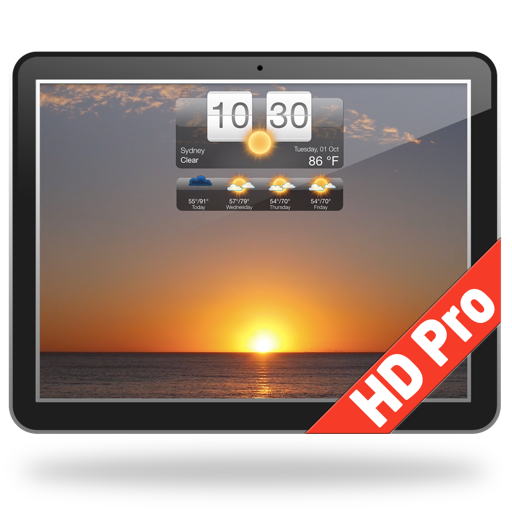
Представляем Погода HD - потрясающую, уникальную аппликацию, которая оживит ваш рабочий стол! Показывает прогноз погоды и превращает ваш рабочий стол в прекрасную живую картинку в соответствии с погодными условиями. Погода HD так же может выполнять функцию скринсейвера. ГЛАВНЫЕ ФУНКЦИИ: ● Текущие погодные условия и прогноз погоды по всему миру на вашем столе ● Анимированные изображения погодных условий соответствуют погоде за окном, прогноз погоды на сегодня и завтра. Вы можете выбрать любимые обои или использовать случайный выбор. ● Анимированные обои: ・Изображения соответствуют существующим погодным условиям, прогнозу погоды на сегодня и завтра ・Возможность выбрать любимые обои или сцену ・Возможна случайная смена сцен обоев ● Окно детализированного прогноза погоды доступно одним нажатием на икону ● Икона отображает погоду: ・Икона показывает нынешную температуру, скорость ветра и "осущаемую" температуру воздуха ・Икона погодных условий ・Описание погодных условий ● Настраиваемый виджет на рабочем столе: ・Стиль виджета - Для выбора доступны 5 разных стилей ・Место нахождения на экране - переместите в любое место на рабочем столе ・Размер - Выберите размер на ваше усмотрение ・Прозрачность - Сделайте прозрачным ● Прогноз погоды по адресу, коду аэропорта или автоматический прогноз по месту нахождения устройства. ● Сохраняйте неограниченно количество локаций ● Опция скринсейвера (функция "Показать Рабочий Стол" убирает все остальные окна) ● Прогноз погоды и погодные условия обновляются каждые 60 минут ХАРАКТЕРИСТИКИ: ● Точный прогноз погоды и местное время любой точки мира ● Ваша первая локация определяется автоматически, а новые локации можно добавить вводом первой буквы названия города, почтового индекса или кода аэропорта в поисковике ● Нынешняя температура отображается на иконе на рабочем столе ПРОГНОЗЫ ПОГОДЫ: ● Детализированный прогноз погоды на 7 дней ● Двух часовой прогноз погоды на 3 дня ・Температура ・Скорость и направление ветра ・Влажность воздуха ● Краткое описание прогноза погоды ● Минимальная и максимальная температура ● Нынешняя температура "по ощущениям" ● Скорость и направление ветра ● Точка росы ● Влажность воздуха ● Информация о дожде ● Рассвет и закат по местному времени ● Единицы измерения: По Фаренгейту или Цельсию и ми/час или км/час ● Формат времени: “Системныйt”, 12-часов или 24-часа ● Точные, эксклюзивные данные о погоде от Weather Underground® Скачать Погода HD Сейчас!
Descrizione
Добро пожаловать в эксклюзивный прогноз погоды для iPhone, iPad и Apple Watch, достойный стать Вашим! Позвольте себе насладиться его точностью и каждый день станет исключительно свободным от погодных неприятностей! Покоряйте мир вместе! Стильный дизайн, оригинальные виджеты, 15-дневный и почасовой прогнозы от двух метеоагентств, барометр, PUSH сообщения, интеграция с Siri и iMessage, графики, интерактивные карты погоды, “живой” индикатор температуры на домашнем экране превратят iPhone и iPad в мощную погодную станцию и обеспечат Вас самой подробной информацией о погоде и окружающей среде! Достижения: • Лучшая программа о погоде в AppStore: более 30000 отзывов на 5 звезд по всему миру • Выбор редакторов Apple • iphones.ru: Высший рейтинг 5* • mail.ru: Призер премии "Софт года", 2012 • planetiphone.ru: "Дважды точный прогноз погоды для России" • appstudio.org: Высшая оценка: недостатков не обнаружено ! • Аргументы и Факты: "В AppStore появилась программа, которая лучше стандартной «Погоды» в тысячу раз" • eWeather предоставляет самый большой набор данных о погоде для iOS и других платформ √ Уникальной особенностью программы является дизайн и форма отображения почасового прогноза - в виде циферблата часов, что позволяет быстро и точно узнать погоду на конкретный час (во сколько пойдет снег или дождь?). √ 4 виджета домашнего экрана, включая барометр и "живые" погодные часы √ Что может быть лучше, чем увлекательное путешествие? Программа поможет спланировать Ваши поездки с учетом погоды! Любителям активного отдыха будет особенно полезна диаграмма барометра, прогноз количества дождя или снега на каждый час, погодные предупреждения для Европы, США и России, температуры морей, расписания приливов, качество воздуха. √ Иконка программы умеет отображать "живую" текущую или ощущаемую температуры. √ Включите информирование об изменениях погоды и программа будет уведомлять вас о том, что происходит за окном на экране блокировки или в центре уведомлений. √ Одной из интересных особенностей является Барометр, который показывает изменение давления за последние 24 часа. При резком изменении давления программа выделяет график давления красным цветом и посылает PUSH сообщение. Это позволяет лучше понимать причину плохого самочувствия (причём не только своего) в тех случаях, когда оно связано с погодой. √ Для автомобилистов особенно полезным будет предупреждение о гололедице. Возможности: • возможность выбора службы прогнозов: intellicast.com (U.S.) и foreca.com (EU) • точный почасовой прогноз на сутки 9 параметров о погоде включая количество дождя или снега • развернутый прогноз на 15 дней 15 параметров • текущая погода: ощущаемая и текущая температуры, влажность, точка росы, температура воды, ветер, графики давления и температуры • качество воздуха с подробностями (текущие и прогноз) • Данные о погоде за 10 лет, включая температуру поверхности моря • спутниковая анимация облачности (Европейская часть России, Европа, США, Азия) • карты штормов и ураганов с предсказанием • землетрясения от двух источников (USGS, EMSC) • анимированная карта погоды (8 слоев) • 4 визуальные темы с ночным режимом • приложение для Apple Watch включает 8 расширений часов (complications) • интеграция с Siri (9 команд) • день/фаза луны, время восхода/заката луны и солнца, солнечные и лунные затмения • температуры воды на пляжах морей и океанов, данные от морских буев • расписания приливов и отливов • PUSH предупреждения о давлении для метеозависимых людей, геомагнитная активность • PUSH предупреждения об опасной погоде округа России, Европа и США • PUSH сообщения о погоде • графики давления и температуры за последние 24 часа • текущая погода, ощущаемая температура, влажность и давление • почасовой прогноз, включающий параметры: - температура воздуха, - ощущаемая t - вероятность осадков - количество снега/осадков - ветер (сила, направление) - UV индекс - влажность, точка росы • геомагнитные бури, солнечная активность
Descrizione
Каждый взгляд на Луну — повод для открытия. Deluxe Moon HD превращает ваш Mac в личную лунную обсерваторию: выразительные изображения Луны, подробные астрономические данные и наглядный календарь помогают лучше узнать ночное небо. НАБЛЮДАЙТЕ ЗА ЛУНОЙ Узнавайте текущую фазу, освещённость, возраст Луны и расстояние до неё. Просматривайте ближайшие новолуния и полнолуния с точным временем для выбранного места и часового пояса. ИССЛЕДУЙТЕ ЛУННЫЙ КАЛЕНДАРЬ Просматривайте фазы, знаки зодиака и иллюстрированные лунные дни по отдельности или вместе. Читайте описания лунных дней, следите за сменой знаков и периодами Луны без курса. Отображайте события Календаря Apple рядом с лунными датами и добавляйте выбранные события с напоминаниями. УЗНАЙТЕ БОЛЬШЕ О НЕБЕ Проверяйте время восхода и захода Солнца и Луны. Изучайте их положение, астрономические координаты, даты равноденствий и солнцестояний. Просматривайте солнечные и лунные затмения и сведения об их видимости в выбранном месте. ОТКРОЙТЕ ЛУННЫЕ ТРАДИЦИИ Знакомьтесь с толкованиями лунных дней и знаков зодиака, выбирайте тропический или сидерический зодиак. Находите рекомендации для сада и огорода с учётом ваших культур и условий выращивания. Лунные толкования и советы по садоводству основаны на традиционных практиках. ВЫБИРАЙТЕ МЕСТО И ВРЕМЯ Используйте текущее местоположение или задайте другой город, дату и время. Планируйте вечер под Луной, наблюдайте за сменой времён года или просто исследуйте то, что вам интересно. Требуется macOS 26 или новее. Для интеграции с Календарём необходимо разрешение.
Descrizione
Всегда будьте в курсе погоды с Weather Widget – идеальным инструментом для точных метеопрогнозов. Отслеживайте погоду в вашем регионе и по всему миру, настраивайте виджет под себя и получайте доступ к детальным прогнозам в один клик. Скачайте Weather Widget прямо сейчас и наслаждайтесь точной и актуальной информацией о погоде, созданной специально для вас. Прогноз погоды - Точные прогнозы погоды для вашего региона - Прогнозы для мест по всему миру - Поддержка нескольких местоположений - Имперские или метрические единицы (F & mph или C & km/h) - Опция автозапуска при входе в систему Виджет - Выбирайте из множества вариантов дизайна виджета - Перемещайте виджет в любое место на рабочем столе с помощью функции Click & Drag в настройках приложения - Возможность изменить размер виджета - Возможность регулировки прозрачности виджета (сделайте его полупрозрачным) - Функция горячих углов: настройте горячий угол, чтобы мгновенно отобразить рабочий стол и виджет, переместив мышь в этот угол - Функция «Показать рабочий стол»: сворачивает все окна, чтобы показать рабочий стол и виджет после определенного периода бездействия Погода в строке меню - Строка меню может отображать текущую температуру, прогноз или скорость ветра - Один клик по строке меню покажет краткий выпадающий прогноз - Легкий доступ к меню приложения для открытия подробного окна погоды и настроек приложения Погода в Dock - Внешний вид иконки в Dock можно настроить - Иконка в Dock может отображать текущую температуру, прогноз или скорость ветра - В строке меню также отображается погода Подробная информация о погоде - Один клик по иконке в Dock откроет окно с подробным прогнозом погоды - Подробный почасовой прогноз погоды - Легко переключайтесь между местоположениями с помощью выпадающего меню Всегда будьте в курсе погоды с Weather Widget – вашим надежным приложением для точных прогнозов погоды. Независимо от того, нужны ли вам быстрые обновления или детальные прогнозы, Weather Widget всегда рядом. Скачайте сейчас и держите рабочий стол в курсе точных погодных условий!
Descrizione
С ClassicWeather вы можете сравнивать прогнозы погоды из разных мест. Он также предоставляет прогноз погоды в доке и в строке меню. Mac-версия любимого приложения с прогнозом погоды, ClassicWeather созданного для iOS. Особенности: • Текущие погодные условия • Прогноз на 14 дней • Прогноз по часам • Прогноз на следующие 24(+) часа (прокручиваемый) • Направление и скорость ветра • УФ индекс • Качество воздуха (5 дней) • Влажность воздуха • Температура в градусах Фаренгейта или Цельсия • Возможность осадков • Местное время • Восход/закат • Фаза луны • Несколько городов • Текущее местоположение • Apple Weather для текущего местоположения (macOS 13 или новее) • Прогноз в меню дока и в меню строка меню • Текущие погодные условия на иконке дока и в строке меню • Иконка в доке и/или в строке меню • 2 режима (одно окно или виджеты) • Различные дизайны и размеры виджетов Платите только раз - устанавливайте на нескольких Mac, связанных с уч. записью App Store.
Descrizione
**4K version also available! Please search the Mac App Store for "Mach Desktop 4K" for the 4K version** Introducing Mach Desktop version 3.0: The most advanced and beautiful wallpaper application ever conceived for a personal computer! Mach Desktop features 50 stunning dynamic Themes; allows you to load your own Videos, GIFs, or Quartz Compositions as Wallpaper, and allows you to add over 30 different Widgets to your Desktop. Choose from a huge variety of meticulously crafted dynamic Themes from categories including: Space, Fantasy, Architecture, Fields, Nature, Holiday, Aquariums, Fireplaces, Abstract Themes, and much more! Mach Desktop also features GPU-acceleration support so Themes use little-to-no CPU — freeing up your computer for other tasks. If that still wasn’t enough, with the Widget Manager you can add Widgets to your Desktop with a single click! Select a Widget and set its size, font, foreground color, and background color — and easily position a Widget anywhere you want. Choose from over 30 different Widgets including Time, Date, Current Weather, 12 hour Weather forecast, 5 day Weather forecast, a variety of Clocks, and much much more. You can even add Web pages to your Desktop with the Web Page Widget, or add your own Custom Text Widgets (including Emojis) to your Desktop super easily. Don’t feel like adding and customizing Widgets on your own? No problem! Mach Desktop can automatically add Widgets positioned, colored, and tailored for each individual Theme. With all these features, Mach Desktop has no equal and is the only application of its kind! New in version 3.0: - All new completely redesigned Themes - All Themes are now pre-rendered Videos using no more than 5% CPU per display (no more included Quartz compositions that rely on heavily CPU/GPU usage, however you can still load your own Quartz Compositions if you would like) - New Widgets, including Custom Text Widget - Improved dynamics: Closing/opening Laptop lid, better wake/sleep support, improved awareness when you’re switching Display resolution, etc. - Preserve original Aspect Ratio in Themes - Widgets up to 75% faster than previous Widgets Super cool features! - Includes 50 Dynamic Video Themes as Wallpaper - Load your own Videos, GIFs, or Quartz Compositions as Wallpaper - Includes over 30 different Widgets to add to your Desktop; Widgets include: Date, Time, Weather, Clocks, and more - Choose from a huge variety of Themes including: Space, Fantasy, Architecture, Fields, Nature, Holiday, Aquariums, Fireplaces, Abstract Themes, and more - Unlimited Display/Monitor support, with each Display being independently customizable - Choose Themes graphically with a single click - Video and GIF as Wallpaper feature GPU-acceleration support; consuming little-to-no CPU for Wallpaper animations (Quartz compositions vary depending on Quartz composition) - Not only includes a huge variety of Date/Time/Weather/Clock Widgets; but also includes Web Page Widgets and Custom Text Widgets - All Widgets support custom position, size, font, foreground color, and background color - Super advanced, yet super easy to use *If you like Mach Desktop please leave us a positive review in the Mac App Store as it really does help us out a lot!*
Descrizione
Приложение Погода Dock выводит информацию о погоде на ваш рабочий стол. Бросив взгляд на значок в док-панели, вы сможете узнать текущую погоду, прогноз на сегодня или на завтра. А один раз щелкнув мышью, вы можете открыть экран с подробными сведениями о погоде и прогнозом погоды на 10 дней.. Подробный прогноз погоды •Доступ к экрану с подробным описанием текущих погодных условий и 10-дневному прогнозу погоды одним щелчком мыши. •Подробный прогноз на 10 дня с шагом в 1 часа •Возможность показа прогноза по нескольким местам •Анимированные значки в окне прогноза •Британская или метрическая система измерений •Обновление данных о погоде каждые 60 минут •Автоматическое обновление данных о погоде в случае, если обновление было пропущено в режиме сна или из-за отсутствия подключения к Интернету Анимированный настраиваемый значок в док-панели: •На значке отображаются: текущая температура, ветер или температура "чувствуется как" либо минимальная/максимальная температура на сегодня/завтра. •Могут отображаться следующие погодные условия: текущие, прогноз на сегодня или на завтра. •Цвет текста, которым отображаются погодные условия: черный, белый или белый на сером фоне •Настраиваемая скорость анимации (анимация может быть отключена) Высокоточная информация о погодных условиях, получаемая от сети The Weather Company. Если у вас возникли затруднения, обращайтесь к нам напрямую с помощью кнопки/пункта меню "Контакты", не забыв указать местоположение, по которому вы получаете прогноз.
Descrizione
Приложение "Рабочий стол Часы" позволяет разместить красивые и практичные часы на рабочем столе и в док-панели компьютера Mac. Приложение предлагает на выбор 23 вариантов часов, так что вы обязательно подберете часы себе по вкусу. Варианты часов: + Аналоговые часы + Перекидные часы + Анимация кварцевых часов для аналоговых часов Возможности приложения: + Регулируемое положение и размер часов + Регулируемая прозрачность часов + Функция "Поверх всего" + "Активные углы", позволяющие отобразить часы поверх всех окон + Часы отображаются на ВСЕХ рабочих столах + Приложение практически не расходует системные ресурсы
Descrizione
Well Live Dock Weather just set a new standard in making users feel right at home with their weather needs. iLifeTouch is listening! If we missed something tell us . We well try our best to add features. The app has no set-up instructions. The idea behind this was if we need instructions the app is already way too complicated to use. Please feel free to click and try all the features the app provides. Weather on your dock ! How cool is that ! Live Dock Weather is the simplest way to be in constant contact with live weather 24/7 without even opening up an application. You can also load your desktop with two different types of sizeable and movable weather displays that are simply a blue colored plus button click away, enabling you to access up to date 24 hour accurate weather. This will be your quick source for live weather making Live Dock Weather one of your most used apps. Features Include + 151 000 world cities including 44 000 US Zip codes + Current weather conditions and temperatures + Weather is just a click away + Two desktop choices of weather displays + Multiple cities displayed at the same time + Weather is updated every 15 minutes + Status Bar displays current weather conditions + Quick reference of live local weather on the dock + 24 hour forecast + Dramatic organized graphics showing current weather + Current time, date, humidity, temperature + Live updates on the 15 + Voice forecast + +++++ this app is loaded with features In the tradition of iLifeTouch we make apps that make your life easier one day at a time! LifeTouch is listening! If we missed something tell us . We well try our best to add features. Enjoy
Descrizione
NOTE: this a is menu bar app. Once you open the app an AeroWeather icon will appear in the menu bar (as shown on screenshots). A simple and clean METAR/TAF viewer as known from AeroWeather for iOS. For a full version of AeroWeather, consider AeroWeather Pro (available on Apple M1 or higher computers only). Features: - Menu bar application for quick access (Menulet) - Customizable menu bar (airport with flightrule, temperature, or wind) - Menu bar display optionally rotates through list - Notification center widgets for raw format; requires macOS Ventura (13.0) - Sortable list (by user-defined, name, ICAO, IATA, country) of airports in well known AeroWeather layout (with raw or decoded METAR) - Detail view with METAR, TAF (raw or decoded) and station information - Read out of METAR similar to ATIS by swiping a station in list to the right (English voice only) - Calculates presssure altitude, density altitude, and windchill or heatindex - AWOS data for US airports (where available) with phone support (either via Skype or connected iPhone) - Customizable formats and units - Sharing of METAR/TAF via E-Mail, Messages etc. - Printing of station detail - Import/export of user data from/to AeroWeather for iOS - Support for dark mode - Available in Chinese (Simplified), Danish, Dutch, English, Finnish, French, German, Italian, Japanese, Norwegian, Polish, Portuguese (Brazilian), Spanish, Swedish AeroWeather uses weather data from freely available sources like US NOAA, which cannot be guaranteed. The cost for AeroWeather is for development of the app and not to pay for any weather data.
Descrizione
Благодаря интуитивно понятному дизайну , это приложение предлагает приятный опыт и надежность в его использовании . Убедитесь, что вы есть связь WiFi к Интернету. На данный момент приложение определит ваше местоположение . На дисплее будет отображаться имя расположения и атмосферном давлении , а также с указанием климатические условия. Данные должны предоставляться по apixu.com надежного метеорологического обслуживания [ СТАТЬИ ] Простой и элегантный ***** Это приложение является в соответствии со всеми Вот лучше всего с Mac. Простой, но элегантный предлагая все, что нужно знать о атмосферном давлении. Хотелось бы надеяться, что в будущем могли бы предложить бар тренда, чтобы показать изменения давления за период часов и дней, как скорость изменения очень важно, чтобы предсказать приближение погодных фронтов. благодаря [ ВОЗМОЖНОСТИ ] • Настоящее время измерения атмосферного давления • Блоки Поддерживаются гПа, мбар, мм рт ст, тор, дюймы • Надежность в его использовании • Следите за чтением в прошлом барометрического давления • Интуитивно понятный Графика оптимизирована для Retina дисплея • Простота использования [ СОВМЕСТИМОСТЬ ] macOS 11.0 и более поздних версий . Барометр также доступна для iOS (iPhone , iPad и iPod Touch). [ ПОДДЕРЖИВАЕМЫЕ ЯЗЫКИ ] • Русский, Английский, Итальянский, Испанский, Французский, Немецкий, Португальский, Голландский, Китайский, Японский, Датский, Финский, Норвежски и Шведский. [ ПОДДЕРЖКА ] Если вам нужна помощь , пожалуйста, свяжитесь с нами по [email protected] или посетите наш официальный сайт www.lionsapp.com Если вы любите приложение , не забудьте дать нам отзыв на App Store.
Descrizione
CARROT Weather is a crazy-powerful (and privacy-conscious) weather app that delivers hilariously twisted forecasts. ** Winner of Apple’s Editor’s Choice award and featured by The New York Times, Good Morning America, CNN, Wired, & more! ** Accurate and Detailed Dark Sky’s super accurate weather data gives you quick access to your current, hourly, and daily forecasts. Plus, you can upgrade to use other providers like AccuWeather, Tomorrow.io, and MeteoGroup as your data source! Overflowing with Personality From spooky fog to torrential downpours, CARROT’s dialogue, characters, and scenery change in… “unexpected” ways. You’ll actually be looking forward to a blizzard just to see what CARROT has in store for you! Notifications Sign up for precipitation, weather alert, and daily forecast notifications. And Premium Club members can sign up for lightning strike and storm cell notifications - and even create completely custom notifications. (Precipitation notifications are available in the US, UK, & parts of Canada. Weather alert and storm cell notifications are only available in the US. Lightning notifications are available in the US and Canada.) Weather Maps Watch in awe as the next big storm bears down on your house with CARROT’s trusty radar. Plus, Premium Club Tier 2 members get access to future radar (in the US), lightning strikes, and 12 additional map layers! Customization Want to disable CARROT's personality? You can turn her into a 100% professional weather app! And you can customize every last data point that CARROT displays to show the weather data that you care about. Time Machine View the weather for any location up to 70 years in the past. DeLorean not required! Secret Locations Follow clues to hunt down 60+ secret locations - like the Moon, the Pyramids, and Chernobyl. Achievements Unlock 30+ achievements by experiencing weather events, traveling around the world, and using different features in the app. Features: • Beautifully minimalist weather app • Dark Sky’s super accurate weather data • AccuWeather, Tomorrow.io, Foreca, MeteoGroup, Aeris Weather, Environment Canada, and WillyWeather data sources available as an upgrade • Precipitation, weather alert, lightning strike, storm cell, daily summary, and astronomy notifications (where available) • Radar and satellite maps • 6,500+ lines of hilarious spoken dialogue • 62 secret locations • 36 achievements • Will never sell your location data to third parties Don’t make CARROT angry. Download her now! --- CARROT Weather uses auto-renewing subscriptions. Tier 2 provides additional features like more frequent background updates, additional map layers, custom notifications, and additional data source access for Apple Watch users. Tier 3 includes all the features of Tier 2, plus rain, lightning, and storm cell notifications (where available) and even more frequent background updates. Payment will be charged to your Apple ID account at the confirmation of purchase. The subscription automatically renews unless it is canceled at least 24 hours before the end of the current period. Your account will be charged for renewal within 24 hours prior to the end of the current period. You can manage and cancel your subscriptions by going to your App Store account settings after purchase. Cancellation of the current active subscription period is not allowed. Terms of Use: http://support.meetcarrot.com/weather/terms.html Privacy Policy: http://support.meetcarrot.com/weather/privacypolicy.html
Descrizione
Keep your home climate and weather data in view – discreet, precise, and lightning-fast. Netmo brings your Netatmo weather station data directly to your macOS Menu Bar. No need for browser tabs or checking your smartphone: a single click provides detailed insights into your home or garden. Highlights: - All-in-one View: Support for up to 6 stations, including all additional modules (Rain Gauge, Anemometer, and up to three extra Indoor Modules). - Visualized Trends: Analyze temperature, air pressure, CO2, rainfall, or wind speed with elegant, interactive charts. - Seamless Design: A minimalist interface that fits perfectly into the macOS look – including full Dark Mode support. - Maximum Control: Conveniently export your data as a CSV file for further analysis. Detailed Features: - Display of temperature, humidity, air pressure, CO2, and noise levels. - Precise data for rainfall, wind strength, and wind direction. - Battery Status: Never miss a battery change for your modules again. - Customizable: Choose exactly which values appear directly in your Menu Bar. - Localized in English, German, and French. IMPORTANT: Netmo is a Menu Bar app. After launching, you won't see a standard window or dock symbol. Instead, look for the small Netmo icon in the top-right corner of your macOS Menu Bar (next to the clock and Wi-Fi). Click it to access your data! If the icon does NOT appear, please check in macOS System Settings under "Menu Bar" whether Netmo is allowed to use the menu bar. Please note: - A Netatmo account and weather station are required for this app to function.
Descrizione
***** 70% OFF, Hurry now !!! “The Very First of Its Kind” 3DWeather is an impressive weather app for your macOS and unlike any other weather app available, 3DWeather brings you weather information in an amazing 3D style, so that what matters most to you, all the important weather updates are delivered to you through widget which sits looking attractive on your desktop displaying the weather of a place . It lets you keep a 3D animating widget on the desktop that generates the scenic representation of the current weather condition of the place you set. STUNNING THEMES: 3DWeather never gets monotonous and will never look old to you, because, as weather condition changes so does the app, representing the accurate information of the weather of that time. 3DWeather comes packed with themes featuring different scenes, places and atmosphere. It has several themes to select from, containing different natural elements and atmosphere. We've been constantly updating 3DWeather with new themes and features to make it an ideal weather app for you. CUSTOMIZATION: 3DWeather lets you customise it to such extent that it will become your very own personal weather assistant. DETAILED WEATHER STATISTICS from WEATHER UNDERGROUND: 3DWeather fetches weather stats from Weather Underground which is the most accurate and detailed weather forecast provider available world wide till date. Weather Informations - Humidity - Dew Point - UV index - Wind chill - Heat index - Visibility - WNW - Precipitation in percentage - Precipitation in mm - Sunset and Sunrise timing with last update time - Hourly weather forecast for the next 24 hours - Daily weather forecast for the next 4 days ALERT IN NOTIFICATION CENTRE: You will get timely weather alert directly sent to the Notification Centre about recent updates and developments on weather throughout the day. So, download 3DWeather today and embrace a new approach of displaying weather forecast which is both informative and delightful to look at.
Descrizione
Точный прогноз погоды на 10 дней и погода в строке меню вашего Mac. Радар осадков для США, Европы и Австралии. НА ВАШЕМ MAC • Строка меню: текущая температура и погода рядом с часами; один клик открывает полный прогноз • Значок в Dock: температура и радарное изображение, обновляются автоматически; один клик открывает окно приложения • Три стиля окна — от компактной панели до двух карт радара рядом ПРОГНОЗ • Текущая погода, почасовой прогноз и прогноз на 10 дней для любого места в мире • Температура и ощущаемая температура, скорость и направление ветра, влажность, точка росы, осадки, восход и закат • Сохраняйте сколько угодно мест; °C или °F, км/ч или мили/ч РАДАР • Карта радара осадков для США, Европы и Австралии, обновляется каждые несколько минут • Перетаскивайте ползунок времени или дайте циклу воспроизводиться; у каждого кадра указано время • Вторая карта радара следует за первой кадр за кадром Купите один раз. Без подписки, без рекламы, без аккаунта. Вопросы? Через меню «Справка» в приложении вы свяжетесь с нами напрямую.
Descrizione
Moon Phase Gadget is a set of stylish Moon and Sun gadgets for your desktop. Moon Phase Gadget is a great addition to the magnificent Deluxe Moon HD application. Features: - Large Moon gadget with precise moon phase times. - Sun gadget with sunrise and sunset times. - Small, stylish moon gadget with main Moon information. Moon Parameters - Precise Moon phase times. - Full names of all Moon phases. - Moonrise and moonset times for your location on large gadget. - Moon countdown timers: amount of time since moonrise and until moonset. - Percent of the illuminated Moon area. - Current moon age: how far along the moon is in its full cycle. - Zodiac sign the Moon is in. Sun Parameters - Sunrise, sunset and zenith times. - Number of days since beginning of the year. - Zodiac sign the Sun is in. - Solar time We appreciate your input. Please help us make this application better with your feedback – if you like Deluxe Moon, write us a review on iTunes. Your support would greatly help us make the application even better!
Descrizione
DockMeteo displays the weather in the dock. Based on the location, the weather is determined and displayed graphically. The temperature and location are also shown. The design is modern to the current macOS system, so the icon blends in beautifully with the other Dock icons.
Descrizione
Mach Wallpaper is the true dynamic Wallpaper application for macOS! Mach Wallpaper features 20+ stunning themes, with each theme featuring advanced 3D effects, and the most cutting-edge and beautiful Widgets ever to grace a Desktop! 3D effects include but are not limited to: Light, Water, Fog, Smoke, Clouds, Fire, Snow, Stars, Galaxies, Quasars, even Black Holes, and more! With the Widget Manager, quickly customize a Widget's position, size, font, and colors (and Add Widgets) with a single click! Unlike other Wallpaper apps, every single one of our themes are beautifully 3D rendered dynamic wallpapers, guaranteed! And our advanced Desklets not only feature weather, date, forecasts, and other detailed information; but detailed charts of projected temperature, humidity, wind speed, and more! Quickly download more Quartz Compositions and customize your own Widgets to customize your Wallpaper any way you see fit! Innovative Features! - 20+ Themes, with the option to automatically add customized Desklets or add no Desklets at all; the choice is yours! - Unlimited Display support, with each display being independently customizable - 20+ 3D (Quartz) Compositions with stunning rendered effects such as Light, Water, Fog, Smoke, Clouds, Fire, Snow, Stars, Galaxies, Quasars, Black Holes, and more - Choose Themes graphically with a single click - Add nearly 30 different Widgets with a single click; with each Widget supporting customized position, size, font, foreground color, and background color - Forecast Widgets show conditions for the next 12 hours - Retina Display support - Advanced, yet super easy to use
Descrizione
Попробуйте опыт мощный, но в то же время простой инструмент, в реальном Анемометр прямо на Ваш Mac. С инновационным дизайном, вдохновленный оборудования самолета, это приложение сочетает в себе концепцию ветра с компасом в результате скорость и направление ветра, встроенного в компаса. Анемометр дает в реальном времени направление и скорость ветра. Убедитесь, что вы подключены к Интернету. На данный момент приложение будет определять ваше местоположение. Дисплей покажет название места, направления и интенсивности ветра. Вы можете выбрать между 5 единиц (узлов, миль в час, км/ч, м/с или Бофорта). [ ОСОБЕННОСТИ ] • Порыв • Направление ветра • Компас • Выберите из 5 блоков: узлов, миль в час, км/ч, м/с или Бофорта • Интуитивно понятный Графика • Простота использования [ СОВМЕСТИМОСТЬ ] macOS 11.0 и выше. Анемометр - скорость ветра также доступны для iOS (iPhone, iPad и IPod Touch). [ ЯЗЫКАХ ПОДДЕРЖИВАЕМЫХ ] • Русский, Английский, Итальянский, Испанский, Французский, Немецкий, Португальский, Голландский,, Китайский И Японский Языки. [ ПОМОГИТЕ ] Если вы хотите приложение, не забудьте оставить нам отзыв на App Store. Для предложений, пожалуйста, свяжитесь с нами по [email protected], или перейдите на наш сайт www.lionsapp.com
Descrizione
Tide Graph uses the harmonic predictions from thousands of US coastal stations and presents them in a fun and interactive graph. It also includes water currents and sun/moon information. NOT FOR NAVIGATIONAL PURPOSES. USE AT YOUR OWN RISK. Tides have a great influence on the lives of boaters, fishermen, surfers, coastal communities, marine life, and vacationers just to name a few. Directly or indirectly, the great flow of our massive ocean bodies of water impact the daily lives of everyone on this planet. The cyclical movement of the Earth's tides are caused by a combination of the gravitational forces of the sun and moon as well as the shape of the costal region. Unlike simple tide clocks that you can buy in novelty stores, more accurate tide predictions use special data gathered by instruments located at each tide station. The data from these measurements are used to determine the harmonic components which then feed into the mathematical algorithms which predict tides for the future. The end results are tested for accuracy and adjustments are made as necessary. Tide Graph has US owned Tide Stations Only. An internet connection is required to get the latest tide graph. - See TideGraph.com for a complete list of stations.
Descrizione
**Universal binary ready for Apple Silicon processors!** Introducing Radar Extreme, a powerful and easy to use Radar, Weather, Satellite, Lightning, Earthquake, and Hurricane Tracker. Radar Extreme features hundreds of NEXRAD Local Radars, dozens of Regional Radars, 14 World Radars, Local Weather Conditions for over 200,000 locations around the globe, 7 Lightning Intensity Radars, a National U.S. Radar, even interactive Solar System, 3D Earth, and an Interactive Map that shows Precipitation, Temperature, Clouds, Rain, Snow, Wind, and Sea Level Pressure individually. If that wasn't enough, Radar Extreme also offers extremely descriptive textual local weather Forecasts for Day and Night; letting you know exactly what conditions will be like for a given period of the day — and whether or not you should bring an umbrella. Local Weather features photorealistic Day and Night time graphics, Ten Day Weather Forecasts, Wind Speed/Direction, Humidity, Highs/Lows, and much more. Local Weather Conditions are shown in the Menu Bar (Dark Theme compatible!) and a live animated NEXRAD Local Radar in the Dock. All three panes can be resized independently, with full Multi-touch gestures included. With all these features, Radar Extreme offers more Radars than any other application in the world, and best of all, Radar Extreme offers incredibly advanced features at a ridiculously affordable price of only U.S. $4.99! Advanced and Easy to Use Features! - Hundreds of "NEXRAD Next Generation" Local Radars all over the U.S.; with each Radar featuring independent layers, with 6 Radars per location: Base Reflectivity, Storm Relative Motion, Base Velocity, One-Hour Precipitation, Composite Reflectivity, and Storm Total Precipitation - Dozens of Regional Radars give you a glimpse of what's going on in the immediate surrounding vicinity - 18 World Radars (Full Color GOES-16 Satellite) with 17 Radars per location - Local Weather features Photorealistic Day/Night Graphics, with over 200,000 locations around the globe supported; updates every 15 minutes - Innovative 7 Lightning Radars around the world show Lightning Intensity for a given region - National U.S. Radar, with a high resolution option - Textual Forecast gives detailed descriptions for different periods throughout the day (Provided by U.S. National Weather Service) - Interactive 3D Solar System shows Sun, Planets, and Asteroid Belt - Interactive 3D Earth shows latest Earthquakes, Tropical Storms, and Live Clouds - Interactive Map shows the latest Precipitation, Temperature, Clouds, Rain, Snow, Wind, and Sea Level Pressure - Each Radar can be switched between locations on the fly - Each Radar features Reload button to make sure you always have the latest data - Dock Icon shows Animated NEXRAD Local Radar - Local Weather supports Unlimited Multiple Locations, Imperial/Metric systems,F°/C°; 24 Hour Clock Option - Local Weather Conditions in menubar (Dark Theme compatible, must be enabled in Preferences) - Multi-Touch gesture and Retina Display support included - Super advanced, yet super easy to use *Please note Local Radar, Regional Radar, and Textual Forecast features are for the United States only*
Descrizione
Tides PRO - современная, красивая и самая подробная программа для прогноза приливов и отливов для Вашего iPhone, Apple Watch и iPad! Уникальное дизайн-решение приложения позволит узнать всю важную информацию с одного взгляда, а точные, поминутные уровни морей и океанов для более чем 17000 мест (включая Россию) позволят вам точно и безопасно спланировать любую деятельность связанную с морем, будь то отпуск, рыбалка или морская навигация. Программа и дизайн решение разработаны с большим вниманием к деталям! Приложение включает 4 режима: График уровней моря, Таблицы приливов и отливов, Карты станций и портов для которых ведется учет приливов, интерфейс “Tide watch” (также доступен в виде приложения Apple Watch) График приливов и отливов: Интерактивный график который показывает уровень моря, текущее время на графике, время когда солнце и луна присутствуют на небосклоне отмечены в виде желтых и серых областей Прокрутка влево и вправо позволяет просмотреть информацию на 10 дней вперед от текущей даты, данные доступны для любого из 365 дней Нажатие на график активирует индикатор уровня который сообщает значение уровня и время для любого из дней с точностью до минуты Нажатие на календарь позволяет выбрать дату прогноза приливов (прогноз доступен на год вперед) Нажатие кнопки “Now” возвращает график на текущее время Таблица приливов: Отображает данные содержащие минимальный и максимальный уровень моря для каждого дня Данные о приливах на 1 год вперед Прокрутка вверх-вниз позволяет выбрать подходящий день Нажатие на день отображает интерактивный график для этого дня Интерфейс “Tide Watch”: Анимированные часы приливов и отливов для iPhone, iPad и Apple Watch Отображают обратный отсчет и текущие и максимальные (минимальные) уровни приливов (отливов) на текущий момент Прогнозы приливов и отливов для Apple Watch: * Поддержка 9 виджетов Apple Watch Face (Complication) * Текущий уровень моря * Оставшееся время до следующего прилива или отлива, его уровень * Время восхода и заката Солнца, время восхода и заката Луны Карта портов и станций приливов * Быстрый доступ к любой из 17000 * Поиск станции по текущему расположению * Нажатие на логотип станции отображает текущие уровни и прогноз приливов * Нажатие на “звездочку” добавляет станцию в список избранных Характеристики: - Прогноз приливов и отливов на год вперед - Поминутный прогноз - Время восхода, заката Солнца, Восход и заход луны - Совмещенные графики солнца и луны - Текущий уровень моря - Карта станций приливов - Список избранных мест в который могут быть добавлены станции с помощью поиска, по карте, рядом с текущим местоположением пользователя 17000 станций по всему миру: 183 Африка 1155 Азия 171 Острова в Атлантике 815 Австралия и Океания 205 Карибские острова 34 Карибский бассейн 34 Тихоокеанский регион центральная Америка 508 Европа 127 Индийский океан 57 Средиземное море 43 Ближний Восток 4292 Северная Америка, Атлантика 727 Северная Америка, залив 2777 Северная Америка, Тихий океан 196 Северные моря 341 острова Тихого океана 155 S.America, Атлантика 52 Южная Америка, Карибский бассейн 142 Южная Америка, Тихоокеанский 520 Юго-Восточная Азия Станции в более чем 150 странах >7000 США 1716 Канада 802 Япония 422 Австралия 245 Новая Зеландия 277 Филиппины 108 Бразилия 153 Россия 58 Курильские острова 177 Индонезия 128 Китай 116 Чили 112 Англий, Соединенное Королевство 80 Мексика 69 Гренландия 98 Франция 74 Германия 54 Багамские о-ва 47 Индия 47 Вьетнам 52 Нидерланды 34 Италия 33 Корея 22 Португалия
Descrizione
С Фазы Луны у вас есть всегда под рукой другой аспект, что Луна показывает на Землю во время ее движения. Обратитесь к интегрированный календарь, чтобы увидеть прошлое и будущее лунных циклов. Проверьте восхода и захода солнца в режиме реального времени. День и ночь режим включается автоматически в зависимости от восхода и захода солнца. Все это сделано с великолепной графикой, что делает его уникальным и приятным. [ Особенности ] • Фазы Луны • Процент освещенности Луны • Календарь на циклы Луны • Восход и закат • Автоматический режим дневного и ночного графика • Обнаружение Место • Wi-Fi Функция [ Совместимость ] Mac OS X 10.14 и более поздних. Фазы Луны также доступна для прошивкой (iPhone, iPad, iPod Touch и Watch). [ Поддерживаемые Языки ] • Английский, Итальянский, Испанский, Французский, Немецкий, Португальский, Голландский, Русский, Китайский и Японский. [ Поддержка ] Если вам нужна помощь, пожалуйста, свяжитесь с нами по адресу [email protected]~~pobj, или посетите наш официальный сайт www.lionsapp.com Если вам нравится приложение, не забудьте дать нам обзор на App Store.
Descrizione
Weather Dock Express is the most modern, innovative, and beautiful Weather application. Weather Dock Express features stunning photorealistic animations, super accurate weather forecasts, gorgeous interactive 3D Graphics, and even Live Tropical Storm, Earthquake, Clouds, and Sunlight data. View photorealistic animations with animated Rain, Snow, Clouds, the Sun, Moon, even Lightning, and more! Or view an Interactive 3D Solar System or view Planets (with Planetary data) individually right from the Menu Bar! Weather Dock Express combines sophisticated technology with stunning design -- all while being super easy to use! Ridiculously Advanced Features! - Left-click the Dock Icon to bring up the main Weather window (only if Weather Dock Express is in the background, if in the foreground choose File > Main Window) - Left-click on the Menu Bar Item to bring up the Current conditions and Five Day forecast Menu -- anywhere system-wide - Right-Click the Menu Bar Item to bring up a 12-Hour Forecast and Live Interactive 3D Earth; also system-wide - Resize the main Weather window to automatically turn the 5-Day Forecast into a 10-Day forecast - Click on Current Conditions or Five-Day Icon (on the main window) to view detailed Forecast information for that time period (currently only U.S. only) - Choose a Forecast in the Menu Bar Item to view detailed Forecast information for that time period (currently U.S. only) - Works for over 200,000 Locations worldwide - Unlimited Multiple Locations - Weather data updates every 15 minutes - Switch Locations instantly from the Locations Menu - Retina Display support - Incredibly advanced, yet super easy to use Innovative Live 3D Earth Our Interactive 3D Earth features a plethora of real-time data sources unseen in applications today; The Live 3D Earth features: - All Earthquakes that have happened in the past 24 hours - Names of current Tropical Disturbances, Depressions, Storms, and Hurricanes; including Live Wind Speed - Live Clouds shows storms as they form - Live Sunlight direction that shows shadowed and lit portions of the Earth *If you like Weather Dock Express, please show your support by leaving us a good review -- good reviews keep the updates coming!*
Descrizione
Introducing Motion Weather 4K: The most insanely beautiful and innovative weather application ever conceived. Motion Weather 4K turns your Wallpaper into breathtaking Cinema quality 4K video based on the Weather conditions outside — and is an excellent weather application in it’s own right. Motion Weather 4K also “knows” when it’s day time and night time and automatically switches to night time 4K videos when it’s night outside! We’ve spent countless hours shooting and licensing some of the highest quality 4K videos in the world to deliver an experience like no other; and then spent even more time developing the app itself. This application is so crazy, that is has *three* different Preferences Windows: Weather Preferences (Set Weather Options and Locations), Display Preferences (Customize Wallpaper for each display), and the Desklet Manager which lets you add over 30 Desklets to your Desktop that are completely customizable. In addition to adding Desklets to your Desktop individually, you can also set Motion Weather 4K so it automatically adds customized Desklets for each Theme — giving you relative information right on your Desktop when you need it and ensuring your Wallpaper and Desklets will always match. Motion Weather 4K also features the ability to choose a custom 4K video (with Graphical Theme chooser), includes Unlimited Display support that lets you customize each Display individually, and also has a super efficient video player foundation that can play full 4K videos while consuming less than 5% CPU per display. If that *still* wasn’t enough, we went ahead and built in a 3D Solar System and 3D Planets with live data that can be interacted with manually. With all these features, Motion Weather 4K delivers a breathtaking and soothing experience like no other! Main features: - Automatically changes your Wallpaper based on conditions outside in stunning 4K Ultra HD Video - Knows when it’s Day or Night time and changes 4K Videos accordingly - Add up to 30 Desklets to your Desktop allowing full customizability over position, size, font, foreground color, and background color - Optionally set Desklets to be automatically added and customized for each Theme as the Wallpaper changes - Choose a Custom 4K Video with Graphical Theme Chooser, turning off automatic Wallpaper updates - Super efficient Video Player foundation can play full 4K videos while averaging 5% CPU per display - Main Weather window matches with Wallpaper background - Works for hundreds of thousands of locations worldwide - Unlimited Display support - Unlimited Multiple Locations - Weather data updates every 15 minutes - Switch Locations instantly from the Locations Menu - Incredibly advanced, yet super easy to use Basic Usage: - Left-click the Dock Icon to bring up the main Weather window (only if Motion Weather 4K is in the background, if in the foreground choose File > Main Window) - Left-click on the Menu Bar Item to bring up the Current conditions and Five Day forecast Menu — anywhere system-wide - Right-Click the Menu Bar Item to bring up a 12-Hour Forecast and Live Interactive 3D Earth; also system-wide - Click on Five-Day Icon (on the main window) to view detailed Forecast information for that time period (U.S. only) - Choose a Forecast in the Menu Bar Item to view detailed Forecast information for that time period (U.S. only) Motion Weather 4K features 4K Videos for the following weather conditions for both day and night (Over 20 4K Videos total!): - Clear/Sunny - Partly Cloudy - Mostly Cloudy - Very Cloudy - Light Clouds - Medium Clouds - Heavy Clouds - Rain - Lightning - Snow
Descrizione
MOON is your personal lunar portal. Never be caught off-guard by moon-related craziness again. View the current moon phase, see what the moon will be like on a certain date, see countdowns to moon events, receive notifications with enough time to avoid unpleasantness, and share the moon phase with your friends. MOON is the most thoughtful moon phase calendar available. It becomes increasingly useful the more you use it. Enjoy. Features * Works offline, never be stranded without lunar positioning * Notification Center widget * Moon predictor * Share today's moon on Facebook, Twitter, etc * Share how the moon looks on any date * Countdown to upcoming New and Full Moons * Built for OS X MOON is also available on iOS!
Descrizione
Где бы вы ни Thermo дает местным наружной температуры, непосредственно на вашим компьютером. Никогда не выходите из дома не готовы. Thermox говорит вам, сколько градусов снаружи и климатические условия. Температура в градусах Цельсия (°C) , Фаренгейта (°F) и Кельвина (К) . С впечатляющим и интуитивно понятный дизайн это приложение обеспечивает приятный опыт и надежность в его использовании. Убедитесь, что вы есть связь Wi-Fi к Интернету. На данный момент приложение будет определять свой географический регион. Он покажет вам имя расположения, климатических условий и текущей температуры наружного воздуха, а также с указанием предыдущего дневную температуру в то же час. Данные предоставляются apixu.com [ ВОЗМОЖНОСТИ ] • В режиме реального времени измерения наружной температуры • Температура в градусах Цельсия (°С) , Фаренгейта (°F) и Кельвина (К) • Надежность в его использовании (данные apixu.com) • Графика интуитивно • Простота использования [ СОВМЕСТИМОСТЬ ] macOS 10.14 и более поздних версий. Thermox также доступна для IOS ( iPhone, iPad и iPod Touch). [ ПОДДЕРЖИВАЕМЫЕ ЯЗЫКИ ] • русский, английский, итальянский, испанский, французский, немецкий, португальский, голландский, китайский и японский. [ ПОДДЕРЖКА ] Если вам нужна помощь, свяжитесь с нами по адресу [email protected], или посетите наш сайт www.lionsapp.com. Если вы любите приложение, не забудьте дать нам отзыв на Mac App Store.
Descrizione
WEATHERTRACK Amazing Weather Details at your Fingertips. Worldwide. "An incredibly comprehensive weather app - it accesses many data models from different agencies and provides worldwide coverage. The GRIB layers include wind, precipitation, wave height/direction/period, ocean and tidal currents, air and sea temps, relative humidity and more. WeatherTrack works offline, and GRIB files can be downloaded through an SSB connection, an Iridium AxcessPoint or as an email attachment and opened in the app." (App of the month! in Cruisingworld) http://goo.gl/PLzpI0 (at a glance) Official partner in the AMERICA's CUP TEAM ARTEMIS (2013) Forecasts for Professionals and Amateurs... "Great Tool - I hardly use my SSB radio for weather information any more. Whenever I can pick up Internet via mobile phone, WeatherTrack is much simpler and provides everything that I want." Everything you could ever want in one app: +++ GRIB VIEWER FEATURES in DETAIL: Select area of interest and get detailed GRIB data. View online/offline, point forecast or meteogram (graph). Weather types (GRIB layers): + Wind (10 m above MSL) + Gusts + CAPE + Precipitation (rain/snow) + Dew point + Cloud Cover + Waves Height/Direction/Period + Ocean current (RTOFS) + Barometric Pressure,Highs (H)/Lows (L) + Air-/Sea Temperature, Temp. at 500 mb + Relative Humidity, Geopot.Height at 500 mb Forecasts: + Worldwide Coverage + Forecasts up to 16 days (depending on data model) + Data models:GFS, COAMPS, NAVGEM; current: RTOFS; waves:WW3, WAM85, FNMOC-WW3/FNMOC-MED/FNMOC-EQAM + Resolution: 0.05°, 0.5°, 1°, 2°, 2.5° (dep.on data model) + Forecast interval: from 15 min up to 24hr (dep.on data model) + Updated every 6 hr (GFS) Map: + Offline, high res vector map. Use it offshore or in the mountains. + Zoom in - to 0.001° (111 m /121 yd) - (for very high res GRIB files) + Customizable + Online map (satellite/hybrid/map view) Specials: + Works easily with low bandwith + User friendly + Meteogram, dynamic, displays any layer + Open GRIB files from Email/Browser, 3rd party + Share (Twitter, Facebook, email) + City/Airport Search + Magnifier + In-app guide (offline) + Animation - watch & share + Import/export GRIB files to and from your PC + GRIB via Iridium access point +++ ROUTE WEATHER helps you plan your trip well (In-App purchase). http://goo.gl/PXFCIj (at a glance) + Create your own route. Import/Export to and from other apps (e.g. Dropbox). + Edit waypoints: name, lat/long, duration to next waypoint, (estimated) speed, fuel + Select wind mode: true, relative, apparent + Route Meteogram + Share complete route files by email and open in apps (e.g. Dropbox). + Online map. Display route in satellite/hybrid/map view. +++ GRIB Robot (subscription**) Makes the retrieval of GRIB files over satellite connections easy. +++Tidetech (subscription**) Worldwide hi res Ocean/tidal current +++ GLOBAl-LOCAL Satellite View + Fascinating view from space. + Worldwide clouds updated every 3 hours + Anywhere detailed Point Forecasts on your finger tip, not only for two million locations + World Clock, analog/digital +++ WEATHER ONLINE Selected online resources + Satellite + Radar + Fax + Aviation weather (partly) + Surface analysis + Snow precipitation and more. **SUBSCRIPTIONS AUTOMATICALLY RENEW unless auto-renew is turned off at least 24-hours before end of current period. Tidetech Price: USD $7.99/mo, $34.99/6 mo, $46.99/12 mo GRIB Robot Price: USD $2.99/7d, $5.99/mo, $15.99/3 mo, $28.99/6mo Your iTunes account will automatically be charged at the same price for renewal within 24-hours prior to end of current period unless you change your subscription preferences in your account settings. More: http://goo.gl/CQHG5H WeatherTrack, the Swiss Army Knife for Weather Enthusiasts! One app - many tools
Descrizione
AtmoBar 4 is the newest version of the best mac app for the Netatmo Weather Station. We have added many new features. AtmoBar has been totally remade for even more convenient. Now you can track any kind of measurement of your Netatmo weather station right from your Mac's menu bar. We have added a sidebar widget. AtmoBar display the charts from all the measurements from your Netatmo Weather Station AtmoBar is an unofficial Menu Bar App for Netatmo. It requires a Netatmo Weather Station. You will need to use your Neatmo account credentials. Our Features: -Multi-Stations -We support the wind and rain gauge -We support additional Netatmo Modules. Data is refreshed every 10 minutes from from your Netatmo's Station The Netatmo Station measures indoor temperature, CO2 concentration, noise pollution and humidity in the home. Discover weather patterns and cycles. A comprehensive and powerful tool to understand your living environment. The App requires a Netatmo Weather Station. If you have any issue please email us at [email protected]
Descrizione
Mooncast - это красиво созданное приложение, демонстривающее текущую фазу луны с точностью и ясностью. Это приложение предназначено как для случайных любопытных, так и для серьезных наблюдателей за небом. Исследуйте лунный цикл в богатых визуальных деталях, проведите пальцем по дням, чтобы увидеть прошлые и будущие фазы, и мгновенно найдите следующее полнолуние или новолуние. Mooncast предоставляет вам точные лунные данные за любую дату между 2011 и 2035 годами, включая точный момент, когда Луна становится идеально полной. Особенности: - Потрясающие, высококачественные визуальные эффекты фазы луны - Интерактивная временная шкала - проведите пальцем, чтобы исследовать в любой день - Точные прогнозы для полнолуний, новолуний и всех фаз луны - Встроенный альманах для долгосрочного просмотра и планирования - Точные временные метки для пикового полнолуния и новолуния - Умные напоминания о событиях полнолуния и новолуния - Настраиваемый вид - выберите свое любимое небо и облака - Доступно несколько типов виджетов и аксессуаров Обширный охват: - Доступно на iPhone, iPad, Mac, Apple Watch и Apple TV Международная поддержка: - Полностью локализовано на английском, французском, испанском, итальянском, немецком, русском языках - Работает легко со всеми локалями и календарными системами Mooncast прост в использовании, научно точен и визуально усовершенствован - лунный календарь, который вам действительно понравится проверять каждый день.
Descrizione
Самое красивое и удобное погодное приложение для iPhone от Gismeteo. Ключевые особенности: — точный прогноз погоды по дням и по часам — продуманный дизайн — визуализация восхода и захода солнца — реалистичные погодные фоны — погода поблизости, в избранных пунктах и по всему миру
Descrizione
**Universal binary ready for Apple Silicon processors!** Hurricane Track 3.0 is the most advanced, modern, and easiest to use Hurricane Tracking, Radar, and Local Weather application. Hurricane Track 3.0 features incredible new features such as 14 World Radars, a new customizable dynamic Local Radar using NEXRAD "next-generation radar" technology, descriptive Textual Forecasts, future Projected Tropical Cyclone Paths, Historic Hurricane Paths, Regional Radars, National Radars, Lightning Intensity Radars, Sea Temperatures, Cloud Formations that can potentially turn into tropical cyclones, Maps, an Interactive 3D Earth and Solar System, detailed tropical storm information and discussion, and much much more! Local Weather features photorealistic Day and Night time graphics, Ten Day Weather Forecasts, Wind Speed/Direction, Humidity, Highs/Lows, and much more. Local Weather Conditions are shown in the Menu Bar (Dark Theme compatible!) and a live animated NEXRAD Local Radar in the Dock. All three panes can be resized independently, with full Multi-touch gestures included. With all these features, Hurricane Track brings comprehensive Hurricane tracking and Radar technology to your Mac, at a very affordable price. Hurricane Tracking Features: - Projected Tropical Storm Paths: Future tropical storm paths for the next five days - Graphical outlines of cloud formations that can turn into potential Tropical Storms - Historical Hurricane Tracks going all the way back to 1949 - Sea Surface Temperatures for the past two months - Interactive Map shows the latest Precipitation, Temperature, Clouds, Rain, Snow, Wind, and Sea Level Pressure - Interactive 3D Solar System shows Sun, Planets, and Asteroid Belt - Interactive 3D Earth with Live Clouds, Tropical Storms, and Earthquakes - Tropical Storm and Weather Information, Summaries, Discussions, and Outlooks - Multi-Touch gesture and Retina Display support included! Radar Features: - 18 World Radars (Full Color GOES-16 Satellite) with 17 Radars per location - Customizable Advanced Local Radar using NEXRAD technology - Innovative Lightning Intensity Radars - Each Radar can be switched between locations on the fly - Each Radar features Reload button to make sure you always have the latest data - Dock Icon shows Animated NEXRAD Local Radar Local Weather Features: - Local Weather features Photorealistic Day/Night Graphics, with over 200,000 locations around the globe supported; updates every 15 minutes - Local Weather supports Unlimited Multiple Locations, Imperial/Metric systems,F°/C°; 24 Hour Clock Option - Local Weather Conditions in menubar (Dark Theme compatible, must be enabled in Preferences) - 10 Day Forecast on main window - 5 Day Forecast in menubar - Textual Forecast gives detailed descriptions for different periods throughout the day (Provided by U.S. National Weather Service) - Wind Speed, Direction, Humidity, Conditions and more - Advanced, yet super easy to use *Please note Local Radar, Regional Radar, and Textual Forecast features are for the United States only*
Descrizione
Weather Bar is easy na user-friendly app Bar app provide hour by hour forecast and 5 days forecast. You can find any place on the earth. **************** Weather bar je jednoduchá a uživatelsky přívětivá aplikace. Zobrazuje předpověd na 3 dny hodinu po hodině. Přes lupu lze vyhledat jakékoliv místo na světě.
Descrizione
50% скидка всю неделю в честь нашего дня рождения! WINDY PRO - точный и красивый прогноз ветра для любой точки мира! Если ты кайтер, серфер, яхтсмен, рыбак, виндсерфер, парашютист, парапланерист, велосипедист или просто тебе не все равно на ветер и погоду - это приложение для тебя. ВОЗМОЖНОСТИ: • Без рекламы и назойливых уведомлений • Красивая анимированная карта ветра в HD • Прогноз ветра для любой точки мира на 10 дней вперед с шагом в 3 часа и 1 час (GFS 27km) • Прогноз волн и приливов/отливов • 27 000+ метеостанций • 30 000+ спотов в базе данных • Удобный поиск спотов рядом с тобой или находящихся в другой части планеты. Не нашел спот - создай свой! • Офлайн режим: прогноз на избранных спотах и карта береговой линии с доступом без интернета • Архив прогнозов за 2012-2018 годы: посмотрите данные о ветре, температуре и давлении. Погодный архив поможет выбрать самый подходящий месяц для поездки на спот. Условия использования: https://windyapp.co/CustomMenuItems/34/en Сделано ветрозависимыми для ветрозависимых!
Descrizione
Fast. Simple. Predictive high-resolution Weather Radar. Severe weather warnings. Storm tracks and future projections. Satellite cloud animation. Use Radar HD to see what weather is coming your way! Radar shows areas of current precipitation or future simulated radar prediction!. A weather radar is used to locate precipitation, calculate its motion, estimate its type (rain, snow, hail, etc.), and forecast its future position and intensity. Precipitation type is indicated by the color. Green color indicates lesser precipitation while the yellow color code indicates intense precipitations. The color code red is indicative of the most intense precipitations. Blue color indicates snow. Using the data from Storm Prediction Center and Global Disaster Alert and Coordination System (SPC & GDAC) Radar HD provides information about tropical storms and hurricanes for locations worldwide, areas affected by storms and severe weather, coordinates and wind speed, storm tracks & path projections. Satellite images provide an excellent view on the clouds in the sky and an indication of the weather over the United states, Europe, Japan, Australia and Indonesia. Satellite images come from satellites which remain above a fixed point on the Earth (i.e. they are “geostationary”). Lighter areas of cloud show where the cloud tops are cooler and therefore where weather features like fronts and shower clouds are. The app also allows you to check the weather on your favorite places on maps. Interactive map includes live international weather conditions, local weather and time, ten-day forecasts and sunrise/sunset times for multiple places. You can add placemarks on the map to represent your favorite places or the places you’d like to visit. At a glance you can see the time and weather for all of your favorites. Key features: * [NEW] Predictive weather radar * [NEW] Simulated radar prediction for the next 60 minutes using five-minute intervals * The real time radar images provided by NEXRAD an accurate view of the weather situation in the U.S. * Storm / hurricane / typhoon tracker and projected paths (International and Global) * All severe weather alerts on interactive map, 126 weather alert types (U.S.) * High resolution weather radar. Stunning and sharp images. (U.S.) * Animated satellite images of cloud cover (U.S., E.U., Japan, Australia) * Current weather conditions directly on the map. 130,000 locations worldwide. * Current weather details and ten-day forecast in pop-up window. Features include: * three different layers to get the weather: ground stations, radar and satellite. * zoom in and out, drag and scroll * play, pause animations at any zoom level * displays current position on the map * saves and restores your last position * adjustable radar image quality for Wi-Fi and cellular connections
Descrizione
MWeather is a weather app that shows you the hourly weather for the next 10 days in a beautiful and clear way. With the hourly and daily forecast in diagram style you see the course of the weather at a glance and the background image shows the current weather condition with a beautiful picture. App Features: - Current weather - Hourly forecast for up to 10 days - Daily forecast for up to 10 days - Clear presentation with a diagram style - Background image for the current weather condition - iCloud Sync for Settings and Locations - Light / Dark Mode - Full Screen Mode - Widgets - Multiple (weather forecast) windows - Local or System Time - Save up to 8 locations - tvOS App (sold separately) - iOS & visionOS App (sold separately) Weather Features: - Current temperature - Current condition - High / Low temperature - Rain probability - Sunrise / Sunset time - Current Feels Like temperature - Humidity - Wind speed and direction - Amount of rain - UV Index - Moon phase - Day Summary Weather Data powered by Apple Weather.
Descrizione
Уникальное приложение, которое показывает время и прогноз погоды. Living Earth представляет потрясающие трехмерные изображения нашей планеты - мировая погода, прогнозы и время для городов по всему земному шару. Наблюдайте за облаками, ураганами и тропическими штормами. Смотрите, как развивается погода на нашей планете с помощью карт погоды в режиме реального времени и систем отслеживания тропических циклонов. Полюбуйтесь на нашу планету в окружении тысяч точно отображенных звезд и взгляните по-новому на погоду и время. "В океане замысловатых и амбициозных приложений Living Earth выделяется своей элегантной простотой." -New York Times "Это впечатляющее приложение показывает Землю в режиме реального времени, основываясь на сводках погоды со всего мира. " - WIRED Insider 'Самые нужные приложения' УНИВЕРСАЛЬНОЕ ПРИЛОЖЕНИЕ Одна покупка для всех устройств - iPhone и iPad ОСОБЕННОСТИ • "Живые облака" на основе данных со спутников в режиме, приближенном к реальному времени. Обновляются каждые 3 часа. Наблюдайте за облаками, ураганами и тропическими штормами. • Живые трехмерные карты температуры, влажности, ветров и прогнозов погоды. • Мировое время и погода для миллионов городов по всему миру, с полными прогнозами на 10 дней и 2 часа. • Уведомления о тропических циклонах. Получайте push-уведомления о новых тропических циклонах и сводки о текущих штормах. • Виджет Сегодня обеспечивает быстрый доступ к таким данным, как погодные условия, время восхода/заката, мировое время и активные тропические циклоны. • Звезды, созвездия и Млечный путь точно отображаются во времени и пространстве. • Наблюдайте затмения вживую: тень Луны, скользящая по Земле во время солнечного затмения, и краснеющая Луна во время лунного. • Время восхода и заката. • Наблюдайте за сезонными изменениями в течение года. Вы увидите снежный и ледяной покров, а также другие сезонные изменения по всему земному шару. • Будильник с выбором мягких мелодий пробуждения. Просыпайтесь и любуйтесь видами нашей планеты. • Синхронизация городов в iCloud с приложением Living Earth для Mac. ПИШИТЕ НАМ: [email protected] ЧИТАЙТЕ НАС: x.com/livingearthapp
Descrizione
Добро пожаловать в Real-time Weather & Radar, ваш надежный метеорологический радар и приложение для прогнозирования погоды, разработанное для предоставления вам самой точной и актуальной информации о погоде. Независимо от того, отслеживаете ли вы ураган, следите за осадками или проверяете местный прогноз, приложение предоставляет вам инструменты, необходимые для того, чтобы оставаться в курсе событий и быть готовым. Real-time Weather & Radar — это больше, чем просто радар, он предоставляет уникальные решения для всех типов метеорологических данных, которые настраиваются в соответствии с вашими потребностями, будь то до, во время или после шторма.
Descrizione
I wanted a simple app that shows me the weather in the menu bar! In addition, there should be many ways to show me the weather. This little weather app is all about the weather with forecasts (hourly & daily). What more do you need! The weather updates automatically every 30 minutes or manually if you look at the details!
Descrizione
Weather Pro provides users with accurate and authoritative weather forecasts, helping you to plan future trips and search weather infor you need. The Pro version contains no ads and provides a better experience. 【weather function】 · Provide you with 15-day weather forecasts, 24-hour weather forecasts · Real-time weather radar map , global weather changes at a glance · Outdoor data such as air pressure, humidity, rainfall probability, visibility, wind power, etc. · Daily dynamic information, such as,sunrise, sunset and moon phase changes · Life index such as UV, sports, dressing, fishing, car washing, and susceptibility to colds 【special function】 · Weather background: With Light mode, it offers massive excellent pics, which can changes aucomitaclly with day&night. · Global weather forecasts: Authorized multi-source data, covering the global main cities. privacy policy: https://sites.google.com/view/darkweatherapp/privacy-policy
Descrizione
Вы когда-нибудь задумывались над тем, сколько времени осталось до восхода или захода солнца? Lux может предложить это и многое другое. Убедитесь, что у вас есть WiFi-подключение к Интернету. На этом этапе приложение обнаружит ваше географическое местоположение. На дисплее будет отображаться название местоположения, а также время и часы до захода солнца / восхода солнца. Дневной и ночной режим активируется автоматически в зависимости от восхода и захода солнца. [ Особенности ] • Обнаружение восхода солнца, заката и вашего местоположения • Автоматическое смена фона • 6 различных фонов между днем и ночью • Формат времени 12 или 24 часа • Требуется Wi-Fi [ Совместимость ] macOS 10.14 и более поздних. Lux также доступен для iOS (iPhone, iPad и iPod touch). [ Поддерживаемые Языки ] • Английский, Итальянский, Испанский, Французский, Немецкий, Португальский, Голландский, Русский, Китайский и Японский. [ Поддержка ] Если вам нужна помощь, пожалуйста, свяжитесь с нами по адресу [email protected]~~pobj, или посетите наш официальный сайт www.lionsapp.com Если вам нравится приложение, не забудьте дать нам обзор на App Store.
Descrizione
The Next Generation of Aviation Weather app is here (This app is part of the Universal Purchase. With one purchase, you will be able to see the latest forecast for the US airports on your iOS and Apple TV devices.). This app is built upon both the latest METAR information and weather forecast. METAR is a format for reporting weather information. A METAR weather report is predominantly used by aircraft pilots, and by meteorologists, who use aggregated METAR information to assist in weather forecasting. Raw METAR is the most common format in the world for the transmission of observational weather data Built upon our expertise based upon our existing apps. This app provides the instant way to access weather stations with the following distinct features: - Major US airports on the map (select any station to use the latest forecast) - Major airports per state - Airports table view (select any station to see the forecast on the map) - METAR weather forecast and 7 Days forecast
Descrizione
My Moon Phase Pro is the best app for tracking the lunar calendar. It has a sleek dark design which makes it easy to view information such as the current moon cycle, moonrise & moonset times as well as extras such as when the next full moon will be. If you're interested in moon photography, you can also find out when the golden hours and blue hours are so you can take the most beautiful photos. - View the moon cycle for any date in the future by scrolling on the date bar or by tapping the calendar button! - Either allow the app to use your current location or manually select a location of your choice to use! - See how cloudy the sky is expected to be on upcoming days so you can work out whether you'll be able to see the moon or not! - Find the upcoming moon phases straight on the main screen - you'll instantly know when the next full moon, new moon, first quarter and last quarter are. - Golden hour and blue hour times are available to allow you to calculate when to take photos. - More specific information is available such as the moon's distance from Earth, the age of the moon as well as the current altitude. This is available for any date on the lunar calendar. - Receive notifications when the moon reaches a particular phase of your choice. - Optimized for the latest iPhone and iPad models. - Pro version is ad-free and includes widgets + Apple Watch support (including an Apple Watch complication)! If you want the most efficient way of keeping up with the lunar calendar and the current moon phases, then My Moon Phase Pro is the right app for you. This version is similar to apps such as Deluxe Moon Pro and MoonX.
Descrizione
The Next Generation of NOAA Storms and NOAA Radar app is here (This app is part of the Universal Purchase. With one purchase, you will be able to know the NOAA Storms information on your iOS, Watch OS and Apple TV devices.). NOAA Storms provide reports for the following critical events: - Tornado - Wind - Strong wind - Hail - Large Hail iOS App Quick Started: > US Storms are listed on the map. Zoom in/out and select any city to see the Storm information. Storms information will be refreshed every 10 minutes to provide you the up-to-date information. > Giving the fact there can be no storm in any given day, click on the "Test" button to load the built in data (based upon Feb 24, 2016 Storm Prediction activities) so that you can try out the functionalities. > US NOAA Radar images will be loaded when the app is launched and will be refreshed every 10 minutes. And you are ready to see the latest real time radar images on the map. Zoom in and out to see the whether across multiple states. Click on the "Radar" button to enable/disable radar images. Slide the slider to change the transparency of radar images. > To see the Storm in 3D View and view the information, follow the steps below: 1. Select "Flyover" on the top to enable 3D View and you should be able to see the storms in 3D View. 2. You can use two-fingers gesture to change viewing angles: zoom in/out, rotate, swipe up/down for 3D View 4. Click on any storm to see the information Watch App Quick Started: > Launch the Watch App and the app will communicate with the iOS App to get the nearest storm information and also notify the iOS App to select the storm and view the information. Click on the "Nearest" button if you would like to search the nearest storm again. Introduction: This app is the Next Generation of NOAA Storms and NOAA Radar app by integrating the following technologies and data together: - The latest Apple MapKit features such as Traffic, Buildings, POI and 3D Model - Apple Watch Integration with iPhone. - Apple TV integration (Universal Purchase: one purchase to get the app on iOS, Apple Watch and Apple TV) - Storms including Tornado, Hail and Wind. - Real Time NOAA Radar - Databases with built in information. This app provides the following features: - The first app to integrate both Storms and the latest national Radar images together. - The first app to provide Storm and Radar images in 3D view. - One click Storm selection by selecting the right sidebar and click on a storm location. - One click feature switch by selecting the left sidebar and click on a feature - One click theme switch by selecting the left sidebar and click on a theme. - This app provides the Apple Watch Integration - This app will provide Apple TV integration.
Descrizione
The Next Generation of Weather Radar app is here. iOS App Quick Started: > Radar images will be loaded when the app is launched and will be refreshed every 10 minutes. And you are ready to see the latest real time radar images on the map. Zoom in and out to see the whether across multiple states. Click on the "Radar" button to enable/disable radar images. Slide the slider to change the transparency of radar images. You can also select any radar from menu, radar stations on the map and right sidebar to switch to a different radar station. > To see the major city 3D View, follow the steps below: 1. Select "Flyover" on the top to enable 3D View 2. Select "Major Cities" from the left sidebar to see the major cities on the map. Click on any major city and you are ready to see 3D City View (use two-fingers gesture to change viewing angles: zoom in/out, rotate, swipe up/down). You can also zoom in to a major city manually. Watch App Quick Started: > Launch the Watch App and the app will communicate with the iOS App to get the nearest Radar information and also notify the iOS App to select and view the Radar. The radar image will also be sent back to Watch App for display. Click on the "Nearest" button if you would like to search the nearest radar again. This app is the Next Generation of Weather Radar app by integrating the following technologies and data together: - The latest Apple MapKit features such as Traffic, Buildings, POI and 3D View - Apple Watch Integration with iPhone. - Apple TV integration (Universal Purchase) - Real Time NOAA Radar - National, Regional and Individual Radar View with the easiest ways to access the radars (right sidebar, menu or map pins) - 3D Radar View - Transparent Radar View - Radar Image - Major cities layer and weather forecast (***Full Version*** Tap a city and the flyover view will be enabled and zoomed into the selected city). - Radar Stations layer and weather forecast (Full Version) - Radar Images (Full Version) - Apple Watch Integration. - Databases with built in information. - Weather Alerts (Under development) This app provides the following features: - The first app integrates the latest national Radar, Regional Radar and Individual Radars together. - The first app provides Radar images in 3D view by selecting Flyover map mode on the top. - Quick access to radars: > One click Radar switch by selecting the right sidebar and click on a radar. > One click Radar switch by selecting an item on the top menu. > One click Radar switch by selecting radar on the map (Full Version) - One click feature/layer switch by selecting the left sidebar and click on a feature/layer > Radar Image based upon the selected state > Radar Stations layer on/off > Major cities layer on/off - One click theme switch by selecting the left sidebar and click on a theme to have the look you want. - This app provides the Apple Watch Integration to control iPhone to select and display the nearest Radar Image. - This app provides Apple TV integration (Universal Purchase)
Descrizione
Всегда будьте на шаг впереди погоды с нашим приложением 14 Дней Прогноз Погоды. Учитывайте прогноз погоды, планируя выходные, вечеринку, спортивное соревнование или поездку на природу. Потрясающие сцены погодных явлений в высоком разрешении делают данное приложение идеальным выбором для офисного стола, прикроватной тумбочки или полки в гостиной. Широкий выбор анимированных фонов в высоком разрешении, которые можно выбирать в соответствии с текущими погодными условиями, вашим настроением или случайным образом. Прекрасные океанские пейзажи, успокаивающие сцены дождя, воздушный туман, волшебные грозовые облака оживляют прогноз погоды на вашем экране. Особенности: + Подробный прогноз на 14 дней, который можно открыть одним касанием. + Почасовой прогноз на 14 дня. + Эстетичный экран с информацией о погодных условиях на данный момент и анимированным фоном, выбираемым в соответствии с текущей погодой. + Выбор между любимыми городами с помощью прокрутки. + Поддержка британских и метрических единиц измерения (Fº и миль/ч, Cº и км/ч). + Автоматическое определение местоположения и возможность добавить ваши любимые места с помощью простого поиска. Дополнительные функции: + Анимированные фоны в высоком разрешении с изображением погодных явлений, отображаемые в соответствии с текущими погодными условиями, прогнозом на сегодня или случайным образом. + Таймер режима ожидания. + Фонарик, включаемый встряхиванием. + Возможность скрыть информацию о погоде на главном экране, оставив только успокаивающий анимированный фон. Privacy Policy: https://www.vorinn.com/privacy-policy/ Terms of Use: https://www.vorinn.com/terms/
Descrizione
Оживите погоду прямо на экране своего iPhone или iPad! Приложение погода HD показывает текущие погодные условия и температуру, а также прогноз погоды по стране и миру вместе с красивыми анимированными сюжетами, соответствующими погодным условиям на экране. Живописные виды океана, успокаивающие сцены дождя, настоящие грозы и многое другое делает погоду на вашем экране по-настоящему живой. Вы также можете выбирать различные погодные условия, соответствующие вашему настроению, или смотреть сюжеты в случайном порядке. Сцены с погодными явлениями, отображаемые вместе с прогнозом погоды, отлично помогают снять стресс и расслабиться! Идеальный выбор для рабочего стола, столика рядом с кроватью или полки в гостиной. Ваша погода в доме! погода HD – это версия для устройств iPhone/iPad популярного погодного приложения для компьютеров Mac. Характеристики: +Текущие погодные условия, температура и прогноз погоды по стране и в мире +Анимированные «живые» фоновые сюжеты о погоде, соответствующие текущим погодным условиям или прогнозу на сегодня либо выбираемые случайным образом +Одним касанием экрана можно открыть подробный прогноз +Возможность выбрать место для прогноза по адресу, коду аэропорта или по данным геолокации (автоматически) +Возможность задать таймер автоматического выключения +Расслабляйтесь и сбрасывайте стресс с помощью красивых живых сюжетов о погоде +Возможность выбрать показ данных о погоде в мелком, крупном или скрытом формате +Поддержка показа температуры и скорости ветра в британской и метрической системах (Fº/мили в час или Cº/км в час) +Анимированные значки в виджете погоды +Потрясите устройство, чтобы запустить функцию фонарика
Descrizione
CloudWatcher is a utility designed to enable Mac-based astronomers to interface with a hardware device called AAG CloudWatcher, available from Lunático Astronomia. This device measures a host of parameters vital for astronomers, such as cloudiness, rainfall and sky brightness. CloudWatcher can control a hardware switch in the hardware device which can trigger user-defined safety measures, such as closing an observatory roof. The AAG CloudWatcher hardware ships with Windows software: CloudWatcher reproduces the main elements of its interface, and can interoperate with it in a Master/Remote architecture. But it also provides additional features. It can interface to an external Sky Quality Meter: these SQM devices are made by Unihedron and are the standard for measuring sky darkness. CloudWatcher can interface directly to the model SQM-LE (ethernet-connected) or, via a new GerSpatial app in development (SQM Toolbox), to other models as well. The latest version of the AAG CloudWatcher hardware also includes a light meter with very similar performance to the standard SQM system. CloudWatcher can display this or an external SQM, or both together on a two-trace plot for comparison. In fact many of the standard plots have two traces, where the second trace provides related information (such as standard deviation of the sky temperature, which is useful for detecting thin, high level cloud, wind gust in addition to windspeed and dew point on the humidity graph). CloudWatcher’s graphs are labelled with the axis variables and units and the horizontal time axis always uses natural round units. An important feature of CloudWatcher is that it can interoperate with the Windows software provided with the AAG CloudWatcher device. The Transfer file allowing Master or Remote operation is compatible in both directions. It also generates a ClarityII (Boltwood) file CloudWatcher is compatible with all existing versions of the AAG CloudWatcher firmware.
Descrizione
*** AeroWeather: for pilots, aviation enthusiasts, and everyone who is serious about the weather! *** Current and precise weather conditions (METAR) and forecasts (TAF). AeroWeather Pro provides quick and intuitive access to METAR and TAF for airports worldwide. Data can be shown in its original (raw) format or as fully decoded and easy understandable texts. AeroWeather Pro is helpful for weather preflight-briefings, but also to just get very precise weather. All weather data is cached for offline access. In addition to weather data, AeroWeather Pro integrates also airport NOTAMs (provided by US FAA), webcam images around airports (provided by windy.com), FlightService access (US only), and US ATC delay information (provided by US FAA). AeroWeather Pro also offers built-in groups for earthquakes, nearby stations, and today widget (pre iOS14), which can be individually enabled on the top level view. Besides creating user groups it’s also possible to put stations on the same level user groups (e.g. home base). Depending on your needs, groups can be shown or hidden in the main list view. User groups can also be synchronized via Cloud Kit*. The app features a built-in airport database, which includes airport data like runways, sunrise/sunset, twilight times, moon times, timezones etc. METAR alert notifications** is another new and helpful feature to stay up-to-date. Define multiple alerts for each station with criteria like: flight rule (US NOAA), wind speed, temperature, pressure, present weather, visibility etc. Notifications will be sent to your device if the criteria is met (e.g., when flight rule becomes IFR). Dedicated METAR/TAF** access is optionally available. METAR/TAF data will come primarily from a certified ANSP (air navigation service provider) and is provided reliably and fast from our dedicated, redundant servers (indicated by blue checkmark underneath METAR/TAF). AeroWeather Pro comes with an Apple Watch app, which shows either a list of stations as defined in the Apple Watch group or all nearby stations based on the current location. METAR and TAF are displayed for each station. In addition, you can put AeroWeather as a complication in your watch face to stay up-to-date. Please consult our web-site for a full description of all features. * Additional functionality which needs to be unlocked (one-time purchase). These purchases are not transferable between Lite, Pro, and Mac. ** SUBSCRIPTIONS Additional features which generate recurring operation costs for us will be offered within a subscription. The following features are enabled while 'First' subscription is active: - Dedicated METAR/TAF data source - Meteograms - Alert push notifications - D-ATIS (bigger US airports only) - Area Forecast Discussions (currently US only) - RVR data (US and Germany only) - Home Screen Widgets for METAR, Plot, Meteogram - Imagery and Charts (requires 'Captain' subscription) - SIGMETs (requires 'Captain' subscription) Additional features are also enabled when using AeroWeather Lite. The subscription varies in time periods (1 month, 12 months). The subscription is valid in both AeroWeather Lite and Pro. Cross app subscription support is only available if iCloud (with the same Apple ID) is enabled. Previously purchased unlock features are not affected and will work with or without subscription. Auto-renewal may be turned off at any time by going to your account settings. A payment will be charged to your iTunes account at the end of the free trial period. Your iTunes account will be charged for renewal within 24 hours prior to the end of the current period. No commitment - you can cancel any time. Pleas read the full “Subscription Terms of Use” at: https://www.lakehorn.com/subscription-terms-of-use/