AppRank
 Applications Médical de Top Payant (Mac) dans Taïwan
Parcourez le classement en direct Top Payant (Mac) Médical dans Taïwan, avec les évaluations d'applications, descriptions, captures d'écran, recherche et liens directs vers l'App Store.
Comparez les classements de l'App Store iOS dans différents pays pour repérer les applications tendance et à succès, et obtenez des idées pour votre prochaine création.
Rechercher des applications
Classements de l'App Store
Pays / Région
Top Payant (Mac) · Médical
Description
Explore human anatomy in interactive 3D with Visible Body! Human Anatomy Atlas is a one-time purchase that gives you access to essential gross anatomy 3D models and select microanatomy models and animations on your iOS devices. Additional in-app purchases are available for physiology animations and dental content. With Human Anatomy Atlas, you get: * Full female and male 3D models to study gross anatomy. View these alongside cadaver and diagnostic images. * 3D views of key organs at multiple levels. Study the lungs, bronchi, and alveoli; Review the kidneys, renal pyramids, and nephrons. * Muscle and bone models that you can move. Learn muscle actions, bone landmarks, attachments, innervations, and blood supply. * Fascia models to see how it divides the muscles of the upper and lower limbs into compartments. You also get a variety of study and presentation tools: * Dissect models on screen, in augmented reality (AR), and in cross-sections. Download free lab activities that walk you through key structures. * Take 3D dissection quizzes and check your progress. * Make interactive 3D presentations that link sets of models to explain and review a topic. Label structures with tags, notes, and 3D drawings.
Description
A true and totally 3D app for learning human anatomy with muscle action movies, 3D position quiz and audio pronunciation, built on an advanced interactive 3D touch interface. ***Want to try the app for free? Click on related apps and download the free version. Features: - You can rotate models to any angles and zoom in and out - Virtual dissection: Peel layers of muscles and reveal the anatomical structures below them. - more than 100 muscle action movies - physiology animation videos - Major bone markings - Muscle descriptions: Origin, Insertion, Nerve, Action - 3D location quizzes to test your knowledge - Audio pronunciation for all anatomy terms. - Latin names - Search the name of anatomical structure and reveal the 3D location - Switch on/off different anatomy systems - Both male and female reproductive systems are available - Load and Save Views (bookmaker function) - Information from Wikipedia and Gray's anatomy textbook - Great for learning anatomy and physiology - Support French, Spanish and German languages! Contents: - Skeleton (all bones in our body) - Ligaments - Bone markings - Muscles (145 muscles, highly detailed muscle models) - Circulation (arteries, vein and heart) - Nervous system - Respiratory system - Reproductive system ( both male and female ) - Urinary system - 3D Ear - 3D Eye Contact Us: Email us at [email protected]. Let us know any feedback you have or share ideas for making the app better.
Description
Essential Anatomy is the most successful anatomy app of all time, with more content, features, structures and ease of use than any other anatomy app — bar none! Now with over 8,200 structures including female 3D model. Download our FREE "Essential Skeleton" app in the free section to experience our groundbreaking 3D technology. NOTE: Not compatible with MacBook Pro (2008) or earlier due to graphics card limitations. - - Number 1 Top Grossing Medical App in 117 countries worldwide. - - This app is the only one that can combine 3 stand alone apps. Don’t waste your time purchasing other stand alone apps for Muscle Premium and Skeleton Premium content - it’s all available with a price effective "in-app purchase" and just a fraction of the cost other companies charge. In Essential Anatomy - everything is available in one app (see in-app purchases below). - - Stunning Graphics: No competitor comes close. Essential Anatomy’s proprietary engine was developed and optimized to showcase our new generation anatomical models for a completely immersive user experience. Other 3D Anatomy apps are limited by off-the-shelf gaming engines. - - Easy Navigation: Instantly and seamlessly zoom into any area of the body, remove layers of muscle and turn on/off systems. Other apps are restricted to a multitude of limited predefined “views”. - - Accurate Content: Essential Anatomy is used by hundreds of Anatomy Professors worldwide and has become the standard in third level education. In many cases, our app is now mandatory with text books optional. - - Read the reviews of previous versions: Our visionary app has enhanced the lives of reviewers, both professionally and academically. TUAW: "Make no mistake about it: Essential Anatomy by 3D4Medical is the future of touch-based anatomy learning. Essential Anatomy is an app every doctor, physiotherapist, OT, nurse and medical student should own." IN APP PURCHASES: In-app purchases allow additional muscle and skeletal content to be downloaded and accessed from within the app. These boosts add muscle insertion and origin points, skeletal bone parts and surfaces and 100s of animations detailing movements for each articulation. Visit www.3D4medical.com and watch videos that highlight the app's functionality and quality. You’ll understand why Essential Anatomy 5 is the most successful medical reference app of all time! ESSENTIAL ANATOMY 5 Essential Anatomy 5 is a full-featured anatomical reference app that includes MALE and FEMALE models, with 11 SYSTEMS and a total of 8,200 ANATOMICAL STRUCTURES. The app is fully 3D, meaning that you can view any structure in isolation, as well as from any angle. It represents the latest in groundbreaking 3D technology and innovative design. A cutting-edge 3D graphics engine, custom built by 3D4Medical, delivers outstanding quality graphics that no other competitor can achieve. FEATURES OVERVIEW: --Cutting-edge 3D technology --Over 8,200 highly detailed anatomical structures --Hide/Fade/Isolate/Fade Others/Hide Others options for individual structures --Multiple Selection Mode --Pins: Create customized pins with notes and place anywhere on the 3D model --Slice: Slice through certain structures using 3D plane tool --Bookmarks: Preset and Customizable --Correct audio pronunciation and Latin nomenclature for every structure --Search via English and Latin nomenclature --Dynamic Quiz: Drag and Drop and Multi-choice --Share images via social media and e-mail --Includes anatomy for 11 systems: Skin, Skeletal, Muscles, Connective Tissue, Veins, Arteries, Nerves, Respiratory, Digestive, Urogenital, Lymphatic, also includes the Brain and Heart Feedback or Question? Contact our customer support at [email protected]. You will receive a prompt response!
Description
Over 300,000 users! Join the students, physical therapists, occupational therapists, chiropractors, sports medicine specialists, and other orthopedic specialists who use Muscle Premium to better understand and explain how the muscular and skeletal systems move the human body. *** Gold Award for Mobile Tool/Resource from Digital Health Awards*** “Amazing for being able to get a 3-dimensional and inside/outside view of the muscles. Highly recommended. The best I've found yet.” — User “This app is excellent, the best... [e]specially for students studying medicine or anything related like massage therapy, nursing or just for self knowledge.” — User Use Muscle Premium as a personal reference, to visually communicate anatomy and function, instead of a textbook, or to create a virtual lab experience. The app includes: + 3D models of muscles, ligaments, bursae, and bones—with blood supply, innervation, key bony landmarks, and textbook-level definitions. + 3D models of common conditions including: Cervical spondylosis, lateral epicondylitis, medial epicondylitis, carpal tunnel syndrome, wrist sprain, rotator cuff tear, torn meniscus, osteoarthritis of the knee joint, and many more. + Over 50 interactive models of common muscle actions + Video presentations by physical therapists, doctors, and researchers that review normal anatomy and common conditions. Purchase includes all content. No additional in-app purchases. This app includes the option to set the display language to English, Spanish, Italian, German, French, Simplified Chinese, or Japanese. Audio in the video presentations is English only; subtitles available for all languages listed.
Description
***70% OFF SALE*** 'Gray's Anatomy', the renowned classic anatomical book by Henry Gray was first published in 1858 and is considered by many to be one of the most iconic and significant medical books of all time. Gray's Anatomy is now available on the Mac using the highest resolution images possible. (This version of Gray's Anatomy has been enhanced and specifically built for the Mac.) This Premium Mac Edition of Gray's Anatomy includes: * SUPER FAST SEARCH * COMPLETE TEXT and Full HD ILLUSTRATIONS * MULTI LANGUAGE SUPPORT [see below] * SCROLLABLE THUMBNAILS OF ALL 1247 ILLUSTRATIONS * ZOOM IMAGES LIKE PHOTOS - including gesture recognition * Easy Navigation * Create notes for each illustration * Bookmarks * Text to speech and more *Includes full text to speech functionality via built in OS X speech engine. Highlight the text and select 'Start Speaking' We recommend this app for Doctors, Nurses, Students, Teachers and anyone who is interested in the wonder and complexity of the human body. *Note: this application was not written by McDreamy and the illustrations in no way resemble any characters from the television show Grey's Anatomy ;-) Also available: Gray's Anatomy for iPad Gray's Anatomy for iPhone
Description
Conquer those tough anatomy topics! Put aside the textbook, the lab specimens, or plastic 3D models and jump into an immersive 3D experience. - Zoom in to see in real 3D how nerves exit the spinal cord and their relationship to the vertebrae. - Rotate to study the branches of the cranial nerves or the microanatomy of the eye from all perspectives. - Watch a 50-second 3D animation that explains the physiology of muscle contractions. - Customize the app and track your learning. Create a library of Favorites with 3D models, illustrations, animations, and notes that you need to review. Access a question-by-question assessment of quiz performance to track your understanding of the concepts. This app includes 12 units with 50 chapters/modules that use over 500 preset views of 3D models, more than 150 illustrations and animations, dozens of histology slides, and hundreds of quiz questions. Within each of the 12 content units, you can - Rotate the anatomical models. Zoom in or out. - Read definitions and hear pronunciations. - Watch short animations that explain physiological processes. - Study by creating notecards. Favorite views to access later. - Track your progress with learning objective checklists. - Test your knowledge with quizzes. - Share content with others. Anatomy & Physiology presents core functions of all body systems, including Cells and Tissues Integumentary Skeletal Muscular Nervous Endocrine Circulatory Lymphatic Respiratory Digestive Urinary Reproductive
Description
***90% OFF SALE*** Surgical Anatomy - Premium Edition by Joseph Maclise was originally published in 1859 and is now available on the Mac. This App includes over 180 high quality images from 68 color plates with accompanying annotations and complete text. *** Illustrations zoom and scroll (like a photo). We recommend this app for Doctors, Nurses, Students, Teachers and anyone who is interested in the wonder and complexity of human anatomy. ************** includes: * SEARCH * SCROLLABLE CONTENTS LIST * COMPLETE TEXT and ILLUSTRATIONS * Includes text to speech * Easy Navigation * Add to Favorites and more **************
Description
DICOM QuickLook by OsiriX is a simple application that can display any DICOM files. Did you pass a CT (scanner) exam or a MRI (magnetic resonance) exam recently? All these equipments produce images in DICOM format. A DICOM file is similar to a JPEG file, but with specifications for medical imaging. That means that a file of a chest x-ray image, for example, actually contains the patient name and patient ID within the file, so that the image can never be separated from this information by mistake. This is similar to the way that image formats such as JPEG can also have embedded tags to identify and otherwise describe the image. You can ask your doctor or the imaging center to provide you a CD/DVD or a USB stick with the images, in DICOM format. This small application with the QuickLook plugin is the ideal companion for your DICOM viewer application. OsiriX, a complete DICOM viewer application, is available on our web site: https://www.osirix-viewer.com. OsiriX MD is certified as a Class II medical device, by the FDA and European Union.
Description
DCM Viewer is a lightweight viewer for medical DICOM images, It provides analysis tools and a user interface to view, analyze, and register volumetric medical imaging data sets. The application also provides the QuickLook plugin for Mac OS X that allows to have a thumbnail of a DICOM as an icon instead of generic one. When you trigger QuickLook it displays the preview of DICOM files. Features: 1. QuickLook for DICOM files in Finder; 2. View and inspect the DICOM attributes; 3. Display images and Pixel data; 4. Open multiple DICOMs simultaneously; 5. Export DICOM as Movie, JPEG, TIFF.
Description
A low-fat, to the point, DICOM viewer and converter. Espresso Ray is a viewer and batch converter for DICOM images. It supports 3D volumetric and 2D formats. It also supports both grayscale and color DICOM images of any size. Unlike complicated bloated medical software, Espresso Ray exists to be as simplistic and to-the-point as possible for viewing and converting DICOM images. If you need to convert a set of dicom images to PNG or JPEG format, Espresso Ray will do it! These days, medical software tends to be bloated, overcomplicated and not very easy to use. But what about those of us who are not medical professionals? It seems as if traditional medical viewers missed the memo: Mac software should be simple, easy, and shouldn't require any training to use. Apply that concept to a DICOM file viewer, and Espresso Ray is the result.
Description
A Reference for the most common trigger points and referral patterns for over 70 muscles. Features 100+ trigger points with their corresponding referral patterns. Each muscle includes the visual referral pattern and point location, plus a written muscle action, referral and comments for each muscle. You can choose to view each muscle individually, or use the zones view to see all the muscles that refer into a specific area, a great help in discovering the source of pain. Trigger points are tight places in a muscle that cause pain to be felt elsewhere in the body. This is great for massage therapists, physical therapists, chiropractors, or anyone wanting to discover the source of muscular pain, and learn about muscle function. FEATURED IN APPLE'S WHATS HOT FOR TWO WEEKS! "Any iPhone or iPod Touch user with an interest in the human body may find Real Bodywork’s reference app Muscle Trigger Points to be of special interest." Phone Gear Review "...the app is quite useful for identifying problem areas and gives us a great visual for pinpointing the problem. " Slap App Review iTunes User Reviews: "SIMPLE & EASY to use, INEXPENSIVE, along with EXCELLENT 3D graphics to help zero-in on areas of each muscle when palpating." Roc 5/5
Description
Open DICOM image files on your Mac to view the DICOM header information. Easily load and view DICOM header information to inspect the DICOM attributes. Copy DICOM attribute text values like SOP Instance UID or Patient Name to the clipboard. NOTE: This app does NOT display image or pixel data. For informational and research use only. Not for medical or diagnostic use.
Description
Expand your knowledge of the organs with this robust application that combines 3D models, video, audio lectures, quizzes and text to create a rich learning experience. Includes detailed information on the brain, heart, stomach, spleen, pancreas, small intestines, reproductive organs, large intestines, kidneys, liver, skin and lungs. Also learn about cells, tissues and organ systems. Each of the 16 pages includes beautiful diagrams of the organ anatomy, histology and location, along with text, video, audio and 3d models that support easy learning. FEATURING: -3D MODELS: Twenty seven models that you control, and include labels of the various structures. -AUDIO LECTURES: Twenty five audio lectures that describe organ functions and structures -VIDEOS: Five short videos that show the structures in action -QUIZZES: Each organ has it's own random multiple-choice quiz, with 8-20 questions about the physical anatomy of each structure. 135 questions total. -GLOSSARY: For a detailed study, a quick reference with over 320 structures. -DIAGRAMS: Each page has multiple diagrams that you can zoom into. Over 40 diagrams that cover anatomy, histology and functions of each organ, with text that describes basic information. Created by an anatomy instructor and reviewed by medical experts. Enjoy the future of learning in this amazing application.
Description
這是一款專用於查看醫學影像的應用程式。它支援標準DICOM格式檔案(例如CT、MRI、X光等)。 它提供圖像瀏覽、視窗寬度和視窗位置調整以及測量功能。 它為醫生、患者和醫學研究人員查看醫學影像提供了極大的便利。
Description
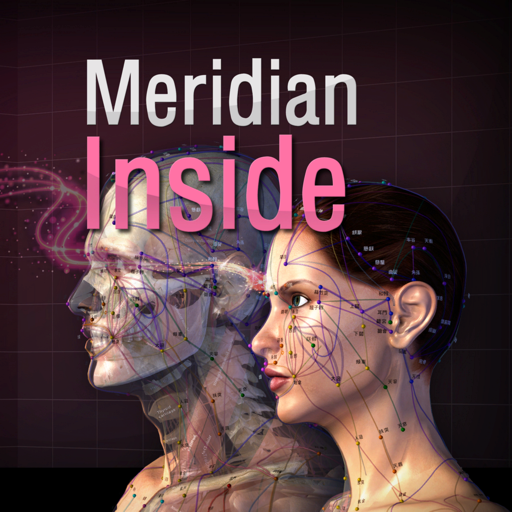
- ‘Meridian Inside’ application was created by integrating ’12 Main Meridian’, ‘8 Extra Meridians’ and ’12 Meridian Divergences’, while applying it to the 3D human body model with ‘Main Acupuncture Point’. - It is an application that can check the flow of the meridian of Asian medicine, which is the only one in the world now. - You can check the location, flow, and contents of a total of 32 meridians. This product does not have complete text descriptions of ‘Main Acupuncture Points’, ‘Extra acupoints’, and ‘Tung ’s family acupunture point.’ - This product does not have ’12 meridian sinews’, ’12 meridian regions’, and ’12 skin’ in this product yet. - Easily zoom in and out with multi-touch so you can see the exact location of the ‘ Meridian and collateral’ itself and we add the “drive button bar” so easliy check the what you want. - ’12 Main Meridian’, ‘8 Extra Meridians’ and ’12 Meridian Divergences’, can be grasped at the same time, and can be compared with ‘Main Acupuncture Point’. * Main Acupuncture Point -> 12 Main Acupuncture Point, Governor Vessel (GV) Acupuncture Point, Conception Vessel(CV) Acupuncture Point.. - Please refer to ‘Meridian 3.1’ application. * For Main Acupuncture Points (such as 12 Main Acupuncture Point, Governor Vessel (GV) Acupuncture Point, Conception Vessel(CV) Acupuncture Point, lung, large intestine, etc.), refer to ‘Meridian 3.1’ application. For Meridian and collateral (12 meridians, 14 meridians, eight extra meridians, twelve meridian divergences, twelve meridian sinews, twelve cutaneous regions, etc.) please refer to ‘Meridian Inside’ application. For Extra acupuncture points, please refer to ‘Acupuncture of Extra Point’ application. For Tung ’s family acupunture(In korean called as Dongssihyeol) (Dongssi, Master tung), refer to ‘Master Tung Acupuncture point’ application. * This product does not have complete text descriptions of Main Acupuncture Points, extra acupoint, and Tung ’s family acupunture point. * This product does not have 12 meridian sinews, 12 meridian regions, or 12 skin in this product yet. - Meet our(verderoot, acumonster, medimonster) various products (Meridian, Meridian Inside, Master Tung, Extra-Acupuncture Point, Combination Point, Hand Acupuncture, Foot Acupoint, Head Acupuncture, etc.) look. www.verderoot.com www.acumonster.com
Description
- This application is a professional app for ’14 Main Acupuncture Points and its superficial Meridians’ which is a basic anatomy of Asian medicine. * 14 Main Acupuncture Points” - 12 Main Acupuncture Points, Governor Vessel (GV) Acupuncture Points, Conception Vessel(CV) Acupuncture Points and its superficial Meridians. - ‘MERIDIAN 3.1’ application is an App that shows and explains the ‘Acupoints’ of Asian Medicine. - The text for a total of 362 acupuncture points is also completely included. Acupuncture points can be compared and confirmed with skin, bone, organ, and muscle easily. - Easily compare the ‘Main Acupuncture Points’ and its ‘Superficial Meridians’ with the skin, muscles, vessels, bones and organs. - By making a ‘scale’, we made it easier to find acupuncture points. - Contents include accurate location, based book, function and character(how to use). Released in Korean, Chinese and English, which allows it to be used across the world! * Main Acupuncture Point -> 12 Main Acupuncture Point, Governor Vessel (GV) Acupuncture Point, Conception Vessel(CV) Acupuncture Point.. - Please refer to ‘Meridian 3.1’ application. * Superficial Meridians -> It is not “Meridian and collateral”, is just a line that connects the acupuncture points. * Scale - a reference line for easily locating acupuncture points * For Main Acupuncture Points (such as 12 Main Acupuncture Point, Governor Vessel (GV) Acupuncture Point, Conception Vessel(CV) Acupuncture Point, lung, large intestine, etc.), refer to ‘Meridian 3.1’ application. For Meridian and collateral (12 meridians, 14 meridians, eight extra meridians, twelve meridian divergences, twelve meridian sinews, twelve cutaneous regions, etc.) please refer to ‘Meridian Inside’ application. For Extra acupuncture points, please refer to ‘Acupuncture of Extra Point’ application. For Tung ’s family acupunture(In korean called as Dongssihyeol) (Dongssi, Master tung), refer to ‘Master Tung Acupuncture point’ application. * This product does not have complete text descriptions of Meridian and collateral, Extra acupuncture points and Tung ’s family acupunture. - Meet our(verderoot, acumonster, medimonster) various products (Meridian, Meridian Inside, Master Tung, Extra-Acupuncture Point, Combination Point, Hand Acupuncture, Foot Acupoint, Head Acupuncture, etc.) look. www.verderoot.com www.acumonster.com
Description
Miele-LXIV is a DICOM workstation, viewer and more. The project started in November 2014 as a fork of the popular open source 32-bit project OsiriX, but it has been modified to become a 64-bit application and to remove many of the limitations of the 32-bit version. - Built for macOS 12.0 through 27.0.1 - It supports Mojave's Dark Mode - Using VTK version 9.7.0 - Using ITK version 5.4.5 - Using DCMTK version 3.7.0 - Using OpenGL 4.1 - Using GLEW 2.3.0 - Using OpenJPEG 2.5.4 - Using David Clunie's DICOM validator dciodvfy version 1.00.snapshot.20230403092834 - Fully localized for 7 languages: Chinese, English, French, German, Italian, Japanese, Spanish - Export to Photos - Own plugin system fully operational: develop, publish, list, check-for-updates, download, install - Open source - Universal binary: Intel, Apple Silicon
Description
Weight Monitor allows you to quickly and easily record your daily weight. Nothing else to get in the way. Just add your weight and see it plotted on the graph with all the relevant information. The monthly graph shows you your weight, your target weight but also your average weight over the last 10 days. Your average weight is a much better indicator of your real weight. New: 1) Tabs now show which user is selected. 2) Double click on Weight in Month View now shows the Add/Amend Notes dialog. 3) Click on the blue 'i' icon on the graph view shows the Add/Amend Notes dialog. 4) When adding a new user the Weight Type and Feet&Inches/Metric selectors default to those last used. You can specify how many months you want to see on the Graph. Select the number of months to show in the Preferences and the graph will show from the currently selected month forward by that many months. This App can be used to lose weight but it can also be used to gain weight. The blue line shows the required weight loss line. This line is calculated from the start date & weight and the end date & weight. If you follow this line you will reach your target weight. The end of the arrow of each red line shows the weight for the day. The line extends to the rolling average weight for the day. If the arrow is downward then your weight is going in the right direction. If the arrow is upward then beware your weight is above the average. The green line shows the rolling average weight. For each weight entered an average of the last ten days is calculated. This weight is plotted for each day and this is the green line. If the green line remains below the blue line you are winning. Your daily weight can change too much over just a couple of days and this can be very discouraging when your weight increases. You can easily see your new weight and how this affects the average on the graph. Using this new information you can gain confidence that your weight is changing as required. The graph also shows you the line of required weight loss to achieve your desired weight. While your weights and the average weights remain below this line you are still on track. Stray above this line and your are off course. The graph is a powerful visual clue to what is occurring. Simple to use. Just start it. You just have to set the initial values in the Preferences and you are ready to go. To set the Preferences you set the Start Date, Start Weight, End Date, End Weight and whether you want to use kilograms, stones & pounds, or just pounds. On the Graph & Input tab just select today's date to add you weight for the day by pressing 'Save'. The graph will change to show this weight. You can add a weight for any other day by just selecting that date rather than today's date. The more weights you add the better the graph shows your progress. You can delete a weight completely by selecting the Months tab, selecting the day the weight is for and then selecting 'Delete Weight'. To gain weight with this App just select an end weight that is greater than your start weight. You should strive to have arrows that point upwards and keep the green line above the blue line.
Description
EP Calipers provides electronic calipers to measure intervals on images of ECGs or electrophysiologic recordings. EP Calipers can be used to make accurate ECG measurements on your Mac and do calculations such as mean heart rate, corrected QT interval, or even measure the beta angle in Brugada syndrome using electronic calipers similar to those in electrophysiologic recording systems. Analyze ECG images as well as PDF files, such as ECGs generated by the Kardia™ AliveCor™ device. Analyze anything open on your desktop using the Transparent Window feature.
Description
Dicom Browser 專為醫學影像領域用戶設計,專注於 DICOM 文件的瀏覽與處理。軟件新增 3D 預覽模式,支持更直觀的醫學影像展示,提升分析精度。此外,還具備多平面重建(MPR)、影像融合等高級圖像處理功能。用戶可以離線瀏覽、標記並處理 DICOM 文件,提高影像診斷的效率與準確性。軟件支持離線使用,確保數據安全與隱私,是醫學影像處理的理想工具。
Description
Skull, Teeth & TMJ app is an outstanding resource for exploring the anatomy and biomechanics of the skull, jaw, and temporomandibular joint (TMJ). This comprehensive tool provides you with access to a range of features, including: • High-quality 3D models of the bones, muscles, and ligaments of the jaw that allow you to examine them in detail. • Interactive envelope of motion diagrams, including Posselt's envelope of motion diagram, that help you explore the biomechanics of the lower jaw and its movement patterns. • The ability to hide or isolate separate anatomical structures and use cross-section tools to examine the anatomy more closely. • Realistic visualization of the TMJ capsule and disc's motion that can be challenging to visualize using traditional resources. • Access to informative articles from anatomystandard.com that further enhance your understanding of the subject. • Examination of a complete set of permanent teeth with ideal alignment and bite, which helps you understand the form and function of teeth in the mouth. • The ability to adjust the direction of the light source to improve your visualization of the anatomy. Whether you're a student, healthcare professional, or simply interested in learning more about the anatomy of the Skull, Teeth & TMJ, this app is an excellent resource. Its comprehensive range of features and detailed visualizations make it an invaluable tool for anyone looking to deepen their understanding of this complex subject.
Description
MIKit is a high-performance toolkit dedicated to view, inspect and manage a large sets of DICOM images produced by equipment (MRI, CT, PET, PET-CT). What's DICOM: DICOM® (Digital Imaging and Communications in Medicine) is the international standard to transmit, store, retrieve, print, process, and display medical imaging information. The App offers a host of analysis, processing, and editing features, and can convert, anonymize, and register images. It is the ideal tool for viewing and researching DICOM. It supports DICOM images - without compression and with RLE, JPEG Lossy, JPEG Lossless, JPEG2000 Lossy, JPEG2000 Lossless compressions. MIKit includes the following features: 1. View DICOM: zoom, pan, contrast/brightness control; 2. Inspect the DICOM attributes and view the DICOM header information; 3. Display and manage a large sets of images; 4. Export DICOM image to TIFF, PNG, and MOV; 5. Load DICOM image via drag & drop; 6. Simple and intuitive interface with full-screen mode.
Description
說話時即時查看您的音高與音量 — 錄製、測量並追蹤您的嗓音,適用於語言治療、嗓音訓練與歌唱。 Voice Analyst 已在超過 180 個國家的語言治療診所、研究中心、大學與家庭中使用,累計錄音超過 1,200 萬次。 榮獲 Digital Health Award(Medilink SW Healthcare Innovation)。 獲 Parkinson's UK 科技指南收錄: https://techguide.parkinsons.org.uk/catalogue/voice-analyst 一次購買,即可在 iPhone、iPad 與 Mac 上使用。無需訂閱。 測量您的嗓音 • 說話或唱歌時,即時查看音高(以赫茲或音符顯示)與音量的曲線圖。 • 錄製您的嗓音,播放時同步顯示音高與音量曲線。 • 查看任何錄音或其中任一片段的統計資料:音高與音量各自的最小值、最大值、平均值與範圍。 • 設定音高與音量目標,立即看到您的嗓音是否在目標範圍內。 • 放大錄音的任何部分進行詳細分析,並可單獨儲存任一片段。 • 支援 iPad 分割顯示與多工處理。 專為語言治療設計 • 使用語言治療師設定的目標,在回診之間練習 — 包括帕金森氏症 LSVT LOUD 等課程使用的音量目標。 • 透過儲存的錄音與統計資料長期追蹤進度。 • 可在診所、家中或遠距醫療療程中使用。 與治療師分享 • 透過電子郵件將錄音與統計資料傳送給語言治療師,也可透過訊息與 AirDrop 分享。 • 將錄音儲存到裝置,或儲存至 iCloud、Dropbox 等雲端儲存。 • 將統計資料複製到試算表,用於紀錄、報告與研究。 誰在使用 Voice Analyst • 在診所與遠距醫療中測量個案音高與音量的語言治療師。 • 正在接受嗓音治療的人 — 帕金森氏症、中風、腦損傷、構音障礙、聲帶麻痺、肌肉緊張性發聲障礙及其他嗓音問題。 • 藉由清晰音高回饋訓練嗓音的跨性別與非二元性別人士。 • 監測並精進自己嗓音的歌手、演員、教師與主持人。 • 需要客觀測量嗓音的研究人員與學生。 隱私優先設計 • 除非您選擇分享,錄音只會保存在您的裝置上。 • 不會上傳任何內容至我們的伺服器 — 個案錄音始終由臨床人員掌控。 • 符合 GDPR — 不蒐集任何個人資料。 • 可離線使用 — 隨時隨地錄音與分析。 使用者心得 「非常容易看到自己的音高位置、設定目標範圍、錄製與分析錄音,以及匯出和匯入錄音。我無法想像沒有這個應用程式要如何訓練我的嗓音。」 「我一直與跨性別個案一起使用 Voice Analyst。它非常易用,頻率的視覺化顯示出色,還能即時分析音高範圍與平均值。個案可以在療程中使用,有些人還自行下載,在家練習。」 「很喜歡這個應用程式。操作非常簡單,卻具備了讓我輕鬆自我監測、保持動力所需的所有技術。」 Voice Analyst 不是醫療器材 — 它測量並錄製您的嗓音,不診斷或治療任何病症。如果您擔心自己的嗓音品質,請就醫並請求轉介至耳鼻喉科(ENT)專科醫師。 有問題或想法嗎?歡迎來信 [email protected] — 我們非常期待您的來信。
Description
- This App contains 21 acupoints in the Hand back part and another 21 acupoints in the Hand palm part, and each acupoints is written in Korean, English and Chinese texts in terms of location, efficacy and operation method . - The reflex region which was used as the basis of the diagnosis in the traditional Hand Acupuncture therapy is also arranged in 3D. The Reflexoloy chart used as a basis for other forms of diagnosis and treatment are also arranged in 3D. You can compare The reflex region of a traditional form with The Reflexoloy chart of other theories in 3D, and you can also compare The Hand Acupoints in 3D. - The 14 Main Acupuncture Point of the hand , The Extra Acupuncture Point of the hand, and The Master Tung`s Acupuncture Point of the hand are displayed on the 3D model as background, so you can organize them by comparing them with The Hand Acupoints. - The skin, muscles, and nerves of the hand are made in 3D, so you can compare the position of The Hand Acupoint with the muscles, bones and nerves in 3D. * For Main Acupuncture Points (such as 12 Main Acupuncture Point, Governor Vessel (GV) Acupuncture Point, Conception Vessel(CV) Acupuncture Point, lung, large intestine, etc.), refer to ‘Meridian 3.1’ application. For Meridian and collateral (12 meridians, 14 meridians, eight extra meridians, twelve meridian divergences, twelve meridian sinews, twelve cutaneous regions, etc.) please refer to ‘Meridian Inside’ application. For Extra acupuncture points, please refer to ‘Acupuncture of Extra Point’ application. For Tung ’s family acupunture(In korean called as Dongssihyeol) (Dongssi, Master tung), refer to ‘Master Tung Acupuncture point’ application. * This product does not have complete text descriptions of ‘’Main acupuncture point’, ‘Meridian and collateral’, ‘Extra acupuncture points’ and ‘Tung ’s family acupunture.’ - Meet our(verderoot, acumonster, medimonster) various products (Meridian, Meridian Inside, Master Tung, Extra-Acupuncture Point, Combination Point, Hand Acupuncture, Foot Acupoint, Head Acupuncture, etc.) look. www.verderoot.com www.acumonster.com
Description
- ‘Acupuncture of Extra Point’ was created by integrating ‘Old extra Point(Gi-hyeol)’ and ‘New Point(Shin-hyeol)’ and creating a group called ‘Extra-Acupuncture Point’ and applying it to a 3D human body model. A total of 952 acupoints. - It is an application that allows you to easily get detailed information about ‘The Extra Point’, by comparing with ‘Main Acupuncture Point’ and ‘Extra-Acupuncture Point’ expressed at the same time. - It contains complete texts such as the location, source, treatment, operation method, etc. of about a thousand extra acupuncture points. - It is made in three languages, Korean, English and Chinese, so that everyone can use it. - It contains 3D anatomical models (muscles, bones, organs, brain, etc), and various functions (transparency, enlargement, reduction, interactive editing such as notepad, drawing, hiding, writing, etc.) are operated. If you use the display option, you can choose to display only the skin of the anatomical model, only the muscles, or only the meridians and acupuncture points. - This application is based on ‘WHO/WPRO Standard Acupuncture Point Positions’, ‘University Meridian Acupuncture Points’, ‘Emperor’s Internal Medicine Yeongchu’, and referenced various other books. It was supervised by professors and Korea medical doctors at University of Korea Medicine. * Old extra Point -> Acupoints handed down in past textbooks. In Korean called as ‘Gi-hyeol’ * New Point -> A new acupoint that has been recently proven. In Korean called as ‘Shin-hyeol’ * Main Acupuncture Point -> 12 Main Acupuncture Point, Governor Vessel (GV) Acupuncture Point, Conception Vessel(CV) Acupuncture Point.. - Please refer to ‘Meridian 3.1’ application. * For Main Acupuncture Points (such as 12 Main Acupuncture Point, Governor Vessel (GV) Acupuncture Point, Conception Vessel(CV) Acupuncture Point, lung, large intestine, etc.), refer to ‘Meridian 3.1’ application. For Meridian and collateral (12 meridians, 14 meridians, eight extra meridians, twelve meridian divergences, twelve meridian sinews, twelve cutaneous regions, etc.) please refer to ‘Meridian Inside’ application. For Extra acupuncture points, please refer to ‘Acupuncture of Extra Point’ application. For Tung ’s family acupunture(In korean called as Dongssihyeol) (Dongssi, Master tung), refer to ‘Master Tung Acupuncture point’ application. * This product does not have complete text descriptions of Main Acupuncture Points, Meridian and collateral, and Tung ’s family acupunture point. - Meet our(verderoot, acumonster, medimonster) various products (Meridian, Meridian Inside, Master Tung, Extra-Acupuncture Point, Combination Point, Hand Acupuncture, Foot Acupoint, Head Acupuncture, etc.) look. www.verderoot.com www.acumonster.com
Description
3D Heart Anatomy is the ultimate companion for those seeking to understand the heart's complex structures, whether for professional use, academic study, or personal interest. Dive into the captivating world of heart anatomy and start your journey with more than 150 individually detailed structures solely dedicated to the heart, 3D Heart Anatomy is a testament to the intricate design of one of the human body's most vital organs. Features: Immersive 3D Experience: Navigate and interact with high-resolution 3D models of the heart. Rotate, zoom and move structures with ease and precision. Comprehensive Atlas: With over 150 individual heart structures, explore every chamber, valve, vessel, and associated system with unparalleled depth and clarity. Photorealistic Graphics: Cutting-edge graphics that renders heart structures with extraordinary detail and realism, offering an effective tool for understanding complex heart anatomy. Professional-Grade Accuracy: Created by medical professionals and backed by medical literature, 3D Heart Atlas is both an engaging learning tool and a reliable reference for professionals. Accessible Anywhere: No Internet? No problem, keep learning wherever you are. We continuously strive to improve the quality and functionality of 3D Heart Anatomy. User feedback is invaluable for these improvements. If you find the application beneficial, please consider rating it on the App Store. Thank you for your continued support.
Description
我的醫療診所管理(My Medical Clinic Software)是一款醫療診所、醫生安排日程的調度APP。 也是不可靠的紙質記錄或者其他記錄方式的理想替代品。對您而言,重要的所有隱私信息都被保存在您自己的iCloud賬戶中。不需要聯網就能使用(使用iCloud功能,需要網絡)。 我的醫療診所管理(My Medical Clinic Software)可以有效地用於不同類型的醫學專業,包括牙科、骨科、婦科、兒科、精神病學、皮膚病學、家庭醫學、護理學、藥學、應用心理學、高級護理、眼視光學、臨床醫學、口腔醫學等。 誰可以使用? 醫生、家庭、個人、私人醫院、醫療診所等都可以使用! 【醫療中心/私人診所使用】 為醫療中心/私人診所的所有醫生和患者提供幫助 管理醫生與患者的日程安排 有序地安排員工的工作,不錯過任何診斷服務 可以主動聯繫患者,通過郵件或者電話方式 【醫生使用】 醫生可以管理自己的患者 記錄與患者的看病預約,不錯過日程 記錄不同患者的醫療診斷全過程;方便現在的回顧與未來的參照 可以主動聯繫患者,通過郵件或者電話方式 藥品管理 醫療影像管理 醫療診斷收入 【個人用戶使用】 當作自己的電子病曆本,以及記錄所有家庭成員的病曆本 記錄與醫生的預約,不錯過日程 記錄您的醫療診斷全過程 可以主動聯繫醫生,通過郵件或者電話方式 個人藥物管理 病歷管理 醫療費用 【安排日程預約】 您可以選擇不同的年份與月份,快速跳轉到指定某月某天。 點擊任意一個日期,設定預約的時間段、醫生信息、患者信息、其他信息。 您可以在同一天,添加多個預約。 添加之後,日曆頁面會顯示最新的預約信息。點擊進入可以查看更多信息。 【醫療診斷】 記錄病情總結 記錄診斷結果 記錄治療方案 添加診斷的診斷圖片信息 添加診斷後必要的藥物清單(可選) 添加住院治療(可選) 自動統計藥物總費用與醫療總費用 【CSV數據導出】 導出所有預約數據(或者兩個日期範圍) 導出所有診斷數據(或者兩個日期範圍) 導出所有醫生數據 導出所有患者數據 導出所有藥品數據 【其他功能】 診斷證明書PDF導出功能,可將患者診斷信息、藥物清單、費用匯總等數據導出為專業的PDF文檔。 密碼鎖住私密數據 您可以添加、修改、刪除密碼 iCloud 同步與備份數據,需要您登錄自己的Apple ID進行操作 備份數據之後,您才能進行數據同步 將診斷圖片&藥物清單生成PDF 無限制預約數量 無限制添加醫生數量 無限制添加患者數量 無限製藥物數量 該程序直觀簡潔,且易於使用,任何人都可以輕鬆操作。無需進行任何特殊的培訓或學習,即可對其進行操作。
Description
- ‘Master Tung Acupoint application’ is a professional application made by Dr. Tung Ching-Chang's “董氏針灸正經奇穴學 -1973-” as a 3D human body model. - It contains complete texts such as the location, source, treatment, and operation method, etc.of about 264 Dongssihyeol(Tung’s acupoint). - In the content, the location, source, treatment, and operation method of Dongssihyeol(Tung’s acupoint) are recorded as they are in the Dr. Tung Ching-Chang's “董氏針灸正經奇穴學 -1973-”. And we've also added our own content to make it easier to explain. - It is made in three languages, Korean, English and Chinese, so that everyone can use it. - It contains 3D anatomical models (muscles, bones, organs, brain, etc), and various functions (transparency, enlargement, reduction, interactive editing such as notepad, drawing, hiding, writing, etc.) are operated. If you use the display option, you can choose to display only the skin of the anatomical model, only the muscles, or only the meridians and acupuncture points. - This application is based on Dr. Tung Ching-Chang's “董氏針灸正經奇穴學 -1973-“ and referenced various other books. It was supervised by professors and Korea medical doctors at University of Korea Medicine. * Dongssihyeol(Tung’s acupoint) - Dr. Tung Ching-Chang's family unique acupoint. * “Main Acupuncture Point” and “Dongssihyeol(Tung’s acupoint)” were implemented at the same time. “Baseline” was also produced together * Baseline - Help line to easily find Dongssihyeol(Tung’s acupoint). * Main Acupuncture Point -> 12 Main Acupuncture Point, Governor Vessel (GV) Acupuncture Point, Conception Vessel(CV) Acupuncture Point.. - Please refer to ‘Acupoints’ application. * For Main Acupuncture Points (such as 12 Main Acupuncture Point, Governor Vessel (GV) Acupuncture Point, Conception Vessel(CV) Acupuncture Point, lung, large intestine, etc.), refer to ‘Acupoints’ application. For meridian and collateral (12 meridians, 14 meridians, eight extra meridians, twelve meridian divergences, twelve meridian sinews, twelve cutaneous regions, etc.) please refer to ‘Meridian Inside’ application. For extra acupuncture points, please refer to ‘Extra Acupoints’ application. For Tung ’s family acupunture(In korean called as Dongssihyeol) (Dongssi, Master tung), refer to ‘Master Tung Acupoint’ application. * This product does not have complete text descriptions of Main Acupuncture Points, meridian and collateral, and Extra-Acupuncture Point. - Meet our(verderoot, acumonster, medimonster) various products (Meridian, Meridian Inside, Master Tung, Extra-Acupuncture Point, Combination Point, Hand Acupuncture, Foot Acupoint, Head Acupuncture, etc.) look. www.verderoot.com www.acumonster.com
Description
Open DICOM medical scan files locally on your device. Supports multiple languages, PNG and Video export, ZIP extraction, and ZIP packaging for sharing. 3D Viewer, Multiplanar Reconstruction (MPR) is supported. No internet required. Your files stay on your device and are never uploaded to the cloud or any server. Helpful for quickly preparing imaging files to share with your doctor. Not for diagnosis.
Description
Ihre Blutdruck- und Pulswerte digital erfassen, verwalten und auswerten. Ohne Zettelwirtschaft. Seit 2014 im App Store, die App zur Blutdruckverwaltung. Warum digital statt Papier? - Keine verlorenen Zettel - Alle Werte immer dabei - Automatische Auswertungen und Statistiken - Daten bleiben auf Ihren Geräten Datensicherheit: Ihre Gesundheitsdaten bleiben privat. Alle Daten werden ausschliesslich lokal auf Ihrem Mac gespeichert. Kein Upload auf fremde Server. Keine Cloud. Keine Weitergabe an Dritte. Funktionen: - Schnelle Eingabe von Blutdruck und Puls - Berechnung des Pulsdrucks - Optionale Notizen zu jedem Eintrag - Grafiken und Statistiken über Zeiträume - Export als PDF oder CSV für Ihren Arzt - CSV-Import für bestehende Daten - Individuelle Auswertungen Plattformen: Diese App ist für Mac. Optional: Synchronisation mit der separaten iOS/iPadOS-App über lokales WLAN (Peer-to-Peer) ohne Cloud. Hinweis: Diese App ersetzt keine ärztliche Beratung. Bei Fragen zu Ihren Blutdruckwerten konsultieren Sie bitte Ihren Arzt.
Description
醫學名詞縮寫快速查詢 •全新的界面改版,您可以添加,刪除,修改原來的內容 •支持中國,英語,日語,德語,法語,荷蘭語,西班牙語,意大利語,葡萄牙語,瑞典語,挪威語,丹麥語,芬蘭語,俄語,希臘語翻譯 •包含6000+最常用的醫學術語縮寫 •你可以使用網頁搜尋 & Wiki •最適當的醫療保健,還是那些誰想要從事健康相關工作者在醫學術語中快速查詢工具
Description
Lumen 能開啟患者帶來的放射科 zip 檔。不需上傳、不需雲端、不需註冊,只有原生解析度的影像,在你擁有的每一部 Apple 裝置上。 專為已具備存取權限、檢閱自身既有檢查影像的醫療專業人員設計。Lumen 定位於教學、病例回顧與第二意見閱片情境。它並非醫療器材,亦不適用於主要臨床診斷。 可以開啟的內容 • DICOM / IHE-PDI zip 壓縮檔,多數患者光碟的格式 • 直接開啟 ISO 9660 磁碟映像,無須手動掛載或重新打包 • DICOM 檔案資料夾 • 透過 Files.app、分享表單或 App 內選取器開啟 • 手邊沒有檔案?App 內建五份範例影像,可探索已去識別化的真實 CT、MRI 與 X 光檢查 持久的影像庫 • 每個匯入的封存檔都存在裝置上的 Lumen 資料夾,可在 Files.app 中看到 • 每份影像都會顯示影像預覽、模態和系列數量 • 從主畫面一鍵重新開啟,無須再次匯入 • 從選單刪除封存檔,以及由它匯出的所有影片 檢視 • 完整原生位元深度顯示,支援雙指縮放、拖曳平移與雙點切換 • 拖曳調整視窗/位準:垂直調亮度、水平調對比,靈敏度隨目前視窗縮放,寬廣的 CT 視窗與狹窄的腦部視窗同樣靈敏 • 一鍵切換各模態預設(CT:軟組織、骨骼、肺、腦、腹部、肝臟) • 各影像中繼資料表,含製造商、矩陣、位元深度、傳輸語法、SOP 類別,並內建放射科縮寫詞彙表 體積工具 • 依切片幾何標籤自動偵測可堆疊體積,瀏覽器中以 3D / 4D 標記,一眼看出哪些序列可重建 • 多平面重建(MPR):軸狀、矢狀與冠狀面並列重組,十字線連動導覽,點一個平面即跳轉另兩個 • 平板投影:最大強度(MIP)、最小強度(MinIP),或對 3 至 50 張切片取平均,適合血管、肺部與降噪 • 真正的 3D 體積算繪:以 Metal 驅動的射線投射器,四種算繪模式,包括表面(具梯度光照與各體積色調預設的實心皮膚/骨骼外殼)、解剖(彩色組織傳遞函數)、體積合成(灰階半透明深度)與 MIP • 各模態的組織隔離預設(骨骼、皮膚、軟組織、肺、肝),一鍵從體積中隱藏其他一切,無須逐片遮罩 • 雙指平移、拖曳旋轉、雙指縮放、自動旋轉動畫,以及軸向對齊的裁切平面(矢狀/冠狀/軸狀),切掉一半體積以看見內部 • 將目前 3D 視圖存為螢幕兩倍解析度的 PNG 快照,可透過 Photos、AirDrop、Files 或 Mail 分享 動態 4D 取像 • 原生支援動態對比增強序列(如 dyn_eTHRIVE 肝臟 MR、灌注 MR、動態血管攝影):每個時間點各成一個 3D 體積 • MPR 與 3D 中的時間點滑桿與動畫播放,觀看對比劑隨時間流經 • 所有時間點在背景預先擷取並存入裝置快取,跨時間點拖曳即使在重新啟動後仍即時順暢 分享 • 將任一序列匯出為 H.264 MP4,可選 10、15 或 30 fps • 存於 Files.app 中 Lumen 資料夾的來源封存檔旁 • 透過標準分享表單分享,或複製到 iCloud Drive • 3D 視圖的 PNG 快照可分享 隱私為預設 • 一切都留在這部裝置上 • 不分析檔案內容、無帳號、無追蹤 SDK • 患者資料只有在你選擇分享匯出檔時才會離開裝置 • Lumen 從不連線網路:連範例影像也內建於 App 中 • 檔案無法開啟?Lumen 會說明原因,並可依你的意願以電子郵件將技術細節寄給我們,絕不包含姓名、日期或影像 Lumen 刻意定位為教學與第二意見閱片工具。它在任何司法管轄區皆非受監管的醫療器材。完整聲明請見 App 內免責聲明。
Description
Donut Viewer (DN Viewer) is a fast, native DICOM and NIfTI viewer for Mac. This app is intended for educational and research purposes only and is not a certified medical device. It should not be used for clinical diagnosis or patient-care decisions. Supports Xray, CT, MRI, PET, angiography and fluroscopic studies. Directly open studies from local drive or Connect to PACS using DICOM or DICOMWeb, open local DICOM and NIfTI studies, preview imaging files directly from Finder, and work with MPR, 3D rendering, measurements, segmentation, and AI-assisted reporting — all in a GPU-accelerated native Mac app. NATIVE SPEED Studies open in instant, not minutes. DN Viewer is designed to feel at desktop experience, with fast loading, responsive navigation, and an interface optimized for medical imaging. Preview supported medical imaging files directly from Finder without opening the full application. Quickly inspect files while browsing folders and datasets. Designed for faster review of downloaded, exported, and research imaging data. WORKSTATION SERVER MODE Listener and server mode, allows directly receiving pushed studies from consoles and other workstations through DICOM protocol, and also serves the studies over DICOM to other clients. This can be configured. Supports CFIND CGET and CMOVE operations. This feature needs additional subscription. DICOM & NIFTI SUPPORT Open DICOM studies and series directly on your Mac. Open and explore NIfTI imaging datasets. Suitable for radiology, medical imaging research, AI datasets, segmentation workflows, and volumetric imaging. PACS CONNECTIVITY Connect directly to PACS servers using DICOM Connect to compatible DICOMWeb servers. Browse available studies and open them directly without manually exporting files. ADVANCED IMAGING TOOLS Multi-planar reconstruction (MPR) with synchronized crosshairs across all planes. PET/CT fusion mode with adjustable image blending for combined functional and anatomical visualization. 3D volume ray-cast rendering and surface rendering. Configurable multi-pane layouts for viewing multiple series side by side. Save and recall named hanging protocols for different study types. Window / Level presets for brain, bone, lung, liver, and more, with one-click access or keyboard shortcuts. Expanded widescreen series preview for quickly navigating studies, particularly useful for MR workflows. AI-ASSISTED REPORTING Integrated reporting pane displayed alongside the images. Speech-to-text optimized for medical and radiology terminology. Dictate naturally or use short forms and allow AI to expand them into structured report text. AI-assisted checking for gross unintended inconsistencies within report drafts. MEASUREMENTS & ANNOTATIONS Image overlay mode for superimposing series to support advanced measurements and calculations, such as TT–TG distance assessment. Linear ruler measurements. 3-point angle measurements. Elliptical ROI with mean, minimum, and maximum HU statistics. Synchronized HU probe across panes within the same study. Measurements are stored per slice and preserved during the session. PRIVACY & SECURITY DICOM image data remains on your device and is not uploaded for image processing. AI requests are routed through a secure proxy. Patient-identifying information is not intentionally included in AI prompts. CLEAN, FAST NATIVE UI GPU-accelerated image renderer. Keyboard shortcut reference available within the app. Adjustable UI zoom for different display sizes and resolutions. Native macOS workflow with Finder integration. Additional subscriptions may be required for DICOM Workstation server mode, AI chat, speech-to-text, and other AI-assisted features. Terms of Use (EULA): https://www.apple.com/legal/internet-services/itunes/dev/stdeula Privacy Policy: https://donutviewer.com/privacy Support: [email protected]
Description
中医舌诊是观察舌头的色泽、形态的变化来辅助诊断及鉴别的一个简单有效的方法。为望诊重点内容之一。 舌为心之苗,脾之外候,苔由胃气所生。脏腑通过经脉与舌相联中医诊断疾病的重要客系,手少阴之别系舌本,足少阴之脉挟舌本,足厥阴之脉络舌本,足太阴之脉连舌本,散舌下,故脏腑病变,可在舌质和舌苔上反映出来,舌诊主要诊察舌质和舌苔的形态、色泽、润燥等,以此判断疾病的性质、病势的浅深、气血的盛衰、津液的盈亏及脏腑的虚实等。 《中医舌诊宝典》包含肺系病证、心系病证、脾胃病证、肝胆病证、肾系病证、气血津液病证、肢体经络病证——7大系列病证,共248种舌象病例诊断。本应用程序可以快速查找并学习各类病证舌象病例。 如:肺系病证:感冒—风寒束表 舌象病证包含信息:主症、上焦(舌尖)、中焦(舌中)、下焦(舌根)、证机概要、治法、方药、处方、方解、方歌等... 学习中医舌象病证的同时,充分了解病因治法等知识。知其然知其所以然! 本应用程序简明、易用、方便快捷可以快速查找收藏学习舌象病例。 注: 1.此应用程序内部仅作为学习参考使用,用户在使用应用程序包含的信息做医疗诊断之前请咨询专业医生。 2.此程序无广告,不收集任何用户信息
Description
Orthopedic Classification App for iOS is an application designed for orthopedic residents, specialists and medical students interested in the study of orthopedic surgery and the classification of fractures and orthopedic diseases. Orthopedic surgery classification pro app for iOS contains all classification systems of bone fractures such as the classification of humeral head fractures (Neer classification) and the classification of orthopedic diseases such as the classification of femoral head osteonecrosis (Vicat classification). The application was divided into two main parts: 1. Orthopedic Fractures Classification. 2. Orthopedic diseases classification. Each section was classified according to anatomical regions: 1. Shoulder 2. Elbow 3. Wrist and hand 4. Pelvis and hip 5. Knee 6. Ankle and foot. There is also MCQs quiz to review your knowledge in orthopedic classification system. The orthopedic classification was presented briefly by means of tables in an easy-to-understand manner and provided with schematic and x-ray. Orthopedic Classification App does not need an internet connection to work, it's totally offline. The application will be updated periodically, adding new and updated information and improving the performance of the application. You can also search the app by classification name or fracture type. Orthopedic Classification App pro version Features: 1. Totally Ads-Free 2. Add to favorite feature. 3. Search the whole app by classification name.
Description
Orthopedic Quiz MCQs for Orthopedic Board Exam: An offline orthopedic MCQs quiz application that contains many multiple-choice questions (over 2500 MCQs) in orthopedic surgery. Orthopedic MCQ Test offline is for orthopedic residents and specialists who are preparing for Board Exams in orthopedic surgery. Offline orthopedic quiz app is very important to prepare for Arab Board Orthopedic Exam and other Board exam for Orthopedic Surgery. *************************** App features: - The app is totally offline; no internet connection is required. - Multiple questions MCQs in orthopedic surgery. - You can choose a specific test based on categories of orthopedic (Trauma - sports - pediatrics - hand and foot surgery - reconstruction - basics). - Add any MCQ to your favorite to review them later. - You can customize the quiz as you want (choose categories, numbers of MCQs and timed/no-timed quiz) - Each test consists of 50 questions. - Every time you take the exam, random questions are chosen, and the options are randomly arranged, too. - Explanation and discussion for the MCQ - Questions are constantly updated.
Description
Orthopedic Surgery Approaches Pro is an application that contains all operative surgical approaches in orthopedic surgery in a simple and easy way. The application contains the orthopaedic surgical approaches divided according to the regions into the surgical approaches to the: 1. shoulder approaches, 2. Upper arm approaches, 3. Elbow approaches, 4. Forearm approaches, 5. Wrist & hand approaches, 6. Pelvis and hip approaches, 7. Femur approaches, 8. Knee approaches, 9. Tibia approaches, 10. Ankle & foot approaches 11. Spine approaches. Within each section there are all the operative approaches for this region. Within each approaches, the approaches is divided into: 1. Approaches indications 2. The neural internervous plan 3. Anatomical landmarks 4. Surgical incision 5. Superficial dissection 6. Deep dissection 7. Approach expansion 8. Risks of the approach. 9. Illustrations for the approaches. There is also a MCQs quiz test for surgical approaches that contains almost 200 MCQs, the total MCQs in a single quiz are 50 MCQs. You can add any approach to your favorite so you can reach it easily later. You can also search the approaches by the approach name. -------------------------------------------- Orthopedic Approaches Pro app features include: - Easy & friendly UI. - The application is completely offline. - Search ability. - MCQs quiz test. - Add to favorite feature. - Notes section. - The approaches are divided according to the region. - You can add an approach that is not in the app by contacting us through the app. If there is an error in the information listed in the app, please feel free to contact us immediately. --------------------------------------------------- Disclaimer Reminder: The app cannot and does not contain medical/health advice. Medical/health information is provided for general informational and educational purposes only and is not a substitute for professional advice. Accordingly, before taking any action based on such information, we encourage you to consult with the appropriate professionals. We do not provide any type of medical/health advice. YOUR USE OF OR RELIANCE ON ANY INFORMATION CONTAINED IN OUR MOBILE APPLICATION IS SOLELY AT YOUR OWN RISK
Description
Orthopedic Examination & Special Tests is an app that contains all Special Tests & Examination techniques in orthopedic surgery. It's designed for all orthopedic surgery residents and specialists who are interested in learning and memorizing the special tests in orthopedic surgery. Orthopedic Examination contains all special tests that an orthopedic surgeon needs for shoulder, elbow, wrist, hand, hip, knee, ankle, foot and spine clinical examination. The app is categorized in multiple sections based on the region and type of examination. Orthopedic Examination contains the following: - Shoulder Examination - Elbow Examination - Wrist & and Examination - Hip Examination - Knee Examination - Ankle & Foot Examination - Spine Examination - Pediatric Examination Every test page contains these sections: - The purpose of the test - How the test performed - When it's considered positive. - The sensitivity & specificity - The source of the test - An Image of the test - A video for the test from YouTube Orthopedic Examination & Special Tests will be updated continuously by adding new special tests and improve the app. Pro Version Features: 1. Ads Free. 2. Multilingual: Spanish and Germany in addition to main English. 2. MCQs test for special tests: test your knowledge in orthopedic examination. 3. Videos: every special test has an embedded video for the special test (from YouTube). 4. Add to favorite feature. 5. Notes: add your own notes to the app.
Description
Orthofixar Orthopedic Surgery app is a powerful & great tool for orthopedic surgery learning. It's designed for all orthopedic surgeon all over the world. Orthofixar Orthopedic Surgery App contains the following: 1. Many topics in orthopedic surgery that include (Trauma - sports medicine - pediatric - reconstruction - anatomy - pathology - foot and hand surgery ....) 2. All special tests used by orthopedic surgeon to examine and diagnosis his patient. 3. Surgical orthopedic approaches and operative techniques. 4. Orthopedic procedures (operative and non-operative) 5. Student guide for all students who are interested in studying medicine and orthopedic surgery. Orthofixar Orthopedic Surgery App is a simple app with a very simple and abbreviated information in orthopedic surgery that all residents need to prepare for their board exams. Everyone can explore the whole site freely without any charges. Orthofixar Orthopedic Surgery app features include the following: 1. Topics is categorized by orthopedic surgery types of learning (General Topics - Orthopedic Approaches - Orthopedic Special Tests - Orthopedic Procedures - For student - My Favorite - Saved Posts). 2. Information is organized into collapsible sections to make it easy to read, but you can disable/enable it from settings. 3. You can change the font size or family to make it better for reading. 4. You can search the app by anything and based on category types. 5. You can save posts to read them offline (This doesn't include images) 6. Add to favorite: you can add any post to Favorite so you can review it later. Orthofixar Orthopedic Surgery App in simple words is: Learn to care.
Description
Volume 9 in the Series: The Johns Hopkins Atlases of Pathology AUTHORS: Lysandra Voltaggio and Elizabeth A. Montgomery SERIES EDITORS: Toby C. Cornish, Norman J. Barker, and Ralph H. Hruban The Johns Hopkins Atlas of Colonic Pathology is the ninth teaching app in our series from the Johns Hopkins University Department of Pathology. This app is designed to teach residents, fellows, and practicing pathologists the pathology of the colon. The atlas covers normal colon histology and many disease entities, including inflammatory disorders such as medication-associated injury, infection, and inflammatory bowel disease. Colonic polyps and neoplasms are also covered, including glandular lesions, mesenchymal tumors, and lymphomas. Neoplastic and non-neoplastic disease entities are richly illustrated with numerous high-resolution color images of gross and microscopic colonic pathology. Each image is annotated with a diagnosis, caption, and list of diagnostic features. The app also includes a flash card module that allows you to assemble decks from the image bank and subsequently view the diagnosis and caption. It also has an image-based quiz with over 30 multiple-choice questions for self-study. We welcome your feedback. Please e-mail Dr. Hruban ([email protected]) or Dr. Lysandra Voltaggio ([email protected]). If you find an error, please let us know so we can correct it.
Description
弱視,也稱為懶惰眼,是一種由於眼睛和大腦協調運作不良導致的視力障礙。它會導致一隻眼睛的視力下降,而這隻眼睛通常看起來正常。弱視是兒童和年輕成人單眼視力下降的最常見原因。 「弱視 - 懶惰眼」是一款視覺訓練應用程序,旨在支援日常眼動練習,幫助改善和解決弱視問題。 該應用程式提供引導式移動目標練習,使用者可以跟隨球、表情符號或自訂視覺物件沿著流暢的動畫軌跡移動。練習依難度等級和年齡分類,方便使用者選擇合適的訓練課程。 此更新版本在原始應用程式的基礎上進行了擴展,包括現代化的介面、支援縱向和橫向模式、可自訂的視覺效果、可選的TrueDepth相容設備的眼動追蹤功能、校準功能、進度歷史記錄以及靈活的課程設定。 主要功能 • 40 個循序漸進的練習級別 從簡單的圓形運動到更高級的視覺模式,您可以選擇各種流暢的眼動路徑。 • 以年齡為基礎的運動模式 選擇年齡段,即可調整目標大小、速度和動作複雜度。 • 支援垂直螢幕和橫屏 無論橫屏或垂直屏,都能舒適地使用應用。 • 可選配的 TrueDepth 眼動追踪 在支援的裝置上,應用程式可以使用 ARKit 臉部追蹤功能,在訓練過程中提供額外的回饋。眼動追蹤功能為可選,可跳過。 • 追蹤訓練前的校準 如果啟用眼動追踪,應用程式會引導使用者完成一個簡短的校準過程,以改善鍛鍊回饋。 • 多種訓練模式 根據您的日常訓練計劃,選擇雙眼睜開、左眼訓練或右眼訓練。 • 可自訂的鍛鍊目標 使用彩色球、表情符號、動物表情符號或人臉圖像作為移動目標。 • 自訂背景 選擇背景顏色、影像或動畫催眠風格圖案,打造舒適的視覺環境。 • 可調節的訓練時長 選擇 1 分鐘、3 分鐘、5 分鐘、7 分鐘或 10 分鐘的訓練時間。 • 本地進度記錄 應用程式會將已完成的訓練記錄保存在設備本地,包括訓練時間、等級、所選模式以及已啟用的追蹤回饋。 • 教育資訊 包含有關弱視的實用資訊以及視覺訓練的一般使用說明。 隱私 眼動追蹤功能為選購功能。啟用後,應用僅使用 ARKit/TrueDepth 資料來估算校準和訓練期間的眼球方向、眨眼狀態和頭部運動。應用程式不會拍攝照片或視頻,不會上傳臉部數據,也不會將這些資訊用於識別或廣告宣傳。校準和歷史資料儲存在設備本地。 重要醫療提示 本應用並非醫療器械,不提供診斷、治療或醫療建議。它旨在作為視覺訓練輔助工具。在開始任何眼部訓練之前,請諮詢合格的眼科專業人員,尤其是兒童或已確診眼部疾病的使用者。
Description
smartDr is the latest and greatest app made for doctors by doctors. Whether it be that red NEWS call, dodgy potassium level or a confused patient, smartDr is by your side. The app is split into 6 simple sections: • EMERGENCIES: quick, easy-to-follow algorithms for managing the sickest patients • NEWS CALLS: address and manage every deranged vital sign • ASKED TO SEE PATIENT: diagnose and treat a wide range of symptoms • WARD JOBS: master the basics from prescribing fluids to confirming death • LAB RESULTS: interpret and correct blood result abnormalities • CALCULATORS: interactive scoring systems including AMTS, Wells score and CURB-65 And this is only the beginning. smartDr will be updated regularly with new content. Feel free to drop us a suggestion at [email protected] So what are you waiting for? Become a smartDr today!
Description
This app collects over 30 published formulas for calculating the corrected and predicted QT interval (QTc and QTp). Included are details on each formula and reference links. Results are analyzed statistically and graphed. Published definitions of normal and abnormal QTc intervals are also included. This is no ordinary calculator that just gives you the results of Bazett's formula. If you are interested in this fascinating corner of electrocardiology, this app is for you.
Description
Cobb method is considered the standard for measuring curve size in scoliosis. Cobb angles are always measured from the superior end plate of the most cephalad end vertebra to the inferior end plate of the most caudal end vertebra in the curve. Meticulous line drawings and precise measurements is paramount importance in order to quantify the magnitude of spinal deformities and monitor the success or failure of treatment for scoliosis. The CobbAngleApp is medical software aimed for orthopaedic surgeons, providing tools that allow doctors to: -Securely import medical images directly from the camera or stored photos. -Offers a very convenient way to determine the most accurate possibly way at once. By marking four points at the same X-ray, at each spine the App calculates the Cobb angle. In cases where values are out of normal ranges, the scoliosis is categorized according to measured angle as mild, moderate, severe. To simplify the process and to minimize inter-observer errors usually by not selecting the actual end vertebra, the app offers also in ext mode the ability to draw the vertical reference line through the patient’s sacrum and to identify more easily the end vertebrae s (ext method). -Save the planned images, the measured values and results compared by normal reference databases, for later review or consultation. -The app also is independent from errors produced by image inclination. Especially developed module allows the user to measure accurately without to worry about the tilting of the picture or the X-ray. All information received from the software output must be clinically reviewed regarding its plausibility before patient treatment! CobbAngleApp indicated for assisting healthcare professionals. Clinical judgment and experience are required to properly use the software. The software is not for primary image interpretation. In a busy everyday practice, the examiner have to draw lines in X-rays or in clinical settings, this it is time consuming and cumbersome. Accessory instruments like protractors, hinged goniometers, well sharp pencils, rulers or even transparent papers must be available. The app offers a very convenient and also accurate way to perform most common radiographic measurements for spine, in a blink of an eye in front of your screen. The build in feature of the app, allows results to be categorized may help decide what could be considered normal or pathologic. The app is not a simple goniometer, is an enhanced product which helps to monitor objectively the course of the treatment and evaluate optimally the spine. This App is particular useful especially in clinical settings where you need a quick results without losing time. Please see tutorial videos at the developer’s web site www.orthopractis.com Reference databases 1. Cobb JR. Outline for the study of scoliosis. The American Academy of Orthopedic Surgeons Instructional Course Lectures. Vol. 5. Ann Arbor, MI: Edwards; 1948.
Description
ICD Offline Database is an application that provides a full database of ICD10 and ICD9 codes for medical diagnosis and billing. It allows users to search, browse and convert between codes offline without internet connection. ICD Offline Database is designed for professionals who need quick and easy access to the international classification of diseases codes in their work. Also includes Drugs and Neoplasm tables
Description
This application is the graphical user interface for the DCMTK DICOM worklist server wlmscpfs. The settings are made persistent. The server is included in the application.
Description
ADOC-H("Aid for Decision-making in Occupation Choice" for Hand) is an application to facilitates client to encourage participation in rehabilitation goal setting process for their hands. For the clients who became accustomed not to use their hands, it is important to encourage not only “moving" their hands but also “using" them. However, it has been difficult for the clients to continue their rehabilitation because of the lack of their understanding to it’s purpose. This is the reason why we developed ADOC-H. By choosing illustrations on ADOC-H, clients and occupational therapists can decide on goals. ADOC-H can also measure the satisfaction for each chosen occupation, and can print out the document as PDF. ADOC-H is available on iPhone and iPad. Therapists can also check daily schedule of a client on Apple Watch. *ADOC-H is an application developed with our experiences accumulated on our first product “ADOC”. *ADOC-H is jointly developed with ADOC project, the group of occupational therapists in Japan. https://sites.google.com/site/adocforot/english
Description
With Blood pH, you can quickly determine the acid-base disorders of your patient, follow their evolution graphically, and see whether it’s adequately compensating for them. If it is not, Blood pH will also report the disturbance that’s preventing this. All this information is inserted visually, in a beautiful interactive graph, in order to let you better understand what’s happening. When appropriate, Blood pH also lets you calculate the Anion Gap or the A-a Difference, to obtain a better characterization of the source of the disturbance. Features: - Interactive color graph where you can plot, with a touch of the screen, your patient’s disturbance and see the relationship between pH, PaCO2, HCO3 and Standard Base Excess. - Choose between the physiological model (HCO3) or Standard Base Excess for plotting and calculate the disturbance. - Store previous disturbances and plot them on the screen to follow their evolution - Grayscale version of the graph, with increased contrast between elements - Share the color or grayscale graph as a PDF - Context sensitive Anion Gap and A-A Difference calculators to better characterize the disturbance - Insert pressures as mmHg or KPa - The A-a Difference calculator can use your current atmospheric pressure to improve its accuracy - Universal App with iPad and iPhone support
Description
Learn anatomy easily with this unique quiz app that features traditional multiple-choice quizzes on 416 structures, or our new quiz style where you match a name to one of four images. You can make your own quizzes, or have the app quiz you only on what you have missed. Includes over 416 anatomical structures in beautiful 3d renderings. The topics include 167 bones and landmarks, 138 muscles, and 111 organ images. Turn on the timer option for an extra challenge! Try this unique anatomy quiz game and you'll be happy you did! A quick anatomy lesson: this app features ALL the bones and many landmarks, but in the bone section, there are only 53 bones listed.... arnt there 206 bones in the body? Most of the bones are bilateral... one on each side, so we don't quiz the right femur and left femur, this cuts the list down almost in half. Many bones are repeat... 12 ribs on each side, 10 distal phalanges, 10 proximal phalanges... When we take out all these repetitive bones, we are left with about 53 unique bones.... so please know that this app has been designed by experienced intelligent anatomists!
Description
Full-color flashcards sharpen residents' visual analysis and interpretation skills. McGraw-Hill Specialty Board Review Anatomic Pathology Flashcards provide a fast, fun, and effective way for pathology residents to prepare for the anatomic pathology board exam they must pass in order to become certified. Features: • Set includes 260 full-color cards • Q&A mode features an unmarked slide image with short clinical presentation, and revealing the answer details key information such as: key physical features of the sample, epidemiology, histochemistry, and a differential diagnosis • Written by Cleveland Clinic's renowned pathology department This app is very intuitive and easy to navigate, allowing you to browse the contents or search for topics. The powerful search tool gives you word suggestions that appear in the text as you type, so it is lightning fast and helps with spelling those long medical terms. The search tool also keeps a recent history of past search terms so you can go back to a previous search result very easily. You can bookmark cards as Know and Don't Know to help you study. You can also create notes for cards to enhance your learning. You can also change the text size for easier reading. There is also a Q&A section in this app that will allow you to test your knowledge. After the app has been downloaded, no internet connection is needed to retrieve the content of the app. All of the text and images are available to you on your device anytime, anywhere, and lightning fast. This app is also automatically optimized for whatever size device you are currently using, either phone or tablet. Check out https://usatinemedia.com to learn more and watch a video demo of this app. This interactive app contains the full content of McGraw-Hill Specialty Board Review Anatomic Pathology Flashcards by McGraw-Hill Education. ISBN-13: 978-0071795029 ISBN-10: 0071795022 Authors: Deepa T. Patil, MD Assistant Professor, Cleveland Clinic Lerner College of Medicine Staff Pathologist, Cleveland Clinic Department of Anatomic Pathology, L-25 Cleveland, Ohio Deborah J. Chute, MD Assistant Professor, Cleveland Clinic Lerner College of Medicine Staff Pathologist, Cleveland Clinic Department of Anatomic Pathology, L-25 Cleveland, Ohio Richard A. Prayson, MD Professor, Cleveland Clinic Lerner College of Medicine Staff Pathologist, Cleveland Clinic Department of Anatomic Pathology, L-25 Cleveland, Ohio Disclaimer: This app is intended for the education of healthcare professionals and not as a diagnostic and treatment reference for the general population. Developed by Usatine Media Richard P. Usatine, MD, Co-President, Professor of Family & Community Medicine, Professor of Dermatology and Cutaneous Surgery, University of Texas Health San Antonio Peter Erickson, Co-President, Lead Software Developer
Description
PalpationMapp is an easy-to-navigate visual guide to identifying and palpating 91 essential muscles. Acclaimed author of Trail Guide to the Body, Andrew Biel provides clear instructions that will build your confidence as you practice palpating with precision. With PalpationMapp, students and practitioners in the manual therapy professionals deepen their understanding of the musculoskeletal system and master their palpation skills. Features of this app include: • 91 essential muscles presented in a HD quality video format • 200 beautiful overlay images from the Trail Guide to the Body textbook depict underlying anatomy during palpation • Check-it box, for nearly every muscle, which helps the user confirm the location of the muscle being palpated This app teaches the user to: • Identify key bony landmarks • Identify and engage muscles • Palpate and get a sense of fiber direction • Differentiate muscles from adjacent structures • Shorten and lengthen muscles Menu-guided navigation to individual palpation clips within the app is a breeze. PalpationMapp is a convenient, at-your-fingertips educational tool that will take you further on the path to mastery of palpation.
Description
Researchers at Monash University have developed the low FODMAP diet and a corresponding app to assist in the management of gastrointestinal symptoms associated with irritable bowel syndrome (IBS). The Monash University FODMAP diet works by swapping foods high in fermentable carbohydrates (FODMAPs), with low FODMAP alternatives. Around 75% of people with IBS experience symptom relief on a low FODMAP diet. The app comes directly from the research team at Monash and includes the following: - General information about the FODMAP diet and IBS. - Easy to understand tutorials to guide you through the app and the 3-Step FODMAP diet. - A Food Guide detailing the FODMAP content for hundreds of foods using a simple 'traffic light system'. - A list of branded products that have been certified by Monash as low FODMAP. - A collection of over 70 nutritious, low FODMAP recipes. - Functions that allow you to create your own shopping list and add notes to individual foods - A Diary that enables you to record food eaten, IBS symptoms, bowel habits and stress levels. The Diary will also guide you through step 2 of the diet - FODMAP reintroduction. - The ability to adjust units of measurement (metric or imperial) and activate colour blindness assistance.
Description
The best interactive app for learning musculoskeletal anatomy. AnatomyMapp® combines an empowering collection of study tools for the popular Trail Guide to the Body—a best-selling musculoskeletal anatomy textbook—into a single interactive app! It's great for not only reinforcing your textbook learning but also for studying while on the bus, having a snack, or pretty much wherever you have your phone. AnatomyMapp® includes information from all 362 Trail Guide to the Body Flashcards; questions from the Trail Guide to the Body Student Workbook; and easy search and bookmarking capabilities: • Test your musculoskeletal anatomy knowledge by (1) answering multiple choice question (muscle cards only); (2) locating specific structures; or (3) identifying actions, origins, insertions, and nerve innervations (AOIN). • Bookmark specific cards to review later and use enhanced navigation features for bookmarked cards. • Apply the easy search function to choose all cards or only cards you’ve bookmarked. • Find additional information in the Trail Guide to the Body textbook with page references on each card. • Zoom into cards to enhance your view of the illustrations. • Learn correct pronunciation using the app’s audio pronunciation. • Designed to be viewed in both landscape and portrait on iPad, and portrait mode on iPhone. If you have any comments or suggestions, we’d like to hear from you at [email protected]. More than 2,000 manual therapy programs have chosen Trail Guide to the Body products for their students. The textbook is sold in nearly 40 countries. AnatomyMapp® is a registered trademark of Books of Discovery. Learn more at booksofdiscovery.com.
Description
TCM Clinic Aid is a reference guide for practitioners and students of Traditional Chinese Medicine (Acupuncturist and Herbalist). It should not be used to diagnose ailments or diseases. Diagnosis should be done by a licensed Acupuncturist and Herbalist. KEY FEATURES: 1. Built specifically for the iPad. 2. A Great Reference tool for the following TCM Disciplines: A. Auricular Point, Acupuncture Points, Master Tung Points, and Wrist Ankle points: - Acupuncture points and Auricular point are arranged by TCM categories and individually, - Acupuncture points presented in "Big Picture" format, - Images for all points. B. Herbs and Herbal Formulas: - Herbs and Formulas are arranged by TCM categories and individually, - Includes images of individual herbs, both processed and herbs in their natural/raw state. C. Diagnosis: - Patterns by Internal Organs (Zang Fu) Etiologies, - Four Levels Etiologies, - Residual Pathogenic Etiologies, - Six Stages Etiologies, - Pulse Diagnosis. 3. Treatment Protocols: - Build your own library of treatment protocols. - Treatment protocols can contain: a. Name and description, b. Pulse and Tongue, c. Herbs and Formulas used, d. Auricular, Points, and Master Tung points used. - All treatment protocols are searchable. 4. Browse or "drill down" through 1700+ acupuncture, auricular, Master Tung and Wrist Ankle points, herbs, formulas, and diagnosis etiology and pulses. 5. Extensive Search capabilities: - All fields for all data records are searchable and you have full control over the fields to use in searches. - Searching can be on: a. Symptoms and indications, b. Diagnosis etiologies searched by pathology name, i.e., 'Liver Yang Rising', suggested points, or suggested formulas, c. Formula names searched by pinyin, english name, ingredients, western uses (western ailments it can treat), d. Herb names searched by pinyin, english or botanical (latin), e. Points searched by common name, i.e., 'LI4'. - All search phrases are saved for quick access when running previous searches. 6. Create Favorite List: - You can create multiple favorite lists for all the TCM disciplines (auricular, diagnosis, formulas, herbs, points, and Master Tung) - These can be quickly activated/deactivate. - Favorite lists can be used to seed the Quiz Yourself module. 7. Compare Items: - Compare two auricular points, herbs, formulas, or diagnoses side-by-side, - Compare points against points, or points against Master Tung points. 8. Add/Edit/Delete: - Modify/edit system provide records, - Add/edit/delete your own User provided records, - Add an alternate image to any system provided or user provided record. 9. Extensive System Configuration: - Change font and font size, - Change master color scheme, - Activate color coding of herb names by their temperature attribute, - Change name display of lists of herbs, formulas, points, pulse, and master tung: a. English or Pinyin with tonemarks (or Pharmaceutical for herbs), b. Use simplified or traditional Chinese characters. - Change searchable fields for each TCM table type (i.e., auricular, herbs, formulas, etc.), - Database Maintenance - backup and restore your User database, - plus, many more options. 10. Quiz Yourself: - Test your knowledge on Auricular, Diagnoses, Herbs, Formulas, Points and Pulses information. - Over 2000 possible tests, including: a. Point and Auricular identification by Image, Location, Functions and Indication, b. Herb identification by Image, Function, Indications and Category, c. Formula identification by Herbs, Functions, Indications, Category, Diagnosis and Western Use, d. Diagnosis by Etiologies, e. Pulses by Description, Sensation and Indications. - Many test allow you to test on identification by Pinyin, Chinese characters (simplified and traditional), or English name.
Description
EKG Clinical is an easy and useful application for anyone who wants to learn how interpret basic and clinical aspects on an electrocardiogram, all designed in images and videos. Features: - Approximate heart axis calculation with QRS of I and aVF - Videos - Normal Ekg - Sinus bradycardia - Sinus tachycardia - Atrial fibrillation - Atrial Tachycardia - Sinus Arrhythmia - Flutter - Paroxysmal Supraventricular Tachycardia - Ventricular Tachycardia - Ventricular fibrillation - 1st AV block. degree - AV Block 2nd. Type 1 degree Wenckebach or Mobitz I - AV Block 2nd. degree Mobitz type II 2 - 3rd AV block. degree or complete - Right Branch Block - Left Branch Block - Accelerated Junctional Rhythm - Premature Junctional Contraction - Premature Ventricular Contraction (PVC) - Junctional Escape Rhythm EKG Clinical also serve as a guide for doctors, nurses, students and other health professionals looking to strengthen their already acquired knowledge. Disclaimer: All information and results stated in this App are for information only. The information is not specific medical advice for any individual neither use for medical treatment. The content of this App should not substitute medical advice from health professional. If you have a health problem, speak to your doctor or health professional immediately about your condition. Comments and Suggestions Technical Support http://maddevsoftware.wordpress.com Technical Support Contact us at [email protected]
Description
Areas include anatomy, physiology, diseases, drugs, tests and procedures and much more. You'll find audio pronunciations and other helpful hints on the majority of terms. LATEST APP UPDАТES: • Learn in style with any of the four colorful new themes – The colorful layout will turn your learning experience into an enjoyable routine. Customize your dictionary and benefit from the cheerful mood your favorite color brings you. • Dive right into the intricacies of the language - With new and convenient Home page, sleeker and more intuitive visual layout, as well as innovations in the speed of searches, you can get to the desired entry faster than ever. SEARCH TOOLS - quickly find words with the clear, functional, and easy-to-use interface. Designed to provide the most comprehensive search experience, the dictionary combines several search tools to match or predict what are you looking for, including: • Search autocomplete helps you find words quickly by displaying predictions as you type. • Keyword lookup allows you to search within compound words and phrases. • Camera search looks up words in the camera viewfinder and displays results in seconds. • Voice search helps you find an entry when you don’t know how a word is spelled. Looking for a specific word but don't know how it's spelled? We've got you covered with our automatic ‘Fuzzy filter’ to correct word spelling, as well as ‘Wild card’ ('*' or '?') to replace a letter or entire parts of a word. LEARNING TOOLS - engaging features that help you further enhance your vocabulary. Designed to give you freedom to structure your studies, the dictionary combines several learning tools to help you be more organized, including: • ‘Favorites’ that allow you to create custom folders with lists of words. • Recent list which helps you to easily review looked-up words. • Swipe-to-delete functionality in the Recent and Favorites menus. • Word-of-the-day option to teach you a new word every day. Feel excited by the new word or definition you just learned? Share your discovery with friends on social media, email or any other option available on your device.
Description
通過設置所需的時間和輸液量這個程序計算滴速。 藍色進度條和閃爍的圖像,顯示下探區間。 滴速計算 - 有一個 20滴/mL 和 60滴/mL 輸液器初始顯示的。 - 如果你需要其他的輸液器,你可以添加任意設定。 (1-99 滴/mL) - 這算“速率”設置“音量”和“時間”。 - 這算“時間”設置“速率”和“音量”。 - 它通過設置“時間”和“速率”計算“音量”。 - 閃爍的圖像就能挖掘。 定時器 - 該列表顯示剩餘輸液時間。 病員名單 - 名稱,房間,備忘錄,可以註冊。 - 名稱可以用作定時器的顯示。 Apple關注支持 - 通過設置輸液器(20/60/15),所需的時間和輸液量顯示滴速。 - 掉落率是由圓圈顯示,時間輪將被丟棄的時間間隔。 [注意] 此應用程序支持IOS9以上。 共鳴功能僅適用於iPhone。沒有在iPod和iPad的共鳴功能。 【免責事項] 此應用程序是不是一個東西承擔責任的醫療服務。請與用戶的責任使用。