AppRank
 Applications Médical de Top Payant (Mac) dans États-Unis
Parcourez le classement en direct Top Payant (Mac) Médical dans États-Unis, avec les évaluations d'applications, descriptions, captures d'écran, recherche et liens directs vers l'App Store.
Comparez les classements de l'App Store iOS dans différents pays pour repérer les applications tendance et à succès, et obtenez des idées pour votre prochaine création.
Rechercher des applications
Classements de l'App Store
Pays / Région
Top Payant (Mac) · Médical
Description
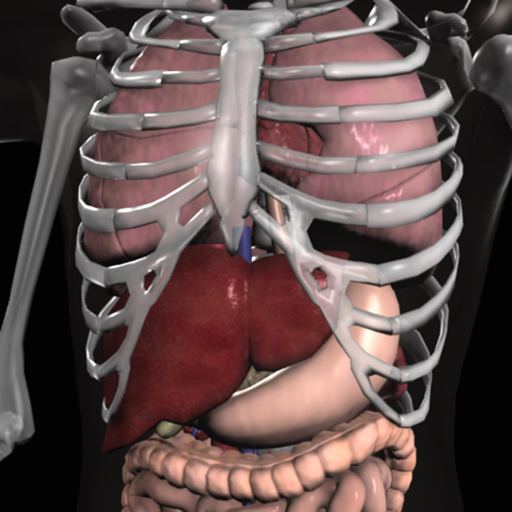
Explore human anatomy in interactive 3D with Visible Body! Human Anatomy Atlas is a one-time purchase that gives you access to essential gross anatomy 3D models and select microanatomy models and animations on your iOS devices. Additional in-app purchases are available for physiology animations and dental content. With Human Anatomy Atlas, you get: * Full female and male 3D models to study gross anatomy. View these alongside cadaver and diagnostic images. * 3D views of key organs at multiple levels. Study the lungs, bronchi, and alveoli; Review the kidneys, renal pyramids, and nephrons. * Muscle and bone models that you can move. Learn muscle actions, bone landmarks, attachments, innervations, and blood supply. * Fascia models to see how it divides the muscles of the upper and lower limbs into compartments. You also get a variety of study and presentation tools: * Dissect models on screen, in augmented reality (AR), and in cross-sections. Download free lab activities that walk you through key structures. * Take 3D dissection quizzes and check your progress. * Make interactive 3D presentations that link sets of models to explain and review a topic. Label structures with tags, notes, and 3D drawings.
Description
EP Calipers provides electronic calipers to measure intervals on images of ECGs or electrophysiologic recordings. EP Calipers can be used to make accurate ECG measurements on your Mac and do calculations such as mean heart rate, corrected QT interval, or even measure the beta angle in Brugada syndrome using electronic calipers similar to those in electrophysiologic recording systems. Analyze ECG images as well as PDF files, such as ECGs generated by the Kardia™ AliveCor™ device. Analyze anything open on your desktop using the Transparent Window feature.
Description
Paramedic PASS – The Ultimate NREMT Prep App Prepare confidently and increase your chances of passing the NRP on your first attempt with Paramedic PASS, the most comprehensive paramedic certification prep app available. Developed in collaboration with Bill Brown, former Executive Director of the NREMT, this app is designed to help you master the latest exam format. Stay ahead with new NREMT clinical judgment scenarios and TEI questions, reflecting the evolving NRP exam standards. These questions will train your brain to think critically, just like the National Registry requires. Get access to over 550 high-quality review questions covering the critical areas of paramedic knowledge, all with detailed rationales to reinforce your learning. Study smarter with questions organized into 10 key topics, including: Airway, Oxygen, and Ventilation Cardiology Trauma (Head, Neck, Chest, Ortho, Burns & More) OB and Pediatrics Pharmacology Respiratory and Neurology Abdominal, Immunology, Infectious Diseases, GU Operations When you're ready to put your knowledge to the test, challenge yourself with two full-length, 100-question simulated NRP exams. These practice tests provide diagnostic feedback to help you identify strengths and areas for improvement. Train your brain, sharpen your skills, and walk into your exam with confidence. Download Paramedic PASS today and take the next step toward your paramedic certification.
Description
Understand your body. Train smarter. Muscle Guide is a clean, interactive way to learn human muscle anatomy—built for fitness, training, and everyday curiosity. Whether you're working out, coaching, or just getting started, quickly explore muscles and understand how your body works. Interactive Muscle Views Explore muscles by body region Switch between detailed and full-body views Clean, distraction-free design Built for Fitness Learn which muscles you’re training Improve mind-muscle connection Perfect for gym beginners and enthusiasts Simple & Fast No clutter, no overwhelm Tap and learn instantly Designed for daily use PERFECT FOR Gym beginners Personal training clients Fitness enthusiasts Students learning anatomy Anyone curious about the human body WHY USERS LOVE IT Minimal and easy to use Focused on what matters No complicated medical jargon Fast, visual learning
Description
This is an application dedicated to viewing medical images. It supports standard DICOM format files (such as CT, MRI, X-ray, etc.) It can provide image browsing, window width and window position adjustment and measurement functions. It is very convenient for doctors, patients and medical researchers to view medical images.
Description
DCM Viewer is a lightweight viewer for medical DICOM images, It provides analysis tools and a user interface to view, analyze, and register volumetric medical imaging data sets. The application also provides the QuickLook plugin for Mac OS X that allows to have a thumbnail of a DICOM as an icon instead of generic one. When you trigger QuickLook it displays the preview of DICOM files. Features: 1. QuickLook for DICOM files in Finder; 2. View and inspect the DICOM attributes; 3. Display images and Pixel data; 4. Open multiple DICOMs simultaneously; 5. Export DICOM as Movie, JPEG, TIFF.
Description
***70% OFF SALE*** 'Gray's Anatomy', the renowned classic anatomical book by Henry Gray was first published in 1858 and is considered by many to be one of the most iconic and significant medical books of all time. Gray's Anatomy is now available on the Mac using the highest resolution images possible. (This version of Gray's Anatomy has been enhanced and specifically built for the Mac.) This Premium Mac Edition of Gray's Anatomy includes: * SUPER FAST SEARCH * COMPLETE TEXT and Full HD ILLUSTRATIONS * MULTI LANGUAGE SUPPORT [see below] * SCROLLABLE THUMBNAILS OF ALL 1247 ILLUSTRATIONS * ZOOM IMAGES LIKE PHOTOS - including gesture recognition * Easy Navigation * Create notes for each illustration * Bookmarks * Text to speech and more *Includes full text to speech functionality via built in OS X speech engine. Highlight the text and select 'Start Speaking' We recommend this app for Doctors, Nurses, Students, Teachers and anyone who is interested in the wonder and complexity of the human body. *Note: this application was not written by McDreamy and the illustrations in no way resemble any characters from the television show Grey's Anatomy ;-) Also available: Gray's Anatomy for iPad Gray's Anatomy for iPhone
Description
Essential Anatomy is the most successful anatomy app of all time, with more content, features, structures and ease of use than any other anatomy app — bar none! Now with over 8,200 structures including female 3D model. Download our FREE "Essential Skeleton" app in the free section to experience our groundbreaking 3D technology. NOTE: Not compatible with MacBook Pro (2008) or earlier due to graphics card limitations. - - Number 1 Top Grossing Medical App in 117 countries worldwide. - - This app is the only one that can combine 3 stand alone apps. Don’t waste your time purchasing other stand alone apps for Muscle Premium and Skeleton Premium content - it’s all available with a price effective "in-app purchase" and just a fraction of the cost other companies charge. In Essential Anatomy - everything is available in one app (see in-app purchases below). - - Stunning Graphics: No competitor comes close. Essential Anatomy’s proprietary engine was developed and optimized to showcase our new generation anatomical models for a completely immersive user experience. Other 3D Anatomy apps are limited by off-the-shelf gaming engines. - - Easy Navigation: Instantly and seamlessly zoom into any area of the body, remove layers of muscle and turn on/off systems. Other apps are restricted to a multitude of limited predefined “views”. - - Accurate Content: Essential Anatomy is used by hundreds of Anatomy Professors worldwide and has become the standard in third level education. In many cases, our app is now mandatory with text books optional. - - Read the reviews of previous versions: Our visionary app has enhanced the lives of reviewers, both professionally and academically. TUAW: "Make no mistake about it: Essential Anatomy by 3D4Medical is the future of touch-based anatomy learning. Essential Anatomy is an app every doctor, physiotherapist, OT, nurse and medical student should own." IN APP PURCHASES: In-app purchases allow additional muscle and skeletal content to be downloaded and accessed from within the app. These boosts add muscle insertion and origin points, skeletal bone parts and surfaces and 100s of animations detailing movements for each articulation. Visit www.3D4medical.com and watch videos that highlight the app's functionality and quality. You’ll understand why Essential Anatomy 5 is the most successful medical reference app of all time! ESSENTIAL ANATOMY 5 Essential Anatomy 5 is a full-featured anatomical reference app that includes MALE and FEMALE models, with 11 SYSTEMS and a total of 8,200 ANATOMICAL STRUCTURES. The app is fully 3D, meaning that you can view any structure in isolation, as well as from any angle. It represents the latest in groundbreaking 3D technology and innovative design. A cutting-edge 3D graphics engine, custom built by 3D4Medical, delivers outstanding quality graphics that no other competitor can achieve. FEATURES OVERVIEW: --Cutting-edge 3D technology --Over 8,200 highly detailed anatomical structures --Hide/Fade/Isolate/Fade Others/Hide Others options for individual structures --Multiple Selection Mode --Pins: Create customized pins with notes and place anywhere on the 3D model --Slice: Slice through certain structures using 3D plane tool --Bookmarks: Preset and Customizable --Correct audio pronunciation and Latin nomenclature for every structure --Search via English and Latin nomenclature --Dynamic Quiz: Drag and Drop and Multi-choice --Share images via social media and e-mail --Includes anatomy for 11 systems: Skin, Skeletal, Muscles, Connective Tissue, Veins, Arteries, Nerves, Respiratory, Digestive, Urogenital, Lymphatic, also includes the Brain and Heart Feedback or Question? Contact our customer support at [email protected]. You will receive a prompt response!
Description
The DSM-5-TR® Diagnostic Criteria Mobile App has been fully redesigned and is a concise companion to the ultimate psychiatric reference, Diagnostic and Statistical Manual of Mental Disorders, Fifth Edition, Text Revision (DSM-5-TR®). It includes the fully revised diagnostic classification, as well as all the diagnostic criteria from DSM-5-TR® in an easy-to-use format. This handy reference provides mental health practitioners, researchers, and students quick access to the information essential to making a diagnosis. Features: - Fully redesigned and updated user interface - Improved presentation of tables and charts - Dual-use modes for toggling between the diagnostic criteria and classification - Up-to-date access to ICD-10-CM codes for clinical and administrative use - Addition of Prolonged Grief Disorder (PGD) to Section II—a new disorder for diagnosis - Over 70 modified criteria sets with helpful clarifications since publication of DSM-5® - Keep track of recently researched topics and bookmark frequently used information - Highlight key sections of text - Add notes for easy reference later - Offline access - Enhanced search with powerful disorder, acronym, code, and symptom search functionality - Does not require registration, subscription, or software downloads About American Psychiatric Association Publishing American Psychiatric Association Publishing is the world’s premier publisher of books, journals, and multimedia on psychiatry, mental health, and behavioral science. We offer authoritative, up-to-date, and affordable information geared toward psychiatrists, other mental health professionals, psychiatric residents, medical students, and the general public.
Description
This is a complete skeleton anatomy guide. See bones from 3 different angles. Easily navigate all the regions of the human body. Test yourself on how well you know the skeleton by taking a multiple choice test.
Description
Open DICOM medical scan files locally on your device. Supports multiple languages, PNG and Video export, ZIP extraction, and ZIP packaging for sharing. 3D Viewer, Multiplanar Reconstruction (MPR) is supported. No internet required. Your files stay on your device and are never uploaded to the cloud or any server. Helpful for quickly preparing imaging files to share with your doctor. Not for diagnosis.
Description
Miele-LXIV is a DICOM workstation, viewer and more. The project started in November 2014 as a fork of the popular open source 32-bit project OsiriX, but it has been modified to become a 64-bit application and to remove many of the limitations of the 32-bit version. - Built for macOS 10.15 through 26.6 - It supports Mojave's Dark Mode - Using VTK version 9.7.0 - Using ITK version 5.4.5 - Using DCMTK version 3.7.0 - Using OpenGL 4.1 - Using GLEW 2.3.0 - Using OpenJPEG 2.5.4 - Using David Clunie's DICOM validator dciodvfy version 1.00.snapshot.20230403092834 - Fully localized for 7 languages: Chinese, English, French, German, Italian, Japanese, Spanish - Export to Photos - Own plugin system fully operational: develop, publish, list, check-for-updates, download, install - Open source - Universal binary: Intel, Apple Silicon
Description
Gross anatomy is defined as the study of anatomy with the unaided eye, essentially visual observation without the use of significant magnifying technologies. This application describes the gross anatomy of the human bones, which when assembled create the structural framework of the body called the skeleton. The gross anatomy of human bones is typically studied by viewing the distinctive features of "dried" bones. A dried bone is one in which the soft tissues, i.e. the organic components of the bone, have been removed, leaving only the hard, inorganic, mineralized framework of the bone. Indeed, the term "skeleton" is derived from the Greek meaning "a dried body, mummy" (Dorland's Medical Dictionary). This application includes 139 images of dried human bones that collectively address the entire human skeleton. Unlike many other applications, these are real bones, not computer simulations of bones. The images are derived from the bone collection of The George Washington University School of Medicine and Health Sciences in Washington, D.C. The content is organized into six body regions, which are accessed from the Main Menu. Each bone image has a Description, a Test, and a Labels button. Many bone images have an accompanying Correlation image. Description: The Description describes the anatomical features of the bones. Rather than an extensive paragraph of information, the Description is subdivided into a series of “Notes” that focus the user’s attention to particular features, those that one would be expected to “take note of”. Select the Description button and then tap each Note to reveal highlighted features of the bone and to get additional textual information regarding the highlighted features. Labels: For a quick overview of the bone, select the Labels button to identify all the major anatomical features of the bone. Test: An important component of Gross Anatomy is structural identification. The Test is designed to assess the ability to identify particular anatomical features of a bone after studying its Description and Correlation. When taking the Test, think of the name of the specific feature of the bone at the end of a lead line and then select the number at the opposite end; selecting the number reveals the correct name of the feature. This approach negates the need to type specific anatomical terms, a time-consuming task whose precise spelling a user is often not familiar with, and is more challenging than a multiple-choice exam where a list of answers often tests by a process of elimination rather than actual knowledge. Correlation: Many of the bone images have an accompanying Correlation image. The Correlation image is designed to relate the gross anatomical features of the bone with their appearance in another visual medium, such as an x-ray. This feature is particularly valuable to users with an interest in the clinical sciences.
Description
***90% OFF SALE*** Surgical Anatomy - Premium Edition by Joseph Maclise was originally published in 1859 and is now available on the Mac. This App includes over 180 high quality images from 68 color plates with accompanying annotations and complete text. *** Illustrations zoom and scroll (like a photo). We recommend this app for Doctors, Nurses, Students, Teachers and anyone who is interested in the wonder and complexity of human anatomy. ************** includes: * SEARCH * SCROLLABLE CONTENTS LIST * COMPLETE TEXT and ILLUSTRATIONS * Includes text to speech * Easy Navigation * Add to Favorites and more **************
Description
Fasten is an open-source, self-hosted, personal/family electronic medical record aggregator, designed to integrate with 100,000's of insurance companies, healthcare providers and laboratories. It securely connects patient healthcare providers together, creating a personal health record that never leaves the patient's hands without their consent.
Description
PHORLIX is intuitive to use. Most operations can be performed using the mouse and/or the trackpad. 2DViewer – WL WW change (mouse drag) – slice selection (two finger swipe) – line measure (select ‘measure’ icon on the toolbar) 3DViewer – object roation (mouse drag) – zoom in/out (two finger swipe) – WL WW change (right mose drag) – CLUT change (select the icon on the toolbar)
Description
A true and totally 3D app for learning human anatomy with muscle action movies, 3D position quiz and audio pronunciation, built on an advanced interactive 3D touch interface. ***Want to try the app for free? Click on related apps and download the free version. Features: - You can rotate models to any angles and zoom in and out - Virtual dissection: Peel layers of muscles and reveal the anatomical structures below them. - more than 100 muscle action movies - physiology animation videos - Major bone markings - Muscle descriptions: Origin, Insertion, Nerve, Action - 3D location quizzes to test your knowledge - Audio pronunciation for all anatomy terms. - Latin names - Search the name of anatomical structure and reveal the 3D location - Switch on/off different anatomy systems - Both male and female reproductive systems are available - Load and Save Views (bookmaker function) - Information from Wikipedia and Gray's anatomy textbook - Great for learning anatomy and physiology - Support French, Spanish and German languages! Contents: - Skeleton (all bones in our body) - Ligaments - Bone markings - Muscles (145 muscles, highly detailed muscle models) - Circulation (arteries, vein and heart) - Nervous system - Respiratory system - Reproductive system ( both male and female ) - Urinary system - 3D Ear - 3D Eye Contact Us: Email us at [email protected]. Let us know any feedback you have or share ideas for making the app better.
Description
See your pitch and volume live as you speak — record, measure, and track your voice for speech therapy, voice training, and singing. Voice Analyst is used in speech pathology clinics, research centers, universities and homes in more than 180 countries, with over 12 million recordings made. Winner of the Digital Health Award (Medilink SW Healthcare Innovation). Listed in the Parkinson's UK tech guide: https://techguide.parkinsons.org.uk/catalogue/voice-analyst One purchase for iPhone, iPad and Mac. No subscriptions. MEASURE YOUR VOICE • Watch live graphs of your pitch (in hertz or musical notes) and volume as you speak or sing. • Record your voice and play it back alongside its pitch and volume traces. • See statistics for any recording, or any part of it: minimum, maximum, average and range for both pitch and volume. • Set pitch and volume targets and see instantly when your voice is inside them. • Zoom in on any part of a recording to analyze it in detail, and save any portion. • Split View and multitasking support on iPad. MADE FOR SPEECH THERAPY • Practice between appointments with the targets your speech-language pathologist sets — including the loudness targets used in programs such as LSVT LOUD for Parkinson's. • Track progress over time with saved recordings and statistics. • Use it in clinic, at home, or in remote telehealth sessions. SHARE WITH YOUR THERAPIST • Email recordings and statistics to your speech-language pathologist, or share by messaging and AirDrop. • Save recordings to your device, or to iCloud, Dropbox and other cloud storage. • Copy statistics into spreadsheets for records, reports and research. WHO USES VOICE ANALYST • Speech-language pathologists (SLPs) and therapists measuring clients' pitch and loudness, in clinic and via telehealth. • People in voice therapy — for Parkinson's disease, stroke, brain injury, dysarthria, vocal fold palsy, muscle tension dysphonia and other voice difficulties. • Transgender and non-binary people training their voice with clear pitch feedback. • Singers, actors, teachers and presenters monitoring and developing their voice. • Researchers and students measuring voice objectively. PRIVATE BY DESIGN • Your recordings stay on your device unless you choose to share them. • Nothing is uploaded to our servers — clinicians stay in control of client recordings. • GDPR compliant — no personal data is collected. • Works offline — record and analyze anywhere. WHAT USERS SAY "Fantastically easy to see where your pitch is, to set target ranges, to make and analyze recordings, and to export and import recordings. I can't imagine working on my voice without this app." "I've been using Voice Analyst with my transgender clients. It is incredibly user friendly and provides great visual readings of frequency as well as an instant analysis of pitch range and mean. My clients can use it in session and some have downloaded it to work with at home." "Love this app. So simple to use yet it packs all the technology needed to make it easy for me to monitor and motivate myself." Voice Analyst is not a medical device — it measures and records your voice; it does not diagnose or treat any condition. If you are concerned about the quality of your voice, see your doctor and ask for a referral to an Ear, Nose and Throat (ENT) specialist. Questions or ideas? Email [email protected] — we would be delighted to hear from you.
Description
Conquer those tough anatomy topics! Put aside the textbook, the lab specimens, or plastic 3D models and jump into an immersive 3D experience. - Zoom in to see in real 3D how nerves exit the spinal cord and their relationship to the vertebrae. - Rotate to study the branches of the cranial nerves or the microanatomy of the eye from all perspectives. - Watch a 50-second 3D animation that explains the physiology of muscle contractions. - Customize the app and track your learning. Create a library of Favorites with 3D models, illustrations, animations, and notes that you need to review. Access a question-by-question assessment of quiz performance to track your understanding of the concepts. This app includes 12 units with 50 chapters/modules that use over 500 preset views of 3D models, more than 150 illustrations and animations, dozens of histology slides, and hundreds of quiz questions. Within each of the 12 content units, you can - Rotate the anatomical models. Zoom in or out. - Read definitions and hear pronunciations. - Watch short animations that explain physiological processes. - Study by creating notecards. Favorite views to access later. - Track your progress with learning objective checklists. - Test your knowledge with quizzes. - Share content with others. Anatomy & Physiology presents core functions of all body systems, including Cells and Tissues Integumentary Skeletal Muscular Nervous Endocrine Circulatory Lymphatic Respiratory Digestive Urinary Reproductive
Description
EMT PASS - The Ultimate NREMT Prep Tool EMT PASS is the result of a collaboration with Bill Brown, former Executive Director of the NREMT. Designed to transform your study process and boost your confidence, it increases your chances of passing the NREMT on the first attempt. Our EMT PASS Predictive Scoring[TM] system evaluates your performance on practice exams to predict whether you're on track to pass. With 700 high-quality review questions, EMT PASS ensures you're prepared for every key topic on the NREMT: Assessment (Scene/Primary/Secondary) - NEW! Airway and Ventilation Cardiology and Resuscitation Medical Trauma Operations Pediatrics Obstetrics Multiple Response - The NREMT now includes questions requiring multiple correct answers. We've added this category to ensure you're ready. New Style TEIs - Be prepared for Technology-Enhanced Items (TEIs) that require you to interact with the test beyond simple multiple-choice answers. Each question includes a detailed rationale, helping you understand the reasoning behind the correct answer. Use these topic-based sections to identify your strengths and target areas for improvement. When you're ready, take your preparation to the next level with two full-length, 120-question simulated NREMT exams. After each exam, receive detailed diagnostic feedback to refine your study plan and pinpoint areas that need more focus. Get the most effective, predictive, and comprehensive NREMT prep with EMT PASS!
Description
Effortlessly Track, Manage, and Share Your Blood Pressure for Seamless Progress Monitoring. Introducing Blood Pressure Monitor Diary, your comprehensive solution for easy blood pressure tracking. This app enables you to effortlessly record, monitor, analyze, and share your vital blood pressure information using your iPhone/iPod touch/iPad devices. Whether you're prehypertensive or hypertensive, Blood Pressure Monitor Diary is here to help you track your progress and manage all your blood pressure measurements, ensuring a worry free experience. Note: Blood Pressure Monitor Diary does not measure blood pressure itself; this isn't possible with just an iOS device alone. You need a separate blood pressure monitor to measure blood pressure accurately. Recommended brands to try are A&D, Omron, QaridoArm, iHealth, Withings, Braun, CAZON, Hangsun, ARSIMAI, and Kinetic Wellbeing. Features: Record: - Easily track Systolic (SYS), Diastolic (DIA), and Pulse measurements with a user-friendly interface, free from any complications. Effortless Export and Sharing: - Seamlessly export and send all your blood pressure information to your doctor or loved ones, ensuring a hassle free sharing experience. Track Your Progress Over Time: - Gain valuable insights into your blood pressure trends with our easy-to-understand graphs, allowing you to visualize your progress effortlessly, free from confusion. Daily Reminders: - Stay on top of your health journey with daily reminders, ensuring you never miss a blood pressure recording. Add Readings to Apple Health: - Integrate your readings with Apple Health for further analysis and sharing, liberating your data and making it easily accessible. Take advantage of this opportunity to download Blood Pressure Monitor Diary and enjoy the benefits of a worry free and seamless blood pressure tracking and management experience. Full Terms and Conditions: http://bit.ly/2KylV0Y"
Description
Make measurable progress on articulation and speech rate goals using Speech Pacesetter. - Designed specifically for people who have unclear articulation and a fast rate of speech due to stroke, brain injury, acquired stuttering, Parkinson’s Disease or other neurological condition - Suitable for older children who have unclear articulation or who stutter - Allows the user to choose a text and pace their rate of speech with the help of a speed-adjustable visual cue - Highlights each syllable or each word. The user reads each syllable or word aloud as the visual cue appears. ADDITIONAL FEATURES The simple, effective and easy-to-use interface also allows the user avail of the following features: - Built-in library of phonemically-balanced reading passages (The Rainbow Passage, The Grandfather Passage etc) - Built-in short stories, poems and tongue twisters - The option to create and save a library of custom reading passages - Adjustable font size and pause duration on punctuation - Optional metronome sound cue - A choice of different colored backgrounds TESTIMONIALS "This affordable app brings a novel way of carrying out pacing therapy for adult speech and language therapists." – Mike Richards, SLT, UK "I've had wonderful success using this app with a lady who has dysarthria due to a stroke." - Carol Winters, SLP "Speech Pacesetter is one of my most used therapy apps! I use it with clients who have a fast speaking rate or slurred speech. I've had amazing results using this app." - Anna Wilson, SLP A UNIQUE WAY TO PACE SPEECH Speech Pacesetter provides a unique way to pace speech and improve speech clarity. See for yourself how effective visual cues can be!
Description
DICOM QuickLook by OsiriX is a simple application that can display any DICOM files. Did you pass a CT (scanner) exam or a MRI (magnetic resonance) exam recently? All these equipments produce images in DICOM format. A DICOM file is similar to a JPEG file, but with specifications for medical imaging. That means that a file of a chest x-ray image, for example, actually contains the patient name and patient ID within the file, so that the image can never be separated from this information by mistake. This is similar to the way that image formats such as JPEG can also have embedded tags to identify and otherwise describe the image. You can ask your doctor or the imaging center to provide you a CD/DVD or a USB stick with the images, in DICOM format. This small application with the QuickLook plugin is the ideal companion for your DICOM viewer application. OsiriX, a complete DICOM viewer application, is available on our web site: https://www.osirix-viewer.com. OsiriX MD is certified as a Class II medical device, by the FDA and European Union.
Description
Pass Your AEMT Exam with Confidence! AEMT PASS is the proven way to master the NREMT exam and pass on your first attempt. Developed in collaboration with Bill Brown, former Executive Director of the NREMT, this app transforms the way you study, helping you feel confident and prepared. Comprehensive Coverage – 270+ high-yield questions across Airway, Cardiology, Trauma, Medical, and Operations New NREMT-style Questions – Includes multiple response, TEIs, and clinical judgment scenarios Predictive Scoring – Know your readiness before exam day Full-Length Practice Exams – Two 135-question tests simulate the real NREMT experience Detailed Rationales – Learn the "why" behind every answer Don't risk exam day uncertainty—download AEMT PASS today and take control of your success!
Description
'Gray's Anatomy', the renowned classic anatomical book by Henry Gray was first published in 1858 and is considered by many to be one of the most iconic and significant medical books of all time. Gray's Anatomy is now available on the iPhone and iPod Touch using the highest resolution images possible. (This version of Gray's Anatomy has been enhanced and specifically built for the iPhone.) This Premium iPhone Edition of Gray's Anatomy includes: * COMPLETE TEXT and Full HD ILLUSTRATIONS * SCROLLABLE THUMBNAILS OF ALL 1247 ILLUSTRATIONS * ZOOM IMAGES LIKE PHOTOS * SEARCH * POINT INDICATOR * Easy Navigation * Create Notes for each illustration * Email images text and notes * Print via AirPrint * Bookmarks and more Explore resources quickly and easily with Wolfram Alpha, Wikipedia, Ask.com and other Medical Search Engines built right into the app. We recommend this app for Doctors, Nurses, Students, Teachers and anyone who is interested in the wonder and complexity of the human body. * Note: this application was not written by McDreamy and the illustrations in no way resemble any characters from the television show Grey's Anatomy ;) Previously Purchased: If you already own Gray's Anatomy Premium do not re download this copy or you may be charged again. Email us if you have any questions. We reply promptly to all emails received. [email protected] Also available: Gray's Anatomy for iPad Gray's Anatomy for Mac TECH NOTE: There are no known issues with this app. If you are having any technical issues please email us and we will be able to help you sort them out. If you leave your tech issues as a review we have no way of knowing who you are and helping you. There are normally a few simple tips we can give you to fix any issues you may be having. We answer all emails we receive.
Description
A low-fat, to the point, DICOM viewer and converter. Espresso Ray is a viewer and batch converter for DICOM images. It supports 3D volumetric and 2D formats. It also supports both grayscale and color DICOM images of any size. Unlike complicated bloated medical software, Espresso Ray exists to be as simplistic and to-the-point as possible for viewing and converting DICOM images. If you need to convert a set of dicom images to PNG or JPEG format, Espresso Ray will do it! These days, medical software tends to be bloated, overcomplicated and not very easy to use. But what about those of us who are not medical professionals? It seems as if traditional medical viewers missed the memo: Mac software should be simple, easy, and shouldn't require any training to use. Apply that concept to a DICOM file viewer, and Espresso Ray is the result.
Description
Over 300,000 users! Join the students, physical therapists, occupational therapists, chiropractors, sports medicine specialists, and other orthopedic specialists who use Muscle Premium to better understand and explain how the muscular and skeletal systems move the human body. *** Gold Award for Mobile Tool/Resource from Digital Health Awards*** “Amazing for being able to get a 3-dimensional and inside/outside view of the muscles. Highly recommended. The best I've found yet.” — User “This app is excellent, the best... [e]specially for students studying medicine or anything related like massage therapy, nursing or just for self knowledge.” — User Use Muscle Premium as a personal reference, to visually communicate anatomy and function, instead of a textbook, or to create a virtual lab experience. The app includes: + 3D models of muscles, ligaments, bursae, and bones—with blood supply, innervation, key bony landmarks, and textbook-level definitions. + 3D models of common conditions including: Cervical spondylosis, lateral epicondylitis, medial epicondylitis, carpal tunnel syndrome, wrist sprain, rotator cuff tear, torn meniscus, osteoarthritis of the knee joint, and many more. + Over 50 interactive models of common muscle actions + Video presentations by physical therapists, doctors, and researchers that review normal anatomy and common conditions. Purchase includes all content. No additional in-app purchases. This app includes the option to set the display language to English, Spanish, Italian, German, French, Simplified Chinese, or Japanese. Audio in the video presentations is English only; subtitles available for all languages listed.
Description
Weight Monitor allows you to quickly and easily record your daily weight. Nothing else to get in the way. Just add your weight and see it plotted on the graph with all the relevant information. The monthly graph shows you your weight, your target weight but also your average weight over the last 10 days. Your average weight is a much better indicator of your real weight. New: 1) Tabs now show which user is selected. 2) Double click on Weight in Month View now shows the Add/Amend Notes dialog. 3) Click on the blue 'i' icon on the graph view shows the Add/Amend Notes dialog. 4) When adding a new user the Weight Type and Feet&Inches/Metric selectors default to those last used. You can specify how many months you want to see on the Graph. Select the number of months to show in the Preferences and the graph will show from the currently selected month forward by that many months. This App can be used to lose weight but it can also be used to gain weight. The blue line shows the required weight loss line. This line is calculated from the start date & weight and the end date & weight. If you follow this line you will reach your target weight. The end of the arrow of each red line shows the weight for the day. The line extends to the rolling average weight for the day. If the arrow is downward then your weight is going in the right direction. If the arrow is upward then beware your weight is above the average. The green line shows the rolling average weight. For each weight entered an average of the last ten days is calculated. This weight is plotted for each day and this is the green line. If the green line remains below the blue line you are winning. Your daily weight can change too much over just a couple of days and this can be very discouraging when your weight increases. You can easily see your new weight and how this affects the average on the graph. Using this new information you can gain confidence that your weight is changing as required. The graph also shows you the line of required weight loss to achieve your desired weight. While your weights and the average weights remain below this line you are still on track. Stray above this line and your are off course. The graph is a powerful visual clue to what is occurring. Simple to use. Just start it. You just have to set the initial values in the Preferences and you are ready to go. To set the Preferences you set the Start Date, Start Weight, End Date, End Weight and whether you want to use kilograms, stones & pounds, or just pounds. On the Graph & Input tab just select today's date to add you weight for the day by pressing 'Save'. The graph will change to show this weight. You can add a weight for any other day by just selecting that date rather than today's date. The more weights you add the better the graph shows your progress. You can delete a weight completely by selecting the Months tab, selecting the day the weight is for and then selecting 'Delete Weight'. To gain weight with this App just select an end weight that is greater than your start weight. You should strive to have arrows that point upwards and keep the green line above the blue line.
Description
A Reference for the most common trigger points and referral patterns for over 70 muscles. Features 100+ trigger points with their corresponding referral patterns. Each muscle includes the visual referral pattern and point location, plus a written muscle action, referral and comments for each muscle. You can choose to view each muscle individually, or use the zones view to see all the muscles that refer into a specific area, a great help in discovering the source of pain. Trigger points are tight places in a muscle that cause pain to be felt elsewhere in the body. This is great for massage therapists, physical therapists, chiropractors, or anyone wanting to discover the source of muscular pain, and learn about muscle function. FEATURED IN APPLE'S WHATS HOT FOR TWO WEEKS! "Any iPhone or iPod Touch user with an interest in the human body may find Real Bodywork’s reference app Muscle Trigger Points to be of special interest." Phone Gear Review "...the app is quite useful for identifying problem areas and gives us a great visual for pinpointing the problem. " Slap App Review iTunes User Reviews: "SIMPLE & EASY to use, INEXPENSIVE, along with EXCELLENT 3D graphics to help zero-in on areas of each muscle when palpating." Roc 5/5
Description
Open DICOM image files on your Mac to view the DICOM header information. Easily load and view DICOM header information to inspect the DICOM attributes. Copy DICOM attribute text values like SOP Instance UID or Patient Name to the clipboard. NOTE: This app does NOT display image or pixel data. For informational and research use only. Not for medical or diagnostic use.
Description
NOW INTEGRATED WITH THE IPHONE AND THE IPAD VERSIONS OF THE APPLICATION! Here is an application that will enable you to keep track of all information relative to your health and the one of each member of your family: blood group, blood pressure, medications , allergies, diagnostic tests and results, infectious diseases, vaccinations, ... This information could prove of great importance in a variety of everyday situations from a routine medical check up – where details of any medical prescriptions can be recorded – to any possible emergency situation where it becomes vital to have immediate access to data such as blood groups, allergies, results of diagnostic testing, prescribed medication etc. Family Medical History will allow you to have single point of access to: - Your family main personal and health data (blood group, RH factor, health service number….) - A list of prescribed medications, their indications and the frequency of assumption. A list of any diagnostic testing undertaken or planned with relevant dates and results. - A list of any noted allergies, the allergic factors involved and the remedies necessary to relieve the symptoms. - A list of diseases contracted and their dates. - Blood pressure and weight trend - A list of all vaccinations offered and taken up, together with reminders of the dates for boosters to be administered. Any reactions and subsequent remedies can also be logged. - A dedicated point of access to the main phone numbers, email addresses, ... relevant to your and your family health (doctor, paediatrician, general practitioner, health visitor, emergency services, Poison Centre, Burns Centre…..). This application is user-friendly thanks to the precompiled sections (see vaccination section). Should you feel that functionality could be added to or improved, please do not hesitate to post/email your suggestions at: [email protected] If you have any issue or find any bug, please email directly to: [email protected]. We’ll be happy to address your question, answering directly back to you.
Description
Expand your knowledge of the organs with this robust application that combines 3D models, video, audio lectures, quizzes and text to create a rich learning experience. Includes detailed information on the brain, heart, stomach, spleen, pancreas, small intestines, reproductive organs, large intestines, kidneys, liver, skin and lungs. Also learn about cells, tissues and organ systems. Each of the 16 pages includes beautiful diagrams of the organ anatomy, histology and location, along with text, video, audio and 3d models that support easy learning. FEATURING: -3D MODELS: Twenty seven models that you control, and include labels of the various structures. -AUDIO LECTURES: Twenty five audio lectures that describe organ functions and structures -VIDEOS: Five short videos that show the structures in action -QUIZZES: Each organ has it's own random multiple-choice quiz, with 8-20 questions about the physical anatomy of each structure. 135 questions total. -GLOSSARY: For a detailed study, a quick reference with over 320 structures. -DIAGRAMS: Each page has multiple diagrams that you can zoom into. Over 40 diagrams that cover anatomy, histology and functions of each organ, with text that describes basic information. Created by an anatomy instructor and reviewed by medical experts. Enjoy the future of learning in this amazing application.
Description
Researchers at Monash University have developed the low FODMAP diet and a corresponding app to assist in the management of gastrointestinal symptoms associated with irritable bowel syndrome (IBS). The Monash University FODMAP diet works by swapping foods high in fermentable carbohydrates (FODMAPs), with low FODMAP alternatives. Around 75% of people with IBS experience symptom relief on a low FODMAP diet. The app comes directly from the research team at Monash and includes the following: - General information about the FODMAP diet and IBS. - Easy to understand tutorials to guide you through the app and the 3-Step FODMAP diet. - A Food Guide detailing the FODMAP content for hundreds of foods using a simple 'traffic light system'. - A list of branded products that have been certified by Monash as low FODMAP. - A collection of over 70 nutritious, low FODMAP recipes. - Functions that allow you to create your own shopping list and add notes to individual foods - A Diary that enables you to record food eaten, IBS symptoms, bowel habits and stress levels. The Diary will also guide you through step 2 of the diet - FODMAP reintroduction. - The ability to adjust units of measurement (metric or imperial) and activate colour blindness assistance.
Description
MIKit is a high-performance toolkit dedicated to view, inspect and manage a large sets of DICOM images produced by equipment (MRI, CT, PET, PET-CT). What's DICOM: DICOM® (Digital Imaging and Communications in Medicine) is the international standard to transmit, store, retrieve, print, process, and display medical imaging information. The App offers a host of analysis, processing, and editing features, and can convert, anonymize, and register images. It is the ideal tool for viewing and researching DICOM. It supports DICOM images - without compression and with RLE, JPEG Lossy, JPEG Lossless, JPEG2000 Lossy, JPEG2000 Lossless compressions. MIKit includes the following features: 1. View DICOM: zoom, pan, contrast/brightness control; 2. Inspect the DICOM attributes and view the DICOM header information; 3. Display and manage a large sets of images; 4. Export DICOM image to TIFF, PNG, and MOV; 5. Load DICOM image via drag & drop; 6. Simple and intuitive interface with full-screen mode.
Description
Learn anatomy easily with this unique quiz app that features traditional multiple-choice quizzes on 416 structures, or our new quiz style where you match a name to one of four images. You can make your own quizzes, or have the app quiz you only on what you have missed. Includes over 416 anatomical structures in beautiful 3d renderings. The topics include 167 bones and landmarks, 138 muscles, and 111 organ images. Turn on the timer option for an extra challenge! Try this unique anatomy quiz game and you'll be happy you did! A quick anatomy lesson: this app features ALL the bones and many landmarks, but in the bone section, there are only 53 bones listed.... arnt there 206 bones in the body? Most of the bones are bilateral... one on each side, so we don't quiz the right femur and left femur, this cuts the list down almost in half. Many bones are repeat... 12 ribs on each side, 10 distal phalanges, 10 proximal phalanges... When we take out all these repetitive bones, we are left with about 53 unique bones.... so please know that this app has been designed by experienced intelligent anatomists!
Description
The “Medication" app is the perfect tool enabling users to completely manage their medication. Schedules, reminders and dosages are visually displayed. Multiple users can be set up on the “ Medication” app to manage daily, weekly and monthly pill dosages. Schedule your different medication easily using icons or colours on your Mac. Users can register their daily medication and receive reminders as needed. Keep yourself and your loved ones safe knowing their medication needs are organized. Never forget to take your medication again! Remember when to take your pills and manage the dosages correctly. The graphs will show visually how many pills are left to take for the day. Top Features: -Add pills with different icons and colors. -Manage medication stock and add pills when stock is empty. -Add pill reminders using built-in calendar. -Check off reminders after consuming the pill. -Register doctor appointments and get notified beforehand. -Add multiple users and manage med usage separately for each user. -Get a detailed over view of the monthly and yearly med usage on an easy graph chart. Medication is simple to use. It makes sure that you and your loved ones or anyone you care about never misses an important pill of medication again. It makes it stress free if you have so many different medications to take daily. So, download Medication today and never worry about timing and dosages again.
Description
Track My Rx offers the powerful combination of robust functionality with a simple, straight-forward user interface which makes it easy to track medications, vitamins and/or supplements for one person or an entire family. Features: Share your data with multiple Macs, iPhones, iPads or iPod Touches and keep a backup of your data for safe keeping. Track unlimited medications for an unlimited amount of people Medication groups (blister packs) which allow you to record the taking of several medications with a single tap and yes you can schedule a reminder to take a medication group. Take a picture of your medication and/or medication group to avoid confusion Supports adding a quantity to medications, with an ongoing countdown which will result in an alert when you will need a refill Provides an alert when a selected medication will exceed daily dosage Schedule daily, weekly or monthly medication and/or medication group reminders View complete history or filter the history and email a report for doctor’s visits or your own personal records in a CSV file format which can be viewed using spreadsheet software or in html format that can be viewed and printed from any browser. Filter using these date shortcuts: This Week, Last Week, This Month, Last Month, Last 2 Months, Last 3 Months, Last 6 Months, Last 9 Months, Last 12 Months, This Year and Last Year Group history by: 1. Date 2. Medication 3. Medication and Date 4. Person 5. Person and Date 6. Person and Medication Sort history by Date or Medication or Person or Notes in ascending or descending order Supports 5 local date and 5 local time formats Supports 18 custom date formats and 3 local time formats
Description
Track, manage, and analyze your blood pressure and pulse readings. No more paper records. In the App Store since 2014. Why digital instead of paper? - No lost notes - All readings always with you - Automatic analysis and statistics - Data stays on your devices Data Privacy: Your health data remains private. All data is stored exclusively locally on your Mac. No upload to external servers. No cloud. No sharing with third parties. Features: - Quick entry of blood pressure and pulse - Pulse pressure calculation - Optional notes for each entry - Charts and statistics over time periods - Export as PDF or CSV for your doctor - CSV import for existing data - Individual evaluations Platforms: This app is for Mac. Optional: Sync with the separate iOS/iPadOS app via local Wi-Fi (peer-to-peer) without cloud. Important: This app is a tracking tool only and does not provide medical advice, diagnosis, or treatment. This app does not measure blood pressure. If you have any questions about your blood pressure or medical condition, consult your doctor or other qualified health care professional.
Description
BloodPressureMD allows to record, store, chart, and analyze your blood pressure measurements: Systolic, Diastolic, Pulse, Mean Arterial Pressure and Pulse Pressure. This easy-to-use macOS App allows you to chart your blood pressure parameters over time and monitor your improvements. It is important that you "Know Your Numbers", to avoid being surprised with high blood pressure (Hypertension). BloodPressureMD is a perfect solution for individuals who are interested in awareness, management and analysis of their blood pressure over time. Professional medical doctors can benefit by using this simple App to track the improvements made by their patients, as well as to standardized the transfer of BP data between doctors and patients. All the reports, screens and charts can be exported as BMP, JPG, PNG or PDF formats and data as CSV files. To classify and analyze your BP measurements, this macOS App uses Guidelines harmonized from the National Heart, Lung, and Blood Institute, Mayo Clinic, and the American Heart Association. This macOS App is easy to use, extremely fast, and highly accurate. Features: • Record your blood pressure (BP) measurements data: Date, Time, Systolic, Diastolic, Pulse, and Comments • The App computes the Mean Arterial Pressure and the Pulse Pressure • Store your BP data on your computer • Add, delete or modify any entry of your BP data • BP data is displayed in table-view format, simply double-click to modify • Date and Time entries don't have to be keyed-in, if you use current date and time • BP data files can be stored for all family members • For professional medical doctors or cardiologists, BP data files can be stored for multiple patients • Displays systolic blood pressure, diastolic blood pressure, and pulse (heart beat) charts • Displays mean arterial pressure, and pulse pressure charts • Displays BP Tracking log with your BP data and are classified by the Guidelines • Displays a blank BP Tracking log for printing and tracking your BP data manually • Displays your Blood Pressure Statistics • Displays the Guidelines • All screens, charts, logs, and the Guidelines can be copied, printed and exported as BMP, JPG, PNG or PDF formats • BP data files are saved in CSV format
Description
TCM Clinic Aid is a reference guide for practitioners and students of Traditional Chinese Medicine (Acupuncturist and Herbalist). It should not be used to diagnose ailments or diseases. Diagnosis should be done by a licensed Acupuncturist and Herbalist. KEY FEATURES: 1. Built specifically for the iPad. 2. A Great Reference tool for the following TCM Disciplines: A. Auricular Point, Acupuncture Points, Master Tung Points, and Wrist Ankle points: - Acupuncture points and Auricular point are arranged by TCM categories and individually, - Acupuncture points presented in "Big Picture" format, - Images for all points. B. Herbs and Herbal Formulas: - Herbs and Formulas are arranged by TCM categories and individually, - Includes images of individual herbs, both processed and herbs in their natural/raw state. C. Diagnosis: - Patterns by Internal Organs (Zang Fu) Etiologies, - Four Levels Etiologies, - Residual Pathogenic Etiologies, - Six Stages Etiologies, - Pulse Diagnosis. 3. Treatment Protocols: - Build your own library of treatment protocols. - Treatment protocols can contain: a. Name and description, b. Pulse and Tongue, c. Herbs and Formulas used, d. Auricular, Points, and Master Tung points used. - All treatment protocols are searchable. 4. Browse or "drill down" through 1700+ acupuncture, auricular, Master Tung and Wrist Ankle points, herbs, formulas, and diagnosis etiology and pulses. 5. Extensive Search capabilities: - All fields for all data records are searchable and you have full control over the fields to use in searches. - Searching can be on: a. Symptoms and indications, b. Diagnosis etiologies searched by pathology name, i.e., 'Liver Yang Rising', suggested points, or suggested formulas, c. Formula names searched by pinyin, english name, ingredients, western uses (western ailments it can treat), d. Herb names searched by pinyin, english or botanical (latin), e. Points searched by common name, i.e., 'LI4'. - All search phrases are saved for quick access when running previous searches. 6. Create Favorite List: - You can create multiple favorite lists for all the TCM disciplines (auricular, diagnosis, formulas, herbs, points, and Master Tung) - These can be quickly activated/deactivate. - Favorite lists can be used to seed the Quiz Yourself module. 7. Compare Items: - Compare two auricular points, herbs, formulas, or diagnoses side-by-side, - Compare points against points, or points against Master Tung points. 8. Add/Edit/Delete: - Modify/edit system provide records, - Add/edit/delete your own User provided records, - Add an alternate image to any system provided or user provided record. 9. Extensive System Configuration: - Change font and font size, - Change master color scheme, - Activate color coding of herb names by their temperature attribute, - Change name display of lists of herbs, formulas, points, pulse, and master tung: a. English or Pinyin with tonemarks (or Pharmaceutical for herbs), b. Use simplified or traditional Chinese characters. - Change searchable fields for each TCM table type (i.e., auricular, herbs, formulas, etc.), - Database Maintenance - backup and restore your User database, - plus, many more options. 10. Quiz Yourself: - Test your knowledge on Auricular, Diagnoses, Herbs, Formulas, Points and Pulses information. - Over 2000 possible tests, including: a. Point and Auricular identification by Image, Location, Functions and Indication, b. Herb identification by Image, Function, Indications and Category, c. Formula identification by Herbs, Functions, Indications, Category, Diagnosis and Western Use, d. Diagnosis by Etiologies, e. Pulses by Description, Sensation and Indications. - Many test allow you to test on identification by Pinyin, Chinese characters (simplified and traditional), or English name.
Description
Premium resource for Radiology Core Exam - Physics preparation. - Comprehensive physics review in all modalities and noninterpretive skills to help make the most of your study time - Over 500 board-relevant, high-yield questions with full explanation to focus your study - Continually updated with new questions and images Upcoming changes: - More questions with images Contact [email protected] with any questions, comments, or advice to improve app.
Description
A simple App that includes 34 Health Calculators: - Body Mass Index (BMI) Calculator - Body Adiposity Index (BAI) Calculator - Basal Metabolic Rate (BMR) Calculator - Resting Metabolic Rate (RMR) Calculator - Body Fat Percentage Calculator - Calorie Calculator - Target Heart Rate (THR) Calculator - Ideal Body Weight (IBW) Calculator - Body Surface Area (BSA) Calculator - Lean Body Mass (LBM) Calculator - Weight Loss Percentage Calculator - Human Water Requirement Calculator - Waist Hip Ratio Calculator - Waist Height Ratio (WHtR) Calculator - Bench Press Calculator - Cost of Smoking Calculator - Beep Test Calculator - VO2 Max Calculator - Heart Rate Calories Burned Calculator - Heart Rate Calories Burned Known VO2 Calculator - Blood Volume Calculator - Estimated Blood Volume Calculator - Cycling Calories Burned Calculator - Fat Free Mass Index (FFMI) Calculator - Drops Per Minute Calculator - Hyponatremia Correction Calculator - IV Drip Rate Calculator - IV Flow Rate Calculator - Insulin Dosage Level Calculator - Systematic Vascular Resistance (SVR) Calculator - Weight Watchers Daily Points Plus Allowance Calculator - Pro Points Weight Watchers Calculator - Weight Watchers Points Plus Calculator - Weight Watchers Old WW Points Calculator It Also Includes: - Description and formula for each calculator - Clear Button - Copy Button Please note that the results provided by these calculators are for educational purposes only and should not be considered medical advice. This app is not a substitute for professional medical diagnosis, treatment, or advice. Always consult with a licensed healthcare professional before making any medical decisions based on the information provided in this app.
Description
ICD10 Consult puts the most searchable, complete, current ICD-10-CM resource at your fingertips. With flexible search that speaks your language, a deep understanding of the codes, customizable code notes integrated into your search results, and more, this is the resource you wish your EMR provided. With ICD10 Consult, you'll never have to flip through a 30-pound book or go hunting for a coding reference page again... nor will you scratch your head wondering which "magic word" is in the code's name. • Modern, fast interface designed for iOS 26 — with full iPad split view, hardware keyboard, Dynamic Type, and VoiceOver support • Deep code analysis allows easy handling of laterality, encounter, and staging codes, letting the app do the work of finding the perfect code • Add your own custom notes to any code — searchable, and shown seamlessly within your search results • Tens of thousands of medical acronyms and synonyms are transparently cross-referenced to let you search using the terms you are used to; e.g. "MI" to "Myocardial Infarction" • Search term flexibility understands that, for example, "vertebrae" matches "vertebra" and "ovarian" matches "ovary" • ICD-10 tabular and alphabetical indexes integrated and simultaneously accessed to maximize results • Instant linkage within code descriptions • Coding guidelines as well as section and chapter instructions tightly integrated • Know at a glance if a code is valid for reimbursement or if more specificity is needed • Browse diagnoses by chapter, section, and subsection; search within specific hierarchies • Favorites list allows quick access to your most common codes, with groups to organize them The current 2026 ICD-10-CM codes were effective October 1, 2025. The app draws the complete code database directly from the data files available at the Centers for Medicare & Medicaid Services (CMS). ICD10 Consult Pro is a single purchase with no ads and no subscriptions.
Description
The Cristallight’s My Health Report application is your comprehensive health data manager and personal health diary. It allows to store the health information, and review it in a Charts, or Data Table modes, edit the information, save it as a PDF report, or just print it, making it an analog of medical lab test report software. Not only the general health parameters, such as Temperature, Well-being, Appetite, Weight, and BMI values are available, but also the Pressure, and Blood groups, thus making the My Health Report to be a blood test monitor, and pressure test monitor software at once. Using the Height Preference value, and BMI normal range, the application calculates optimal weight range. The Pressure group parameters include Systolic, Diastolic, Pulse, and Pulse Pressure values. The Blood ones allow you to add your Hemoglobin, CRP(C-reactive protein), ESR (erythrocyte sedimentation rate), Albumin, and WBC (White blood cells) values. The product has the intuitive interface allowing you to add your health tracking data in just a few clicks. 1. Select the data type you wish to add or edit from General and Pressure and Blood groups, 2. Double click on a row of data, or column on a chart and set the values in the Edit Data screen. 3. To view charts select proper tool button. Main Features: • Intuitive interface, • General, Pressure and Blood groups of parameters, • Showing your data in Data Table or Charts modes, • Easily editing your health data, • Dates range for viewing and saving reports, • Change the measurement units to represent data, and • Save Report as PDF file, or print it.
Description
Over 250 quick and focused but high-yield questions in a convenient review app. Test and optimize your retention with questions that thoroughly cover all content from the 2022 NIS Study Guide and other key references used to create ABR Core Exam questions. NIS QBank aims to help you assess your knowledge of all testable NIS content in an active and time-efficient manner before you encounter it on the exam. In short, "don't miss freebies." Questions are conveniently organized into sections that parallel the chapters of the NIS Study Guide. Clear explanations with references to key documents and guidelines are provided for every question. Keep track of your progress with non-random questions or assess your knowledge with random questions. Bookmark any question to your "Favorites" so you can focus on the material you feel needs the most attention.
Description
New clinical research suggests that green light therapy may correlate with contribute to decreasing migraines and chronic pain. This app makes green light exposure easy. Toggle different light intensities and get your green light exposure while using your computer. https://thehill.com/changing-america/well-being/prevention-cures/474960-surrounding-yourself-with-green-could-help https://www.npr.org/sections/health-shots/2019/12/15/787138928/researchers-explore-a-drug-free-idea-to-relieve-chronic-pain-green-light
Description
OKN Strips can be used to elicit Optokinetic Nystagmus (OKN) for evaluation of neurological, otological or opthalmological disorders, includes a Red Desaturation mode and an Amsler grid for additional eye testing. OKN Strips: Click the screen (or use the File menu Bar Controls) to cycle through speeds of the moving strips. Reverse the direction of the strips by using Switch Bar Direction in the Bar Controls menu. Pinch or Zoom with two fingers, if you have a trackpad, to change the width of the strips. You can also use the File menu Bar Controls to increase and decrease the width of the strips. Red Desaturation: Use the colored circle to perform a red desaturation test. Amsler Grid: Use the Amsler grid to perform eye tests. The buttons on the top change color combinations of the grid.
Description
Your Path to NREMT Success Starts Here Prepare for your NREMT or state certification exam with EMT Review Plus, the most comprehensive and effective study tool available. Designed by EMS experts, this powerful resource helps you master key EMS concepts, critical thinking, and test-taking strategies - so you can pass with confidence. Comprehensive Coverage of EMS Topics Hone your knowledge across all essential exam areas, including: Preparatory Airway Assessment (Now includes Scene Size-Up, Primary Assessment, and Secondary Assessment) Medical Emergencies & OB Trauma Emergencies Special Populations Operations Pathophysiology Medical Terminology Plus, exclusive sections on: Critical Thinking Mental Conditioning Technology-Enhanced Items (TEIs) New & Enhanced Features for 2025 Expanded NREMT-Style Exams - Each full-length practice exam now includes 120 questions (previously 100), with new TEIs to match the latest NREMT exam format. Detailed Explanations - Every question includes a rationale to reinforce learning and improve decision-making. New Diagnostic Scoring Report - In addition to NREMT-style scoring, gain deeper insights into your strengths and areas for improvement. What's Inside EMT Review Plus? - 1,200+ study items, including study cards & review questions - 5 full-length practice exams with updated question styles - Realistic test experience with adaptive quizzes - Mobile & web access - study anytime, anywhere Be ready. Be confident. Pass the NREMT.
Description
Donut Viewer (DN Viewer) is a fast, native DICOM and NIfTI viewer for Mac, built for radiologists, residents, researchers, and medical imaging workflows. Connect to PACS using DICOM or DICOMWeb, open local DICOM and NIfTI studies, preview imaging files directly from Finder, and work with MPR, 3D rendering, measurements, segmentation, and AI-assisted reporting — all in a GPU-accelerated native Mac app. NATIVE SPEED Studies open in instant, not minutes. DonutViewer is designed to feel at desktop experience, with fast loading, responsive navigation, and an interface optimized for medical imaging. Preview supported medical imaging files directly from Finder without opening the full application. Quickly inspect files while browsing folders and datasets. Designed for faster review of downloaded, exported, and research imaging data. WORKSTATION SERVER MODE Listener and server mode, allows directly receiving pushed studies from consoles and other workstations through DICOM protocol, and also serves the studies over DICOM to other clients. This can be configured. Supports CFIND CGET and CMOVE operations. This feature needs additional subscription. DICOM & NIFTI SUPPORT Open DICOM studies and series directly on your Mac. Open and explore NIfTI imaging datasets. Suitable for radiology, medical imaging research, AI datasets, segmentation workflows, and volumetric imaging. PACS CONNECTIVITY Connect directly to PACS servers using DICOM Connect to compatible DICOMWeb servers. Browse available studies and open them directly without manually exporting files. ADVANCED IMAGING TOOLS Multi-planar reconstruction (MPR) with synchronized crosshairs across all planes. PET/CT fusion mode with adjustable image blending for combined functional and anatomical visualization. 3D volume ray-cast rendering and surface rendering. Configurable multi-pane layouts for viewing multiple series side by side. Save and recall named hanging protocols for different study types. Window / Level presets for brain, bone, lung, liver, and more, with one-click access or keyboard shortcuts. Expanded widescreen series preview for quickly navigating studies, particularly useful for MR workflows. AI-ASSISTED REPORTING Integrated reporting pane displayed alongside the images. Speech-to-text optimized for medical and radiology terminology. Dictate naturally or use short forms and allow AI to expand them into structured report text. AI-assisted checking for gross unintended inconsistencies within report drafts. Summarize detailed findings into concise impressions. MEASUREMENTS & ANNOTATIONS Image overlay mode for superimposing series to support advanced measurements and calculations, such as TT–TG distance assessment. Linear ruler measurements. 3-point angle measurements. Elliptical ROI with mean, minimum, and maximum HU statistics. Synchronized HU probe across panes within the same study. Measurements are stored per slice and preserved during the session. PRIVACY & SECURITY DICOM image data remains on your device and is not uploaded for image processing. AI requests are routed through a secure proxy. Patient-identifying information is not intentionally included in AI prompts. CLEAN, FAST NATIVE UI GPU-accelerated image renderer. Keyboard shortcut reference available within the app. Adjustable UI zoom for different display sizes and resolutions. Native macOS workflow with Finder integration. DonutViewer is intended for educational and research purposes only and is not a certified medical device. It should not be used for clinical diagnosis or patient-care decisions. Additional subscriptions may be required for DICOM Workstation server mode, AI chat, speech-to-text, and other AI-assisted features. Terms of Use (EULA): https://www.apple.com/legal/internet-services/itunes/dev/stdeula Privacy Policy: https://donutviewer.com/privacy Support: [email protected]
Description
The Vargo Anesthesia Mega App is a comprehensive, clinician-built platform designed to support anesthesia providers in both preoperative preparation and real-time clinical decision-making. Developed and refined over more than 15 years, the app integrates essential anesthesia, critical care, and perioperative content into one unified system. Built for efficiency and clarity, the Mega App allows providers to quickly access high-value clinical information—whether preparing for a case, reviewing complex physiology, or managing time-sensitive situations in the operating room. The Vargo Anesthesia Mega App brings together a wide range of core anesthesia resources, including: Weight-Based Medication Dosing and Equipment Tables Adult and pediatric dosing and equipment references designed for accuracy across a wide range of patient sizes Cheat Sheets High-yield summaries for rapid review of key anesthesia and critical care concepts Pediatrics Focused pediatric anesthesia guidance and considerations Case Tips Extensive, case-based insights across a broad range of surgical procedures Regional Nerve Blocks & OB Regional Practical guidance for regional anesthesia techniques, including obstetric applications Drugs and Drips Detailed pharmacology with dosing, mechanisms, and clinical application Coagulopathies & Blood Management (TEG/ROTEM) Focused content for complex perioperative and critical care scenarios CABG (Coronary Artery Bypass Grafting) Step-by-step guidance from setup through separation from bypass Calculations & Clinical Tools Essential calculations including tidal volume, weight-based dosing, and more Max Local Anesthetic Calculator Quick reference for safe dosing limits Crisis Management Immediate access to critical event management, including: Local Anesthetic Toxicity (LA Max) Malignant Hyperthermia (MH) Blood / TEGs / ROTEM Other high-risk intraoperative events The app is structured for rapid navigation and real-time usability: Clear, organized layout for quick access Concise presentation of complex topics Built to support decision-making under pressure - All future updates and additions are included with a one-time purchase. There are no subscriptions or recurring fees. - Designed for every level of the anesthesia care team. ***iCloud must be switched on to save personal notes.*** This application is intended for educational and clinical reference purposes only. It is designed to support—not replace—the independent judgment of qualified healthcare professionals. It does not diagnose, treat, or provide patient-specific medical advice. All information must be verified based on the individual patient and clinical context.
Description
3D Heart Anatomy is the ultimate companion for those seeking to understand the heart's complex structures, whether for professional use, academic study, or personal interest. Dive into the captivating world of heart anatomy and start your journey with more than 150 individually detailed structures solely dedicated to the heart, 3D Heart Anatomy is a testament to the intricate design of one of the human body's most vital organs. Features: Immersive 3D Experience: Navigate and interact with high-resolution 3D models of the heart. Rotate, zoom and move structures with ease and precision. Comprehensive Atlas: With over 150 individual heart structures, explore every chamber, valve, vessel, and associated system with unparalleled depth and clarity. Photorealistic Graphics: Cutting-edge graphics that renders heart structures with extraordinary detail and realism, offering an effective tool for understanding complex heart anatomy. Professional-Grade Accuracy: Created by medical professionals and backed by medical literature, 3D Heart Atlas is both an engaging learning tool and a reliable reference for professionals. Accessible Anywhere: No Internet? No problem, keep learning wherever you are. We continuously strive to improve the quality and functionality of 3D Heart Anatomy. User feedback is invaluable for these improvements. If you find the application beneficial, please consider rating it on the App Store. Thank you for your continued support.
Description
Dicom Browser is designed for users in the medical imaging field, focusing on the browsing and processing of DICOM files. The software now features a 3D preview mode, offering more intuitive visualization for precise image analysis. Additionally, it provides advanced image processing functions such as Multi-Planar Reconstruction (MPR) and image fusion. Users can browse, annotate, and process DICOM files offline, enhancing diagnostic efficiency and accuracy. With offline functionality, the software ensures data security and privacy, making it an ideal tool for medical image processing.
Description
Health Care includes three parts modules: EMDR, Home remedies, BMI calculator. 1. EMDR A macOS app for a self administrated EMDR treatment. What is EMDR? Eye Movement Desensitization and Reprocessing (EMDR) is a psychotherapy treatment that was originally designed to alleviate the distress associated with traumatic memories (Shapiro, 1989a, 1989b). [..] EMDR therapy facilitates the accessing and processing of traumatic memories and other adverse life experience to bring these to an adaptive resolution. After successful treatment with EMDR therapy, affective distress is relieved, negative beliefs are reformulated, and physiological arousal is reduced. 2. Home remedies Health Care prides your right approach towards various diseases and injuries. Also provide the basic information on various medical tests. It includes the following contents: diseases, medical tests, injuries, drugs, home remedies and herbal medicines. With the App, you can easily learn medical knowledge and it is useful in everyday life. a). DISEASES - This part covers information on many diseases, cancers, and complete guides to diseases like insomnia, flu, asthma, blood pressure lung cancer, alzheimer's disease, depression, diabetes, insomnia, cancer, IBS, arthritis etc. b). INJURIES - Information on many personal & sports injuries on various body parts like chest, ankle, back, head etc. to help you cope with them! c). DRUGS - Provides basic information on drugs and tips on how to use medications safely. More drugs will be added soon! d). HERBAL MEDICINES - Why herbal and alternative medicines are so useful? Find out here! This part also has information on many herbs. e). HOME REMEDIES - Relieve various common ailments with natural treatments. Why not use the gifts of nature? 3. BMI calculator The App also can be used to calculate BMI value and corresponding weight status while taking age into consideration. Use the "Metric Units" tab for the International System of Units to convert units into either US or metric units. Note that the calculator also computes the Ponderal Index in addition to BMI, both of which are discussed below in detail. Features: 1. EMDR; 2. vast amount of medical content; 3. bookmark chapter; 4. TTS (text-to-speech), read you the content; 5. write down your notes; 6. social share; 7. BMI calculator.
Description
90% of all information that comes into our brain is visual. That's why eye care is so important. Explore your vision with Vision Tests, a simple Mac app that brings together an eye chart and three interactive visual checks. Follow the on-screen instructions to explore how you recognize small symbols, distinguish colors, and perceive line patterns. • Full-Screen Eye Chart Display an eye chart in full screen for a clear, distraction-free view. • Visual Acuity Test Identify the direction of the letter “E” as it becomes progressively smaller. Complete 10 rounds with visual progress indicators and a result summary. • Color Vision Test Identify numbers within colored dot patterns. Receive immediate feedback and explanations after each answer, followed by an overall summary. Multiple sets of images provide variety when repeating the test. • Astigmatism Check View a line pattern and indicate whether some lines appear darker than others. Simple instructions guide you through the check. With straightforward controls, on-screen guidance, and easy-to-read feedback, Vision Tests makes exploring these aspects of vision accessible from your Mac. Vision Tests is intended for general information and personal awareness. It does not provide a medical diagnosis or replace a professional eye examination. Consult an eye care professional for an assessment of your vision. DISCLAIMER: These tests have no diagnostic value. In case of difficulties, only an eye care professional can carry out a complete eye examination to detect any eventual visual problems. No personal health information is collected or retained as the result of taking these tests. If you have any eye problems you should contact your doctor firstly.
Description
- This application is a professional app for ’14 Main Acupuncture Points and its superficial Meridians’ which is a basic anatomy of Asian medicine. * 14 Main Acupuncture Points” - 12 Main Acupuncture Points, Governor Vessel (GV) Acupuncture Points, Conception Vessel(CV) Acupuncture Points and its superficial Meridians. - ‘MERIDIAN 3.1’ application is an App that shows and explains the ‘Acupoints’ of Asian Medicine. - The text for a total of 362 acupuncture points is also completely included. Acupuncture points can be compared and confirmed with skin, bone, organ, and muscle easily. - Easily compare the ‘Main Acupuncture Points’ and its ‘Superficial Meridians’ with the skin, muscles, vessels, bones and organs. - By making a ‘scale’, we made it easier to find acupuncture points. - Contents include accurate location, based book, function and character(how to use). Released in Korean, Chinese and English, which allows it to be used across the world! * Main Acupuncture Point -> 12 Main Acupuncture Point, Governor Vessel (GV) Acupuncture Point, Conception Vessel(CV) Acupuncture Point.. - Please refer to ‘Meridian 3.1’ application. * Superficial Meridians -> It is not “Meridian and collateral”, is just a line that connects the acupuncture points. * Scale - a reference line for easily locating acupuncture points * For Main Acupuncture Points (such as 12 Main Acupuncture Point, Governor Vessel (GV) Acupuncture Point, Conception Vessel(CV) Acupuncture Point, lung, large intestine, etc.), refer to ‘Meridian 3.1’ application. For Meridian and collateral (12 meridians, 14 meridians, eight extra meridians, twelve meridian divergences, twelve meridian sinews, twelve cutaneous regions, etc.) please refer to ‘Meridian Inside’ application. For Extra acupuncture points, please refer to ‘Acupuncture of Extra Point’ application. For Tung ’s family acupunture(In korean called as Dongssihyeol) (Dongssi, Master tung), refer to ‘Master Tung Acupuncture point’ application. * This product does not have complete text descriptions of Meridian and collateral, Extra acupuncture points and Tung ’s family acupunture. - Meet our(verderoot, acumonster, medimonster) various products (Meridian, Meridian Inside, Master Tung, Extra-Acupuncture Point, Combination Point, Hand Acupuncture, Foot Acupoint, Head Acupuncture, etc.) look. www.verderoot.com www.acumonster.com
Description
Whether you're studying for an exam, working in healthcare, or just curious about the human body, this app helps you actually remember what you learn — not just skim it. Explore the full human skeleton with clean, interactive visuals designed for clarity and focus. Then put your knowledge to the test with quizzes that reinforce what matters most: bone names, structure, and anatomical terminology. No clutter. No overwhelm. Just simple, effective learning. What you’ll get: • Learn every major bone in the human body • Interactive, easy-to-navigate skeleton views • Quizzes that help you retain knowledge faster • Clear, beginner-friendly anatomy explanations • Designed for quick sessions or deep study Perfect for: • Students (anatomy, nursing, medical, fitness) • Professionals who need a quick refresher • Anyone curious about how the human body works If you’ve ever felt like anatomy is hard to remember, this app changes that. Learn it once. Actually remember it.
Description
ICD Offline Database is an application that provides a full database of ICD10 and ICD9 codes for medical diagnosis and billing. It allows users to search, browse and convert between codes offline without internet connection. ICD Offline Database is designed for professionals who need quick and easy access to the international classification of diseases codes in their work. Also includes Drugs and Neoplasm tables
Description
VISUAL ACUITY is KyberVision's desktop solution for vision care specialists: it brings computerized versions of the "gold standard" acuity testing in the clinical environment and it provides an efficient and reliable assessment of visual acuity for literate & illiterate people as well as preschool children. Moreover, VISUAL ACUITY follows the logMAR chart design recommended by the National Eye Institute (NEI) and the International Council of Ophthalmology (ICO) to address design flaws in the Snellen chart still found in most physicians' office. *** Remote Mode *** An optional and free companion app VISUAL ACUITY REMOTE for iPad, iPhone and iPod touch is also available to remotely control VISUAL ACUITY. *** Exhaustive Documentation in PDF format *** To learn more about VISUAL ACUITY and VISUAL ACUITY REMOTE, check out the User Guide available online in PDF format: https://mac.kybervision.com/visualacuity/VisualAcuity_UserGuide.pdf *** Full-Featured Acuity Testing *** VISUAL ACUITY has many useful features for the clinical environment: - Interactive LogMAR charts in landscape and portrait modes - Randomized design to prevent subjects to memorize the test - Mirror mode - Keep track of visual acuity history, subject/patient information and prescription - Exporting of acuity data through email in HTML format - Units conversion tool - Built-in & online PDF documentation - Free remote control app Visual Acuity Remote for iPhone or iPod touch Numerous options are also available to customize acuity testing: - Simple or ETDRS acuity scoring - Charts composed either of single letter, single line or multiple lines - Standard optotypes (Landolt C, Tumbling E, Sloan, HOTV) - Choice of specialized optotypes (Kid, Numbers, Cyrillic, Snellen) - Standard acuity units (foot, meter, decimal, VAR, logMAR, cpd) - Black letter on white background or reverse - Confusion bars - 4 or 8 orientations for C and E optotypes - Distance units and viewing distance up to 8 meters (26 feet) *** About KyberVision Japan LLC *** We are a JAPANESE company that provides Consulting, Research and Development services in the field of VISION SCIENCES. We also develop vision-related applications for the iOS and macOS platforms. Feel free to subscribe to our newsletter at https://mac.kybervision.com.
Description
Amblyopia, also called lazy eye, is a disorder of sight due to the eye and brain not working well together. It results in decreased vision in an eye that otherwise typically appears normal. It is the most common cause of decreased vision in a single eye among children and younger adults. Amblyopia - Lazy Eye is a visual exercise app designed to support daily eye-movement practice routines and help to improve and fix this problem. The app provides guided moving-target exercises where the user follows a ball, emoji, or custom visual object across smooth animated trajectories. Exercises are organized by difficulty level and age group, making it easy to choose a comfortable training session. This updated version expands the original app with a modern interface, portrait and landscape support, customizable visuals, optional eye tracking with TrueDepth-compatible devices, calibration, progress history, and flexible session settings. KEY FEATURES • 40 progressive exercise levels Choose from a wide range of smooth eye-movement paths, from simple circular movement to more advanced visual patterns. • Age-based exercise modes Select an age group to adjust target size, speed, and movement complexity. • Portrait and landscape support Use the app comfortably in either orientation. • Optional TrueDepth eye tracking On supported devices, the app can use ARKit face tracking to provide additional feedback during a session. Eye tracking is optional and can be skipped. • Calibration before tracking sessions If eye tracking is enabled, the app guides the user through a short calibration process to improve exercise feedback. • Multiple training modes Choose both eyes open, left-eye training, or right-eye training depending on your routine. • Customizable exercise target Use a colored ball, emoji, animal emoji, or face-style image as the moving target. • Custom backgrounds Choose background colors, images, or animated hypnotic-style patterns to create a comfortable visual environment. • Adjustable session duration Select 1, 3, 5, 7, or 10 minute exercise sessions. • Local progress history The app saves completed sessions locally on the device, including duration, level, selected mode, and tracking feedback when enabled. • Educational information Includes helpful information about amblyopia and general instructions for using visual exercise routines. PRIVACY Eye tracking is optional. When enabled, the app uses ARKit/TrueDepth data only to estimate eye direction, blink state, and head movement during calibration and exercise sessions. The app does not record photos or videos, does not upload face data, and does not use this information for identification or advertising. Calibration and history data are stored locally on the device. IMPORTANT MEDICAL NOTICE This app is not a medical device and does not provide diagnosis, treatment, or medical advice. It is intended as a visual exercise support tool. Please consult a qualified eye care professional before starting any eye exercise routine, especially for children or users with diagnosed eye conditions.
Description
Medical Differential Diagnosis & Decision Support Reference App Enabling A New Era In Healthcare Delivery Helps To Avoid Diagnostic & Treatment Errors Fast, mobile, information for medical practice review and learning Designed for iPhone, iPad and iPod touch to bring an exceptional user experience to healthcare providers and students. STATworkUP correlates findings, tests, disorders and remedies, to help you evaluate, diagnose and manage many medical problems. It quickly groups most of the symptoms and signs for a large array of conditions and indicates the appropriate studies and therapy for each. This app contains a rich collection of evidence-based facts, associations and recommendations to guide and improve diagnostic and treatment processes during the encounter. The user interface features typical approaches to investigation, so its operation will be fairly intuitive to medical practitioners. Its functions, and multi-specialty knowledgebase, rapidly deliver content that facilitates the right approach for many presentations: - Fast Comprehensive Evaluations - Differential Diagnostic Tools - Practice Guidelines - Web Enabled Quickly access valuable information for thousands of things in STATworkUP's completely integrated structure. Locate any symptom, study, diagnosis or treatment on full lists in a flash, using tools that let you search by synonyms, categories, and even by voice activation. Rapidly get facts for over 13,000 cross-related and organized terms. Get, read and share concise, yet detailed, information that instantly appears in the apps drill-down views for each tabled topic. STATworkUP can help you to shift focus from the chief complaint to facilitate discovery of less obvious, but significant, manifestations and plausible causes as workup proceeds. Its features assist exploration and evaluation of many other concerns for in-depth problem assessment in a hurry. It groups potentially relevant Findings together to help guide further examination. And it immediately calculates more or less likely possibilities to consider for the items you select as present or not. Weights of corroborative symptoms are rapidly processed, to create lists of possible differential diagnoses for your consideration. The program quickly calculates and shows diagnoses that fit with the selected findings for all of the conditions in the database. STATworkUP rapidly builds prioritized or alphabetized lists of plausible diagnoses, based upon findings you designate or signify by adding checkmarks to listed items. You can even adjust the output results by setting a probability meter to expand or constrain the resulting profile of differential diagnoses based on the amount of likelihood you desire. Subject matter expert web pages are also readily available for each entry in the database, and you can link to them from within the application at the touch of a button. The app uses standard accessibility features like speak text selection or play web video content too. So you can instantly see, and AirPrint, additional information on the internet for any item as well. Navigate through all views and tables with the flick of a finger. The content, user interface and structure of this application have been carefully crafted during 30 years by practicing physicians, computer engineers, mathematicians and medical informaticists. Its large app database is constantly maintained to keep it current. DISCLAIMER: Seek a doctor’s advice in addition to using this app and before making any medical decisions. It should not be substituted for the expert advice of licensed physicians or other credentialed healthcare practitioners. STATworkUP® DDx is NOT intended to supplant sound medical judgment! It Is NOT Intended To Treat, Diagnose, Cure, Mitigate, Or Prevent Disease Or Other Conditions. This app includes help files about how to use it and plenty of online support as well. Enjoy it! Send your feedback to [email protected]
Description
The Pill Identifier app is a searchable database which includes more than 24,000 Rx/OTC medications found in the U.S. Search by imprint, drug name, shape and color. Access a wealth of information, including drug images, description/indication, pregnancy category, CSA schedule, strength and Rx/OTC availability. Connects to Drugs.com for additional information (where available). See Also: Purchase the Pro edition to install more than 10,000 images directly on your mobile device and get additional information such as NDC Codes, coating, clarity and repackagers. The full edition is specifically designed for healthcare professionals and people on the move or with limited internet access. Drugs.com does not provide medical or treatment advice. Always consult with a physician. Follow us on Twitter @drugscom for tips and updates. About Drugs.com Drugs.com is the most popular, comprehensive and up-to-date source of drug information online. Providing free, peer-reviewed, accurate and independent data on more than 24,000 prescription drugs, over-the-counter medicines & natural products. Drugs.com is a multiple Webby Award nominee and attracts more than 24 million U.S. visitors per month. App Support If you have any feature requests, suggestions or you simply need help, please visit http://www.drugs.com/apps/support/ and our responsive support team will prioritize your request.
Description
HomeMedicalHistory can track the physical health of you and your family members, and can record the detailed information of any medical prescription, as well as changes in important physical indicators. Current version of the project: Diagnostic tests and results, medical visits, medical records, allergies, medications, blood pressure records, weight records, blood glucose records, etc. More related items are under development and will be added in future versions. 【Features】 Easy to use. Support quick search data. Filter data for different date periods through two dates. Add multiple family members or personal information, including basic data such as blood type, health insurance card, height, and weight. Record medical visits or visits of family members at any time period; including diagnosis results, treatment plans, attending doctors, visit locations, etc. Record the list of prescription drugs for family members at any time; including drug indications, side effects, starting time, usage and dosage, and frequency. Record allergy information of family members at any time, including allergic symptoms, causes, allergic parts, allergies, etc. time, as well as treatment plans for allergic symptoms. Record the blood pressure trend of family members at any time period; including systolic blood pressure, diastolic blood pressure, heart rate changes and detailed recording time. Record the blood glucose trend of family members at any time; including meal time and detailed recording time. It can record blood glucose data in the morning, noon, evening, before or after meals in a day. You can view the blood pressure statistics in the two date ranges, including the trend of systolic blood pressure, diastolic blood pressure, and heart rate changes. You can view blood glucose statistics for two date ranges. You can view the weight trend bar graph in two date ranges, and know your weight change according to the trend of each day. Do appropriate physical exercises according to changes in weight. iCloud sync and backup data. Password protect data, you can add, edit, verify, remove password, etc. The data is stored on your device and can be used without internet connection. Export CSV data, including: All diagnostics, medical visits, allergies, medicines, blood pressure, weight, blood sugar and other data. You can choose to provide it to your doctor for reference.
Description
EMDR Classic - displays the current oscillations frequency and supports its control (animation speed); - makes it possible to change the size, direction and color of the moving figure, and also the background color; - has several sound effects with the ability to change the volume and select one effect from a dozen; - doesn't use the Internet and therefore respects your privacy and security; - doesn't collect your personal data; - ad-free; - lightweight, based on native technologies without third-party dependencies; - has a simple, minimalist interface.
Description
- ‘Meridian Inside’ application was created by integrating ’12 Main Meridian’, ‘8 Extra Meridians’ and ’12 Meridian Divergences’, while applying it to the 3D human body model with ‘Main Acupuncture Point’. - It is an application that can check the flow of the meridian of Asian medicine, which is the only one in the world now. - You can check the location, flow, and contents of a total of 32 meridians. This product does not have complete text descriptions of ‘Main Acupuncture Points’, ‘Extra acupoints’, and ‘Tung ’s family acupunture point.’ - This product does not have ’12 meridian sinews’, ’12 meridian regions’, and ’12 skin’ in this product yet. - Easily zoom in and out with multi-touch so you can see the exact location of the ‘ Meridian and collateral’ itself and we add the “drive button bar” so easliy check the what you want. - ’12 Main Meridian’, ‘8 Extra Meridians’ and ’12 Meridian Divergences’, can be grasped at the same time, and can be compared with ‘Main Acupuncture Point’. * Main Acupuncture Point -> 12 Main Acupuncture Point, Governor Vessel (GV) Acupuncture Point, Conception Vessel(CV) Acupuncture Point.. - Please refer to ‘Meridian 3.1’ application. * For Main Acupuncture Points (such as 12 Main Acupuncture Point, Governor Vessel (GV) Acupuncture Point, Conception Vessel(CV) Acupuncture Point, lung, large intestine, etc.), refer to ‘Meridian 3.1’ application. For Meridian and collateral (12 meridians, 14 meridians, eight extra meridians, twelve meridian divergences, twelve meridian sinews, twelve cutaneous regions, etc.) please refer to ‘Meridian Inside’ application. For Extra acupuncture points, please refer to ‘Acupuncture of Extra Point’ application. For Tung ’s family acupunture(In korean called as Dongssihyeol) (Dongssi, Master tung), refer to ‘Master Tung Acupuncture point’ application. * This product does not have complete text descriptions of Main Acupuncture Points, extra acupoint, and Tung ’s family acupunture point. * This product does not have 12 meridian sinews, 12 meridian regions, or 12 skin in this product yet. - Meet our(verderoot, acumonster, medimonster) various products (Meridian, Meridian Inside, Master Tung, Extra-Acupuncture Point, Combination Point, Hand Acupuncture, Foot Acupoint, Head Acupuncture, etc.) look. www.verderoot.com www.acumonster.com
Description
EP Diagram is a teaching and learning tool for the analysis of electrocardiograms using ladder diagrams. Ladder diagrams are a classic method of analysing heart rhythms and conduction disturbances. The ladder is divided into anatomic regions and lines are drawn indicating conduction. EP Diagram goes much further than the traditional ladder diagram drawn by hand. Using it you can easily and quickly draw publication quality ladder diagrams which are interactive, scrollable, and zoomable. You can style these diagrams as you wish, have measurements, impulse origin, and block calculated automatically, and can edit and create your own ladders templates. You can even add periods of fibrillation with just one finger tap. Diagrams are automatically saved as files and can be shared with others. EP Diagram will improve your understanding of cardiac arrhythmias.
Description
The best interactive app for learning musculoskeletal anatomy. AnatomyMapp® combines an empowering collection of study tools for the popular Trail Guide to the Body—a best-selling musculoskeletal anatomy textbook—into a single interactive app! It's great for not only reinforcing your textbook learning but also for studying while on the bus, having a snack, or pretty much wherever you have your phone. AnatomyMapp® includes information from all 362 Trail Guide to the Body Flashcards; questions from the Trail Guide to the Body Student Workbook; and easy search and bookmarking capabilities: • Test your musculoskeletal anatomy knowledge by (1) answering multiple choice question (muscle cards only); (2) locating specific structures; or (3) identifying actions, origins, insertions, and nerve innervations (AOIN). • Bookmark specific cards to review later and use enhanced navigation features for bookmarked cards. • Apply the easy search function to choose all cards or only cards you’ve bookmarked. • Find additional information in the Trail Guide to the Body textbook with page references on each card. • Zoom into cards to enhance your view of the illustrations. • Learn correct pronunciation using the app’s audio pronunciation. • Designed to be viewed in both landscape and portrait on iPad, and portrait mode on iPhone. If you have any comments or suggestions, we’d like to hear from you at [email protected]. More than 2,000 manual therapy programs have chosen Trail Guide to the Body products for their students. The textbook is sold in nearly 40 countries. AnatomyMapp® is a registered trademark of Books of Discovery. Learn more at booksofdiscovery.com.
- 67
 ASCCP Management Guidelines$14.99
American Society for Colposcopy and Cervical Pathology Inc
Médical4.8(8.7K)Description
The ASCCP Risk-Based Management Consensus Guidelines provide evidence-based recommendations for managing abnormal cervical cancer screening results and cancer precursors, including post-colposcopy and post-treatment scenarios. ASCCP is pleased to offer this app to streamline navigation of the ASCCP Risk-Based Management Consensus Guidelines for abnormal cervical cancer screening tests and cancer precursors. The guidelines articles, as published in the Journal of Lower Genital Tract Disease, as well as the comprehensive risk estimates, can be accessed through https://www.asccp.org/guidelines. These evidence-based management guidelines, initially developed in 2019, came together through a consensus process of 19 organizations. The updated management guidelines aim to: • Allow for a more complete and precise estimation of risk • Provide more appropriate intervention for high-risk individuals (detect and treat more precancer) • Recommend less intervention for low-risk individuals (decrease testing and treatment that won’t prevent cancer and may cause reproductive harm) • Allow for the future addition of new risk modifiers and screening and management technologies See https://www.asccp.org/UserGuide for tips on using the app.
Description
This is an application that will help you better study human teeth. With a high resolution and the possibility of observing from all angles. Its main functions are: 1.- Equipped with different animations, from opening the mouth to making a cut to a molar. 2.- The possibility of observing in 360 degrees all the teeth 3.- It has a quadrant and the numbering of each tooth 4.- The possibility of activating and deactivating the gums and the tongue for better observation. 5.- It has a dictionary with the main dental definitions. 6.- Possibility of seeing through using x-rays. 7.- Many other functions that you can discover if you use it.
Description
- This App contains 21 acupoints in the Hand back part and another 21 acupoints in the Hand palm part, and each acupoints is written in Korean, English and Chinese texts in terms of location, efficacy and operation method . - The reflex region which was used as the basis of the diagnosis in the traditional Hand Acupuncture therapy is also arranged in 3D. The Reflexoloy chart used as a basis for other forms of diagnosis and treatment are also arranged in 3D. You can compare The reflex region of a traditional form with The Reflexoloy chart of other theories in 3D, and you can also compare The Hand Acupoints in 3D. - The 14 Main Acupuncture Point of the hand , The Extra Acupuncture Point of the hand, and The Master Tung`s Acupuncture Point of the hand are displayed on the 3D model as background, so you can organize them by comparing them with The Hand Acupoints. - The skin, muscles, and nerves of the hand are made in 3D, so you can compare the position of The Hand Acupoint with the muscles, bones and nerves in 3D. * For Main Acupuncture Points (such as 12 Main Acupuncture Point, Governor Vessel (GV) Acupuncture Point, Conception Vessel(CV) Acupuncture Point, lung, large intestine, etc.), refer to ‘Meridian 3.1’ application. For Meridian and collateral (12 meridians, 14 meridians, eight extra meridians, twelve meridian divergences, twelve meridian sinews, twelve cutaneous regions, etc.) please refer to ‘Meridian Inside’ application. For Extra acupuncture points, please refer to ‘Acupuncture of Extra Point’ application. For Tung ’s family acupunture(In korean called as Dongssihyeol) (Dongssi, Master tung), refer to ‘Master Tung Acupuncture point’ application. * This product does not have complete text descriptions of ‘’Main acupuncture point’, ‘Meridian and collateral’, ‘Extra acupuncture points’ and ‘Tung ’s family acupunture.’ - Meet our(verderoot, acumonster, medimonster) various products (Meridian, Meridian Inside, Master Tung, Extra-Acupuncture Point, Combination Point, Hand Acupuncture, Foot Acupoint, Head Acupuncture, etc.) look. www.verderoot.com www.acumonster.com
Description
The Vargo Coexisting Diseases & Surgery App is a clinician-built resource designed to help anesthesia providers tailor anesthetic management to the patient’s underlying comorbidities and surgical considerations. Built from years of clinical experience, the app focuses on how coexisting diseases directly impact perioperative decision-making. Organized by major clinical systems, the app allows for rapid access to condition-specific anesthesia considerations—whether preparing for a case or managing complex patients in active clinical settings. The app is structured by major organ systems and disease categories, providing focused anesthesia guidance across a wide range of conditions: - Brain / Neuro Neurologic conditions and their impact on anesthesia management - Cardiac Hemodynamic considerations, cardiac pathology, and perioperative risk - Endocrine Diabetes, adrenal disorders, thyroid disease, and metabolic implications - Gastrointestinal GI disorders affecting anesthesia planning and intraoperative care - Hematologic Disorders Coagulopathies, anemia, and blood management considerations - Liver & Biliary Tract Hepatic dysfunction and implications for drug metabolism and coagulation - Pediatrics & OB/GYN Specialized considerations for pediatric and obstetric populations - Pulmonary Respiratory disease management and ventilation strategies - Renal Diseases Kidney dysfunction and fluid, electrolyte, and drug considerations - Congenital Heart Defects Structural cardiac conditions and tailored anesthesia approaches The app is built to provide clear, focused guidance that directly applies to clinical practice: Organized for rapid navigation by system and condition Emphasis on how disease states influence anesthetic planning Practical, case-driven considerations rather than general summaries This is a tool designed to help providers quickly answer the question: “How does this patient’s condition change my anesthetic plan?” The Vargo Coexisting Diseases & Surgery App is developed by experienced anesthesia providers who specialize in managing complex cases across a wide range of disease states. The content reflects real clinical decision-making and is continuously refined to remain relevant and practical. All future updates and additions are included with a one-time purchase. There are no subscriptions or recurring fees. Designed for every level of the anesthesia care team. Not just what to do—but the physiology driving every decision. Disclaimer: The Vargo Anesthesia Apps are intended for educational and clinical reference purposes only. These applications are designed to support clinical decision-making by trained healthcare professionals and are not a substitute for independent medical judgment, institutional policies, or current standards of care. Users are responsible for independently verifying all information, including drug dosages, calculations, and patient-specific considerations.
Description
Using Recognise™ has been shown to reduce pain, improve performance and assist with rehabilitation in a range of complex pain, and injury states, when used as part of a Graded Motor Imagery programme. TEST AND TRAIN - TEST your ability to quickly and accurately recognise an image of a body area as either left or right (‘Left/Right Discrimination’) - TRAIN your brain and harness its neuroplasticity using a range of tools FEATURES -‘Memory’ and ‘Speed match’ tools to take your training to the next level -Graded difficulty levels and personal best challenges -Detailed onscreen results and graphs to map your progress -Powerful clinical integration tools - export and email your results directly to your clinician or therapist -Capture your own images on your iPhone or iPad and use them in your training -Comprehensive explanation of the science behind Left/Right Discrimination and Graded Motor Imagery WHAT’S NEW IN 2016 This is not an update - Recognise™ is a brand new App, built from the ground up with powerful new features and tools. FEET, BACKS, NECKS, SHOULDERS, KNEES? This App is for hands, for Recognise™ Feet, Recognise™ Back, Recognise™ Neck, Recognise™ Shoulder and Recognise™ Knee, check the App store FIND OUT MORE Visit www.gradedmotorimagery.com for more information including videos and free downloads.
Description
Postpartum depression (PPD) is the most common complication of childbearing. The 10-question Edinburgh Postnatal Depression Scale (EPDS) is a valuable and efficient way of identifying patients at risk for postpartum depression. The EPDS self-screening test is easy to administer and has proven to be an effective screening tool for PPD. Instructions for Moms: 1. The mother is asked to select the response that comes closest to how she has been feeling in the previous 7 days. 2. All 10 questions must be answered. 3. Care should be taken to avoid the possibility of the mother discussing her answers with others. 4. The mother should complete the scale herself, unless she has limited English or has difficulty with reading. 5. The Edinburgh Postnatal Depression Scale may be used at 6-8 weeks postpartum with repetition between 3-6 months to screen for PPD. The minimum time period to retake the EPDS test is two weeks. The child health clinic, a postnatal checkup, or a home visit may provide a suitable opportunity for its completion as the mom can take the test in private. Privacy Policy: http://www.digitalorientation.com/Privacy_Policy.html Terms of Use: https://www.apple.com/legal/internet-services/itunes/dev/stdeula/
Description
Interactive reference with muscle action movies, free 1247 Gray's anatomy images add-on, 3D rotational models, full description, Latin names and audio pronunciation. • Winners for 2011-2016 in Best Medical App (awarded by http://bestappever.com) • Visual Anatomy is recommended by top U.S.-licensed doctors on HealthTap (https://www.healthtap.com/#apps/375/promote) • Support English, French, Spanish and German languages OVERVIEW: Visual Anatomy is an interactive reference, and education tool. It contains more than 500 high-resolution images (plus 141 single muscle images) and more than 850 feature points which can be interactively selected. Each feature has its own label and short description. Major muscles have action animations. The app also has search function which can be used as searching the labels of all feature points. In addition, 6 quizzes with 150 multi-choice questions also are included. It also has all Gray's anatomy images for a quick review. ••Differences between paid version and Lite (Free) version•• 1. Paid version has deep muscles and muscle index table with audio. 2. Paid version has more than 40 muscle group action movies. 3. Paid version has more than 100 major muscle action movies. 4. Paid version has more than 200 bone markers. 5. Paid version has audio pronunciation for all anatomy terms. 6. Paid version has 150 more quizzes. 7. Paid version has all 1247 Gray's images. 8. Paid version has physiology animation videos USES: This app’s primary use is as a learning tool but can also be used for any professional who needs the occasional reminder. Additionally, this app is ideal for physicians, educators or professionals, allowing them to visually show detailed areas to their patients or students - helping to educate or explain conditions, ailments and injuries. It can be also used as human anatomy guide or anatomy dictionary. FEATURES: • Latin names • No internet connection is required. • Physiology animation videos • Tap and Pinch Zoom - zoom into and identify any region, bone or other feature by tapping on the screen. • 3D rotational models • Quick Navigation - jump to a different system or organ by selecting the thumbnail. • Great for learning anatomy and physiology • Audio: Pronunciation guide for all anatomy terms. • High-resolution images. • Free periodic updates. CONTENTS: 1. Organ 3D overview 2. One of main sections - Muscles. It have 145 muscles including full description (ORIGIN, INSERTION, NERVE, ACTIONS) and cover all superficial muscles and most of deep muscles. A muscle index table with 145 single muscle images. 3. One of main sections - Bones with some bone markers. Skeleton overview, Skull, Inferior and Superior skull,Neck Bones, Spinal Column, Ribs, Pelvic Girdle, Hand Bones, Foot Bones. It also includes ligaments in knee, shoulder and ankle joints. 4. Respiratory System(overview), Lung, 5. Digestive System(overview), Liver, 6. Urinary System, 7. Nervous System(overview), Brain, Central Nervous System, 8. Reproductive System (Male and female), 9. Senses (Finger, Hand, Ear ,Mouth, Nasal Cavity, Nose, Tongue,Human Denture) 10. Circulatory system. (Principle Veins and Arteries, Heart Anatomy, Head vessels) 11. Endocrine System (overview) 12. Lymphatic system 12. 6 quizzes with 150 multi-choice questions 13. 1247 Gray's anatomy images. SEARCH: When you input more than one characters, the search function automatically gives a list of potential key words. You can just select one of them from the list. The result will be the feature point on the anatomy image and label. FEEDBACK: I'm open to suggestions so don't hesitate to send me an e-mail if you have some feedback. Email: [email protected]
Description
Lite PACS is a lightweight, locally deployed DICOM viewer and manager tailored for doctors, radiologists, and researchers. It enables efficient browsing and organizing of DICOM files by Patient, Study, Series, and Image without complex setup or server dependency. Key Features: • Zero configuration: Install and use instantly • Local storage: Keep your data safe and private • 4-level structure: View data by Patient, Study, Series, and Image • Batch import/export: Easily handle DICOM files in bulk • Clean UI: Modern design with dark mode and customizable settings Lite PACS is your simple and secure DICOM tool for everyday medical imaging needs.
Description
This app is a combination of sets, containing practice questions, study cards, terms & concepts for self-learning & exam preparation on the topic of Human Body Anatomy and Physiology. The learner can reabsorb the quizzes with ease. In time, this will build knowledge retention. This app covers the following chapters: 1. Anatomy Introduction & Terminology 2. Cell Anatomy 3. Tissues Anatomy (Connective & Epithelial) 4. Human Anatomy 5. Skin & Integument System 6. Bones & Joints 7. Skeletal System 8. Muscle Physiology 9. Nervous System 10. Special Senses 11. The Endocrine Gland 12. The Blood 13. Lymphatic & Immune Systems 14. Cardiovascular System 15. Urinary System 16. Integumentary system -2 17. Reproductive System 18. Circulatory System 19. Respiratory System 20. Digestive System 21. Embryology Anatomy 22. Surgical Anatomy It contains at least 22 study notes quiz sets & 2700 Flashcards. Main Features: - Works perfectly Offline, you can learn on the Go, Anytime & Everywhere. - Five study Modes (learning mode, handout mode, test mode, slideshow mode and random mode). - Text to Speech (Listen to the flashcards while you are ridding, jogging or driving). - Sort your flashcards by topic. - Search flashcards by key words. - Select your favorite flashcards & Flag for review the most difficult. - Add & save your own flashcards. - Edit & replace existing flashcards. - Add your comment to any flashcard keep seeing them with. - Get back to your last study session, exactly to the last flashcard studied including the study mode. - Full dashboard to monitor your progress. - In-depth statistics of your performance that shows your strongest & weakest areas. - Share your best study notes. Sure, You will be amazed by the number of facilities that we added to this App. This app is suitable for students, researchers, resident, doctors, Anatomy & physiology specialists, nurses & medical professionals & of course Medical lecturers, teachers & professors. Invest in your Success Now. Your investment in knowledge, professionalism & expertise is durable & with a High value added. It's a High return investment. Disclaimer 1: This application is not dedicated for a specific professional certification, it's just a tool to assist students & professionals to expand their knowledge & in-depth their expertise. Disclaimer 2: The publisher of this app is not affiliated with or endorsed by any testing organization. All organizational and test names are trademarks of their respective owners. The content of the application might include inaccuracies or typographical errors, for which the owner cannot be held liable.
Description
A reference for trigger points and referral patterns for 108 muscles. Features 160 trigger points with their corresponding referral patterns, 80 conditions that can be caused by trigger points, and 25 videos that show how to release specific muscles. Each muscle includes the visual referral pattern and point location, plus a written muscle action, referral, origin, insertion, nerve, comments, and audio pronunciation for each muscle. You can choose to view each muscle individually, or use the zones view to see all the muscles that refer into a specific area (or for a specific condition). This is a great help in discovering the source of pain. This app features all the scientifically proven trigger points and referral patterns as shown in the research. Trigger points are tight places in a muscle that cause pain to be felt elsewhere in the body. This is great for massage therapists, physical therapists, chiropractors, or anyone wanting to discover the source of muscular pain, and learn about muscle function. FEATURED IN APPLE'S WHATS HOT FOR TWO WEEKS! "Any iPhone user with an interest in the human body may find Real Bodywork’s reference app Muscle Trigger Points to be of special interest." Phone Gear Review "...the app is quite useful for identifying problem areas and gives us a great visual for pinpointing the problem. " Slap App Review iTunes User Reviews: "SIMPLE & EASY to use, INEXPENSIVE, along with EXCELLENT 3D graphics to help zero-in on areas of each muscle when palpating." Roc 5/5
Description
This app is a combination of sets, containing practice questions, study cards, terms & concepts for self-learning & exam preparation on the topic of ATLS Advanced trauma life support, which is a training program for medical providers in the management of acute trauma cases. The learner can reabsorb the quizzes with ease. In time, this will build knowledge retention. This app covers the following chapters: - Airway Management. - Chock. - Thoracic Trauma. - Abdominal and Pelvic Trauma. - Head Trauma. - Spinal Injuries. - Musculoskeletal Trauma. - Thermal Injuries. - Pediatric Trauma. - Geriatric Trauma. - Multi-Topics Practice Questions. It contains at least 60 study notes quiz sets & 4800 Flashcards. Main Features: - Works perfectly Offline, you can learn on the Go, Anytime & Everywhere. - Five study Modes (learning mode, handout mode, test mode, slideshow mode and random mode). - Text to Speech (Listen to the flashcards while you are ridding, jogging or driving). - Sort your flashcards by topic. - Search flashcards by key words. - Select your favorite flashcards & Flag for review the most difficult. - Add & save your own flashcards. - Edit & replace existing flashcards. - Add your comment to any flashcard keep seeing them with. - Get back to your last study session, exactly to the last flashcard studied including the study mode. - Full dashboard to monitor your progress. - Share your best study notes. - Exam taking tips & tricks. Sure, You will be amazed by the number of facilities that we added to this App. This app is suitable for students, researchers, resident, doctors, Anatomy & physiology specialists, nurses & medical professionals & of course Medical lecturers, teachers & professors. Invest in your Success Now. Your investment in knowledge, professionalism & expertise is durable & with a High value added. It's a High return investment. Disclaimer 1: This application is not dedicated for a specific professional certification, it's just a tool to assist students & professionals to expand their knowledge & in-depth their expertise. Disclaimer 2: The publisher of this app is not affiliated with or endorsed by any testing organization. All organizational and test names are trademarks of their respective owners. The content of the application might include inaccuracies or typographical errors, for which the owner cannot be held liable.
Description
An amazing reference for anyone interested in the human musculo-skeletal system. Featuring five different ways to learn about the body: The VIEWER, ACTIONS, 3-D MODELS, nine types of QUIZZES, and the MEDIA section. VIEWER: The viewer allows you to control a 3D view of the body, with labels that lead to full screen images of 145 muscles each with the name, action, origin, insertion, nerve supply and comments for each muscle. The viewer also includes all the bones with detailed landmarks. ACTIONS: The best way to learn about muscles is to group them into their actions. In this section, choose from over 37 body actions, and see an animation of the action, with a visual list of muscles that perform that action, plus comments in each section. 3D MODELS: There are seven 3D models, each model allows you to control a body area in 3-D space, with multiple stops along the way that identifying the structures and give comments on each area. Models cover the ankle, knee, pelvis, shoulder, face, hand, and a detailed look at the vertebrae. QUIZZES: 9 types of quizzes! 18 pages of label matching quizzes where you have to match a name to the correct location. Multiple choice quiz builder that allows you to test the name, action, origin or insertion for each muscle. Skeletal quiz tests your knowledge of each bone name. These two quizzes feature adaptive quizzing which adds your missed answers to the Favorites, allowing you to test yourself on only what you have missed (or create your own quiz on just what you want to learn). The Action quiz tests your knowledge of every joint action in the body. The Spelling quiz tests spelling of muscle and bone names. The general quiz tests your knowledge of general muscle and bone anatomy subjects. You can also email your scores to an instructor or friend. MEDIA: Thirty beautiful pages of basic muscle and bone info along with common musculo-skeletal conditions. Five imbedded videos (16 minutes) that give the basics of the muscular and skeletal system. These videos cover the arm, torso, face, leg, and fascia. If you want to experience the future of digital education, this app is a great example of combining beautiful imagery, knowledge and interactivity, utilizing the full power of the iPad. This app is used at multiple anatomy programs across the country.
Description
Medical Terminology Review is a focused study and review tool for any student or practitioner in allied health professions, including EMS, RN, CNA, medical coding and transcription, and more. Divided into intuitive sections based on body systems, users of this app will be able to learn the relevant terminology for healthy patients and disease states through more than 1000 study cards. Two multiple-choice end tests measure your success. This app isn't designed to be a medical dictionary. It is all about learning. If you don't know the language of medicine, you can't participate as a member of the team. Medical Terminology Review has the important terms you need to know to succeed. Using the study sections, you’ll learn the relevant terminology for both healthy patients and disease states: 1. Abbreviations 2. Anatomy & Physiology 3. Medical Terms - General / Prefix / Suffix 4. Pathophysiology 5. Planes and Positions 6. Procedure 7. Specialties and Specialists As you become more familiar with the language and how to apply it clinically, you’ll gain the confidence and expertise you need to become a key member of a medical team.
Description
This is the world best learning app for USMLE exam. Get 6600 flashcards to let you prepare the USMLE Medical examination quickly and efficiently. US Doctors, who prepare USMLE exam use this app, here's why: Top of Learning latest technology features: - Learn on the Go, anywhere, anytime - Off-line mode enabled for all the materials - Drive or Ride & learn with audio hands free top-Tech - Sort your flashcards by Topic - Search flashcards by key words - 5 Study Modes - Listening to study notes - Favorite & bookmark cards - Data Analytics of your study sessions & scores. - Full dashboard to monitor your progress - Add and save your own flashcards - Edit & replace existing Cards - Exam Taking tips & tricks - Share your best study notes - Easy flashcards browsing - Much more surprises to discover -Affordable price to all student , researchers, professionals, and doctors. The United States Medical Licensing Examination ® (USMLE®) is a three-step examination for medical licensure in the United States and is sponsored by the Federation of State Medical Boards (FSMB) and the National Board of Medical Examiners® (NBME®). The USMLE assesses a physician's ability to apply knowledge, concepts, and principles, and to demonstrate fundamental patient-centered skills, that are important in health and disease and that constitute the basis of safe and effective patient care. Each of the three Steps of the USMLE complements the others; no Step can stand alone in the assessment of readiness for medical licensure. Step 1 USMLE Step 1 assesses whether medical school students or graduates understand and can apply important concepts of the basic sciences to the practice of medicine. As of 2007, it covers the following subjects, in both systemic (general and individual anatomical characteristics) and procedural (functional, therapeutic, environmental, and abnormality) themes: Pathology, Pharmacology, Physiology, Microbiology, Biochemistry, Anatomy, Behavioral sciences, Interdisciplinary topics, such as nutrition, genetics, and aging. US medical students take Step 1 at the end of the Basic Sciences portion of the curriculum, usually after the second year of medical school. It is an eight-hour computer-based exam consisting of 322 multiple-choice questions (MCQs) divided into seven blocks each consisting of 46 questions. As of summer 2008, some questions include audio and video. Each block must be finished within an hour. The remaining hour is break time. An optional tutorial about how to use the computer program of the exam is offered at the beginning of the exam and takes 15 minutes. This time is deducted from the hour of allotted break time. A quality assurance survey is presented at the end, provided some of the original eight hours is left over. The Step 1 score is frequently used in medical residency applications as a measure of a candidate's likelihood to succeed in that particular residency (and on that specialty's board exams), Step 2 USMLE Step 2 is designed to assess whether medical school students or graduates can apply medical knowledge. Step 2-CK USMLE Step 2 CK is designed to assess clinical knowledge through a traditional, multiple-choice examination. It is a 9 hour exam Step 2-CS USMLE Step 2 CS is designed to assess clinical skills through simulated patient interactions, in which the examinee interacts with standardized patients portrayed by actors. USMLE Step 3 is the final exam in the USMLE series designed to assess whether a medical school graduate can apply medical knowledge of biomedical and clinical science essential for the unsupervised practice of medicine. Step 3 is a 16 hour examination divided over two days. In other countries Medical Council of Canada Qualifying Examination, in Canada Professional and Linguistic Assessment Board test (similar exam used in United Kingdom) Australian Medical Council (AMC) in Australia.
Description
Orthopedic Examination & Special Tests is an app that contains all Special Tests & Examination techniques in orthopedic surgery. It's designed for all orthopedic surgery residents and specialists who are interested in learning and memorizing the special tests in orthopedic surgery. Orthopedic Examination contains all special tests that an orthopedic surgeon needs for shoulder, elbow, wrist, hand, hip, knee, ankle, foot and spine clinical examination. The app is categorized in multiple sections based on the region and type of examination. Orthopedic Examination contains the following: - Shoulder Examination - Elbow Examination - Wrist & and Examination - Hip Examination - Knee Examination - Ankle & Foot Examination - Spine Examination - Pediatric Examination Every test page contains these sections: - The purpose of the test - How the test performed - When it's considered positive. - The sensitivity & specificity - The source of the test - An Image of the test - A video for the test from YouTube Orthopedic Examination & Special Tests will be updated continuously by adding new special tests and improve the app. Pro Version Features: 1. Ads Free. 2. Multilingual: Spanish and Germany in addition to main English. 2. MCQs test for special tests: test your knowledge in orthopedic examination. 3. Videos: every special test has an embedded video for the special test (from YouTube). 4. Add to favorite feature. 5. Notes: add your own notes to the app.
Description
Empower Your Medical Journey with the Ultimate Knowledge Base: Struggling to keep up with the ever-expanding field of medicine? Look no further! This application is a must for residents, researchers, doctors, surgeons, and medical students. Gain Instant Access to 2,272+ Medical Terms & Concepts: Master a comprehensive library of 2,272+ medical terms and words, meticulously categorized by specialty. Search with ease and find the precise definition you need, all at your fingertips. Dive Deeper with Specialized Sections: Section #1="Prefixes, Suffixes, Single & Plural Forms", section #2="Combining Forms", section #3="Basic Elements of a Medical Word", section #4="Body Structure Terminology", section #5="Integrementary System Terminology", section #6="Musculoskeletal System terminology", section #7="Cardiovascular System Terminology", section #8="Blood & Lymphatic & Immune System", section #9="Respiratory System Terminology", section #10="Digestive System ", section #11="Urinary System ", section #12="Reproductive System ", section #13="Endocrine System ", section #14="Nervous System ", section #15="Eyes & Ears y", section #16="Special Topics Terminology", section #17="Medical Terminology Exam", section #18="Terms You Have to Know", section #19=""Dentistry Glossary" section #20="Pharmacology encyclopedia", section #21="Obstetrics & gynecology concepts", section #22="Oncology terms", This app is also suitable for United States Medical Licensing Examination ® USMLE & icensed practical nurse (LPN) candidates. Medical terminology is language that is used to accurately describe the human body and associated components, conditions, processes and procedures in a science-based manner. Some examples are: R.I.C.E., trapezius, and latissimus dorsi. It is to be used in the medical and nursing fields. This systematic approach to word building and term comprehension is based on the concept of: (1) word roots, (2) prefixes, and (3) suffixes. The 'rootword' is a term derived from a source language such as Greek or Latin and usually describes a body part. The prefix can be added in front of the term to modify the word root by giving additional information about the location of an organ, the number of parts, or time involved. Suffixes are attached to the end of a word root to add meaning such as condition, disease process, or procedure. Invest in your Success Now, Your investment in knowledge, professionalism & expertise is durable and High added value & High return investment. This app is also suitable for students, researchers, resident, doctors, Anatomy & physiology specialists, nurses and medical professionals and of course Medical lecturers, teachers and professors. Get a better score in your USMLE (step1, step2 CS & CK), PANCE, MCAT, DAT, COMLEX,CNA, OAT, NBDE, or PCAT exam, and the most important is to fall in love with the material, it worth all the attention. National League for Nursing Pre-Admission Exam (NLN PAX-RN/PN) Test of Essential Academic Skills (TEAS) Health Occupations Basic Entrance Test (HOBET) Health Education Systems, Inc Exam (HESI) A2 Psychological Services Bureau Registered Nursing School Aptitude Exam Psychological Services Bureau Aptitude for Practical Nursing Exam This educational & medical application is intended to NP, CNA, PAX, RN, and also for: ANP - Adult Nurse Practitioner FNP - Family Nurse Practitioner A-GNP - Adult-Gero Primary Nurse Practitioner ANP-BC Adult Nurse Practitioner FNP-BC Family Nurse Practitioner PNP-BC Pediatric Nurse Practitioner ACNP-BC Acute Care Nurse Practitioner GNP - BC Gerontological Nurse Practitioner PMHNP-BC Adult Psychiatric and Mental Health Nurse Practitioner PMHNP-BC Family Psychiatric and Mental Health Nurse Practitioner CNRN® SCRN® and also for USMLE, COMLEX, ANCC Certification Center, TEAS, HESI A2, NET, DET, PSB/HOAE, PAX-RN, HOBET, PAX RN, PSB. Hestotechnician, phlebotomist, CDM, Hospice and Palliative, Medical Surgical.
Description
The Bennett mechanical comprehension test is a psychological aptitude test in engineering that is designed to measure one’s mechanical intelligence, ability to interpret technical drawings, understand diagrams of technical devices and their work, and solve engineering tasks. This test is destined to detect technical abilities of adolescents (12 and over) and adults. It includes 70 tasks that require technical problem solving. In each task test subjects should choose the correct answer out of 3. The test time is about 30 minutes.
Description
Paediatric Vital Values is a simple and quick reference to the normal physiological ranges in children of various ages for heart rate, respiratory rate, blood pressure and GCS. Now includes Apple Watch support with complications enabling you to have Vital Values at the flick of a wrist or as a shortcut to quickly access the full data. In portrait mode, the app displays the physiological reference range for a particular age group. Quickly cycle through different age ranges with a swipe of the finger, or go straight to the age range required with a simple tap. Rotate the device to a landscape orientation and all physiological ranges are displayed in a single easy to read table. On iPads, all values are displayed in a single table. Paediatric GCS (Glasgow Coma Scale) flash cards are also displayed on the GCS tab for quick reference. Swipe left and right to switch between Pre-Verbal and Verbal children. Other features include a handy timer to aid in bedside measurement and support for auto resume so the information is available as quickly as pulling a card out of your pocket.
Description
This app is a combination of sets, containing practice questions, study cards, terms & concepts for self-learning & exam preparation on the topic of Praxis Speech Language Pathology SLP. This Test help audiology and speech-language pathology educators demonstrate their knowledge of content, pedagogy and instructional skills for the classroom. The learner can reabsorb the quizzes with ease. In time, this will build knowledge retention. Main Features: - Works perfectly Offline, you can learn on the Go, Anytime & Everywhere. - Five study Modes (learning mode, handout mode, test mode, slideshow mode and random mode). - Text to Speech (Listen to the flashcards while you are ridding, jogging or driving). - Sort your flashcards by topic. - Search flashcards by key words. - Select your favorite flashcards & Flag for review the most difficult. - Add & save your own flashcards. - Edit & replace existing flashcards. - Add your comment to any flashcard keep seeing them with. - Get back to your last study session, exactly to the last flashcard studied including the study mode. - Full dashboard to monitor your progress. - Share your best study notes. - Exam taking tips & tricks. Sure, You will be amazed by the number of facilities that we added to this App. This app is suitable for students, researchers, resident, doctors, Anatomy & physiology specialists, nurses & medical professionals & of course Medical lecturers, teachers & professors. Invest in your professional growth today and elevate your impact as a future speech-language pathologist. Disclaimer 1: This application is not dedicated for a specific professional certification, it's just a tool to assist students & professionals to expand their knowledge & in-depth their expertise. Disclaimer 2: The publisher of this app is not affiliated with or endorsed by any testing organization. All organizational and test names are trademarks of their respective owners. The content of the application might include inaccuracies or typographical errors, for which the owner cannot be held liable.
Description
The Journal Club Team reviews the top articles in internal medicine, putting landmark trials at your fingertips. Written by physicians, Journal Club's article reviews are distilled into bite-size morsels that clinicians can digest quickly. Think of it as CliffsNotes for medical research. We do the hard work reviewing the literature so that you can focus on what's most important: caring for your patients. A few reviews: • “Amazing! I’ve been trying to put a list like this together for years!” • “In a class by itself! As a med student I love having instant access to these landmark studies with navigation treatment options.” Features: • Concise PICO-structured bottom lines • Physician-written and peer-reviewed major points • Sort trials by name, date, specialty, and disease • Star your favorites for quick access • Easily share summaries with colleagues • Instantly sync for new summaries • Powered by Wiki Journal Club Article summaries contain: • Bottom line • Major points • Design • Population • Interventions • Outcomes • Criticisms • Funding • Links to PubMed and full text More information online: wikijournalclub.org journalclubapp.com
Description
RxHero is an educational game for healthcare students and professionals to learn the top 250 medications in the outpatient setting (also known as the Top 200 Drugs or Top 300 Drugs). RxHero uses a multi-modal, adaptive learning approach with quizzes, matching, and drug spelling combined with a gamification component with quests, campaigns, points, and rankings as you progress through the app. This app is perfect for pharmacists, pharmacy technicians, physician assistants, nurses, nursing students, physicians, medical students, and other healthcare professionals. The drug database is designed to aid in studying for both students in school and those preparing for standardized exams (eg, NAPLEX, BCPS, PTCB, ExCPT, PANCE/PANRE, NCLEX, USMLE, COMLEX). == FEATURES == • Content includes brand/generic names, drug class, indications, common/rare adverse effects, boxed warnings, counseling pearls, notable drug interactions, and mechanism of action • Assess your drug therapy knowledge using multiple-choice quizzes, term matching, and drug name spelling • Adaptive (Leitner) learning mode focuses on drug facts that you haven't mastered yet to optimize your study time • On-demand drug pronunciations are embedded throughout the app • Contains the top 250 of the most common outpatient medications based on the ClinCalc DrugStats database (version 19.1) == GAMIFICATION == • Motivate your learning with a unique "gamification" component • Earn points for answering correctly and bonus points for rapid responses • Earn higher rankings as you accumulate points • 5-star system denotes your proficiency with each drug category • Earn a variety of awards as you reach important game milestones in the app == AUTHOR INFORMATION == This app and all of its content was created by Sean P. Kane, PharmD, BCPS – a clinical pharmacist, associate professor, and author of the popular evidence-based website, ClinCalc.com. The drug list and drug information closely mirrors the popular video-based course series The Top 250 Drugs (http://top250drugs.com).
Description
Make reviewing essential physical therapy academic content enjoyable! Physical Therapist Content Master is designed to assist physical therapists to possess full command of core academic content. Physical Therapist Content Master is an ideal tool for physical therapist students, recent physical therapy graduates, and licensed physical therapists. The academic content is organized into unique system and non-system categories. Musculoskeletal System Neuromuscular System Cardiopulmonary System Other Systems Equipment and Devices Therapeutic Modalities Safety and Protection Professional Responsibilities Research Physical therapists can review selected content by scrolling through subcategories in each of the system and non-system areas. Our innovative design presents academic content in a user-friendly format that allows users to easily digest essential information. Users rate their competence in a variety of topics and create personalized Study Stacks. Study Stacks allow users to efficiently remediate identified academic deficiencies. Frequent review of essential academic content allows users to successfully convert the information to long-term memory. Physical Therapist Content Master includes an assessment mode that consists of 750 multiple-choice questions. Each multiple-choice question has four unique options and an explanation supporting the correct answer. The multiple-choice questions are designed to assess a user’s mastery of the information presented in the content review mode. The number of questions in each category varies from a minimum of 25 to a maximum of 175. Our Content Tag feature allows users to quickly review questions by topic area (i.e., special tests, cranial nerves, pulmonary function tests). A formal score report describes a physical therapist’s level of mastery cumulatively, by category, and by timeline. Each of the individual reports provides users with valuable performance data to assess their present level of academic mastery. Utilization of the app on a frequent basis considerably strengthens a physical therapist’s knowledge base and provides the necessary foundation to progress to higher level licensing-like questions. Company Information Scorebuilders is a physical therapist owned company whose sole focus is to prepare students for the National Physical Therapy Examinations. We sell more review products and offer more review courses than any other company. Scorebuilders has experienced three decades of continuous growth and is the recognized leader in physical therapy licensing preparation. Scorebuilders offers candidates the knowledge and insight necessary to achieve their goal of becoming a licensed physical therapist on the first attempt. Copyright © 2019 Scorebuilders Physical Therapist Content Master is the exclusive property of Scorebuilders. No part of this publication may be reproduced or transmitted in any form, without the express written consent of Scorebuilders.
Description
Dicom Pilot is a macOS DICOM + AI workspace designed to help you analyze medical images through context-aware conversations. Core Features • Import DICOM files or folders and organize imaging data by Study / Series. • Start AI conversations directly from the currently selected study, series, and slice. • AI responses are grounded in the active imaging context to support structured analysis and information extraction. • In AI chat, you can request DICOM tag lookups, common metadata queries, and common window/level presets when needed. • Includes essential viewing tools such as window/level, zoom, pan, HU probe, slice navigation, and viewport reset. • Create tasks by series and keep session history for follow-up questions and review. Notes • AI features depend on your own configured model service and API key.
Description
Speech Assistant AAC is a text-to-speech app designed for people who are speech impaired, for example due to Aphasia, MND/ALS, Autism, Stroke, Cerebral Palsy or other speech problems. With the app you can create categories and save phrases on buttons for quick access and easy communication. You can also type messages using the iOS keyboard. The app is affordable with a one-time payment and no subscription. Key features • Easy to use and fully customizable to your needs and preferences. • Categories and subcategories to organize your phrases. • History feature to quickly access previously entered phrases. • Option to add symbols, emoji or photos to the buttons. • Full screen mode to display your messages in large font. • Autocomplete feature to display phrase suggestions in a drop-down list. • Tabs for multiple conversations. • Designed for iPhone and iPad, supports both portrait and landscape orientation. • Supports Apple Watch. • Backup to iCloud, Mail or AirDrop. Voices • You can choose a voice from any of the iOS system voices. • Supports ElevenLabs voices, giving you the option to use highly realistic AI professional voice clones. • Supports Apple's Personal Voice. • Option to create voice recordings for the buttons and to import voice recordings. Phone calls • The app can also be used while making Phone and FaceTime calls. • This works with iOS system voices and with iOS 18 also with ElevenLabs voices and regular recordings (app setting). Categories and phrases • Add, change or delete your own (sub)categories and phrases. • You can create an unlimited number of categories to organize your phrases for quick access. • Create user profiles with their own categories, phrases and settings for multi-language support or different individuals. • Easily edit category and phrase buttons with a long press. • With Backup to iCloud or AirDrop you can transfer your categories and phrases to another iPhone/iPad. Fully Customizable • The size of the buttons, the textbox and the text can be adjusted. • The app has various color schemes and you can also create a personal color scheme. • You can change the order of the buttons with drag and drop. Full screen • Show your message full screen with a very large font. • Useful for communicating in a noisy environment. • You can rotate the text to show your message to the person opposite of you. Speech • The rate and pitch of the speech can be adjusted. • Option to speak each Word or Character directly while typing. • Optional highlighting of the spoken words. • Pause and resume speaking by tapping the speak button (optional setting). Apple Watch • The Watch app can especially be useful for communicating short messages. • On the go, you don't have to pick up your phone and can quicky communicate with the app on your wrist. Other features • Button to share your message to mail, text and social media. • Connect a bluetooth keyboard and create shortcuts for actions. • A custom keyboard can be enabled in the settings with customizable size, color and layout. • Abbreviations expansion to reduce keystrokes. • Attention sound button on Main and Full screen. • Option to select symbols from the set of 3400 Mulberry Symbols (mulberrysymbols.org). About the app • This app is developed by ASoft. • The app does not collect any data, so all your conversations stay private. • One-time payment, there is no subscription fee. • The app has won an innovation award: The Vodafone Mobiles For Good Challenge. • The app does not require an internet connection. • For feedback or questions, please contact: [email protected]. • On www.asoft.nl you can find more information such as a user manual.
Description
Make reviewing essential physical therapy academic content enjoyable! Physical Therapist Assistant Content Master is designed to assist physical therapist assistants to possess full command of core academic content. Physical Therapist Assistant Content Master is an ideal tool for physical therapist assistant students, recent physical therapist assistant graduates, and licensed physical therapist assistants. The academic content is organized into unique system and non-system categories. Musculoskeletal System Neuromuscular System Cardiopulmonary System Other Systems Equipment and Devices Therapeutic Modalities Safety and Protection Professional Responsibilities Research Physical therapist assistants can review selected content by scrolling through subcategories in each of the system and non-system areas. Our innovative design presents academic content in a user-friendly format that allows users to easily digest essential information. Users rate their competence in a variety of topics and create personalized Study Stacks. Study Stacks allow users to efficiently remediate identified academic deficiencies. Frequent review of essential academic content allows users to successfully convert the information to long-term memory. Physical Therapist Assistant Content Master includes an assessment mode that consists of 600 multiple-choice questions. Each multiple-choice question has four unique options and an explanation supporting the correct answer. The multiple-choice questions are designed to assess a user’s mastery of the information presented in the content review mode. The number of questions in each category varies from a minimum of 25 to a maximum of 125. Our Content Tag feature allows users to quickly review questions by topic area (i.e., special tests, cranial nerves, pulmonary function tests). A formal score report describes a physical therapist assistant’s level of mastery cumulatively, by category, and by timeline. Each of the individual reports provides users with valuable performance data to assess their present level of academic mastery. Utilization of the app on a frequent basis considerably strengthens a physical therapist assistant’s knowledge base and provides the necessary foundation to progress to higher level licensing-like questions. Company Information Scorebuilders is a physical therapist owned company whose sole focus is to prepare students for the National Physical Therapy Examinations. We sell more review products and offer more review courses than any other company. Scorebuilders has experienced three decades of continuous growth and is the recognized leader in physical therapy licensing preparation. Scorebuilders offers candidates the knowledge and insight necessary to achieve their goal of becoming a licensed physical therapist assistant on the first attempt. Copyright © 2019 Scorebuilders Physical Therapist Assistant Content Master is the exclusive property of Scorebuilders. No part of this publication may be reproduced or transmitted in any form, without the express written consent of Scorebuilders.
Description
An amazing 3d exploration into the skeletal system. Test your knowledge of 140 bones and landmarks with our Speed Quiz in 3D (with audio), or expand your knowledge with the reference section, nine 3D models, 12 Diagrams, hundreds of images of real bones, plus video that discusses the skeletal system. SPEED QUIZ 3D: Featuring 140 bones and landmark locations, plus an audio option that speaks the correct pronunciation of each structure as the quiz progresses. The quiz is randomized, and you can choose from a half quiz (70 questions), the full quiz (140 questions), or practice mode where you practice 10 questions at a time on an area you need help with. REFERENCE MODE: Choose the structure that you want to see, then view written comments, listen to the correct pronunciation, view diagrams of the structure, and see it rotating in 3D that you control, plus images of the real bone! DIAGRAMS: 12 pages covering the entire body. Each diagram is high resolution and can be zoomed in for detail. 3D MODELS: Nine 3D models which you control. Each model has stops along the rotation that are labeled, so you can get a better sense of what you are viewing. Includes the ankle, wrist, cranium, torso, elbow, knee, vertebrae, pelvis and sacrum. VIDEO: Learn the basics of the skeletal system in this high quality 10-minute video.
Description
What is iBP? iBP is a blood pressure tracking and analysis tool. Please note, it is not possible to measure your blood pressure by touching the screen. A separate device is required. What kind of analysis does iBP provide? iBP uses color icons to indicate when your blood pressure values are normal, high, or hypertension. It also provides interactive graphs that allow you to display your values by weeks, months, year and time of day. The graphs display lows, highs, averages, and trend lines using statistical analysis. Why iBP vs. other blood pressure apps? iBP is a universal app designed to work on the iPhone, iPod Touch and iPad, which means you only pay for the app once and you get all versions! iBP is the only blood pressure app with a built in transfer capability to sync all your iOS devices. What are the key features? * Reads and writes Apple Health blood pressure, pulse, and weight data (details below) * Easy data input using dials instead of keyboard * Transfer capability to sync all of your iOS devices * Calculates Mean Arterial Pressure and Pulse Pressure * Track one personal item (blood glucose, stress level, medication dosage, exercise time) * Backup / Restore capability * Multiple users * Multiple email addresses (you and doctor) * Multiple email formats (PDF, HTML, CSV, Plain Text) * Passcode to protect your data * Touch Id for passcode on devices that support it * Snapshot of the graphs can be saved * User configurable color ranges * Weight units (lb or kg) * Withings Blood Pressure Monitor & Wireless Scale Apple Health iBP is now able to read and write Apple Health blood pressure, pulse, and weight data. If your blood pressure monitor (i.e., Omron, iHealth, Withings) adds data to Apple Health then you can easily import that data into this app. If you manually input your data into this app, then it will write that data to Apple Health. Withings + iBP = No more data entry! iBP can retrieve your blood pressure and weight data directly from your Withings account. The Blood Pressure Monitor and wireless Body Scale automatically record and send the data to your account. There is no data entry required and you can view the data anywhere using a web browser or a variety of mobile apps. Disclaimer: iBP is intended to be used as a means to collect data to be shared with your doctor. This application is not intended to be a substitute for professional medical advice, diagnosis, or treatment. We assume no liability for any personal harm or injury sustained as a result of using this application.
Description
This app is a combination of sets, containing practice questions, study cards, terms & concepts for self-learning & exam preparation on the topic of CRNA. A nurse anesthetist is an advanced practice nurse who administers anesthesia for surgery or other medical procedures. The learner can reabsorb the quizzes with ease. In time, this will build knowledge retention. This app covers the following chapters: - General Anesthesia Information. - Airway Management. - Blood & Fluid Management. - Pharmacology. - Obstetric Anesthesia. - Pediatric Anesthesia. - Geriatric Anesthesia. - Local Anesthetics. - Regional Anesthesia. - Spinals & Epidurals. - Peripheral Nerve Blocks. - Cardiovascular. - Pulmonary. - Anesthesia for Trauma. - Anesthesia for the burn Patients. - Anesthesia Pain Management. - Acronyms & Abbreviations. It contains at least 63 study notes quiz sets & 7800 Flashcards. Main Features: - Works perfectly Offline, you can learn on the Go, Anytime & Everywhere. - Five study Modes (learning mode, handout mode, test mode, slideshow mode and random mode). - Text to Speech (Listen to the flashcards while you are ridding, jogging or driving). - Sort your flashcards by topic. - Search flashcards by key words. - Select your favorite flashcards & Flag for review the most difficult. - Add & save your own flashcards. - Edit & replace existing flashcards. - Add your comment to any flashcard keep seeing them with. - Get back to your last study session, exactly to the last flashcard studied including the study mode. - Full dashboard to monitor your progress. - Share your best study notes. - Exam taking tips & tricks. - In-depth statistics of your performance that shows your strongest & weakest areas. Sure, You will be amazed by the number of facilities that we added to this App. This app is suitable for students, researchers, resident, doctors, Anatomy & physiology specialists, nurses & medical professionals & of course Medical lecturers, teachers & professors. Invest in your Success Now. Your investment in knowledge, professionalism & expertise is durable & with a High value added. It's a High return investment. Disclaimer 1: This application is not dedicated for a specific professional certification, it's just a tool to assist students & professionals to expand their knowledge & in-depth their expertise. Disclaimer 2: The publisher of this app is not affiliated with or endorsed by any testing organization. All organizational and test names are trademarks of their respective owners. The content of the application might include inaccuracies or typographical errors, for which the owner cannot be held liable.
Description
A study reference for laboratory values, medical abbreviations, and the word roots medical vocabulary is built from — for nursing and medical students, and for anyone reviewing the material. It works fully offline, with no account and no sign-up. WHAT YOU GET • 400+ lab reference values across 19 categories, in SI or US units — switch with one tap • Critical values, descriptions, and the differentials taught for high and low results • Common Panels: CBC, BMP, CMP, LFTs, ABG, coagulation, thyroid, iron studies, lipids, urinalysis, CSF, and hepatitis • Blood collection tube guide covering order of draw, additives, and inversion counts • Thousands of medical abbreviations, searchable instantly • 400+ medical prefixes and suffixes with origin, meaning, and examples • Fast search in every section — labs, abbreviations, prefixes and tubes each search their own content • Favorites, Recently Viewed, and an A–Z master list • Related labs and curated reference links (ClinLab Navigator, Lab Tests Online, MedlinePlus, Wikipedia, and more) on every lab MAKE IT YOURS • Every entry is editable — set ranges to match what your program or laboratory teaches • Add your own labs, abbreviations, and prefixes • Revert any edit back to the built-in reference with one tap • Your edits and favorites stay on your device and are never overwritten ALWAYS CURRENT Reference data updates automatically in the background, so corrections reach you without waiting for an app update. DESIGNED FOR 2026 A ground-up redesign with full dark mode, a dedicated iPad sidebar layout, and modern iOS design throughout. Updating from an earlier version? Your favorites, edits, and recents migrate automatically. PRIVATE BY DESIGN No account. No tracking. Anonymous usage statistics only — the text you type in search is never recorded, and nothing can be linked to you or your device. Lab Values+ is a study and teaching tool. It is not a medical device and is not for diagnosing or treating anyone. Nothing in it substitutes for clinical judgment, supervision, or your institution's guidelines. Reference ranges vary between laboratories — always confirm against the laboratory that ran the test.
Description
Just like the real due date calculator OB wheel used by doctors! You have seen your doctor use this kind of wheel to quickly predict your due date - now get yours inside your iPad. ************* HOW TO USE ************* - Just slide the date wheel around with your finger. It's that easy! - To zoom the zodiac wheel, just click in the middle of the wheel, click again to close. ************ FEATURES ************ - Turn the wheel to set the date of last period or the date of conception, and you'll see at a glance the predicted due date. - See the dates corresponding to a number of gestation weeks - Bonus feature: predict the zodiac sign of your baby! - The wheel will remember its last position between uses. ************ WARNING ************ Date Wheels are for estimating purposes. They are not precise measuring devices and should not be relied on for exact calculations. All Date Wheels may have variations of 1-3 days in either direction.
Description
This is the official companion app to the Clinical Problem Solvers podcast, you would be able to: - Browse schemas, illness scripts, practice cases, videos, and blog posts crafted by the Clinical Problem Solvers team - Save all documents for offline access - Quickly access the explanation video and podcast episode associated with each schema - Stay updated with newer versions of schemas - Share the documents with your friends and colleagues We are adding 4 to 5 new schemas and illness scripts per month as part of our ongoing podcast episodes. This app is closely tied to what is discussed on each podcast episode, and not meant as a comprehensive reference. For a taste of what is in the app, please check out our podcast! The name of our podcast is "The Clinical Problem Solvers". URL at: https://apple.co/2m4cIT2 Our website: https://clinicalproblemsolving.com/ Twitter handle: @cpsolvers
Description
The optokinetic response is a combination of a slow-phase and fast-phase eye movements. It is seen when an individual tracks (pursuit movement) a moving object with their eyes, which then moves out of the field of vision at which point their eye moves back to the position it was in (saccade movement) when it first saw the object. The App is an easy to use replacement for a bulky optokinetic drum or a fraying cloth tape to elicit optokinetic nystagmus, OPK or OKN, for evaluation of neurological, otological, and opthalmological disorders. Simply place the app screen with a moving pattern in front of a patient’s eye to elicit the response. The stripe pattern, width, and speed are easily adjustable. The application helps identify optokinetic nystagmus. It is my hope that it can be helpful to assess normal eye movements. OKN Exercise app includes 8 build-in presets: 1. up to down 2. left to right 3. right to left 4. down to up with red dot 5. up to down with red dot 6. left to right with red dot 7. right to left with red dot 8. rotation OKN Exercise app Supports: 1. Adjust strips movement speed 2. Adjust red dot movement speed 3. Build-in timer to do timekeeping 4. Play and pause exercise any time
Description
With Blood pH, you can quickly determine the acid-base disorders of your patient, follow their evolution graphically, and see whether it’s adequately compensating for them. If it is not, Blood pH will also report the disturbance that’s preventing this. All this information is inserted visually, in a beautiful interactive graph, in order to let you better understand what’s happening. When appropriate, Blood pH also lets you calculate the Anion Gap or the A-a Difference, to obtain a better characterization of the source of the disturbance. Features: - Interactive color graph where you can plot, with a touch of the screen, your patient’s disturbance and see the relationship between pH, PaCO2, HCO3 and Standard Base Excess. - Choose between the physiological model (HCO3) or Standard Base Excess for plotting and calculate the disturbance. - Store previous disturbances and plot them on the screen to follow their evolution - Grayscale version of the graph, with increased contrast between elements - Share the color or grayscale graph as a PDF - Context sensitive Anion Gap and A-A Difference calculators to better characterize the disturbance - Insert pressures as mmHg or KPa - The A-a Difference calculator can use your current atmospheric pressure to improve its accuracy - Universal App with iPad and iPhone support
Description
Pass with confidence. Prepare like a pro. Paramedic Review Plus is a complete study tool designed to help you succeed in your paramedic coursework, the NREMT exam, and recertification. Built by experts, this app enhances your clinical knowledge, sharpens critical thinking, and strengthens your understanding of pathophysiology—all essential skills for passing the test and excelling in the field. What’s Inside: - Four full-length, 100-question NREMT-style practice exams - 225 multiple-choice questions covering all major paramedic topics - 15 real ECG strips for rhythm interpretation practice - 20 medication calculation questions to reinforce drug dosing skills - New NREMT Clinical judgment scenario questions - Comprehensive Coverage Master key paramedic concepts with topic-based review questions aligned to the EMS Education Standards, including: Preparatory Airway Patient Assessment Pharmacology Medical Emergencies Cardiology Trauma Emergencies Special Populations Operations Whether you're preparing for classroom exams, the NREMT, or recertification, Paramedic Review Plus provides the ultimate paramedic exam prep experience. Get the edge you need—download now!