AppRank
 Apps de Herramientas para desarrolladores de Top de Pago en Japón
Explore el gráfico en vivo de Top de Pago Herramientas para desarrolladores en Japón, con calificaciones de aplicaciones, descripciones, capturas de pantalla, búsqueda y enlaces directos a la App Store.
Compare las clasificaciones de la App Store de iOS en diferentes países para detectar aplicaciones en tendencia y exitosas, y obtenga ideas sobre qué desarrollar a continuación.
Buscar aplicaciones
Clasificaciones de la App Store
País / Región
Categoría
Top de Pago · Herramientas para desarrolladores
Descripción
「もっとはやく利用させていただければよかった」「物理キーボード+日本語入力が完璧に網羅」—— レビューで実際に評価されている使い心地を、まずは試してみてください。 SSH Term は、日本語入力・SFTPプレビュー・バックグラウンド維持を全て備えた、モバイルでの本格的なSSH操作のために設計されたターミナルクライアントです。Claude Code をはじめとするCLIツールをスマートフォンから快適に動かせます。 ▼ こんな使い方ができます ・自宅のPCで動くClaude Codeにスマホから接続し、日本語で指示を出す ・外出先からサーバーにSSHでつないで、AIにコードを書かせる ・Claude Codeが生成したコードをファイラーで開き、シンタックスハイライト付きでプレビュー ・電車の中でプロジェクトの進捗を確認し、追加の指示を送る ▼ SSH Term が選ばれる理由 ・アプリ内で鍵を生成し、すぐにサーバーに登録できる ・SFTP対応でリモートファイルをそのまま閲覧・管理 ・バックグラウンドでもSSH接続が切れない ・ネットワーク切断時に自動で再接続 ・複数サーバーにタブで同時接続 ・サブスクなし・テレメトリなし・アカウント登録不要 ■ 日本語入力(IMEモード) 多くのモバイルSSHアプリは日本語入力に対応していません。SSH Term は IMEモードを搭載し、日本語テキストをターミナルに直接入力できます。Claude Code への指示、git commit メッセージ、ファイル内の日本語テキスト編集など、あらゆる場面で日本語が使えます。 ■ SFTPファイラー SSH接続中のサーバーのファイルをそのまま閲覧できるビルトインファイラー。Claude Code が生成・編集したファイルをターミナルを離れずに確認できます。名前・サイズ・更新日時でのソート、隠しファイルの表示切替、ファイルのリネーム・削除にも対応。 ■ ファイルプレビュー(シンタックスハイライト) Dart、Python、JavaScript/TypeScript、Go、Rust、Shellなど40以上の言語をシンタックスハイライト付きでプレビュー。Claude Code の出力コードをその場で読み、必要な部分をワンタップでクリップボードにコピーできます。タブレットでは2ペイン表示で、ファイル一覧とプレビューを同時に確認できます。 ■ お気に入り(ブックマーク) よく確認するディレクトリやファイルをホスト単位でブックマーク。プロジェクトのsrcフォルダやログディレクトリなどをワンタップで開けます。 ■ バックグラウンド接続維持 Claude Code の処理は数分かかることもあります。アプリをバックグラウンドに移しても、フォアグラウンドサービスがSSH接続を維持。他のアプリを使っている間も処理は止まりません。 ■ 自動再接続 ネットワーク切断時は自動で再接続を試みます(最大3回、指数バックオフ)。移動中のWi-Fi切り替えでも、セッションが途切れにくい設計です。 ■ 複数セッションを同時管理 タブ切り替えで複数のSSH接続を並行操作。Claude Code を動かしながら、別タブでサーバーログを監視したり、別のプロジェクトを操作できます。 ■ 入力アシストツールバー Ctrl+C、Tab、Escapeなどの特殊キーをワンタップで送信。矢印キー、F1〜F12、Home/End/PageUp/PageDownも搭載。物理キーボードがなくても快適に操作できます。 ■ 3つの認証方式 ・パスワード認証 ・公開鍵認証(ファイル指定 / アプリ内生成) ・キーボードインタラクティブ認証 ■ アプリ内で鍵を生成 → すぐにサーバー登録 Ed25519(推奨)、RSA 2048、RSA 4096の鍵ペアをアプリ内で直接生成。公開鍵はワンタップでクリップボードにコピーできるので、そのままサーバーのauthorized_keysに貼り付けるだけ。PCを開かなくても、スマホだけで公開鍵認証のセットアップが完結します。 ■ 8種類のターミナルテーマ Dracula、Nord、Tokyo Night、Monokai、Solarized Dark、Gruvbox、Catppuccin Mocha、One Dark。長時間の作業でも目に優しいテーマを選べます。 ■ 豊富なフォント選択 Fira Code、JetBrains Mono、Source Code Proなど10種類のモノスペースフォント。日本語フォントはNoto Sans JP、M PLUS 1 Codeなど6種類に対応。フォントサイズと行間もスライダーで自由に調整できます。 ■ テキスト選択とコピー&ペースト ドラッグ選択、ダブルタップで単語選択、長押しで単語境界選択。Claude Code の出力をコピーして他のアプリに共有するのも簡単です。 ■ 接続プロファイル管理 よく使うサーバーの接続情報を保存。ワンタップで接続を開始できます。認証情報は暗号化して安全に保存されます。 ■ セキュリティ ・認証情報の暗号化保存 ・SSH鍵の安全な管理 ・セキュアストレージによる機密データ保護 ・クラウド同期なし・テレメトリなし・アカウント登録不要 SSHプロトコルによるセキュアな接続。Claude Code ユーザー、サーバー管理者、開発者、インフラエンジニアのための実用的なモバイルターミナルです。
Descripción
Turn your iPhone into a fast, portable localhost web server. Testing web development projects on the go has never been easier. LoHO allows you to instantly spin up a local website server directly on your iPhone. No cloud hosting or complex configurations required—just open your website folder and view your build live in Safari in seconds. Key Features - Instant Localhost Hosting: Open any website folder on your device and generate a working local IP address instantly. - Essential Development Tools: Perfect for web developers and designers who need a quick, reliable local server environment in their pocket. - Seamless Webserver Preview: Test responsive layouts, code updates, and assets live in Safari without deploying to the web. - Offline Friendly: Run your local server anywhere, anytime, completely offline. Streamline your mobile dev workflow with the simplest local server app available. Legal: www.loho.asia/privacy.html www.loho.asia/terms.html Terms of Use (EULA): https://www.apple.com/legal/internet-services/itunes/dev/stdeula/
Descripción
ネットワーク管理の定番TWSNMPマネージャのモバイル版です。以下の機能に対応しています。 (1)PINGによる応答確認 (2)SNMPv2cに対応したMIBブラウザー (3)トラフィック(送受信量)のグラフ表示 (4)LANポート状態のパネル表示 (5)ホストのCPU、メモリー、ディスク使用量のグラフ表示 (6)ホストのプロセス一覧 (7)TCP/UDPポート一覧 (8)サーバー証明書テスト (9)NTPサーバーテスト (10)syslogサーバーテスト (11)SNMP TRAPサーバーテスト (12)DHCPサーバーテスト (13)メールサーバーテスト (14)DNS検索 (15)MACアドレスベンダー名検索 (16)ポート番号検索 (17)MIBツリー表示 (18)自分のIPアドレスをSTUNサーバーを利用して表示
Descripción
TextDiffは、2つのテキストファイルを比較するためのユーティリティです。 ファイルアプリから比較元と比較先のテキストを選ぶだけで、追加、削除、変更、一致行を見やすく表示します。設定から空白や大小文字の差を無視できるため、コード、JSON、Markdown、CSV、ログの確認に向いています。 主な機能: - 比較元・比較先の2ファイルを比較 - 1列表示、2列表示、変更のみ表示 - 追加、削除、変更行の色分け - 変更箇所への前後ジャンプ - 空白差分、大小文字差分、末尾空行の無視 - UTF-8、UTF-16、Shift_JISの読み込み - 説明付きの比較結果をテキストファイルとして保存 TextDiffはファイル内容を外部サーバーへ送信しません。比較処理は端末内で完結します。
Descripción
PowerNFC — NFCリーダー・ライター、パスポート&交通系ICツール PowerNFCでNFCタグを読み書きし、対応する電子パスポートの情報や交通系ICカードの残高を確認。日常で使うリンクや連絡先カードからカスタムNFCレコードまで、ひとつのアプリで管理できます。 iPhoneでスキャンしたカードや渡航書類をiCloudで同期し、iPad、Mac、Apple Vision Proでも閲覧できます。 NFCタグの読み書き • NFCタグを読み取り、レコードの内容を確認 • テキスト、URL、スマートポスター、vCard、メディアレコード、アプリレコードを対応タグに書き込み • タイプ、ペイロード、任意の識別子を指定してカスタムNDEFレコードを作成 • 書き換え可能なタグの内容を更新 • 確認やトラブルシューティング用にレコードのデータをコピー • アプリ内でWebリンクをプレビュー 毎日の作業をNFCでもっと便利に • 仕事や個人のプロジェクトで使う連絡先カードやリンクを作成 • Webサイト、電話、メッセージ、地図へのリンクを書き込み • NFCステッカーとAppleの「ショートカット」を組み合わせて個人用オートメーションを作成 • 専用の入力欄で連絡先や構造化レコードを編集 電子パスポート&渡航書類 • MRZ(機械読取領域)を使って対応する電子パスポートのICチップを読み取り • BACおよびPACE認証に対応 • 対応する港澳居民来往内地通行証や往来港澳通行証を読み取り • 氏名、国籍、証明書番号、生年月日、有効期限を確認 • 対応する書類ではICチップ内の顔写真も表示 • 対応する書類の情報をApple Walletのパスとして作成し、すばやく参照 交通系ICカード • 香港のオクトパス:残高と最近の利用履歴 • 中国本土のT-Unionや深圳通など、一部の都市交通カード • Suica、ICOCA、PASMO、TOICA、Kitaca、manaca、SUGOCA、nimoca、はやかけんなどの日本の交通系ICカード • T-Money、気候同行カード、EZLなどの韓国の交通カード • シンガポール向けの専用EZ-Link Betaモード • Edy、OKICAなどの追加カードモード • カードが提供するデータに応じて、運賃、日時、駅名、乗降情報などを表示 履歴をすっきり管理 • NFCの読み取り結果、渡航書類、交通系ICカードを保存して再確認 • 保存した履歴を検索・絞り込み • カードや書類に好きな名前を設定 • 同じカードや書類を繰り返し読み取っても整理して保存 • カードに合わせたデザインで利用履歴を表示 • 保存したカードや渡航書類をiCloudで同期 使いやすさを追求したデザイン • Liquid Glassのデザイン、ダークモード、40以上の言語に対応 • 設定内の検索と、改良されたカスタムレコードエディタ • キーボード表示に合わせたレイアウトと、サイズを調整できるパネル • iPad、Mac、Apple Vision Pro向けの閲覧レイアウト NFCデータは端末上で処理 NFCの読み取り、書類データの解析、ICチップの認証はiPhone上で行われます。保存したカードや渡航書類はiCloudで同期できます。Apple Walletのパスを作成する場合は、パスに使用する書類情報が当社のパス生成サービスへ送信されます。Webプレビューでは、開いたWebサイトに接続します。 サポート&フィードバック アプリ内から問題を報告して、NFCタグや交通系ICカードの互換性向上にご協力ください。 PowerNFCで、身近なNFCタグやカードの可能性を広げましょう。
Descripción
With our app, you can confidently examine and edit your cookies as you please. Cookie Editor equips you with the essential tools to edit the cookies on the current tab of your iOS, iPadOS, and MacOS devices, giving you complete control over your browsing experience. Our Cookie Editor provides you with the ability to thoroughly examine and edit the cookies of the current website in various ways. Not only can you create a new cookie manually, but you can also import text in JSON or Netscape format to make the process even easier. In addition, exporting cookies is made easy with the available options in JSON and Netscape format. If you're searching for a specific cookie, you can easily find it using the intuitive search function. And if you're looking to clear your cookies, you can do so with just one click, providing an efficient way to manage your cookies. Overall, managing cookies with our Cookie Editor is not only simple and straightforward, but also provides a wealth of options to ensure complete control over your online experience. To edit your cookies, simply download the app and get started! We are confident that you will find the app easy to use and that it will meet all of your needs. Privacy Policy: https://www.zamalabs.com/cookie-editor-privacy-policy Terms & Conditions: https://www.zamalabs.com/cookie-editor-terms-and-conditions Check out our other apps by visiting: https://www.zamalabs.com/ If you want to reach us, feel free to send an email to [email protected]!
Descripción
The core features of the award-winning Packet Sender has been rewritten from scratch to provide the best possible experience on your mobile device. - Send UDP, TCP, SSL packets using mixed ASCII notation or direct HEX input. - Send HTTP GET/POST requests. - Receive unsolicited UDP or TCP from the built-in servers on the port of your choosing. - Copy/Paste the incoming data in ASCII/HEX/RAW formats - Transfer your desktop packets using Packet Sender Cloud
Descripción
Use your mobile device as a web server! Access static websites from a computer or other mobile device. FEATURES • use folders stored locally on your iPhone/iPad or in iCloud • serve static files and websites over HTTP • enable Directory Listing to browse the selected folder in your browser • Bonjour: no need to type in IP addresses - TinyServer will show a friendly URL like http://myiPhone.local:8080 • iPad Multitasking: use an external editor to edit your files and preview them in Safari running alongside TinyServer • Open an in-app browser to access your served files • See the access log of the web server • Basic auth protection CHOOSING A FOLDER There are several ways to open a folder to be served by TinyServer. • In the app, tap "Choose Folder", then long-press a folder to bring up the context menu. Choose "Serve in TinyServer" • In the app, tap "Choose Folder", tap "Select" in the navigation bar, select a folder and tap "Open" in the navigation bar • on iPad, you can have the files app and TinyServer side by side in multitasking. You can drag and drop folders to the top of the TinyServer interface. Keep in mind that this way creates a copy, so if you change the files you have to drag them to the app again to see the changes. IMPORTANT: The web server cannot run in the background. Keep TinyServer in the foreground and the device unlocked. If you do change apps, the web server will restart automatically when you bring the TinyServer app back to the foreground. TinyServer only works on local WiFi. The web server is not accessible via a cellular network connection. It is meant for static files, so you can't run e.g. a PHP or Ruby on Rails backend from it.
Descripción
Echo is the SSH + Mosh client iOS deserves — beautiful, minimal, fast. Whether you're checking server logs, deploying code, or guiding AI agents on the go, Echo puts powerful terminal access in your pocket. POWER UNDER THE HOOD Echo is backed by Ghostty, the blazing-fast terminal emulator built for performance and correctness SECURITY FIRST SSH certificate authentication Face ID integration for seamless, secure connections Your keys stay in the Keychain Sync securely via iCloud DESIGNED FOR THUMBS We rebuilt terminal interaction for touch. A specially designed toolbar sits above your keyboard with quick keys and gesture-based arrow movement. It actually feels good to use. AI AGENTS, ANYWHERE Monitor builds. Approve changes. Remote AI coding agents work perfectly inside Echo. Echo's minimal, distraction-free UI is perfect for keeping your AI agents on track while you're on the move. FIND YOUR THEME Choose from over 400 themes, light and dark — match them to your system appearance and tint Echo's interface for a seamless look and feel. 400 themes not enough? Create your own, or import any Ghostty compatible theme config.
Descripción
Termix is a modern SSH client and terminal developed by a European team of cybersecurity experts. It offers an unrivaled SSH and SFTP experience that enhances your productivity without compromising your privacy. With zero ads and a strict no-data-collection policy, Termix uses the most secure open-source libraries to keep your connections safe. Key Features: Ultimate SSH & SFTP Client: Termix delivers a robust, desktop-grade terminal experience across all Apple devices. Advanced File Manager & Code Editor: Inspired by WinSCP, our fully featured file manager lets you download, upload, manage, and edit files, directories, and permissions effortlessly. It also includes a rich code editor with syntax highlighting that supports over 40 programming languages. Native Gestures & Keyboard Shortcuts: Navigate like a pro with native touch gestures and hardware keyboard shortcuts, enabling fast navigation, multiline command editing, and precise text selection. Termix feels just like a regular text editor with all the perks you need for efficient terminal work. Multi-Session & Customization: Work in parallel with seamless split-screen support, advanced key management (including generation and uploading), and a fully customizable interface with themes tailored for power users. Serverless Security: Termix works completely serverless. All your hosts, private keys, and passwords are stored in encrypted form on Apple iCloud and never leave your device. This design guarantees that your sensitive data remains exclusively under your control. Enhanced Automation: Boost your workflow with startup snippets, execute commands across multiple hosts simultaneously, and configure environment variables with ease. Modern Apple-Native Design: Experience a clean, smooth, and beautifully modern interface designed exclusively for Apple products. Developer & Sysadmin Focused: Built for developers and loved by system administrators, Termix includes features such as command history, regex search, and snippet support to save hours of time and increase productivity. With Termix Pro, you can also: - Upload and edit files using the File Manager. - Create startup snippets. - Execute snippets on multiple hosts simultaneously. - Import custom fonts. - Manage and configure environment variables. - Choose an alternative icon for Termix. Discover the most powerful, secure, and feature-rich SSH and SFTP client made for those who demand quality. Get Termix today and transform your remote management experience!
Descripción
LadderTouch は、ラダーの基本を学習するためのアプリです。ラダーとは部品を線で結んで視覚的に組み立てるプログラム言語です。 あらかじめサンプルが用意されているので、それを実行させることで仕組みを理解することが出来ます。理解を確かめる問題も用意されています。さらに自分でオリジナルのラダーを作成することが出来ます。 *** 3つの機能 *** 【チュートリアル】サンプルを用いて学習する。 【トレーニング】問題を解いて理解度を確認する。画面下に表示してある通りに赤を設定出来たらクリアです。 【ノートブック】自由に作成して実行出来ます。 *** ラダーの仕組み *** 四角の部品(リレー)の組み合わせやON OFF状態を左から右に判断していって、最後に一番右の丸の部品(コイル)に結果を書き込みます。 用意されているラダーの機能は入力(画面上のボタン) やタイマー、カウンター、論理反転があります。 ラダー作成の操作方法は簡単です。部品を入れたい所をタップし設置したいものを選択します。また、画面をなぞることで線を書きます。 外部の機器を制御する機能は今のところありません。 使用出来る部品の数は、入力5個(黄色)、出力5個(赤)、内部リレー20個(灰色)、タイマー5個(青)、カウンター5個(緑)です。出力とはいっても外部の機器をつないで制御する機能がありませんので実際は内部リレーと同じです。 作成したラダーは自動で保存されます。
Descripción
Source is an app plus a Safari extension that makes it easy to do one key web developer task: view the HTML source of any web page, with beautiful and customisable syntax highlighting. Just browse the web in Safari as you normally would, and if you want to view the source for your current page just tap the Action icon and choose Source. The following steps show you how to get extensions to enhance your browsing experience in Safari on iOS 15. Settings app → Safari → Extensions → toggle on the app or settings.
Descripción
Continuous is a fast and powerful .NET C# and F# IDE that runs directly on the iPad and iPhone (no network needed!). With it, you can write apps and games using your favorite languages on your favorite devices. Continuous is always building and running your code so you can see changes as you type. Writing interactive apps in Continuous is a pleasure compared to the traditional code-build-run cycle. It frees you to make lots of small changes and see their effects immediately - no more waiting for builds or deployments and no more clicking around trying to get to the screen you're trying to code. Continuous looks and works in many of the same ways as traditional .NET IDEs so you'll feel right at home, but it also strives to advance the state of the art in IDEs with these features: >>> Full C# 8 and F# 4.7 compilers so you can use the latest tech >>> Xamarin.Forms Live XAML Editing >>> Automatic compiling and running so you can focus on the code and the results >>> Fancy text editor with tabs, semantic highlighting, inline error bubbles, and inline values that are updated as you type >>> Watch window enables you to view graphical objects in your app (UI and images), inspect live objects as your app runs, create instances of new objects, and call methods >>> Code completion with inline type info and documentation makes learning new APIs fun >>> Uses standard .NET file and project formats so you can share code with other IDEs >>> Includes Xamarin.Forms and UIKit to build apps and SpriteKit and SceneKit to build games. You can access many iOS APIs including CoreMotion, the Social framework, and HealthKit to read data. >>> Split screen support so you can keep documentation by your side >>> Execution powered by a new IL interpreter If you're new to .NET or iOS coding, you will love the code completion with integrated documentation and the fun examples that come with the app. If you're a .NET pro, then you will love the support for projects and the ability to inspect objects as you code them - whether they're in a script or just a normal project file. If you're new to programming, C# is an great language to learn: it's powerful yet friendly language, example code is all over the internet, and there are plenty of jobs out there waiting for you. If you enjoy thinking a little differently, then you will love that F# is included and fully supported. This amazing programming language will teach you to write better code and will arm you to solve problems that you thought were too big or hard to solve - like writing an IDE.
Descripción
iPulse has been monitoring Macs for over 20 years. Now this essential developer tool is available for the first time on iOS and iPadOS. Your processors, network, memory, and storage space are constantly monitored and can be displayed in a convenient picture in picture view. It's like you're watching a movie of what's going on inside your device! There are even sound effects for the movie: when configurable thresholds are exceeded, you'll hear an alert and know to check things out. And it's all done with minimal impact on your device performance and battery life. iPulse displays the following information: • Efficiency core usage • Performance core usage • Graphics core usage • Download throughput • Upload throughput • System memory usage • App memory usage • Compressed memory usage • Internal and external storage usage Whether you're a power user or a developer wanting to profile an app, iPulse is an essential tool to have on your device.
Descripción
Maximize Your Development with UDIDit – The Essential Device Information App for iOS Developers Unlock the full potential of your app development process with UDIDit, your go-to companion for accessing detailed device information directly on your iPhone or iPad. Whether you're a seasoned developer or just starting out, UDIDit simplifies the way you gather and share critical device specs with your team and testers. Here's what makes UDIDit indispensable: Comprehensive Device Details: Instantly retrieve and view key information about your device, all within a few taps. • Model Identification: Know exactly whether you're working with an iPhone or iPad. • Model ID and Name: Get specific with identifiers like "iPhone15,3" or "iPhone 14 Pro Max." • iOS Version and Build: Stay updated with the exact iOS version and build number, such as "16.6 (20G75)." • Screen Resolution: Understand the pixel-perfect details of your device's display. • Storage Insights: View total and available storage capacity to manage resources better. Seamless Sharing Features: With the simple press of the Share button, effortlessly send a detailed UDIDit Report via Mail or Messages. This function is perfect for collaborating with testers and gathering consistent device info from your team. User-Friendly Interface: Designed with simplicity and efficiency in mind, UDIDit ensures that accessing and sharing information is straightforward and hassle-free. UDIDit is not just a tool; it's a solution that enhances your development workflow, reduces errors, and improves communication within your project team. Download UDIDit today and streamline your development process! Transform the way you interact with device information and elevate your app's performance with precision and ease. Get it now on the App Store and experience simplicity at its finest!
Descripción
Web development tools for iOS. Inspect is a web inspector for iOS that provides desktop-class developer tools, right in the app. No need for remote debugging, connecting to a desktop, proxies, or remote systems. Included are: - JavaScript console. - HTML element inspection and editing (with live preview). - CSS inspection and editing (with live preview). - View element details: CSS rules, JavaScript properties, dimension statistics, and more. - Open files and folders from other apps (like Working Copy), or from iCloud to test locally. - Network panel, displaying page headers and XHR requests. - Responsive design tools: View your site with a variety of mobile and desktop sizes and orientations, including support for custom sizes and user agents. - Cookies, local storage, and session storage inspector and editor. - Resource graph. - View raw page source. - Control over browser operation: disable JavaScript, cache, and clear cache and cookies to test various operations and states. - Save a screenshot of your site, including the ability to save the full page.
Descripción
Code App は、Node.js、Python、C、C++、PHP、Java ランタイムが組み込まれた iPadOS 用の MIT ライセンスのデスクトップ クラス コード エディターです。 App Store にはこれらすべての機能を 1 つのアプリで提供するものは他にないため、これを構築しました。 * 堅牢で高性能なテキスト エディター (Visual Studio Code の Monaco Editor) * PythonとJavaのオートコンプリート、静的コード分析、その他の言語機能 * ファーストクラスのローカルファイルシステムのサポート * 広範な現地言語サポート * SSH / FTP リモート接続のサポート (ファイルとターミナル) * 組み込みエミュレート端末 * Git バージョン管理 * パッケージマネージャーのサポート (pip および npm) * マークダウン、テーマ、サーバー側のスニペット実行など Code App のドキュメントを読む: code.thebaselab.com プロジェクトのソース コード、ロードマップ、GitHub でのディスカッションを参照してください: github.com/thebaselab/codeapp メールをお送りください: [email protected] プライバシーポリシー: thebaselab.com/privacypolicies 利用規約 (EULA): www.apple.com/legal/internet-services/itunes/dev/stdeula/
Descripción
Juno Connect is a client app for Jupyter, a cloud-based computational environment. Juno Connect lets you leverage the computing power of a remote Jupyter server right from your iPhone or iPad. With Juno Connect you can: • Connect to cloud-computing services, such as CoCalc, Binder, SageMaker, Gradient or NAAS • Add and configure your own remote Jupyter servers • Leverage SSH tunneling with local port forwarding for secure connections • Take full advantage of your keyboard and trackpad in our full-featured code editor • Utilise full multitasking capabilities on iPad When you run code in Juno Connect, the actual computing is happening on a remote Jupyter server, giving you access to virtually unlimited computational resources from your iPhone or iPad. You can either connect to your own Jupyter server — directly via HTTP/HTTPS, or by establishing an SSH tunnel with local port forwarding — or use cloud computing services, such as CoCalc, Binder, SageMaker, Gradient or NAAS. And if you would rather execute code on device instead, check out our other app Juno, it lets you work with Jupyter notebooks autonomously on your iPhone or iPad. Juno Connect offers a full-featured notebook and code editor, providing a complete development environment on your iPad or iPhone. it supports Dark Mode and Dynamic Type, offers extended on-screen keyboard and works beautifully with all hardware keyboards and trackpads. Juno Connect lets you reach your Jupyter server easily and securely with SSH tunnel using local port forwarding. You can launch Juno Connect in Split-screen mode alongside other apps on iPad — run notebooks with documentation, terminal, or other code editor in front of you. WHAT IS JUPYTER? Jupyter is an interactive cloud-based computational environment, where you can combine code execution, rich text, mathematics, plots and rich media. It works with Jupyter notebooks, a computational document format that allows storing live code, markdown text, plots, images and equations in LaTeX — all wrapped into a single notebook file. Notebook documents keep record of all inputs and outputs of the interactive programming session, and the rich output generated by running R, Python or Julia scripts (including HTML, images, video, and plots) is embedded into the Jupyter notebook document. They are especially convenient if you are coding in Python for data analysis, machine learning, or computational science in general. A notebook consists of a sequence of cells, each representing either a narrative text in a form of markdown text or HTML, or a coding script with a text or media output. This makes notebooks both human-readable documents with the analysis description and the results (figures, tables, etc), as well as executable scripts for data analysis or plain programming. You can use Jupyter notebook as a document with optional executable code in it, or simply as a programming playground for data manipulation and experiments. Jupyter supports countless programming languages, including Python, R, Julia, and Scala. Jupyter lets you leverage big data tools, such as Apache Spark, from Python, R, and Scala — or explore that same data with pandas, scikit-learn, ggplot2, PyTorch and TensorFlow. And, of course, Juno Connect lets you use whichever language kernels and libraries are installed on your Jupyter server right on your iPhone or iPad.
Descripción
Develop and run PHP, JavaScript, HTML, CSS locally on your iPad or iPhone (or an Apple Silicon Mac), without requiring an internet connection. Run Apps as complex as WordPress or phpMyAdmin right on your device. Freely choose your workspace location on your device, either inside DraftCode, or in the folder of a Git Client like WorkingCopy, on iCloud or other services that offer selectable folder locations. Access your PHP Web App from other Apps on your iPad while in Split Screen mode, for example Mobile Safari or Brave. DraftCode includes the standard PHP stack including PHP extensions typically available on a server: MySQL, SQLite, PDO, Curl, OpenSSL, FTP, XML, JSON, SOAP, GD and more. DraftCode can run different versions of PHP and you can switch between them: - Includes PHP 7.3, PHP 8.0, PHP 8.1 and PHP 8.2 - Available (via in-App Purchase): PHP 8.5 DraftCode Features: - Execute PHP/JS/HTML/CSS without requiring an internet connection - Run Apps as complex as WordPress on your device for offline development - Support for selecting a custom workspace folder in supported other Apps (like Git clients) or iCloud - Includes a Session Inspector showing state of current session variables - Shows PHP errors - PHP and JavaScript syntax colouring - Internal keyboard support with coding accessory - External keyboard support with additional keyboard shortcuts - Multitasking and split-screen support on iPad - Includes PHP packages: WordPress, phpMyAdmin, Composer and more - File workspace including support to zip, unzip, copy, move or duplicate files or folders - Code import/export from iCloud Drive, other Apps or iTunes file sharing - Kiosk mode that runs you PHP code fullscreen - Script mode to run PHP scripts without a web context or timeout INCLUDED PHP PACKAGES WORDPRESS 6.8 With just one tap you can run WordPress offline (using the included WordPress SQLite plugin) and develop themes and plugins for the popular platform. PHPMYADMIN Connect to EXTERNAL MySQL databases (MySQL is NOT included). PHPLITEADMIN Work with local SQLite databases. COMPOSER Use Composer v.2.1.12 to efficiently manage your dependencies. The package also includes an example project. For more information and answers to frequently asked questions please visit DraftCode's website. (Please follow the "Developer Website" link below.) Please note: - Included packages might not yet support all PHP versions available (check their website) - DraftCode's runtime currently does not support re-write rules - A MySQL database is NOT included. (We recommend using SQLite when working completely offline.) - A phpinfo() output of the current available runtime configurations is available on the DraftCode website, please follow the "Developer Website" link below. - In-App purchase pricing can be reviewed on this App Store page under "Information" by tapping the triangle next to 'In-App Purchases"
Descripción
Hexer is a desktop level hex viewer packed with features. It was developed from the ground up for iOS and iPadOS. It is natural and intuitive to use for everyone. It is integrated with the Files app. So you can browse Dropbox, Google Drive, your git repositories, your downloads, your documents in iCloud Drive or your desktop. Or you can just share any file to it. Bytes are highlighted in different colors: Printable characters are cyan, spaces blue, null bytes grey, control characters pink and so on. The colors appear across the binary, hexadecimal, and ascii column — or can just be turned off completely. ▶ Many advanced options • Many popular themes from text editors and terminals • Line numbers (offsets) • Overscroll • Complete control over the formatting of what you copy or share • Column counts in powers of two (8 bytes, 16, 32, ...) or in any number that fits • Interpret bytes as ASCII, ISO Latin 1 or EBCDIC • The UI is navigable by keyboard and there are keyboard shortcuts to toggle almost everything • Further features for you to discover ▶ Search • Search for content in the hexadecimal, ASCII or binary column • Preview results with context and jump to and highlight them in the document • Filter results with Regular Expression and based on case sensitivity • Jump between results with arrow keys ▶ Analysis • Get information about the selection or the entire document • Decode to integers • See byte frequencies • See detected file signatures (magic numbers) • Read metadata like creation date and Unix permissions ▶ The App is made by a real person out of love When you buy the app (no hidden in app purchases) the money goes straight to me to support development. If you have any questions or feature requests you can just write me an email and let me know. I will continue development with many more planned features like editing. ▶ The App is friendly There are no in app purchases, ads, tracking, nor is there any data collected. You buy it once and then use it. Nothing more. Nothing less.
Descripción
Let's face it, there are a lot of developers who like the idea of an issue tracker, but find it too much effort to use & maintain for solo, indie or hobby projects. Enter Scarlet. Scarlet is a personal issue tracker that saves to a file that you can include in your project directory, or anywhere you prefer. No accounts, no cloud services, no syncing, no third-party integration. Just a simple place to file away your project's to-dos and close them when they're complete. Add tags to an issue to help organize things, and that's it — it really couldn't be simpler.
Descripción
QuickIssueは、モバイルデバイスから素早くGitHub Issueを作成するためのアプリです。AIがタイトルを自動生成し、@claude ボタンにより素早く claude へのメンションが追加可能です。 アプリを開いたらすぐにissueの起票画面が開きます。リポジトリの選択もスムーズです。外出時や、ちょっとした隙間時間、PCを開くほどでもないが今すぐissueに書いておきたい。そして コーディングをAIにしてもらって帰宅後確認とリズムを作ることができます
Descripción
A programming tool for wiring together hardware devices, APIs and online services in new and interesting ways. It provides a browser-based editor that makes it easy to wire together flows using the wide range of nodes in the palette that can be deployed to its runtime in a single-tap. Node-PAD is a port of Node-RED for iPhone/iPad. Node-RED is a trademark of OpenJS Foundation and the author of this port is not affiliated with or endorsed by them. Pre-installed nodes: dashboard, email, ios-device
Descripción
Simple Server is a small web server in your pocket. - Share your folders/files from your iPhone/iPad to other devices in the same local network. - Browse your shared folders and files via browsers easily. - Manage your folders/files on your iPhone/iPad via browsers. - Set a username/password for sharing/managing files. - Support Access Logs displaying HTTP method, URL, remote IP address, and access time of requests and responses. - On iPad, you can preview your static HTML files in Safari with Split View while the web server runs on the same iPad. Two steps to share your folder: 1. In the app, tap "Select folder" and select a folder to be shared. You can choose a folder on your device or iCloud. 2. Tap the "Start Server" button. It's done! Then, connect to the address in a browser on any device in the same network. (e.g., A device that uses the same WiFi router.) Also, you can allow remote users can manage folders and files if you want. Caution: - Simple HTTP Server should be running in the foreground. It cannot be run in the background. If you change to another app or turn off the screen, the web server will stop. - On iPad, you can browse files/folders via Safari with running the web server on the same device, thanks to multitasking. - However, if you switch to another app on your iPhone, the web server will stop. The server status will be automatically recovered when you return to the app. On iPhone, browsing files from other devices is only meaningful. - It works only in a local WiFi network or local wired network. You cannot connect to the web server via a cellular network.
Descripción
SQLed – Powerful SQLite Database Manager Your database toolkit – anytime, anywhere. SQLed brings the full power of SQLite to your iPhone, iPad, or iPod Touch. Whether you're a developer, DBA, teacher, or student, SQLed gives you a fast, intuitive, and feature-rich way to work with databases on the go. Key Features: ▸ Project-Based Organization Easily manage multiple databases by grouping them into projects for better structure and productivity. ▸ Full SQLite Support Create, edit, and delete tables, views, indexes, and triggers. Automatically generate and export DDL scripts with a tap. ▸ Smart SQL Editor Write and execute SQL with syntax highlighting, predefined snippets, error notifications, and query-by-query execution. ▸ Intuitive Table Data Viewer Browse, search, edit, and sort table data. Import from and export to CSV files with ease. ▸ Import & Export Made Simple Move projects, databases, scripts, and CSVs via email, iTunes, or your favorite cloud storage providers. ▸ Offline SQL Reference Never get stuck—consult the built-in reference even without an internet connection. ▸ Designed for Productivity Use drag-and-drop to move data, benefit from powerful swipe gestures, and enjoy a UI optimized for iPhone, iPad, and iPad Pro. ▸ Security First Protect your databases with passcode lock and benefit from auto-generated backups every time you open the app. Why SQLed? •Built for developers, students, and educators •Perfect for working with test or production SQLite databases •iOS 18 ready with full support for modern devices •Lightweight, fast, and beautifully minimal Take your database workflow mobile with SQLed—the must-have SQLite manager for iOS.
Descripción
INTRODUCTION: - One-of-a-kind App that is used for scanning nearby BLE devices and also use for serial communication. - Control any Micro-controller that uses any BLE Module like ESP32 through your smart phone. -- This app can send and receive commands via BLE so you can debug your ESP32 based hardware problems easily. FEATURES: - Separate panels for sending and receiving data. - Custom your own buttons for frequent sending of same data. - Monitoring receiving data as ASCII or HEX. - Sending Data as ASCII or HEX. - Auto send commands at timed interval - Selection for \r \n at the end of sending data. - Send Log file of Received and Sent data. - Simple copy option in sent data just long press on data. - Keep Screen on/off option. - Remove Ads option. NOTE: - By default, Received data in ASCII format and It can be changed from top MENU. - By default, Data sent in ASCII format and It can be changed from long pressing of particular Button. - By default, \r\n will be sent on every sending data and It can be changeable from long pressing of particular Button.
Descripción
SSH Tunnelは、iPhone、iPad、Macで自分のSSHサーバー経由でトラフィックをトンネルする最も簡単な方法です。 バージョン3.0は、新しいVPNエンジンを備えた完全ネイティブ書き直しです。デバイスの全トラフィックを自分のサーバー経由でルーティングし、バックグラウンドで動作し続け、自動的に再接続します。従来のフォアグラウンド限定の制限はなくなりました。 2つのエンジン - VPNエンジン: AppleのNetwork Extension上に構築されたシステム全体のトンネル。バックグラウンドで動作し、アプリ終了後も維持され、再起動やネットワーク切り替え後も自動復帰します (On Demand)。 - Proxyエンジン: ブラウザやサードパーティアプリ用、または同じWi-Fi上の他のデバイスとトンネルを共有するための、PACファイル付きローカルSOCKS5プロキシ。複数のトンネルを同時に実行できます。 機能 - 動的ポートフォワーディング (SOCKS5プロキシ)、"ssh -D" 相当 - ローカルポートフォワーディング、"ssh -L 80:intra.example.com:80 gw.example.com" 相当 - パスワード、秘密鍵、keyboard-interactive (2FA/OTP) 認証 - 鍵: ed25519、ECDSA、RSA (rsa-sha2)、OpenSSHおよびPuTTY .ppk形式、ファイルからのインポート - モダンな暗号とOpenSSH 8.8+互換 - ホスト鍵フィンガープリントの検証 - トンネルを使用する内蔵ブラウザ (iOS) - カスタムPACルール対応のProxy Auto-Configuration (PAC) URL - リアルタイムの転送統計と接続ログ - 接続のエクスポートとインポート - パスコードとFace IDによる保護 - アイドル切断タイマー - macOSのネイティブメニューバーアプリ、購入に含まれます - ダークモード対応。広告なし、サブスクリプションなし、アカウント不要。 あなたのサーバー、あなたのデータ SSH Tunnelは、あなたが用意したサーバーにのみ接続します。アカウントも、当方が運営するサーバーもありません。トラフィックはあなたのデバイスとあなたのSSHサーバーの間を直接流れます。当方がそれを見る、収集する、販売することは一切ありません。 このアプリの利用には自分のSSHサーバーが必要です。 サポート: [email protected]
Descripción
My Lisp is a complete and universal Lisp environment running directly on the iPhone, iPad, and Mac. This interpreter is true to the original John McCarthy Lisp implementation with the fundamental 7 operators quote, atom, eq, car, cdr, cons, cond, along with lambda and label. My Lisp also contains core and mathematical operators borrowed from other Lisp dialects (Le Lisp, Lisp 1.5, MacLisp, Common Lisp and Scheme to name a few) to make it easy to learn, program, and most importantly, enjoy Lisp. It also features built-in functions for advanced mathematics, including complex numbers and numerical analysis (roots and zeros finder, integral approximation). The complete description of the fundamental, core, and built-in functions is available using a set of library functions completely written in My Lisp. My Lisp offers an interpreter and an editor, all working on the iPhone, iPad, and Mac, and most importantly, without requiring any server connection, that is, the interpreter is executing locally on the iPhone, iPad or Mac My Lisp is installed on. Library and example files contain the source code of classical functions and problems solved by My Lisp and may be used as reference to learn Lisp and develop other programs. They include classical puzzles (hanoi and n-queens), basic mathematical functions (gcd, lcm, factorial, fibonacci, prime?), and the historical apply, mapcar and maplist functions. The Lambda Calculus example file contains various functions related to Lambda Calculus and Combinators, with alpha-conversion, beta-reduction, de Bruijn notations, etc. As a special note, the example file Symbolic Derivation contains a complete yet extensible symbolic derivation module allowing to compute the formal derivation of virtually any symbolic function expressed as a Lisp expression. A user manual and a reference manual are available from within the application but also on My Lisp web site (https://lisp.lsrodier.net) and in Apple Books. The complete source code of the library and example files is part of My Lisp. Last but not least, this overview couldn’t end without a sample definition of the notorious REPL function: (define (REPL eval_me) (REPL (println (eval (read)))))
Descripción
Developer Colour Palette helps you to choose, convert, organise and share the colours that you use for the projects that you are working on. Choose a colour using the built in colour picker, or enter the colour values to see them converted to HEX, RGB and Swift code. You can then copy the colour codes with a single tap to use in your projects. The app automatically shows your recently used colours for reuse and allows you to add frequently used colours to your favourites. You can organise your colours further, by grouping them in to different palettes for each project or brand that you are working with, name the colours to describe what part of the project they are being used for and write notes on each palette and colour. The palettes you create and colours you add will be automatically synced to the cloud and accessible on all of your Apple devices. You can also share these palettes with other members of your design team or with a client, so that you are all working from the same colour palette. Invite others to your palette and set permissions for each person you invite, granting or denying them read, add, edit or remove access. You can also see any palettes that you have been sent within the app and choose to accept or deny the invitation, to add the palette to your shared list. The palettes you create and the palettes that are shared with you are automatically grouped and separated. Import an image, client’s logo or style guide file from your photo library, files or camera and use the magnified colour picker to choose a specific colour from the image. The app will automatically scan the image using AI and detect the dominant colours within the image. Once it has extracted the colours, you can create a new palette containing these colours with a single tap. If you need a little help with inspiration or to find the right colour for your project, you can use the AI Assistant tool to generate a palette or get the colour of an object. Enter a phrase such as “The sea” to see various shades of blue, “Giraffe” to see the colours of a giraffe or “New York Taxi” to be shown the colour code of the New York Taxi yellow. Once the assistant has detected the colours, you can then create a palette with these colours and it is automatically named from your search phrase. *Subscription required for some features described above, including cloud palettes, sharing features and AI features - Monthly usage limits apply to AI features. - Subscription Details - Developer Colour Palette requires a monthly subscription after your 14 day free trial. Your subscription can be cancelled at any time. No long term commitment required. Subscriptions will be charged to your iTunes account at confirmation of purchase. Your subscription will automatically renew unless automatic renewal is turned off at least 24 hours before the end of the current period. Your account will be charged for renewal within 24 hours prior to the end of the current period. You can manage your subscriptions and automatic renewal status in Account Settings after purchase. Price may vary by location. Privacy Policy: https://smudge.app/privacy Terms and Conditions: https://smudge.app/app-terms
Descripción
PPHub is a GitHub mobile client that supports the iPhone and the iPad. With PPHub, you can always: - Browse GitHub's Open Source Trends List of Languages Daily/Weekly/Monthly to help you find excellent open source libraries and developers; - View open source library source files/code; - Convenient discussion of Issue, Pull request with developers; - Quick Star, Watch, Fork Open Source Library, Follow Developer; - Tracking and viewing open source libraries of interest, developer activity information; - Search for open source repositories and developers you want to find; - Check out the open source libraries and developers that you own/collect/focus on; - Quickly share open source libraries and developers with your friends; - Modify most personal data; - Support Handoff relay, so that you can connect with Mac quickly; - Check the GitHub link of the clipboard to quickly open source libraries and developers; - Integrated Browser Plug-in to quickly view open source libraries, developers; - More...... ------------------------- If you have any suggestions or bugs, you can inform me through the feedback function of APP or go directly to https://github.com/jkpang/PPHub-Feedback to ask me questions. If you think PPHub is good, I hope you will give a good comment as a encouragement. []~( ̄▽ ̄)~* ------------------------ Privacy Statement: PPHub will not collect any information from your GitHub account, after all, I don’t even have my own server.....
Descripción
A coding experience custom tailored for iOS that is useful for learning, experimenting and fast prototyping. No downloads, no configs, no setups required, just login and you’re ready to start writing code. Supported programming languages C, C++, Clojure, Crystal, C#, Go, Java, JavaScript, Kotlin, Lua, Perl, PHP, Python, Ruby, Rust, Scala, Swift, TypeScript Unified development Environment All-in-one platform that lets you code, compile and execute Customize your setup Make your workspace feel just like home with your desired theme and keyboard mode Real-time Cloud Sync All your files are seamlessly synced across your devices Contact Support -> [email protected] Privacy and Security Privacy Policy - https://code.techulus.com/privacypolicy/ Terms and Conditions - https://code.techulus.com/terms/ If you have any questions or suggestions about Privacy Policy, do not hesitate to contact us at [email protected].
Descripción
RegEx Lab - test regular expressions • Highlighting of regex syntax and of matches and capture groups. • Choose the color of the match highlights • Results List View which lists all the matches and capture groups. • Replace feature • Dark theme (by default) based on the Solarized color palette • Themes to choose from (light/dark) • A handy cheatsheet which tells you about the different operators, option flags and metacharacters. • An extra row of keyboard keys for common special characters • Undo / Redo quick access buttons • Support for Dynamic Type (iOS Settings Text Size) • Export / Import feature Questions, suggestions, issues? [email protected] Made by Nikolay Suvandzhiev
Descripción
• Python、JavaScript、TypeScript、Java、Kotlin、Swift、Objective-C、C#、C++、Golang、Rust、PHP、Ruby、Clojure、Delphi、1C、SQL。 書きたいことは分かっているのに、正確な構文が出てこない。そんなときに。 • 配列を言語の標準機能でソートするには? • 処理をバックグラウンドスレッドで実行するには? • 文字列の指定した位置に部分文字列を挿入するには? 本アプリはすぐ使えるサンプルで答えます。あとは自分の課題に合わせて手を入れるだけです。 • そのまま使えるサンプル(スニペット)6500 点以上。文字列、配列、コレクション、ファイル、ネットワーク、マルチスレッド、デザインパターン。 • SQL は独立したセクション。JOIN、GROUP BY、ORDER BY、サブクエリ、データ型など 200 点以上のサンプルを、学習用データベース付きで収録。 • サンプルはアプリ内でそのまま実行でき、結果をその場で確認できます。ほとんどのサンプルと、すべての SQL クエリが実行対象です。実行にはインターネット接続が必要です。 • 自分のサンプルを追加して、個人用のコード保管庫として使えます。 • 検証済みのサンプルで、面接や試験の対策ができます。 • サンプルは専門書と定評ある情報源から厳選し、すべて実際に実行して確認しています。 • コンテンツはすべてオフラインで利用できます。 開発者が、開発者のために作りました。
Descripción
NFC is supported on iPhone 7 or newer only; iPad and iPod Touch do not have the hardware to interact with NFC tags. ----- Read, write, interact, and hack your NFC tags on your supporting iPhone! Smart NFC is one of the first apps to support native NFC writing directly from your device. With numerous custom records to get you started, you'll be writing to most NDEF-formatted NFC tags in no time. Don't have any NDEF-formatted tags? Format them in the Advanced section. Tag-specific features are being added that allow you to edit a tag's memory directly, which opens the doors to all kinds of new features! Tag not scanning? NDEF format new tags from the Advanced section to get them working right! An NFC tag is written with a single "Message" which contains any number of "Records." These records define text, links, and data to be stored on the tag. Most tags can be scanned by holding the top of your iPhone within a few centimeters. A chip is only limited only by its size. As long as the chip is NDEF-formatted (most are, and other formats will be supported in a later version) and it has enough space, the limits are endless! Features: - Read, write, duplicate, erase, and permanently lock NDEF-formatted tags - Monitor a tag's max capacity (usually somewhere between 256-1024 Bytes) - Read, write, and interact with links (https://, sms://, facetime://, mailto:, etc.) - Write a variety of pre-defined Social Media and website records - Read and write text records with multiple language localizations - Use Background Tag Reading to interact with NFC tags without an app. Write a link to a tag and then tap it to your phone. Voila! (Supported on iPhone XS and newer) - Review and rewrite previous messages from your History to another tag - Format factory-programmed tags as NDEF tags in-app (Supports most common tags such as Type 2 and Type 5 NFC tags) - Read and write directly to a tag's memory - Send custom commands directly to a tag - And of course, target your users better by using a tag's unique identifier Extras: - Dark Mode - Privacy: we collect nothing as you use the app. Supported Devices: - NFC scanning is available on iPhone 7 and newer. iPad and iPod Touch do not have the required hardware. - Background Tag Reading is available on iPhone XS and newer. iOS will present a notification for the first valid link stored on a tag. Supported Tags: - Any NDEF-formatted tags - MIFARE Ultralight - NTAG 213/215/216 - NXP ICODE® Tags, ISO 15693 Tags, and Type 5 Tags Future support for: - MIFARE DESFire Limitations: - MIFARE Classic tags are not currently supported by iOS Future features: - Include a tag's ID and/or its read count in a record - Password-protect an NFC chip - Connect to a Bluetooth device Feel free to Tweet feature requests to me at @0xA1EC
Descripción
OpenTerm brings the power of a command line interface to iOS, making it the go-to terminal emulator for developers, tech enthusiasts, and professionals on the go. This advanced CLI tool is designed to function seamlessly within iOS’s sandboxed environment, supporting an extensive range of Linux-based commands and providing SSH/FTP client capabilities for secure remote connections. Key Features: • Comprehensive Command Library: Execute popular commands like `ls`, `cat`, `grep`, `curl`, `echo`, `scp`, `ssh`, and many more. New commands are added regularly to enhance functionality. • File Management: Seamlessly create, delete, move, and copy files within your iOS filesystem. • Network Tools: Utilize commands like `ping`, `nslookup`, `nc`, and `curl` to diagnose network issues and connect with remote systems. • Remote Access: Securely access and manage servers with SSH and FTP/SFTP, directly from your device. • Built-in Utilities: Includes useful scripting and automation tools (`awk`, `sed`, `grep`), and utilities like `gzip` for file compression. • Programming Language Support: Run and experiment with interpreters like **Python** and **Lua**, making it easy to test code snippets or automate tasks on the go. • Customizable: Tailor your CLI experience with customizable settings, such as enabling command aliases or configuring network connection preferences. Whether you’re troubleshooting remotely, managing files, running quick scripts, or testing Python/Lua code, OpenTerm empowers you to bring the full power of a command line wherever you are. More commands and enhancements are coming soon! If you have any feedback or questions, please feel free to contact us at [email protected].
Descripción
HTML、XML、JSON、CSS、JavaScript、RSS、ATOM などの構造化データおよびWebコードを分析・デバッグ・表示するための多機能ツールです。 このアプリは、正確性・制御性・効率性を重視する開発者や専門家向けに設計されています。 主な機能: • クロスプラットフォーム対応:iPhone、iPad、Mac • 構造化およびテキスト形式でのコード表示 • HTML、XML、JSONの検証およびエラー検出 • カスタム画面サイズ対応のWebシミュレーター • JavaScriptコンソールによるインタラクティブなテスト • バイナリ解析用HEXビューア • 正規表現対応のテキスト検索 • CSSスタイルの検査 • 柔軟なHTTPリクエスト管理 • リクエストの保存・編集・再実行 • Code Beautifierによるコード整形 • HTTPレスポンス解析:ヘッダー、クッキー、データ • コード断片と構造の高度なコピー • HTML内で検出された、またはアプリ内で開かれた音声ファイルの再生 • デバイス上のファイルの開封と解析 このアプリはデータ分析を完全に制御し、開発作業を効率化します。
Descripción
This is an ios ruby2.0 app,you can learn,run,share ruby script. Features : Autocomplate. Auto Indent. Code color. In(the built-in browser or the txt editor),Select the text to run. Horizontal screen development. Code templates,the contents of the new file is copy from contents of the template file. *You can enter ruby code by keyboard, and then you can execut the ruby code,support the gets function. *You can adjust the code color and font size , and support to move the cursor left and right and up and down , easy to read and write. *You can find learning materials by the built-in browser . *You can save ruby code and learning materials, and can be modified to the save file and delete the save file . *The file system supports txt, pdf, chm, mp3,m4v,zip, gif, png, html, rb ,doc... *You can control the background image and color, and execution voice , background animation, text color and shadow, switch interface animation , the number and the order of the main interface of the tab bar to create your learning software. *You can Learn ruby knowledge , the system provides some basic learning materials . *You can use ruby code or learning materials to generate two-dimensional code , for easy sharing . *You can share code by Email,Weibo,Twitter,Facebook. *You can use the counter,light in the Setting tab.
Descripción
TeX Goは、あらゆるLaTeX文書をiPhone・iPad上で手軽に作成・編集・プレビューできるエディタです。 日常で作成するレポート、ノート作成を想定し、「普通に使える」ことを重視して設計されています。 外出先や移動中、オフラインの環境でも、LaTeXファイルの編集からPDFプレビューまでをスムーズに行えます。 主な特徴: ・日本語文書に対応した LaTeX 編集環境 ・ローカルでのコンパイル ・.zipファイルによる任意のパッケージの追加 ・括弧やタグの自動補完による快適な入力 ・テンプレートからの文書作成 ・iPhone 本体やクラウドストレージ上のファイル編集 研究・学習・執筆用途まで、LaTeXを日常的に使う方のためのモバイルエディタです。
Descripción
DNS Client は、ターミナルを使わずに DNS ルックアップを実行し、DNS クエリをデバッグできる、高速でネイティブな方法です。 ドメインを入力し、レコードタイプを選んで、きれいで読みやすいレスポンスを確認できます。dig や nslookup のように動作しますが、ちゃんとしたインターフェースがあります。 なんでもクエリ • すべての標準的な DNS レコードタイプ(A、AAAA、MX、TXT、CNAME、NS、PTR など) • 逆引き DNS ルックアップ • 再帰的クエリ、リクエストを完全にコントロール あらゆるリゾルバー、あらゆるプロトコル • UDP 経由の DNS、DNS over HTTPS(DoH)、DNS over TLS(DoT) • パブリックリゾルバー(Google、Cloudflare、Quad9、OpenDNS など)や自分のリゾルバーにクエリ • リゾルバー間で回答を比較して、伝播の違いを確認 素早く答えが欲しい開発者やネットワークエンジニアのために作られました。
Descripción
Adaptivity is an invaluable tool for developers and designers. Use it to visualise how Size Classes and margins for layout, readable content and the safe area look on real devices and how they change with respect to orientation, iPad multitasking and Dynamic Type size changes. A comprehensive System Images browser shows the different SF Symbols data sets across iOS versions with availability, localization and name change information. There are also views for visualising Dynamic Type styles, System Colors, System Fonts and System Materials. TESTIMONIALS • “Adaptivity is not just highly recommended – it’s essential” — Paul Hudson, Hacking With Swift article “8 essential apps for iOS developers”, 30th March 2020. • “It's a very, very good tool as a reference for both developers and designers” — Gui Rambo, Stacktrace podcast episode #77, 1st April 2020. • “I'm not trying to spend your money, but to me this is a no-brainer” — Sean Allen YouTube video “Indie Dev Apps”, 12th April 2020. MAIN FEATURES • Visualise sizes for full view, layout margins, readable content guide and safe area layout guide. • Sizes displayed in points or pixels. • Regular or large navigation bar titles. • Toggle status bar and navigation bar/toolbar/tab bar visibility. • Activity View Controller support for sharing a snapshot image of each view. • iPad multitasking and multiple window support (see note). • Dark appearance support (requires iOS/iPadOS 13 or later). • Setting to force right-to-left layout. • Keyboard shortcuts. • Keyboard navigation (requires iPadOS 15 or later). • Handoff actions from Adaptivity (A), (B) or (C) on one device to Adaptivity (A) on another. • External display support. OTHER VIEWS • Popover, Form/Page Sheet, Full Screen and Automatic modal presentations. • Customise Sheet Presentations on iOS/iPadOS 15 or later. • Tab Bar Controller. • Table View Controller. • Classic style Split View Controller. • Double and triple column style Split View Controllers (requires iOS/iPadOS 14 or later). • Keyboard Dodging and Custom Keyboard. • Dynamic Type styles for the current Content Size Category. • Explore Pointer Interactions (requires iPadOS 13.4 or later and a trackpad or mouse). • Explore System Colors. • Explore System Fonts. • Explore System Images (requires iOS/iPadOS 13 or later). Choose which SF Symbols data set to view, configure rendering modes and much more. • Explore System Materials (requires iOS/iPadOS 13 or later). EXTENSION TARGETS • Siri shortcut with custom response UI (requires iOS 12 or later). • Pre- and post-iOS 14 style Widgets to show layout. • iOS 14 style Widgets to show random System Images. • iOS 14 style Widgets to show Dynamic Type text styles. • iOS 16 lock screen Widgets to show layout. • iOS 16 lock screen Widgets to show random System Images. • Notification Content Extension. • Watch App (requires watchOS 4 or later). • iMessage App. Note: Adaptivity (A) supports multiple windows on iPadOS 13 or later. On earlier iOS versions, Adaptivity (B) must also be downloaded to run Adaptivity twice using Split View or Slide Over iPad multitasking. Adaptivity (A) is a universal purchase and includes a Mac Catalyst version of the app. Buying one allows the other to be downloaded at no extra cost using the same Apple ID. Adaptivity (C) has the same reduced features as Adaptivity (B) but only supports iPhone. Use it to visualise how an iPhone‑only app appears on iPad. For more information see https://hacknicity.com/adaptivity
Descripción
MermaidEditor is a diagram and chart editor, powered by mermaid-js. And MermaidEditor supports iPhone, iPad and Mac, with one app you can edit diagram everywhere on any device. MermaidEditor supports mermaid-js syntax highlighting and code completion, so it can help writing diagram and chart clearly, easily and quickly. You can also easily export charts as PNG images or SVG files from the editor, or share image to other people with system actions. √ All Platforms - Both Mobile and Desktop platforms supported, you can edit diagram documents on iPhone, iPad or Mac - Document browser based app, easily edit files on device and sync document between devices - Multiple windows ready, it makes the editor more powerful on iPadOS - Keyboard shortcuts ready on iPadOS with keyboard connected √ Powerful Editor - Syntax Highlighting for mermaid-js grammar - Auto Completion in editor helps typing keywords quickly - Code Snippets likes parallel block in sequence diagram makes life easier - Instant Parsing Error indicator for locating syntax error √ Instant Preview - Auto Generated Preview when typing in editor - Zoom and Pan to move preview for checking diagram's detail - With Scroll wheel it can be easily zoom diagram on macOS √ Integrated Extensions - Thumbnail support, every .mmd file will has its own thumbnail when saving file - QuickLook Preview extension helps you preview mermaid document in Files app on iPhone or iPad and Finder on macOS √ Sharing - Save diagram document as its source with .mmd extension - Export diagram to PNG image or SVG file with one click For mermaid-js grammar, please visit https://mermaid-js.github.io/mermaid/ for documentation.
Descripción
誰でも簡単に電子書籍を作成できるアプリです。 このアプリなら、原稿を用意するだけでEPUB形式の電子書籍を作成できます。 Kindleでの出版や、自作電子書籍の配布を目的とした方におすすめです。 小説、実用書、問題集、マニュアルなど、さまざまな書籍の制作ができます。 HTMLや専門知識がなくても、直感的な操作でEPUBファイルを生成でき、 個人出版やKindle Direct Publishing(KDP)向けの電子書籍作成にも最適です。
Descripción
This is a learning tool for efficient HTML, CSS, and JS learning, fast programming, local execution, Git retrieval, iCloud storage, efficient transfer and sharing via LAN HTTP/FTP multi-point connections. (^.^) It aspires to help you who want to learn, develop, and improve! !!!(^.^) (^.^) Read a variety of learning materials at your leisure and run examples while learning, making it easy to understand and efficient. (^.^) Use code templates, autocomplate, auto-indentation, code coloring, symbol completion, a symbol keyboard, text search, multi-file search, multi-line indentation, and multi-line comments to make development more convenient. (^.^) Access iCloud easily and synchronize across multiple devices for efficient collaboration. (^.^) Retrieve source code projects from GitHub with Git. (^.^) Efficiently transfer files via LAN or Bluetooth connections via HTTP/FTP multi-point connections. (^.^) Find learning materials easily through the built-in browser. Simply select code in the built-in browser to run it. (^.^) Open file formats like txt, pdf, chm, mp3, m4v, zip, gif, png, html, py, doc, etc. easily through the file system. (^.^) Adjust code color, font size, and line spacing for a more comfortable reading experience. (^.^) Customize background images and colors, text color and shadow, text font, text size, background animation, interface transition animation, the number and order of tabs on the main interface to create your own personalized learning software. (^.^) Generate QR codes for HTML, CSS, and JS scripts and learning materials, and scan them to access them. (^.^) Share HTML, CSS, and JS scripts and learning materials via email, Weibo, Twitter, and Facebook. Code templates - The contents of a new file will copy the contents of the code template.
Descripción
Mdlyは、iPhone・iPad・MacでMarkdownファイルを快適に閲覧するための、シンプルで高速なビューアです。Claude CodeやCodexなどのAIエージェント、GitHubなどで使用されている.mdファイルをiCloud Driveやローカルフォルダ、またはGitHubのレポジトリから直接開き、余計な機能に邪魔されることなく、読みやすく表示します。ドキュメント閲覧用途に最適な、読むことに特化したMarkdownアプリです。 こんな特徴があります - Macで作成したMarkdownを、そのままiPhoneやiPadで閲覧。iCloud同期により、すべてのAppleデバイスで同じファイルにアクセスできます。不可視フォルダも同期対応しています。 - GitHubからレポジトリ内のMarkdownファイルに直接アクセスして読むことができます。 - 外国語のMarkdownファイルもOS標準の翻訳機能により、自国語で快適に閲覧可能。 - 高品質なMarkdown表示。シンタックスハイライト付きコードブロックにも対応。 - Mermaid図表対応。Mermaid記法をそのままレンダリング。技術ドキュメントの閲覧に最適です。 - Mdlyは編集機能を持たない「閲覧専用」アプリです。目次(TOC)ジャンプ、フォルダ横断の全文検索、最近開いたファイルも容易にアクセス可能です。
Descripción
SourceView Proは、デスクトップ級のウェブ開発機能をiOS Safariブラウザに提供します。開発者、デザイナー、ウェブ愛好家のために設計された洗練されたプロフェッショナルなインターフェースと強力な機能で、あらゆるウェブページのソースコードを表示・分析できます。 主な機能: 美しいシンタックスハイライト • ネオンスタイルのテーマによるプロフェッショナルなコードハイライト • モバイルに最適化された、クリアで読みやすいフォーマット • 快適な閲覧のためのカスタマイズ可能なフォントサイズ 高度なフォーマットオプション • 読みやすさを向上させるHTMLプリティプリント • 行折り返しオプション • 調整可能なテキストサイズ • フォーマット済みまたは生のソースコードをコピー 高速&効率的 • Safari拡張機能によるソースコードへの瞬時アクセス • オフラインで動作 - 処理にインターネット接続不要 • クリップボードへのクイックコピー機能 プライバシー重視 • 完全オフラインで動作 • データ収集なし • トラッキングなし • 分析機能なし 開発者フレンドリー • あらゆるウェブページのHTMLソースを表示 • ウェブサイト構造の分析 • 他の開発者のコードから学ぶ • デバッグや学習に最適 プロフェッショナルデザイン • ダークモードインターフェース • クリーンでモダンなUI • iOS端末に最適化 • 直感的な操作 こんな方におすすめ: • ウェブ開発者 • UI/UXデザイナー • ウェブ開発を学ぶ学生 • ウェブサイトを分析するデジタルマーケター • ウェブ技術に興味のあるすべての方 今すぐSourceView Proをダウンロードして、iOSデバイスでプロフェッショナルなソースコード表示機能を体験しましょう!
Descripción
外出先でPCがない。でも今すぐ管理画面を確認したい——そんな時のためのアプリです。 ViewChangerは、スマホからPC表示でWebサイトを見られるブラウザアプリ。スマホ表示だと隠れてしまう管理画面や業務システムの項目も、PC表示に切り替えればそのまま確認できます。 ■ こんな時に • 外出先で管理画面の確認・操作をしたい • スマホ表示だと重要な項目が隠れて作業しづらい • Safariのデスクトップ用Webサイト表示では不十分 • PCが手元にないけど、今すぐ対応が必要 • 業務サイトや社内Webをスマホから確認したい ■ こんな画面の確認に • CMSやWordPressの管理画面 • ECサイトの管理画面 • 広告管理画面、予約管理・売上確認画面 • 社内の業務システム、ダッシュボード ■ 主な特徴 • ページリロード不要で瞬時にビューポート幅を変更できる(390px〜3840px) • 74種類のUser-Agent文字列でブラウザ判定を確認できる • iPhone、iPad、デスクトップの主要解像度をワンタップで切替できる • カスタムプリセットで頻繁に使う設定を10件まで保存できる • スクリーンショット機能で確認結果を即座に共有できる • お気に入り登録でよく使うサイトにワンタップでアクセスできる ■ Web制作者にも レスポンシブデザインの確認作業に時間を取られているWebデザイナー、クロスブラウザテストを効率化したいフロントエンドエンジニア、複数デバイスでの表示確認が必要なQAテスターにも最適です。 ■ 使い方 1. URLを入力してサイトを表示 2. PC/モバイル/カスタムモードを選択 3. スライダーでビューポート幅を調整 4. 必要に応じてUser-Agentを変更 ■ プライバシーとセキュリティ 閲覧データや個人情報は外部に送信しません。設定データは端末内に保存されます。 PCがないその瞬間に、いちばん役立つブラウザです。
Descripción
Simple cookie editor for Safari on your iPhone or iPad: view, edit and save your cookies.
Descripción
Haptics makes it easy to test variations of the built-in haptic feedback types on iPhone and Apple Watch. * As featured on 9to5Mac * Developed for Apple platform developers, you can configure the haptic feedback types for testing or viewing of the code without having to create a demo app. Haptics contains these great features: CONFIGURE It’s quick and easy to get started. Simply choose a haptic feedback type and use the built-in controls to select the variation of that haptic feedback you’d like to view. TEST Using your iPhone or Apple Watch, you can test how your configured haptic feedback vibrations will feel to your user. VIEW CODE Haptics provides you the ability to preview what the code will look like for your configuration in real-time. As you update the configuration, the code updates. COPY & SHARE CODE To use the Swift code in your project, you can use the copy and share options. UNIVERSAL PURCHASE Get this app across multiple Apple platforms with a single purchase. If you like this app, I’d really appreciate it if you could take the time to leave a positive review! Having issues? Please get in touch: Email: [email protected] Website: https://adamfoot.dev
Descripción
Custom JS & CSS for Safari は、自分の JavaScript、CSS、ユーザースクリプトでWebをパーソナライズできる強力な Safari 拡張機能です。サイトごとの強化、見た目の調整、自動化、カスタム閲覧ツールを Safari 内で直接作成できます。 機能: · カスタム JavaScript を追加:Safari 内の任意のWebサイトで自分の JavaScript を直接実行できます。 · カスタム CSS を追加:自分の CSS ルールや見た目の調整でWebサイトをスタイル設定できます。 · サイト別ルール:スクリプトとスタイルを単一ドメイン、完全一致URL、すべてのWebサイト、またはカスタム一致パターンに適用できます。 · スクリプトを手動または自動で実行:各スクリプトを自動実行するか、あなたが有効化したときだけ実行するかを選べます。 · ユーザースクリプトマネージャー:Greasy Fork などの人気ユーザースクリプトライブラリからユーザースクリプトをインポート、整理、実行できます。 · ポップアップとカスタムエディタ:拡張機能のポップアップまたは専用のカスタムエディタから直接スクリプトを追加・編集できます。 · iCloud 同期:iCloud を使って iPhone、iPad、Mac 間でスクリプトとスタイルを同期できます。 · プライバシー重視の設計:データ収集、トラッキング、ログ記録はありません。閲覧は完全にプライベートに保たれます。 · 多言語対応:複数の言語で拡張機能を使用でき、世界中のユーザーに使いやすい体験を提供します。 · クリーンで使いやすいUI:作業フローに自然になじむ、すっきりしたデザインを利用できます。 · シームレスな Safari 連携:macOS、iOS、iPadOS の Safari でスムーズに動作するように作られています。
Descripción
Classic BASIC is a retro-inspired BASIC programming environment designed for modern devices. Write line-numbered BASIC programs, run them instantly, save your work, load built-in examples, explore graphics commands, and learn programming with the included guidebook. Classic BASIC preserves the familiar feel of classic home computers while providing a clean, touch-friendly experience for today's users. Features include: • Traditional line-numbered BASIC programming • Built-in program catalog • Classic commands such as LIST, RUN, SAVE, LOAD, NEW, and CATALOG • Graphics commands for drawing lines, circles, boxes, and screen output • Built-in games including Block Drop and Astro Blaster • Touch game keyboard support for interactive games • External keyboard support with ESC and CTRL+C break commands • Display modes including Green, Amber, and DOS-style color • Built-in programming guide • File support for saving and loading your own programs Classic BASIC is designed for beginners, hobbyists, retro-computing enthusiasts, students, and anyone who wants a simple programming environment that feels immediate, approachable, and fun. Type a line. Run it. Change it. Learn by doing.
Descripción
Display 3D objects, scenes, and animations on your iPhone and iPad. The document-based user interface for opening documents is beautiful and easy to use. You can access files that are stored locally, on iCloud Drive, and other cloud storage services. Key features: • Display simple or complex 3D objects and scenes on your iOS device • View your content with up to 120 FPS on devices with ProMotion display (otherwise in 60 FPS) • Choose your point of view by using the free moving camera with touch controls • Display the scene graph of your scene to see what objects are present (grouped by their categories and parent-child relationships) • Choose from various debug settings to help trouble shoot your scene (e.g., display wireframes, bones, cameras) • Color accurate presentation of your content with support of HDR on devices with wide color displays • Support for vertex and fragment shaders written in the Metal Shading Language • Extremely fast as the app is based on Metal 2 and uses heavily multi-threading for various tasks • Native iOS app, which is entirely written in Swift 5 Supported document types: • SceneKit (.scn) • Alembic (.abc) • Universal Scene Description (.usd, .usda, .usdc) • Universal Scene Description Mobile (.usdz) • Polygon (.ply) • Wavefront Object (.obj) • Standard Tessellation Language (.stl)
Descripción
Webページ、丸ごとMarkdownに。 ドキュメントを読んでいて「これ、そのままメモに貼りたい」と思ったことはありませんか? MDCなら、見ているページをワンクリックでMarkdownに変換。クリップボードに自動コピーされるので、あとは貼り付けるだけ。 ■ たとえばこんなとき ・AIチャットに「このページ要約して」って頼みたいけど、URLだと中身読んでくれない。ページの内容をそのまま渡したい ・Stack Overflowで見つけた解決策、あとで見返せるようにObsidianに残しておきたい ・気になる技術ブログ、Notionにクリップしておきたい ・公式ドキュメント読みながら、必要なとこだけ抜き出して自分用にまとめたい ・GitHub IssueやPRに「参考: このページの〇〇の部分」って貼りたい ■ できること ・ページ全体をMarkdownに変換 ・見出し、リスト、テーブル、コードブロックはそのまま ・画像やナビゲーションは除外できる ・Markdown記法なしのプレーンテキストでも出力可 ■ 設定 見出しのスタイルとか、コードブロックの書き方とか、9個の設定項目あり。一度設定すれば自動で保存されます。 ■ プライバシー 全部ローカルで処理してます。通信なし、トラッキングなし、アカウント不要。ページの中身が外に出ることはないです。
Descripción
Powerful VS Code Integration • Connect to any VS Code server instance (or use vscode.dev) • Full desktop mode for complete feature access • Chromeless browsing for distraction-free coding • Self-signed certificate support for local servers Desktop-Class Keyboard Support • All VS Code keyboard shortcuts work perfectly • Command key passthrough to VS Code • System shortcuts for app functions (Cmd+,, Cmd+R, etc.) • External keyboard fully supported on iPad iPhone Features • Optimized touch interface for mobile coding • Quick-access toolbar with essential functions • Portrait and landscape support • Works great with external keyboards iPad Features • Local files support with VSCode extension • Multi-window support - work on multiple projects • Split View and Slide Over compatible • Full keyboard shortcut support • Perfect for iPad + Magic Keyboard setup Mac Features • Native Mac window management • Resizable windows with sensible defaults • Full menu bar integration • All keyboard shortcuts work as expected Developer Tools • Built-in debug console to monitor connections • Real-time logging for troubleshooting • Detailed error messages and suggestions • Export logs for debugging Security & Privacy • Your connections stay secure with HTTPS • Optional support for self-signed certificates • No tracking, no analytics, no data collection • All settings stored locally on your device Perfect for: • Remote development on the go • Code review from your phone • Quick fixes from your iPad • Full development sessions on Mac • Working with self-hosted VS Code servers • Accessing code-server instances • GitHub Codespaces with custom domains Limitations: CodeMan uses WebKit for rendering. Most VS Code features and popular extensions work perfectly. Some extensions requiring advanced browser-specific features (like SharedArrayBuffer) may have limited functionality. Core editing, IntelliSense, terminal, Git, and most popular extensions work without issues.
Descripción
A lightweight, no-account-required code editor that puts a full development workflow on your iOS device. Edit real projects, connect to remote servers, and ship code — no sign-in, no subscription, no fuss. Exclusive Lite Features - Neon theme — a vibrant, high-contrast editor theme available only in Lite - Unlimited Custom Snippets — define your own code snippets with no caps - Unlimited Predictive Keyboard — AI-assisted next-token suggestions, always on - Remote CLI Editing — connect and edit remote projects with no account system, ever Your Dev Machine, In Your Pocket Connect to your desktop or a remote server via the Remote CLI over a secure relay — no account system required. Browse and edit your actual project files, run your dev server, and preview it live inside the app with the built-in Browser Proxy. Full-stack development from your couch, your commute, or anywhere in between. Professional Git Workflow Clone from GitHub, GitLab, Bitbucket, or any remote. Commit, push, pull, branch, merge, and review logs — a complete Git interface without leaving the app. Your entire version history, always with you. Intelligent Code Editing - Advanced code completion for JavaScript, TypeScript & CSS - Context-sensitive hints and inline documentation - Syntax validation as you type - Keyword completion for 20+ languages - HTML, CSS & JS code snippets Built for Mobile Coding - Dynamic keyboard optimized for JS, HTML & CSS - Extra navigation row for cursor control and brackets - Integrated JS console for instant feedback - Project-wide search with file filters - Local file access Free. Private. No account required. Everything you need to code on the go — nothing you don't. Spck Editor Lite respects your privacy with zero sign-in required and no tracking. Light & Dark themes | 20+ languages | No account needed Terms of Use: https://spck.io/terms
Descripción
GitSync.mdは本物のGitをあなたのiPhoneに。GitHubリポジトリをクローンし、最新の変更をプルし、ノートやマークダウンファイルを編集し、コミットしてプッシュ — ターミナル不要。 本物のGit、代替手段ではなく GitSync.mdはlibgit2を使用してデバイス上で実際のGit操作を実行します。リポジトリには本物の.gitディレクトリがあります。コミット履歴、ブランチ、差分 — すべて揃っています。独自の同期レイヤーもロックインもありません。 お気に入りのエディタと連携 クローンしたリポジトリはiOSのファイルアプリに直接表示されます。Obsidian、iA Writer、1Writer、Taio、またはファイルプロバイダーに対応したアプリで開けます。好きなように編集し、GitSync.mdに戻ってコミット&プッシュ。 GitHubネイティブ GitHub OAuthまたはPersonal Access Tokenでサインイン。リポジトリを閲覧し、ワンタップでクローン。著者名、メール、ブランチはリポジトリごとに設定可能。 フルGitワークフロー • GitHubリポジトリをiPhoneにクローン • プルでリモートの最新変更を取得 • すべての変更をステージし、コミットメッセージを書いてプッシュ • 未コミットの変更数を一目で確認 • リポジトリごとのブランチ、コミットSHA、最終同期時刻を表示 Obsidian連携 GitSync.mdはx-callback-urlに対応しており、他のアプリからGit操作をプログラムでトリガーできます。Obsidian Gitコミュニティプラグインはsyncmd://x-callback-url/syncを呼び出し、Obsidianを離れずにプル&プッシュできます。 複数リポジトリ対応 必要な数だけリポジトリを管理。それぞれに独自のブランチ、著者、保存場所を設定。ブログ、Zettelkasten、dotfiles — すべて一つのアプリで。 データはあなたのもの アカウント作成不要、信頼すべきクラウドサービスなし。ファイルはデバイスに保存され、GitHubと直接同期。GitSync.mdがあなたのコンテンツを見ることはありません。
Descripción
"It has so rapidly become one of the most critical apps on my whole system, I cannot even believe it" — CGP Grey, Cortex podcast Logger is the first developer console designed for Shortcuts. Building complex shortcuts is now easier than ever! Use the Logger's shortcut actions to write messages to the console. See them posted in realtime as your shortcut runs - no more Quick Look actions required. Use the powerful filtering tools to drill down into the output. Filter by category, device, date, contents, search or tags. All your messages are synced securely between your devices using iCloud and you can even export your logs to plain text or markdown.
Descripción
HTTP packet capturing tool, LAN devices can connect and capture packets, monitor network requests, analyze data. It will create a VPN configuration. After the service is enabled, all HTTP traffic will be forwarded to the proxy through the local proxy to realize the network debugging function. #Support blacklist and whitelist #Support split screen browsing #Common file resolution, source path can be copied #View request information, request headers, and packets #View response status codes, response headers, and packets #Format highlighting of common files #More flexible data filtering #Support computers and other devices to access packet capturing records through browser #Support rewriting rule sharing, importing and exporting #CA certificate download, supporting HTTPS decryption #Support IOS 11+
Descripción
Kuber helps you manage Kubernetes clusters easily via your mobile device, making it possible to view the status of clusters and quickly fix issues from the comfort of your couch. Kuber has many features (and there are more to come!): 1. View the status of almost any resources. e.g. Pods, Deployments, PVs, Jobs, CronJobs, Nodes, Config Maps, Docker containers and so on. 2. Scale deployments (Replica sets/Replication controllers) to accommodate short-term spikes in traffic. 3. Inspect logs of any containers in realtime! 4. Integrate with bash shell to exec commands inside the containers. 4. Edit labels & Annotations via the lovely interface. 5. View / Update almost any resources via YAML. 6. Support managing multiple clusters. 7. Invoke shell commands inside the container. 8. View top nodes & pods (requires metrics server). 9. Supported authentication methods: Certificate, Credentials, Token, AWS IAM Authenticator (EKS), Google Cloud Platform (GCP), and DigitalOcean. 10. Support Face ID / Touch ID. 11. Support dark mode. Kuber works with Kubernetes >= 1.9 currently. Please talk to us if you want more features!
Descripción
See SwiftUI components live. Copy the code. Ship faster. Now covering Map (MapKit) and Charts (Swift Charts), with interactive previews and real code for both. UI Catalog is the SwiftUI reference you'll open every day — browse or search, play with live previews, copy real code, and jump to Apple's official docs in one tap. Browse by category. Search as you type. A wide range of SwiftUI components on one scrollable screen, grouped by category — Controls, Layout, Navigation, Shapes, and more. A thumb-friendly search bar on the bottom filters instantly as you type. Now with Map and Charts v1.2 adds two of the most-requested frameworks. Explore MapKit's Map — annotations, markers, map styles, and camera position — and build Swift Charts with bar, line, area, and point marks, all from the same parameter playground, with copy-paste code for every configuration. See it live, not just described Open any component to an interactive Preview — the real SwiftUI view, running. Flip between light and dark, and tweak it from a parameter playground: toggle states, change colors, adjust values, and watch it update in real time. Copy code that matches what you see The Code tab generates a clean, syntax-highlighted SwiftUI snippet from your current playground settings — change a parameter and the code changes with it. One tap copies it, ready to paste into Xcode. One tap to the official docs Each component includes a direct link to Apple's official developer documentation, so deeper reading is never more than a tap away. Buy once. Use forever. Every competing catalog has a paywall, a subscription, or ads. This one has none of them — and it never touches your data. One-time purchase — no subscription, ever No advertisements anywhere in the app No account or login — open it and it just works No analytics, no tracking — everything stays on your device Who it's for Built for developers and designers who work with SwiftUI daily, and for product owners who want to see what's natively possible before writing a spec. This app is an independent reference tool and is not affiliated with, endorsed by, or sponsored by Apple Inc. SwiftUI is a trademark of Apple Inc.
Descripción
Looking for powerful editing apps to write your story, files and make corrections whenever needed? Install Text Editor - Document Editor Pro on your iOS device and edit your texts anytime, anywhere easily. We have brought you a fantastic and easy text editor app that will allow you to write and record your story, draft writings, search words or letters and replace multiple words at once. You don’t need several file editors to get different jobs done; this texting editor will provide you with everything. Whether you are looking for a free document editor or a font editing app, our words editor or text document editing app will delight you big time. What can you do with Text Editor- Document Editor app? This powerful editing app allows you to edit word files anywhere, anytime. While using this file editor to rewrite your texts, you can find a new word and replace your text with it. Our app works as a text changer, so you can change any word instantly right in the app. You can replace multiple words and search for new words in this word editor app. You can also customize editor themes such as a dark mode for the night or light mode for the day. Also, back up your files and documents on the cloud with one click. So, if you are searching for a word editor to edit google documents or a text edit app for customizing your notebook word writings, this editing app is always here to help. Take a look at the key features of the Text Editor- Document Editor Pro app: • Whether you are looking for editing apps to make corrections to your word docs or to write a story on your iOS device, this text edit app works effectively and efficiently. The simple and easy user interface of this app editor allows you to edit texts quickly and flawlessly. Install the app on your iPhone and start editing texts instantly without going through any complicated settings. • In the setting, you can customize the text as per your will. There are hundreds of font sizes available in our markdown app, and you can select the one you require. You can keep auto-correction on so the app can correct if you make a mistake. This docs and notes editor allows you to write and read texts in fullscreen mode. • Your recent activities are also saved in the history so you can find previous documents in one tap. If you are looking for an easy, simple yet elegant text editing tool that contains all necessary functions, your search ends with our quick edit app. • You can find words or texts and replace them easily in this texteditor app. This text changer allows you to change words anytime you want. Select the word you want to change, find the alternative in the app, and replace it. You can also edit your Json file effortlessly with this quickedit app. • This texting editor allows you to customize the theme. You can switch into the dark mode or light mode according to your need. • Keep a backup of your edited word doc or google-docs into the cloud, so you never lose them. Find the right tags for your file in the app and upload them directly on iCloud. • If you are searching for a document editor free to edit documents like word files or Json, our simple texting-file editor is the right one. In-app purchases are also available if you want to access more unique features. So, what are you waiting for? Install Text Editor- Document Editor on your iOS device and start editing texts like a pro.
Descripción
Send and receive OSC & MIDI. Custom modules include button, label button, toggle, slider, rotary, joystick, counter, options, label, text field, indicator, progress, trail, stack of sliders and grid of buttons and toggles. Your project auto saves to iCloud and you can edit on iPhone, iPad, Mac and Vision Pro. Broadcast device motion like gyroscope, accelerometer and magnetometer. Send OSC & MIDI via Siri Shortcuts. Send OSC & MIDI via Widgets on the Home Screen or Control Center. Game controller support. OSC is Open Sound Control. MIDI is Musical Instrument Digital Interface.
Descripción
NO SUBSCRIPTIONS - PAY ONCE, OWN FOREVER Sharing code, logs, or text snippets just got effortless. PasteMe lets you paste anything to Pastebin in seconds and instantly get a shareable link with no friction, no fuss. Features that actually matter: syntax highlighting for clean code display, custom paste names, visibility controls, and smart defaults for your preferred programming language. Manage all your pastes in one place with full Pastebin.com account support. Dark mode and the latest liquid glass design language are all supported! Security built in. All traffic is encrypted, your login stays private, and we never store your credentials. Use a strong password and you're set. Perfect for developers sharing code, troubleshooting with teammates, or quickly posting anything that needs a direct link. Note: Pastebin's API doesn't support editing pastes through third-party apps. If that's important to you, request it directly from Pastebin. Questions? Reach out: [email protected]
Descripción
HTMLSource is a Safari Extension that helps you view and edit any website's HTML source code. Features: - View HTML source code - Edit HTML source code and see changes immediately Extras: - Dark Mode support - HTML syntax highlight - Keyword searching in HTML source code Steps to use HTMLSource: 1. Download HTMLSource from App Store 2. Open Safari 3. Go to any website 4. Click "Aa" or the Safari Extension icon in the search bar 5. Follow the instruction to enable HTMLSource 6. View or edit HTML source code
Descripción
This is "smart BASIC" - an extended version of popular Minimal BASIC programming language. With "smart BASIC" you can create your own programs right on your iOS device. BASIC programs, written in "smart BASIC", can be published in the App Store as standalone applications using the "smart BASIC" SDK for Xcode. The "smart BASIC" programming language has many powerful features. INTERFACE: - buttons, text boxes, sliders, switches, browsers - pages for grouping your interface objects - support for additional TTF fonts - clipboard support - multitouch up to 11 simultaneous touches GRAPHIC: - advanced graphics functions - animated sprites, sprite sheet support MUSIC and SOUND: - play MP3, AIFF, WAV, MIDI, MOV and MP4 files - programmable MIDI synthesizer with 128 built-in instruments - support for additional sound fonts SF2 and DLS - speech synthesizer HARDWARE support: - GPS, compass - accelerometer - photo and video recording and more: - files - networking - integrated mathematics of complex numbers - customizable IDE - built-in documentation - ready-to-use examples of programs Visit the support forum to get assistance and to share your BASIC programs with other users.
Descripción
RegEx+で正規表現を視覚化し、テストし、マスターしよう。 RegEx+はiPhone、iPad、Mac向けの開発者用Regexツールキットです。パターンをリアルタイムで作成・テストし、インタラクティブなフロー図で正規表現の仕組みをすぐに確認できます。 主な機能 • フロー図 — 正規表現をダイアグラムとして表示。トークン、グループ、量指定子がどうつながるかを一目で把握。 • ライブマッチング — 入力しながら結果がリアルタイムで更新。マッチ、キャプチャ、置換を即座に確認。 • チートシート — メタ文字、アンカー、グループ、演算子の包括的なリファレンス。いつでも一タップで表示。 • パターンライブラリ — パターンを保存・整理。33種類の内蔵テンプレートで素早く開始でき、CloudKit経由で全デバイスに同期。 • 多言語対応 — 英語、フランス語、ドイツ語、スペイン語、イタリア語、日本語、オランダ語、ポーランド語、中国語に対応。 複雑なパターンのデバッグでも、正規表現の学習でも、RegEx+なら自分の式が何をしているかを正確に理解できます。 RegEx+をダウンロードして、より良い正規表現を書こう。
Descripción
Your body is an input device. TDInput streams every sensor on your Apple Watch AND iPhone directly into TouchDesigner as live CHOP channels — no custom hardware, no complex setup. Tilt your wrist to rotate geometry. Let your heartbeat drive particle systems. Scroll the Digital Crown to scrub a timeline. Wave your phone to control camera angles. TDInput turns natural body movement into creative control. APPLE WATCH SENSORS • Wrist Orientation — pitch, roll, and yaw at 50Hz • Acceleration — raw hand movement with gravity removed • Gravity Vector — which way is down relative to the watch • Rotation Rate — angular velocity on each axis • Heart Rate — live BPM via workout session • Digital Crown — precise tactile scroll input iPHONE SENSORS • Device Motion — full 6-axis orientation and acceleration at 50Hz • Magnetometer — calibrated compass heading on three axes • Barometric Altitude — relative elevation changes and atmospheric pressure • Battery Level — use charge state as a slow-changing creative input HOW IT WORKS 1. Open TDInput on your iPhone and enter your Mac's IP address. 2. In TouchDesigner, drop in an OSC In CHOP set to port 9000. 3. Open TDInput on your Apple Watch and tap Start. 4. Toggle iPhone Sensors on for phone data. 5. 30+ channels appear instantly in TD. No pairing codes, no Bluetooth dongles, no plugins. Standard OSC over your local Wi-Fi — the same protocol TD already speaks. BUILT FOR • TouchDesigner artists and creative coders • Live performance and interactive installations • VJs and real-time visual performers • Educators teaching sensor-driven art • Anyone exploring embodied interaction FULL OSC ADDRESS MAP Watch: /watch/motion/pitch,roll,yaw • /watch/accel/x,y,z • /watch/gravity/x,y,z • /watch/rotation/x,y,z • /watch/heart/bpm • /watch/crown/delta Phone: /phone/motion/pitch,roll,yaw • /phone/accel/x,y,z • /phone/gravity/x,y,z • /phone/rotation/x,y,z • /phone/magnetic/x,y,z • /phone/altitude/relative,pressure • /phone/battery/level All values arrive as standard OSC floats — wire them into selectCHOP, filterCHOP, and mathCHOP like any other channel. PERFORMANCE 50Hz motion updates give smooth, responsive control. Watch battery lasts approximately 4-5 hours of continuous streaming. The app uses a HealthKit workout session to keep sensors active. Questions or feature requests? We'd love to hear from you.
Descripción
Muxy Mobile is the companion app for Muxy, a terminal multiplexer for your desktop. Pair your phone over the local network and take your sessions with you. Built for developers Drive real terminal sessions from your phone. Switch projects, run commands, review git changes, and stay in flow when you step away from your desk. How it works 1. Install Muxy on your desktop and enable the Mobile server in Settings. 2. Open Muxy Mobile on your phone, enter the host and port shown in Muxy. 3. Approve the pairing prompt on your desktop. You're connected. Features • Real-time terminal sessions over your local network • Project and tab switching with a swipe • Nerd Font support for powerline glyphs and icons • Git status, branch, and diff at a glance • Light, dark, and device-matched themes • Demo Mode to explore the app without pairing Privacy first Muxy Mobile talks directly to your desktop over your local network. No cloud, no accounts, no telemetry — your terminal sessions never leave your network.
Descripción
The Ultimate Code Wrapper gives you the ability to access all your Code-Server, OpenVSCode Server, gitpod, github.dev, vscode.dev*, github codespaces, github1s, jupyter notebooks, jetbrains projector and stackblitz online instances in one place "with tweeks". That means you can use all defined and global shortcuts without the limitation of a browser. UCoW also adds a custom Keybar, including an innovative new "cursor control stick" to the virtual keyboard. Short features overview: • Access to all keyboard shortcuts (physical keyboard required) • Extra Key-bar with many onscreen shortcuts (including a virtual stick to move the cursor without a trackpad/mouse) • Best possible performance on iPad devices • Quick switch between multiple code-server instances • Optimized Trackpad support • Multi instance and window support • Editor scale/zoom support ••• ! ••• This app requires a self hosted code-server instance or an account at one of the supported services ••• ! ••• Supported Services: • Code-Server (self-hosted) You can download code-server at: https://github.com/cdr/code-server • NEW! OpenVSCode Server (self-hosted) Download it at: https://github.com/gitpod-io/openvscode-server • NEW! Support for VSCode and Jupyter Notebook Add-On in Home Assistant (www.home-assistant.io) • NEW! Join a live share (VSCode Extension) on https://VSCode.dev via URL or Liveshare id • Gitpod (gitpod.io) • Github Codespaces (github.com/features/codespaces) • Github1s (github1s.com) • Stackblitz (stackblitz.com) • VSCode.dev* (github.dev) • Jetbrains Projector (jetbrains.com/projector) • Jupyter Notebooks (jupyter.org) • more services will follow soon * IMPORTANT! for VSCode.dev (VS Code Server & Liveshare) there is an new separate App available on the AppStore. Please check out: "VSCoW - Code Wrapper" for this case. ••• ! ••• An internet connection is required to work ••• ! ••• An external keyboard is recommended to use the app since selection with the touch cursor is not supported in VSCode at this moment. This is a wrapper app only and is not affiliated with or endorsed by Microsoft Corporation.
Descripción
SeeLess is a C IDE for iOS. SeeLess allows you to code commands with C and install them in LibTerm. The compiler used to compile programs is clang. Clang generates bitcode with -S -emit-llvm flags that can be executed with lli command. Also contains llvm-link so multiple objects can be linked into one "executable". This app consists in a file browser for managing projects. Projects are packages with C sources and configuration files.
Descripción
Why You Need This: - Capture on TCP/IP layer, NOT system proxy. Avoid some applications not going through the proxy This is a helper app for mitmproxy, which is freely available at https://github.com/mitmproxy/mitmproxy. It is not developed by the mitmproxy project. - This app captures all IP packets (IP layer) - Next assemble into TCP stream (TCP layer) - Next assemble into socks5 stream (Application layer) - Next send to mitmproxy Required: https://github.com/mitmproxy/mitmproxy installed on your desktop - Intercept HTTP & HTTPS requests and responses and modify them on the fly - Save complete HTTP conversations for later replay and analysis - Replay the client-side of an HTTP conversations - Replay HTTP responses of a previously recorded server - Reverse proxy mode to forward traffic to a specified server - Transparent proxy mode on macOS and Linux - Make scripted changes to HTTP traffic using Python - SSL/TLS certificates for interception are generated on the fly - And much, much more…
Descripción
Cupertino is a set of widgets that implement the iOS design language. This app is an interactive catalog of Cupertino widgets. [Available widgets] ・CupertinoActionSheet ・CupertinoActivityIndicator ・CupertinoAlertDialog ・CupertinoButton ・CupertinoContextMenu ・CupertinoDatePicker ・CupertinoSearchTextField ・CupertinoTextField ・CupertinoListSection
Descripción
MongoLime is a modern, cutting-edge application meticulously crafted by and for developers. As an essential mobile tool designed for MongoDB interactions, we incorporate detailed attention to usability and efficiency for a superb user experience. Highlighted Features: - Efficient collection and database management. - User-friendly document editor. - Versatile aggregate queries and Indexes management. - Secure built-in SSH Tunnel and SSL support. - Robust authentication routes (SCRAM, X.509 with Client Certificate, and AWS IAM). - Handy data export to JSON and ZIP. - Comprehensive diagnostic information (collections and databases statistics). - Supported Replica Sets, Sharded Clusters, and Load Balanced servers. - Reliable Passcode, and Face ID protection mechanisms. - Convenient Connections Import & Export. Recent Enhancements (v2.4.0): - SSH tunnel reworked: private key authentication works with modern OpenSSH servers, plus ed25519, ECDSA and PuTTY (.ppk) key support. - Verified compatibility with MongoDB 8. - Precise number handling: doubles and large int64 values keep their exact type and precision. - Clear "Connection lost" indication when the server stops responding. - Numerous fixes across document saving, database export, aggregation and connection import. MongoDB Versions Supported: MongoDB 3.6 or above (up to 8.x) Cloud Providers Supported: MongoDB Atlas, Amazon DocumentDB, Azure Cosmos DB, and others. For support and assistance, use the in-app Support page — we respond to every request.
Descripción
This is a learning tool for efficient C/C++ learning, fast programming, 【(LLVM+Clang)offline compilation and local execution】, Git fetching, iCloud storage, and efficient transfer and sharing via LAN HTTP/FTP multi-point connections. (^.^) It aspires to help you who want to learn, develop, or improve! ! ! (^.^) (^.^) Enjoy colorful learning materials at your fingertips and run examples while learning, making it easy to understand and efficient. (^.^) Enjoy code templates, autocomplate, auto-indentation, code coloring, symbol completion, a symbol keyboard, text search, multi-file search, multi-line indentation, and multi-line comments, code formatting, making development more convenient. (^.^) Enjoy easy iCloud storage and multi-device synchronization for efficient collaboration. (^.^) Get source code projects from gitee.com and GitHub with Git. (^.^) Connect to your LAN or Bluetooth and efficiently transfer files via HTTP/FTP multi-point connections. (^.^) Use the built-in browser to easily search for learning materials. Simply select code in the built-in browser to run it. (^.^) Open files in C, CPP, txt, PDF, CHM, MP3, M4V, zip, GIF, PNG, HTML, PY, doc, and other formats from the file system. (^.^) Create folders, files, move files, import files, import photos, import videos, generate audio and video, compress files, and control file sorting from the file system. (^.^) Use gestures like 【left and right swipe】 to switch interfaces quickly and easily. (^.^) Adjust code color, font size, and line spacing for a more comfortable reading experience. (^.^) Customize background images, background colors, text colors, Key colors, shadows, text fonts, text size, background animations, interface transition animations, and the number and order of tabs on the main interface to create your own personalized learning software. (^.^) Generate QR codes for C/C++ scripts and learning materials at your leisure, and scan them to access the scripts and learning materials. (^.^) Share C/C++ scripts and learning materials via email, Weibo, Twitter, and Facebook. Code Templates - The contents of a new file will be copied from the code template. For any questions or suggestions, please contact the developer: QQ: 1301367159 WeChat: 1301367159
Descripción
CodexBar Usage Monitor keeps your AI usage, limits, balances, and refresh status in one focused iPhone and iPad dashboard. Built for people who move between multiple AI coding and assistant tools, CodexBar helps you check what is available before starting work. Supported providers: - ChatGPT / Codex - GitHub Copilot - Claude - Cursor - OpenRouter - OpenCode ZEN What you can track: - Usage limits, balance details, reset timing, refresh status, and alerts where each provider makes those metrics available - Multiple accounts and grouped provider configurations, so work, personal, and team accounts can stay organized - Recent history and trend context for configured accounts - Home Screen and Lock Screen widgets with configurable tiles for the providers you care about most Privacy and account model: - CodexBar does not require a CodexBar account - CodexBar does not send your provider credentials or usage data to a HemSoft backend - Credentials are stored locally on your device using Keychain where appropriate - Usage and balance requests are made directly from your device to the providers you configure CodexBar is an independent tool and is not affiliated with, endorsed by, or sponsored by the providers it can display. Provider names are used only to identify the services you choose to connect.
Descripción
デバイスの開発・デバッグ、ネットワーク診断、セキュリティリサーチをより効率的に。 本アプリには、ネットワークパケットキャプチャ、リクエストの書き換え、SSH、ローカルターミナル、Python3、ファイル管理、Cookie 編集、ログ分析、JSON フォーマット、正規表現、Ping、DNS 解析、Traceroute、ポートスキャン、LAN スキャンなど、幅広いプロ向けツールが搭載されています。 また、CPU、システム、ネットワーク、メモリ、ディスプレイ、ブラウザ環境など、デバイスの状態や主要情報をリアルタイムで確認でき、現在の動作状況を素早く把握できます。 開発・デバッグ、テストやトラブルシューティング、セキュリティリサーチ、日常的なデバイス管理まで、すべてをこのアプリひとつで完結できます。
Descripción
Why You Need This: - Capture on TCP/IP layer, NOT system proxy. Avoid some applications not going through the proxy - Detect TLS connection and ALPN - Only capture and decrypt HTTPS the address you specify, to prevent certain applications from malfunctioning due to addresses that cannot be captured by packet capture. - Also support decrypt WebSocket How it works: - This app captures all IP packets (IP layer) - Next assemble into TCP stream (TCP layer) - Probe TLS connections and ALPN information to help you determine if there's any possibility of packet capture. - Next assemble into HTTPS/WebSocket packet (Application layer) if you MITM it
Descripción
SSL Checker is designed for cybersecurity enthusiasts and website owners who have websites with Secure Socket Layer certificates installed. With this app, you can quickly check the current SSL status of any host. If there are any issues with the certificate, the app will inform you of the problem. It can identify if the certificate is self-signed, not issued for the checked host, or expired. When you check a host, you can also start monitoring it. By monitoring, the app will detect any changes to the host’s certificate and track its expiration date. If an SSL certificate for any monitored host is about to expire, the app will send you a notification to remind you to renew it. This way, you can eliminate the risk of forgetting to renew the certificate for your host on time. FEATURES: - Validates SSL quickly - Monitors selected hosts for SSL issues - Notifies when SSL is about to expire SSL Checker is a simple yet powerful iOS app designed to help website owners avoid unknowingly or accidentally letting their SSL certificate expire. With the increasing use of SSL to secure the web, keeping track of certificate expiration has become a growing concern among developers. This app takes that headache away by notifying you when the certificate for any of the hosts you are monitoring is about to expire. Additionally, it color-codes the hosts whose SSL certificates are nearing expiration, so you know when it’s time to start worrying about renewal. While many SSL issuers currently notify hosts, these notifications are usually sent via email. With the large number of promotional emails these issuers send periodically, it’s easy to overlook or ignore the important emails containing SSL expiry notices, which can result in the SSL certificate expiring. To prevent this, it is highly recommended to use this app as a backup for receiving SSL expiry notifications. We hope you find this app useful.
Descripción
With the Source Code Reader app it's easy to view the source code of a site directly on your iPhone or iPad. You can do this in the app or directly in Safari with the built-in Safari extension. The app supports dark mode, adjustable font sizes, text search and multiple windows - all available in the Safari extension as well.
Descripción
iperf3 Mobile is a professional LAN throughput tool for home labs and power users. It embeds open-source iperf3 so you can run real, wire-compatible client and server tests across your local network, not a consumer internet speed test. ONE APP, CLIENT AND SERVER • Run as a client against any stock iperf3 server (Mac, Linux, NAS, or another device) • Run as a foreground server so phones, tablets, Macs, or Apple TV can be the other end of the path • One active test at a time, matching classic iperf3 behavior TEST THE WAY YOU ALREADY DO • TCP and UDP • Upload, download (reverse), multi-stream, and bidirectional • Live throughput chart plus UDP loss and jitter where applicable • Duration presets, stream count, and UDP target bitrate • Default port 5201, the same default as stock iperf3 FIND OTHER DEVICES • Bonjour discovery for other iperf3 Mobile servers on your LAN • Always enter a hostname or IP for stock iperf3 (-s) peers SHORTCUTS AND AUTOMATION • Run client tests from the Shortcuts app with host, port, duration, streams, protocol, and more • Start or stop the in-app server from Shortcuts (server keeps the app foreground while listening) • Structured results return throughput for multi-step automations and Siri BUILT FOR APPLE PLATFORMS • Universal purchase for iPhone, iPad, Mac, and Apple TV • tvOS UI sized for the living-room endpoint • Mac as a convenient always-reachable lab peer while the app is open PROPER TOOLING • Embeds upstream iperf3 (esnet/iperf); open-source license included in the app • Local Network access is used only for tests and peer discovery Need a quick start? Start the server on one device (or run stock iperf3 -s on a Mac/NAS), then point the client at that host and port.
Descripción
アプリを見ていただきありがとうございます! ■ アプリの特徴 【アプリストア掲載用スクリーンショットの見栄えを事前確認】 開発したアプリのスクリーンショットが、アプリストアでどのように表示されるかを事前にチェックできます。 リリース前の最終確認に最適です。 ・スクリーンショットの表示イメージを確認 ・縦長、横長、自動3分割でそれぞれの印象をチェック ・ユーザーに与える第一印象を調整 ■ こんな方におすすめ ・アプリの個人開発者 ・アプリストアでの公開を控えている方 ・スクリーンショットの見栄えにこだわりたい方 ・リリース前の最終チェックを徹底したい方 ■ 使い方 1. 作成したスクリーンショットを読み込み 2. プレビュー画面で表示確認 3. 見栄えを確認して必要に応じて調整 4. 自信を持ってアプリストアにリリース! ----- ■ 利用規約・プライバシーポリシー 第三者に個人を特定できる情報を提供することはありません。 個人情報の管理には細心の注意を払い、以下の通りに扱います。 【サポート対応時】 サポートメールでは、個人を特定できる情報を一切送信されません。 【詳細リンク】 https://note.com/kojiro79/n/n7c8899db1c9b ■ 免責事項 利用上の不具合や不都合に対して可能な限りサポートを行なっておりますが、利用者が本アプリを通して生じた損害に関して、開発者は責任を負わないとします。 ----- ■ 開発者より 最後まで読んでいただきありがとうございます! レビューは全て開発者本人が読んでおり、いつも元気をもらっています。 レビューに書いていただいたことを参考に機能を考えたりもしているので、 お時間のあるときにぜひレビューしていただけたら嬉しいです! 皆さんが快適にアプリを使用できるよう、アップデートを続けていきますので応援よろしくお願いします!
Descripción
Cicero provides a few intuitive ways to access the Unicode® character data: Block and Plane View - Browse through Unicode blocks and planes Grapheme View - Segregate user-perceived characters into code points Character View - Inspect detailed character properties Search - Search characters with code point or Unicode name * Unicode is a registered trademark of Unicode, Inc. in the United States and other countries.
Descripción
This is a Python 3.13 learning tool for efficient learning, fast programming, local execution, breakpoint debugging, precise error reporting, Git fetching, iCloud access, and efficient transfer and sharing via LAN HTTP/FTP multi-point connections. (^.^) It aspires to help you who want to learn, develop, or improve! ! ! (^.^) * Download pure Python libraries from PyPI at your leisure. * Read a variety of learning materials and run examples as you learn, making it easy to understand and efficient. * Enjoy breakpoint debugging, precise error reporting, code templates, auto-suggestion, auto-indentation, code coloring, symbol completion, a symbol keyboard, text search, multi-file search, multi-line indentation, and multi-line comments, making development more convenient. * Access iCloud easily, synchronize across multiple devices for efficient collaboration. * Use Git to fetch source code projects from gitee.com and GitHub. * Connect to a LAN or Bluetooth connection for efficient file transfer via HTTP/FTP multi-point connections. * Easily search for learning materials using the built-in browser. Simply select code in the built-in browser to run it. * Easily open file formats such as py, txt, pdf, chm, mp3, m4v, zip, gif, png, html, py, and doc through the file system. * Easily adjust code color, font size, and line spacing for more comfortable reading. * Customize background images and colors, text color and shadow, text font, text size, background animation, interface transition animation, and the number and order of tabs on the main interface to create your own personalized learning software. * Easily generate QR codes for Python 3.13 scripts and learning materials, and scan them to access them. * Easily share Python 3.13 scripts and learning materials via email, Weibo, Twitter, and Facebook. Code templates - The contents of a new file will copy the contents of the code template. Many libraries have C extensions that require porting. If you would like to port a library, please contact the developer: QQ: 1301367159, WeChat: 1301367159. The following libraries have been successfully ported: Python: 3.13.0 Cython-3.1.0 OpenCV-4.11.0 scikit-learn-1.7.dev0 Numpy: 2.2.0dev Pandas: 3.0.0dev scipy: 1.15.0dev matplotlib: 3.11.0dev seaborn-0.13.2 Scrapy-2.12.0 kiwisolver-1.4.5 lxml-5.3.0 pillow-11.2.0dev requests-2.32.3 statsmodels-0.15.0.dev wrapt- 1.17.2 yfinance-0.2.54 skimage-0.26.0 wordcloud-1.9.4 pydantic_core-2.27.2 jiter-0.8.2 astropy-7.0.1 pyerfa-2.0.1.6 bcrypt-4.3.0 tornado-6.5b1 biopython-1.86.dev0 regex-2024.11.6 cffi-1.18.0.dev0 markupsafe-3.1.0 pyemd-1.0.0 cryptography-45.0.0.dev1 pynacl-1.6.0
Descripción
TERMINAL FILE MANAGER — すべてのツールを一つのアプリに 強力な転送機能、開発者ツール、メディアプレーヤーを備えたプロ仕様のファイル管理アプリ。 ▸ ファイル転送 • 内蔵FTPサーバー — どのPCからもアクセス可能 • WiFi転送 — ネットワーク内のデバイス間で送信 • Nearby Share — 近くのデバイスと瞬時に共有 • クラウド連携 — iCloud、Google Drive、Dropbox ▸ セキュアストレージ • 暗号化ボールト — Face ID & Touch ID保護 • バックアップ — 重要ファイルを保護 • クリップボード管理 — コピー履歴 ▸ 開発者ツール • コードエディタ — 20以上の言語をハイライト • Hexエディタ — バイナリファイル解析 • ファイル比較 — 差分を検出 • JSON/XMLフォーマット — 構造化表示 ▸ メディア&ドキュメント • 音楽プレーヤー — バックグラウンド再生 • ドキュメントビューア — PDF、Office、画像 • アーカイブ — ZIP、RAR、7z対応 • 高速検索 — 瞬時にファイルを検索 ▸ 整理機能 • スマートフォルダ — 自動分類 • タグ&お気に入り — クイックアクセス • 一括リネーム — 複数ファイルを処理 • メモ — 内蔵ノートパッド ターミナルデザイン ユニークなコマンドライン風インターフェース。テーマ選択:グリーン、アンバー、ブルー。 プライバシー優先 すべてのデータはデバイス上に。アカウント不要、トラッキングなし。 今すぐダウンロード — プロのファイル管理を体験!
Descripción
Your n8n Command Center - Now Better Than Ever! neightn Remote is the ultimate companion app for n8n - the powerful workflow automation tool. Whether you're monitoring critical workflows, debugging executions, or managing AI assistants, neightn Remote puts complete control in your pocket. NEW: Performance That Feels Instant Experience buttery-smooth navigation with our completely redesigned architecture. Switching between tabs is now instant - no lag, no delays, just pure speed. We've rebuilt the entire navigation system from the ground up to deliver the performance you deserve. NEW: Node Wiki - Your Complete Reference Guide Never wonder about a node again! Explore our comprehensive library of 180+ n8n nodes, each with: - Detailed descriptions and use cases - Organized into 28 categories - Personal notes and favorites - Direct links to official documentation - Recently viewed history It's like having the entire n8n documentation in your pocket - searchable, organized, and always available offline. NEW: Statistics That Tell a Story Understand your workflows like never before with our enhanced statistics view: - Beautiful timeline visualizations - Node-by-node execution breakdown - Output data preview for debugging - Raw JSON viewer for deep dives - Improved error tracking Debug faster, understand better, and optimize your workflows with confidence. NEW: Share & Collaborate Found an interesting execution? Share it instantly! Export complete workflow execution data as JSON files and send via: - AirDrop to colleagues - Email for remote debugging - Files app for documentation - Any app that accepts JSON Perfect for team collaboration and technical support. Core Features Monitor Everything - Real-time workflow execution tracking - Detailed execution history with filters - Error alerts and notifications - Performance metrics and insights Trigger Workflows - Manual workflow execution - Quick-access webhook triggers - Custom forms for data input - Scheduled workflow management AI Bot Management - Create and configure AI assistants - Siri integration for voice commands - Multi-bot support - Custom prompts and responses Smart Organization - Grid or Sidebar navigation - Customizable menu items - Dark mode support - Multiple server support Security First - Secure API key storage - Custom headers support - SSL/TLS encryption - Local data encryption Available in 4 Languages - English - German (Deutsch) - French (Francais) - Spanish (Espanol) Perfect For - Developers building automation workflows - DevOps Teams monitoring critical processes - Business Owners managing automated tasks - Power Users who live and breathe automation - Anyone who wants mobile access to their n8n instance Beautiful Design Gorgeous modern interface that adapts to your style: - Native iOS design language - Smooth animations - Intuitive gestures - Clean, distraction-free UI Privacy & Security - Your data stays on your server - No cloud sync required - No tracking or analytics
Descripción
An application capturing body tracking data and sending it to other devices using OSC, a protocol for networking sound synthesizers, computers, and other multimedia devices, to create multimedia content. Note: Body tracking functionality requires an A12 Bionic processor. This is limited to the iPhone X,iPhone XR, and any newer devices.
Descripción
Golangでよくある処理の逆引き集:文字列やコレクションからゴルーチンやデザインパターンまで。どの例にも解説が付き、多くはその場で実行できます。 • 21のセクション:基本型、配列とコレクション、構造体とインターフェース、関数とクロージャ、ゴルーチンとチャネル、エラー処理、正規表現、ファイル、シリアライズ、データベース、アルゴリズム、デザインパターン。 • アプリ内で実行:例は実際に動き、出力はコードの下に表示されます。インターネットが必要で、1日の上限は30回です。 • 新しいバージョンでの変更:Go 1.13から1.23までを7のセクションにまとめ、旧コードと新コードを並べて表示します。 • キーワードと関数のリファレンス:240件以上。一覧で読むことも、単語で検索することもできます。 • SQLも一緒に:練習用データベースへの200を超えるクエリ(JOIN、GROUP BY、サブクエリ、データ型)。SQLクエリには別の1日上限があります。 • 例は自由に書き換えでき、自分の例も追加できます。どちらもアプリ内に残り、いつでもすぐ開けます。 • 検索は見出しだけでなくコード本文も対象:断片を覚えていれば目的の例にたどり着けます。 • 実行以外はすべてオフラインで動作:例、検索、お気に入り。 • 読みやすさも自分好みに。ライト/ダークテーマ、フォントと文字サイズ、行番号、長い行は画面外に流れず折り返します。 例は専門的な資料から選び、実行して確認しています。 開発者が開発者のために作り、2015年から育てています。
Descripción
Haptique is a practical guide to iOS haptic feedback for designers and developers. Browse native haptic patterns, feel them instantly, and learn when each one makes sense in real products. Whether you are polishing microinteractions, designing accessible feedback, or aligning a team on interaction quality, Haptique helps you choose haptics with confidence. Explore native haptics Quick definitions, grouped by type, so you can find the right pattern fast. A hands-on haptics lab Try haptics in a playful Playground with small experiments that make the differences easy to feel and remember. What it feels like, explained Each pattern includes: • A plain-language description of what it feels like • When to use it (and when not to) • A SwiftUI example you can adapt • The option to play audio and haptic feedback (when available) Curated learning, built in Jump straight to handpicked Apple talks and documentation, plus extra tools like Haptic Strings. Built for teams Use Haptique as a shared reference to support better conversations between design and development, and to set a higher bar for interaction craft. If you care about tactile feedback, microinteractions, UX polish, and native iOS feel, Haptique is your pocket reference.
Descripción
開発者のための究極の YAML ツールキット。可視化、検証、変換、コード生成を、パワフルで美しく設計された 1 つの iOS アプリに集約。 YAML Tools は、スピード、正確性、多機能性を求める開発者のために作られたプロフェッショナル向け YAML ユーティリティです。Kubernetes 設定の編集、CI/CD パイプラインのデバッグ、型安全なモデルクラスの生成など、YAML Tools は iPhone と iPad 上でネイティブにすべて対応します。 可視化と探索 インタラクティブなツリービューとパスベースのクエリで YAML を深く探索できます。テーブルビューを使えば、シーケンスをスプレッドシートのように確認できます。レインボー列ハイライトにより、CSV/TSV 出力も一目で読み取れます。 整形と変換 スマートインデントでネストされた構造を美しく整形したり、Minify エンジンで空白を削除したりできます。YAML を JSON、XML、CSV、TSV、TOML、HTML、Markdown、Base64 などへ即座に変換できます。 本番対応コードを生成 Dart、Swift、Kotlin、Java、Python、TypeScript、C# 向けに、型安全なモデルクラスをエクスポートできます。プロパティ名の単数形・複数形もインテリジェントに処理。定型コードを書く必要はもうありません。YAML Tools が代わりに生成します。 自信を持って検証 任意の YAML ドキュメントから JSON Schema を自動生成し、それに対してペイロードをリアルタイムで検証できます。構造上のエラーを本番環境に到達する前に発見できます。 iOS のために設計 専用の YAML 構文キーボードオーバーレイ、ネイティブの Document Picker 統合、バックグラウンド処理により、大規模な設定ファイルでも高速でスムーズな操作性を実現します。
Descripción
Pythonでよくある処理の逆引き集:文字列やコレクションから並行処理やデザインパターンまで。どの例にも解説が付き、多くはその場で実行できます。 喉まで出かかっているのに、正確な構文が思い出せない。 • 辞書を値で並べ替えるには? • クラスをJSONにシリアライズして読み戻すには? • スレッドを起動して結果を待つには? アプリはすぐ使える例で答えます。あとは自分の課題に合わせるだけです。 • 22のセクション:基本型、配列とコレクション、クラス、ファイル、シリアライズ、関数とラムダ、例外、正規表現、並行処理、データベース、アルゴリズム、デザインパターン。 • アプリ内で実行:例は実際に動き、出力はコードの下に表示されます。インターネットが必要で、1日の上限は30回です。 • 新しいバージョンでの変更:Python 3.0から3.13までを8のセクションにまとめ、旧コードと新コードを並べて表示します。 • キーワードと関数のリファレンス:200件以上。一覧で読むことも、単語で検索することもできます。 • SQLも一緒に:練習用データベースへの200を超えるクエリ(JOIN、GROUP BY、サブクエリ、データ型)。SQLクエリには別の1日上限があります。 • 例は自由に書き換えでき、自分の例も追加できます。どちらもアプリ内に残り、いつでもすぐ開けます。 • 検索は見出しだけでなくコード本文も対象:断片を覚えていれば目的の例にたどり着けます。 • 実行以外はすべてオフラインで動作:例、検索、お気に入り。 • 読みやすさも自分好みに。ライト/ダークテーマ、フォントと文字サイズ、行番号、長い行は画面外に流れず折り返します。 例は専門的な資料から選び、実行して確認しています。 開発者が開発者のために作り、2015年から育てています。
Descripción
Resolutioner by Sun Apps is a simple utility app for calculating and scaling resolutions and aspect ratios. You can input an aspect ratio and calculate a resolution based on it, or you can input a resolution and scale it up or down. For quick reference, you can save an aspect ratio to your Saved Presets, and load it back into the calculator with just one tap. NO ADS OR PREMIUM FEATURES The price you see is the price you pay. There are no ads, premium features, subscriptions, or anything else. And since we don’t collect any data, there’s no data for us to sell! If you really love the app, you can donate via the Tip Jar option (that’s the in-app purchases the App Store shows). SHORTCUTS SUPPORT Resolutioner extends all of its functionality to the Shortcuts app, so you can calculate resolutions, scale resolutions, and determine aspect ratios in Shortcuts or with Siri AI. You can also view, create, and manage your Saved Presets. INTERFACE You can choose from two great interface options, Unified or Split. Unified puts the calculator and Saved Presets on one page, while Split puts them side-by-side or into tabs, depending on screen/window size. You can also turn the theme color on or off, as well as toggle between a monospaced and a standard font design. DESIGNED FOR iOS AND iPadOS Resolutioner has been designed with Liquid Glass in mind, and works great across iPhone, iPad, Mac, and Apple Vision Pro! - Full support for Dark, Tinted, and Clear Home Screen modes - Full multitasking support: multi-window support, keyboard shortcuts, full cursor support, Slide Over + Split View, and more - Choose from five app icon designs - Fully updated for Liquid Glass - iCloud sync support - Dynamic text support
Descripción
ウェブをあなたの思い通りに。My StylesはSafari拡張機能として動作し、シンプルなフォント調整から完全なCSSオーバーライドまで、あらゆるウェブサイトの外観を数秒で変える力をあなたに与えます。 主な機能 iPhone/iPadサポート:iOSとCatppuccinスタイルに対応した初めての拡張機能。フル機能のGUIセレクター付き。 Userstylesサポート:user.css、.lessおよびCatppuccinスタイルに対応。 ビジュアルエディタ:ページ上の任意の要素を選択し、色、フォント、サイズ、表示/非表示をクリックだけで変更。コーディング不要。 コードエディタ:上級者向けに、統合エディタに直接カスタムCSSを記述してリアルタイムで変更を確認できます。 ライブプレビュー:コードを書きながら変更を確認。 すっきりブラウジング:よく使うサイトの広告、サイドバー、ポップアップを永久に非表示に。 リーダーモード:フォントと背景をカスタマイズできる、クリーンで集中できるリーディングビューを起動。 インポート/エクスポート:すべてのカスタムスタイルのインポート・エクスポートに対応。 ドメイン別設定:ルールはURLごとに自動保存。 My Stylesを選ぶ理由 頑固なサイトにダークモードを強制適用したい、アクセシビリティのためにフォントサイズを大きくしたい、よく使うダッシュボードをリデザインしたい——My StylesはSafariをカスタマイズするための最も軽量で信頼性の高い方法です。 100%ローカル保存 — すべてのテーマはデバイス上に保存されます。 ChromeのStylebotにインスパイアされています。
Descripción
Mobile rust language easy development tools to develop/test/learn anytime, anywhere.
Descripción
毎日のRustの逆引き集:文字列やコレクションから所有権と借用、トレイト、Resultによるエラー処理、安全な並行処理まで。どのサンプルにも解説が付き、多くはその場で実行できます。 • 24の章:単純型、配列とコレクション、構造体と列挙型、トレイトとジェネリクス、関数とクロージャ、エラー処理、正規表現、スレッド、ファイル、シリアライズ、アルゴリズム、デザインパターン。 • アプリ内で実行:サンプルは実際に動き、出力はコードの下に表示されます。インターネットが必要で、1日の上限は30回です。 • 新しいバージョンでの変更点:Rust 1.26からRust 2024まで17の章。旧コードと新コードを並べて表示します。 • キーワードと関数のリファレンス:270件。一覧で読むことも、単語で検索することもできます。 • SQLも一緒に:練習用データベースへの200を超えるクエリ - JOIN、GROUP BY、サブクエリ、データ型。クエリの回数は別勘定です。 • サンプルは自由に書き換えでき、自分のサンプルも追加できます。どちらもアプリ内に残り、いつでもすぐ開けます。 • 検索は見出しだけでなくコード本文も対象:断片を覚えていれば目的のサンプルにたどり着けます。 • 実行以外はすべてオフラインで動作:サンプル、検索、お気に入り。 • 読みやすさも自分好みに。ライト/ダークテーマ、フォントと文字サイズ、行番号、長い行は画面外に流れず折り返します。 サンプルは専門的な資料から選び、実行して確認しています。 開発者が開発者のために作りました。2015年から開発を続けています。
Descripción
Cown Zoo is an app that allows you to create, edit and inject scripts into any webpage on Safari. It's designed to be mobile-native as to simplify the usage and creation of user scripts and stylesheets on mobile devices. - Add your own JavaScript or CSS to any webpage - Edit script & CSS right in app - (Partial) support for GreaseMonkey scripts
Descripción
Zeitgeist helps you stay on top of your Vercel deployments. See deployments wait, build, and finish (or fail); quickly access their URLs, logs, or commits; and get real-time notifications for build progress.
Descripción
AirTerminal is a Bluetooth (BLE) terminal for embedded devices such as Raspberry Pi, BeagleBone, Arduino Yún and more. With AirTerminal, you can easily access the console / shell of your embedded devices without a Internet / SSH connection. (To use AirTerminal, an additional BLE serial adapter is required.) Features: - Full feature terminal works with bash, vim, top, tmux and more. - Hardware keyboard support. - Addition buttons to input ESC, TAB, CTL or cursor keys easily. - A "Fit" button uses "stty" command to adjust terminal size automatically. - Support central and peripheral mode. - Send or receive files with XMODEM protocol
Descripción
写真の色を、すぐ使えるカラーコードへ。 画像やカメラから主要色を自動抽出し、見やすい配色パレットを作成。 HEX・RGBをはじめ9種類の形式を、タップひとつでコピーできます。 カラーピッカーは、写真や撮影した画像に含まれる主要な色を分析し、制作に使えるカラーコードへ変換するシンプルな色抽出ツールです。操作は画像を選ぶだけ。デザイン、Web制作、イラスト、写真編集、インテリアの色選びを効率化します。 ■ 主な機能 ・写真ライブラリの画像、またはカメラで撮影した画像から主要色を自動抽出 ・抽出数を12色、24色、48色から選択 ・結果画面で色数を切り替えて再抽出 ・抽出した色を見やすいパレットで一覧表示 ・各スウォッチから色の詳細を確認 ・HEX、RGB、RGBA、HSL、HSV、CMYK、2種類の開発用コード、CSS変数の計9形式に対応 ・個別のカラーコードをワンタップでコピー ・パレット内の全カラーをまとめてコピー ・抽出結果を画像、色、日時とともに履歴へ自動保存 ・履歴の共有、削除、保存件数の設定に対応 ・ライト、ダーク、端末設定に連動する表示モード ■ こんな場面に ・写真からブランドや作品の配色アイデアを探したい ・WebサイトやUIのカラーコードをすばやく確認したい ・イラスト、SNS投稿、資料のカラーパレットを作りたい ・花、服、家具、風景など身近な色を記録したい ・HEX、RGB、HSL、HSV、CMYKを用途に合わせてコピーしたい ・過去に抽出した配色をあとから見返したい ■ すべての機能を利用可能 現バージョンでは、色抽出、9形式への変換、一括コピー、共有、履歴など、掲載している機能を追加課金なしで利用できます。 ■ プライバシー 画像解析と履歴保存は端末内で行われます。画像や抽出した色を外部サーバーへ送信せず、アカウント登録も必要ありません。オフラインでも色を抽出できます。 写真から配色を見つけたら、必要な形式ですぐ制作へ。カラーピッカーをダウンロードして、色探しからコード利用までをひとつの流れにまとめましょう。
Descripción
Website to Markdown for Safari は、Webページを即座にクリーンで構造化されたMarkdownに変換できる強力なSafari拡張機能です。調査、執筆、後で読むための保存など、macOS・iOS・iPadOSのSafari内でシームレスに動作します。 機能: · WebページをMarkdownに変換: 選択したコンテンツ、メイン記事、またはページ全体を整形されたMarkdownとして抽出します。 · どこでも保存・共有: 現在のWebサイトをMarkdownとして数秒でダウンロード、コピー、プレビュー、共有できます。 · プライバシー重視の設計: データ収集、トラッキング、ログ保存は一切行いません。ブラウジングは完全にプライベートです。 · 多言語対応: 複数言語に対応し、世界中のユーザーに快適な体験を提供します。 · シンプルで使いやすいUI: ワークフローに自然に統合される、洗練されたデザインを提供します。 · Safariとのシームレスな統合: macOS、iOS、iPadOSのSafariで完璧に動作するよう設計されています。
Descripción
AssemblyLabは、iPhone、iPad、Mac対応の強力なx86 16ビットリアルモードアセンブリ言語シミュレータです。複雑な設定は不要 — いつでもどこでもアセンブリプログラミングを学び、実践できます。 【コア機能】 • 60以上の命令を搭載した完全なx86 16ビットCPUエミュレーション • NASM構文アセンブラ — 書いてすぐに実行 • マシンコードを理解するためのリアルタイム逆アセンブルビュー • フル1MBメモリ空間、本物のリアルモードシミュレーション 【強力なデバッグツール】 • ブレークポイント設定とステップ実行 • レジスタのライブ監視(AX/BX/CX/DX/SP/BP/SI/DI) • ビジュアルFLAGSインジケーター表示 • 16進ビューと編集機能付きメモリブラウザ • すべての命令を追跡する実行ログ 【BIOS/DOS割り込みサポート】 • INT 10h ビデオサービス:カーソル制御、文字出力、画面スクロール • INT 21h DOSサービス:キーボード入力、文字列出力、プログラム終了 【学習に最適】 • Hello Worldからアルゴリズムまで、組み込みサンプルプログラム • シンタックスハイライト対応コードエディタ • 即座にフィードバックが得られるコンソール出力 • .COMファイルの読み込みと実行 【クロスプラットフォーム体験】 • iPhone:縦画面に最適化されたレイアウト • iPad:大画面向けのスプリットビューインターフェース • Mac:キーボードショートカット付きネイティブサポート こんな方に最適: - コンピュータサイエンスの学生 - オペレーティングシステムの授業受講者 - リバースエンジニアリング初心者 - レトロコンピューティング愛好家 - 低レベルプログラミングに興味のある開発者 AssemblyLabは、コンピュータの最も低いレベルでの動作原理を探求するための最適なパートナーです。 今すぐダウンロードして、アセンブリの世界への旅を始めましょう!
Descripción
Discover app icons | SF Symbols, is an app that helps iOS developers search for icons to use in their software projects. Features of our application: - Ease of use. - Export the icon as an image. - Export the icon as a SwiftUI code. - The ability to search for icons in the application. - Store favorite icons. SF Symbols ,Swift, the Swift logo, Xcode, Instruments, Cocoa Touch, Touch ID, AirDrop, iBeacon, iPhone, iPad, Safari, App Store, watchOS, tvOS, Mac and macOS are trademarks of Apple Inc., registered in the U.S. and other countries.





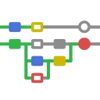
























![[3D] Preview](https://is1-ssl.mzstatic.com/image/thumb/Purple211/v4/e4/5e/89/e45e8932-5481-a9e7-d724-b01e557aaf93/AppIcon-0-0-1x_U007epad-0-1-P3-85-220.png/100x100bb.png)