AppRank
 Top Paid (Mac) Medical Apps in Sweden
Browse the live Top Paid (Mac) Medical chart in Sweden, with app ratings, descriptions, screenshots, search, and direct App Store links.
Compare iOS App Store rankings across countries to spot trending and breakout apps, and get ideas for what to build next.
Search apps
App Store Rankings
Country / Region
Top Paid (Mac) · Medical
Description
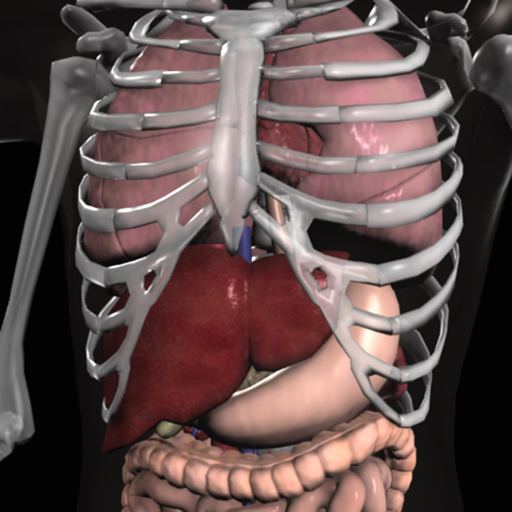
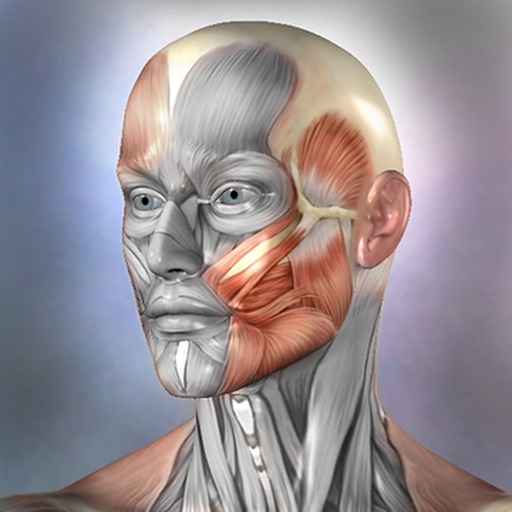
Essential Anatomy is the most successful anatomy app of all time, with more content, features, structures and ease of use than any other anatomy app — bar none! Now with over 8,200 structures including female 3D model. Download our FREE "Essential Skeleton" app in the free section to experience our groundbreaking 3D technology. NOTE: Not compatible with MacBook Pro (2008) or earlier due to graphics card limitations. - - Number 1 Top Grossing Medical App in 117 countries worldwide. - - This app is the only one that can combine 3 stand alone apps. Don’t waste your time purchasing other stand alone apps for Muscle Premium and Skeleton Premium content - it’s all available with a price effective "in-app purchase" and just a fraction of the cost other companies charge. In Essential Anatomy - everything is available in one app (see in-app purchases below). - - Stunning Graphics: No competitor comes close. Essential Anatomy’s proprietary engine was developed and optimized to showcase our new generation anatomical models for a completely immersive user experience. Other 3D Anatomy apps are limited by off-the-shelf gaming engines. - - Easy Navigation: Instantly and seamlessly zoom into any area of the body, remove layers of muscle and turn on/off systems. Other apps are restricted to a multitude of limited predefined “views”. - - Accurate Content: Essential Anatomy is used by hundreds of Anatomy Professors worldwide and has become the standard in third level education. In many cases, our app is now mandatory with text books optional. - - Read the reviews of previous versions: Our visionary app has enhanced the lives of reviewers, both professionally and academically. TUAW: "Make no mistake about it: Essential Anatomy by 3D4Medical is the future of touch-based anatomy learning. Essential Anatomy is an app every doctor, physiotherapist, OT, nurse and medical student should own." IN APP PURCHASES: In-app purchases allow additional muscle and skeletal content to be downloaded and accessed from within the app. These boosts add muscle insertion and origin points, skeletal bone parts and surfaces and 100s of animations detailing movements for each articulation. Visit www.3D4medical.com and watch videos that highlight the app's functionality and quality. You’ll understand why Essential Anatomy 5 is the most successful medical reference app of all time! ESSENTIAL ANATOMY 5 Essential Anatomy 5 is a full-featured anatomical reference app that includes MALE and FEMALE models, with 11 SYSTEMS and a total of 8,200 ANATOMICAL STRUCTURES. The app is fully 3D, meaning that you can view any structure in isolation, as well as from any angle. It represents the latest in groundbreaking 3D technology and innovative design. A cutting-edge 3D graphics engine, custom built by 3D4Medical, delivers outstanding quality graphics that no other competitor can achieve. FEATURES OVERVIEW: --Cutting-edge 3D technology --Over 8,200 highly detailed anatomical structures --Hide/Fade/Isolate/Fade Others/Hide Others options for individual structures --Multiple Selection Mode --Pins: Create customized pins with notes and place anywhere on the 3D model --Slice: Slice through certain structures using 3D plane tool --Bookmarks: Preset and Customizable --Correct audio pronunciation and Latin nomenclature for every structure --Search via English and Latin nomenclature --Dynamic Quiz: Drag and Drop and Multi-choice --Share images via social media and e-mail --Includes anatomy for 11 systems: Skin, Skeletal, Muscles, Connective Tissue, Veins, Arteries, Nerves, Respiratory, Digestive, Urogenital, Lymphatic, also includes the Brain and Heart Feedback or Question? Contact our customer support at [email protected]. You will receive a prompt response!
Description
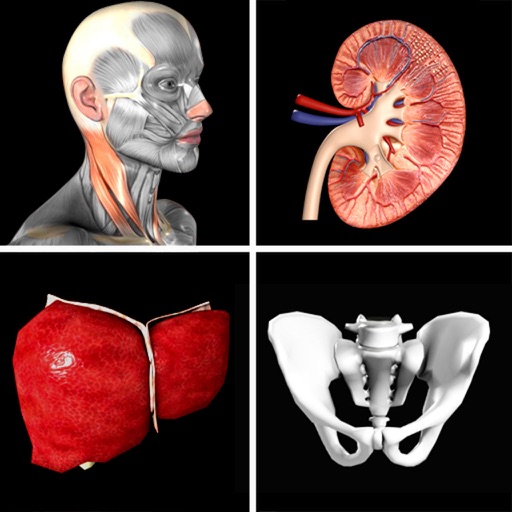
Explore human anatomy in interactive 3D with Visible Body! Human Anatomy Atlas is a one-time purchase that gives you access to essential gross anatomy 3D models and select microanatomy models and animations on your iOS devices. Additional in-app purchases are available for physiology animations and dental content. With Human Anatomy Atlas, you get: * Full female and male 3D models to study gross anatomy. View these alongside cadaver and diagnostic images. * 3D views of key organs at multiple levels. Study the lungs, bronchi, and alveoli; Review the kidneys, renal pyramids, and nephrons. * Muscle and bone models that you can move. Learn muscle actions, bone landmarks, attachments, innervations, and blood supply. * Fascia models to see how it divides the muscles of the upper and lower limbs into compartments. You also get a variety of study and presentation tools: * Dissect models on screen, in augmented reality (AR), and in cross-sections. Download free lab activities that walk you through key structures. * Take 3D dissection quizzes and check your progress. * Make interactive 3D presentations that link sets of models to explain and review a topic. Label structures with tags, notes, and 3D drawings.
Description
***70% OFF SALE*** 'Gray's Anatomy', the renowned classic anatomical book by Henry Gray was first published in 1858 and is considered by many to be one of the most iconic and significant medical books of all time. Gray's Anatomy is now available on the Mac using the highest resolution images possible. (This version of Gray's Anatomy has been enhanced and specifically built for the Mac.) This Premium Mac Edition of Gray's Anatomy includes: * SUPER FAST SEARCH * COMPLETE TEXT and Full HD ILLUSTRATIONS * MULTI LANGUAGE SUPPORT [see below] * SCROLLABLE THUMBNAILS OF ALL 1247 ILLUSTRATIONS * ZOOM IMAGES LIKE PHOTOS - including gesture recognition * Easy Navigation * Create notes for each illustration * Bookmarks * Text to speech and more *Includes full text to speech functionality via built in OS X speech engine. Highlight the text and select 'Start Speaking' We recommend this app for Doctors, Nurses, Students, Teachers and anyone who is interested in the wonder and complexity of the human body. *Note: this application was not written by McDreamy and the illustrations in no way resemble any characters from the television show Grey's Anatomy ;-) Also available: Gray's Anatomy for iPad Gray's Anatomy for iPhone
Description
Over 300,000 users! Join the students, physical therapists, occupational therapists, chiropractors, sports medicine specialists, and other orthopedic specialists who use Muscle Premium to better understand and explain how the muscular and skeletal systems move the human body. *** Gold Award for Mobile Tool/Resource from Digital Health Awards*** “Amazing for being able to get a 3-dimensional and inside/outside view of the muscles. Highly recommended. The best I've found yet.” — User “This app is excellent, the best... [e]specially for students studying medicine or anything related like massage therapy, nursing or just for self knowledge.” — User Use Muscle Premium as a personal reference, to visually communicate anatomy and function, instead of a textbook, or to create a virtual lab experience. The app includes: + 3D models of muscles, ligaments, bursae, and bones—with blood supply, innervation, key bony landmarks, and textbook-level definitions. + 3D models of common conditions including: Cervical spondylosis, lateral epicondylitis, medial epicondylitis, carpal tunnel syndrome, wrist sprain, rotator cuff tear, torn meniscus, osteoarthritis of the knee joint, and many more. + Over 50 interactive models of common muscle actions + Video presentations by physical therapists, doctors, and researchers that review normal anatomy and common conditions. Purchase includes all content. No additional in-app purchases. This app includes the option to set the display language to English, Spanish, Italian, German, French, Simplified Chinese, or Japanese. Audio in the video presentations is English only; subtitles available for all languages listed.
Description
DICOM QuickLook by OsiriX is a simple application that can display any DICOM files. Did you pass a CT (scanner) exam or a MRI (magnetic resonance) exam recently? All these equipments produce images in DICOM format. A DICOM file is similar to a JPEG file, but with specifications for medical imaging. That means that a file of a chest x-ray image, for example, actually contains the patient name and patient ID within the file, so that the image can never be separated from this information by mistake. This is similar to the way that image formats such as JPEG can also have embedded tags to identify and otherwise describe the image. You can ask your doctor or the imaging center to provide you a CD/DVD or a USB stick with the images, in DICOM format. This small application with the QuickLook plugin is the ideal companion for your DICOM viewer application. OsiriX, a complete DICOM viewer application, is available on our web site: https://www.osirix-viewer.com. OsiriX MD is certified as a Class II medical device, by the FDA and European Union.
Description
Weight Monitor allows you to quickly and easily record your daily weight. Nothing else to get in the way. Just add your weight and see it plotted on the graph with all the relevant information. The monthly graph shows you your weight, your target weight but also your average weight over the last 10 days. Your average weight is a much better indicator of your real weight. New: 1) Tabs now show which user is selected. 2) Double click on Weight in Month View now shows the Add/Amend Notes dialog. 3) Click on the blue 'i' icon on the graph view shows the Add/Amend Notes dialog. 4) When adding a new user the Weight Type and Feet&Inches/Metric selectors default to those last used. You can specify how many months you want to see on the Graph. Select the number of months to show in the Preferences and the graph will show from the currently selected month forward by that many months. This App can be used to lose weight but it can also be used to gain weight. The blue line shows the required weight loss line. This line is calculated from the start date & weight and the end date & weight. If you follow this line you will reach your target weight. The end of the arrow of each red line shows the weight for the day. The line extends to the rolling average weight for the day. If the arrow is downward then your weight is going in the right direction. If the arrow is upward then beware your weight is above the average. The green line shows the rolling average weight. For each weight entered an average of the last ten days is calculated. This weight is plotted for each day and this is the green line. If the green line remains below the blue line you are winning. Your daily weight can change too much over just a couple of days and this can be very discouraging when your weight increases. You can easily see your new weight and how this affects the average on the graph. Using this new information you can gain confidence that your weight is changing as required. The graph also shows you the line of required weight loss to achieve your desired weight. While your weights and the average weights remain below this line you are still on track. Stray above this line and your are off course. The graph is a powerful visual clue to what is occurring. Simple to use. Just start it. You just have to set the initial values in the Preferences and you are ready to go. To set the Preferences you set the Start Date, Start Weight, End Date, End Weight and whether you want to use kilograms, stones & pounds, or just pounds. On the Graph & Input tab just select today's date to add you weight for the day by pressing 'Save'. The graph will change to show this weight. You can add a weight for any other day by just selecting that date rather than today's date. The more weights you add the better the graph shows your progress. You can delete a weight completely by selecting the Months tab, selecting the day the weight is for and then selecting 'Delete Weight'. To gain weight with this App just select an end weight that is greater than your start weight. You should strive to have arrows that point upwards and keep the green line above the blue line.
Description
A Reference for the most common trigger points and referral patterns for over 70 muscles. Features 100+ trigger points with their corresponding referral patterns. Each muscle includes the visual referral pattern and point location, plus a written muscle action, referral and comments for each muscle. You can choose to view each muscle individually, or use the zones view to see all the muscles that refer into a specific area, a great help in discovering the source of pain. Trigger points are tight places in a muscle that cause pain to be felt elsewhere in the body. This is great for massage therapists, physical therapists, chiropractors, or anyone wanting to discover the source of muscular pain, and learn about muscle function. FEATURED IN APPLE'S WHATS HOT FOR TWO WEEKS! "Any iPhone or iPod Touch user with an interest in the human body may find Real Bodywork’s reference app Muscle Trigger Points to be of special interest." Phone Gear Review "...the app is quite useful for identifying problem areas and gives us a great visual for pinpointing the problem. " Slap App Review iTunes User Reviews: "SIMPLE & EASY to use, INEXPENSIVE, along with EXCELLENT 3D graphics to help zero-in on areas of each muscle when palpating." Roc 5/5
Description
A low-fat, to the point, DICOM viewer and converter. Espresso Ray is a viewer and batch converter for DICOM images. It supports 3D volumetric and 2D formats. It also supports both grayscale and color DICOM images of any size. Unlike complicated bloated medical software, Espresso Ray exists to be as simplistic and to-the-point as possible for viewing and converting DICOM images. If you need to convert a set of dicom images to PNG or JPEG format, Espresso Ray will do it! These days, medical software tends to be bloated, overcomplicated and not very easy to use. But what about those of us who are not medical professionals? It seems as if traditional medical viewers missed the memo: Mac software should be simple, easy, and shouldn't require any training to use. Apply that concept to a DICOM file viewer, and Espresso Ray is the result.
Description
***90% OFF SALE*** Surgical Anatomy - Premium Edition by Joseph Maclise was originally published in 1859 and is now available on the Mac. This App includes over 180 high quality images from 68 color plates with accompanying annotations and complete text. *** Illustrations zoom and scroll (like a photo). We recommend this app for Doctors, Nurses, Students, Teachers and anyone who is interested in the wonder and complexity of human anatomy. ************** includes: * SEARCH * SCROLLABLE CONTENTS LIST * COMPLETE TEXT and ILLUSTRATIONS * Includes text to speech * Easy Navigation * Add to Favorites and more **************
Description
Conquer those tough anatomy topics! Put aside the textbook, the lab specimens, or plastic 3D models and jump into an immersive 3D experience. - Zoom in to see in real 3D how nerves exit the spinal cord and their relationship to the vertebrae. - Rotate to study the branches of the cranial nerves or the microanatomy of the eye from all perspectives. - Watch a 50-second 3D animation that explains the physiology of muscle contractions. - Customize the app and track your learning. Create a library of Favorites with 3D models, illustrations, animations, and notes that you need to review. Access a question-by-question assessment of quiz performance to track your understanding of the concepts. This app includes 12 units with 50 chapters/modules that use over 500 preset views of 3D models, more than 150 illustrations and animations, dozens of histology slides, and hundreds of quiz questions. Within each of the 12 content units, you can - Rotate the anatomical models. Zoom in or out. - Read definitions and hear pronunciations. - Watch short animations that explain physiological processes. - Study by creating notecards. Favorite views to access later. - Track your progress with learning objective checklists. - Test your knowledge with quizzes. - Share content with others. Anatomy & Physiology presents core functions of all body systems, including Cells and Tissues Integumentary Skeletal Muscular Nervous Endocrine Circulatory Lymphatic Respiratory Digestive Urinary Reproductive
Description
DCM Viewer is a lightweight viewer for medical DICOM images, It provides analysis tools and a user interface to view, analyze, and register volumetric medical imaging data sets. The application also provides the QuickLook plugin for Mac OS X that allows to have a thumbnail of a DICOM as an icon instead of generic one. When you trigger QuickLook it displays the preview of DICOM files. Features: 1. QuickLook for DICOM files in Finder; 2. View and inspect the DICOM attributes; 3. Display images and Pixel data; 4. Open multiple DICOMs simultaneously; 5. Export DICOM as Movie, JPEG, TIFF.
Description
Learn anatomy easily with this unique quiz app that features traditional multiple-choice quizzes on 416 structures, or our new quiz style where you match a name to one of four images. You can make your own quizzes, or have the app quiz you only on what you have missed. Includes over 416 anatomical structures in beautiful 3d renderings. The topics include 167 bones and landmarks, 138 muscles, and 111 organ images. Turn on the timer option for an extra challenge! Try this unique anatomy quiz game and you'll be happy you did! A quick anatomy lesson: this app features ALL the bones and many landmarks, but in the bone section, there are only 53 bones listed.... arnt there 206 bones in the body? Most of the bones are bilateral... one on each side, so we don't quiz the right femur and left femur, this cuts the list down almost in half. Many bones are repeat... 12 ribs on each side, 10 distal phalanges, 10 proximal phalanges... When we take out all these repetitive bones, we are left with about 53 unique bones.... so please know that this app has been designed by experienced intelligent anatomists!
Description
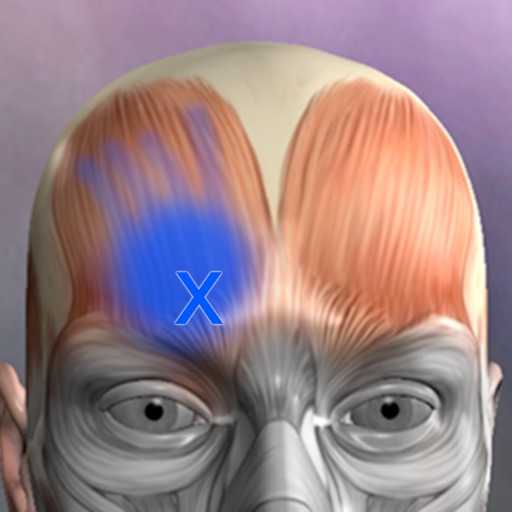
A true and totally 3D app for learning human anatomy with muscle action movies, 3D position quiz and audio pronunciation, built on an advanced interactive 3D touch interface. ***Want to try the app for free? Click on related apps and download the free version. Features: - You can rotate models to any angles and zoom in and out - Virtual dissection: Peel layers of muscles and reveal the anatomical structures below them. - more than 100 muscle action movies - physiology animation videos - Major bone markings - Muscle descriptions: Origin, Insertion, Nerve, Action - 3D location quizzes to test your knowledge - Audio pronunciation for all anatomy terms. - Latin names - Search the name of anatomical structure and reveal the 3D location - Switch on/off different anatomy systems - Both male and female reproductive systems are available - Load and Save Views (bookmaker function) - Information from Wikipedia and Gray's anatomy textbook - Great for learning anatomy and physiology - Support French, Spanish and German languages! Contents: - Skeleton (all bones in our body) - Ligaments - Bone markings - Muscles (145 muscles, highly detailed muscle models) - Circulation (arteries, vein and heart) - Nervous system - Respiratory system - Reproductive system ( both male and female ) - Urinary system - 3D Ear - 3D Eye Contact Us: Email us at [email protected]. Let us know any feedback you have or share ideas for making the app better.
Description
Expand your knowledge of the organs with this robust application that combines 3D models, video, audio lectures, quizzes and text to create a rich learning experience. Includes detailed information on the brain, heart, stomach, spleen, pancreas, small intestines, reproductive organs, large intestines, kidneys, liver, skin and lungs. Also learn about cells, tissues and organ systems. Each of the 16 pages includes beautiful diagrams of the organ anatomy, histology and location, along with text, video, audio and 3d models that support easy learning. FEATURING: -3D MODELS: Twenty seven models that you control, and include labels of the various structures. -AUDIO LECTURES: Twenty five audio lectures that describe organ functions and structures -VIDEOS: Five short videos that show the structures in action -QUIZZES: Each organ has it's own random multiple-choice quiz, with 8-20 questions about the physical anatomy of each structure. 135 questions total. -GLOSSARY: For a detailed study, a quick reference with over 320 structures. -DIAGRAMS: Each page has multiple diagrams that you can zoom into. Over 40 diagrams that cover anatomy, histology and functions of each organ, with text that describes basic information. Created by an anatomy instructor and reviewed by medical experts. Enjoy the future of learning in this amazing application.
Description
Open DICOM image files on your Mac to view the DICOM header information. Easily load and view DICOM header information to inspect the DICOM attributes. Copy DICOM attribute text values like SOP Instance UID or Patient Name to the clipboard. NOTE: This app does NOT display image or pixel data. For informational and research use only. Not for medical or diagnostic use.
Description
Detta är en applikation avsedd för att visa medicinska bilder. Den stöder standard DICOM-formatfiler (som CT, MRI, röntgen etc.). Den kan erbjuda funktioner för bildsökning, justering av fönsterbredd och fönsterposition samt mätning. Det är mycket bekvämt för läkare, patienter och medicinska forskare att visa medicinska bilder.
Description
Registrera, hantera och utvärdera dina blodtrycks- och pulsvärden digitalt. Utan papper. I App Store sedan 2014, blodtryckshanteringsappen. Varför digitalt istället för papper? - Inga förlorade anteckningar - Alla värden alltid med dig - Automatiska utvärderingar och statistik - Data stannar kvar på dina enheter Datasäkerhet Dina hälsodata förblir privata. All data lagras uteslutande lokalt på din Mac. Ingen uppladdning till externa servrar. Inget moln. Ingen delning med tredje part. Funktioner - Snabb inmatning av blodtryck och puls - Beräkning av pulstryck - Valfria anteckningar till varje inmatning - Grafer och statistik över tidsperioder - Export som PDF eller CSV för din läkare - CSV-import för befintlig data - Individuella utvärderingar Plattformar Den här appen är för Mac. Valfritt: Synkronisering med separat iOS/iPadOS-app via lokalt Wi-Fi (peer-to-peer) utan moln. Obs: Den här appen ersätter inte medicinsk rådgivning. Om du har frågor om dina blodtrycksvärden, vänligen konsultera din läkare.
Description
Se din tonhöjd och volym live medan du talar – spela in, mät och följ din röst för logopedi, röstträning och sång. Voice Analyst används på logopedkliniker, forskningscentra, universitet och i hem i fler än 180 länder, med över 12 miljoner gjorda inspelningar. Vinnare av Digital Health Award (Medilink SW Healthcare Innovation). Listad i Parkinson's UK:s teknikguide: https://techguide.parkinsons.org.uk/catalogue/voice-analyst Ett köp för iPhone, iPad och Mac. Inga prenumerationer. Mät din röst • Se livegrafer över din tonhöjd (i hertz eller musiknoter) och volym medan du talar eller sjunger. • Spela in din röst och spela upp den tillsammans med tonhöjds- och volymkurvorna. • Se statistik för valfri inspelning, eller valfri del av den: minimum, maximum, medelvärde och omfång för både tonhöjd och volym. • Ställ in mål för tonhöjd och volym och se direkt när din röst ligger inom dem. • Zooma in på valfri del av en inspelning för detaljerad analys och spara valfritt avsnitt. • Stöd för Split View och multitasking på iPad. Gjord för logopedi • Öva mellan besöken med de mål din logoped ställer in – inklusive de volymmål som används i program som LSVT LOUD vid Parkinsons. • Följ framsteg över tid med sparade inspelningar och statistik. • Använd appen på kliniken, hemma eller i distanssessioner via telehälsa. Dela med din logoped • Skicka inspelningar och statistik via e-post till din logoped, eller dela via meddelanden och AirDrop. • Spara inspelningar på din enhet, eller i iCloud, Dropbox och annan molnlagring. • Kopiera statistik till kalkylblad för journaler, rapporter och forskning. Vem använder Voice Analyst • Logopeder som mäter klienters tonhöjd och röststyrka, på klinik och via telehälsa. • Personer i röstterapi – vid Parkinsons sjukdom, stroke, hjärnskada, dysartri, stämbandspares, muskelspänningsdysfoni och andra röstsvårigheter. • Transpersoner och icke-binära som tränar sin röst med tydlig tonhöjdsåterkoppling. • Sångare, skådespelare, lärare och talare som övervakar och utvecklar sin röst. • Forskare och studenter som mäter rösten objektivt. Integritet från grunden • Dina inspelningar stannar på din enhet om du inte själv väljer att dela dem. • Ingenting laddas upp till våra servrar – behandlare behåller kontrollen över klienters inspelningar. • GDPR-kompatibel – inga personuppgifter samlas in. • Fungerar offline – spela in och analysera var som helst. Vad våra användare säger "Fantastiskt enkelt att se var din tonhöjd ligger, sätta målintervall, göra och analysera inspelningar samt exportera och importera inspelningar. Jag kan inte föreställa mig att arbeta med min röst utan den här appen." "Jag har använt Voice Analyst med mina transklienter. Den är otroligt användarvänlig och ger fina visuella avläsningar av frekvensen samt en omedelbar analys av tonhöjdsomfång och medelvärde. Mina klienter kan använda den under sessionen och några har laddat ner den för att öva hemma." "Älskar den här appen. Så enkel att använda, men den har all teknik som behövs för att jag enkelt ska kunna övervaka och motivera mig själv." Voice Analyst är inte en medicinteknisk produkt – appen mäter och spelar in din röst; den ställer inga diagnoser och behandlar inga tillstånd. Om du är orolig för kvaliteten på din röst bör du kontakta din läkare och be om en remiss till en öron-näsa-hals-specialist (ÖNH). Frågor eller idéer? Mejla [email protected] – vi hör gärna från dig.
Description
- This application is a professional app for ’14 Main Acupuncture Points and its superficial Meridians’ which is a basic anatomy of Asian medicine. * 14 Main Acupuncture Points” - 12 Main Acupuncture Points, Governor Vessel (GV) Acupuncture Points, Conception Vessel(CV) Acupuncture Points and its superficial Meridians. - ‘MERIDIAN 3.1’ application is an App that shows and explains the ‘Acupoints’ of Asian Medicine. - The text for a total of 362 acupuncture points is also completely included. Acupuncture points can be compared and confirmed with skin, bone, organ, and muscle easily. - Easily compare the ‘Main Acupuncture Points’ and its ‘Superficial Meridians’ with the skin, muscles, vessels, bones and organs. - By making a ‘scale’, we made it easier to find acupuncture points. - Contents include accurate location, based book, function and character(how to use). Released in Korean, Chinese and English, which allows it to be used across the world! * Main Acupuncture Point -> 12 Main Acupuncture Point, Governor Vessel (GV) Acupuncture Point, Conception Vessel(CV) Acupuncture Point.. - Please refer to ‘Meridian 3.1’ application. * Superficial Meridians -> It is not “Meridian and collateral”, is just a line that connects the acupuncture points. * Scale - a reference line for easily locating acupuncture points * For Main Acupuncture Points (such as 12 Main Acupuncture Point, Governor Vessel (GV) Acupuncture Point, Conception Vessel(CV) Acupuncture Point, lung, large intestine, etc.), refer to ‘Meridian 3.1’ application. For Meridian and collateral (12 meridians, 14 meridians, eight extra meridians, twelve meridian divergences, twelve meridian sinews, twelve cutaneous regions, etc.) please refer to ‘Meridian Inside’ application. For Extra acupuncture points, please refer to ‘Acupuncture of Extra Point’ application. For Tung ’s family acupunture(In korean called as Dongssihyeol) (Dongssi, Master tung), refer to ‘Master Tung Acupuncture point’ application. * This product does not have complete text descriptions of Meridian and collateral, Extra acupuncture points and Tung ’s family acupunture. - Meet our(verderoot, acumonster, medimonster) various products (Meridian, Meridian Inside, Master Tung, Extra-Acupuncture Point, Combination Point, Hand Acupuncture, Foot Acupoint, Head Acupuncture, etc.) look. www.verderoot.com www.acumonster.com
Description
NOW INTEGRATED WITH THE IPHONE AND THE IPAD VERSIONS OF THE APPLICATION! Here is an application that will enable you to keep track of all information relative to your health and the one of each member of your family: blood group, blood pressure, medications , allergies, diagnostic tests and results, infectious diseases, vaccinations, ... This information could prove of great importance in a variety of everyday situations from a routine medical check up – where details of any medical prescriptions can be recorded – to any possible emergency situation where it becomes vital to have immediate access to data such as blood groups, allergies, results of diagnostic testing, prescribed medication etc. Family Medical History will allow you to have single point of access to: - Your family main personal and health data (blood group, RH factor, health service number….) - A list of prescribed medications, their indications and the frequency of assumption. A list of any diagnostic testing undertaken or planned with relevant dates and results. - A list of any noted allergies, the allergic factors involved and the remedies necessary to relieve the symptoms. - A list of diseases contracted and their dates. - Blood pressure and weight trend - A list of all vaccinations offered and taken up, together with reminders of the dates for boosters to be administered. Any reactions and subsequent remedies can also be logged. - A dedicated point of access to the main phone numbers, email addresses, ... relevant to your and your family health (doctor, paediatrician, general practitioner, health visitor, emergency services, Poison Centre, Burns Centre…..). This application is user-friendly thanks to the precompiled sections (see vaccination section). Should you feel that functionality could be added to or improved, please do not hesitate to post/email your suggestions at: [email protected] If you have any issue or find any bug, please email directly to: [email protected]. We’ll be happy to address your question, answering directly back to you.
Description
The “Medication" app is the perfect tool enabling users to completely manage their medication. Schedules, reminders and dosages are visually displayed. Multiple users can be set up on the “ Medication” app to manage daily, weekly and monthly pill dosages. Schedule your different medication easily using icons or colours on your Mac. Users can register their daily medication and receive reminders as needed. Keep yourself and your loved ones safe knowing their medication needs are organized. Never forget to take your medication again! Remember when to take your pills and manage the dosages correctly. The graphs will show visually how many pills are left to take for the day. Top Features: -Add pills with different icons and colors. -Manage medication stock and add pills when stock is empty. -Add pill reminders using built-in calendar. -Check off reminders after consuming the pill. -Register doctor appointments and get notified beforehand. -Add multiple users and manage med usage separately for each user. -Get a detailed over view of the monthly and yearly med usage on an easy graph chart. Medication is simple to use. It makes sure that you and your loved ones or anyone you care about never misses an important pill of medication again. It makes it stress free if you have so many different medications to take daily. So, download Medication today and never worry about timing and dosages again.
Description
This app is a combination of sets, containing practice questions, study cards, terms & concepts for self-learning & exam preparation on the topic of ATLS Advanced trauma life support, which is a training program for medical providers in the management of acute trauma cases. The learner can reabsorb the quizzes with ease. In time, this will build knowledge retention. This app covers the following chapters: - Airway Management. - Chock. - Thoracic Trauma. - Abdominal and Pelvic Trauma. - Head Trauma. - Spinal Injuries. - Musculoskeletal Trauma. - Thermal Injuries. - Pediatric Trauma. - Geriatric Trauma. - Multi-Topics Practice Questions. It contains at least 60 study notes quiz sets & 4800 Flashcards. Main Features: - Works perfectly Offline, you can learn on the Go, Anytime & Everywhere. - Five study Modes (learning mode, handout mode, test mode, slideshow mode and random mode). - Text to Speech (Listen to the flashcards while you are ridding, jogging or driving). - Sort your flashcards by topic. - Search flashcards by key words. - Select your favorite flashcards & Flag for review the most difficult. - Add & save your own flashcards. - Edit & replace existing flashcards. - Add your comment to any flashcard keep seeing them with. - Get back to your last study session, exactly to the last flashcard studied including the study mode. - Full dashboard to monitor your progress. - Share your best study notes. - Exam taking tips & tricks. Sure, You will be amazed by the number of facilities that we added to this App. This app is suitable for students, researchers, resident, doctors, Anatomy & physiology specialists, nurses & medical professionals & of course Medical lecturers, teachers & professors. Invest in your Success Now. Your investment in knowledge, professionalism & expertise is durable & with a High value added. It's a High return investment. Disclaimer 1: This application is not dedicated for a specific professional certification, it's just a tool to assist students & professionals to expand their knowledge & in-depth their expertise. Disclaimer 2: The publisher of this app is not affiliated with or endorsed by any testing organization. All organizational and test names are trademarks of their respective owners. The content of the application might include inaccuracies or typographical errors, for which the owner cannot be held liable.
Description
MIKit is a high-performance toolkit dedicated to view, inspect and manage a large sets of DICOM images produced by equipment (MRI, CT, PET, PET-CT). What's DICOM: DICOM® (Digital Imaging and Communications in Medicine) is the international standard to transmit, store, retrieve, print, process, and display medical imaging information. The App offers a host of analysis, processing, and editing features, and can convert, anonymize, and register images. It is the ideal tool for viewing and researching DICOM. It supports DICOM images - without compression and with RLE, JPEG Lossy, JPEG Lossless, JPEG2000 Lossy, JPEG2000 Lossless compressions. MIKit includes the following features: 1. View DICOM: zoom, pan, contrast/brightness control; 2. Inspect the DICOM attributes and view the DICOM header information; 3. Display and manage a large sets of images; 4. Export DICOM image to TIFF, PNG, and MOV; 5. Load DICOM image via drag & drop; 6. Simple and intuitive interface with full-screen mode.
Description
EP Calipers provides electronic calipers to measure intervals on images of ECGs or electrophysiologic recordings. EP Calipers can be used to make accurate ECG measurements on your Mac and do calculations such as mean heart rate, corrected QT interval, or even measure the beta angle in Brugada syndrome using electronic calipers similar to those in electrophysiologic recording systems. Analyze ECG images as well as PDF files, such as ECGs generated by the Kardia™ AliveCor™ device. Analyze anything open on your desktop using the Transparent Window feature.
Description
Understand your body. Train smarter. Muscle Guide is a clean, interactive way to learn human muscle anatomy—built for fitness, training, and everyday curiosity. Whether you're working out, coaching, or just getting started, quickly explore muscles and understand how your body works. Interactive Muscle Views Explore muscles by body region Switch between detailed and full-body views Clean, distraction-free design Built for Fitness Learn which muscles you’re training Improve mind-muscle connection Perfect for gym beginners and enthusiasts Simple & Fast No clutter, no overwhelm Tap and learn instantly Designed for daily use PERFECT FOR Gym beginners Personal training clients Fitness enthusiasts Students learning anatomy Anyone curious about the human body WHY USERS LOVE IT Minimal and easy to use Focused on what matters No complicated medical jargon Fast, visual learning
Description
Miele-LXIV is a DICOM workstation, viewer and more. The project started in November 2014 as a fork of the popular open source 32-bit project OsiriX, but it has been modified to become a 64-bit application and to remove many of the limitations of the 32-bit version. - Built for macOS 12.0 through 27.0.1 - It supports Mojave's Dark Mode - Using VTK version 9.7.0 - Using ITK version 5.4.5 - Using DCMTK version 3.7.0 - Using OpenGL 4.1 - Using GLEW 2.3.0 - Using OpenJPEG 2.5.4 - Using David Clunie's DICOM validator dciodvfy version 1.00.snapshot.20230403092834 - Fully localized for 7 languages: Chinese, English, French, German, Italian, Japanese, Spanish - Export to Photos - Own plugin system fully operational: develop, publish, list, check-for-updates, download, install - Open source - Universal binary: Intel, Apple Silicon
Description
Anatomy Quiz Premium helps you learn anatomical structures such as bones, muscles, organs and joints with clear images and focused quiz modes. Train in different ways: • Choose It: identify the correct anatomical term from four options. • Touch It: find and tap the requested structure on the image. • Type It: type the correct name for the highlighted structure. Use Latin or English anatomical terms, review detailed lessons, search structures in Lookup, compare your progress in rankings and challenge other players in multiplayer. Lessons cover important bones, the skull, spine, upper and lower limbs, joints, muscles, organs, the heart, lungs, gastrointestinal tract, brain and more. The Premium version gives you the complete learning experience without the Lite limitations.
Description
TCM Clinic Aid is a reference guide for practitioners and students of Traditional Chinese Medicine (Acupuncturist and Herbalist). It should not be used to diagnose ailments or diseases. Diagnosis should be done by a licensed Acupuncturist and Herbalist. KEY FEATURES: 1. Built specifically for the iPad. 2. A Great Reference tool for the following TCM Disciplines: A. Auricular Point, Acupuncture Points, Master Tung Points, and Wrist Ankle points: - Acupuncture points and Auricular point are arranged by TCM categories and individually, - Acupuncture points presented in "Big Picture" format, - Images for all points. B. Herbs and Herbal Formulas: - Herbs and Formulas are arranged by TCM categories and individually, - Includes images of individual herbs, both processed and herbs in their natural/raw state. C. Diagnosis: - Patterns by Internal Organs (Zang Fu) Etiologies, - Four Levels Etiologies, - Residual Pathogenic Etiologies, - Six Stages Etiologies, - Pulse Diagnosis. 3. Treatment Protocols: - Build your own library of treatment protocols. - Treatment protocols can contain: a. Name and description, b. Pulse and Tongue, c. Herbs and Formulas used, d. Auricular, Points, and Master Tung points used. - All treatment protocols are searchable. 4. Browse or "drill down" through 1700+ acupuncture, auricular, Master Tung and Wrist Ankle points, herbs, formulas, and diagnosis etiology and pulses. 5. Extensive Search capabilities: - All fields for all data records are searchable and you have full control over the fields to use in searches. - Searching can be on: a. Symptoms and indications, b. Diagnosis etiologies searched by pathology name, i.e., 'Liver Yang Rising', suggested points, or suggested formulas, c. Formula names searched by pinyin, english name, ingredients, western uses (western ailments it can treat), d. Herb names searched by pinyin, english or botanical (latin), e. Points searched by common name, i.e., 'LI4'. - All search phrases are saved for quick access when running previous searches. 6. Create Favorite List: - You can create multiple favorite lists for all the TCM disciplines (auricular, diagnosis, formulas, herbs, points, and Master Tung) - These can be quickly activated/deactivate. - Favorite lists can be used to seed the Quiz Yourself module. 7. Compare Items: - Compare two auricular points, herbs, formulas, or diagnoses side-by-side, - Compare points against points, or points against Master Tung points. 8. Add/Edit/Delete: - Modify/edit system provide records, - Add/edit/delete your own User provided records, - Add an alternate image to any system provided or user provided record. 9. Extensive System Configuration: - Change font and font size, - Change master color scheme, - Activate color coding of herb names by their temperature attribute, - Change name display of lists of herbs, formulas, points, pulse, and master tung: a. English or Pinyin with tonemarks (or Pharmaceutical for herbs), b. Use simplified or traditional Chinese characters. - Change searchable fields for each TCM table type (i.e., auricular, herbs, formulas, etc.), - Database Maintenance - backup and restore your User database, - plus, many more options. 10. Quiz Yourself: - Test your knowledge on Auricular, Diagnoses, Herbs, Formulas, Points and Pulses information. - Over 2000 possible tests, including: a. Point and Auricular identification by Image, Location, Functions and Indication, b. Herb identification by Image, Function, Indications and Category, c. Formula identification by Herbs, Functions, Indications, Category, Diagnosis and Western Use, d. Diagnosis by Etiologies, e. Pulses by Description, Sensation and Indications. - Many test allow you to test on identification by Pinyin, Chinese characters (simplified and traditional), or English name.
Description
Dicom Browser is a professional DICOM viewer and processing tool for medical imaging. It supports fast loading and batch browsing, with advanced features including 3D preview, Multi‑Planar Reconstruction (MPR), and image fusion for intuitive and precise analysis. Built‑in measurement and annotation tools help document key findings and comparisons. The app works offline with all data processed locally to protect privacy, making it ideal for clinical reading, research, and education.
Description
New clinical research suggests that green light therapy may correlate with contribute to decreasing migraines and chronic pain. This app makes green light exposure easy. Toggle different light intensities and get your green light exposure while using your computer. https://thehill.com/changing-america/well-being/prevention-cures/474960-surrounding-yourself-with-green-could-help https://www.npr.org/sections/health-shots/2019/12/15/787138928/researchers-explore-a-drug-free-idea-to-relieve-chronic-pain-green-light
Description
- This App contains 21 acupoints in the Hand back part and another 21 acupoints in the Hand palm part, and each acupoints is written in Korean, English and Chinese texts in terms of location, efficacy and operation method . - The reflex region which was used as the basis of the diagnosis in the traditional Hand Acupuncture therapy is also arranged in 3D. The Reflexoloy chart used as a basis for other forms of diagnosis and treatment are also arranged in 3D. You can compare The reflex region of a traditional form with The Reflexoloy chart of other theories in 3D, and you can also compare The Hand Acupoints in 3D. - The 14 Main Acupuncture Point of the hand , The Extra Acupuncture Point of the hand, and The Master Tung`s Acupuncture Point of the hand are displayed on the 3D model as background, so you can organize them by comparing them with The Hand Acupoints. - The skin, muscles, and nerves of the hand are made in 3D, so you can compare the position of The Hand Acupoint with the muscles, bones and nerves in 3D. * For Main Acupuncture Points (such as 12 Main Acupuncture Point, Governor Vessel (GV) Acupuncture Point, Conception Vessel(CV) Acupuncture Point, lung, large intestine, etc.), refer to ‘Meridian 3.1’ application. For Meridian and collateral (12 meridians, 14 meridians, eight extra meridians, twelve meridian divergences, twelve meridian sinews, twelve cutaneous regions, etc.) please refer to ‘Meridian Inside’ application. For Extra acupuncture points, please refer to ‘Acupuncture of Extra Point’ application. For Tung ’s family acupunture(In korean called as Dongssihyeol) (Dongssi, Master tung), refer to ‘Master Tung Acupuncture point’ application. * This product does not have complete text descriptions of ‘’Main acupuncture point’, ‘Meridian and collateral’, ‘Extra acupuncture points’ and ‘Tung ’s family acupunture.’ - Meet our(verderoot, acumonster, medimonster) various products (Meridian, Meridian Inside, Master Tung, Extra-Acupuncture Point, Combination Point, Hand Acupuncture, Foot Acupoint, Head Acupuncture, etc.) look. www.verderoot.com www.acumonster.com
Description
- ‘Meridian Inside’ application was created by integrating ’12 Main Meridian’, ‘8 Extra Meridians’ and ’12 Meridian Divergences’, while applying it to the 3D human body model with ‘Main Acupuncture Point’. - It is an application that can check the flow of the meridian of Asian medicine, which is the only one in the world now. - You can check the location, flow, and contents of a total of 32 meridians. This product does not have complete text descriptions of ‘Main Acupuncture Points’, ‘Extra acupoints’, and ‘Tung ’s family acupunture point.’ - This product does not have ’12 meridian sinews’, ’12 meridian regions’, and ’12 skin’ in this product yet. - Easily zoom in and out with multi-touch so you can see the exact location of the ‘ Meridian and collateral’ itself and we add the “drive button bar” so easliy check the what you want. - ’12 Main Meridian’, ‘8 Extra Meridians’ and ’12 Meridian Divergences’, can be grasped at the same time, and can be compared with ‘Main Acupuncture Point’. * Main Acupuncture Point -> 12 Main Acupuncture Point, Governor Vessel (GV) Acupuncture Point, Conception Vessel(CV) Acupuncture Point.. - Please refer to ‘Meridian 3.1’ application. * For Main Acupuncture Points (such as 12 Main Acupuncture Point, Governor Vessel (GV) Acupuncture Point, Conception Vessel(CV) Acupuncture Point, lung, large intestine, etc.), refer to ‘Meridian 3.1’ application. For Meridian and collateral (12 meridians, 14 meridians, eight extra meridians, twelve meridian divergences, twelve meridian sinews, twelve cutaneous regions, etc.) please refer to ‘Meridian Inside’ application. For Extra acupuncture points, please refer to ‘Acupuncture of Extra Point’ application. For Tung ’s family acupunture(In korean called as Dongssihyeol) (Dongssi, Master tung), refer to ‘Master Tung Acupuncture point’ application. * This product does not have complete text descriptions of Main Acupuncture Points, extra acupoint, and Tung ’s family acupunture point. * This product does not have 12 meridian sinews, 12 meridian regions, or 12 skin in this product yet. - Meet our(verderoot, acumonster, medimonster) various products (Meridian, Meridian Inside, Master Tung, Extra-Acupuncture Point, Combination Point, Hand Acupuncture, Foot Acupoint, Head Acupuncture, etc.) look. www.verderoot.com www.acumonster.com
Description
Researchers at Monash University have developed the low FODMAP diet and a corresponding app to assist in the management of gastrointestinal symptoms associated with irritable bowel syndrome (IBS). The Monash University FODMAP diet works by swapping foods high in fermentable carbohydrates (FODMAPs), with low FODMAP alternatives. Around 75% of people with IBS experience symptom relief on a low FODMAP diet. The app comes directly from the research team at Monash and includes the following: - General information about the FODMAP diet and IBS. - Easy to understand tutorials to guide you through the app and the 3-Step FODMAP diet. - A Food Guide detailing the FODMAP content for hundreds of foods using a simple 'traffic light system'. - A list of branded products that have been certified by Monash as low FODMAP. - A collection of over 70 nutritious, low FODMAP recipes. - Functions that allow you to create your own shopping list and add notes to individual foods - A Diary that enables you to record food eaten, IBS symptoms, bowel habits and stress levels. The Diary will also guide you through step 2 of the diet - FODMAP reintroduction. - The ability to adjust units of measurement (metric or imperial) and activate colour blindness assistance.
Description
GCS Trainer wurde entwickelt, um beim Erlernen und Üben der Glasgow Coma Scale zu unterstützen, eine sichere Trainingsumgebung ohne Patientenkontakt bereitzustellen und das Verständnis der GCS-Bewertungskriterien zu vertiefen. Die App ist ausschließlich für Bildungs- und Trainingszwecke bestimmt.
Description
Lite PACS is a lightweight, locally deployed DICOM viewer and manager tailored for doctors, radiologists, and researchers. It enables efficient browsing and organizing of DICOM files by Patient, Study, Series, and Image without complex setup or server dependency. Key Features: • Zero configuration: Install and use instantly • Local storage: Keep your data safe and private • 4-level structure: View data by Patient, Study, Series, and Image • Batch import/export: Easily handle DICOM files in bulk • Clean UI: Modern design with dark mode and customizable settings Lite PACS is your simple and secure DICOM tool for everyday medical imaging needs.
Description
Dicom Browser is designed for users in the medical imaging field, focusing on the browsing and processing of DICOM files. The software now features a 3D preview mode, offering more intuitive visualization for precise image analysis. Additionally, it provides advanced image processing functions such as Multi-Planar Reconstruction (MPR) and image fusion. Users can browse, annotate, and process DICOM files offline, enhancing diagnostic efficiency and accuracy. With offline functionality, the software ensures data security and privacy, making it an ideal tool for medical image processing.
Description
Turn Your iPhone Into a Dermatoscope The Dermatoscope app is a practical tool designed for healthcare professionals, especially dermatologists and skincare specialists. With this app, you can use your iPhone to conduct detailed dermatoscopic examinations. Features: Camera Integration: Leverage your iPhone’s camera to capture clear images and videos of skin conditions while preventing automatic lens switching and flash activation. Manual Controls: Adjust focus, exposure, and torch intensity to capture the details you need, whether taking photos or recording videos. Patient Information: Record and manage patient details directly within the app. Optionally overlay patient info on images and videos. Image and Video Capture: Take screenshots and record videos with ease. Store them securely on your device or share them with colleagues. Zoom Functionality: Use pinch-to-zoom to get a closer view of specific areas. Camera Switching: Rotate between the various rear-facing camera lenses. Instructions Included: Access a guide within the app to help you utilize its features effectively. Disclaimer: This app is intended for educational purposes only and is not a replacement for traditional medical tools or professional medical advice.
Description
Eye Training Tool är ett hjälpmedel som bygger på ergonomi och modern synvetenskap för att träna ögonmusklerna och öka samsynen i alla miljöer. Långvarigt stirrande på dator- eller mobilskärmar kan leda till torrhet, irritation, långsam fokusering och djup trötthet. Det här verktyget är utformat för kontorsarbetare, studenter, forskare, gamernördar samt vuxna och ungdomar som vill vårda sin syn. Med över 90 omsorgsfullt skapade interaktiva grafikövningar – mjuka avståndsväxlingar, högkontrastmönster, tredimensionella djupsträckningar och finstämd kontrastfångst – hjälper det dig att slappna av i ögonmusklerna, aktivera ackommodationen, förbättra ögats samarbete och öka visuell komfort samt rumslig perception. 【Ny funktion: Fullständig övningshall (Holographic Interactive Preview)】 En milstolpe i denna version med den nya övningshallen. Här får du en översikt och kan förhandsgranska samtliga 90+ övningar i realtid på en skärm. Pekskärmsanpassat – fokusera blicken eller tryck för att se smidiga miniatyrörelser. Det gör att du snabbt kan välja precis den stretch- eller avslappningsövning som passar för stunden och ökar både flyt och bekvämlighet i din dagliga rutin. 【Nio professionella moduler för visuell avspänning och ögonmuskelträning】 - Synavlastning och vård: Klassiska Gabor-mönster, resonerande rött ljuspulsflimmer, labyrinter och stereobilder för fjärrsikt. Högkontrastränder och geometriska strukturer aktiverar centrala synceller och hjälper till att väcka passiva näthinneceller. - Ögonmotorik: Stjärnspårning, horisontell/vågrät pendling, vertikal skanning och åttarörelser – guidade övningar med markörer som sveper över stora ytor för att lossa på spända yttre ögonmuskler. - Fuktbevarande blinkövningar: Tre steg – lätt blinkning, kraftig slutning (främjar oljekörtlarna) och blick mot horisonten. Rytmiskt slutande och öppnande hjälper ögonlockmusklerna att stimulera tårfilmen och lindrar torrhet vid skärmarbete. - Linsakkommodation och stereofusion: Realistisk simulering av ”Brock String” och ”flipper”-övningar. Stegvisa hopp mellan nära och fjärran samt svepande djupförflyttningar tränar ciliarmuskelns flexibilitet och fokushastighet. - Binokulär fusion och balans: Via röd-grön/ röd-blå separationsglasögon sammansmälts koncentriska färgcirketer i hjärnan, vilket aktiverar djupseende, fusion och fokusförmåga samt motverkar ensidig ögondominans. - Rumslig 3D-tunneldragning: Simulerar djupa partikeltunnlar och roterande polygoner i perspektiv. Blicken förflyttas virtuellt mellan nära och fjärran, vilket ger en avslappnande växling och lindrar tillfällig trötthet. - Moiré-interferensmönster: Behagliga, lugna pärlliknande cirkelrörelser och diagonala harmoniska flöden låter ögonen vila i mjuka geometriska rörelser. - Vestibulo-okulär reflex (VOR): Små sinusformade svängningar av målet framkallar passiva reflexmikrorörelser, vilket balanserar muskelbelastningen och förbättrar blickstabiliseringen. 【Sensorisk och ergonomisk upplevelse】 - Dag- och nattläge: Gränssnitt och grafik följer systemets ljus/mörker-inställning – mjukt varmvitt under dagen, djupt svart på natten, vilket minskar bländning och skyddar ögonen i svagt ljus. - Simulerat öga med blickföljning: Ett animerat öga följer övningsbollens rörelser och djup i realtid, vilket visualiserar fokus och blickaxel. - Smidig interaktion: Alla animationer drivs av en egenutvecklad grafikmotor med hög bilduppdatering. Mjuka övergångar ger en bekväm upplevelse under övningarna. - Personliga favoriter: Spara favoritgrafik med ett tryck till ”Mina favoriter” och skapa ett skräddarsytt ögonvårdsutrymme. 【Fyra typiska vardagssituationer】 1. Snabb paus vid kontorsarbete: Efter långvarigt rapportskrivande eller kodning – öppna övningshallen och välj ”åttarörelser” eller ”roterande kurvor” i 2 minuter för att stretcha ögonmusklerna och lindra torrhet. 2. Fokusväxling vid studier: Ungdomar som läst länge eller haft distanslektioner kan använda ”flipper” eller ”Brock String” i 3 minu
Description
The optokinetic response is a combination of a slow-phase and fast-phase eye movements. It is seen when an individual tracks (pursuit movement) a moving object with their eyes, which then moves out of the field of vision at which point their eye moves back to the position it was in (saccade movement) when it first saw the object. The App is an easy to use replacement for a bulky optokinetic drum or a fraying cloth tape to elicit optokinetic nystagmus, OPK or OKN, for evaluation of neurological, otological, and opthalmological disorders. Simply place the app screen with a moving pattern in front of a patient’s eye to elicit the response. The stripe pattern, width, and speed are easily adjustable. The application helps identify optokinetic nystagmus. It is my hope that it can be helpful to assess normal eye movements. OKN Exercise app includes 8 build-in presets: 1. up to down 2. left to right 3. right to left 4. down to up with red dot 5. up to down with red dot 6. left to right with red dot 7. right to left with red dot 8. rotation OKN Exercise app Supports: 1. Adjust strips movement speed 2. Adjust red dot movement speed 3. Build-in timer to do timekeeping 4. Play and pause exercise any time
Description
This app is a combination of sets, containing practice questions, study cards, terms & concepts for self-learning & exam preparation on the topic of Human Body Anatomy and Physiology. The learner can reabsorb the quizzes with ease. In time, this will build knowledge retention. This app covers the following chapters: 1. Anatomy Introduction & Terminology 2. Cell Anatomy 3. Tissues Anatomy (Connective & Epithelial) 4. Human Anatomy 5. Skin & Integument System 6. Bones & Joints 7. Skeletal System 8. Muscle Physiology 9. Nervous System 10. Special Senses 11. The Endocrine Gland 12. The Blood 13. Lymphatic & Immune Systems 14. Cardiovascular System 15. Urinary System 16. Integumentary system -2 17. Reproductive System 18. Circulatory System 19. Respiratory System 20. Digestive System 21. Embryology Anatomy 22. Surgical Anatomy It contains at least 22 study notes quiz sets & 2700 Flashcards. Main Features: - Works perfectly Offline, you can learn on the Go, Anytime & Everywhere. - Five study Modes (learning mode, handout mode, test mode, slideshow mode and random mode). - Text to Speech (Listen to the flashcards while you are ridding, jogging or driving). - Sort your flashcards by topic. - Search flashcards by key words. - Select your favorite flashcards & Flag for review the most difficult. - Add & save your own flashcards. - Edit & replace existing flashcards. - Add your comment to any flashcard keep seeing them with. - Get back to your last study session, exactly to the last flashcard studied including the study mode. - Full dashboard to monitor your progress. - In-depth statistics of your performance that shows your strongest & weakest areas. - Share your best study notes. Sure, You will be amazed by the number of facilities that we added to this App. This app is suitable for students, researchers, resident, doctors, Anatomy & physiology specialists, nurses & medical professionals & of course Medical lecturers, teachers & professors. Invest in your Success Now. Your investment in knowledge, professionalism & expertise is durable & with a High value added. It's a High return investment. Disclaimer 1: This application is not dedicated for a specific professional certification, it's just a tool to assist students & professionals to expand their knowledge & in-depth their expertise. Disclaimer 2: The publisher of this app is not affiliated with or endorsed by any testing organization. All organizational and test names are trademarks of their respective owners. The content of the application might include inaccuracies or typographical errors, for which the owner cannot be held liable.
Description
This app is a combination of sets, containing practice questions, study cards, terms & concepts for self-learning & exam preparation on the topic of CRNA. A nurse anesthetist is an advanced practice nurse who administers anesthesia for surgery or other medical procedures. The learner can reabsorb the quizzes with ease. In time, this will build knowledge retention. This app covers the following chapters: - General Anesthesia Information. - Airway Management. - Blood & Fluid Management. - Pharmacology. - Obstetric Anesthesia. - Pediatric Anesthesia. - Geriatric Anesthesia. - Local Anesthetics. - Regional Anesthesia. - Spinals & Epidurals. - Peripheral Nerve Blocks. - Cardiovascular. - Pulmonary. - Anesthesia for Trauma. - Anesthesia for the burn Patients. - Anesthesia Pain Management. - Acronyms & Abbreviations. It contains at least 63 study notes quiz sets & 7800 Flashcards. Main Features: - Works perfectly Offline, you can learn on the Go, Anytime & Everywhere. - Five study Modes (learning mode, handout mode, test mode, slideshow mode and random mode). - Text to Speech (Listen to the flashcards while you are ridding, jogging or driving). - Sort your flashcards by topic. - Search flashcards by key words. - Select your favorite flashcards & Flag for review the most difficult. - Add & save your own flashcards. - Edit & replace existing flashcards. - Add your comment to any flashcard keep seeing them with. - Get back to your last study session, exactly to the last flashcard studied including the study mode. - Full dashboard to monitor your progress. - Share your best study notes. - Exam taking tips & tricks. - In-depth statistics of your performance that shows your strongest & weakest areas. Sure, You will be amazed by the number of facilities that we added to this App. This app is suitable for students, researchers, resident, doctors, Anatomy & physiology specialists, nurses & medical professionals & of course Medical lecturers, teachers & professors. Invest in your Success Now. Your investment in knowledge, professionalism & expertise is durable & with a High value added. It's a High return investment. Disclaimer 1: This application is not dedicated for a specific professional certification, it's just a tool to assist students & professionals to expand their knowledge & in-depth their expertise. Disclaimer 2: The publisher of this app is not affiliated with or endorsed by any testing organization. All organizational and test names are trademarks of their respective owners. The content of the application might include inaccuracies or typographical errors, for which the owner cannot be held liable.
Description
This is an application that will help you better study human teeth. With a high resolution and the possibility of observing from all angles. Its main functions are: 1.- Equipped with different animations, from opening the mouth to making a cut to a molar. 2.- The possibility of observing in 360 degrees all the teeth 3.- It has a quadrant and the numbering of each tooth 4.- The possibility of activating and deactivating the gums and the tongue for better observation. 5.- It has a dictionary with the main dental definitions. 6.- Possibility of seeing through using x-rays. 7.- Many other functions that you can discover if you use it.
Description
Amblyopi, även kallat lata ögon, är en synstörning som beror på att ögat och hjärnan inte fungerar bra tillsammans. Det resulterar i minskad syn i ett öga som annars vanligtvis verkar normalt. Det är den vanligaste orsaken till minskad syn på ett enda öga bland barn och yngre vuxna. Amblyopi - Lazy Eye är en visuell träningsapp utformad för att stödja dagliga ögonrörelser och hjälpa till att förbättra och åtgärda detta problem. Appen erbjuder guidade övningar med rörliga mål där användaren följer en boll, emoji eller ett anpassat visuellt objekt över smidiga animerade banor. Övningarna är organiserade efter svårighetsgrad och åldersgrupp, vilket gör det enkelt att välja ett bekvämt träningspass. Denna uppdaterade version utökar den ursprungliga appen med ett modernt gränssnitt, stöd för porträtt och landskap, anpassningsbara bilder, valfri ögonstyrning med TrueDepth-kompatibla enheter, kalibrering, framstegshistorik och flexibla sessionsinställningar. VIKTIGA FUNKTIONER • 40 progressiva träningsnivåer Välj från ett brett utbud av smidiga ögonrörelser, från enkla cirkulärrörelser till mer avancerade visuella mönster. • Åldersbaserade träningslägen Välj en åldersgrupp för att justera målets storlek, hastighet och rörelsekomplexitet. • Stöd för stående och liggande lägen Använd appen bekvämt i båda riktningarna. • Valfri TrueDepth ögonspårning På kompatibla enheter kan appen använda ARKit-ansiktsspårning för att ge ytterligare feedback under ett träningspass. Ögonspårning är valfritt och kan hoppas över. • Kalibrering före spårningssessioner Om ögonspårning är aktiverat guidar appen användaren genom en kort kalibreringsprocess för att förbättra träningsfeedbacken. • Flera träningslägen Välj båda ögonen öppna, träning med vänster öga eller träning med höger öga beroende på din rutin. • Anpassningsbart träningsmål Använd en färgad boll, emoji, djuremoji eller ansiktsbild som rörligt mål. • Anpassade bakgrunder Välj bakgrundsfärger, bilder eller animerade hypnotiska mönster för att skapa en bekväm visuell miljö. • Justerbar sessionslängd Välj träningspass på 1, 3, 5, 7 eller 10 minuter. • Lokal framstegshistorik Appen sparar slutförda sessioner lokalt på enheten, inklusive längd, nivå, valt läge och spårningsfeedback när den är aktiverad. • Utbildningsinformation Innehåller användbar information om amblyopi och allmänna instruktioner för att använda visuella träningsrutiner. SEKRETESS Ögonspårning är valfritt. När den är aktiverad använder appen endast ARKit/TrueDepth-data för att uppskatta ögonriktning, blinkningsstatus och huvudrörelser under kalibrerings- och träningspass. Appen spelar inte in foton eller videor, laddar inte upp ansiktsdata och använder inte denna information för identifiering eller reklam. Kalibrerings- och historikdata lagras lokalt på enheten. VIKTIGT MEDICINSKT MEDDELANDE Denna app är inte en medicinteknisk produkt och tillhandahåller inte diagnos, behandling eller medicinsk rådgivning. Den är avsedd som ett stödverktyg för visuella träningsövningar. Rådfråga en kvalificerad ögonvårdspersonal innan du påbörjar någon ögonträningsrutin, särskilt för barn eller användare med diagnostiserade ögonsjukdomar.
Description
ICD Offline Database is an application that provides a full database of ICD10 and ICD9 codes for medical diagnosis and billing. It allows users to search, browse and convert between codes offline without internet connection. ICD Offline Database is designed for professionals who need quick and easy access to the international classification of diseases codes in their work. Also includes Drugs and Neoplasm tables
Description
Dyslexi -glasögon hjälper personer med tillstånd som dyslexi och dyspraxi som har svårt att läsa svart text på vit bakgrund. Genom att använda din iPhones kamera och använda ett specialfilter ändrar Dyslexia Glasses färgen på den vita delen av ett dokument eller en text, liknande traditionella tonade glasögon och överlägg. Appen är perfekt för att läsa menyer i restaurang, böcker, bruksanvisningar. Dyslexi -glasögon har också en zoomfunktion som hjälper människor som också har synproblem. Använd färgväljaren för att skapa ett färgöverlägg som passar dig bäst. Justera inställningen för opacitet för att ändra ljusstyrkan och transparensen i överlägget.
Description
The Cristallight’s My Health Report application is your comprehensive health data manager and personal health diary. It allows to store the health information, and review it in a Charts, or Data Table modes, edit the information, save it as a PDF report, or just print it, making it an analog of medical lab test report software. Not only the general health parameters, such as Temperature, Well-being, Appetite, Weight, and BMI values are available, but also the Pressure, and Blood groups, thus making the My Health Report to be a blood test monitor, and pressure test monitor software at once. Using the Height Preference value, and BMI normal range, the application calculates optimal weight range. The Pressure group parameters include Systolic, Diastolic, Pulse, and Pulse Pressure values. The Blood ones allow you to add your Hemoglobin, CRP(C-reactive protein), ESR (erythrocyte sedimentation rate), Albumin, and WBC (White blood cells) values. The product has the intuitive interface allowing you to add your health tracking data in just a few clicks. 1. Select the data type you wish to add or edit from General and Pressure and Blood groups, 2. Double click on a row of data, or column on a chart and set the values in the Edit Data screen. 3. To view charts select proper tool button. Main Features: • Intuitive interface, • General, Pressure and Blood groups of parameters, • Showing your data in Data Table or Charts modes, • Easily editing your health data, • Dates range for viewing and saving reports, • Change the measurement units to represent data, and • Save Report as PDF file, or print it.
Description
A simple App that includes 34 Health Calculators: - Body Mass Index (BMI) Calculator - Body Adiposity Index (BAI) Calculator - Basal Metabolic Rate (BMR) Calculator - Resting Metabolic Rate (RMR) Calculator - Body Fat Percentage Calculator - Calorie Calculator - Target Heart Rate (THR) Calculator - Ideal Body Weight (IBW) Calculator - Body Surface Area (BSA) Calculator - Lean Body Mass (LBM) Calculator - Weight Loss Percentage Calculator - Human Water Requirement Calculator - Waist Hip Ratio Calculator - Waist Height Ratio (WHtR) Calculator - Bench Press Calculator - Cost of Smoking Calculator - Beep Test Calculator - VO2 Max Calculator - Heart Rate Calories Burned Calculator - Heart Rate Calories Burned Known VO2 Calculator - Blood Volume Calculator - Estimated Blood Volume Calculator - Cycling Calories Burned Calculator - Fat Free Mass Index (FFMI) Calculator - Drops Per Minute Calculator - Hyponatremia Correction Calculator - IV Drip Rate Calculator - IV Flow Rate Calculator - Insulin Dosage Level Calculator - Systematic Vascular Resistance (SVR) Calculator - Weight Watchers Daily Points Plus Allowance Calculator - Pro Points Weight Watchers Calculator - Weight Watchers Points Plus Calculator - Weight Watchers Old WW Points Calculator It Also Includes: - Description and formula for each calculator - Clear Button - Copy Button Please note that the results provided by these calculators are for educational purposes only and should not be considered medical advice. This app is not a substitute for professional medical diagnosis, treatment, or advice. Always consult with a licensed healthcare professional before making any medical decisions based on the information provided in this app.
Description
The Protectometer App is a revolutionary pain treatment tool based on the latest findings in pain science research. The Protectometer helps you deeply understand your pain and discover all the many factors (often surprising things) that contribute to why you hurt. Whether you are experiencing ongoing back pain, neck pain, shoulder or knee pain, headaches, or have been diagnosed with fibromyalgia, neuropathic pain, Complex Regional Pain Syndrome or any other chronic pain state, the Protectometer App will help reduce your pain. From the people that brought you the best-selling books Explain Pain and The Explain Pain Handbook: Protectometer, the Protectometer App is both an immersive application and an educational eBook containing a comprehensive explanation of why you hurt based on your 'personal pain formula'. You will have pain when there is 'more credible evidence of danger to your body than credible evidence of safety' - this is your 'personal pain formula'. Nearly anything can provide credible evidence of danger, we calls these 'DIMs' (Danger In Me) - the diagnosis you have been given, the words you say, seeing your X-ray or scans, biological processes occurring in your body, even the people you meet and the places you go. But you can counter DIMs by finding 'SIMs' (Safety In Me) - these are the things that make you feel stronger, better, healthier and more confident. By using the Protectometer App you will: * Uncover your DIMs and SIMs * Recognise your DIM/SIM balance and understand why you are hurting * Take Challenges to reduce the power of the DIMs in your life * Undertake carefully designed tasks to find more SIMs and reduce your pain * Track your progress over time * Know how to 'power up' therapies, especially movement and exercise Disclaimer While every effort is made by Noigroup (Neuro Orthopaedic Institute Australasia / NOI) to ensure that accurate information is disseminated through this App, Noigroup makes no representation about the content and suitability of this information for any purpose. It is provided "as is" without express or implied warranty. Noigroup disclaims all warranties with regard to this information, including all implied warranties or merchantability and fitness. In no event shall Noigroup be liable for any special indirect or consequential damages or any damages whatsoever resulting from loss of income or profits or personal injury, whether in an action of contract, negligence or other tortious action, arising in connection with the use or performance of this App.
Description
Knipövningar - träna din bäckenbotten är din guide till hur du tränar och stärker din bäckenbotten efter att du har fött barn. Appen är utvecklad av specialister, för att säkerställa korrekt träning. Använd app’en som motivation att göra knipövningar till en regelbunden del av din vardag. Den är ditt verktyg som du alltid har nära till hands. Nu kan du knipa på rätt sätt - var som helst, när som helst. Varför är det viktigt att träna bäckenbotten? Graviditet, förlossning och även åldern påverkar elasticiteten i muskulaturen i bäckenbotten. Knipövningar är viktiga när du skal återuppbygga din krop och kunna göra de aktiviteter, du har varit van vid innan du blev gravid. Många kvinnor upplever att de har svårt att hålla sig efter att de fött barn. Till eksempel när man springer, hoppar på studsmatta eller när man skrattar, hostar eller nyser. Det är vetenskapligt bevisat att bäckenbotten träning har en märkbar effekt på inkontinens och detta oavsett om du börjar träna före, under eller efter en graviditet. Men det gäller för all träning att man börjar så snart som möjligt, tränar korrekt och regelbundet. Funktioner Knip-app’en har flera funktioner som säkerställer en lyckad bäckenbottenträning. - påminnelser - foton - filmar med övningar - ljudfiler - - "Mina nedladdningar" (eller downloads, alt efter hvad de hedder inde i app’en): Dina nedladdade filmar och ljudfiler som du kan använda när du är offline. Övningarna är indelade i tre olika faser, vilket innebär att alla kan delta, oavsett nivå. - Nybörjare - Något tränad - Vältränad
Description
Bone Ninja is a teaching tool developed by two orthopedic surgeons who specialize in limb deformity correction: Dr. Shawn Standard and Dr. John Herzenberg. It is designed to help surgeons learn to analyze long bone deformities. Bone Ninja comes pre-loaded with radiographs of normal legs and deformed legs. You can analyze the provided cases or upload your own. Once your analysis is complete, you can then use the cut-out tool to try different osteotomy solutions. Suggested solutions for the provided cases are available for comparison. Bone Ninja includes tools for drawing lines, measuring angles, measuring lengths, and calibrating the magnification. The cutting tool allows you to manipulate one or more fragments to simulate correction of single or multilevel deformities. The analysis of the radiographs is based on methodology taught at our annual Baltimore Limb Deformity Course (BLDC), now in its 22nd year (DeformityCourse.com). We developed this app to supplement the BLDC and look forward to feedback from attendees and other users. Bone Ninja is not presented as a clinical tool, but rather an educational tool. It will not “automatically” analyze deformities. The student must first learn the methodology of analyzing and planning deformity correction in order to use Bone Ninja. Bone Ninja is a 21st century mobile alternative to pencil, ruler, goniometer, and paper. Bone Ninja will be periodically updated by adding more case examples, more explanations, and more tools. The name “Bone Ninja” is intentionally whimsical and reflects our philosophy of teaching as “infotainment.” Enjoy! Disclaimer The Bone Ninja App is designed for educational purposes only. The intent is to train physicians how to analyze long bone deformities. The Bone Ninja App is not intended to be used for medical diagnosis or treatment. In view of the possibility of human error or changes in medical science, neither the authors nor the developer warrant that the information contained in this software is accurate or complete and they are not responsible for any errors or omissions or the results obtained from the use of such information.
Description
Interactive reference with muscle action movies, free 1247 Gray's anatomy images add-on, 3D rotational models, full description, Latin names and audio pronunciation. • Winners for 2011-2016 in Best Medical App (awarded by http://bestappever.com) • Visual Anatomy is recommended by top U.S.-licensed doctors on HealthTap (https://www.healthtap.com/#apps/375/promote) • Support English, French, Spanish and German languages OVERVIEW: Visual Anatomy is an interactive reference, and education tool. It contains more than 500 high-resolution images (plus 141 single muscle images) and more than 850 feature points which can be interactively selected. Each feature has its own label and short description. Major muscles have action animations. The app also has search function which can be used as searching the labels of all feature points. In addition, 6 quizzes with 150 multi-choice questions also are included. It also has all Gray's anatomy images for a quick review. ••Differences between paid version and Lite (Free) version•• 1. Paid version has deep muscles and muscle index table with audio. 2. Paid version has more than 40 muscle group action movies. 3. Paid version has more than 100 major muscle action movies. 4. Paid version has more than 200 bone markers. 5. Paid version has audio pronunciation for all anatomy terms. 6. Paid version has 150 more quizzes. 7. Paid version has all 1247 Gray's images. 8. Paid version has physiology animation videos USES: This app’s primary use is as a learning tool but can also be used for any professional who needs the occasional reminder. Additionally, this app is ideal for physicians, educators or professionals, allowing them to visually show detailed areas to their patients or students - helping to educate or explain conditions, ailments and injuries. It can be also used as human anatomy guide or anatomy dictionary. FEATURES: • Latin names • No internet connection is required. • Physiology animation videos • Tap and Pinch Zoom - zoom into and identify any region, bone or other feature by tapping on the screen. • 3D rotational models • Quick Navigation - jump to a different system or organ by selecting the thumbnail. • Great for learning anatomy and physiology • Audio: Pronunciation guide for all anatomy terms. • High-resolution images. • Free periodic updates. CONTENTS: 1. Organ 3D overview 2. One of main sections - Muscles. It have 145 muscles including full description (ORIGIN, INSERTION, NERVE, ACTIONS) and cover all superficial muscles and most of deep muscles. A muscle index table with 145 single muscle images. 3. One of main sections - Bones with some bone markers. Skeleton overview, Skull, Inferior and Superior skull,Neck Bones, Spinal Column, Ribs, Pelvic Girdle, Hand Bones, Foot Bones. It also includes ligaments in knee, shoulder and ankle joints. 4. Respiratory System(overview), Lung, 5. Digestive System(overview), Liver, 6. Urinary System, 7. Nervous System(overview), Brain, Central Nervous System, 8. Reproductive System (Male and female), 9. Senses (Finger, Hand, Ear ,Mouth, Nasal Cavity, Nose, Tongue,Human Denture) 10. Circulatory system. (Principle Veins and Arteries, Heart Anatomy, Head vessels) 11. Endocrine System (overview) 12. Lymphatic system 12. 6 quizzes with 150 multi-choice questions 13. 1247 Gray's anatomy images. SEARCH: When you input more than one characters, the search function automatically gives a list of potential key words. You can just select one of them from the list. The result will be the feature point on the anatomy image and label. FEEDBACK: I'm open to suggestions so don't hesitate to send me an e-mail if you have some feedback. Email: [email protected]
Description
THE MOST BEAUTIFUL NEUROLOGY APP EVER DESIGNED -- 50% DISCOUNT FOR A LIMITED TIME ONLY -- $19.99 --> $9.99. Pocket Brain redefines what engaging medical education content truly is. Our award-winning brain app, with its elegant design in eight layers of 3D neuro-anatomy, cross sections, and nerve pathway animations, contains over 50,000 words of learning material. At Pocket Anatomy, we work with healthcare professionals, educators and patients to design meaningful and beautiful mobile medical education software. BENEFITS: + All anatomical content resides in the app (no need for wi-fi or 3G). + 3D Rotating Brain with 8 layers of interactivity. + 50,000 words of supplementary detailed learning content. + Intuitive navigation (so you don’t have to scroll through a long lists) + Multiple quiz types & options, enabling self-paced learning. + Interactive engaging multimedia content. + Universal Build for iPhone and iPad Pocket Brain is your premium medical education mobile reference tool. It assists the medical, nursing and health care practitioner learn clinically relevant anatomy of the human brain for examination, revision and patient education purposes. The intuitive navigation enables the user to navigate through the protective meninges layers and sub-cortical structures into the ventricles with the ability to view each layer in 3D. Additional cross sections and nerve pathways have also been added. Anatomical structures in each layer are pinned for identification and associated with each pin is additional concise relevant information including clinical notes. WHAT PEOPLE ARE SAYING: “This interactive app for iPhone and iPad renders the old-fashioned textbook pretty close to obsolete.” ***** C-NET “Blown away by this app, and thoroughly recommend it to any medical, nursing, or healthcare student.” ***** - iMedicalApps.com “Provides a detailed look at eight layers of the brain, including cross sections, nerve pathways, and a load of supplementary learning material.” ***** - The Verge “The ultimate interactive brain atlas....we can see this app as being vital to medical professionals and those studying anatomy and neuroanatomy.” ***** - AppAdvice.com “Excellent visuals and a seamless 3D navigation interface.” ***** - MedGadget.com SUITE OF APPS Our suite contains the following medical education apps: + Pocket Anatomy - Interactive Human Body + Pocket Brain - Interactive Neuroanatomy + Pocket Heart - Interactive Cardiology Unlike alternative human anatomy software, our apps have been co-developed with practitioners, educators and medical students (from storyboard phase right through to present day versions on the store). We see our range of apps as ever evolving, and we invite you, our external team members, to share your feedback with us on how to improve the content, usability and design of our apps. Click on the Support link below to participate in our Product Improvement Program.
Description
Self-massage therapy has a long history in China. It combines massage manipulations, breathing exercises, and mental relaxation, concentration, and visualization to maximize and restore health to the human body. Chinese self-massage can most definitely play an important role in enhancing immunity and treating disease. App contains description of massage steps for the 10 body areas: - Head and Face, - Eyes, - Nose, - Ears, - Chest, - Abdomen, - Neck and Upper Back, - Lumbar Region, - Upper Limbs, - Lower Limbs. Chinese self-massage may also be used as part of an overall treatment plan for the remedying of particular diseases. Chinese self-massage can be successfully combined with modern Western medicine, chiropractic, homeopathic, and naturopathic medicines. Attention! Patients should always consult with a licensed health care professional before using self-massage or any other form of health care!
Description
Learn anatomy easily with this unique quiz app that features traditional multiple-choice quizzes on 416 structures, or our new quiz style where you match a name to one of four images. You can make your own quizzes, or have the app quiz you only on what you have missed. Includes over 416 anatomical structures in beautiful 3d renderings. The topics include 167 bones and landmarks, 138 muscles, and 111 organ images. Turn on the timer option for an extra challenge! Try this unique anatomy quiz game and you'll be happy you did! A quick anatomy lesson: this app features ALL the bones and many landmarks, but in the bone section, there are only 53 bones listed.... aren't there 206 bones in the body? Most of the bones are bilateral... one on each side, so we don't quiz the right femur and left femur, this cuts the list down almost in half. Many bones are repeat... 12 ribs on each side, 10 distal phalanges, 10 proximal phalanges... When we take out all these repetitive bones, we are left with about 53 unique bones.... so please know that this app has been designed by experienced intelligent anatomists!
Description
Dopo il successo di Farmacologia, la CG Edizioni Medico Scientifiche e goWare tornano su AppStore con una nuova opera di grande autorevolezza e rigore scientifico: l’Atlante di Anatomia Umana con glossario Italiano-Inglese-Latino. Curato dal professor Giorgio Palestro, Ordinario di Anatomia Patologica e Preside della Facoltà di Medicina e Chirurgia dell’Università degli studi di Torino, l’Atlante di Anatomia Umana è un’applicazione indispensabile per chiunque eserciti una professione medico-chirurgica o si stia preparando per questa, oppure si dedichi ad altre professioni sanitarie, per le quali è indispensabile la conoscenza dell’anatomia umana, come quella degli infermieri, degli odontoiatri, degli insegnanti delle scienze motorie, dei fisioterapisti e degli psicologi. Un’applicazione bella come un dipinto di Rembrandt (autore di vari quadri con lezioni di anatomia) grazie alle incredibili 600 tavole che la compongono. L’app è suddivisa in 14 sezioni organizzate in base ai differenti apparati e sistemi che compongono i vari aspetti dell’anatomia descrittiva come l’anatomia topografica, la pelle, il sistema muscolo-scheletrico (muscoli, ossa e articolazioni), cardiovascolare, digerente, respiratorio, urinario e riproduttivo, immunitario, endocrino e nervoso e, infine, gli organi sensitivi. Affiancano le illustrazioni anatomiche, di grande impatto visivo, diverse fotografie corrispondenti alle diverse tecniche di imaging-radiografico, TC, risonanze magnetiche, angiogrammi, scansioni che evidenziano le correlazioni più importanti. L’applicazione contiene inoltre un ampio glossario con relativo rimando alle tavole e con la traduzione di ciascuno degli oltre 3000 termini in inglese e in latino. Una funzione importantissima per chiunque debba utilizzare questa terminologia in modo corretto con colleghi stranieri o in convegni e incontri internazionali. È possibile archiviare ogni scheda nei preferiti per ritrovarla immediatamente alla successiva consultazione e/o inviare via e-mail ai colleghi per un confronto su temi specifici. Un potente motore di ricerca permette di trovare, attraverso le migliaia di parole del glossario, una tavola specifica partendo anche da un semplice indizio lessicale. Si tratta di una funzione importantissima che costituisce uno dei maggiori valori aggiunti dell’applicazione rispetto alla versione cartacea.
Description
An amazing reference for anyone interested in the human musculo-skeletal system. Featuring five different ways to learn about the body: The VIEWER, ACTIONS, 3-D MODELS, nine types of QUIZZES, and the MEDIA section. VIEWER: The viewer allows you to control a 3D view of the body, with labels that lead to full screen images of 145 muscles each with the name, action, origin, insertion, nerve supply and comments for each muscle. The viewer also includes all the bones with detailed landmarks. ACTIONS: The best way to learn about muscles is to group them into their actions. In this section, choose from over 37 body actions, and see an animation of the action, with a visual list of muscles that perform that action, plus comments in each section. 3D MODELS: There are seven 3D models, each model allows you to control a body area in 3-D space, with multiple stops along the way that identifying the structures and give comments on each area. Models cover the ankle, knee, pelvis, shoulder, face, hand, and a detailed look at the vertebrae. QUIZZES: 9 types of quizzes! 18 pages of label matching quizzes where you have to match a name to the correct location. Multiple choice quiz builder that allows you to test the name, action, origin or insertion for each muscle. Skeletal quiz tests your knowledge of each bone name. These two quizzes feature adaptive quizzing which adds your missed answers to the Favorites, allowing you to test yourself on only what you have missed (or create your own quiz on just what you want to learn). The Action quiz tests your knowledge of every joint action in the body. The Spelling quiz tests spelling of muscle and bone names. The general quiz tests your knowledge of general muscle and bone anatomy subjects. You can also email your scores to an instructor or friend. MEDIA: Thirty beautiful pages of basic muscle and bone info along with common musculo-skeletal conditions. Five imbedded videos (16 minutes) that give the basics of the muscular and skeletal system. These videos cover the arm, torso, face, leg, and fascia. If you want to experience the future of digital education, this app is a great example of combining beautiful imagery, knowledge and interactivity, utilizing the full power of the iPad. This app is used at multiple anatomy programs across the country.
Description
Dr. Goniometer is a tool whereby physiatrists, orthopaedists and physiotherapists can measure the movement angles of their patient’s articulations and store all related data. It is the only tool supported scientifically by comparative studies on real cases, as mentioned hereunder. The tool enables the management of patient records, measurement of patient articulation angles and storage of all related information to build up historical data bases for each articulation and movement. Measurement is by photographing the articulation and identifying the pictures taken with three separate markers. Picture taking is supported with perpendicular reference to ground level, iPhone alignment identification and patient central position referencing. These data come from Medical Literature suggestions for completing this type of reliable measurement (Cf. for instance, Dunlevy C. et al. "Procedural considerations for photographic-based joint angle measurements", Physiother. Res. Int. 2005; 10(4): 190-200). Dr. Goniometer has been used in recent studies – the publication of which is currently under way – that have identified reliability and measurement errors comparable to those of professional measurement tools (such as the Universal Goniometer, Isokinetic Tools Goniometer and the like). The study "A new iPhone-based Goniometer (Dr. Goniometer): a Validation Study", in particular, reports that various measurements on several patients were made simultaneously with professional tools and Dr. Goniometer. Measurements with the latter were repeated by different physiatrists and physiotherapists and results indicate comparable measurement errors for the Dr. Goniometer and other tools. In addition to the above, further features are also available through in-app purchase to: - computer browse all Dr. Goniometer data (such as patient records, measurements, photos and the like) and print any patient articulation record; - backup all Dr. Goniometer data on the computer; - use a previously created back-up to restore all Dr. Goniometer data on any iPhone (as in the event of iPhone replacement or application re-installation, for instance). - export all measures in a Excel file through iTunes File Sharing, connecting your iphone and PC through the USB cable. All the above features are available with no additional computer software required, just a common Internet browser; any operating system is supported, whether Microsoft, Apple, or others. The iPhone and PC used must be on the same WiFi network for computer and Dr. Goniometer connection. Should no WiFi connection be available, if the iPhone is be connected to a mobile network and the PC to the Internet, the iPhone and computer connection will be based on the settings of the mobile network in use. Dr. Goniometer ensures constant measurement tool availability and access to patient data bases. New measurements can always be made at each patient visit, with no need for constant patient record updating as completed measurements are stored automatically on the iPhone or PC used and are retrievable whenever needed.
Description
A reference for trigger points and referral patterns for 108 muscles. Features 160 trigger points with their corresponding referral patterns, 80 conditions that can be caused by trigger points, and 25 videos that show how to release specific muscles. Each muscle includes the visual referral pattern and point location, plus a written muscle action, referral, origin, insertion, nerve, comments, and audio pronunciation for each muscle. You can choose to view each muscle individually, or use the zones view to see all the muscles that refer into a specific area (or for a specific condition). This is a great help in discovering the source of pain. This app features all the scientifically proven trigger points and referral patterns as shown in the research. Trigger points are tight places in a muscle that cause pain to be felt elsewhere in the body. This is great for massage therapists, physical therapists, chiropractors, or anyone wanting to discover the source of muscular pain, and learn about muscle function. FEATURED IN APPLE'S WHATS HOT FOR TWO WEEKS! "Any iPhone user with an interest in the human body may find Real Bodywork’s reference app Muscle Trigger Points to be of special interest." Phone Gear Review "...the app is quite useful for identifying problem areas and gives us a great visual for pinpointing the problem. " Slap App Review iTunes User Reviews: "SIMPLE & EASY to use, INEXPENSIVE, along with EXCELLENT 3D graphics to help zero-in on areas of each muscle when palpating." Roc 5/5