AppRank
 Top Paid (Mac) Medical Apps in Spain
Browse the live Top Paid (Mac) Medical chart in Spain, with app ratings, descriptions, screenshots, search, and direct App Store links.
Compare iOS App Store rankings across countries to spot trending and breakout apps, and get ideas for what to build next.
Search apps
App Store Rankings
Country / Region
Top Paid (Mac) · Medical
Description
Ve el tono y el volumen de tu voz en directo mientras hablas — graba, mide y sigue tu voz para logopedia, entrenamiento vocal y canto. Voice Analyst se utiliza en clínicas de logopedia, centros de investigación, universidades y hogares de más de 180 países, con más de 12 millones de grabaciones realizadas. Ganadora del Digital Health Award (Medilink SW Healthcare Innovation). Incluida en la guía tecnológica de Parkinson's UK: https://techguide.parkinsons.org.uk/catalogue/voice-analyst Una sola compra para iPhone, iPad y Mac. Sin suscripciones. Mide tu voz • Observa en directo las gráficas de tu tono (en hercios o notas musicales) y de tu volumen mientras hablas o cantas. • Graba tu voz y reprodúcela junto a sus curvas de tono y volumen. • Consulta las estadísticas de cualquier grabación, o de cualquier fragmento: mínimo, máximo, promedio y rango, tanto del tono como del volumen. • Establece objetivos de tono y volumen y ve al instante cuándo tu voz está dentro de ellos. • Amplía cualquier parte de una grabación para analizarla en detalle y guarda el fragmento que quieras. • Compatible con Split View y multitarea en iPad. Pensada para la logopedia • Practica entre sesiones con los objetivos que establezca tu logopeda — incluidos los objetivos de volumen de programas como LSVT LOUD para la enfermedad de Parkinson. • Sigue tu progreso a lo largo del tiempo con grabaciones guardadas y estadísticas. • Úsala en consulta, en casa o en sesiones de telemedicina. Comparte con tu logopeda • Envía grabaciones y estadísticas a tu logopeda por correo electrónico, o compártelas por mensajes y AirDrop. • Guarda las grabaciones en tu dispositivo, o en iCloud, Dropbox y otros servicios en la nube. • Copia las estadísticas a hojas de cálculo para historiales, informes e investigación. Quién usa Voice Analyst • Logopedas y terapeutas de la voz que miden el tono y el volumen de sus pacientes, en consulta y por telemedicina. • Personas en terapia de voz — por enfermedad de Parkinson, ictus, daño cerebral, disartria, parálisis de cuerdas vocales, disfonía por tensión muscular y otras dificultades de la voz. • Personas trans y no binarias que entrenan su voz con una respuesta visual clara del tono. • Cantantes, actores, docentes y presentadores que cuidan y desarrollan su voz. • Investigadores y estudiantes que miden la voz de forma objetiva. Privacidad por diseño • Tus grabaciones permanecen en tu dispositivo, salvo que decidas compartirlas. • No se sube nada a nuestros servidores — los profesionales clínicos mantienen el control de las grabaciones de sus pacientes. • Cumple el RGPD (GDPR) — no se recopilan datos personales. • Funciona sin conexión — graba y analiza donde quieras. Opiniones de los usuarios “Increíblemente fácil ver dónde está tu tono, establecer rangos objetivo, hacer y analizar grabaciones, y exportarlas e importarlas. No puedo imaginar trabajar mi voz sin esta app.” “He estado usando Voice Analyst con mis clientes transgénero. Es increíblemente fácil de usar y proporciona una lectura visual excelente de la frecuencia, además de un análisis instantáneo del rango y el tono medio. Mis clientes la usan en sesión y algunos la han descargado para practicar en casa.” “Me encanta esta app. Muy sencilla de usar y con toda la tecnología que necesito para seguir mi progreso y mantenerme motivado.” Voice Analyst no es un producto sanitario — mide y graba tu voz; no diagnostica ni trata ninguna afección. Si te preocupa la calidad de tu voz, acude a tu médico y pide una derivación al otorrinolaringólogo (ORL). ¿Preguntas o ideas? Escríbenos a [email protected] — estaremos encantados de leerte.
Description
Dicom Pilot es un espacio de trabajo DICOM + IA para macOS. Te ayuda a organizar imágenes médicas y conversar con modelos de IA a partir del contexto de la imagen seleccionada. Funciones principales • Importa archivos o carpetas DICOM y organiza los datos por Study / Series. • Inicia conversaciones de IA desde el estudio, la serie y el corte seleccionados. • Las respuestas de IA se apoyan en el contexto activo de la imagen para facilitar el análisis estructurado y la extracción de información. • En el chat de IA puedes solicitar etiquetas DICOM, metadatos comunes y presets habituales de ventana/nivel cuando los necesites. • Incluye herramientas de visualización como ventana/nivel, zoom, desplazamiento, sonda HU, navegación por cortes y restablecimiento del visor. • Crea tareas por serie y conserva el historial de conversación para preguntas posteriores y revisión. Notas • Las funciones de IA dependen del servicio de modelo y la API Key que configures.
Description
¡Explore la anatomía humana en una plataforma interactiva en 3D con Visible Body! El Atlas de anatomía humana, con solo una compra, le brinda acceso a modelos esenciales de anatomía macroscópica en 3D y a modelos y animaciones de microanatomía seleccionados en sus dispositivos Mac. Hay compras adicionales disponibles desde la aplicación que incluyen animaciones de fisiología y contenido de odontología. Con el Atlas de anatomía humana, usted obtiene: * Modelos completos de la mujer y el hombre en 3D para estudiar la anatomía macroscópica. Véalos al lado de cadáveres e imágenes diagnósticas. * Vistas en 3D de órganos clave a múltiples niveles. Estudie los pulmones, bronquios y alvéolos. Repase los riñones, las pirámides renales y las nefronas. * Breves animaciones que explican la fisiología básica y las afecciones más comunes. ¡Utilícelas para comprender mejor los procesos de los sistemas corporales! * Modelos de los músculos y huesos que usted puede mover. Aprenda sobre las acciones de los músculos, los puntos de referencia óseos, las inserciones, las inervaciones y la irrigación sanguínea. * Vea cómo las fascias dividen los músculos de los miembros superiores e inferiores en compartimentos. Usted también obtiene una variedad de herramientas para el estudio y la presentación: * Diseccione modelos sobre la pantalla, con realidad aumentada (RA) y en cortes transversales. Descargue actividades gratuitas de laboratorio que le guiarán a través de las estructuras más importantes. * Responda pruebas de conocimiento de disección en 3D y revise su progreso. * Haga presentaciones en 3D interactivas que conectan conjuntos de modelos para explicar y revisar un tema. Rotule las estructuras con etiquetas, notas y dibujos en 3D.
Description
Essential Anatomy is the most successful anatomy app of all time, with more content, features, structures and ease of use than any other anatomy app — bar none! Now with over 8,200 structures including female 3D model. Download our FREE "Essential Skeleton" app in the free section to experience our groundbreaking 3D technology. NOTE: Not compatible with MacBook Pro (2008) or earlier due to graphics card limitations. - - Number 1 Top Grossing Medical App in 117 countries worldwide. - - This app is the only one that can combine 3 stand alone apps. Don’t waste your time purchasing other stand alone apps for Muscle Premium and Skeleton Premium content - it’s all available with a price effective "in-app purchase" and just a fraction of the cost other companies charge. In Essential Anatomy - everything is available in one app (see in-app purchases below). - - Stunning Graphics: No competitor comes close. Essential Anatomy’s proprietary engine was developed and optimized to showcase our new generation anatomical models for a completely immersive user experience. Other 3D Anatomy apps are limited by off-the-shelf gaming engines. - - Easy Navigation: Instantly and seamlessly zoom into any area of the body, remove layers of muscle and turn on/off systems. Other apps are restricted to a multitude of limited predefined “views”. - - Accurate Content: Essential Anatomy is used by hundreds of Anatomy Professors worldwide and has become the standard in third level education. In many cases, our app is now mandatory with text books optional. - - Read the reviews of previous versions: Our visionary app has enhanced the lives of reviewers, both professionally and academically. TUAW: "Make no mistake about it: Essential Anatomy by 3D4Medical is the future of touch-based anatomy learning. Essential Anatomy is an app every doctor, physiotherapist, OT, nurse and medical student should own." IN APP PURCHASES: In-app purchases allow additional muscle and skeletal content to be downloaded and accessed from within the app. These boosts add muscle insertion and origin points, skeletal bone parts and surfaces and 100s of animations detailing movements for each articulation. Visit www.3D4medical.com and watch videos that highlight the app's functionality and quality. You’ll understand why Essential Anatomy 5 is the most successful medical reference app of all time! ESSENTIAL ANATOMY 5 Essential Anatomy 5 is a full-featured anatomical reference app that includes MALE and FEMALE models, with 11 SYSTEMS and a total of 8,200 ANATOMICAL STRUCTURES. The app is fully 3D, meaning that you can view any structure in isolation, as well as from any angle. It represents the latest in groundbreaking 3D technology and innovative design. A cutting-edge 3D graphics engine, custom built by 3D4Medical, delivers outstanding quality graphics that no other competitor can achieve. FEATURES OVERVIEW: --Cutting-edge 3D technology --Over 8,200 highly detailed anatomical structures --Hide/Fade/Isolate/Fade Others/Hide Others options for individual structures --Multiple Selection Mode --Pins: Create customized pins with notes and place anywhere on the 3D model --Slice: Slice through certain structures using 3D plane tool --Bookmarks: Preset and Customizable --Correct audio pronunciation and Latin nomenclature for every structure --Search via English and Latin nomenclature --Dynamic Quiz: Drag and Drop and Multi-choice --Share images via social media and e-mail --Includes anatomy for 11 systems: Skin, Skeletal, Muscles, Connective Tissue, Veins, Arteries, Nerves, Respiratory, Digestive, Urogenital, Lymphatic, also includes the Brain and Heart Feedback or Question? Contact our customer support at [email protected]. You will receive a prompt response!
Description
¡Más de 300 000 usuarios! Únase a los estudiantes, fisioterapeutas, terapeutas ocupacionales, quiroprácticos, especialistas en medicina deportiva y otros especialistas ortopédicos que utilizan Muscle Premium para comprender mejor y explicar cómo los sistemas muscular y esquelético mueven el cuerpo humano. ***Premio Gold para herramienta móvil/recurso de los Digital Health Awards*** “Asombrosa por poder conseguir una visión tridimensional e interior/exterior de los músculos. Altamente recomendada. Lo mejor que he encontrado hasta ahora”. — Usuario “Esta aplicación es excelente, la mejor... especialmente para los estudiantes que estudian medicina o cualquier cosa relacionada, como terapia de masajes, enfermería o simplemente para el autoconocimiento”. — Usuario Utilice Muscle Premium como una referencia personal, para comunicar visualmente la anatomía y la función, en vez de un libro de texto, o para crear una experiencia de laboratorio virtual. La aplicación incluye: * Modelos 3D de músculos, ligamentos, bursas y huesos — con suministro sanguíneo, inervación, puntos óseos de referencia clave y definiciones a nivel de un libro de texto. * Modelos 3D de condiciones comunes, incluyendo: espondilosis cervical, epicondilitis lateral, epicondilitis medial, síndrome del túnel carpiano, esguince de la muñeca, desgarro del manguito rotador, desgarro de menisco, osteoartritis de la articulación de la rodilla, y muchas más. * Más de 50 modelos interactivos de acciones musculares comunes * Presentaciones de vídeo realizadas por fisioterapeutas, médicos e investigadores que revisan la anatomía normal y las afecciones comunes. La compra incluye todo el contenido. No hay compras adicionales a través de la aplicación. Esta aplicación incluye la opción de configurar el idioma de la pantalla a inglés, español, italiano, alemán, francés, chino simplificado o japonés. El audio en las presentaciones de vídeo está sólo en inglés; subtítulos disponibles para todos los idiomas listados.
Description
DICOM QuickLook by OsiriX is a simple application that can display any DICOM files. Did you pass a CT (scanner) exam or a MRI (magnetic resonance) exam recently? All these equipments produce images in DICOM format. A DICOM file is similar to a JPEG file, but with specifications for medical imaging. That means that a file of a chest x-ray image, for example, actually contains the patient name and patient ID within the file, so that the image can never be separated from this information by mistake. This is similar to the way that image formats such as JPEG can also have embedded tags to identify and otherwise describe the image. You can ask your doctor or the imaging center to provide you a CD/DVD or a USB stick with the images, in DICOM format. This small application with the QuickLook plugin is the ideal companion for your DICOM viewer application. OsiriX, a complete DICOM viewer application, is available on our web site: https://www.osirix-viewer.com. OsiriX MD is certified as a Class II medical device, by the FDA and European Union.
Description
¡Conquiste esos temas difíciles de la anatomía! Deje a un lado el libro de texto, los especímenes de laboratorio o los modelos 3D de plástico y láncese a una experiencia 3D inmersiva. - Haga zoom para acercarse y ver en 3D real cómo los nervios salen de la médula espinal y sus relaciones con las vértebras. - Gire a fin de estudiar las ramas de los nervios craneales o la microanatomía del ojo desde todas las perspectivas. - Vea una animación de 50 segundos en 3D que explica la fisiología de las contracciones musculares. - Personalice la aplicación y haga el seguimiento de su aprendizaje. Cree una biblioteca de favoritos con modelos en 3D, ilustraciones, animaciones y notas que necesite revisar. Acceda a una evaluación pregunta por pregunta de su rendimiento en cuestionarios para hacer el seguimiento de su comprensión de los conceptos. Esta aplicación incluye 12 unidades con 50 capítulos/módulos que utilizan más de 500 vistas predefinidas de modelos 3D, más de 150 ilustraciones y animaciones, decenas de diapositivas de histología y cientos de preguntas de prueba. Dentro de cada una de las 12 unidades de contenido, usted puede - Girar los modelos anatómicos. Acercarse y alejarse. - Leer definiciones y escuchar las pronunciaciones. - Ver breves animaciones que explican procesos fisiológicos. - Estudiar creando tarjetas de notas. Marcar vistas como favoritas para acceder a ellas más tarde. - Hacer el seguimiento de su avance con listas de objetivos de aprendizaje. - Probar su conocimiento con exámenes breves. - Compartir contenido con otras personas. Anatomy & Physiology presenta las funciones básicas de todos los aparatos y sistemas del cuerpo, entre ellos Células y tejidos Integumentario Esquelético Muscular Nervioso Endocrino Circulatorio Linfático Respiratorio Digestivo Urinario Reproductivo
Description
A low-fat, to the point, DICOM viewer and converter. Espresso Ray is a viewer and batch converter for DICOM images. It supports 3D volumetric and 2D formats. It also supports both grayscale and color DICOM images of any size. Unlike complicated bloated medical software, Espresso Ray exists to be as simplistic and to-the-point as possible for viewing and converting DICOM images. If you need to convert a set of dicom images to PNG or JPEG format, Espresso Ray will do it! These days, medical software tends to be bloated, overcomplicated and not very easy to use. But what about those of us who are not medical professionals? It seems as if traditional medical viewers missed the memo: Mac software should be simple, easy, and shouldn't require any training to use. Apply that concept to a DICOM file viewer, and Espresso Ray is the result.
Description
'Anatomía de Grey', el famoso libro clásico de anatomía de Henry Gray fue publicado por primera vez en 1858 y es considerado por muchos como uno de los libros de medicina más emblemáticos y significativos de todos los tiempos. Anatomía de Gray, ya está disponible en el Mac usando las imágenes de mayor resolución posible.(Esta versión de Anatomía de Grey se ha mejorado y construido específicamente para Mac). Este Premium Mac Edition incluye Anatomía de Gray: * Alta velocidad de búsqueda * TEXTO COMPLETO y Full HD ILUSTRACIONES * MULTI IDIOMA DE APOYO [ver más abajo] * DESPLAZABLE miniaturas de todas las 1.247 ILUSTRACIONES * LAS IMÁGENES COMO FOTOS ZOOM - incluyendo el reconocimiento de gestos * Navegación fácil * Crear notas para cada ilustración * Marcadores * Texto a voz y más * Multi Idioma apoyo a la traducción de 38 idiomas utilizando Google Translate. Idiomas soportados son: chino, checo, danés, holandés, inglés, esperanto, estonio, filipino, finlandés, francés, alemán, griego, hebreo, hindi, húngaro, islandés, indonesio, italiano, japonés, coreano, el luxemburgués, macedonio, malayo,noruego, persa, polaco, portugués, punjabi, ruso, eslovaco, esloveno, ESPAÑOL, sueco, tailandés, turco, vietnamita UCRANIA, yiddish. [Traducción de las ayudas de información textual, pero no la traducción del texto en placas ilustrativas. requiere conexión a Internet.] * Incluye el texto completo de la funcionalidad de voz a través construido en el motor del habla OS X. Resalta el texto y selecciona "empezar a hablar" Recomendamos esta aplicación para Médicos, Enfermeras, estudiantes, profesores y cualquiera que esté interesado en la maravilla y la complejidad del cuerpo humano. * Nota: esta aplicación no fue escrito por McDreamy y las ilustraciones de ninguna manera se asemejan a los caracteres de la serie de televisión Grey's Anatomy;) También disponible: Gray Anatomía para el iPhone Grises Anatomía IPAD *** Esta descripción ha sido traducido por un traductor en línea (perdonen los errores gramaticales o faltas de ortografía)
Description
Una aplicación real y totalmente en 3D para aprender anatomía humana con películas de acción muscular, cuestionario de posición en 3D y pronunciación de audio, construida sobre una interfaz táctil 3D interactiva avanzada. *** Quieres probar la aplicación de forma gratuita? Haga clic en aplicaciones relacionadas y descargar la versión lite. Características: - Puede rotar modelos para cualquier ángulo y el zoom dentro y fuera - más de 100 películas de acción muscular - vídeos de animación de fisiología. - Principales marcas óseas - capas de cáscara de los músculos y revelan las estructuras anatómicas por debajo de ellos. - ubicación 3D interroga a prueba sus conocimientos - buscar el nombre de la estructura anatómica y revelar la ubicación 3D - Activar / desactivar diferentes sistemas de anatomía - Ambos sistemas reproductores masculino y femenino están disponibles - Pronunciación de audio en Inglés (Cambiar a Inglés) Contenido: - Skeleton (todos los huesos de nuestro cuerpo) - Los ligamentos - marcas óseas - Músculos (145 músculos, los modelos musculares muy detallados) - Circulación (arterias, venas y el corazón) - Sistema Nervioso - Respiratorio - Reproductiva (tanto hombres como mujeres) - urinaria - Modelo oreja 3D
Description
DCM Viewer is a lightweight viewer for medical DICOM images, It provides analysis tools and a user interface to view, analyze, and register volumetric medical imaging data sets. The application also provides the QuickLook plugin for Mac OS X that allows to have a thumbnail of a DICOM as an icon instead of generic one. When you trigger QuickLook it displays the preview of DICOM files. Features: 1. QuickLook for DICOM files in Finder; 2. View and inspect the DICOM attributes; 3. Display images and Pixel data; 4. Open multiple DICOMs simultaneously; 5. Export DICOM as Movie, JPEG, TIFF.
Description
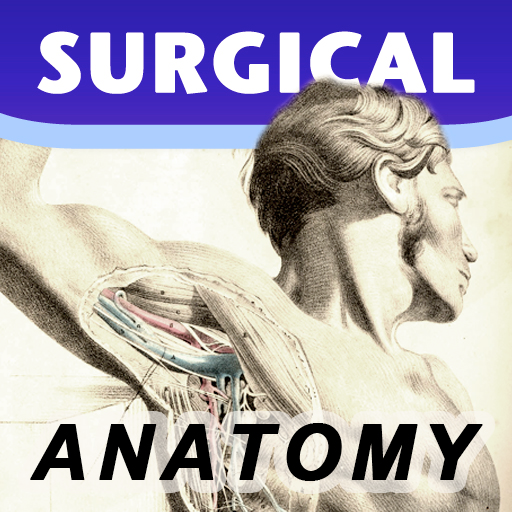
***90% OFF SALE*** Surgical Anatomy - Premium Edition by Joseph Maclise was originally published in 1859 and is now available on the Mac. This App includes over 180 high quality images from 68 color plates with accompanying annotations and complete text. *** Illustrations zoom and scroll (like a photo). We recommend this app for Doctors, Nurses, Students, Teachers and anyone who is interested in the wonder and complexity of human anatomy. ************** includes: * SEARCH * SCROLLABLE CONTENTS LIST * COMPLETE TEXT and ILLUSTRATIONS * Includes text to speech * Easy Navigation * Add to Favorites and more **************
Description
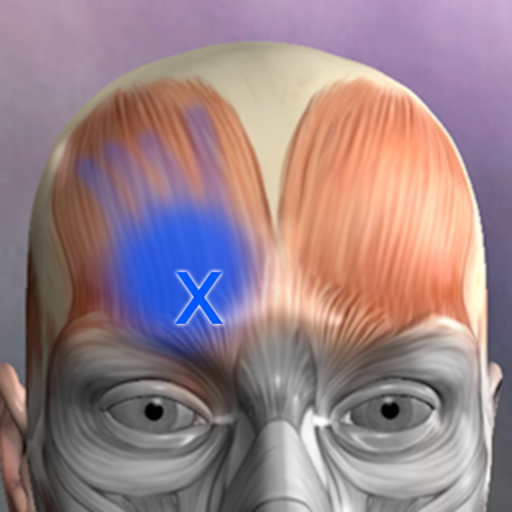
A Reference for the most common trigger points and referral patterns for over 70 muscles. Features 100+ trigger points with their corresponding referral patterns. Each muscle includes the visual referral pattern and point location, plus a written muscle action, referral and comments for each muscle. You can choose to view each muscle individually, or use the zones view to see all the muscles that refer into a specific area, a great help in discovering the source of pain. Trigger points are tight places in a muscle that cause pain to be felt elsewhere in the body. This is great for massage therapists, physical therapists, chiropractors, or anyone wanting to discover the source of muscular pain, and learn about muscle function. FEATURED IN APPLE'S WHATS HOT FOR TWO WEEKS! "Any iPhone or iPod Touch user with an interest in the human body may find Real Bodywork’s reference app Muscle Trigger Points to be of special interest." Phone Gear Review "...the app is quite useful for identifying problem areas and gives us a great visual for pinpointing the problem. " Slap App Review iTunes User Reviews: "SIMPLE & EASY to use, INEXPENSIVE, along with EXCELLENT 3D graphics to help zero-in on areas of each muscle when palpating." Roc 5/5
Description
Weight Monitor allows you to quickly and easily record your daily weight. Nothing else to get in the way. Just add your weight and see it plotted on the graph with all the relevant information. The monthly graph shows you your weight, your target weight but also your average weight over the last 10 days. Your average weight is a much better indicator of your real weight. New: 1) Tabs now show which user is selected. 2) Double click on Weight in Month View now shows the Add/Amend Notes dialog. 3) Click on the blue 'i' icon on the graph view shows the Add/Amend Notes dialog. 4) When adding a new user the Weight Type and Feet&Inches/Metric selectors default to those last used. You can specify how many months you want to see on the Graph. Select the number of months to show in the Preferences and the graph will show from the currently selected month forward by that many months. This App can be used to lose weight but it can also be used to gain weight. The blue line shows the required weight loss line. This line is calculated from the start date & weight and the end date & weight. If you follow this line you will reach your target weight. The end of the arrow of each red line shows the weight for the day. The line extends to the rolling average weight for the day. If the arrow is downward then your weight is going in the right direction. If the arrow is upward then beware your weight is above the average. The green line shows the rolling average weight. For each weight entered an average of the last ten days is calculated. This weight is plotted for each day and this is the green line. If the green line remains below the blue line you are winning. Your daily weight can change too much over just a couple of days and this can be very discouraging when your weight increases. You can easily see your new weight and how this affects the average on the graph. Using this new information you can gain confidence that your weight is changing as required. The graph also shows you the line of required weight loss to achieve your desired weight. While your weights and the average weights remain below this line you are still on track. Stray above this line and your are off course. The graph is a powerful visual clue to what is occurring. Simple to use. Just start it. You just have to set the initial values in the Preferences and you are ready to go. To set the Preferences you set the Start Date, Start Weight, End Date, End Weight and whether you want to use kilograms, stones & pounds, or just pounds. On the Graph & Input tab just select today's date to add you weight for the day by pressing 'Save'. The graph will change to show this weight. You can add a weight for any other day by just selecting that date rather than today's date. The more weights you add the better the graph shows your progress. You can delete a weight completely by selecting the Months tab, selecting the day the weight is for and then selecting 'Delete Weight'. To gain weight with this App just select an end weight that is greater than your start weight. You should strive to have arrows that point upwards and keep the green line above the blue line.
Description
Esta aplicación permite visualizar imágenes médicas. Es compatible con archivos DICOM estándar (como TC, RMN, rayos X, etc.). Ofrece funciones de exploración de imágenes, ajuste del ancho y la posición de las ventanas, y medición. Resulta muy práctico para médicos, pacientes e investigadores médicos.
Description
Miele-LXIV is a DICOM workstation, viewer and more. The project started in November 2014 as a fork of the popular open source 32-bit project OsiriX, but it has been modified to become a 64-bit application and to remove many of the limitations of the 32-bit version. - Built for macOS 12.0 through 27.0.1 - It supports Mojave's Dark Mode - Using VTK version 9.7.0 - Using ITK version 5.4.5 - Using DCMTK version 3.7.0 - Using OpenGL 4.1 - Using GLEW 2.3.0 - Using OpenJPEG 2.5.4 - Using David Clunie's DICOM validator dciodvfy version 1.00.snapshot.20230403092834 - Fully localized for 7 languages: Chinese, English, French, German, Italian, Japanese, Spanish - Export to Photos - Own plugin system fully operational: develop, publish, list, check-for-updates, download, install - Open source - Universal binary: Intel, Apple Silicon
Description
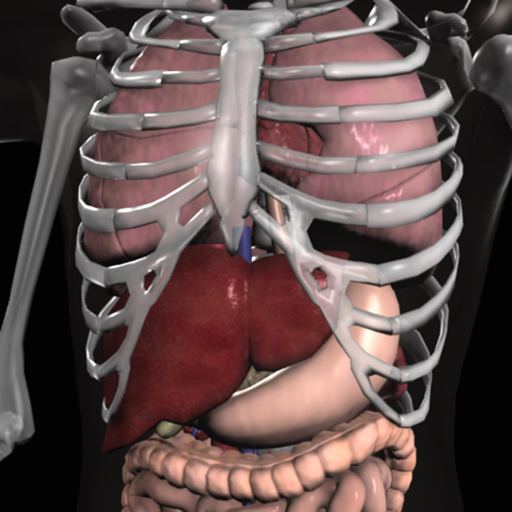
Expand your knowledge of the organs with this robust application that combines 3D models, video, audio lectures, quizzes and text to create a rich learning experience. Includes detailed information on the brain, heart, stomach, spleen, pancreas, small intestines, reproductive organs, large intestines, kidneys, liver, skin and lungs. Also learn about cells, tissues and organ systems. Each of the 16 pages includes beautiful diagrams of the organ anatomy, histology and location, along with text, video, audio and 3d models that support easy learning. FEATURING: -3D MODELS: Twenty seven models that you control, and include labels of the various structures. -AUDIO LECTURES: Twenty five audio lectures that describe organ functions and structures -VIDEOS: Five short videos that show the structures in action -QUIZZES: Each organ has it's own random multiple-choice quiz, with 8-20 questions about the physical anatomy of each structure. 135 questions total. -GLOSSARY: For a detailed study, a quick reference with over 320 structures. -DIAGRAMS: Each page has multiple diagrams that you can zoom into. Over 40 diagrams that cover anatomy, histology and functions of each organ, with text that describes basic information. Created by an anatomy instructor and reviewed by medical experts. Enjoy the future of learning in this amazing application.
Description
Registre, gestione y evalúe sus valores de presión arterial y pulso de forma digital. Sin papeles. En el App Store desde 2014, la aplicación de gestión de presión arterial. ¿Por qué digital en lugar de papel? - Sin notas perdidas - Todos los valores siempre contigo - Evaluaciones y estadísticas automáticas - Los datos permanecen en tus dispositivos Seguridad de Datos Sus datos de salud permanecen privados. Todos los datos se almacenan exclusivamente de forma local en su Mac. Sin carga a servidores externos. Sin nube. Sin compartir con terceros. Funciones - Entrada rápida de presión arterial y pulso - Cálculo de la presión del pulso - Notas opcionales para cada entrada - Gráficos y estadísticas por períodos de tiempo - Exportación como PDF o CSV para su médico - Importación CSV para datos existentes - Evaluaciones individuales Plataformas Esta app es para Mac. Opcional: Sincronización con la app iOS/iPadOS separada a través de Wi-Fi local (peer-to-peer) sin nube. Nota: Esta app no reemplaza el asesoramiento médico. Si tiene preguntas sobre sus valores de presión arterial, consulte a su médico.
Description
Open DICOM image files on your Mac to view the DICOM header information. Easily load and view DICOM header information to inspect the DICOM attributes. Copy DICOM attribute text values like SOP Instance UID or Patient Name to the clipboard. NOTE: This app does NOT display image or pixel data. For informational and research use only. Not for medical or diagnostic use.
Description
MIKit is a high-performance toolkit dedicated to view, inspect and manage a large sets of DICOM images produced by equipment (MRI, CT, PET, PET-CT). What's DICOM: DICOM® (Digital Imaging and Communications in Medicine) is the international standard to transmit, store, retrieve, print, process, and display medical imaging information. The App offers a host of analysis, processing, and editing features, and can convert, anonymize, and register images. It is the ideal tool for viewing and researching DICOM. It supports DICOM images - without compression and with RLE, JPEG Lossy, JPEG Lossless, JPEG2000 Lossy, JPEG2000 Lossless compressions. MIKit includes the following features: 1. View DICOM: zoom, pan, contrast/brightness control; 2. Inspect the DICOM attributes and view the DICOM header information; 3. Display and manage a large sets of images; 4. Export DICOM image to TIFF, PNG, and MOV; 5. Load DICOM image via drag & drop; 6. Simple and intuitive interface with full-screen mode.
Description
EP Calipers provides electronic calipers to measure intervals on images of ECGs or electrophysiologic recordings. EP Calipers can be used to make accurate ECG measurements on your Mac and do calculations such as mean heart rate, corrected QT interval, or even measure the beta angle in Brugada syndrome using electronic calipers similar to those in electrophysiologic recording systems. Analyze ECG images as well as PDF files, such as ECGs generated by the Kardia™ AliveCor™ device. Analyze anything open on your desktop using the Transparent Window feature.
Description
NOW INTEGRATED WITH THE IPHONE AND THE IPAD VERSIONS OF THE APPLICATION! Here is an application that will enable you to keep track of all information relative to your health and the one of each member of your family: blood group, blood pressure, medications , allergies, diagnostic tests and results, infectious diseases, vaccinations, ... This information could prove of great importance in a variety of everyday situations from a routine medical check up – where details of any medical prescriptions can be recorded – to any possible emergency situation where it becomes vital to have immediate access to data such as blood groups, allergies, results of diagnostic testing, prescribed medication etc. Family Medical History will allow you to have single point of access to: - Your family main personal and health data (blood group, RH factor, health service number….) - A list of prescribed medications, their indications and the frequency of assumption. A list of any diagnostic testing undertaken or planned with relevant dates and results. - A list of any noted allergies, the allergic factors involved and the remedies necessary to relieve the symptoms. - A list of diseases contracted and their dates. - Blood pressure and weight trend - A list of all vaccinations offered and taken up, together with reminders of the dates for boosters to be administered. Any reactions and subsequent remedies can also be logged. - A dedicated point of access to the main phone numbers, email addresses, ... relevant to your and your family health (doctor, paediatrician, general practitioner, health visitor, emergency services, Poison Centre, Burns Centre…..). This application is user-friendly thanks to the precompiled sections (see vaccination section). Should you feel that functionality could be added to or improved, please do not hesitate to post/email your suggestions at: [email protected] If you have any issue or find any bug, please email directly to: [email protected]. We’ll be happy to address your question, answering directly back to you.
Description
Los investigadores de la Universidad de Monash han desarrollado la dieta baja en FODMAP y su correspondiente aplicación para ayudar a controlar los síntomas gastrointestinales asociados con el síndrome del intestino irritable (SII). La dieta FODMAP de la Universidad de Monash consiste en sustituir los alimentos altos en carbohidratos fermentables (FODMAP) por alternativas bajas en FODMAP. Alrededor del 75 % de las personas con SII ven aliviados sus síntomas al seguir esta dieta. La aplicación la ha desarrollado el propio equipo de investigación de la Universidad de Monash e incluye lo siguiente: - Información general sobre la dieta FODMAP y el SII. - Tutoriales fáciles de entender para guiarle por la aplicación y la dieta FODMAP en 3 pasos. - Una guía de alimentos en la que se especifica el contenido de FODMAP de cientos de alimentos mediante el uso de un sencillo sistema de semáforo. - Una lista de productos de marcas comerciales que han sido certificados por la Universidad de Monash como bajos en FODMAP. - Una colección de más de 70 recetas nutritivas y bajas en FODMAP. - Funciones que permiten crear una lista de la compra propia y añadir notas a alimentos concretos. - Un diario para anotar los alimentos ingeridos, los síntomas del SII, los hábitos intestinales y los niveles de estrés. El diario también le guiará en el paso 2 de la dieta (reintroducción de los FODMAP). - La posibilidad de ajustar las unidades de medida (métricas o imperiales) y activar la ayuda para las personas daltónicas.
Description
Dicom Browser está diseñado para usuarios en el campo de imágenes médicas, centrándose en la visualización y procesamiento de archivos DICOM. El software ahora cuenta con un modo de vista previa 3D, ofreciendo una visualización más intuitiva para un análisis preciso de imágenes. Además, proporciona funciones avanzadas de procesamiento de imágenes como Reconstrucción Multiplanar (MPR) y fusión de imágenes. Los usuarios pueden navegar, anotar y procesar archivos DICOM sin conexión, mejorando la eficiencia y precisión del diagnóstico. Con funcionalidad sin conexión, el software garantiza la seguridad y privacidad de los datos, convirtiéndolo en una herramienta ideal para el procesamiento de imágenes médicas.
Description
- This application is a professional app for ’14 Main Acupuncture Points and its superficial Meridians’ which is a basic anatomy of Asian medicine. * 14 Main Acupuncture Points” - 12 Main Acupuncture Points, Governor Vessel (GV) Acupuncture Points, Conception Vessel(CV) Acupuncture Points and its superficial Meridians. - ‘MERIDIAN 3.1’ application is an App that shows and explains the ‘Acupoints’ of Asian Medicine. - The text for a total of 362 acupuncture points is also completely included. Acupuncture points can be compared and confirmed with skin, bone, organ, and muscle easily. - Easily compare the ‘Main Acupuncture Points’ and its ‘Superficial Meridians’ with the skin, muscles, vessels, bones and organs. - By making a ‘scale’, we made it easier to find acupuncture points. - Contents include accurate location, based book, function and character(how to use). Released in Korean, Chinese and English, which allows it to be used across the world! * Main Acupuncture Point -> 12 Main Acupuncture Point, Governor Vessel (GV) Acupuncture Point, Conception Vessel(CV) Acupuncture Point.. - Please refer to ‘Meridian 3.1’ application. * Superficial Meridians -> It is not “Meridian and collateral”, is just a line that connects the acupuncture points. * Scale - a reference line for easily locating acupuncture points * For Main Acupuncture Points (such as 12 Main Acupuncture Point, Governor Vessel (GV) Acupuncture Point, Conception Vessel(CV) Acupuncture Point, lung, large intestine, etc.), refer to ‘Meridian 3.1’ application. For Meridian and collateral (12 meridians, 14 meridians, eight extra meridians, twelve meridian divergences, twelve meridian sinews, twelve cutaneous regions, etc.) please refer to ‘Meridian Inside’ application. For Extra acupuncture points, please refer to ‘Acupuncture of Extra Point’ application. For Tung ’s family acupunture(In korean called as Dongssihyeol) (Dongssi, Master tung), refer to ‘Master Tung Acupuncture point’ application. * This product does not have complete text descriptions of Meridian and collateral, Extra acupuncture points and Tung ’s family acupunture. - Meet our(verderoot, acumonster, medimonster) various products (Meridian, Meridian Inside, Master Tung, Extra-Acupuncture Point, Combination Point, Hand Acupuncture, Foot Acupoint, Head Acupuncture, etc.) look. www.verderoot.com www.acumonster.com
Description
- This App contains 21 acupoints in the Hand back part and another 21 acupoints in the Hand palm part, and each acupoints is written in Korean, English and Chinese texts in terms of location, efficacy and operation method . - The reflex region which was used as the basis of the diagnosis in the traditional Hand Acupuncture therapy is also arranged in 3D. The Reflexoloy chart used as a basis for other forms of diagnosis and treatment are also arranged in 3D. You can compare The reflex region of a traditional form with The Reflexoloy chart of other theories in 3D, and you can also compare The Hand Acupoints in 3D. - The 14 Main Acupuncture Point of the hand , The Extra Acupuncture Point of the hand, and The Master Tung`s Acupuncture Point of the hand are displayed on the 3D model as background, so you can organize them by comparing them with The Hand Acupoints. - The skin, muscles, and nerves of the hand are made in 3D, so you can compare the position of The Hand Acupoint with the muscles, bones and nerves in 3D. * For Main Acupuncture Points (such as 12 Main Acupuncture Point, Governor Vessel (GV) Acupuncture Point, Conception Vessel(CV) Acupuncture Point, lung, large intestine, etc.), refer to ‘Meridian 3.1’ application. For Meridian and collateral (12 meridians, 14 meridians, eight extra meridians, twelve meridian divergences, twelve meridian sinews, twelve cutaneous regions, etc.) please refer to ‘Meridian Inside’ application. For Extra acupuncture points, please refer to ‘Acupuncture of Extra Point’ application. For Tung ’s family acupunture(In korean called as Dongssihyeol) (Dongssi, Master tung), refer to ‘Master Tung Acupuncture point’ application. * This product does not have complete text descriptions of ‘’Main acupuncture point’, ‘Meridian and collateral’, ‘Extra acupuncture points’ and ‘Tung ’s family acupunture.’ - Meet our(verderoot, acumonster, medimonster) various products (Meridian, Meridian Inside, Master Tung, Extra-Acupuncture Point, Combination Point, Hand Acupuncture, Foot Acupoint, Head Acupuncture, etc.) look. www.verderoot.com www.acumonster.com
Description
- ‘Meridian Inside’ application was created by integrating ’12 Main Meridian’, ‘8 Extra Meridians’ and ’12 Meridian Divergences’, while applying it to the 3D human body model with ‘Main Acupuncture Point’. - It is an application that can check the flow of the meridian of Asian medicine, which is the only one in the world now. - You can check the location, flow, and contents of a total of 32 meridians. This product does not have complete text descriptions of ‘Main Acupuncture Points’, ‘Extra acupoints’, and ‘Tung ’s family acupunture point.’ - This product does not have ’12 meridian sinews’, ’12 meridian regions’, and ’12 skin’ in this product yet. - Easily zoom in and out with multi-touch so you can see the exact location of the ‘ Meridian and collateral’ itself and we add the “drive button bar” so easliy check the what you want. - ’12 Main Meridian’, ‘8 Extra Meridians’ and ’12 Meridian Divergences’, can be grasped at the same time, and can be compared with ‘Main Acupuncture Point’. * Main Acupuncture Point -> 12 Main Acupuncture Point, Governor Vessel (GV) Acupuncture Point, Conception Vessel(CV) Acupuncture Point.. - Please refer to ‘Meridian 3.1’ application. * For Main Acupuncture Points (such as 12 Main Acupuncture Point, Governor Vessel (GV) Acupuncture Point, Conception Vessel(CV) Acupuncture Point, lung, large intestine, etc.), refer to ‘Meridian 3.1’ application. For Meridian and collateral (12 meridians, 14 meridians, eight extra meridians, twelve meridian divergences, twelve meridian sinews, twelve cutaneous regions, etc.) please refer to ‘Meridian Inside’ application. For Extra acupuncture points, please refer to ‘Acupuncture of Extra Point’ application. For Tung ’s family acupunture(In korean called as Dongssihyeol) (Dongssi, Master tung), refer to ‘Master Tung Acupuncture point’ application. * This product does not have complete text descriptions of Main Acupuncture Points, extra acupoint, and Tung ’s family acupunture point. * This product does not have 12 meridian sinews, 12 meridian regions, or 12 skin in this product yet. - Meet our(verderoot, acumonster, medimonster) various products (Meridian, Meridian Inside, Master Tung, Extra-Acupuncture Point, Combination Point, Hand Acupuncture, Foot Acupoint, Head Acupuncture, etc.) look. www.verderoot.com www.acumonster.com
Description
90% of all information that comes into our brain is visual. That's why eye care is so important. Explore your vision with Vision Tests, a simple Mac app that brings together an eye chart and three interactive visual checks. Follow the on-screen instructions to explore how you recognize small symbols, distinguish colors, and perceive line patterns. • Full-Screen Eye Chart Display an eye chart in full screen for a clear, distraction-free view. • Visual Acuity Test Identify the direction of the letter “E” as it becomes progressively smaller. Complete 10 rounds with visual progress indicators and a result summary. • Color Vision Test Identify numbers within colored dot patterns. Receive immediate feedback and explanations after each answer, followed by an overall summary. Multiple sets of images provide variety when repeating the test. • Astigmatism Check View a line pattern and indicate whether some lines appear darker than others. Simple instructions guide you through the check. With straightforward controls, on-screen guidance, and easy-to-read feedback, Vision Tests makes exploring these aspects of vision accessible from your Mac. Vision Tests is intended for general information and personal awareness. It does not provide a medical diagnosis or replace a professional eye examination. Consult an eye care professional for an assessment of your vision. DISCLAIMER: These tests have no diagnostic value. In case of difficulties, only an eye care professional can carry out a complete eye examination to detect any eventual visual problems. No personal health information is collected or retained as the result of taking these tests. If you have any eye problems you should contact your doctor firstly.
Description
Lite PACS es un visor y gestor DICOM ligero y local para médicos, radiólogos e investigadores. Permite explorar y organizar archivos DICOM por Paciente, Estudio, Serie e Imagen sin configuración compleja ni servidor. Funciones principales: • Uso inmediato: instala y empieza a trabajar • Almacenamiento local: conserva tus datos en el equipo • Estructura de 4 niveles: Paciente, Estudio, Serie e Imagen • Importación y exportación por lotes: procesa archivos DICOM con eficiencia • Interfaz clara: modo oscuro y ajustes esenciales Lite PACS ofrece un espacio de trabajo PACS sencillo para revisar y organizar imágenes médicas en el día a día.
Description
3D Heart Anatomy is the ultimate companion for those seeking to understand the heart's complex structures, whether for professional use, academic study, or personal interest. Dive into the captivating world of heart anatomy and start your journey with more than 150 individually detailed structures solely dedicated to the heart, 3D Heart Anatomy is a testament to the intricate design of one of the human body's most vital organs. Features: Immersive 3D Experience: Navigate and interact with high-resolution 3D models of the heart. Rotate, zoom and move structures with ease and precision. Comprehensive Atlas: With over 150 individual heart structures, explore every chamber, valve, vessel, and associated system with unparalleled depth and clarity. Photorealistic Graphics: Cutting-edge graphics that renders heart structures with extraordinary detail and realism, offering an effective tool for understanding complex heart anatomy. Professional-Grade Accuracy: Created by medical professionals and backed by medical literature, 3D Heart Atlas is both an engaging learning tool and a reliable reference for professionals. Accessible Anywhere: No Internet? No problem, keep learning wherever you are. We continuously strive to improve the quality and functionality of 3D Heart Anatomy. User feedback is invaluable for these improvements. If you find the application beneficial, please consider rating it on the App Store. Thank you for your continued support.
Description
NEUROANATOMÍA INTERACTIVA. Pocket Brain (neuroanatomía interactiva) redefine el verdadero significado de involucrar al usuario con contenidos de educación médica. Nuestra galardonada aplicación neuroanatomía completa, de elegante diseño y con 50.000 palabras de material de aprendizaje (en inglés). En Pocket Anatomy trabajamos con profesionales sanitarios, educadores y pacientes para diseñar software médico móvil educativo con contenidos de gran valor y atractivo diseño. BENEFICIOS + Todo el contenido sobre anatomía se encuentra en la aplicación, lo que elimina la necesidad de utilizar una conexión Wi-Fi o 3G para acceder al mismo. + 50.000 palabras en material de aprendizaje muy detallado (en inglés). + Navegación intuitiva, que evita tener que desplazarse por listas interminables. + Diversos tipos y opciones de pruebas, para marcar un ritmo de aprendizaje personalizado. + Contenido multimedia interactivo. Pocket Brain es la herramienta de referencia de educación médica móvil por excelencia. Facilita a médicos, enfermeros y profesionales sanitarios en general el aprendizaje de anatomía humana clínicamente relevante para exámenes, y revisiones, así como para educar al paciente. Las estructuras anatómicas de cada capa cuentan con marcadores que permiten su identificación y que proporcionan información relevante y concisa adicional, incluyendo notas clínicas. Nuestra suite de aplicaciones consta de las siguientes aplicaciones educativas médicas: + Pocket Anatomy: anatomía humana interactiva + Pocket Brain: neuroanatomía interactiva + Pocket Heart: cardiología interactiva Al contrario que otras aplicaciones de software de anatomía humana, nuestras aplicaciones se han creado conjuntamente con profesionales sanitarios, educadores y estudiantes de medicina (desde la fase de diseño hasta las versiones comerciales actuales). Nuestras aplicaciones siempre se encuentran en constante evolución. Por ello, como miembros de nuestro equipo externo, les invitamos a compartir sus comentarios con nosotros para mejorar el contenido, la facilidad de uso y el diseño de nuestras aplicaciones. Haga clic en el enlace de soporte a continuación para participar en nuestro Programa de Mejora del Producto.
Description
Learn anatomy easily with this unique quiz app that features traditional multiple-choice quizzes on 416 structures, or our new quiz style where you match a name to one of four images. You can make your own quizzes, or have the app quiz you only on what you have missed. Includes over 416 anatomical structures in beautiful 3d renderings. The topics include 167 bones and landmarks, 138 muscles, and 111 organ images. Turn on the timer option for an extra challenge! Try this unique anatomy quiz game and you'll be happy you did! A quick anatomy lesson: this app features ALL the bones and many landmarks, but in the bone section, there are only 53 bones listed.... arnt there 206 bones in the body? Most of the bones are bilateral... one on each side, so we don't quiz the right femur and left femur, this cuts the list down almost in half. Many bones are repeat... 12 ribs on each side, 10 distal phalanges, 10 proximal phalanges... When we take out all these repetitive bones, we are left with about 53 unique bones.... so please know that this app has been designed by experienced intelligent anatomists!
Description
EP Diagram is a teaching and learning tool for the analysis of electrocardiograms using ladder diagrams. Ladder diagrams are a classic method of analysing heart rhythms and conduction disturbances. The ladder is divided into anatomic regions and lines are drawn indicating conduction. EP Diagram goes much further than the traditional ladder diagram drawn by hand. Using it you can easily and quickly draw publication quality ladder diagrams which are interactive, scrollable, and zoomable. You can style these diagrams as you wish, have measurements, impulse origin, and block calculated automatically, and can edit and create your own ladders templates. You can even add periods of fibrillation with just one finger tap. Diagrams are automatically saved as files and can be shared with others. EP Diagram will improve your understanding of cardiac arrhythmias.
Description
La ambliopía, también conocida como ojo vago, es un trastorno de la visión causado por una mala coordinación entre el ojo y el cerebro. Provoca una disminución de la visión en un ojo que, por lo demás, parece normal. Es la causa más común de disminución de la visión en un solo ojo en niños y adultos jóvenes. Ambliopía - Ojo Vago es una aplicación de ejercicios visuales diseñada para complementar las rutinas diarias de práctica de movimientos oculares y ayudar a mejorar y corregir este problema. La aplicación ofrece ejercicios guiados con objetivos en movimiento, donde el usuario sigue una pelota, un emoji o un objeto visual personalizado a través de trayectorias animadas fluidas. Los ejercicios están organizados por nivel de dificultad y grupo de edad, lo que facilita la elección de una sesión de entrenamiento cómoda. Esta versión actualizada amplía la aplicación original con una interfaz moderna, compatibilidad con orientación vertical y horizontal, elementos visuales personalizables, seguimiento ocular opcional con dispositivos compatibles con TrueDepth, calibración, historial de progreso y ajustes de sesión flexibles. CARACTERÍSTICAS PRINCIPALES • 40 niveles de ejercicio progresivos Elige entre una amplia gama de trayectorias de movimientos oculares fluidos, desde movimientos circulares simples hasta patrones visuales más avanzados. • Modos de ejercicio según la edad Selecciona un grupo de edad para ajustar el tamaño del objetivo, la velocidad y la complejidad del movimiento. • Compatibilidad con orientación vertical y horizontal Usa la app cómodamente en cualquiera de las dos orientaciones. • Seguimiento ocular TrueDepth opcional En dispositivos compatibles, la app puede usar el seguimiento facial ARKit para proporcionar información adicional durante la sesión. El seguimiento ocular es opcional y se puede omitir. • Calibración antes de las sesiones de seguimiento Si el seguimiento ocular está activado, la app guía al usuario a través de un breve proceso de calibración para mejorar la información del ejercicio. • Múltiples modos de entrenamiento Elige entre ambos ojos abiertos, entrenamiento con el ojo izquierdo o entrenamiento con el ojo derecho, según tu rutina. • Objetivo de ejercicio personalizable Usa una pelota de color, un emoji, un emoji de animal o una imagen con forma de rostro como objetivo en movimiento. • Fondos personalizados Elige colores de fondo, imágenes o patrones animados hipnóticos para crear un entorno visual agradable. • Duración de la sesión ajustable Selecciona sesiones de ejercicio de 1, 3, 5, 7 o 10 minutos. • Historial de progreso local La aplicación guarda las sesiones completadas localmente en el dispositivo, incluyendo la duración, el nivel, el modo seleccionado y la información de seguimiento cuando está activada. • Información educativa Incluye información útil sobre la ambliopía e instrucciones generales para realizar rutinas de ejercicios visuales. PRIVACIDAD El seguimiento ocular es opcional. Cuando está activado, la aplicación utiliza datos de ARKit/TrueDepth únicamente para estimar la dirección de los ojos, el estado de parpadeo y el movimiento de la cabeza durante las sesiones de calibración y ejercicio. La aplicación no graba fotos ni vídeos, no sube datos faciales ni utiliza esta información para identificación o publicidad. Los datos de calibración e historial se almacenan localmente en el dispositivo. AVISO MÉDICO IMPORTANTE Esta aplicación no es un dispositivo médico y no proporciona diagnóstico, tratamiento ni asesoramiento médico. Está diseñada como una herramienta de apoyo para ejercicios visuales. Consulte a un profesional de la salud visual cualificado antes de comenzar cualquier rutina de ejercicios oculares, especialmente si se trata de niños o usuarios con afecciones oculares diagnosticadas.
Description
The “Medication" app is the perfect tool enabling users to completely manage their medication. Schedules, reminders and dosages are visually displayed. Multiple users can be set up on the “ Medication” app to manage daily, weekly and monthly pill dosages. Schedule your different medication easily using icons or colours on your Mac. Users can register their daily medication and receive reminders as needed. Keep yourself and your loved ones safe knowing their medication needs are organized. Never forget to take your medication again! Remember when to take your pills and manage the dosages correctly. The graphs will show visually how many pills are left to take for the day. Top Features: -Add pills with different icons and colors. -Manage medication stock and add pills when stock is empty. -Add pill reminders using built-in calendar. -Check off reminders after consuming the pill. -Register doctor appointments and get notified beforehand. -Add multiple users and manage med usage separately for each user. -Get a detailed over view of the monthly and yearly med usage on an easy graph chart. Medication is simple to use. It makes sure that you and your loved ones or anyone you care about never misses an important pill of medication again. It makes it stress free if you have so many different medications to take daily. So, download Medication today and never worry about timing and dosages again.
Description
Mal alignment of the hip, knee, and ankle leads to premature cartilage damage and to development of degenerative arthritis of knee joint. Femoral and tibial osteotomies around the knee are established procedures for the restoration of the physiological load distribution of pressure at the knee joint. Accurate preoperative planning is mandatory to avoid under correction or overcorrection of axes or placing the joint-line in obliquity that ends to insufficient postoperative alignment.The majority of osteotomies are still planned and performed using conventional techniques drawing over transparent papers, cumbersome measurements etc. The app assists at preoperative correction planning by calculating : -the amount of correction preoperatively by calculating the dimension of wedge size , the correction angle and osteotomy gap opening or closing. -mechanical axis deviation (in mm) MAD, anatomical and mechanical femoral axes angle (aMFA),mechanical lateral proximal femoral angle (mLPFA), mechanical lateral distal femoral angle(mLDFA), joint line convergence angle (JLCA),mechanical medial proximal tibial angle (mMPTA), Mechanical lateral distal tibial angle (mLDTA), Hip Knee Ankle line (HKA) ,Mid joint line (MJL) orientation. -objectively the deviation or deformity in the frontal plane (varus or valgus) and differentiate the level of deformity (femoral and or tibial origin) and according to measured angles objectively suggest where indicated, medial or lateral, open or closed-wedge distal femur osteotomy or high-tibial osteotomy or double osteotomies and avoiding unwanted obliquity of the joint line App allows he surgeon to -change the planned mechanical axis to pass at the preferred percentage (Fujisawa point) after evaluation of the residual cartilage thickness left on the involved compartment. select the location of hinge point of correction osteotomy for planning of varus or valgus corrections -evaluate in real time the success of intended osteotomy by evaluating the kinematic alignment of the knee (KAO), avoiding residual joint obliquity or malalignment. -measure the correction angle adjusted due to ligament instability and preoperatively calculate the height of osteotomy gap opening. -pressing + or - button, one degree of correction is added or subtracted respectively and the second plane of osteotomy emerges and printed in screen real offering real time simulation of the wedge osteotomy in an instant to comprehend in real time what parameters are affected and modify favourably the correction angle. All above mentioned angles and all limp axes are redrawn and updated accordingly for the given new correction angle. The drawn schematic gives the impression of settings act as a whole interchangable interacting unit. - dynamicaly preview and easily predict potential intraoperative errors, that could emerge and choose the optimal degree of correction without disruption kinematic alignment of the limp. -to combine correction- Biplanar-, at coronal plane and sagittal plane (based on Hernigou 2001 calculations ) on tibia slope and provide the direction of the plane (ω angle) in which the osteotomy (open or closed) should be made ,the height the opening or closing wedge and the correction angle (Δ angle), -to simulate, before real bone cuts are done and try different strategies in relation to the location, the type of osteotomy, the joint obliquity without to redraw in paper board countless drawings in an effort to achieve the optimal correction and mean while taking into account and balancing all influencing preoperative factors. -real time dynamically change of mechanical axis lines, modify also the drawings of femur and the tibia and in instant depicting a precise preview of the whole preoperative plan for optimal results. -categorisation of the deformities based to international literature normal references values, help to indicate to user the type of osteotomy.
Description
Health Care includes three parts modules: EMDR, Home remedies, BMI calculator. 1. EMDR A macOS app for a self administrated EMDR treatment. What is EMDR? Eye Movement Desensitization and Reprocessing (EMDR) is a psychotherapy treatment that was originally designed to alleviate the distress associated with traumatic memories (Shapiro, 1989a, 1989b). [..] EMDR therapy facilitates the accessing and processing of traumatic memories and other adverse life experience to bring these to an adaptive resolution. After successful treatment with EMDR therapy, affective distress is relieved, negative beliefs are reformulated, and physiological arousal is reduced. 2. Home remedies Health Care prides your right approach towards various diseases and injuries. Also provide the basic information on various medical tests. It includes the following contents: diseases, medical tests, injuries, drugs, home remedies and herbal medicines. With the App, you can easily learn medical knowledge and it is useful in everyday life. a). DISEASES - This part covers information on many diseases, cancers, and complete guides to diseases like insomnia, flu, asthma, blood pressure lung cancer, alzheimer's disease, depression, diabetes, insomnia, cancer, IBS, arthritis etc. b). INJURIES - Information on many personal & sports injuries on various body parts like chest, ankle, back, head etc. to help you cope with them! c). DRUGS - Provides basic information on drugs and tips on how to use medications safely. More drugs will be added soon! d). HERBAL MEDICINES - Why herbal and alternative medicines are so useful? Find out here! This part also has information on many herbs. e). HOME REMEDIES - Relieve various common ailments with natural treatments. Why not use the gifts of nature? 3. BMI calculator The App also can be used to calculate BMI value and corresponding weight status while taking age into consideration. Use the "Metric Units" tab for the International System of Units to convert units into either US or metric units. Note that the calculator also computes the Ponderal Index in addition to BMI, both of which are discussed below in detail. Features: 1. EMDR; 2. vast amount of medical content; 3. bookmark chapter; 4. TTS (text-to-speech), read you the content; 5. write down your notes; 6. social share; 7. BMI calculator.
Description
A simple App that includes 34 Health Calculators: - Body Mass Index (BMI) Calculator - Body Adiposity Index (BAI) Calculator - Basal Metabolic Rate (BMR) Calculator - Resting Metabolic Rate (RMR) Calculator - Body Fat Percentage Calculator - Calorie Calculator - Target Heart Rate (THR) Calculator - Ideal Body Weight (IBW) Calculator - Body Surface Area (BSA) Calculator - Lean Body Mass (LBM) Calculator - Weight Loss Percentage Calculator - Human Water Requirement Calculator - Waist Hip Ratio Calculator - Waist Height Ratio (WHtR) Calculator - Bench Press Calculator - Cost of Smoking Calculator - Beep Test Calculator - VO2 Max Calculator - Heart Rate Calories Burned Calculator - Heart Rate Calories Burned Known VO2 Calculator - Blood Volume Calculator - Estimated Blood Volume Calculator - Cycling Calories Burned Calculator - Fat Free Mass Index (FFMI) Calculator - Drops Per Minute Calculator - Hyponatremia Correction Calculator - IV Drip Rate Calculator - IV Flow Rate Calculator - Insulin Dosage Level Calculator - Systematic Vascular Resistance (SVR) Calculator - Weight Watchers Daily Points Plus Allowance Calculator - Pro Points Weight Watchers Calculator - Weight Watchers Points Plus Calculator - Weight Watchers Old WW Points Calculator It Also Includes: - Description and formula for each calculator - Clear Button - Copy Button Please note that the results provided by these calculators are for educational purposes only and should not be considered medical advice. This app is not a substitute for professional medical diagnosis, treatment, or advice. Always consult with a licensed healthcare professional before making any medical decisions based on the information provided in this app.
Description
Postpartum depression (PPD) is the most common complication of childbearing. The 10-question Edinburgh Postnatal Depression Scale (EPDS) is a valuable and efficient way of identifying patients at risk for postpartum depression. The EPDS self-screening test is easy to administer and has proven to be an effective screening tool for PPD. Instructions for Moms: 1. The mother is asked to select the response that comes closest to how she has been feeling in the previous 7 days. 2. All 10 questions must be answered. 3. Care should be taken to avoid the possibility of the mother discussing her answers with others. 4. The mother should complete the scale herself, unless she has limited English or has difficulty with reading. 5. The Edinburgh Postnatal Depression Scale may be used at 6-8 weeks postpartum with repetition between 3-6 months to screen for PPD. The minimum time period to retake the EPDS test is two weeks. The child health clinic, a postnatal checkup, or a home visit may provide a suitable opportunity for its completion as the mom can take the test in private. Privacy Policy: http://www.digitalorientation.com/Privacy_Policy.html Terms of Use: https://www.apple.com/legal/internet-services/itunes/dev/stdeula/
Description
Una referencia para los puntos desencadenantes más comunes y patrones referenciales sobre más de 108 músculos. Se presenta 160 puntos desencadenantes con su correspondiente patrón referencial. Cada músculo incluye el patrón referencial visual y punto de ubicación, además de un detalle escrito de la acción múscular, referencial y comentario para cada músculo. Usted puede escoger la vista de cada músculo individualmente, o usar las zonas para ver todos los músuclos que remiten dentro de una zona específica, una gran ayuda para descubrir el origen del dolor. Los puntos desencadenantes son lugares tensos en un músculo que causan dolor y que se sienten en otra parte del cuerpo. Esto es de gran ayuda para terapeutas de masaje, fisio terapeutas, quiropracticos, o cualquier otra persona que quiera descubrir la fuente de los dolores músculares, y aprender sobre la función de los músculos. OFRECIDO EN "WHAT'S HOT!" POR 2 SEMANAS EN APPLE!
Description
iFarmaci è il prontuario di riferimento per iOS e Mac OS. Fornisce informazioni aggiornate su una vasta gamma di farmaci, compresi quelli ospedalieri, specialistici e veterinari. A differenza di altre app è consultabile anche senza connessione internet, non contiene pubblicità e rispetta la tua privacy senza obbligo di registrazione e senza chiedere i tuoi dati personali e professionali. iFarmaci è la prima app che usa l’AI per rendere più semplice la lettura della monografia! In ogni scheda farmaco è disponibile un riepilogo delle indicazioni e potrai richiamare la sintesi dei contenuti principali. Queste funzionalità richiedono dispositivi compatibili con Apple Intelligence e, essendo basate su modelli generativi, possono contenere imprecisioni: verifica sempre le fonti originali prima di prendere decisioni. Le informazioni sui farmaci includono produttore, prezzo, principio attivo, categoria, monografie (fogli illustrativi o "bugiardini"), farmacologia e altro. L'app ti permette di cercare facilmente i farmaci tramite nome commerciale, principio attivo o scansione del codice a barre. Inoltre è possibile effettuare ricerche testuali direttamente nelle monografie. Funzionalità avanzate offrono la possibilità di visualizzare farmaci equivalenti ordinati per prezzo, interazioni tra farmaci, farmaci dello stesso tipo e altro ancora. È possibile scrivere le proprie annotazioni su ciascun farmaco, organizzarli nei preferiti e, tramite il modulo opzionale "armadietti", monitorarne la scadenza. Tutti i dati sono automaticamente sincronizzati su tutti i tuoi dispositivi tramite iCloud. Inoltre è possibile aggiungere oltre 35,000 parafarmaci e integratori alimentari tramite il modulo opzionale "parafarmaci". iFarmaci utilizza su licenza il database Secure Farma DB di CGM Italia Group, la più grande azienda di Digital Health in Italia. I dati del prontuario vengono aggiornati gratuitamente una volta all'anno. Tramite un abbonamento opzionale è possibile ricevere ogni mese dati sempre aggiornati. Con centinaia di recensioni a cinque stelle, iFarmaci è presente sullo store dal 2009, è stata premiata da diverse testate online e cartacee e ha ricevuto diversi riconoscimenti anche da Apple. Termini di uso e condizioni: https://www.apple.com/legal/internet-services/itunes/dev/stdeula/
Description
Dicom Browser is a professional DICOM viewer and processing tool for medical imaging. It supports fast loading and batch browsing, with advanced features including 3D preview, Multi‑Planar Reconstruction (MPR), and image fusion for intuitive and precise analysis. Built‑in measurement and annotation tools help document key findings and comparisons. The app works offline with all data processed locally to protect privacy, making it ideal for clinical reading, research, and education.
Description
Orthopedic Classification App for iOS is an application designed for orthopedic residents, specialists and medical students interested in the study of orthopedic surgery and the classification of fractures and orthopedic diseases. Orthopedic surgery classification pro app for iOS contains all classification systems of bone fractures such as the classification of humeral head fractures (Neer classification) and the classification of orthopedic diseases such as the classification of femoral head osteonecrosis (Vicat classification). The application was divided into two main parts: 1. Orthopedic Fractures Classification. 2. Orthopedic diseases classification. Each section was classified according to anatomical regions: 1. Shoulder 2. Elbow 3. Wrist and hand 4. Pelvis and hip 5. Knee 6. Ankle and foot. There is also MCQs quiz to review your knowledge in orthopedic classification system. The orthopedic classification was presented briefly by means of tables in an easy-to-understand manner and provided with schematic and x-ray. Orthopedic Classification App does not need an internet connection to work, it's totally offline. The application will be updated periodically, adding new and updated information and improving the performance of the application. You can also search the app by classification name or fracture type. Orthopedic Classification App pro version Features: 1. Totally Ads-Free 2. Add to favorite feature. 3. Search the whole app by classification name.
Description
Examen ortopédico y pruebas especiales es una aplicación que contiene todas las pruebas especiales en cirugía ortopédica. Para todos los residentes y especialistas de cirugía ortopédica que estén interesados en aprender y memorizar las pruebas especiales en cirugía ortopédica. El examen clínico ortopédico contiene todas las pruebas especiales que un cirujano ortopédico necesita para el examen clínico de hombro, codo, muñeca, mano, cadera, rodilla, tobillo, pie y columna vertebral. La aplicación Examen y pruebas ortopédicas se clasifica en varias secciones según la región y el tipo de examen. La aplicación Orthopaedic Examination & Tests contiene lo siguiente: - Examen de hombro - Examen de codo - Muñeca y examen - Examen de cadera - Examen de rodilla - Examen de tobillo y pie - Examen de columna Cada página de prueba contiene estas secciones: - El propósito de la prueba. - Cómo se realiza la prueba - Cuando se considere positivo. - La sensibilidad y especificidad - La fuente de la prueba. - Una imagen de la prueba - Un video explica la prueba (de YouTube) La aplicación Orthopaedic Examination & Special Tests se actualizará continuamente agregando nuevas pruebas especiales y mejorando la aplicación. Características de la versión Pro: 1. Anuncios gratis. 2. Prueba MCQs para pruebas especiales: pruebe su conocimiento en el examen ortopédico. 3. Videos: cada prueba especial tiene un video incrustado para la prueba especial (de YouTube). 4. Notas: agregue sus propias notas a la aplicación. Aviso: Por favor, si encuentra algún error en la aplicación, no dude en ponerse en contacto conmigo lo antes posible. Descargo de responsabilidad Recordatorio: La aplicación no puede contener ni contiene consejos médicos/de salud. La información médica/de salud se proporciona únicamente con fines informativos y educativos generales y no reemplaza el asesoramiento profesional. En consecuencia, antes de tomar cualquier acción basada en dicha información, lo alentamos a consultar con los profesionales apropiados. No proporcionamos ningún tipo de asesoramiento médico/sanitario. EL USO O CONFIANZA DE CUALQUIER INFORMACIÓN CONTENIDA EN NUESTRA APLICACIÓN MÓVIL ES ÚNICAMENTE BAJO SU PROPIO RIESGO
Description
Experience the human body like never before with our cutting-edge virtual medical anatomy app. Perfect for students, educators, and healthcare professionals, this interactive tool allows you to explore complex anatomical structures in stunning 3D detail. Dive deep into body systems, zoom into organs, and examine tissues with precision, all from the convenience of your device. Our app combines immersive visuals with accurate, up-to-date medical information, enhancing your learning and understanding of human anatomy. Whether you're studying for exams, teaching, or looking to improve patient consultations, this app is designed to elevate your anatomical knowledge and skills. Discover a new way to learn about the body—anytime, anywhere. - Complete Human Skeleton - Complete Muscular System (dissection options) - Digestive system - Respiratory system - Reproductive system - Urinary system - Endocrine system - Lymphatic system - Circulatory system - Nervous system You will be able to visualize by parts or complete systems, Activate and Deactivate names, Interact between English and Spanish (to learn the names in two languages), Muscle dissection tool, Skull Animations. Free Future Updates!. The app will be updated and the price will increase, take advantage of this start.
Description
Urología Práctica es un libro de consulta pensado para Urólogos, Médicos de Atención Primaria, Médicos de Urgencias, Nefrólogos, Ginecólogos y especialistas en Medicina Interna que quieran actualizar sus conocimientos sobre un tema concreto mediante una lectura rápida. Su carácter práctico con innumerables flow-charts y tablas de fármacos de muy fácil visualización, lo hace ideal para ser consultado rápidamente incluso mientras se está viendo a un paciente en la consulta, en urgencias o al pie de la cama en pacientes ingresados. Cada tabla de fármacos incluye el principio activo, la dosis y la duración del tratamiento. Para Atención Primaria, Médicos de Urgencias, Nefrólogos, Ginecólogos y Medicina Interna resultará especialmente útil el manejo diagnóstico y terapéutico de las urgencias urológicas (cólico nefrítico, hematuria, priapismo, escroto agudo, etc), la hiperplasia benigna de próstata, las infecciones urinarias (cistitis, prostatitis, balanitis, orquiepididimitis, infecciones de transmisión sexual, pielonefritis, etc), la incontinencia urinaria (de esfuerzo y de urgencia), pautas en andrología básica (infertilidad masculina, disfunción eréctil, eyaculación precoz, etc), el atlas de imágenes de lesiones urológicas cutáneas o el Urovademécum, por poner algunos ejemplos. Para Urólogos, destacamos el acceso rápido a las pautas de actuación en urgencias (priapismo, sepsis, gangrena de Fournier, etc), litiasis, tratamientos de patologías poco habituales (TBC urogenital, dermatosis peneanas, erecciones nocturnas recurrentes, ascitis quilosa postquirúrgica, etc), manejo del paciente urológico ingresado (preparación intestinal, profilaxis tromboembólica y antibiótica, alteraciones hidroelectrolíticas y metabólicas, anticoagulación y antiagregación, etc), enfoque práctico y conciso de la patología oncológica, aspectos legales en Urología, consulta de cifras normales de laboratorio, etc. Dadas las posibles variaciones en las indicaciones de los fármacos, información de las dosis, toxicidad recientemente descrita, interacciones medicamentosas y otros asuntos de importancia, se recomienda al lector comprobar dichas informaciones. Pese a todos los esfuerzos realizados en la consecución de un texto sin errores, los autores declinan cualquier responsabilidad ante la inexactitud de cualquiera de los datos publicados. El libro está distribuido en secciones a las que se accede desde un índice en la página principal de la aplicación. Cada sección contiene un listado de capítulos, que se pueden abrir individualmente. Además, existe un índice de palabras clave, un índice de capítulos y un índice de las abreviaturas utilizadas en el texto. Otras funcionalidades de la aplicación son: - Enlaces a sitios web de interés en Urología: vínculos a calendarios de eventos, revistas urológicas, guías clínicas, cuestionarios validados, consentimientos informados, portales urológicos y mucho más. - Calculadoras: nomogramas prostáticos, vesicales y renales, calculadora de testosterona libre y biodisponible, índice de masa corporal, etc. - Atlas de lesiones dermatológicas genitales: colección de imágenes. - Urovademécum: acceso rápido a mecanismo de acción, efectos secundarios, posología y contraindicaciones de los fármacos utilizados en Urología. - Sitio para anotaciones: en cada capítulo hay una página de notas para que el lector añada toda la información que desee. - Favoritos: se puede marcar cada capítulo como favorito para un acceso más rápido desde la página de inicio. El equipo de Urología Práctica. © de la 5ª Edición: Elsevier España, S.L.U., 2022. Todos los derechos reservados.
Description
Esta aplicación calcula y representa gráficamente el Z-Score y el percentil de los principales indicadores antropométricos en toda la edad pediatrica, además de realizar un análisis detallado de la velocidad de crecimiento, utilizando como referencia los días de vida. Fue desarrollada y programada por Gerson Rodríguez, Especialista en Pediatría. Características Principales: 1. Gráficos y Calculos de Percentiles y Z-Score, segun los parametros de la OMS/CDC/Colombia, con una sensibilidad basada en los días de vida, con el propósito de garantizar una evaluación del crecimiento precisa, en los indicadores: * Peso/Talla. * Peso/Edad. * Altura/Edad. * IMC/Edad. * Perímetro cefálico/Edad. 2. Análisis de Velocidad de Crecimiento: Evalúa el incremento en longitud, peso o perímetro cefálico, mostrando Z-scores, percentiles y gráficos que destacan el progreso entre evaluaciones. 2.1 Análisis cuantitativo del déficit o exceso de crecimiento: Para cada indicador calcula la diferencia exacta entre el niño y cada curva (–3 a +3 DS). 3. Curvas de Talla, Peso e IMC para niños y niñas con Parálisis Cerebral, estratificadas por el Gross Motor Function Classification System (I-V), con el nivel V dividido en aquellos que requieren sonda de alimentación (TF) y los que no (NT). Publicado por: Jordan Brooks, en Pediatrics 128.2: e299-e307. 4. Calculo de las necesidades hidricas diarias, siguiendo el método de Holliday y Segar o considerando la superficie corporal. 5. Crear y gestionar bases de datos de pacientes, incluyendo Percentiles, Z-score y medidas antropométricas para un seguimiento más completo. 6. Importa y exporta fácilmente la base de datos para una gestión más flexible y práctica. 7. Gráficos y Calculos para neonatos prematuros, basados en las referencias de FENTON de ultima generación, INTERGROWTH-21st y OLSEN (2010). 8. Graficos de crecimiento para pacientes con síndrome de DOWN: Adaptadas, especialmente para esta población. Los resultados de esta aplicación se fundamentan en el modelo LMS (Distribución de Cox: Asimetría, Media y Coeficiente de Variación) aplicado a cada indicador de crecimiento: altura, peso, IMC y perimetro cefálico. Acceda a todas las funciones con un único pago, incluye actualizaciones futuras sin costo adicional. No requiere conexión a internet, asegurando su uso en cualquier lugar.
Description
MyMedicalClinicSoftware es un software de programación para clínicas médicas y médicos para programar. También es un sustituto ideal para registros en papel poco confiables u otros métodos de grabación. Para usted, toda la información privada importante se guarda en su propia cuenta de iCloud. Se puede usar sin conexión a Internet (el uso de la función iCloud requiere red). MyMedicalClinicSoftware se puede usar de manera efectiva en diferentes tipos de profesiones médicas, incluyendo odontología, ortopedia, ginecología, pediatría, psiquiatría, dermatología, medicina familiar, enfermería, farmacia, psicología aplicada, enfermería avanzada, óptica oftálmica, medicina clínica, Estomatología, etc. ¿Quién puede usarlo? ¡Se pueden usar médicos, familias, individuos, hospitales privados, clínicas médicas, etc.! 【Uso en centro médico / clínica privada】 Ayudar a todos los médicos y pacientes en centros médicos / clínicas privadas. Gestionar horarios de médicos y pacientes Organizar el trabajo de los empleados de manera ordenada sin perder ningún servicio de diagnóstico. Puede tomar la iniciativa de contactar a los pacientes por correo electrónico o por teléfono. 【Uso médico】 Los médicos pueden manejar a sus pacientes. Registre citas con pacientes para citas médicas, no se pierda el horario Registre todo el proceso de diagnóstico médico de diferentes pacientes; facilite la revisión de la referencia presente y futura Puede tomar la iniciativa de contactar a los pacientes por correo electrónico o por teléfono. Administración de Drogas Manejo de imagen médica Ingresos de diagnóstico médico 【Uso de usuarios individuales】 Úselo como su propio libro electrónico de registros médicos y registre los registros médicos de todos los miembros de la familia. Registre citas con médicos, no se pierda el horario Registre todo el proceso de su diagnóstico médico. Puede tomar la iniciativa de contactar al médico por correo electrónico o por teléfono. Manejo personal de drogas Gestión de registros médicos Gastos médicos 【Programar citas】 Puede elegir diferentes años y meses para saltar rápidamente a un mes y día específicos. Haga clic en cualquier fecha para establecer el período de la cita, la información del médico, la información del paciente y otra información. Puede agregar varias citas el mismo día. Después de agregar, la página del calendario mostrará la información más reciente de la cita. Haga clic para ver más información. 【Diagnostico medico】 Registrar un resumen de la condición Registrar resultados de diagnóstico Plan de tratamiento de registro Agregar información de imagen de diagnóstico para el diagnóstico Agregue una lista de medicamentos necesarios después del diagnóstico (opcional) Agregar tratamiento hospitalario (opcional) Estadísticas automáticas del costo total de medicamentos y el costo médico total 【Exportación de datos CSV】 Exportar todos los datos de citas (o dos rangos de fechas) Exportar todos los datos de diagnóstico (o dos rangos de fechas) Exportar todos los datos del médico Exportar todos los datos del paciente Exportar todos los datos de drogas 【Otras funciones】 Contraseña de bloqueo de datos privados Puede agregar, modificar, eliminar contraseña La sincronización de iCloud y los datos de copia de seguridad requieren que inicie sesión en su ID de Apple para funcionar Después de hacer una copia de seguridad de los datos, puede sincronizarlos Número ilimitado de citas Número ilimitado de doctores Número ilimitado de pacientes. Cantidad ilimitada de drogas El programa es intuitivo y conciso, y fácil de usar, cualquiera puede operarlo fácilmente. Se puede operar sin ningún entrenamiento o aprendizaje especial.
Description
New clinical research suggests that green light therapy may correlate with contribute to decreasing migraines and chronic pain. This app makes green light exposure easy. Toggle different light intensities and get your green light exposure while using your computer. https://thehill.com/changing-america/well-being/prevention-cures/474960-surrounding-yourself-with-green-could-help https://www.npr.org/sections/health-shots/2019/12/15/787138928/researchers-explore-a-drug-free-idea-to-relieve-chronic-pain-green-light
Description
- ‘Master Tung Acupoint application’ is a professional application made by Dr. Tung Ching-Chang's “董氏針灸正經奇穴學 -1973-” as a 3D human body model. - It contains complete texts such as the location, source, treatment, and operation method, etc.of about 264 Dongssihyeol(Tung’s acupoint). - In the content, the location, source, treatment, and operation method of Dongssihyeol(Tung’s acupoint) are recorded as they are in the Dr. Tung Ching-Chang's “董氏針灸正經奇穴學 -1973-”. And we've also added our own content to make it easier to explain. - It is made in three languages, Korean, English and Chinese, so that everyone can use it. - It contains 3D anatomical models (muscles, bones, organs, brain, etc), and various functions (transparency, enlargement, reduction, interactive editing such as notepad, drawing, hiding, writing, etc.) are operated. If you use the display option, you can choose to display only the skin of the anatomical model, only the muscles, or only the meridians and acupuncture points. - This application is based on Dr. Tung Ching-Chang's “董氏針灸正經奇穴學 -1973-“ and referenced various other books. It was supervised by professors and Korea medical doctors at University of Korea Medicine. * Dongssihyeol(Tung’s acupoint) - Dr. Tung Ching-Chang's family unique acupoint. * “Main Acupuncture Point” and “Dongssihyeol(Tung’s acupoint)” were implemented at the same time. “Baseline” was also produced together * Baseline - Help line to easily find Dongssihyeol(Tung’s acupoint). * Main Acupuncture Point -> 12 Main Acupuncture Point, Governor Vessel (GV) Acupuncture Point, Conception Vessel(CV) Acupuncture Point.. - Please refer to ‘Acupoints’ application. * For Main Acupuncture Points (such as 12 Main Acupuncture Point, Governor Vessel (GV) Acupuncture Point, Conception Vessel(CV) Acupuncture Point, lung, large intestine, etc.), refer to ‘Acupoints’ application. For meridian and collateral (12 meridians, 14 meridians, eight extra meridians, twelve meridian divergences, twelve meridian sinews, twelve cutaneous regions, etc.) please refer to ‘Meridian Inside’ application. For extra acupuncture points, please refer to ‘Extra Acupoints’ application. For Tung ’s family acupunture(In korean called as Dongssihyeol) (Dongssi, Master tung), refer to ‘Master Tung Acupoint’ application. * This product does not have complete text descriptions of Main Acupuncture Points, meridian and collateral, and Extra-Acupuncture Point. - Meet our(verderoot, acumonster, medimonster) various products (Meridian, Meridian Inside, Master Tung, Extra-Acupuncture Point, Combination Point, Hand Acupuncture, Foot Acupoint, Head Acupuncture, etc.) look. www.verderoot.com www.acumonster.com
Description
Replace your bulky optokinetic drum with OKNDrum. OKNDrum is the easy-to-use alternative to a physical optokinetic drum. Our app is used to evaluate neurological, otological, and ophthalmological disorders. To use OKNDrum simply place the iPhone or iPad in front of the eyes to elicit the response. The stripe color, width, speed, and direction can be adjusted easily. OKNDrum features: - 7 Scrolling Speeds - Red or Black Stripe Colors - Adjustable Scroll Direction - Adjustable Stripe Size - Easy-to-hide Menu - Easy-to-follow Instructions Feel free to contact us with any questions or feedback. *** OKNDrum was developed with the help of medical professionals and with the help of research papers. *** OKNDrum IS NOT a substitute for medical support. Consult your doctor for any advice.
Description
BloodPressureMD allows to record, store, chart, and analyze your blood pressure measurements: Systolic, Diastolic, Pulse, Mean Arterial Pressure and Pulse Pressure. This easy-to-use macOS App allows you to chart your blood pressure parameters over time and monitor your improvements. It is important that you "Know Your Numbers", to avoid being surprised with high blood pressure (Hypertension). BloodPressureMD is a perfect solution for individuals who are interested in awareness, management and analysis of their blood pressure over time. Professional medical doctors can benefit by using this simple App to track the improvements made by their patients, as well as to standardized the transfer of BP data between doctors and patients. All the reports, screens and charts can be exported as BMP, JPG, PNG or PDF formats and data as CSV files. To classify and analyze your BP measurements, this macOS App uses Guidelines harmonized from the National Heart, Lung, and Blood Institute, Mayo Clinic, and the American Heart Association. This macOS App is easy to use, extremely fast, and highly accurate. Features: • Record your blood pressure (BP) measurements data: Date, Time, Systolic, Diastolic, Pulse, and Comments • The App computes the Mean Arterial Pressure and the Pulse Pressure • Store your BP data on your computer • Add, delete or modify any entry of your BP data • BP data is displayed in table-view format, simply double-click to modify • Date and Time entries don't have to be keyed-in, if you use current date and time • BP data files can be stored for all family members • For professional medical doctors or cardiologists, BP data files can be stored for multiple patients • Displays systolic blood pressure, diastolic blood pressure, and pulse (heart beat) charts • Displays mean arterial pressure, and pulse pressure charts • Displays BP Tracking log with your BP data and are classified by the Guidelines • Displays a blank BP Tracking log for printing and tracking your BP data manually • Displays your Blood Pressure Statistics • Displays the Guidelines • All screens, charts, logs, and the Guidelines can be copied, printed and exported as BMP, JPG, PNG or PDF formats • BP data files are saved in CSV format
Description
My Ear Anatomy app for studying human Ear Anatomy which allows you to rotate 360° , Zoom and move camera around a highly realistic 3D model. My Ear Anatomy app gives users an in depth look at the human Ear allowing them to select , x-ray view, hide and show individual Ear Parts as well as , draw or white on screen and share screenshots, Audio pronunciation for all anatomical terms and more. User can select each part separately to view name of the part or read related information. These apps can be of great help for medical students or to anyone who needs to explore Ear Anatomy in detail with high quality graphic and features of the app. FEATURES -User friendly interface. - Simple navigation - 360° rotation, Zoom and Pan -Selection Mode -Animation Mode -Search options. -Audio pronunciation for all anatomy terms. -Draw or white on screen and share screenshots. -Info panel -Highly realistic Ear 3D model.
Description
The next generation Planmeca mobile image viewing application Planmeca mRomexis™ is Planmeca's new dental imaging application. It displays images acquired using Planmeca dental equipment and the Planmeca Romexis® desktop software. All modalities acquired with Planmeca imaging equipment can be viewed in one application – including intraoral, panoramic, cephalometric and 3D CBCT X-ray images. The viewing of digital dental models and 3D facial photos is also supported. Features: • Simple and powerful interface • Customisable searches – sort by Name, ID and latest activity • Search and list all patients and images on the Planmeca Romexis server* on a local network (*not included, Planmeca Romexis server version 4.0.0.R or later required) • View, zoom and measure any Planmeca 2D image • Adjust image brightness and contrast with intuitive touch gestures • View and zoom 3D CBCT* images in real-time MPR views including 3D rendering (*requires access to the Planmeca Romexis server on a local network) • True hardware accelerated 3D viewing of Planmeca PlanScan® digital dental models and Planmeca ProFace® 3D photos, including zooming and free rotation • Capture snapshots to your camera roll for later reference or sending via e-mail • Access images referred to you by using the Planmeca Romexis® Cloud image transfer service You can access all patients and images with a few taps when on the same local network as your clinic’s Planmeca Romexis server. A username and password are required to use the Planmeca Romexis server. Accessed images can be stored to your device’s internal memory for viewing at a time when no connection to the Planmeca Romexis server is available. SYSTEM REQUIREMENTS Requires Apple iPad Air / 4 & iOS 8 or better. Planmeca Romexis 4.0.R required for viewing images on the server. INTENDED USE The Planmeca mRomexis mobile image viewing application is intended for informational and patient education purposes only. This software is not intended for diagnostic use. Planmeca Romexis® desktop software The Planmeca Romexis® desktop software is a dental imaging suite that supports both MS Windows and Apple Mac OS, and includes processing of all dental imaging modalities: intraoral, panoramic, cephalometric and CBVT X-ray images, as well as digital dental models, 3D photos and intraoral images. For more information about the Planmeca Romexis desktop software, please visit: http://www.planmeca.com/software/
Description
***** iOS 13 Actualización ********* Referencia interactivo con la anatomía de Gray libre add-on DESCRIPCIÓN GENERAL: Visual La anatomía es una referencia interactiva, y una herramienta de la educación. La versión completa contiene más de 400 imágenes de alta resolución y más de 850 puntos de función que se pueden seleccionar de forma interactiva, Animaciones de acción muscular. Cada característica tiene su propio sello y una breve descripción . La aplicación también cuenta con función de búsqueda que se puede utilizar como buscar en las etiquetas de todos los puntos de la entidad . USOS: El uso principal de esta aplicación es como una herramienta de aprendizaje , pero también puede ser utilizado para cualquier profesional que necesita el recordatorio ocasional. Además , esta aplicación es ideal para médicos, educadores o profesionales , lo que les permite mostrar visualmente las zonas detalladas a sus pacientes o estudiantes - ayudando a educar o explicar las condiciones , dolencias y lesiones . CARACTERÍSTICAS: * No requiere conexión a Internet a excepción de la descarga de imágenes de anatomía de Gray . * Toque y Zoom - Pinch zoom en e identificar cualquier región , hueso u otra característica pulsando en la pantalla. * Más de 100 grandes películas de acción muscular * Vídeos de animación de fisiología. * Modo Quiz - ponte a prueba con la opción de apagar la etiqueta del punto de función. * Navegación Rápida - salto a un sistema u órgano diferente seleccionando la miniatura. * cuestionario de elección múltiple . * Excelente para aprender la anatomía y la fisiología * Imágenes de alta resolución . * actualizaciones periódicas gratuitas . * Se puede utilizar como diccionario de anatomía mediante la búsqueda en término anatomía. CONTENIDOS: 1 . Visión general de órganos en 3D. 2 . Una de las secciones principales - Músculos . Se tiene más de 140 músculos , incluyendo la descripción completa ( ORIGEN, DE INSERCIÓN , NERVIOS , ACCIONES ) y cubrir todos los músculos superficiales y la mayoría de los músculos profundos. Visión general del músculo 3D. 3 . Una de las secciones principales - Bones. Cuenta con todos los huesos del sistema esquelético , incluyendo huesos pequeños en la región del cuello y tiene los ligamentos de las articulaciones de rodilla y hombro . Resumen esqueleto 3D y visión 3D del cráneo . 4 . Sistema respiratorio, pulmón , 5 . Sistema digestivo , hígado , 6 . Sistema urinario , 7 . Sistema nervioso, cerebro, sistema nervioso central , 8 . Sistema Reproductivo ( masculino y femenino ) , 9 . Sentidos ( dedos, las manos , oído , boca, cavidad nasal , nariz, lengua , Dentadura Humana ) 10 . Sistema circulatorio. 11 . sistema Endocrino
Description
DAF Pro ayuda a las personas con tartamudez y a las personas con Parkinson a hablar más despacio y con más fluidez. Ponte unos auriculares, habla y oirás tu propia voz una fracción de segundo después. Cómo funciona La retroalimentación auditiva retardada (DAF) es una técnica de logopedia reconocida clínicamente. Oír tu voz con un breve retardo reduce de forma natural la velocidad del habla, lo que puede hacer que hables con más fluidez y claridad. Las investigaciones indican que la DAF ayuda a aproximadamente 1 de cada 3 personas con tartamudez, y también se utiliza para ayudar a las personas con Parkinson a controlar la velocidad del habla. Para quién es * Personas con tartamudez * Personas con enfermedad de Parkinson * Personas con disartria * Personas con taquifemia * Logopedas, para sesiones de terapia y práctica en casa Funciones * Retardo y cambio de tono ajustables * Latencia muy baja, para que los retardos cortos sigan siendo cortos * Sigue funcionando en segundo plano y con la pantalla apagada * Graba y reproduce tu habla * Compatible con auriculares con cable y Bluetooth. El Bluetooth añade un retardo adicional que varía según los auriculares, así que los auriculares con cable funcionan mejor para retardos cortos. Primeros pasos Ponte unos auriculares, ajusta el retardo a unos 50–100 ms, pulsa Iniciar y habla. Después, ajústalo hasta que notes el habla más pausada y estable. App creada por una logopeda del Reino Unido. Pago único: sin suscripción, sin anuncios y sin necesidad de cuenta. ¿Preguntas o comentarios? Escríbenos a [email protected]
Description
El Atlas Quirúrgico de Urología Práctica es un libro de consulta pensado no sólo para Urólogos, Cirujanos Generales, Ginecólogos y Cirujanos Pediátricos en formación que quieran estudiar técnicas de cirugía urológica, sino también para especialistas ya formados que quieran refrescar conocimientos sobre una determinada técnica quirúrgica. En el ejercicio de nuestra profesión, todos nos topamos con la necesidad de enfrentarnos a casos difíciles que requieren una buena planificación preoperatoria teniendo en cuenta las distintas opciones quirúrgicas de las que disponemos (sustituciones ureterales, derivaciones urinarias, uretroplastias complejas, etc), o casos que por su rareza requieren de procedimientos con los que estamos poco familiarizados (shunts distales o proximales en los priapismos, cirugía del tracto urinario superior en la duplicidad pieloureteral, divertículos uretrales, etc). El objetivo del Atlas es facilitar esa información de una forma rápida y útil, con el apoyo de figuras y de un texto explicativo descriptivo de la técnica paso a paso. Este carácter eminentemente práctico lo hace ideal para que su consulta se pueda realizar en un breve espacio de tiempo, en cualquier momento y lugar, incluso instantes antes de una cirugía de urgencias. El Atlas está distribuido en secciones a las que se accede desde un Indice en la página principal de la aplicación (cirugía vesical, renal, prostática, etc). A su vez, desde cada sección se puede acceder a las distintas técnicas. Cada capítulo de técnica quirúrgica está estructurado en varios apartados: - Preparación preoperatoria: profilaxis antibiótica y/o antitrombótica requerida incluyendo principio activo, dosis y nombre comercial en España. Fuera de España las pautas de tratamiento son igualmente válidas, pero pueden variar los nombres comerciales. - Posición del paciente. - Vía de acceso. - Descripción de la técnica quirúrgica. - Variantes técnicas. - Maniobras quirúrgicas finales: drenajes, catéteres y cierre. - Cuidados postoperatorios: cuándo retirar drenajes o catéteres; actuaciones específicas como lavados, controles radiológicos, etc. - Bibliografía. Al final del Indice de secciones y técnicas, existe un índice por palabras clave que nos informa de las páginas en las que aparece una palabra determinada. Otras funcionalidades de la aplicación son: vínculos a páginas web con vídeos de cirugías urológicas, toma de notas en cada capítulo o notificaciones tipo push para informar sobre novedades o actualizaciones. No todas las técnicas pueden haber sido tratadas con la profundidad o el acierto que quizá merezcan. Además, a pesar de todos los esfuerzos en la consecución de un texto sin errores, puede haber pasado por alto alguna imprecisión o errata. Conscientes de ello proponemos a los lectores interesados que nos hagan llegar a [email protected] aquellas sugerencias, correcciones o aportaciones que crean oportunas. Una vez estudiadas por el equipo de Urología Práctica serían trasladadas a posteriores actualizaciones de la aplicación con la referencia de la persona o grupo que ha aportado la idea. El equipo de Urología Práctica.
Description
Abre archivos de estudios médicos DICOM localmente en tu dispositivo, sin conexión a internet. Compatible con varios idiomas, exportación a PNG y video, extracción de archivos ZIP y empaquetado en ZIP para compartir. También admite reconstrucción multiplanar (MPR). No requiere internet. Tus archivos permanecen en tu dispositivo y nunca se suben a la nube ni a ningún servidor. Útil para preparar rápidamente archivos de imágenes que quieras compartir con tu médico. No es para diagnóstico.
Description
Orthopedic Angles Calculator is a specialized application designed for orthopedic surgeons, radiologists, and medical specialists who need to perform accurate measurements on radiographic images. This professional tool enables precise calculation of crucial anatomical angles that guide diagnosis, surgical planning, and assessment of orthopedic conditions. Features: Multiple Angle Calculators: Includes specialized tools for measuring: Femoral Neck-Shaft Angle Glenoid Version Posterior Tibial Slope Talar Declination Angle Baumann Angle Calcaneal Inclination Cobb Angle (for scoliosis) Dens Tilt Angle Radial Inclination Palmar Tilt User-Friendly Interface: Simple point-and-click or touch interface to mark key anatomical landmarks. Immediate Results: Automatic calculation and interpretation of measurements with normal range indicators. Educational Content: Each calculator includes detailed explanations about the clinical significance of the measurements. Import Images: Upload radiographs directly from your device. Example Images: Practice with included example images to learn proper measurement techniques. Offline Functionality: No internet connection required after installation. Clinical Applications: Pre-surgical planning Post-operative assessment Fracture evaluation Deformity analysis Educational demonstrations This application is intended for educational and professional use by qualified healthcare providers. Measurements should be verified according to clinical standards before making treatment decisions. IMPORTANT NOTICE: This app is designed for use by medical professionals only and is not intended for self-diagnosis or treatment by patients. Download Orthopedic Angles Calculator today to enhance your orthopedic assessment workflow with precise, consistent angle measurements.
Description
## Welcome to CliniCal - Your Comprehensive Medical Calculator In the dynamic and demanding field of healthcare, precision and efficiency are paramount. CliniCal is designed to meet these needs, providing healthcare professionals with a robust suite of medical calculators that simplify complex calculations and support critical decision-making. ### Key Features: - **Extensive Calculator Library**: CliniCal includes a wide range of calculators for various medical specialties, from basic BMI calculations to advanced clinical scoring systems. - **Combined Calculators**: CliniCal includes combination calculators, aimed to save you time by providing several outputs from one calculation. - **Intuitive User Experience**: Our app is designed with ease of use in mind, featuring a clean and straightforward interface that allows you to quickly find and use the tools you need. - **Accurate and Up-to-Date**: We ensure all calculators are based on the latest medical research and guidelines, providing reliable and current information for your clinical practice. ### Why Choose CliniCal? CliniCal is more than just a medical calculator app; it is an indispensable tool for healthcare professionals seeking accuracy, reliability, and efficiency in their practice. Here's why CliniCal is the ideal choice: - **Trustworthy and Reliable**: Used by healthcare providers worldwide, CliniCal is known for its precision and reliability. - **Comprehensive Tools**: A diverse array of calculators tailored to various medical fields, ensuring all your needs are met. - **Regular Updates**: Continuous improvements and updates based on user feedback and the latest medical calculators. Download today and join the growing community of CliniCal users and experience the benefits of having a powerful medical calculator at your fingertips. Simplify your workflow, enhance patient outcomes, and save valuable time with CliniCal – your trusted companion in clinical calculations. ### LEGAL ### This application is designed for fully qualified healthcare professionals only. You must read, understand and accept the Disclaimer + User Agreement to use this application. This application requires and collects non-identifiable information for research purposes, including but not limited to: the calculators you view. It does not ask for nor collect any identifiable information such as: name or email address. You must read, understand and accept the Privacy Policy to use this application. The Disclaimer + User Agreement and Privacy Policy are available at: http://www.doctorshandbook.com and we advise you review these before downloading this application.
Description
Calculadora y Sistemas de soporte de decisiones clínicas basados en las guías de la Academia Americana de Pediatría y las guías NICE (2025) para el manejo de la hiperbilirrubinemia en recién nacidos. Características: » Multiples Idiomas disponibles: English, Español, Português, Français, Deutsch, Italiano, Русский » Graficos de la Academia Americana de Pediatría y NICE (2025) » Algoritmos Para la toma de decisiones clinicas (Academia Americana de Pediatría) » Curva de riesgo por edad gestacional al nacer » Calculos en mg/dl y en µmol/L » Factores de riesgo de neurotoxicidad ausentes, presentes. » Gráficos más fáciles de interpretar » Gráficos ampliados de 0 a 336 horas (1-14 Días) » Trazar hasta 2 puntos de tiempo para evaluar tendencias » Tasa de aumento entre las dos últimas mediciones, si esta se encuentra en rango de peligro » Edad en horas desde las fechas de nacimiento hasta las mediciones En caso de no ser profesional de la salud, consulte a un especialista antes de tomar cualquier decisión médica.
Description
Orthopedic Surgery Approaches Pro is an application that contains all operative surgical approaches in orthopedic surgery in a simple and easy way. The application contains the orthopaedic surgical approaches divided according to the regions into the surgical approaches to the: 1. shoulder approaches, 2. Upper arm approaches, 3. Elbow approaches, 4. Forearm approaches, 5. Wrist & hand approaches, 6. Pelvis and hip approaches, 7. Femur approaches, 8. Knee approaches, 9. Tibia approaches, 10. Ankle & foot approaches 11. Spine approaches. Within each section there are all the operative approaches for this region. Within each approaches, the approaches is divided into: 1. Approaches indications 2. The neural internervous plan 3. Anatomical landmarks 4. Surgical incision 5. Superficial dissection 6. Deep dissection 7. Approach expansion 8. Risks of the approach. 9. Illustrations for the approaches. There is also a MCQs quiz test for surgical approaches that contains almost 200 MCQs, the total MCQs in a single quiz are 50 MCQs. You can add any approach to your favorite so you can reach it easily later. You can also search the approaches by the approach name. -------------------------------------------- Orthopedic Approaches Pro app features include: - Easy & friendly UI. - The application is completely offline. - Search ability. - MCQs quiz test. - Add to favorite feature. - Notes section. - The approaches are divided according to the region. - You can add an approach that is not in the app by contacting us through the app. If there is an error in the information listed in the app, please feel free to contact us immediately. --------------------------------------------------- Disclaimer Reminder: The app cannot and does not contain medical/health advice. Medical/health information is provided for general informational and educational purposes only and is not a substitute for professional advice. Accordingly, before taking any action based on such information, we encourage you to consult with the appropriate professionals. We do not provide any type of medical/health advice. YOUR USE OF OR RELIANCE ON ANY INFORMATION CONTAINED IN OUR MOBILE APPLICATION IS SOLELY AT YOUR OWN RISK
Description
Esta aplicación ofrece un amplio conjunto de herramientas clínicas para la atención pediátrica y neonatal: » Valores de referencia de hemograma completo para pacientes pediátricos en todas las edades. » Calcula requerimientos diarios de líquidos y electrolitos. » Valores de referencia por edad para inmunoglobulinas séricas, linfocitos, y complemento. » Valores de referencia para laboratorios tales como TSH, FSH, LH, DHEA-S, T4 y otros parámetros endocrinologicos. » Calcula requerimientos para nutrición parenteral pediátrica y neonatal. » Estima la tasa de filtración glomerular y genera una tabla de referencia según la edad. » Calcula la corrección de hiponatremia e hipernatremia, así como el déficit de agua libre según el agua corporal total estimada. » Permite calcular medicamentos utilizados en condiciones frecuentes de urgencias pediátricas, como croup, asma, paro cardiorrespiratorio, convulsiones, anafilaxia e hipoglucemia. » Calcula la velocidad de infusión intravenosa de fármacos útiles en emergencias. » Incluye escalas de uso pediátrico y neonatal como Silverman-Andersen, Apgar, Ballard, Pediatric Appendicitis Score, Alvarado, Westley, Pulmonary Score, Wood-Downes-Ferrés, entre otras. Ten en cuenta que, si no eres profesional sanitario, es esencial consultar a un pediatra antes de tomar cualquier decisión médica.
Description
EMDR Classic - displays the current oscillations frequency and supports its control (animation speed); - makes it possible to change the size, direction and color of the moving figure, and also the background color; - has several sound effects with the ability to change the volume and select one effect from a dozen; - doesn't use the Internet and therefore respects your privacy and security; - doesn't collect your personal data; - ad-free; - lightweight, based on native technologies without third-party dependencies; - has a simple, minimalist interface.
Description
This app is a combination of sets, containing practice questions, study cards, terms & concepts for self-learning & exam preparation on the topic of Human Body Anatomy and Physiology. The learner can reabsorb the quizzes with ease. In time, this will build knowledge retention. This app covers the following chapters: 1. Anatomy Introduction & Terminology 2. Cell Anatomy 3. Tissues Anatomy (Connective & Epithelial) 4. Human Anatomy 5. Skin & Integument System 6. Bones & Joints 7. Skeletal System 8. Muscle Physiology 9. Nervous System 10. Special Senses 11. The Endocrine Gland 12. The Blood 13. Lymphatic & Immune Systems 14. Cardiovascular System 15. Urinary System 16. Integumentary system -2 17. Reproductive System 18. Circulatory System 19. Respiratory System 20. Digestive System 21. Embryology Anatomy 22. Surgical Anatomy It contains at least 22 study notes quiz sets & 2700 Flashcards. Main Features: - Works perfectly Offline, you can learn on the Go, Anytime & Everywhere. - Five study Modes (learning mode, handout mode, test mode, slideshow mode and random mode). - Text to Speech (Listen to the flashcards while you are ridding, jogging or driving). - Sort your flashcards by topic. - Search flashcards by key words. - Select your favorite flashcards & Flag for review the most difficult. - Add & save your own flashcards. - Edit & replace existing flashcards. - Add your comment to any flashcard keep seeing them with. - Get back to your last study session, exactly to the last flashcard studied including the study mode. - Full dashboard to monitor your progress. - In-depth statistics of your performance that shows your strongest & weakest areas. - Share your best study notes. Sure, You will be amazed by the number of facilities that we added to this App. This app is suitable for students, researchers, resident, doctors, Anatomy & physiology specialists, nurses & medical professionals & of course Medical lecturers, teachers & professors. Invest in your Success Now. Your investment in knowledge, professionalism & expertise is durable & with a High value added. It's a High return investment. Disclaimer 1: This application is not dedicated for a specific professional certification, it's just a tool to assist students & professionals to expand their knowledge & in-depth their expertise. Disclaimer 2: The publisher of this app is not affiliated with or endorsed by any testing organization. All organizational and test names are trademarks of their respective owners. The content of the application might include inaccuracies or typographical errors, for which the owner cannot be held liable.
Description
HomeMedicalHistory can track the physical health of you and your family members, and can record the detailed information of any medical prescription, as well as changes in important physical indicators. Current version of the project: Diagnostic tests and results, medical visits, medical records, allergies, medications, blood pressure records, weight records, blood glucose records, etc. More related items are under development and will be added in future versions. 【Features】 Easy to use. Support quick search data. Filter data for different date periods through two dates. Add multiple family members or personal information, including basic data such as blood type, health insurance card, height, and weight. Record medical visits or visits of family members at any time period; including diagnosis results, treatment plans, attending doctors, visit locations, etc. Record the list of prescription drugs for family members at any time; including drug indications, side effects, starting time, usage and dosage, and frequency. Record allergy information of family members at any time, including allergic symptoms, causes, allergic parts, allergies, etc. time, as well as treatment plans for allergic symptoms. Record the blood pressure trend of family members at any time period; including systolic blood pressure, diastolic blood pressure, heart rate changes and detailed recording time. Record the blood glucose trend of family members at any time; including meal time and detailed recording time. It can record blood glucose data in the morning, noon, evening, before or after meals in a day. You can view the blood pressure statistics in the two date ranges, including the trend of systolic blood pressure, diastolic blood pressure, and heart rate changes. You can view blood glucose statistics for two date ranges. You can view the weight trend bar graph in two date ranges, and know your weight change according to the trend of each day. Do appropriate physical exercises according to changes in weight. iCloud sync and backup data. Password protect data, you can add, edit, verify, remove password, etc. The data is stored on your device and can be used without internet connection. Export CSV data, including: All diagnostics, medical visits, allergies, medicines, blood pressure, weight, blood sugar and other data. You can choose to provide it to your doctor for reference.
Description
Establecer la extensión de un cáncer en el momento del diagnóstico es esencial para conocer el pronóstico de la enfermedad y planificar su tratamiento. El sistema de estadificación TNM es ampliamente usado y validado para realizar esta tarea. Presentamos la aplicación ORL TNM que nos permitirá hacer una rápida estadificación del cáncer que afecta al área de cabeza y cuello. La información está actualizada, según las últimas ediciones de las guías más importantes.
Description
VentSim is a fully functioning, high fidelity, physiologically faithful mechanical ventilator simulator. It was developed by Dr. Roger Stedman for iOS using the Swift programming language. Its purpose is an educational tool for critical care doctors, nurses, therapists, and anaesthetists – essentially anyone that has an interest in the provision of safe, effective care of the mechanically ventilated patient. VentSim uses a mathematical model of the human respiratory system (volumes, resistance and compliance) which are well established models published in the literature [link]. These have been codified with an interface developed which allows you to manipulate parameters to simulate different patient scenarios (everything from a neonate through to an adult with severe COPD and emphysema). VentSim allows you to apply ventilator settings to your respiratory system model and then generates pressure, volume and flow signals that are displayed on your iOS device. Using VentSim On launch VentSim takes you straight into the simulator view – this is your central navigation point for the app. Set up your simulated patient Tap the ‘Patient’ button on the right side of the navigator bar. This brings up the ‘Patient Settings’ view: The controls will slide in from the right, allowing you to still see some of the simulator view as you make adjustments. Select your type of patient - and then adjust weight and relative lung volume size. You will see calculated lung volumes. Select linear or dynamic compliance If linear is selected adjust the ‘Compliance Slider’ (mls/cmH2O). Alternatively - explore the dynamic compliance model and try different compliance models. Adjust the Time constant, this will adjust airway resistance according to the size and compliance of your patient. Return to the simulator view by tapping the right arrow in the navigator bar. Adjust your ventilator settings Select the ‘Ventilator’ button to the left of the navigator bar. This brings up the ‘Ventilator Settings’ view: Select your ventilator rate (bpm) and I:E ratio using the sliders. You have a choice of three ventilator modes; Pressure Control, Volume Control and Flow Control. You are able to adjust appropriate input values for each of these (Inspiratory pressure, tidal volume or inspiratory flow) as well as apply PEEP and in volume control mode add an end inspiratory pause. Return to the simulator view to view the impact your settings have had on your patients respiratory parameters. Optimise the simulator view If you are finding that due to screen size information is hidden (as is the case with the iPhone SE) try turning your device on its side into landscape mode. The simulator view in landscape mode on an iPhone SE Each simulator graph view has a gear icon in the top right hand corner, tap this to bring up the view settings panel. This allows you to change the background color, plot color, speed of animation, animation type (default is the wrap fade mode) and plot style (line or solid). Graph Plot View settings popover You will notice that as you change your settings the graph plots will automatically re-scale to an optimum screen fit. The axis labels will adjust accordingly. The panel data is updated at the end of each respiratory cycle. Other Features The ‘i’ (information) button on the navigator bar opens a mini-browser which navigates automatically to this page. The down pointing chevron button on the navigator opens a menu with which to access other features of the simulator which allows you to switch on and off each individual view and also add in the spirometer loop view and also the compliance view. Have fun! Please feedback to: [email protected] [email protected]
Description
OptoNew es una aplicacion para terapia visual. Esta aplicación está pensada para ser supervisada por Opticos-Optometristas. 1. Beneficios de la terapia visual. a) Al igual que nuestros músculos se benefician del ejercicio físico, ciertos problemas de visión pueden mejorarse gracias a ejercicios de terapia visual. b) La terapia visual permite mejorar el rendimiento escolar de ciertos niños con dificultades de aprendizaje c) Una vista mejorada en los deportes le puede ayudar a maximizar su rendimiento durante el juego o en el trabajo. d) Puede ser practicado por toda aquella persona que desee optimizar el funcionamiento de su sistema visual para lograr una visión mas eficiente. e) Las exigencias visuales pueden ser decisivas para el éxito de deportistas y determinados grupos profesionales. f) Hay muchos problemas visuales, no patológicos. que no se solucionan sólo con unas gafas y/o lentes de contacto. g) Con el entrenamiento visual podemos ganar en calidad de vida manteniendo y mejorando nuestras habilidades visuales, las cuales son necesarias para la vida cotidiana. 2. Habilidades mejoradas con la terapia visual: a) Alineación ocular b) Fijación c) Agudeza en visión de cerca. d) Cambio de enfoque de lejos a cerca, y viceversa e) Coordinación ocular, la habilidad de los dos ojos para trabajar juntos como un equipo y de “fusionar” en el cerebro las imágenes obtenidas por ambos en una única imagen. f) Percepción de profundidad g) Visión periférica o “visión lateral”, importante para entender qué pasa a nuestro alrededor h) Memoria visual, que nos ayuda a recordar y “visualizar” en nuestras mentes cosas que hemos percibido con anterioridad i) Percepción y discriminación 3. Problemas a tratar con terapia visual a) Problemas refractivos Miopía,Hipermetropía, Astigmatismo, Presbicia b) Problemas en la visión binocular c) Problemas con las vergencias d) Estrabismos y Ambliopías (Ojo vago) e) Problemas de aprendizaje f) Baja visión g) Problemas producidos por Lesiones Cerebrales
Description
CT Passport es la aplicación de aprendizaje de anatomía que se ha creado para todas las personas que desean aprender, como médicos, enfermeras y tecnólogos de radiación médica, técnicos de laboratorio clínico, estudiantes de medicina, anatomía humana. Actualmente, ahora nos gusta ver diariamente una imagen en 3D, realmente para comprender lo tridimensional, debe trabajar para reconstruir en la cabeza analizando la imagen del plano. En esta aplicación, y muestra el nombre de la anatomía con el toque de una imagen, no solo examinó una parte de interés inmediatamente, sino que también es capaz de cambiar la visualización de la sección transversal del eje, la sección transversal coronal y la sección transversal sagital , de un sitio seleccionado puede captar la relación de posición al instante. Ahora tome este pasaporte en la mano, disfrute el viaje de la anatomía humana en la punta de su dedo. 【De la imagen】 Imagen de TC de tórax Sección transversal de la posición del eje el número de cortes: 39 hojas Número de cortes coronal de cortes: 25 hojas. Corte sagital el número de cortes: 37 hojas. Número de nombre de anatomía: 62 artículo 【función】 ■ selección del nombre anatómico de la imagen de TC Es posible seleccionar libremente el nombre anatómico que ha sido codificado por colores con el toque de un dedo en la imagen. ■ cambio de visualización de la sección transversal Al seleccionar la pantalla secundaria, puede realizar una sección transversal y la visualización de cambio de propósito. ■ visualización del rango seleccionado Y muestra un rango anatómico seleccionable codificado por colores en la imagen. ■ Indicación del área pulmonar · vaso sanguíneo pulmonar · bronquios Área pulmonar · vaso sanguíneo pulmonar · los bronquios se pueden mostrar en la imagen de TC. ■ Indicación del campo pulmonar · mediastino Puedes cambiar entre campo pulmonar y mediastino. ■ cambio de las condiciones de la imagen Puede cambiar la visualización de las condiciones pulmonares-condición mediastínica. ■ imagen más grande Botón de escalado o, puede cambiar el tamaño de la imagen pellizcando la pantalla hacia adentro o afuera ■ Soporte multilingüe (español, inglés, alemán, japonés, chino, italiano, francés, coreano, Árabe, portugués, ruso, hindi, vietnamita)
Description
My Respiratory System Anatomy app for studying Respiratory System Anatomy which allows you to rotate 360° , Zoom and move camera around a highly realistic 3D model. My Respiratory System Anatomy gives users an in depth look at the Respiratory System allowing them to select , X-ray view, hide and show parts of the Respiratory System as well as view real time animation, draw or white on screen and share screenshots, Audio pronunciation for all anatomy terms and more. User can select external part of Respiratory System to view name of the part or read related information. These apps can be great help for medical students, universities and healthcare institutions or to anyone who needs to explore Respiratory System anatomy in detail with high quality graphic and features of the app. FEATURES -User friendly interface. - Simple navigation - 360° rotation, Zoom and Pan -Selection Mode - X-ray mode - Hide and show mode -Animation Mode -Search options. -Audio pronunciation for all anatomy terms. -Draw or white on screen and share screenshots. -Info panel -Includes male and female Model. - Offers cross-section of Highly detailed Alveoli Structure and Asthmatic Airway.
Description
Cobb method is considered the standard for measuring curve size in scoliosis. Cobb angles are always measured from the superior end plate of the most cephalad end vertebra to the inferior end plate of the most caudal end vertebra in the curve. Meticulous line drawings and precise measurements is paramount importance in order to quantify the magnitude of spinal deformities and monitor the success or failure of treatment for scoliosis. The CobbAngleApp is medical software aimed for orthopaedic surgeons, providing tools that allow doctors to: -Securely import medical images directly from the camera or stored photos. -Offers a very convenient way to determine the most accurate possibly way at once. By marking four points at the same X-ray, at each spine the App calculates the Cobb angle. In cases where values are out of normal ranges, the scoliosis is categorized according to measured angle as mild, moderate, severe. To simplify the process and to minimize inter-observer errors usually by not selecting the actual end vertebra, the app offers also in ext mode the ability to draw the vertical reference line through the patient’s sacrum and to identify more easily the end vertebrae s (ext method). -Save the planned images, the measured values and results compared by normal reference databases, for later review or consultation. -The app also is independent from errors produced by image inclination. Especially developed module allows the user to measure accurately without to worry about the tilting of the picture or the X-ray. All information received from the software output must be clinically reviewed regarding its plausibility before patient treatment! CobbAngleApp indicated for assisting healthcare professionals. Clinical judgment and experience are required to properly use the software. The software is not for primary image interpretation. In a busy everyday practice, the examiner have to draw lines in X-rays or in clinical settings, this it is time consuming and cumbersome. Accessory instruments like protractors, hinged goniometers, well sharp pencils, rulers or even transparent papers must be available. The app offers a very convenient and also accurate way to perform most common radiographic measurements for spine, in a blink of an eye in front of your screen. The build in feature of the app, allows results to be categorized may help decide what could be considered normal or pathologic. The app is not a simple goniometer, is an enhanced product which helps to monitor objectively the course of the treatment and evaluate optimally the spine. This App is particular useful especially in clinical settings where you need a quick results without losing time. Please see tutorial videos at the developer’s web site www.orthopractis.com Reference databases 1. Cobb JR. Outline for the study of scoliosis. The American Academy of Orthopedic Surgeons Instructional Course Lectures. Vol. 5. Ann Arbor, MI: Edwards; 1948.
Description
Powerful, realistic & reliable ECG Simulation Software Training System for Paramedics, EMTs, Nurses & Doctors Suggested Remote Control App: "Medical Rescue Sim Remote" (remote control with second iOS device including scenarios, CPR display, documentation). Basic functions of Medical Rescue Sim Pro (changing vital parameters, activating waveforms, defibrillation/cardioversion, pacing...) can be controlled without Remote App/Device. • 30 Realtime ECG Rhythms (I, II, III, aVR, aVL, aVF), variable frequency • 12 Lead ECG diagnostic display with printing function • SpO₂ waveform with variable perfusion index • etCO₂ waveform (regular/obstructive) & Respiratory Rate • Defibrillation and synchronized Cardioversion • AED function with voice and automatic energy increase • Pacing / Stimulation (variable rate, demand, marker) • Blood Pressure Measurement (Systole, Diastole, MAP) with interval option • Event Timer & Realtime Clock • Alarm Function with sound, variable & auto limits, VF/VT detection • Pulse/ECG Sound selectable • Selectable Simulator Language & Voice (English/German) NOTE: This is an app exclusively for medical simulation and training. Diagnosis or treatment of real patients is therefore not possible.
Description
ICD Offline Database is an application that provides a full database of ICD10 and ICD9 codes for medical diagnosis and billing. It allows users to search, browse and convert between codes offline without internet connection. ICD Offline Database is designed for professionals who need quick and easy access to the international classification of diseases codes in their work. Also includes Drugs and Neoplasm tables
Description
Chinese Medicine Classics is a reference guide for practitioners and students of Chinese Medicine to have access to the full texts of the Shang Han Lun and Jin Gui Yao Lue, collectively known as the Shang Han Za Bing Lun. Chinese Medicine Classics allows the user full access to all the herbs, lines and formulas of both the Shang Han Lun and Jin Gui Yao Lue. Chinese Medicine Classics also allows the user to easily navigate in a clinical setting, quickly and accurately allowing access to all the information needed to make a concise decision on formula or herb selection. Chinese Medicine Classics has the ability to add, remove or edit your own information as you discover more and more about these amazing texts. It allows for the user to add formula modifications, pulse notes, or add any valuable clinical notes or observations. Chinese Medicine Classics gives the experienced practitioner the ability to learn from and choose which dosage structure they will ably to individual patients according on their condition. It also allows the practitioner to make sure that the ratios of the medicinals in the formula correctly reflect the ratios of the historical doses. Chinese Medicine Classics should not be used to diagnose ailments or diseases. A licensed Chinese Medicine Herbalist should conduct a complete diagnosis.
Description
- ‘Acupuncture of Extra Point’ was created by integrating ‘Old extra Point(Gi-hyeol)’ and ‘New Point(Shin-hyeol)’ and creating a group called ‘Extra-Acupuncture Point’ and applying it to a 3D human body model. A total of 952 acupoints. - It is an application that allows you to easily get detailed information about ‘The Extra Point’, by comparing with ‘Main Acupuncture Point’ and ‘Extra-Acupuncture Point’ expressed at the same time. - It contains complete texts such as the location, source, treatment, operation method, etc. of about a thousand extra acupuncture points. - It is made in three languages, Korean, English and Chinese, so that everyone can use it. - It contains 3D anatomical models (muscles, bones, organs, brain, etc), and various functions (transparency, enlargement, reduction, interactive editing such as notepad, drawing, hiding, writing, etc.) are operated. If you use the display option, you can choose to display only the skin of the anatomical model, only the muscles, or only the meridians and acupuncture points. - This application is based on ‘WHO/WPRO Standard Acupuncture Point Positions’, ‘University Meridian Acupuncture Points’, ‘Emperor’s Internal Medicine Yeongchu’, and referenced various other books. It was supervised by professors and Korea medical doctors at University of Korea Medicine. * Old extra Point -> Acupoints handed down in past textbooks. In Korean called as ‘Gi-hyeol’ * New Point -> A new acupoint that has been recently proven. In Korean called as ‘Shin-hyeol’ * Main Acupuncture Point -> 12 Main Acupuncture Point, Governor Vessel (GV) Acupuncture Point, Conception Vessel(CV) Acupuncture Point.. - Please refer to ‘Meridian 3.1’ application. * For Main Acupuncture Points (such as 12 Main Acupuncture Point, Governor Vessel (GV) Acupuncture Point, Conception Vessel(CV) Acupuncture Point, lung, large intestine, etc.), refer to ‘Meridian 3.1’ application. For Meridian and collateral (12 meridians, 14 meridians, eight extra meridians, twelve meridian divergences, twelve meridian sinews, twelve cutaneous regions, etc.) please refer to ‘Meridian Inside’ application. For Extra acupuncture points, please refer to ‘Acupuncture of Extra Point’ application. For Tung ’s family acupunture(In korean called as Dongssihyeol) (Dongssi, Master tung), refer to ‘Master Tung Acupuncture point’ application. * This product does not have complete text descriptions of Main Acupuncture Points, Meridian and collateral, and Tung ’s family acupunture point. - Meet our(verderoot, acumonster, medimonster) various products (Meridian, Meridian Inside, Master Tung, Extra-Acupuncture Point, Combination Point, Hand Acupuncture, Foot Acupoint, Head Acupuncture, etc.) look. www.verderoot.com www.acumonster.com
Description
Heart Sounds Auscultation es una aplicación sencilla para aprender y reconocer los sonidos cardíacos básicos y clínicos, incluye una prueba de Auscultación de Ruidos Cardíacos con puntaje de evaluación para un aprendizaje fácil. Tiene 10 categorías de sonidos cardíacos y una sección categorizada por áreas de auscultación para facilitar el aprendizaje. Las categorías incluidas son: -Ruidos Cardíacos Normales -Primer Ruido Cardíaco -Segundo Ruido Cardíaco -Ruidos Cardíacos Adicionales (S3 y S4) -Soplos Sistólicos -Soplos Diastólicos -Condiciones Complejas -Anomalías Congénitas -Condiciones Cardíacas Asociadas con la Muerte Súbita -Auscultación en Atención Primaria Heart Sounds Auscultation también sirve como una guía para médicos, enfermeras, estudiantes y otros profesionales de la salud que buscan fortalecer sus conocimientos ya adquiridos. Comentarios y Sugerencias Soporte Técnico http://maddevsoftware.wordpress.com Soporte Técnico Contáctanos a [email protected]
Description
Premium resource for Radiology Core Exam - Physics preparation. - Comprehensive physics review in all modalities and noninterpretive skills to help make the most of your study time - Over 500 board-relevant, high-yield questions with full explanation to focus your study - Continually updated with new questions and images Upcoming changes: - More questions with images Contact [email protected] with any questions, comments, or advice to improve app.
Description
Acupuncture Mastery Software Video Demo! View it here: http://www.miridiatech.com/products/points/iphone.php "Just wanted to let you know I really like the points program. I am a student in TCM and purchased my iPod because of program like this. I have had this program for 4 weeks and have found it to be an extremely useful study tool. The point pictures are very good and I like the quiz mode very much. I also like that I can add notes specific to my program." -- Shauna Mullinix, Satisfied Customer "Just wanted to thank you and your team for your outstanding customer service! I was so impressed with the speed at which you responded to my email and how helpful you and your team have been in helping me to get the app re-installed." --Louisa Leiserach, Satisfied Customer Points was the first Acupuncture Point reference for iOS, and is still the most complete and professional acupuncture reference for students and practitioners alike. You won't find these great features in any other app: Real human photographic illustrations--not charts Anatomic illustrations with landmarks Complete meridians and individual points Internal branches and musculotendino meridians * Needling information included for every point * Quiz mode helps you master every point quickly—quiz yourself on a single channel, the entire body, or design your own custom quiz. Move point by point up or down the meridian with a quick flick Pre-made treatment protocols for over 350 common conditions * Powerful interface takes you right to the specific point you want * All pictures and text are optimized for your screen—large enough to see and read without zooming (of course you can zoom if you want to as well!) Whether you’re an enthusiast, a student, or a busy professional, Acupuncture Points is the fastest, most convenient and most powerful TCM Acupuncture reference ever to fit in your pocket. * Eliminate guesswork with complete information about all 361 numbered points, as well as 40 extra named points * Practice confidently with locations, attributes, functions, cautions, and needling instructions for every point right at your fingertips * Locate each point precisely with "zoomable" photographic illustrations and complete anatomic descriptions (just stretch to zoom in, pinch to zoom out) * Quickly locate the information you need by point number or "flicking" flip chart - just flick left or right to move from point to point. Perfect your knowledge with the randomized quiz feature: Quiz by picture or printed description. Got 5 minutes to kill before a meeting? Between patients? Pump up your acupuncture knowledge with a quick quiz! Get started right for practically any condition with over 350 pre-made treatment protocols. Step up to the speed and ease of Points--your always-available, always-convenient source for acupuncture knowledge--right in your pocket.
Description
AcuRhythm is an acupuncture app for classical/traditional acupuncturists interested in chrono-acupuncture. The app calculates 'open' points using various theories including: Nai Zi Fa, Zi Wu Liu Zhu (Stems & Branches, Midday/Midnight, Adopting Stems, Husband/Wife, Same Clan), Inter-Generation (24 minute open points), Wei Qi Clock, Ling Gui Ba Fa (Eight Techniques of The Mysterious Turtle) and Fei Teng Ba Fa (Eight Techniques of Soaring). Seasonal points based on the 5 shu points. Propitious/Ominous days and Spirit human dwelling locations based on Stems and Branches. Age-based information page, including: multiple annual spirit locations (treatment prohibitions); biorhythm data. Moon age (days) for selected date. 28.8 minute cycle theory based on the work of Dr. Igor Simonov. Points based on the I Ching using favorable Hexagrams and Season Hexagrams. AcuRhythm has two time settings: Local time, or Local solar time calculated using your current longitude (the recommended method). Point information is given by Channel, including: Source, Luo, Xi-Cleft, 5 Shu, Entry/Exit, 5 Element techniques such as the 4 Needle Technique (Korean Sa-Am), Dr Richard Tan's 5 Systems and Dr Chao Chen's Six Channel ZangFu Method. New functionality BaZi Eight Pillars calculation for 2 dates. New functionality Manaka's Daily Biorhythmic phases. Metronome, for Dr. Manaka type treatment. Enjoy!
Description
Asistente de Voz es una aplicación de texto a voz diseñada para personas con problemas de habla, por ejemplo, debido a afasia, ELA, autismo u otros dificultades del habla. Con la aplicación puedes crear categorías y guardar frases en botones para un acceso rápido y una comunicación sencilla. También puedes escribir mensajes usando el teclado de iOS. La aplicación es asequible con un pago único y sin suscripción. Características clave • Fácil de usar y completamente personalizable según tus necesidades y preferencias. • Categorías y subcategorías para organizar tus frases. • Historial para acceder rápidamente a frases escritas previamente. • Opción de agregar símbolos, emoji o fotos a los botones. • Botón en pantalla completa para mostrar tu mensaje con letra de gran tamaño. • Función de autocompletar que muestra sugerencias de frases en una lista desplegable. • Diseñado para iPhone / iPad, admitiendo el diseño vertical y horizontal. • Supporto per Apple Watch. • Copia de seguridad en iCloud, Mail o AirDrop. Voces • Puedes elegir una voz de cualquiera de las voces del sistema iOS. • Admite voces de ElevenLabs, lo que le brinda la opción de utilizar clones de voces profesionales de IA altamente realistas. • Opción para crear grabaciones de voz para los botones y para importar grabaciones de voz. Categorías y frases • Añade, cambia o elimina tus propias categorías y frases. • Puedes crear un número ilimitado de categorías para organizar tus frases para un acceso rápido. • Crea usuarios con tus propias categorías, frases y voces con diferentes idiomas, personas o situaciones. • Edite fácilmente los botones de categoría y frase con una pulsación prolongada. • Con AirDrop, puedes transferir tus categorías y frases a otro iPhone / iPad. Llamadas telefónicas • La aplicación también puede utilizarse para hacer llamadas telefónicas y con FaceTime. • De esta forma, ya no es necesario un segundo dispositivo para la salida de voz. • La salida de voz será audible en el teléfono del receptor de la llamada (no en tu dispositivo). Totalmente personalizable • Puedes ajustar el tamaño de los botones, del cuadro de texto y del texto • La aplicación presenta varios esquemas de color aunque puedes crear un esquema de color personal. • Puede cambiar el orden de los botones arrastrándolos y soltándolos. Pantalla completa • Muestra tu mensaje en pantalla completa y con letra de gran tamaño. • Útil para la comunicación en ambientes ruidosos. • Botón para girar el texto del mensaje y mostrarlo a la persona que tienes frente a ti. Hablar • Las correcciones en la pronunciación pueden definirse en Ajustes • Puedes ajustar la velocidad del habla y el tono de voz • Opción para reproducir en voz cada palabra o cada letra directamente mientras escribe. • Opción de destacar las palabras según se reproducen en voz. Apple Watch • La aplicación Watch puede ser especialmente útil para comunicar mensajes breves. • Cuando estás en movimiento, no tienes que levantar el teléfono y puedes comunicarte rápidamente con la aplicación en tu muñeca. Otras características • Botón para compartir tu mensaje por correo electrónico, mensaje de texto y redes sociales. • Conecte un teclado bluetooth y cree atajos para acciones. • Expansión de abreviaturas para reducir el número de pulsaciones. • Botón de sonido de atención en la pantalla principal y en pantalla completa. Acerca de la aplicación • Esta aplicación está desarrollada por ASoft. • La aplicación ganó el premio a la innovación: 'Vodafone Mobiles For Good Challenge' en la categoría Accesibilidad inteligente. • La aplicación no requiere conexión a internet una vez instalada. • Para el envío comentarios o preguntas, puedes escribir a: [email protected]
Description
This is the world best learning app for USMLE exam. Get 6600 flashcards to let you prepare the USMLE Medical examination quickly and efficiently. US Doctors, who prepare USMLE exam use this app, here's why: Top of Learning latest technology features: - Learn on the Go, anywhere, anytime - Off-line mode enabled for all the materials - Drive or Ride & learn with audio hands free top-Tech - Sort your flashcards by Topic - Search flashcards by key words - 5 Study Modes - Listening to study notes - Favorite & bookmark cards - Data Analytics of your study sessions & scores. - Full dashboard to monitor your progress - Add and save your own flashcards - Edit & replace existing Cards - Exam Taking tips & tricks - Share your best study notes - Easy flashcards browsing - Much more surprises to discover -Affordable price to all student , researchers, professionals, and doctors. The United States Medical Licensing Examination ® (USMLE®) is a three-step examination for medical licensure in the United States and is sponsored by the Federation of State Medical Boards (FSMB) and the National Board of Medical Examiners® (NBME®). The USMLE assesses a physician's ability to apply knowledge, concepts, and principles, and to demonstrate fundamental patient-centered skills, that are important in health and disease and that constitute the basis of safe and effective patient care. Each of the three Steps of the USMLE complements the others; no Step can stand alone in the assessment of readiness for medical licensure. Step 1 USMLE Step 1 assesses whether medical school students or graduates understand and can apply important concepts of the basic sciences to the practice of medicine. As of 2007, it covers the following subjects, in both systemic (general and individual anatomical characteristics) and procedural (functional, therapeutic, environmental, and abnormality) themes: Pathology, Pharmacology, Physiology, Microbiology, Biochemistry, Anatomy, Behavioral sciences, Interdisciplinary topics, such as nutrition, genetics, and aging. US medical students take Step 1 at the end of the Basic Sciences portion of the curriculum, usually after the second year of medical school. It is an eight-hour computer-based exam consisting of 322 multiple-choice questions (MCQs) divided into seven blocks each consisting of 46 questions. As of summer 2008, some questions include audio and video. Each block must be finished within an hour. The remaining hour is break time. An optional tutorial about how to use the computer program of the exam is offered at the beginning of the exam and takes 15 minutes. This time is deducted from the hour of allotted break time. A quality assurance survey is presented at the end, provided some of the original eight hours is left over. The Step 1 score is frequently used in medical residency applications as a measure of a candidate's likelihood to succeed in that particular residency (and on that specialty's board exams), Step 2 USMLE Step 2 is designed to assess whether medical school students or graduates can apply medical knowledge. Step 2-CK USMLE Step 2 CK is designed to assess clinical knowledge through a traditional, multiple-choice examination. It is a 9 hour exam Step 2-CS USMLE Step 2 CS is designed to assess clinical skills through simulated patient interactions, in which the examinee interacts with standardized patients portrayed by actors. USMLE Step 3 is the final exam in the USMLE series designed to assess whether a medical school graduate can apply medical knowledge of biomedical and clinical science essential for the unsupervised practice of medicine. Step 3 is a 16 hour examination divided over two days. In other countries Medical Council of Canada Qualifying Examination, in Canada Professional and Linguistic Assessment Board test (similar exam used in United Kingdom) Australian Medical Council (AMC) in Australia.
Description
Understand your body. Train smarter. Muscle Guide is a clean, interactive way to learn human muscle anatomy—built for fitness, training, and everyday curiosity. Whether you're working out, coaching, or just getting started, quickly explore muscles and understand how your body works. Interactive Muscle Views Explore muscles by body region Switch between detailed and full-body views Clean, distraction-free design Built for Fitness Learn which muscles you’re training Improve mind-muscle connection Perfect for gym beginners and enthusiasts Simple & Fast No clutter, no overwhelm Tap and learn instantly Designed for daily use PERFECT FOR Gym beginners Personal training clients Fitness enthusiasts Students learning anatomy Anyone curious about the human body WHY USERS LOVE IT Minimal and easy to use Focused on what matters No complicated medical jargon Fast, visual learning
Description
Find the source of your pain! This app is a comprehensive guide to myofascial trigger points and the pain the create. Covering over 80 muscles with more than 150 trigger points. Myofascial trigger points are one of the most common sources of pain, and are often overlooked by health professionals. This app strives to help you find the source of pain via intuitive interface: tap the body where your pain is and see which trigger points refer pain to that area. Over 50 distinct pain areas are covered. You can also find trigger points by by tapping a muscle on the muscle model, by choosing a muscle from the alphabetized list, or by using the search bar. If you don't know exactly what you're looking for, you can search using keywords such as "elbow", which will show the muscles of the elbow as well as any pain areas or conditions related to the elbow (e.g. "lateral elbow pain", "tennis elbow"). Trigger points can cause or mimic a variety of conditions such as "Tendinitis" and "Tennis Elbow". More than 40 conditions are covered. Choose a condition and see a list of muscles whose trigger points can cause or mimic that condition. In each trigger point illustration, an "x" marks the location of the point, while the area of referred pain is colored in blue. PLEASE NOTE: this app does not include treatment information; its aim is to help find the source of specific pain. Once you've identified a trigger point please consult a massage therapist or otherwise trained professional. There are also myriad self-treatment resources available both in book and video format should you choose to treat yourself. 4520c652df
Description
iFarmaci è il prontuario di riferimento per iOS e Mac OS. Fornisce informazioni aggiornate su una vasta gamma di farmaci, compresi quelli ospedalieri, specialistici e veterinari, i parafarmaci e gli integratori alimentari. iFarmaci Premium è la versione più completa e include tutte le funzionalità di iFarmaci, comprese quelle opzionali (parafarmaci e armadietti). A differenza di altre app è consultabile anche senza connessione internet, non contiene pubblicità e rispetta la tua privacy senza obbligo di registrazione e senza chiedere i tuoi dati personali e professionali. iFarmaci Premium è la prima app che usa l’AI per rendere più semplice la lettura della monografia! In ogni scheda farmaco è disponibile un riepilogo delle indicazioni e potrai richiamare la sintesi dei contenuti principali. Queste funzionalità richiedono dispositivi compatibili con Apple Intelligence e, essendo basate su modelli generativi, possono contenere imprecisioni: verifica sempre le fonti originali prima di prendere decisioni. Le informazioni sui farmaci includono produttore, prezzo, principio attivo, categoria, monografie (fogli illustrativi o "bugiardini"), farmacologia e altro. L'app ti permette di cercare facilmente i farmaci tramite nome commerciale, principio attivo o scansione del codice a barre. Inoltre è possibile effettuare ricerche testuali direttamente nelle monografie. Funzionalità avanzate offrono la possibilità di visualizzare farmaci equivalenti ordinati per prezzo, interazioni tra farmaci, farmaci dello stesso tipo e altro ancora. È possibile scrivere le proprie annotazioni su ciascun farmaco, organizzarli nei preferiti e monitorarne la scadenza. Tutti i dati sono automaticamente sincronizzati su tutti i tuoi dispositivi tramite iCloud. iFarmaci Premium utilizza su licenza il database Secure Farma DB di CGM Italia Group, la più grande azienda di Digital Health in Italia. I dati del prontuario vengono aggiornati gratuitamente una volta all'anno. Tramite un abbonamento opzionale è possibile ricevere ogni mese dati sempre aggiornati. iFarmaci, l'app da cui deriva, è presente sullo store dal 2009, è stata premiata da diverse testate online e cartacee e ha ricevuto diversi riconoscimenti anche da Apple. Termini di uso e condizioni: https://www.apple.com/legal/internet-services/itunes/dev/stdeula/
Description
How convenient would it be to have a comprehensive collection of industry-standard mental health screening measures at your fingertips? Designed from the ground up by Dr. William Lemley, a board certified psychiatrist, Psych on Demand enables medical professionals, researchers, residents, students, and supporting staff to have point-of-care access in a variety of inpatient, research, and outpatient settings. With over 37 assessment tools, it's easy to administer tests, or let the patient take control using Guided Access for those assessments which are designed to be self administered. Psych On Demand is an immensely powerful tool that fits right into your pocket to use wherever and whenever you need it. Tools and screening measures included: -Assessment Test for Delirium & Cognitive Impairment (4AT) -Abnormal Involuntary Movement Scale (AIMS) -Abbreviated Mental Test (AMT) -Adult ADHD Self-Report Short Form Screener v.1.1 (ASRS) -The Alcohol Use Disorders Identification Test (AUDIT) -The Alcohol Use Disorders Identification Test -C (AUDIT-C) -Bush-Francis Catatonia Screening Instrument (BFCSI) -Brief Psychiatric Rating Scale (BPRS) -CAGE Questionnaire -Center for Epidemiologic Studies Depression Scale-Revised (CESD-R) -Clinical Institute Withdrawal Assessment for Alcohol (CIWA-Ar) -Clinical Opiate Withdrawal Scale (COWS) -DIGFAST - Mnemonic for diagnosis of a Manic Episode -Drug Abuse Screening Test (DAST-10) -Eating Attitudes Test (EAT-26) EXCLUSIVE to Psych on Demand -Edinburgh Postnatal Depression Scale (EPDS) -Full Outline of UnResponsiveness Score (FOUR) -Generalized Anxiety Disorder 7-Item (GAD-7) -Glasgow Coma Scale (GCS) -Geriatric Depression Scale - Short Form (GDS-S) -Hamilton Anxiety Scale (HAM-A) -Hamilton Depression Scale (HAM-D) -Mood Disorder Questionnaire (MDQ) -Primary Care PTSD Screen (PC-PTSD) -PTSD Checklist - 5 (PCL-5) -PTSD Checklist – Civilian Version (PCL-C) -Patient Health Questionnaire-2 item (PHQ-2) -Patient Health Questionnaire-4 item (PHQ-4) -Patient Health Questionnaire-9 item (PHQ-9) -Patient Health Questionnaire for Adolescents (PHQ-A) -Penn State Worry Questionnaire (PSWQ) -Quick Inventory of Depressive Symptomatology (QIDS-C) -Richmond Agitation-Sedation Scale (RASS) -Ramsay Sedation Scale (RSS) -SAD PERSONS Depression Scale (SADS) -SIGECAPS - Mnemonic for diagnosis of Major Depressive Disorder -WHO-Five Well-Being Scale (WHO-5) -ZUNG Self-Report Depression Scale (ZSDS) Features - Tools inclusive of Cognitive Disorders, Developmental Disorders, Eating Disorders, Anxiety Disorders, Bipolar Disorder, Catatonia, Mood Disorders, Schizophrenia Spectrum, Medication-Induced Disorders, Somatization Disorders, Trauma-Related, and Substance Use. - Easy to use, accurate, and up-to-date information and instructions for each assessment. - Compatible with "Guided Access" allowing the device to be placed in the hands of the patient/client for self-administered assessments.* - Automatic computation of results with related treatment guidelines. - Advanced search to find the perfect tool when you need it most. - Store favorites for quick access. - Save quick notes for each tool. - Navigate directly to primary literature. - Quickly email results or send to an AirPrint compatible device** * To enable Guided Access, go to Settings -> General -> Accessibility -> Guided Access. ** Psych On Demand does not send identifiable patient data via email
Description
HemocyTap is the perfect companion to count cells using a hemocytometer. Count live & dead cells, calculate the cell density, viability & new culture volume, save and send your data via email and plot the evolution over time! Do your thumbs get tired after tally-counting cells? Do you feel stupid when you miss the button of the calculator and you have to start all over again? Do you wish you could have all your counts in a .csv file without typing them yourself? And have it sent instantaneously via email? Keep reading. HemocyTap is your hemocytometer app! This is what it can do to make your life easier: Counting: •use two tally counters, one for live cells and one for dead cells •each makes a different sound so that you know you pressed the correct one •keeps track of all the cells you have counted in each square •change the square you’re counting just as you change the square you see in the microscope •set the number of squares you want to count by default – they will appear highlighted •choose to count the big squares or the small squares inside the central square •*NEW!* Long tap to unselect a square to count Calculating: •calculates the average of your counts for you •gives you the volume you need to add to obtain the desired cell density when subculturing •displays cell viability and live cell number •you only have to provide the original volume of your culture, the desired cell density and the dilution •*NEW!* Choose μL or mL units •*NEW!* Supports decimal dilutions Exporting: •Email instantaneously your counts in csv files •Single counts or bulk experiment data •Export to other iOS devices with HemocyTap: share counts with lab colleagues or keep it as a backup in case you accidentally delete your file. Viewing and analysing: •Features a plot option to keep track of how well your culture is performing •Move counts between folders •Plots your viability and live cells over time! •Keep track of cell doubling times between counts •Access previous counts and check the latest cell numbers of your culture and delete any unwanted counts Other new features: •*NEW!* Now supports iOS 11 •*NEW!* Timer to keep track of other lab tasks Disclaimer: This app is intended purely for educational purposes. Do not use it for medical diagnosis.
Description
Bone Ninja is a teaching tool developed by two orthopedic surgeons who specialize in limb deformity correction: Dr. Shawn Standard and Dr. John Herzenberg. It is designed to help surgeons learn to analyze long bone deformities. Bone Ninja comes pre-loaded with radiographs of normal legs and deformed legs. You can analyze the provided cases or upload your own. Once your analysis is complete, you can then use the cut-out tool to try different osteotomy solutions. Suggested solutions for the provided cases are available for comparison. Bone Ninja includes tools for drawing lines, measuring angles, measuring lengths, and calibrating the magnification. The cutting tool allows you to manipulate one or more fragments to simulate correction of single or multilevel deformities. The analysis of the radiographs is based on methodology taught at our annual Baltimore Limb Deformity Course (BLDC), now in its 22nd year (DeformityCourse.com). We developed this app to supplement the BLDC and look forward to feedback from attendees and other users. Bone Ninja is not presented as a clinical tool, but rather an educational tool. It will not “automatically” analyze deformities. The student must first learn the methodology of analyzing and planning deformity correction in order to use Bone Ninja. Bone Ninja is a 21st century mobile alternative to pencil, ruler, goniometer, and paper. Bone Ninja will be periodically updated by adding more case examples, more explanations, and more tools. The name “Bone Ninja” is intentionally whimsical and reflects our philosophy of teaching as “infotainment.” Enjoy! Disclaimer The Bone Ninja App is designed for educational purposes only. The intent is to train physicians how to analyze long bone deformities. The Bone Ninja App is not intended to be used for medical diagnosis or treatment. In view of the possibility of human error or changes in medical science, neither the authors nor the developer warrant that the information contained in this software is accurate or complete and they are not responsible for any errors or omissions or the results obtained from the use of such information.
Description
O aplicativo "Valor Cirúrgico" é uma calculadora de distribuição de valores cirúrgicos, disponível para Mac Desktop. Esse aplicativo foi criado para ajudar os profissionais da área médica, que muitas vezes precisam realizar o cálculo de distribuição de valores para auxiliares, instrumentadores e anestesistas, tarefa que pode ser tediosa e demorada quando feita em planilhas diversas. Com o "Valor Cirúrgico", todo o processo de cálculo se torna mais fácil e rápido. O usuário pode inserir os valores das despesas médicas, honorários dos profissionais e outros custos relacionados à cirurgia, e o aplicativo faz o cálculo de forma automática, distribuindo os valores para cada um dos envolvidos na operação. Com uma interface simples e intuitiva, o "Valor Cirúrgico" é fácil de usar, mesmo por quem não tem muita experiência com computadores. Além disso, o aplicativo é totalmente seguro e confiável, garantindo a privacidade dos dados inseridos pelo usuário. Com o "Valor Cirúrgico", os profissionais da área médica podem economizar tempo e evitar erros de cálculo, garantindo que a distribuição de valores seja justa e transparente para todos os envolvidos na cirurgia.
Description
‘Surgical Flaps’ is an App designed for the iPad and iPhone as an educational tool outlining the designs of commonly used techniques to reconstruct skin defects in Plastic Surgery. The App is carefully constructed to optimise understanding of these complex procedures and the work is presented in 3 different ways for the user to increase his/her understanding: • As still diagrams (Pre-operative illustrations) • With state-of-the-art 3D animated illustrations starting with the excision of the lesions and proceeding with the incisions made, the transferring of the tissues and the final outcome • With text to explain the procedure Surgical Flaps is designed for medical students, trainee plastic surgeons, dermatological surgeons and surgeons of all specialities interested in flap surgery.
Description
iMuco es una herramienta de e-learning, de formación médica continua, realizada por dentistas expertos para dentistas. El autor, el Dr. Olivier Carcuac, se basa en estudios científicos y su experiencia clínica para revelarnos todos sus secretos sobre la cirugía mucogingival de las recesiones gingivales. Tanto si eres estudiante de cirugía dental, generalista, periodoncista o implantólogo, iMuco te dará todas las respuestas que esperabas sobre el tratamiento quirúrgico de las recesiones gingivales. Para cada técnica quirúrgica abordada, iMuco le aporta: - el trazado de incisión esquematizado en una animación de video, -Fotos de muy alta calidad antes, durante y después de la intervención, - uno o videos de la cirugía en vivo, - consejos y trucos del autor, -El resumen de las elecciones que dieron lugar a esta técnica quirúrgica. El conjunto de vídeos de las 15 técnicas de cirugía mucogingival descritas también se puede consultar directamente. Las referencias bibliográficas con resumen de los artículos completan esta única aplicación de formación en cirugía mucogingival. iMuco también te reserva algunas otras sorpresas que tendrás la oportunidad de descubrir durante su uso. Todas las cualidades de tu iPad han sido aprovechadas para que disfrutes plenamente de esta nueva forma de formarte. Atención, esta aplicación solo está dirigida a profesionales especialistas en la cavidad bucal, si es paciente, consulte a un médico o dentista antes de tomar cualquier decisión médica. No podemos ser responsables si no se ha respetado este último punto. No se requiere conexión a Internet después de cargar la aplicación. iPad Sistema 4.3 o posterior. English available, Español disponible, 利用可能な日本語 Gracias al Dr. Motohiro Otsuki por la traducción de iMuco al japonés. Gracias al Dr. Hector J Rodriguez Casanovas por la traducción de iMuco al español.
Description
TCM Clinic Aid is a reference guide for practitioners and students of Traditional Chinese Medicine (Acupuncturist and Herbalist). It should not be used to diagnose ailments or diseases. Diagnosis should be done by a licensed Acupuncturist and Herbalist. KEY FEATURES: 1. Built specifically for the iPad. 2. A Great Reference tool for the following TCM Disciplines: A. Auricular Point, Acupuncture Points, Master Tung Points, and Wrist Ankle points: - Acupuncture points and Auricular point are arranged by TCM categories and individually, - Acupuncture points presented in "Big Picture" format, - Images for all points. B. Herbs and Herbal Formulas: - Herbs and Formulas are arranged by TCM categories and individually, - Includes images of individual herbs, both processed and herbs in their natural/raw state. C. Diagnosis: - Patterns by Internal Organs (Zang Fu) Etiologies, - Four Levels Etiologies, - Residual Pathogenic Etiologies, - Six Stages Etiologies, - Pulse Diagnosis. 3. Treatment Protocols: - Build your own library of treatment protocols. - Treatment protocols can contain: a. Name and description, b. Pulse and Tongue, c. Herbs and Formulas used, d. Auricular, Points, and Master Tung points used. - All treatment protocols are searchable. 4. Browse or "drill down" through 1700+ acupuncture, auricular, Master Tung and Wrist Ankle points, herbs, formulas, and diagnosis etiology and pulses. 5. Extensive Search capabilities: - All fields for all data records are searchable and you have full control over the fields to use in searches. - Searching can be on: a. Symptoms and indications, b. Diagnosis etiologies searched by pathology name, i.e., 'Liver Yang Rising', suggested points, or suggested formulas, c. Formula names searched by pinyin, english name, ingredients, western uses (western ailments it can treat), d. Herb names searched by pinyin, english or botanical (latin), e. Points searched by common name, i.e., 'LI4'. - All search phrases are saved for quick access when running previous searches. 6. Create Favorite List: - You can create multiple favorite lists for all the TCM disciplines (auricular, diagnosis, formulas, herbs, points, and Master Tung) - These can be quickly activated/deactivate. - Favorite lists can be used to seed the Quiz Yourself module. 7. Compare Items: - Compare two auricular points, herbs, formulas, or diagnoses side-by-side, - Compare points against points, or points against Master Tung points. 8. Add/Edit/Delete: - Modify/edit system provide records, - Add/edit/delete your own User provided records, - Add an alternate image to any system provided or user provided record. 9. Extensive System Configuration: - Change font and font size, - Change master color scheme, - Activate color coding of herb names by their temperature attribute, - Change name display of lists of herbs, formulas, points, pulse, and master tung: a. English or Pinyin with tonemarks (or Pharmaceutical for herbs), b. Use simplified or traditional Chinese characters. - Change searchable fields for each TCM table type (i.e., auricular, herbs, formulas, etc.), - Database Maintenance - backup and restore your User database, - plus, many more options. 10. Quiz Yourself: - Test your knowledge on Auricular, Diagnoses, Herbs, Formulas, Points and Pulses information. - Over 2000 possible tests, including: a. Point and Auricular identification by Image, Location, Functions and Indication, b. Herb identification by Image, Function, Indications and Category, c. Formula identification by Herbs, Functions, Indications, Category, Diagnosis and Western Use, d. Diagnosis by Etiologies, e. Pulses by Description, Sensation and Indications. - Many test allow you to test on identification by Pinyin, Chinese characters (simplified and traditional), or English name.
Description
EKG CLÍNICO es una aplicación útil y fácil de usar para todo aquel que quiera aprender a interpretar aspectos básicos y clínicos en un electrocardiograma, todo diseñado en imágenes y vídeos ampliamente explicados. Incluye: - Cálculo del Eje Eléctrico del Corazon usando QRS I Y aVF - Videos - Ekg normal - Bradicardia Sinusal - Taquicardia Sinusal - Fibrilacion Auricular - Taquicardia Auricular - Arritmia Sinusal - Flutter - Taquicardia Supraventricular Paroxística - Taquicardia Ventricular - Fibrilacion Ventricular - Bloqueo AV de 1er. grado - Bloqueo AV 2do. grado Tipo 1 de Wenckebach o Mobitz I - Bloqueo AV 2do. grado Tipo 2 Mobitz II -Bloqueo AV 3er. grado o completo - Bloqueo de Rama Derecha - Bloqueo de Rama Izquierda - Ritmo Acelerado de la Unión - Contracción Prematura de la Unión - Contracción Ventricular Prematura - Latido de Escape de la Unión EKG CLÍNICO sirve también como guía para médicos, enfermeros, estudiantes y otros profesionales de la salud que deseen reforzar sus conocimientos ya adquiridos. Advertencia: Toda la información presentada en esta App es con fines informativos. El contenido de esta aplicación no debe sustituir el consejo médico de profesional de la salud ni debe usarse como guía para tratamiento médico. Si usted tiene un problema de salud, consulte a su médico o profesional de la salud inmediatamente sobre su condición. Comentarios y Sugerencias Soporte Técnico http://maddevsoftware.wordpress.com Soporte Técnico Contáctanos a [email protected]
Description
VISUAL ACUITY is KyberVision's desktop solution for vision care specialists: it brings computerized versions of the "gold standard" acuity testing in the clinical environment and it provides an efficient and reliable assessment of visual acuity for literate & illiterate people as well as preschool children. Moreover, VISUAL ACUITY follows the logMAR chart design recommended by the National Eye Institute (NEI) and the International Council of Ophthalmology (ICO) to address design flaws in the Snellen chart still found in most physicians' office. *** Remote Mode *** An optional and free companion app VISUAL ACUITY REMOTE for iPad, iPhone and iPod touch is also available to remotely control VISUAL ACUITY. *** Exhaustive Documentation in PDF format *** To learn more about VISUAL ACUITY and VISUAL ACUITY REMOTE, check out the User Guide available online in PDF format: https://mac.kybervision.com/visualacuity/VisualAcuity_UserGuide.pdf *** Full-Featured Acuity Testing *** VISUAL ACUITY has many useful features for the clinical environment: - Interactive LogMAR charts in landscape and portrait modes - Randomized design to prevent subjects to memorize the test - Mirror mode - Keep track of visual acuity history, subject/patient information and prescription - Exporting of acuity data through email in HTML format - Units conversion tool - Built-in & online PDF documentation - Free remote control app Visual Acuity Remote for iPhone or iPod touch Numerous options are also available to customize acuity testing: - Simple or ETDRS acuity scoring - Charts composed either of single letter, single line or multiple lines - Standard optotypes (Landolt C, Tumbling E, Sloan, HOTV) - Choice of specialized optotypes (Kid, Numbers, Cyrillic, Snellen) - Standard acuity units (foot, meter, decimal, VAR, logMAR, cpd) - Black letter on white background or reverse - Confusion bars - 4 or 8 orientations for C and E optotypes - Distance units and viewing distance up to 8 meters (26 feet) *** About KyberVision Japan LLC *** We are a JAPANESE company that provides Consulting, Research and Development services in the field of VISION SCIENCES. We also develop vision-related applications for the iOS and macOS platforms. Feel free to subscribe to our newsletter at https://mac.kybervision.com.
Description
La aplicación Presión Arterial Monitor le facilita el control de su presión arterial, peso, temperatura y otros datos de salud. Viene con una variedad de características útiles, que incluyen seguimiento de datos de por vida, visualización de gráficos, informes de estadísticas, correlación de medicamentos, importación/exportación de correo electrónico, sincronización de datos en la nube opcional, recordatorios y mucho más. Una de las características destacadas de nuestra aplicación es su completa capacidad de seguimiento de datos. Con esta aplicación, puede administrar todas sus lecturas médicas y de salud en un solo lugar, lo que facilita el manejo de su salud y mantenerse al tanto de cualquier problema potencial. Ya sea que esté tratando de mantener un peso saludable, mantener su presión arterial bajo control o controlar su medicación, esta aplicación lo tiene cubierto. - Colección completa de campos de entrada de lectura - Formulario de datos de entrada personalizable - Interfaz de usuario simplificada - Entrada de teclado optimizada Correlación de medicamentos: ¿alguna vez ha querido saber cómo cambian sus signos vitales según los diferentes medicamentos que toma? ¿Cómo difiere su presión arterial en dos brazos diferentes? Esta aplicación está diseñada para ayudarte a averiguarlo. - Ambos tipos orales e inyectables de seguimiento y correlación de medicamentos - Seguimiento y correlación del brazo izquierdo/derecho para la medición de la presión arterial - Seguimiento de la posición del cuerpo y correlación para la medición de la presión arterial - Seguimiento del tipo de comida y correlación para la medición de glucosa - Más por venir. Visualización de datos: un gráfico vale más que mil palabras. Los cuadros gráficos no solo le brindan una tendencia visual de los signos vitales, sino que también muestran señales de advertencia (solo BP). - Todos los signos vitales se presentan gráficamente - Sin límite de tiempo - Deslice el dedo para desplazarse por el gráfico para revelar más historial de datos - Rendimiento de dibujo de gráficos optimizado Sincronización de datos: sincronización automática de datos sin problemas entre diferentes dispositivos iOS. - ingrese una vez, vea en cualquier dispositivo (iOS solo por ahora) - hacer que la nube trabaje para usted - se requiere una cuenta activa (gratis para crear) Importación/exportación de correo electrónico: la función de exportación/correo electrónico simple pero versátil le permite comunicarse con su proveedor de atención médica en un abrir y cerrar de ojos. - Múltiples formatos de exportación (PDF, CSV, mensaje sin formato) para elegir - Intervalo de fechas seleccionable desde/hasta - Categoría de signos vitales seleccionable para exportar - Gráficos incluidos en correos electrónicos y archivos PDF - Reconocimiento de formato flexible durante la importación - Instrucciones de importación amigables y mensajes de retroalimentación Muchas otras campanas y silbatos - Vistas de lectura de historial de modo dual, rápidas para una navegación rápida y agrupadas para una revisión completa - Recordatorio incorporado, nunca te pierdas un chequeo e integración perfecta con la aplicación de recordatorio de iOS - Alojamiento para múltiples usuarios, una aplicación para rastrear a toda la familia (es posible que se necesite una actualización) - Hora del mediodía ajustable, lo que hace que AM/PM sea más significativo, incluso para los "noctámbulos" - Valores de umbral de advertencia ajustables (solo BP) - Soporte de unidades flexibles con sistema estadounidense, métrico o mixto Descargo de responsabilidad: esta aplicación no maneja ningún dispositivo médico ni mide la presión arterial directamente. Todas las entradas deben introducirse manualmente.
Description
Pillboxie es la manera màs facil de recordar tus medicamentos. Otras aplicaciones o son demasiado complicadas o son simplente aburridas. Pillboxie es fàcil, ya que te permite de administrar *visualmente* sus medicamentos. Programar un aviso es tan fàcil como dejar caer una pastilla en el pastillero. • Diseñado y desarrolado por una enfermera registrada. • Programe sus avisos dejando simplemente caer las pildoràs en el pastillero. • Le recuerda a tiempo, incluso si el dispositivo esta dormido. • No se requiere una conexiòn de red! • Usa Pillboxie en tu iPhone, iPad, o iPod Touch. • Los sonidos agradables de tus avisos en Pillboxie, hacen que sea un complemento comodo para el dìa. • Personaliza tus medicamentos combinando un monton de tipos y de colores. • Grafica original Pixel-perfect para ver mejor en el Retina Display. • Mira cuales medicamentos en la “Lista de Hoy” faltan tomar y marcalos una vez cumplidos. ========== NOTA: Pillboxie funciona solo con dispositivos que usan iOS 5.0 o recientes. ========== Gracias por usar Pillboxie! Espero que te ayude a transformar una tarea tediosa en algo agradable. Para las ultimas novedades, siga @pillboxie en Twitter. Para solicitudes de ayuda o peticiones de caracteristicas, mandarme un email a [email protected] ==========
Description
Dopo il successo di Farmacologia, la CG Edizioni Medico Scientifiche e goWare tornano su AppStore con una nuova opera di grande autorevolezza e rigore scientifico: l’Atlante di Anatomia Umana con glossario Italiano-Inglese-Latino. Curato dal professor Giorgio Palestro, Ordinario di Anatomia Patologica e Preside della Facoltà di Medicina e Chirurgia dell’Università degli studi di Torino, l’Atlante di Anatomia Umana è un’applicazione indispensabile per chiunque eserciti una professione medico-chirurgica o si stia preparando per questa, oppure si dedichi ad altre professioni sanitarie, per le quali è indispensabile la conoscenza dell’anatomia umana, come quella degli infermieri, degli odontoiatri, degli insegnanti delle scienze motorie, dei fisioterapisti e degli psicologi. Un’applicazione bella come un dipinto di Rembrandt (autore di vari quadri con lezioni di anatomia) grazie alle incredibili 600 tavole che la compongono. L’app è suddivisa in 14 sezioni organizzate in base ai differenti apparati e sistemi che compongono i vari aspetti dell’anatomia descrittiva come l’anatomia topografica, la pelle, il sistema muscolo-scheletrico (muscoli, ossa e articolazioni), cardiovascolare, digerente, respiratorio, urinario e riproduttivo, immunitario, endocrino e nervoso e, infine, gli organi sensitivi. Affiancano le illustrazioni anatomiche, di grande impatto visivo, diverse fotografie corrispondenti alle diverse tecniche di imaging-radiografico, TC, risonanze magnetiche, angiogrammi, scansioni che evidenziano le correlazioni più importanti. L’applicazione contiene inoltre un ampio glossario con relativo rimando alle tavole e con la traduzione di ciascuno degli oltre 3000 termini in inglese e in latino. Una funzione importantissima per chiunque debba utilizzare questa terminologia in modo corretto con colleghi stranieri o in convegni e incontri internazionali. È possibile archiviare ogni scheda nei preferiti per ritrovarla immediatamente alla successiva consultazione e/o inviare via e-mail ai colleghi per un confronto su temi specifici. Un potente motore di ricerca permette di trovare, attraverso le migliaia di parole del glossario, una tavola specifica partendo anche da un semplice indizio lessicale. Si tratta di una funzione importantissima che costituisce uno dei maggiori valori aggiunti dell’applicazione rispetto alla versione cartacea.
Description
Just like the real due date calculator OB wheel used by doctors! You have seen your doctor use this kind of wheel to quickly predict your due date - now get yours inside your iPad. ************* HOW TO USE ************* - Just slide the date wheel around with your finger. It's that easy! - To zoom the zodiac wheel, just click in the middle of the wheel, click again to close. ************ FEATURES ************ - Turn the wheel to set the date of last period or the date of conception, and you'll see at a glance the predicted due date. - See the dates corresponding to a number of gestation weeks - Bonus feature: predict the zodiac sign of your baby! - The wheel will remember its last position between uses. ************ WARNING ************ Date Wheels are for estimating purposes. They are not precise measuring devices and should not be relied on for exact calculations. All Date Wheels may have variations of 1-3 days in either direction.
Description
OptoDrum is an easy to use replacement for a bulky optokinetic drum or a fraying cloth tape to elicit optokinetic nystagmus for evaluation of neurological, otological, and opthalmological disorders. Simply place the iPhone with a moving pattern in front of a patient’s eye to elicit the response. The stripe pattern, width, and speed are easily adjustable. • OptoDrum provides five patterns: black stripes, red stripes, mixed colors, symbols, and animals. • Drag a finger up or down the screen to make the pattern move at the speed of your finger. • Double tap the moving pattern to make it stop. • Pinch or zoom the pattern with two fingers to narrow or widen the pattern. • A left or right finger swipe switches a stopped pattern to the next one in rotation.
Description
Medical Differential Diagnosis & Decision Support Reference App Enabling A New Era In Healthcare Delivery Helps To Avoid Diagnostic & Treatment Errors Fast, mobile, information for medical practice review and learning Designed for iPhone, iPad and iPod touch to bring an exceptional user experience to healthcare providers and students. STATworkUP correlates findings, tests, disorders and remedies, to help you evaluate, diagnose and manage many medical problems. It quickly groups most of the symptoms and signs for a large array of conditions and indicates the appropriate studies and therapy for each. This app contains a rich collection of evidence-based facts, associations and recommendations to guide and improve diagnostic and treatment processes during the encounter. The user interface features typical approaches to investigation, so its operation will be fairly intuitive to medical practitioners. Its functions, and multi-specialty knowledgebase, rapidly deliver content that facilitates the right approach for many presentations: - Fast Comprehensive Evaluations - Differential Diagnostic Tools - Practice Guidelines - Web Enabled Quickly access valuable information for thousands of things in STATworkUP's completely integrated structure. Locate any symptom, study, diagnosis or treatment on full lists in a flash, using tools that let you search by synonyms, categories, and even by voice activation. Rapidly get facts for over 13,000 cross-related and organized terms. Get, read and share concise, yet detailed, information that instantly appears in the apps drill-down views for each tabled topic. STATworkUP can help you to shift focus from the chief complaint to facilitate discovery of less obvious, but significant, manifestations and plausible causes as workup proceeds. Its features assist exploration and evaluation of many other concerns for in-depth problem assessment in a hurry. It groups potentially relevant Findings together to help guide further examination. And it immediately calculates more or less likely possibilities to consider for the items you select as present or not. Weights of corroborative symptoms are rapidly processed, to create lists of possible differential diagnoses for your consideration. The program quickly calculates and shows diagnoses that fit with the selected findings for all of the conditions in the database. STATworkUP rapidly builds prioritized or alphabetized lists of plausible diagnoses, based upon findings you designate or signify by adding checkmarks to listed items. You can even adjust the output results by setting a probability meter to expand or constrain the resulting profile of differential diagnoses based on the amount of likelihood you desire. Subject matter expert web pages are also readily available for each entry in the database, and you can link to them from within the application at the touch of a button. The app uses standard accessibility features like speak text selection or play web video content too. So you can instantly see, and AirPrint, additional information on the internet for any item as well. Navigate through all views and tables with the flick of a finger. The content, user interface and structure of this application have been carefully crafted during 30 years by practicing physicians, computer engineers, mathematicians and medical informaticists. Its large app database is constantly maintained to keep it current. DISCLAIMER: Seek a doctor’s advice in addition to using this app and before making any medical decisions. It should not be substituted for the expert advice of licensed physicians or other credentialed healthcare practitioners. STATworkUP® DDx is NOT intended to supplant sound medical judgment! It Is NOT Intended To Treat, Diagnose, Cure, Mitigate, Or Prevent Disease Or Other Conditions. This app includes help files about how to use it and plenty of online support as well. Enjoy it! Send your feedback to [email protected]