AppRank
 Top Paid (Mac) Weather Apps in Japan
Browse the live Top Paid (Mac) Weather chart in Japan, with app ratings, descriptions, screenshots, search, and direct App Store links.
Compare iOS App Store rankings across countries to spot trending and breakout apps, and get ideas for what to build next.
Search apps
App Store Rankings
Country / Region
Top Paid (Mac) · Weather
Description
そら案内は、日本気象協会が提供する気象情報に基づき国内各地の天気予報を表示するアプリケーションです。 デスクトップの作業領域を邪魔しないシンプルなメニュー表示とDock表示、メニューからの一望性高い詳細表示。全ての国内macOSユーザにお勧めできる安心の国産天気予報アプリです。 ■ 特徴 - 市区町村を登録するだけのシンプル設計(GPS現在位置登録や郵便番号検索も可能) - グラフ表示で気温の高低を分かり易く表示(前日グラフとの比較も可能) - 作業領域を全く邪魔しない表示 - カレンダー連携(予報を標準カレンダーに出力) ■ 表示情報の種類 - 市区町村単位での天気予報 - 向こう14日間分の天気予報 - 直近2日間は1時間ごと/3時間ごとの詳細な気象情報(気温/降水確率/降水量/湿度/風向/風速) - 今日・明日、及び一週間先の概況文 - 現在の気温・湿度やその日の主要な情報をヘッドラインとして最上部に表示 - 雨雲レーダー(5分ごとの雨雲予測を1時間先まで表示) - 天気分布予報(今日・明日の3時間ごとの天気予報を5kmメッシュで地図上に表示) - 花粉予報(花粉シーズンのみ) - 熱中症情報(WBGT値)、熱中症警戒アラート - 天気画像(気象衛星、天気図、アメダス各種情報、雷情報、推計気象分布(気温)、解析積雪深、PM2.5予測、黄砂予測、台風、花粉予測) - 注意報・警報・特別警報 - 生物季節情報 - ウィジェット:天気予報、降水確率、気温。3時間ごとの天気と気温予報をグラフ表示、ヘッドライン表示、登録地域の予報表示 - ダークモード対応
Description
「デスクトップ時計」アプリはお使いのマックのデスクトップとドックに実用的で素敵な時計を設置します。あなたの趣味と好みに合わせられるように、アプリでは17種類の美しいデザインを提供しています。 時計のデザイン: + アナログ時計 + フリップクロックデザイン + アニメーションするクオーツ式アナログ時計 アプリの特徴: + 時計の位置とサイズが調整可能 + 時計の透明度が調整可能 + 「常に表示」オプション + "時計を全てのウィンドウの上に出す「ホットコーナー」機能 + 時計はすべてのデスクトップで表示 + 極めて少ないアプリのシステムリソース使用量
Description
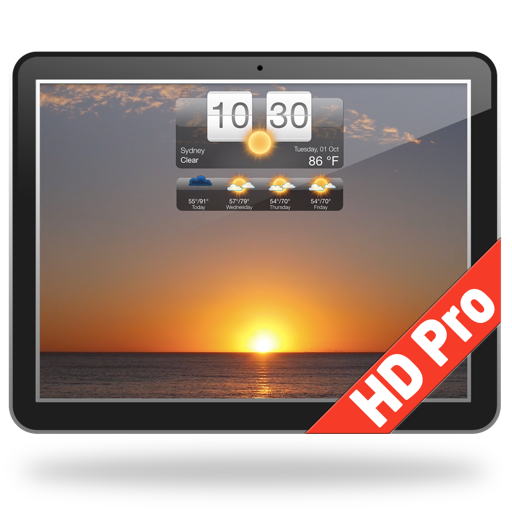
気象HD、あなたのデスクトップに美しいビジュアルで天気情報を提供する、ユニークで素敵なアプリの登場です! アプリはデスクトップを現在の天気に合わせた、美しくアニメーションする壁紙に変えることで天気予報をお届けします。 また、気象HDはスクリーンセーバーとしても機能します。 主な特徴と機能: ● 世界中のあらゆる場所の現在の天気と天気予報をあなたのデスクトップに表示 ● 現在の天気、今日または明日の天気予報に合わせた、アニメーションする壁紙。また、好きな天気を選んで壁紙にすることや、ランダムで表示させることも可能 ● アニメーションする天気の壁紙: ・現在の天気、今日または明日の天気予報に合わせた映像 ・お気に入りの天気の映像選択が可能 ・映像をランダムでの変更が可能 ● Dock のアイコンをクリックすることで、詳細な天気情報にアクセス可能 ● 天気情報を表示するDock のアイコン: ・現在の気温、風速または体感温度を表示するアイコンバッジ ・天気状況アイコン ・天気状況テキスト ● 調整が可能なデスクトップ天気ウィジェット ・ウィジェットのスタイル - 5種類から選べるウィジェットのスタイル ・画面上の位置 - デスクトップの画面の好きな場所に表示させることが可能 サイズ変更 - 大小から選べるサイズ ・透明度 - シースルーに設定することが可能 ● 住所、空港コードまたはロケーションベースの自動検出で天気予報のロケーションを検索 ● ロケーションを好きなだけ保存可能 ● スクリーンセーバー・オプション(「デスクトップ表示」機能により他のすべてスクリーンの上に表示させることが可能) ● 天気予報と天気状況を60分ごとに更新 特徴: ● 世界中のあらゆる場所の正確な天気予報と現地時間を表示 ● 最初のロケーションは自動的に検出され、新しいロケーションは都市の名前や郵便番号、空港コードを検索フィールドに入力することで追加 ● 現在の気温をデスクトップ画面に配置されるアイコンバッジで表示 天気予報についての詳細情報: ● 1週間分の詳細な天気予報 ● 3日分の2時間毎の天気予報 ・気温 ・風速と風向き ・湿度 ● テキストによる天気予報のまとめ ● 最高気温と最低気温 ● 現在の体感温度 ● 風速と風向き ● 露点 ● 湿度 ● 降水情報 ● 日の出と日の入り ● 単位設定: セルシウス度またはファーレンハイト度&mphまたはkmh ● 時間フォーマット: システム初期設定、12時間、24時間 ● Weather Underground®からの正確なプレミアム天候データ 今すぐ気象HDをダウンロード!
Description
いつでも最新の天気情報をチェックできるWeather Widget – 日本の正確な天気予報に最適なデスクトップツールです。日本全国および世界中の天気を追跡し、ウィジェットをカスタマイズして、ワンクリックで詳細な予報にアクセスできます。今すぐWeather Widgetをダウンロードして、正確で最新の天気情報を日本向けに手に入れましょう。 天気予報 - 日本の正確な天気予報 - 日本および世界中の場所の予報 - 複数の場所のサポート - インペリアル単位またはメートル法単位 (F & mph または C & km/h) - ログイン時に自動起動のオプション ウィジェット - 複数のデザインオプションからウィジェットを選択 - アプリの設定でクリック&ドラッグ機能を使って、ウィジェットをデスクトップのどこにでも移動可能 - ウィジェットのサイズ変更オプション - ウィジェットの不透明度を変更するオプション(透明にすることも可能) - ホットコーナー機能: マウスを特定のコーナーに移動することで、瞬時にデスクトップとウィジェットを表示 - 「デスクトップを表示」機能: 一定時間の無操作後にすべてのウィンドウを非表示にしてデスクトップとウィジェットを表示 メニューバーの天気 - メニューバーに現在の気温、予報、または風速を表示可能 - メニューバーをクリックするだけで、簡単にドロップダウン予報を確認 - アプリメニューに簡単アクセスして、詳細な天気情報ウィンドウやアプリ設定を開けます Dockの天気 - Dockアイコンの外観をカスタマイズ可能 - Dockアイコンに現在の気温、予報、または風速を表示可能 - メニューバーでも天気を表示 詳細な天気情報 - Dockアイコンを1回クリックして、詳細な天気情報ウィンドウを表示 - 詳細な時間別天気予報を提供 - ドロップダウンメニューを使って、簡単に場所を切り替え可能 Weather Widgetで天気を常に把握 – 日本の正確な天気予報を提供する信頼のアプリ。短時間での更新情報や詳細な予報が必要な時も、Weather Widgetがサポートします。今すぐダウンロードして、日本全土の正確な天気情報をデスクトップでチェックしましょう!
Description
↓↓↓↓↓ 詳しくは続きをクリックしてご覧ください ↓↓↓↓↓ ○Mac で地震発生のお知らせを素早くおこなう唯一*のアプリ ○日本周辺で地震発生したときに Mac 上で素早く通知(サウンド、スピーチ等でもお知らせ可能) ○アプリ内蔵のブラウザで強震モニタ**を表示することも可能 ■ステータスバーに常駐して地震を監視 ステータスバーに常駐するので Mac での作業の邪魔になりません ■通知・読み上げ・サウンド再生で日本周辺の地震を素早くお知らせ 地震が発生した際に Mac 上で通知したり音声で読み上げたり、オリジナルのサウンドを鳴らすことも可能です ■内蔵ウェブブラウザで強震モニタに簡単アクセス*** アプリに内蔵したウェブブラウザで強震モニタ(http://www.kmoni.bosai.go.jp/)を表示することが可能です ■使いやすいインターフェース シンプルで直感的なインターフェースで、通知方法等を簡単にカスタマイズできます ■利用上のご注意 ・本アプリは予報業務をおこなうものではありません ・本アプリは気象庁等が提供している『緊急地震速報』を直接配信するものではありません ・本アプリには内蔵したWebブラウザで強震モニタを表示する機能を有していますが、強震モニタの提供元である国立研究開発法人防災科学技術研究所とは一切関係ありません ・本アプリは地震情報の正確性や完全性、即時性を保証するものではありません ・重要な決定を行う際には、他の信頼できる情報源をご利用ください ・通信環境などの状況により通知が遅延、または不能となる場合があります ・本アプリの利用により発生したいかなる損害についても、開発者は一切の責任を負いません *2026年8月時点 開発元調べ(Mac App Store で配信されている地震のお知らせ機能において) **国立研究開発法人防災科学技術研究所が運用しているサイト(http://www.kmoni.bosai.go.jp/)で、詳細な地震情報をリアルタイムで確認できます ***アプリに内蔵したウェブブラウザ上で強震モニタへアクセスし表示するだけのもので、アプリ内ではこのウェブブラウザを便宜上『ゆれブラウザ』と呼称しています 強震モニタの詳細は(https://www.kyoshin.bosai.go.jp/kyoshin/docs/new_kyoshinmonitor.html)をご覧ください。
Description
**4K version also available! Please search the Mac App Store for "Mach Desktop 4K" for the 4K version** Introducing Mach Desktop version 3.0: The most advanced and beautiful wallpaper application ever conceived for a personal computer! Mach Desktop features 50 stunning dynamic Themes; allows you to load your own Videos, GIFs, or Quartz Compositions as Wallpaper, and allows you to add over 30 different Widgets to your Desktop. Choose from a huge variety of meticulously crafted dynamic Themes from categories including: Space, Fantasy, Architecture, Fields, Nature, Holiday, Aquariums, Fireplaces, Abstract Themes, and much more! Mach Desktop also features GPU-acceleration support so Themes use little-to-no CPU — freeing up your computer for other tasks. If that still wasn’t enough, with the Widget Manager you can add Widgets to your Desktop with a single click! Select a Widget and set its size, font, foreground color, and background color — and easily position a Widget anywhere you want. Choose from over 30 different Widgets including Time, Date, Current Weather, 12 hour Weather forecast, 5 day Weather forecast, a variety of Clocks, and much much more. You can even add Web pages to your Desktop with the Web Page Widget, or add your own Custom Text Widgets (including Emojis) to your Desktop super easily. Don’t feel like adding and customizing Widgets on your own? No problem! Mach Desktop can automatically add Widgets positioned, colored, and tailored for each individual Theme. With all these features, Mach Desktop has no equal and is the only application of its kind! New in version 3.0: - All new completely redesigned Themes - All Themes are now pre-rendered Videos using no more than 5% CPU per display (no more included Quartz compositions that rely on heavily CPU/GPU usage, however you can still load your own Quartz Compositions if you would like) - New Widgets, including Custom Text Widget - Improved dynamics: Closing/opening Laptop lid, better wake/sleep support, improved awareness when you’re switching Display resolution, etc. - Preserve original Aspect Ratio in Themes - Widgets up to 75% faster than previous Widgets Super cool features! - Includes 50 Dynamic Video Themes as Wallpaper - Load your own Videos, GIFs, or Quartz Compositions as Wallpaper - Includes over 30 different Widgets to add to your Desktop; Widgets include: Date, Time, Weather, Clocks, and more - Choose from a huge variety of Themes including: Space, Fantasy, Architecture, Fields, Nature, Holiday, Aquariums, Fireplaces, Abstract Themes, and more - Unlimited Display/Monitor support, with each Display being independently customizable - Choose Themes graphically with a single click - Video and GIF as Wallpaper feature GPU-acceleration support; consuming little-to-no CPU for Wallpaper animations (Quartz compositions vary depending on Quartz composition) - Not only includes a huge variety of Date/Time/Weather/Clock Widgets; but also includes Web Page Widgets and Custom Text Widgets - All Widgets support custom position, size, font, foreground color, and background color - Super advanced, yet super easy to use *If you like Mach Desktop please leave us a positive review in the Mac App Store as it really does help us out a lot!*
Description
2つの独立した気象プロバイダーによる正確な毎時予報と15日間予報。悪天候警報、リアルタイム気圧計、潮汐予測、大気質、台風・ハリケーン進路、地震情報、海面水温、そしてユニークなアニメーション天気時計を搭載。 eWeather HD は気象情報を美しいひとつのアプリに集約。気温、雨、雪、風、UV指数、気圧、NOAA ブイデータ、Apple Watch コンプリケーションまで——毎日の計画を安心して立てられます。 主な機能: • 正確な毎時・15日間予報(世界中の場所に対応) • 2つの独立したプロバイダー(米国・欧州)— お住まいの地域に最適なデータソースを選択 • 悪天候警報(米国・欧州)をプッシュ通知でお届け • 世界の台風・ハリケーン・サイクロンの進路と予想軌跡 • ホーム画面に現在の気温を表示、アニメーション天気時計と気圧計を含む4つのウィジェット • iPhone/iPad の気圧センサーを使ったリアルタイム気圧計 • 片頭痛に関連する気圧変動を通知 • 現在の天気状況をプッシュ通知でお知らせ • 潮汐予測と700以上の NOAA ブイデータ • 世界各地の海面水温 • 大気質指数、詳細と予報 • UV指数、湿度、露点、体感温度、地磁気活動 • 衛星雲画像アニメーション(米国・欧州・アジア) • 8層のインタラクティブ気象・風マップ • 地震情報 • 海面水温を含む10年分の気象履歴データ • 日の出・日の入り、月の出・月の入り、月相、日食・月食・春分・秋分・夏至・冬至などの天文現象 • 気温・気圧グラフ(過去のデータと予測値) • ナイトモード対応の4つのテーマ • Siri ショートカット、Spotlight、iMessage App • 8種類のコンプリケーションを備えた Apple Watch App EWEATHER HD を選ぶ理由 天気時計は、雨や雪が始まる時刻を1時間ごとに表示——一目でわかります。2つの独立したソースを比較して、お住まいの地域で最も信頼できる予報を選択。気圧計は片頭痛を引き起こす可能性のある気圧変動を警告します。 アウトドアアクティビティには、予報、風マップ、潮汐、ブイデータ、大気質、UV情報をひとつのアプリに統合。簡単なチェック、15日間予報、悪天候警報——どんなときも、天気の変化を一歩先取りできます。
Description
Well Live Dock Weather just set a new standard in making users feel right at home with their weather needs. iLifeTouch is listening! If we missed something tell us . We well try our best to add features. The app has no set-up instructions. The idea behind this was if we need instructions the app is already way too complicated to use. Please feel free to click and try all the features the app provides. Weather on your dock ! How cool is that ! Live Dock Weather is the simplest way to be in constant contact with live weather 24/7 without even opening up an application. You can also load your desktop with two different types of sizeable and movable weather displays that are simply a blue colored plus button click away, enabling you to access up to date 24 hour accurate weather. This will be your quick source for live weather making Live Dock Weather one of your most used apps. Features Include + 151 000 world cities including 44 000 US Zip codes + Current weather conditions and temperatures + Weather is just a click away + Two desktop choices of weather displays + Multiple cities displayed at the same time + Weather is updated every 15 minutes + Status Bar displays current weather conditions + Quick reference of live local weather on the dock + 24 hour forecast + Dramatic organized graphics showing current weather + Current time, date, humidity, temperature + Live updates on the 15 + Voice forecast + +++++ this app is loaded with features In the tradition of iLifeTouch we make apps that make your life easier one day at a time! LifeTouch is listening! If we missed something tell us . We well try our best to add features. Enjoy
Description
10日間の詳しい天気予報と、メニューバーの天気をMacに。アメリカ・ヨーロッパ・オーストラリアの雨雲レーダーにも対応。 Macならでは • メニューバー:時計の横に現在の気温と天候を表示。クリックで詳しい予報を確認 • Dockアイコン:気温とレーダー画像を自動更新。クリック1回でアプリのウインドウを開く • 3種類のウインドウスタイル:コンパクトなパネルから、2枚のレーダーマップを並べた表示まで 天気予報 • 世界中どこでも、現在の天気、1時間ごとの予報、10日間予報 • 気温と体感温度、風速と風向、湿度、露点、降水量、日の出と日の入り • 地点はいくつでも保存可能。°C/°F、km/h・mphの切り替え レーダー • アメリカ・ヨーロッパ・オーストラリアの雨雲レーダーマップを数分ごとに更新 • タイムスライダーをドラッグ、または自動再生。各フレームに時刻を表示 • 2枚目のレーダーマップは1枚目とフレーム単位で同期 買い切り。サブスクリプションなし、広告なし、アカウント不要。 ご質問はアプリの「ヘルプ」メニューから直接お寄せください。
Description
見上げる月に、毎日の発見を。Deluxe Moon HDは、あなたのMacを月の観測室に変えます。美しい月の画像、詳しい天文データ、イラスト付きのカレンダーで、月と空をもっと身近に感じられます。 月の変化をひと目で 現在の月相、輝面比、月齢、地球からの距離を確認。次の新月や満月の日時も、選んだ場所とタイムゾーンに合わせて表示します。 月のカレンダーを楽しむ 月相、黄道十二宮のサイン、イラスト付きのルナーデイを個別に表示したり、ひとつのカレンダーにまとめたりできます。月の出を基準とするルナーデイの解説、月のサイン移動、ボイドタイムも確認できます。Appleのカレンダーに登録した予定を月の情報と並べて表示し、選んだイベントを通知付きで追加することもできます。 自分の場所から空を知る 日の出・日の入り、月の出・月の入りをチェック。太陽と月の位置、詳しい天文座標、春分・秋分・夏至・冬至を調べられます。日食と月食を一覧で見ながら、選んだ場所から見えるかどうかも確認できます。 月にまつわる伝統にふれる ルナーデイや月のサインの解釈を読み、トロピカル方式とサイデリアル方式の黄道を切り替えられます。育てる作物や栽培環境に合わせた園芸のヒントも紹介。月の解釈や園芸の提案は、伝統的な考え方に基づいています。 場所も時間も自由に 現在地を使うほか、別の場所、日付、時刻を選ぶこともできます。月明かりの夜を計画したり、季節の移り変わりを追ったり。気になる月の姿から、あなただけの発見を始めましょう。 macOS 26以降が必要です。カレンダー連携にはアクセス許可が必要です。
Description
Weather Dockは天気予報をデスクトップに表示するアプリです。ドックアイコンを見るだけで、現在の天候と今日と明日の天気予報を見ることができ、クリックひとつで詳細な天候情報と一週間の天気予報を知ることができます。 詳細天気予報: • クリックひとつで詳細な天気予報と一週間の天気予報にアクセス • 詳細な3日分の2時間毎の天気予報 • 複数のロケーションの天候表示が可能 • 天気予報のウィンドウのアニメーションするアイコン • インペリアルまたはメトリック単位での表示 • 60分ごとに天候を更新 • スリープモードやインターネットアクセスがなかったことで更新をミスした場合は後で自動更新 カスタマイズ可能のアニメーションするドックアイコン: • アイコンのバッジが表示するもの: 現在の気温、風速または体感気温または今日または明日の最低および最高気温 • 表示される天気情報: 現在の天候、今日または明日の天気予報 • 天候情報のテキストカラー: 黒、白または灰色の背景に白のテキスト • アニメーション速度の調整が可能(アニメーションをオフにもできます) The Weather Company提供の非常に正確な天気情報 アプリの使用に問題があった場合は、「お問い合わせ」ボタンまたはメニューから直接報告してください。その際に天気予報のロケーションを記入するのを忘れないようにしてください。
Description
CARROT Weather is a crazy-powerful (and privacy-conscious) weather app that delivers hilariously twisted forecasts. ** Winner of Apple’s Editor’s Choice award and featured by The New York Times, Good Morning America, CNN, Wired, & more! ** Accurate and Detailed Dark Sky’s super accurate weather data gives you quick access to your current, hourly, and daily forecasts. Plus, you can upgrade to use other providers like AccuWeather, Tomorrow.io, and MeteoGroup as your data source! Overflowing with Personality From spooky fog to torrential downpours, CARROT’s dialogue, characters, and scenery change in… “unexpected” ways. You’ll actually be looking forward to a blizzard just to see what CARROT has in store for you! Notifications Sign up for precipitation, weather alert, and daily forecast notifications. And Premium Club members can sign up for lightning strike and storm cell notifications - and even create completely custom notifications. (Precipitation notifications are available in the US, UK, & parts of Canada. Weather alert and storm cell notifications are only available in the US. Lightning notifications are available in the US and Canada.) Weather Maps Watch in awe as the next big storm bears down on your house with CARROT’s trusty radar. Plus, Premium Club Tier 2 members get access to future radar (in the US), lightning strikes, and 12 additional map layers! Customization Want to disable CARROT's personality? You can turn her into a 100% professional weather app! And you can customize every last data point that CARROT displays to show the weather data that you care about. Time Machine View the weather for any location up to 70 years in the past. DeLorean not required! Secret Locations Follow clues to hunt down 60+ secret locations - like the Moon, the Pyramids, and Chernobyl. Achievements Unlock 30+ achievements by experiencing weather events, traveling around the world, and using different features in the app. Features: • Beautifully minimalist weather app • Dark Sky’s super accurate weather data • AccuWeather, Tomorrow.io, Foreca, MeteoGroup, Aeris Weather, Environment Canada, and WillyWeather data sources available as an upgrade • Precipitation, weather alert, lightning strike, storm cell, daily summary, and astronomy notifications (where available) • Radar and satellite maps • 6,500+ lines of hilarious spoken dialogue • 62 secret locations • 36 achievements • Will never sell your location data to third parties Don’t make CARROT angry. Download her now! --- CARROT Weather uses auto-renewing subscriptions. Tier 2 provides additional features like more frequent background updates, additional map layers, custom notifications, and additional data source access for Apple Watch users. Tier 3 includes all the features of Tier 2, plus rain, lightning, and storm cell notifications (where available) and even more frequent background updates. Payment will be charged to your Apple ID account at the confirmation of purchase. The subscription automatically renews unless it is canceled at least 24 hours before the end of the current period. Your account will be charged for renewal within 24 hours prior to the end of the current period. You can manage and cancel your subscriptions by going to your App Store account settings after purchase. Cancellation of the current active subscription period is not allowed. Terms of Use: http://support.meetcarrot.com/weather/terms.html Privacy Policy: http://support.meetcarrot.com/weather/privacypolicy.html
Description
人気のiOS 版天気アプリのMacバージョン。 主な特徴: • 現在の天候 • 14日間の予報 • 時間単位で予測 • 次の24時間の予報(スクロール可能) • テキストフォーマットの予想 • 湿度 • 風向きと速度 • 空気の質(5日間) • 華氏と摂氏の温度 • 現地時間 • 日の出/日の入 • 複数都市の天気 • 降水確立 • 現在位置 • 現在地の Apple Weather(macOS 13から) • ドックアイコンの現在の状態 • ドックのアイコンおよび/またはメニューバー 1度払うだけでApp Storeのアカウントを持つ(Mac)複数のデバイスにインストールできます。
Description
あなたは、インターネットへのWiFi接続があることを確認してください。この時点で、アプリはあなたの場所を検出します。ディスプレイは、気候条件を示す場所、大気圧の名前が表示されます。データは、信頼性の高いapixu.com気象サービスによって提供される [ レビュー ] *****シンプルでエレガントな このアプリは、Macとのすべてのthats最善と一致している。シンプルでありながらエレガントなあなたは、大気圧について知る必要があるすべてのものを提供しています。それは将来の変化率が気象前線の接近を予測することが非常に重要であるように時間と日の期間にわたって圧力の変化を示すトレンドバーを提供するかもしれない望んでいるだろう。感謝 [ 特徴 ] •気圧のリアルタイム測定 •サポートされている単位はhPaの、ミリバール、mmHgで、トル、インチです•その使用中の信頼性 •最後の気圧の読みを追跡 •直感的なグラフィックスは、Retinaディスプレイ用に最適化 •使いやすさ [ 互換性 ] macOS 11.0 およびそれ以降。 気圧計ものiOS ( iPhone 、 iPadとiPod touchの)のために提供されています。 [ サポートされる言語 ] • 日本語、英語、、イタリア語、ポルトガル語、ドイツ語、フランス語、スペイン語、オランダ語、ロシア語、中国語、デンマーク語、フィンランド語、ノルウェー語、ポーランド語、スウェーデン語。 [ サポート ] ヘルプが必要な場合は[email protected]までご連絡いただくか、当社の公式ウェブサイトwww.lionsapp.comをご覧ください。 アプリを楽しむ場合は、私たちにはApp Storeのレビューを記入するのを忘れないでください。
Description
NOTE: this a is menu bar app. Once you open the app an AeroWeather icon will appear in the menu bar (as shown on screenshots). A simple and clean METAR/TAF viewer as known from AeroWeather for iOS. For a full version of AeroWeather, consider AeroWeather Pro (available on Apple M1 or higher computers only). Features: - Menu bar application for quick access (Menulet) - Customizable menu bar (airport with flightrule, temperature, or wind) - Menu bar display optionally rotates through list - Notification center widgets for raw format; requires macOS Ventura (13.0) - Sortable list (by user-defined, name, ICAO, IATA, country) of airports in well known AeroWeather layout (with raw or decoded METAR) - Detail view with METAR, TAF (raw or decoded) and station information - Read out of METAR similar to ATIS by swiping a station in list to the right (English voice only) - Calculates presssure altitude, density altitude, and windchill or heatindex - AWOS data for US airports (where available) with phone support (either via Skype or connected iPhone) - Customizable formats and units - Sharing of METAR/TAF via E-Mail, Messages etc. - Printing of station detail - Import/export of user data from/to AeroWeather for iOS - Support for dark mode - Available in Chinese (Simplified), Danish, Dutch, English, Finnish, French, German, Italian, Japanese, Norwegian, Polish, Portuguese (Brazilian), Spanish, Swedish AeroWeather uses weather data from freely available sources like US NOAA, which cannot be guaranteed. The cost for AeroWeather is for development of the app and not to pay for any weather data.
Description
メニューバーからいつでも利用できるアプリとウィジェットで、今日の暦と天気概況、天気予報、最新のニュース、各種防災気象情報などをスマートにお知らせします。また、メニューバーとDockのアイコンに今日の六曜六輝を表示することも可能です。 [ アプリ版 今日の暦 ] 今日の予定と月間カレンダー表示に加え、日めくりカレンダーのように、干支、六曜六輝、旧暦、月齢など、日本固有の暦もお伝えします。 アプリに表示する今日の予定と今日達成予定のToDoリストは、最新の内容を常に表示します。連絡先アプリに登録してある誕生日が到来するとお祝いするサービスをサポートしています。 メニューバーとDockの各アイコンに六曜六機のシンボルを表示することも可能です。 [ アプリ版 今日の天気 ] 現在の天気概況と前後1時間の降水状況を詳しくお伝えします。加えて、降水または積雪に関する発表があった場合に、分毎の天気予報を確認できます。 オプション設定で、降水予報を音声または通知サービスで知らせることができます。 また、快晴、稲妻、強風、雨や雪が降るアニメーションで視覚的に天気のコンディションを伝えるオプションを用意しています。 [ アプリ版 今日の天気予報と各種発生確率 ] 分毎の天気予報を降水または積雪のデータに変化があった場合にお伝えします。 時間毎の天気予報を1時間単位に分けた天気概況、気温、体感温度、湿度、気圧、降水確率、雲量、風向き、風速の各データでお伝えします。 10日間の天気予報を天気概況、最低/最高気温、降水量、降水確率、UV指数、積雪量、風向き、風速の各データでお伝えします。 [ アプリ版 コンシェルジュ ] コンシェルジュ画面では、Apple Intelligenceによる今日のアドバイスや予定/リマインダーの新規登録または編集を行うことができます。 [ アプリ版 最新ニュース ] 1時間毎にニュースフィード (RSS)で配信する最新のニュースなどをスマートにお伝えします。最新ニュースの受信を知らせる通知サービスをサポートしています。RSSのURLを変更すれば、お好きなニュースを閲覧できます。 [ アプリ版 地震情報 ] 気象庁が発表した最新の地震/津波情報をアプリ独自に加工した地震情報をお伝えします。 気象庁や公的機関が提供する公式の災害通知ではありません。 [ 気象庁の新しい防災気象情報をサポート ] 2026年5月29日より運用を開始した気象庁による新たな防災気象情報をサポートします。現在地、全国別に現在発表している防災気象情報を閲覧できます。防災気象情報はレベルごとに絞り込んだ結果を閲覧することができます。台風時は膨大な配信量になるため、現在地、全国ともに最大50件表示します。 防災気象情報の配信実績が少ないことから、アプリ開発用のデータ収集機能を当面の間並行稼働しています。 [ ウィジェット版 今日の暦 ] 日めくりカレンダーのように、干支、六曜六輝、旧暦、月齢など、日本固有の暦もお伝えします。 ウィジェット(大)では、今日の予定を1時間毎に更新して表示します。macOS Sonomaのデスクトップに置けるウィジェットのデザインに最適化しています。 [ ウィジェット版 天気概況と天気予報 ] ウィジェット(中)では、7日間の六曜六機と月齢の推移をお伝えします。 ウィジェット(大)では、現在の天気概況、分毎の天気予報、8時間の天気予報、8日間の天気予報の4種類のウィジェットで1時間毎に更新した天気データをもとにお伝えします。 macOS Sequoiaのデスクトップに置けるウィジェットのデザインに最適化しています。 [ ウィジェット版 最新のニュース ] ウィジェット(大)では、最新のニュースをお伝えします。macOS Sequoia以降で利用すると、ウィジェット上の操作ボタンでニュース記事の切り替えができます。 ※ ウィジェットは、アプリ本体と連動して内容を更新します。 ※ 月齢は、簡易計算方式で算出しているため、実際と1〜2日程度の誤差が生じることがあります。
Description
Keep your home climate and weather data in view – discreet, precise, and lightning-fast. Netmo brings your Netatmo weather station data directly to your macOS Menu Bar. No need for browser tabs or checking your smartphone: a single click provides detailed insights into your home or garden. Highlights: - All-in-one View: Support for up to 6 stations, including all additional modules (Rain Gauge, Anemometer, and up to three extra Indoor Modules). - Visualized Trends: Analyze temperature, air pressure, CO2, rainfall, or wind speed with elegant, interactive charts. - Seamless Design: A minimalist interface that fits perfectly into the macOS look – including full Dark Mode support. - Maximum Control: Conveniently export your data as a CSV file for further analysis. Detailed Features: - Display of temperature, humidity, air pressure, CO2, and noise levels. - Precise data for rainfall, wind strength, and wind direction. - Battery Status: Never miss a battery change for your modules again. - Customizable: Choose exactly which values appear directly in your Menu Bar. - Localized in English, German, and French. IMPORTANT: Netmo is a Menu Bar app. After launching, you won't see a standard window or dock symbol. Instead, look for the small Netmo icon in the top-right corner of your macOS Menu Bar (next to the clock and Wi-Fi). Click it to access your data! If the icon does NOT appear, please check in macOS System Settings under "Menu Bar" whether Netmo is allowed to use the menu bar. Please note: - A Netatmo account and weather station are required for this app to function.
Description
***** 70% OFF, Hurry now !!! “The Very First of Its Kind” 3DWeather is an impressive weather app for your macOS and unlike any other weather app available, 3DWeather brings you weather information in an amazing 3D style, so that what matters most to you, all the important weather updates are delivered to you through widget which sits looking attractive on your desktop displaying the weather of a place . It lets you keep a 3D animating widget on the desktop that generates the scenic representation of the current weather condition of the place you set. STUNNING THEMES: 3DWeather never gets monotonous and will never look old to you, because, as weather condition changes so does the app, representing the accurate information of the weather of that time. 3DWeather comes packed with themes featuring different scenes, places and atmosphere. It has several themes to select from, containing different natural elements and atmosphere. We've been constantly updating 3DWeather with new themes and features to make it an ideal weather app for you. CUSTOMIZATION: 3DWeather lets you customise it to such extent that it will become your very own personal weather assistant. DETAILED WEATHER STATISTICS from WEATHER UNDERGROUND: 3DWeather fetches weather stats from Weather Underground which is the most accurate and detailed weather forecast provider available world wide till date. Weather Informations - Humidity - Dew Point - UV index - Wind chill - Heat index - Visibility - WNW - Precipitation in percentage - Precipitation in mm - Sunset and Sunrise timing with last update time - Hourly weather forecast for the next 24 hours - Daily weather forecast for the next 4 days ALERT IN NOTIFICATION CENTRE: You will get timely weather alert directly sent to the Notification Centre about recent updates and developments on weather throughout the day. So, download 3DWeather today and embrace a new approach of displaying weather forecast which is both informative and delightful to look at.
Description
ムーンフェイズを使用すると、一方で、常に月はその運動中に地球に示し異なる側面を持っています。 過去と未来の月のサイクルを確認するために統合されたカレンダーを参照してください。 リアルタイムで日の出と日没を確認してください。 昼と夜のモードは、日の出と日没に基づいて自動的に有効化されます。 このすべては、それがユニークで楽しい作り、見事なグラフィックスで作られました。 [ 特徴 ] •ムーンフェイズ •月の照明の割合 •月のサイクルでカレンダー •日の出と日の入り •自動昼と夜のグラフィックモード •場所検出 •無線LAN機能 [ 互換性 ] Mac OS Xの10.14 以降。 バロメーターはまた、iOSの(iPhone、アプリ、iPod touchとウォッチ)のために利用可能です。 [ サポート言語 ] •英語、イタリア語、スペイン語、フランス語、ドイツ語、ポルトガル語、オランダ語、ロシア語、中国語と日本語を。 [ サポート ] あなたが助けを必要とする場合[email protected]にてお問い合わせ、または当社の公式ウェブサイトwww.lionsapp.comをご覧ください。 あなたは、アプリを楽しむ場合は、私たちのApp Storeのレビューを与えることを忘れないでください。
Description
Weather Dock Express is the most modern, innovative, and beautiful Weather application. Weather Dock Express features stunning photorealistic animations, super accurate weather forecasts, gorgeous interactive 3D Graphics, and even Live Tropical Storm, Earthquake, Clouds, and Sunlight data. View photorealistic animations with animated Rain, Snow, Clouds, the Sun, Moon, even Lightning, and more! Or view an Interactive 3D Solar System or view Planets (with Planetary data) individually right from the Menu Bar! Weather Dock Express combines sophisticated technology with stunning design -- all while being super easy to use! Ridiculously Advanced Features! - Left-click the Dock Icon to bring up the main Weather window (only if Weather Dock Express is in the background, if in the foreground choose File > Main Window) - Left-click on the Menu Bar Item to bring up the Current conditions and Five Day forecast Menu -- anywhere system-wide - Right-Click the Menu Bar Item to bring up a 12-Hour Forecast and Live Interactive 3D Earth; also system-wide - Resize the main Weather window to automatically turn the 5-Day Forecast into a 10-Day forecast - Click on Current Conditions or Five-Day Icon (on the main window) to view detailed Forecast information for that time period (currently only U.S. only) - Choose a Forecast in the Menu Bar Item to view detailed Forecast information for that time period (currently U.S. only) - Works for over 200,000 Locations worldwide - Unlimited Multiple Locations - Weather data updates every 15 minutes - Switch Locations instantly from the Locations Menu - Retina Display support - Incredibly advanced, yet super easy to use Innovative Live 3D Earth Our Interactive 3D Earth features a plethora of real-time data sources unseen in applications today; The Live 3D Earth features: - All Earthquakes that have happened in the past 24 hours - Names of current Tropical Disturbances, Depressions, Storms, and Hurricanes; including Live Wind Speed - Live Clouds shows storms as they form - Live Sunlight direction that shows shadowed and lit portions of the Earth *If you like Weather Dock Express, please show your support by leaving us a good review -- good reviews keep the updates coming!*
Description
MOON is your personal lunar portal. Never be caught off-guard by moon-related craziness again. View the current moon phase, see what the moon will be like on a certain date, see countdowns to moon events, receive notifications with enough time to avoid unpleasantness, and share the moon phase with your friends. MOON is the most thoughtful moon phase calendar available. It becomes increasingly useful the more you use it. Enjoy. Features * Works offline, never be stranded without lunar positioning * Notification Center widget * Moon predictor * Share today's moon on Facebook, Twitter, etc * Share how the moon looks on any date * Countdown to upcoming New and Full Moons * Built for OS X MOON is also available on iOS!
Description
“ForcastMenu”は、今日を含めた10日間の天気予報を、温度、降水確率、降水量、積雪量の推移を示すチャート図と、日々の詳しい予報データで確認できるメニューバー常駐アプリです。今日を含めた10日間の天気予報を、温度、降水確率、降水量、積雪量の推移を示すチャート図と、日々の詳しい予報データで確認できるメニューで構成するメニューバー常駐アプリです。気象庁発表の地震情報やや防災気象情報、暑さ指数予測値の推移などをビジュアルに確認できます。 現在地以外に、予め設定した場所またはその場で検索した場所の天気も確認できます。現在の天気概況と、現在時刻を起点にした時間毎の天気予報も閲覧できます。また、メニューバーに天気概況のアイコンと気温、体感温度、降水確率などの天気データ、Dockアイコンに天気概況のアイコンと湿度や雲量を表示する機能もサポートしています。 [ メニューバー常駐型の天気予報アプリ ] 今日を含めた10日間の天気予報を、温度と降水量の推移を示すチャート図と、日々の詳しい予報データで確認できるメニューバー常駐アプリです。 [ チャートとリストで10日間の天気予報を可視化 ] 10日間の天気予報を、最高気温/最低気温、降水確率、降水量、積雪量の推移を表すチャート図と、日々の天気予報を詳細に掲載したリストで可視化します。最高気温/最低気温のチャート図をタップすると本日の気温の推移、降水確率のチャート図をタップすると本日の降水確率の推移をチャート図で確認できます。最高気温/最低気温、降水量、積雪量の推移を表すチャート図には、過去の長期平均値と比較できるルールマークを表示します。 また、快晴、稲妻、強風、雨や雪が降るアニメーションで視覚的に天気のコンディションを伝えるオプションを用意しています。 [ 現在の天気概況や分/時間毎の天気予報もサポート ] 10日間の天気予報以外にも、現在の天気概況を直感的に確認したり、分単位または時間毎の天気予報の推移を確認できる専用ウィンドウをサポートしています。なお、分単位の天気予報は、降水または積雪の関するデータに変化があった場合にお知らせします。 [ 気象庁の地震、津波情報をもとにアプリ独自の災害通知機能をサポート ] 気象庁が発表する地震、津波情報に基づき、アプリ独自の加工を加えたうえで災害情報の参考として通知する機能をサポートしています。 ※ 気象庁や公的機関が提供する公式の災害通知ではありません。 [ 気象庁の新しい防災気象情報をサポート ] 2026年5月29日より運用を開始した気象庁による新たな防災気象情報をサポートします。現在地、全国別に現在発表している防災気象情報を閲覧できます。防災気象情報はレベルごとに絞り込んだ結果を閲覧することができます。台風時は膨大な配信量になるため、現在地、全国ともに最大50件表示します。 ※ 防災気象情報の配信実績が少ないことから、アプリ開発用のデータ収集機能を当面の間並行稼働しています。 [ 各都道府県別の暑さ指数予測値の推移を表示するチャート ] 暑さ指数予測値の推移を表示するチャートを期間限定(現在データ提供期間外)でサポートします。「環境省熱中症予防情報サイト」からの提供情報を利用しています。なお、同機能は、日本国内でのみ利用できます。 [ 天気の観測場所をプリセットに保存 ] 現在地の天気データは勿論のこと、天気予報を確認したい場所をいくつでも登録できます。プリセットに保存した観測場所は、アプリ画面のポップアップメニューからいつでも選択可能です。 その場で検索した場所の天気予報も閲覧可能です。 [ Apple Intelligenceよるコンシェルジュをサポート ] コンシェルジュ画面では、天気データをベースにした今日の要約、簡単なチャットによる問い合わせ、旅行に関する相談をすることができます。 [ メニューバーに天気データを表示 ] メニューバーに、天気概況を表すアイコンと、気温、体感温度、降水確率などの天気データを表示して、1時間毎にアップデートするオプション機能を用意しています。 [ Dockアイコンに天気データを表示 ] Dockアイコンに、天気概況を表すアイコンと、湿度や雲量などの天気データを表示して、1時間毎にアップデートするオプション機能を用意しています。 [ 指定時刻に天気予報をスピーチ ] 指定した時刻に、今日または明日の天気予報の概要(概況、最高気温と最低気温、降水確率)をスピーチ機能でお知らせします。 [ 設定した天気データになったら当該時間の天気予報概要を通知 ] 予め設定した天気データ (気温と降水確率)になったら、当該時間の天気予報概要 (コンディション、気温、降水確率)を通知サービスで知らせることができます。 [ Dockメニューをサポート ] 環境設定やヘルプなどにアクセスしやすいよう、Dockメニューをサポートしています。 [ 5種類のウィジェットをサポート ] 現在の天気概況と、分間/時間/5日間の天気予報を表示する大きなサイズのウィジェットをサポートしています。およそ1時間毎にウィジェットの表示内容を更新します。通知センターのウィジェットに加え、デスクトップにウィジェットを常駐すれば、メニューを開くことなく、最新の天気情報を確認できます。
Description
あなたがインターネットへのWi-Fi接続があることを確認してください。この時点で、アプリケーションは、地理的な位置を検出します。 どこにいてもThermoはiMacの直接、あなたの地元の外気温を与えます。 準備ができていない家を出ることはありません。 Thermoxは外側と気候条件である何度がわかります。 (°C)摂氏での温度、華氏(°F)とケルビン(K) 。 壮大かつ直感的なデザインと、このアプリケーションは、その使用中の楽しい経験と信頼性を提供します。 また、同じ時間で前日の温度を示す、該当する場所、気候条件と現在の外気温の名前が表示されます。データはapixu.comによって提供されます [ 特徴 ] •リアルタイムの外側の温度測定 •摂氏温度(℃) 、華氏(°F)とケルビン(K) •その使用中の信頼性(apixu.com からのデータ) •グラフィック直感的な •使いやすさ [ 互換性 ] macOS 10.14 の およびそれ以降。 ThermoxものiOS (iPhone 、 iPadとiPod touchの)のために提供されています。 [ サポートされる言語 ] •英語、イタリア語、スペイン語、フランス語、ドイツ語、ポルトガル語、オランダ語、ロシア語、日本語。 [ サポート ] あなたは[email protected]までお問い合わせいただくか、当社のウェブサイトwww.lionsapp.comをご覧ヘルプが必要な場合。 アプリを楽しむ場合は、私たちにはMac App Storeでのレビューを記入するのを忘れないでください。
Description
Mach Wallpaper is the true dynamic Wallpaper application for macOS! Mach Wallpaper features 20+ stunning themes, with each theme featuring advanced 3D effects, and the most cutting-edge and beautiful Widgets ever to grace a Desktop! 3D effects include but are not limited to: Light, Water, Fog, Smoke, Clouds, Fire, Snow, Stars, Galaxies, Quasars, even Black Holes, and more! With the Widget Manager, quickly customize a Widget's position, size, font, and colors (and Add Widgets) with a single click! Unlike other Wallpaper apps, every single one of our themes are beautifully 3D rendered dynamic wallpapers, guaranteed! And our advanced Desklets not only feature weather, date, forecasts, and other detailed information; but detailed charts of projected temperature, humidity, wind speed, and more! Quickly download more Quartz Compositions and customize your own Widgets to customize your Wallpaper any way you see fit! Innovative Features! - 20+ Themes, with the option to automatically add customized Desklets or add no Desklets at all; the choice is yours! - Unlimited Display support, with each display being independently customizable - 20+ 3D (Quartz) Compositions with stunning rendered effects such as Light, Water, Fog, Smoke, Clouds, Fire, Snow, Stars, Galaxies, Quasars, Black Holes, and more - Choose Themes graphically with a single click - Add nearly 30 different Widgets with a single click; with each Widget supporting customized position, size, font, foreground color, and background color - Forecast Widgets show conditions for the next 12 hours - Retina Display support - Advanced, yet super easy to use
Description
Tide Graph uses the harmonic predictions from thousands of US coastal stations and presents them in a fun and interactive graph. It also includes water currents and sun/moon information. NOT FOR NAVIGATIONAL PURPOSES. USE AT YOUR OWN RISK. Tides have a great influence on the lives of boaters, fishermen, surfers, coastal communities, marine life, and vacationers just to name a few. Directly or indirectly, the great flow of our massive ocean bodies of water impact the daily lives of everyone on this planet. The cyclical movement of the Earth's tides are caused by a combination of the gravitational forces of the sun and moon as well as the shape of the costal region. Unlike simple tide clocks that you can buy in novelty stores, more accurate tide predictions use special data gathered by instruments located at each tide station. The data from these measurements are used to determine the harmonic components which then feed into the mathematical algorithms which predict tides for the future. The end results are tested for accuracy and adjustments are made as necessary. Tide Graph has US owned Tide Stations Only. An internet connection is required to get the latest tide graph. - See TideGraph.com for a complete list of stations.
Description
Moon Phase Gadget is a set of stylish Moon and Sun gadgets for your desktop. Moon Phase Gadget is a great addition to the magnificent Deluxe Moon HD application. Features: - Large Moon gadget with precise moon phase times. - Sun gadget with sunrise and sunset times. - Small, stylish moon gadget with main Moon information. Moon Parameters - Precise Moon phase times. - Full names of all Moon phases. - Moonrise and moonset times for your location on large gadget. - Moon countdown timers: amount of time since moonrise and until moonset. - Percent of the illuminated Moon area. - Current moon age: how far along the moon is in its full cycle. - Zodiac sign the Moon is in. Sun Parameters - Sunrise, sunset and zenith times. - Number of days since beginning of the year. - Zodiac sign the Sun is in. - Solar time We appreciate your input. Please help us make this application better with your feedback – if you like Deluxe Moon, write us a review on iTunes. Your support would greatly help us make the application even better!
Description
ソラいろ(以下「本アプリ」といいます。)は、気象庁発表の最新の天気予報が表示できるmacOS向け天気予報アプリです。 メニューバーからすばやくアクセスでき、天気予報の発表時刻に合わせて予報表示を自動更新します。 〈予報表示の種類〉 • 直近3日間(明後日まで)の天気予報 [*1] • 3時間ごとの時系列予報 [*2] • 3時間ごとの天気分布予報(天気、気温、降水量、降雪量)[*3] • 1時間先までの短時間予報(雨曇の動き、雷活動度、竜巻発生確度)[*4] • 向こう一週間の週間天気予報 [*5] • 今日・明日の天気概況 • 気象警報・注意報 • 気象警報・注意報における警戒レベル相当情報(警戒レベル2以上) • 台風経路図 〈留意事項〉 • 本アプリでは、風(風向と風速)の予報表示は行いません。 • 気象庁が提供する予報データの仕様等が変更された場合、本アプリが正常に動作しなくなるおそれがあります。予めご了承ください。 -- [*1] 直近の天気予報に明後日分の予報データ(天気、気温、降水確率などの予報の一部または全部)がない場合があります。その場合は代わりに週間天気予報の予報を表示します。 [*2] 天気や気温を3時間単位で図形式予報表示したもので、本アプリでは最大24時間分を表示できます。 [*3] 日本全国を約5km四方のマス目に分け、そのマス目の中の代表的な天気や気温などを予報したもので、本アプリでは最大24時間分を表示できます。 [*4] 現在から1時間先までの、降水強度、雷が発生する可能性、竜巻などの激しい突風が発生する可能性の分布をそれぞれ予報したものです。 [*5] 週間天気予報はメニューバーのアイコンを右クリックしたときに表示します。
Description
潮汐アプリ最大となる世界17000箇所のタイドグラフや潮汐関連情報を表示することが出来るアプリです。 ●圧倒的な情報 潮汐アプリ最大の日本全国800箇所の「タイドグラフ」「満潮・干潮時間や潮位」「日出・日没時刻」など豊富な潮汐関連情報を表示できます。 また、潮汐アプリでは初めて天気予報を搭載しました。 ●シンプル&ハイグレードデザイン このアプリのインターフェースは『気持ちいい操作感』を作り出すためにゼロベースから開発されました。世界中のどの潮汐アプリとも違います。 ●潮汐データを簡単に共有 潮汐データをメールで送ったり、Twitterにツイートすることが可能です。友達に教えてあげたい時やメモ的に潮汐情報を残しておきたい時などにとても便利です。 ●は Apple Watch をサポートしています Apple Watchは9合併症が含まれます (Complications)Modular Large, Modular Small, Graphic Rectangular, Graphic Corner, Graphic Circular, Circular Small, Extra Large, Utilitarian small, Utilitarian Large. 製品仕様 【主な機能】 タイドグラフ表示 満潮・干潮時間、潮位表示 潮詳細表示 年間潮汐・潮見表 日照詳細表示 月の出と月の入り 地図表示 GPSポイント検索 潮汐情報共有(Mail、Twitter) 【注意事項】 このアプリに掲載されている潮汐情報は航海の用に供するものではありませんので、航海には使用しないでください。 Supports over 17000 stations in all regions of the world: 183 Africa 1155 Asia 171 Atlantic Islands 815 Austral-Asia 205 Caribbean Islands 34 Cen.America Caribbean 34 Cen.America Pacific 508 Europe 127 Indian Ocean 57 Mediterranean 43 Middle East 4292 North America,Atlantic 727 North America,Gulf 2777 North America,Pacific 196 Northern seas 341 Pacific Islands 155 S.America,Atlantic 52 S.America,Caribbean 142 S.America,Pacific 520 South East Asia
Description
**Universal binary ready for Apple Silicon processors!** Introducing Radar Extreme, a powerful and easy to use Radar, Weather, Satellite, Lightning, Earthquake, and Hurricane Tracker. Radar Extreme features hundreds of NEXRAD Local Radars, dozens of Regional Radars, 14 World Radars, Local Weather Conditions for over 200,000 locations around the globe, 7 Lightning Intensity Radars, a National U.S. Radar, even interactive Solar System, 3D Earth, and an Interactive Map that shows Precipitation, Temperature, Clouds, Rain, Snow, Wind, and Sea Level Pressure individually. If that wasn't enough, Radar Extreme also offers extremely descriptive textual local weather Forecasts for Day and Night; letting you know exactly what conditions will be like for a given period of the day — and whether or not you should bring an umbrella. Local Weather features photorealistic Day and Night time graphics, Ten Day Weather Forecasts, Wind Speed/Direction, Humidity, Highs/Lows, and much more. Local Weather Conditions are shown in the Menu Bar (Dark Theme compatible!) and a live animated NEXRAD Local Radar in the Dock. All three panes can be resized independently, with full Multi-touch gestures included. With all these features, Radar Extreme offers more Radars than any other application in the world, and best of all, Radar Extreme offers incredibly advanced features at a ridiculously affordable price of only U.S. $4.99! Advanced and Easy to Use Features! - Hundreds of "NEXRAD Next Generation" Local Radars all over the U.S.; with each Radar featuring independent layers, with 6 Radars per location: Base Reflectivity, Storm Relative Motion, Base Velocity, One-Hour Precipitation, Composite Reflectivity, and Storm Total Precipitation - Dozens of Regional Radars give you a glimpse of what's going on in the immediate surrounding vicinity - 18 World Radars (Full Color GOES-16 Satellite) with 17 Radars per location - Local Weather features Photorealistic Day/Night Graphics, with over 200,000 locations around the globe supported; updates every 15 minutes - Innovative 7 Lightning Radars around the world show Lightning Intensity for a given region - National U.S. Radar, with a high resolution option - Textual Forecast gives detailed descriptions for different periods throughout the day (Provided by U.S. National Weather Service) - Interactive 3D Solar System shows Sun, Planets, and Asteroid Belt - Interactive 3D Earth shows latest Earthquakes, Tropical Storms, and Live Clouds - Interactive Map shows the latest Precipitation, Temperature, Clouds, Rain, Snow, Wind, and Sea Level Pressure - Each Radar can be switched between locations on the fly - Each Radar features Reload button to make sure you always have the latest data - Dock Icon shows Animated NEXRAD Local Radar - Local Weather supports Unlimited Multiple Locations, Imperial/Metric systems,F°/C°; 24 Hour Clock Option - Local Weather Conditions in menubar (Dark Theme compatible, must be enabled in Preferences) - Multi-Touch gesture and Retina Display support included - Super advanced, yet super easy to use *Please note Local Radar, Regional Radar, and Textual Forecast features are for the United States only*
Description
強力な経験をお試しくださいが、同時にシンプルなツール、お使いのMacに直接本当の風速計。 革新的な設計により、航空機の計器からインスピレーションを得、このアプリは、速度とコンパスに統合風向、結果コンパスと風の概念を組み合わせたものです。 風速計は、リアルタイムでの方向と風速を与える。 あなたがインターネットに接続されていることを確認してください。この時点で、アプリケーションは、あなたの場所を検出します。ディスプレイは、場所、風の向きと強さの名前が表示されます。あなたは、5単位(ノット、マイル、km / hに、M / Sまたはビューフォート)のどちらかを選択することができます。 [ 特徴 ] •ガスト •風向 •コンパス •5台から選択してください:ノット、時速、km / hに、M / Sまたはビューフォート •直感的なグラフィックス •使いやすさ [ 互換性 ] macOS 11.0 の 以降。 風速計 - 風速はまたiOSの(iPhone、iPadとiPod touchの)ために利用可能である。 [ 語がサポート ] • 中国語、英語、イタリア語、スペイン語、フランス語、ドイツ語、ポルトガル語、オランダ語、ロシア語、日本語に。 [ 助けて ] アプリを好きなら、私たちにApp Storeでのレビューを残すことを忘れないでください。 提案については[email protected]までお問い合わせください、または当社のウェブサイトwww.lionsapp.comに行く
Description
**Universal binary ready for Apple Silicon processors!** Hurricane Track 3.0 is the most advanced, modern, and easiest to use Hurricane Tracking, Radar, and Local Weather application. Hurricane Track 3.0 features incredible new features such as 14 World Radars, a new customizable dynamic Local Radar using NEXRAD "next-generation radar" technology, descriptive Textual Forecasts, future Projected Tropical Cyclone Paths, Historic Hurricane Paths, Regional Radars, National Radars, Lightning Intensity Radars, Sea Temperatures, Cloud Formations that can potentially turn into tropical cyclones, Maps, an Interactive 3D Earth and Solar System, detailed tropical storm information and discussion, and much much more! Local Weather features photorealistic Day and Night time graphics, Ten Day Weather Forecasts, Wind Speed/Direction, Humidity, Highs/Lows, and much more. Local Weather Conditions are shown in the Menu Bar (Dark Theme compatible!) and a live animated NEXRAD Local Radar in the Dock. All three panes can be resized independently, with full Multi-touch gestures included. With all these features, Hurricane Track brings comprehensive Hurricane tracking and Radar technology to your Mac, at a very affordable price. Hurricane Tracking Features: - Projected Tropical Storm Paths: Future tropical storm paths for the next five days - Graphical outlines of cloud formations that can turn into potential Tropical Storms - Historical Hurricane Tracks going all the way back to 1949 - Sea Surface Temperatures for the past two months - Interactive Map shows the latest Precipitation, Temperature, Clouds, Rain, Snow, Wind, and Sea Level Pressure - Interactive 3D Solar System shows Sun, Planets, and Asteroid Belt - Interactive 3D Earth with Live Clouds, Tropical Storms, and Earthquakes - Tropical Storm and Weather Information, Summaries, Discussions, and Outlooks - Multi-Touch gesture and Retina Display support included! Radar Features: - 18 World Radars (Full Color GOES-16 Satellite) with 17 Radars per location - Customizable Advanced Local Radar using NEXRAD technology - Innovative Lightning Intensity Radars - Each Radar can be switched between locations on the fly - Each Radar features Reload button to make sure you always have the latest data - Dock Icon shows Animated NEXRAD Local Radar Local Weather Features: - Local Weather features Photorealistic Day/Night Graphics, with over 200,000 locations around the globe supported; updates every 15 minutes - Local Weather supports Unlimited Multiple Locations, Imperial/Metric systems,F°/C°; 24 Hour Clock Option - Local Weather Conditions in menubar (Dark Theme compatible, must be enabled in Preferences) - 10 Day Forecast on main window - 5 Day Forecast in menubar - Textual Forecast gives detailed descriptions for different periods throughout the day (Provided by U.S. National Weather Service) - Wind Speed, Direction, Humidity, Conditions and more - Advanced, yet super easy to use *Please note Local Radar, Regional Radar, and Textual Forecast features are for the United States only*
Description
Introducing Motion Weather 4K: The most insanely beautiful and innovative weather application ever conceived. Motion Weather 4K turns your Wallpaper into breathtaking Cinema quality 4K video based on the Weather conditions outside — and is an excellent weather application in it’s own right. Motion Weather 4K also “knows” when it’s day time and night time and automatically switches to night time 4K videos when it’s night outside! We’ve spent countless hours shooting and licensing some of the highest quality 4K videos in the world to deliver an experience like no other; and then spent even more time developing the app itself. This application is so crazy, that is has *three* different Preferences Windows: Weather Preferences (Set Weather Options and Locations), Display Preferences (Customize Wallpaper for each display), and the Desklet Manager which lets you add over 30 Desklets to your Desktop that are completely customizable. In addition to adding Desklets to your Desktop individually, you can also set Motion Weather 4K so it automatically adds customized Desklets for each Theme — giving you relative information right on your Desktop when you need it and ensuring your Wallpaper and Desklets will always match. Motion Weather 4K also features the ability to choose a custom 4K video (with Graphical Theme chooser), includes Unlimited Display support that lets you customize each Display individually, and also has a super efficient video player foundation that can play full 4K videos while consuming less than 5% CPU per display. If that *still* wasn’t enough, we went ahead and built in a 3D Solar System and 3D Planets with live data that can be interacted with manually. With all these features, Motion Weather 4K delivers a breathtaking and soothing experience like no other! Main features: - Automatically changes your Wallpaper based on conditions outside in stunning 4K Ultra HD Video - Knows when it’s Day or Night time and changes 4K Videos accordingly - Add up to 30 Desklets to your Desktop allowing full customizability over position, size, font, foreground color, and background color - Optionally set Desklets to be automatically added and customized for each Theme as the Wallpaper changes - Choose a Custom 4K Video with Graphical Theme Chooser, turning off automatic Wallpaper updates - Super efficient Video Player foundation can play full 4K videos while averaging 5% CPU per display - Main Weather window matches with Wallpaper background - Works for hundreds of thousands of locations worldwide - Unlimited Display support - Unlimited Multiple Locations - Weather data updates every 15 minutes - Switch Locations instantly from the Locations Menu - Incredibly advanced, yet super easy to use Basic Usage: - Left-click the Dock Icon to bring up the main Weather window (only if Motion Weather 4K is in the background, if in the foreground choose File > Main Window) - Left-click on the Menu Bar Item to bring up the Current conditions and Five Day forecast Menu — anywhere system-wide - Right-Click the Menu Bar Item to bring up a 12-Hour Forecast and Live Interactive 3D Earth; also system-wide - Click on Five-Day Icon (on the main window) to view detailed Forecast information for that time period (U.S. only) - Choose a Forecast in the Menu Bar Item to view detailed Forecast information for that time period (U.S. only) Motion Weather 4K features 4K Videos for the following weather conditions for both day and night (Over 20 4K Videos total!): - Clear/Sunny - Partly Cloudy - Mostly Cloudy - Very Cloudy - Light Clouds - Medium Clouds - Heavy Clouds - Rain - Lightning - Snow
Description
AtmoBar 3はさらに便利になるように全面的に作り直されました。 今、あなたはあなたのMacのメニューバーからあなたのNetatmo気象観測所のどんな種類の測定でも追跡することができます。 サイドバーウィジェットを追加しました AtmoBarはあなたのNetatmo Weather Stationからのすべての測定値からチャートを表示します AtmoBarはNetatmo用の非公式メニューバーアプリです。それはNetatmo Weather Stationが必要です。 Neatmoアカウントの認証情報を使用する必要があります。 特徴: - マルチステーション - 風雨計をサポート - 追加のNetatmoモジュールをサポートします。データはNetatmo's Stationから10分ごとに更新されます ネタモステーションは、室内の温度、CO2濃度、騒音、家の中の湿度を測定します。 Atmo Barを使用すると、Macのメニューバーから直接アクセスできます。 屋外/室内温度 屋外/室内の湿度 高度 室内CO2レベル 室内圧力 騒音レベル さらにAtmo Barは、日々のグラフを表示します。 屋外/室内温度 屋外/室内の湿度 高度 室内CO2レベル 室内圧力 騒音レベル センサーと測定値 温度(屋内): 範囲:0°C〜50°C / 32°F〜112°F 精度:±0.3℃/±0.54°F 温度(屋外): 範囲:-40°C〜65°C / -40°F〜150°F 精度:±0.3℃/±0.54°F 湿度(屋内と屋外): 範囲:0〜100% 精度:+ - 3% バロメーター: 範囲:260〜1160 mbar / 7.7〜37.2 inHg 精度:+ -1 mbar / + - 0.03 inHg CO2メーター(屋内) 範囲:0〜5000 ppm 精度:±50 ppmまたは±5% サウンドメーター 範囲:35 dB〜110 dB 単位 米国のシステム:°FとinHg。 メートル法:°Cとmbar。 気象パターンとサイクルを発見。 あなたの生活環境を理解するための包括的で強力なツール。 アプリはネタモ天気ステーションが必要です。何か問題がありましたら[email protected]までご連絡ください。
Description
Top Weatherは、エレガントで美しく正確な天気アプリで、気象予測、次の10の降水量、MacOSバージョンの提供などの気象情報を提供します。 関数: 1.正確な位置決め、現在の場所の天気予報をお知らせします。 2.次の24時間で天気を表示します 3.都市の編集者と検索、簡単に削除、追加、モバイルシティ、あなたの場所に特別な懸念が必要な都市は、視聴する天気を提供します。 4.携帯電話のデスクトップにコンポーネントを追加すると、アプリケーションを開かずに日の天気を表示できます。降水プロンプトなどのさまざまな親密な機能があります。 お問い合わせ:[email protected]
Description
今まで見たことがない時計と天気予報アプリです。 Living Earth は世界各地の気象情報、予報、 そして世界時計を搭載した現時点における私たちの惑星の驚くほどの実況 3D シミュレーションをお届けします。 全世界の雲の様子、ハリケーンおよび熱帯低気圧が見られます。 私達の惑星のリアルタイムの天気図や熱帯性気圧の追跡など、素晴らしくダイナミックな機能を体験できます。 正確にレンダリングされた数千の星の宇宙に浮かぶ私たちの惑星を見つめて、時間と天候について全く新しい視点が得られます。 「より複雑で野心的なアプリが沢山あるなかで、Living Earth は、本当に美しくシンプルです。」 - New York Times 「全世界の天候レポートに基づいて地球をリアルタイムで見せる、見事なアプリ。 」 - WIRED Insider 誌「Must Have Apps」 ユニバーサルアプリケーション 1 回の購入で iPhone、iPad のすべてのデバイスに対応 機能 • 3 時間ごとに更新される、ほぼリアルタイムの衛星雲データからの雲の実況図。 全世界の雲の様子、ハリケーンおよび熱帯低気圧が見られます。 • 天気地図で気温、湿度、風および予報を表示。 • 世界中の何百万もの都市に対する世界時計、気象情報、そして 10 日間 / 2 時間天気予報 • 熱帯低気圧の通知。 新しく発生している熱帯低気圧や現行の熱帯暴風帯についての最新情報のプッシュ通知を受信できます。 • 今日ウィジェットでは天気の必須情報、日の出/日没倍、世界時計、アクティブな熱帯低気圧にすばやくアクセスできます。 • 星や星座、天の川がすべて正確な時間と空間に表示されます。 • 日食や月食をリアルタイムで。日食では月の影が地球を横切り、月食では月が赤く染まります。 • 日の出と日の入りの時刻。 • 一年を通して季節の変化を観察。 雪と氷の領域や、私たちの地球におけるその他の季節の変化を観察。 • 優しいアラーム音を選べる目覚まし時計。 驚くほど美しい地球の景色で目を覚ますことができます。 • iCloud で都市を Mac 用の Living Earth アプリと同期できます。 メールでのお問い合わせ: [email protected] X でフォロー: x.com/livingearthapp
Description
日の出や日没の前にどれだけの時間が残っているか疑問に思ったことはありますか? ラックスはこれ以上を提供することができます。 インターネットに接続していることを確認してください。 この時点で、アプリケーションはあなたの地理的位置を検出します。 ディスプレイには、場所の名前と日の出/日の出までの時間と時間が表示されます。 昼と夜のモードは、日の出と日没に基づいて自動的に起動されます。 [ 特徴 ] •検出日の出、日没、あなたの場所 •背景の自動変更 •昼夜の6種類の背景 •時間形式12または24時間 •Wi-Fiが必要 [ 互換性 ] macOSの10.14以降。 LuxはiOS(iPhone、iPad、iPod touch)でも利用できます。 [ サポート言語 ] •英語、イタリア語、スペイン語、フランス語、ドイツ語、ポルトガル語、オランダ語、ロシア語、中国語と日本語を。 [ サポート ] あなたが助けを必要とする場合[email protected]にてお問い合わせ、または当社の公式ウェブサイトwww.lionsapp.comをご覧ください。 あなたは、アプリを楽しむ場合は、私たちのApp Storeのレビューを与えることを忘れないでください。
Description
This app solves a wind triangle by allowing you entering four values out of six (three speeds and three angles) and calculating the remaining two. It then explains step by step how you get a solution using an animated flight computer showing how to perform each step: the animation rotates the disk, slides it and add marks. It also shows which of the given values to use for each step towards the solution. It also contains an example generator for the 15 different cases of 4 given values with 2 to calculate. Occasionally it also produces "impossible" values, such as triangles degenerated to a single line or data for which it is not possible to construct a wind triangle. This is deliberate to let a (student) pilot think about the data entered and find good data starting from there. For each set of good data, it draws a wind triangle, giving you an insight in how to navigate. It illustrates this by showing a little plane flying along a course while compensating for the wind using a correct heading. The conversions show you different units in SI and Imperial dimensions, while the calculators help you find cross wind components or help you preparing your flight. Features - Solves any kind of wind triangle problem and explains how to find those results on a flight computer. - Contains an accurate visualization of a flight computer and animates the different steps towards a solution. - Generates examples for 15 different cases of four given values and two results to obtain. Draws the wind triangle complying with the given data. - Enter data using the keyboard or by pressing buttons to increase of decrease values. - Contains a small animation showing why you need a wind triangle to navigate. - Offers conversions for fuel, speed, climb rate, altitude, distance, mass and temperature. - A small calculator helps you determining e.g. EET and another calculates the cross wind, head wind and tail wind. - An explain tab gives you a short explanation of this app. - Select one of the possible languages: English (Default), French, German, Spanish and Dutch. - Switches to light or dark theme, depending on the system settings.
Description
Fast. Simple. Predictive high-resolution Weather Radar. Severe weather warnings. Storm tracks and future projections. Satellite cloud animation. Use Radar HD to see what weather is coming your way! Radar shows areas of current precipitation or future simulated radar prediction!. A weather radar is used to locate precipitation, calculate its motion, estimate its type (rain, snow, hail, etc.), and forecast its future position and intensity. Precipitation type is indicated by the color. Green color indicates lesser precipitation while the yellow color code indicates intense precipitations. The color code red is indicative of the most intense precipitations. Blue color indicates snow. Using the data from Storm Prediction Center and Global Disaster Alert and Coordination System (SPC & GDAC) Radar HD provides information about tropical storms and hurricanes for locations worldwide, areas affected by storms and severe weather, coordinates and wind speed, storm tracks & path projections. Satellite images provide an excellent view on the clouds in the sky and an indication of the weather over the United states, Europe, Japan, Australia and Indonesia. Satellite images come from satellites which remain above a fixed point on the Earth (i.e. they are “geostationary”). Lighter areas of cloud show where the cloud tops are cooler and therefore where weather features like fronts and shower clouds are. The app also allows you to check the weather on your favorite places on maps. Interactive map includes live international weather conditions, local weather and time, ten-day forecasts and sunrise/sunset times for multiple places. You can add placemarks on the map to represent your favorite places or the places you’d like to visit. At a glance you can see the time and weather for all of your favorites. Key features: * [NEW] Predictive weather radar * [NEW] Simulated radar prediction for the next 60 minutes using five-minute intervals * The real time radar images provided by NEXRAD an accurate view of the weather situation in the U.S. * Storm / hurricane / typhoon tracker and projected paths (International and Global) * All severe weather alerts on interactive map, 126 weather alert types (U.S.) * High resolution weather radar. Stunning and sharp images. (U.S.) * Animated satellite images of cloud cover (U.S., E.U., Japan, Australia) * Current weather conditions directly on the map. 130,000 locations worldwide. * Current weather details and ten-day forecast in pop-up window. Features include: * three different layers to get the weather: ground stations, radar and satellite. * zoom in and out, drag and scroll * play, pause animations at any zoom level * displays current position on the map * saves and restores your last position * adjustable radar image quality for Wi-Fi and cellular connections
Description
*** AeroWeather: for pilots, aviation enthusiasts, and everyone who is serious about the weather! *** Current and precise weather conditions (METAR) and forecasts (TAF). AeroWeather Pro provides quick and intuitive access to METAR and TAF for airports worldwide. Data can be shown in its original (raw) format or as fully decoded and easy understandable texts. AeroWeather Pro is helpful for weather preflight-briefings, but also to just get very precise weather. All weather data is cached for offline access. In addition to weather data, AeroWeather Pro integrates also airport NOTAMs (provided by US FAA), webcam images around airports (provided by windy.com), FlightService access (US only), and US ATC delay information (provided by US FAA). AeroWeather Pro also offers built-in groups for earthquakes, nearby stations, and today widget (pre iOS14), which can be individually enabled on the top level view. Besides creating user groups it’s also possible to put stations on the same level user groups (e.g. home base). Depending on your needs, groups can be shown or hidden in the main list view. User groups can also be synchronized via Cloud Kit*. The app features a built-in airport database, which includes airport data like runways, sunrise/sunset, twilight times, moon times, timezones etc. METAR alert notifications** is another new and helpful feature to stay up-to-date. Define multiple alerts for each station with criteria like: flight rule (US NOAA), wind speed, temperature, pressure, present weather, visibility etc. Notifications will be sent to your device if the criteria is met (e.g., when flight rule becomes IFR). Dedicated METAR/TAF** access is optionally available. METAR/TAF data will come primarily from a certified ANSP (air navigation service provider) and is provided reliably and fast from our dedicated, redundant servers (indicated by blue checkmark underneath METAR/TAF). AeroWeather Pro comes with an Apple Watch app, which shows either a list of stations as defined in the Apple Watch group or all nearby stations based on the current location. METAR and TAF are displayed for each station. In addition, you can put AeroWeather as a complication in your watch face to stay up-to-date. Please consult our web-site for a full description of all features. * Additional functionality which needs to be unlocked (one-time purchase). These purchases are not transferable between Lite, Pro, and Mac. ** SUBSCRIPTIONS Additional features which generate recurring operation costs for us will be offered within a subscription. The following features are enabled while 'First' subscription is active: - Dedicated METAR/TAF data source - Meteograms - Alert push notifications - D-ATIS (bigger US airports only) - Area Forecast Discussions (currently US only) - RVR data (US and Germany only) - Home Screen Widgets for METAR, Plot, Meteogram - Imagery and Charts (requires 'Captain' subscription) - SIGMETs (requires 'Captain' subscription) Additional features are also enabled when using AeroWeather Lite. The subscription varies in time periods (1 month, 12 months). The subscription is valid in both AeroWeather Lite and Pro. Cross app subscription support is only available if iCloud (with the same Apple ID) is enabled. Previously purchased unlock features are not affected and will work with or without subscription. Auto-renewal may be turned off at any time by going to your account settings. A payment will be charged to your iTunes account at the end of the free trial period. Your iTunes account will be charged for renewal within 24 hours prior to the end of the current period. No commitment - you can cancel any time. Pleas read the full “Subscription Terms of Use” at: https://www.lakehorn.com/subscription-terms-of-use/
Description
Mooncast is a beautifully crafted app showcasing the current phase of the moon with precision and clarity. This app is designed for both casual curiosity and serious sky-watchers. Explore the lunar cycle in rich visual detail, swipe through days to see past and future phases, and instantly find the next full moon or new moon. Mooncast gives you accurate lunar data for any date between 2011 and 2035, including the exact moment the moon becomes perfectly full. Features: - Stunning, high-fidelity moon phase visuals - Interactive timeline — swipe to explore any day - Accurate predictions for full moons, new moons, and all lunar phases - Built-in almanac for long-term browsing and planning - Precise timestamps for peak full moon and new moon - Smart reminders for full moon and new moon events - Customizable look - pick your favorite sky and clouds - Several types of widgets and accessories are available Extensive coverage: - available on iPhone, iPad, Mac, Apple Watch and Apple TV International support: - Fully localized in English, French, Spanish, Italian, German, Russian - Works seamlessly with all locales and calendar systems Mooncast is simple to use, scientifically accurate, and visually refined — the lunar calendar you’ll actually enjoy checking every day.
Description
リアルタイム天気&レーダーへようこそ。これは、最も正確で最新の天気情報を提供するように設計された信頼できる天気レーダーおよび予報アプリです。ハリケーンの追跡、降雨量の監視、地域の天気予報の確認など、このアプリは情報を入手して準備するために必要なツールを提供します。 リアルタイム天気&レーダーは単なるレーダーではなく、嵐の前、最中、後を問わず、ニーズに合わせてカスタマイズされたあらゆる種類の天気データに対する独自のデータソリューションを提供します。
Description
DockMeteo displays the weather in the dock. Based on the location, the weather is determined and displayed graphically. The temperature and location are also shown. The design is modern to the current macOS system, so the icon blends in beautifully with the other Dock icons.
Description
MWeather is a weather app that shows you the hourly weather for the next 10 days in a beautiful and clear way. With the hourly and daily forecast in diagram style you see the course of the weather at a glance and the background image shows the current weather condition with a beautiful picture. App Features: - Current weather - Hourly forecast for up to 10 days - Daily forecast for up to 10 days - Clear presentation with a diagram style - Background image for the current weather condition - iCloud Sync for Settings and Locations - Light / Dark Mode - Full Screen Mode - Widgets - Multiple (weather forecast) windows - Local or System Time - Save up to 8 locations - tvOS App (sold separately) - iOS & visionOS App (sold separately) Weather Features: - Current temperature - Current condition - High / Low temperature - Rain probability - Sunrise / Sunset time - Current Feels Like temperature - Humidity - Wind speed and direction - Amount of rain - UV Index - Moon phase - Day Summary Weather Data powered by Apple Weather.
Description
WEATHERTRACK Amazing Weather Details at your Fingertips. Worldwide. "An incredibly comprehensive weather app - it accesses many data models from different agencies and provides worldwide coverage. The GRIB layers include wind, precipitation, wave height/direction/period, ocean and tidal currents, air and sea temps, relative humidity and more. WeatherTrack works offline, and GRIB files can be downloaded through an SSB connection, an Iridium AxcessPoint or as an email attachment and opened in the app." (App of the month! in Cruisingworld) http://goo.gl/PLzpI0 (at a glance) Official partner in the AMERICA's CUP TEAM ARTEMIS (2013) Forecasts for Professionals and Amateurs... "Great Tool - I hardly use my SSB radio for weather information any more. Whenever I can pick up Internet via mobile phone, WeatherTrack is much simpler and provides everything that I want." Everything you could ever want in one app: +++ GRIB VIEWER FEATURES in DETAIL: Select area of interest and get detailed GRIB data. View online/offline, point forecast or meteogram (graph). Weather types (GRIB layers): + Wind (10 m above MSL) + Gusts + CAPE + Precipitation (rain/snow) + Dew point + Cloud Cover + Waves Height/Direction/Period + Ocean current (RTOFS) + Barometric Pressure,Highs (H)/Lows (L) + Air-/Sea Temperature, Temp. at 500 mb + Relative Humidity, Geopot.Height at 500 mb Forecasts: + Worldwide Coverage + Forecasts up to 16 days (depending on data model) + Data models:GFS, COAMPS, NAVGEM; current: RTOFS; waves:WW3, WAM85, FNMOC-WW3/FNMOC-MED/FNMOC-EQAM + Resolution: 0.05°, 0.5°, 1°, 2°, 2.5° (dep.on data model) + Forecast interval: from 15 min up to 24hr (dep.on data model) + Updated every 6 hr (GFS) Map: + Offline, high res vector map. Use it offshore or in the mountains. + Zoom in - to 0.001° (111 m /121 yd) - (for very high res GRIB files) + Customizable + Online map (satellite/hybrid/map view) Specials: + Works easily with low bandwith + User friendly + Meteogram, dynamic, displays any layer + Open GRIB files from Email/Browser, 3rd party + Share (Twitter, Facebook, email) + City/Airport Search + Magnifier + In-app guide (offline) + Animation - watch & share + Import/export GRIB files to and from your PC + GRIB via Iridium access point +++ ROUTE WEATHER helps you plan your trip well (In-App purchase). http://goo.gl/PXFCIj (at a glance) + Create your own route. Import/Export to and from other apps (e.g. Dropbox). + Edit waypoints: name, lat/long, duration to next waypoint, (estimated) speed, fuel + Select wind mode: true, relative, apparent + Route Meteogram + Share complete route files by email and open in apps (e.g. Dropbox). + Online map. Display route in satellite/hybrid/map view. +++ GRIB Robot (subscription**) Makes the retrieval of GRIB files over satellite connections easy. +++Tidetech (subscription**) Worldwide hi res Ocean/tidal current +++ GLOBAl-LOCAL Satellite View + Fascinating view from space. + Worldwide clouds updated every 3 hours + Anywhere detailed Point Forecasts on your finger tip, not only for two million locations + World Clock, analog/digital +++ WEATHER ONLINE Selected online resources + Satellite + Radar + Fax + Aviation weather (partly) + Surface analysis + Snow precipitation and more. **SUBSCRIPTIONS AUTOMATICALLY RENEW unless auto-renew is turned off at least 24-hours before end of current period. Tidetech Price: USD $7.99/mo, $34.99/6 mo, $46.99/12 mo GRIB Robot Price: USD $2.99/7d, $5.99/mo, $15.99/3 mo, $28.99/6mo Your iTunes account will automatically be charged at the same price for renewal within 24-hours prior to end of current period unless you change your subscription preferences in your account settings. More: http://goo.gl/CQHG5H WeatherTrack, the Swiss Army Knife for Weather Enthusiasts! One app - many tools
Description
RadarScope is an AMS-award-winning weather visualization tool that empowers meteorologists, public safety officials, storm spotters, and weather enthusiasts to view a full suite of single-site radar data and related severe weather products. Your initial purchase provides professional radar visualization in a fully native app, free from distracting and invasive practices, with optional subscription packages to add even more capabilities. Whether you’re scanning for a mesocyclone’s tell-tale hook echo, pinpointing the landfall of a hurricane’s eye wall, or identifying velocity couplet, hail spike, or debris ball signatures, RadarScope displays native radar data in its original radial format. You see what the radar sees almost as soon as the radar sees it, with automatic updates every two to ten minutes depending on the radar’s scanning strategy. Your initial app purchase includes the following: • Full suite of single-site radar products for the US, Canada, Guam, Denmark, Finland, and Germany • 10-frame radar loops • Two built-in providers for radar data • Tornado, thunderstorm, flash flood, marine, snow squall, extreme wind, tropical, and other warnings in the US • Selected severe weather warnings in Canada and Australia • Severe weather watches in the US and Canada • NWS-generated storm tracks with hail, TVS, and mesocyclone attributes • Inspector and distance tools • Color palette options for radar data • Weather Pulse data plan integration • Spotter Network integration for storm and location reporting • mPING integration for submitting weather reports to NSSL • Bundled maps with political borders, water bodies, and highways, optimized for low-bandwidth use • Support for widgets and complications • Universal app for Apple platforms, including Apple Watch, and Apple TV • CarPlay support • Family Sharing support RadarScope Pro Tier One is an optional annual subscription that adds more features for tracking severe weather: • 30-frame radar loops • Cloud-to-ground lightning strikes • Special weather statements in the US and Canada • Mesoscale convective and precipitation discussions • SPC convective, tornado, hail, wind, and fire outlooks • WPC excessive rainfall outlooks in the US • Local storm reports in the US • Custom color palette support • Multi-pane display (2 on phones; 4 on larger devices) • Family Sharing support RadarScope Pro Tier Two is an optional annual or monthly subscription that transforms RadarScope into a more complete visualization tool for a larger suite of weather products, including: • Everything in Pro Tier One • 50-frame radar loops • A third provider for US radar data • 30-year archive of NEXRAD Level II radar data • 6-year archive of NEXRAD Level III data • 30-day archive of super-res and non-US radar data • 20-year archive of NWS bulletins • GOES satellite data • Multi-Radar Multi-Sensor (MRMS) data • Real-Time Mesoscale Assimilation (RTMA) data • GFS, ECMWF, HRRR, HRW, NAM, and RRFS model data • Surface observations • ProbSevere layer • Atmospheric soundings in the US • Hail size, hail probability, and azimuthal shear contours with a 30-day archive • More detailed transportation and satellite imagery maps • Custom color palette support for GOES, MRMS, RTMA, and forecast products • Server-sent events for radar and warning updates • Cross-platform subscription sharing on up to 5 devices If you choose to buy a RadarScope Pro subscription, it will be charged to your App Store account. The subscription will be auto-renewed within 24 hours prior to the end of the current period at the same price you originally paid. Subscriptions may be managed and auto-renewal disabled via your App Store account settings after the purchase. Once purchased, the subscription cannot be canceled during the active subscription period. DTN is committed to safeguarding your privacy online. Our privacy policy is available for review at https://www.dtn.com/privacy-policy/ Please visit our web site for more information.
Description
ウィジェット、ロック画面対応の天気表示アプリ。 気温・体感・降水確率・UV指数・風速を、スタンプ風(かわいい/ドット絵)で表示。 <アプリの特徴> ▶ キャラクターが毎日の天気をお知らせ 晴れ・雨・曇り・雪などの天気予報を、オリジナルキャラクターのスタンプ風イラストで表示。 見ているだけで癒される、ゆるかわ・お洒落で一目で天気が分かるデザインにこだわりました。 ▶ シンプルで分かりやすいウィジェット iPhoneロック画面やホーム画面に対応したウィジェットを自由に追加可能。 ウィジェットの表示内容をカスタマイズできるので、自分だけの表示を作成できます。 気温や雨、紫外線指数を表示したり、スタンプだけのシンプル表示にもできます。 ▶ 着せ替え・テーマを自由に変更 お気に入りのキャラクターやデザインを選んで、スタンプのテーマや背景を自由に着せ替えできます。 今後もキャラクターは続々追加予定。 まるで「ステッカー」を貼るような感覚で、天気の表示を楽しく編集&デザインできます。 <こんな方におすすめ> ・ ホーム画面やロック画面で簡単に天気を知りたい ・ シンプルでおしゃれなウィジェットが欲しい ・ 紫外線や気温など、天気+αの情報も確認したい ・ ホーム画面やロック画面を自分らしくカスタマイズしたい ・ 天気アプリもデザイン性を重視したい ・ 着せ替えやキャラクター、すたんぷが好き ・ 雨や風などが強い日、少しでも気分を上げたい < 使い方> とても簡単です。 1. アプリを起動して、スタンプのキャラクターや表示項目を選ぶ 2. ホーム画面やロック画面にウィジェットを追加 3. ウィジェットが現在の天気をスタンプで表示
Description
現在地の地図、雨量、水質、観測所、洪水、土砂、住所を表示します。国土交通省、国土地理院のデータを利用しています。 1.[地図]は、通常の地図で、右上に、GPSセンサのスイッチがあります。GPS ONでGPSセンサが有効になり、現在地が画面中央になります。GPS OFFでGPSセンサが無効になり、地図を自由に動かすことができます。 共有ボタン(□に↑)をタッチすると現在地の地図のURLと住所をメールで送れるので、どこにいるかを家族や友人に知らせることができます。緊急時の連絡用として、活用してください。登録ボタン(〇に+)をタッチすると現在地をデータベースに登録することができます。 2.[雨量]は、雨量情報を表示します。 3.[水質]は、観測所における水質や水温を表示します。 4.[観測所]は、水位、雨量、水質、河川カメラの場所を表示します。 5.[洪水]は、洪水・内水のハザードマップと避難所を表示します。 6.[土砂]は、土砂災害のハザードマップと避難所を表示します。 7.[住所]は、現在地の緯度、経度、郵便番号、都道府県、市区町村、町、丁目、番地、号・建物、市区町村のヨミ、町のヨミを表示します。 8.[一覧]は、データベースに登録されている住所の一覧です。登録された住所は日時、緯度、経度、住所で並び替えできます。削除ボタン(〇に-)にタッチするとデータを削除することができます。登録された住所から、地図等を表示することができます。国土地理院地図等は端末の標準ブラウザで表示します。DBエクスポートで、登録された住所をJSON形式でバックアップし、DBインポートで、復元できますので、機種変更時に利用してください。
Description
このアプリは「気象庁ホームページ」へのリンクを利用しています。 iPhoneやiPadで実況天気図、高層天気図、数値予報天気図などを気軽にチェックすることができます。 ・ネットワークに接続できる状態でご利用ください。 ・各天気図画面の右上プリンタアイコンをタップすると印刷ができます。 ・iPhoneでは右上の拡大アイコンをタップすると画面いっぱいに天気図を表示することができます。表示したものを閉じる時はピンチインまたはダブルタップして下にスワイプして下さい。 (iPadはもともとの画面が大きいので、拡大アイコンは用意していません。) ・iPadでは画面を回転して横長画面で各種天気図を見ることが可能です。※iPhoneの画面は縦固定です。 ・各種天気図の表示画面で天気図の略号をタップすると、その天気図における解析のポイントが表示されます。 ・天気図をダウンロードして利用したい時は、天気図選択画面の右上アイコンをタップし、天気図を選択してからダウンロードボタンを押して下さい。各種天気図ファイルはDocumentsフォルダのWeather Mapフォルダに保存されます。電波の届かないエリアでもダウンロードしておいた天気図を確認することができます。ファイルという名のアイコンから別のアプリを起動するなどしてご利用ください。(次回ダウンロード時に同名ファイルは上書きされますのでご注意ください。) ・ウィンドプロファイラはGPSの位置情報をもとに最寄りの観測地点をデフォルトで表示するようにしています。設定/プライバシーとセキュリティ/位置情報サービスでアプリの使用中は許可する設定にしてご利用ください。位置情報を許可しない場合は屋久島のウィンドプロファイラが表示されます。 参照可能な天気図/解析図: (実況) ASAS アジア太平洋域 実況天気図 SPAS 日本周辺域 速報天気図 AUPA20 アジア太平洋200hPa高度・気温・風・圏界面天気図 AUPA25 アジア太平洋250hPa高度・気温・風天気図 AUPN30 北太平洋300hPa高度・気温・風天気図 AUPQ35 アジア500hPa・300hPa高度・気温・風・等風速線天気図 AUPQ78 アジア850hPa・700hPa高度・気温・風・湿数天気図 AUXN50 北半球500hPa高度・気温天気図 AXFE578 極東850hPa気温・風、700hPa上昇流/500hPa高度・渦度天気図 AXJP130/AXJP140 高層断面図(風・気温・露点等)東経130度/140度解析 (数値予報天気図) FSAS24 アジア太平洋域天気図24時間 FSAS48 アジア太平洋域天気図48時間 FUPA252 アジア太平洋250hPa高度・気温・風予想図 FUPA302 アジア太平洋300hPa高度・気温・風予想図 FUPA402 アジア太平洋400hPa高度・気温・風予想図 FUPA502 アジア太平洋500hPa高度・気温・風予想図 FXFE5782/5784/577 極東850hPa気温・風、700hPa上昇流/700hPa湿数, 500hPa気温予想図 FEAS502/504/507/509/512/514/516/519/521/524/526 アジア地上気圧、850hPa気温/500hPa高度・渦度予想図 FXFE502/504/507 極東地上気圧・風・降水量/500hPa高度・渦度予想図 FXJP854 日本850hPa相当温位・風予想図 (その他) AWJP 沿岸波浪実況図 FWJP 沿岸波浪予想図(24時間後) 気象衛星ひまわり画像(赤外画像、可視画像、水蒸気画像)こちらは気象庁のホームページになります。 台風情報(台風発生時のみ) ウィンドプロファイラ(上空の風) (中・長期予報) FCVX21 2週間気温予報実況解析図 FCVX22 2週間気温予報北半球予想図・高偏差高偏差確率 FCVX23 2週間気温予報熱帯・中緯度予想図 FCVX24 2週間各種時系列 FCVX11 1か月予報実況解析図 FCVX12 1か月予報北半球予想図 FCVX13 1か月予報スプレッド・高偏差確率 FCVX14 1か月予報各種時系列 FCVX15 1か月予報熱帯・中緯度予想図 (航空気象) 国内悪天予想図 FBJP 下層悪天予想図(沖縄、奄美、西日本、東日本、東北、北海道)FT3, FT6, FT9 全国航空気象解説報(福岡FIR) 全国航空気象解説報(国内空域) 全国航空気象解説報(飛行場) 国内航空路6・12時間予想断面図 FXJP106/FXJP112 なお、Air Print対応のプリンタについてはAppleのホームページでご確認下さい。(最近のWifi接続プリンタはほとんど対応しています。)
Description
A minimalistic and beautiful visualization of the weather conditions and day and night cycle at your current location and thousands of global locations from Aarhus to Ushuaia. Now with beautiful Widgets for Big Sur. The current weather is shown at the center while the weather for the next 48 hours is displayed around the solar wheel in a very natural and intuitive fashion. In addition to the solar wheel, the sunrise and sunset times along with information about civil, nautical and astronomical twilight times are displayed as well. All this information valuable for all outdoor activities and navigation is presented in a beautiful and easy to read user interface. - Accurate weather forecasts both locally and globally - Support for Celsius and Fahrenheit units and 12/24h time display - Display local golden hour start and end times for great photography - Alarms and notifications based on various solar events such as golden hour, sunrise, sunset, noon, midnight and twilight (astronomical, nautical, civil) - Alarms can optionally be recurring and be set to notify you 5 minutes before the desired solar event - Beautiful and accurate display of sunrise/sunset times along with civil, nautical and astronomical twilight times for your outdoor activities. - Customize with your favorite locations from all-around the globe Terms of Service: http://solarwat.ch/terms.html Privacy Policy: http://solarwat.ch/privacy.html
Description
ライブ天気予報の今日、明日、15日間!どこにいても、選択した場所の予測があなたの手のひらに表示されます。気温、日の出/日の入り、UV指数など、より詳細な情報が概要で表示されます。旅行や他の都市での活動があるときに非常に便利です。毎日天気に頼る! 特徴 Siriのショートカット機能をサポートし、いつでもどこでもSiriで最新の天気予報を直接見ることができます 15日間の天気予報 •毎日毎時の天気予報 現在の位置情報 天気は世界中のどこにでも報告します 温度、風向/速度、気圧、降水量/確率、相対湿度などに関する包括的な詳細 極端な天気のための世界的なアラートと警告レベル 今日の最高温度と最低温度 2時間以内の雨の検出 日の出と日の入りの時間 UVインデックス Live Weatherプレミアムアカウントの価格と利用規約 $ 1.99から1ヶ月* 3ヶ月$ 4.99から* 1年9.99ドルから* *表示されている価格はUSD $です。あなたの居住国によって実際の料金は現地通貨に換算される場合があります。 お支払いは、購入確認時にiTunesアカウントに請求されます。 現在の期間が終了する前に少なくとも24時間前に自動更新がオフにされない限り、定期購入は自動的に更新されます。 アカウントには、現在の期間が終了してから24時間以内に更新が請求され、更新費用が提供されます。 サブスクリプションはユーザーが管理できます。購入後にユーザーのアカウント設定に移動すると、自動更新が無効になることがあります。 有効なサブスクリプション期間中は、現在のサブスクリプションのキャンセルは許可されません。 提供されている場合、無料試用期間の未使用部分は、ユーザーがその出版物の購読を購入すると失効します。 詳細については: プライバシーポリシー:http://liveweather.app/policy/ EULAïhšhttps://liveweather.app/eula/
Description
Bring your personal weather station data directly to your Mac's menu bar! "Weather Menu Bar for Ecowitt PWS" is the essential app for anyone who owns an Ecowitt Personal Weather Station and wants instant, at-a-glance access to their real-time weather data. This lightweight and powerful menu bar application seamlessly integrates with the Ecowitt API to display key weather metrics, always just a click away. No more opening a browser or an app to check the conditions right outside your window. Key Features: Real-Time Data at a Glance: See the current temperature from your PWS displayed right in your macOS menu bar. A quick click reveals a full dropdown menu with a wealth of additional data. Comprehensive Weather Metrics: The menu provides a detailed view of your personal weather conditions, including: Temperature: Current outdoor temperature with an emoji that reflects the conditions. Rainfall: Daily rainfall amount. Wind Speed & Direction: Current wind speed and gust, along with a compass direction. Barometric Pressure: The relative pressure reading from your station. Dew Point & Humidity: See the moisture levels with both dew point and humidity percentage. Monitor Up to Two Locations: Do you have more than one Ecowitt PWS? The app supports monitoring two separate weather stations simultaneously. Each location has its own customizable settings. Customizable Location Labels: Easily label each weather station (e.g., "Home," "Cabin," "Office") to quickly identify which data you're viewing. Configurable Refresh Interval: You're in control of how often the app fetches new data. Set the refresh interval to a minimum of 60 seconds to ensure your data is always up-to-date. Metric and Imperial Units: Seamlessly switch between imperial (ºF, in, mph) and metric (ºC, mm, km/h, hPa) units to suit your preference. Last Updated Timestamp: Each location's data includes a timestamp to let you know exactly when the last successful update occurred. How It Works: To get started, you will need to create an API Key and an Application Key from your personal Ecowitt Personal Weather Station under your profile on the Ecowitt website. Simply enter these keys, along with your PWS's MAC Address, into the app's settings. Once configured, your weather data will automatically appear in your menu bar.
Description
WeatherMenu - Your Weather at a glance! Stay ahead of the weather without leaving your workflow. WeatherMenu puts comprehensive weather data exactly where you need it in your Mac's menu bar. Whether you're planning your day scheduling outdoor activities, or tracking weather for multiple cities, everything is just one click away. INSTANT ACCESS IN YOUR MENU BAR See current temperature and conditions in your menu bar at all times. One click reveals detailed forecasts, interactive charts, and hourly predictions all in a beautifully designed popover that won't disrupt your work. INTERACTIVE WEATHER VISUALIZATION Understand weather patterns at a glance with stunning interactive charts: - Temperature trends - Visualize how temperatures change throughout the day - Wind speed and gusts - Track wind conditions with directional indicators - Humidity levels - Monitor moisture levels hour by hour - UV Index - Plan sun protection based on UV forecasts - Precipitation probability - Know exactly when rain is coming Tap any point on the chart to see detailed metrics for that specific hour. TRACK WEATHER ANYWHERE - Current Location - Automatic weather updates based on your GPS location - Multiple Locations - Add unlimited cities worldwide with a comprehensive database - Smart Search - Lightning-fast city search across thousands of cities worldwide - Timezone-Aware - Weather data automatically adjusts to each location's timezone PERSONALIZATION Customize WeatherMenu to match your preferences: - 5 Beautiful Themes - Temperature Units - Switch between Fahrenheit and Celsius instantly - Wind Speed Units - Display in mph, km/h, m/s, or knots - Menu Bar Display - Show or hide weather in your menu bar based on your preference PRIVACY-FIRST DESIGN - Your location data never leaves your device - No tracking, no analytics, no third-party data sharing - Weather data fetched directly from Apple's secure servers - All settings synced privately via iCloud SMART FEATURES - Intelligent Caching - Reduces network requests while keeping data fresh - Launch on Login - Start automatically with your Mac - Keyboard Accessible - Full support for keyboard navigation and VoiceOver - Multi-Language Support - Available in English, Spanish, French, German, Japanese, Russian, Chinese, Arabic, and Korean - Weather Alerts - Get notified of severe weather conditions when available PERFECT FOR - Remote Workers - Quick weather checks without context switching - Travelers - Monitor weather in multiple cities simultaneously - Outdoor Enthusiasts - Detailed wind, UV, and precipitation data for planning activities - Productivity Focused Users - Minimal, distraction-free weather access - Anyone who wants beautiful, accessible weather data at their fingertips WHY WEATHERMENU STANDS OUT Unlike other weather apps: - No cluttered interfaces with ads - No subscription fees or in-app purchases - No data harvesting or privacy concerns - No need to open a separate app window With WeatherMenu: - Lightweight, clean, focused design that respects your workflow - One-time purchase, yours forever - Privacy-first approach with Apple's secure weather data - Instant access from anywhere on your Mac That's it. No accounts to create. No complicated setup. Just beautiful weather data when you need it.
Description
Mac全画面雪アニメーションです。 1.カスタマイズ可能な画像です 2.低CPU消費 3.低メモリ消費です。
Description
I wanted a simple app that shows me the weather in the menu bar! In addition, there should be many ways to show me the weather. This little weather app is all about the weather with forecasts (hourly & daily). What more do you need! The weather updates automatically every 30 minutes or manually if you look at the details!
Description
和风天气高级版for macOS~全球可视化、高精度、智慧型天气APP,并且没有广告,没有内购~ 请注意:和风天气高级版for macOS为一次性购买,仅限macOS中使用,如果你需要同时在iOS/iPadOS/macOS中使用高级版功能,请改为下载并订阅和风天气APP https://apps.apple.com/cn/app/id1461458147 和风天气高级版for macOS支持: 1.全球天气地图:温度、气压、云量、风、气象雷达等以可视化形式展现给你,直观的感受全球各类天气状况趋势。 2.智慧提醒:完全根据你的习惯设置的天气预报,可针对不同城市不同天气进行提醒,减少无用信息。 3.支持macOS小组件 4.支持菜单栏显示当前或指定城市的实时温度和天气状况 5.支持iPhone/iPad/Apple Watch和Mac多端数据同步 6.丰富的天气:灾害预警、逐天和逐小时预报、实况天气、空气质量、降水量、大气压、相对湿度、能见度、日出日落、月升月落等等等等... 需要开发天气应用?访问 https://dev.qweather.com 技术支持:[email protected]
Description
Our birthday-special 50% discount during the whole week! 正確な世界中の風予報! WINDY PROは風愛好者の為の便利なアプリです。世界中の風予報を正確かつ分かりやすくお届け致します。 カイトボーダー、ウィンドサーファー、ヨット乗り、スカイダイバー、パラグライダー、自転車乗り、漁師の方々などは必携のアプリです。 WINDY PROの特徴 • 10日先までの3時間毎のグローバルな風予報(windguru GFS27のような) • 世界中の8,000を超える気象観測所からの生の風情報 • データベースに登録された30,000以上のスポット • 地図上で簡単に使えるスポット検索と地名検索 • スポットのお気に入り登録 WINDY PROの優位性 • 風愛好者による風愛好者のための情報が掲載されています! • シンプルで洗練されたインターフェイス 使用規約: https://windyapp.co/CustomMenuItems/34/en
Description
天気予報Pro(National Weather) - リアルタイムで15日間の天気予報、グローバルレーダー、台風のリアルタイム経路と予報、地震、空気品質、15日間(360時間)の毎時天気予報、花粉アレルギー情報、釣り、アウトドアスポーツ、降雨確率、現在のリアルタイム天気などの機能を提供します。広告なしの無料天気アプリ。 ****正確、リアルタイム、15日間天気予報**** 現在の天気をリアルタイムで更新。 住所の特定が通り番号まで正確で、天気が現在位置の周辺1.2KM以内で正確。 住所を更新して天気情報をリアルタイムで更新。 15日間のグローバル天気予報で、旅行計画がより安心。 ****15日間(360時間)毎時天気予報**** 15日間の各時間の天気状況。 各時間の天気、温度、体感温度、気圧、紫外線指数、露点、視界、風向、風速、雲量、降雨確率、降雨量、降雪量、釣り指数、運動指数などをサポート。 より詳細で正確な旅行計画。 ****地震**** ほぼ200年間のデータで72万件の地震記録をサポートし、最新の地震情報を迅速に更新。 地震は地図上に表示され、震度、強度、深さ、致死率の推定、強度マップ、影響を受ける都市、津波、土砂崩れ、地震液化などの異なるレベルの警告を提供。 複雑な地震データを理解しやすくするために、各指標の通俗的な説明を提供。 ****衛星レーダー**** 台風のレベル、移動経路、影響範囲などを地図上に表示。 レーダー、雲画像、24時間降雨量、24時間降雪量、雷、温度、体感温度、紫外線指数、露点、温度、運転難易度情報、将来の予報を地図上に表示。 ****Apple Watch**** Apple Watchをサポートし、複雑な機能もサポート。 ****ウィジェットサポート**** ホーム画面ウィジェットで現在の天気、温度、体感温度、風向、風速、紫外線指数、湿度、次の6時間の天気と2日間の天気予報を表示。 ロック画面ウィジェットで現在の天気、温度、体感温度、風向、風速、紫外線指数、湿度などを表示。 ****花粉アレルギー予報**** 花粉アレルギー患者に、今後15日間の位置情報に基づく花粉アレルギー情報を提供。 ****生活指数**** 釣り:今後15日間の毎時間の釣り指数をサポート。 運動:今後15日間の毎時間の運動指数をサポート。 傘を持つかどうかのリマインダー。 日焼け止め指数とリマインダー。 服装指数とリマインダー。 洗車指数とリマインダー。 現在の日付カレンダーを表示。 ****個性、美しさ**** 各地の美しい風景を天気の背景画像として収録し、よりシンプルで美しい。 ユーザーは壁紙をカスタマイズでき、個性的で、お気に入りの画像を天気の背景として設定可能。 【購読機能の説明】 キャンセル方法:ユーザーはAppleデバイスの【設定】>>【iTunes StoreとApp Store】>>【Apple ID】を選択>>【Apple IDを表示】をクリック>>アカウント設定画面で【購読】をクリック>>国家天気の購読をキャンセルできます。 【プロフェッショナル天気パッケージ自動更新価格】 3ヶ月のプロフェッショナル天気パッケージは$0.99ドルで購入および自動更新 6ヶ月のプロフェッショナル天気パッケージは$1.99ドルで購入および自動更新 12ヶ月のプロフェッショナル天気パッケージは$3.49ドルで購入および自動更新 自動更新の課金タイミング:終了の1日前に自動更新。購読終了の1日前にキャンセルすると、購読プランは停止します。 ユーザー利用規約とプライバシーポリシー:http://u3dyouxi.com/weather/term.html 自動更新サービス契約:http://u3dyouxi.com/weather/subscribe.html 国家天気(National Weather) - リアルタイムで15日間の天気予報、グローバルレーダー、台風のリアルタイム経路と予報、地震、空気品質、15日間(360時間)の毎時天気予報、花粉アレルギー情報、釣り、アウトドアスポーツ、降雨確率、現在のリアルタイム天気などの機能を提供します。広告なしの無料天気アプリ。 ****正確、リアルタイム、15日間天気予報**** 現在の天気をリアルタイムで更新。 住所の特定が通り番号まで正確で、天気が現在位置の周辺1.2KM以内で正確。 住所を更新して天気情報をリアルタイムで更新。 15日間のグローバル天気予報で、旅行計画がより安心。 ****15日間(360時間)毎時天気予報**** 15日間の各時間の天気状況。 各時間の天気、温度、体感温度、気圧、紫外線指数、露点、視界、風向、風速、雲量、降雨確率、降雨量、降雪量、釣り指数、運動指数などをサポート。 より詳細で正確な旅行計画。 ****地震**** ほぼ200年間のデータで72万件の地震記録をサポートし、最新の地震情報を迅速に更新。 地震は地図上に表示され、震度、強度、深さ、致死率の推定、強度マップ、影響を受ける都市、津波、土砂崩れ、地震液化などの異なるレベルの警告を提供。 複雑な地震データを理解しやすくするために、各指標の通俗的な説明を提供。 ****衛星レーダー**** 台風のレベル、移動経路、影響範囲などを地図上に表示。 レーダー、雲画像、24時間降雨量、24時間降雪量、雷、温度、体感温度、紫外線指数、露点、温度、運転難易度情報、将来の予報を地図上に表示。 ****Apple Watch**** Apple Watchをサポートし、複雑な機能もサポート。 ****ウィジェットサポート**** ホーム画面ウィジェットで現在の天気、温度、体感温度、風向、風速、紫外線指数、湿度、次の6時間の天気と2日間の天気予報を表示。 ロック画面ウィジェットで現在の天気、温度、体感温度、風向、風速、紫外線指数、湿度などを表示。 ****花粉アレルギー予報**** 花粉アレルギー患者に、今後15日間の位置情報に基づく花粉アレルギー情報を提供。 ****生活指数**** 釣り:今後15日間の毎時間の釣り指数をサポート。 運動:今後15日間の毎時間の運動指数をサポート。 傘を持つかどうかのリマインダー。 日焼け止め指数とリマインダー。 服装指数とリマインダー。 洗車指数とリマインダー。 現在の日付カレンダーを表示。 ****個性、美しさ**** 各地の美しい風景を天気の背景画像として収録し、よりシンプルで美しい。 ユーザーは壁紙をカスタマイズでき、個性的で、お気に入りの画像を天気の背景として設定可能。 【購読機能の説明】 キャンセル方法:ユーザーはAppleデバイスの【設定】>>【iTunes StoreとApp Store】>>【Apple ID】を選択>>【Apple IDを表示】をクリック>>アカウント設定画面で【購読】をクリック>>国家天気の購読をキャンセルできます。 【プロフェッショナル天気パッケージ自動更新価格】 3ヶ月のプロフェッショナル天気パッケージは$0.99ドルで購入および自動更新 6ヶ月のプロフェッショナル天気パッケージは$1.99ドルで購入および自動更新 12ヶ月のプロフェッショナル天気パッケージは$3.49ドルで購入および自動更新 自動更新の課金タイミング:終了の1日前に自動更新。購読終了の1日前にキャンセルすると、購読プランは停止します。 ユーザー利用規約とプライバシーポリシー:http://u3dyouxi.com/weather/term.html 自動更新サービス契約:http://u3dyouxi.com/weather/subscribe.html
Description
The Next Generation of NOAA Storms and NOAA Radar app is here (This app is part of the Universal Purchase. With one purchase, you will be able to know the NOAA Storms information on your iOS, Watch OS and Apple TV devices.). NOAA Storms provide reports for the following critical events: - Tornado - Wind - Strong wind - Hail - Large Hail iOS App Quick Started: > US Storms are listed on the map. Zoom in/out and select any city to see the Storm information. Storms information will be refreshed every 10 minutes to provide you the up-to-date information. > Giving the fact there can be no storm in any given day, click on the "Test" button to load the built in data (based upon Feb 24, 2016 Storm Prediction activities) so that you can try out the functionalities. > US NOAA Radar images will be loaded when the app is launched and will be refreshed every 10 minutes. And you are ready to see the latest real time radar images on the map. Zoom in and out to see the whether across multiple states. Click on the "Radar" button to enable/disable radar images. Slide the slider to change the transparency of radar images. > To see the Storm in 3D View and view the information, follow the steps below: 1. Select "Flyover" on the top to enable 3D View and you should be able to see the storms in 3D View. 2. You can use two-fingers gesture to change viewing angles: zoom in/out, rotate, swipe up/down for 3D View 4. Click on any storm to see the information Watch App Quick Started: > Launch the Watch App and the app will communicate with the iOS App to get the nearest storm information and also notify the iOS App to select the storm and view the information. Click on the "Nearest" button if you would like to search the nearest storm again. Introduction: This app is the Next Generation of NOAA Storms and NOAA Radar app by integrating the following technologies and data together: - The latest Apple MapKit features such as Traffic, Buildings, POI and 3D Model - Apple Watch Integration with iPhone. - Apple TV integration (Universal Purchase: one purchase to get the app on iOS, Apple Watch and Apple TV) - Storms including Tornado, Hail and Wind. - Real Time NOAA Radar - Databases with built in information. This app provides the following features: - The first app to integrate both Storms and the latest national Radar images together. - The first app to provide Storm and Radar images in 3D view. - One click Storm selection by selecting the right sidebar and click on a storm location. - One click feature switch by selecting the left sidebar and click on a feature - One click theme switch by selecting the left sidebar and click on a theme. - This app provides the Apple Watch Integration - This app will provide Apple TV integration.
Description
天気をお使いのiPhoneまたはiPadの画面に活き活きと表示させましょう! 「気象 HD」は現在の日本と世界の天候と気温、天気予報をその天候と合ったアニメーション画像とともにお届けします。 美しい海の景色やリラックスできる雨のシーン、リアルな雷雨などの数々の天候画像で天気予報を画面にお伝えします。自分の気分に合わせて、好きな天候の画像を表示させたり、ランダムに表示させることもできます。リラックスできる天候の画像は天気予報をチェックしている時にあなたを癒やしてくれるでしょう! オフィスのデスクやベッドのそばのテーブル、居間のタンスの上などに最適です。便利で美しい天気予報をいつでも手元に置いてください。 「気象 HD」は人気の高いMac用の天気予報アプリのiPhoneおよびiPadバージョンです。 特徴: +現在の日本と世界の天候、気温および予報 +アニメーションするライブの天候背景シーン。現在の天候に合わせたり、ランダムでの表示も可能 +1回のタップで詳しい天気予報をチェック +住所や空港コード、自動での位置情報検出機能による場所の選択 +スリープタイマーオプション +美しいライブ天候画像でリラックス&ストレス解消 +小型、大型、隠し、3つのウィジェット表示 +温度および風速は英単位とメートル単位に対応 (Fº/mph または Cº/kmh) +天候ウィジェット内のアニメーションするアイコン +シェイクでフラッシュライトのオプション
Description
CloudWatcher is a utility designed to enable Mac-based astronomers to interface with a hardware device called AAG CloudWatcher, available from Lunático Astronomia. This device measures a host of parameters vital for astronomers, such as cloudiness, rainfall and sky brightness. CloudWatcher can control a hardware switch in the hardware device which can trigger user-defined safety measures, such as closing an observatory roof. The AAG CloudWatcher hardware ships with Windows software: CloudWatcher reproduces the main elements of its interface, and can interoperate with it in a Master/Remote architecture. But it also provides additional features. It can interface to an external Sky Quality Meter: these SQM devices are made by Unihedron and are the standard for measuring sky darkness. CloudWatcher can interface directly to the model SQM-LE (ethernet-connected) or, via a new GerSpatial app in development (SQM Toolbox), to other models as well. The latest version of the AAG CloudWatcher hardware also includes a light meter with very similar performance to the standard SQM system. CloudWatcher can display this or an external SQM, or both together on a two-trace plot for comparison. In fact many of the standard plots have two traces, where the second trace provides related information (such as standard deviation of the sky temperature, which is useful for detecting thin, high level cloud, wind gust in addition to windspeed and dew point on the humidity graph). CloudWatcher’s graphs are labelled with the axis variables and units and the horizontal time axis always uses natural round units. An important feature of CloudWatcher is that it can interoperate with the Windows software provided with the AAG CloudWatcher device. The Transfer file allowing Master or Remote operation is compatible in both directions. It also generates a ClarityII (Boltwood) file CloudWatcher is compatible with all existing versions of the AAG CloudWatcher firmware.
Description
今起きた地震の状況をリアルタイムで今すぐに知ることができます。全国の地震状況を続けて監視するような場合には、お好きなジャンルの最新のBGMを聴きながら行うことができます。また、ミュージックビデオの再生にも対応し、音楽や映像を楽しみながら地震観測情報を確認することもできます。 【アプリ起動に問題があるという場合は時刻の設定に問題があるか、防災科学技術研究所様のデータサーバがアクセス集中によりダウンなどしている場合です。「設定」>「一般」>「日付と時刻」で、「24時間表示」がON、「自動設定」がON、「時間帯」が東京になっていることをご確認ください。サーバダウンの場合には少し時間をあけてからご利用ください。】 【機能】 ・全国の地表、地中それぞれの震度、最大加速度の状況がわかります。 ・現在地の表示、現在地の状況を表示 ・地表の地震表示画面において地震と思われる画像変化があった場合には注意表示と注意音でお知らせします。 ・BGM機能(ON・OFF):選んだカテゴリにあわせてiTunes Storeの音楽サンプル(1曲30秒)を連続再生し、BGMとして聴くことができます。(地震地表画面で地震判定時にはBGMを中断し、音でお伝えします。) ・ミュージックビデオ再生機能:対応する楽曲では、ミュージックビデオを再生しながら利用できます。 ・それぞれの地震状況の画面を簡単に画像保存できるだけでなく、1タップで簡単にツイートして共有することやFacebookへの投稿もできます。 ・iPhone、iPadにてご利用いただけます。 ※防災科学技術研究所が運用している強震モニタのデータを利用しています。 防災科学技術研究所様の提供データを利用することで、当アプリは震度状況等をお伝えすることが実現できました。防災科学技術研究所様の活動は広く大きく日本国民の安全・安心に貢献するものです。 アプリ開発者、一国民として深く感謝を申し上げます。 BGM機能ではiTunesのサンプル曲(30秒)を連続再生してBGMとして聴くことができます。3Gでは再生までに時間がかかる場合がありますので、Wi-FiやLTEでのご利用をおすすめします。 また、対応する楽曲ではミュージックビデオを再生することもできます。 (地表の地震表示画面において地震と思われる画像変化があった場合にはBGMやミュージックビデオを中断します。) 気に入った音楽があれば、iTunes Storeで直接購入することもできます。 次のカテゴリを選ぶことができます。 ・ミュージックビデオ ・全てのジャンル ・J-pop ・アニメ ・エレクトロニック ・ロック ・ダンス ・ジャズ ・クラシック ・ヴォーカル ・歌謡曲 ・R&B/ソウル ・オルタナティブ ・サウンドトラック ・ヒップホップ/ラップ ・ブルース ・ポップ ・レゲエ ・ワールド ※このアプリは地震観測情報を確認するためのアプリです。地震を予測するものではありません。
Description
※※ 注意 ※※ iOS10.3以降でアラームが鳴らない不具合が発生しております。 iOS10.3以降をお使いの方は「お天気時計」アプリをダウンロードしないようにお願い致します。 目覚めと同時に天気がわかる!ボイスアラーム時計! イラストレーター賀茂川氏デザインの女の子キャラが登場! ●天気によってアラーム音楽が変わる -------------------------------------- アラームをセットしておくと、メロディと音声でその日の天気を教えてくれます。 晴・曇・雨・雪の天気によってアラーム音楽が変わり、ライブラリから自分の好きな曲を選ぶこともできます。 ●天気予報でキャラが変わるキャラモード -------------------------------------- イラストレーター賀茂川氏デザインの天気をイメージする4人の女の子が登場。 声優の諏訪彩花・小澤亜李・大西沙織・前田玲奈がアラームボイスを担当。 ●音声が選べるクラシックモード -------------------------------------- クラシックモードでは、音声はアニメ声優やDJの全14パターンからお好みで選べます。 「関西弁」「名古屋弁」「博多弁」の方言があり、 音声はトップ画面の音声ボタンで、いつでも聞くことができます。 ※キャラモードでは、キャラクターに応じたボイスとなります。 ●傘いる?便利なお天気アドバイス -------------------------------------- アプリを立ち上げるだけで、現在時刻と同時に今日の天気・週間天気予報が簡単に確認できます。 「にわか雨に注意!折りたたみ傘を!」 「今日は、傘は必要ないでしょう。」 のような、傘のお天気アドバイスが便利です。 ≪声の出演≫ ■諏訪彩花(すわ あやか) 〜桜庭ひなたの声〜 〔主なアニメ出演〕 ・弱虫ペダル(寒咲幹) ・この素晴らしい世界に祝福を!(クリス) ・うらら迷路帖(佐久) ・暗殺教室 SECOND SEASON(矢田桃花) ■小澤亜李(おざわ あり) 〜南雲りさの声〜 〔主なアニメ出演〕 ・ID−0(ファルザ) ・ロクでなし魔術講師と禁忌教典(リィエル・レイフォード) ・ステラのまほう(関あやめ) ・月刊少女野崎くん(佐倉千代) ■大西沙織 (おおにし さおり) 〜雨宮さゆりの声〜 〔主なアニメ出演〕 ・冴えない彼女の育てかた(澤村スペンサー英梨々) ・エロマンガ先生(千寿ムラマサ) ・クロックワーク・プラネット(マリー・ベル・ブレゲ) ・ガヴリールドロップアウト(ヴィーネ) ■前田玲奈(まえだ れな) 〜寒咲つぼみの声〜 〔主なアニメ出演〕 ・競女!!!!!!!!(河合花火) ・ももくり(早柿莉央) ・それでも世界は美しい(ニケ・ルメルシエ) ■中原麻衣(なかはらまい) 〜女性・女子高校生の声〜 〔主なアニメ出演〕 ・有頂天家族(下鴨矢四郎) ・風夏(山田マネージャー) ・ダンガンロンパ3(雪染ちさ) ・CLANNAD(古河渚) ■間島淳司(まじまじゅんじ) 〜男性・男子高校生の声〜 〔主なアニメ出演〕 ・ACCA13区監察課(ハリアー) ・リルリルフェアリル〜妖精のドア〜(シオン) ・終末のイゼッタ(トビアス) ・とらドラ!(高須竜児) ■谷口キヨコ(たにぐちきよこ) 〜DJ標準語・DJ関西弁の声〜 エフエム大阪、エフエム京都、毎日放送、KBS京都でレギュラー番組を持ち、キュートなボイスとハイテンショントークで、「聞いていて元気がでる!」と、関西エリア人気のDJ。愛称「キヨピー」。 ●信頼ある天気予報配信 -------------------------------------- 気象庁予報業務許可事業者のシステムにより、信頼ある天気予報を提供します。 ※ご使用上の注意 ・アラーム設定中は、お天気時計アプリをバックグラウンドから消去しないでください。 ・曜日ごとの繰り返し設定はできませんので毎晩お休み前にアラームをセットしてください。 ・ロック時も電力を消費しますので、アラームとしてご使用になる際は電源を供給しながらご使用ください。 ・ライブラリの曲のうち、iTunesから購入した曲の一部はアラーム音楽として再生できません。(CDからインポートした曲は問題なく再生できます)
Description
月読君(つくよみくん)は月の満ち欠けと日本の旧暦カレンダーを表示するアプリケーションです。 日本古来から伝わる季節に基づいた暦を日々の生活の中で身近に感じるお供として、是非お使いください。 ## iTunes Rewind 2010: 天気有料カテゴリ1位! ## 「星ナビ」などの天文専門雑誌で紹介されています *「月齢が正しくないのでは」という御指摘を頂いておりますが、カレンダー上での月齢はその日の何時を基準として算出したのかによって値が異なってきます。本アプリでは日本標準時での0時を基準としておりまして、計算上問題がなさそうであることは確認済みです。 *暦情報はすべて日本標準時を基準としています。日本標準時以外で使用される場合、多少のズレが生じる可能性がありますがご了承ください。 《特徴》 - 月の満ち欠け表示(アプリケーションアイコンに月齢表示) - 現在地に基づく月と太陽の出没時刻と薄明時刻(太陽のみ)表示 - 現在地と現在時刻に基づく月と太陽の位置(高度・方位)表示 - 西暦と旧暦(太陰太陽暦)のカレンダー表示(理論上、任意の年月日の暦を参照可能) - 旧暦の各種暦情報表示 o 月の呼び名 o 二十四節気・七十二候 o 干支 o 節句 o 雑節(節分、彼岸、土用など) o 暦注(六曜、九星、十二直、二十七宿、二十八宿、撰日、暦注下段など) - 各暦情報の簡易解説表示(うんちく) - 各暦情報の外部辞書との連携 o wikipedia[内蔵ブラウザ](インターネットへの接続環境が必要です) o 辞書 by 物書堂(*1) o 大辞林(*1) o 精選版 日本国語大辞典(*1) o デジタル大辞泉(*1) *1:アプリを別途購入する必要があります - 月情報の共有機能 - 節気/雑節の通知機能 《使い方など》 * 「情報」タブ内のヘルプをご覧下さい * YouTubeはこちらからどうぞ http://www.youtube.com/watch?v=AFCLtGM-u4I 「本日」タブ - その日(その時間)の月の様子を表示します - その日の暦情報を表示します - 月だけを拡大して表示することも出来ます - 各暦情報からその項目のうんちくを見ることが出来ます - フリックにより、前後の日に移動することが出来ます - 表示当日に限り月が出ているかどうかで月を暗めに表示するかどうかの設定が出来ます - 当日を表示している場合にその日の月情報を共有することができます 「西暦」タブ 「旧暦」タブ - 任意の月の月齢カレンダーを表示します - 右上のボタンから任意の年月に移動することが出来ます - カレンダーに六曜か二十四節気・雑節のどちらを表示するかを設定することが出来ます - カレンダーの週の始まりを日曜か月曜のどちらかに設定することが出来ます - カレンダーの土日祝に色をつけるかどうか設定することが出来ます(祝日は2007年以降のみです) - 各日をタップすることで、その日の月・暦情報を表示します(月の満ち欠けはその日の0時基準です) - 暦情報は、フリックで前後の日に移動することが出来ます 「うんちく」タブ - 各暦情報の簡易解説を見ることが出来ます - それぞれの項目について外部辞書の連携が可能です 「情報」タブ - 各種設定が出来ます - ヘルプを表示します Widget - ホーム画面Widget - ロックスクリーンWidget *暦情報の正確さには万全を期しておりますが、計算の誤差により若干のズレが生じる可能性はありますのでご了承下さい。また、情報のズレを発見された際には、連絡していただけると助かります。 *サポート [email protected] / @sorakazeinc