AppRank
 Top Bezahlt (Mac) Wetter Apps in Niederlande
Durchsuchen Sie das Live-Top Bezahlt (Mac) Wetter-Diagramm in Niederlande mit App-Bewertungen, Beschreibungen, Screenshots, Suche und direkten App Store-Links.
Vergleichen Sie iOS App Store-Rankings in verschiedenen Ländern, um trendige und erfolgreiche Apps zu entdecken und Ideen für die nächste Entwicklung zu erhalten.
Apps durchsuchen
App Store-Rankings
Land / Region
Top Bezahlt (Mac) · Wetter
Beschreibung
**4K version also available! Please search the Mac App Store for "Mach Desktop 4K" for the 4K version** Introducing Mach Desktop version 3.0: The most advanced and beautiful wallpaper application ever conceived for a personal computer! Mach Desktop features 50 stunning dynamic Themes; allows you to load your own Videos, GIFs, or Quartz Compositions as Wallpaper, and allows you to add over 30 different Widgets to your Desktop. Choose from a huge variety of meticulously crafted dynamic Themes from categories including: Space, Fantasy, Architecture, Fields, Nature, Holiday, Aquariums, Fireplaces, Abstract Themes, and much more! Mach Desktop also features GPU-acceleration support so Themes use little-to-no CPU — freeing up your computer for other tasks. If that still wasn’t enough, with the Widget Manager you can add Widgets to your Desktop with a single click! Select a Widget and set its size, font, foreground color, and background color — and easily position a Widget anywhere you want. Choose from over 30 different Widgets including Time, Date, Current Weather, 12 hour Weather forecast, 5 day Weather forecast, a variety of Clocks, and much much more. You can even add Web pages to your Desktop with the Web Page Widget, or add your own Custom Text Widgets (including Emojis) to your Desktop super easily. Don’t feel like adding and customizing Widgets on your own? No problem! Mach Desktop can automatically add Widgets positioned, colored, and tailored for each individual Theme. With all these features, Mach Desktop has no equal and is the only application of its kind! New in version 3.0: - All new completely redesigned Themes - All Themes are now pre-rendered Videos using no more than 5% CPU per display (no more included Quartz compositions that rely on heavily CPU/GPU usage, however you can still load your own Quartz Compositions if you would like) - New Widgets, including Custom Text Widget - Improved dynamics: Closing/opening Laptop lid, better wake/sleep support, improved awareness when you’re switching Display resolution, etc. - Preserve original Aspect Ratio in Themes - Widgets up to 75% faster than previous Widgets Super cool features! - Includes 50 Dynamic Video Themes as Wallpaper - Load your own Videos, GIFs, or Quartz Compositions as Wallpaper - Includes over 30 different Widgets to add to your Desktop; Widgets include: Date, Time, Weather, Clocks, and more - Choose from a huge variety of Themes including: Space, Fantasy, Architecture, Fields, Nature, Holiday, Aquariums, Fireplaces, Abstract Themes, and more - Unlimited Display/Monitor support, with each Display being independently customizable - Choose Themes graphically with a single click - Video and GIF as Wallpaper feature GPU-acceleration support; consuming little-to-no CPU for Wallpaper animations (Quartz compositions vary depending on Quartz composition) - Not only includes a huge variety of Date/Time/Weather/Clock Widgets; but also includes Web Page Widgets and Custom Text Widgets - All Widgets support custom position, size, font, foreground color, and background color - Super advanced, yet super easy to use *If you like Mach Desktop please leave us a positive review in the Mac App Store as it really does help us out a lot!*
Beschreibung
Blijf altijd op de hoogte van het weer met Weather Widget – de perfecte desktoptool voor nauwkeurige weersvoorspellingen in Nederland. Volg het weer in heel Nederland en de rest van de wereld, pas je widget aan en krijg met één klik toegang tot gedetailleerde voorspellingen. Download Weather Widget nu en geniet van nauwkeurige, up-to-date weersinformatie speciaal voor Nederland. Weersvoorspelling - Nauwkeurige weersvoorspellingen voor Nederland - Weersvoorspellingen voor locaties in Nederland en wereldwijd - Ondersteuning voor meerdere locaties - Imperiale of metrische eenheden (F & mph of C & km/h) - Optie voor automatisch starten bij inloggen Widget - Kies uit een selectie van widgetontwerpen - Verplaats je widget overal op je bureaublad met de Click & Drag-functie in de app-voorkeuren - Mogelijkheid om de grootte van je widget aan te passen - Optie om de transparantie van je widget aan te passen (maak het doorzichtig) - Hot corner-functionaliteit: stel een hot corner in om het bureaublad en de widget direct weer te geven door de muis naar die hoek te verplaatsen - "Toon bureaublad" functie: verplaatst alle vensters om het bureaublad en de widget te tonen na een bepaalde periode van inactiviteit Weer in de menubalk - De menubalk kan worden ingesteld om de huidige temperatuur, voorspelling of windsnelheid weer te geven - Eén klik op de menubalk toont een kort dropdown-voorspelling - Gemakkelijk toegang tot het app-menu om het gedetailleerde weerberichtvenster en de app-instellingen te openen Weer in de Dock - Uiterlijk van het Dock-icoon is aan te passen - Het Dock-icoon kan worden ingesteld om de huidige temperatuur, voorspelling of windsnelheid weer te geven - De menubalk toont ook het weer Gedetailleerde weersinformatie - Klik één keer op het Dock-icoon om het gedetailleerde weerberichtvenster te openen - Biedt een gedetailleerde uurlijkse weersvoorspelling - Wissel eenvoudig tussen je locaties met het dropdown-locatiemenu Blijf op de hoogte van het weer met Weather Widget – je vertrouwde app voor nauwkeurige weersvoorspellingen in Nederland. Of je nu snelle updates of gedetailleerde voorspellingen nodig hebt, Weather Widget is er voor jou. Download nu en houd je bureaublad op de hoogte van nauwkeurige weersomstandigheden in heel Nederland!
Beschreibung
Keep your home climate and weather data in view – discreet, precise, and lightning-fast. Netmo brings your Netatmo weather station data directly to your macOS Menu Bar. No need for browser tabs or checking your smartphone: a single click provides detailed insights into your home or garden. Highlights: - All-in-one View: Support for up to 6 stations, including all additional modules (Rain Gauge, Anemometer, and up to three extra Indoor Modules). - Visualized Trends: Analyze temperature, air pressure, CO2, rainfall, or wind speed with elegant, interactive charts. - Seamless Design: A minimalist interface that fits perfectly into the macOS look – including full Dark Mode support. - Maximum Control: Conveniently export your data as a CSV file for further analysis. Detailed Features: - Display of temperature, humidity, air pressure, CO2, and noise levels. - Precise data for rainfall, wind strength, and wind direction. - Battery Status: Never miss a battery change for your modules again. - Customizable: Choose exactly which values appear directly in your Menu Bar. - Localized in English, German, and French. IMPORTANT: Netmo is a Menu Bar app. After launching, you won't see a standard window or dock symbol. Instead, look for the small Netmo icon in the top-right corner of your macOS Menu Bar (next to the clock and Wi-Fi). Click it to access your data! If the icon does NOT appear, please check in macOS System Settings under "Menu Bar" whether Netmo is allowed to use the menu bar. Please note: - A Netatmo account and weather station are required for this app to function.
Beschreibung
CARROT Weather is a crazy-powerful (and privacy-conscious) weather app that delivers hilariously twisted forecasts. ** Winner of Apple’s Editor’s Choice award and featured by The New York Times, Good Morning America, CNN, Wired, & more! ** Accurate and Detailed Dark Sky’s super accurate weather data gives you quick access to your current, hourly, and daily forecasts. Plus, you can upgrade to use other providers like AccuWeather, Tomorrow.io, and MeteoGroup as your data source! Overflowing with Personality From spooky fog to torrential downpours, CARROT’s dialogue, characters, and scenery change in… “unexpected” ways. You’ll actually be looking forward to a blizzard just to see what CARROT has in store for you! Notifications Sign up for precipitation, weather alert, and daily forecast notifications. And Premium Club members can sign up for lightning strike and storm cell notifications - and even create completely custom notifications. (Precipitation notifications are available in the US, UK, & parts of Canada. Weather alert and storm cell notifications are only available in the US. Lightning notifications are available in the US and Canada.) Weather Maps Watch in awe as the next big storm bears down on your house with CARROT’s trusty radar. Plus, Premium Club Tier 2 members get access to future radar (in the US), lightning strikes, and 12 additional map layers! Customization Want to disable CARROT's personality? You can turn her into a 100% professional weather app! And you can customize every last data point that CARROT displays to show the weather data that you care about. Time Machine View the weather for any location up to 70 years in the past. DeLorean not required! Secret Locations Follow clues to hunt down 60+ secret locations - like the Moon, the Pyramids, and Chernobyl. Achievements Unlock 30+ achievements by experiencing weather events, traveling around the world, and using different features in the app. Features: • Beautifully minimalist weather app • Dark Sky’s super accurate weather data • AccuWeather, Tomorrow.io, Foreca, MeteoGroup, Aeris Weather, Environment Canada, and WillyWeather data sources available as an upgrade • Precipitation, weather alert, lightning strike, storm cell, daily summary, and astronomy notifications (where available) • Radar and satellite maps • 6,500+ lines of hilarious spoken dialogue • 62 secret locations • 36 achievements • Will never sell your location data to third parties Don’t make CARROT angry. Download her now! --- CARROT Weather uses auto-renewing subscriptions. Tier 2 provides additional features like more frequent background updates, additional map layers, custom notifications, and additional data source access for Apple Watch users. Tier 3 includes all the features of Tier 2, plus rain, lightning, and storm cell notifications (where available) and even more frequent background updates. Payment will be charged to your Apple ID account at the confirmation of purchase. The subscription automatically renews unless it is canceled at least 24 hours before the end of the current period. Your account will be charged for renewal within 24 hours prior to the end of the current period. You can manage and cancel your subscriptions by going to your App Store account settings after purchase. Cancellation of the current active subscription period is not allowed. Terms of Use: http://support.meetcarrot.com/weather/terms.html Privacy Policy: http://support.meetcarrot.com/weather/privacypolicy.html
Beschreibung
Weer Dock zet het weer op je bureaublad. Met een blik op het Dock-icoon zie je de huidige weersomstandigheden of de vooruitzichten voor vandaag of morgen. Met een enkele klik krijg je gedetailleerde informatie over de huidige omstandigheden en de weersverwachting voor de komende 10 dagen. Gedetailleerde weersverwachting: •Met een enkele klik toegang tot gedetailleerde informatie over het huidige weer en de 10-daagse weersvoorspelling •Gedetailleerde 10-daagse weersvoorspelling per uur •Ondersteuning voor meerdere voorspellingslocaties •Voorspellingsvenster heeft bewegende iconen •Metrische of imperiale eenheden •Weer wordt elke 60 minuten geüpdatet •Weer wordt automatisch geüpdatet als er een update gemist is door slaapstand of ontbreken van internetverbinding Bewegend, aanpasbaar Dock-icoon: •Icoonbadge toont: huidige temperatuur, wind of gevoelstemparatuur of minimum/maximum temperatuur voor vandaag/morgen •Getoonde weer kan zijn: huidige omstandigheden of verwachting voor vandaag of morgen •Tekstkleur weersomstandigheden: zwart, wit of wit met grijze achtergrond •Instelbare animatiesnelheid (kan uitgezet worden) Zeer accurate weersinformatie geleverd door The Weather Company. Neem bij eventuele problemen rechtstreeks contact met ons op via de knop of het menu-item "Contact" en geef de locatie van je weersvoorspelling door.
Beschreibung
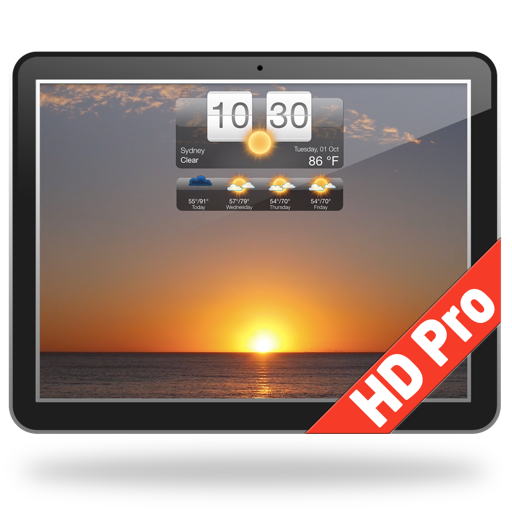
Introducing Weather HD - a stunning, unique app which brings the weather to life right on your desktop! It gives the weather forecast and turns your desktop into a beautiful animated wallpaper scene matching the conditions. Weather HD can also function as a screensaver. MAIN FEATURES: ● Current weather conditions and forecast on your desktop from all around the world ● Animated weather wallpaper scenes matching current weather conditions, today’s or tomorrow’s forecast. You can also select your favorite weather wallpaper scene or make it random. ● Animated weather wallpaper: ・Scenes match current weather conditions, today’s or tomorrow’s forecast ・Option to select your favorite weather wallpaper scene ・Option to make wallpaper scenes change randomly ● Detailed weather forecast window accessible by a singe click on the Dock icon ● Dock icon showing the weather: ・Icon badge shows Current Temperature, Wind speed or “Feels like” temperature ・Weather conditions icon ・Weather conditions text ● Adjustable Desktop Weather Widget: ・Widget style - Choose from 5 different styles ・Location on the screen - Move it anywhere you want on your desktop ・Size - Set as small or large as you like ・Transparency - Make it see-through ● Search forecast locations by address, airport code or automatic location based detection. ● Save as many locations as you want ● Screensaver option (“Show Desktop” feature moves all other windows out of the way) ● Forecast and conditions are updated every 60 minutes FEATURES: ● Accurate weather forecasts and local time for any location around the world ● Your first location is auto detected and new forecast locations can be added by typing the first few letter of the city name, zip code or airport code in the search field ● Current temperature as an icon badge right on the desktop WEATHER FORECAST DETAILS: ● 7-Day detailed weather forecast ● 2-Hourly weather forecast for 3 days ・Temperature ・Wind speed & Direction ・Humidity ● Weather forecast text summary ● Min and Max temperatures ● Current "Feels Like" (apparent) temperature ● Wind Speed and Direction ● Dew Point ● Humidity ● Rain fall information ● Local Sunrise and Sunset ● Units: Fahrenheit or Celsius & mph or kmh ● Time format: “System Default”, 12-hour or 24-hour ● Accurate, premium weather data from Weather Underground® Download Weather HD free Now!
Beschreibung
Buienradar voor Nederland en Europa met 45 minuten vooruitblik, officiële weerwaarschuwingen en 10-daagse verwachting op je Mac. In de menubalk, in het Dock of in een groot radarvenster, één klik verder. OP JE MAC • Menubalk: actuele temperatuur en weersituatie naast de klok; één klik toont de volledige verwachting • Dock-icoon: het live radarbeeld en de temperatuur, automatisch bijgewerkt; één klik opent het radarvenster • Drie vensterstijlen, van een compact paneel tot twee radarkaarten naast elkaar RADAR • Neerslagradar voor Nederland, België en heel Europa uit het netwerk van de nationale weerdiensten (OPERA), elke paar minuten ververst • De lus loopt tot 45 minuten vooruit: je ziet waar de bui heen gaat voordat hij bij je is • Twee uur radarhistorie; sleep de tijdschuif of laat de lus spelen • De tweede radarkaart loopt beeld voor beeld synchroon met de eerste WAARSCHUWINGEN • Officiële waarschuwingen van de Europese weerdiensten (MeteoAlarm) direct op de kaart, KNMI inbegrepen • Klik op een gebied voor de volledige tekst VERWACHTING • Actueel weer, uurverwachting en 10-daagse verwachting voor elke plaats ter wereld • Temperatuur en gevoelstemperatuur, windsnelheid en -richting, luchtvochtigheid, dauwpunt, neerslag, zonsopkomst en -ondergang • Bewaar zoveel plaatsen als je wilt; °C of °F, km/u of mph Eén keer kopen. Geen abonnement, geen advertenties, geen account. Vragen? Via het Help-menu in de app bereik je ons rechtstreeks.
Beschreibung
Met ClassicWeather kun je weersvoorspellingen van verschillende locaties vergelijken. Het biedt ook weersvoorspellingen in het dock en in de menubalk. Mac versie van de geliefde iOS weer-app. Algemene opties: • Huidige weersomstandigheden • Voorspellingen voor 14 dagen • Voorspellingen per uur • Voorspellingen voor de volgende 24(+) uur • Windrichting- en snelheid • Luchtkwaliteit (5 dagen) • UV-Index • Vochtigheid • Temperatuur in Fahrenheit of Celsius • Kans op neerslag • Zonsopgang/zonsondergang • Maanstand • Meerdere steden • Huidige locatie • Apple Weather voor huidige locatie (vanaf macOS 13) • Weer in dock menu en in menubalk menu • Huidige weersomstandigheden op dockicoon en menubalk • Icoon in dock en/of de menubalk • 2 modi (enkel venster of widgets) • Verschillende widgetontwerpen en -formaten • En meer Betaal eenmaal - installeer op verschillende Mac die gekoppeld zijn aan het App Store account.
Beschreibung
NOTE: this a is menu bar app. Once you open the app an AeroWeather icon will appear in the menu bar (as shown on screenshots). A simple and clean METAR/TAF viewer as known from AeroWeather for iOS. For a full version of AeroWeather, consider AeroWeather Pro (available on Apple M1 or higher computers only). Features: - Menu bar application for quick access (Menulet) - Customizable menu bar (airport with flightrule, temperature, or wind) - Menu bar display optionally rotates through list - Notification center widgets for raw format; requires macOS Ventura (13.0) - Sortable list (by user-defined, name, ICAO, IATA, country) of airports in well known AeroWeather layout (with raw or decoded METAR) - Detail view with METAR, TAF (raw or decoded) and station information - Read out of METAR similar to ATIS by swiping a station in list to the right (English voice only) - Calculates presssure altitude, density altitude, and windchill or heatindex - AWOS data for US airports (where available) with phone support (either via Skype or connected iPhone) - Customizable formats and units - Sharing of METAR/TAF via E-Mail, Messages etc. - Printing of station detail - Import/export of user data from/to AeroWeather for iOS - Support for dark mode - Available in Chinese (Simplified), Danish, Dutch, English, Finnish, French, German, Italian, Japanese, Norwegian, Polish, Portuguese (Brazilian), Spanish, Swedish AeroWeather uses weather data from freely available sources like US NOAA, which cannot be guaranteed. The cost for AeroWeather is for development of the app and not to pay for any weather data.
Beschreibung
The "Desktop Clock" app puts a beautiful and practical clock on your Mac's desktop and Dock. The app offers 23 beautiful designs to choose from depending on your taste and preference. Clock Designs: + Analog Clocks + Flip-Clock design + Animated Quartz movement for analog clocks App Features: + Adjustable position and clock size + Adjustable clock transparency + "Always on top" Option + "Hot Corners" to bring the clock above all windows + Clocks are shown on ALL desktops + App uses very little system resources The developers of this app are committed to quality and providing a great user experience. All feedback is taken on board and we try to respond to all emails quickly.
Beschreibung
Well Live Dock Weather just set a new standard in making users feel right at home with their weather needs. iLifeTouch is listening! If we missed something tell us . We well try our best to add features. The app has no set-up instructions. The idea behind this was if we need instructions the app is already way too complicated to use. Please feel free to click and try all the features the app provides. Weather on your dock ! How cool is that ! Live Dock Weather is the simplest way to be in constant contact with live weather 24/7 without even opening up an application. You can also load your desktop with two different types of sizeable and movable weather displays that are simply a blue colored plus button click away, enabling you to access up to date 24 hour accurate weather. This will be your quick source for live weather making Live Dock Weather one of your most used apps. Features Include + 151 000 world cities including 44 000 US Zip codes + Current weather conditions and temperatures + Weather is just a click away + Two desktop choices of weather displays + Multiple cities displayed at the same time + Weather is updated every 15 minutes + Status Bar displays current weather conditions + Quick reference of live local weather on the dock + 24 hour forecast + Dramatic organized graphics showing current weather + Current time, date, humidity, temperature + Live updates on the 15 + Voice forecast + +++++ this app is loaded with features In the tradition of iLifeTouch we make apps that make your life easier one day at a time! LifeTouch is listening! If we missed something tell us . We well try our best to add features. Enjoy
Beschreibung
Ontvang nauwkeurige weersverwachtingen per uur en voor 15 dagen van twee onafhankelijke weerbronnen — met waarschuwingen voor extreem weer, realtime barometer, getijden, luchtkwaliteit, storm- en orkaantrajecten, aardbevingen, zeewatertemperaturen en de unieke geanimeerde Weerklok. eWeather HD brengt al het weer samen op één prachtige plek: temperatuur, regen, sneeuw, wind, UV-index, luchtdruk, NOAA-boeigegevens en Apple Watch-complicaties — zodat je je dag met vertrouwen plant. Functies: • Nauwkeurige weersverwachtingen per uur en voor 15 dagen, wereldwijd • Twee onafhankelijke weerbronnen (VS en EU) — kies zelf de beste bron voor jouw locatie • Waarschuwingen voor extreem weer (VS en Europa) via pushmeldingen • Wereldwijde storm-, orkaan- en tyfoontrajecten met voorspelde routes • Live temperatuurbadge en vier widgets, waaronder de geanimeerde Weerklok en Barometer • Realtime barometer via de druksensor van je iPhone/iPad • Meldingen bij luchtdrukveranderingen die verband kunnen houden met migraine • Pushmeldingen met actuele weersomstandigheden • Getijdenverwachtingen en gegevens van meer dan 700 NOAA-boeien • Zeewatertemperaturen wereldwijd • Luchtkwaliteitsindex, details en verwachtingen • UV-index, luchtvochtigheid, dauwpunt, gevoelstemperatuur en geomagnetische activiteit • Geanimeerde satellietbeelden van bewolking (VS, Europa, Azië) • Interactieve weer- en windkaarten met acht lagen • Aardbevingsmeldingen • 10 jaar historische weerdata inclusief zeewatertemperaturen • Zon- en maantijden, maanfasen en astronomische gebeurtenissen (verduisteringen, equinox, zonnewende) • Grafieken van temperatuur en luchtdruk — verleden en verwachting • Vier thema's met Nachtmodus • Siri-opdrachten, Spotlight en iMessage-app • Apple Watch-app met acht complicaties WAAROM EWEATHER HD? De Weerklok laat per uur zien wanneer regen of sneeuw begint — één blik is genoeg. Twee onafhankelijke weerbronnen laten je voorspellingen vergelijken en de meest betrouwbare kiezen voor jouw locatie, terwijl de barometer je waarschuwt bij drukveranderingen die migraine kunnen uitlösen. Voor buitenactiviteiten combineert eWeather HD weersverwachtingen, windkaarten, getijden, boeigegevens, luchtkwaliteit en UV-info in één app. Of je nu een snelle weersupdate, een 15-daagse verwachting of waarschuwingen voor extreem weer nodig hebt — je blijft het weer altijd vóór.
Beschreibung
Make every glance at the Moon a discovery. Deluxe Moon HD turns your Mac into a personal lunar observatory, bringing beautiful Moon imagery, detailed sky data and an illustrated calendar together in one inviting space. FOLLOW THE MOON See the current phase, illumination, lunar age and distance at a glance. Explore upcoming new and full moons, with phase times calculated for your selected location and time zone. EXPLORE YOUR LUNAR CALENDAR Browse phases, zodiac signs and illustrated lunar days, or bring them together in one calendar. Discover lunar-day descriptions, zodiac transitions and Void of Course intervals. View your Apple Calendar events alongside the lunar month and add selected events to your calendar with optional alerts. KNOW YOUR SKY Check sunrise, sunset, moonrise and moonset. Explore Sun and Moon positions, detailed astronomical coordinates, equinoxes and solstices. Browse solar and lunar eclipses and check visibility information for your location. DISCOVER LUNAR TRADITIONS Explore Moon-day and zodiac interpretations, switch between tropical and sidereal zodiac systems, and discover gardening guidance tailored to your crops and growing conditions. Lunar interpretations and gardening suggestions draw on traditional practices. EXPLORE FROM ANYWHERE Use your current location or choose another place, date and time. Whether you are planning a moonlit evening, exploring the seasons or simply following your curiosity, there is always more to discover. Requires macOS 26 or later. Calendar integration requires permission.
Beschreibung
Probeer de ervaring van een krachtige, maar tegelijkertijd eenvoudig hulpmiddel, een echte windmeter direct naar je Mac. Met een innovatief design, geïnspireerd door de instrumenten van het vliegtuig, deze App combineert het concept van de wind met het kompas resulteert in snelheid en windrichting geïntegreerd in het kompas. Windmeter geeft het in realtime richting en windsnelheid. Zorg ervoor dat je verbonden bent met het internet. Op dit punt zal de toepassing uw locatie te detecteren. Op het display verschijnt de naam van de locatie, de richting en de intensiteit van de wind te laten zien. U kunt kiezen tussen 5 eenheden (knopen, mph, km/h, m/s of Beaufort). [ KENMERKEN ] • Gust • Windrichting • Kompas • U kunt kiezen uit 5 units: knopen, mph, km/h, m/s of Beaufort • Intuïtieve Graphics • Gebruiksgemak [ COMPATIBILITEIT' ] macOS 11.0 en hoger. Anemometer - Wind snelheid is ook beschikbaar voor iOS (iPhone, iPad en iPod touch). [ Ondersteunde talen ] • Nederlands, Engels, Italiaans, Spaans, Frans, Duits, Portugees, Russisch, Chinees en Japans. [ Help ] Als je van de app, vergeet dan niet om ons een recensie op de App Store. Voor suggesties kunt u contact met ons opnemen op [email protected], of ga naar onze website www.lionsapp.com
Beschreibung
Met een intuïtieve ontwerp deze App biedt een plezierige ervaring en betrouwbaarheid in het gebruik ervan. Zorg ervoor dat u een WiFi-verbinding met het internet. Op dit punt zal de app uw locatie detecteren. Op het display verschijnt de naam van de locatie en de atmosferische druk te laten zien, ook met vermelding van de klimatologische omstandigheden. De gegevens worden verstrekt door apixu.com een betrouwbare weerdiensten [ BEOORDELINGEN ] Eenvoudig en elegant ***** Deze app is in overeenstemming met alle dat is het beste met de Mac. Eenvoudige maar elegante biedt alles wat u moet weten over de atmosferische druk. Ik hoop dat het misschien in de toekomst bieden een trend balk om de veranderingen in druk over een periode van uren en dagen te zien zijn als de snelheid van verandering is zeer belangrijk om de aanpak van het weer voorgevels voorspellen. dank [ KENMERKEN ] • Real-time meting van luchtdruk • De ondersteunde eenheden hPa, mbar, mmHg, torr, inches • Betrouwbaarheid in het gebruik ervan • Blijf op de hoogte van de laatste luchtdruk lezen • Intuïtieve Graphics geoptimaliseerd voor Retina-display • Gebruiksgemak [ COMPATIBILITEIT ] macOS 11.0 en hoger. Barometer is ook beschikbaar voor iOS (iPhone, iPad en iPod touch). [ ONDERSTEUNDE TALEN ] • Nederlands, Engels, Italiaans, Spaans, Frans, Duits, Portugees, Russisch, Chinees, Japans, Deens, Fins, Noors en Zweeds. [ SUPPORT ] Als u hulp nodig hebt neem dan contact met ons op [email protected], of bezoek onze officiële website www.lionsapp.com Als u genieten van de app, vergeet dan niet om ons een recensie over de App Store te geven.
Beschreibung
RadarScope is an AMS-award-winning weather visualization tool that empowers meteorologists, public safety officials, storm spotters, and weather enthusiasts to view a full suite of single-site radar data and related severe weather products. Your initial purchase provides professional radar visualization in a fully native app, free from distracting and invasive practices, with optional subscription packages to add even more capabilities. Whether you’re scanning for a mesocyclone’s tell-tale hook echo, pinpointing the landfall of a hurricane’s eye wall, or identifying velocity couplet, hail spike, or debris ball signatures, RadarScope displays native radar data in its original radial format. You see what the radar sees almost as soon as the radar sees it, with automatic updates every two to ten minutes depending on the radar’s scanning strategy. Your initial app purchase includes the following: • Full suite of single-site radar products for the US, Canada, Guam, Denmark, Finland, and Germany • 10-frame radar loops • Two built-in providers for radar data • Tornado, thunderstorm, flash flood, marine, snow squall, extreme wind, tropical, and other warnings in the US • Selected severe weather warnings in Canada and Australia • Severe weather watches in the US and Canada • NWS-generated storm tracks with hail, TVS, and mesocyclone attributes • Inspector and distance tools • Color palette options for radar data • Weather Pulse data plan integration • Spotter Network integration for storm and location reporting • mPING integration for submitting weather reports to NSSL • Bundled maps with political borders, water bodies, and highways, optimized for low-bandwidth use • Support for widgets and complications • Universal app for Apple platforms, including Apple Watch, and Apple TV • CarPlay support • Family Sharing support RadarScope Pro Tier One is an optional annual subscription that adds more features for tracking severe weather: • 30-frame radar loops • Cloud-to-ground lightning strikes • Special weather statements in the US and Canada • Mesoscale convective and precipitation discussions • SPC convective, tornado, hail, wind, and fire outlooks • WPC excessive rainfall outlooks in the US • Local storm reports in the US • Custom color palette support • Multi-pane display (2 on phones; 4 on larger devices) • Family Sharing support RadarScope Pro Tier Two is an optional annual or monthly subscription that transforms RadarScope into a more complete visualization tool for a larger suite of weather products, including: • Everything in Pro Tier One • 50-frame radar loops • A third provider for US radar data • 30-year archive of NEXRAD Level II radar data • 6-year archive of NEXRAD Level III data • 30-day archive of super-res and non-US radar data • 20-year archive of NWS bulletins • GOES satellite data • Multi-Radar Multi-Sensor (MRMS) data • Real-Time Mesoscale Assimilation (RTMA) data • GFS, ECMWF, HRRR, HRW, NAM, and RRFS model data • Surface observations • ProbSevere layer • Atmospheric soundings in the US • Hail size, hail probability, and azimuthal shear contours with a 30-day archive • More detailed transportation and satellite imagery maps • Custom color palette support for GOES, MRMS, RTMA, and forecast products • Server-sent events for radar and warning updates • Cross-platform subscription sharing on up to 5 devices If you choose to buy a RadarScope Pro subscription, it will be charged to your App Store account. The subscription will be auto-renewed within 24 hours prior to the end of the current period at the same price you originally paid. Subscriptions may be managed and auto-renewal disabled via your App Store account settings after the purchase. Once purchased, the subscription cannot be canceled during the active subscription period. DTN is committed to safeguarding your privacy online. Our privacy policy is available for review at https://www.dtn.com/privacy-policy/ Please visit our web site for more information.
Beschreibung
**Universal binary ready for Apple Silicon processors!** Introducing Radar Extreme, a powerful and easy to use Radar, Weather, Satellite, Lightning, Earthquake, and Hurricane Tracker. Radar Extreme features hundreds of NEXRAD Local Radars, dozens of Regional Radars, 14 World Radars, Local Weather Conditions for over 200,000 locations around the globe, 7 Lightning Intensity Radars, a National U.S. Radar, even interactive Solar System, 3D Earth, and an Interactive Map that shows Precipitation, Temperature, Clouds, Rain, Snow, Wind, and Sea Level Pressure individually. If that wasn't enough, Radar Extreme also offers extremely descriptive textual local weather Forecasts for Day and Night; letting you know exactly what conditions will be like for a given period of the day — and whether or not you should bring an umbrella. Local Weather features photorealistic Day and Night time graphics, Ten Day Weather Forecasts, Wind Speed/Direction, Humidity, Highs/Lows, and much more. Local Weather Conditions are shown in the Menu Bar (Dark Theme compatible!) and a live animated NEXRAD Local Radar in the Dock. All three panes can be resized independently, with full Multi-touch gestures included. With all these features, Radar Extreme offers more Radars than any other application in the world, and best of all, Radar Extreme offers incredibly advanced features at a ridiculously affordable price of only U.S. $4.99! Advanced and Easy to Use Features! - Hundreds of "NEXRAD Next Generation" Local Radars all over the U.S.; with each Radar featuring independent layers, with 6 Radars per location: Base Reflectivity, Storm Relative Motion, Base Velocity, One-Hour Precipitation, Composite Reflectivity, and Storm Total Precipitation - Dozens of Regional Radars give you a glimpse of what's going on in the immediate surrounding vicinity - 18 World Radars (Full Color GOES-16 Satellite) with 17 Radars per location - Local Weather features Photorealistic Day/Night Graphics, with over 200,000 locations around the globe supported; updates every 15 minutes - Innovative 7 Lightning Radars around the world show Lightning Intensity for a given region - National U.S. Radar, with a high resolution option - Textual Forecast gives detailed descriptions for different periods throughout the day (Provided by U.S. National Weather Service) - Interactive 3D Solar System shows Sun, Planets, and Asteroid Belt - Interactive 3D Earth shows latest Earthquakes, Tropical Storms, and Live Clouds - Interactive Map shows the latest Precipitation, Temperature, Clouds, Rain, Snow, Wind, and Sea Level Pressure - Each Radar can be switched between locations on the fly - Each Radar features Reload button to make sure you always have the latest data - Dock Icon shows Animated NEXRAD Local Radar - Local Weather supports Unlimited Multiple Locations, Imperial/Metric systems,F°/C°; 24 Hour Clock Option - Local Weather Conditions in menubar (Dark Theme compatible, must be enabled in Preferences) - Multi-Touch gesture and Retina Display support included - Super advanced, yet super easy to use *Please note Local Radar, Regional Radar, and Textual Forecast features are for the United States only*
Beschreibung
Introducing Motion Weather 4K: The most insanely beautiful and innovative weather application ever conceived. Motion Weather 4K turns your Wallpaper into breathtaking Cinema quality 4K video based on the Weather conditions outside — and is an excellent weather application in it’s own right. Motion Weather 4K also “knows” when it’s day time and night time and automatically switches to night time 4K videos when it’s night outside! We’ve spent countless hours shooting and licensing some of the highest quality 4K videos in the world to deliver an experience like no other; and then spent even more time developing the app itself. This application is so crazy, that is has *three* different Preferences Windows: Weather Preferences (Set Weather Options and Locations), Display Preferences (Customize Wallpaper for each display), and the Desklet Manager which lets you add over 30 Desklets to your Desktop that are completely customizable. In addition to adding Desklets to your Desktop individually, you can also set Motion Weather 4K so it automatically adds customized Desklets for each Theme — giving you relative information right on your Desktop when you need it and ensuring your Wallpaper and Desklets will always match. Motion Weather 4K also features the ability to choose a custom 4K video (with Graphical Theme chooser), includes Unlimited Display support that lets you customize each Display individually, and also has a super efficient video player foundation that can play full 4K videos while consuming less than 5% CPU per display. If that *still* wasn’t enough, we went ahead and built in a 3D Solar System and 3D Planets with live data that can be interacted with manually. With all these features, Motion Weather 4K delivers a breathtaking and soothing experience like no other! Main features: - Automatically changes your Wallpaper based on conditions outside in stunning 4K Ultra HD Video - Knows when it’s Day or Night time and changes 4K Videos accordingly - Add up to 30 Desklets to your Desktop allowing full customizability over position, size, font, foreground color, and background color - Optionally set Desklets to be automatically added and customized for each Theme as the Wallpaper changes - Choose a Custom 4K Video with Graphical Theme Chooser, turning off automatic Wallpaper updates - Super efficient Video Player foundation can play full 4K videos while averaging 5% CPU per display - Main Weather window matches with Wallpaper background - Works for hundreds of thousands of locations worldwide - Unlimited Display support - Unlimited Multiple Locations - Weather data updates every 15 minutes - Switch Locations instantly from the Locations Menu - Incredibly advanced, yet super easy to use Basic Usage: - Left-click the Dock Icon to bring up the main Weather window (only if Motion Weather 4K is in the background, if in the foreground choose File > Main Window) - Left-click on the Menu Bar Item to bring up the Current conditions and Five Day forecast Menu — anywhere system-wide - Right-Click the Menu Bar Item to bring up a 12-Hour Forecast and Live Interactive 3D Earth; also system-wide - Click on Five-Day Icon (on the main window) to view detailed Forecast information for that time period (U.S. only) - Choose a Forecast in the Menu Bar Item to view detailed Forecast information for that time period (U.S. only) Motion Weather 4K features 4K Videos for the following weather conditions for both day and night (Over 20 4K Videos total!): - Clear/Sunny - Partly Cloudy - Mostly Cloudy - Very Cloudy - Light Clouds - Medium Clouds - Heavy Clouds - Rain - Lightning - Snow
Beschreibung
Moon Phase Gadget is a set of stylish Moon and Sun gadgets for your desktop. Moon Phase Gadget is a great addition to the magnificent Deluxe Moon HD application. Features: - Large Moon gadget with precise moon phase times. - Sun gadget with sunrise and sunset times. - Small, stylish moon gadget with main Moon information. Moon Parameters - Precise Moon phase times. - Full names of all Moon phases. - Moonrise and moonset times for your location on large gadget. - Moon countdown timers: amount of time since moonrise and until moonset. - Percent of the illuminated Moon area. - Current moon age: how far along the moon is in its full cycle. - Zodiac sign the Moon is in. Sun Parameters - Sunrise, sunset and zenith times. - Number of days since beginning of the year. - Zodiac sign the Sun is in. - Solar time We appreciate your input. Please help us make this application better with your feedback – if you like Deluxe Moon, write us a review on iTunes. Your support would greatly help us make the application even better!
Beschreibung
**Universal binary ready for Apple Silicon processors!** Hurricane Track 3.0 is the most advanced, modern, and easiest to use Hurricane Tracking, Radar, and Local Weather application. Hurricane Track 3.0 features incredible new features such as 14 World Radars, a new customizable dynamic Local Radar using NEXRAD "next-generation radar" technology, descriptive Textual Forecasts, future Projected Tropical Cyclone Paths, Historic Hurricane Paths, Regional Radars, National Radars, Lightning Intensity Radars, Sea Temperatures, Cloud Formations that can potentially turn into tropical cyclones, Maps, an Interactive 3D Earth and Solar System, detailed tropical storm information and discussion, and much much more! Local Weather features photorealistic Day and Night time graphics, Ten Day Weather Forecasts, Wind Speed/Direction, Humidity, Highs/Lows, and much more. Local Weather Conditions are shown in the Menu Bar (Dark Theme compatible!) and a live animated NEXRAD Local Radar in the Dock. All three panes can be resized independently, with full Multi-touch gestures included. With all these features, Hurricane Track brings comprehensive Hurricane tracking and Radar technology to your Mac, at a very affordable price. Hurricane Tracking Features: - Projected Tropical Storm Paths: Future tropical storm paths for the next five days - Graphical outlines of cloud formations that can turn into potential Tropical Storms - Historical Hurricane Tracks going all the way back to 1949 - Sea Surface Temperatures for the past two months - Interactive Map shows the latest Precipitation, Temperature, Clouds, Rain, Snow, Wind, and Sea Level Pressure - Interactive 3D Solar System shows Sun, Planets, and Asteroid Belt - Interactive 3D Earth with Live Clouds, Tropical Storms, and Earthquakes - Tropical Storm and Weather Information, Summaries, Discussions, and Outlooks - Multi-Touch gesture and Retina Display support included! Radar Features: - 18 World Radars (Full Color GOES-16 Satellite) with 17 Radars per location - Customizable Advanced Local Radar using NEXRAD technology - Innovative Lightning Intensity Radars - Each Radar can be switched between locations on the fly - Each Radar features Reload button to make sure you always have the latest data - Dock Icon shows Animated NEXRAD Local Radar Local Weather Features: - Local Weather features Photorealistic Day/Night Graphics, with over 200,000 locations around the globe supported; updates every 15 minutes - Local Weather supports Unlimited Multiple Locations, Imperial/Metric systems,F°/C°; 24 Hour Clock Option - Local Weather Conditions in menubar (Dark Theme compatible, must be enabled in Preferences) - 10 Day Forecast on main window - 5 Day Forecast in menubar - Textual Forecast gives detailed descriptions for different periods throughout the day (Provided by U.S. National Weather Service) - Wind Speed, Direction, Humidity, Conditions and more - Advanced, yet super easy to use *Please note Local Radar, Regional Radar, and Textual Forecast features are for the United States only*
Beschreibung
Weather Dock Express is the most modern, innovative, and beautiful Weather application. Weather Dock Express features stunning photorealistic animations, super accurate weather forecasts, gorgeous interactive 3D Graphics, and even Live Tropical Storm, Earthquake, Clouds, and Sunlight data. View photorealistic animations with animated Rain, Snow, Clouds, the Sun, Moon, even Lightning, and more! Or view an Interactive 3D Solar System or view Planets (with Planetary data) individually right from the Menu Bar! Weather Dock Express combines sophisticated technology with stunning design -- all while being super easy to use! Ridiculously Advanced Features! - Left-click the Dock Icon to bring up the main Weather window (only if Weather Dock Express is in the background, if in the foreground choose File > Main Window) - Left-click on the Menu Bar Item to bring up the Current conditions and Five Day forecast Menu -- anywhere system-wide - Right-Click the Menu Bar Item to bring up a 12-Hour Forecast and Live Interactive 3D Earth; also system-wide - Resize the main Weather window to automatically turn the 5-Day Forecast into a 10-Day forecast - Click on Current Conditions or Five-Day Icon (on the main window) to view detailed Forecast information for that time period (currently only U.S. only) - Choose a Forecast in the Menu Bar Item to view detailed Forecast information for that time period (currently U.S. only) - Works for over 200,000 Locations worldwide - Unlimited Multiple Locations - Weather data updates every 15 minutes - Switch Locations instantly from the Locations Menu - Retina Display support - Incredibly advanced, yet super easy to use Innovative Live 3D Earth Our Interactive 3D Earth features a plethora of real-time data sources unseen in applications today; The Live 3D Earth features: - All Earthquakes that have happened in the past 24 hours - Names of current Tropical Disturbances, Depressions, Storms, and Hurricanes; including Live Wind Speed - Live Clouds shows storms as they form - Live Sunlight direction that shows shadowed and lit portions of the Earth *If you like Weather Dock Express, please show your support by leaving us a good review -- good reviews keep the updates coming!*
Beschreibung
Mach Wallpaper is the true dynamic Wallpaper application for macOS! Mach Wallpaper features 20+ stunning themes, with each theme featuring advanced 3D effects, and the most cutting-edge and beautiful Widgets ever to grace a Desktop! 3D effects include but are not limited to: Light, Water, Fog, Smoke, Clouds, Fire, Snow, Stars, Galaxies, Quasars, even Black Holes, and more! With the Widget Manager, quickly customize a Widget's position, size, font, and colors (and Add Widgets) with a single click! Unlike other Wallpaper apps, every single one of our themes are beautifully 3D rendered dynamic wallpapers, guaranteed! And our advanced Desklets not only feature weather, date, forecasts, and other detailed information; but detailed charts of projected temperature, humidity, wind speed, and more! Quickly download more Quartz Compositions and customize your own Widgets to customize your Wallpaper any way you see fit! Innovative Features! - 20+ Themes, with the option to automatically add customized Desklets or add no Desklets at all; the choice is yours! - Unlimited Display support, with each display being independently customizable - 20+ 3D (Quartz) Compositions with stunning rendered effects such as Light, Water, Fog, Smoke, Clouds, Fire, Snow, Stars, Galaxies, Quasars, Black Holes, and more - Choose Themes graphically with a single click - Add nearly 30 different Widgets with a single click; with each Widget supporting customized position, size, font, foreground color, and background color - Forecast Widgets show conditions for the next 12 hours - Retina Display support - Advanced, yet super easy to use
Beschreibung
Met Maanfasen heb je altijd bij de hand van de verschillende aspecten die de maan laat zien naar de Aarde tijdens zijn beweging. Raadpleeg de geïntegreerde kalender naar het verleden en de toekomst maancyclus te zien. Controleer zonsopgang en zonsondergang in real time. De dag- en nachtmodus wordt automatisch geactiveerd op basis van zonsopgang en zonsondergang. Dit alles maakte met spectaculaire graphics, waardoor het uniek en plezierig. [ Kenmerken ] • Moon Phases • Percentage van de verlichting van de maan • Agenda op de cycli van de maan • Zonsopgang en zonsondergang • Automatische dag- en nacht grafische modus • Plaats detectie • WiFi-functie [ Compatibility ] Mac OS X 10.14 en hoger. Maanfasen is ook beschikbaar voor iOS (iPhone, iPad, iPod touch en Watch). [ Ondersteunde talen ] • Nederlands, Engels, Italiaans, Spaans, Frans, Duits, Portugees, Russisch, Chinees en Japans. [ Ondersteuning ] Als je hulp nodig hebt neem dan contact met ons op [email protected], of bezoek onze officiële website www.lionsapp.com Als je de app te genieten, vergeet dan niet om ons een recensie over de App Store.
Beschreibung
AtmoBar 4 is volledig opnieuw gemaakt voor nog meer gebruiksgemak. Nu kunt u elke soort meting van uw Netatmo-weerstation rechtstreeks vanuit de menubalk van uw Mac volgen. We hebben een zijbalkwidget toegevoegd AtmoBar geeft de grafieken weer van alle metingen van uw Netatmo-weerstation AtmoBar is een onofficiële Menu Bar-app voor Netatmo. Het vereist een Netatmo-weerstation. U moet de inloggegevens van uw Neatmo-account gebruiken. Kenmerken: - Multi-stations -We ondersteunen de wind- en regenmeter -We ondersteunen extra Netatmo-modules. Gegevens worden elke 10 minuten vernieuwd vanaf het station van uw Netatmo Het Netatmo Station meet binnentemperatuur, CO2-concentratie, geluidsoverlast en vochtigheid in het huis. Met Atmo Bar kun je rechtstreeks vanuit je Mac's menubalk openen: Buitentemperatuur en binnentemperatuur Luchtvochtigheid buiten / binnen Hoogte Indoor CO2-niveau Binnendruk Geluidsniveau Bovendien toont Atmo Bar dagelijkse grafieken voor: Buitentemperatuur en binnentemperatuur Luchtvochtigheid buiten / binnen Hoogte Indoor CO2-niveau Binnendruk Geluidsniveau Sensoren en metingen: Temperatuur (binnen): Varieert van: 0 ° C tot 50 ° C / 32 ° F tot 112 ° F Nauwkeurigheid: + - 0,3 ° C / + - 0,54 ° F Temperatuur (buiten): Varieert van: -40 ° C tot 65 ° C / -40 ° F tot 150 ° F Nauwkeurigheid: + - 0,3 ° C / + - 0,54 ° F Luchtvochtigheid (binnen en buiten): Bereikt van: 0 tot 100% Nauwkeurigheid: + - 3% Barometer: Bereikt van: 260 tot 1160 mbar / 7,7 tot 37,2 inHg Nauwkeurigheid: + -1 mbar / + - 0,03 inHg CO2-meter (binnen): Bereikt van: 0 tot 5000 ppm Nauwkeurigheid: + - 50 ppm of + -5% Geluidsmeter: Varieert van: 35 dB tot 110 dB eenheden Amerikaans systeem: ° F en inHg. Metrisch systeem: ° C en mbar. Ontdek weerpatronen en cycli. Een uitgebreide en krachtige tool om uw leefomgeving te begrijpen. De app vereist een Netatmo-weerstation. Als je een probleem hebt, e-mail ons dan op [email protected]
Beschreibung
Tides PRO is a beautiful tide prediction app for iPhone, iPad and Apple Watch that helps you know up-to-the-minute facts about the predicted tide height in the United States, Canada, Japan, Portugal, France, Germany, United Kingdom, Australia, New Zealand, China and other countries. Get high and low tide times, tide charts, tide tables for over 17000 of ports, harbors and coastal locations around the World. Designed with lots of passion & love: * The application includes 4 modes: Tide graphs, Tide tables, Tide maps and unique "Tide watch" interface that provides all tide information at a glance. * Tides PRO optimized for modern devices to provide HD graphics, animations and video effects Tide graph: * Interactive graph shows tide predictions, current time, Sunrise, Sunset, Moonrise, Moonset times * Swipe left and right to get tide predictions with up to the minute accuracy for the next few days * Tap on "Calendar" to open calendar and get tidal predictions up to the next 365 days * Tap on "Now" button to show current time on the graph Tide tables: * Tide calendar for the next 365 days * Highest tides & lowest tides * Swipe up and down to see water levels * Tap on specific day to show it in Tide graph mode “Tide watch” display: * Live tidal clock * Count down the number of hours, minutes and seconds to the next High tide or Low tide Apple Watch: * Apple Watch complications: Modular Large & Small, Graphic Rectangular, Corner & Circular, Circular Small, Extra Large, Utilitarian Small & Large * Current water level * Today's high tide and low tide times * Sunrise/Sunset, Moonrise/Moonset times Map: * Provides fast and convenient access to local or international tide stations * View Tide stations near you * Tap on Tide station to get current water level, high and low tide times * Tap on "Star" to add tide station to the list of favorites Specifications: -High and Low tide times for the next 365 days -Sunrise, Sunset, Moonrise, Moonset times -Solunar charts -Current water level -Up to minute predictions -"Tide watch" interface that provides all tide information at a glance -Min & max water levels displayed in a special designed interactive table -Interactive map of tide sites (local and worldwide) that provides information about current level, high tide and low tide times -Location can be added by name, by the map or using user's current location Tide stations in all regions: 183 Africa 1155 Asia 171 Atlantic Islands 815 Austral-Asia 205 Caribbean Islands 34 Cen.America Caribbean 508 Europe 127 Indian Ocean 57 Mediterranean 43 Middle East 4292 North America,Atlantic 727 North America,Gulf 2777 North America,Pacific 196 Northern seas 341 Pacific Islands 155 S.America,Atlantic 52 S.America,Caribbean 142 S.America,Pacific 520 South East Asia in 150 countries: >7000 USA 1716 Canada 802 Japan 422 Australia 245 New Zealand 277 Philippines 108 Brazil 153 Russia 58 Kuril Islands 177 Indonesia 128 China 116 Chile 112 United Kingdom 80 Mexico 69 Greenland 98 France 74 Germany 54 Bahamas 47 India 47 Vietnam 52 Netherlands 34 Italy 33 Korea 22 Portugal ... the list includes almost all coastal countries around the world Knowledge of tides is an important element of boating safety. Tidal information is essential for navigating a shallow waterway or placing your boat at anchor. The success or failure of a voyage can depend on the height or depth of a tide, while knowledge of current information can save fuel and make passage into a river or channel safer. Tides PRO goes further than the tables provided by the NOAA. The app automatically accounts for correction factors and provides instant information without requesting that you account for time lags, daylight savings conventions, or height differences between the reference stations and the locations you are seeking. Since the tidal information that is published in this app is not subjected to the use of the voyage, please do not use for navigation
Beschreibung
***** 70% OFF, Hurry now !!! “The Very First of Its Kind” 3DWeather is an impressive weather app for your macOS and unlike any other weather app available, 3DWeather brings you weather information in an amazing 3D style, so that what matters most to you, all the important weather updates are delivered to you through widget which sits looking attractive on your desktop displaying the weather of a place . It lets you keep a 3D animating widget on the desktop that generates the scenic representation of the current weather condition of the place you set. STUNNING THEMES: 3DWeather never gets monotonous and will never look old to you, because, as weather condition changes so does the app, representing the accurate information of the weather of that time. 3DWeather comes packed with themes featuring different scenes, places and atmosphere. It has several themes to select from, containing different natural elements and atmosphere. We've been constantly updating 3DWeather with new themes and features to make it an ideal weather app for you. CUSTOMIZATION: 3DWeather lets you customise it to such extent that it will become your very own personal weather assistant. DETAILED WEATHER STATISTICS from WEATHER UNDERGROUND: 3DWeather fetches weather stats from Weather Underground which is the most accurate and detailed weather forecast provider available world wide till date. Weather Informations - Humidity - Dew Point - UV index - Wind chill - Heat index - Visibility - WNW - Precipitation in percentage - Precipitation in mm - Sunset and Sunrise timing with last update time - Hourly weather forecast for the next 24 hours - Daily weather forecast for the next 4 days ALERT IN NOTIFICATION CENTRE: You will get timely weather alert directly sent to the Notification Centre about recent updates and developments on weather throughout the day. So, download 3DWeather today and embrace a new approach of displaying weather forecast which is both informative and delightful to look at.
Beschreibung
Waar je ook bent Thermo geeft u de lokale buitentemperatuur, rechtstreeks op de Mac. Nooit het huis verlaten onvoorbereid. Thermox vertelt je hoeveel graden buiten en de klimatologische omstandigheden. Temperatuur in Graden Celsius (°C) Fahrenheit (°F) Kelvin (K). Met een spectaculaire en intuïtief ontwerp deze applicatie biedt een aangename ervaring en betrouwbaarheid in het gebruik ervan. Zorg ervoor dat u een Wi-Fi-verbinding met internet . Op dit punt zal de applicatie uw geografische locatie op te sporen. Het zal u tonen de naam van de locatie, de klimatologische omstandigheden en de huidige buitentemperatuur, ook met vermelding van de vorige dag temperatuur op hetzelfde uur. De gegevens worden verstrekt door apixu.com [ KENMERKEN ] • Real-time buiten temperatuurmeting • Temperatuur in Graden Celsius (°C) Fahrenheit (°F) Kelvin (K) • Betrouwbaarheid in het gebruik ervan (gegevens uit apixu.com) • Graphics intuïtieve • Gebruiksgemak [ COMPATIBILITEIT ] macOS 10.14 en hoger. Thermox is ook beschikbaar voor iOS (iPhone , iPad en iPod touch). [ ONDERSTEUNDE TALEN ] • Nederlands, Italiaans, Spaans, Frans, Duits, Portugees, Russisch, Chinees en Japans. [ SUPPORT ] Als u hulp nodig contact met ons op [email protected] , of bezoek onze website www.lionsapp.com nodig. Als u genieten van de app, vergeet dan niet om ons een recensie over de Mac App Store te geven.
Beschreibung
Tide Graph uses the harmonic predictions from thousands of US coastal stations and presents them in a fun and interactive graph. It also includes water currents and sun/moon information. NOT FOR NAVIGATIONAL PURPOSES. USE AT YOUR OWN RISK. Tides have a great influence on the lives of boaters, fishermen, surfers, coastal communities, marine life, and vacationers just to name a few. Directly or indirectly, the great flow of our massive ocean bodies of water impact the daily lives of everyone on this planet. The cyclical movement of the Earth's tides are caused by a combination of the gravitational forces of the sun and moon as well as the shape of the costal region. Unlike simple tide clocks that you can buy in novelty stores, more accurate tide predictions use special data gathered by instruments located at each tide station. The data from these measurements are used to determine the harmonic components which then feed into the mathematical algorithms which predict tides for the future. The end results are tested for accuracy and adjustments are made as necessary. Tide Graph has US owned Tide Stations Only. An internet connection is required to get the latest tide graph. - See TideGraph.com for a complete list of stations.
Beschreibung
Weather Pro provides users with accurate and authoritative weather forecasts, helping you to plan future trips and search weather infor you need. The Pro version contains no ads and provides a better experience. 【weather function】 · Provide you with 15-day weather forecasts, 24-hour weather forecasts · Real-time weather radar map , global weather changes at a glance · Outdoor data such as air pressure, humidity, rainfall probability, visibility, wind power, etc. · Daily dynamic information, such as,sunrise, sunset and moon phase changes · Life index such as UV, sports, dressing, fishing, car washing, and susceptibility to colds 【special function】 · Weather background: With Light mode, it offers massive excellent pics, which can changes aucomitaclly with day&night. · Global weather forecasts: Authorized multi-source data, covering the global main cities. privacy policy: https://sites.google.com/view/darkweatherapp/privacy-policy
Beschreibung
MOON is your personal lunar portal. Never be caught off-guard by moon-related craziness again. View the current moon phase, see what the moon will be like on a certain date, see countdowns to moon events, receive notifications with enough time to avoid unpleasantness, and share the moon phase with your friends. MOON is the most thoughtful moon phase calendar available. It becomes increasingly useful the more you use it. Enjoy. Features * Works offline, never be stranded without lunar positioning * Notification Center widget * Moon predictor * Share today's moon on Facebook, Twitter, etc * Share how the moon looks on any date * Countdown to upcoming New and Full Moons * Built for OS X MOON is also available on iOS!
Beschreibung
WEATHERTRACK Verbazende weerinformatie over uw vingertop. Wereldwijd. "An incredibly comprehensive weather app - it accesses many data models from different agencies and provides worldwide coverage. The GRIB layers include wind, precipitation, wave height/direction/period, ocean and tidal currents, air and sea temps, relative humidity and more. WeatherTrack works offline, and GRIB files can be downloaded through an SSB connection, an Iridium AxcessPoint or as an email attachment and opened in the app." (App of the month! in Cruisingworld) http://goo.gl/PLzpI0 (WeatherTrack in een oogopslag) Officiële partner in het AMERICA's CUP TEAM ARTEMIS (2013). Voorspellingen voor Professionals en Amateurs... "Simply perfect - Fijn en eenvoudig te gebruiken programma. Prettig compacte bestanden voor een relatief snelle download in langzame netwerken. Het geld meer dan waard!" Alles wat je ooit zou willen in een app: +++ GRIB VIEWER FUNCTIES in DETAIL: Download GRIB-bestanden voor welk gebied dan ook in de wereld met hoge resolutie. Bekijk online/offline, als lokale voorspelling of meteogram. GRIB lagen: + Wind (10 m boven de zeespiegel) + Windstoten + CAPE: ernstige weer indicator + Neerslag (regen, sneeuw) + Dauwpunt + Bewolking + Golfhoogte/Richting/Periode + Stroom (RTOFS) + Barometerdruk - hoge/lagedrukgebieden (H),(L) + Temperatuur van het lucht/van het zeewater/op 500 mb + Relatieve Vochtigheid, Geopotentiaalhoogte op 500 mb Voorspelling: + Wereldwijde dekking + Voorspellen tot 16 dagen + Weermodellen:GFS, COAMPS, NAVGEM; stroom: RTOFS; golven:WW3, WAM85, FNMOC-WW3/FNMOC-MED/FNMOC-EQAM + Resolutie: 0.05°, 0.5°, 1°, 2°, 2.5° (afhankelijk van het rmodel) + Voorspellen tijd interval: 3hr, 6hr, 12hr, 24hr + Gegevens bijgewerkt elke 6 uur (GFS) Kaart: + Offline, high res vector kaart. Gebruik het offshore of in de bergen. + Zoom - to 0.001° (111 m /121 yd) -(voor zeer hoge res GRIB bestanden) + Aanpasbaar + Online (satelliet/hybride/kaart). Speciale informatie: + Werkt gemakkelijk met lage bandbreedte + Gebruiksvriendelijk + Meteogram, dynamische, toont elke laag + Open GRIB bestanden van Email/Browser + Delen (Twitter/Facebook/E-mail) + City/Airport Search + Vergrootglas + In-app handleiding (offline) + Animatie- kijk & delen + Import/export GRIB bestanden op/van uw PC (via iTunes) + GRIB via Iridium access point +++ ROUTE WEATHER helpt u van plan uw reis goed (kopen vanuit apps). http://goo.gl/PXFCIj + Maak je eigen route + Importeren/Exporteren via vanuit andere apps. (b.v.Dropbox). + Waypoint informatie bewerken: naam, lat/long, duur volgende waypoint, geschatte snelheid, brandstof. + wind modus selecteren: Waar, Relatief, Schijnbaar. + Route Meteogram + Compleet route bestanden per e-mail delen/openen in apps. + Online kaart. Weergegeven route in satelliet/hybride/kaart. +++ GRIB Robot (subscription**) Makes the retrieval of GRIB files over satellite connections easy. +++Tidetech (subscription**) Wereldwijd hi res Getijd/ZeeStrooms +++ GLOBAAL-LOKAAL Satelliet uitzicht + Fascinerende kijk vanuit de ruimte laat onze planeet + Wereldwijd wolkenvorming elke drie uur bijgewerkt + Wereldklok, analog/digital + Overal lokale voorspellingen op uw vingertop, niet alleen voor de twee miljoen locaties +++ WEATHER ONLINE Selected online resources: + Satellite + Radar + Fax + Aviation weather (partly) + Surface analysis + Snow and more. **SUBSCRIPTIONS AUTOMATICALLY RENEW unless auto-renew is turned off at least 24-hours before end of current period. Tidetech Price: USD $7.99/mo, $34.99/6 mo, $46.99/12 mo GRIB Robot Price: USD $2.99/7d, $5.99/mo, $15.99/3 mo, $28.99/6mo Your iTunes account will automatically be charged at the same price for renewal within 24-hours prior to end of current period unless you change your subscription preferences in your account settings. More: http://goo.gl/CQHG5H WeatherTrack, het Zwitserse Zakmes voor Weer Enthousiastelingen! Alles in een app.
Beschreibung
Fast. Simple. Predictive high-resolution Weather Radar. Severe weather warnings. Storm tracks and future projections. Satellite cloud animation. Use Radar HD to see what weather is coming your way! Radar shows areas of current precipitation or future simulated radar prediction!. A weather radar is used to locate precipitation, calculate its motion, estimate its type (rain, snow, hail, etc.), and forecast its future position and intensity. Precipitation type is indicated by the color. Green color indicates lesser precipitation while the yellow color code indicates intense precipitations. The color code red is indicative of the most intense precipitations. Blue color indicates snow. Using the data from Storm Prediction Center and Global Disaster Alert and Coordination System (SPC & GDAC) Radar HD provides information about tropical storms and hurricanes for locations worldwide, areas affected by storms and severe weather, coordinates and wind speed, storm tracks & path projections. Satellite images provide an excellent view on the clouds in the sky and an indication of the weather over the United states, Europe, Japan, Australia and Indonesia. Satellite images come from satellites which remain above a fixed point on the Earth (i.e. they are “geostationary”). Lighter areas of cloud show where the cloud tops are cooler and therefore where weather features like fronts and shower clouds are. The app also allows you to check the weather on your favorite places on maps. Interactive map includes live international weather conditions, local weather and time, ten-day forecasts and sunrise/sunset times for multiple places. You can add placemarks on the map to represent your favorite places or the places you’d like to visit. At a glance you can see the time and weather for all of your favorites. Key features: * [NEW] Predictive weather radar * [NEW] Simulated radar prediction for the next 60 minutes using five-minute intervals * The real time radar images provided by NEXRAD an accurate view of the weather situation in the U.S. * Storm / hurricane / typhoon tracker and projected paths (International and Global) * All severe weather alerts on interactive map, 126 weather alert types (U.S.) * High resolution weather radar. Stunning and sharp images. (U.S.) * Animated satellite images of cloud cover (U.S., E.U., Japan, Australia) * Current weather conditions directly on the map. 130,000 locations worldwide. * Current weather details and ten-day forecast in pop-up window. Features include: * three different layers to get the weather: ground stations, radar and satellite. * zoom in and out, drag and scroll * play, pause animations at any zoom level * displays current position on the map * saves and restores your last position * adjustable radar image quality for Wi-Fi and cellular connections
Beschreibung
A minimalistic and beautiful visualization of the weather conditions and day and night cycle at your current location and thousands of global locations from Aarhus to Ushuaia. Now with beautiful Widgets for Big Sur. The current weather is shown at the center while the weather for the next 48 hours is displayed around the solar wheel in a very natural and intuitive fashion. In addition to the solar wheel, the sunrise and sunset times along with information about civil, nautical and astronomical twilight times are displayed as well. All this information valuable for all outdoor activities and navigation is presented in a beautiful and easy to read user interface. - Accurate weather forecasts both locally and globally - Support for Celsius and Fahrenheit units and 12/24h time display - Display local golden hour start and end times for great photography - Alarms and notifications based on various solar events such as golden hour, sunrise, sunset, noon, midnight and twilight (astronomical, nautical, civil) - Alarms can optionally be recurring and be set to notify you 5 minutes before the desired solar event - Beautiful and accurate display of sunrise/sunset times along with civil, nautical and astronomical twilight times for your outdoor activities. - Customize with your favorite locations from all-around the globe Terms of Service: http://solarwat.ch/terms.html Privacy Policy: http://solarwat.ch/privacy.html
Beschreibung
Heb je je ooit afgevraagd hoeveel tijd er nog voor zonsopgang of zonsondergang? Lux is in staat om deze en nog veel meer te bieden. Zorg ervoor dat u een WiFi-verbinding met het internet. Op dit punt zal de toepassing uw geografische locatie op te sporen. Op het display verschijnt de naam van de locatie en de tijd en uren tot zonsondergang / zonsopgang tonen. De dag- en nachtmodus wordt automatisch geactiveerd op basis van zonsopgang en zonsondergang. [ Kenmerken ] • Detectie zonsopgang, zonsondergang en uw locatie • Automatische achtergrond veranderen • 6 verschillende achtergronden tussen dag en nacht • Tijdformaat 12 of 24 uur • Wifi nodig [ Compatibility ] macOS 10.14 en hoger. Lux is ook beschikbaar voor iOS (iPhone, iPad en iPod touch). [ Ondersteunde talen ] • Nederlands, Engels, Italiaans, Spaans, Frans, Duits, Portugees, Russisch, Chinees en Japans. [ Ondersteuning ] Als je hulp nodig hebt neem dan contact met ons op [email protected], of bezoek onze officiële website www.lionsapp.com Als je de app te genieten, vergeet dan niet om ons een recensie over de App Store.
Beschreibung
Software to work with a range of electronic personal weather stations, either directly (USB) or via API data or via WIFI. Graphs, logs, displays your data and can send your data to weather wunderground , CWOP , Wunderground.com or similar cloud services and even FTP (SFTP,FTP, FTPS) images and files to your web site, as well as send emails , push alerts, update twitter , mastodon, weathercloud, NOAA Forecast download, METAR download, Slack API messenger, etc. It's very powerful and comprehensive and very configurable. Your data, your way!
Beschreibung
My Aurora Forecast Pro is de beste app om het noorderlicht te zien. Gebouwd met een strak, donker ontwerp, spreekt het zowel toeristen als serieuze aurora-kijkers aan door u te vertellen wat u wilt weten - of dat nu precies is hoe groot de kans is dat u de aurora borealis ziet of details over de zonnewinden en zonnebeelden met hoge resolutie. Met deze app ziet u het noorderlicht in een mum van tijd. - Vind de huidige KP-index en hoe groot de kans is dat u het noorderlicht ziet. - Bekijk direct een lijst met de beste locaties om alles te bekijken. - Kaart die laat zien hoe sterk het poollicht over de hele wereld is, gebaseerd op de SWPC-ovatie-poollicht-voorspelling. - Pushmeldingen wanneer de poollichtactiviteit naar verwachting hoog zal zijn. - Voorspellingen voor het komende uur, enkele uren en enkele weken, zodat u uw noorderlichtbezichtiging lang van tevoren kunt plannen (afhankelijk van de weersomstandigheden). - Zonnewindstatistieken en zonnebeelden. - Reisinformatie, dus als u overweegt om naar locaties zoals IJsland of zelfs Alaska of Canada te gaan, kunt u rondleidingen vinden die wij u kunnen aanbevelen. - Pro-versie biedt dezelfde geweldige functionaliteit als My Aurora Forecast, maar zonder advertenties! Als u de laatste updates over geomagnetische activiteit wilt en geniet van het bekijken van de aurora borealis, dan is deze app de juiste keuze voor u.
Beschreibung
Toont u het actuele weer, golfgegevens en maritieme verwachtingen, direct uit de meetnetten van KNMI en Rijkswaterstaat. Voor de Noordzee, langs de hele Nederlandse kust, de Wadden en de Zeeuwse Delta. Zeeweer HD biedt u diepgaande: √ Live weermetingen van uw locatie, rechtstreeks uit het KNMI-meetstationnetwerk en uit het Landelijk Meetnet Water van Rijkswaterstaat. √ Het actuele Marifoonbericht. √ De waarschuwingsberichten voor zowel kustwateren als Noordzee. √ Gedetailleerde GFS-analysekaarten met Wind- Golven- Zicht- en Regenverwachting voor de komende negen dagen. √ De live KNMI-regenradar. In venster twee: √ De synoptische modelanalyse door KNMI-meteorologen, voor zowel de korte (48 uurs)- als lange termijn. √ Bracknell- Hirlam- ECMWF- en GME (Deutscher Wetterdienst)-kaartenreeksen om uw eigen analyse te kunnen maken. √ De polaire straalstroom / jetstream. √ Gecombineerde wind-en golfkaarten GME voor de komende drie dagen. √ De pluimen en algemene 5-daagseverwachting voor Nederland. In het derde venster: √ Het Getij met de astronomische getijverwachting en de actuele waterhoogtemetingen op alle 86 meetpunten van Rijkswaterstaat. √ U kunt uw favoriete getij locaties aan uw voorkeurslijst toevoegen, zodat u bij de start van de app een supersnel overzicht krijgt. √ De meetwaardes worden weergegeven in NAP en LAT en waar van toepassing in MSL (Mean Sea Level). √ Via de handige getijklok ziet u precies wanneer het spring- en doodtij is. √ Daarnaast toont de app de actuele maanfases en -verlichtinggraad. En natuurlijk met op- en ondergangstijden van zon én maan. In het vierde venster: √ De Harmonie-windverwachtingen voor heel Nederland, de Wadden, IJsselmeer en Zeeland in zowel knopen als Beaufort. √ EXTRA: met offline modus, u heeft nu ook de beschikking over de weerkaarten als u ver op zee en/of buiten bereik van draadloze netwerken bent. Leveringsvoorwaarden: We doen ons uiterste best om een fantastische en accurate weerapp te leveren, maar kunnen natuurlijk niet garanderen dat de software en de daarin gepresenteerde data altijd 100% correct werken en zijn. Daarbij kunnen databronnen soms wisselen en kunt u geen rechten ontlenen aan deze weerapp of de daarin gepresenteerde informatie. Door Zeeweer HD te downloaden en gebruiken accepteert u deze leveringsvoorwaarden. Locatiegebruik De locatiepermissie is alleen nodig om u de actuele weergegevens in uw omgeving te tonen. Deze locatiegegevens worden volstrekt anoniem verwerkt en door Surfcheck op geen enkele andere manier gebruikt.
Beschreibung
Mooncast is a beautifully crafted app showcasing the current phase of the moon with precision and clarity. This app is designed for both casual curiosity and serious sky-watchers. Explore the lunar cycle in rich visual detail, swipe through days to see past and future phases, and instantly find the next full moon or new moon. Mooncast gives you accurate lunar data for any date between 2011 and 2035, including the exact moment the moon becomes perfectly full. Features: - Stunning, high-fidelity moon phase visuals - Interactive timeline — swipe to explore any day - Accurate predictions for full moons, new moons, and all lunar phases - Built-in almanac for long-term browsing and planning - Precise timestamps for peak full moon and new moon - Smart reminders for full moon and new moon events - Customizable look - pick your favorite sky and clouds - Several types of widgets and accessories are available Extensive coverage: - available on iPhone, iPad, Mac, Apple Watch and Apple TV International support: - Fully localized in English, French, Spanish, Italian, German, Russian - Works seamlessly with all locales and calendar systems Mooncast is simple to use, scientifically accurate, and visually refined — the lunar calendar you’ll actually enjoy checking every day.
Beschreibung
*** AeroWeather: for pilots, aviation enthusiasts, and everyone who is serious about the weather! *** Current and precise weather conditions (METAR) and forecasts (TAF). AeroWeather Pro provides quick and intuitive access to METAR and TAF for airports worldwide. Data can be shown in its original (raw) format or as fully decoded and easy understandable texts. AeroWeather Pro is helpful for weather preflight-briefings, but also to just get very precise weather. All weather data is cached for offline access. In addition to weather data, AeroWeather Pro integrates also airport NOTAMs (provided by US FAA), webcam images around airports (provided by windy.com), FlightService access (US only), and US ATC delay information (provided by US FAA). AeroWeather Pro also offers built-in groups for earthquakes, nearby stations, and today widget (pre iOS14), which can be individually enabled on the top level view. Besides creating user groups it’s also possible to put stations on the same level user groups (e.g. home base). Depending on your needs, groups can be shown or hidden in the main list view. User groups can also be synchronized via Cloud Kit*. The app features a built-in airport database, which includes airport data like runways, sunrise/sunset, twilight times, moon times, timezones etc. METAR alert notifications** is another new and helpful feature to stay up-to-date. Define multiple alerts for each station with criteria like: flight rule (US NOAA), wind speed, temperature, pressure, present weather, visibility etc. Notifications will be sent to your device if the criteria is met (e.g., when flight rule becomes IFR). Dedicated METAR/TAF** access is optionally available. METAR/TAF data will come primarily from a certified ANSP (air navigation service provider) and is provided reliably and fast from our dedicated, redundant servers (indicated by blue checkmark underneath METAR/TAF). The AeroPix feature offers users the possibility to take quickly picture(s) of the weather at their current location. AeroWeather Pro comes with an Apple Watch app, which shows either a list of stations as defined in the Apple Watch group or all nearby stations based on the current location. METAR and TAF are displayed for each station. In addition, you can put AeroWeather as a complication in your watch face to stay up-to-date. Please consult our web-site for a full description of all features. * Additional functionality which needs to be unlocked (one-time purchase). These purchases are not transferable between Lite, Pro, and Mac. ** SUBSCRIPTIONS Additional features which generate recurring operation costs for us will be offered within a subscription. The following features are enabled while 'First' subscription is active: - Dedicated METAR/TAF data source - Meteograms - Alert push notifications - D-ATIS (bigger US airports only) - Area Forecast Discussions (currently US only) - RVR data (US and Germany only) - Home Screen Widgets for METAR, Plot, Meteogram - Imagery and Charts (requires 'Captain' subscription) - SIGMETs (requires 'Captain' subscription) Additional features are also enabled when using AeroWeather Lite. The subscription varies in time periods (1 month, 12 months). The subscription is valid in both AeroWeather Lite and Pro. Cross app subscription support is only available if iCloud (with the same Apple ID) is enabled. Previously purchased unlock features are not affected and will work with or without subscription. Auto-renewal may be turned off at any time by going to your account settings. A payment will be charged to your iTunes account at the end of the free trial period. Your iTunes account will be charged for renewal within 24 hours prior to the end of the current period. No commitment - you can cancel any time. Pleas read the full “Subscription Terms of Use” at: https://www.lakehorn.com/subscription-terms-of-use/
Beschreibung
Welkom bij Real-time Weather & Radar, uw vertrouwde weerradar en voorspellingsapp die is ontworpen om u de meest nauwkeurige en actuele weersinformatie te bieden, of u nu een orkaan volgt, regenval in de gaten houdt of de lokale voorspelling controleert, de app biedt u de tools die u nodig hebt om op de hoogte en voorbereid te blijven. Real-time Weather & Radar is meer dan alleen radar, het biedt unieke data-oplossingen voor alle soorten weergegevens die zijn aangepast aan uw behoeften, of het nu voor, tijdens of na een storm is.
Beschreibung
This app solves a wind triangle by allowing you entering four values out of six (three speeds and three angles) and calculating the remaining two. It then explains step by step how you get a solution using an animated flight computer showing how to perform each step: the animation rotates the disk, slides it and add marks. It also shows which of the given values to use for each step towards the solution. It also contains an example generator for the 15 different cases of 4 given values with 2 to calculate. Occasionally it also produces "impossible" values, such as triangles degenerated to a single line or data for which it is not possible to construct a wind triangle. This is deliberate to let a (student) pilot think about the data entered and find good data starting from there. For each set of good data, it draws a wind triangle, giving you an insight in how to navigate. It illustrates this by showing a little plane flying along a course while compensating for the wind using a correct heading. The conversions show you different units in SI and Imperial dimensions, while the calculators help you find cross wind components or help you preparing your flight. Features - Solves any kind of wind triangle problem and explains how to find those results on a flight computer. - Contains an accurate visualization of a flight computer and animates the different steps towards a solution. - Generates examples for 15 different cases of four given values and two results to obtain. Draws the wind triangle complying with the given data. - Enter data using the keyboard or by pressing buttons to increase of decrease values. - Contains a small animation showing why you need a wind triangle to navigate. - Offers conversions for fuel, speed, climb rate, altitude, distance, mass and temperature. - A small calculator helps you determining e.g. EET and another calculates the cross wind, head wind and tail wind. - An explain tab gives you a short explanation of this app. - Select one of the possible languages: English (Default), French, German, Spanish and Dutch. - Switches to light or dark theme, depending on the system settings.
Beschreibung
Bring your personal weather station data directly to your Mac's menu bar! "Weather Menu Bar for Ecowitt PWS" is the essential app for anyone who owns an Ecowitt Personal Weather Station and wants instant, at-a-glance access to their real-time weather data. This lightweight and powerful menu bar application seamlessly integrates with the Ecowitt API to display key weather metrics, always just a click away. No more opening a browser or an app to check the conditions right outside your window. Key Features: Real-Time Data at a Glance: See the current temperature from your PWS displayed right in your macOS menu bar. A quick click reveals a full dropdown menu with a wealth of additional data. Comprehensive Weather Metrics: The menu provides a detailed view of your personal weather conditions, including: Temperature: Current outdoor temperature with an emoji that reflects the conditions. Rainfall: Daily rainfall amount. Wind Speed & Direction: Current wind speed and gust, along with a compass direction. Barometric Pressure: The relative pressure reading from your station. Dew Point & Humidity: See the moisture levels with both dew point and humidity percentage. Monitor Up to Two Locations: Do you have more than one Ecowitt PWS? The app supports monitoring two separate weather stations simultaneously. Each location has its own customizable settings. Customizable Location Labels: Easily label each weather station (e.g., "Home," "Cabin," "Office") to quickly identify which data you're viewing. Configurable Refresh Interval: You're in control of how often the app fetches new data. Set the refresh interval to a minimum of 60 seconds to ensure your data is always up-to-date. Metric and Imperial Units: Seamlessly switch between imperial (ºF, in, mph) and metric (ºC, mm, km/h, hPa) units to suit your preference. Last Updated Timestamp: Each location's data includes a timestamp to let you know exactly when the last successful update occurred. How It Works: To get started, you will need to create an API Key and an Application Key from your personal Ecowitt Personal Weather Station under your profile on the Ecowitt website. Simply enter these keys, along with your PWS's MAC Address, into the app's settings. Once configured, your weather data will automatically appear in your menu bar.
Beschreibung
Gevisualiseerde METAR en TAF weerinformatie voor alle vliegvelden ter wereld. Beknopte samenvatting van alles wat je moet weten over het vliegweer van vandaag. METAR kenmerken: - Gevisualiseerd in gemakkelijk te begrijpen en kleurrijke metriek - Weersymbolen voor belangrijk weer en wolken, zoals in een niet-luchtvaart weerbericht - Berekeningen van zijwind, door METAR en baaninformatie te combineren - Vluchtregels categorie: VFR, MVFR, IFR, LIFR - Voorlezen door tekst-naar-spraak beschikbaar, luister naar een gedecodeerd METAR terwijl je andere dingen doet TAF kenmerken: - TAF uitgesplitst en per uur weergegeven in een tabel - Toon zonsopgang/ondergang, minimum en maximum temperatuur Het weer bijhouden: - Voeg je favoriete stations toe aan de lijst, zie hun weer in een oogopslag - Ontvang waarnemingen in de buurt van je locatie - Zoek stations op de interactieve kaart met weercodes - Zoek luchthavens op ICAO code of naam Geschiedenis: - Grafieken met weertrends van vandaag en gisteren: temperatuur, zicht, windsnelheid, QNH - METAR geschiedenis van de laatste uren en link naar meer op de website Luchthaven informatie: - Bekijk informatie over de luchthavens, zoals baanbeschrijvingen, hoogte, ligging - Als de luchthaven geen METAR meldt, wordt het dichtstbijzijnde station gebruikt voor berekeningen Berekeningen: - Alle eenheden zijn aanpasbaar: snelheid (knopen, km/h, m/s, mph), hoogte (meters/feet), zicht (kilometers/mijlen), temperatuur (Celcius/Fahrenheit) en luchtdruk (Hectopascal, Inch Hg) - Tijden worden omgerekend naar de plaatselijke tijd voor elk vliegveld - Zonsopgang en zonsondergang worden berekend op basis van de breedtegraad/lengtegraad van de luchthaven Algemeen: - METAR, TAF en vliegveldgegevens worden automatisch opgeslagen voor offline gebruik - Beschikbaar in 6 talen: Engels, Nederlands, Spaans, Portugees, Duits en Frans
Beschreibung
MWeather is a weather app that shows you the hourly weather for the next 10 days in a beautiful and clear way. With the hourly and daily forecast in diagram style you see the course of the weather at a glance and the background image shows the current weather condition with a beautiful picture. App Features: - Current weather - Hourly forecast for up to 10 days - Daily forecast for up to 10 days - Clear presentation with a diagram style - Background image for the current weather condition - iCloud Sync for Settings and Locations - Light / Dark Mode - Full Screen Mode - Widgets - Multiple (weather forecast) windows - Local or System Time - Save up to 8 locations - tvOS App (sold separately) - iOS & visionOS App (sold separately) Weather Features: - Current temperature - Current condition - High / Low temperature - Rain probability - Sunrise / Sunset time - Current Feels Like temperature - Humidity - Wind speed and direction - Amount of rain - UV Index - Moon phase - Day Summary Weather Data powered by Apple Weather.
Beschreibung
Featured by Apple on „Apps that we love”, from FStooper he got "seal of approval", selected by NoFilmSchool.com as "Coolest Filmmaking Gadget of 2016". GoldenHour.One helps you to find the best time, place and weather for your outdoor pictures. GoldenHour.one knows in advance your chance for a good photo. It can predict the light, sky and moon indexes from local weather forecast anywhere in the world. = Exceptional Features = • Sky Index - shows you a chance for dramatic sky, • Light Index - shows a chance for portraits landscape and architecture photos. • Moon Index - shows a chance for moon photo. • One quick glance and you know, if you go to take a photo or not. Select any place on the map and app will show you the sun position during the golden hour. If the sun is not where you have imagined, you can either move the pin to a new position or use the slider to pick another date when the sun is in the desired position. GHO won’t let you miss any opportunity. Pick any event you would like to be reminded of and app will remind you in advance. = Features = • Clean and easy to use interface • Golden and blue hour • Moon hour - best time for moon photo • Sky Index - predicting the chance for a dramatic photo of sunrise or sunset. • Light Index - predicting conditions for portraits panoramas and architecture. • Moon Index - predicting conditions for moon photo. • 5-day photography specific weather forecast. • Unique weather descriptions from a photographer's perspective - knows what to expect when taking a photo. • Visual search on the map: move the pin as you need it. • Find the best place for your photo on the map. • Check the line of sight of the sun and moon for any date and time. • Map compass mode. • List of favorite locations and events for future use. • Time/direction of the sun and moon rise/set. • View azimuth and altitude of the sun/moon for any time of day/night • Moon phase, age and illumination. • Civil, nautical and astronomical twilight. • Celestial events including moon phases, lunar eclipse and solar eclipse • Network connection not required for rise/set time, azimuths and sun/moon position • Elevation above sea level. • Distance, bearings and elevation angle between any two points They wrote about us: Fstoppers.com, KodakIT, LifeHacker.com, DigitalTrends.com, DigiFotoPro.nl, Snapmunk.com, techjo.jp … ".... GoldenHour.One gets the Fstoppers seal of approval." - Fstoppers.com "Finding perfect light has never been easier - we are loving this golden hour app for photographers" - KodakIt.com "Coolest Filmmaking Gadget" - NoFilmSchool.com "The app serves as a great tool to plan shots with the perfect light conditions" - iThinkDifferent.com Information about subscriptions: Why do we use Apple Weather? • It's one of the most accurate sources of weather information. • Updates the weather data every hour (instead of 3 or 6) • It's hyperlocal (the indexes are exactly for the selected location, not for the large area) • Subscriptions for 1, 3, 6, and 12 months. --- If you choose to purchase a subscription, payment will be charged to your iTunes account, and your account will be charged within 24-hours prior to the end of the free trial or current period. Subscription with a free trial period will automatically renew to a paid subscription. Any unused portion of a free trial period (if offered) will be forfeited when you purchase a premium subscription during the free trial period. You can cancel the automatic renewal of your subscription at any time by going to your settings in the iTunes store after purchase. The cancellation will take effect the day after the last day of the current subscription period, and you will be downgraded to the free service. Terms of Use: https://blackbird.one/GHO/GHO_TOS.html Privacy Policy: https://www.iubenda.com/privacy-policy/59630854
Beschreibung
CloudWatcher is a utility designed to enable Mac-based astronomers to interface with a hardware device called AAG CloudWatcher, available from Lunático Astronomia. This device measures a host of parameters vital for astronomers, such as cloudiness, rainfall and sky brightness. CloudWatcher can control a hardware switch in the hardware device which can trigger user-defined safety measures, such as closing an observatory roof. The AAG CloudWatcher hardware ships with Windows software: CloudWatcher reproduces the main elements of its interface, and can interoperate with it in a Master/Remote architecture. But it also provides additional features. It can interface to an external Sky Quality Meter: these SQM devices are made by Unihedron and are the standard for measuring sky darkness. CloudWatcher can interface directly to the model SQM-LE (ethernet-connected) or, via a new GerSpatial app in development (SQM Toolbox), to other models as well. The latest version of the AAG CloudWatcher hardware also includes a light meter with very similar performance to the standard SQM system. CloudWatcher can display this or an external SQM, or both together on a two-trace plot for comparison. In fact many of the standard plots have two traces, where the second trace provides related information (such as standard deviation of the sky temperature, which is useful for detecting thin, high level cloud, wind gust in addition to windspeed and dew point on the humidity graph). CloudWatcher’s graphs are labelled with the axis variables and units and the horizontal time axis always uses natural round units. An important feature of CloudWatcher is that it can interoperate with the Windows software provided with the AAG CloudWatcher device. The Transfer file allowing Master or Remote operation is compatible in both directions. It also generates a ClarityII (Boltwood) file CloudWatcher is compatible with all existing versions of the AAG CloudWatcher firmware.
Beschreibung
Nimbusly revolutionizes weather forecasting with precise, real-time updates tailored to your exact location. Get the information you need, when you need it, and plan your day with confidence whether you are heading to the beach, walking the dog, or commuting through snow. Accurate forecasts you can trust Nimbusly uses advanced forecasting technology to deliver highly reliable predictions. Know what is coming before it arrives, so you can choose the right time to go out, pack the right gear, and adjust plans with clarity. Built for accessibility from the start Nimbusly is designed to make weather easy to access for everyone, including people with visual impairments. Enjoy large, clear fonts that improve readability at a glance. For additional support, Nimbusly offers spoken forecasts in multiple languages, helping you understand weather updates even when you cannot read the screen. Weather in the format you prefer Switch between Celsius and Fahrenheit anytime, so you can view temperatures in the unit that feels most natural. Nimbusly automatically detects your current location for hyper-local forecasts, or you can enter any city worldwide to check conditions wherever you are traveling or planning to visit. Understand conditions faster with visual clarity Nimbusly includes engaging animations that make changing weather easier to interpret. Instead of guessing from static charts, you can watch weather patterns unfold, such as a storm approaching or clear skies breaking through, so the forecast is easier to understand at a glance. An experience that keeps you informed Nimbusly combines an intuitive interface with interactive elements that help you explore forecasts quickly and stay up to date as your day changes. Try Nimbusly and enjoy accurate weather updates that are inclusive, clear, and engaging. Whether you are planning a trip, organizing an outdoor event, or just checking the sky, Nimbusly helps you never be caught off guard. Download Nimbusly now.
Beschreibung
SKYSTATUS — REAL-TIME WEATHER IN YOUR MENU BAR SkyStatus brings accurate, hyperlocal weather straight to your Mac’s menu bar — no windows to manage, no widgets to dig through, and absolutely no bloat. Just clear, live weather, always in view. Whether you need to know the UV index before stepping outside, check for incoming rain, or simply see if it’s cold enough for a jacket — SkyStatus is always ready, always visible, and always minimal. DESIGNED FOR FOCUSED USERS SkyStatus was built with one goal: to show you the weather without taking you out of your flow. It’s made for developers, writers, editors, designers — anyone who wants environmental awareness without visual noise. - Always-visible temperature in the menu bar - Optional icon showing current conditions (cloud, sun, rain, moon, etc.) - Minimal system footprint - Seamlessly matches your Mac’s dark or light mode FEATURE HIGHLIGHTS MENU BAR DISPLAY - Current temperature and weather condition in real time - Supports both Celsius (°C) and Fahrenheit (°F) HOURLY FORECAST - Up to 12 hours ahead - Includes temperature, conditions, and precipitation chance DAILY FORECAST - Three-day overview with high/low temps and rain likelihood - Icons and layout optimized for quick reading DETAILED WEATHER STATS - Wind speed and direction - Atmospheric pressure - Humidity levels - UV index - Sunrise and sunset times CUSTOMIZATION OPTIONS - Switch between °C/°F and km/h or mph - Choose between automatic location or manual input - Optional icon-only or text display in the menu bar - Toggle background updates and behavior on launch PRIVACY FIRST SkyStatus doesn’t collect your data. There’s no account, no analytics, and no tracking. Location usage is solely for providing accurate weather — and you’re always in control. BUILT FOR MACOS SkyStatus was crafted specifically for macOS using native SwiftUI and AppKit elements. It feels like a true part of the system, not a cross-platform afterthought. - Fully native experience - Supports macOS 14.6 or later - Runs natively on both Intel and Apple Silicon Macs - Optimized for macOS windowing and menu bar behavior LIGHTWEIGHT AND FAST The app loads instantly, uses minimal memory, and runs quietly in the background. It doesn’t spam you with notifications. It doesn’t need fullscreen views. It doesn’t compete with your attention. It’s just weather, done right. WHY SKYSTATUS? Because you shouldn’t have to open a full weather app just to know if it’s about to rain. Because sometimes all you want is one glance. Because elegance is in restraint. FINAL NOTES SkyStatus is made by a solo developer who believes that small tools should be crafted with care. Every pixel and detail was tuned to fit the macOS environment beautifully. If you like SkyStatus, please consider leaving a review — it helps tremendously. If you have feedback or requests, I’m listening. Visit the support page linked below to get in touch.
Beschreibung
Simple tool for checking your Personal Weather Station. See app features below. FEATURES - No ads - up to 10 ACCOUNTS - live actual values loading (temp, dew, pressure, humidity) - actual temperature - actual dew point - actual barometric pressure - actual wind/gust speed and direction - actual outdoor humidity (percent) - rain detection - solar radiation information (W/m2) - UV radiation information - daily chart for temperature/dew point - daily chart for pressure in time - daily chart for wind and gust - daily chart for wind direction frequency - daily chart of rainfall/today rain/solar activity - daily chart of humidity - metric/imperial units - PWS location and GPS if available - PWS elevation in feets if available - MIN/MAX for temperature, dew point, humidity, pressure - MAX values for wind and gust - autorefresh on start option - 1/7 days charts - APIKEY support - more charts SUPPORTED HARDWARE - Airmar - Acurite - Ambient Weather - Conrad - Davis - Garni - imetos - LaCrosse - Onset Hobo - Raspberry pi - Rainwise - Ventus - WeatherHawk - Many others The app supports some of these manufactures, but it should works for every device connected to WU. If you have not APIKEY, please register on WU and get one. If you want help, please contact our support.
Beschreibung
ONE OF THE TELEGRAPH’S 500 MUST HAVE APPS – “THE PERFECT APP FOR SURVIVING OR AVOIDING RAIN” HOME & DRY IS GREAT FOR AVOIDING RAIN BY SEEING EXACTLY WHERE IT IS FALLING AND WHERE IT IS GOING NEXT LIVE LIGHTNING PLOTTING AND ALERTING OF NEARBY STRIKES Please note: Coverage of the Radar and Lightning strikes is for the UK and Ireland only. Coverage of the Forecast products in the app are for UK and Europe. When will it rain? When will it stop raining? Home and Dry provides the answer, immediately. The very latest rainfall radar information specific to your exact location - no need to search for your village, town or city - the app automatically locates you. 5 minute, 1km rain radar. The highest quality rain radar visualised for you quicker than any other app in the world! Real time lightning strike maps, alerting of nearby strikes and lightning risk forecast maps for the next three days ahead. Features include: • The very latest rain radar information animated at 5 minute intervals for the previous 2 hours overlaid on a fully zoomable map • Forecast rain radar for the next 3 hours ahead • Live Lightning maps for all strikes in the last 6 hours with audible alerting of new nearby strikes • Lightning push notifications of recent strikes in your area • Lightning risk forecast maps for the UK for the next three days • Easily share any of the content via, Twitter, Facebook, email, iMessage and even save to your Camera Roll. • UK and European forecast maps for the next 7 days (Rainfall, Temperature, Weather Symbols, Cloud Cover, Wind, and the Jet Stream) • Use the Maximum Wind Gust map for storm tracking. Map shows the latest hourly observed maximum gust speeds across the UK • Visible and infra-red satellite imagery for UK and Europe Radar Tutorial: • The radar shows exactly where and how hard it is raining across the UK • Use the observed radar and the forecast radar to understand exactly where the rain is, and where it is going relative to where you are. You should be able to see at what time it is either going to rain, or when it is going to stop raining • Check the radar before you need to go out so you can either adjust your timings to avoid getting soaked, or use the radar to be prepared and take an umbrella or coat with you • You can use Home and Dry for every trip outdoors, be it the school run, the commute to work, a walk in the park, watching football, going for a cycle, mowing the lawn, simply anything. Sometimes you can avoid the rain, sometimes you can’t. But at least with Home and Dry you can know when it is going to rain and plan accordingly. Warning - using the radar is highly addictive. Enjoy!
Beschreibung
Met PocketGrib kun je nu onderweg globale weerdata downloaden, weergeven en analyseren. Wind, neerslag, luchtdruk, temperatuur, stromingen en andere date uit GRIB bestanden kunnen nu door middel van de handge GRIB viewer worden weergegeven. Ideaal voor zeilers (zowel op het water als in de kroeg), windsurfers, stormjagers, mensen die graag buiten zijn, amateur- en professionele meteorologen. Kenmerken - Kies een locatie op de kaart en verkrijg weerinformatie over dat gebied - Animatie van weerkaarten - Weer kan als meteogram (grafiek) of als data worden weergegeven - Configureerbare download om bestandgroottes te minimaliseren (ideaal tijdens roaming) - GRIB bestanden kunnen via iTunes naar een PC worden gedownlaod - Zowel online als offline weergave - Ondersteuning voor externe GRIB bestanden PocketGrib downloads en geeft de volgende weertypen: - Wind snelheid en richting - Neerslag (regen, sneeuw, enz.) - Druk - Luchttemperatuur - Golven (met inbegrip van Middellandse Zee en Zwarte Zee) - Bewolking - Relatieve vochtigheid - CAPE (Convective Available Potential Energy ) - Stroom (Atlantische Oceaan alleen) Directe download van GRIB data van NOAA's GFS (Global Forecast System) model - Weersvoorspellingen tot en met 8 dagen - Data stappen: 3u, 6u, 12u - Wereldwijde dekking - Resolutie: 0.25°, 0.5°, 1°, 2° - Data wordt 4 keer per dag geüpdatet (elke 6 uur) Ook ondersteuning voor COAMPS (0.2° resolutie), WW3, NOGAPS, RTOFS (Stromingen) en FNMOC WW3 (Mediterrane golf) modellen. GRIB weervoorspellingen worden zonder menselijke onderbreking of herziening gepubliceerd. De eindgebruiker dient daarom over een bepaalde kennis en inzicht te bezitten. De meeste GRIB modellen maken geen precieze voorspelling van orkanen en tropische cyclonen, en het gebruik hiervan moet dus met specifieke voorspellingen voor orkanen en tropische cyclonen gecombineerd worden.
Beschreibung
A clock and weather app unlike any you've ever seen. Living Earth presents a stunning live 3D simulation of our planet with weather, forecasts and world clock for cities around the world. View global cloud patterns, hurricanes and tropical storms. Explore weather dynamics on our planet with real time weather maps and tropical cyclone tracking. Gaze at our planet floating amongst a universe of thousands of accurately rendered stars and gain a completely new perspective on time and weather. "A stunning app that shows the Earth in real time, based on global weather reports. " - WIRED "Living Earth is proof that a world clock and weather app can be beautiful." - Apple @AppStore "Living Earth is visually impressive and just fun." - MacStories UNIVERSAL APPLICATION One purchase for all devices - iPhone and iPad FEATURES • Live clouds from near real time satellite cloud data - updated every 3 hours. View global cloud patterns, hurricanes and tropical storms. • Live weather maps of temperature, humidity, wind and forecasts. • World clock and weather for over 3 million cities. 10 day and 2-hour forecasts. • Tropical cyclone notifications. Receive push notifications of new tropical cyclones and updates on current storm systems. • Today Widget provides quick access to weather essentials, sunrise/sunset times, world clock and active tropical cyclones. • Stars, constellations, and the Milky Way are displayed accurately in time and space. • See eclipses as they happen, with the Moon's shadow sweeping across Earth during a solar eclipse and the Moon glowing red during a lunar one. • Alarm clock with a choice of gentle wake tones. Wake up to a stunning view of the planet. • iCloud city syncing between all devices including Living Earth App for Mac. Quality detailed weather information provided by CustomWeather. CustomWeather is the world's best source of the most reliable and accurate weather data available. EMAIL US: [email protected] FOLLOW US: https://x.com/livingearthapp
Beschreibung
I wanted a simple app that shows me the weather in the menu bar! In addition, there should be many ways to show me the weather. This little weather app is all about the weather with forecasts (hourly & daily). What more do you need! The weather updates automatically every 30 minutes or manually if you look at the details!
Beschreibung
GeoQuake - Real-Time Earthquake Monitor Track earthquakes in real-time around your location with GeoQuake, your personal seismic activity monitor. GeoQuake keeps you informed about seismic activity in your area and around the world with real-time updates, a beautifully redesigned map, and reliable alerts — even when the app is closed. KEY FEATURES: • Real-time earthquake monitoring and notifications • Reliable background alerts, even when the app is closed • Customizable notification radius (50km to 2000km) • Interactive map with Standard, Hybrid, and Satellite views • Redesigned markers sized by magnitude, with the latest and strongest quakes highlighted — tap any quake for full details • Detailed earthquake information including magnitude, depth, and distance • Daily and monthly statistical analysis with visual charts • Critical alerts for major earthquakes (M6.0+) • Magnitude and distance filters that are remembered between sessions INTERACTIVE MAP: • Switch between Standard, Hybrid, and Satellite map styles • Markers scaled to magnitude, with recent activity emphasized • Tap a quake for magnitude, depth, time, and distance • Smooth animated fly-to your location • Clean, modern design throughout DETAILED STATISTICS: • Hourly and daily earthquake distribution • Magnitude range analysis • Regional activity patterns • Historical data comparison • Interactive charts and graphs SMART NOTIFICATIONS: • Instant alerts for earthquakes in your area • Reliable delivery even when the app is in the background or closed • Customizable magnitude thresholds • Distance-based filtering • Special alerts for major seismic events • Badge counts for unread notifications PRIVACY FOCUSED: • Your location is used only on your device to calculate earthquake distance — never stored or shared • No personal data collection • No third-party analytics or tracking • Low-power background monitoring optimized for battery life Perfect for: • Residents in seismically active regions • Geological enthusiasts • Emergency preparedness • Educational purposes • Anyone interested in Earth sciences Download GeoQuake today and stay informed about seismic activity in your area! Note: To deliver alerts when the app is closed, GeoQuake uses "Always" location, which you turn on in Settings. It relies on low-power significant-location-change monitoring rather than continuous GPS, so background battery impact is minimal.
Beschreibung
Plan that perfect bike ride. Picture the scene, you’re sat at home, you fancy a ride, but not sure what the weather will be like. You’re not sure how strong the wind is and will be, and you’re not sure which direction it will blow. If that matters to you, then this is the App you need to download today. This App will show (1) temperature (2) wind speed (3) wind direction (4) rain level at the current time, and the next 3 hours for your current location (and 10km around). Whether you are a casual or lone cyclist, or part of a cycling club, this is the only weather app you need for cycling, so go ahead and download today – then delete all the other ones off your device! The App provides user location based weather forecasts, all from state of the art weather radars. Use one handed - no need to input information or navigate around various pages, the App pulls the weather data for your location straight from the internet and displays the results on the main screen of the App. Never finish that bike ride with a headwind again, use this app and plan ahead! Whether you're a casual cyclist or a devoted rider, this app is your trusted companion for staying informed about the weather conditions that matter most to you. Embrace the unpredictable with confidence. Download Cycle Weather now and ensure your cycling adventures are never limited by weather conditions.
Beschreibung
Pro-versie puur zonder advertenties, gratis om 15 dagen weersvoorspelling te bekijken. Live Weer biedt nauwkeurige weersvoorspellingen over de hele wereld. Waar je ook bent en wat je plan ook is, je bent altijd voorbereid met de nieuwste weersvoorspelling van Live Weather. Belangrijkste kenmerken: -Geef nauwkeurige 15-daagse weersverwachting voor dagelijkse temperatuur, windrichting, windkracht, luchtkwaliteit en andere specifieke informatie. - Gedetailleerde uurtemperatuur en weersveranderingen binnen 24 uur. - Weerradar dekt elk land op de kaart. -Ontvang weerswaarschuwingen voor de nieuwste officiële National Severe Weather Warnings voor uw opgeslagen locaties zodra er waarschuwingen worden uitgegeven, zoals sneeuw, stormen, ijs, mist en regenvoorspellingen. -U kunt de neerslagvoorspelling instellen tijdens het woon-werkverkeer, en het zal u de eerste keer vertellen of de straat op het puntstaat te regenen. Uitgelichte toegankelijkheid: -Support Siri snelkoppelingsfunctie, bekijk de nieuwste weersvoorspelling direct via Siri met een wachtwoord, altijd en overal -Trek de meldingenbalk van de telefoon in om de weersvoorspelling via widget te bekijken Nauwkeurige voorspellingen omvatten: -15 dagen weersvoorspelling -24-uurs weersvoorspelling per uur -Rainfall-voorspelling binnen 2 uur (regen, ijzel, sneeuw, hagel en motregen) -Update elke 30 seconden -Global-weergegevens -Extreme waarschuwingen voor weerwaarschuwingen - Luchtverontreinigingsvoorspellingen -Windsnelheid, richtingen windstoten - Zonsopgang en zonsondergang tijden -Local weersvoorspellingen onbeperkte locaties -UV Index, zichtbaarheid en vochtigheid feedback: We willen van je horen. We zullen blijven verbeteren op basis van uw mening. Als u van onze app-prijs houdt en deze in de app store bekijkt. Als je suggesties hebt, stuur een e-mail naar [email protected] Premier-account: Als u meer steden wilt beheren en meerdere stadsprognoses wilt verzenden, kunt u ervoor kiezen om uw premium-account te upgraden. PRIJZEN en voorwaarden voor Premier Accounts: 1 maand vanaf $ 1,99 * 3 maanden vanaf $ 4,99*1jaar vanaf $ 9,99 * * Getoonde prijzen zijn USD $. De werkelijke kosten kunnen worden omgezet naar de lokale valuta, afhankelijk van het land waar u woont. De betaling wordt op uw iTunes-account in rekening gebracht bij de bevestiging van de aankoop. Abonnement wordt automatisch verlengd tenzij automatisch vernieuwen is uitgeschakeld ten minste 24 uur vóór het einde van de huidige periode. Het account wordt binnen 24 uur tegen het einde van de lopende periode in rekening gebracht voor verlenging en de kosten van de verlenging worden verstrekt. Abonnementen kunnen door de gebruiker wordenbeheerd. Automatische verlenging kan na aankoop worden uitgeschakeld in de accountinstellingen van de gebruiker. Geen annulering van het huidige abonnement is toegestaan tijdens de actieve abonnementsperiode. Elk ongebruikt deel van een gratis proefperiode, indien aangeboden, zal worden verbeurdwanneer de gebruiker die publicatie onderschrijft. Voor meer informatie: Privacybeleid: https: //liveweather.app/policy/ EULA: https: //liveweather.app/eula/
Beschreibung
Weather Bar is easy na user-friendly app Bar app provide hour by hour forecast and 5 days forecast. You can find any place on the earth. **************** Weather bar je jednoduchá a uživatelsky přívětivá aplikace. Zobrazuje předpověd na 3 dny hodinu po hodině. Přes lupu lze vyhledat jakékoliv místo na světě.
Beschreibung
The Next Generation of NOAA Storms and NOAA Radar app is here (This app is part of the Universal Purchase. With one purchase, you will be able to know the NOAA Storms information on your iOS, Watch OS and Apple TV devices.). NOAA Storms provide reports for the following critical events: - Tornado - Wind - Strong wind - Hail - Large Hail iOS App Quick Started: > US Storms are listed on the map. Zoom in/out and select any city to see the Storm information. Storms information will be refreshed every 10 minutes to provide you the up-to-date information. > Giving the fact there can be no storm in any given day, click on the "Test" button to load the built in data (based upon Feb 24, 2016 Storm Prediction activities) so that you can try out the functionalities. > US NOAA Radar images will be loaded when the app is launched and will be refreshed every 10 minutes. And you are ready to see the latest real time radar images on the map. Zoom in and out to see the whether across multiple states. Click on the "Radar" button to enable/disable radar images. Slide the slider to change the transparency of radar images. > To see the Storm in 3D View and view the information, follow the steps below: 1. Select "Flyover" on the top to enable 3D View and you should be able to see the storms in 3D View. 2. You can use two-fingers gesture to change viewing angles: zoom in/out, rotate, swipe up/down for 3D View 4. Click on any storm to see the information Watch App Quick Started: > Launch the Watch App and the app will communicate with the iOS App to get the nearest storm information and also notify the iOS App to select the storm and view the information. Click on the "Nearest" button if you would like to search the nearest storm again. Introduction: This app is the Next Generation of NOAA Storms and NOAA Radar app by integrating the following technologies and data together: - The latest Apple MapKit features such as Traffic, Buildings, POI and 3D Model - Apple Watch Integration with iPhone. - Apple TV integration (Universal Purchase: one purchase to get the app on iOS, Apple Watch and Apple TV) - Storms including Tornado, Hail and Wind. - Real Time NOAA Radar - Databases with built in information. This app provides the following features: - The first app to integrate both Storms and the latest national Radar images together. - The first app to provide Storm and Radar images in 3D view. - One click Storm selection by selecting the right sidebar and click on a storm location. - One click feature switch by selecting the left sidebar and click on a feature - One click theme switch by selecting the left sidebar and click on a theme. - This app provides the Apple Watch Integration - This app will provide Apple TV integration.
Beschreibung
Weather4D Routing & Navigation integrates weather forecasting, routing calculations, navigation with digitized raster charts, instruments and data sharing to maximize your boating experience. Navigation See SOG, COG, VMC, HDG, TWS, AWS, ETAs, ETWs, AIS data and more in real time along with weather and routing information with a wifi connection to a transponder. Store your charts on your device for offshore/offline navigations. Set the screen to night mode after sunset to better see what’s happening outside during your watch. Set alarms to alert about excessive XTE, course deviations, surrounding boats, excessive wind speed and low depth. Take advantage of the iPad/iPhone built in compass, pressure and acceleration sensors. Connect bluetooth devices like wireless anemometers and wind vanes. Share AIS and boat sensors data like wind, current, pressure, air and sea temperature within the Weather4D users community. Activate Man Overboard safety feature to estimate drift and thus rescue location based on current and wind. Weather View combined weather data displayed in 3D HD layers animated automatically or manually by sliding a finger on the screen. Use GFS model to get started. In addition, over 35 weather and oceanographic models are available with a yearly subscription (in-app purchase). Create your own geographical zones, select the models you need and download only the characteristics that matter to you: data type, resolution, periodicity, file size, etc. GRIB files can be downloaded anywhere through a regular or satellite internet connection. Split the screen (iPad only) to combine and/or compare: navigation and weather, weather and waves or currents, two weather models… Routing Routing calculation optimizes for safety, comfort and performance when sailing, motoring, or mixing the two. Create a route and calculate its associated routings in function of departure dates/times, forecasts (weather, wave and current), minimum sailing speed, motoring speed, boat polar, maximum wind and minimum distance to the coast. Visualize sail configurations based on your routings and your own set of sails. Save waypoints, locations, simulate routes, combine them with GRIB forecast models. Restart a routing calculation at anytime from the actual boat position. Default Models and Charts ———————————— GFS global forecast model at 0.25 °, 0.5 °, 1 ° and 2 ° resolutions BING global chart OSM (Opens Street Map) global chart Optional Models (GRIBs) and Nautical Charts (additional fees apply) ——————————————————————————————- ECMWF IFS & AIFS NAM USA HRR CONUS GDPS ICON-EU Europe ICON D2 UKV ARPEGE Global, Europe AROME France, Antilles, Guyane, Polynésie, Calédonie, Indien AROME HD France Waves: GFS Wave MFWAM Global, Europe, France IFREMER Currents: Copernicus Global SMOC, IBI, NWS, Baltic, Med NCOM AMSEAS, USEAST, ALASKA, SOCAL, HAWAII HYCOM IFREMER MSC Saint Laurent Nautical Charts: GeoGarage is Weather4D supplier and offers by subscription access to more than 10,000 nautical charts derived from International Hydrographic Services. Pricing and chart selection is set per publisher. Updates are released regularly under chart publishers authority. Once the subscription is purchased, charts are instantly accessible within the application. Available publishers: NOAA RNCs (USA) CHS (Canada) WAVEYLINE (Bahamas) DHNV (Venezuela) DHN (Brazil) SHN (Argentina) LINZ (New Zealand) SHOM (France / DOM-TOM / Polynesia + international) UKHO (UK and dependencies + international) BSH (Germany) NLHO (Netherlands) VLAAMSE (Belgium) DGA (Denmark) NHS (Norway) ICG-HD (Iceland) NAVIMAP / IIM (Italy) ENC_ES (Spain) ENC_HR (Croatia) ENC_PL (Poland) ENC_PT (Portugal) ENC_AU (Australia) BLP (West Mexico) IMRAY (North Sea, English Channel, West Britain & Ireland, Atlantic France, Iberia & Atlantic Islands, Western Mediterranean, Central Mediterranean, East Mediterranean, Netherlands) GeoCuba (Cuba)
Beschreibung
Xasteria Plus is the expanded version of the free Xasteria Weather app. It adds premium forecast sources, an Apple Watch companion app, Home Screen widgets, and more observing tools and features. It also helps fund the 7Timer forecast servers that power the free ASTRO forecast used by Xasteria and observers around the world. If you haven't tried Xasteria yet, the free version is a good place to start. Forecast sources • 7Timer / GFS: worldwide ASTRO forecast covering cloud cover, seeing, transparency, temperature, humidity, rain/snow, instability and wind • Apple Weather: configurable hourly hyperlocal forecast, up to 10 days • MET Norway: ECMWF-based, useful in terrain-heavy regions • OpenWeather: hyper-local real-time conditions at your precise location • Cloud Map: animated EUMETSAT and NASA infrared satellite imagery covering the last few hours • Multi: combines 7Timer astronomy data with the optimal short-term forecast from MET Norway or Apple Weather, blending both beyond a configurable crossover time and highlighting disagreements Apple Watch A companion Watch app lets you check key forecast data without picking up your phone plus a Weather Tonight complication and Smart Stack widget. Home Screen Widgets • Configurable Tonight's weather and Multi-source astronomy weather forecasts • Satellite passes • Aurora forecast Solar eclipses Find every solar eclipse visible from your location, past or future, and rehearse it in an animated simulator with real-time audio cues calling each stage. The photo tool then runs the camera for you: timed shots through the partial phases, and automatic diamond ring, Baily's beads and bracketed exposures around totality, as stills or video. More Tools • Aurora forecast, with worldwide and local data/maps. • ISS and satellite passes, with simulation, sky charts, live map tracking and dedicated Tiangong and Hubble views and an ISS live feed. • Interactive light pollution map using World Atlas 2015 or Xasteria/VIIRS 2025 data. • Lunar calendar with Sun/Moon graphs and rise/set/twilight data. • Full Location Manager: online search, offline database, map picking, GPS accuracy, elevation and barometric pressure on supported devices. • Quick access to Clear Outside, Meteoblue, Windy, Astrospheric, Sat24, water vapor imagery and more. Display and usability • Night vision mode: red, green or blue, with dimmer control, switching on manually or automatically at dusk. • Three forecast display modes: icon/graphic, color-stripe, raw text. • Summary icons for Apple Weather and 7Timer, configurable in Settings. • Left panel switchable to icons. • Extended help system. No in-app popups asking for a review, but one on the App Store is always appreciated. For suggestions or feedback: http://astro.ecuadors.net
Beschreibung
Avalon Offshore is a complete weather routing and navigation application . It works on iPads and iPhones. It also works on the new generation of Macbook Air and Pro,equipped with an ARM 64 chipset. Avalon Offshore integrated the whole set of functions that are useful to cruisers and offshore racers; weather routing, weather, navigation with NMEA 0183 and AIS collision alarm, anchoring alert, regatta start management wit laylines, etc… Avalon includes automatic loading of 65 weather models: NOAA GFS, Metro France Arpege,and Arome, DVD Icon, OpenWRF Skiron, etc Avalon also includes advanced functions such as: - Bathymetric weather routing, allowing calculation of routes taking into consideration the draft of the boat. - Simultaneous comparaison of routes across different weather models, different routes options, etc… - Free use of Avalon VPP to calculate customised VPP polars for single hull boats (main sail + genoa, code 0, gennaker, spinnaker, staysail and mizzen sail. - High compression of weather data on several models (GFS, Arpege, Icon, NAM Caraïbes et USA East) enabling to reduce by up to 95% volume of data, very efficient for satellite transmission (Iridium Go, Iridium Inmarsat, etc) - Easy weather routing module (from harbor to harbor) for a quick start of the app. - Compatible with ©Navionics Boating maps without additional cost. - Interfaced with ©Navily for a quick selection of the best moorings and harbors. - On time arrival : Calculate departure time to arrive on a given time - Compatible with ActiveLook® Augmented Reality glasses VPP Polars - Free use of Avalon VPP to customize your boat velocity preduction and adapt them to the exact caracteristics of your boat - Polar captation at sea Nautical Maps - Free raster nautical maps: NOAA, Linz, Brasil, New Zealand - In-app pack of maps derived from UKHO or SHOM covering France, UK Belgium, Portugal, Spain Carribean, Eastern and Western Mediterranean, Transatlantic, ... - Personal maps support: mbtiles, tif, kap, geotiff - Navionics maps: You can use your Navionics Boating maps with Avalon free of charge. Weather Sources - 65 automatic weather sources (wind, gust, current, wave and general weather) included in the Premium Option (in-app purchase) - Capability to load external grib files (as an alternative to the Premium option) - Capability to load external current grib from Tidetech® Includes one month free use of Premium options (see below) IN-APP PURCHASE: PREMIUM OPTION Includes: - Iridium data compression (reduce by 6 transmitted volumes) - additional weather sources: Arome, Arpege, NAM, CEP, Skiron .... - Weather data up to 394 hours including Wind, Gust, Waves, Precipitation, Storms, Cloud Coverage, Pressure, Temperature - Integration of currents in route calculation in covered areas (worldwide, Iberia Biscay and Ireland and Mediterranean sea) - Waves (Swell and wind waves) Privacy Policy and Terms of Use at: http://www.avalon-routing.com/new/privacy/ Warning: Continued use of GPS running in the background can dramatically decrease battery life. Policy and Terms of Use at: http://www.avalon-routing.com/new/privacy/
Beschreibung
Blijf altijd een stap voor het weer met de 14 Daagse Weer app. Plan vooruit voor het volgende weekend, het feest, wedstrijd, uitstapje enz. De mooie HD weer landschappen maken het ook ideaal voor u Bureau, nachtkastje of woonkamer. Kies uit een verscheidenheid van HD animaties die overeenkomen met de weersomstandigheden in uw omgeving, uw zin, of willekeurige landschappen. Uitzicht op de prachtige oceaan, kalmerende regen, magische onweersbuien en vele andere landschappen brengen het weer tot leven op uw scherm. Weer functies: + gedetailleerd 14 daagse weervorspelling met een enkele tik + per uur voorspelling voor 14 dagen + huidige weersomstandigheden die overeenkomen met echte geanimeerde weer achtergronden + Swipe scherm om te kiezen tussen uw favoriete steden + Engelse en metrische eenheden ondersteund (Fº/mph of Cº/kmh) + uw locatie automatische voorspellen of uw favoriete locaties met een eenvoudige zoekopdracht toevoegen Extra functies: + HD geanimeerde weer achtergronden overeenkomen met de huidige weer omstandigheden, weersverwachting voor vandaag, of willekeurige landschappen + sleeptimer + schud om zaklamp aan te schakelen + op het hoofdscherm de weer display kan worden verborgen zodat alleen de ontspannende lanschap zichtbaar is Privacy Policy: https://www.vorinn.com/privacy-policy/ Terms of Use: https://www.vorinn.com/terms/
Beschreibung
Hygrometer is de ideale tool om de vochtigheid van de buitenlucht te meten. Zorg ervoor dat je verbonden bent met het internet en maken Location Services op uw apparaat. Op dit punt zal de toepassing uw locatie te detecteren. Op het display verschijnt de naam van de plaats, het percentage van de vochtigheid aanwezig zijn op dat time.and informatie over de weersomstandigheden zien. [ Kenmerken ] • Realtime meting van de luchtvochtigheid • Plaats detectie • Weersomstandigheden • Zoek Stad • Sla favoriete plaatsen (onbeperkt) • Intuïtieve Graphics • Eenvoudig te gebruiken [ Contact opnemen ] Als je van de app, vergeet dan niet om ons een recensie op de App Store. Voor suggesties kunt u contact met ons opnemen op [email protected], of ga naar onze website www.lionsapp.com.
Beschreibung
Hartelijk dank allemaal voor uw bijdrage aan het succes van MyRader, met meer dan 35 miljoen downloads! MyRadar Pro is een snelle, gebruikersvriendelijke weerapp met weerradaranimaties van uw huidige locatie, waardoor u snel kunt zien welk weer uw kant op komt. Onze high definition radargegevens worden verwerkt van ruwe NOAA-weerradargegevens van de National Weather Service via onze zelfontworpen, eigen systemen en sofware. U krijgt de meest heldere, scherpe, nauwkeurige en actuele weergave van de weersvoorspelling... eenvoudig toegankelijk via een tik met uw vinger op uw mobiele apparaat. Na het starten van de app verschijnt uw locatie met een weeranimatie. U kunt zo snel zien of er regen uw kant op komt. Via onze high-res radaranimaties kunt u de weerdetails zelfs op microniveau bekijken! Een heel fijn aspect van MyRadar is dat u eenvoudig kunt zoomen en scrollen op de kaart met een zwiep van uw vinger. Zo kunt u snel het weer in andere delen van het land bekijken, inclusief Hawaï en Puerto Rico! Naast het standaardweer kunt u ook een overzicht weergeven van de temperaturen in het hele land, plus een satellietbeeld van het huidige wolkendek. Luchtvaartfans kunnen genieten van een laag met Airmets en Sigmets, en zelfs een overlay weergeven van de vluchtgegevens van een bepaald luchtvaartuig op de kaart. U kunt ook interessante weerfoto's van uw gebied delen en foto's op de kaart bekijken die andere gebruikers hebben geplaatst. Tot de extra opties behoren weerwaarschuwingen en -alarmen, compleet met pushberichten om u te waarschuwen voor zwaar weer in uw gebied. Een geweldige start van het storm- en tornadoseizoen! Er is ook een optionele orkaanvolger, met uitstekende details en projecties van de stormbanen wanneer het seizoen nadert. MyRadar toont momenteel alleen het weer voor de Verenigde Staten (inclusief Alaska, Hawaï en Puerto Rico als HD Radar is ingeschakeld). Download MyRadar vandaag nog en probeer het zelf...!
Beschreibung
Pollennieuws is een app waarmee u dagelijks op de hoogte wordt gehouden van actuele informatie over pollen en hooikoorts. Pollennieuws wil mensen in staat stellen om pollenplanten die hooikoortsklachten veroorzaken te leren herkennen en te mijden als ze bloeien. Ideaal om even te bekijken voordat u gaat sporten, recreëren of wandelen in de buitenlucht. Het biedt u ook de mogelijkheid om uw hooikoortsmedicatie af te stemmen op de actuele situatie. De applicatie bestaat uit een aantal elementen: • Pollenkaartje Onafhankelijke biologen verzorgen dagelijks een pollenkaartje van Nederland met de verwachting van de pollen in de lucht. De polleninformatie op het pollenkaartje wordt dagelijks rond 7.00 uur door Pollennieuws gemaakt en indien nodig vaker. • Pollenjournaal Regelmatig schrijft bioloog Maurice Martens een kort tekstbericht met een samenvatting van de meest actuele ontwikkelingen. • Meerdaagde verwachting De meerdaagse verwachting is gebaseerd op de bloeikalender, waarnemingen, de weersverwachtingen in combinatie met historische klachtenmeldingen. Factoren zoals windrichting, temperatuur en neerslag zijn van grote invloed op het aantal pollen in de lucht. • Pollenvideofilmpjes Op mooie locaties worden regelmatig nieuwe videofilmpjes over pollen, pollenplanten en hooikoorts gemaakt. In de videofilmpjes wordt wat dieper ingegaan op de kenmerken van een specifieke boom, struik, gras of kruid. De meest recente video's staan bovenaan de lijst. Door op "done" te drukken kan tijdens het afspelen van een video worden teruggekeerd naar het video-overzicht. • Pollenkalender In de Pollenkalender wordt de bloeiperiode van de belangrijkste bomen, struiken, grassen en kruiden weergegeven. Als u op afbeeldingen van de pollenkalender drukt krijgt u een goed herkenbare foto met beschrijving van de plant te zien en de mogelijkheid om een korte leerzame videofilm over deze plant te bekijken. U kunt het verband leggen tussen uw eigen klachten en de bloeiperiode van specifieke planten. Deze app vereist een goed werkende internet verbinding. Indien dit niet het geval is zal de app niet optimaal tot zijn recht komen.