AppRank
 Top Bezahlt (Mac) Geschäftlich Apps in Vereinigte Staaten
Durchsuchen Sie das Live-Top Bezahlt (Mac) Geschäftlich-Diagramm in Vereinigte Staaten mit App-Bewertungen, Beschreibungen, Screenshots, Suche und direkten App Store-Links.
Vergleichen Sie iOS App Store-Rankings in verschiedenen Ländern, um trendige und erfolgreiche Apps zu entdecken und Ideen für die nächste Entwicklung zu erhalten.
Apps durchsuchen
App Store-Rankings
Land / Region
Top Bezahlt (Mac) · Geschäftlich
Beschreibung
UTM lets you run Windows® 11, Ubuntu®, or macOS(*) fully virtualized with maximum performance. Run Windows® 7, Windows® XP, and other older operating system emulated with decent performance. UTM uses the popular QEMU system emulator securely in a sandboxed environment to protect your data from viruses and malware in the emulated operating system. Designed for macOS using the latest and greatest Apple technologies, UTM is built from the ground up with the Mac in mind. Features: • Run ARM64 operating systems such as Windows® for ARM and Ubuntu® ARM on your Apple Silicon Mac fully virtualized at near native speeds • Run Intel/AMD operating system such as Windows® 7, Windows® XP, Ubuntu® Linux, and more (emulated with limited performance on Apple Silicon Macs, fully virtualized on Intel Macs) • Run macOS 12 or higher in a virtualized environment(*) • Run Intel applications on Linux with Rosetta(**) • Over 30 processors can be emulated by the QEMU backend including i386, x64, ARM32, ARM64, MIPS, PPC, and RISC-V for developers and enthusiasts • Supports macOS Sandbox to protect your data from any viruses or malware infecting the emulated operating system (such as Windows®) • GUI display mode, terminal console mode, and headless mode (with support for multiple displays) • Attach USB devices to your virtual machine • Experimental: GPU accelerated OpenGL on Linux VMs • Bridged and shared networking support • Run and store VMs from external drives • Don't know how to use QEMU? Confused at all the options QEMU provides? UTM provides an easy to understand UI for creating and configuring VMs that does not require knowledge of QEMU command line arguments Current Limitations: We are working hard to provide new features. Below are some things currently missing from UTM. We hope to support at least some of these features in the future. • No direct mounting of external disks and drives, only mounting disk images is supported • No drag & drop of files and data, only copy paste of text and sharing of a single directory is supported with tools installed • No GPU acceleration for Windows® and only experimental OpenGL acceleration for Linux (most Windows® games will NOT run) • macOS virtualization only runs on Apple Silicon Macs running macOS 12 and up. macOS 12 does not support USB sharing, copy/paste, or dynamic resolution. (*) macOS virtualization is only supported on Apple Silicon Macs running macOS 12 and up. (**) Linux with Rosetta is only supported on Apple Silicon Macs running macOS 13 and up.
Beschreibung
Enjoy the freedom to work from anywhere. Jump Desktop is a remote desktop application that lets you securely connect to any computer in the world. Compatible with both RDP and VNC, Jump Desktop is secure, reliable and very easy to set up. Jump Desktop also supports our own, high performance, next generation remote desktop protocol called Fluid Remote Desktop. * Easy setup and reliable: Jump Desktop is very easy to configure; anyone can do it! Just visit: https://www.jumpdesktop.com on your PC or Mac, click the ‘Automatic Setup’ link and follow step-by-step instructions. You’ll be up and running in no time. * Secure: Jump encrypts the connection between computers to ensure privacy and security. Automatic connections are always encrypted by default. Supports NLA, TLS/SSL encryption for RDP. SSH Tunnelling and SSL/TLS encryption for VNC. Fluid Remote Desktop uses DTLS for secure connections. * Supercharged Productivity: Use Mac keyboard shortcuts in Windows. Seamlessly switch between computers without changing the way you use the keyboard. Vastly improves productivity. Fully customizable: Configure your own shortcuts or use the built-in defaults. No other app comes close. * Powerful Collaboration Features: Collaborative screen sharing lets many users connect to the same desktop. Each user gets their own mouse cursor and can click and point without fighting over the same cursor. Great for editing documents with coworkers, tweaking designs with remote team members, creating presentations together, and teaching Grandma how to clean out her email. * Remote Support Connect and help anyone by asking them to install the free Jump Desktop Connect app and share a simple URL with you. It's simple, quick and very powerful. * Integrated into macOS Quickly search and launch computers directly from Spotlight. Full support for tabbed windows. Tightly integrated into macOS's power saving technology to give you the best battery life on the go. * Super fast and beautiful: Our next generation high performance Fluid Remote Desktop is optimized for low latency secure screen sharing. We also have our own in-house implementations of VNC and RDP protocols. Multi-core, hardware accelerated rendering for zippy performance. Optimized for MacBook Pros and iMacs with Retina display. Features: * Multi-protocol: supports RDP, VNC and Fluid Remote Desktop * Collaborative screen sharing * Remote support * Full international keyboard support for RDP, VNC and ARD * Dictation support (Mountain Lion and later) * Tabs (macOS Sierra and later) * 3 different ways to zoom and pan the remote screen (really useful when controlling multi-monitor remote systems from laptops) * Easy and secure setup: Automatically configure your PC or Mac for remote access without worrying about your router settings. Set up as many computers as you like and manage them all using your Google account (optional) * Built-in SSH tunneling for RDP and VNC connections RDP features: * Tested on: Windows 2000, XP, Vista, Windows 7, Windows 8, Server 2003, Server 2008, Server 2008 R2, Server 2012/R2/2016/2019, SBS Server, Windows 10 * RD Broker and Load balancer support * RD Gateway support * Dynamic resolution updates (Win 8.1/2012 R2+) * Desktop Scaling (Win 8.1/2012 R2+) * Multi monitor support * Secure: 128-bit RDP, TLS/SSL, FIPS and NLA authentication supported * Printing redirection support (including a optional , super-fast server side-driver) * Audio streaming * Console sessions * Folder sharing * International keyboard layouts VNC features: * Tested with macOS 10.5+, TightVNC, RealVNC, UltraVNC, Linux (Ubuntu Remote Desktop) * Secure: Supports SSH tunneling as well as SSL encryption (SSL only available when using automatic setup) * Black and white, Grayscale, 8-bit and 16-bit color modes to help manage bandwidth * Clipboard syncing * Multiple monitor support
Beschreibung
Online meetings can be challenging - juggling speaking notes, your appearance, talking speed, and all the pressures of hybrid working. Virtual Teleprompter Pro helps you stay on script while looking natural and confident on camera. Ideal for online meetings, interviews, presentations, live streaming, and pre-recorded content. Adjust scroll speed, font size, and colours to suit your style. Compatible with all major platforms including Zoom, Microsoft Teams, Google Meet, Webex, GoToMeeting, BlueJeans, and YouTube Live. Why use a teleprompter? *Speak naturally without looking down at notes *Stay precise - essential for legal, budget, or technical presentations *Free your hands for gestures and nonverbal communication *Project confidence and professionalism without awkward pauses *Spend less time memorising, more time refining your delivery Frequently Asked Questions Does it work with Zoom, Teams, Google Meet and other platforms? Yes - Virtual Teleprompter Pro works alongside any meeting or streaming platform on your Mac. Is it an online tool? No. It runs entirely on your Mac as a dedicated native app, using minimal system resources so it won't impact your meeting performance. No internet connection required.
Beschreibung
APK Installer is a powerful cross-platform app installation tool designed for developers and regular users. Its intuitive user interface and intelligent installation process make it easy and convenient to install and manage apps on a variety of devices. Core Features APK File Management Smart File Selection: Supports drag-and-drop and file browser selection for APK files. Batch Processing: Supports simultaneous selection of multiple APK files for installation. File Information Parsing: Automatically extracts and displays detailed information such as package name, version number, and file size. Recent File History: Intelligently remembers recently used APK files to improve installation efficiency. Smart Installation System Automatic Permission Detection: Intelligently identifies and requests necessary system permissions. Installation Status Monitoring: Displays installation progress and status in real time. Error Handling: Automatically detects installation issues and provides solutions. Rollback Support: Automatically cleans up installation failures to ensure system security. APK Installer makes app installation simple, secure, and efficient!
Beschreibung
Msg Viewer Pro: the best, easiest, fastest, and reliable way to view Microsoft Outlook *.msg, *.oft, winmail.dat(Microsoft TNEF), *.mht and *.eml files. No subscription, just one-time purchase for iPhone, iPad, and Mac. KEY FEATURES: ◆Easy to use, open msg, winmail, mht and eml files. ◆Quick look msg, winmail, mht and eml files. ◆Add files through iTunes File Sharing. ◆View messages, notes, contacts, and attachments. ◆Share or open document with other App. ◆Preview attachments, Share attachments. ◆Print document. ◆Dark mode supported. SUPPORT: Please feel free to contact us if you have any questions about using our products at any time. Email: [email protected]
Beschreibung
QuickPlan makes project planning a breeze. Intuitive and easy task management with list view, Gantt chart, and property editor. It helps organize tasks into real task groups and sub-projects, simplifies team collaboration via iCloud Drive, exports projects to PDF, image, and CSV files, and supports integration with Microsoft Project Plan, Mindmap, and WBS. * No in-app purchase, no future subscription costs. * Advanced user interface based on QuickPlan for iPad - the best iOS project planning app. ## PRIVACY FOCUSED User-created projects are stored on the user's device or in iCloud Drive, as desired. With NATURAL GESTUREs on a clean and elegant interface, project management is more accessible, faster, and more efficient than ever before. Visualize, manage and simplify projects flexibly and efficiently with Gantt charts, outline list, and property editor, create tasks, organize your project calendar and resources, track status. It's easier than you think, with a minimum of effort and learning. QuickPlan app supports exporting projects to image, CSV, PDF, Microsoft Project, mind map, and WBS files. AND Import projects from Microsoft Project, WBS, and Mind Map files. The QuickPlan app supports syncing project plans between the same user's macOS and iOS devices and supports team collaboration via iCloud Drive. And it supports syncing and sharing via OneDrive and Dropbox. QuickPlan also supports duplicating projects by members for better teamwork. With QuickPlan, you gain the confidence and efficiency to stay in control of your projects. Because the app is well designed for ease of use and productivity, anyone can use it while focusing on the project, not the app. FEATURES: QuickPlan optimizes the best elements of Microsoft Project Plan and repurposes them for macOS - without the complexity - bringing INTUITIVE and discoverable project management to users of all experience levels. One of the best project management apps for Apple devices. ## EFFICIENT MAINTENANCE - The list view works like a grid. - Gantt chart supports mouse gestures. - Property editor supports all task properties in one place. - Well- designed keyboard shortcuts. - Touchbar support. - The most elegant Gantt chart app with a clean user interface. ## STRONG PLANNING - Document- based app supports managing multiple projects. - Supports duplication of the entire project and duplication by specific members. - Organize tasks into REAL task groups and sub-projects. - Five levels of outline. Plus sub-project, ten levels of outline in total. - Gesture-based management of task links. - Lock editing, row height. - Project currency, charge rate, project resources, calendar, task date policy. ## TREE and LIST - Representation as a tree with support for critical path display. - Display as a list with support for sorting and filtering. ## UI CUSTOMISATION - Title and visibility of task columns. - Style of the task bar. - Display formats. ## REPORTING - Export as image, PDF, and CSV file. - With options to customize the output. ## SYNC Synchronize projects between iOS and macOS devices via - iCloud Drive. - OneDrive, and other cloud storage services. ## SHARE - Share projects your way via .qpp files. ## TEAM - Synchronize between team members via iCloud Drive. - Create a new project that contains only tasks assigned to specific project members. - Create a new schedule from a task group and a specific date range. ## INTEGRATION - Microsoft Project file in XML format. - SwiftApp WBS file. - Mindmap OPML file. - Copy/drag from macOS calendar to a project. - Drag events from iCal into a project. ## WIDGET - Tasks in progress in widgets. QuickPlan simplifies the complexity of project planning that puts ease as the ultimate goal in organizing your professional projects, plans, efforts, goals, and life. The best project planning app for macOS.
Beschreibung
Slideshow Maker Pro is a desktop slideshow creation tool. It allows you to combine images, videos, text, shapes, icons, stickers, and single-slide sound effects into beautiful presentations and export them as MP4 files in selectable resolutions (720p/1080p/4K). Key Features Slide-level layout and styling: Customize backgrounds, borders, rounded corners, aspect ratios, and object fit. Rich editing features: Titles, subtitles, body text (font/color/stroke/shadow/opacity adjustable); shapes, arrows, stickers/icons; image and video embedding. Drag and drop functionality: Rearrange slides using handles; adjust the size and position of elements on canvas layers. Media and audio: Global background music; single-slide sound effects (volume, start/end, fade in/fade out adjustable); local video/image selection. Templates and themes: Quick layout presets and theme styles. Export: Export MP4 files at selected resolutions; export JSON projects.
Beschreibung
****** CHECK OUT OUR BARCODE GENERATOR PRO APP FOR A MUCH MORE ADVANCED BARCODE GENERATOR APP - WITH QUIET ZONES, COLOR OPTIONS, COLOR SPACE, FONT OPTIONS, CUSTOM FONTS, IMAGE CLIPPING, MORE EXPORT OPTIONS, CAPTION POSITIONING, ABILITY TO GENERATE QR CODES AND ISBN WITH LABEL AND MORE ****** Quickly generate barcodes with the easy to use user interface, preview your barcode before saving. You are then able to copy the barcode to your clipboard or export to PDF, Vector EPS or a high quality TIFF. Easily change the size of the barcode or the barcode caption, you can choose whether or not you want a caption on your barcode. Barcode Generator supports a huge range of barcodes including: - Code 3 of 9 - Code 128 - Extended Code 3 of 9 - Interleaved 2 of 5 - Industrial 2 of 5 - UPC-A - UPC-E - ISBN - EAN-13 - EAN-8 - PostNet - Modified Plessey - Modified Plessey (Hex) - Codabar - Royal Mail Barcode (RM4SCC / CBC) - Planet Barcode - Japan Post Barcode - KIX TNT Post Barcode
Beschreibung
Importantly! If you want only the iOS version, download the Sync Folders. • Synchronization and backup of local folders iOS, network folders Mac and PC, iCloud, external USB drives, memory cards, any other external media storage connected via Files.app • Bidirectional sync, one-way sync, mirror backup (In-App Purchases). • Powerful preview mode. Ability to change file operations before syncing. • Synchronization any number of pair folders at the same time (In-App Purchases). • With each re-backup, the app finds and copies only new files and new file versions, thereby reducing backup time and extending the life of your storage devices. • List of excluded subfolders, files, file extensions, filter for folders and files. Sync Folders Pro is an easy-to-use app for beginners, has the ability to fine-tune synchronization settings for the most exacting professionals. Do you have terabytes (TB) of data to sync? No problem! Sync Folders Pro has been optimized to work with extremely large number of files. Do you have questions? Please watch our helpful video tutorial on our website. FOR BEGINNERS - Select 2 folders to synchronize. - Select the synchronization mode, or use the default mode. You do not need to worry about other settings, they are set to the recommended. - Look at the preview table. - Click the "Sync current task" button and your folders will be synchronized! FOR PROFESSIONALS - 9 sync modes (In-App Purchases). - 6 file comparison modes allow to synchronize files on the storage devices with different file systems. - Sync files with all attributes (timestamps, tags). - Synchronization of subfolder attributes (timestamps, tags). - Ability to select what package types synchronize as files, and which as folders. - You can transform the app to the convenient file manager using powerful filters for files and folders. - Synchronization over the network. - Protection for unauthorized disconnect storage devices (folders) during synchronization. - Keeping the last/all versions of files to be deleted. Using this mode, you can always restore deleted files, even if folders have synchronized several times. - Ability to log events. You can filter events by type, task, status. Ability to export the event log to an external file.
Beschreibung
Antivirus Zap is a lightweight and comprehensive solution designed to scan and remove malware and other malicious software from your Mac. It detects threats or suspicious files that are already on your Mac and protects you from being exposed in the future. Unlike other antivirus programs, Antivirus Zap is not bloated with unnecessary features that can slow down your Mac, ensuring efficient use of system resources and memory. Features: - Detects and Removes malware and viruses to safeguard your Mac - Quick scan (Recommended): - Checks the most likely locations: Applications, Downloads, Desktop etc. folders - Depending on the number of files, the scan takes about 5-15 minutes to complete - Full scan: - Comprehensive scan that checks the whole system - Depending on the number of files, it takes an hour or more to complete, perfect for an overnight scan - Custom scan: - Select any specific files or folders to scan - Perfect for suspicious files, folders, and USB drives - Scan + Browser Restore: - Same as the Quick Scan and also restores internet browsers by removing extensions, cookies, and caches - Depending on the number of files, the scan takes about 5-15 minutes to complete - Detects not only macOS but also Windows and Linux threats. You can scan Windows bootcamp, external and network drives for malware. - Option to exclude certain file types which are unlikely to pose a threat such as image, movie, and audio files - Also optionally searches for malware in archives (zip, pkg, etc.) and inside various types of files such as pdf, pkg, zip, etc. - Easy-to-use user interface - Frequent database updates Experience the best in Mac protection with Antivirus Zap! Enjoy peace of mind with real-time threat detection, keep your Mac running smoothly and efficiently, and join thousands of satisfied users who trust Antivirus Zap for their security needs. Download Antivirus Zap today and zap those viruses away!
Beschreibung
Basic PDF Reader is a fast, lightweight PDF viewer designed for users who want essential PDF functionality without unnecessary bloat. Built specifically for macOS, it provides a clean, intuitive interface for viewing and managing your PDF documents. CORE VIEWING FEATURES • Fast, Native PDF Viewing Experience smooth, responsive PDF viewing powered by macOS's native PDF rendering engine. Open multiple PDFs simultaneously with tabbed browsing, and the app remembers your open documents when you restart. • Flexible View Modes Choose between single page view for focused reading or facing pages mode to view two pages side-by-side, perfect for reviewing documents and books. • Smart Navigation Navigate through documents with intuitive page controls, including next/previous buttons, a page selection dropdown, and smooth scrolling. The app remembers your zoom level across sessions, so you can pick up right where you left off. • Print Support Print your PDFs directly from the app using the standard macOS print dialog. Access printing via CMD-P keyboard shortcut or the print button in the toolbar. • Appearance Control Customize your viewing experience with light, dark, or auto appearance modes. Auto mode automatically matches your system's appearance settings. ORGANIZATION & RECENT FILES • Tabbed Interface Work with multiple PDFs at once using a clean tab interface. Each tab shows the document name, and you can close tabs with a click or middle mouse button. The app intelligently prevents duplicate tabs when opening the same document. • Recent Files Sidebar Quickly access your recently opened PDFs from a hideable sidebar. Clear the list anytime with a single click, and reopen files with one tap. ESSENTIAL PDF TOOLS • PDF Combiner Merge multiple PDF files into a single document with ease. Simply drag and drop PDFs into the combiner, reorder them as needed, and combine them into one file. Perfect for consolidating reports, combining scanned documents, or merging related files. • PDF Protect Secure your sensitive documents with password protection. Set a password to restrict opening the document, and optionally require a password for printing. Choose to overwrite the original file or save as a new protected copy. • PDF Compress Reduce PDF file sizes to save storage space or make files easier to share. Choose from three compression levels: - Light (200 DPI): Minimal quality loss, moderate size reduction - Medium (144 DPI): Balanced quality and file size - Strong (72 DPI): Maximum compression for significantly smaller files Compress single files or batch process multiple PDFs at once. Option to overwrite originals or save compressed versions with "compressed_" prefix. WHY BASIC PDF READER? Most PDF readers are packed with features you'll never use, making them slow, cluttered, and resource-heavy. Basic PDF Reader focuses on what matters: fast, reliable PDF viewing and essential tools you actually need. • Lightweight: Minimal resource usage, fast launch times • Simple: Clean interface without feature bloat • Fast: Optimized for quick document access and smooth performance • Essential Tools: Built-in combiner, compressor, and protector—no need for separate apps • Native macOS: Designed specifically for Mac with full system integration Perfect for students, professionals, and anyone who needs a reliable PDF reader that gets out of your way and lets you focus on your documents. Whether you're reviewing documents, combining reports, compressing files for sharing, or protecting sensitive information, Basic PDF Reader provides the tools you need in a simple, fast package.
Beschreibung
Simplefax is designed for low-volume users who occasionally need to send a fax. It follows a 20/20 rule: you can send up to 20 faxes each month of up to 20 pages each. There are no additional costs, subscriptions, or recurring fees. To get started, simply select or drag in a PDF of the document you wish to send. Then type in your email and the recipient's fax number, and you're good to go! You will receive an email once the fax is delivered. Each month, the limit of 20 faxes will be reset. Faxes sent with Simplefax are encrypted, and the app is HIPAA compliant. Faxes can be sent to the following country codes: +1 +7 +27 +30 +31 +32 +33 +34 +39 +40 +41 +43 +44 +45 +46 +47 +49 +54 +55 +56 +61 +62 +81 +82 +86 +91 +351 +352 +353 +358 +852 +966 +972
Beschreibung
GO Office 2021 is a powerfull, easy-to-use, and full-featured office suite for viewing and editing a wide range of documents, which is designed to meet every essential need of your daily working tasks. It can open and edit Microsoft Office file formats like Word, Excel, and PowerPoint. And it can also open OpenOffice document files. Features: Text Document - Word processor, which can open and edit the following text document formats: • Microsoft Word 2007 - 2019 (.docx) • Microsoft Word 2007 XML (.docx, .docm, .dotx, .dotm) • Microsoft Word 2003 XML (.xml) • Microsoft Word 6.0/95/97/2000/XP (.doc and .dot) • Microsoft WinWord 5 (.doc) • OpenDocument formats (.odt, .ott, .oth, .odm, .sxw, .stw, and .sxg ) • WordPerfect Document (.wpd) • WPS 2000/Office 1.0 (.wps) • .rtf, .txt, and .csv Spreadsheet - Excel editor, which can open and edit the following spreadsheet formats: • Microsoft Excel 2007 - 2019 (.xlsx) • Microsoft Excel 2007 XML (.xlsx, .xlsm, .xltx, .xltm) • Microsoft Excel 2007 binary (.xlsb) • Microsoft Excel 2003 XML (.xml) • Microsoft Excel 97/2000/XP (.xls, .xlw, and .xlt) • Microsoft Excel 4.x–5.0/95 (.xls, .xlw, and .xlt) • OpenDocument formats (.ods, .ots, .sxc and .stc), • Lotus 1-2-3 (.wk1, .wks, and .123) • Data Interchange Format (.dif) • Rich Text Format (.rtf) • Text CSV (.csv and .txt) Presentation - PowerPoint editor, which can open and edit the following presentation formats: • Microsoft PowerPoint 2007 - 2019 (.pptx) • Microsoft PowerPoint 2007 (.pptx, .pptm, .potx, .potm) • Microsoft PowerPoint 97/2000/XP (.ppt, .pps, and .pot) • OpenDocument formats (.odp, .odg, .otp,.sxi, and .sti) • StarDraw and StarImpress (.sda, .sdd, .sdp, and .vor) • Unified Office Format presentation (.uop, .uof) • CGM – Computer Graphics Metafile (.cgm) If you have any questions or suggestion please contact us: [email protected]
Beschreibung
Document Converter offers to batch convert various document file formats into Microsoft Office formats, OpenOffice formats and RTF. Easy to use and robust Document Converter is very helpful to convert old or unsupported document formats on Mac OS into newer well known supported document formats. Do you receive old or unsupported documents as email attachments on you mac? Are you switched from Windows to Mac and found plenty of files not opening on your Mac? Do you have lots of old format files and wants to migrate all to newer formats? The easiest way to circumvent these problems is to convert all such files to either Microsoft Office documents (.doc, .docx, .ppt, .pptx, xls, xlsx), OpenOffice documents (.odt, .odp, .ods) or RTF files using Document Converter. FEATURES • Converts following word processor document formats into Microsoft Word document (.doc, .docx), OpenOffice document (.odt) and RTF. - Microsoft Word Document (.doc, .docx) - Microsoft Works Word (.wps) - OpenOffice Write Document (.odt, .ott, .fodt, .sxw, .stw, .sxg) - Plain text files (.txt, .text, .log, .xml, to name a few) - Source code files (.m, .mm, .c, .cpp, .h, .java, to name a few) - Script code text files (.sh, csh, .py, .php, to name a few) - Rich Text Format (.rtf) - WordPerfect 1-11 (.wpd, .wp) - Lotus Word document - ClarisWorks/AppleWorks document (.cwk) - AbiWord document - Hangul 97 word processor document - HanMac Word-K/J - LightWayText for Mac 4.5 - WriteNow document and more • Converts following presentation formats into Microsoft PowerPoint presentation (.ppt, .pptx) and OpenOffice Impress presentation (.odp) - Microsoft PowerPoint Presentation (.ppt, .pptx) - OpenOffice Impress Presentation (.odp, .otp, . fodp, .sdd, .sti, .sxi) and more • Converts following spreadsheet formats into Microsoft Excel workbook (.xls, .xlsx) and OpenOffice Calc worksheet (.odt). - Microsoft Excel Workbook (.xls, .xlsx) - OpenOffice Calc Spreadsheet (.ods, .ots, .sxc, .stc, .uos) - Lotus 1-2-3 Worksheet file (.wk1, .wk2, .123) - Microsoft Works Spreadsheet (.wks) - Quattro Pro 6 - OpenOffice Formula file (.odf) - ClarisWorks/AppleWorks spreadsheet and database document (.cwk) - Comma Separated Values text file (.csv) and more • Retains complete layout, images and graphics into converted target format. • Very flexible options to add files into conversion list. Simply Drag & Drop into list or Right click Open With in Finder or Drop on "Document Converter" application to add files for export beside direct Add File/Folder buttons. • An advance option to maintain source directory hierarchy at destination with converted files in respective folders. While conversion Document Converter automatically creates intermediate directories of source file path in target folder with converted formats. • Source as destination folder to output documents beside original document in same folder on your computer. • Options to keep original file creation and modification date in converted files. Note: The “Document Converter" is a standalone application running natively to convert documents into targeted format securely right on your computer, you don’t need internet connection or to install any third party application or plugin to convert a document.
Beschreibung
A Modern Way to Open Winmail.dat Files on macOS Winmail.dat Viewer is a modern macOS application built with Swift and SwiftUI, designed to open and preview Winmail.dat (TNEF) email attachments quickly and reliably. With a fully redesigned interface, faster performance, and extensive language support, Winmail.dat Viewer delivers a clean, native experience on macOS 13.0 (Ventura) and later. Key Features - Completely rebuilt using Swift & SwiftUI - Native macOS 13+ experience with a clean and modern interface - Improved grid view with larger 64×64 thumbnails - Faster app launch and file processing - Smoother animations and better memory management - Supports 39 languages, including RTL languages (Arabic, Hebrew) Supported Languages (39) English, Simplified Chinese, Traditional Chinese, English (AU/CA/UK), French, French (Canada), Spanish, Spanish (Mexico), Portuguese (Brazil/Portugal), German, Italian, Dutch, Polish, Russian, Ukrainian, Swedish, Norwegian, Danish, Finnish, Greek, Czech, Slovak, Hungarian, Romanian, Croatian, Catalan, Turkish, Japanese, Korean, Thai, Vietnamese, Indonesian, Malay, Hindi, Arabic, Hebrew Subscription & Paid Features - Some advanced features require a Pro subscription - Subscription plans are available as lifetime or yearly options Privacy Policy https://www.pdfreaderpro.com/privacy-policy Terms of Service https://www.pdfreaderpro.com/terms_of_service
Beschreibung
Your digital filing cabinet for life’s scattered details. Accounts, recipes, expenses, inventory — life is full of things that we don’t want to forget or misplace. Tap Forms 5 helps you organize all kinds of things in one place — secure, searchable, and accessible on your Mac (iOS + Apple Watch app sold separately). How can one app organize everything? Because not only can you use and customize the 33 built-in templates but you can create your own “forms” for inputting any kind of information, even if that information includes pictures, doodles, audio recordings, calculations, file attachments, ratings, or even links to other forms. This makes it almost like building your very own customized organization app. +++ Mac Format Magazine - comparing Tap Forms to other organizational programs: "Tap Forms is the clear winner by a mile. The user interface is beautifully Mac-like, the structuring of data is similar enough to Bento that it offers only a shallow learning curve, it offers a direct import of Bento templates, and the iOS companion app is great." • Capture your way: add a picture, type some text, attach a file — there are 25 different types of information that can be captured with Tap Forms. • Organize your way: Create and design custom forms exactly how you want to for optimal organization. Get started with one of our ready-to-go form templates, or easily make a custom one from scratch with our integrated form building tools. • Store confidential data with confidence: Tap Forms' security settings let you optionally require a password, and even auto-lock when idle for a custom period of time. Using AES encryption, you can rest easy knowing your data is safe and secure. • Import, Export, Share: It’s easy to import your data from existing files, so getting started is a breeze. Import your data from text, CSV, Bento and more. Exporting allows you to share with Mac, Windows, and Linux users. Advanced Features: • Scripting support. You can now create JavaScripts to perform all kinds of operations on your records. • Sync with Tap Forms for iOS and Mac using iCloud, IBM Cloudant, Nearby (WiFi), or with your own Apache CouchDB sync server. • Layout designer for creating custom form layouts • Advanced search rules with multi-field record filtering • Lightning-fast search • Share form templates with friends, family, and co-workers • Import & Export standard text, CSV and XLSX files from Excel, Numbers, or other systems • Print 24 different types of barcodes including ISBN, UPC, Code 39, QR code, EAN, and more! • Label printing engine includes over 1,000 Avery® label templates • Print record details • List, multi-column, calendar, map, and photo grid views. Store 25 different types of information, such as: • Scripts • Tables • Link to form (relational links between forms) • Inverse relationships • File Attachment with multi-file support • Email address • GPS location • Contact • Text • Date • Time • Date & time • Number • Rating • Web site address • Check mark • Note • Audio notes (record on iOS, playback on Mac) • Photos • Drawings (draw on iOS, view on Mac) • Phone number • Section headings • Calculations • Signature (capture on iOS, view on Mac) Includes more than 33 built-in forms, including: • Audio dictation • Bank accounts • Clients • Client call log • Credit & debit cards • Daily journal • Expenses • Frequent flyer numbers • Health insurance • Homework assignments • Loyalty cards • Personal health cards • Security alarm codes • Serial numbers • Vehicle insurance • Website accounts • Wine collection
Beschreibung
VSD Viewer - professional Visio Drawings viewer for macOS. Preview, navigate, show hidden layers, preview Shape Data, follow hyperlinks, print, save to PDF, and share MS Visio drawings on your Mac. Visio Themes supported now. VSD Viewer opens documents of ALL Visio drawing formats - binary VSD, and XML-based VDX/VSDX. VSD Viewer opens complex formatted Visio Drawings, renders all the drawing content including: regular shapes with formatting, rich formatted texts, graphic objects and images, windows metafile images, OLE objects, layers, and even allows you to preview multiple Shape Data tables and SWITCH LAYERS visibility to preview drawings with details! VSD Viewer with ease operates multipage documents, renders background pages, allows preview pages using page thumbnail view. VSD Viewer allows you to save your drawings to Adobe PDF for further sharing. By using VSD Viewer you can freely distribute Visio drawings and diagrams to team members, partners and customers. It's particularly useful for workgroups that need to collaborate their visual documentation in a multi-platform environment. BASIC OPTIONS • Open and preview any MS Visio drawing of VSD format and VDX/VSDX file formats • Scroll, zoom and navigate documents • Navigate multipage documents • Preview documents with backgrounds • View formatted objects (lines, arrows, fill types, colors, gradients, opacity, etc.) • View objects with formatted texts (fonts, colors, styles, text subscript and superscript) • View drawings with themes • View objects with tabulated text (texts with frames and tables) • View documents with hidden objects • View objects outside page boundaries • View original dimension units • View guides for documents • Print and Save to PDF your drawings ADVANCED OPTIONS • View and follow hyperlinks • Search text within drawings • Preview drawings with layers • Switch hidden layers visibility* • View documents with embedded OLE-objects**! • View documents with embedded metafiles - EMF and WMF**! • Print and Save to PDF your drawings SHAPE DATA MODE • Preview objects' Shape Data • Enable Shape Data mode to preview assigned data • Print & Save to PDF drawings with enabled Shape Data VSD Viewer is a solid tool to preview complex Visio drawings. VSD Viewer is available for iPad and iPhone on iOS App Store too. *The option allows you to preview professional drawings switching layers visibility, print documents with visible and hidden layers as well. **VSD Viewer renders even embedded metafiles images and even ***OLE Objects. Current versions restrictions: • Objects shadows are not displayed VSD Viewer requires macOS 10.12 or later. VSD Viewer opens: • MS Visio Drawings of VSD, VDX, VSDX, VSDM, VDW formats, • MS Visio Stencils of VSS, VSSX, VSX, VSSM formats, • MS Visio Templates of VST, VSTX, VTX, VSTM formats. We are constantly looking for a chance to make our product better and even more valuable for professionals. Your ideas and feedbacks are highly appreciated at [email protected]. Looking forward hearing from you! Microsoft, Visio are registered trademarks of Microsoft corp. NOTE: If you have any comments, general or technical issues, please contact us directly at [email protected], we will respond within one business day.
Beschreibung
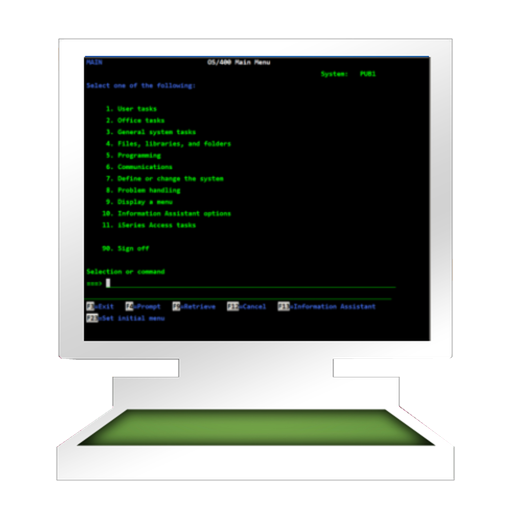
The AS/400 - also called the "IBM iSeries," is a midrange server from IBM, designed for the business world. TN5250 is a terminal emulator which provides access to an AS/400. Before buying, please try our free Lite version. Compared to the Lite version, the full version does not require a coffee break (45 seconds) on the Server after 10 minutes use. FEATURES: - Supports all standard 5250 emulation features - Alternate screen size (24x80 or 27x132) - SSL/TLS (Secure Socket Layer) - Zoom and scroll as the Safari browser - Auto login - Use the build-in camera on a Mac, as a barcode scanner - Support for 10 different EBCDIC code pages - Colors can be customised - Device name support - Hotspots
Beschreibung
VPN Server Agent eases to use VPN server on Mac, when it is behind public dynamic IP address. It works with VPN Server Configurator Mac OS X or Mac OS X Server. VPN Server can be created with VPN Server Configurator Mac OS X. Installation and configuration takes only couple of minutes. Read more from www.greenworldsoft.com. The website is available to update to version 1.6 for free. In version 1.6: - Start VPN Server at launch application. - Detail of active connections (user name, ip address of the user, date and time of connection, connection type). Features: -VPN server start/stop -VPN server's status (connection active, server on/off) -Number of active connections -Show VPN server's public IP address -If public IP address changes, VPN Server Agent send new IP address automatically to predefined e-mail address
Beschreibung
*** On sale. Original $14.99. *** *** Don't forget to download "Super PhotoCut" which magically cut out object from photo. 50% OFF! *** Clipart 2000+ for Office contains a total of 2000+ high-resolution PNG, SVG art pieces and videos that are used for illustrations of MS office, Keynote, Pages documents, and different graphics editors. Clipart for Office collection contains action background videos and polished images range from ready-to-use Christmas clips, SVG vector image, icons and logos to universal symbols for presentations, web pages, printings, e-books, newsletters, advertising, footage of videos, micro-film, MV and virtually any content. Features: * 2000+ images. * Sorted into various categories. User can browse through the photos with remarkable ease. * SVG vector collection for editing. * Transparent background in PNG format that allow putting images on various colors and patterns. * Action background videos used for PPT background, stage background, speech recitation background, titles and footage of videos, promotion, micro-film, MV... * Simply drag or download elements to your document. Categories include: - Christmas - Icons: Materialize Icon, Flat icon, Line Icon, Monochrome Icon, Black icon, SVG vector icons - Business - Video Action Background - Pattern Background - Cultural - Technology - Emotions - Flags - Arrows and Lines - Daily Feedback: Any suggestion will be appreciated, support email: [email protected]
Beschreibung
The File Search Machine quickly finds: File contents, large files, documents, photos, videos, audio tracks, applications, emails, other files, folders, packages, hidden items. Ease to use, convenient work with search results and search speed - these are the basic principles in the app concept. Optimised to work with extremely large drives of any type. Uses Spotlight & Find (file by file) services together. How to get started for Beginners • Select drives or folders to search. • Enter a search string. • Click the "Search" button. For the most exacting professionals • Shows file contents in File Viewer. Quickly navigation through search words in file contents. • Shows the search result for indexed drives instantly. • Supports any drive types (including non-indexed, external and network drives). • Scans multiple drives and folders at the same time. • Searches by: ⁃ All words ⁃ Any word ⁃ Phrase ⁃ Wildcard format. For example, the search string: ( beginFileName* and *endFileName and *partFileName* ) or exactFileName • Searches for: ⁃ Files & Folders ⁃ Files ⁃ Folders ⁃ File contents ⁃ Files & Folders & Contents ⁃ Everywhere • Additional search settings: ⁃ File type ⁃ Case insensitive ⁃ Hidden items ⁃ Package сontents • Shows search result automatically or manually during scan process. • Additional search according to the results of the main search. • Saves search history. You can quickly find the search query and repeat it. • Saves search result after quit. • File operations from the popup menu of the result table: ⁃ Open ⁃ Open with ⁃ Show in Finder ⁃ Show info ⁃ Move to trash • Ability to open any subfolder of the file path. • Includes Spotlight manager to enable / disable disks indexing. • Optimised to work with extremely large drives of any type. Uses a minimum of memory.
Beschreibung
The easiest way to track small business finances keeps getting better. You don't do VAT returns or run payroll for staff so why use an accounting app that overcomplicates your finances? Perfect for: Freelancers, sole-traders, micro-businesses, side hustles and employees that need to submit expenses. Microbooks® is a small business accounting app designed for businesses like yours where expensive features take a backseat to clear, easy-to-understand tools that you really need. We know how busy life can be, and even more so when you’re self employed or have a small business, check one thing off your to-do list and make tracking income and expenses easy with Microbooks®. Features we think you’ll love (and will save you time!): >> Add expenses and income in a quick and intuitive way. No frills entry makes bookkeeping a breeze. >> Mileage - add mileage in miles, kilometers or li and set a mileage rate to automatically calculate expenses. >> Add custom categories for expenses and income to help sort and manage your finances effectively. >> Create profit and loss reports for any date ranges you need >> Scan data from receipts automatically - ReceiptSense uses machine learning to get the readable information on your receipts including the total, the store name and the date. >> Edit, delete and share income and expenses - Make it easy to submit tax returns with .CSV exports or share information with accountants. >> Share a bulk .zip folder of all your receipts for easies expense claims you've ever filed. >> Get an instant glance at how your business is performing, you can see your profit and loss for the last week, month or year >> Automatic iCloud syncing means you can access your books wherever you are, from whichever device you have to hand. Microbooks® is available for iPhone, iPad and Mac. >> Safe receipts - No more worrying about losing receipts and keeping track of where you’ve left them. Simply capture or upload photos of your receipts directly from the app and add to your income or expenses. Rest easy knowing all your receipts are stored in one place, accessible at any time with the touch of a button. >> HMRC compliant categories - Take the stress out of tax season by accessing all the information for the previous tax year with just a few taps. >> Employee books let you track expenses and send them to your employer to claim them back. >> Accessibility - Microbooks® is so easy to use you don't need to be a tax expert to get your books in order. >> Secure - Protect your transactions from prying eyes with passcode protection. Let Microbooks® take on a little of your admin, so you have a lot more time to spend doing what you love. Subscription terms: • Payments with be charged to your iTunes Account at confirmation of purchase. • Subscription automatically renews unless auto-renew is turned off at least 24-hours before the end of the current period. • Account will be charged for renewal within 24-hours before the current period and identify the cost of the renewal. • Subscriptions may be managed by the user and auto-renewal may be turned off by going to the user's Account Settings after purchase. • Any unused portion of a free trial period, if offered, will be forfeited when the user purchases a subscription to that publication, where applicable Microbooks® terms of use available at microbooks.app/terms
Beschreibung
Big red LED digits allow you to see the timer even at great distance so you are free to move while you give the talk of your life. SpeakerClock emulates the famous countdown clock that all speakers at TED conferences need to adhere to. Start the clock and place it within your view when giving a public talk to see at a glance how much speaking time you have remaining. The "traffic light" gives you visual feedback when it's time to wrap up or make your closing remarks. Use it for actual public speeches or train with it for the fateful day when you too get the call to speak on important issues. "Personally I use SpeakerClock when timing the recording of YouTube videos. This way I never run over the maximum 10 minutes there and the "traffic light" helps me nail my closing arguments every time!"
Beschreibung
Use the Calendar app for more than just scheduling! If you already plan your life with the Apple Calendar app, TimeTable is the easy way to get that information out of your calendars so you can use it with other applications. Turn your Apple Calendar events into clear time reports without entering your hours twice. TimeTable helps you total your hours, find relevant events, and export the details for invoicing or spreadsheets. • Filter events by calendar, date range, and search terms. • Review total time and average, shortest, and longest event durations. • Export reports as text or CSV, or share them by email. • Keep editing your events in Calendar, TimeTable reads them directly. • Use TimeTable on Mac, iPhone, and iPad with one purchase. The developer collects no data from the app.
Beschreibung
Receipt Ticket Storage is an easy-to-use application that manages your paper receipts, item receipts, shopping receipts, etc. based on categories, contacts, and tag organizations. - iCloud synchronization and backup functions ensure data security. You can also share data with other devices. - You can count the total amount of receipts and the total number of receipts in both date ranges. - You can export records in CSV format by selecting records in two date ranges. - You can quickly find receipt records by filtering categories, contacts, tags, or by keyword search. - Save and organize your paper receipts into an entry for easy storage management. - The receipt picture supports drag and drop. - The data is stored on the local device and can be operated without networking, which guarantees high confidentiality.
Beschreibung
rVPN is a privacy-focused VPN for iOS with end-to-end encryption. Your connection is secured through the Double Ratchet algorithm — meaning even the server operator cannot read your traffic. Key Features • End-to-End Encryption — Every packet is encrypted with X3DH key exchange and the Double Ratchet algorithm. Your data is protected at every hop, and past sessions cannot be decrypted even if keys are compromised. • Full Tunnel Mode — All device traffic is routed through the encrypted tunnel. No per-app configuration needed. • Split Tunneling — Configure which networks connect directly while protecting everything else through the VPN. • Standard TLS Transport — Traffic flows over standard WebSocket/TLS on port 443. • Open Source — Fully auditable. The entire codebase is available on GitHub. How It Works 1. Set up your rVPN server — https://docs.rvpn.org/ 2. Launch rVPN and create your identity key 3. Connect to your self-hosted or managed rVPN server 4. All your device traffic is encrypted — protected from network eavesdropping Privacy rVPN does not collect, log, or sell any user data. We believe privacy is a right, not a feature. Our Terms of Service require compliance with all applicable laws. Note: rVPN requires a running rVPN server. You can self-host one or connect to a provider's server. This app is intended for legitimate privacy protection, secure remote access, and public Wi-Fi security.
Beschreibung
CNC Code Viewer is a G-code editing and simulation tool designed for CNC programmers, process engineers, and shop floor operators. It supports mainstream CNC formats such as .nc/.cnc/.tap/.gcode, and automatically recognizes file encoding, preserving the original character set during reading and saving. Core Capabilities: * **Visual Simulation:** Built-in 2D and 3D trajectory views, color-coded by trajectory type, displaying real-time feed, rapid traverse, tool position, and statistical data for easy inspection of machining paths. * **Enhanced Editing:** Integrated line numbers, syntax highlighting, find/replace, cut/copy/paste, undo/redo, font scaling, and night mode, suitable for reviewing complex programs over extended periods. * **Program Structure Analysis:** Automatically extracts key sections such as G00/G01, cycle machining, and tool changes, generating outline lists. Users can filter by type and jump to line numbers with one click, accelerating the location of critical instructions. * **Measurement and Annotation:** Supports trajectory ranging, envelope calculation, risk warnings, tool table viewing, and custom annotations to aid in on-site communication. Multi-format export: Simulation screenshots and statistical information can be exported as PNG/SVG/PDF/CSV for easy reporting and archiving. Overall, CNC Code Viewer integrates editing, debugging, analysis, and display into a single interface, making the process of writing and verifying CNC programs more intuitive and efficient.
Beschreibung
[1 Business Card] offers a smarter, more efficient alternative to traditional paper ones. Unlike their physical counterparts, [1 Business Card] is eco-friendly, reducing paper waste and eliminating printing costs. [1 Business Card] can be instantly shared via QR Code, ensuring seamless networking without the hassle of carrying stacks of paper. Plus, [1 Business Card] is easily updatable, meaning you won't have to reprint cards every time your contact details change. [1 Business Card] enhances engagement and leave a lasting impression. Ultimately, [1 Business Card] modernizes the way professionals connect, ensuring your information is always accessible, relevant, and effortlessly shareable. Why stick to outdated methods when a sleek, dynamic digital solution [1 Business Card] is just a tap away?
Beschreibung
IPYNB Editor is a powerful Jupyter Notebook editor designed for data science, machine learning, and Python developers. This program allows you to view, edit, and execute Jupyter Notebook (.ipynb) files. Whether you're doing data analysis, machine learning development, or academic research, it provides an exceptional experience. Its clean and intuitive interface perfectly inherits Jupyter's core interactive features while offering excellent compatibility and responsiveness. No complex environment configuration or network connection is required; you can efficiently work with Notebook files anytime, anywhere. Key Features **Intelligent File Management** - Directly open, create, and save .ipynb files - No Jupyter environment required - Full Jupyter Notebook format support (nbformat 4) **Code Highlighting and Completion** - Powerful code editing features of **Monaco Editor** - Python syntax highlighting and semantic highlighting - Intelligent code completion and auto-completion - Parameter hints and hover information - Automatic indentation and formatting - Bracket matching and code folding **Unit Execution and Result Display** - Run Python code unit by unit - Instantly view output, charts, and results - Support for separate standard output and error output - Complete error tracing (traceback) - Execution count display **Visualization Support** - Perfectly compatible with visualization libraries such as **Matplotlib** and **Seaborn** - Automatically capture and display charts - Support PNG/JPEG image output - Charts are automatically embedded in the output area **Multi-Core Support** - Switch between different Python versions or virtual environments - Automatic detection of Python executables in the system - Supports Python 3, Python 4, Python 3.11, and other versions - Real-time switching of execution environments Markdown support - Mix and match text descriptions, mathematical formulas, and code in the same notebook - **KaTeX** mathematical formula rendering support - Real-time Markdown preview - Code block syntax highlighting - Create complete analysis reports Theme switching - Light and dark themes - Smooth transition animations - Automatic saving of theme preferences - Monaco Editor theme synchronization
Beschreibung
iBarcoder is a professional barcode generator for Mac that lets you create any number of individual or sequential barcodes, print them as color barcode labels in your own style, size, and shape, and export them as graphic files in common vector and raster formats. As a bulk inventory tool, and barcode label maker, the iBarcoder allows you to use a wide range of over 60 linear and 2D barcode symbologies, including UPC-A, EAN-13, QR Code, Data Matrix, ISBN, Code 39, Code 128, GS1 and more. It really easy to design and print barcode labels, stickers, tags on your mac with iBarcoder in just a few steps. The Mac-native interface ensures great performance and delivers professional, production-ready barcode labels efficiently and reliably. • Use multiple editing options to change size, color, shade, tint, etc. Simple text (.txt), or Excel or Numbers (.xlsx) files data sources for barcodes and text objects. Automatic data incrementing in the Counter mode is also available. • Export barcode image files not only as a raster images (TIFF, PNG, JPG….), or vector images in PDF and EPS formats, • Alternate between RGB and CMYK color modes to avoid color conversion problems when exporting barcode images for use with graphics software (Illustrator, CorelDraw), • Apply advanced printing options, print ranges management, • Add Contacts integration, encode Contacts data to QR Code, DataMatrix 2D barcodes, either as plain text, or vCard, meCard, xCard templates, • Add objects and design elements like text boxes, image boxes, graphics to your labels. Type in the necessary text, insert the desired images, logos, illustrations to create the professional barcode labels for commercial use. Print barcodes using inkjet, laser, thermal, or any other special barcode printers. Barcode images created with iBarcoder barcode generator proved to be fully scannable with any stationary, cabled or wireless scanners. User Experience and Interface - Create professional barcoded labels with a few mouse clicks, - Real-time Preview: Display a live preview of the barcode as it's being generated and customized. - Modify, rotate flip your barcode by changing type, size and etc., using advanced tools, - Batch Generation: Efficiently create multiple barcodes simultaneously from a list or data source. - Label Printing Support: Integrate with common label printers and provide tools for designing and printing labels directly. Sequential barcodes for catalogs and retail operations: The powerful Sequential Barcode feature allows you to define the sequence in which barcodes are printed or exported. Barcode types available: PostNet PLANET FIM A, B, C, and HorBars Interleaved 2 of 5 (ITF), Industrial 2 of 5, IATA 2 of 5, Matrix 2 of 5, Datalogic 2 of 5 OPC (VCA) Code 32 Code 39 Code 39 mod10 Code 39 full ASCIl PZN 8 Code128 Code128 A Code128 B Code128 C UPC A UPC E EAN 13 EAN 8 ISBN ISBN 13 ISBN Dual ISSN ISMN Codabar ITF-14 DUN-14 Code 11 Code 93 MSI Japanpost Data Matrix GS1-Data Matrix Intelligent Mail Pharmacode, Pharmacode Two Track QRCode GS1-QRCode QRCode Micro GS1-128 SSCC-18 GTIN-14 GS1 Databar GS1 Databar Truncated GS1 Databar Stacked GS1 Databar Stacked Omni GS1 Databar Limited GS1 Databar Expanded GS1 Databar Expanded Stacked PDF417 Aztec Code Telepen Alpha Telepen Numeric RM4SCC KIX, Identcode, Leitcode
Beschreibung
Open Microsoft Access database on your Mac with this App, you can view data easily with Filter, Sort, Paging, and export data or schema to other databases. With the In-App Purchase feature 'Edit Data' and 'DB Creator' you can even edit it natively on your Mac, create new databases and new tables. Support Access Database Version: • Microsoft Access 2016 • Microsoft Access 2013 • Microsoft Access 2010 • Microsoft Access 2007 • Microsoft Access 2003 • Microsoft Access 2002 • Microsoft Access 2000 Features: • Support mdb (mde) and accdb (accde) Microsoft Access database format. • View table data with paging list • 10+ data view UI control (include Map, Date Time, Checkbox, Rating, Color, Dropdown, Multi-select ...) • Html View with customisable template, you can build beautiful reports with your template • Filter/Search table data on column • Sort table data by click on the column header • Choose tables to show and columns to show • Drag drop rearrange column order and change column width in main table • Show cross table data value by ID ( use the Data Picker Setting ) • Export table data to CSV format with many options • Export table data to Excel file • Export table data to Insert SQL, support access,mysql,sqlite,oracle,postgresql,sybase. • Export database schema (DDL), support access, mysql,sqlite,oracle,postgresql,sybase. • Million rows support, tested on 2000MB size database, table rows over 18 million • Works great with companion mobile version for iPhone and iPad In-App Purchase 'Edit Data' Features: • 10+ data edit UI control • Update table row data • Delete table row data • Add table row data • Cross table ID,Value single or multi-select using the Data Picker In-app Purchase 'DB Creator' Features: • Create Database • Create Table • Create contacts table by import Contacts • Import CSV data to table or append to existing table In-App Purchase 'Map View' Features: • View Geolocation on map Support two format: 1. Latitude and Longitude column data; 2. any column contain this format geolocation: {lat:11.123,lng:34.56} In-App Purchase 'Html View' Features: • Html View Data • Customisable Template • Save Template • Save the result Html to file ( Then you can print it or email it ) • Sample template Pie Chart, Line Chart, Bar Chart included In-App Purchase 'Instant Web Server' Features: • Publish Access data on local network with one single click, view and add data on any web browser from mobile devices or computers • Easy setup template for list page and detail page • Build-in form to add data • Configable URL Path, template and server port • Build-in 10+ Html Table Template
Beschreibung
MSG to PDF Converter Pro: A simple , efficient way to batch converts Microsoft Outlook *.eml, *.oft, *.tnef, *.dat or *.msg files to EML, VCF (vCard)、ICS (Calendar), HTML, PDF, Word, RTF and TXT files. 100% offline. No Outlook required. No subscription. One-time purchase. MSG files are a proprietary Windows format that macOS can't open natively. MSG to PDF Converter Pro lets you open, view, and batch convert .msg, .eml, Winmail.dat (TNEF), and .oft email templates instantly — no Microsoft Outlook needed. Why MSG to PDF Converter Pro? Stop opening MSG files one by one. Drag in a folder of Outlook emails, winmail.dat attachments, or EML exports — and let MSG Converter Pro process them all at once. Export Emails as PDF, DOCX, EML, HTML, RTF, TXT, ICS (Calendar), or VCF (vCard) — individually or merged into a single file. Full Mail to PDF and EML to PDF Converter support built in. Key Features - Batch & Bulk Processing — Add thousands of files at once. Recursive folder scan included. - Drag & Drop — Drag files or entire folders directly into the app. Easily import all your EML files in bulk. - 8 Output Formats — PDF, Word, EML, HTML, RTF, TXT, VCF (vCard) , ICS (Calendar) - DOCX Output — Editable Word documents. Not available in any other MSG converter. - Extract Attachments — Save all attachments with original filenames preserved. - Winmail.dat (TNEF) support: open and convert Outlook rich-text attachments (winmail.dat / .tnef), with inline images restored to HTML/PDF. - ICS export: one-click export of appointment/meeting .msg to .ics, directly importable into Apple Calendar. - Export contacts to vcf and calendar appointments to .ics - 100% Offline, Local & Private — All conversion on-device. No cloud upload. No account. - Merge Mode — Combine hundreds of emails into a single PDF, DOCX, TXT, etc. - MSG to PDF • Email Converter,Batch Convert MSG & EML to PDF - EML to PDF - Email Converter,Batch Export EML, MSG - No Subscription — One-time purchase. Free updates forever. 100% On Your Device. Always. Import, convert — 100% on your device. Your emails stay on your Mac — no upload, no cloud, no third-party servers. What We Don't Do (Yet) We focus on batch MSG/EML/OFT conversion. No real-time email sync, no Apple Mail integration, no TNEF/winmail.dat creation yet. If those features matter to you, we will let you know when they become available. Perfect For - Law firms and legal teams processing discovery emails - IT administrators migrating from Windows to Mac - Anyone who receives .msg attachments and wants to open them FAQ Q: Does it work completely offline? A: Yes. All conversion runs locally on your Mac. No internet required. Q: Can I convert MSG files without Outlook? A: Yes. MSG to PDF Converter Pro parses MSG files natively. Outlook not needed. Q: Is there a file limit? A: No. Add thousands of files at once and convert them all in a single batch. Q: Is my email data safe? A: Absolutely. Everything stays on your device. No cloud upload, no data collection. Q: Do I need a subscription? A: No. One-time purchase, no account required, free updates forever. Download MSG to PDF Converter Pro today and open those .msg files in seconds. Have questions? Contact us at [email protected]
Beschreibung
Voice Memo allows you to record a message that you can send to yourself in the future using a built in alarm calendar. This is a very precise way of telling yourself in detail, what you want yourself to be doing at a specific time. Remind yourself of an important event or task using the tone of your voice to convey a stronger message. Voice messages are very effective and precise since they convey a stronger sense of urgency compared to an email. Another example of iLifeTouch building apps that make your life easier one day at a time.
Beschreibung
DICOM File Viewer is a professional desktop medical image viewing and analysis software. It provides medical imaging professionals with complete DICOM (Digital Imaging and Communications in Medicine) file viewing, analysis, and export capabilities. ## Core Functions ### 1. DICOM File Support - Supports loading and displaying standard DICOM files (.dcm, .dicom) - Completely parses DICOM metadata information - Supports multiple medical imaging modalities: CT (Computed Tomography), MR (Magnetic Resonance Imaging), CR/DX (X-ray), US (Ultrasound), MG (Mammography), etc. - Supports batch loading of all DICOM files in a folder - Supports slice navigation for multi-frame sequences ### 2. Image Viewing and Manipulation - **Window Width and Level Adjustment**: Adjust image contrast and brightness using sliders or preset modes - **Preset Modes**: Quickly switch between preset values for different modalities (soft tissue, bone, lungs, brain, etc.) - **Zoom Function**: - Mouse wheel zoom (centered on cursor) - Precise control with zoom sliders and buttons - Zoom range: 0.1x to 5.0x - **Panning Function**: Click and drag to pan the image - **Rotation Function:** 0-360 degree rotation, supports slider and quick rotate button - **Reset View:** One-click restore to default zoom, pan, and rotation settings ### 3. Image Enhancement - **Brightness Adjustment:** -100 to +100 range adjustment - **Contrast Adjustment:** -100 to +100 range adjustment - **Gamma Correction:** 0.1 to 3.0 fine adjustment range - **Color Inversion:** One-click invert image colors for easier observation - **Reset Enhancement:** Restore the original image appearance ### 4. Measurement Tools - **Length Measurement:** Draw line segments on the image to measure distance (pixels or millimeters) - **Angle Measurement:** Measure angles by clicking three points - **Text Annotation:** Add text annotations to specific locations on the image - **Measurement List:** View all measurement results, supports individual deletion - **Clear All:** One-click clear of all measurements and annotations ### 5. Professional Features - **Full Image Preview:** Click the thumbnail to view the full-size image modal window. **Drag and Drop Navigation:** Drag and pan in the full image preview to view different areas. **Measurement Overlay:** All measurements are displayed synchronously in the main view and full image preview. **Undo/Redo:** Complete operation history system (Ctrl+Z / Ctrl+Y). **Export Functionality:** - Export in PNG format (high quality) - Export in JPG format (compressed format) - Export in PDF format (including metadata) ### 6. Metadata Display Complete DICOM metadata categorized display: - **Patient Information:** Name, ID, Gender, Date of Birth, Age, Weight - **Examination Information:** Date, Time, UID, Description, Physician, Examination Number - **Sequence Information:** Date, Time, UID, Serial Number, Description, Modality, Protocol - **Equipment Information:** Manufacturer, Model, Serial Number, Software Version, Institution - **Image Parameters:** Size, Pixel Spacing, Slice Thickness, Position, Orientation, Bit Depth - **Scanning Parameters**: Tube voltage, exposure amount, exposure time, CTDIvol, DLP, echo time, repetition time, flip angle, etc. ## 7. Use Cases - Medical imaging professionals viewing and analyzing DICOM images - Medical researchers conducting image data studies - Medical equipment operators verifying image quality - Image teaching demonstrations in medical education - Clinical diagnostic aids
Beschreibung
Extract pages of choice from a PDF and save as separate PDF file. Pages could be selected by page range or explicit page numbers separated by comma. The application supports batch processing as well. This means that the application could extract pages from even hundreds of PDF files at the same time. The application also supports Password Protected PDF files. This means that the application could easily extract pages even from PDF files that are protected by a password. Also, the application removes the password from the extracted pages. (Note: You will have to enter the password in application.) Using the application, you could specify a range of the pages to be extracted and saved.For example, if you want to extract from page 10 to page 20 of a PDF file, you could specify this range of 10 to 20 in the application. The application will extract these pages and save them either as a single PDF file or each page as a separate PDF file as per your choice. Sometimes, we want to extract random pages from PDF. For example, if you want to extract only pages numbered 2,6,8,25, and 50 from PDF, this could be done as well. Inside the application just specify all page numbers separated by comma. The application will extract these random pages and save them either as a single PDF file or as a separate pdf file as per your choice. If you want to extract all pages of PDF and save each of these pages as separate PDF, you could do this as well. The extracted pages could be saved in following three ways : a) All pages of choice could be extracted and saved as a single PDF file. b) Each extracted page could be saved as a separate PDF file. c) All pages of the PDF could be saved as a separate PDF file. Benefits : -- Reduce the file size by only taking the pages that are needed. -- Share only the PDF containing the required pages. -- Save PDF files without password -- Remove unwanted pages from a PDF -- Maintain documentation easily by extracting and keeping only important pages from a PDF. -- Extracted pages could be easily used inside a document or a presentation.This makes documentation and presentation easy to prepare.
Beschreibung
RPT Viewer is an iOS app that provides an easy way to open, view and export Crystal Reports files (.rpt) on all iOS devices! Our goal is to be the best .RPT file opener App on App Store. This app does require an internet connection to work.
Beschreibung
HighRise turns a CSV of contacts and one email template into a personalized message for every recipient — reviewed and sent through the Mail app on your iPhone or iPad. No SMTP servers, no third-party mail relay, no separate account to manage. HOW IT WORKS 1. Import your list — a CSV export from Numbers, Excel, or your CRM. 2. Write one template with {{placeholders}} like {{First Name}} and {{Company}}. 3. Review every personalized message. Rows with missing data or an invalid address are held back automatically, so a broken greeting never goes out. 4. Send each message through Apple Mail's compose screen — you review and tap Send yourself, one recipient at a time, so nothing is ever sent unattended. CLEANS YOUR LIST ON IMPORT • Auto-tidies messy exports: stray and invisible whitespace, spreadsheet junk values (#N/A, NULL), repeated header rows, and mangled addresses (mailto: prefixes, bracketed display names, stray punctuation). • Riskier fixes — misspelled mail domains, ALL-CAPS names, "Last, First" order — are suggested with examples and applied only when you tap. • Every fix is disclosed, and your original file is never touched. FILLS IN MISSING CONTACT DATA • Blank first or last names inferred from the email address, or split out of a Full Name column. • Blank company and website worked out from coworkers' rows on the same domain — or from the domain itself. • Missing values copied between duplicate rows of the same person. • Everything is derived from your list itself, only blank cells are ever written, and each fill is applied only when you tap it. FIND & FILL ONLINE (OPTIONAL) • Look up missing emails, names, titles, and websites through Apollo.io using your own Apollo account and API key (stored securely in the Keychain). • Strictly opt-in: nothing is looked up until you run the search, results are suggestions you approve one by one, and a valid email address is never overwritten. PRIVATE BY DESIGN • Your contact list stays on your device. The optional Apollo lookup is the single, clearly labeled exception — and it's off until you add your own key. • No accounts, no servers, no tracking. ALSO ON MAC HighRise is a Universal Purchase: one purchase covers the iPhone/iPad app and the Mac app, which adds batch drafting straight into Apple Mail or Microsoft Outlook, scheduled sends, saved templates, and a do-not-contact list.
Beschreibung
Facilitastic gives trainers, facilitators, teachers, and team leaders a practical toolkit for running focused, engaging sessions from iPhone, iPad, or Mac. Keep the room on schedule with a presentation-ready countdown timer. Start quickly with useful presets, set a custom duration, or choose the exact time your activity should end. Reinforce learning with interactive training games. Create, edit, save, and play activities designed to help participants recall key ideas and stay involved. Available game formats include trivia boards, sequencing, matching, and odd-one-out activities. Need an easy way to get people talking? Browse ice breakers suited to different group sizes and choose an activity that fits the room. During the session, use the Parking Lot to capture questions, ideas, and takeaways without losing momentum. Facilitastic also supports a more personalized experience. Adjust the app’s appearance, manage sound, and use your own company logo for a presentation-friendly look. Cloud sync helps keep supported content available across your devices. Whether you are leading a workshop, onboarding a new team, teaching a class, or facilitating a meeting, Facilitastic keeps your essential tools together in one clear, easy-to-use app. Features: - Countdown timer with presets - Custom hours-and-minutes timer - End-at-a-specific-time timer - Create, edit, save, and play training games - Trivia board, sequence, matching, and odd-one-out formats - Ice breakers organized for different group sizes - Parking Lot for questions and takeaways - Custom background color, sound, and company logo - Cloud sync across supported Apple devices - Native experience on iPhone, iPad, and Mac
Beschreibung
WPD Reader allows you to open and read Corel WordPerfect documents (.wpd). * * * WPD Reader for iOS (iPad, iPhone and iPod) is available on the iTunes App Store. * * * Do you receive Corel WordPerfect documents (.wpd) as email attachments on you mac? Are you switched from Windows to Mac and have plenty of WordPerfect files that no decent viewer available to open on your Mac? The easiest way to circumvent these problems is WPD Reader. WPD Reader offers you fantastic reading experience using different page reading styles with sidebar consisting page thumbnail and search pane. In addition, bookmark management, viewing scale, page navigation, reading history and full screen view support makes WPD Reader easy-to-use and complete WordPerfect document viewing solution. WPD Reader can convert WordPerfect documents (.wpd) into Microsoft Word documents (.docx and .doc), OpenOffice document (.odt), PDF and RTF. Converts every WordPerfect page into an equivalent page in the resulting Microsoft Word, OpenOffice document, PDF and rich text conversion into RTF. Converts the text, text characteristics, paragraphs, text frames linking, text frame columns, tables, graphics and other WordPerfect objects and properties to the matching Microsoft Word and OpenOffice document format objects and properties by preserving layout. KEY FEATURES: - Fantastic tab view to open multiple XPS/OXPS files in single window. - Sidebar with Thumbnails and Search panel. - Easy reading page view options. Single page and double page view with optional continuous reading. - Fully selectable and searchable text contents. Can copy text to clipboard. - Bigger and smaller page view using ZoomIn, ZoomOut, Actual Size and Fit to Zoom controls. - Add and manage bookmarks for future reading. - Grouped by files, Group by tags and recent bookmark list for easy and faster access in future. - Maintains reading history. Go to Back and Forward reading page. - Very flexible page navigation controls for easy traverse into open document. - Print WPD document. - Bookshelf Collections to manage set of recently open and added WPD files. - Most of WordPerfect formats (Version 1 to 11) are supported.
Beschreibung
WPSConvert is a fast and easy way to batch convert Microsoft® Works documents into Microsoft Office documents, PDF and RTF formats. If you receive Microsoft Works documents as email attachments or you switched from Windows to Mac and wants to open and read Works documents? The easiest way to circumvent this problem (short of using Windows) is to convert Works file to either Microsoft Office documents (docx, xlsx), PDF or RTF using WPS Converter. FEATURES • Convert Microsoft Works Word Processor files (.wps, .wpt) and Microsoft Works Spreadsheet files (.xlr, .wks) into Microsoft Office Word format (.docx) and Microsoft Office Excel format (.xlsx) respectively. • WPSConvert can convert Microsoft Works file formats into PDF and Rich Text Format (.rtf) files. • WPSConvert retains layout, images and graphics into target format. • Very flexible options to add files into conversion list. Simply Drag & Drop into list or Right click Open With in Finder or Drop on WPSConvert application to add files for export beside direct Add File/Folder buttons. • An advance option to maintain source directory hierarchy at destination with converted files in respective folders. While conversion WPSConvert automatically creates intermediate directories of source file path in target folder with converted formats. • Source as destination folder to output documents beside original document in same folder on your computer. Note: The WPSConvert is a standalone application running natively to convert Works documents into targeted format securely right on your computer, you don’t need internet connection or to install any third party application or other plugin to convert a document. * Microsoft is a registered trademark of Microsoft Corporation, registered in the U.S. and other countries.
Beschreibung
Windmail.dat Reader: the easiest, fastest, reliable way to read, extract and save the contents of Winmail.dat files. KEY FEATURES: ◆Easy to start, just double-click the Winmail.dat file to view the contents quickly. ◆Select the attachment, press Space key to quick look it. ◆Select the attachment, double-click to open it in external applications. ◆Extract and save, Drag and drop attachments on the desktop or Finder. ◆Compatible with OS X EI Capitan(10.11) SUPPORT: Please feel free to contact us if you have any questions about using our products at any time. Email: [email protected]
Beschreibung
Crystal Reports Viewer is an macOS app that provides an easy way to open, view and export Crystal Reports files (.rpt) on macOS! Our goal is to be the best .RPT file opener App on Mac App Store. This app does require an internet connection to work.
Beschreibung
This app implements a basic public-speaker countdown timer. • Allows setting the duration of the countdown (and saves default between launches) • Runs full-screen by default, but can be windowed and re-sizes to any window size • Prominent, clean display of remaining time • Turns orange with 1/4 time remaining and red with 1/8 remaining • Easily shareable using Zoom screen share • Keyboard shortcuts: Return or Space to start/stop; ESC or delete to reset • No noises or audible alarms to annoy speakers as they wrap up
Beschreibung
PDF files may become corrupted due to a number of reasons, such as incomplete downloading, insufficient hard drive space, virus infection, or it may be damaged when being transferred from one device to another. When your important PDF files cannot be opened due to damage, iLove PDF Repair will be your best choice. With a simple interface and user friendly design, it is easy to use, safe and reliable. Besides, the app adopts standard PDF file algorithms. No matter on what system your PDF is damaged, it can be repaired. The result of the repair depends on the level of corruption of the PDF file, it may be partially or completely restored. If you have such kind of files need to be repaired, please do not hesitate to have a try. Key Features: * Local repair to protect data privacy * Keep the original style and format of the pdf * Simple user interface, easy-to-use *************************************************************************************************************************** Tips: 1 We'd love to hear your feedback. If you have any question or problem, please kindly contact us at [email protected]. Thank you!
Beschreibung
Cubetto 7 is a professional business app for graphical modeling on iPad. Capture processes, structures, decisions, and workshop results as editable models—not just drawings. Create and edit BPMN, EPC, Flow Chart, Mind Map, Business Map, UML, and Generic models on a touch-optimized canvas. Start with a blank template or one of the included examples, then use the object palette, project structure, and inspector to build a precise, structured model. Features: • Direct modeling with touch, Apple Pencil, keyboard, mouse, or trackpad • Drag and drop from the object palette • Project structure for models, views, and presentations • Inspector for names, properties, relationships, and appearance • AutoLayout with left-to-right and top-to-bottom directions • CubeText as a structured text representation of models • Native .cubetto documents with Files and iCloud Drive integration • Import of BPMN XML and legacy Cubetto XML/ZXML files • Export to PDF, PNG, JPG, SVG, and Markdown • Multi-page printing through the iPad system print dialog • English and German interface and help Cubetto 7 uses the same document format on iPad and Mac. Documents remain editable and can be moved between devices through Files, iCloud Drive, or another compatible file provider.
Beschreibung
The Duplicate Manager Pro detects and removes duplicates: photos, videos, audio tracks, documents, other files. Ease to use, operation speed, smart auto selection - these are the basic principles of the app concept to quickly remove duplicates. ◉ WHY DUPLICATE MANAGER PRO FOR YOU - The main advantage of the app is an unique algorithm to select duplicates automatically! Automatically selects only those duplicates that you really want to remove. - Ability to exclude the folders (including subfolders and files), files, file types for auto selection. - Ability to set the folder priority and define which folder will keep the original. - Keeps one original for all scan folders. - Keeps one original in each scan folder. - High speed of the auto selection. - Multi-variance of the auto selection. - Ability to scan for duplicates in multiple folders and storage devices. - Finds duplicates in Photos library, iTunes library. - Finds equal or similar files (7 modes of file comparison). - Removes duplicates on external drives, network folders, in cloud storage like Google Drive and Dropbox. - Removal of duplicate files with administrator privileges. - The app can save the scan results. You can quit the app and continue to work at any convenient time for you. - The app saves all scan jobs settings. Don't spend your time to change settings for each scan job every time. Set all scan jobs settings one time! - Pre-installed scan jobs. - Automatically scans on a schedule any number of scan jobs. The app scans folders when you don’t use Mac. Don't spend your time on the scan process. Work with the scan results at any convenient time for you! - Try the free version before buy pro version. We do not hide from you the unique auto selection of duplicates, quality and speed of the app. Your time is the most precious that you have! We care about your time. ◉ FOR BEGINNERS - Select pre-installed scan job (Photo, Movies, Documents ... or Hard Drive). - Click the "Scan" button. All scan settings have configured optimally for each job. ◉ FOR THE MOST EXACTING PROFESSIONALS - 2 modes of finding files: - find duplicate files - find large files - 7 modes of file comparison by: - content (Checksum - SHA1) - content and name - name, date and size - name and date - name - large files - large files grouped by name - Optimized to work with huge volumes of files. The minimum memory usage. - Automatic scheduled scan every day, every week, or once at the scheduled time. - Advanced search for duplicate groups and items of the selected group (name contains, name begins, path contains, path & name contains, …). - Sorting for duplicate groups and items of the selected group. - The settings for each scan job: - Move duplicates to the Trash or remove them permanently. - The ability to create an alias in the place of removed duplicates. - Exclude list for scan. You can exclude files, folders, file types (including hidden folders, files and file aliases). - Exclude list for auto selection. You can exclude files, folders, file types. - Minimum file size to scan. - The ability to set the package types to scan as files (other packages will be scanned as folders). - The ability to transform the app window to the compact indicator of the scan process. - You can preview files using the built-in or external "QuickLook". The ability to display multiple files (useful when you use the comparison mode by name). - Copy, add, remove, move any scan job. - Supports "Drag & Drop" mode. - The ability to quickly jump to any file or folder which in the file path.
Beschreibung
StageTimer is an application for AV professionals. Support your presenters on stage with a countdown. Supports multiple timers (i.e count down & timer of day) on the same screen. Can run in fullscreen on external scren, while keeping controls available for operator. Make your run-order ahead of the show, and sit back during the performance. Can trigger scripts/audio. Free iPhone/iPad and Android companion product, StageTimerDisplay, allows any number of people in the crew to follow all timers, and get an overview of the run order wirelessly. Optional In-App subscription, Cloud Timers: You can also within the app choose to purchase a subscription for access to your timers outside your local network, in which case payment will be charged to your iTunes account at confirmation of subscription, and your account will be charged for renewal 24-hours prior to the end of the current period. We currently allow for monthly auto-renewing subscriptions. Auto-renewal may be turned off at any time by going to your settings in the iTunes Store after purchase. Current price for the subscription is $4.99/month USD, and may vary from country to country. Privacy Policy for the subscription: https://www.neodarque.com/Information/StageTimerSubscriptionPrivacyPolicy, Terms & Conditions for the subscription: https://www.neodarque.com/Information/StageTimerSubscriptionTerms
Beschreibung
■ #1 Secure Real-time Antivirus & Adware App by USA based company. ■ AV-Comparatives Tested & Awarded. OPSWAT Anti-Malware Certified. ■ The ONLY macOS antivirus app to be awarded, tested, and certified. FREE lifetime updates and support. NO MONTHLY FEES OR HIDDEN COSTS. "BitMedic combines a sleek graphic design with very practical, easy to use controls." - AV Comparatives ≈ Awards and Certifications ≈ AV-Comparatives Approved Award - Required minimum score of 99.0% https://www.av-comparatives.org/products/bitmedic-antivirus/ OPSWAT Anti-Malware Gold Certified - https://www.opswat.com/partners/pocket-bits MacOS is considered one of the most secure operating systems available, but is also vulnerable to hackers and malware. Protect your Mac and sensitive information. New threats target not only your Mac security, but your personal information and identity. BitMedic® Antivirus was designed specifically for the Mac and offers a full suite of protection. ≈ Features ≈ ◎ Dashboard - Easy to see action items needed to keep you secure and protected ◎ Antivirus Scan - Award winning database offers both quick and deep scans ◎ Adware Cleaner - Remove adware and browser add-ons that hijack your navigation ◎ Custom Scan - Conveniently drag & drop scanning ◎ Browser Privacy - Clean sensitive information stored in your web browser ◎ Quarantine - Stats and result log of your scans ◎ Automation - Schedule automatic scans and turn on 24/7 real-time monitoring. Supports whitelisting and USB external drives. *Compare to competing antivirus apps that have NOT been tested and certified by reputable sources. There have been data leaks from non-reputable antivirus apps sending data to foreign servers in the news. Avoid non-certified and non-tested antivirus apps. BitMedic® is tested, certified, and awarded. Our database is updated to detect 100% of macOS malware with 0 false positives. ≈ Other award winning apps in our family ≈ ◉ #1 Disk Cleaner - http://bit.ly/diskcleaner ◉ Duplicate File Cleaner - http://bit.ly/duplicatefiles ◉ DiskZilla® 8 in 1 - http://bit.ly/diskzilla For any questions, suggestions, or bugs, please email us at [email protected]. We want to hear your thoughts and make improvements to future versions of this app to bring you the best. If you appreciate our work, please leave us any feedback on the App Store. Thank you for all the support. :) BitMedic® is a registered trademark of Pocket Bits LLC. San Diego, CA USA.
Beschreibung
App for Google Calendar that gives you fast and instant access to Google Calendar directly from your toolbar. Keep up to date with your events faster than ever. Just click the App for Google Calendar icon in your toolbar and sign it with your Google account, its that simple. You can either run the app with a dock icon or without. App for Google Calendar is also including a stand alone mode, run the the application with native desktop feeling, right from your dock. App for Google Calendar is still in a early version, new features will be added along the way. Legal Note: App for Google Calendar is a 3rd party app and is not affiliated with Google what so ever. LinkedIn and its logo is trademarkes of Google Inc.
Beschreibung
–– SAVE BIG TODAY WITH DOCS² | THE SMARTEST BUNDLE FOR MICROSOFT OFFICE! –– • Start working smarter, online and on the go with the Office apps that you know and love. • Quickly create Microsoft Word, Excel and PowerPoint documents, or email with Outlook. • Complete with the best documents, guides and templates for Office. Get Docs² for everything you need to begin quickly creating Microsoft Office docs! Work smarter with great videos to guide you through the essentials, a convenient document browser to edit and share files online with your favorite apps, plus free templates to help you create beautiful docs. All together in the smartest bundle for Microsoft Office! FEATURES – Explore the essentials of Microsoft Office with helpful videos & content to guide you. – Create and share docs online with convenient shortcuts for your favorite Office apps, including: –– Word, Excel, PowerPoint, Outlook, OneNote & OneDrive. – Discover free templates to create beautiful documents. – Save your favorite docs in OneDrive to work with other apps and devices. QUICKLY LEARN TO: – Create Word, Excel and PowerPoint documents. – Update your calendar and manage mail with Outlook. – Edit and add comments to documents. – Save, print, publish and share documents. – Add charts, pictures, animations and effects. – Insert a table of contents, headers, and footers. – Create and print custom labels and PDFs. – Work with documents while on the go. – And so much more... DEVELOP YOUR SKILLS WITH THE BEST DOCUMENT BROWSER – Enjoy streamlined steps to work with documents in OneDrive. – Work with the most popular document types and formats. – Avoid frustrating file incompatibility, and "View Only" headaches of other apps. – Go split screen or full screen and work without distractions. – Type what you want to do, and the new Tell Me feature will show you how! SAVE YOUR WORK ONLINE FOR USE ACROSS YOUR DEVICES – Because working without the cloud is so 1999... – Simply save your files to OneDrive to edit them everywhere. – Automatically sync documents for use across your devices. – Easily share your documents with friends and colleagues. – Enjoy greater freedom with online and mobile editing. EXPLORE HUNDREDS OF PROFESSIONAL QUALITY TEMPLATES – Browse a free treasure trove of time saving templates. – Select the perfect layout or theme, and edit online or save offline. – Start creating beautiful documents in no time! LEARN FROM THE MASTERS – The included guides show you everything you need to be more productive, discover key features, and learn to get things done fast. Download now to get jump-started! ____________ NOTICE: Microsoft Office 365, Word, Excel, PowerPoint, Outlook, OneNote, and OneDrive are property or trademarks of Microsoft Corporation. Docs² is a property and trademark of Docs Squared, and is neither produced by, endorsed by, nor affiliated with Microsoft Corporation. Access to Microsoft Office functionality and templates is available for free through Microsoft Office Online, or you can work offline with even more features via an Office 365 trial subscription. © 2013-2018 Docs Squared, LLC. All rights reserved.
Beschreibung
Signature allows you to use your Magic Track Pad, Wacom Tablet, and built in multitouch Track Pad to sign, seal and deliver important documents and emails. Signature is controlled from your Status Bar. Click on the icon and you are ready to sign away. Finally an app that allows users to sign documents on the go. Simply use the smart frame to sign and create signature there. Save your Signature or simply post it to your clip board and use it daily to eliminate a huge paper trail. Signature has many features.... + Easy to place a signature on many platforms/documents + Environment friendly app leaving no paper trail + No scanner needed + Sign in black or color + Resize your signature + Easy to use by everyone + No Dock icon + Clean up your signature graphically + Transparent background + not just signatures, notes, doodles/sketches are possible Signature is another example of how iLifeTouch makes your life easier one day at a time. Press Shift + Escape to come out of the canvas.
Beschreibung
Finally, Go Paperless! Autograph an email or document using your trackpad in seconds. It works in Word, Pages, Filemaker Pro, Mail, iChat, and many other applications. - Completely paperless handling of contracts, forms, or anything that requires signature - Automatically pops your signature into the active document. Makes scanning feel so obsolete. - Quick hotkey activation. Command-Option-A by default, but you can choose anything. - 3-finger swipe to undo/redo. We know you don't make mistakes, but this is fun anyway. - Accurate, biometric signatures mean you'll recognize that scrawl of yours. - Wacom tablet, Magic Trackpad, and built-in multitouch trackpad support. Make sure Autograph will work on your machine! Autograph requires a multitouch trackpad, Magic Trackpad, or Wacom tablet. MacBook Pro machines after March 2008, MacBook models after October 2009, and all MacBook Air trackpads are compatible. We're available to answer any questions at [email protected]. We'd love to hear from you!
Beschreibung
Construction Cost Estimator helps contractors and service companies quickly create on-site estimates for construction and repair projects. You can save time and money by creating the estimate on the spot and then emailing it to the customer as a PDF or printing a hardcopy. Each cost item is broken down into Material, Labor, Other, and Subcontract costs. You can save frequently used cost items in your own custom costbook, or you can purchase 3 different Craftsman costbooks within the app that contain detailed costs for over 30,000 common construction items. Just search for a cost item, enter the quantity, and add it to your estimate in 3 easy steps! FEATURES • Fast and easy user interface for creating cost estimates • Customize multiple types of PDF reports to email to to customers, subcontractors, and internal staff • Add the logo and contact info for your company to create professional-looking estimates • Costs are organized by Phases, Areas, and Categories that can be customized for each project • Enter your overhead, profit, and tax rates for each project • The app provides full support for international currencies and units CRAFTSMAN COSTBOOKS You can save common cost items in your own custom costbook, and you can purchase 3 different Craftsman Costbooks within the app via in-app purchase for $49.99 each. The costbook data is only valid in the US and Canada, but the costbooks are also available for purchase internationally. • National Construction Estimator • National Home Improvement Estimator • National Renovation and Insurance Repair Estimator Each costbook contains thousands of common construction items, and the costs are localized to your US Zip Code or Canadian Postal Code. The Craftsman Costbooks are really helpful if you need to provide a cost estimate for work that you haven't done before, or if you need to do a sanity check on cost estimates from subcontractors. You can also copy cost items from the Craftsman Costbooks to your own custom costbook, and then change any of the numbers. WHO USES CONSTRUCTION COST ESTIMATOR? The app is used by many types of contractors, estimators, and service companies, such as: General contractors, electricians, plumbers, builders, landscapers, roofers, painters, carpenters, heating and air conditioning, flooring, siding, tile, concrete, asphalt paving, bathroom and kitchen remodeling, deck builders, handyman services, pest control, real estate flippers and rehabbers, insurance repair estimators, and more! ----- See more screenshots and a sample PDF estimate at: http://www.ConstructionCostEstimator.com ----- I am dedicated to responding quickly to support requests. If you have questions, problems, or feature requests, please send me an email using the Support link below. -----
Beschreibung
Enolsoft File Viewer for Works is a fast file viewer for Mac users to easily open and convert Microsoft Works documents. It offers a smooth Works reading experience. you can load batches of Microsoft Works files and read Works files page by page or two pages at a time. Also, it allows you to easily search for specific text, add bookmarks, and print Works files for future use. The application can also help you convert Works files to PDF, text, or image formats for further edit or transmit. You can flexibly convert a single page, all page or the selected pages. Features Highlight: * Open and read Works files easily on Mac. * Support tab view, you could open and read multiple Works documents at a time easily. * Support full-screen reading. * Single, continuous, and 2-up page mode to read Works document. * Zoom-in, Zoom-out, or Rotate options enable a comfortable reading experience. * Quick page-turning supported: Go to First Page, Previous Page, Next Page or Last Page. * Add and manage bookmarks: Group bookmark by files, and recent bookmark list for easy and faster access in future, rename or open directly. * Maintains reading history. Go to Back and Forward reading page. * Sidebar with Table of Contents, Thumbnails and Search panel. * Text search in full text or copy text to Clipboard. * Convert Works to more popular PDF, and TXT format on Mac for further editing or sharing. * Convert Works documents to Image formats: JPEG, PNG, TIFF, BMP, and GIF, etc. * Extract images from Works to popular image formats like JPEG, PNG, TIFF, BMP, and GIF. * Convert or Extract the single page, all page or the selected page of Works documents. * Print the opened Works files with one click. * Yes, it works with macOS Catalina! Microsoft Works file version supported: - Microsoft Works 2.0 and 2.0a, 3.0, 3.0a and 3.0b, 4.0, 4.0a, 4.5 and 4.5a, 6.0, 7.0, 8.0, 8.5, 9.0, Microsoft Works 2000 for Windows. - Microsoft Works 1.0, 2.0, 3.0, 4.0 for Mac OS. - Microsoft Works 1.05, 1.12, 2.0, 2.00a, 3.0, 3.0a and 3.0b for MS-DOS. Other Microsoft Works Documents supported: - Microsoft Works wks, xlr, wdb, wtf files. - Lotus wk1, wk2, wk3, wk4, wk5 files. - Quattro Pro Wq1, Wq2 files. Like us on Facebook at https://www.facebook.com/Enolsoft Follow us on Twitter at https://twitter.com/Enolsoft Share us on Google+ https://plus.google.com/111924125797066738850/ To get the latest giveaway and updates news.
Beschreibung
This application offers a unique approach to project management, which represents your project not just as a plan, but as a coordinated mechanism moving towards the goal. The original technique allows you to break down project objectives into smaller goals, processes and resources, but not get lost in the details, but always see the overall structure of the project as a whole. After all, project management is not a mechanical observance of the plan, but the achievement of project goals, which should not be overlooked. The application combines the classic project approach based on Gantt charts and project management through workflow diagrams. As a rule, Gantt charts are ideal for presenting project schedules, but they are not so convenient for reflecting the complex structure of the relationship between processes, goals and resources. More formally, the program allows you to build a customized, based on the BPMN notation, PERT diagram of the project (with events and processes at nodes). Then this description of the project is used to generate a Gantt chart and track the progress of the project. So, inShort is a powerful project and business process management tool, which can be applied not only in office but also for personal purposes. You can further explore the capabilities of the program with the detailed interactive User Guide. Key features of the application: • Building the diagram of processes and resources of the project (PERT network diagram of the project, based on BPMN notation). • The ability to drill down the elements of workflow diagrams. • Tracking the execution of the project. • Integration with the standard Calendar. • Displaying the list of project tasks in the form of a Gantt chart. • Separation of physical and information flows of the project. • Ability to specify the expected time of execution, both directly and parametrically. • Export of charts into PDF files and OPML outlines. • Project management according to the methodology of the Theory of Constraints. • Working calendars taking into account various schedules of work for implementation of tasks. • Work resources and their assignment to tasks. • Queues of tasks: organize the work with active tasks in accordance with the elements of the GTD methodology. • Checklists for diagrams — monitor the sequence of actions for project management step by step. Advanced features of project management in accordance with the Theory of Constraints technique: • finding the critical path; • positioning of time buffers of the project; • calculation of buffer sizes; • calculation of late starts for feeding paths of the project; • tracking of time indicators during project execution. *** inShort Pro — application version for experienced and advanced users, contains advanced and service functions useful for in-depth work with diagrams. Functions included in inShort Pro: • Working with layers of diagrams; • inReview: publications of user diagrams surveys by experienced project managers, indicating successful findings and weaknesses in the diagrams. The procedure for sending diagrams for analysis is described in the Terms of Use. The inShort Pro version is available by monthly subscription. Subscription automatically renews unless auto-renew is turned off at least 24 hours before the end of the current period. inShort Pro Subscription Terms of Use link: http://www.shortki.com/inShort/proTerms.html *** Cannot solve a problem? Draw it inShort and sort things out with it there. It's like voodoo but it works.
Beschreibung
Create professional invoices easily in few clicks with 'Invoicing' ! • Suited for small companies and independant workers • Print your invoice or save them in PDF version • Easy tax calculation • Manage your customer information by importing contacts from your Address Book • Generate custom reports to follow your commercial activity
Beschreibung
Create Your Perfect Email Signature – Quickly, Easily, and Without Coding! Design a professional email signature compatible with all major email clients and CRMs, including Mail, Outlook, Gmail, HubSpot, Salesforce, Spark, Airmail, and more! No Coding or HTML Skills Required – Just Simple, Beautiful Signatures. Social Icons • Choose from 100+ Popular Social Icons and 20+ Messaging Apps for your signature. • Personalize icons with customizable shapes, styles, colors, sizes, and more. Logo & Image Support • Add your logo or profile picture with full support for PNG, JPG, SVG, GIF, and other formats. • Easily adjust image size, shape, and link to make it uniquely yours. Footer Customization • Add Banners, Badges, Disclaimers, Promotions, and even custom HTML. Advanced Customization Options • Set your theme color, text color, font family, size, and more. • Control character spacing, line spacing, and padding to achieve your ideal layout. • Fine-tune every detail across all signature modules. Effortless Signature Sharing • Share your signature instantly using our ESC Signature Link feature – perfect for colleagues, friends, or family. And So Much More • Access 40+ video tutorials right from the Help menu. • Export your signature images and upload them to your server or any cloud service. • Optimized experience for macOS. We’ve crafted Email Signature Creator to make building a professional signature easy and efficient. We’re here for feedback and support – reach out anytime and we’ll respond within 24 hours! Enjoying Email Signature Creator? A quick review would mean the world to us – thank you for supporting us!
Beschreibung
Need an invoice template? Don't waste time in Word or Excel. Create & send professional invoices in seconds! Invoice Maker is the most advanced, simplest, easiest and professional invoice creator in the market today! The complete software has been designed and programmed with the user in mind. With just few clicks you will be producing very professional looking PDF invoices ready to be printed on paper or sent with e-mail. It is perfect for you if you are freelancer or professional who dont need to spend a lot of time on creating invoices.
Beschreibung
Neither Microsoft Outlook 2011, 2016, 2019, 2021, nor 365 for Mac offer creation of email signatures from HTML. Only a rich-text editing box is provided, without the ability for more customization. HTML Email Signature - Outlook enhances these capabilities by allowing customized creation of email signatures from HTML. Simply type in a name for your signature, add your HTML, and your signature is created! A button to preview the HTML is also available. ** READ BEFORE PURCHASING ** - Valid HTML must be provided. This is not a design utility. Issues with formatting and/or appearance of the final signature are directly tied to the HTML code. - An installed version of Microsoft Outlook (2011, 2016, 2019, 2021, 365) is required for this application to function.
Beschreibung
PDF to JPG Pro is as simple as effective conversion tool for fastest ways to batch convert PDF documents into best quality images. PDF to JPG Pro has advance feature to set watch folder, where any incoming PDF documents will convert into images automatically in background. PDF to JPG Pro converts each PDF page as image and support to extract out raster images from PDF document. Supported image formats are JPEG, JPEG2000, PNG, TIFF, GIF and BMP and others. * * * PDF to JPG for iOS is also available on the iOS App Store. * * * WATCH FOLDER: A Pro version automation feature. Individuals, business or organizations are challenged to perform repetitive task like PDF to Image conversion. PDF to JPG Pro solves it with powerful, time saver watch folder automation feature. Set watch folder options and conversion settings. Where any incoming PDF files into assigned watched folder invokes PDF to image conversion in background and automatically gets converted as images into target folder. - Very simple to use, Its a time saver. Set Watch Folder options once and run application in automation mode forever. FEATURES: - Batch conversion of hundreds of PDF files at lightning fast speed. Multi-core processing support. - Option to extract images out of PDF documents. (PRO FEATURE) - Add PDF files recursively from sub-folders into conversion list. - An advance option to maintain source directory hierarchy at destination with converted images in respective folders. While conversion PDF to JPG automatically creates intermediate directories of input PDF path in target folder with converted images. - Conversion options to choose from Destination Image Types, Color Model, JPEG image Quality, Image Resolution and Page Range. - Smart Color Model option. Convert PDF into images using RGB, CMYK and Gray color model. - JPEG quality control. Set JPEG quality from lossless to least for JPEG and JPEG2000 image format. It allows you to control output image size and viewing quality. - Image Resolution option supported for JPEG, PSD, PNG, TIFF and BMP image formats. - Output Image size options in Width and Height. Convert each page image exact fit into provided Width and Height values (PRO Feature). Keep Width and Height field empty for automatic conversion only using provided Resolution. - Convert each PDF page as images exactly fit into provided Width and Height values. Keep Width and Height field empty for automatic image size based on PDF page size and provided Resolution dpi value. Supports Pixels, Points, Inches, cm and mm unit types. - Support to convert password protected PDF documents using correct password. - Simply drag and drop out PDF file paths from conversion list in applications like Finder, Preview and other applications to start conversion. PDF to JPG Pro will convert dragged PDF files into selected destination images format at dropped destination. - Very flexible options to add PDF files. Simply Drag & Drop into list or Right click Open With in Finder or Drop on "PDF to JPG" application to add files for conversion beside direct Add File/Folder buttons. - Option to include or exclude annotations from PDF page into converted image. - Option to create separate folder for each PDF file in target to store converted output images. SUPPORTED DESTINATION IMAGE FORMATS: - Adobe Photoshop document (*.psd) - GIF Image (*.gif) - JPEG 2000 Image (*.jp2) - JPEG Image (*.jpg) - OpenEXR Image (*.exr) - Mac OS icon image (*.icns) - PNG Image (*.png) - Portable Document Format (*.pdf) - TGA Image (*.tga) - TIFF Image (*.tiff) - Multi-page TIFF Image (*.tiff) - Windows Bitmap Image(*.bmp) You can refer User Manual from menu "Help -> PDF to JPG Pro Help" for any assistance Or Contact Support. Note: "PDF to JPG Pro" is standalone application running natively to convert PDF documents into each page images securely on your computer.
Beschreibung
ProDrive is a Mac Application for managing Google and One Drive files in an easy manner. This is one of the easiest way to working on Google Drive on Mac. Users will be able to upload and download files from the app without the help of any web browser. ProDrive has this feature where users will be able to download files and folders within the app itself. It has one of the cleanest UI which will give you a better experience in working with Google and One Drive than elsewhere. Features of ProDrive: • Now access OneDrive files in ProDrive app. Log in with both of your Google Drive and OneDrive accounts and access your online files in one place. • Easy to open and start working with the app. • Just drag and drop files into the app interface to upload files. • Download Image, Folder, PDF, Text File with the app. • Preview Images and Text, PDF files from the app. • Edit Doc, Sheets, Slides, Drawing, Forms files online within the app. • Bring app window from the Status Bar icon incase Dock icon is hidden. • Open the app at Login. • Hide Dock icon in an instant without closing the app. • Open Multiple accounts and multiple windows • Multiple Themes. Choose between Light and Dark. • Make the app interface transparent when inactive. • Get notification upon completion of download in the Notification Center. • See how much space is free on the top left corner of the app. ProDrive is the easiest way to use Google and One Drive that reduces your effort and saves time. Download it today and access your Google and One Drive more efficiently on your Mac. Disclaimer: Google Inc. was not associated with the development of the app. All Google logo, names, artworks are property Google.
Beschreibung
PDF Editor Pro is a must-have app for anyone who reads, annotates or edits PDF documents on Mac.PDF Editor Pro is for those who want to go beyond PDF Editor to create interactive forms, add and edit tables of contents, and create new PDF page, rearrange any page, split and merge PDFs, add, edit and delete PDF bookmark ! √ Full Editing • Edit PDF documents including adding, deleting, moving, or modifying text. When editing PDF text, the auto-matching system will detect the font in the text block and match the newly added text automatically. • Mark up and annotate. There are lots of drawing tools such as highlight, underline, strike through, sticky note, hyperlink, text boxes, rectangles, arrow, line, oval, clouds, customized colors, line weights etc. • Manage your PDF files easily. Insert, extract, rotate or delete PDF page. • Edit content directly - With PDF Editor Pro, you can edit content, change anything what you want, insert rich table and text block, even insert hyperlink. • Formatted text - With PDF Editor Pro, you can use built-in editor to change any text's font, color, alignment, etc. • Rich image effect - With PDF Editor Pro, you can use many kinds of image effect to optimize your PDFs. • Paperless Workflow - Reduce the amount of paper in your office. Scan documents directly into PDF Editor Pro and then use PDF Editor Pro's OCR(Optical Character Recognition) on the scanned text, so you can search, edit, and copy it. • Protect PDF - Set a password to protect PDF from being opened by unauthorized users. - Apply Permissions. Restrict users' access to PDF printing, copying, editing, and extracting by setting permissions for your document. • Watermark & Signature - It allows inserting watermark (text or image) for your own copyright. - Watermarks in original PDFs can be removed. - Watermarks can be personalized by typing text, handwriting, a photo or a camera shooting. - Digital signature is supported. • PDF Converter - Convert PDF files to MS Office documents
Beschreibung
FULLY LICENSED VERSION OF MSG VIEWER FOR OUTLOOK including complete conversion of MSG files, batch processing, and all features. ** This version is identical to the free version with the in-app license purchase, and allows for the convenience of a one-click download. Looking to open those frustrating Microsoft Outlook MSG, OFT, and Winmail.dat files on your Mac? We've got you covered. MSG files are often generated by the PC version of Microsoft Outlook. This proprietary format is easily read on other PCs, but it is unrecognizable on Macs - even if you are using Microsoft Outlook for Mac or Apple Mail. MSG Viewer for Outlook works like magic by converting the unrecognizable format into the email that your friend or coworker intended to send you - and it all happens in a split second. With this easy-to-use program, you'll be able to open all of those MSG files seamlessly in your favorite Mac email clients. Batch processing and conversion of Outlook MSG contacts (.vcf) is also supported.
Beschreibung
Powerful, reliable yet easy to use Email Migration Tool for Outlook:mac 2011 OLM files. Have you been using Outlook:mac 2011 for a long time and have tons of emails, contacts and calendar events in it? Planning to switch your email application but afraid of losing your valuable emails or a long list of contacts or appointments in Outlook? OLM Converter Pro is definitely the best choice to migrate your Outlook:mac 2011 emails, contacts and calendar events to Apple Mail, Address Book, iCal, Microsoft® Entourage 2004/2008, Mozilla Thunderbird, Postbox or other software application on variety of platforms. [Note : We have also released an advanced utility "OLM Converter Ultimate" on AppStore, which is capable of handling Outlook:mac native database/identity as well as OLM files. Recommended.] * Convert emails, contacts and calendar from Outlook:mac 2011 OLM file to Apple Mail, Address Book and iCal It is completely hassle free way and saves you a lot of time in migrating from Outlook to Apple Mail. Your folder’s hierarchical structure will be migrated as it is. Attachments will be preserved. And yes! non-English content is also converted faithfully. * Convert Outlook:mac OLM emails to Thunderbird/Postbox Move your emails to Thunderbird or Postbox (any platform) flawlessly. * Convert OLM Emails/Contacts/Calendar to Entourage Looking for a solution to migrate back to Microsoft Entourage? Only OLM Converter Pro lets you export your data from OLM files to Microsoft Entourage Archive 2004/2008. * Convert OLM file to standard MBOX or EML OLM Converter Pro has been designed very carefully to provide you a single solution for your Outlook:mac email migration needs. It can export your OLM files to industry standard MBOX files or EML files too. MBOX and EML files can be handled by many e-mail client applications on variety of platforms including smart phones/tables. * Preserves text in all languages It preserves non-English content (Data in languages other than English such as European or East Asian languages). Whichever country you live in, whichever language you speak or write or all possible languages your emails might have, OLM Converter Pro is ideal choice for you! * Preserves message attachments and nested messages Worried about your heavy email attachments? Leave it to us. It can process all sizes and types of attachments as well as nested emails . Or do you have doubts because your OLM file is very big? There is absolutely no file size limitation (tested with ~24 GB of single OLM file). It’s proven reliability and performance keeps OLM Converter Pro ahead of competition. * Export OLM Contacts to Address Book or vCard (.vcf) You can import these vCard files into Address Book or any other vCard compatible application. It can process contact photo, notes and more than 50 Contact fields (effectively everything in OLM Contact data) to ensure no data loss. You can also merge all contacts into a single vCard file for better portability and data backup. * Convert OLM Calendar to standard iCalendar (.ics) Export your Outlook 2011 Calendar Events to standard iCalendar files. You can import .ics files into iCal or any other iCalendar compatible application. You can also merge all calendar events into a single .ics file for better portability and data backup. * Multiple OLM Export in one click You have many OLM files backed up on a disk or from different machines. Add all of them to OLM Converter Pro and export all mails/contacts/calendar in one go. Even if you are not a computer expert, you will still find it easy to use. * High performance Utility. Forget about multi step and tedious Windows or Java based solutions for OLM file conversion and save a lot of time. Do it yourself and just get it done like a Pro! ▪ Notes: OLM file format is archive format for Outlook:mac 2011. Windows based Outlook uses PST file for archiving purpose. Please use "PST Converter Pro" to convert your PST file.
Beschreibung
Export Calendars Pro facilitates the effortless export of events and reminders from your Mac's Calendar and Reminders applications to various formats, including Excel, CSV, tab-delimited text, or directly to the clipboard. The application supports all calendar sources that Apple's Calendar app does, encompassing iCloud, Google, and Exchange calendars. However, Export Calendars Pro distinguishes itself as a comprehensive export tool, enabling the export of specialized fields such as an event's duration, which proves invaluable for calculating billable hours. Many users store additional data in the Notes field of an event. Export Calendars Pro can extract various data types from the event notes and location and export them as separate fields, such as Address data, telephone numbers, and email addresses. An event's title, location, and notes can also be split into separate segments using a customizable delimiter. Each segment can then be exported to a separate column. The app can also extract labeled values. For instance, if your event notes contain the lines "Customer: ACME, Inc." and "Hourly rate: 60," you can export the values "ACME, Inc" and "60" into separate columns. The application is designed to seamlessly integrate with Apple's Calendar app. However, it also supports third-party calendar applications such as BusyCal and Fantastical, provided that the calendars utilized within these applications are configured in Apple's Calendar app. The application enables the organization of multiple export setups within templates, facilitating the automation of repeated exports. An export template retains the fields selected for export, their order of arrangement, data sorting preferences, and the chosen export format. Export Calendars Pro additionally supports Apple's Shortcuts app, which facilitates the automation of export processes. These features render the application a valuable asset to your workflow, particularly if you manage billable tasks and appointments through your iCloud calendars on your Mac, iPhone, and iPad, and require the regular transfer of this data to a billing program.
Beschreibung
Effortlessly visualize, manage, and simplify your organizational structure with OrgChart - the easy-to-use org chart app for macOS. Our innovative app eliminates the need to draw and place elements by automatically creating a tree structure organization chart based on simple inputs. OrgChart's intuitive interface allows you to easily customize visual styles for elements and apply them to all child elements. With well-designed keyboard shortcuts and mouse gestures, you can efficiently maintain your project and change properties with ease. ---------------------- *** For TREE structure org chart ONLY. *** OrgChart is optimized for tree-like hierarchical charts and not suitable for non-hierarchical organizational structures. *** Trial *** Download the 7-day trial version of https://orgchartgo.com/trial and test all the features before you buy. ---------------------- OrgChart is a document-based app which supports the management of multiple projects, and you can even synchronize org charts between iOS and Mac devices via iCloud Drive. With the ability to export your project as an image, CSV, PDF, or OPML file, sharing your org chart with your team has never been easier. - No need to draw - OrgChart automatically creates the chart for you based on simple inputs. - Customize the appearance of your org chart with color, shape, size, text visibility, and layout options in the maintenance window. - Navigate the app's clean and smooth interface with natural mouse gestures for faster and more efficient project maintenance. - Export your org chart to image, CSV, and PDF files for easy sharing and communication. - Import contacts from macOS and copy departments as images to other apps. - Save parts of your org chart in new documents for streamlined organization and management. - Change the visual style of your entire chart in seconds for quick and easy updates. ### PRIVACY FOCUSED User-created projects are saved to the user's device or iCloud drive, as desired. ### EFFICIENT MAINTENANCE - No need to draw - draw automatically by setting visual styles for elements. - The list box acts as a grid. - The chart panel supports intuitive mouse gestures. - Change properties easily with the Inspector panel. - Well-designed keyboard shortcuts. - Apply a visual style to all child elements. - On a clear user interface. ### STRONG MAINTENANCE - Document-based app supports management of multiple projects. - Intuitive gestures in the diagram window to move/copy departments by dragging. - Mouse gestures to change department breakdown level, move departments, merge/expand groups. - Copy/paste and drag/drop across organization windows. - Update photos by dragging/dropping, with support for face detection. - Department properties - photo, department name, job title, leader, phone, email, notes. - Lock editing. - UNDO support. - Copy/paste support. - User interface customization options. ### FLEXIBILITY - Customize the title and visibility of the department fields. - Visibility of the department fields. - Color of the department elements. - Nine layouts (customize how children should be placed). - Eight shapes. - Sizes. - Three line styles. ### REPORT - Export to image, CSV and PDF files with options to control PDF page size and scaling. - Export in color or black and white. - Save a part of the organization chart in a new chart. ### SYNCHRONIZATION - Synchronize org charts between iOS and Mac devices via iCloud Drive. ### SHARE - Export the chart to an .org file and share. ### INTEGRATION - Export as an OPML file that can be easily imported into compatible mind-map apps. - Drag from macOS contacts. - Copy/drag to other apps as an image. - Drag images from another app to change the photo. OrgChart helps you create an org chart by avoiding complicated drawing - all with a minimum of effort and learning, the best and only useful org chart app for Apple devices. (ad) OrgChart for iPad can be found at https://itunes.apple.com/app/id854205158
Beschreibung
iRecorder is a full service audio taping device allowing you to systematically record and retrieve important events or ideas. The app has all the functions you would expect and it will be your go to recording device. Record anything keep it on a library list or share the recording via email. Take notes, create drawings and add images(from file or camera) to the same recording file in live time. Push send ad everyone has the content. iRecorder will allow you to use many platforms enabling you to gather the complete picture of a recordable event. ILifeTouch making your life easier one app at a time.
Beschreibung
PDF Plus is a powerful PDF processor that will help you merge, split, watermark and crop PDF documents in just three easy steps. For example, if you want to watermark a set of PDF documents with your company's logo, PDF Plus will do the job in just a few seconds. Just select the files you want to watermark, select the desired logo and PDF Plus will do the rest. In the same way you can crop, split and merge batches of PDF files. But here is what PDF Plus has to offer: Merge PDF documents - Add/Remove PDF documents - Change the order in which the PDF documents will be merged - Instantly merge all your PDF documents into a single PDF file Split PDF documents in batch mode - Add/Remove PDF documents - Split PDF documents in pages and/or page intervals - Give meaningful names to the resulting PDF files - Save the resulting PDF files in a folder of your choosing Crop PDF documents in batch mode - Add/Remove PDF documents - Define the crop rectangle using either points or percents - Define the crop rectangle relative to a certain corner of the PDF page - Preview the crop rectangle for each PDF document - Select the pages and/or page intervals that will be cropped - Give meaningful names to the cropped PDF files - Save the cropped PDF files in a folder of your choosing Watermark PDF documents in batch mode - Add/Remove PDF documents - Add a text watermark to your PDF documents for which you can customise the following: * Text (this is the text that will appear watermarked on your PDF documents) * Text Color (change the color of your text) * Font Type (choose from 20 types of hand-picked fonts) * Font Size (change the font size of your text) * Opacity (make your text more opaque or transparent) * Rotation (rotate your text at a certain angle) * Shadow (make your text more visible by adding a shadow effect) * Stroke (make your text more visible by adding a stroke effect) * Position (you can choose between: Bottom Left, Bottom Right, Top Left, Top Right, Center and Entire Page) * X Offset (for an exact horizontal positioning of your text) * Y Offset (for an exact vertical positioning of your text) * Spacing (change the distance between watermarks for the Entire Page option) - Add an image watermark to your PDF documents for which you can customise the following: * Image (you can select any JPG, PNG, TIFF, GIF or BMP image on your Mac) * Scale (change the scale of your selected image according to your needs) * Opacity (make your image more opaque or transparent) * Rotation (rotate your image at a certain angle) * Quality (increase or decrease the quality of your image) * Position (you can choose between: Bottom Left, Bottom Right, Top Left, Top Right, Center and Entire Page) * X Offset (for an exact horizontal positioning of your image) * Y Offset (for an exact vertical positioning of your image) * Spacing (change the distance between watermarks for the Entire Page option) - Select the pages and/or page intervals that will be watermarked - Give meaningful names to the watermarked PDF files - Save the watermarked PDF files in a folder of your choosing Convert PDF documents to images in batch mode - Image formats: JPG, JPEG, JPE, JP2, JPX, PNG, TIFF, TIF, GIF, BMP - Change the image quality for the JPG, JPEG, JPE, JP2 and JPX formats - Multipage support for the GIF and TIFF image formats - Resize your images and change their DPI and print size - Give meaningful names to your images - Save the resulting images in a folder of your choosing Edit PDF properties in batch mode - Add/Remove PDF documents - Change the following properties of the PDF documents: Title, Author, Subject, Keywords - Use tokens like [Original] and [FileName] to better deal with batches of PDF documents - Preview the original and output properties of your PDF documents before updating them All in all, PDF Plus is the best solution for fine-tuning your PDF files and it should be a must-have for any company that works with a lot of PDF documents.
Beschreibung
TikiTokiDesktop is timeline maker software that allows you to create an unlimited number of beautiful interactive timelines on your Mac computer. The timelines can include images, videos and audio from your local hard drive. Find out more at: http://www.tiki-toki.com/desktopapp/ Requires Mac OSX 10.6.8 and above. Please note that this product cannot be used to create web-based timelines. Please also note that TikiTokiDesktop is designed primarily for making interactive time-based presentations - printing options are therefore limited. If you require sophisticated, customizable print-outs, you may want to check out other products. Before purchasing, we recommend you visit http://www.tiki-toki.com/desktopapp/ where you can find lots of information about the software, and download a free demo version. Any questions, please drop us an email. TikiTokiDesktop offers loads of customisation and display options (including a 3d view) to help you give your timeline a unique look. It includes the following features: 1) Multiple ways of viewing your timelines, including a stunning 3d view 2) Spans - split your timeline into different sections based on time, each with their own colour or background image 3) Categories - assign your stories/events to particular colour-coded categories, and optionally display each category as a band in the timeline 4) Tagging - assign multiple tags to timeline stories and search by tag 5) Multimedia - display images, videos and audio as well as text in your timeline
Beschreibung
■ Conveniently edit your .PUB Microsoft Publisher files on your Mac! ■ Convert your .PUB files to PDF ■ Add, delete, rotate, scale, and move any text or images! Edit your Microsoft Publisher (.PUB) files on the MacOS! Microsoft Publisher files may contain various elements including images, graphics, formatted text and objects. The file extension has undergone a number of revisions, from version 3.0 for Windows 95 up to the current version 15 used by Microsoft Publisher 2013. Major disadvantages of the file type is its lack of portability and completely lacks any compatibility with macOS. The file type cannot be opened by most other applications, including other Microsoft Office applications such as Microsoft Word. We have created Microsoft Publisher (.PUB) editor for Mac where you can conveniently view and edit all of your .PUB documents without having to install Microsoft Windows. Convert your .PUB documents to PDF or print them from your Mac! Add, delete, rotate, scale, and move any text or images in your .PUB documents. ≈ Features ≈ ◎ Edit and view your .PUB documents ◎ Add customized font size/color/type ◎ Delete any text or images ◎ Add any custom images ◎ Rotate, scale, and move any existing or new text and/or images ◎ Convert .PUB documents to PDF ◎ Print your .PUB documents ◎ Supports multiple versions of Microsoft Publisher For any questions, suggestions, or bugs, please email us at [email protected]. We cannot respond directly to user reviews, so we encourage you to email us directly for the fastest response. We want to hear your thoughts and make improvements to future versions of this app to keep you happy. We plan to make active updates powered by your love and support! Every bit helps! :)
Beschreibung
As everyone knows, converting PDFs to MS Office formats is extremely challenging, but we provide unparalleled accuracy in formatting and content preservation! === Offline conversion, No Internet Required, No need to Upload, No Boring Waiting, Privacy-safe, Process 100% on your Mac. === Flyingbee PDF to Word Pro exports PDF files to fully-formatted and editable office word documents with exactly preserved original texts, images, layouts, hyperlinks, tables, and bezier graphics. Added OCR text recognition. For scanned documents, please choose the ocr language that matches the document, as this can significantly improve recognition accuracy. Main Features: + Incredibly easy-to-use. + Professional PDF Converter. + Add unlimited PDFs at one time. + Convert PDF files to fully-formatted and editable Word (.docx) documents directly. + Conversion 100% process locally. + Export PDF to Word (.docx), Text (.txt), RTF (.rtf) and HTML (.html) files. + Upgrade to unlock all output formats, such as Microsoft Office(Word, Excel, PPT), common formats like JPEG images, and PDF editing tools. > Incredibly easy to use Simple workflow with an extremely neat and clear interface. • User-friendly & convenient interface. • Convenient import PDFs With drag & drop operation. • Preview a batch of PDF files within the app. • Batch convert PDFs by one button. • Easily edit or reuse the PDF content. > High efficiency and productivity Import as many PDFs as you like for converting any particular pages flexibly. • 3 Ways to add PDFs by browse, drag & drop, and open in. • Easily manage PDFs by build-in insert, rearrange, delete and open feature. • Configure any particular pages (e.g. 1,2-16,35 or all pages) to meet your needs. • 100% fast speed to process PDF file locally. > Perfect accuracy and layout, formatting retention All the elements including text, image, format and more will be preserved in Word documents. • Preserve original texts, images, layouts, hyperlinks, tables, and graphics exactly. • Preserve stroking or filing vector graphics, including lines, arrows, rectangles, and pen bezier paths. • Convert encrypted PDFs with copying and printing restrictions. • Convert Adobe PDF in Multi-languages and Version from 1.0-1.7 • Output PDF files to Office 2007 Version (.docx), which can be opened by 2007 and the latest Office apps. > And More… Meeting with our support specialist and other products. • 100% Free updates. • Quickly E-mail and Skype support response. • Fully compatible with Mac OS X 10.13 - macOS 26.x or later. • Checkout PDF to Word for iPhone and iPad and Mac devices. We are continuously developing this app, please feel free to contact us with all your questions, suggestions or problems. We will reply ASAP.
Beschreibung
Work at Night allows you to control the brightness of all your screens in multiple settings. This customizable app allows you to place a shade over multiple screens at the same time, helping reduce the strain on your eyes especially at night or when you just woke up. Work at Night will reduce your Mac's brightness on demand, without any risk to your activities on your computer. Work at Night was built specifically to save on energy consumption extending your batteries working time. If you are working on multiple screens using different lighting settings on each screen can help you focus on what is important. If you use more light the the main screen and the other screens aren't as bright your mindset The simplicity of Work at Night will make the app extremely easy to use. All the programming is hidden behind a simple light intensity slider or simple shortcut keys. Easy to use and extremely effective. Ever have to work around people that for example are trying to sleep ( hotel room ) simply shade your screen and continue working without lighting up the room like a candle. This is another example of iLife Technology building apps that make your life easier one day at a time. Please use and enjoy.
Beschreibung
**Recently some developers used our app interface and screenshots to mislead users. Please beware of those low quality clones! This is original PDF to Pages converter by Lighten Software, We only release apps under the seller name ‘Gerald Ni’** Trouble editing PDF? Want to edit PDF content in Pages? With PDF to Pages +, you can quickly and easily convert your PDF file to editable pages file, and retain the original formatting, contents well in seconds. So you don’t have to spend hours retyping or reformatting the file manually. Key Features: Get started quickly It takes 3 steps to convert your PDF to Pages. Simply add PDF files, select a folder to store the output file, and click ‘Convert’ button, conversion will start instantly. You can also view PDF file with the built-in PDF reader, it’s also a great function for quickly viewing a lot of PDF files. Accurate output quality It will lose original formatting if you manually copy content from PDF and paste them to pages. With PDF to Pages +, it can preserve original formatting, layouts as accurate as possible, locate everything in the right place. Fast conversion save your time. The ultrafast conversion speed and high conversion quality will no doubt enhance your productivity. Just import PDF files and click ‘Convert’, all the contents will be moved to your Pages file without spending hours retyping everything. Advanced table conversion tool Table is widely used in word processor, with the advanced table conversion tool, the app will detect table automatically during conversion. If auto detection is not correct, you can still mark table areas, add lines for columns, rows, merge or split cells before conversion. No matter how complex the table is, it can always output original table data in output pages file. Other features: Convert unlimited PDF files at one time, you can import thousands of files as you want; Convert partial pages only, you can set pages before conversion, such as 1, 3-5, 12; Compatible with Pages version 4 and the latest version 5, output file can be opened in both versions without problems. Note: This version doesn’t have OCR function, scanned or image-only PDF file will be converted as image instead of editable contents in output pages. If you need help or more info, please contact us via [email protected].
Beschreibung
MaxBulk Mailer is a full-featured and easy-to-use bulk emailer and email-merge tool for Macintosh that allows you to send out customized press releases, newsletters, prices lists and any kind of text or HTML messages to your customers and contacts. Email Marketing is spreading around the whole world because of its high effectiveness, speed and low cost. If you want to introduce and sell your product or service, the best way is to use e-mail to contact your targeted customer. Targeted e-mail is no doubt very effective. If you can introduce your product or service through email directly to the customers who are interested in them, this will bring your business a better chance of success. With MaxBulk Mailer you will create, manage and send your own powerful, personalized marketing message to your customers and potential customers. MaxBulk Mailer is fast, fully customizable and very easy to use. MaxBulk Mailer handles plain text, HTML and styled text messages and gives full support for attachments. Now your promotional messages will jump off the screen with HTML mail! MaxBulk Mailer allows you to include graphics, fonts and colors turning your messages into professional online brochures. Thanks to its advanced email-merge and conditional functions you can send highly customized messages and get the best results of your campaigns. You also have support for international characters, a straightforward account manager with support for all types of authentication schemes including SSL, a complete and versatile list manager, click-through and message opening tracking, remote lists with subscribtion support, support for importation from a wide range of sources including from remote mySQL, OBDC and postgreSQL databases... MaxBulk Mailer is a software tool that you purchase once, no need to pay on a per-email basis to submission services! If you have a business that requires contacting large numbers of clients and customers or other contacts, MaxBulk Mailer will save you lots of time! MaxBulk Mailer is available in English, German, French, Spanish, Italian, Swedish, Russian, Chinese, Japanese, Korean, Dutch and Portuguese. Key Features: - Message opening and click-through tracking. - Full mySQL, postgreSQL and OBDC database support. - Full POP and ESMTP Authentication support. - Secure SSL connection support (SSL and TLS). - Remote List Management (MLM) and Global Blacklist support. - Preview function to check document appearance before sending. - Attachment support. - Full support for international characters (40 different encodings). - Full support for email-merge with standard tags, 13 date tags and 20 optional tags. - Drag and drop support for mailing text and address list. - Easy import/export address list files easy to use functions. - Advanced parser and duplicates checking, also from clipboard. - Complete SMTP/POP connection log. - E-mails can be sent all at once, grouped or using mail-merge tags. - Mail scheduling (Mail delayed delivery). - Styled text support - Bold, Italic, Underline, Color, Font... - Conditional message contents depending on optional tags value. - Quick selector in order to check/uncheck recipients. - Recipients creation directly from Filemaker. - Full Applescript support. - Hyperlink manager. Allows you to insert text and HTML hyperlinks tags with one click. - Possibility to use several servers at once. - Cc and Bcc support.
Beschreibung
**Please visit our website or search for "RTF Write" in the iOS App Store to download the iOS version, it's free!** RTF Write is a powerful new RTF and PDF (Rich Text Format, PDF) Editor for iOS and OS X! Featuring full iCloud document synchronization, RTF in multiple styles, sizes, and colors; as well as PDF Viewing/Creating/Annotation; RTF Write makes it super easy to create in two of the most popular word processor formats while still being incredibly powerful! And the best part is RTF Write is free for iOS and only $2.99 (U.S.) on OS X! Advanced Features! - iCloud document synchronization; RTF Write keeps all your documents up to date on all your iOS and OS X devices (iPhone, iPad, and Mac) - RTF/RTFD Read/Write support; easily Create and Edit Rich Text with multiple styles, alignment, font sizes, color, shadows, line spacing, and more -- one of the most popular word processor formats widely compatible across OS X, Windows, and Linux - PDF Creation/Viewing/Annotation -- On OS X add text, shapes, lines, markup and more; on iOS draw diagrams, take notes, grade documents, sign documents with Freehand writing. (Large PDF documents in iCloud, such as large eBooks, are not recommended) - DOC and DOCX Viewing on iOS, DOC/DOCX Read/Write support on OS X - Export as PDF makes it easy to annotate PDF's (iOS only) for grading papers, making corrections, or signing documents - Revolutionary PDF Magnifer feature makes it super easy to take Notes and automatically save as PDF (iOS only) - Incredibly advanced, yet super easy to use!
Beschreibung
Flyingbee PDF to Excel convert PDF tables into fully editable Excel spreadsheets and recovers all the numbers, text, and layout in the PDF tables. === Offline conversion, No Internet Required, No need to Upload, No Boring Waiting, Privacy-safe, Process 100% on your Mac. === PDF to Excel Converter helps you spend less time retyping, low money, copying-and-pasting PDF data, as it quickly and accurately turns your native PDF files to editable Excel spreadsheet(.xlsx), retaining text fonts and table layouts. And you can easily edit, reuse and calculate the data in output excel(.xlsx) documents. Added OCR text recognition. For scanned documents, please choose the ocr language that matches the document, as this can significantly improve recognition accuracy. Main Features: + Incredibly easy-to-use. + Professional PDF Converter. + Import multiple PDF files at one time. + Convert PDF files to Excel spreadsheet(.xlsx .csv) directly. + Superior accuracy and format retention. > Professional PDF to Excel Converter Convert PDF files to fully-formatted Excel directly. - Preview any PDF files within the app. - Conversion 100% process locally. - Retain None or formatted Table with original column structure - No Need Excel Apps Installed - No Need Adobe product Installed > Incredibly Easy to Use Simple workflow with an extremely neat and clear interface. - User-friendly & simple interface. - Conveniently import PDFs with drag & drop operation. - Bath Convert PDFs by one button. - Easily edit or reuse the PDF content. > High Efficiency and Productivity Import many PDFs as you like for converting any particular pages flexibly. - Easily manage PDFs by build-in insert, rearrange, delete and open feature. - Configure any particular pages (e.g. 1, 2-10, 35 or all pages) to meet your needs. - Process files and save the files locally. - 120% extremely faster than other PDF converters. > Perfect Accuracy and Format Retention All the elements including text, image, table, format and more will be well preserved in the Excel files. - Preserve original texts, images, layouts, hyperlinks, tables, and graphics exactly. - Preserve stroking or filing vector graphics, including lines, arrows, rectangles, and pen bezier paths. - Convert encrypted PDFs with copying and printing restrictions. - Convert Adobe PDF in Multi-languages and Version from 1.0-1.7 - Output PDF files to Office 2003, 2007 and 2010 Version. > And More… Meeting with our support specialist and other products. - 100% Free updates. - Quickly E-mail and Skype support response. - Fully compatible with Mac OS X 10.13 - macOS 27.x or later. - Checkout PDF to Excel for iPhone and iPad and Mac devices. We are continuously developing this app, please feel free to contact us with all your questions, suggestions or problems. We will reply ASAP.
Beschreibung
SecurePDF is fantastic utility to add, remove or modify password security of PDF documents in batch. In addition, It allows to batch modify metadata information of PDF documents. KEY FEATURES: ◆ BATCH PROCESSING: Easy steps to Add, Remove or Modify password security and metadata for hundreds & thousands of PDF documents at lightning fast speed. 1) Add or Drop PDF files/folders. 2) Select files and set security and metadata options. 3) Click Save or Save As. ◆ PDF list view to show thumbnail, pages count, file size, security type and modified security and metadata options. ◆ PASSWORD SECURITY: Add, remove or modify password security. Allow to set PDF open document password and permission password with file restriction controls. You can define encryption level and key size for document encryption considering compatible PDF reader. ◆ METADATA DESCRIPTION: Add, remove or modify title, author, subject and keywords. ◆ Very flexible options to add PDF files for applying security. Simply Drag & Drop PDF files into PDF list or Right click Open With in Finder or Drop on "SecurePDF" application to add PDF files beside direct Add File/Folder buttons. ◆ Direct drag and drop out selected items from file PDF list into target folder in Finder to get your secured PDFs. ◆ Option to add PDF files recursively from subfolders. ◆ An advance option to maintain source directory hierarchy at destination with modified PDF files in respective folders. While Save As PDF document automatically creates intermediate directories of input PDF path in target folder with output PDF files. You can refer User Manual from menu "Help -> SecurePDF Help" for any assistance or Contact Support.
Beschreibung
Easily Create More Than 32 Types of Barcodes. Support output jpg, png, tiff, SVG, eps with CMYK, etc. Barcodes make life easier, the way that they can hold a lot of information in such a small space. They’re used to track inventory levels, locations, and, in the case of QR codes, can even be used to invoke additional product information on the Internet. To take advantage of everything that the humble barcode has to offer, while still retaining the ability to be on the cutting edge of QR code technology. Barcode Generator gives you the ability to produce more than 32 different bar codes and QR codes, suitable for all types of business and personal applications. With Barcode Generator, you’ll be able to create barcodes in just three easy steps – just pick a template, edit contents/color/properties, and then export! You’re up and running with fully operational barcodes within minutes! Every possible flavor of the barcode is represented by the templates that are included with Barcode Generator! There are QR Codes, PDF147, Code 39, Code 128, Interleaved 2 of 5, ISBN-13, UPC/EAN, Data Matrix, and more. For each one, you have total control over the data, colors, text, and fonts, as well as the actual dimensions of the barcode itself. Once you’ve generated your barcode, Barcode Generator makes it easy to copy and paste it into other software applications, or export it as an image in the PNG, JPG, BMP, SVG, EPS, or TIFF format. Need a bunch of barcodes? Barcode Generator easily handles batch generation, up to 100 or more! Easy 3 Steps to Generate Barcode: Choose Bar code Templates —-> Edit bar code contents, color, and properties —-> Export barcode or QR code to images or copy, or batch generate. Features: 1. Very easy to use, wizard-style operation, 3 steps to complete bar code design, don't need learning can be used. 2. 30+ bar code templates to choose from, including including QR Code, Micro QR Code,Aztec Code, Code One,PDF147,ISBN-13, Code 39,Telepen, Databar, Code39, Code93,Code 128, Interleaved 2 of 5, UPC / EAN, Data Matrix etc,. 3. Can be set to barcode data, barcode color, and whether to display the auxiliary text and the text font, color can be set. 4. You can put on a Logo at the center of QR code. 5. Barcode height, width, horizontal and vertical space can be set. 6. Different barcode templates can be select different parameters and type selection. For example, QR Code can be set TypeMode (Standard, HIBC) and Size Mode. 7. Can print, or copy and paste in other software, or export images include PNG, JPG, BMP, SVG, EPS, TIFF, etc. 8. Batch Generate: select the batch generated rules or import a text file, once to generate multiple bar codes, in accordance with the rules, from 1 to 100 or more. 9. You can get a simple but powerful bar code tool, quickly try it. 10.Support QRCode Text, URL, Phone, Email, SMS, Contact, Geo, Wifi, Event input, and with logo.
Beschreibung
Blink is an easy to use multimedia SIP client. * OSX Integration (iCloud, iTunes, Address Book, Keychain, Voice Over) * Clear audio using Opus codec optimised for full spectrum audio * Telephony compatible codecs * Video calls * Acoustic echo cancelation * Presence (SIP SIMPLE RLS and XCAP protocols) * Chat and File Transfers sessions (MSRP protocol) * Instant Messaging (SIP Message) * Screen Sharing (VNC protocol) * Multiparty conferencing (audio, chat and file transfers) * End-to-end chat encryption (OTR protocol) * End-to-end audio encryption (ZRTP protocol) * Corporate directory services (LDAP protocol) * OpenPGP support for SIP messaging * Compatible with telephony applications (dialpad, call hold, call transfer) * Fine-grained settings for SIP experts Blink does not collect any data. Contacts accessed by Blink from system address-book are not uploaded to any servers.
Beschreibung
Trelify is the best desktop client for Trello. Whether it's managing a team, writing an epic screenplay, or just making a grocery list, Trello is your sidekick for getting things done and staying organized. Trelify features: *Native OS X notifications *Fully featured trello experience *Use all Trello keyboard shortcuts *Fast and responsive User Interface *Real Native experince of Using Trello on your Mac. *Based for Using on Mouse and Trackpad For support please write to: https://goo.gl/forms/DL4Xj1qgEjffks0s2 Trelify is not affilated with, associated to, nor endorsed by Trello in any way.
Beschreibung
PDF to Word ++ is an easy-to-use PDF Converter with OCR ability, which can convert both electronic and scanned PDF documents into editable and well-formatted Word document (.docx,.doc) and Plain Text (.txt). It can preserve original content, layout and formatting after conversion, reduce the need to retype the document manually or get rid of the tedious copy-paste job. Key Features Document Formats Conversion - Converts PDF to Microsoft Word (.docx, doc) and Plain Text (.txt) quickly and accurately. High Level Accuracy - High level accuracy of content and formatting retention, supports PDF file with multi-column, graphics, formatting, tables and preserves everything as accurate as possible. - Detect table data automatically, or you can select table area to retain them as table in Word document. Advanced OCR function - OCR lets you extract text even if the text is contained in an image. A must-have function for converting PDFs that were created by scanner. - OCR Supports following document languages: English, French, German, Italian, Spanish, Portuguese, Russian, Swedish, Polish and Dutch. - OCR is only available for PDF to doc, docx, xlsx, pptx, csv, rtf, txt. Currently does not support iWork Pages, Numbers, Keynote Other features list: - Start with an extremely neat and clear interface. - Convert unlimited amount of PDFs with batch conversion functionality. - Convert any particular pages to save your time. (e.g. 1,5-10,23). - Built-in PDF Reader provides a quick way to view a batch of PDFs. - Extremely fast, convert a 100-page file within a minute (It may take a longer time when OCR is enabled ) - Support all versions of Microsoft Office applications. * PDF to Word ++ is a pro version and contains all the functionality of PDF to Word +, with OCR integration. Support: If you have any feedback or questions, we'd love to hear from you. You can reach us via email: [email protected], thanks.
Beschreibung
Invoice Professional enables small businesses to quickly create tax invoices, quotes and statements on the go. Invoice Professional allows you to manage and create a list of client/customers and products. With clients/customer management in Invoice Professional, you have the the ability to store their contact details, billing and shipping addresses and a photo. Products can be stored and managed easily with SKU/UPC, descriptions, photo and price. KEY FEATURES - Customisable company logo - Customisable invoice number format. - Customisable invoice field naming. - Easily create invoices. - Easily create quotes. - Easily create statements. - Easily create clients. - Search feature for invoices, clients and products. - View and filter invoices by date ranges. - View and filter invoices by paid/unpaid/past due date. - View and filter statements by date ranges. - View and filter statements by paid/unpaid/past due date. - Keep a list of your products. - Keep a list of your clients. - Partial payment supported. - Print out invoices and statements. - Export invoices, quotes and statements out as PDF. - Export invoices out as CSV. - Email invoices, quotes and statements as PDF via Email. - 28 Invoice templates to choose from. - Supports multiple companies/businesses (Requires In-App Purchase) [SUPPORT] Visit us at www.sockii.com Email us at [email protected] If there are any features you would like to see in Invoice Professional, please let us know. We are always happy to listen and fulfill the needs of our users. Please write to us instead of reporting bugs and issues as a review. As we cannot, no matter how much we wish we could, reply to users who post a review!
Beschreibung
PDF Editor + helps you open and write on PDF documents. You can fill out any PDF form document, drop in graphics, scribble with the mouse or a tablet, save and print. Key Features • Add text anywhere in any font and size. The text is added as native PDF text • Support add image • Support add check mark, cross mark • Support add your scanned signature • Create signatures in the app • Manage the signatures and images you have used • Edit, move, resize or delete any element you add • Save as new PDF, or print • Doesn't blow up file size • Fill out pdf forms of sign pdf files as you want Please feel free to contact us if you have any questions or suggestions. Email: [email protected]
Beschreibung
General DB is great for recording information quickly and flexibly into a modern, full-fledged database. General DB lets you edit data in your database as if it were a spreadsheet, and you can open multiple databases at once and copy-and-paste data or drag-and-drop tables between them. Some valuable features: Open Multiple Database Windows: For dragging and dropping tables, or copying and pasting rows Spreadsheet-Like: Lets you edit individual cells, or copy and paste selected cells to another app Easily Create SQL Views: For displaying only some of the fields of a table, or reordering the fields, or filtering out some of its rows Print Labels: Good for postcards, stickers, envelopes, and forms Copy and Paste Rows: Copy and paste selected rows or cells to another database or app. Drag and drop tables between databases. Import and Export Rows: From CSV, tab-delimited, or pipe-delimited files SQL Console: Execute SQL and make favorites Designed for both casual users and power users, General DB can be used as a replacement for some spreadsheet tasks, or as a staging system for larger database systems, or for publishing data sets to iOS devices using the Private DB app, or for many other tasks. Some example uses: Say you have a bottle collection, and you want to keep up with what you have. You could make a table with these fields: Date Acquired, Bottle Type, Bottle Origin, Shape, Notes. Then whenever you add a new bottle to your collection, you can add a row to the table describing it. If you want to track visits to different vacation sites, you can make a table with fields for the Date Visited, Location, Description, and Attraction. As you visit the sites, you can add corresponding rows to your table. After you add rows to your tables, they will be: * Searchable * Sortable * Selectable Many apps are too specific to a subject, but General DB is flexible enough to handle many, many needs, such as: - Inventories - Customer info - Membership lists - Tracking Logs - Accounts - and many more ! No database knowledge is required to use this app, but you will pick some up as you go! Distribute databases to either General DB for the iPhone and iPad, or the free Private DB! For power users: General DB allows easy data entry into a full-fledged SQLite database. To do so, it enhances it with field formats. The field formats allowed are Text, Number, Date, Time, Duration, Location, Photo, Barcode, Raw, Picker, and Lookup Table. There are convenient buttons next to some fields for easier input. For administrators or IT manager, you can create a master database of reference information that you don't want your users to modify. This master database can be published on the internet and either the Private DB app or General DB can download and view it. Some more powerful features: - Import text files into tables - Execute SQL - Custom picker field formats to select values from a list - SQL templates for tables - Add SQL statements to your Favorites - See and execute past SQL in the History - Create views as JOINs of 2 or more tables for relational capabilities - Export selected rows from your tables to a file - Create databases - And much more!
Beschreibung
No other OCR tool for Mac is as simple, easy, or affordable as Elucidate. Just drag and drop a scanned PDF over Elucidate, and a fully-searchable one is created in its place through the power of optical character recognition (OCR). Using your PDF editor of choice, you can highlight text, define words, use built-in text-to-speech functionality, and make comments. The app is faster than ever. Elucidate will even separate pages from face-down book scans and output raw text files (enable in Preferences). *Please note that Elucidate, like other OCR tools, is designed for high quality black-and-white scans of text. Photos taken on a phone may not work.
Beschreibung
Mocha TN3270 provides TN3270 emulation for IBM Mainframe Access. Before buying try the free TN3270 Lite version. Features: - Supports all standard 3270 emulation features - Screen size 24x80, 32x80 43x80 and 27x132 - Small and fast. - User defined functions keys - Hardcopy of screen - Use the build-in camera on a Mac, as a barcode scanner - IND$FILE - Many trim parameters Before buying, please try our free Lite version. Compared to the Lite version, the full version does not require a coffee break (45 seconds) on the Server after 10 minutes use.
Beschreibung
Cisdem PDF Converter OCR is a PDF Converter with OCR capability. it can accurately convert normal or scanned pdf to Word, Excel, Pages, Image, Text, Html, Keynote, etc. Besides, it also supports create professional looking PDF document from existing files like Word, PPT, Text, Html, CHM, etc. What PDF Converter OCR can do for you: - PDF Converter with Advanced OCR Technology • Convert native & scanned PDF to Word, Excel, Keynote, Pages, EPUB, PowerPoint, Text, Images and more. • Convert scanned PDFs to editable and searchable PDF document with ease. • Obtain best OCR results: OCR PDF files precisely, get up to 99.8%-character recognition accuracy with advanced OCR technology. • Process PDFs in batch or partially: You are able to convert a bunch of PDF files or convert PDF selected specified pages (e.g. 1,3-10,21 or all pages). • Convert large PDF files (500 pages or more) in mins. • Convert encrypted PDFs supported. • Convert image to text files like image to word, excel, ppt, etc. • Extract text from images. • Convert PDFs to 16 formats: PDF, DOCX, DOC, PPTX, PAGES, XLSX, RTFD, TEXT, KEYNOTE, EPUB, HTML and Image (JPEG, BMP, PNG, GIF, TIFF). • Recognize approx. 200+ languages. And multiple languages supported, you can convert a PDF document with mixed languages. - Works as a Great PDF Creator for Mac • Convert Word, ePub, PPTX, RTF, CHM, Txt, HTML files into PDF files with clicks. • Convert or merge files to PDF easily. • Create professional looking PDF from multiple documents at a time. • Supports merge files into one PDF file. Just Drag-n-drop to rearrange multiple documents and designate certain pages to merge into one PDF. • You are able to set the PDF size you want to create, such as the A3, A4, Envelope, etc. • Select the quality (high, medium, low, original quality) of output PDFs to save the space. • Supports adding Password to your PDF files for protecting the data. How to convert PDF to Word and other formats with PDF Converter OCR: 1. Import PDF document(s); 2. Select pages and output format as needed; 3. Convert PDF document(s). Listen to the Authority: "It is a handy tool for saving PDFs as editable documents or as image files. The OCR function is outstanding, supporting a large number of popular languages."- Macdownload.informer Feel free to contact us directly if you need any kind of support: https://www.cisdem.com/support.html
Beschreibung
Accounted is a powerful accounting solution with many of the features seen in much more expensive accounting programs, but with the ease of use of a much smaller application. It has features such as double entry accounting, accounts receivable/payable, split transactions, and check printing included. But we also focused on the interface and user experience. Accounted includes many small touches, such as the "totals ticker" that instantly shows several totals at the bottom of each account. You could easily, for example, view and compare the total income of a certain type for this month, last month, this fiscal quarter, this fiscal year and more without making any mouse clicks. Hundreds of features, including: - Account types: Bank, cash, credit card, income, expense, asset, liability, equity - Split transactions - Recurring transactions - Accounts payable/Accounts receivable - Check printing with customizable settings - Multiple Currency support with automatic exchange rate updating - Import from QIF, IIF, CSV, Paypal, or Address Book - Reports: balance sheet, profit and loss, cash flows, expense, income, many more - Several useful charts and graphs for income and expense data - Taxable account settings - Hundreds of settings and preferences - Ability to sync directly with Studiometry, our project management and invoicing software
Beschreibung
JAC (Just A Clock) — for when you just need to know the time. One or more resizable traditional (analog) clocks showing the time in locations of your choice. • A selection of functional designs, primarily minimalist but including some seasonal fun. • Optional date, timezone and AM/PM display. • Uses system language & calendar for display. • Clocks may optionally float above other apps, or be brought forward using a hot corner.
Beschreibung
Apple Mail does not offer creation of email signatures from HTML. Only a rich-text editing box is provided, without the ability for more customization. HTML Email Signature - Mail enhances these capabilities by allowing customized creation of email signatures from HTML. Simply add your HTML, and your signature is created! A button to preview the HTML is also available. ** READ BEFORE PURCHASING ** - Valid HTML must be provided. This is not a design utility. Issues with formatting and/or appearance of the final signature are directly tied to the HTML code. - An installed version of Apple Mail (included by default in Mac OS X and macOS) is required for this application to function.
Beschreibung
Text to PDF is a productive application to batch export Text documents into PDF. Simply batch create PDF files from input text files. It converts and save hundreds of text files into individual PDF files as well as feature to merge multiple text files into single PDF. In addition, It allows to set and define output PDF page setup by defining page size, page margin and orientation. Plain text export options to customize PDF output by applying text attributes. It supports export to PDF from popular text document formats like TEXT, RTF, RTFD, DOC, DOCX, ODT, HTML and others. FEATURES: ◆ Batch processing. Text to PDF for each file or merge them into single PDF document. ◆ Options to set output PDF page size. Use default Page Setup options or customize page size, margin and orientation. ◆ Extensive Text Export Options: Customize your PDF output by applying font, size and color as new set of text attributes for plain text input source files. Advance option to override text attributes of even Rich Text Formatted text documents. ◆ Assign metadata description of PDF document. Set Title, Author, Subject, and Keywords properties. ◆ Set security options to encrypt output PDF. Set option to require Open Password to open and view PDF and even restrict created PDF documents from printing and copying contents without owner password. ◆ Very flexible options to add files. Simply Drag & Drop into list or Right click Open With in Finder or Drop on "Text to PDF" application to add files for export beside direct Add File/Folder buttons. ◆ You can arrange and shuffle files into conversion list and get same sequential pages in PDF. HIDDEN FEATURES: ◆ Batch add or remove PDF document metadata description and security settings. SUPPORTED TEXT FORMATS: Most of all popular formats are supported. Like doc, docx, rtf, rtfd, odt, html, text and all Mac OS supported plain text formats i.e. txt, source and header code files, log files, apple console report files and many more. NOTE: Text to PDF do not export vector graphics and raster images from layout document formats like Word, Open Text Document and others.
Beschreibung
PDF to PowerPoint Pro by Flyingbee is a powerful & productive PDF Converter designed for Mac users. === Offline conversion, No Internet Required, No need to Upload, No Boring Waiting, Privacy-safe, Process 100% on your Mac. === PDF to PowerPoint Converter Pro exports PDF files to editable and modifiable Office PowerPoint documents quickly and efficiently. It convert PDF file back to PowerPoint Presentation with well-preserved original texts, images, layouts, hyperlinks, tables, and bezier graphics. Added OCR text recognition. For scanned documents, please choose the ocr language that matches the document, as this can significantly improve recognition accuracy. *** Main Features *** • Incredibly easy-to-use. • Professional PDF Converter. • Import multiple PDF files at one time. • Convert PDF files to PowerPoint documents directly. • Conversion 100% processed locally. • Export PDF to PowerPoint (.pptx) and image files. • Superior accuracy and format retention. > High Efficiency and Productivity Import many PDFs as you like for converting any particular pages flexibly. • Easily manage PDFs by build-in insert, rearrange, delete and open feature. • Configure any particular pages (e.g. 1, 2-10, 35 or all pages) to meet your needs. • Process files fast and save the files locally. > Perfect Accuracy and Format Retention All the elements including text, image, format and more will be well preserved in the PPT files. • Preserve original texts, images, layouts, hyperlinks, tables, and graphics exactly. • Preserve stroking or filing vector graphics, including lines, arrows, rectangles, and pen bezier paths. • Convert encrypted PDFs with copying and printing restrictions. • Convert Adobe PDF in Multi-languages and Version from 1.0-1.7 • Output PDF files to Office PowerPoint 2003, 2007 and 2019 Version. > And More… Meeting with our support specialist and other products. • 100% Free updates. • Prompt response from support specialist. • Quickly E-mail and Skype support response. • Fully compatible with Mac OS X 10.13 - macOS 27.x or later. • Checkout PDF to PPT for iPhone and iPad and Mac devices. In addition, through upgrading, you can also convert to other formats including the three-piece Office 365 suite: Word (.docx), Excel (.xlsx), PowerPoint (.pptx), pictures, text, rich text, web pages and more formats. We are continuously developing this app, please feel free to contact us with all your questions, suggestions or problems. We will reply ASAP.
Beschreibung
xProject is designed to help you planning your projects with Gantt charts, you could break down tasks, and monitor your entire plan’s progress with it. xProject provides features like Gantt charts, schedules, milestones, controlling progress. STANDARD FEATURES - Support multi-languages: English, Deutsch, Français, 日本語, 한국어, Español, Português, Čeština, Dansk, Suomi, Italiano, Nederlands, Norsk, Polski, Русский, Svenska, ไทย, Türkçe, Tiếng Việt, 中文(中国), 中文(台灣) - Change working days, holidays for each project - Contains Thumbnail view of each document - Support Filter function - Support Sort function - Allow to add callout, balloon text boxes into the canvas to show more information of each task - Allow user to customize left, right showing information of each task - Link/Unlink tasks within your project: After you create tasks in a project, you need to link them to show relationships between them. Linking tasks creates task dependencies - Group multi-tasks inside a parent task - Unlimited Undo/Redo (shortcut key: Cmd-Z / Shift-Cmd-Z) - Copy / Paste (shortcut key: Cmd-C / Cmd-V) - Duplicate select items (shortcut key: Cmd-D) - Customisable Color / Font / Size / Line Type - Shadow supported - Import from/Export to CSV, TEXT files, Clipboard-string - Export to png, jpeg, tiff, pdf image file (shortcut key: Cmd-E) - Print supported (shortcut key: Cmd-P)
Beschreibung
Smart Sync is a tool which helps you to sync or backup files and folders between different folders with a very friendly and clean UI. With it you can manage your folders, documents and files effectively. And at last, it's really easy to use. You can also use it to synchronize your Dropbox with several folders. Key features: =>Synchronize a lot of folders at the same time. =>All kinds of sync modes to select. =>Both automatic sync and manual sync are supported. =>Sync works in the background. =>Support filters to exclude files you do not want to synchronize. =>Show sync operation in a very friendly and clean UI. =>Fast access from the system status bar. Note: If you have any problems, please feel free to contact us with our support email: [email protected]
Beschreibung
APP KEY FEATURES 1. Sign & Fill PDF Form Quick & easy to edit PDF files or forms using this PDF Tools app. The app is perfect to sign and fill documents such as NDAs, Tax forms, Real estate contracts, Lease agreements, Invoices, Purchase orders, Financial agreements, Job offers, Permission slips and Work orders. 2. Merge Photos into PDF file The app is an easy-to-use app to convert multiple image files to one PDF file offline. Jpg to PDF converter, png to PDF converter. Formats Supported: JPG (JPEG), TIFF (TIF), BMP, PNG, GIF, PDF, GIF. 3. Merge PDF documents into one Merge two or more PDF, Web pages, Jpeg and PNG files into one compact PDF that’s easy to share, archive, or send out for review. The app is a fast and easy-to-use app that allows you to create new PDF documents by combining existing ones from anywhere on your Mac.
- 96
 Go Word - for Microsoft Word Edition & Open Office Format$9.99
Global Executive Consultants (Shanghai) Ltd
GeschäftlichBeschreibung
70% cut off until October 5th, seize your day! Go Word is the powerful word processor for OS X. An intuitive interface, powerful writing tools, and unmatched compatibility make Go Word the choice of serious writers everywhere. Go Word starts with an intuitive, customizable interface that allows you to write how you want to write. Create great looking documents quickly using our exclusive style sheet view. Polish your documents with our sophisticated, yet easy to use tools including our powerful find (including regular expressions), or add shapes and callouts using the drawing tools. Collaborate with others using track changes and comments that are compatible with Microsoft Word. You can write in just about any language supported in OS X (including right to left languages) thanks to the multilingual support built into Pro. No matter what you write, from a simple letter to a sophisticated thesis, Go Word will allow you to create stunning documents with ease. Features: • styles • tables • multilingual support • track changes • comments • drawing tools • footnotes and endnotes • bookmarks • table of contents • indexing • cross references • watermarks • mail merge • supported file formats: - RTF (import and export) - Word (import and export) - OpenOffice (import and export) - PDF (export only) - WordPerfect (import only) - Plain Text • and much more
Beschreibung
EasyShipper connects to EasyPost to quote, buy and print labels from US Postal Service, UPS and many more carriers. * Buy and print domestic shipping labels quickly and efficiently. * Get shipment rates from carriers and compare in one place. * Print labels to plain paper or a thermal label printer like the DYMO LabelWriter, EPL2 label type (ex. Zebra 2844) or ZPL label type (ex. Zebra ZP 450). * View shipment status and history and reprint labels if needed. * Verify addresses before creating a label to ensure accurate delivery. * Choose a predefined package type for flat rate options where available Important: An EasyPost account and API key are required to use EasyShipper. Use your EasyPost account in TEST mode to test your setup and print test labels. Once you are ready to print real labels, switch into PRODUCTION (LIVE) mode to start printing and shipping! EasyShipper is independently developed by Technomagination, LLC.
Beschreibung
Offline Pages Pro is world’s most advanced offline browser. Download entire websites with all formatting, lightboxes, galleries, and video, so you can browse offline — without any Internet connection. BUY CONFIDENTLY Not sure if your website will work offline? For extra peace of mind, use our free checker at http://codiumlabs.com/sitecheck to test and preview your offline website. • iPad and iPhone bestseller app available on Mac for the first time • iOS App Store’s No. 1 offline browser for over 5 years • Top 3 app in the United States on iPad launch day, No. 1 everywhere else (April 2010) • Saved pages from over 3 million websites • The tool of choice for thousands of private and public companies OUR USERS SAY... "You get a virtual web surfing experience with no Internet access required.” -Appolicious "A brilliant and useful idea that serves a need I never really considered until I got this app." -Vancouverite "I can't tell you the number of times I've been sitting on a plane at 20,000 feet and someone says to me, "Hey.. how do you have Wi-Fi?” -AppSage YOUR BENEFITS • Browse websites on Mac without network connectivity • Read favorite blogs on subway or airplane • Stay away from insecure public Wi-Fi • Enjoy ultra fast page loading anywhere • Pay less for cellular bandwidth • Backup, archive and preserve important websites • Extend Intranet to employee-owned devices • Prepare for emergencies SPECTACULAR EASE OF USE To save a page or a website for offline reading, touch the Download button while surfing web in Safari or app’s built-in browser. Better yet, send links from any iPhone, iPad, PC or Mac directly to your device by mail or using a browser extension. POWERFUL AND EXTENSIBLE Trusted by creative professionals, global sales teams and marketing firms, Offline Pages is simply the most capable offline browser you can find on any platform. We built it using the proprietary technology which allows cloning almost any HTML5 website so it can run offline with unprecedented precision. Offline Pages supports many web products and frameworks out of the box, like AJAX, jQuery, Angular, TypeKit, Krpano, Wix, Squarespace, as well as generic HTML5 video, lightboxes, slideshows, and 3D panoramas. Support for new web frameworks can be added using developer API or website-specific settings. FEATURES • Capture complex pages with pixel precision, full interactivity, and working links • Save embedded HTML5 video and audio from supported hosting providers • Save websites that require login and password • Detect important links and multi-page articles automatically • Download up to 50,000 pages per website • Pause downloads automatically when device leaves home Wi-Fi coverage • Update websites automatically in background • Enjoy modern, beautiful browser with tabs and bookmarks • Make fullscreen presentations of downloaded websites • Organize pages using folders and tags • Synchronize with all of your iPads, iPhones, and Macs • Import and export downloaded websites • Import local websites downloaded using other tools • Install extensions or bookmarklets in most mobile and desktop browsers • Set up secret mailbox to add links by email DEVELOPER API Offline Pages comes with advanced website-specific settings and developer API which allow customizations of crawling, caching, and runtime rules, blocking unwanted URLs, and more. Developers can use Offline Pages API for automation, sending offline forms, or building hybrid offline apps on Offline Pages platform. ENTERPRISE SOLUTIONS Need a turnkey solution for iOS or Mac? We offer a range of custom offline products that are branded and fine-tuned to your business requirements and style. Visit http://codiumlabs.com or email [email protected] for a quote or more information. CUSTOMER CARE We stand by our 12-hour reply guarantee. If anything goes wrong, please contact support using links in menu, or email [email protected].
Beschreibung
PDFtor-W is a robust and fast way to batch create PDF documents from word processor documents, text files, web contents, images and PDF documents. PDFtor-W provides easy and intuitive solution to create PDF using extensive set of export options. You can also merge multiple files into single PDF. In addition, it provides options to set PDF properties like security, initial view, user interface and metadata description. ◆ SUPPORTED FILE TYPES • Microsoft Word documents (.doc, .docx, .dot, .dotx, to name a few) and Works Word (.wps). • OpenOffice Writer documents (.odt, .ott, .fodt, .sxw, .stw, .sxg) • Text documents like - Plain text files (.txt, .text, .log, .xml and more) - Source code files (.m, .mm, .c, .cpp, .h, .java and more) - Script code text files (.sh, csh, .py, .php and more) • Image files - Digital image types JPEG, JPEG 2000, PSD, PNG, TIFF, BMP, GIF and all other Mac OS supported image formats. - RAW image formats (.crw, .cr2, .nef, .nrw, .srf, .sr2, .dcr, .kdc, .raw, .rw2, .srw, to name a few) • Other documents like PDF, RTF, RTFD, HTML, WordPerfect 1-11 (.wpd, .wp), Lotus Word and AbiWord document and many more… FEATURES: ◆ Batch export at once. Create separate PDF files or merge them into single PDF. ◆ Document options to use for exporting word documents, rtf and text files into PDF. - Option to export as PDF/A-1a and tagged PDF. - Specify to export document bookmarks, comments and auto inserted pages into PDF. - Specify to create PDF form with submit format FDF, PDF, HTML and XML. - Specify image quality and down-sample resolution. - Apply text watermark to export as personalise PDF. ◆ Image export options are used while creating PDF from digital images. Allows you to provide image color space model, quality, down sampling resolution and output PDF page size for each exported images. ◆ Export plain text documents by applying font, size and color text attributes. ◆ Define output PDF page layout by specifying page size, margins, page orientation and content alignment. Specified page setup can be only used while exporting images and plain text files. ◆ Define an initial view options to set magnification level, page, and page layout. ◆ Define an user interface controls which parts of PDF reader own user interface should be hidden when this document is displayed. It includes Window Controls, User Interface Options, Bookmarks and Transitions. ◆ Set security options to encrypt output PDF by setting open document password and permission password with file restriction controls. Define encryption level and key size for document encryption. ◆ Assign Title, Author, Subject and Keywords metadata info to PDF. ◆ Sort and shuffle files in list. Very useful while merging multiple files into single PDF. ◆ Rotate document pages. ◆ Option to export PDF beside source file location. Maintain exact source folder's storage hierarchy at destination and other flexible option for easy conversion. Note: PDFtor-W is a standalone application running natively to export documents into PDF securely right on your computer, you don’t have to install any third party application or plugin to convert a file to PDF and you don’t even have to open the authoring application to convert a file to PDF.
Beschreibung
PDF Office Suite is a must-have app for anyone who reads, annotates or edits PDF documents on Mac.PDF Editor Pro is for those who want to go beyond PDF Editor to create interactive forms, add and edit tables of contents, and create new PDF page, rearrange any page, split and merge PDFs, add, edit and delete PDF bookmark ! √ Full Editing • Edit PDF documents including adding, deleting, moving, or modifying text. When editing PDF text, the auto-matching system will detect the font in the text block and match the newly added text automatically. • Mark up and annotate. There are lots of drawing tools such as highlight, underline, strike through, sticky note, hyperlink, text boxes, rectangles, arrow, line, oval, clouds, customized colors, line weights etc. • Manage your PDF files easily. Insert, extract, rotate or delete PDF page. • Edit content directly - With PDF Editor Pro, you can edit content, change anything what you want, insert rich table and text block, even insert hyperlink. • Formatted text - With PDF Editor Pro, you can use built-in editor to change any text's font, color, alignment, etc. • Rich image effect - With PDF Editor Pro, you can use many kinds of image effect to optimize your PDFs. • Paperless Workflow - Reduce the amount of paper in your office. Scan documents directly into PDF Editor Pro and then use PDF Editor Pro's OCR(Optical Character Recognition) on the scanned text, so you can search, edit, and copy it. • Protect PDF - Set a password to protect PDF from being opened by unauthorized users. - Apply Permissions. Restrict users' access to PDF printing, copying, editing, and extracting by setting permissions for your document. • Watermark & Signature - It allows inserting watermark (text or image) for your own copyright. - Watermarks in original PDFs can be removed. - Watermarks can be personalized by typing text, handwriting, a photo or a camera shooting. - Digital signature is supported.